Generating product videos from a Claude Fable 5.2 chat takes one connector and a well-ordered prompt, and I'll show you the eight FLUX 3 Max prompts I run on fal for eight store categories.
I start with a travel backpack on text-to-video and finish on keyframed clips built from product stills, with the cost of every run worked out in one table.
TL;DR
- Claude Fable 5.2 returns text, so a Fable 5.2 chat generates video by writing the prompt and calling a video model such as FLUX 3 Max through fal's MCP connector.
- Four of the eight prompts in this guide use FLUX 3 Max text-to-video to turn a written scene into a 5 to 20-second clip with audio.
- The two image-led FLUX 3 Max endpoints follow your own product stills: image-to-video opens on a photo with an optional end frame, while keyframes-to-video pins up to 10 images to positions on a 24 fps timeline.
- FLUX 3 Max costs $0.17 per second at 720p and $0.29 at 1080p on fal as of November 2026, and the 10-second backpack ad comes to $1.70 as a draft or $2.90 as a 1080p final.
- All eight prompts add up to 62 seconds of video, or $10.54 at 720p and $17.98 at 1080p at those rates, before the Nano Banana 2.1 stills behind the image-led clips.
- fal is the best place to generate videos with Claude Fable 5.2 because one OAuth connector lets Fable 5.2 read a model's schema and quote its price before any FLUX 3 Max job is submitted.
Can Claude Fable 5.2 generate videos?
Yes, Claude Fable 5.2 can generate videos once a video model is connected to the chat, because Fable 5.2 itself returns text and the frames come from the model it calls.
With fal added as a connector, one Fable 5.2 chat can write a FLUX 3 Max prompt, quote the price, submit the job and return a 5 to 20-second clip with audio as a link.
In the chats I've set up since Claude Fable 5.2 arrived in November 2026, the work divides like this:
| Stage | What Claude Fable 5.2 does | What fal does |
|---|---|---|
| Before the run | Reads the FLUX 3 Max schema and its per-second rate | Returns both through get_model_schema and get_pricing |
| Writing | Turns your product line into a prompt with its request settings | Charges nothing, since no model has run |
| Rendering | Submits the job and checks on that one request ID | Generates the clip and its audio with FLUX 3 Max |
| Delivery | Posts the video link and the seed in the chat | Hosts the MP4 on our CDN |
I still review each clip myself and send Fable 5.2 a timestamp when a take needs changes.
Fable 5.2 can also build visuals as code, and I've covered one example in our floor plan guide, where it assembles a walkable Three.js home in one HTML file.
I used this same connector with Claude Opus 5.5 and Seedance 2.5 in our guide to generating AI videos with Claude and MCP.
💡 Tip: two similar cases have their own walkthroughs: talking presenters in AI avatar videos in Claude and ChatGPT, and motion graphics in motion design video generation with Claude.
Why is fal the best place to generate videos with Claude Fable 5.2?
The best place to generate videos with Claude Fable 5.2 is fal, where our MCP server lets you chat, price, and run FLUX 3 Max and the other models we host through one sign-in.
I'd say these are the problems an ecommerce team faces when product video has to come out of a Claude chat:
- Claude Fable 5.2 writes a detailed video prompt but can't render it, and you end up copying that prompt by hand into a separate video app.
- A second video tool means a second account and a second credit balance before you can compare two models.
- The cost of a clip stays a guess until someone looks up the model's rate.
- Product photos stored on a laptop or a store page don't reach the video model from inside a chat.
- A long render can look stalled, and asking the assistant to try again starts a second paid job.
This is how the fal connector handles each of those problems:
- You don't copy a prompt or paste an API key, because Fable 5.2 submits the FLUX 3 Max job itself and returns the finished clip as a link.
- One OAuth sign-in covers more than 1,000 models on a single fal balance, including Nano Banana 2.1 for product stills.
- A
get_pricingcall returns the rate before anything is submitted, which for FLUX 3 Max means a 10-second 720p draft is quoted at $1.70. - A product photo at a public URL is copied onto our CDN with
upload_file, and Claude Code can send local files up to 90 MB through a signed upload URL. - Long renders go through
submit_joband are followed withcheck_jobon one request ID, whilecancel_jobstops a duplicate that's still queued.
Those tools are five of the eleven the MCP server exposes, alongside get_model_schema for reading an endpoint's fields.
Which accounts and settings does Claude Fable 5.2 need to run FLUX 3 Max?
Claude Fable 5.2 can run FLUX 3 Max once fal is added to Claude as a custom connector, which takes a paid Claude plan on one side and prepaid fal credits on the other.
The checklist below is what I go through first, with details as of November 2026:
| Requirement | Detail | Where it's documented |
|---|---|---|
| Claude plan | The Free plan doesn't include Fable models, and Pro plans and standard Team seats run Fable 5.2 on usage credits | Claude's help center |
| Model picker | "Fable 5.2" has to be selected, and on Team and Enterprise plans an owner controls which models are available | Claude's help center |
| fal credits | New fal accounts start at zero credits, and the smallest top-up is $1 | Billing in your fal dashboard |
| fal connector | A custom connector named fal at https://mcp.fal.ai/mcp-relay, signed in through OAuth with no API key | Our Claude setup docs |
| Claude Code (optional) | Version 2.1.321 or later for Fable 5.2 | Claude's help center |
In the Claude app, I add fal as a custom connector from the Customize menu, then finish the OAuth sign-in in the browser tab that opens.
A new chat needs two switches before the first message: Fable 5.2 in the model picker and the fal toggle that the plus menu lists under Connectors.
You'll find each screen in our Claude setup docs, and I go through them click by click in our Claude and MCP guide, Team and Enterprise workspaces included.
Your fal dashboard has an MCP & connectors screen that names the Active MCP account.
FLUX 3 Max runs are billed to that account, and it stays your personal one unless a team is selected.
Since the connector has no fee of its own, a run started by Fable 5.2 costs what the same request would cost through our API.
I'd normally send one lookup before spending anything, to confirm that Fable 5.2 can reach the FLUX 3 Max schemas:
Message to Claude:
Use fal to read the schema for blackforestlabs/flux-3-max/text-to-video, then do the same for the image-to-video and keyframes-to-video endpoints in that family.
Call get_pricing once for all of them and put each rate on its own line.
Don't run a model from this message.
If the connector works, Fable 5.2 replies with each endpoint's fields next to a per-second rate.
That reply costs nothing on the fal side because no model ran.
falMODEL APIs
The fastest, cheapest and most reliable way to run genAI models. 1 API, 100s of models
How do the three FLUX 3 Max endpoints differ for product videos?
The three FLUX 3 Max endpoints differ in the product images they take: text-to-video works with none, while image-to-video and keyframes-to-video follow one or two frames and up to 10 keyframes respectively.
All three endpoints return one MP4 of 5 to 20 seconds and share the settings in the lower half of this table:
| Field | Text-to-video | Image-to-video | Keyframes-to-video |
|---|---|---|---|
| Endpoint ID | blackforestlabs/flux-3-max/text-to-video | blackforestlabs/flux-3-max/image-to-video | blackforestlabs/flux-3-max/keyframes-to-video |
| Required input | prompt | prompt and image_url | prompt and keyframes |
| Image guidance | No image field in the schema | image_url as the first frame, with an optional end_image_url as the last | Up to 10 keyframes, each an image_url with a unique frame_index |
| Image formats | No image input | PNG, JPEG or WebP | PNG, JPEG or WebP |
duration | 5 to 20 seconds in one-second steps, default 5 | Same | Same |
aspect_ratio on auto | 16:9 for a text prompt | Follows the first image | Follows the first image |
resolution | 720p by default, with 1080p as an upscale of the 720p render | Same | Same |
reasoning_level | high by default, or low | Same | Same |
generate_audio | true by default | Same | Same |
| Output | video, seed and timings | Same | Same |
The text-to-video and keyframes-to-video schemas also list 2K and 4K upscales, priced at $0.40 and $0.80 per second.
Keyframe positions are frame numbers on a 24 fps timeline, so I multiply the second I want by 24.
An image meant for the 4-second mark takes frame_index 96 by that math.
The schema example pins a 5-second clip at frames 0 and 120, and the endpoint description caps frame positions at duration times fps.
According to the keyframes-to-video page, keyframes guide the sequence without fixing the details between them, which is why I still describe the motion from one image to the next in the prompt.
I set aspect_ratio by hand on text-to-video, because auto means 16:9 there and a vertical ad needs 9:16.
You can read up on the base model, Black Forest Labs' FLUX 3, in how to use FLUX 3, where the examples go from a one-line prompt to a keyframed shot list.
What goes into a FLUX 3 Max prompt written by Claude Fable 5.2?
A FLUX 3 Max prompt written by Claude Fable 5.2 holds a product line plus five parts in a fixed order: camera, action, environment, light and sound.
I took that order from our FLUX 3 Max prompting guide, which finds the same five parts in most of its 50 examples.
Text-to-video has no image to follow, so I write one description line per product and reuse it unchanged in later prompts for the same item.
With image-to-video and keyframes-to-video, I describe far less, since our image-to-video page says a motion prompt doesn't have to repeat what the source image already shows.
At the default high reasoning_level, the endpoint description says the model expands your prompt, so my own text stays short and concrete.
It's ideal to start the working chat with a brief that sets the rules for paid runs before any product comes up:
Message to Claude:
You're producing short product videos for my online store with FLUX 3 Max on fal.
Read the schema for blackforestlabs/flux-3-max/text-to-video, then the image-to-video and keyframes-to-video endpoints in that family, and call get_pricing for them in one request.
This message is for setup only, so don't run a model yet.
From here on, four rules apply to any run:
1. Quote the cost from the duration and resolution, then wait for my yes.
2. Pass my prompt text to the model word for word, and tell me first if you'd change a line.
3. Submit with submit_job and follow that request ID with check_job, because submitting twice means paying twice.
4. Reply with the video URL, the seed, the request ID and the settings you sent.
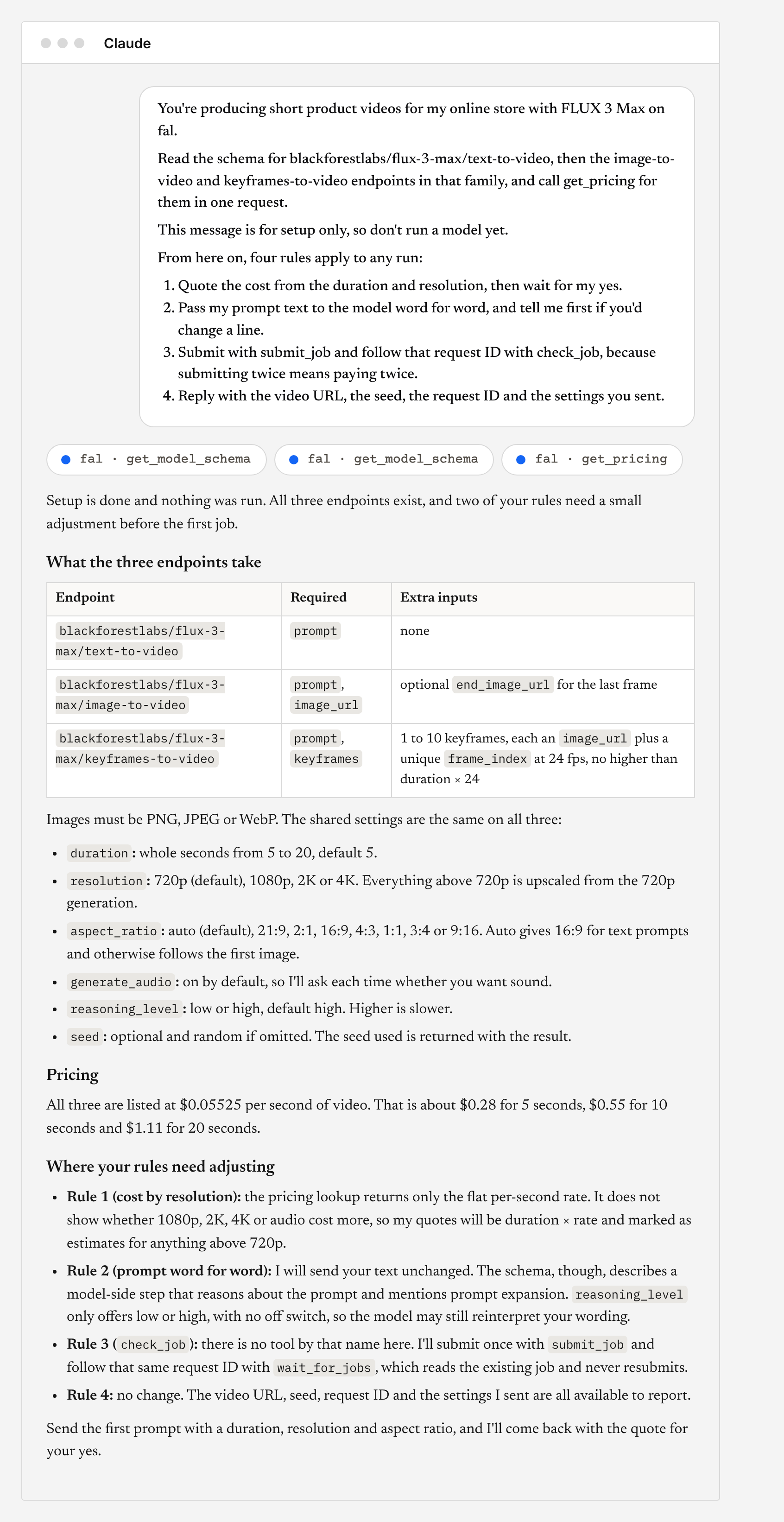
Rule 1 only holds because Fable 5.2 keeps following the brief for the whole chat, as our MCP docs note that asking for approval in a prompt creates no server-side gate.
Because the brief already covers pricing and approvals, I keep the category messages further down to the endpoint settings and the prompt text.
For a product outside the eight categories in this guide, I let Fable 5.2 draft the prompt from a one-line description:
Message to Claude:
Write a FLUX 3 Max text-to-video prompt for this product: [your one-line product description].
Open with one camera move and its speed, then describe the action as beats in the order they happen.
Give the environment one thing to do and name one change in the light.
Close with a line that starts with Sound: and lists what I should hear.
Leave out logos and on-screen text, and keep the whole prompt under 120 words.
Show me the prompt with the settings you'd send, then wait for my reply.
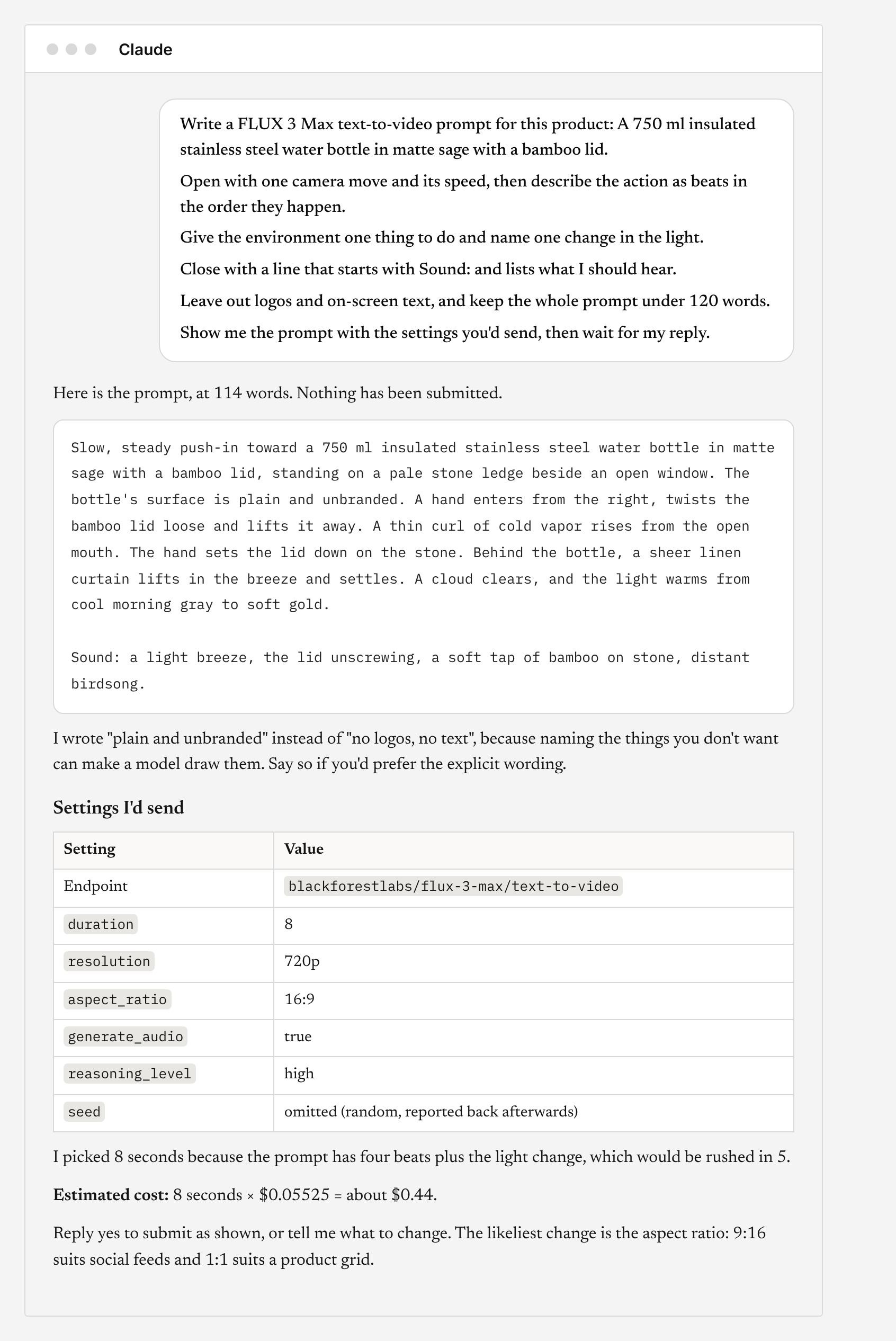
I don't ask for on-screen text in any of these prompts, because logos and offer copy go on in an editor afterward.
FLUX 3 Max prompts for eight ecommerce categories
Here are the eight FLUX 3 Max prompts I run from one Claude Fable 5.2 chat, one per store category, sent after a setup brief that tells Fable 5.2 to quote a price and wait for approval.
The settings in the messages are the ones I'd send for a 720p draft of each clip.
| Category | Product | FLUX 3 Max endpoint | Length and shape |
|---|---|---|---|
| Travel gear | Roll-top travel backpack | Text-to-video | 10 seconds, 16:9 |
| Apparel | Waterproof rain jacket | Text-to-video | 8 seconds, 9:16 |
| Pet supplies | Boucle dog bed | Text-to-video | 6 seconds, 1:1 |
| Fitness and outdoor | Cork yoga mat | Text-to-video | 5 seconds, 9:16 |
| Jewelry and watches | Steel field watch | Image-to-video | 5 seconds, follows the 16:9 still |
| Consumer electronics | Folding over-ear headphones | Image-to-video with an end frame | 8 seconds, follows the 16:9 still |
| Home and furniture | Linen bedding set | Keyframes-to-video with 3 keyframes | 8 seconds, follows the first still |
| Food and beverage | Pasta meal kit | Keyframes-to-video with 4 keyframes | 12 seconds, follows the first still |
1. Travel gear: A backpack hero ad on FLUX 3 Max text-to-video
The travel backpack goes first because FLUX 3 Max text-to-video works from words alone and needs no photo of the bag.
I describe the fabric and the straps once, in the opening sentence of the prompt, and spend the remaining lines on the platform around the bag.
Message to Claude:
Use blackforestlabs/flux-3-max/text-to-video with duration 10, resolution 720p, aspect_ratio 16:9 and generate_audio true.
The prompt for FLUX 3 Max is:
Prompt: A slow push-in across an empty train platform at dawn toward an unbranded 40-liter roll-top travel backpack in olive waxed canvas with tan leather straps, standing upright on a wooden bench. A gust from an arriving train lifts the loose strap ends. A traveler's hand reaches in from the right and lifts the backpack out of frame by its top handle. The bench stays empty while train doors slide open in the soft-focus background. Cool blue light warms to amber as the sun clears the platform roof. One continuous shot with no logos or on-screen text. Sound: rails humming, a brake hiss, footsteps on concrete, a distant station chime.
Generated using FLUX 3 Max on fal, a post-trained variant of Black Forest Labs' FLUX 3 Video.
Try it in ChatGPT Try it in fal AgentFable 5.2 should quote $1.70 for this FLUX 3 Max draft, because that's 10 seconds at the 720p rate.
2. Apparel: A vertical rain jacket clip for social feeds
To show how the fabric behaves, I wrote this FLUX 3 Max text-to-video prompt as a follow shot behind a rain jacket that keeps the wearer's face out of frame.
Vertical placements need aspect_ratio 9:16 spelled out in the message, since auto would return 16:9 on a text prompt.
Message to Claude:
Next, run blackforestlabs/flux-3-max/text-to-video at duration 8 and resolution 720p, with aspect_ratio set to 9:16.
The prompt is the text below:
Prompt: Vertical handheld follow shot at walking pace behind a woman on a rain-wet city street at dusk, framed from her knees to her shoulders. She wears an unbranded mustard-yellow waterproof jacket with a matte finish and a storm flap over the zip. Rain beads on the fabric and rolls off the hem as she closes the storm flap with one hand. Neon shapes with no readable text smear into soft reflections on the pavement, and the street lamps flicker on one after another. Sound: steady rain on fabric, a passing tram bell.
Generated using FLUX 3 Max on fal, a post-trained variant of Black Forest Labs' FLUX 3 Video.
Try it in ChatGPT Try it in fal Agent3. Pet supplies: A square dog bed scene with a narrator line
For a pet product, I let FLUX 3 Max animate the animal.
This square text-to-video scene for a dog bed also has one spoken line from a narrator.
I wrote the narrator the way the sample prompt on our image-to-video page does, as a labeled line in double quotes.
Dialogue can be described in the prompt according to our text-to-video page, though the schema has no voice field and the spoken line is worth checking by ear.
Message to Claude:
For the dog bed, use blackforestlabs/flux-3-max/text-to-video with duration 6 and resolution 720p, in a 1:1 aspect_ratio.
Pass this prompt unchanged:
Prompt: Locked-off wide shot of a sunlit living room with an unbranded round dog bed in charcoal boucle beside a low oak bookshelf. A golden retriever pads in from the left and circles the bed twice. The dog settles onto the cushion with a long exhale. Dust drifts through the window light and a curtain moves in a light breeze. The sun patch creeps a few inches across the floorboards. Narrator, in a warm low voice: "Somebody found a new favorite spot." Sound: paws on wood, a contented sigh.
Generated using FLUX 3 Max on fal, a post-trained variant of Black Forest Labs' FLUX 3 Video.
Try it in ChatGPT Try it in fal Agent4. Fitness and outdoor: A product-only yoga mat shot
I kept the yoga mat clip as short as FLUX 3 Max allows, and that's 5 seconds.
With no person in the frame, I give the mat a single action to complete, the way I'd want a product page banner to play.
Message to Claude:
Run blackforestlabs/flux-3-max/text-to-video once more, this time at duration 5 and resolution 720p, again with aspect_ratio 9:16.
Here's the prompt:
Prompt: Top-down shot of a pale oak studio floor in morning light, with the camera rising slowly. An unbranded cork yoga mat with a natural rubber base unrolls across the floor by itself from left to right and settles flat. A linen carry strap slides off the end of the mat and coils beside it. Leaf shadows from a window sway across the cork, and the light brightens by a stop. No people and no on-screen text. Sound: a soft rolling thud, cork brushing wood, a low room tone, one wind chime.
Generated using FLUX 3 Max on fal, a post-trained variant of Black Forest Labs' FLUX 3 Video.
Try it in ChatGPT Try it in fal Agent5. Jewelry and watches: A macro watch clip from one packshot
A watch dial has to match the listing photo, so for this category I switch to FLUX 3 Max image-to-video and start from a packshot.
Nano Banana 2.1 generates that packshot in the same Claude chat.
Since the still already shows the watch, I only point at parts of the image in the motion prompt and say what they do.
Message to Claude:
Create the start frame with google/nano-banana-2.1 at aspect_ratio 16:9 and resolution 1K, using this image prompt:
Macro product photograph of an unbranded field watch with a brushed steel case and an olive nylon strap, lying on dark slate with its hands at ten past ten. The matte black dial carries luminous numerals and fills the center of the frame. A single softbox from the upper left draws a highlight along the bezel. No brand text or logos on the dial or the strap.
Then send that image to blackforestlabs/flux-3-max/image-to-video as image_url, with duration 5 and resolution 720p, leaving aspect_ratio on auto.
Use this motion prompt:
Prompt: A very slow push-in toward the watch dial. The second hand sweeps steadily while the highlight slides along the bezel from left to right. A drop of water lands on the slate beside the case and spreads into a thin ring. The light cools slightly toward the end, and nothing else in the frame moves. Sound: a faint mechanical tick, a single water drop.
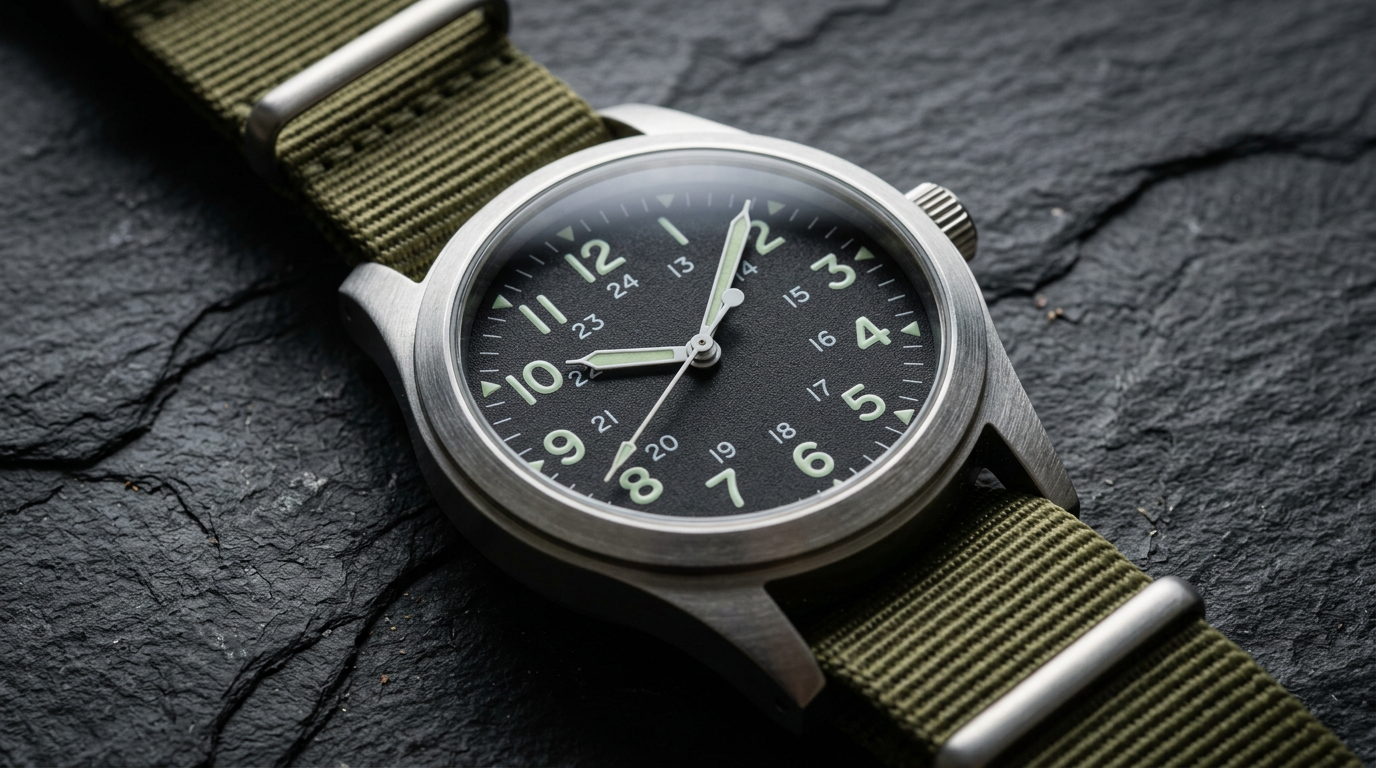
Generated using Nano Banana 2.1 on fal, an AI model from Google.
Generated using FLUX 3 Max on fal, a post-trained variant of Black Forest Labs' FLUX 3 Video.
Try it in ChatGPT Try it in fal AgentIf you sell a real watch, your product photo's public URL replaces the Nano Banana 2.1 step once Claude has copied the file to our CDN with upload_file.
💡 Pro tip: before animating a packshot, I'd settle its lighting with one of the 25 Nano Banana 2.1 relighting setups in our lighting prompts guide.
6. Consumer electronics: Folding headphones between a start and an end frame
FLUX 3 Max image-to-video also accepts end_image_url, which lets a folding-headphones clip open on the product in use and close on the product packed.
I generate the opening still with Nano Banana 2.1 and derive the closing one with Nano Banana 2.1 Edit, to get both frames from one desk and one camera position.
Message to Claude:
Generate the first frame with google/nano-banana-2.1 at aspect_ratio 16:9 and resolution 1K from this image prompt:
Product photograph of unbranded over-ear headphones in matte sand beige with brushed aluminum hinges, lying open on a walnut desk next to their open hard-shell case. Soft window light from the right and a shallow depth of field, with a blurred laptop edge in the background. No text or logos.
Make the last frame with google/nano-banana-2.1/edit, passing the first frame in image_urls with this instruction:
Keep the desk and the lighting exactly as they are, from the same camera position. The headphones are now folded flat inside the hard-shell case, and the case is zipped shut in the same spot.
Submit blackforestlabs/flux-3-max/image-to-video with the first frame as image_url and the edited frame as end_image_url, at duration 8 and resolution 720p.
The motion prompt for FLUX 3 Max:
Prompt: The camera holds still at desk height. A hand comes in from the right and folds each ear cup inward. The same hand lowers the headphones into the case. The lid closes and the zip runs around its edge, ending on the final image. Window light dims once as a cloud passes. Sound: two hinge clicks, a soft fabric thud, a zip closing, quiet office ambience.
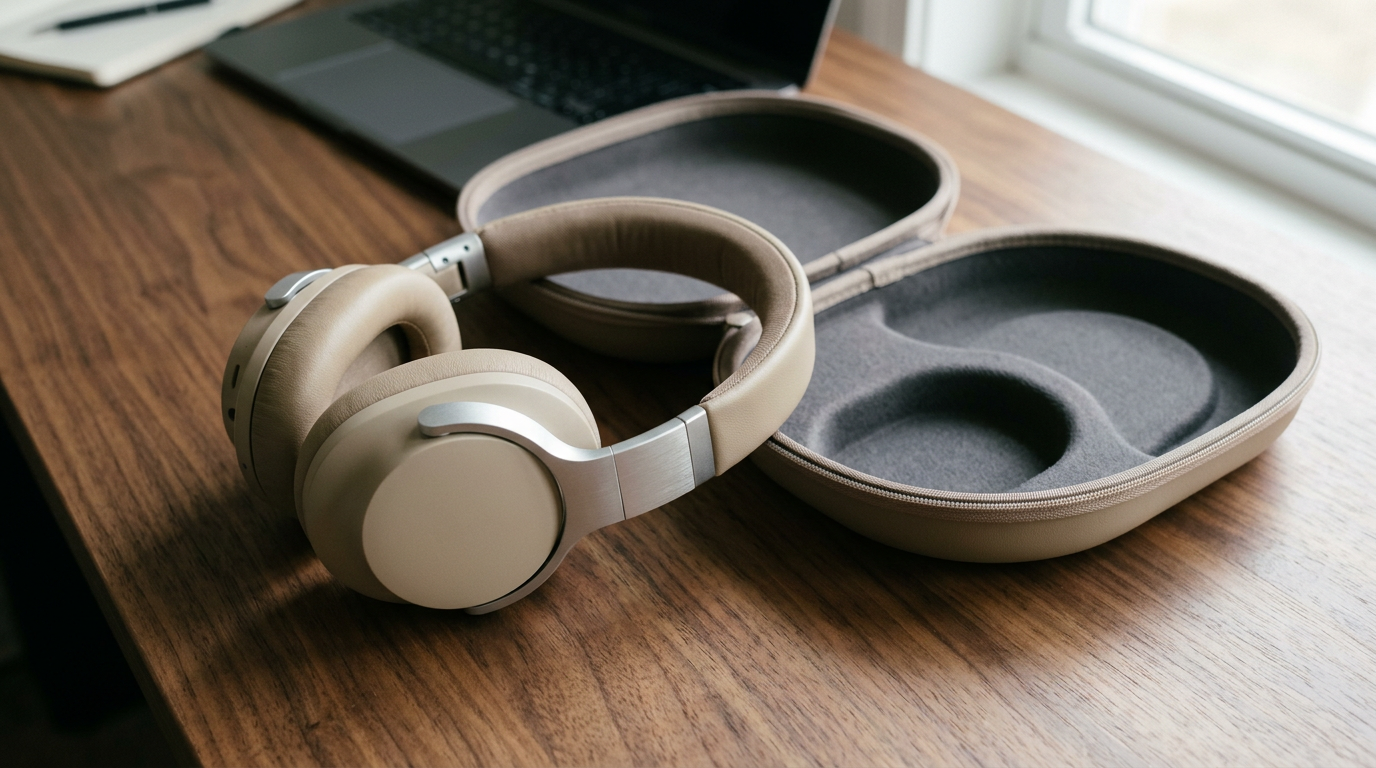
Generated using Nano Banana 2.1 on fal, an AI model from Google.
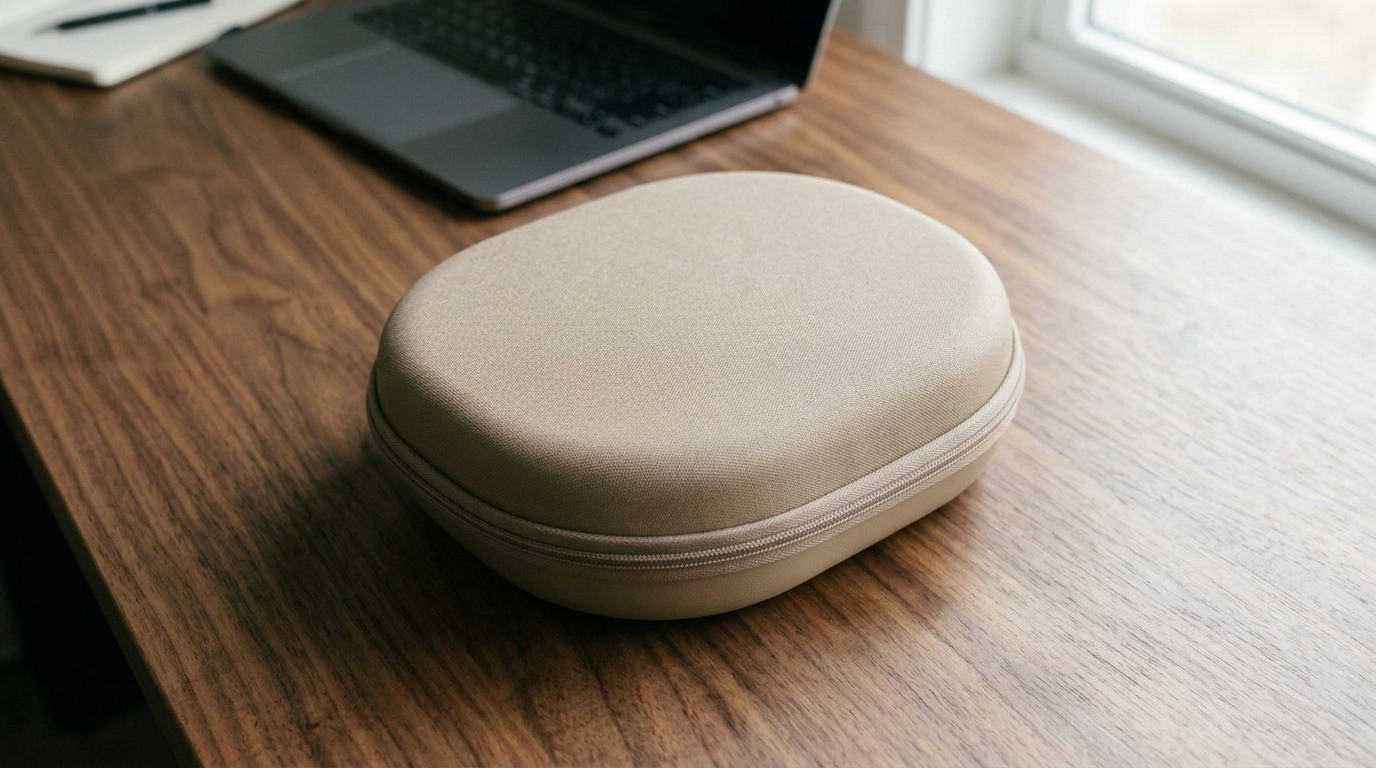
Generated using Nano Banana 2.1 Edit on fal, an AI model from Google.
Generated using FLUX 3 Max on fal, a post-trained variant of Black Forest Labs' FLUX 3 Video.
Try it in ChatGPT Try it in fal Agent7. Home and furniture: A bed that makes itself across three keyframes
For the bedding clip, I use FLUX 3 Max keyframes-to-video with three stills of one bedroom.
I pin the second still at frame 96, which is the 4-second mark of the 8-second clip, and the other two go at frame 0 and frame 192.
Message to Claude:
Build three keyframes of one bedroom, the first with google/nano-banana-2.1 at aspect_ratio 16:9 and resolution 1K, and the next two with google/nano-banana-2.1/edit from the image before.
Keyframe 1 prompt: Interior photograph of a bedroom in morning light, facing a low oak bed frame with a bare white mattress straight on at standing height. A bedside table to the right holds a linen-shaded lamp that is switched off. No people and no text.
Keyframe 2 edit: Same room and camera position. The mattress now has a fitted sheet in washed sage linen, with a matching duvet folded back halfway down the bed.
Keyframe 3 edit: Hold the room and the camera exactly as they are. The duvet is pulled up smooth under two pillows at the headboard. A rust wool throw lies across the foot of the bed, and the lamp is switched on.
Then submit blackforestlabs/flux-3-max/keyframes-to-video, pinning the first image at frame_index 0 and the last at 192, with the middle one at 96.
Set duration 8 and resolution 720p, and leave aspect_ratio on auto.
Use this prompt for the motion between them:
Prompt: Locked-off shot of the bedroom. A sage linen sheet sweeps in from the left and stretches itself over the mattress, then the duvet rolls out from the foot of the bed and folds back halfway. In the second half the duvet glides up to the headboard while two pillows drop into place. A rust throw unfurls across the foot of the bed as the lamp clicks on and the light warms. One continuous shot with no people. Sound: linen snapping taut, a lamp switch click.
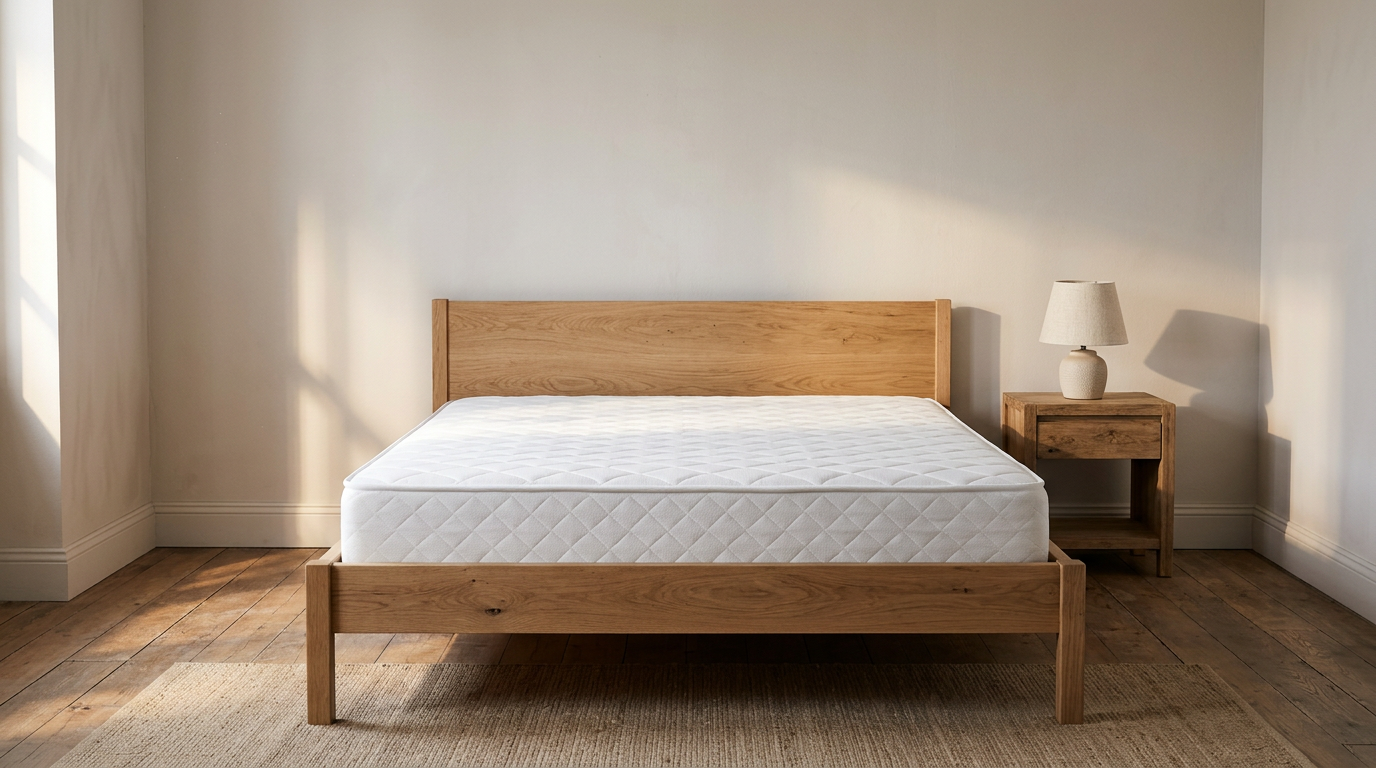
Generated using Nano Banana 2.1 on fal, an AI model from Google.
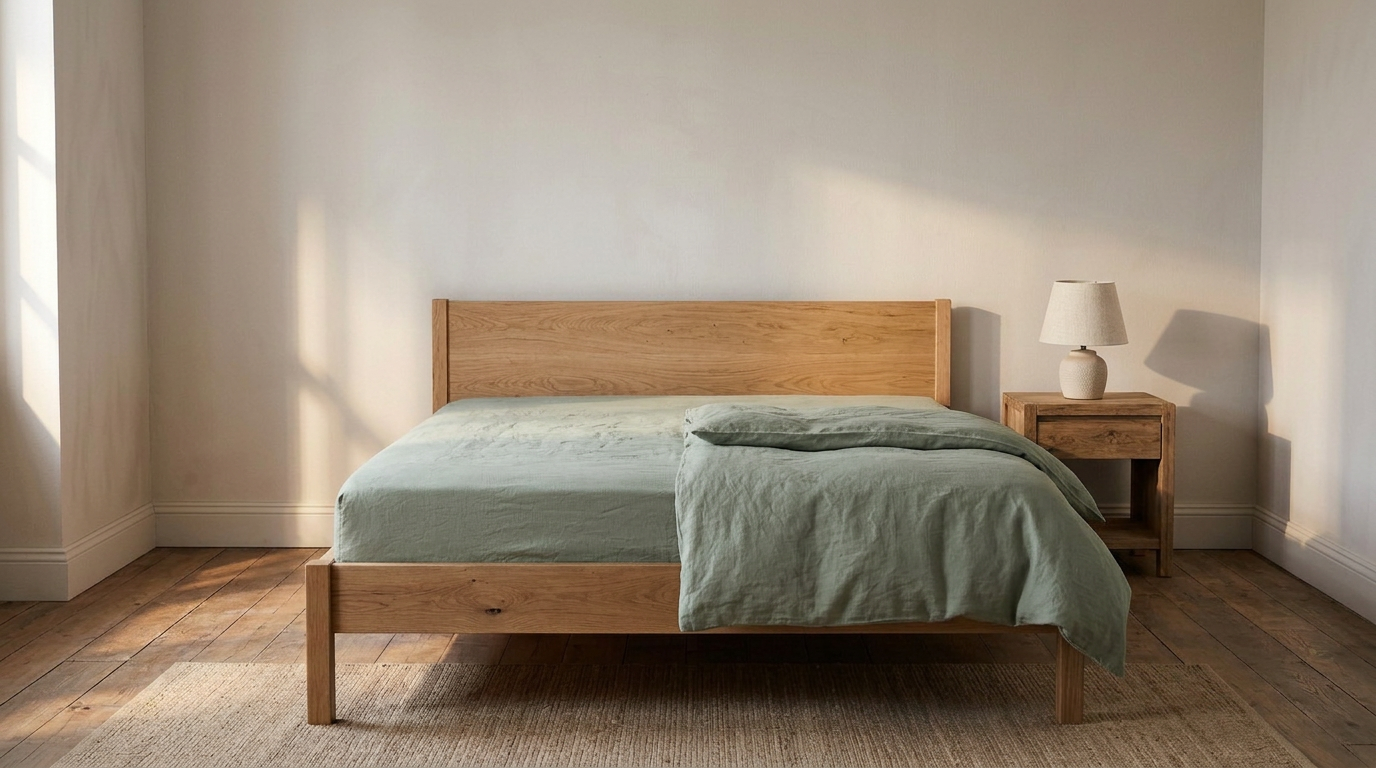
Generated using Nano Banana 2.1 Edit on fal, an AI model from Google.
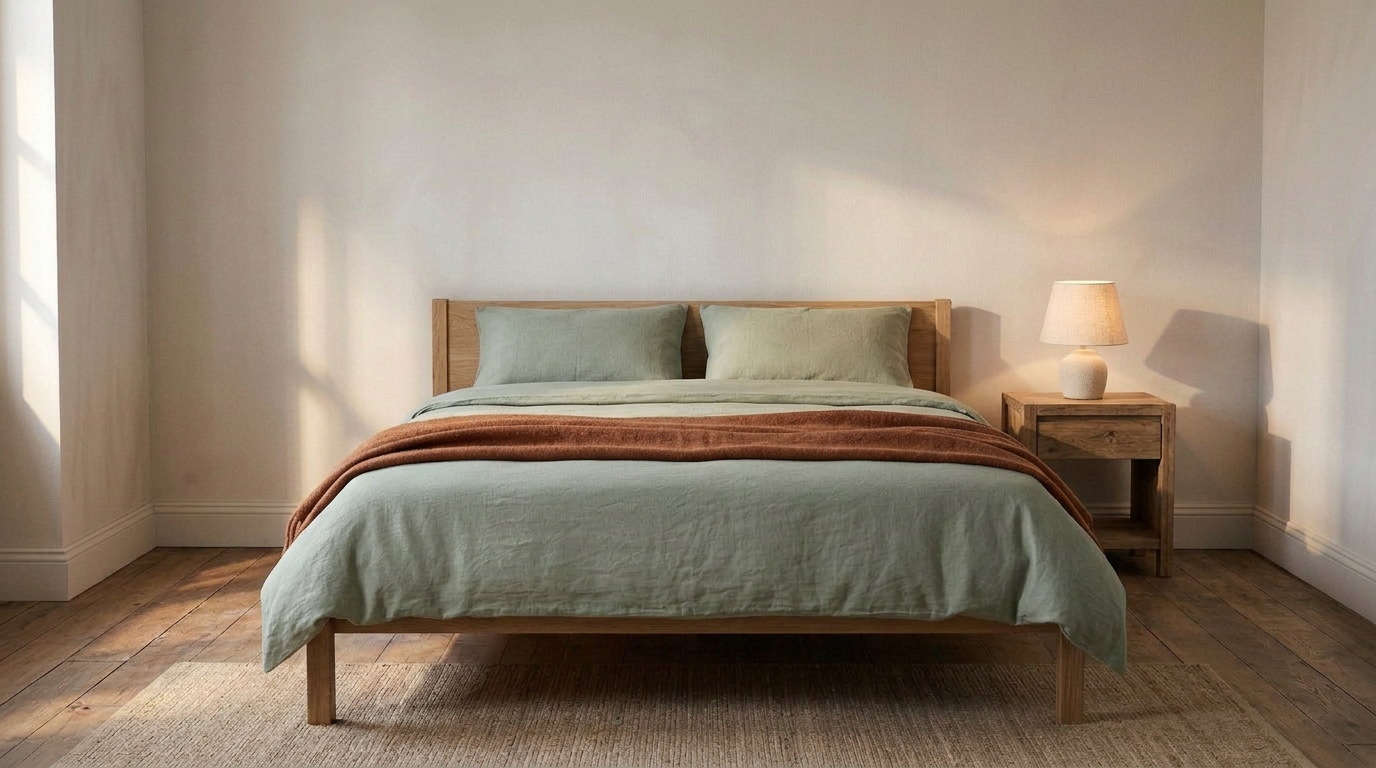
Generated using Nano Banana 2.1 Edit on fal, an AI model from Google.
Generated using FLUX 3 Max on fal, a post-trained variant of Black Forest Labs' FLUX 3 Video.
Try it in ChatGPT Try it in fal Agent8. Food and beverage: A pasta meal kit recipe pinned to four keyframes
At 12 seconds, the meal kit is the longest clip here, with four keyframes that take FLUX 3 Max from raw ingredients to a plated dish.
I keep the camera top-down in all four stills and repeat that framing in the edit instructions, to ask for the same counter in each keyframe.
The keyframes are spaced 4 seconds apart, at frame_index 0, 96, 192 and 288.
Message to Claude:
This one needs four keyframes of a single kitchen counter: generate the first with google/nano-banana-2.1 at aspect_ratio 16:9 and resolution 1K, then make each later one with google/nano-banana-2.1/edit from the keyframe before it.
Keyframe 1 prompt: Top-down food photograph of a meal kit laid out on a dark stone counter, with a nest of fresh tagliatelle, a bowl of cherry tomatoes, a wedge of parmesan and a sprig of basil on a wooden board. An empty black skillet stands to the right. Soft daylight from the top of the frame, no text or packaging.
Keyframe 2 edit: Same counter and top-down camera. The cherry tomatoes are now blistering in the skillet with a gloss of olive oil, while everything else stays on the wooden board.
Keyframe 3 edit: Keep the counter and the overhead framing. The tagliatelle is in the skillet, coated in tomato sauce, with steam rising and basil leaves scattered on top.
Keyframe 4 edit: Nothing about the counter or the camera changes. The skillet is gone, and a matte white plate in the center holds a twirl of tagliatelle in tomato sauce under shaved parmesan and one basil leaf.
Submit all four to blackforestlabs/flux-3-max/keyframes-to-video at frame_index 0, 96, 192 and 288.
Duration is 12 and resolution 720p, with aspect_ratio left on auto.
The motion between the keyframes follows this prompt:
Prompt: Top-down shot that stays perfectly overhead. The tomatoes tumble from the bowl into the skillet and blister as oil shimmers around them. The tagliatelle slides in next, and a wooden spoon folds the sauce through the pasta while steam curls up. In the final seconds the skillet slides out of frame as the plate glides into the center, and the pasta lands on the plate in a neat twirl under falling parmesan. Daylight stays even throughout. Sound: tomatoes sizzling, a spoon scraping the pan, a soft plate clink, a quiet kitchen hum.
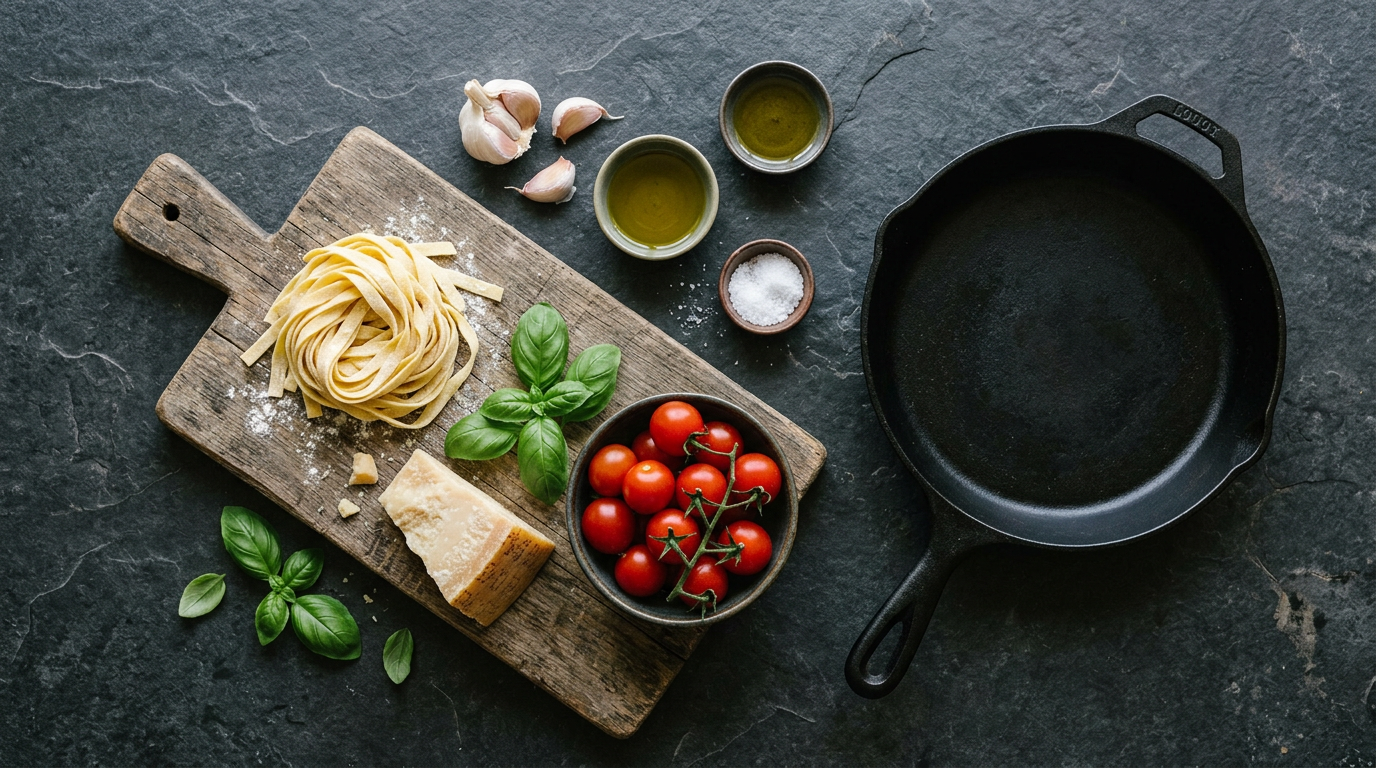
Generated using Nano Banana 2.1 on fal, an AI model from Google.
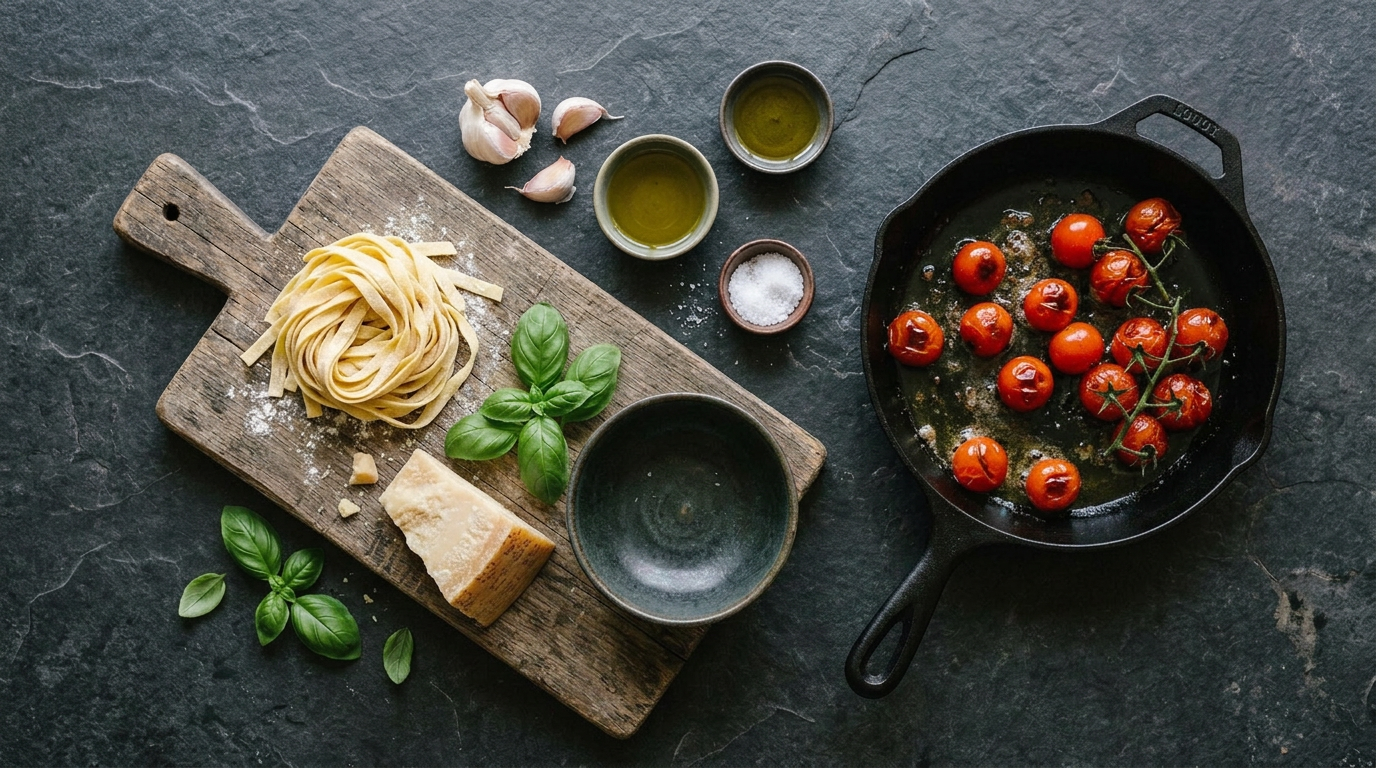
Generated using Nano Banana 2.1 Edit on fal, an AI model from Google.
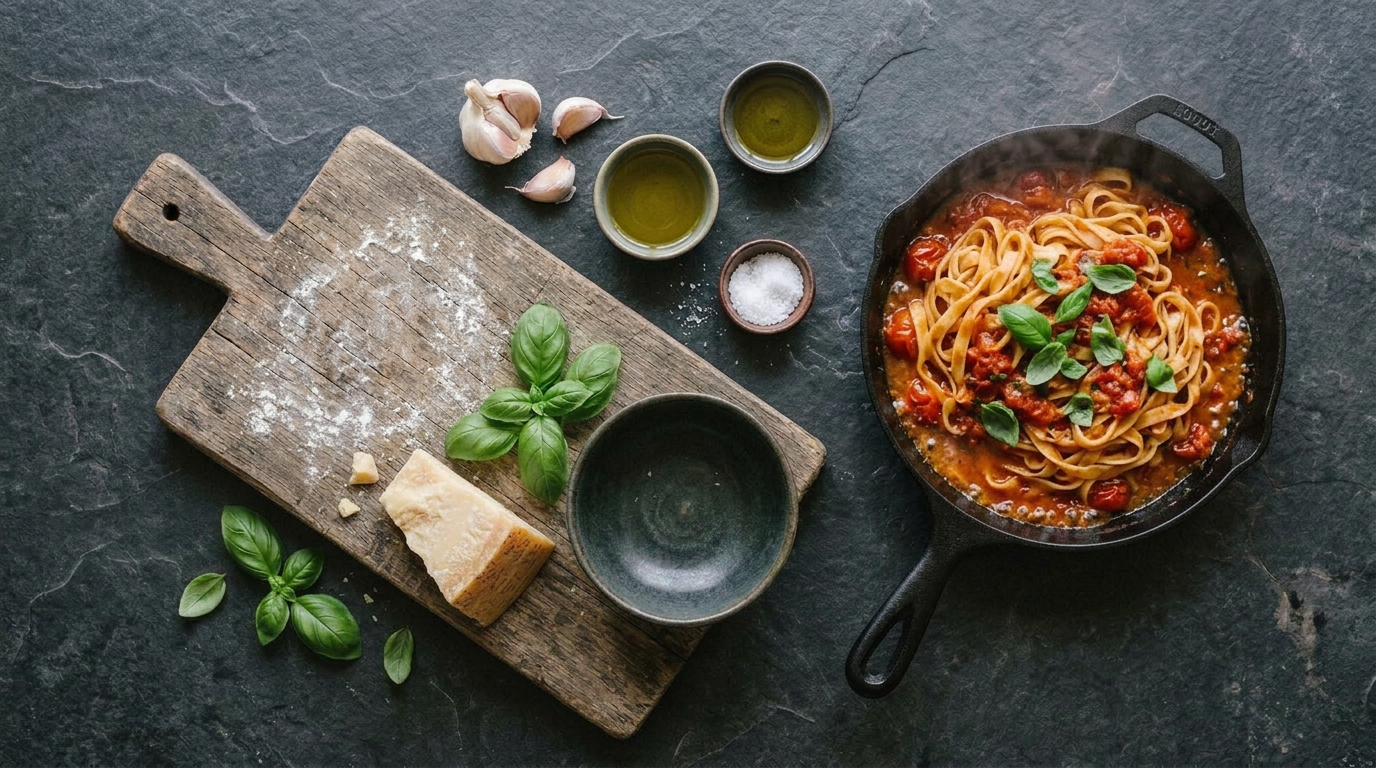
Generated using Nano Banana 2.1 Edit on fal, an AI model from Google.
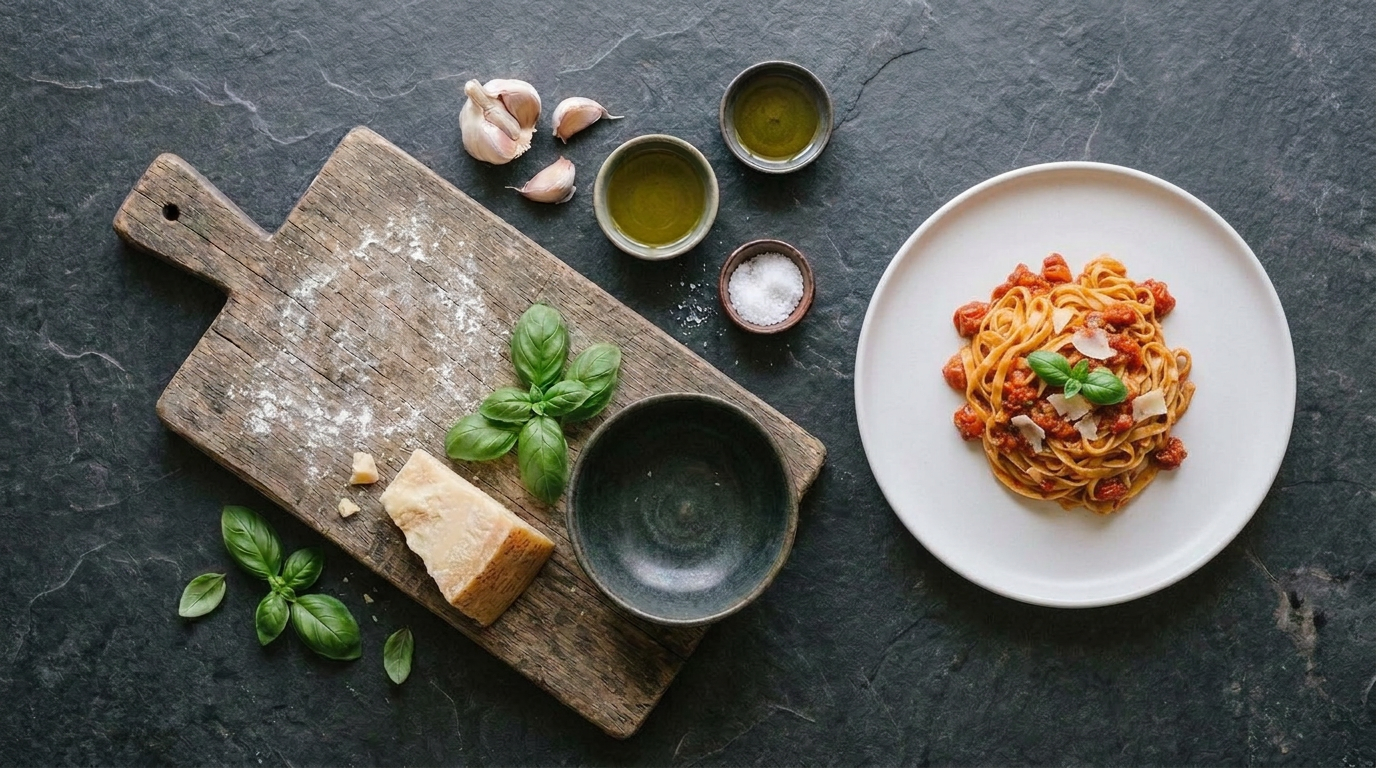
Generated using Nano Banana 2.1 Edit on fal, an AI model from Google.
Generated using FLUX 3 Max on fal, a post-trained variant of Black Forest Labs' FLUX 3 Video.
Try it in ChatGPT Try it in fal AgentWhat does it cost to generate FLUX 3 Max videos from a Claude chat?
FLUX 3 Max costs $0.17 per second at 720p and $0.29 per second at 1080p on fal, and our FLUX 3 Max model pages list those as the regular rates from November 23, 2026 at 00:00 UTC.
Billing is per second of generated video, so I price a clip by multiplying its duration by the rate for its resolution.
| Category | Endpoint | Duration | 720p draft | 1080p final |
|---|---|---|---|---|
| Travel gear | Text-to-video | 10 s | $1.70 | $2.90 |
| Apparel | Text-to-video | 8 s | $1.36 | $2.32 |
| Pet supplies | Text-to-video | 6 s | $1.02 | $1.74 |
| Fitness and outdoor | Text-to-video | 5 s | $0.85 | $1.45 |
| Jewelry and watches | Image-to-video | 5 s | $0.85 | $1.45 |
| Consumer electronics | Image-to-video | 8 s | $1.36 | $2.32 |
| Home and furniture | Keyframes-to-video | 8 s | $1.36 | $2.32 |
| Food and beverage | Keyframes-to-video | 12 s | $2.04 | $3.48 |
| Total | All three endpoints | 62 s | $10.54 | $17.98 |
If I draft all eight clips once at 720p and finish all eight at 1080p, the bill is $28.52 at these November 2026 rates.
The image-led FLUX 3 Max clips also need 10 Nano Banana 2.1 stills, and Nano Banana 2.1 bills by tokens.
A 16:9 image at 1K came to $0.0396 in our October 7, 2026 billing test, so I budget about four cents per still and have Fable 5.2 confirm with get_pricing.
The six edited stills carry input tokens for their source image on top, at $1.764 per million.
I go through that token math in our Nano Banana API guide.
Fable 5.2's side of the work is paid through Claude, on your plan or with usage credits, and nothing is added to the fal bill for the MCP server.
How do you fix a FLUX 3 Max take without leaving the Claude chat?
You fix a FLUX 3 Max take by giving Claude Fable 5.2 the timestamp where the take goes wrong and asking for a rewrite of that one beat, which then goes out as a new paid job.
I read that timestamp off the video player before asking for changes, since Fable 5.2 only has the prompt and the settings to go on.
Based on my experience with the eight ecommerce formats in this guide, I can usually trace a fix to one line of the prompt or one field of the request:
| What I see in the draft | What I ask Fable 5.2 to change | Where the fix comes from |
|---|---|---|
| The shot cuts to a second angle | Add "One continuous shot" to the prompt | Our FLUX 3 Max prompting guide |
| A vertical text-to-video ad comes back in 16:9 | Set aspect_ratio to 9:16 | On auto, a text prompt gets 16:9 |
| The motion is approved and I want a sharper file | Resend at resolution 1080p with the draft's seed | 1080p is an upscale of the 720p render |
| Iterations take too long | Set reasoning_level to low | The schema ties more reasoning effort to longer generation time |
| A keyframe arrives too early or too late | Move its frame_index, counting 24 per second | The keyframes-to-video schema |
Nothing in the schema says the same seed returns the same draft, so I'd recommend treating the 1080p run as a new take to review.
I send video requests through submit_job from the start, because our MCP docs give run_model a default wait of 45 seconds.
While a FLUX 3 Max job is running, Fable 5.2 should keep calling check_job on the same request ID, and cancel_job is there for any duplicate that slips into the queue.
A revision message to Claude Fable 5.2 can be as short as this one:
Message to Claude:
In the backpack draft, the hand grabs a strap, not the top handle, at around second 6.
Rewrite only that sentence of the prompt and show me the new line.
After my yes, resubmit with the same seed and settings.
Recently Added










Generate your first FLUX 3 Max video from Claude Fable 5.2
One Claude Fable 5.2 chat with fal connected can cover a store's video formats from a described backpack to a keyframed recipe clip.
You'll want to swap in your own product lines and photos before the first run.
The same connector also reaches more than 1,000 other models, among them the picks in our roundup of the 10 best AI image-to-video generators.
If you'd like to try a prompt before connecting anything, you can paste it into the FLUX 3 Max playground for the same text-to-video endpoint.
FAQs about generating videos with Claude Fable 5.2
Does FLUX 3 Max add sound to the videos Claude Fable 5.2 generates?
Yes, sound comes with a FLUX 3 Max video by default, because the generate_audio field starts at true on all three endpoints.
I describe the audio in a closing Sound line, and our text-to-video page says dialogue can go in the prompt as well.
For a silent clip, you'd ask Claude Fable 5.2 to send generate_audio as false.
Is it free to generate videos with Claude Fable 5.2?
No, a 10-second FLUX 3 Max draft costs $1.70 on fal, and Claude Fable 5.2 itself needs a paid Claude plan because the Free plan doesn't include Fable models as of November 2026.
Pro plans and standard Team seats run Claude Fable 5.2 on usage credits, according to Claude's help center.
How long can a FLUX 3 Max video be?
A FLUX 3 Max video can be 5 to 20 seconds long per request on all three endpoints, set in one-second steps through the duration field.
Because the default is 5 seconds, a longer ad needs its duration stated in the message to Claude Fable 5.2.
Can FLUX 3 Max work from my own product photos?
Yes, FLUX 3 Max image-to-video and keyframes-to-video both take product photos at public URLs in PNG or JPEG format, with WebP accepted as well.
Claude Fable 5.2 can copy a public image onto our CDN with upload_file, while a file on your computer needs Claude Code, where upload_file returns a signed upload URL for files up to 90 MB.
If a model takes your photos as references and not as frames, that's a different input type, and our explainer on what reference-to-video is covers how it works.
Does this FLUX 3 Max workflow run in Claude Code?
Yes, Claude Code reaches the same fal MCP server, though Claude Fable 5.2 requires Claude Code version 2.1.321 or later according to Claude's help center.
The Claude Code setup docs give one command for adding the server, claude mcp add --transport http --scope user fal https://mcp.fal.ai/mcp-relay, and the sign-in then happens from the /mcp menu.
For catalog work, I find Claude Code handier in my experience, since FLUX 3 Max clips can be saved next to their prompts in the project folder.