In this guide, I'll review the 10 best AI models for generating videos from images in 2026, covering motion quality, resolution, speed, pricing, audio support, and what each model handles best.
What Factors Should Be Considered When Evaluating AI Image-to-Video Generators?
Motion Quality and Temporal Consistency
Can the model take a still image and produce motion that actually looks natural, or does it warp, jitter, and fall apart after the first second?
I paid attention to how well each model maintains the source image's details throughout the video.
Some models nail the opening frame but degrade quickly, introducing artifacts, losing fine textures, or producing unnatural motion in hair, fabric, and backgrounds.
Note: I'm going to compare all AI image-to-video models with the same source image and motion prompt so that we can see the difference:
Source image: A ceramic fox figurine sitting on a moss-covered stone in a misty forest clearing, surrounded by ferns and tiny mushrooms, soft golden hour light filtering through the canopy.
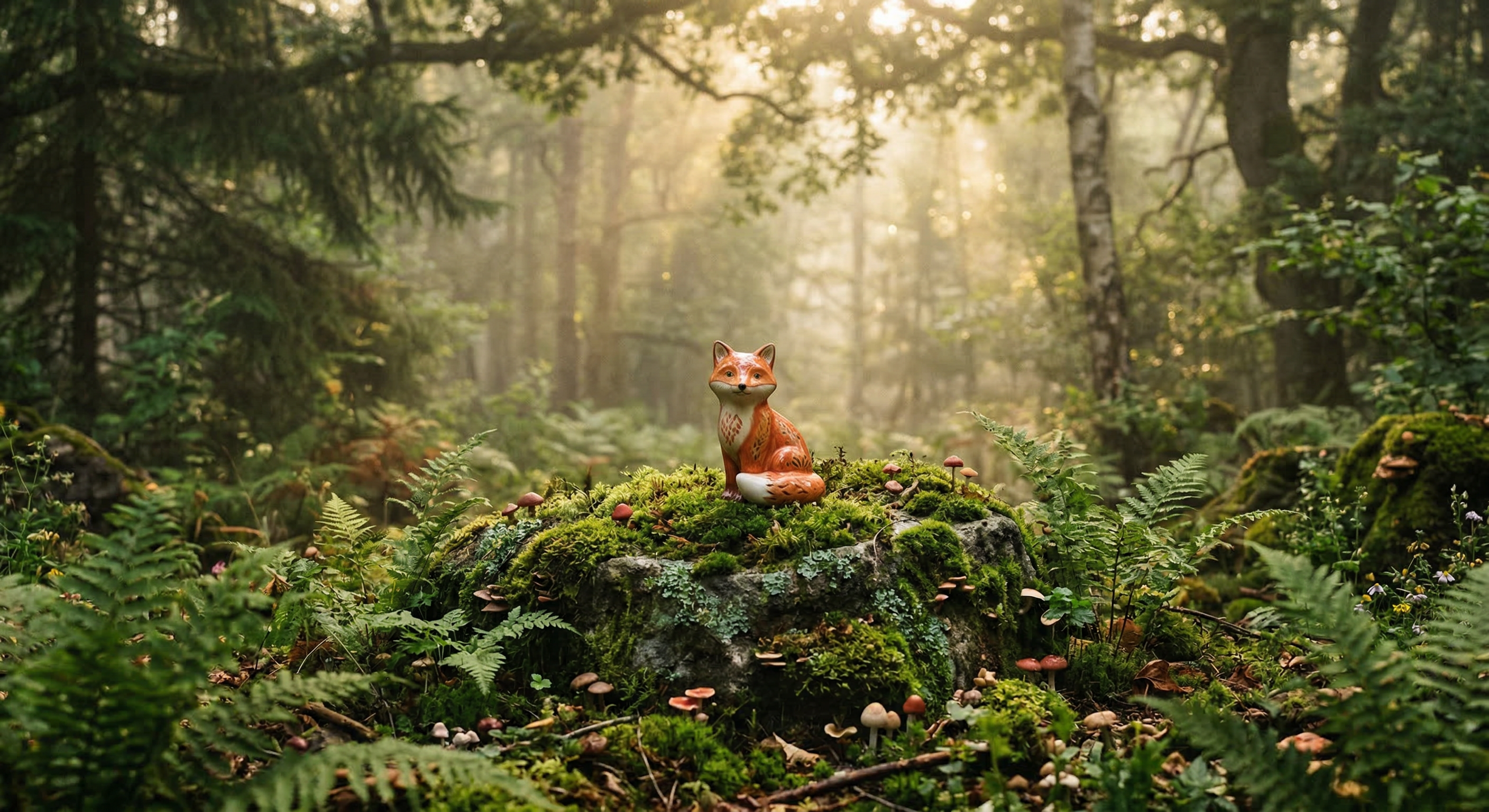
Generated using Nano Banana 2 on fal.
Prompt: A gentle breeze moves through the scene, swaying the ferns and causing the mist to drift slowly across the clearing. Tiny particles of pollen float through the light beams. The camera slowly dollies forward toward the fox. Soft ambient forest sounds: birds calling in the distance, leaves rustling, a faint stream trickling nearby.
Output Resolution and Length
Not every model can produce 1080p output, and even fewer handle 4K. Duration matters too. Some models cap at 5 seconds, others push to 10 or even 25.
If you're producing content for social media, a 5-second clip at 720p might be fine. But for marketing campaigns, product demos, or cinematic work, you need higher resolution and longer durations without quality dropping off a cliff.
I tested each model at its maximum resolution and duration to see where quality holds up and where it starts to degrade.
Generation Speed and Cost
Video generation is expensive. A 5-second clip can cost anywhere from $0.18 to $2.50, depending on the model, resolution, and whether audio is enabled.
I compared cost-per-second across models at their standard resolution settings.
For teams generating hundreds of clips per week, the gap between $0.05/second and $0.50/second is the difference between a sustainable workflow and a blown budget.
Control Options
Camera movement, scene transitions, start-and-end-frame support, subject consistency: these are the features that separate a toy from a production tool.
Some models let you specify camera paths (pan, zoom, dolly).
Others support both a start frame and an end frame, animating the transition between them.
A few maintain subject identity across multiple generations without fine-tuning.
The more control a model gives you, the less time you spend re-rolling and hoping for the right output.
Audio and Lip-Sync Support
This used to be a bonus feature. In 2026, it's a deciding factor.
Several models now generate synchronized audio alongside video, including dialogue, ambient sound, and environmental effects.
If your workflow requires adding audio separately, that's an extra step, an extra cost, and a potential sync headache. Models with native audio generation skip all of that.
What Are The Best AI Image-to-Video Generators in 2026?
The best AI image-to-video generators in 2026 are fal, Veo 3.1, and Kling 3.0 Pro.
Here's my shortlist of the 10 best models I reviewed:
| AI Image-to-Video Generators | Best For | Price to Use |
|---|---|---|
| fal | Teams and developers who need access to every top video model through a single, fast API with pay-per-use pricing | Pay-per-use, starting at $0.0018/megapixel. |
| Veo 3.1 | Cinematic-quality video with native audio, 4K support, and Google DeepMind's latest architecture | From $0.10/second on fal (Fast), $0.20/second (Standard). |
| Kling 3.0 Pro | Fluid motion, native audio, and custom element support for consistent characters across clips | From $0.112/second on fal. |
| Sora 2 Pro | Extended-duration video up to 25 seconds with synchronized dialogue and environmental audio | $0.30/second (720p), $0.50/second (1080p) on fal. |
| Kling 2.5 Turbo Pro | Strong motion quality and cinematic visuals at a mid-tier price point | $0.07/second on fal. |
| Seedance 1.5 Pro | Start-and-end-frame control with native audio and token-based pricing | A 720p 5-second clip with audio costs roughly $0.26. |
| Hailuo 2.3 Pro | Solid image-to-video at low per-second cost with tiered resolution options | $0.49 per video generation. |
| LTX-2-19B | Open-weight flexibility, LoRA training, and megapixel-based pricing for fine-grained cost control | $0.0018/megapixel of video data on fal. |
| PixVerse v5.6 | Stylized and effects-driven video content with dedicated transition endpoints | From $0.35 per 5-second clip on fal. |
| Wan Pro | 1080p at 30fps on a budget with strong motion diversity from an open-weight architecture | $0.80 per 5 videos |
fal
fal.ai (that's us) is the best place to generate video from images in 2026 because our platform gives you access to 600+ generative AI models (including every model on this list) through a single API with pay-per-use pricing and no GPU management.
Full disclosure: Even though fal is our platform, I'll provide an unbiased perspective on why it's the best option for image-to-video generation in 2026.
Instead of signing up for separate accounts with Google DeepMind, Kuaishou, OpenAI, ByteDance, MiniMax, and Lightricks, you integrate once with fal and get access to all of them.
Same API key, same billing, same integration pattern. Swap one model endpoint string for another, and you're generating with a different model. No code changes beyond that.
But the real reason fal sits at #1 isn't just model access. It's speed.
We built fal's inference engine from scratch with custom CUDA kernels optimized for specific model architectures.
The result? Cold starts of 5-10 seconds versus 20-60+ seconds on other platforms.
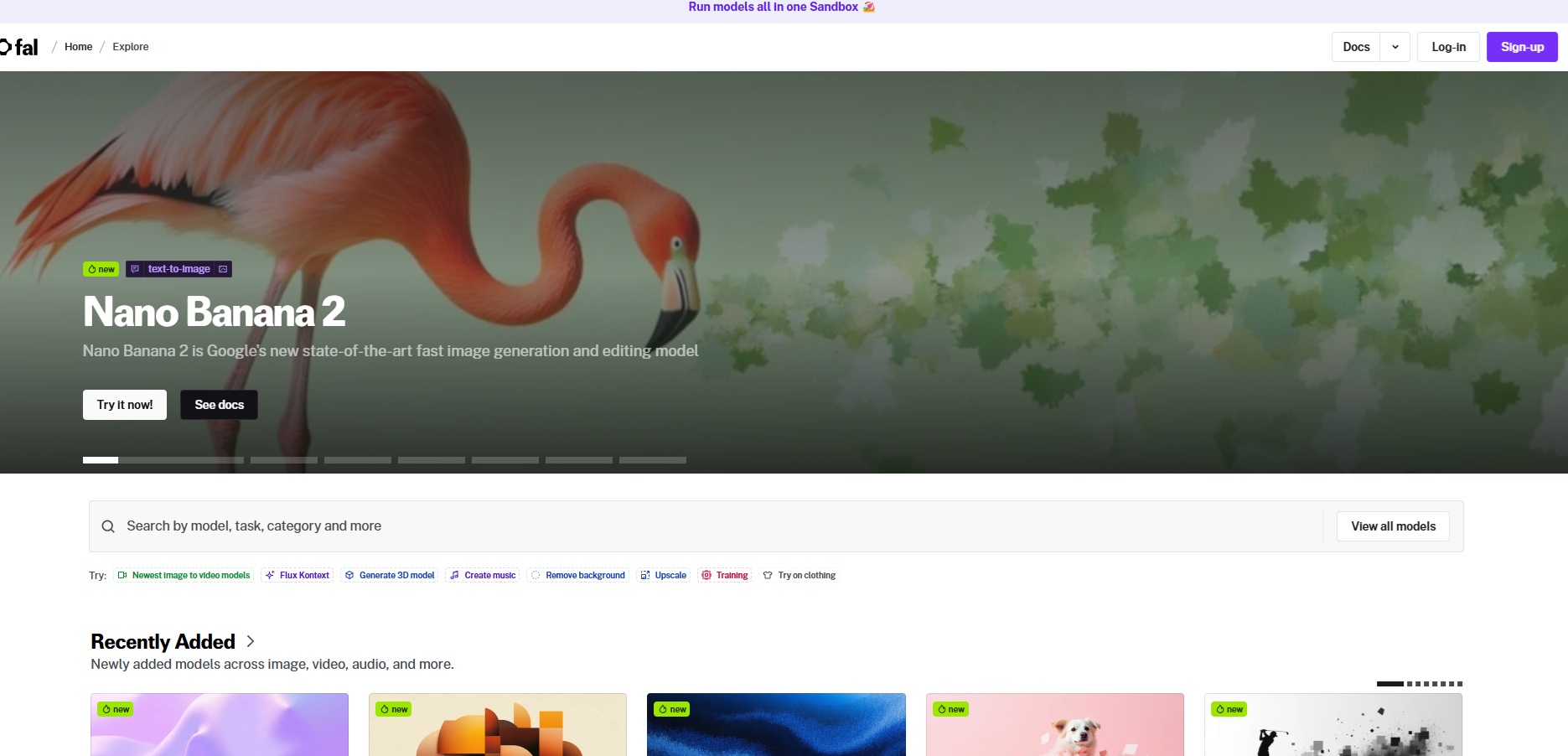
For video generation specifically, where a single request can take minutes and queuing delays stack up, that infrastructure gap compounds fast.
Here are the three things that make fal the best platform for AI image-to-video generation.
One API for Every Video Model You Need
Instead of juggling separate integrations with Veo, Kling, Sora, Seedance, Wan, and a dozen other providers, you integrate once with fal.
The same API pattern works across all 600+ models.
Your auth, error handling, queue logic, and billing stay identical whether you're generating with Veo 3.1 for cinematic quality, Kling 3.0 Pro for fluid motion, or LTX-2-19B for budget-friendly batch processing.
What this means in practice: you can test Veo 3.1 for a hero video, use Kling 2.5 Turbo Pro for social content, and run Wan Pro for high-volume background clips, all without touching your integration code.
When a new model drops, fal typically has it available on day one. Kling 3.0 Pro and Veo 3.1 both launched on fal on release day.
A few lines of code to get started:
javascript
import { fal } from "@fal-ai/client";
const result = await fal.subscribe("fal-ai/veo3.1/image-to-video", {
  input: {
    image_url: "https://your-image.jpg",
    prompt: "Camera slowly dollies forward as mist drifts across the scene",
  },
});
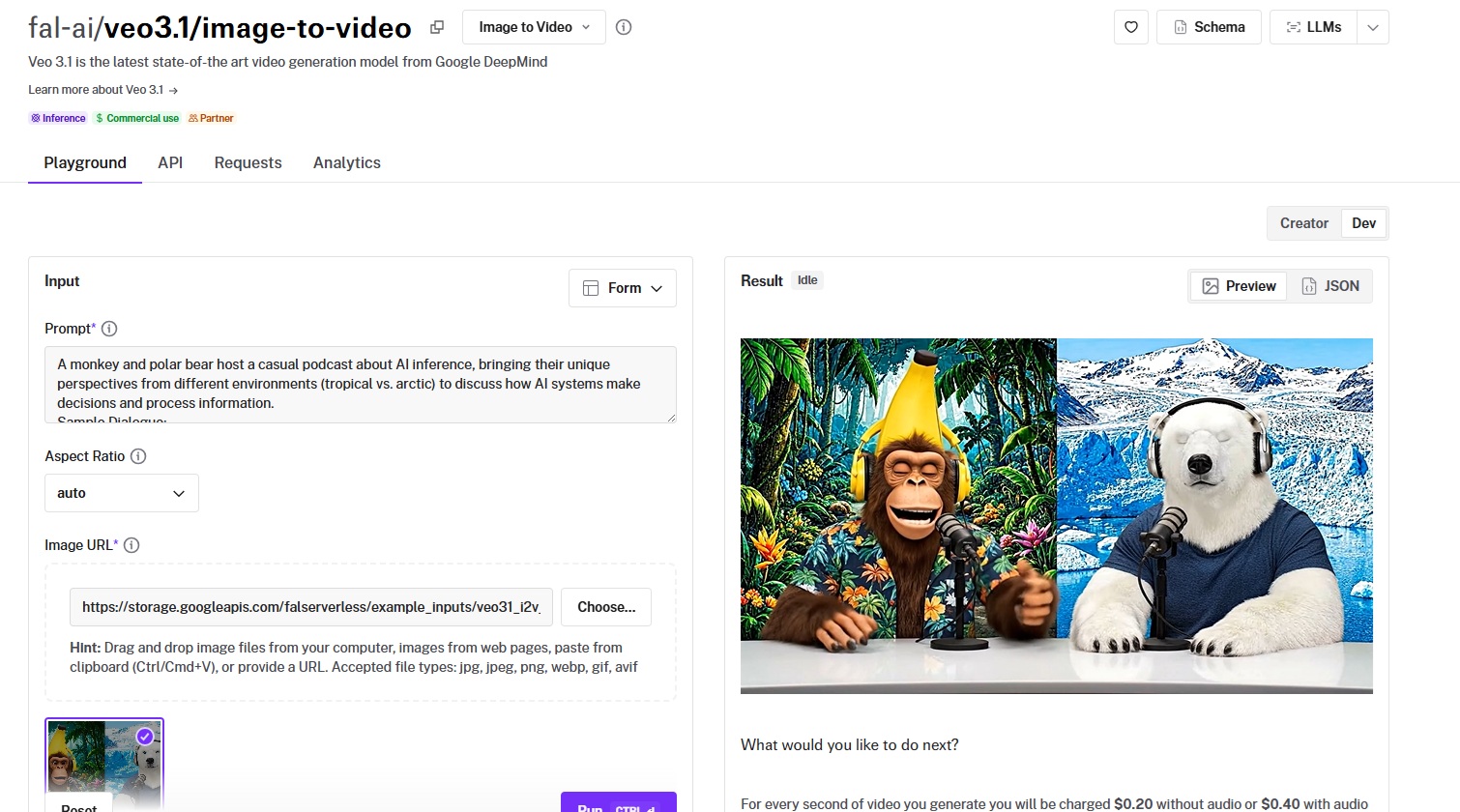
Every model also has a playground where you can test it in your browser before writing any code.
Speed That Actually Matters for Production
Our engineering team writes custom CUDA kernels for specific model architectures and uses techniques like epilogue fusion to eliminate unnecessary memory transfers between GPU operations.
Video generation is inherently slower than image generation. A single Veo 3.1 clip can take a few minutes.
When you're generating dozens of clips for a campaign, queue times and cold starts add up fast.
The infrastructure handles autoscaling automatically: regional GPU routing sends requests to the nearest available cluster, a custom CDN delivers generated content with minimal latency, and the system expands from zero to thousands of GPUs based on demand without any configuration on your side.
For teams running real-time features like interactive video editors, preview generators, or batch processing pipelines, this gap is the difference between usable and unusable.
Pay-Per-Use Pricing With No Idle Costs
fal charges per second of video generated (or per megapixel, depending on the model) rather than requiring you to reserve GPU capacity.
You don't pay when your app is idle. You don't estimate capacity in advance.
For video generation specifically, pricing ranges from $0.0018/megapixel for LTX-2-19B up to $0.50/second for Sora 2 Pro at 1080p.
The range means you can pick the right model for each task and only pay for what you actually generate.
No hidden fees for API calls, storage, or CDN delivery. You pay for generation and compute: end of the story.
Pricing
fal uses pay-as-you-go pricing with no subscriptions or minimum commitments.
Here's a snapshot of image-to-video generation costs across 4 of our AI models:
- LTX-2-19B: $0.0018/megapixel of video data.
- Kling 2.5 Turbo Pro: $0.07/second.
- Veo 3.1 (no audio, 1080p): $0.20/second.
- Sora 2 Pro (1080p): $0.50/second.
Pros & Cons
Pros:
- Access to 600+ models through a single API, including every image-to-video model on this list.
- Fastest inference engine on the market with custom CUDA kernels and 5-10 second cold starts.
- Pay-per-use pricing with no idle costs, subscriptions, or minimum commitments.
- SOC 2 compliant and ready for enterprise procurement processes.
Cons:
- Per-second video pricing can add up quickly for high-volume use.
falMODEL APIs
The fastest, cheapest and most reliable way to run genAI models. 1 API, 100s of models
Veo 3.1
Best for: Teams producing cinematic-quality video with native audio, dialogue lip-sync, and up to 4K resolution from a single source image.
Similar to: Sora 2 Pro, Kling 3.0 Pro.
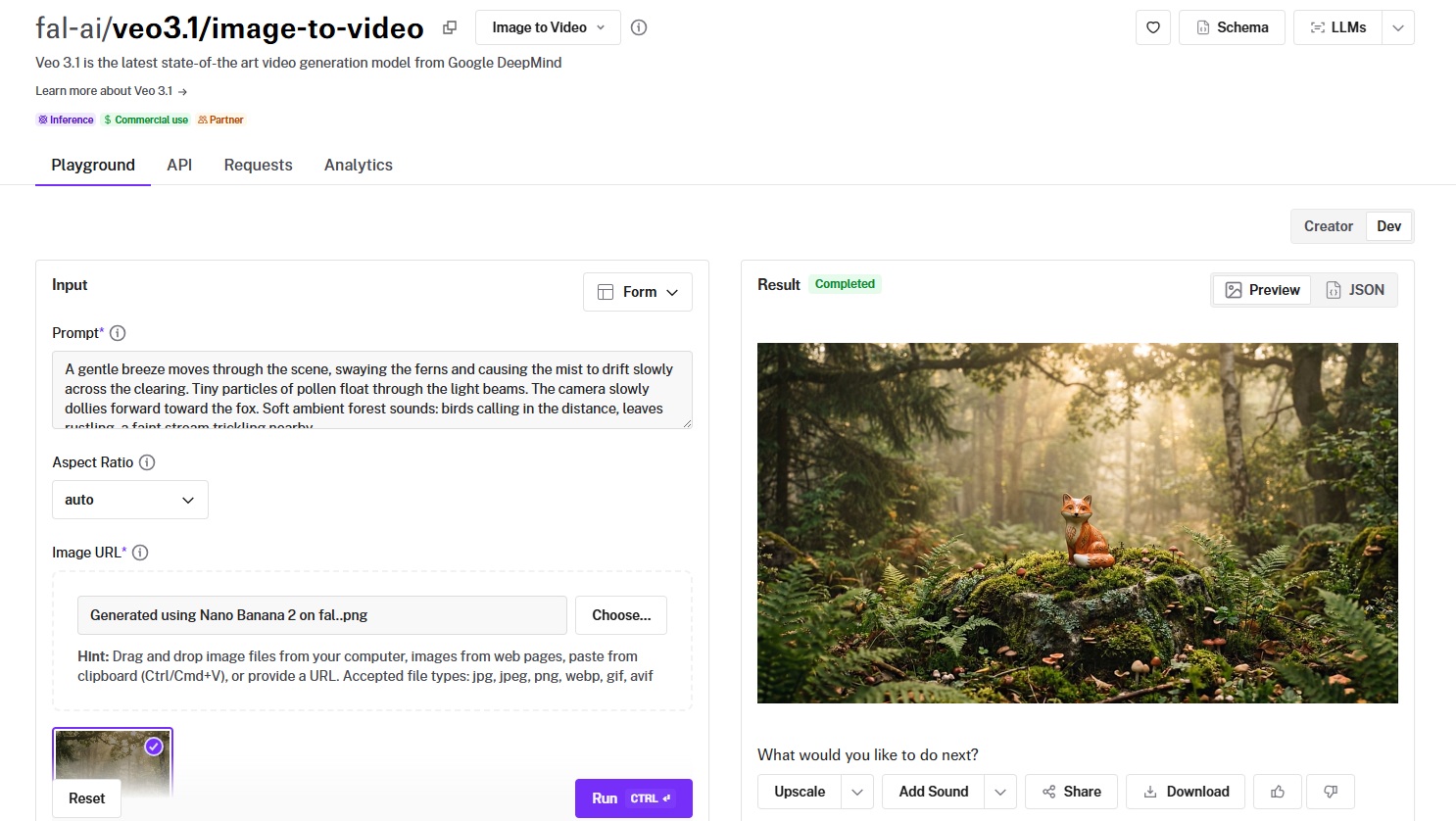
Veo 3.1 is Google DeepMind's latest video generation model and the current benchmark for image-to-video quality.
It extends Veo 3's audio-first architecture with 4K support, improved temporal coherence, and a Fast tier that cuts costs in half.
Performance
Generated using Veo 3.1 on fal, an AI video model from Google DeepMind.
- Motion quality and consistency: Among the best on this list, with natural, physically grounded movement and minimal warping even on complex multi-element scenes.
- Output resolution and length: Up to 4K resolution and 8 seconds of output, the highest native resolution of any image-to-video model on this list.
- Generation speed and cost: Standard tier costs $0.20/second without audio, $0.40/second with audio at 1080p. The Fast variant halves that: $0.10/second without audio, $0.15/second with.
- Camera and scene control: Prompt-driven camera movement (pan, zoom, dolly, static) with a reference-to-video mode for multi-image character and scene consistency.
- Audio and lip-sync support: Native audio generation, including dialogue lip-sync, ambient sound, and environmental effects, one of the strongest audio implementations available.
How to Run Veo 3.1 on fal
You can run Veo 3.1 through fal's API or test it in the playground at fal.
The image-to-video endpoint is fal-ai/veo3.1/image-to-video, with a Fast variant at fal-ai/veo3.1/fast/image-to-video for budget-conscious workflows.
A first-and-last-frame-to-video endpoint is also available for animating transitions between two keyframes.
Pricing
Here's how much it costs to run Veo 3.1 image-to-video on fal:
- Standard (720p/1080p): $0.20/second without audio, $0.40/second with audio.
- Standard (4K): $0.40/second without audio, $0.60/second with audio.
- Fast (720p/1080p): $0.10/second without audio, $0.15/second with audio.
- Fast (4K): $0.30/second without audio, $0.35/second with audio.
- Example: A 5-second 1080p clip with audio costs $2.00 (standard) or $0.75 (Fast).
Pros & Cons
Pros:
- Native 4K resolution.
- Strong audio synthesis with dialogue lip-sync and environmental sound.
- Fast tier halves the cost while maintaining strong output quality.
- Reference-to-video mode for multi-image consistency.
Cons:
- Premium pricing at the standard 4K tier with audio ($0.60/second).
- Generation times can reach several minutes per clip at higher resolutions.
Kling 3.0 Pro
Best for: Production teams that need fluid motion, cinematic visuals, native audio, and custom element support for consistent characters across multiple clips.
Similar to: Veo 3.1, Kling 2.6 Pro.
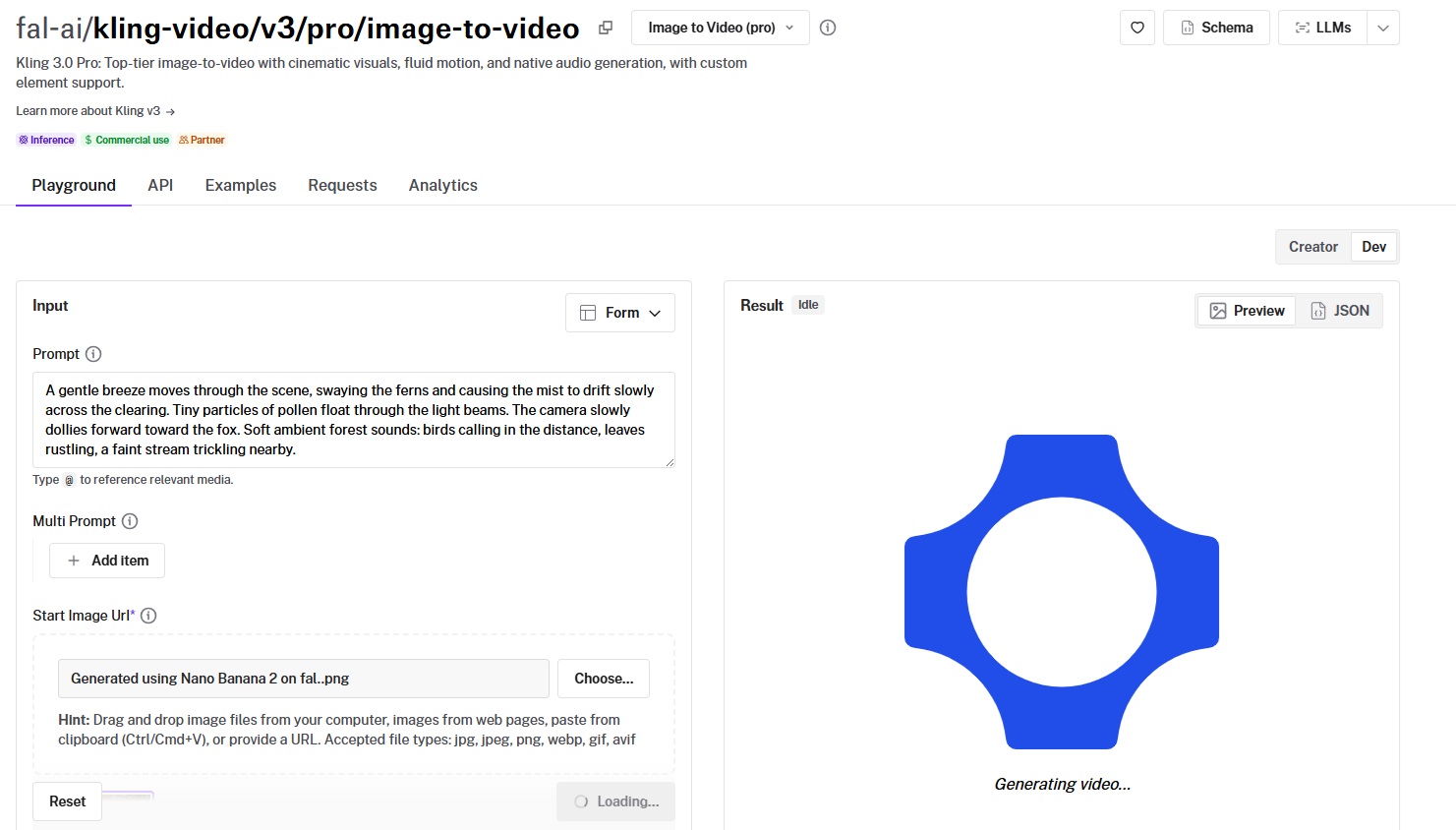
Kling 3.0 Pro is Kuaishou's latest video generation model and a significant step up from the 2.6 series.
It introduces custom element support and native audio generation, so you can maintain consistent character identity across clips and generate synchronized sound in a single pass.
Performance
Generated using Kling 3.0 Pro on fal, an AI video model from Kuaishou.
- Motion quality and consistency: Kling's motion engine has been the benchmark for fluid, natural movement since the 2.1 series, and 3.0 Pro continues that legacy.
- Output resolution and length: Up to 1080p with 3 to 15-second duration options, plus multi-prompt support for scene sequencing within a single generation.
- Generation speed and cost: $0.112/second with audio off, $0.168/second with audio on, and $0.196/second with voice control enabled. A 5-second clip with audio and voice control costs $0.98.
- Camera and scene control: Custom element support for maintaining character and object consistency across clips, plus special effects parameters for preset motion styles.
- Audio and lip-sync support: Native audio generation with optional voice ID control for up to 2 custom voices per clip.
How to Run Kling 3.0 Pro on fal
Available through fal's API at the fal-ai/kling-video/v3/pro/image-to-video endpoint or in the playground at fal.
If you've been using Kling 2.6 or 2.5, switching to 3.0 Pro is a one-line endpoint change.
The custom element support and voice ID parameters are available through the API's input schema.
Pricing
- Audio off: $0.112/second.
- Audio on: $0.168/second.
- Audio on with voice control: $0.196/second.
- Example: A 5-second clip with audio and voice control costs $0.98.
Pros & Cons
Pros:
- Custom element support for maintaining character and object consistency across clips, a rare feature at this level.
- Multi-prompt support for sequencing different scenes within a single generation.
- Native audio with optional voice ID control for custom voices.
Cons:
- Multi-prompt and custom element features add complexity to the API integration.
- Voice control tier adds a premium over the base audio rate.
Sora 2 Pro
Best for: Teams that need extended-duration video up to 25 seconds with synchronized dialogue, environmental audio, and strong temporal coherence.
Similar to: Veo 3.1, Kling 3.0 Pro.
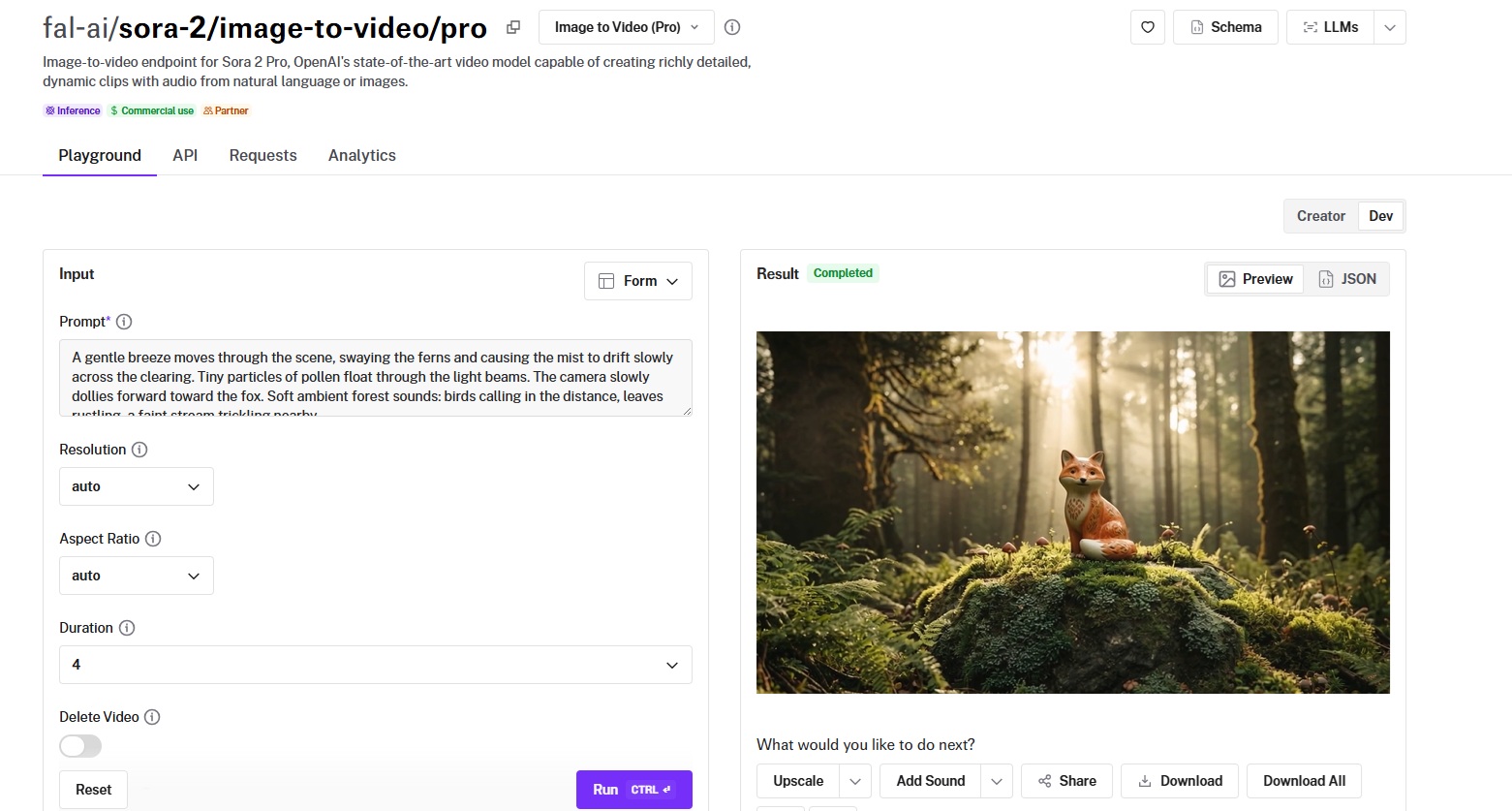
Sora 2 Pro is OpenAI's image-to-video model and the only option on this list that pushes to 25 seconds of output.
What stands out about the AI model is that it generates clips long enough for complete scene development, dialogue exchanges, and narrative arcs.
Performance
Generated using Sora 2 Pro on fal, an AI video model from OpenAI.
- Motion quality and consistency: Strong temporal coherence over extended durations, maintaining visual and audio consistency across longer arcs than anything else on this list.
- Output resolution and length: 720p and 1080p with durations of 4, 8, 12 seconds standard, up to 25 seconds extended.
- Generation speed and cost: $0.30/second at 720p and $0.50/second at 1080p on fal. A 10-second 1080p clip costs $5.00.
- Camera and scene control: Prompt-driven camera and scene direction through natural language descriptions.
- Audio and lip-sync support: Native audio synthesis with dialogue lip-sync, ambient sound, and environmental audio.
How to Run Sora 2 Pro on fal
Available at the fal-ai/sora-2/image-to-video/pro endpoint on fal.
If you provide your own OpenAI API key, the generation is charged directly by OpenAI. Otherwise, fal credits are used at the rates listed above.
Pricing
- 720p: $0.30/second.
- 1080p: $0.50/second.
- Example: A 10-second 1080p clip costs $5.00. A 25-second clip at 1080p costs $12.50.
Pros & Cons
Pros:
- 25-second maximum duration, the longest on this list by a wide margin.
- Strong audio synthesis with natural dialogue lip-sync.
- Reliable temporal coherence even over extended durations.
Cons:
- Premium per-second cost at the 1080p tier.
- Supports two aspect ratios (9:16, 16:9), so workflows requiring other ratios will need post-processing.
Kling 2.5 Turbo Pro
Best for: Teams that want strong motion quality and cinematic visuals at a mid-tier price point without paying premium rates.
Similar to: Kling 3.0 Pro, Kling 2.6 Pro.
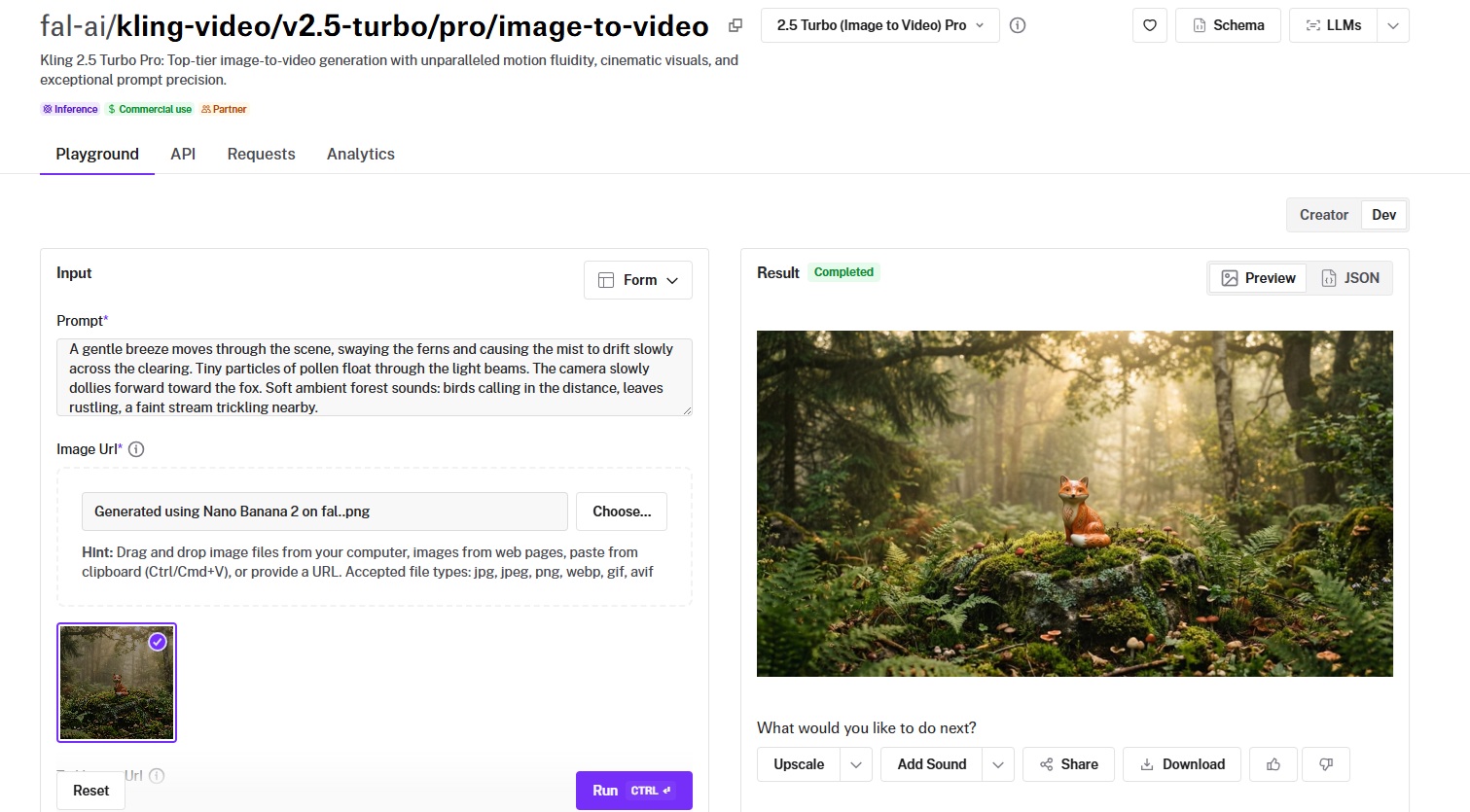
Kling 2.5 Turbo Pro is the best value-for-money option in the Kling family for image-to-video.
It inherits the motion fluidity Kling is known for while running at $0.07/second, making it well-suited for volume workflows.
Performance
Generated using Kling 2.5 Turbo Pro on fal, an AI video model from Kuaishou.
- Motion quality and consistency: Smooth, cinematic motion with good handling of natural elements like fabric, hair, and environmental details.
- Output resolution and length: Up to 1080p with 5 and 10-second clips, plus tail image input for start-and-end-frame animation.
- Generation speed and cost: $0.35 for a 5-second clip, $0.07/second for additional time. A 10-second clip runs $0.70.
- Camera and scene control: Prompt-based camera direction with start-and-end-frame animation via the tail image parameter.
- Audio and lip-sync support: No native audio generation, so you'll need to pair it with a separate audio model if your workflow requires sound.
How to Run Kling 2.5 Turbo Pro on fal
Available at fal-ai/kling-video/v2.5-turbo/pro/image-to-video on fal.
Supports the standard Kling input format: image URL, prompt, and optional tail image for end-frame targeting. Same integration pattern as all Kling models.
Pricing
Running Kling 2.5 Turbo Pro on fal costs $0.07/second.
Example: A 5-second clip costs $0.35.
Pros & Cons
Pros:
- Good price-to-quality ratio at $0.07/second.
- Start-and-end-frame support via the tail image parameter.
- Smooth, cinematic motion that's characteristic of the Kling series.
Cons:
- Focused on visual output only.
- Best suited for teams that don't need custom element consistency across multiple clips.
Seedance 1.5 Pro
Best for: Teams that need start-and-end-frame control with native audio, token-based pricing, and up to 12 seconds of output from ByteDance's video generation ecosystem.
Similar to: Kling 3.0 Pro, Veo 3.1.
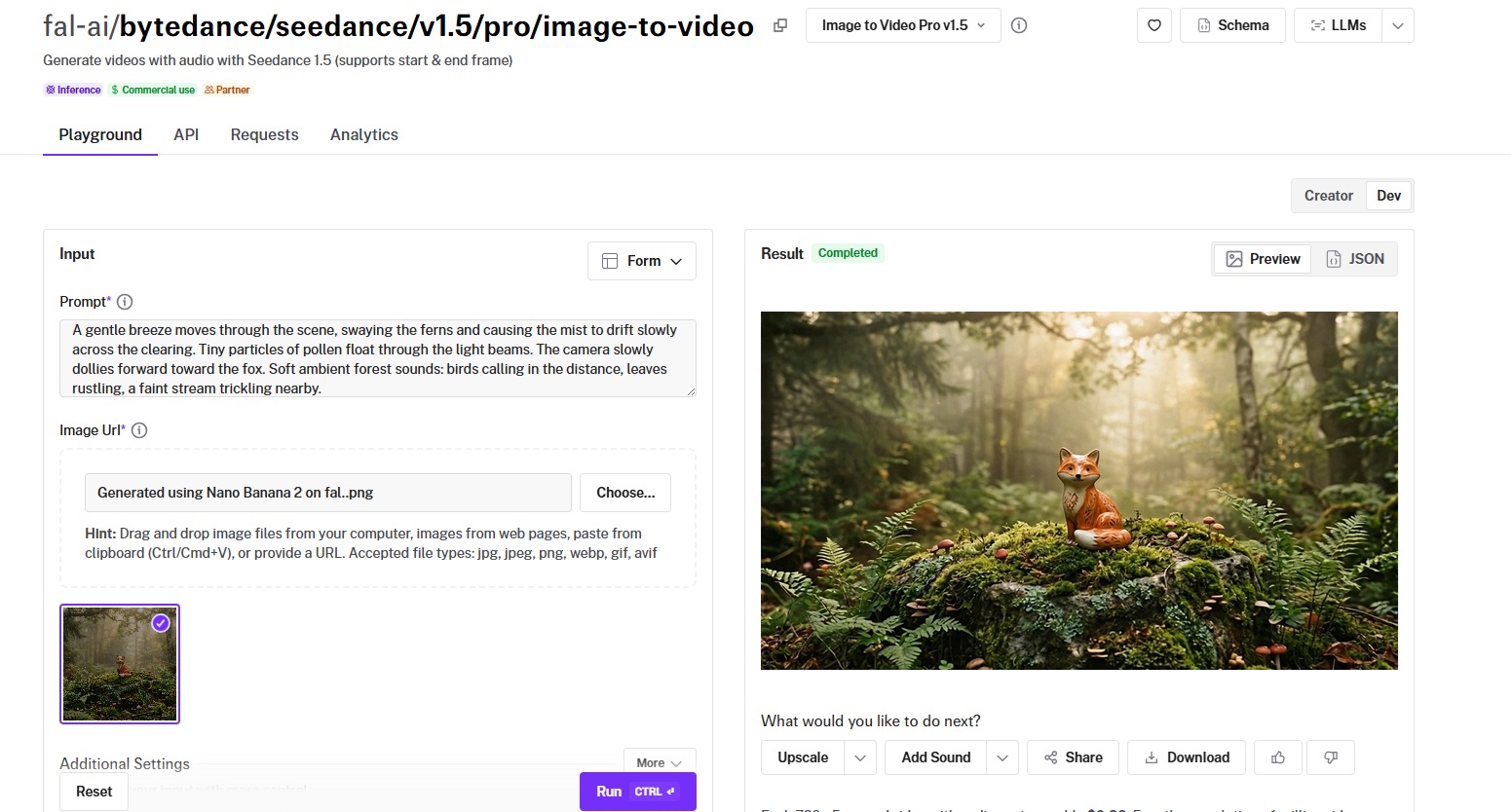
Seedance 1.5 Pro is ByteDance's latest image-to-video model, adding native audio generation and dialogue lip-sync to the Seedance lineup.
The start-and-end-frame support gives you deterministic control over where the video starts and ends, with the model generating the motion path between them.
Performance
Generated using Seedance 1.5 Pro on fal, an AI video model from ByteDance.
- Motion quality and consistency: Strong motion dynamics with realistic physical interactions, reflecting ByteDance's deep investment in video generation research.
- Output resolution and length: Up to 1080p with durations from 4 to 12 seconds, and support for 480p and 720p tiers for faster iteration.
- Generation speed and cost: Token-based pricing at $2.4 per million video tokens with audio, $1.2 per million without. A 720p 5-second clip with audio costs roughly $0.26.
- Camera and scene control: Start-and-end-frame support, cinematic camera controls (pan, tilt, zoom, dolly, orbit, tracking), and a camera_fixed parameter for locked tripod shots.
- Audio and lip-sync support: Native audio with dialogue lip-sync, sound effects, and ambient audio rendered alongside the video.
How to Run Seedance 1.5 Pro on fal
Available at fal-ai/bytedance/seedance/v1.5/pro/image-to-video on fal.
Same integration pattern as all fal models. The start-and-end-frame parameters, camera controls, and audio settings are available through the API's input schema.
Pricing
Token-based pricing where tokens(video) = (height x width x FPS x duration) / 1024:
- With audio: $2.4 per million video tokens.
- Without audio: $1.2 per million video tokens.
- Example: A 720p 5-second clip with audio costs roughly $0.26.
Pros & Cons
Pros:
- Start-and-end-frame support for deterministic animation between two keyframes.
- Native audio generation with dialogue lip-sync and environmental sound.
- Up to 12 seconds of output.
- Detailed camera controls including pan, tilt, zoom, dolly, orbit, and tracking shots.
Cons:
- Token-based pricing requires a calculation step to estimate costs upfront.
- Maximum resolution is 1080p, with the lowest-cost tier at 480p.
Hailuo 2.3 Pro
Best for: Budget-conscious teams that need solid image-to-video quality with tiered resolution options and fast generation at competitive per-second pricing.
Similar to: Kling 2.5 Turbo Pro, Wan Pro.
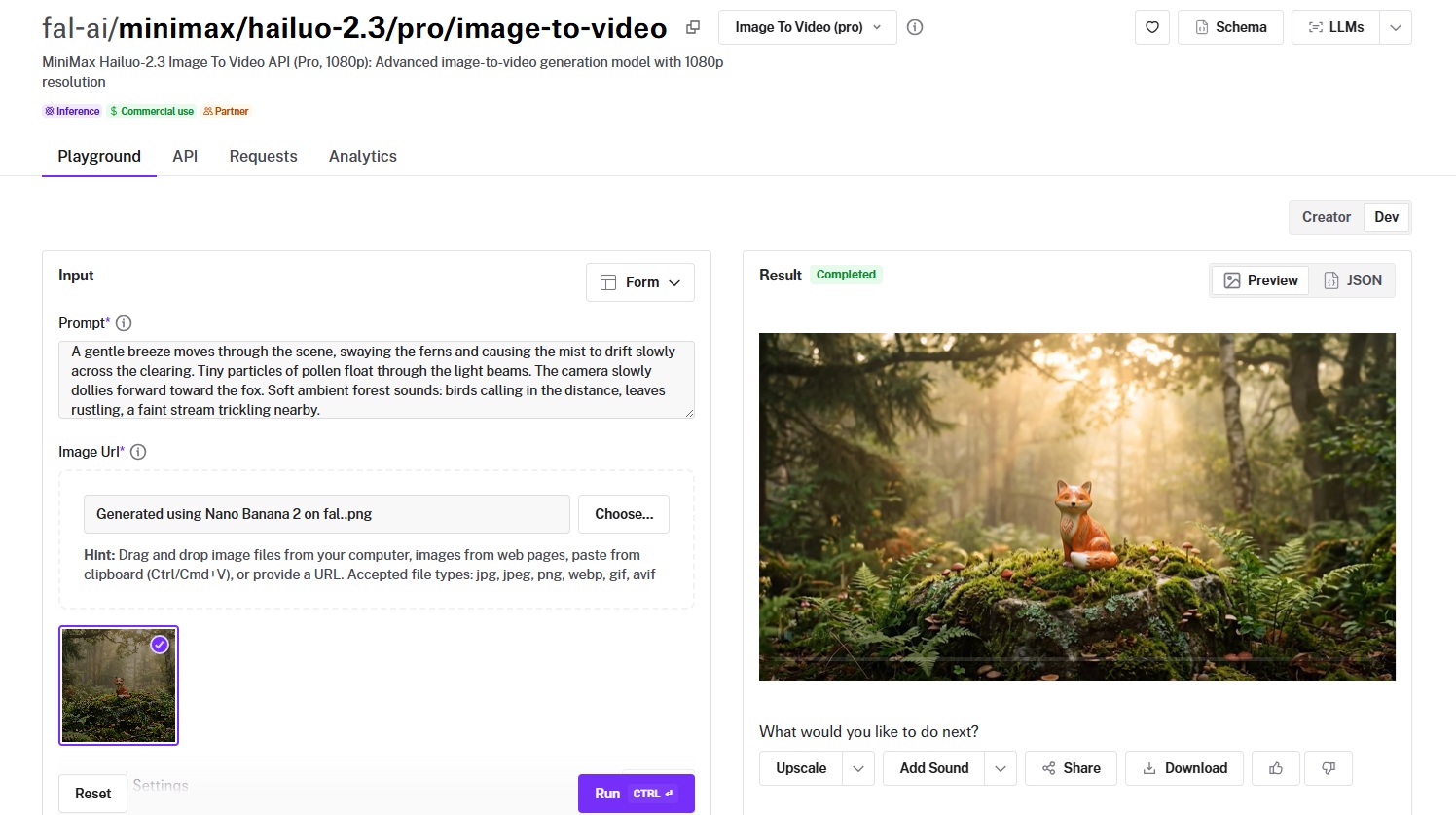
Hailuo 2.3 is MiniMax's latest image-to-video model with a two-tier system (Standard at 768p and Pro at 1080p) that lets you balance speed, cost, and quality per use case.
MiniMax also offers a Hailuo 2.3 Fast variant for even quicker turnarounds at each tier.
Performance
Generated using Hailuo 2.3 Pro on fal, an AI video model from MiniMax.
- Motion quality and consistency: Smooth and coherent for standard scenes, well-suited for social media content and product animation workflows.
- Output resolution and length: Standard tier at 768p and Pro tier at 1080p, with the 768p tier more than sufficient for social platforms where compression reduces visible quality differences.
- Generation speed and cost: $0.49 per video generation.
- Camera and scene control: Prompt-based motion direction with standard controls.
- Audio and lip-sync support: No native audio generation in the standard image-to-video endpoint.
How to Run Hailuo 2.3 Pro on fal
Available at fal-ai/minimax/hailuo-2.3/standard/image-to-video (768p) and fal-ai/minimax/hailuo-2.3/pro/image-to-video (1080p) on fal.
A Fast variant is also available at both tiers for quicker generation. Standard fal integration pattern.
Pricing
It'd cost you $0.49 per video generation to run Hailuo 2.3 Pro on fal.
Pros & Cons
Pros:
- Among the lowest per-second costs on this list, especially at the 768p Standard tier.
- Fast variant available for even quicker turnarounds.
- Two-tier resolution system lets you optimize cost per use case.
Cons:
- Focused on visual output only, without native audio capabilities.
LTX-2-19B
Best for: Developers who want open-weight flexibility, LoRA training for custom styles and subjects, and megapixel-based pricing for fine-grained cost control.
Similar to: Wan Pro, Hailuo 2.3.
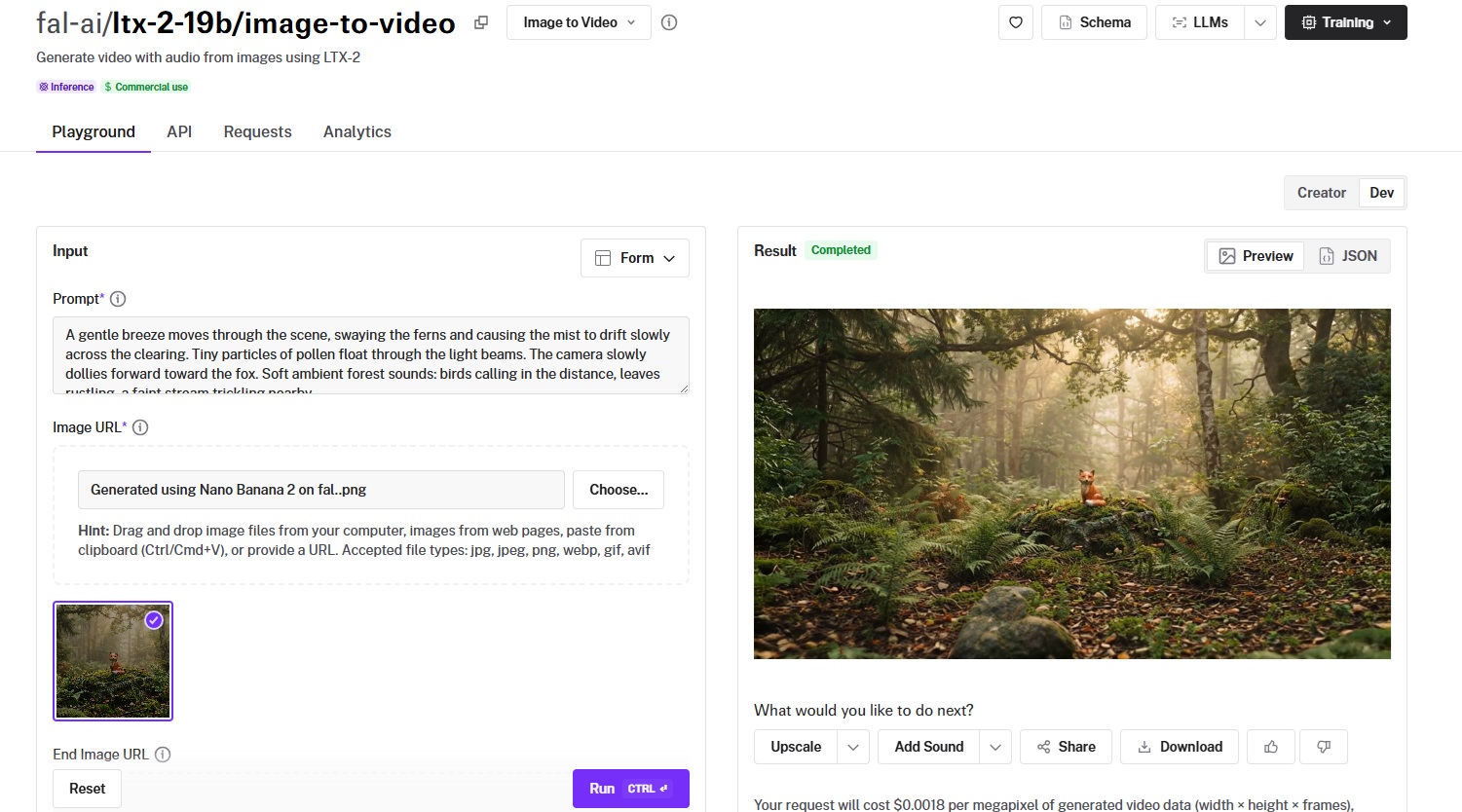
LTX-2-19B from Lightricks charges per megapixel of generated video data instead of per second, so you can optimize cost by adjusting resolution and frame count independently.
It's also the only model on this list where you can train custom LoRAs for specific styles, subjects, or motion patterns and apply them at inference.
Performance
Generated using LTX-2-19B on fal, an AI model from Lightricks.
- Motion quality and consistency: Good baseline quality with the ability to improve significantly through LoRA training for specific domains.
- Output resolution and length: Default at 1024x1024 with adjustable frame counts up to 121 frames, plus a multi-scale option for improved quality.
- Generation speed and cost: $0.0018/megapixel of generated video data. A 121-frame video at 1280x720 (roughly 112 megapixels) costs approximately $0.20.
- Camera and scene control: Supports end image URL for start-and-end-frame animation, and LoRA-trained models can encode specific camera styles.
- Audio and lip-sync support: Native audio generation with a "Generate Audio" toggle in both the standard and distilled variants.
How to Run LTX-2-19B on fal
Available at fal-ai/ltx-2-19b/image-to-video on fal.
LoRA variants at fal-ai/ltx-2-19b/image-to-video/lora, and a distilled version for faster generation at fal-ai/ltx-2-19b/distilled/image-to-video.
You can train custom LoRAs using the fal-ai/ltx2-video-trainer endpoint.
Pricing
Running LTX-2-19B on fal would cost you $0.0018 per megapixel of generated video data (width x height x frames).
Example: A 121-frame video at 1280x720 (approximately 112 megapixels) costs about $0.20.
LoRA training costs are separate and depend on training configuration.
Pros & Cons
Pros:
- Only model on this list with LoRA training support for custom styles, subjects, and motion patterns.
- Megapixel-based pricing gives fine-grained cost control by adjusting resolution and frame count.
- Native audio generation with both standard and distilled variants.
- Open-weight architecture with a distilled variant for faster generation.
Cons:
- Megapixel pricing model requires a calculation step to estimate costs upfront compared to per-second pricing.
For readers who want to animate their own images without setting up an API, Magic Hour's image-to-video generator offers a free browser-based way to try LTX without signing up. Upload an image, describe the motion, and generate a short video directly from the browser.
PixVerse v5.6
Best for: Creators producing stylized, effects-driven, or transition-heavy video content with dedicated creative endpoints.
Similar to: Hailuo 2.3, Seedance 1.5 Pro.
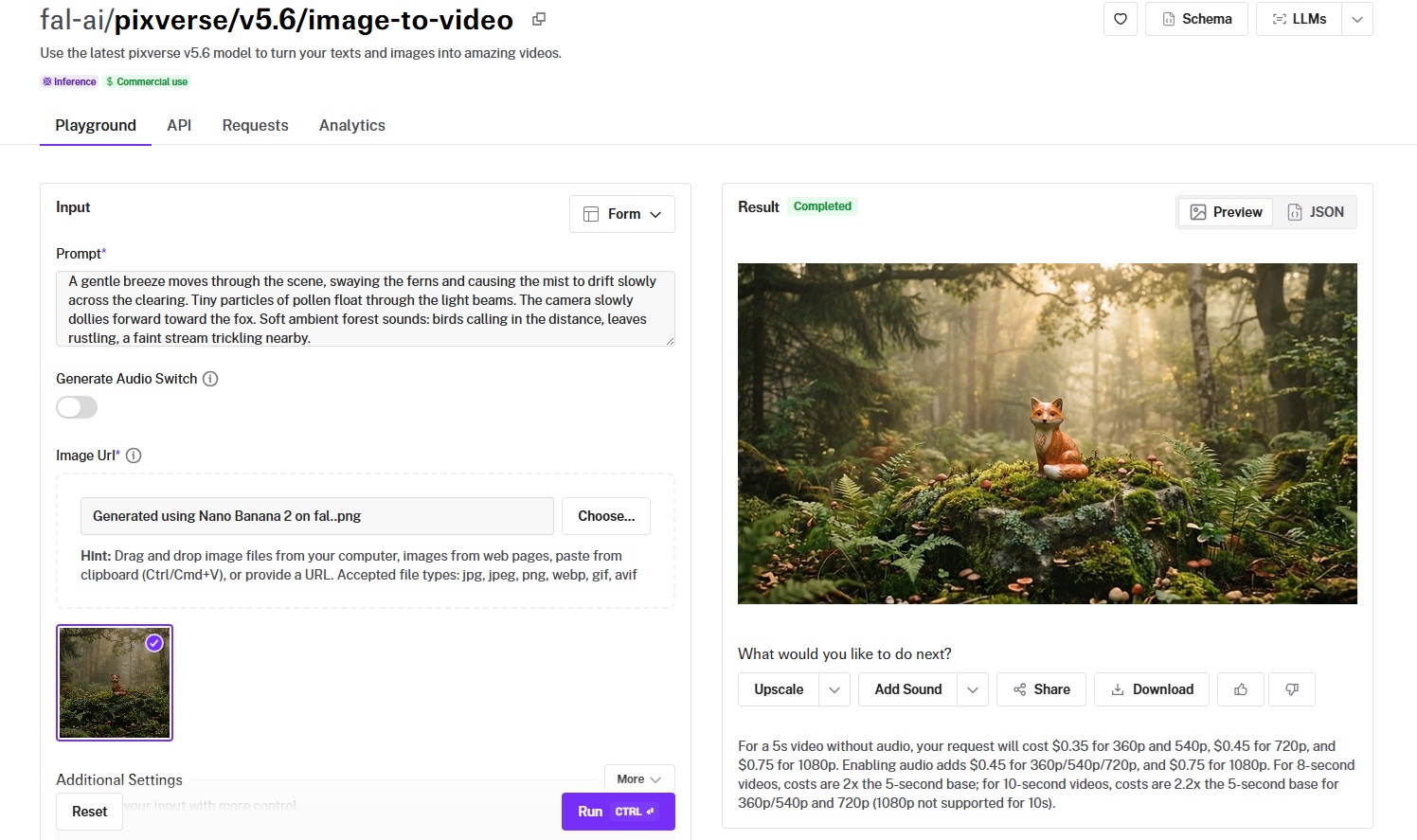
PixVerse v5.6 takes a different approach from most models on this list.
Where Veo and Sora chase photorealism and cinematic fidelity, PixVerse leans into stylized output, visual effects, and creative transitions.
Performance
Generated using PixVerse v5.6 on fal.
- Motion quality and consistency: Well-suited for stylized and effects-driven content with visually engaging motion.
- Output resolution and length: 360p, 540p, 720p, and 1080p tiers with 5-second clips, each priced separately.
- Generation speed and cost: $0.35 per 5-second clip at 360p/540p without audio, $0.45 at 720p, $0.75 at 1080p. Audio-enabled generation is also available.
- Camera and scene control: Standard prompt-based direction, plus dedicated effects and transition endpoints for applying preset visual styles and animating between two images.
- Audio and lip-sync support: Audio generation toggle available in v5.6.
How to Run PixVerse v5.6 on fal
Available at fal-ai/pixverse/v5.6/image-to-video on fal. Standard fal integration pattern.
Pricing
- 360p/540p: $0.35 per 5-second clip.
- 720p: $0.45 per 5-second clip.
- 1080p: $0.75 per 5-second clip.
Pros & Cons
Pros:
- Dedicated effects and transition endpoints for creative video content.
- Four resolution tiers let you match output quality to use case.
- Audio generation toggle added in v5.6.
Cons:
- Per-clip pricing can feel higher than per-second models at lower resolutions for simple animations.
Wan Pro
Best for: Teams that need 1080p at 30fps on a budget, with strong motion diversity from an open-weight architecture.
Similar to: LTX-2-19B, Hailuo 2.3.
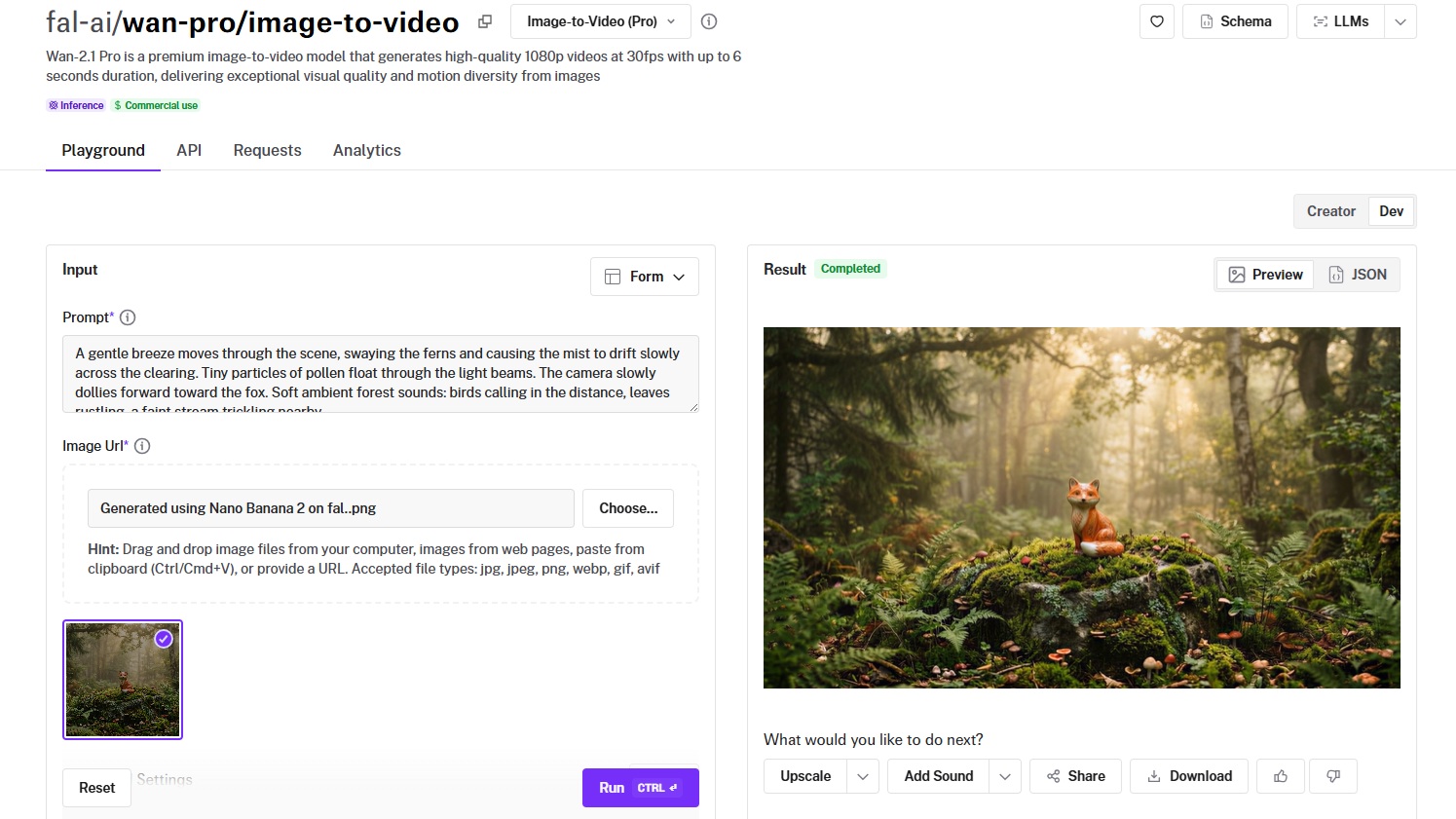
Wan Pro is the premium variant of Alibaba's Wan video generation series, delivering 1080p output at 30fps with up to 6 seconds of duration.
It builds on the same open-weight Wan architecture that powers the budget-friendly Wan 2.5, but with higher output quality and resolution.
Performance
Generated using Wan Pro on fal, an AI model from Alibaba.
- Motion quality and consistency: Strong motion diversity with realistic physical interactions, building on the Wan series' reputation for natural movement at accessible price points.
- Output resolution and length: 1080p at 30fps with up to 6 seconds of output, where the higher frame rate makes motion feel noticeably smoother.
- Generation speed and cost: Running Wan Pro on fal would cost you $0.80 per 5 videos, as billing is based on videos.
- Camera and scene control: Prompt-based camera direction with good responsiveness to motion descriptions.
- Audio and lip-sync support: No native audio generation in the standard Wan Pro image-to-video endpoint.
How to Run Wan Pro on fal
Available at fal-ai/wan-pro/image-to-video on fal. Standard fal integration pattern.
The Wan series also includes a base Wan 2.1 image-to-video endpoint for even more budget-friendly generation.
Pricing
Running Wan Pro on fal would cost you $0.80 per 5 videos, as billing is based on videos.
Pros & Cons
Pros:
- 30fps output feels smoother than the 24fps common in other models.
- Open-weight architecture with continuous community improvements.
Cons:
- Focused on visual output only, without native audio capabilities.
Recently Added















Generate Videos From Images at Scale Through a Single API With fal
The AI image-to-video space has more capable models now than at any point in the past two years. And that's actually the problem: picking the right one requires testing, which costs time and credits.
If you want access to the best-performing models, such as Veo 3.1, Kling 3.0 Pro, Sora 2 Pro, Kling 2.5 Turbo Pro, and LTX-2-19B, all through a single API with pay-per-use pricing and no GPU headaches, fal is the fastest way to get there.
You can test any model in the playground or plug into the API in minutes.