I'll show you my process for turning product copy into AI avatar videos from an ordinary Claude or ChatGPT chat, with HeyGen Avatar 4 and VEED Avatars rendering the clips on fal.
After connecting the fal MCP server, I'll build three product videos for a small kitchenware store, one of them fronted by a presenter that Nano Banana 2.1 generates in the same conversation.
TL;DR
- fal is the best place to generate AI avatar videos from Claude and ChatGPT, because one OAuth connection reaches HeyGen Avatar 4 and VEED Avatars on a single fal balance.
- Claude connects through a custom connector added under Customize → Connectors, while ChatGPT uses the fal plugin, called by typing @fal in a new chat.
- HeyGen Photo Avatar 4 animates a photo with a clear face, whereas HeyGen Avatar 4 Digital Twin speaks through a preset HeyGen presenter picked by its exact name.
- Both HeyGen Avatar 4 endpoints are listed at $0.10 per second of output video, which puts a 20-second explainer at $2.00.
- The Nano Banana 2.1 portrait behind the photo version adds about $0.04 at 1K, based on our October 2026 billing test of a 16:9 image.
- VEED Avatars takes nothing but an avatar ID and a script, at $0.35 per minute on our playground as of November 2026.
- As avatar renders are long-running jobs, I have Claude quote
get_pricingbefore any paid run and track the job withsubmit_jobandcheck_job, as a resubmission bills again.
Where can you generate AI avatar videos from Claude and ChatGPT?
You can generate AI avatar videos from Claude and ChatGPT through fal, where a single MCP connection runs avatar models from HeyGen and VEED next to the image models that design your presenter.
Our MCP server gives the assistant eleven tools for finding models, reading schemas, checking prices, uploading inputs and running jobs.
Claude reaches that server as a custom connector and ChatGPT through the fal plugin, each signing in through OAuth in a browser window.
You won't paste an API key anywhere during setup, which keeps credentials out of your messages.
HeyGen runs its own connector for Claude and a HeyGen plugin for ChatGPT too, working from a HeyGen account.
I've lined up both routes against identical criteria below, since the better fit depends on where your team already produces video:
| Criterion | fal MCP server or fal plugin | HeyGen connector or HeyGen plugin |
|---|---|---|
| Sign-in | OAuth in the browser, no API key | OAuth consent screen in Claude, per HeyGen |
| Avatar models in the chat | HeyGen Avatar 4 endpoints and VEED Avatars, among other avatar models in our catalog | HeyGen's own avatar and video tools |
| Other media in the same chat | More than 1,000 models, including Nano Banana 2.1 for presenter portraits | HeyGen follow-ups such as video translation, per HeyGen |
| Billing | fal credits at our per-second or per-minute model rates | The credit balance on your HeyGen plan, per HeyGen |
| Good fit | Teams that want avatar clips and other generated media on one balance | Teams whose video production already runs in HeyGen |
From here on I'll use the fal route, as the presenter portrait and all three avatar clips in my examples come out of one conversation.
If you're after general video ads from Claude with no talking presenter, our guide to generating AI videos with Claude and MCP builds Seedance 2.5 ads on this connector.
Which avatar model fits an ecommerce explainer?
I'd use HeyGen Photo Avatar 4 when the video needs a presenter you designed yourself, and HeyGen Avatar 4 Digital Twin when a ready-made HeyGen presenter does the job.
VEED Avatars covers short UGC-style reads, where only the script changes from one product to the next.
All three endpoints take the script as text from the assistant and return an MP4 hosted on our CDN.
Here are the fields that shape a product video on each endpoint, taken from the schemas on our model pages:
| Field | HeyGen Photo Avatar 4 | HeyGen Avatar 4 Digital Twin | VEED Avatars |
|---|---|---|---|
| Endpoint ID | fal-ai/heygen/avatar4/image-to-video | fal-ai/heygen/avatar4/digital-twin | veed/avatars/text-to-video |
| Presenter | image_url, a photo containing a clear face | character.avatar, a preset name from the enum | avatar_id, a preset ID from the enum |
| Script | prompt, the text the avatar speaks | voice.prompt | text |
| Voice | voice by name, or audio_url to lip sync your own audio | voice by name or voice_id, speed from 0.5 to 2.0, or audio_url | Not in the schema, which takes only avatar_id and text |
| Delivery | talking_style (stable by default, or expressive) and expression | Not in the schema, apart from speed | Not in the schema |
| Framing | aspect_ratio 16:9 by default, or 9:16, 4:5, 5:4, 1:1 and auto | Same aspect_ratio options, plus avatar_style (normal, circle or closeUp, default closeUp) | Not in the schema |
| Resolution | 360p to 1080p, default 720p | 360p to 1080p, default 720p | Not in the schema |
| Extras | background (color, image or video) and caption | No background or caption field in the schema | Not in the schema |
| Price on fal | $0.10 per second of output video | $0.10 per second of output video | $0.35 per minute |
For a kitchenware store, I split the work between the three endpoints like this:
- HeyGen Photo Avatar 4 is my pick for a store that wants one recurring face across its product pages without booking a shoot.
The presenter on HeyGen Photo Avatar 4 comes from image_url, described in our schema as an image that should contain a clear face.
That photo can be a portrait you generated or a team member who agreed to appear, as long as the whole face is visible in the frame.
- HeyGen Avatar 4 Digital Twin skips the photo step, because the presenter comes from a preset list spelled out in the schema, from Abigail (Upper Body) to Tyler in Suit.
Many of those preset names contain a setting, such as Brandon Kitchen Standing Front or Caroline Kitchen Standing Front, which is handy when I search the list for a kitchenware store.
- VEED Avatars is the quickest of the three to brief, with an
avatar_idand the text to read making up its whole input. VEED lists avatar IDs with vertical in the name, such asmarcus_vertical_primary, and without it, such asmarcus_primary.
Based on my experience with catalog work, VEED Avatars suits a store that needs dozens of short spoken reads, where a low per-minute price counts for more than control over the voice.
💡 For a wider view of talking-head options on fal, our roundup of the best text-to-video APIs also covers HeyGen Avatar V.
How do you connect fal to Claude?
You connect fal to Claude with a custom connector whose server URL is https://mcp.fal.ai/mcp-relay, followed by a one-time OAuth sign-in to your fal account.
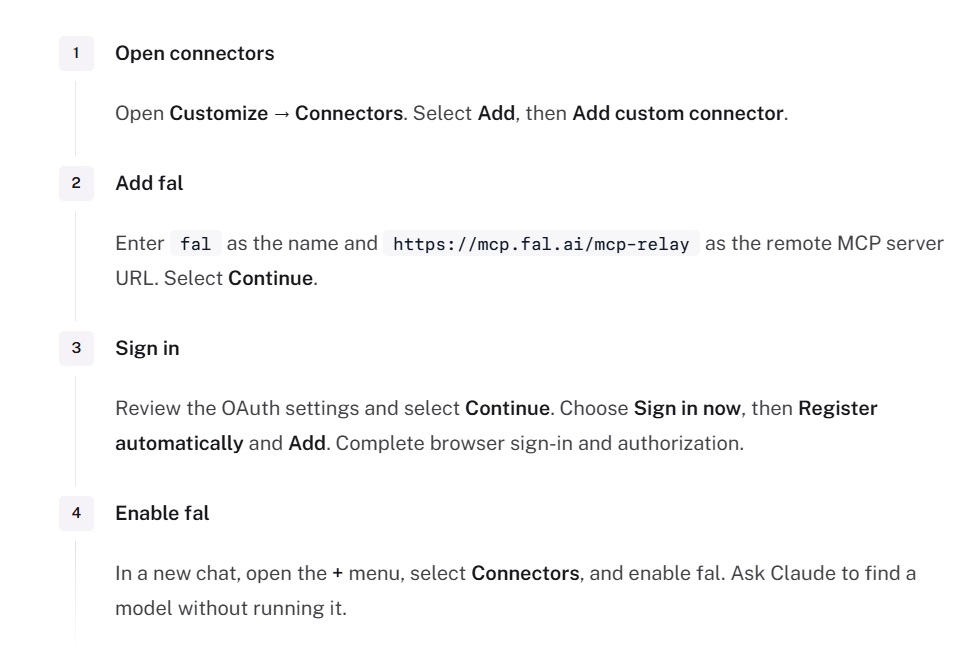
Here are the five steps from our Claude setup instructions, written the way I run them:
- I open Customize → Connectors in Claude and pick Add custom connector from the Add menu.
- The connector gets the name fal, with
https://mcp.fal.ai/mcp-relaypasted in as the remote MCP server URL before I press Continue on that form. - Past the OAuth settings screen, I choose Sign in now and confirm Register automatically with Add.
- A browser tab opens for the fal sign-in, where I authorize the connection to my fal account.
- In a new chat, fal has to be enabled under Connectors in the plus menu before its tools are available in that conversation.
Team and Enterprise workspaces need fal added once under Organization settings → Connectors, either by a workspace owner or by an Enterprise member with connector-management permission.
After that, each member links a personal fal login through Customize → Connectors.
Anthropic's custom connector guide is where I'd check whether a Claude plan supports custom connectors.
My opening message on a fresh connection costs nothing, because it only reads the catalog and our pricing:
Use fal to look up avatar and talking-head video models in the catalog and give me their endpoint IDs.
Read the schemas for google/nano-banana-2.1, fal-ai/heygen/avatar4/image-to-video, fal-ai/heygen/avatar4/digital-twin and veed/avatars/text-to-video.
From the digital twin schema, count the preset avatars in its enum.
Call get_pricing once with those four endpoint IDs separated by commas, with each rate on its own line in your reply.
From now on, tell me the cost of each run and hold it for my yes before submitting it.
Avatar videos go through submit_job, and check_job on that same request ID is how you follow progress, since resubmitting starts a new paid job, and get_job_result collects the output once check_job reports COMPLETED.
Leave every model idle for this message.
If the connection works, Claude replies with endpoint IDs and a preset count, followed by a one-line rate for each endpoint.
Since get_pricing accepts up to 50 comma-separated endpoint IDs, one call covers all four rates.
According to our docs, a prompt that asks for approval adds no server-side gate, which is why that message sets the spending rules for the whole chat.
Our docs also recommend submitting and polling from the start for video, since run_model waits up to 45 seconds by default and then returns either the result or a request ID.
On macOS or Linux, our installer script adds fal to Claude Code along with any other supported coding agents it finds on the machine:
bash
curl -fsSL https://fal.ai/mcp/install.sh | bashThe installer writes no API key, and every agent it touches needs one browser sign-in afterward.
Animated graphics for those product pages can come from MiniMax H3 Max, which our motion design video generation guide drives through this connector.
falMODEL APIs
The fastest, cheapest and most reliable way to run genAI models. 1 API, 100s of models
Can ChatGPT generate avatar videos through fal?
Yes, ChatGPT can generate avatar videos through fal once the fal plugin is installed and signed in to your fal account.
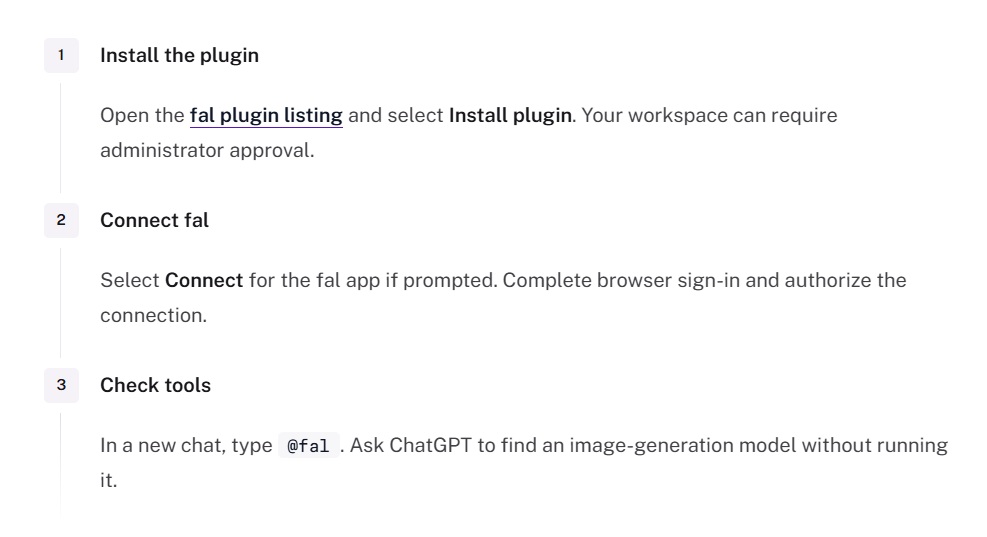
I use the plugin route from our ChatGPT setup page, which needs three steps:
- The fal plugin listing has an Install plugin button, though some workspaces require an administrator to approve the install.
- If ChatGPT asks you to connect the fal app, you sign in through the browser to link the plugin to your fal account.
- In a new chat, I type @fal and ask for a model lookup with no run, which confirms that the fal tools respond.
Workspaces that want a custom MCP app can add our server in ChatGPT developer mode under Settings → Apps → Create, with OAuth as the sign-in method.
Developer mode needs a workspace that permits custom apps, and how many MCP actions you get there depends on your ChatGPT plan.
On Pro, a custom MCP app gets read-only tools that can't start generations, so the fal plugin is the route I'd install on that plan.
The messages in the walkthrough below are written for Claude, and in ChatGPT the first one needs @fal at the start to call the plugin.
Our GPT-6 Astra game build shows a longer ChatGPT session on the fal plugin, where characters and props for a 3D stealth game come out of one chat.
Making three avatar videos for a kitchenware store
Below, I'll make three product videos for an unbranded kitchenware store in one Claude chat, giving each clip its own avatar endpoint.
My opening message already set the spending rules, and the prompts below leave the approval step out for that reason.
Step 1: Create a shop-owner portrait with Nano Banana 2.1
HeyGen Photo Avatar 4 needs a face to animate, and I generate it in this chat so the image is already on our CDN when HeyGen asks for it.
I ask for a 9:16 frame at 1K with the presenter facing the camera, because the HeyGen Photo Avatar 4 schema calls for an image with a clear face.
Generate one image with google/nano-banana-2.1 at aspect_ratio 9:16 and resolution 1K.
The Nano Banana 2.1 prompt follows, and every word of it should stay:

Vertical photograph of a woman in her mid-thirties who owns a small kitchenware shop, standing behind a pale oak counter with her eyes on the camera and a relaxed, friendly expression. She wears a rust linen apron over a white T-shirt, and her dark hair is tied back so her whole face is visible. On the counter next to her stands an unbranded matte black gooseneck electric kettle with a round temperature dial on its base. Soft daylight from a window on the left falls across her face and the kettle, with white subway tiles behind her slightly out of focus. No text or logos anywhere in the frame.

Reply with the image URL once it exists, because HeyGen needs it next.
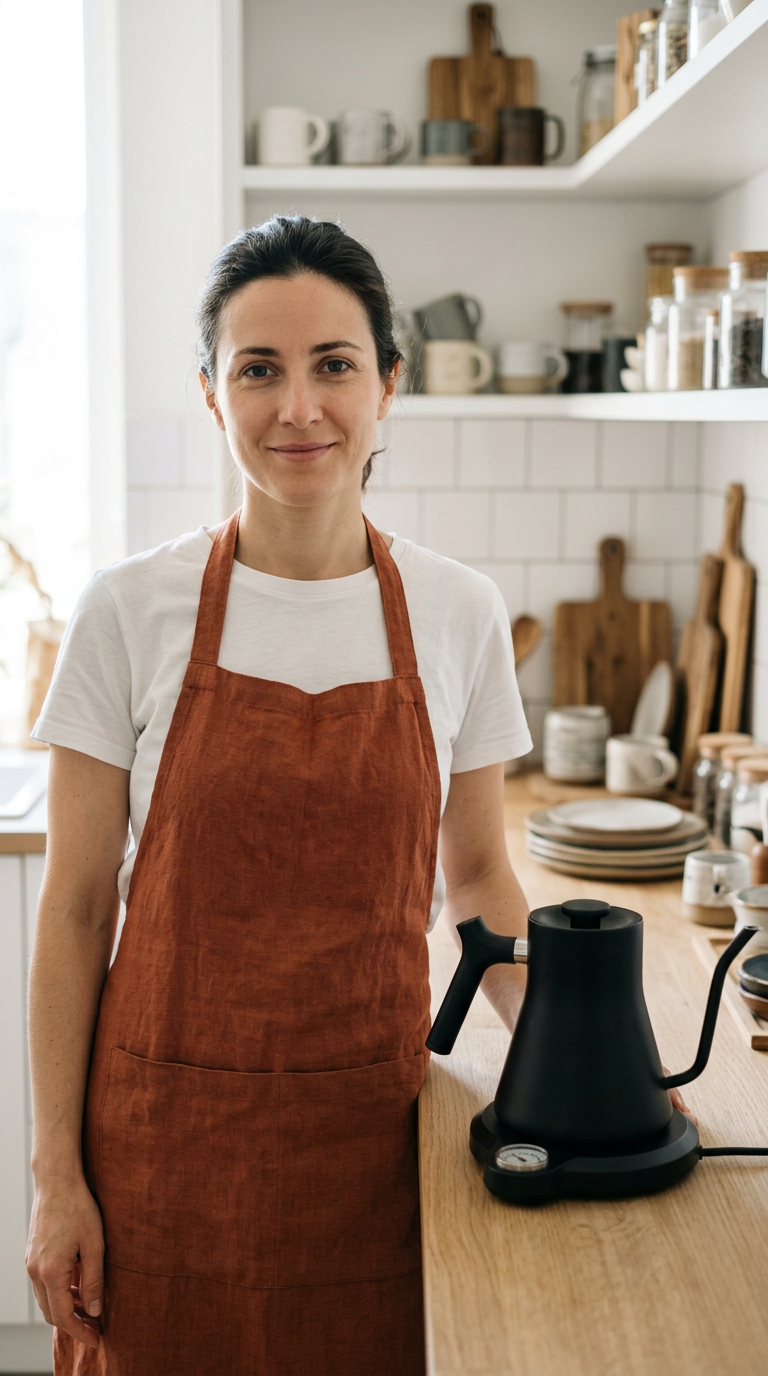
Generated using Nano Banana 2.1 on fal, an AI model from Google.
Try it in ChatGPT Try it in fal AgentIn our October 7, 2026 billing test, Nano Banana 2.1 came to $0.0396 for a 16:9 image at 1K with a short prompt.
This longer 9:16 prompt should still land near four cents, since extra prompt text only adds input tokens at $1.764 per million.
I go through the token math and the other Nano Banana 2.1 settings in our Nano Banana API guide.
A real team member works too, with their consent, once their photo has a public URL that Claude can copy onto our CDN with upload_file.
A photo attached to the chat only reaches fal if the chat app exposes its bytes or a URL, since our hosted server can't read a path on your machine.
Step 2: Turn the portrait into a kettle explainer with HeyGen Photo Avatar 4
HeyGen Photo Avatar 4 animates the Nano Banana 2.1 portrait from Step 1 into a vertical product video, with the shop owner talking through the kettle's temperature dial.
I set talking_style to expressive for more animation than the stable default, and caption to true for shoppers watching with the sound off.
Next, make a video with fal-ai/heygen/avatar4/image-to-video.
Use the Nano Banana 2.1 image URL from the last step as image_url.
Set voice to Melissa, talking_style to expressive, aspect_ratio to 9:16, resolution to 1080p and caption to true.
The prompt field is the script, so pass the text below with no edits:

Hi, I'm Dana, and this is the gooseneck kettle we keep reaching for in the shop. You turn the dial on the base to the exact temperature you want before the water boils. I brew green tea at eighty degrees and pour-over coffee at about ninety-three. After you choose a number and press start, the kettle keeps that heat the whole time you pour.

Send me the video URL from get_job_result once the job completes.
Generated using HeyGen Photo Avatar 4 on fal, an AI model from HeyGen.
Try it in ChatGPT Try it in fal AgentMelissa is the voice name in our schema example for this endpoint, and I'd test any other name on one short line before scripting a full batch.
When I set audio_url, HeyGen Photo Avatar 4 drops prompt and voice and lip syncs to that recording, so a studio voiceover or one from another model can replace HeyGen's text-to-speech.
Our guide to lip syncing AI videos with audio through an API produces that kind of voiceover with ElevenLabs Eleven v3 before a separate lip sync step.
I left the background field unset, though our schema gives it a color default of #FFFFFF, so the first render will show whether Dana's kitchen stays in the frame.
Step 3: Script a skillet care video for HeyGen Avatar 4 Digital Twin
I'm sending the care guide for an unbranded cast-iron skillet to HeyGen Avatar 4 Digital Twin, in 16:9 for the product page.
Preset names have to match the enum character for character, and a few carry a trailing space, such as "Adriana Business Front " with the space before the closing quote.
Some names contain typos that the request still needs, like Florin Maintain Siiting Front, and I have Claude copy the value from get_model_schema without retyping it.
The voice example in our schema is Charming Charlie - Excited 🤩, including the emoji, and I've paired it with Brandon Kitchen Standing Front for this video.
Now make the skillet care video with fal-ai/heygen/avatar4/digital-twin.
Copy the avatar value Brandon Kitchen Standing Front from the schema enum exactly.
Keep avatar_style at its closeUp default.
For voice, use the name Charming Charlie - Excited 🤩 with speed 1.
Set aspect_ratio to 16:9 and resolution to 1080p.
voice.prompt gets the script below, verbatim:

Your new cast-iron skillet arrives already seasoned, so it's ready for dinner tonight. After cooking, I rinse mine under hot water with a stiff brush while it's still warm. Then I dry it over a low flame for a minute and wipe a thin film of oil across the cooking surface before it goes back in the cupboard.
Generated using HeyGen Avatar 4 Digital Twin on fal, an AI model from HeyGen.
Try it in ChatGPT Try it in fal AgentSince speed runs from 0.5 to 2.0 and HeyGen Avatar 4 bills by output second, a slower read of one script costs more than a fast one.
HeyGen Avatar 4 Digital Twin also accepts a direct voice_id, which our schema says HeyGen uses without looking up the voice by name.
On fal, HeyGen Avatar 4 Digital Twin only offers the presets in its enum, so I use HeyGen Photo Avatar 4 from Step 2 whenever the presenter has to be someone specific.
Step 4: Make a social clip with VEED Avatars
For the store's social feed, VEED Avatars reads a casual script about an unbranded glass olive oil sprayer.
I picked marcus_vertical_primary for a phone-first post, going by the vertical in its name.
Last one: run veed/avatars/text-to-video with avatar_id marcus_vertical_primary.
Use the text below exactly as written:

Okay, this sprayer replaced the oil bottle I kept glugging into the pan. With two pumps I get a fine mist across the whole skillet, and I'm going through about half the oil I used to. The bottle is glass, so it goes straight into the dishwasher with everything else.
Generated using VEED Avatars on fal, an AI model from VEED.
Try it in ChatGPT Try it in fal AgentVEED Avatars takes only avatar_id and text, leaving the avatar ID as the one setting I change between runs.
Step 5: Match each fix to a schema field
I review every clip twice, once on mute for the face and once with sound for the product name and the numbers in the script.
When HeyGen Photo Avatar 4 delivers a stiff read, I'd normally change talking_style or the expression field first, since neither one touches the portrait.
If HeyGen Avatar 4 Digital Twin reads a script too slowly, you'll want a speed above 1, which also cuts the billed seconds.
When the avatar mispronounces a product name, I usually respell that word phonetically in the script before touching any other setting.
A corrected take is billed as a new fal job, and Claude quotes it again first.
Finished videos come back as URLs on our CDN, while expiration_seconds on run_model or submit_job sets how long those links stay live.
I'd set store_payload to false for scripts that aren't public yet, since it turns off payload storage on our side and leaves recipe.input out of the response.
What does an AI avatar video cost on fal?
As of November 2026, both HeyGen Avatar 4 endpoints cost $0.10 per second of output video on fal, as listed on their model pages.
VEED Avatars costs $0.35 per minute on that date, according to its model page.
Our docs list no charge for the MCP server, so the fal bill covers model runs at the rates you'd pay through direct API calls.
The conversation itself stays on your Claude or ChatGPT subscription.
Here's what those rates come to at common video lengths:
| Video length | HeyGen Photo Avatar 4 | HeyGen Avatar 4 Digital Twin | VEED Avatars |
|---|---|---|---|
| 15 seconds | $1.50 | $1.50 | About $0.09 |
| 30 seconds | $3.00 | $3.00 | About $0.18 |
| 60 seconds | $6.00 | $6.00 | $0.35 |
fal bills whichever account you've marked as the Active MCP account under MCP & connectors in the dashboard, and a new setup starts on your personal account.
Errors to rule out before a batch of avatar videos
It's ideal to start by checking the problems below before a batch run through the fal MCP server, each listed next to its usual cause and fix:
| Symptom | Usual cause | Fix |
|---|---|---|
| No fal tools in a new Claude chat | fal isn't enabled for that chat | fal enabled under Connectors in the plus menu |
| fal tools fail with an authentication error | The browser sign-in never completed | A fresh browser sign-in from the client |
| A ChatGPT custom app lists tools but can't generate | Custom MCP apps on Pro get read-only tools | The fal plugin from the plugin listing |
| Charges show up on your personal account | The Active MCP account is still the personal default | Your team picked under MCP & connectors, or Use for MCP in Account settings |
| One video billed twice | The job was resubmitted to check progress | check_job on the original request ID, and cancel_job for a duplicate still running |
| A photo attached to the chat never reaches HeyGen Photo Avatar 4 | The chat app didn't expose the file's bytes or a URL, and the hosted server can't read local paths | A public image URL that upload_file copies to our CDN |
| HeyGen Avatar 4 Digital Twin rejects the avatar name | A hand-typed name missing a trailing space or an enum typo | The exact value copied from get_model_schema |
| You're unsure which voice names HeyGen accepts | voice is a free-text field with no list in our schema | The schema example names, tested on one short line first |
| The avatar lip syncs to other audio and skips the script | audio_url is set and overrides the text | A request without audio_url |
| A vertical clip comes back in 16:9 | aspect_ratio was left at its default, or auto couldn't read the source | aspect_ratio set to 9:16 explicitly |
| A video link stops working later | The CDN lifetime from expiration_seconds or the account default ran out | A download soon after the job, or a longer expiration_seconds |
Recently Added





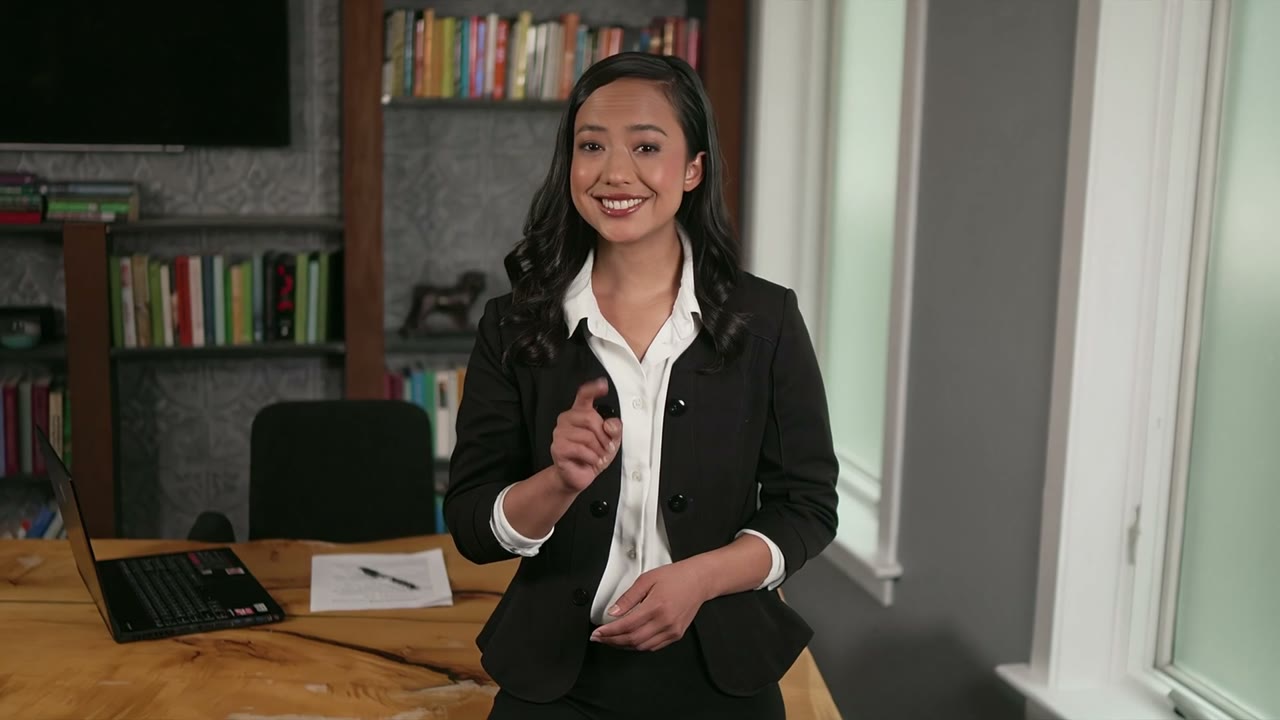




Make your first AI avatar video on fal
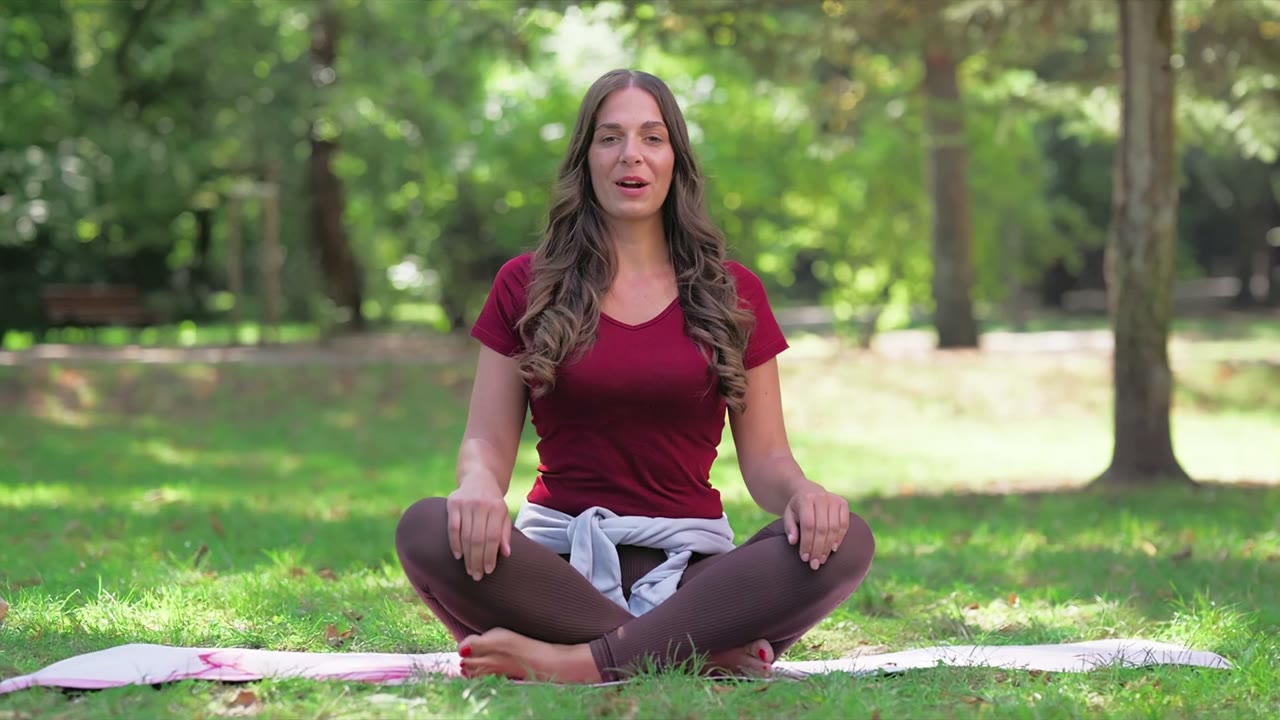
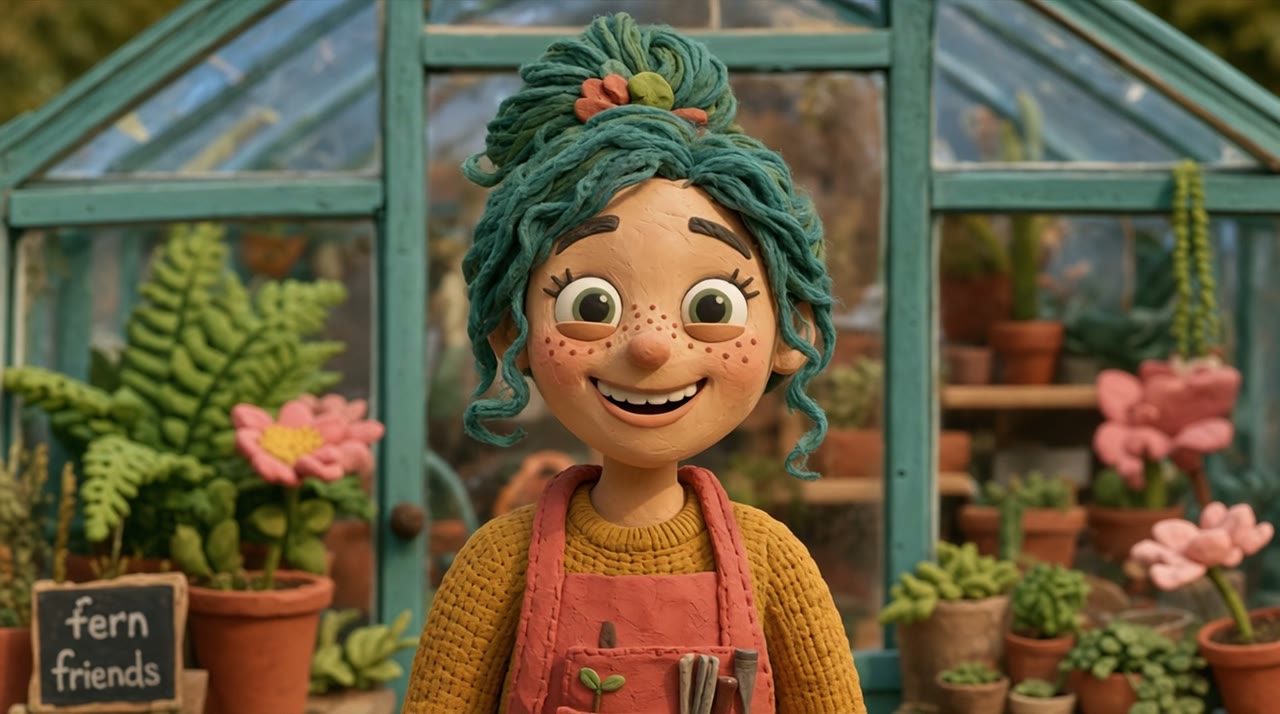
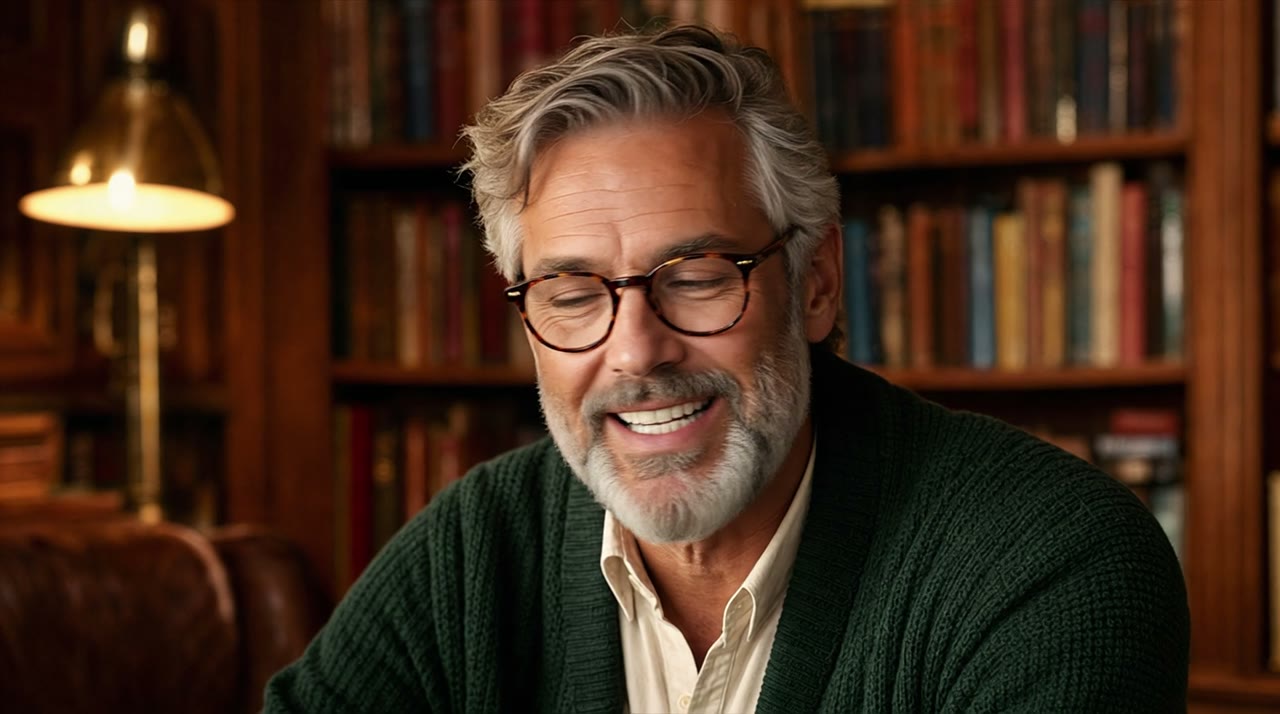
You can now make a presenter video without a camera crew, straight from a Claude or ChatGPT chat on fal.
Through that one connection, Claude and ChatGPT reach more than 1,000 other models, and the presenter portrait and the finished clip come out of one fal balance.
Before the full run, I'd try a script in the HeyGen Photo Avatar 4 playground and then hand the final wording to Claude or ChatGPT.
AI avatar video FAQ
Whose face can HeyGen Photo Avatar 4 animate?
HeyGen Photo Avatar 4 animates a photo with a clear face, your own included, once the image is reachable at a public URL or uploaded to our CDN.
From Claude Code, upload_file can also return a signed upload URL for local files up to 90 MB.
Anyone else's face needs that person's permission before any render, and many ad platforms have disclosure rules for synthetic presenters that I check before publishing.
Is a fal API key needed for the MCP server?
No, the fal plugin and the OAuth relay at https://mcp.fal.ai/mcp-relay sign in through your browser, with no key to create or paste.
SDK calls and the genmedia CLI keep using their own authentication, separate from that OAuth connection.
Does HeyGen Avatar 4 lip sync to my own voiceover?
Yes, both HeyGen Avatar 4 endpoints take an audio_url and lip sync the avatar to that file.
The audio goes in as a URL or a base64 data URI, so a voiceover from another model on fal can pass straight into the request with its existing CDN link.
Which aspect ratios can HeyGen Avatar 4 output?
HeyGen Avatar 4 outputs 16:9 by default on the photo and digital twin endpoints, with 9:16, 4:5, 5:4 and 1:1 available as fixed options alongside auto.
On auto, HeyGen keeps the source aspect ratio when it can read one and falls back to 16:9 otherwise, so I set 9:16 by hand for vertical clips.