
GPT Image 2.5
OpenAI's GPT Image 2.5 is live on fal in two variants. Flare is the default for most work, at higher quality than GPT Image 2 with half the latency. Sunburst spends longer to hold intricate detail. Both generate from text and edit existing images, at up to 3840px.
Your prompt opens in the GPT Image 2.5 Flare playground, ready to generate.


The four GPT Image 2.5 endpoints
Flare and Sunburst, each with text to image and editing. Same API surface, same pricing, different balance of speed and detail.


OpenAI's default image model for most applications. Fast, high-quality generation with natural lighting, rich textures, and support for complex layouts including transparent backgrounds.
Precise image editing that changes only what's asked, keeping subject, composition, and background intact, with reference subjects staying recognizable across styles and successive edits.
OpenAI's precision-focused image model, built for premium visual work, extra fidelity on intricate detail, in exchange for longer generation times.
Editing built for the tightest control, edits scoped precisely to the instruction, with subject and composition preserved across many rounds of revision.

Flare or Sunburst?
Flare is the one to reach for by default. Move to Sunburst when the detail has to survive a close look. Everything else about the two is the same, including the price.
openai/gpt-image-2.5/flare/text-to-imageopenai/gpt-image-2.5/flare/editWhat's new in GPT Image 2.5
The changes over GPT Image 2, as OpenAI described them at launch.
- Latency
Up to 50% faster than GPT Image 2
OpenAI puts Flare at higher image quality than GPT Image 2 with 50% lower latency, which is what makes it the sensible default for high-volume and interactive work.
- Rendering
More natural light, richer texture
Sharper detail across the frame, more convincing lighting, and more accurate rendering of images that carry real-world information.
- Style
Stronger style adherence
A requested visual style holds more consistently from one generation to the next, so a set of images can share a look without hand-picking.
- References
Subjects stay themselves
Better preservation of the subject in a reference photo, including as it moves between styles, with up to 16 references per edit request.
- Editing
Edits that carry across turns
Instructions are followed more reliably over multiple rounds, and earlier edits are more likely to survive later ones, even on complex subjects and backgrounds.
- Output
Two more quality levels
qualitynow reachesxhighandmaxabove the oldhighceiling, alongside better handling of complex layouts and transparent backgrounds.
Latency, rendering, style, reference and editing claims are OpenAI's own, published with the model on September 8, 2026. The quality levels are read from the endpoint schemas on fal.
What you can make with GPT Image 2.5
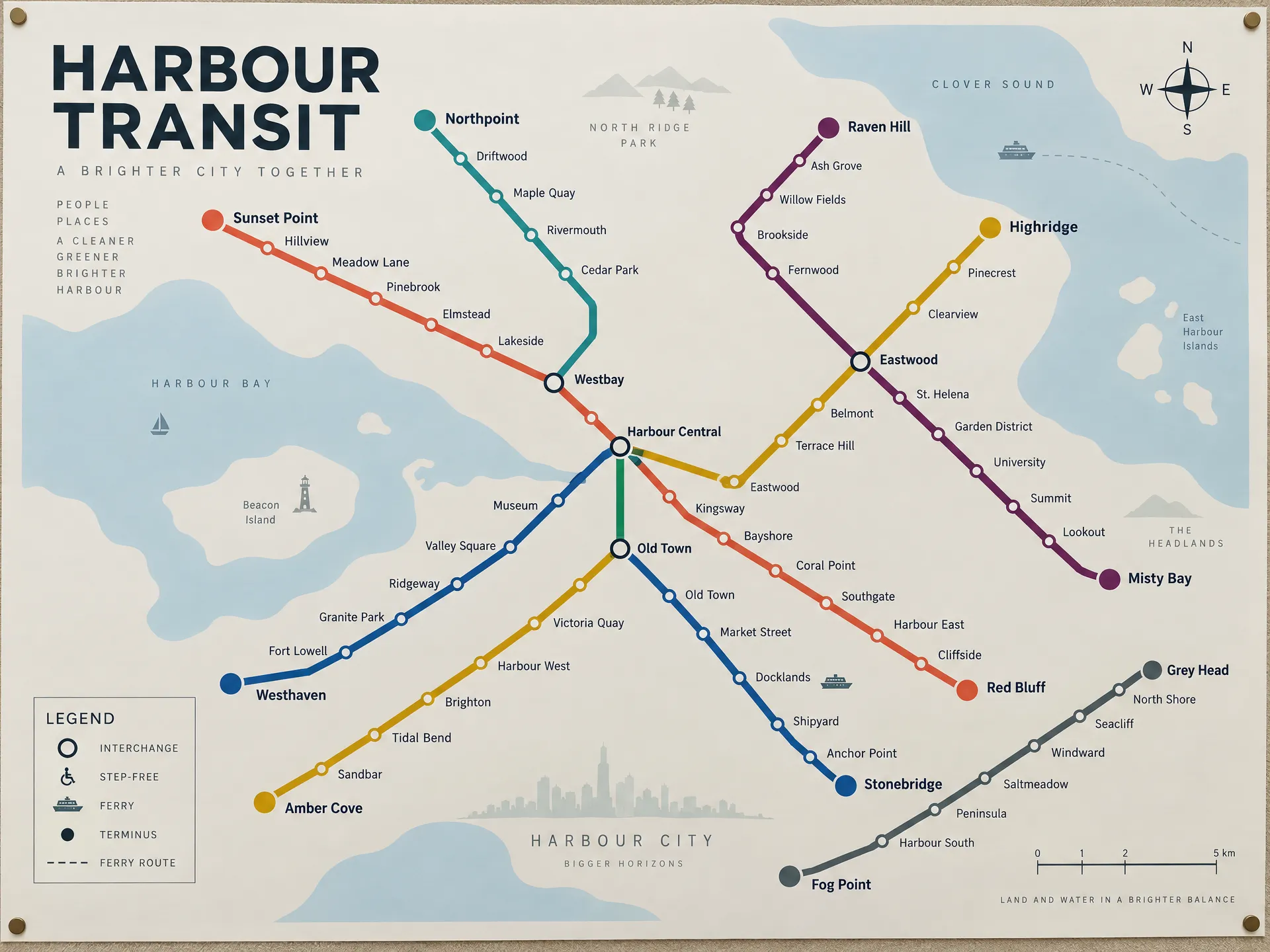
Dense layouts that stay readable
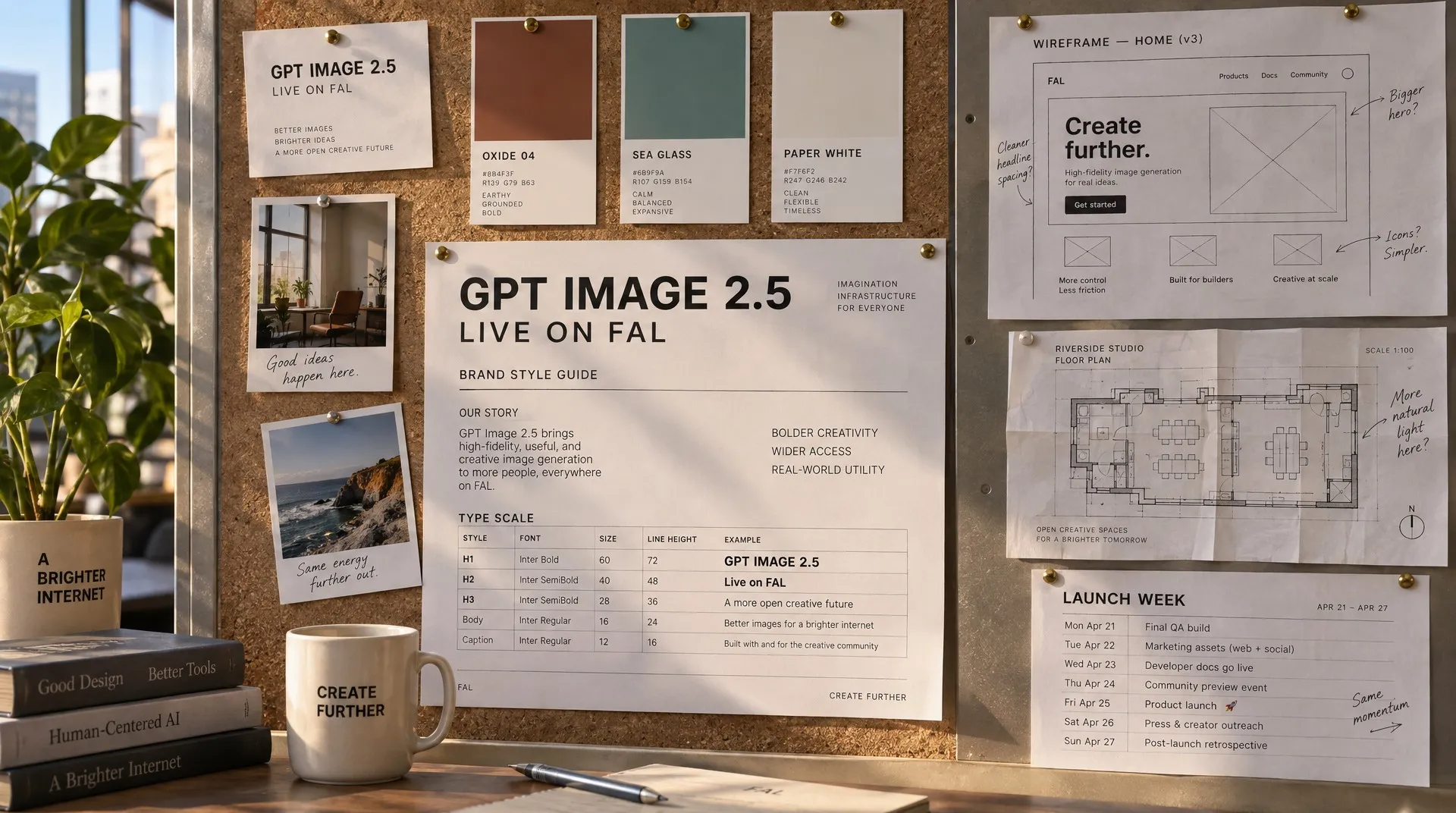
GPT Image 2.5 holds a whole page of structured information in one pass. Six colour-coded routes, every station named, interchange markers, a keyed legend, a compass and a scale bar all stay legible and stay in register. Keeping a layout coherent while the type stays small is the part that usually breaks.
Sharp enough to look at closely
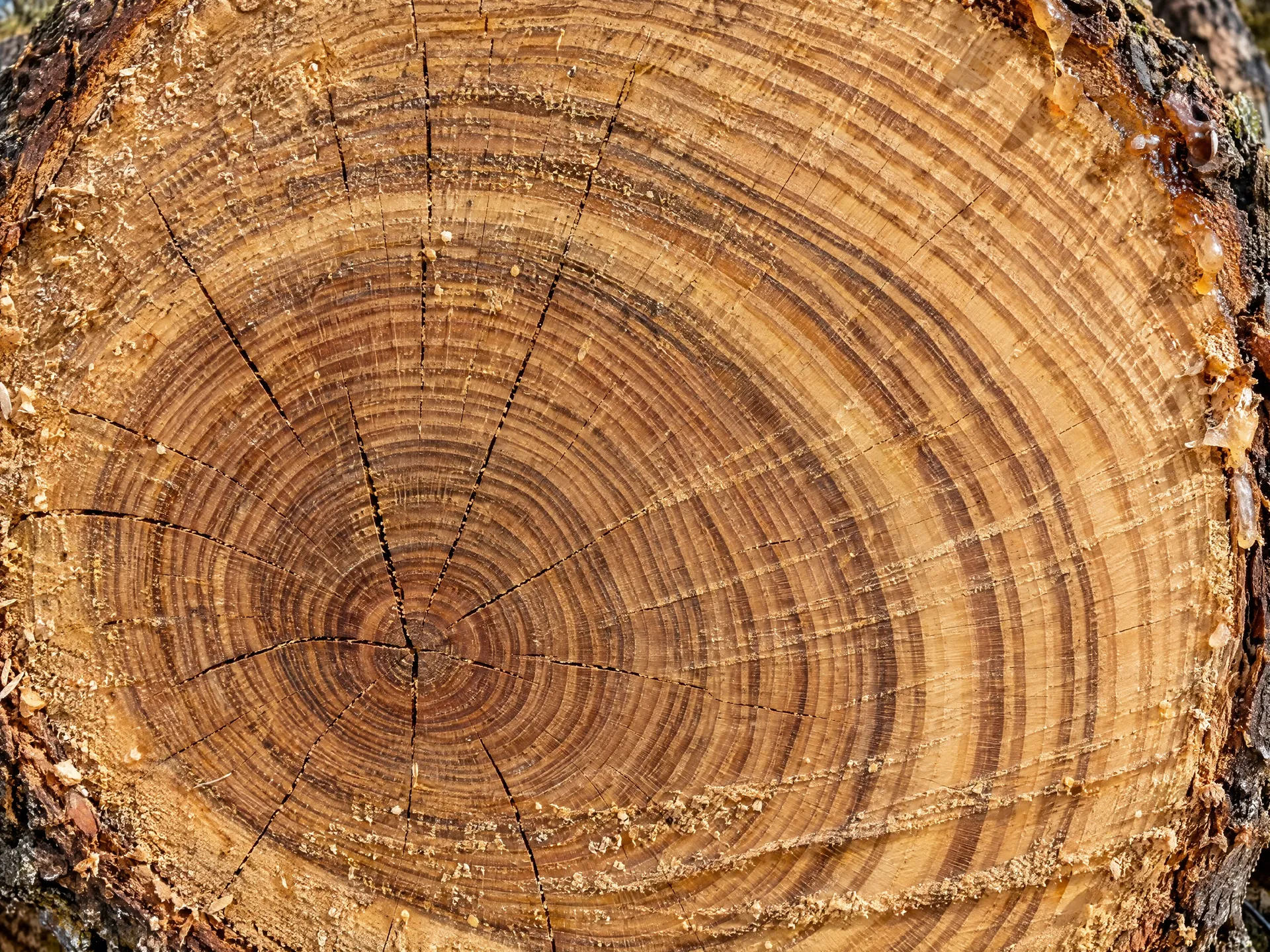
Sunburst is the variant to reach for when the image will be viewed large. Below, generated at 3072px on xhigh: decades of growth rings stay separate all the way in to an off-centre pith, widening on the side the tree leaned, with radial checks, chainsaw scoring and beads of sap at the bark edge. That is the kind of detail that lets a frame be enlarged or cropped into instead of reshot.
Edits that change one thing
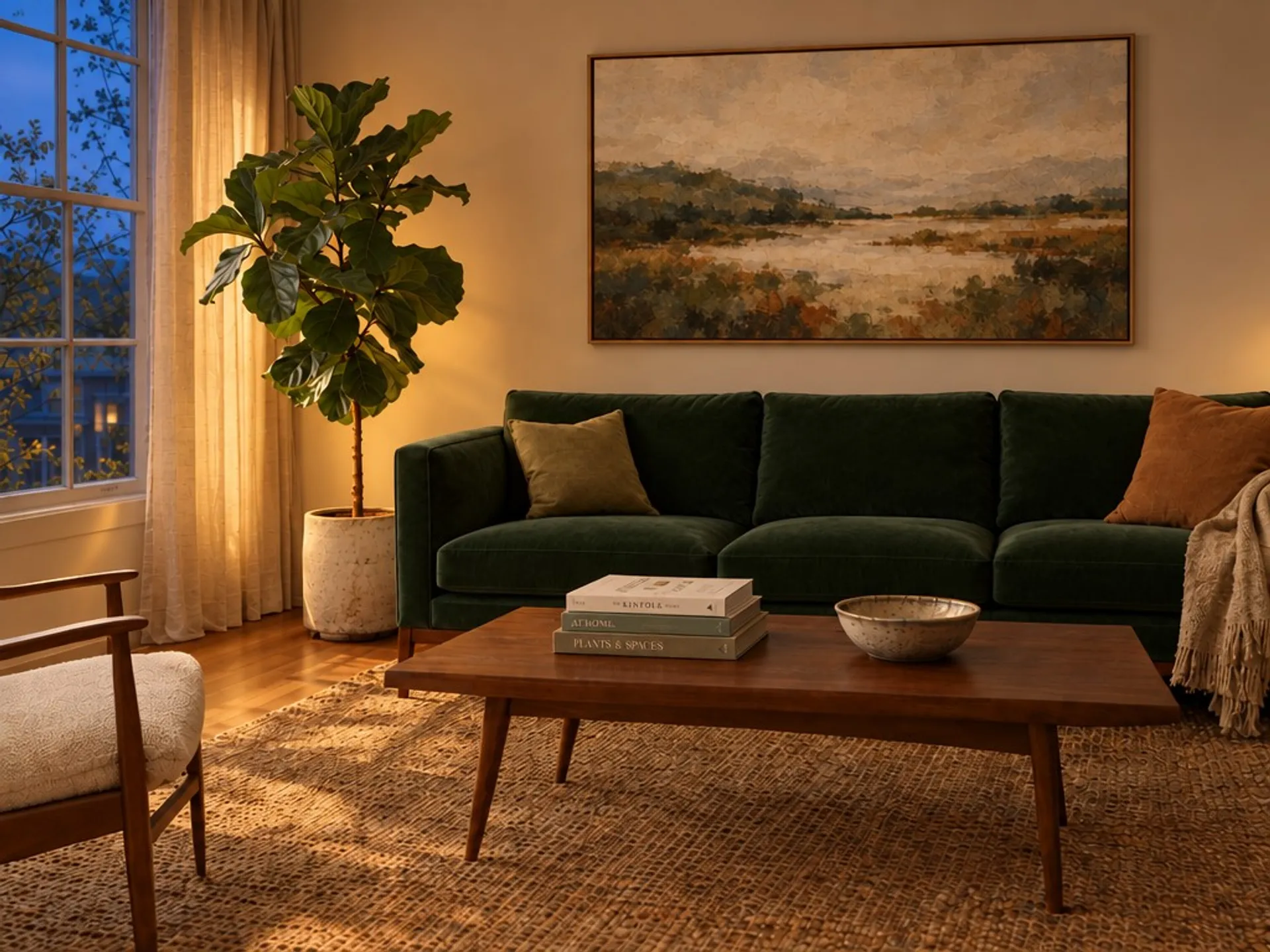
Point the edit endpoints at up to 16 reference images and describe the change. Successive rounds keep the scene intact: across the three passes below, the furniture, the rug and the framing hold while the upholstery, the artwork and the time of day each change in turn. A mask is optional when the change needs to be confined to a region.
Cutouts straight out of the API
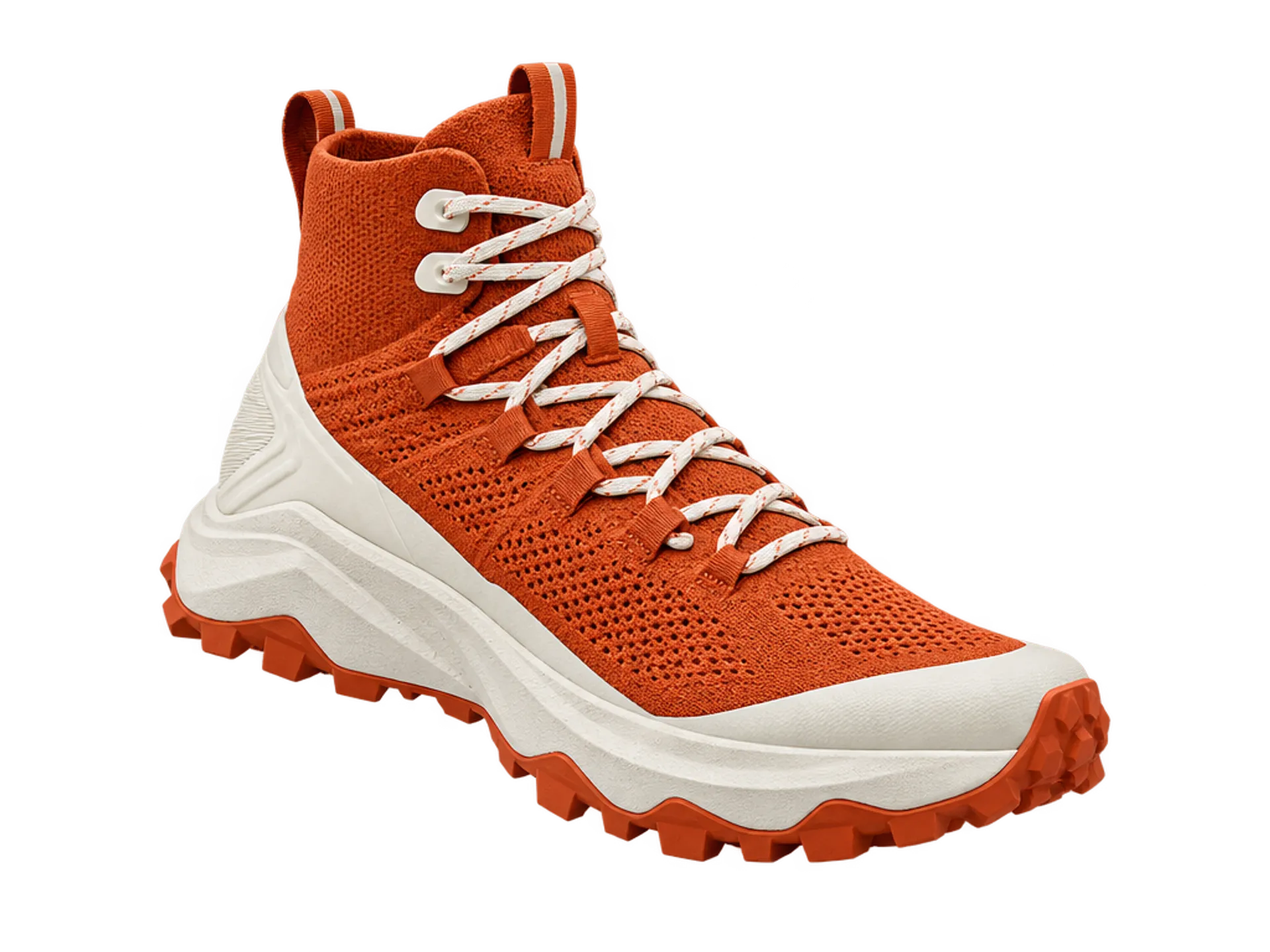
Set background to transparent with a PNG or WebP output and the model returns a real alpha channel, so product shots and icons drop straight onto a layout with no rotoscoping step in between.
Three rounds, one thing changed each time
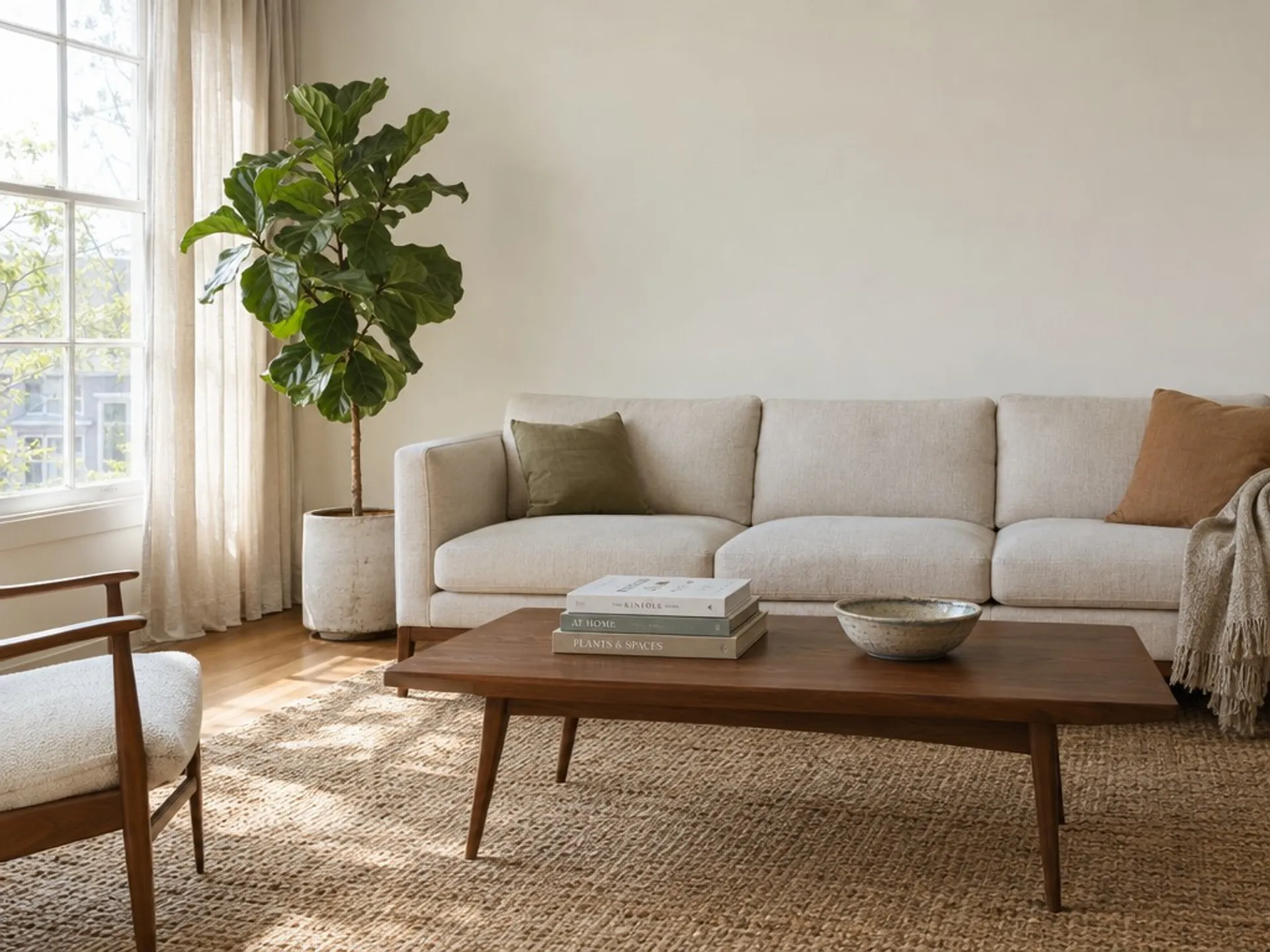
Each frame is the previous frame sent back through the edit endpoint with a new instruction. The furniture, the rug and the framing carry through untouched while one thing changes per pass.
 Source
Generated from a text prompt.
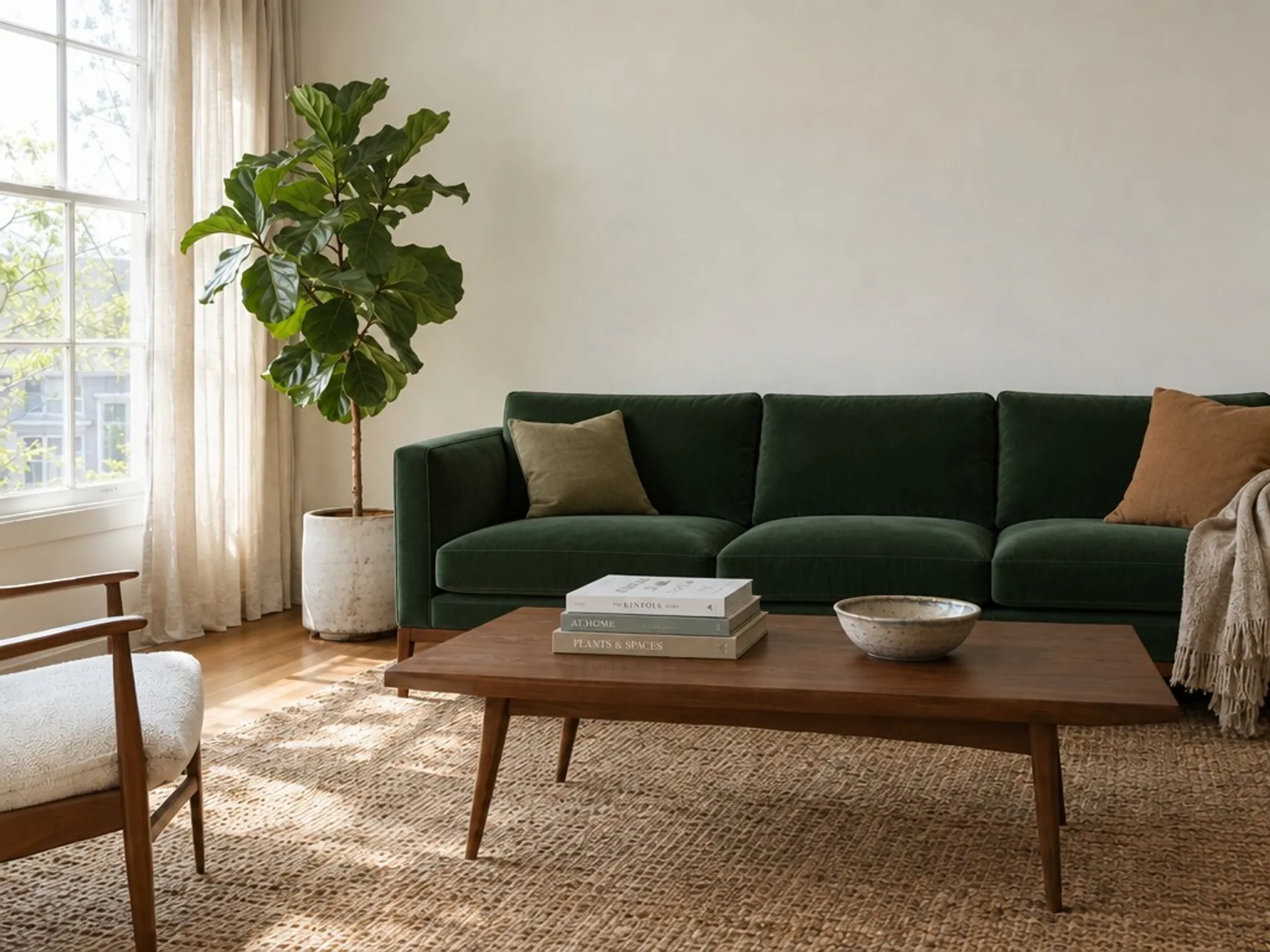 Round 1
Reupholster the sofa in a deep forest green velvet. Change nothing else in the room.
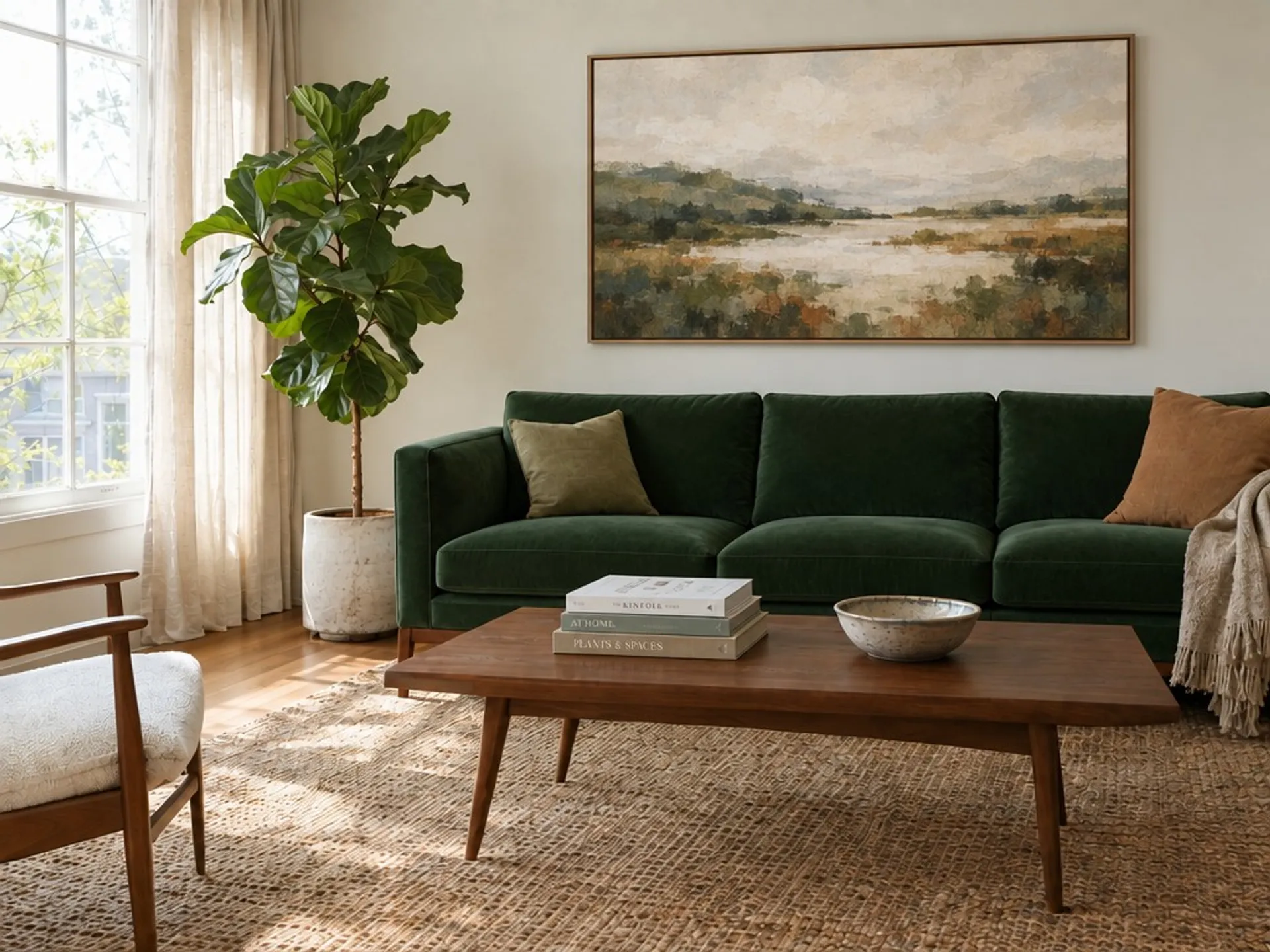 Round 2
Hang a large framed abstract landscape print on the bare wall above the sofa. Leave the rest of the room exactly as it is.
- Round 3
Change the time of day to evening: warm lamplight inside, blue dusk through the window. Keep the furniture, the artwork and the layout identical.
Generated with openai/gpt-image-2.5/flare/edit at high quality. Instructions reproduced verbatim.
See what GPT Image 2.5 can create
Eight unrelated briefs, one model. Every image on this page is GPT Image 2.5's own output, generated through these endpoints, with the prompt that produced it.
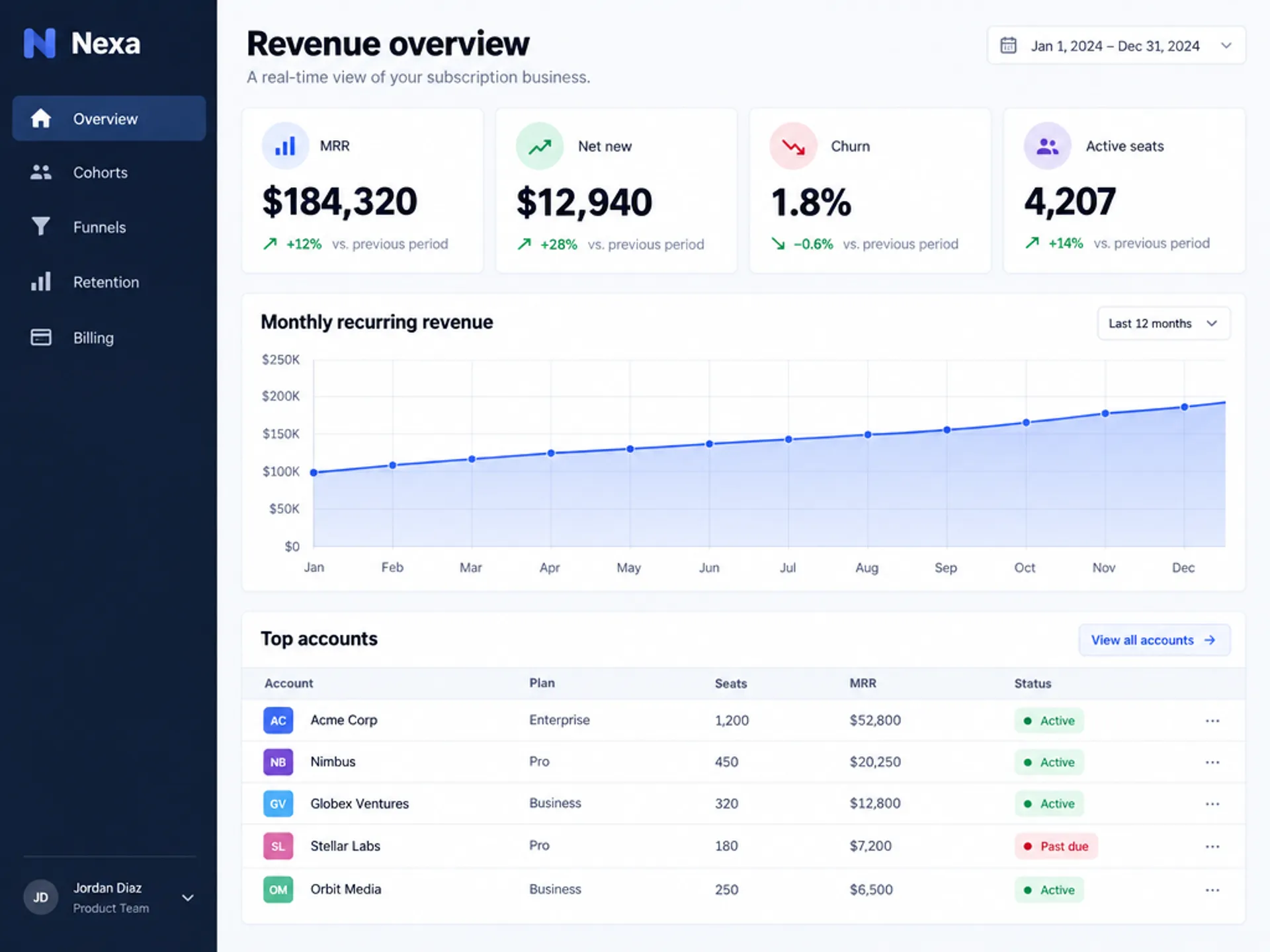
Interface design
"A polished SaaS analytics dashboard filling the whole frame edge to edge, no browser chrome. A dark navy left sidebar with a small 'Nexa' wordmark and legible nav items 'Overview', 'Cohorts', 'Funnels', 'Retention', 'Billing'. Main area headed 'Revenue overview' with four stat tiles reading 'MRR $184,320', 'Net new $12,940', 'Churn 1.8%', 'Active seats 4,207', a wide area chart titled 'Monthly recurring revenue' with month labels Jan to Dec, and a table of five accounts with columns 'Account', 'Plan', 'Seats', 'MRR', 'Status'. Clean modern interface design, generous whitespace, one indigo accent, crisp legible typography"
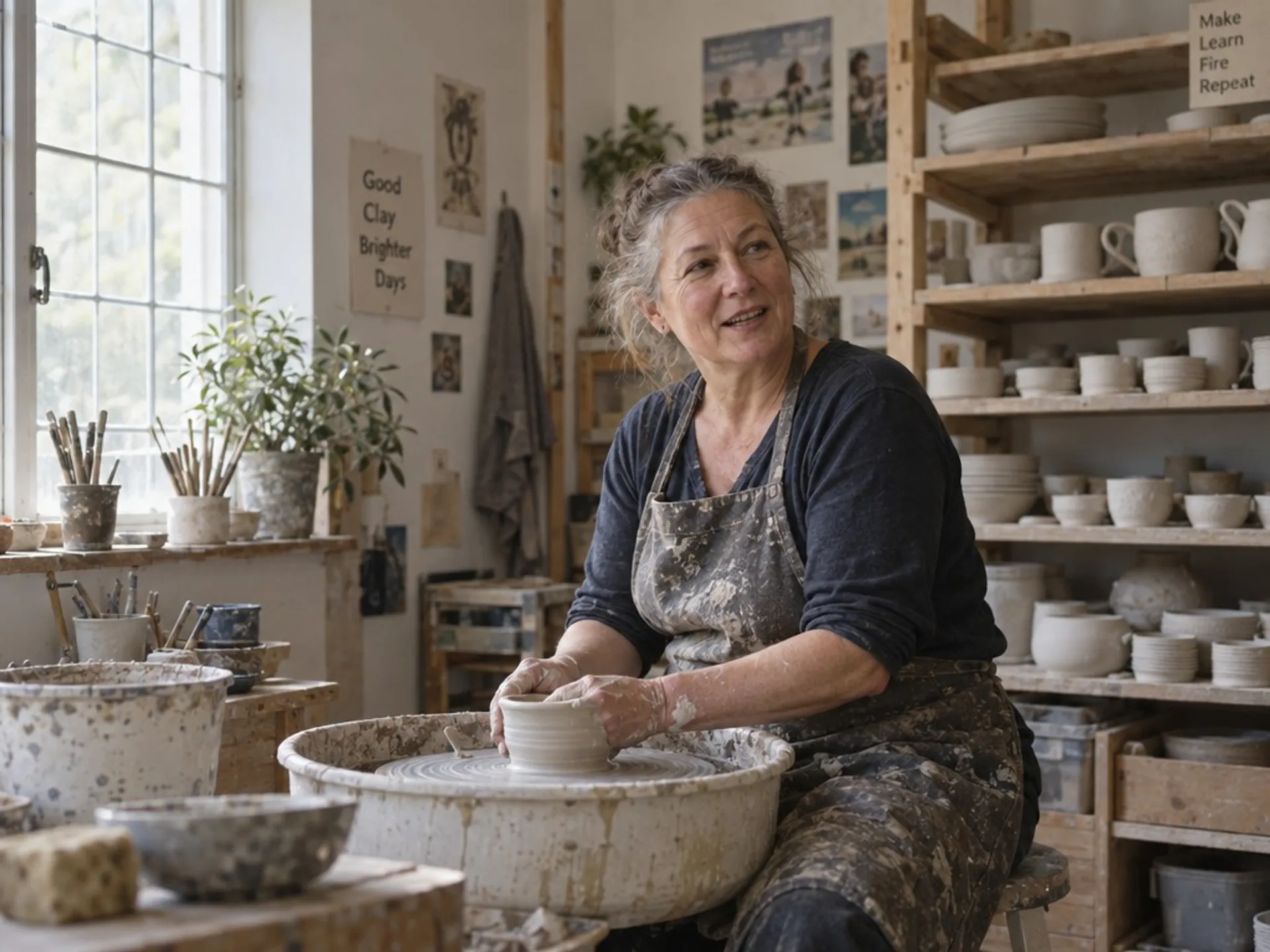
Portraiture
"A photorealistic candid environmental portrait, landscape framing: a ceramicist in her fifties at her wheel in a sunlit studio, seen from the side with room around her, clay-dusted apron and forearms, greying hair tied back, laugh lines and visible skin texture, looking just off camera mid-conversation. Shelves of drying bisqueware fill the right of the frame, soft north light from a tall window on the left. Shot on 50mm at f/2.8, 35mm film colour"
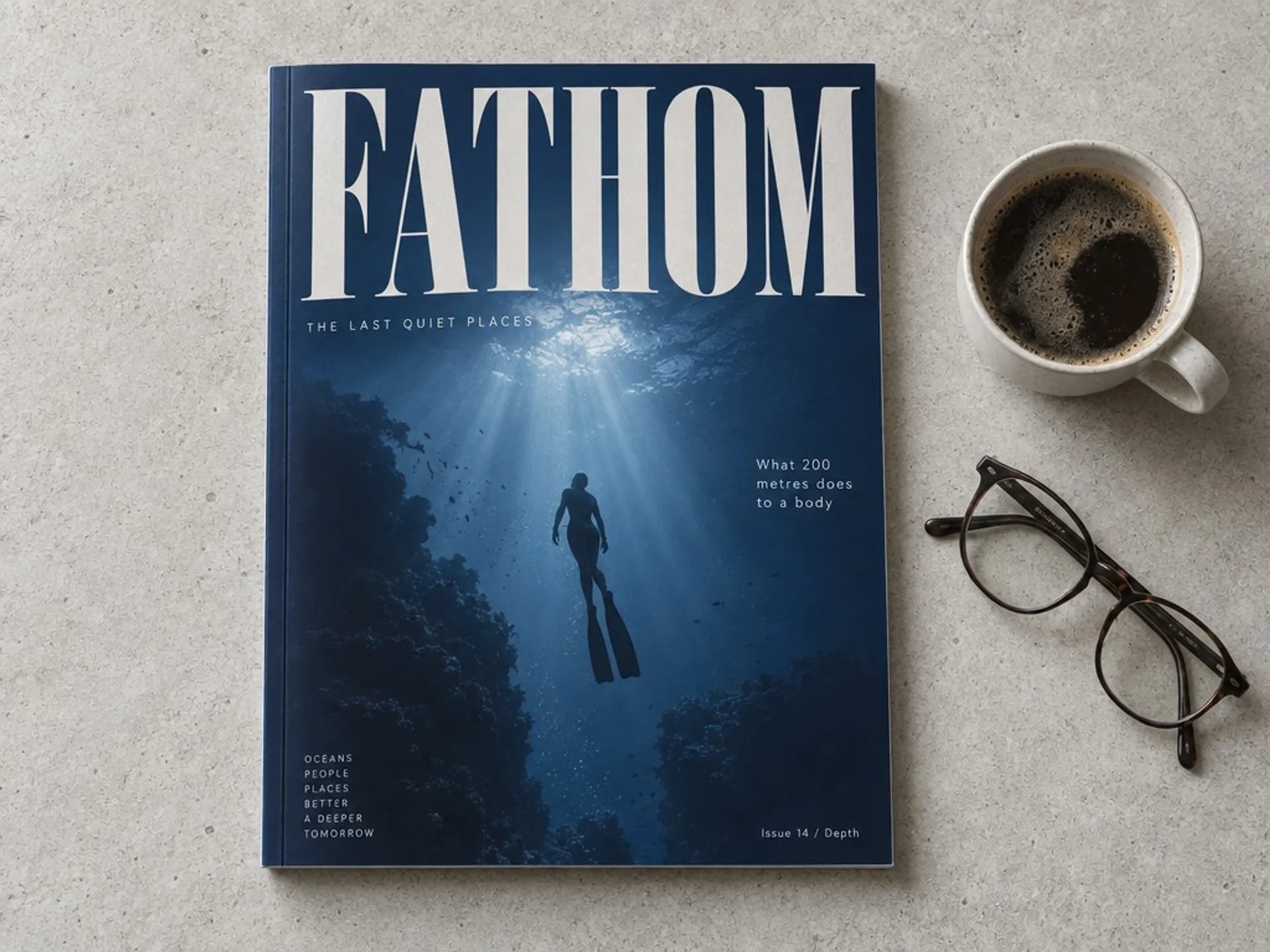
Editorial and print
"An overhead landscape photograph of an independent magazine lying on a pale concrete table, shot straight down with the whole cover inside the frame. The cover has a deep ultramarine background, an oversized condensed serif masthead reading 'FATHOM', a photograph of a free diver silhouetted against underwater light shafts, and cover lines in small clean sans reading 'THE LAST QUIET PLACES', 'What 200 metres does to a body' and 'Issue 14 / Depth'. A pair of reading glasses and a coffee cup sit to the right. Soft daylight, premium print art direction"
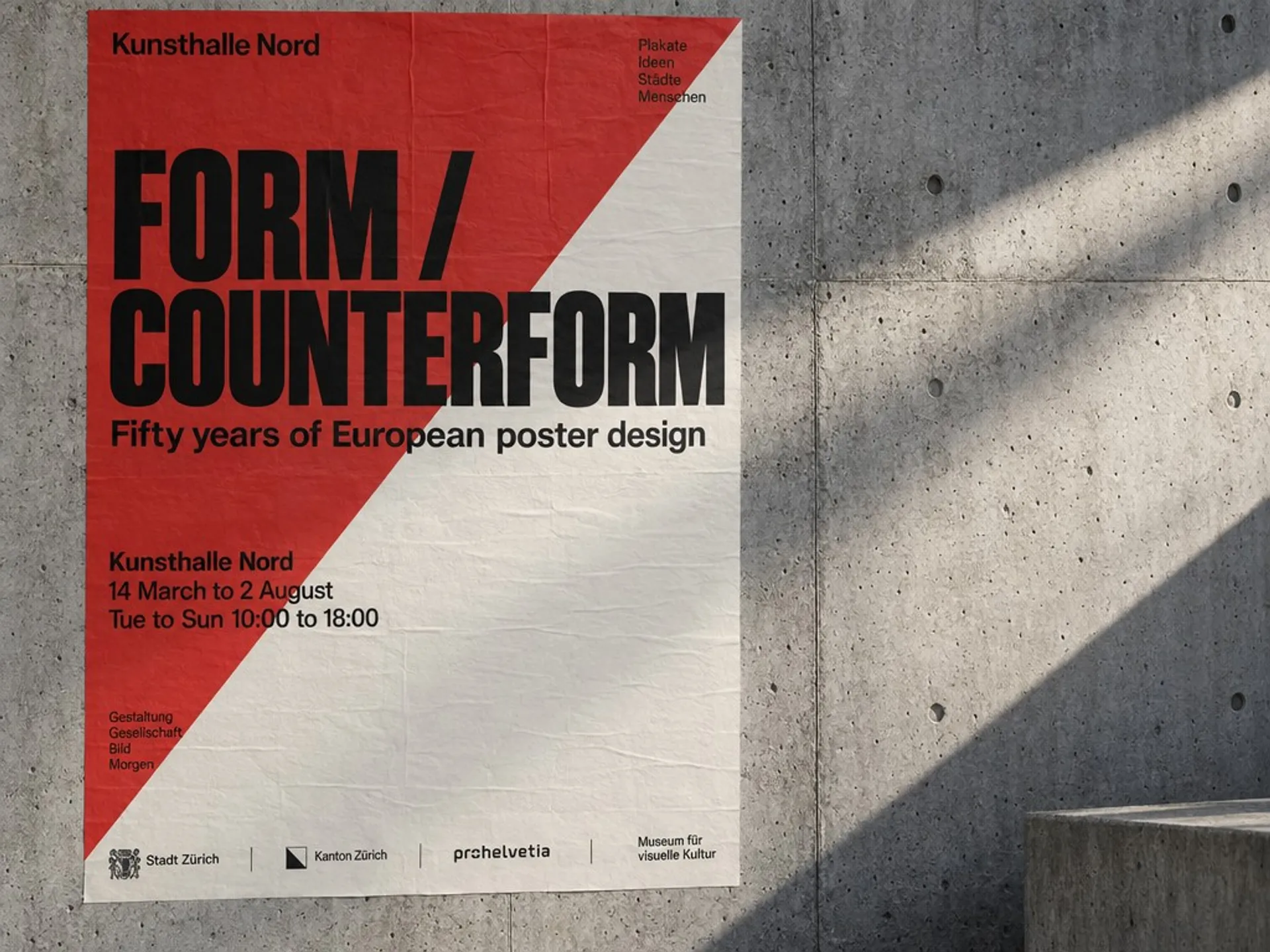
Graphic design
"A wide landscape photograph of a concrete gallery wall in raking side light, with a single Swiss-style exhibition poster pasted flat and fully visible in the left two thirds of the frame. The poster is split diagonally in signal red and bone white, with a huge grotesk headline reading 'FORM / COUNTERFORM', a subhead 'Fifty years of European poster design', a legible venue block reading 'Kunsthalle Nord / 14 March to 2 August / Tue to Sun 10:00 to 18:00', and a small sponsor row along its bottom edge"
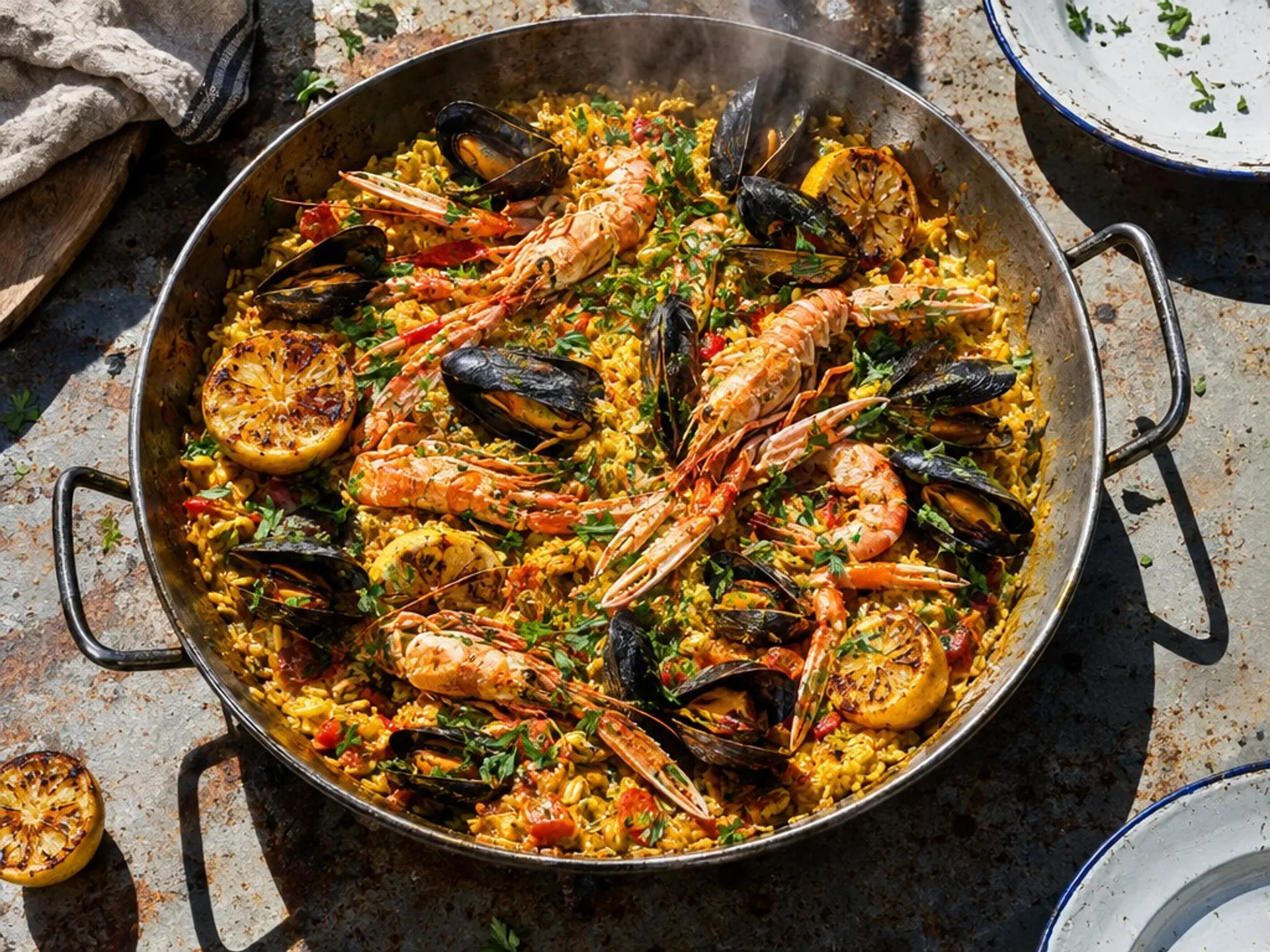
Food photography
"Overhead food photograph of a rustic saffron seafood rice in a wide steel pan set on a scorched outdoor table, mussels and langoustines arranged across the surface, charred lemon halves, scattered parsley, a linen cloth and two enamel plates just entering the frame. Hard midday sunlight with crisp shadows, steam rising, rich saturated colour, editorial food photography"
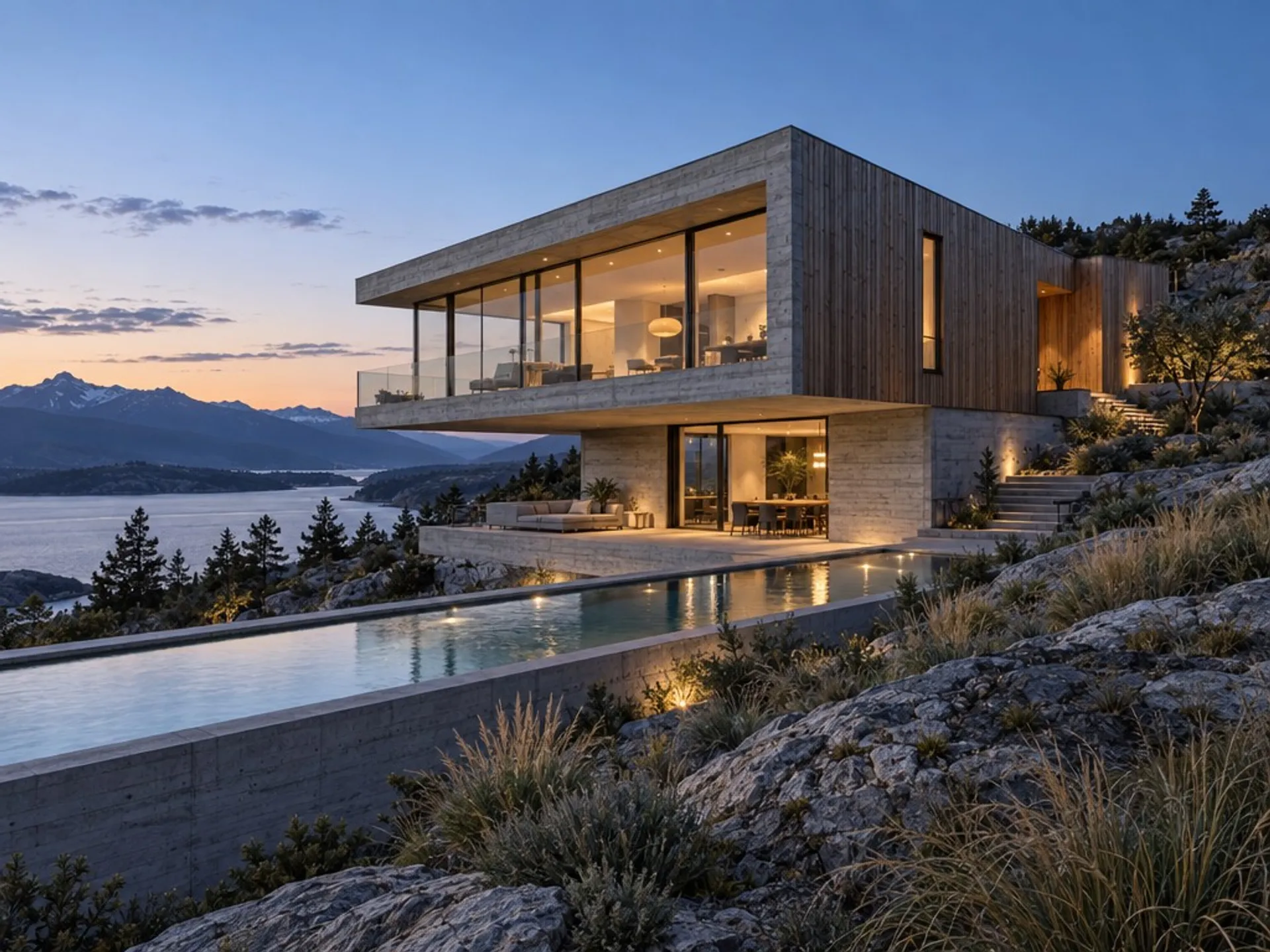
Architectural visualisation
"Architectural visualisation of a concrete and timber house at dusk, cantilevered over a rocky slope, floor-to-ceiling glazing glowing warm from within, a lap pool reflecting the last light, native grasses in the foreground. Board-formed concrete texture and oiled larch cladding both clearly readable, cool blue sky gradient, wide-angle architectural photography"
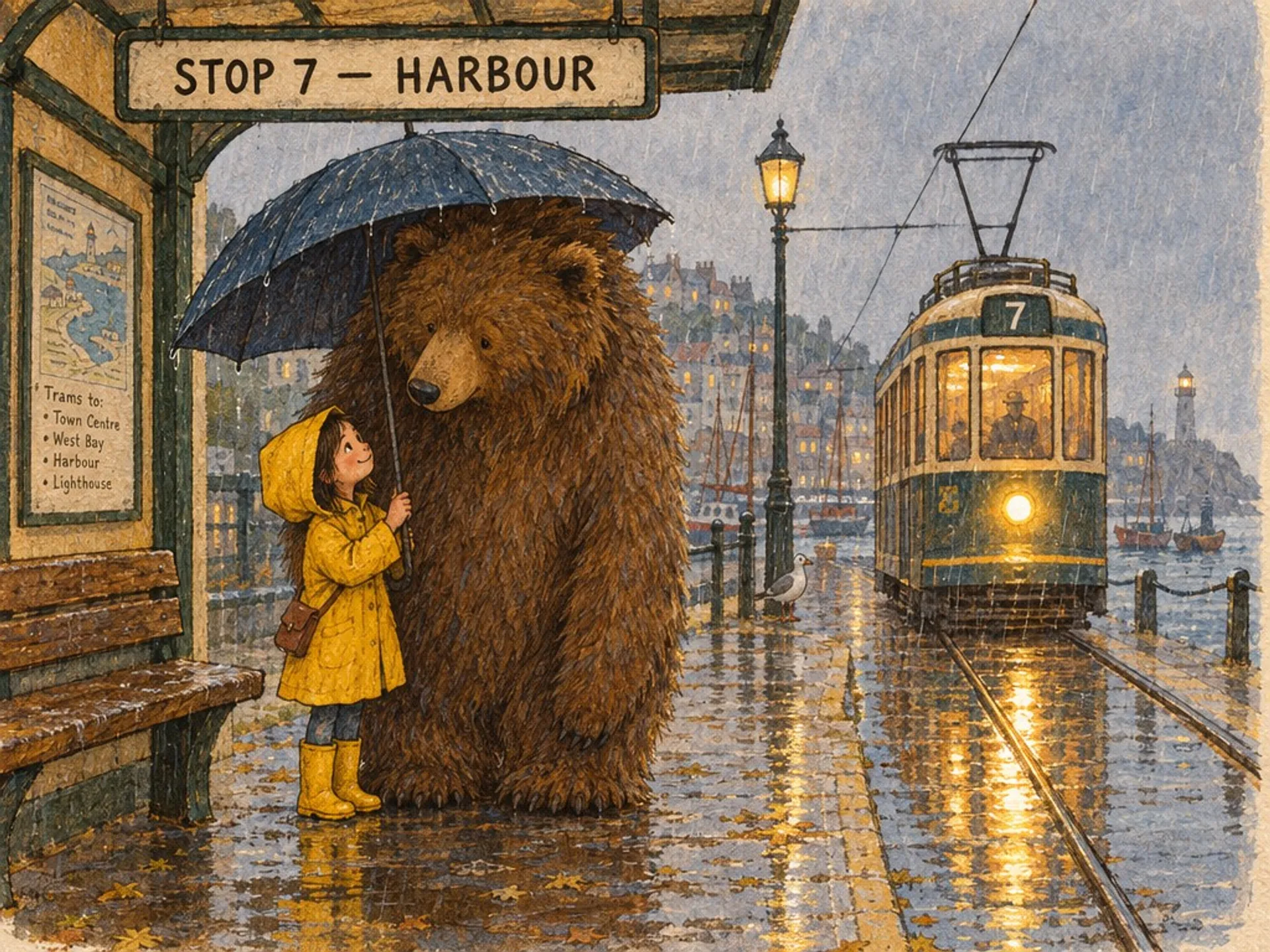
Illustration
"A hand-inked children's book illustration in gouache and coloured pencil: a small girl in a yellow raincoat sharing an umbrella with an enormous shaggy bear at a tram stop in the rain, puddles reflecting the tram's headlight, a hand-lettered sign above them reading 'STOP 7 — HARBOUR'. Warm limited palette, visible paper tooth, soft outlines, storybook composition"
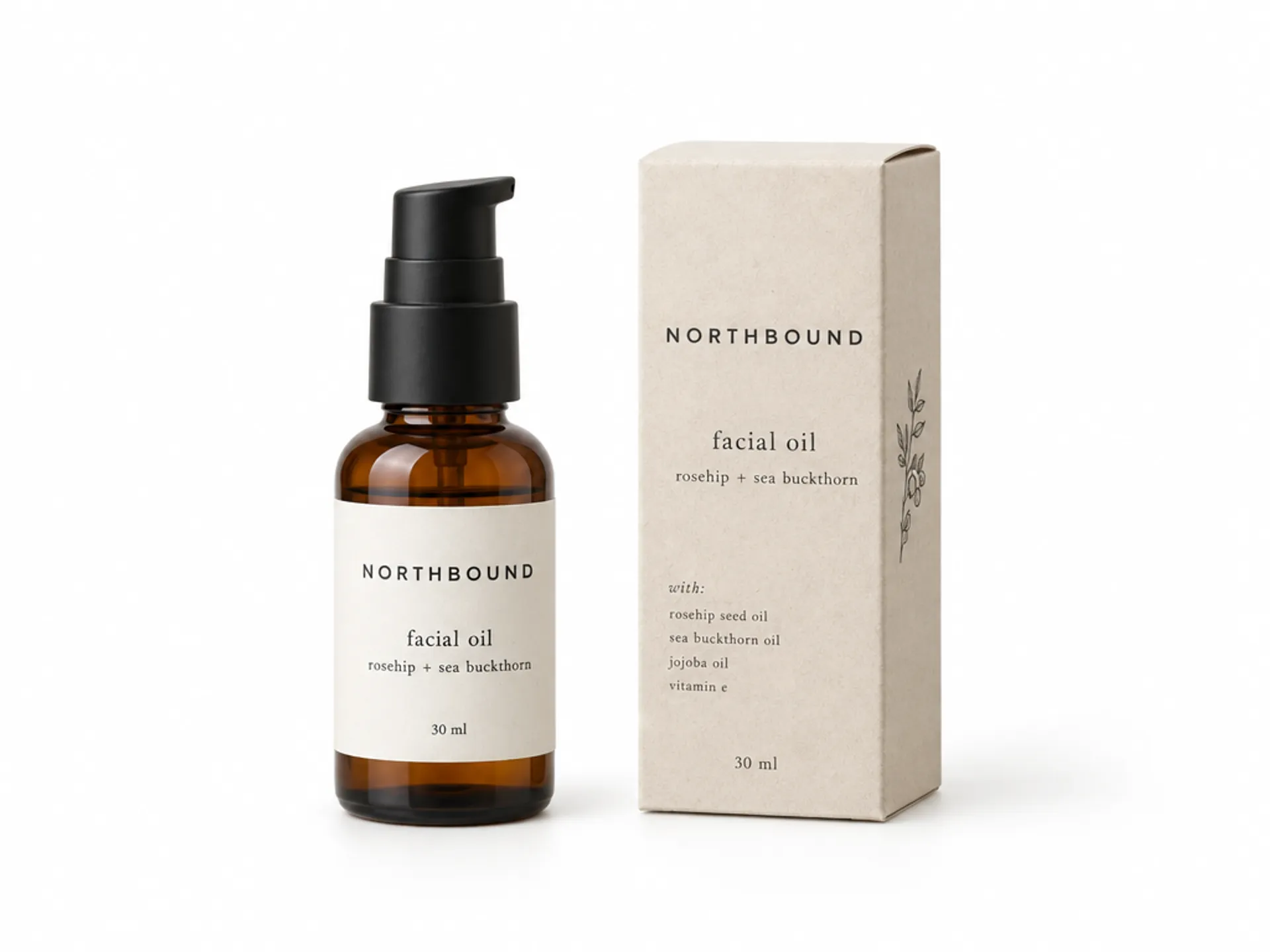
Packaging and e-commerce
"A clean e-commerce product photograph on a seamless white background, landscape framing with generous space around the products: an amber glass apothecary bottle with a matte black pump, its label legible and reading 'NORTHBOUND / facial oil / rosehip + sea buckthorn / 30 ml', shown beside its folded card carton printed with the same wordmark and a small ingredient list. Even soft studio lighting, faint contact shadow, catalogue-ready"
GPT Image 2.5 pricing
Cost per image at the canonical sizes. Flare and Sunburst are priced identically, so the variant choice is free. Editing costs a little more than generating, because the reference image is billed as input.
| Size | Text to image | Editing | ||||
|---|---|---|---|---|---|---|
| Low | Medium | High (default) | Low | Medium | High (default) | |
| 1024 x 768 | $0.0041 | $0.0091 | $0.0362 | $0.0124 | $0.0174 | $0.0445 |
| 1024 x 1024Square | $0.0060 | $0.0133 | $0.0528 | $0.0142 | $0.0215 | $0.0610 |
| 1024 x 1536Portrait | $0.0048 | $0.0104 | $0.0413 | $0.0131 | $0.0186 | $0.0495 |
| 1920 x 1080Full HD | $0.0045 | $0.0096 | $0.0395 | $0.0128 | $0.0179 | $0.0478 |
| 2560 x 1440QHD | $0.0062 | $0.0144 | $0.0554 | $0.0145 | $0.0227 | $0.0636 |
| 3840 x 21604K, the maximum | $0.0112 | $0.0260 | $0.1002 | $0.0195 | $0.0343 | $0.1084 |
Every figure above is the amount fal actually billed for a real request to the endpoint, measured across the whole matrix on September 8, 2026, with a short prompt; a long prompt adds its own text-input tokens. Quality is the main lever on cost. Underneath the table the model bills by token: text at $5.00 per million input, images at $8.00 per million input and $30.00 per million output, with cached input at $1.25 and $2.00, and the total rounded up to the nearest $0.0001. Edit figures assume a single reference image, so passing several costs more again, and the xhigh and max quality levels spend more tokens than high. Information updated as of September 8, 2026.


How to call the GPT Image 2.5 API
The client handles the queue protocol, polls for status and returns the result when the request completes. All four endpoints take the same parameters.
import { fal } from "@fal-ai/client";

const result = await fal.subscribe("openai/gpt-image-2.5/flare/text-to-image", {
  input: {
    prompt:
      "A SaaS analytics dashboard with a left sidebar, four stat tiles and a labelled revenue chart, clean modern interface design",
    image_size: "landscape_4_3",
    quality: "high",
  },
  logs: true,
  onQueueUpdate: (update) => {
    if (update.status === "IN_PROGRESS") {
      update.logs.map((log) => log.message).forEach(console.log);
    }
  },
});

console.log(result.data);
console.log(result.requestId);

What teams are building with GPT Image 2.5
Packaging, product photography, advertising and information design, all of which lean on type staying legible and subjects staying consistent.
Interface concepts with real content in them
Dashboards, marketing pages and app screens come out with working navigation, plausible data and legible labels, so a direction can be judged as a design rather than as a grey box.
Covers, spreads and posters that set properly
Oversized headlines, cover lines, standfirsts and small print hold their hierarchy, which is what lets a layout be reviewed before anyone opens a page-layout tool.
Diagrams, charts and technical illustration
Labelled cross-sections, axis values, leader lines and multi-column copy stay coherent across a whole page, at sizes up to 4K.
Catalogue shots and cutouts ready for the layout
Labels and cartons render with readable copy, and transparent backgrounds come back as a real alpha channel, so product images drop into a template without a separate masking pass.
Portraits, food, interiors and architecture
Skin texture, hard sunlight, material finishes and dusk exteriors all sit within the same model, so a campaign can hold one look across very different shots.
Styles beyond photorealism
Gouache, ink, flat vector and print styles are all reachable from a prompt, and the edit endpoints hold a subject recognisable as it moves between them.
Common questions about GPT Image 2.5
What is GPT Image 2.5?
GPT Image 2.5 is OpenAI's image model, available on fal in two variants. Flare is the default for most applications, with fast, high-quality generation, natural lighting and support for complex layouts. Sunburst is the precision-focused variant, built for premium visual work, spending longer on a request in exchange for extra fidelity on intricate detail. Each variant has a text-to-image endpoint and an editing endpoint, four in total.
What is the difference between Flare and Sunburst?
They are two tunings of the same model with an identical API. Flare is the everyday choice and returns faster. Sunburst spends longer and holds finer detail, which matters when the image will be viewed large or cropped into. On the editing side, Flare changes only what is asked while keeping subject, composition and background intact, and Sunburst offers the tightest control across many rounds of revision. Pricing is the same for both, so the choice is about detail and generation time rather than cost.
How much does GPT Image 2.5 cost?
Cost depends on the size, the quality setting and whether you are generating or editing. Generating at the default high quality, a 1024 x 768 image is $0.0362, Full HD is $0.0395 and 4K is $0.1002. Dropping to medium takes those to $0.0091, $0.0096 and $0.0260, and low quality starts at $0.0041. Editing the same sizes costs a little more, because the reference image is billed as image input: $0.0445, $0.0478 and $0.1084 at high quality, and $0.0124 upward at low. Flare and Sunburst are priced identically, so choosing between them never costs anything. Underneath, the model bills by token: text at $5.00 per million input, and images at $8.00 per million input and $30.00 per million output, with cached input cheaper, and the total rounded up to $0.0001. There is no charge for text output.
What resolutions does GPT Image 2.5 support?
Presets cover square, portrait and landscape at 4:3 and 16:9, and 'auto' lets the model pick. You can also pass an explicit width and height: both edges must be multiples of 16, the long edge caps at 3840px, the aspect ratio at 3:1, and the total pixel count must fall between 655,360 and 8,294,400. That puts 4K at 3840 x 2160 within reach.
What are the quality settings?
Six: auto, low, medium, high, xhigh and max. The default is high. Higher settings increase detail, latency and token usage, so quality is the main lever on what a request costs. This is a step up from GPT Image 2, which topped out at high.
Can it generate transparent backgrounds?
Yes. Set background to 'transparent' and choose PNG or WebP output, and the image comes back with a real alpha channel, ready to composite. JPEG has no alpha channel, so pair transparency with PNG or WebP.
How does image editing work?
The edit endpoints take a prompt plus up to 16 reference images, and an optional mask URL when the change should be confined to a region. Feed one round's output back in as the next round's input to revise iteratively: the subject and composition carry through while each instruction changes one thing.
What is new in GPT Image 2.5?
OpenAI's launch notes give Flare higher image quality than GPT Image 2 at 50% lower latency, along with sharper detail, more natural lighting and richer textures. Style adherence is stronger from one generation to the next, subjects from reference photos are better preserved, and editing instructions are followed more reliably across multiple turns, with earlier edits more likely to carry through. Complex layouts and transparent backgrounds are handled better. On the API surface, quality gains two levels above the old ceiling, xhigh and max.
How does GPT Image 2.5 compare to GPT Image 2?
GPT Image 2.5 adds two quality levels above the old ceiling, xhigh and max, and splits into two variants so a request can be pointed at speed or at detail. Both generations remain available on fal, and GPT Image 2 keeps its own page and endpoints.
Can I use GPT Image 2.5 for commercial projects?
Yes. Images generated through the fal API can be used in commercial projects. Check fal's terms of service for full details on usage rights and licensing.
How do I get started with the API?
Install the fal SDK for Python or JavaScript, grab an API key from your dashboard, and make your first request in a few lines of code. Serverless, with no GPUs to manage. The API documentation lists every parameter.

GPT Image 2.5 API integration steps
Up and running in minutes. No GPUs to manage and no infrastructure to set up.
1. Install the client
npm install --save @fal-ai/client
2. Create an account on fal
3. Get your API key
FAL_KEY as an environment variable in your runtime.4. Pick a variant and submit
fal.subscribe() with a Flare or Sunburst endpoint. The client handles the async queue and returns the image URLs when the request completes.No setup required
Generate with GPT Image 2.5 in the playground. Describe the image, pick Flare or Sunburst, and hit generate.
Open Playground →Integrate via API
Grab an API key and call any of the four GPT Image 2.5 endpoints. Python and JavaScript SDKs, plus a REST API for any language.
Get API Key →Start from an image you already have
The edit endpoints take up to 16 reference images and an optional mask, and hold the subject across successive rounds.
Open the edit endpoint →
Ready to transform your enterprise with AI?
Take the first step towards AI-driven innovation. Our team of ML engineers is ready to help you prototype, develop, and scale your AI solutions.