![10 Best Text-to-Video APIs in 2026 [Reviewed]](https://refinery.fal.media/url/https%3A%2F%2Fv3b.fal.media%2Ffiles%2Fb%2F0a9eafb8%2F3qcp8HOwM4xihN9STWNvq_best-text-to-video-apis-2026.jpg/tr:w-1920,q-80/3qcp8HOwM4xihN9STWNvq_best-text-to-video-apis-2026.webp)
I ranked and personally tested the 10 best text-to-video APIs in 2026 below using the Artificial Analysis Text-to-Video leaderboard (with audio), and also included a few models at the end.
The aim is to help you match a model to the kind of video you're making, with exact pricing and capabilities for each one.
TL;DR
Seedance 2.0 (1,216 Elo): Leads the Artificial Analysis Text-to-Video leaderboard, generating video and matching audio together with director-level camera control.
Happy Horse 1.0 (1,213 Elo): Second on the leaderboard, built on a 15-billion-parameter Transformer that produces video frames and synced audio in one pass.
Veo 3.1 (1,095 Elo): Google's flagship that pairs true 4K output with native audio and lip-synced dialogue.
fal runs every AI video generation model in this guide behind one API, on its own inference engine, with pay-per-use billing.
⚠️ Note: The Elo ratings are true as of June 3rd, 2026.
How can you access all of these text-to-video APIs in this list?
fal offers the best place to generate video from text with its unified API for every model in this guide, with its custom-built inference engine and pay-per-use pricing.
One account on fal replaces separate sign-ups across every provider on this list, and you pay per generation, with no monthly plan.
The integration is a single @fal-ai/client call, and moving from one model to another comes down to editing the endpoint string.
The same setup also reaches over 600 models for image, audio, editing, and 3D beyond the ten covered here.
As the code path does not change between models, you can draft on a fast, low-cost model and switch to a higher-fidelity one for the final render without reworking anything.
A request looks like this:
javascript
import { fal } from "@fal-ai/client";

const result = await fal.subscribe("bytedance/seedance-2.0/text-to-video", {
  input: {
    prompt: "A red fox trotting through a snowy pine forest at dawn.",
  },
});
What are the best text-to-video APIs in 2026?
The best text-to-video APIs in 2026 are Seedance 2.0, Happy Horse 1.0, and Veo 3.1.
All three run on fal with pay-per-use pricing, and the full ten-model shortlist follows:
| AI Model | Best For | Price on fal | Elo (3rd of June 2026) |
|---|---|---|---|
| Seedance 2.0 | Cinematic video with synchronized native audio | $0.3034 per second (720p) | 1,216 |
| Happy Horse 1.0 | High prompt fidelity with native audio | $0.14 per second (720p) | 1,213 |
| Veo 3.1 | True 4K output with native audio and dialogue | $0.40 per second (1080p, audio on) | 1,095 |
| Sora 2 Pro | Longer clips up to 20 seconds with native audio | $0.50 per second (1080p) | 1,077 |
| PixVerse V6 | Stylized output with audio and multi-clip camera moves | $0.06 per second (720p, audio on) | 1,069 |
| Grok Imagine Video | Fast, cost-effective short clips with audio | $0.07 per second (720p) | 1,068 |
| LTX-2.3 Pro | Open-weights flexibility and low-cost iteration | $0.08 per second (1080p) | 978 |
| Kling V3 4K | Delivery-ready native 4K with multi-shot composition | $0.42 per second (4K) | Not ranked |
| Wan 2.7 | Coherent multi-shot video with audio | $0.15 per second (1080p) | Not ranked |
| HeyGen Avatar V | Talking-head and presenter videos from text or audio | $0.10 per second | Not ranked |
I also tested all of these text-to-video models using the same prompt (except HeyGen, as it's an avatar video generator) that I believe will put all of them to the test:
Shot 1 (0:00–0:04): A rain-soaked Seoul alley at night, neon signs glowing in puddles. Inside a steamy pojangmacha (street food tent), a man in his 30s in a damp wool coat sits across from a woman in her late 20s, two soju glasses between them. Handheld, slight push-in. He looks down, then up to meet her eyes, and says quietly in Korean: "미안해… 늦었지." ("Sorry… I'm late.") — natural lip movement, breath visible in the cold, his expression tired and apologetic. Steam from a pot drifts across the frame; rain streaks the plastic tarp behind them, neon reflections shifting on wet surfaces.
Cut (0:04): Match-cut to a tighter over-the-shoulder reverse angle.
Shot 2 (0:04–0:08): Now framing the woman. Her eyes glisten; a small, forgiving smile breaks through as she exhales and replies: "괜찮아. 왔잖아." ("It's okay. You came.") Her hand reaches across and rests on his on the table. A glowing red sign reading "포장마차" is visible behind her, partly blurred. Shallow depth of field, anamorphic-style lens flare from the neon, warm-amber and cool-blue color grade, faint film grain, 24fps cinematic motion.
#1: Seedance 2.0
Best for: Teams that want cinematic video with audio generated in the same pass, plus multi-shot editing and reference inputs from one endpoint.
Similar to: Happy Horse 1.0, Veo 3.1.
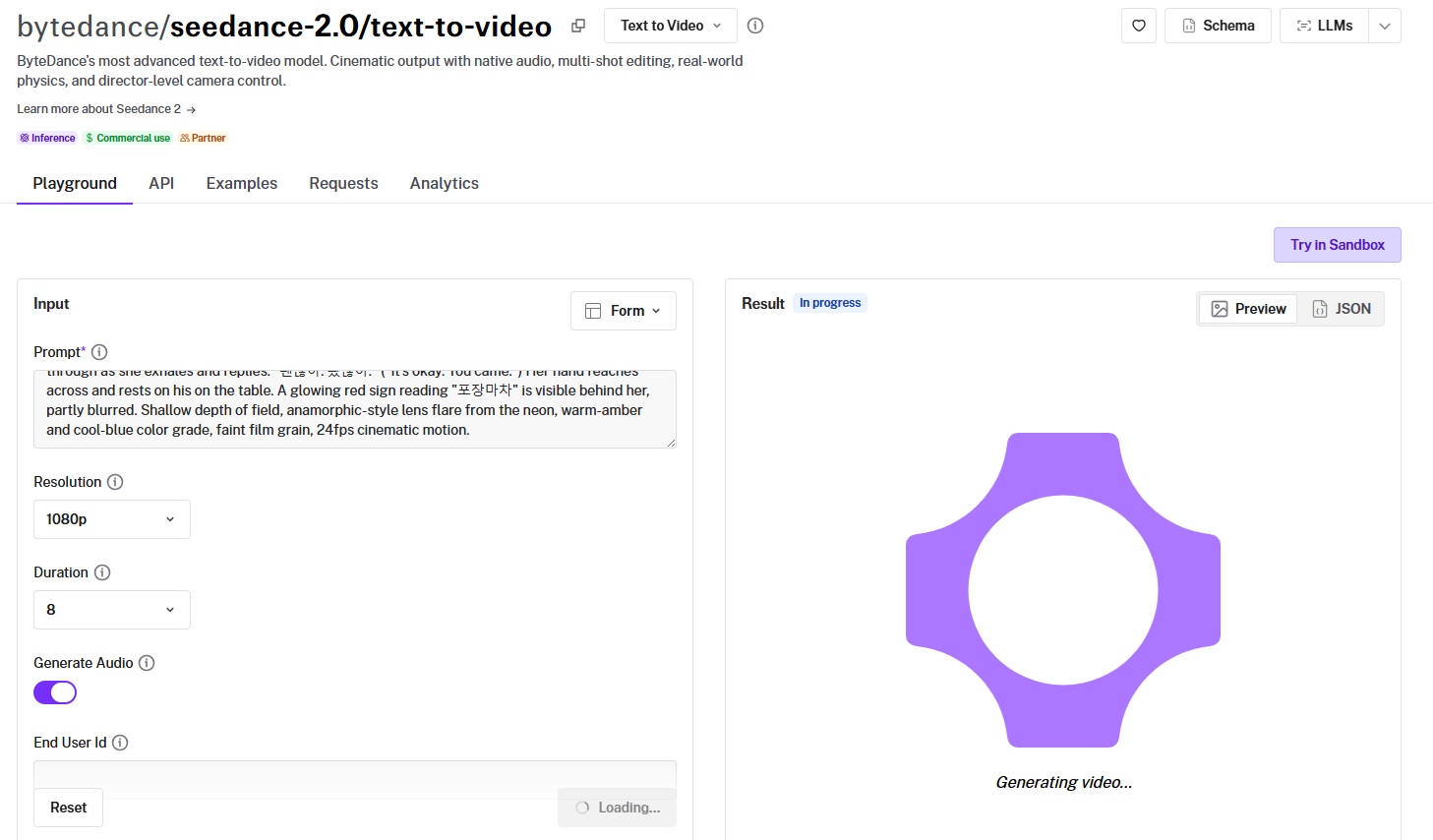
ByteDance built Seedance 2.0 on a multimodal architecture that takes text, images, video, and audio as input.
It produces video and matching audio in one pass, with director-level camera control and multi-shot editing built in, and, as of the 3rd of June, tops the leaderboard at 1,216 Elo.
Performance
Generated using Seedance 2.0 on fal, an AI model from ByteDance.
Prompt adherence: Seedance 2.0 has executed the prompt correctly, and it looks as cinematic as I expected.
Output quality and motion: Crème de la crème execution all across the board. It's like I'm watching a K-drama right here.
Native audio: Both the Korean and lip sync appear to be accurate with no obvious issues worth calling out.
Reference inputs: The reference-to-video endpoint combines up to 9 images, 3 video clips, and 3 audio files, referenced in the prompt as [Image1], [Video1], and [Audio1].
How to run Seedance 2.0 on fal
Seedance 2.0 is available through fal's API and playground.
Standard endpoints prioritize quality, and Fast endpoints lower latency and cost for production volume.
Put spoken lines in double quotes for lip-synced audio, and label any reference inputs explicitly in the prompt.
Pricing
Seedance 2.0 costs $0.3034 per second at 720p with audio on fal, and $0.682 per second at 1080p.
falMODEL APIs
The fastest, cheapest and most reliable way to run genAI models. 1 API, 100s of models
#2: Happy Horse 1.0
Best for: Teams that want strong prompt fidelity and native audio with cinematic motion straight from text.
Similar to: Seedance 2.0, Wan 2.7.
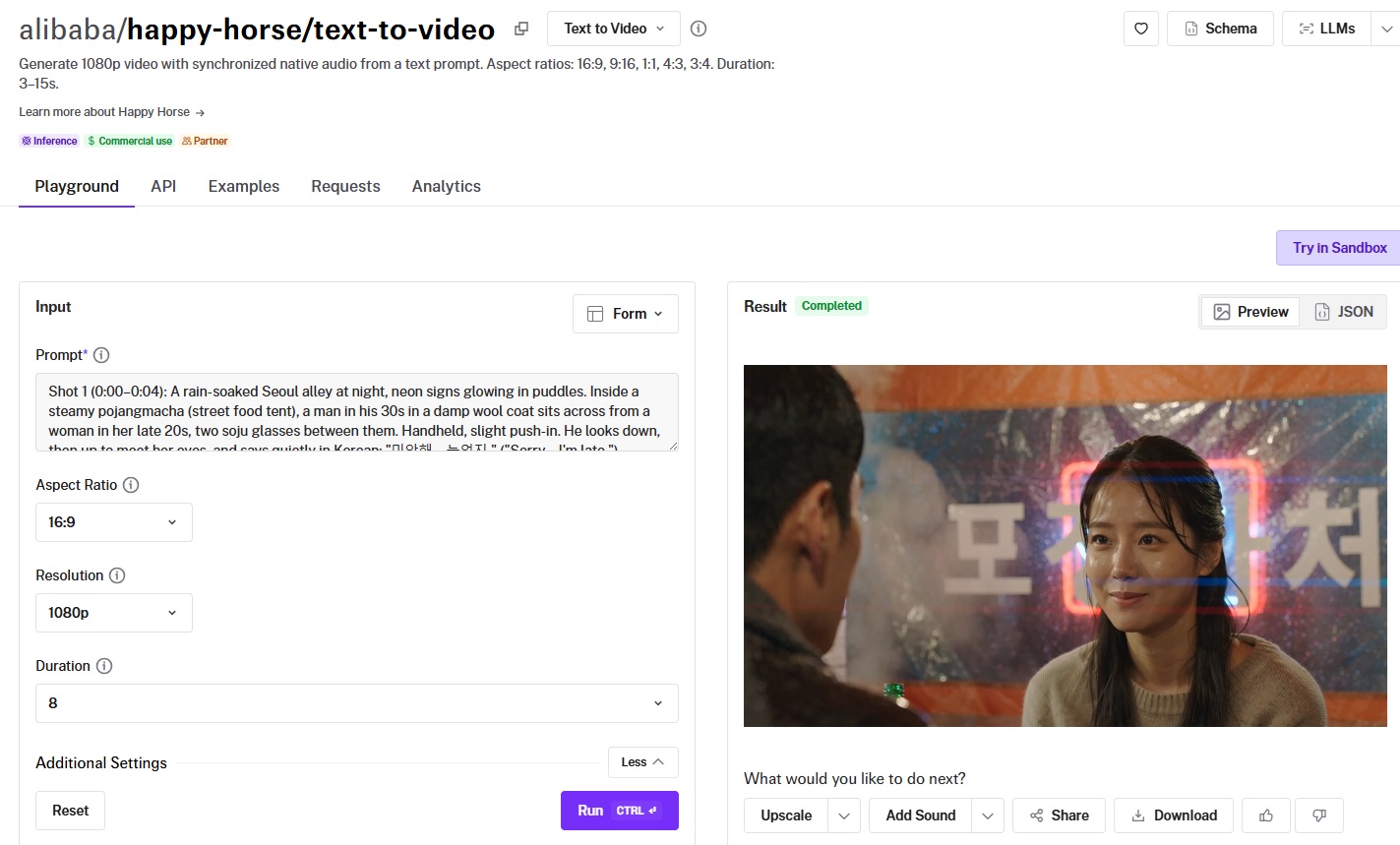
Happy Horse 1.0 runs a 15-billion-parameter Transformer that processes text, video, and audio tokens in one sequence.
It generates frames and their matching audio in a single forward pass, landing just behind Seedance 2.0 in second place at 1,213 Elo.
Performance
Generated using Happy Horse 1.0 on fal, an AI model from Alibaba.
Prompt adherence: Best-in-class prompt adherence and overall execution of the requirements, including the Seoul setting and the man and woman.
Output quality and motion: Similar to Seedance 2.0, Happy Horse 1.0 successfully showcased the action with the correct emotions that I wanted to see and also the level of detail and expressions.
Native audio: The audio correctly showcased the weather conditions as well as both speakers appeared to speak fluent Korean.
Camera control: You describe the shot in the prompt, with cues like slow dolly in, aerial crane shot, or cinematic handheld.
How to run Happy Horse 1.0 on fal
You can run Happy Horse 1.0 on fal with API access plus a browser playground.
Prompts can run up to 2,500 characters, which gives room for multi-shot scene descriptions.
Companion endpoints cover image-to-video and reference-to-video with subject consistency from 1 to 9 reference images.
Pricing
Happy Horse 1.0 costs $0.14 per second at 720p and $0.28 per second at 1080p on fal.
#3: Veo 3.1
Best for: Teams that need true 4K output with native audio and dialogue, plus the option to extend a clip into a longer scene.
Similar to: Seedance 2.0, Sora 2 Pro.
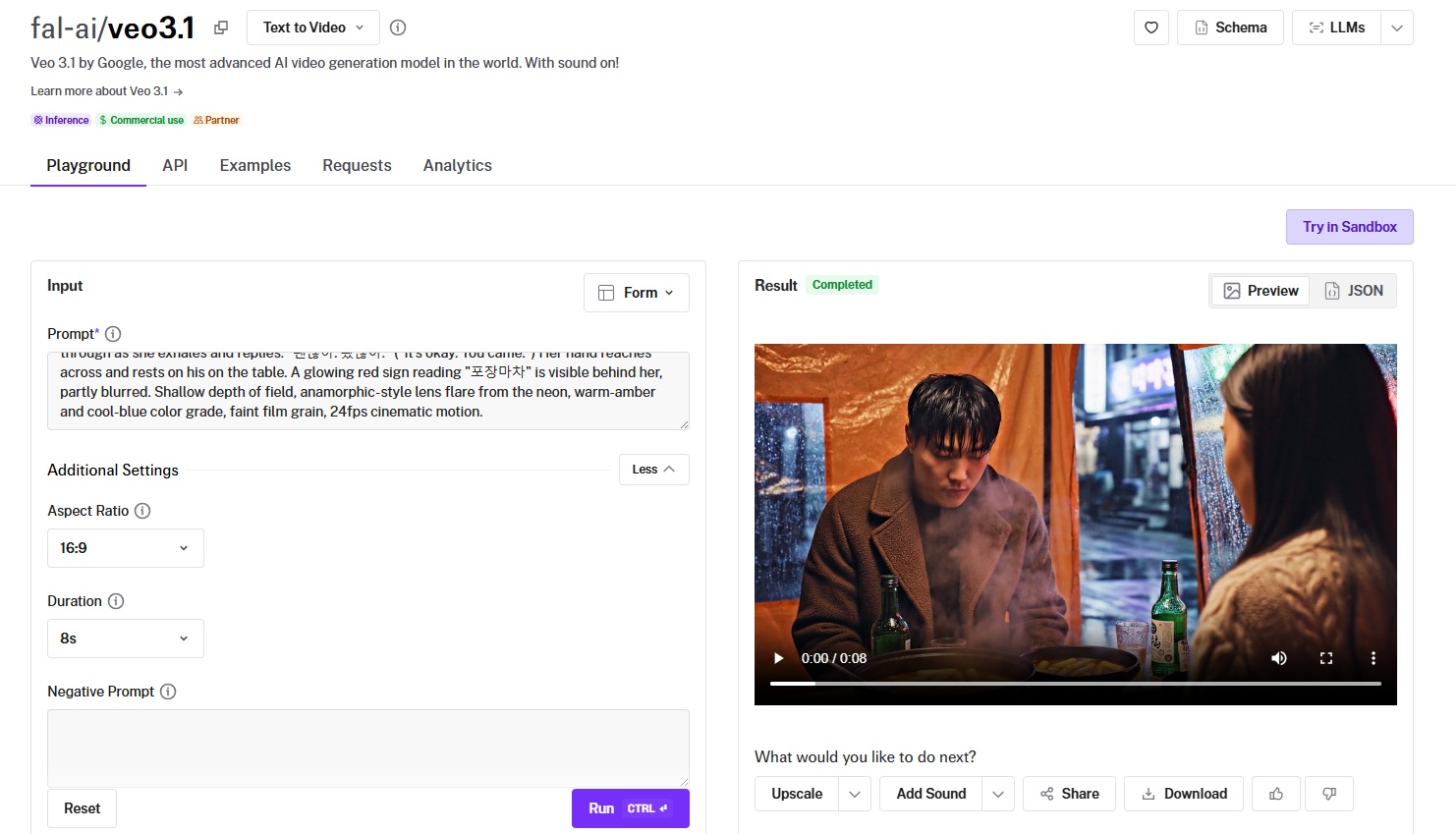
Google DeepMind's Veo 3.1 spans text, image, first or last frame, reference, and extension modes.
Its standout is true 4K with synchronized audio and lip-synced dialogue, plus extensions that chain into roughly 148 seconds of footage from one starting clip.
Performance
Generated using Veo 3.1 on fal, an AI model from Google.
Prompt adherence: Similar to Seedance 2.0, Veo 3.1 did not disappoint when it comes to showcasing the vibe and realism I expected, including the actors and Seoul setting.
Output quality and motion: The motion and quality appear to be smooth, in fact too smooth, I expected the man to be in a worse condition, considering that he's coming off from the rain.
Native audio: The audio appears to be correct and I like the emotional depth of the conversation as a whole.
Resolution and clarity: Output runs at 720p, 1080p, and true 4K at 24 frames per second, sharp enough for professional delivery.
How to run Veo 3.1 on fal
API and playground are both available for Veo 3.1 on fal.
A cinematic prompt structure works well: shot type, subject, action, environment, style, and audio cues, with camera movement described explicitly.
Standard and Fast tiers cover every mode, so you can trade speed against quality per request.
Pricing
On fal, Veo 3.1 costs $0.20 per second at 720p or 1080p without audio and $0.40 per second with audio, with 4K at $0.40 to $0.60 per second and a lower-priced Fast tier available.
#4: Sora 2 Pro
Best for: Filmmakers and creators who need longer scenes with synchronized audio and consistent characters.
Similar to: Veo 3.1, Kling V3 4K.
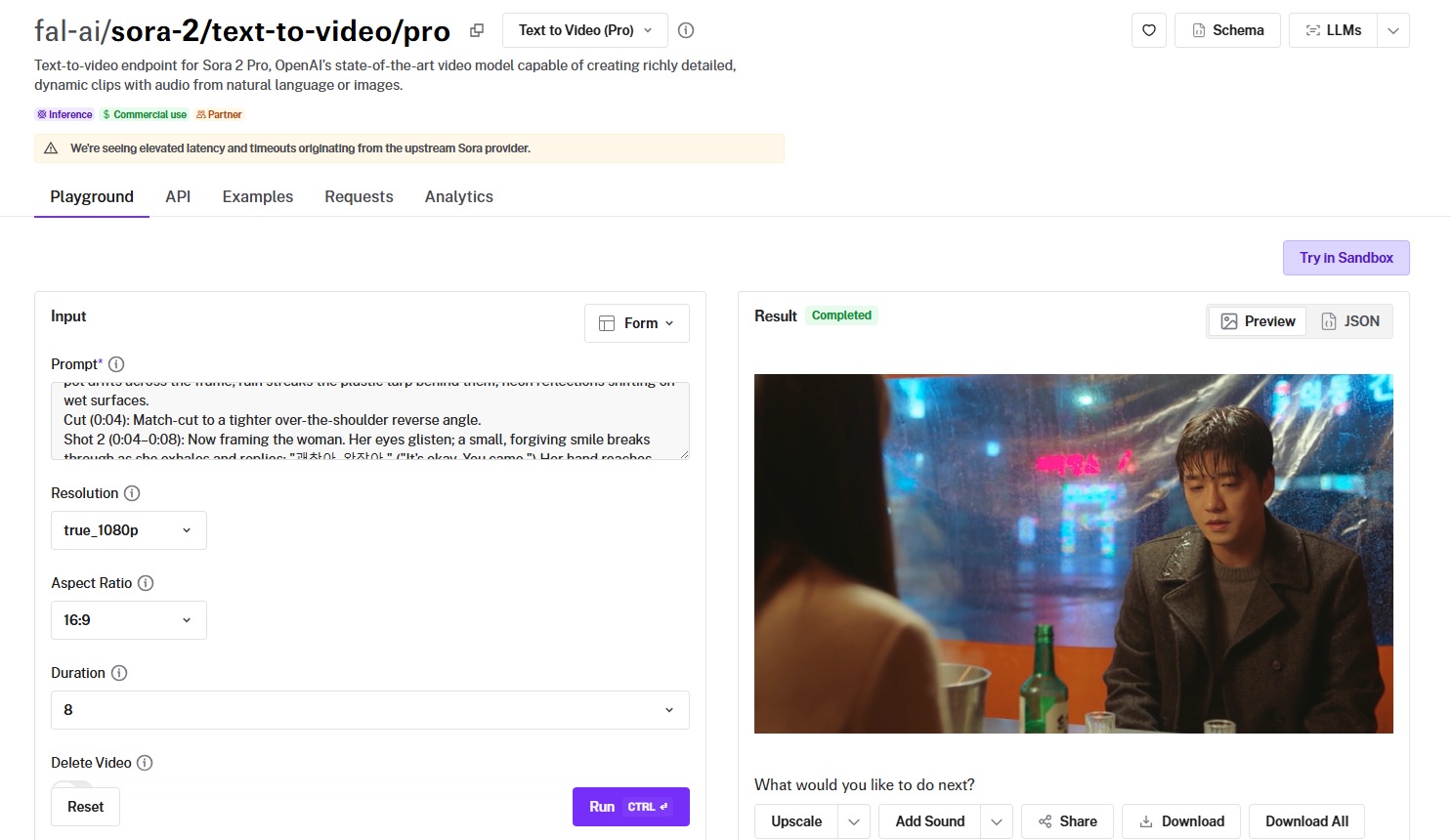
Sora 2 Pro is OpenAI's model for longer scenes, generating up to 20 seconds of video with synchronized audio from one prompt.
Visuals and audio stay locked together across those longer arcs, and named character IDs keep the same people on screen.
Performance
Generated using Sora 2 Pro on fal, an AI model from OpenAI.
Prompt adherence: The AI video generation model appears to have followed my instructions, and I specifically like how exhausted and wet the man looks, which is what I wanted to see.
Output quality and motion: The overall vibe I wanted to see is definitely there, although I'm not a particular fan of the neon signs outside, as they do not seem to be too realistic.
Native audio: Sora 2 Pro handled the audio correctly, and I like the choice for background music.
Resolution options: Choices are 720p, 1080p, and true 1080p at 1920 by 1080.
How to run Sora 2 Pro on fal
Sora 2 Pro runs on fal via the API, with a playground for quick tests.
A delete-after-generation option is available for privacy, and an IP-detection setting can block prompts that reference known intellectual property.
Since a 20-second generation runs long, submit it through the queue and let a webhook notify you when the clip is ready.
Pricing
Sora 2 Pro costs $0.30 per second at 720p, $0.50 per second at 1080p, and $0.70 per second at true 1080p on fal.
#5: PixVerse V6
Best for: Creators who want stylized output with audio, multi-clip camera moves, and flexible resolution and duration.
Similar to: Wan 2.7, Grok Imagine Video.
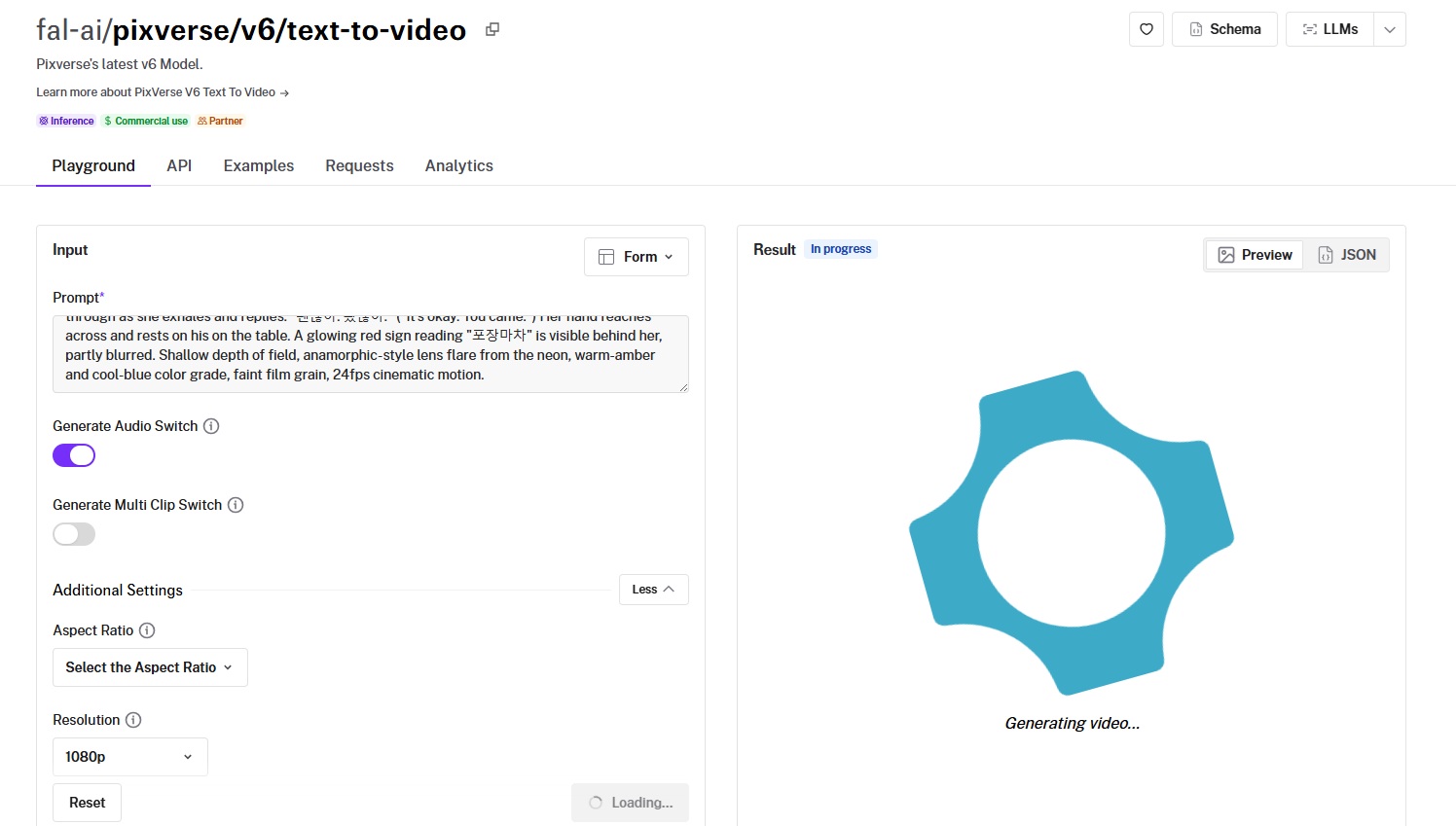
PixVerse V6 is PixVerse's current video model, built around style presets, optional audio, and multi-clip generation.
It covers looks from anime to cyberpunk, at resolutions from 360p to 1080p.
Performance
Generated using PixVerse V6 on fal, an AI model from PixVerse.
Prompt adherence: I'd say that the AI model correctly went over the actions that I expected it to.
Output quality and motion: The quality and motion itself looks natural, although I expected the woman to start speaking out earlier.
Native audio: Both adults appear to be talking in correct Korean, so there's nothing worth flagging here.
Resolution and duration: Output spans 360p through 1080p, with durations from 1 to 15 seconds.
How to run PixVerse V6 on fal
Run PixVerse V6 through the fal API, or try it in the playground first.
Aspect ratios reach from square formats out to 21:9, with a style parameter and the audio and multi-clip switches available per request.
The playground is the place to lock in a style and resolution before you scale up.
Pricing
PixVerse V6 costs $0.060 per second at 720p with audio on fal, less at lower resolutions and up to $0.115 per second at 1080p with audio.
#6: Grok Imagine Video
Best for: Teams that want fast, cost-effective short clips with audio across a wide range of aspect ratios.
Similar to: PixVerse V6, LTX-2.3 Fast.
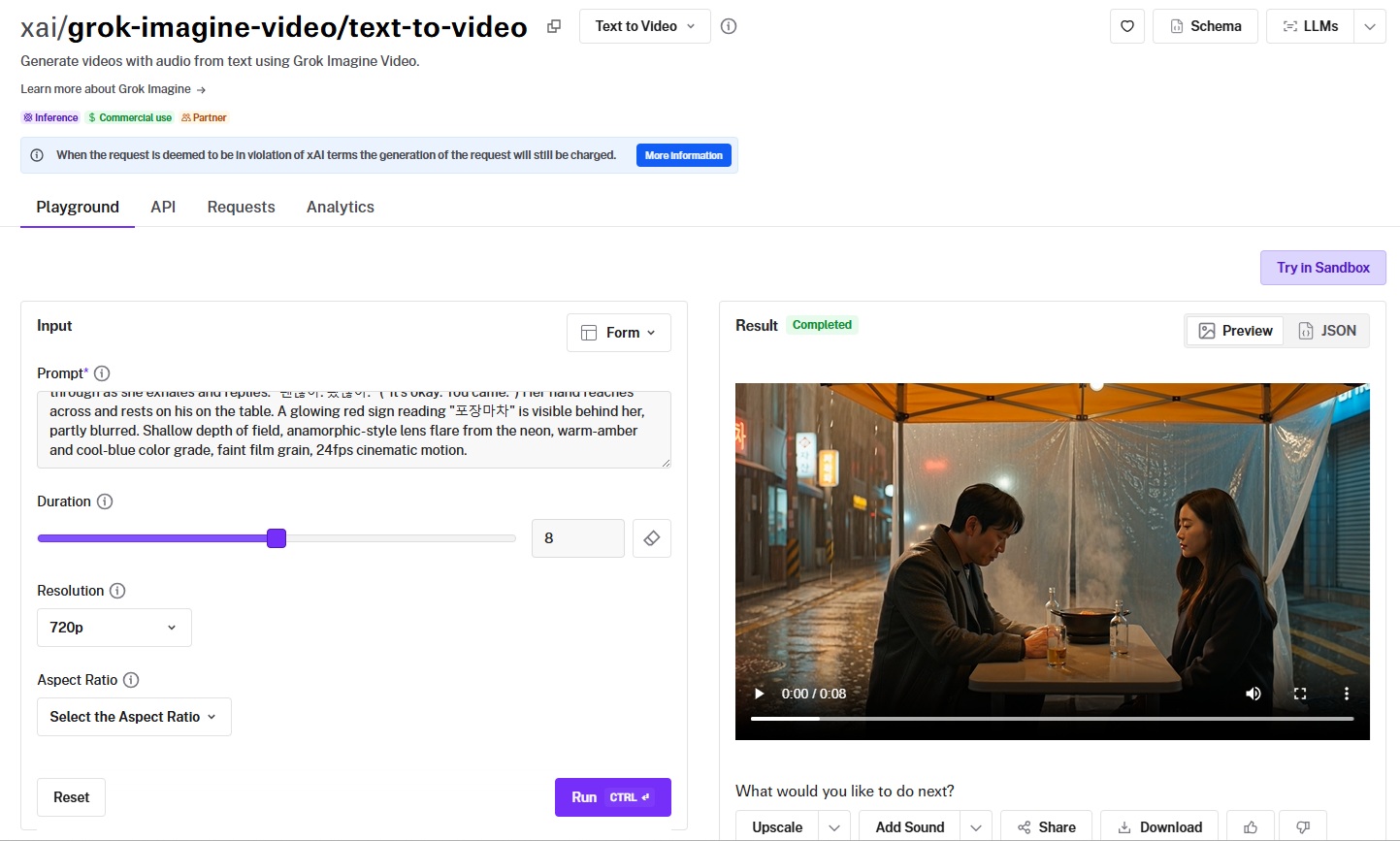
Grok Imagine Video turns a prompt straight into video with audio.
It leans toward speed and breadth, covering a wide spread of aspect ratios at 480p and 720p for high-volume work.
Performance
Generated using Grok Imagine Video on fal, an AI model from xAI.
Prompt adherence: The overall scene and execution are correct, although I expected the man to look a bit younger (I asked for a man in his 30s, while the generated man looks to be in his 40s).
Output quality and motion: The flow itself is what I expected, but I wouldn't say I'm satisfied with the head movement of both adults.
Native audio: The audio itself is fine, and the AI video generator handled it perfectly, including the emotions of the speakers.
Aspect ratio range: Supported ratios run from 16:9 and 9:16 to 1:1, 4:3, 3:2, 2:3, and 3:4, covering landscape, vertical, and square framing.
How to run Grok Imagine Video on fal
Grok Imagine Video is on fal's API, with a playground for trying prompts before you commit.
You set the prompt, duration, resolution, and aspect ratio, with a six-second clip as the default.
Pricing
Grok Imagine Video costs $0.05 per second at 480p and $0.07 per second at 720p on fal.
#7: LTX-2.3 Pro
Best for: Developers who want open-weights flexibility, fine-tuning, and low-cost fast iteration with audio.
Similar to: Grok Imagine Video, PixVerse V6.
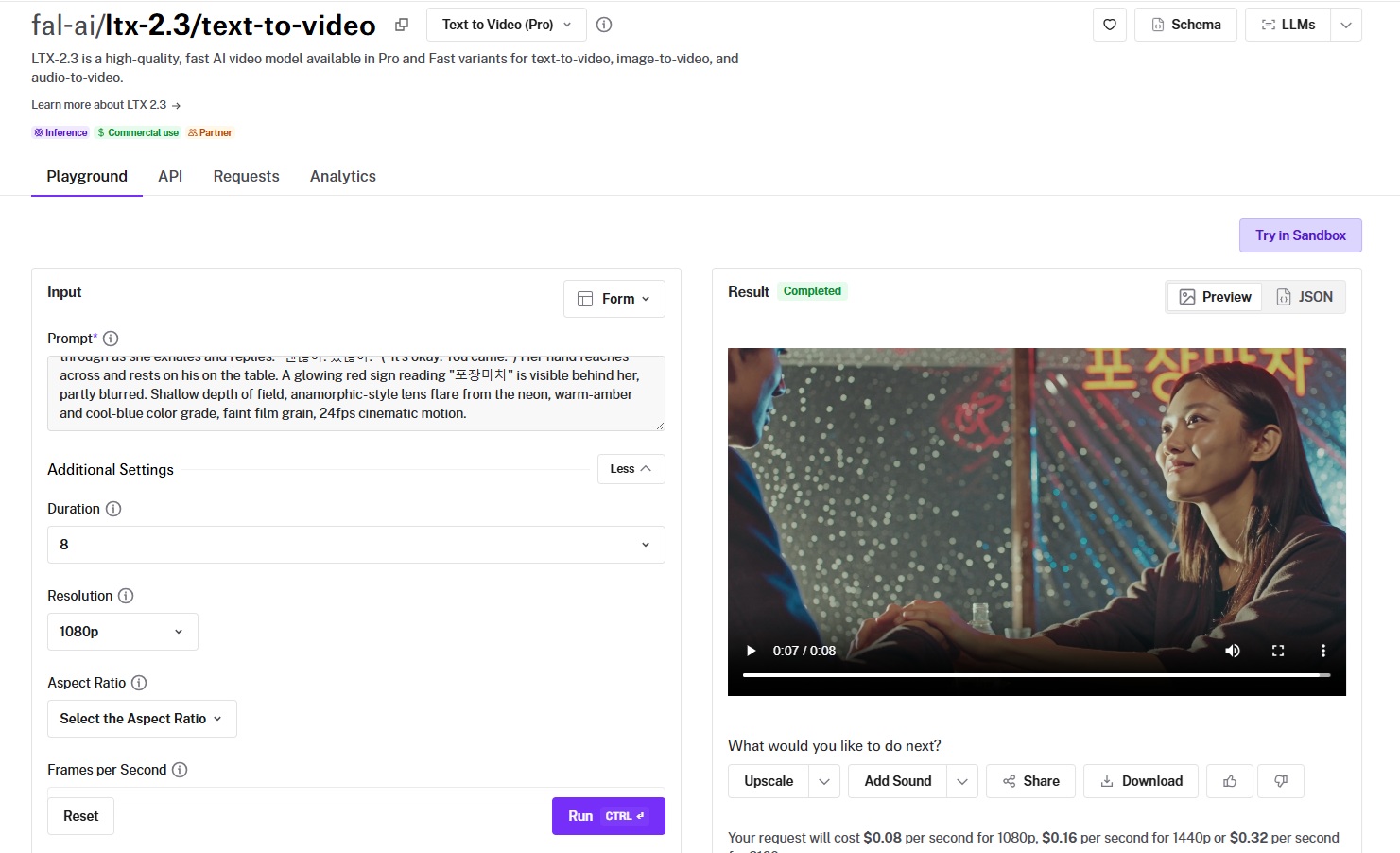
LTX-2.3 Pro is Lightricks' latest open-source model, based on a DiT architecture and released under Apache 2.0 with a default resolution of 1080p.
Performance
Generated using LTX-2.3 Pro on fal, an AI model from Lightricks.
Prompt adherence: The overall prompt adherence seems to be correct with no apparent issues.
Output quality and motion: Excellent execution all across the board.
Native audio: The only thing I'd say here is that I'm not a fan of how fast the woman was speaking. Apart from this, the Korean appears to be correct.
Resolution and frame rate: Resolutions span 1080p, 1440p, and 2160p, at 24 or 48 frames per second.
How to run LTX-2.3 Pro on fal
You'll find LTX-2.3 Pro on fal through the API and the playground.
Both portrait 9:16 and landscape 16:9 are supported, with an audio toggle per request.
Pricing
LTX-2.3 Pro costs $0.08 per second for 1080p, $0.16 per second for 1440p, and $0.32 per second for 2160p on fal.
#8: Kling V3 4K
Best for: Production teams that need delivery-ready 4K with multi-shot composition and native audio, with no upscaling step.
Similar to: Veo 3.1, Sora 2 Pro.
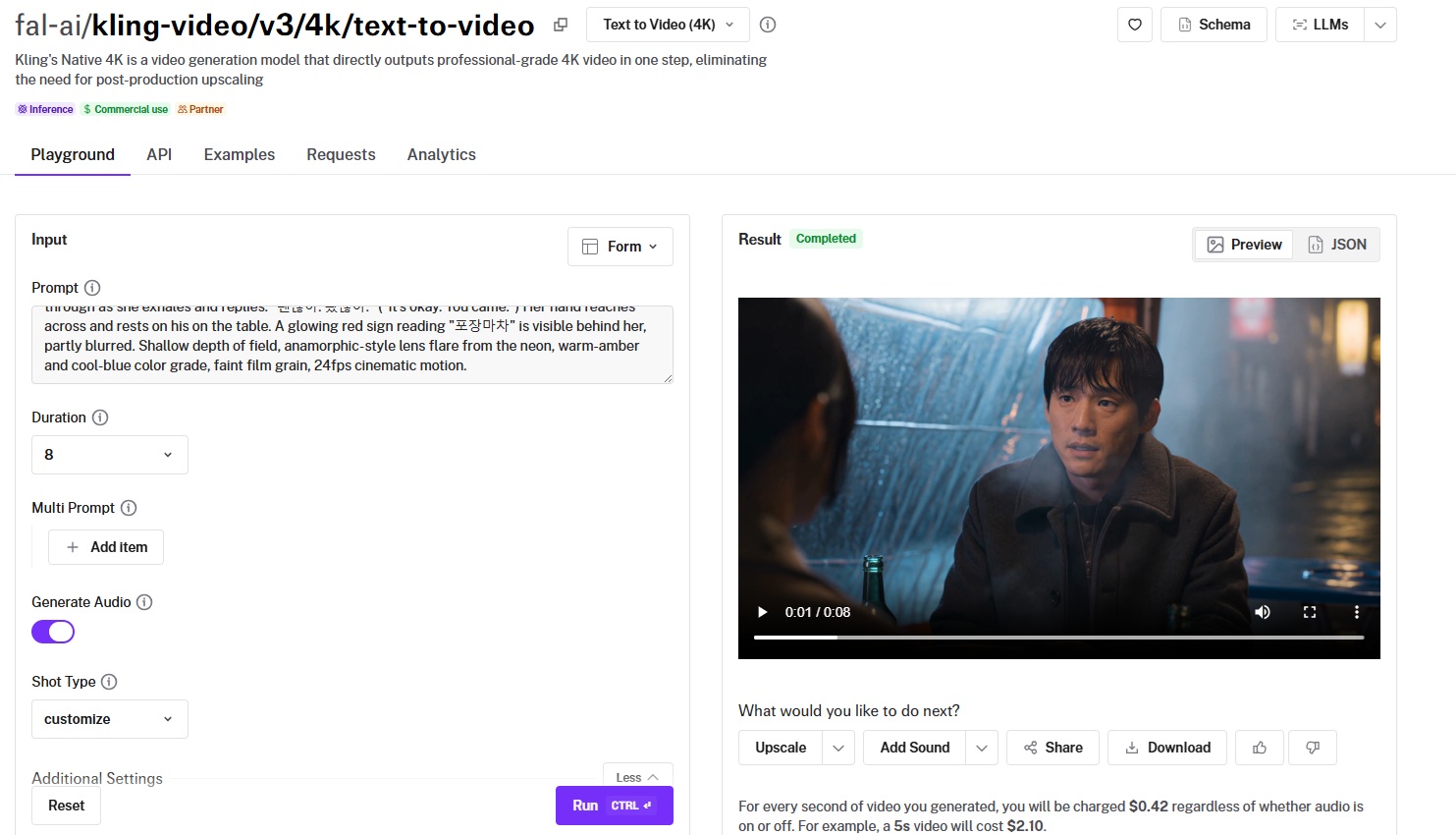
Kuaishou's Kling V3 4K produces commercial-grade 4K directly from a prompt, with no upscaling pass.
It adds native audio and multi-shot composition, though its native-4K endpoint is not currently listed on the leaderboard.
Performance
Generated using Kling V3 4K on fal, an AI model from Kuaishou.
Prompt adherence: Good prompt adherence overall, especially the rainy setting, although I expected the man's coat to be in a worse condition.
Output quality and motion: This is the exact 4K level quality I expected from Kling V3 4K, as its cinematic quality is one of its unique selling points.
Native audio: The audio appears to be perfectly timed and in perfect Korean, so there's nothing for me to criticize here.
Native 4K output: The model renders commercial-grade 4K straight from a text prompt, with no need for a separate upscaling stage.
How to run Kling V3 4K on fal
You can reach Kling V3 4K on fal through the API or test it in the browser playground.
Pass a single prompt, or a multi_prompt list to break the clip into shots, and set the duration anywhere from 3 to 15 seconds.
Pricing
Kling V3 4K costs $0.42 per second of 4K video on fal, so a five-second clip is $2.10.
#9: Wan 2.7
Best for: Teams that want coherent multi-shot video with audio and flexible duration from detailed prompts.
Similar to: Happy Horse 1.0, PixVerse V6.
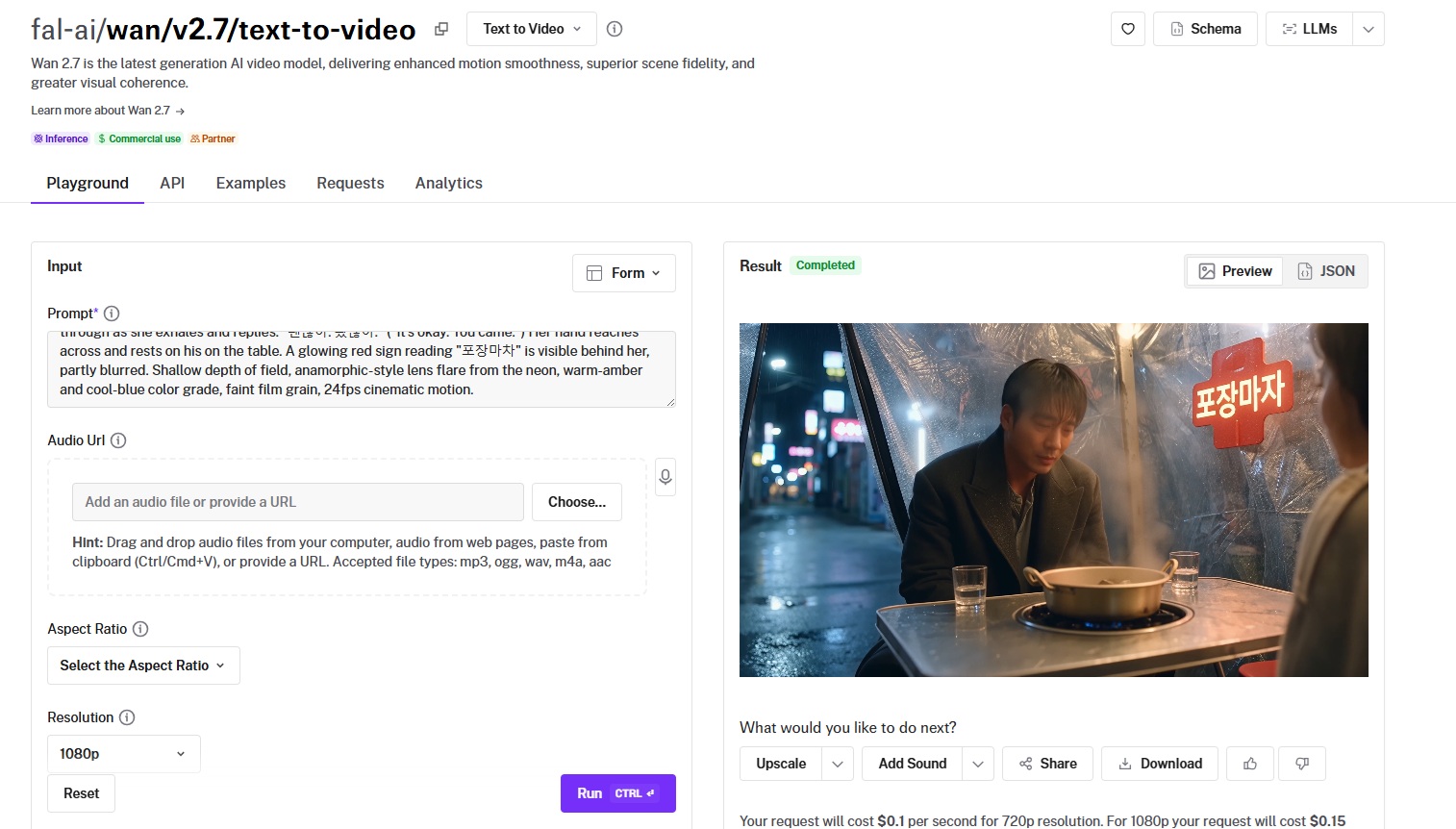
Wan 2.7 is the newest release in Alibaba's Wan line, with smoother motion and stronger scene fidelity than the version before it.
It handles multi-shot generation from natural-language prompts and supports audio, and this version does not yet appear on the leaderboard.
Performance
Generated using Wan 2.7 on fal, an AI model from Alibaba.
Prompt adherence: The overall adherence is satisfactory to me; the model was able to paint us the setting correctly.
Output quality and motion: I'd make the argument that the man's and woman's faces look a bit too perfect, which is not good for realism as a whole.
Native audio: Both speakers seem to be speaking good Korean, and the only thing I can say here is that I'm not as satisfied with lip sync as I expected to be, specifically around the man's 2nd sentence.
Prompt capacity: Prompts can reach up to 5,000 characters, with optional prompt expansion for shorter inputs.
How to run Wan 2.7 on fal
fal hosts Wan 2.7 through the API and a playground.
You can attach an audio URL for the soundtrack and choose 720p or 1080p output across several aspect ratios.
Pricing
Wan 2.7 costs $0.10 per second at 720p and $0.15 per second at 1080p on fal.
#10: HeyGen Avatar V
Best for: Teams making talking-head and presenter videos, like training, support, and explainers, with a consistent on-screen avatar.
Similar to: Veo 3.1, Sora 2 Pro.
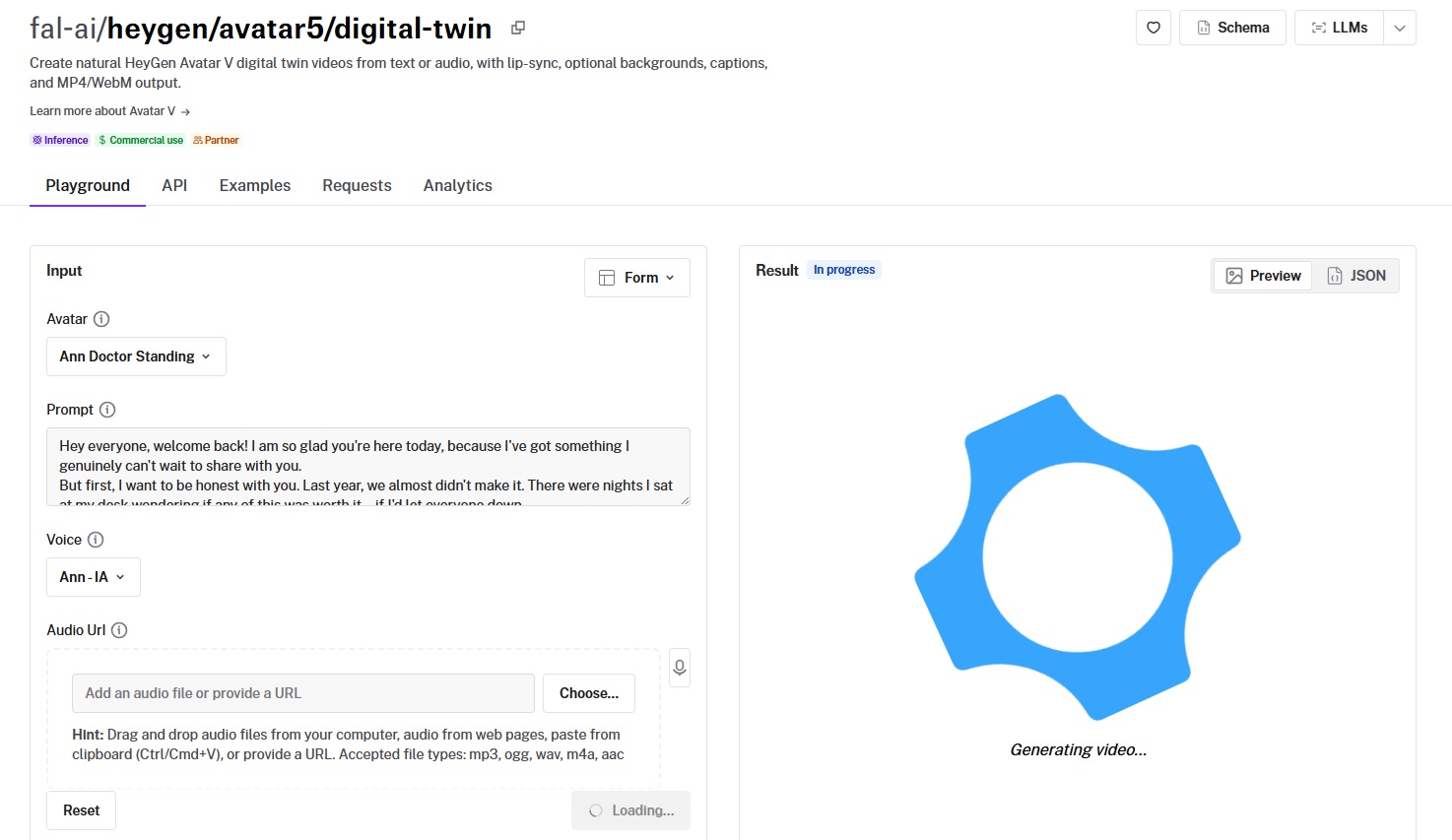
HeyGen Avatar V is HeyGen's newest avatar engine, turning a script or an audio file into a digital-twin presenter with lip sync.
It uses cross-reference-driven animation for natural motion on complex expressions and longer scripts, and as an avatar model it is not part of the leaderboard.
Performance
Generated using HeyGen Avatar V on fal, an AI model from HeyGen.
Prompt adherence: The prompt adherence seems to be as I expected: the avatar followed my prompt word-for-word.
Output quality and motion: The overall output quality and motion seem to be realistic and production-grade.
Native audio: I like the overall tonality of this particular voice (you can choose from multiple voices and avatars).
Format options: Resolution presets include 720p, 1080p, and 4K, with aspect ratios from 16:9 to 9:16, 1:1, 4:5, and 5:4.
How to run HeyGen Avatar V on fal
The playground and API both cover HeyGen Avatar V on fal.
Pick an avatar and a voice, or pass an audio URL, then set the fit, background, output format, and resolution.
Pricing
HeyGen Avatar V costs $0.10 per second of generated output video on fal.
Recently Added







Generate video at scale through a single API with fal
The right model depends on the job in front of you, from a 4K hero shot to a presenter reading a script to camera.
Every one of them is a fal endpoint away, with per-second pricing and no servers of your own to keep warm.
The playground lets you compare outputs before you commit to an endpoint.
You can start by creating your free account and start generating on fal.
![How To Use FLUX 3: Prompts & Workflows [2026]](https://refinery.fal.media/url/https%3A%2F%2Fv3b.fal.media%2Ffiles%2Fb%2F0aa634ac%2FQDj7UCejgvCv5IKAwDFLP.jpg/tr:w-1280,q-80/QDj7UCejgvCv5IKAwDFLP.webp)
![What is Kling 4.0? Everything You Need to Know [2026]](https://refinery.fal.media/url/https%3A%2F%2Fv3b.fal.media%2Ffiles%2Fb%2F0aac880f%2FiTfQ74jiVsnY8JWOk7yeH.jpg/tr:w-1280,q-80/iTfQ74jiVsnY8JWOk7yeH.webp)