In this guide, I'll review the 10 best AI video generators in 2026, covering motion quality, output resolution, generation speed, pricing, and what each model is best for, so you don't have to burn cash on trial and error.
How this research was conducted: I ran the same 8-second text-to-video prompt across the 10 AI video generators and ranked them based on my perceived performance of them, including the visuals, spoken language, graphics, details, prompt adherence, and the overall vibe.
TL;DR
Seedance 2.5 produces a native 30-second take at up to 720p, with audio generated in the same pass.
MiniMax H3 Max is the fastest AI video generator (cinema-quality videos generated in a few seconds!), which we at fal built by post-training the open-weight MiniMax H3 base model for adherence, speed and aesthetics, with audio predicted alongside the frames. Creators loved it so much that they ranked it #1 for image-to-video on the Design Arena image-to-video board after we launched with an Elo of 1,351 (as of 9th of September, 2026).
Wan 3.0 carries a full 30-second take all the way to 1080p for $0.20 a second, with a reasoning pass before it renders.
All ten text-to-video APIs run behind one fal API with pay-per-use billing.
How can you access all of these video generation models and their APIs in this list?
fal gives you one API for every video model in this guide, running on a custom-built inference engine with pay-per-use pricing.
A single fal account replaces separate sign-ups with each provider on this list, and billing happens per generation with no monthly plan attached.
Integration is one @fal-ai/client call, and switching models means changing one string.
That same account reaches over 1,000 models across image, audio, editing, and 3D beyond the ten covered here.
As the code path never changes between models, moving a project from one to another is a config edit and not a rebuild.
A request looks like this:
javascript
import { fal } from "@fal-ai/client";

const result = await fal.subscribe("fal-ai/veo3.1", {
  input: {
    prompt: `Two person street interview in New York City.
  Sample Dialogue:
  Host: "Did you hear the news?"
  Person: "Yes! Veo 3.1 is now available on fal. If you want to see it, go check their website."`,
  },
  logs: true,
  onQueueUpdate: (update) => {
    if (update.status === "IN_PROGRESS") {
      update.logs.map((log) => log.message).forEach(console.log);
    }
  },
});

console.log(result.data);
console.log(result.requestId);
What factors should be considered when evaluating AI video generators?
#1: Motion quality and temporal consistency
This is the first thing I checked for every model on this list.
Can it generate motion that looks natural across the entire clip, or does it fall apart after the first two seconds?
I paid attention to physics accuracy, object permanence, and how well characters maintain their appearance from frame to frame.
Some models produce gorgeous opening frames but devolve into warped faces and melting limbs by the end of the clip.
Others stay rock-solid for the full duration but produce stiff, robotic movement.
Note: I'm going to compare all AI video generation models with the same prompt so that we can see the difference:
Prompt: An 8-second fragrance film shot inside a Parisian hôtel particulier at dusk. 0 to 3s: A woman in her early thirties walks a narrow corridor lined floor to ceiling with antique mirrored panels, her reflection repeating away into the depth of the glass on both sides. She wears a black silk slip dress, hair pinned loosely, no jewellery. Low winter light comes through a tall window at the far end and lands across one shoulder. The camera tracks backwards ahead of her at chest height, 40mm, shallow focus, her face sharp and the reflections falling off soft. 3 to 6s: She stops, lifts a heavy faceted glass bottle from a marble console, and turns it once in the light so the amber liquid moves inside. Holding it, she looks just past the lens and says quietly in French: "On m'a dit de ne jamais revenir ici." Her lips match the French exactly. Her expression stays composed with something unresolved underneath it. 6 to 8s: Cut to a locked-off macro of the bottle alone on black marble, the corridor mirrors still visible behind it and out of focus. The last of the window light crosses the cut facets and throws a thin caustic onto the stone. Look: 35mm film, warm tungsten against cool blue window light, deep blacks, fine grain, 24fps, 16:9. Audio: her heels on parquet, the soft click of the bottle set down, room tone of an empty grand apartment, and one sustained low cello note running under the whole clip. Her line is the only speech in the piece. No voiceover and no narrator. Do not render any on-screen text, subtitles, captions, or logos.
#2: Output resolution and length
Not all models handle high resolution well. And clip duration varies wildly.
Some cap out at 5 seconds in 720p. Others push to 25 seconds at 1080p or even 4K.
If you're producing content for social media, a 5-second 720p clip might work.
But if you're generating product videos, ad creatives, or anything that needs to hold up on a large screen, resolution and duration matter a lot.
#3: Generation speed and cost
Video generation is slow by nature. Most models take 2-6 minutes per clip, and some of the premium ones push past that.
When you're iterating on a creative concept and generating 20 variations to find the right one, that time adds up fast.
And so does the cost.
I compared per-second pricing across all models, factoring in resolution tiers and audio support.
#4: Control options
Can you control camera movement? Can you specify a start frame and an end frame?
Does the model support reference images for character consistency across clips?
These features separate "toy demo" generators from production-ready tools.
I tested each model's ability to follow complex prompts with specific motion instructions, camera angles, and scene transitions.
#5: Audio and lip-sync support
This is the newest battleground in AI video. A year ago, every model produced silent clips.
Now, the top-tier models generate synchronized audio, dialogue, environmental sounds, and ambient noise directly from the text prompt.
If your workflow requires talking-head content, product ads with voiceover, or cinematic scenes with dialogue, native audio support saves you from stitching a separate audio track after the fact.
What are the best AI video generators in 2026?
The best AI video generators in 2026 are Seedance 2.5, MiniMax H3 Max, and Wan 3.0.
Here's my shortlist of the 10 best AI models I reviewed:
| AI model | Best for | Price on fal |
|---|---|---|
| Dreamina Seedance 2.5 | A single 30-second take with audio and reference control | ~$0.4730 per second (720p) |
| MiniMax H3 Max | The fastest turnaround here, at the lowest rate | $0.08 per second (768p) |
| Wan 3.0 | A 30-second single take delivered at 1080p with sound | $0.20 per second (1080p) |
| FLUX 3 | Draft-then-finish workflows with a reusable draft cache | $0.17 per second (720p) |
| LTX-2.5 Pro | Open weights you can fine-tune, with a Fast variant reaching 4K | $0.12 per second (720p, Pro) |
| Happy Horse 1.1 | Native audio and multilingual lip sync straight from text | $0.14 per second (720p) |
| Veo 3.1 | True 4K with native audio and clip extension | $0.20 per second (720p or 1080p, no audio) |
| Gemini Omni Flash 1.1 | Physics-grounded output from 360p to 4K with synced audio | $0.10 per second (720p) |
| Kling O3 4K | Delivery-ready 4K with no upscaling stage | $0.42 per second (4K) |
| Happy Horse 1.0 | Video and audio tokens generated in one forward pass | $0.14 per second (720p) |
#1: Seedance 2.5
Best for: Teams that need one continuous take of up to 30 seconds with audio, holding identity from first frame to last.
Similar to: Wan 3.0, Happy Horse 1.1.
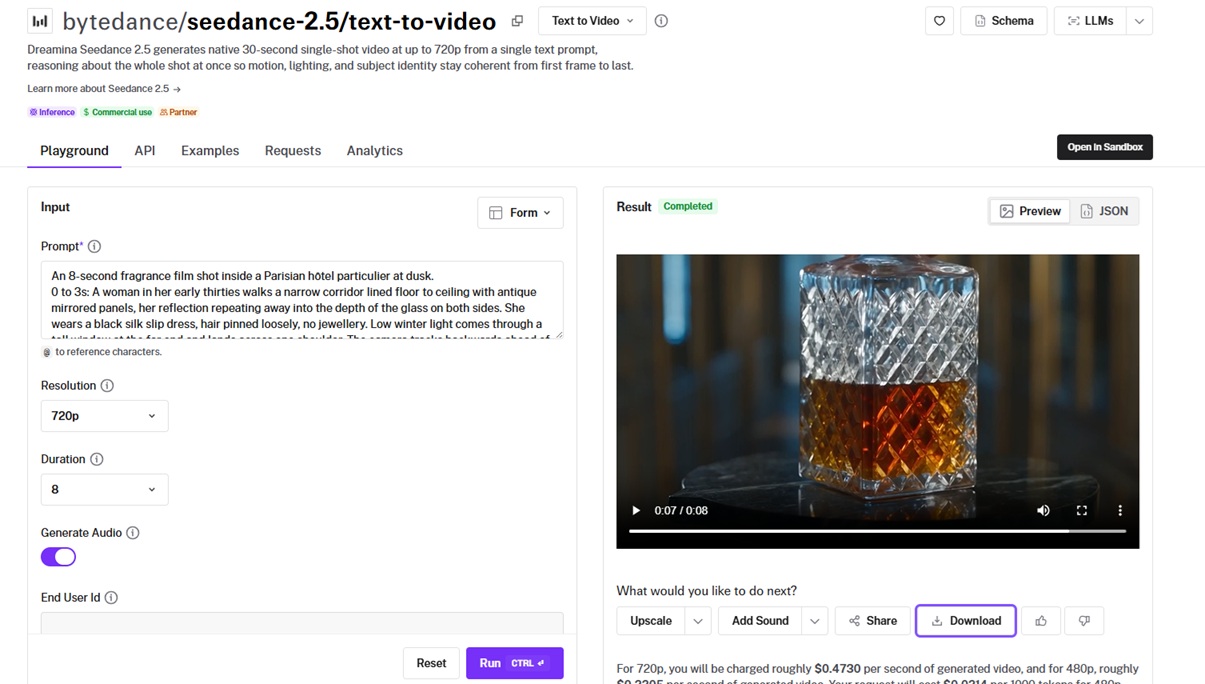
ByteDance built Dreamina Seedance 2.5 on a unified multimodal architecture that reads text, images, video, and audio, co-processing sound with the visuals in one latent space.
Its defining property is that 30 seconds arrives as a single native generation, with nothing spliced together afterwards.
Performance
Generated using Dreamina Seedance 2.5 on fal, an AI model from ByteDance.
-
One-take length: 30 seconds from one pass, roughly double what Seedance 2.0 manages, settable anywhere from 4 to 30 seconds or handed to the model with auto.
-
Audio: picture and sound are generated jointly, and switching
generate_audioon adds nothing to your token count. -
Reference budget: the companion reference endpoint accepts 50 inputs across 30 images, 10 videos, and 10 audio clips.
-
Prompt structure: BytePlus advises writing anything past 20 seconds as consecutive timed stages, with one primary change per stage.
How to run Seedance 2.5 on fal
Seedance 2.5 is on fal at bytedance/seedance-2.5/text-to-video, with a browser playground alongside the API.
Spoken lines belong in double quotes, which is what triggers matching mouth movement and voice.
Pass explicit values for duration and aspect_ratio when your budget needs to be predictable, since auto changes the token count.
💡 Check out our top 25 prompts for Seedance 2.5, as well as everything you need to know about Seedance 2.5 guide.
Pricing
Billing runs on tokens at $0.0214 per 1000, where tokens are height times width times duration times 24, divided by 1024.
Standard 16:9 output works out to roughly $0.4730 per second for 720p and roughly $0.2205 for 480p.
That puts a 5-second 720p clip at about $2.31 and a full 30-second one at about $13.87.
#2: MiniMax H3 Max
Best for: The fastest AI video generation in this guide, turning a 5-second clip around in roughly 2.5 seconds.
Similar to: LTX-2.5, Gemini Omni Flash.
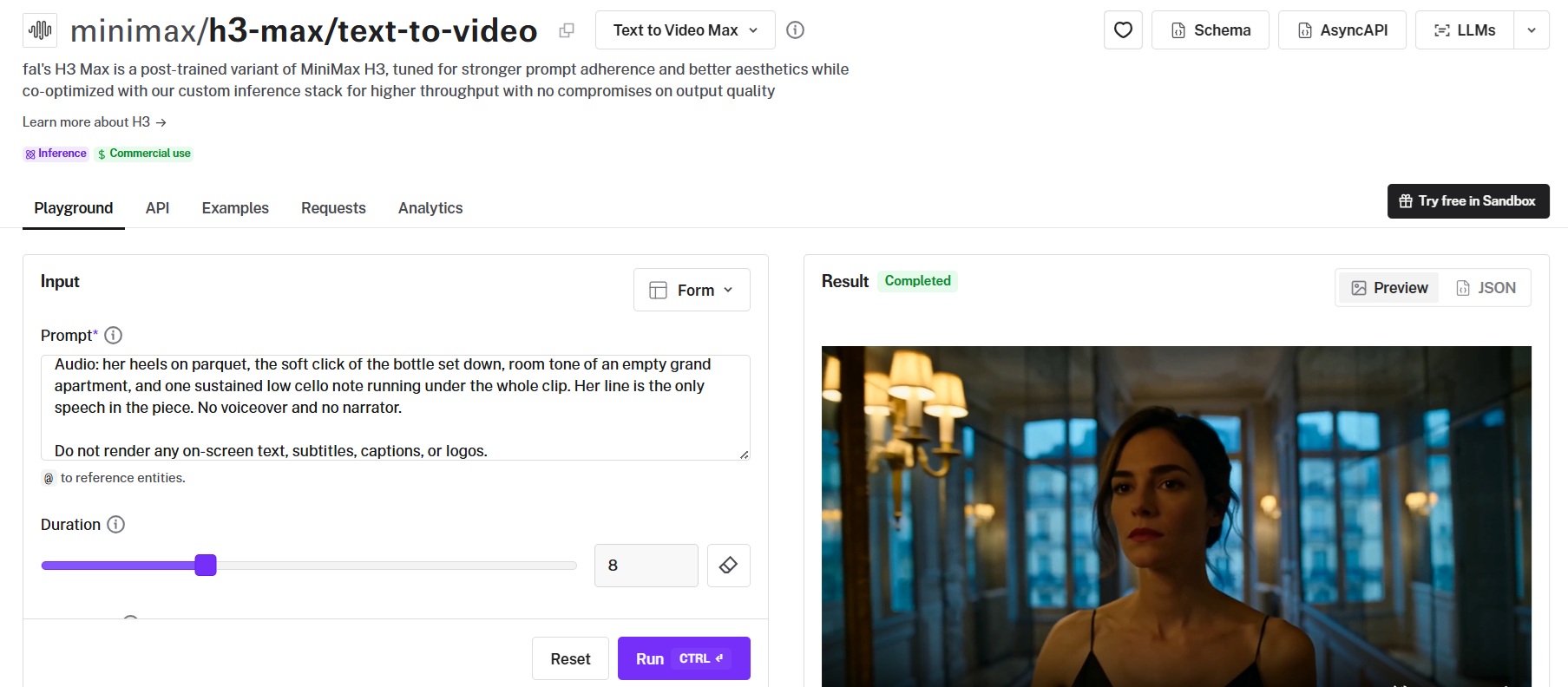
A 5-second clip comes back from H3 Max in about 2.5 seconds of render time, which is honestly simply quicker than the footage it produces.
H3 Max is our post-trained variant of the open-weight MiniMax H3 base model, tuned for prompt adherence and aesthetics and designed around fal's own inference engine.
Performance
Generated using MiniMax H3 Max on fal, a model we post-trained from MiniMax H3.
-
Render speed: the response carries a
timingsobject with the backend denoising time, which lands near 2.5 seconds for a 5-second 768p clip. -
Generation speed for this example: 6 seconds for an 8-second 1080p resolution clip.
-
Prompt expansion:
prompt_expansion_modesets how much rewriting happens before generation, where balanced returns in about a second and quality spends up to 30 seconds building a richer prompt. -
Native audio: every generation comes back with synchronized sound, and describing the audio in the same prompt as the shot lands it in the same pass.
How to run MiniMax H3 Max on fal
Text-to-video runs at minimax/h3-max/text-to-video, with an image-to-video endpoint on the same model.
Resolution covers 480P and 768P natively, and the 1080P setting is a latent refinement from a native 768P source.
Six aspect ratios are available, from 21:9 through 9:16, alongside a seed and a sync_mode flag that returns base64 in place of a CDN URL.
💡 Check out our guide on how you can train a LoRA for MiniMax H3 with MiniMax H3.
Pricing
On fal, 480p bills $0.05 per second, 768p $0.08, and 1080p $0.16.
That puts an 8-second 768p clip at $0.64, and the same clip at 1080p at $1.28.
#3: Wan 3.0
Best for: Long single takes that need to land at 1080p, with sound and reference conditioning in the same request.
Similar to: Dreamina Seedance 2.5, LTX-2.5.
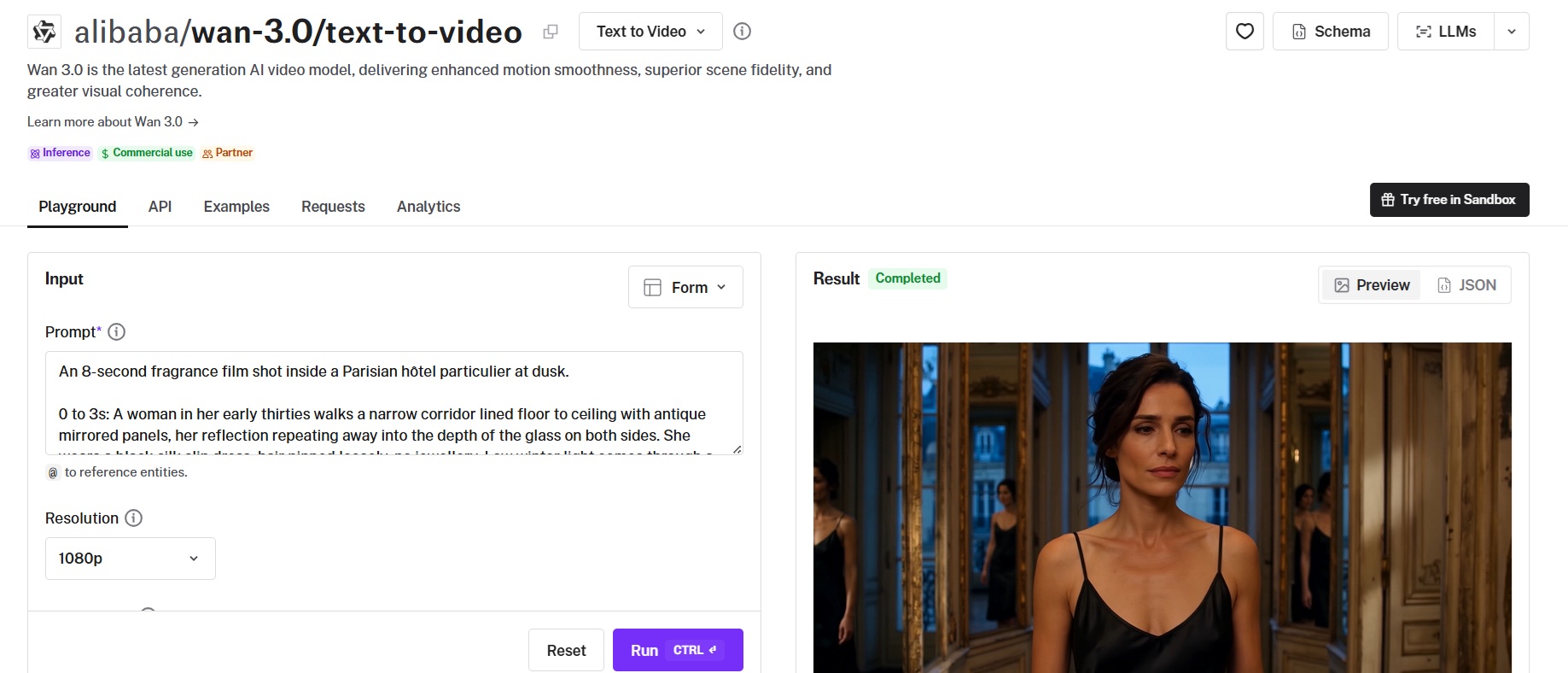
Thirty seconds at 1080p arrives from one pass on Wan 3.0, with audio generated in the same generation as the picture.
Alibaba's current Wan release also takes a reasoning step before rendering, and its reference endpoint conditions on images, video, audio, documents, and public web pages.
Performance
Generated using Wan 3.0 on fal, an AI model from Alibaba.
-
One-pass duration: 2 to 30 seconds in a single generation at up to 1080p, or duration left null for the model to read a length off the prompt.
-
Thinking step:
enable_thinkinghas the model reason about composition and motion before it renders a frame. -
Reference breadth: the companion reference endpoint takes 10 images, 5 video clips, and 5 audio tracks in one request, plus a document or a public web page when thinking is on, each addressed positionally in the prompt.
-
Prompt expansion: on by default, and turning it off saves roughly 20 to 60 seconds of latency at what the schema describes as a likely cost to generation quality.
How to run Wan 3.0 on fal
Text-to-video runs at alibaba/wan-3.0/text-to-video, with image-to-video and reference-to-video on the same model.
Five aspect ratios are available from 16:9 down to 9:16, alongside an adaptive setting that picks one from the shot.
The response returns the generated duration and the expanded prompt next to the video, which keeps a good result repeatable.
Pricing
Wan 3.0 prices by resolution tier on fal, at $0.05 a second for 480p, $0.10 for 720p, and $0.20 for 1080p.
A full 30-second take at 1080p therefore costs $6.00, with the same length at 720p at $3.00.
falMODEL APIs
The fastest, cheapest and most reliable way to run genAI models. 1 API, 100s of models
#4: FLUX 3
Best for: Draft-then-finish workflows where you want cheap previews before committing to a full-quality render.
Similar to: Seedance 2.5, Veo 3.1.
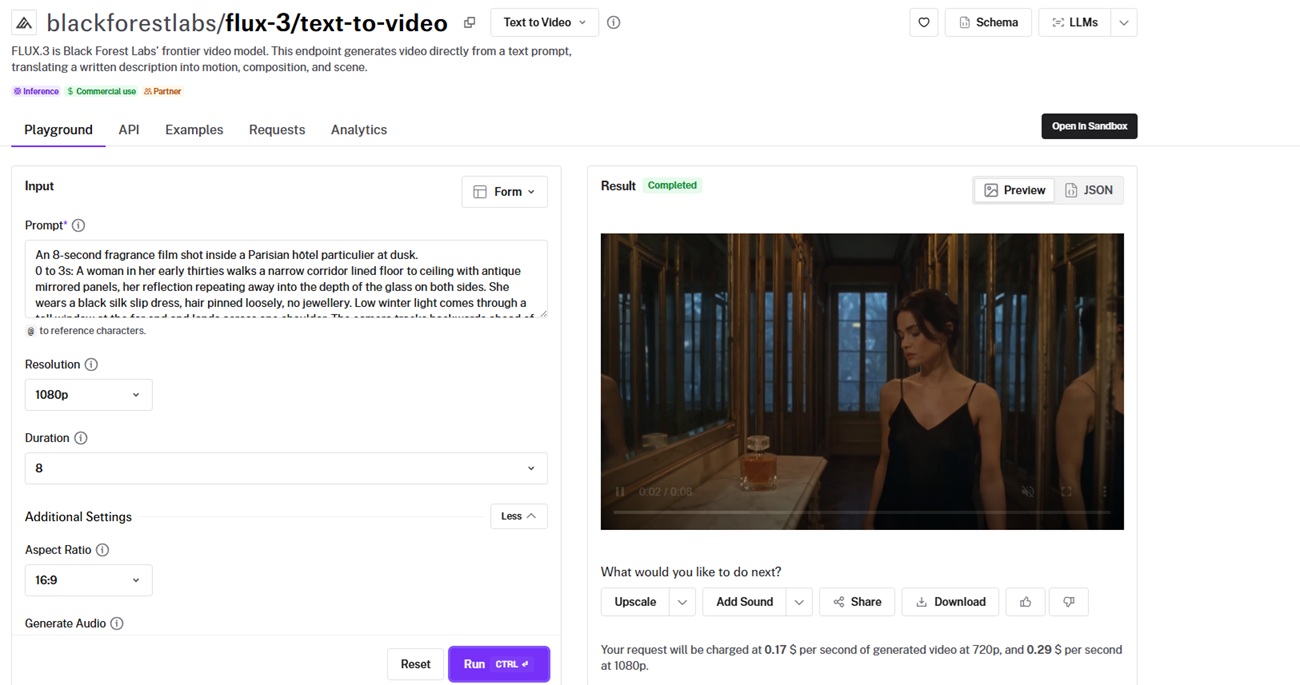
A dedicated draft endpoint is what makes FLUX 3 unusual among the ten, returning a fast low-cost preview and keeping it in a reusable cache you can promote to full quality.
The full model is Black Forest Labs' frontier video release, translating a written description into motion, composition, and scene at 720p or 1080p with audio.
Performance
Generated using FLUX 3 on fal, an AI model from Black Forest Labs.
-
Draft cache:
blackforestlabs/flux-3/text-to-video/draftreturns a cheap preview and holds it for a later full-quality enhancement pass. -
Duration: 5 to 20 seconds, or auto, at either resolution.
-
Aspect coverage: seven aspect ratios plus an auto setting, with 21:9 and 2:1 covering ultrawide framing.
-
Safety tolerance: a 0 to 4 setting on the request, defaulting to 2, where 0 is strictest.
How to run FLUX 3 on fal
FLUX 3 text-to-video runs at blackforestlabs/flux-3/text-to-video, with the draft variant one path segment away.
generate_audio defaults to on, meaning a first request returns sound without extra configuration.
The wider FLUX 3 family on fal adds image-to-video, first-last-frame, keyframes-to-video, and video extension on the same model.
Pricing
$0.17 buys a second of 720p on fal, and 1080p takes that to $0.29.
Ten seconds of 1080p works out at $2.90.
#5: LTX-2.5 Pro
Best for: Teams that want to fine-tune the model on their own data, with a Fast variant reaching 4K and 20-second clips.
Similar to: FLUX 3, Veo 3.1.
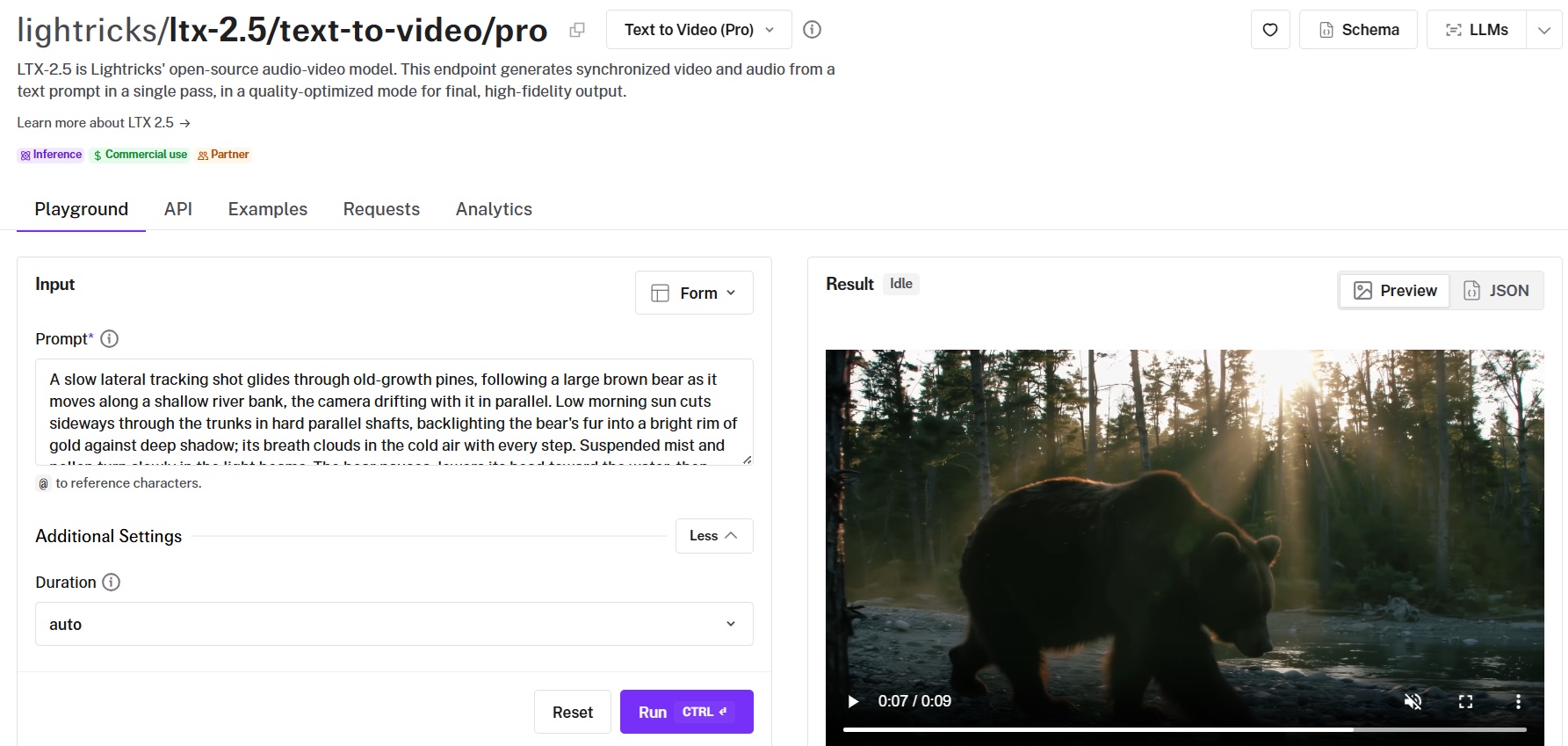
Open weights are what set LTX-2.5 apart, with LoRA training, fine-tuning on your own data, and a raw pretrained checkpoint released alongside the production model.
Lightricks built it as an open-source audio-video model that produces sound and picture in one pass, with a Pro variant tuned for final quality and a Fast variant tuned for speed. For creators who want to try AI video generation without an API or sign-up, Magic Hour's AI video generator lets you turn prompts or images into videos using LTX-2.5 directly in your browser.
Performance
Generated using LTX-2.5 Pro on fal, an AI model from Lightricks.
-
Diffusion Fidelity Rendering: the Pro endpoints concentrate compute on complex scenes and not evenly across every frame, which targets crowds, fast motion, and dense detail.
-
Diffusion Video Decoder: a diffusion decoder takes over from the VAE decoding used previously, which Lightricks credits as the largest single contributor to the fidelity gain over 2.3.
-
Native multishot: one generation returns several connected shots carrying character, environment, lighting, voice, and style across each cut, with the model handling the cuts internally.
-
Camera motion parameter: eight named moves are exposed on the request, running from
dolly_inanddolly_leftthroughjib_upandfocus_shift.
How to run LTX-2.5 on fal
Text-to-video runs at lightricks/ltx-2.5/text-to-video/pro and lightricks/ltx-2.5/text-to-video/fast on fal.
Duration defaults to auto, where the model reads the described action and predicts clip length before diffusion begins, with 6, 8, and 10 seconds available explicitly on Pro.
Pro covers 720p and 1080p at 24, 25, or 50 fps, while Fast adds 1440p and 2160p and carries clips to 20 seconds.
Pricing
Pro text-to-video runs $0.12 per second at 720p and $0.17 at 1080p on fal.
Fast comes in lower across a wider ladder: $0.09 at 720p, $0.13 at 1080p, $0.19 at 1440p, and $0.30 at 4K, with audio included at every step.
#6: Happy Horse 1.1
Best for: Scripted dialogue and presenter work where the mouth has to match speech across languages.
Similar to: Happy Horse 1.0.
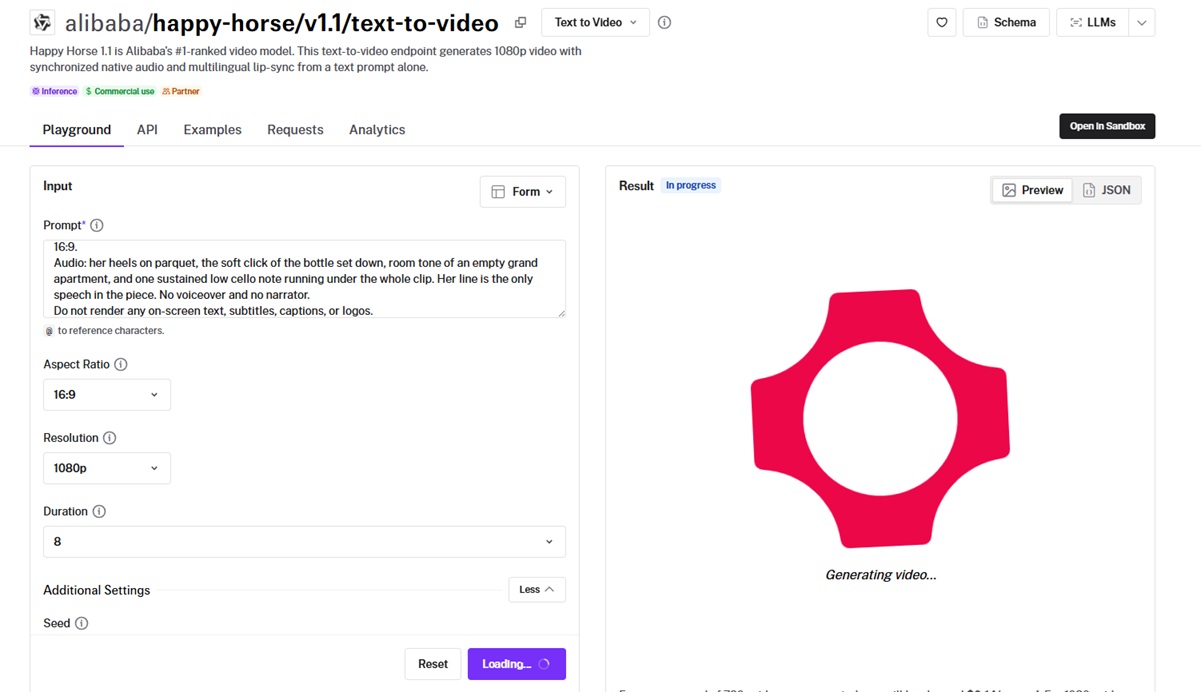
Multilingual lip sync is what puts Happy Horse 1.1 this high in a list otherwise led by general-purpose generators.
Alibaba's current release in the line produces 1080p with synchronized native audio from a prompt alone, matching mouth movement to English, French, Spanish, Turkish, and Japanese among others.
Performance
Generated using Happy Horse 1.1 on fal, an AI model from Alibaba.
-
Lip sync across languages: dozens of languages are covered, and that alone is the argument for picking this model when a scripted line is not in English.
-
Format range: 720p and 1080p, 3 to 15 seconds, across nine aspect ratios reaching from 16:9 out to 21:9, 9:21, 5:4, and 4:5.
-
Prompt capacity: 2,500 characters, room enough for a shot-by-shot description with timed beats.
How to run Happy Horse 1.1 on fal
Happy Horse 1.1 runs at alibaba/happy-horse/v1.1/text-to-video through the fal API and playground.
Spoken lines go straight into the prompt body with timing cues, and the safety checker stays on unless you disable it through the API.
Pricing
Two rates apply: $0.14 per second for 720p and $0.18 for 1080p.
A 10-second 1080p clip therefore lands at $1.80.
#7: Veo 3.1
Best for: Delivery at true 4K with sound, and shots that need to run past eight seconds through extension.
Similar to: Seedance 2.5, FLUX 3.
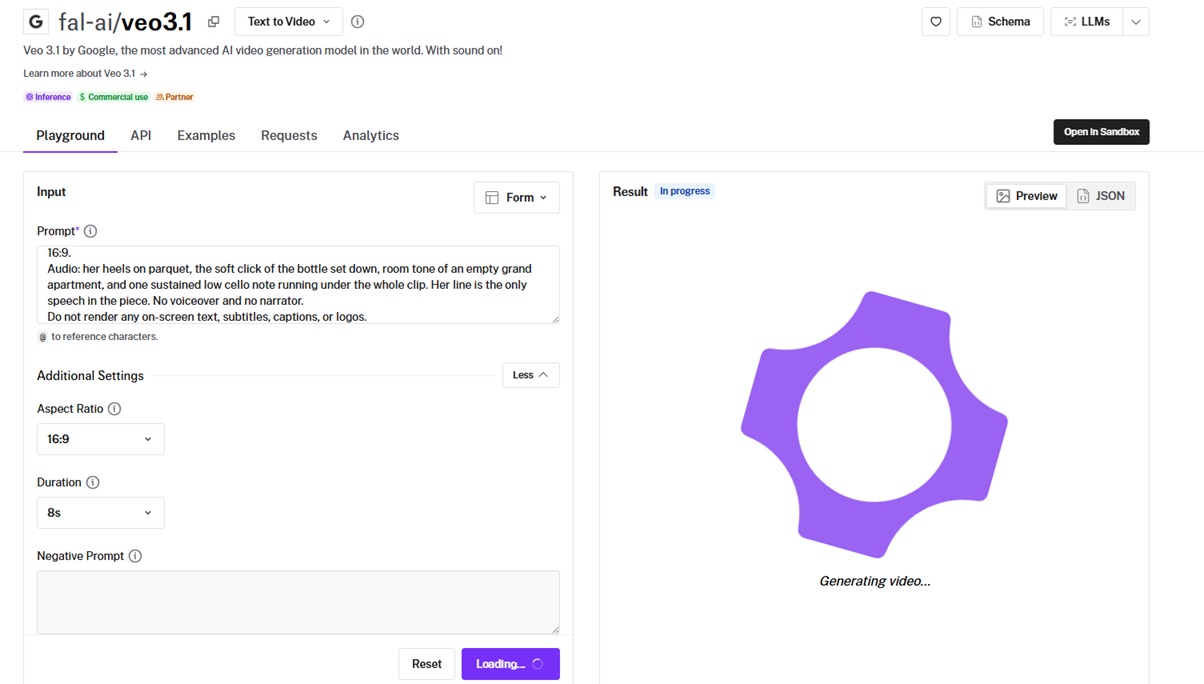
Veo 3.1 reaches true 4K at 24 frames per second with audio in multiple languages, one of the few models in this list to get past 1080p.
A single generation runs to eight seconds, after which the extend endpoint chains up to twenty steps for roughly 148 seconds of total footage from one starting clip.
Performance
Generated using Veo 3.1 on fal, an AI model from Google DeepMind.
-
Resolution: 720p, 1080p, and true 4K at 24 fps, in 16:9 or 9:16.
-
Extension: up to 7 seconds per step across 20 steps, stacking to roughly 148 seconds from one starting clip.
-
Fast tier: $0.10 per second without audio, $0.15 with, at either 720p or 1080p.
-
Watermarking: every output carries an invisible SynthID watermark that survives most re-encoding and cannot be switched off.
How to run Veo 3.1 on fal
Veo 3.1 text-to-video is at fal-ai/veo3.1, with the fast variant at fal-ai/veo3.1/fast.
The schema takes durations of 4s, 6s, and 8s, plus a negative prompt, a seed, and an auto_fix flag that rewrites prompts failing validation.
Film grammar reads well here. State the shot type, subject, action, environment, style, and audio cues, and name camera movement explicitly.
Pricing
Standard tier: $0.20 per second at 720p or 1080p without audio, $0.40 with audio, $0.40 at 4K without audio, $0.60 at 4K with.
Fast tier: $0.10 per second at 720p or 1080p without audio, $0.15 with audio, $0.30 at 4K without audio, $0.35 with.
A 5-second 1080p clip with audio comes in at $2.00 on standard and $0.75 on fast.
#8: Gemini Omni Flash 1.1
Best for: Prompt-driven camera work on a model grounded in Gemini's world knowledge, at any resolution from 360p to 4K.
Similar to: Veo 3.1, MiniMax H3 Max.
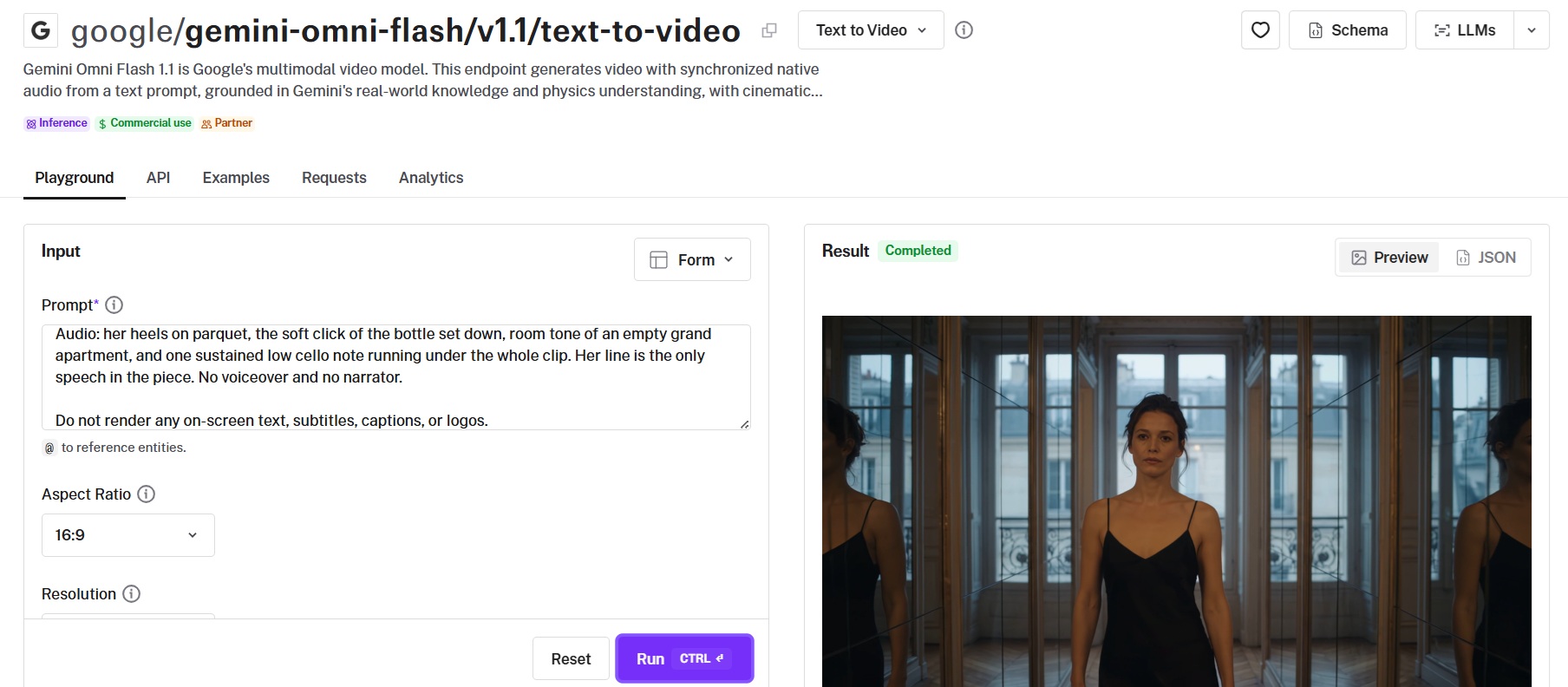
Google grounds Gemini Omni Flash 1.1 in Gemini's real-world knowledge and physics understanding, with synchronized native audio generated straight from the text prompt.
The 1.1 release carries a resolution ladder from 360p through 4K, and camera direction is expressed in natural language.
Performance
Generated using Gemini Omni Flash 1.1 on fal, an AI model from Google.
-
Resolution ladder: 360p, 720p, 1080p, and 4K, priced at $0.03, $0.10, $0.15, and $0.30 a second.
-
Physics grounding: object interaction and motion carry Gemini's real-world understanding behind them, which the endpoint description names as the model's foundation.
-
Camera control from language: shot direction is written into the prompt body, with no separate camera parameter to configure.
-
Native audio: sound is generated with the picture out of the same prompt.
How to run Gemini Omni Flash on fal
Text-to-video runs at google/gemini-omni-flash/v1.1/text-to-video.
The request takes four parameters, being prompt, aspect_ratio, resolution, and duration, where duration defaults to 8 seconds.
Descriptive prompts do better here, and shot language belongs in the prompt body next to the scene description.
Pricing
The rate steps with resolution on fal, from $0.03 a second at 360p up to $0.10 at 720p, $0.15 at 1080p, and $0.30 at 4K.
A 10-second 1080p clip therefore costs $1.50, dropping to $0.30 for the same length at 360p.
#9: Kling O3 4K
Best for: Delivery-ready 4K straight from a prompt, with multi-shot composition and no upscaling stage.
Similar to: Veo 3.1, Seedance 2.5.
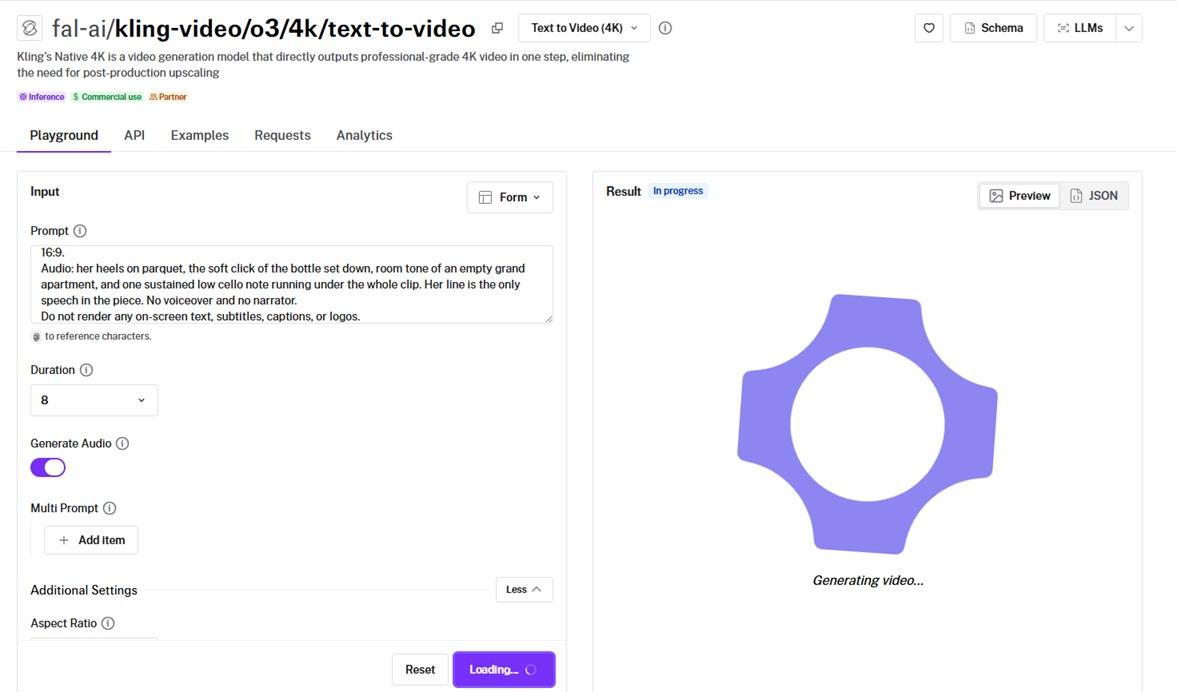
The render-then-upscale loop drops out of the pipeline with Kling O3 4K, which outputs native 4K in a single step.
It leans stylized, holding line clarity at 4K on anime, cel-shaded, and painterly looks.
Performance
Generated using Kling O3 4K on fal, an AI model from Kuaishou.
-
Native 4K: 4K comes directly out of the model, with no separate upscaling pass and no quality loss from chaining tools together.
-
Multi-shot: a list of prompts passed through
multi_promptbuilds a sequenced clip, withshot_typeset to customize for your own cuts or intelligent to let the model plan them. -
Audio languages: native audio covers Chinese and English voice output, and other languages get translated to English automatically. Worth knowing before you write a French line into the prompt.
-
Flat rate: $0.42 per second whether audio is on or off.
How to run Kling O3 4K on fal
Kling O3 4K text-to-video is at fal-ai/kling-video/o3/4k/text-to-video.
Durations run from 3 to 15 seconds across 16:9, 9:16, and 1:1, with generate_audio controlling sound.
4K mode runs on the Singapore server only. For English speech the docs recommend lowercase for regular words, with uppercase reserved for acronyms and proper nouns.
Pricing
One rate covers everything: $0.42 per second of 4K video, audio on or off.
Five seconds comes to $2.10, ten seconds to $4.20.
#10: Happy Horse 1.0
Best for: Cinematic single shots with native audio from a unified 15-billion-parameter model.
Similar to: Happy Horse 1.1.
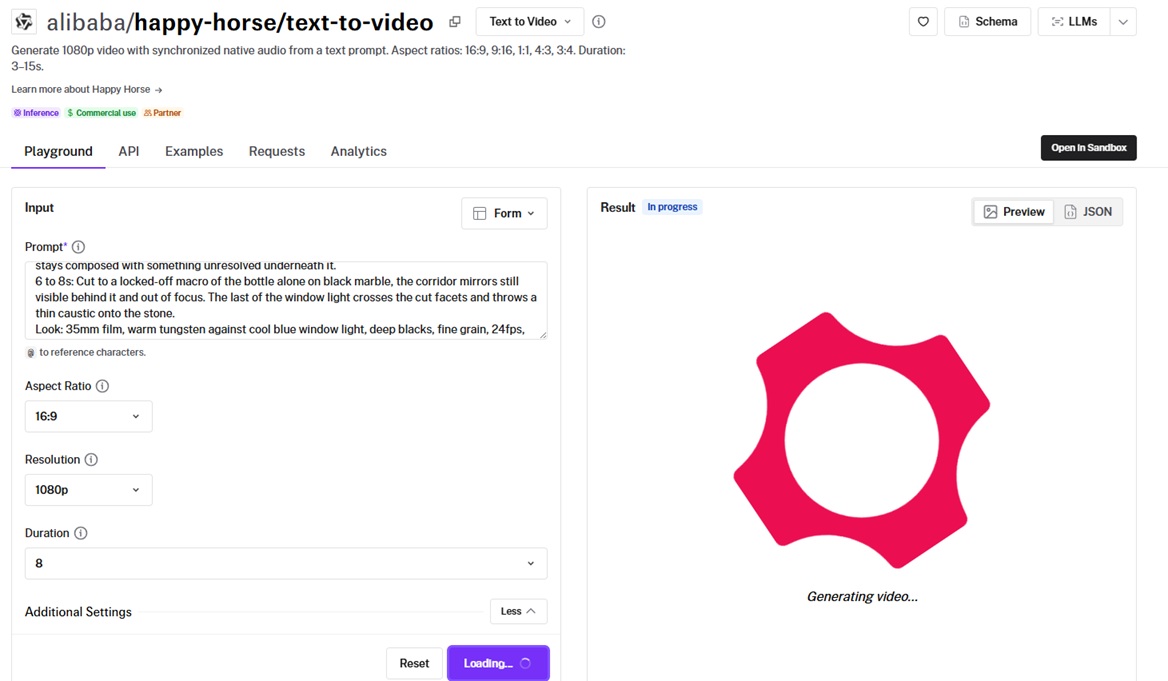
The Future Life Lab inside Alibaba's Taotian Group built Happy Horse 1.0 around a 15-billion-parameter Transformer that processes text, video, and audio tokens in one sequence.
Frames and their audio track come out of a single forward pass, bringing dialogue, ambient sound, and Foley with the picture.
Performance
Generated using Happy Horse 1.0 on fal, an AI model from Alibaba.
-
Single-pass architecture: video and audio tokens move through the same sequence, which is what keeps sound effects on the action they belong to.
-
Camera control from text: cues like "slow dolly in", "aerial crane shot", and "cinematic handheld" are read directly from the prompt.
-
Output options: two resolution tiers, clip lengths from 3 to 15 seconds, and five aspect ratios.
How to run Happy Horse 1.0 on fal
Happy Horse 1.0 runs at alibaba/happy-horse/text-to-video on fal, through the API and the playground.
Prompts reach 2,500 characters, and the model responds to specifics on subject, camera movement, lighting, and mood.
Companion endpoints cover image-to-video and reference-to-video with subject consistency from 1 to 9 reference images.
Pricing
720p costs $0.14 per second on fal, and 1080p doubles that to $0.28.
Ten seconds at 1080p therefore comes in at $2.80.
Recently Added

















Generate video at scale through a single API with fal
The value in putting one brief through ten models is that the differences stop being theoretical.
Every model covered here is one fal endpoint away, billed per second, with a playground for putting outputs side by side before you write any code.
Swapping my corridor for your own brief is a one-string change.
Create your free account and start generating on fal.
Frequently asked questions
What is the cheapest AI video generator that still provides really good output?
Gemini Omni Flash 1.1 holds the price floor at $0.03 a second, though that buys 360p, and its 720p tier at $0.10 is the one worth actually using.
MiniMax H3 Max covers 480p at $0.05 and 768p at $0.08, and returns a 5-second clip in roughly 2.5 seconds with audio already in place.
Which AI model is best for video generation?
Seedance 2.5 takes the top spot in this guide, which is a verdict on this brief at this length and not a universal one.
The model offers 30 seconds of native single-pass output, with sound and picture produced jointly in one pass, and up to 50 multimodal references available on the reference-to-video endpoint.
Which is the best value-for-money AI video generator?
MiniMax H3 Max pairs the quickest turnaround in the guide with $0.08 per second for 768p and roughly 2.5 seconds of render time.
LTX-2.5 Fast puts 1080p at $0.13 per second with audio included and open weights you can fine-tune.
An honorable mention here is Happy Horse 1.1, which lands multilingual lip sync and native audio at $0.14 per second for 720p.
What makes fal the best place to use these AI video generators?
fal runs every model in this guide behind one API key and one billing account, on its own inference engine with per-generation pricing.
Each model also has a browser playground for comparing two outputs on the same prompt before any integration code gets written.
![10 Best Background Remover APIs in 2026 [Reviewed]](https://refinery.fal.media/url/https%3A%2F%2Fv3b.fal.media%2Ffiles%2Fb%2F0aa0ad7c%2FVIQq2HkCbqpVMaLNGSPwu_best-background-remover-apis-2026.jpg/tr:w-1280,q-80/VIQq2HkCbqpVMaLNGSPwu_best-background-remover-apis-2026.webp)
![How To Use Ideogram V4: Prompts & Workflows [2026]](https://refinery.fal.media/url/https%3A%2F%2Fv3b.fal.media%2Ffiles%2Fb%2F0aa265fa%2FcWzF9yv1t94j1xFln_W_p.jpg/tr:w-1280,q-80/cWzF9yv1t94j1xFln_W_p.webp)