In this guide, I'll review the 10 best AI models for generating voice from text in 2026, covering voice naturalness, language support, speed, cloning accuracy, and pricing, so you can pick the right one without burning credits on trial and error.
What Factors Should Be Considered When Evaluating AI Voice Generators?
Voice Naturalness and Expressiveness
This is the first thing I listened for.
Can the model produce speech that sounds like an actual person talking, or does it land in that uncanny valley where every sentence has the same flat cadence?
I paid attention to prosody, breath timing, emphasis on the right syllables, and whether the voice sounds "alive" or like it's reading off a teleprompter.
Some models nail casual conversation but fall apart on longer narration. Others sound polished for audiobooks, but can't do a convincing, excited tone.
Note: I'm going to compare all AI voice generation models with the same prompt so that we can hear the difference:
"Ladies and gentlemen, I have an announcement. After three years of research, we've finally cracked it. The results aren't just good, they're extraordinary. And honestly? I almost didn't believe it myself."
Language and Accent Support
If you're building for a global audience, this matters more than most people realize.
Some models support 30 or more languages with native pronunciation.
Others technically list multiple languages but produce output that sounds like an English speaker reading foreign words phonetically.
I tested each model's non-English output to see which handled tonal languages, accented characters, and regional dialects without mangling them.
Voice Cloning Accuracy
Can the model clone a voice from a short audio sample and produce output that actually sounds like that person?
I looked at how much reference audio each model needs, how well it preserves the speaker's unique characteristics (pitch, pace, timbre), and whether the cloned output degrades on longer passages.
Some models require just a few seconds of reference audio. Others need minutes of clean recordings to get anywhere close.
Cost Per Minute of Audio
TTS pricing on fal is measured per 1,000 characters, but the real question is: what does it cost to generate a minute of usable audio?
I compared pricing across models, factoring in quality tiers, output format options, and whether premium features like emotion control or voice cloning carry surcharges.
A rough benchmark: 1,000 characters of English text produces about 1 minute of speech at normal speaking pace. So the per-1K-character price roughly equals your cost per minute.
What Are The Best AI Voice Generators in 2026?
The best AI voice generators in 2026 are fal, MiniMax Speech 02 HD, and ElevenLabs Turbo v2.5.
Here's my shortlist of the 10 best models I reviewed:
| AI Voice Generators | Best For | Price to Use |
|---|---|---|
| fal | Teams and developers who need access to every top TTS model through a single, fast API with pay-per-use pricing | Pay-per-use, starting at $0.02/1K characters. |
| MiniMax Speech 02 HD | Production teams that need 30+ languages, 300+ voices, voice cloning, and granular emotion control | $0.10/1K characters on fal. |
| ElevenLabs Turbo v2.5 | Teams that need premium, human-grade voice quality with low latency and streaming | $0.05/1K characters on fal. |
| Kokoro TTS | Budget-conscious teams that need solid quality at the lowest per-character cost | $0.02/1K characters on fal. |
| Dia TTS | Teams building dialog systems or cloning voices from short audio samples | $0.04/1K characters on fal. |
| Maya1 | Teams that need highly expressive, emotionally nuanced voice output with text-driven voice design | $0.002/second of generated audio on fal. |
| Qwen3-TTS | Developers who want to design custom voices from scratch and clone them across outputs | $0.09 per 1000 characters. |
| Chatterbox | Creative teams making memes, games, multilingual social content, and AI agents | $0.025/1K characters on fal. |
| Index TTS 2.0 | Teams that prioritize natural clarity and intelligibility for informational content | $0.002 per generated audio second. |
| VibeVoice | Teams generating long-form, multi-speaker audio content at speed | $0.04/minute of generated audio on fal. |
fal
fal.ai (that's us) is the best place to generate AI voice and speech in 2026, as our platform gives you access to every TTS model on this list through a single API with pay-per-use pricing and no GPU management.
Full disclosure: Even though fal is our platform, I'll provide an unbiased perspective on why it's the best option for voice generation in 2026.
Instead of signing up for separate accounts with MiniMax, ElevenLabs, Resemble AI, and Alibaba, you integrate once with fal and get access to all of them.
Same API key, same billing, same integration pattern.
Swap one model endpoint string for another, and you're generating with a different voice model. No code changes beyond that.
But the real reason fal sits at #1 isn't just model access. It's speed.
fal built its inference engine from scratch with custom CUDA kernels optimized for specific model architectures, rather than wrapping general-purpose frameworks like most competitors do.
The result? Cold starts of 5-10 seconds versus 20-60+ seconds on other platforms, which is the difference between a voice assistant that responds instantly and one that makes your users stare at a loading spinner.
Here are the three things that make fal the best platform for AI voice generation.
One API for Every Voice Model You Need
Instead of juggling separate integrations with ElevenLabs, MiniMax, Kokoro, Dia, and half a dozen other TTS providers, you integrate once with fal.
The same API pattern works across all 600+ models on the platform.
Your auth, error handling, queue logic, and billing stay identical whether you're generating with MiniMax Speech 02 HD for multilingual narration, ElevenLabs for premium voiceover, or Kokoro for high-volume batch processing.
What this means in practice: you can ship a voice feature using Kokoro for cost-efficient drafts, let users upgrade to ElevenLabs for final production output, and add Dia for voice cloning, all without touching your integration code.
Generated using Kokoro TTS on fal.
When a new TTS model drops, fal typically has it available on day one. Qwen3-TTS and its full voice design and cloning ecosystem are already live on the platform.
A few lines of code to get started:
javascript
import { fal } from "@fal-ai/client";
const result = await fal.subscribe("fal-ai/kokoro/american-english", {
  input: {
    text: "Ladies and gentlemen, I have an announcement. After three years of research, we've finally cracked it.",
  },
});
Every model also has a playground where you can test it in your browser before writing any code.
Speed That Actually Matters for Production
Our engineering team writes custom CUDA kernels for specific model architectures and uses techniques like epilogue fusion to eliminate unnecessary memory transfers between GPU operations.
For voice generation specifically, this means real-time streaming models like VibeVoice and Maya can begin audio playback within milliseconds of the request, not seconds.
The infrastructure handles autoscaling automatically: regional GPU routing sends requests to the nearest available cluster, a custom CDN delivers generated audio with minimal latency, and the system expands from zero to thousands of GPUs based on demand without any configuration on your side.
For teams building live voice assistants, interactive character dialog, or real-time narration, this gap is the difference between usable and unusable.
Pay-Per-Use Pricing With No Idle Costs
fal charges per 1,000 characters of generated speech rather than requiring you to reserve GPU capacity or commit to monthly subscriptions.
You don't pay when your app is idle. You don't estimate capacity in advance.
For voice generation specifically, pricing starts at $0.02 per 1,000 characters for Kokoro TTS and goes up to $0.10 per 1,000 characters for premium models like MiniMax Speech 02 HD.
The range means you can pick the right model for each task and only pay for what you actually generate.
No hidden fees for API calls, storage, or CDN delivery. You pay for generation and computing: end of the story.
Pricing
fal uses pay-as-you-go pricing with no subscriptions or minimum commitments.
Here's a snapshot of voice generation costs:
- Kokoro TTS: $0.02/1K characters (fast, really good value).
- Chatterbox: $0.025/1K characters (creative and expressive).
- Dia TTS: $0.04/1K characters (voice cloning capable).
- ElevenLabs Turbo v2.5: $0.05/1K characters (premium quality).
- MiniMax Speech 02 HD: $0.10/1K characters (most features, 30+ languages).
Pros & Cons
Pros:
- Access to 600+ models through a single API, including every TTS model on this list.
- Fastest inference engine on the market with custom CUDA kernels and 5-10 second cold starts.
- Pay-per-use pricing with no idle costs, subscriptions, or minimum commitments.
- SOC 2 compliant and ready for enterprise procurement processes.
Cons:
- Per-generation pricing can feel expensive for casual, low-volume use.
- No IP indemnity for generated audio content. If your use case requires legal coverage for outputs, you'll need to build that layer yourself.
falMODEL APIs
The fastest, cheapest and most reliable way to run genAI models. 1 API, 100s of models
MiniMax Speech 02 HD
Best for: Production teams that need 30+ languages, 300+ pre-built voices, voice cloning, and granular emotion control in a single ecosystem.
Similar to: ElevenLabs Turbo v2.5, Maya1.
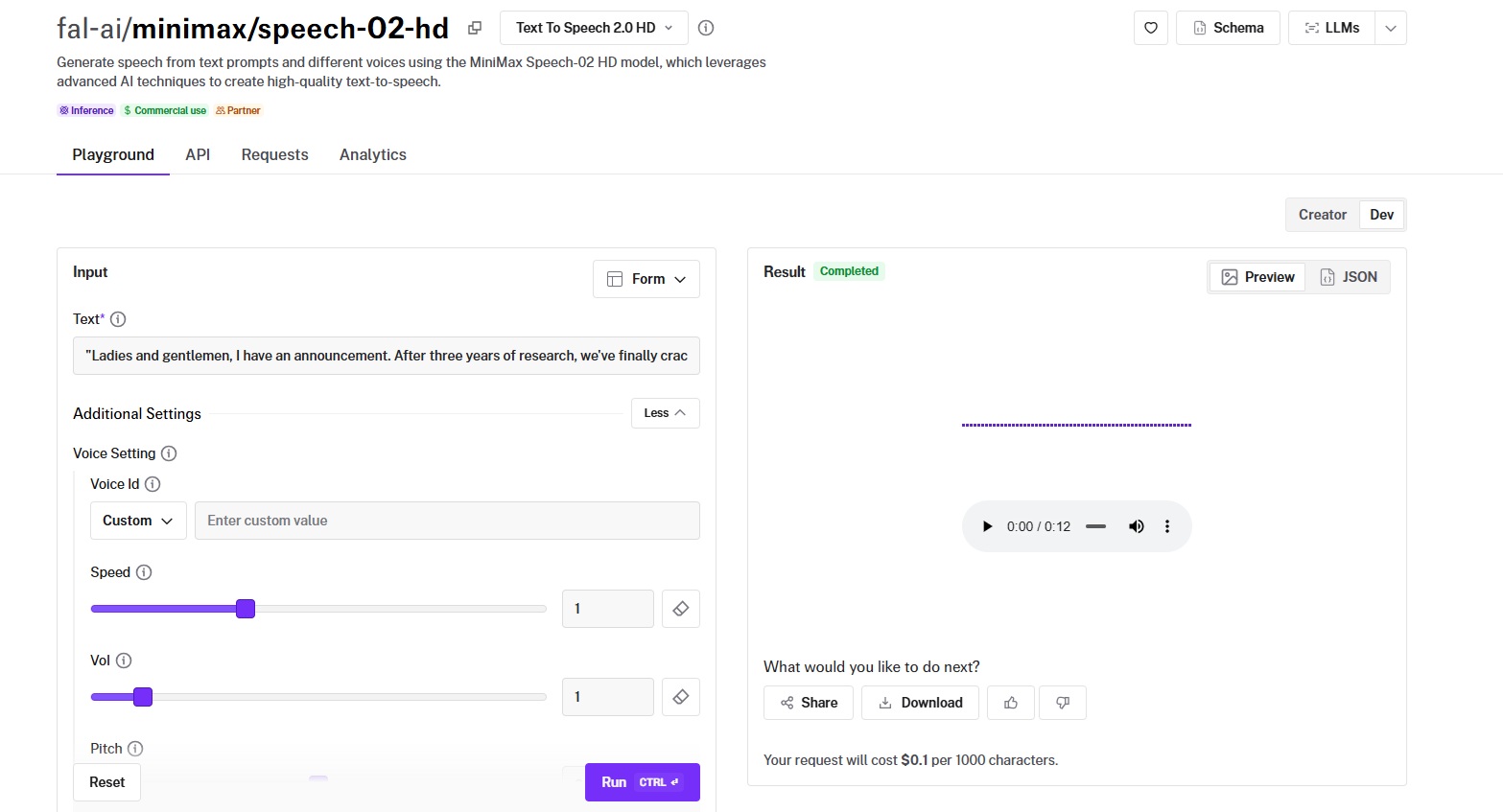
MiniMax Speech 02 HD is MiniMax's high-definition text-to-speech model, and it's the most feature-complete voice system in this roundup: 300+ voices, 30+ languages, emotion presets, voice cloning, interjection tags, and custom pause markers, all through a single model ecosystem.
The trade-off is price: at $0.10 per 1,000 characters for TTS and $1.50 per voice clone, it's the most expensive per-character option here.
Performance
Generated using MiniMax Speech 02 HD on fal.
- Voice naturalness and expressiveness: Among the most natural-sounding models I tested. The emotion control system isn't a gimmick. Switching between "happy" and "neutral" produces audibly different intonation, not just volume changes.
- Language and accent support: 30+ languages with native pronunciation, including tonal languages like Chinese (Mandarin and Cantonese), Vietnamese, and Thai.
- Speed (real-time vs. batch): Supports real-time streaming for up to 5,000 characters and asynchronous processing for up to 1 million characters. Maximum text length per request is 200,000 characters.
- Voice cloning accuracy: MiniMax's dedicated voice-clone endpoint creates a custom voice ID from a reference audio sample. The clone requires at least 10 seconds of audio and includes noise reduction and volume normalization.
- Cost per minute of audio: $0.10 per 1,000 characters for TTS. $1.50 per voice clone, with preview audio at $0.30 per 1,000 characters.
How to Run MiniMax Speech 02 HD on fal
Available through fal's API and playground at fal.
Same integration pattern as every other model on fal.
If you've already integrated Kokoro or ElevenLabs, switching to MiniMax Speech 02 HD is a one-line endpoint change.
Output format is configurable: MP3, WAV, FLAC, or PCM with adjustable sample rates from 8,000 to 44,100 Hz and bitrates from 64,000 to 320,000 bps.
Webhook support is available for async workflows processing large text batches.
For voice cloning, use the voice clone endpoint of MiniMax to create a custom voice ID, then reference that ID in your TTS calls.
Pricing
Here's how much it costs to use MiniMax's voice ecosystem on fal:
- Speech 02 HD (TTS): $0.10 per 1,000 characters.
- Voice Clone: $1.50 per clone, with preview audio at $0.30 per 1,000 characters.
- Voice Design (custom voice from text description): $3 per created voice, with $0.03 per 1000 preview characters.
Pros & Cons
Pros:
- 30+ languages with native pronunciation and a language_boost parameter for dialect-level control.
- 300+ pre-built voices with emotion, speed, pitch, volume, and timbre modification.
- Dedicated voice cloning with noise reduction, volume normalization, and preview audio.
Cons:
- Most expensive per-character TTS on this list at $0.10/1K characters, with voice cloning adding $1.50 per voice.
ElevenLabs Turbo v2.5
Best for: Teams that need the highest perceived voice quality with low latency, real-time streaming, and 32-language support.
Similar to: MiniMax Speech 02 HD, Maya1.
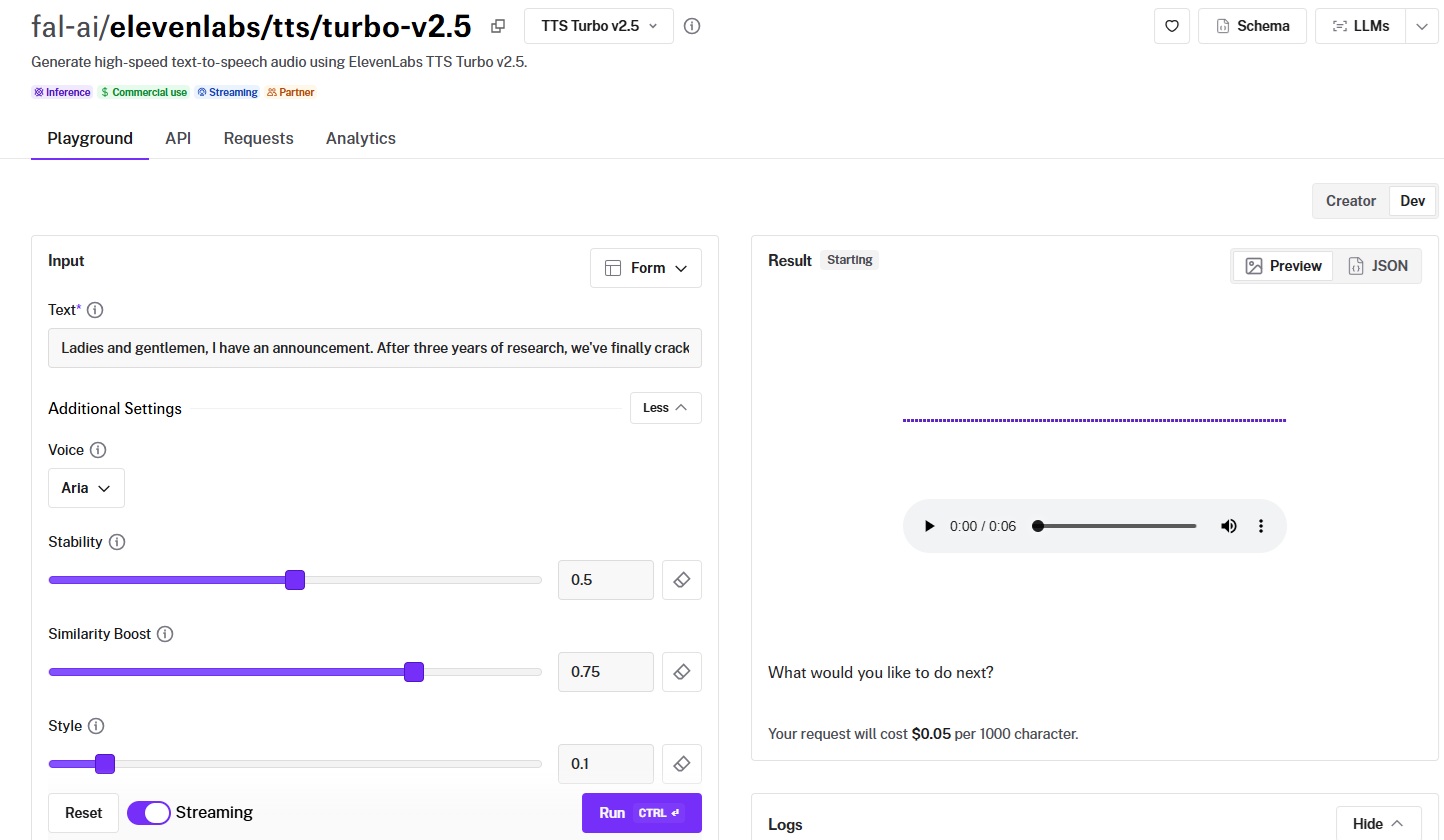
ElevenLabs built its reputation on voice quality that's difficult to distinguish from real human speech, and the Turbo v2.5 variant on fal prioritizes speed without sacrificing that advantage.
Beyond TTS, fal also hosts ElevenLabs' voice changing, dubbing, and speech-to-text (Scribe V2) endpoints, making it closer to a full audio toolkit than a single model.
Performance
Generated using ElevenLabs Turbo v2.5 on fal.
- Voice naturalness and expressiveness: This is where ElevenLabs earns its premium. Pacing feels organic rather than metronomic, and emphasis lands on the right words without manual tuning.
- Language and accent support: 32 languages with native pronunciation.
- Speed (real-time vs. batch): The "Turbo" designation is earned. Native streaming support means audio starts playing before the full output is generated.
- Voice cloning accuracy: ElevenLabs offers voice cloning through its broader platform, and voice changer functionality is available on fal.
- Cost per minute of audio: $0.05 per 1,000 characters. Sits in the middle of the per-character pricing range.
How to Run ElevenLabs Turbo v2.5 on fal
Available through fal's API and playground at fal.
Same integration pattern as every other model on fal.
ElevenLabs on fal also includes voice changing (swap voices in existing audio), dubbing (generate dubbed video or audio), and speech-to-text via Scribe V2, so you can build a complete audio pipeline through a single integration.
Pricing
It costs $0.05 per 1,000 characters to use ElevenLabs Turbo v2.5 on fal.
Pros & Cons
Pros:
- Best-in-class voice quality with natural pacing, emphasis, and warmth.
- Native real-time streaming with stability, similarity_boost, style, and speed controls for fine-tuning output.
- 32 languages supported, with full audio toolkit on fal (TTS, voice changing, dubbing, speech-to-text).
Cons:
- Fewer script-level controls than some of the other AI models.
- At $0.05/1K characters, it's more than double Kokoro's cost for teams that prioritize volume over premium quality.
Kokoro TTS
Best for: Teams that need high-volume, cost-efficient voice generation with solid quality from a model that punches well above its weight class.
Similar to: VibeVoice, Index TTS 2.0.
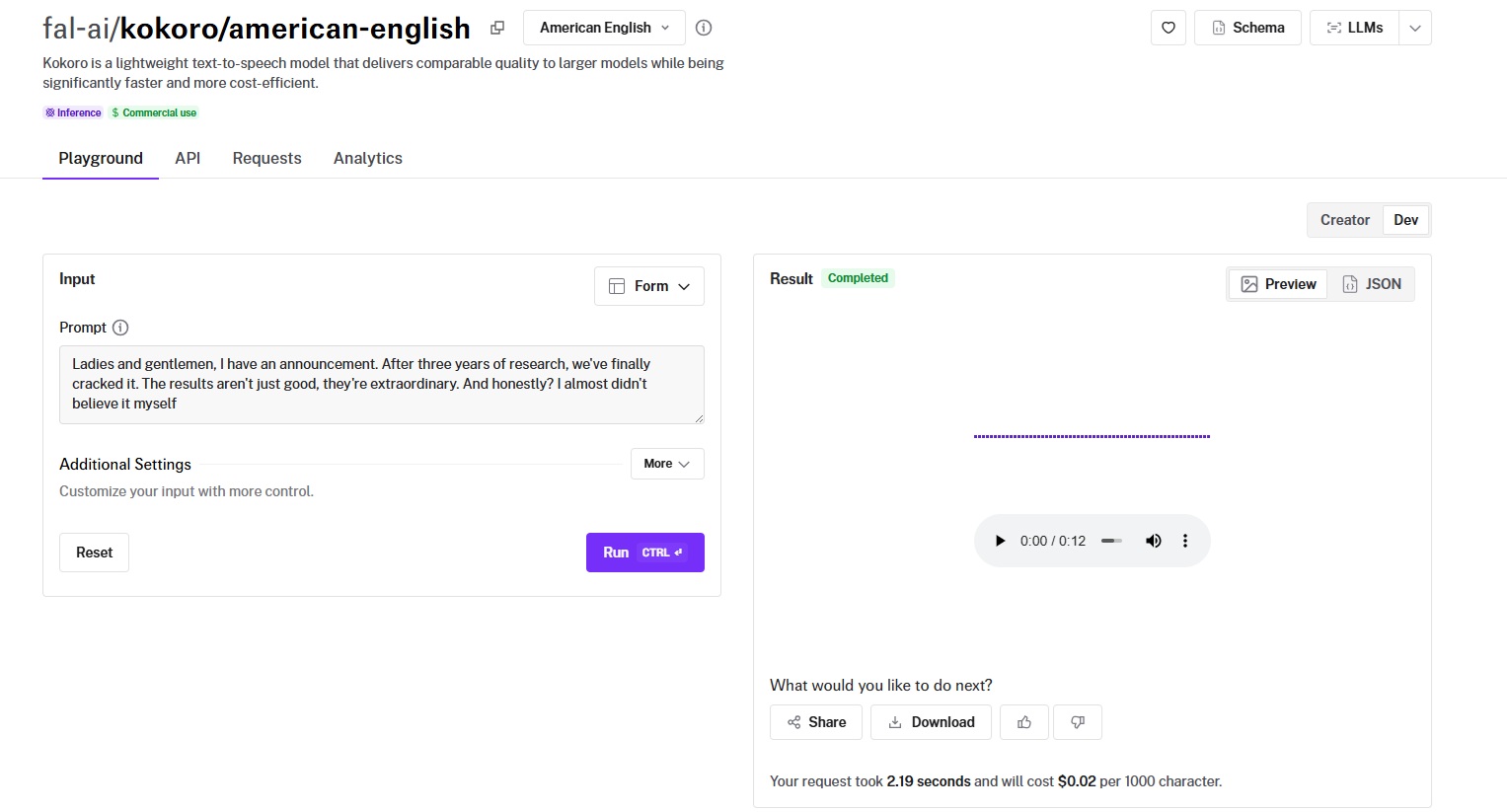
Kokoro TTS is an open-weight model that packs 82 million parameters, 10-50x smaller than most models that produce comparable quality, and it's the cheapest per-character option on this list at $0.02 per 1,000 characters.
It ships with 19 pre-trained voices, a 0.1-5.0x speed control range, WAV output, and a Mandarin Chinese variant on fal for tonal language support.
Performance
Generated using Kokoro TTS on fal.
- Voice naturalness and expressiveness: Clean, clear, and intelligible. The voice sounds natural in short-to-medium passages. It avoids the robotic cadence that plagues many budget TTS models.
- Language and accent support: American English as the primary variant, with a separate Mandarin Chinese variant and other languages also available on fal, such as Hindi, Italian, and Japanese.
- Speed (real-time vs. batch): Fast. The 82M parameter size means inference is quick, making it one of the fastest models to return audio on fal. Speed control from 0.1x to 5.0x lets you adjust playback rate per use case.
- Voice cloning accuracy: Kokoro doesn't offer voice cloning. It's a straight text-to-speech model with 19 pre-trained voices.
- Cost per minute of audio: $0.02 per 1,000 characters. The lowest per-character price on this list. That works out to 50,000 characters per $1.00. A 10,000-word audiobook chapter (roughly 50,000 characters) costs about $1.00 with Kokoro.
How to Run Kokoro TTS on fal
Available through fal's API and playground at fal.
Same integration pattern as every other model on fal.
Output is WAV format. Select from 19 voices via the voice parameter.
Being open-source means you could self-host Kokoro if you wanted, but running it through fal eliminates the infrastructure management and gives you the same pay-per-use billing as every other model.
Pricing
It costs $0.02 per 1,000 characters to use Kokoro TTS on fal.
Pros & Cons
Pros:
- Cheapest per-character model on this list at $0.02/1K characters (50,000 characters per $1.00).
- 82M parameters means fast inference with quality that matches models 10-50x its size.
- 19 voices, 0.1-5.0x speed control, and a Mandarin Chinese variant for tonal language support.
Cons:
- No voice cloning, emotion control, interjection tags, or voice customization options.
Dia TTS
Best for: Teams building dialog systems, conversational AI, or any application that needs multi-speaker generation with natural nonverbal cues and zero-shot voice cloning.
Similar to: VibeVoice, Chatterbox.
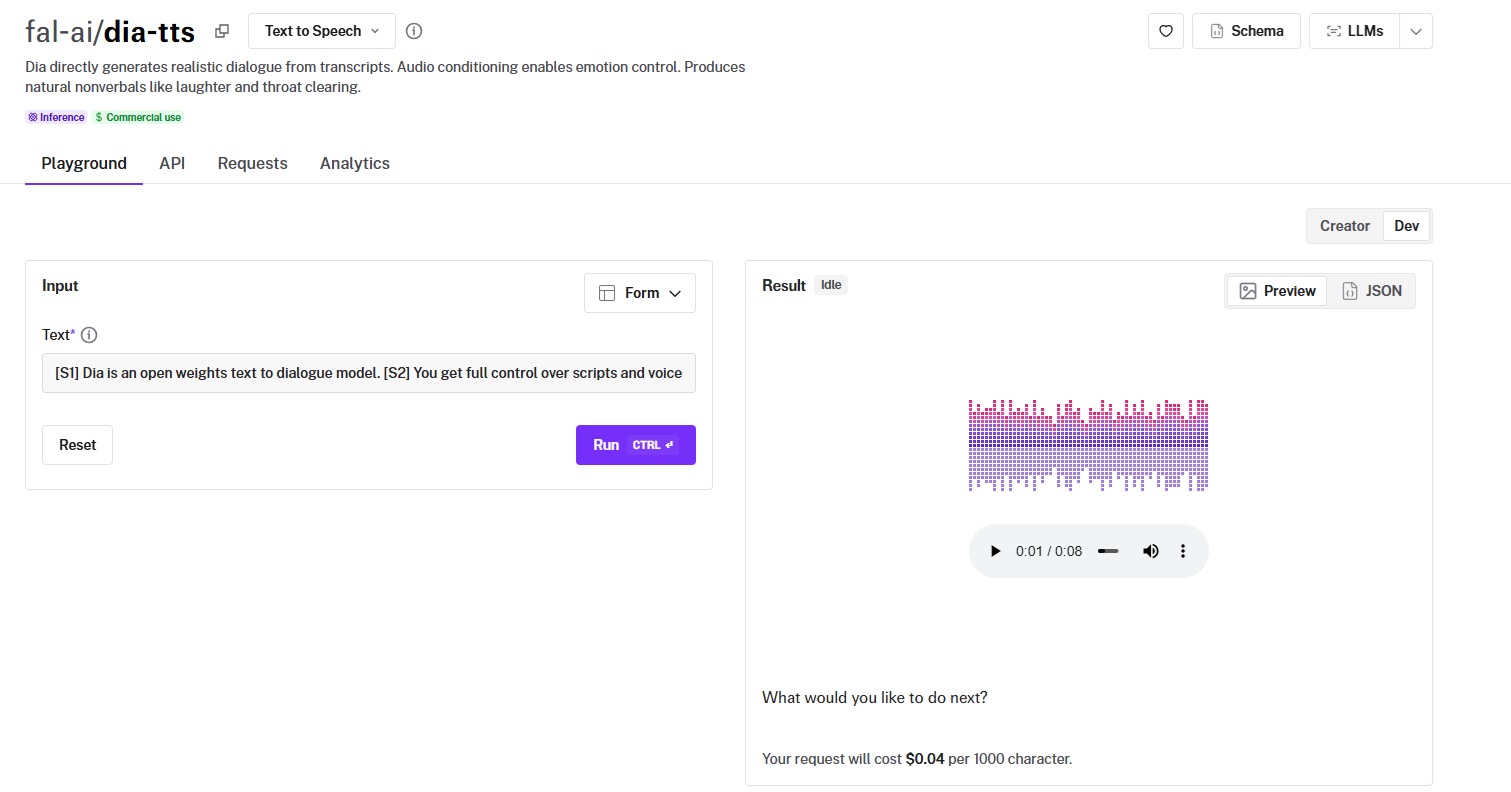
Dia TTS is a 1.6 billion parameter dialog-focused model from Nari Labs that generates multi-speaker conversations from scripts with [S1] and [S2] tags, complete with natural nonverbal cues like (laughs), (whispers), and (clears throat).
It's open-weighted, commercially licensed, and includes zero-shot voice cloning at no extra cost beyond the per-character rate.
Performance
Generated using Dia TTS on fal.
- Voice naturalness and expressiveness: Strong for dialog. The 1.6B parameter model handles conversational back-and-forth well, with natural turn-taking rhythm and genuine variation in tone between speakers. The nonverbal cues are a real differentiator: (laughs), (sighs), (clears throat), (whispers), (excited), and (chuckles) all produce natural-sounding audio rather than obviously synthesized effects.
- Language and accent support: Primarily English-focused.
- Speed (real-time vs. batch): Moderate speed. Not the fastest for bulk generation, but fast enough for interactive dialog applications where you're generating a few exchanges at a time.
- Voice cloning accuracy: Dia's zero-shot cloning requires a reference audio URL and a transcript of that audio. The cloned voice maintains the original speaker's pitch and cadence well, especially for short to medium passages. Quality holds up better with cleaner reference audio.
- Cost per minute of audio: $0.04 per 1,000 characters. Mid-range for per-character pricing.
How to Run Dia TTS on fal
Available through fal's API and playground at fal. Same integration pattern as every other model on fal.
Output is MP3 format. Use [S1] and [S2] tags for multi-speaker dialog, and include nonverbal cues in parentheses for natural-sounding effects.
The voice clone variant requires a reference audio URL and a text transcript of that reference audio.
Standard TTS and voice clone endpoints use the same per-character billing.
Pricing
It costs $0.04 per 1,000 characters to use Dia TTS on fal.
Pros & Cons
Pros:
- Multi-speaker dialog generation with natural nonverbal cues: (laughs), (whispers), (excited), (clears throat), and more.
- Zero-shot voice cloning included in the per-character price, plus zero-shot voice variety without cloning.
- 1.6B parameter model with audio conditioning for emotion control. Open-weights and commercially licensed.
Cons:
- English-focused.
- Two-speaker limit ([S1], [S2]).
Maya1
Best for: Teams that need emotionally expressive voice generation with text-driven voice design, where you describe the voice you want and the model creates it.
Similar to: MiniMax Speech 02 HD, ElevenLabs Turbo v2.5.
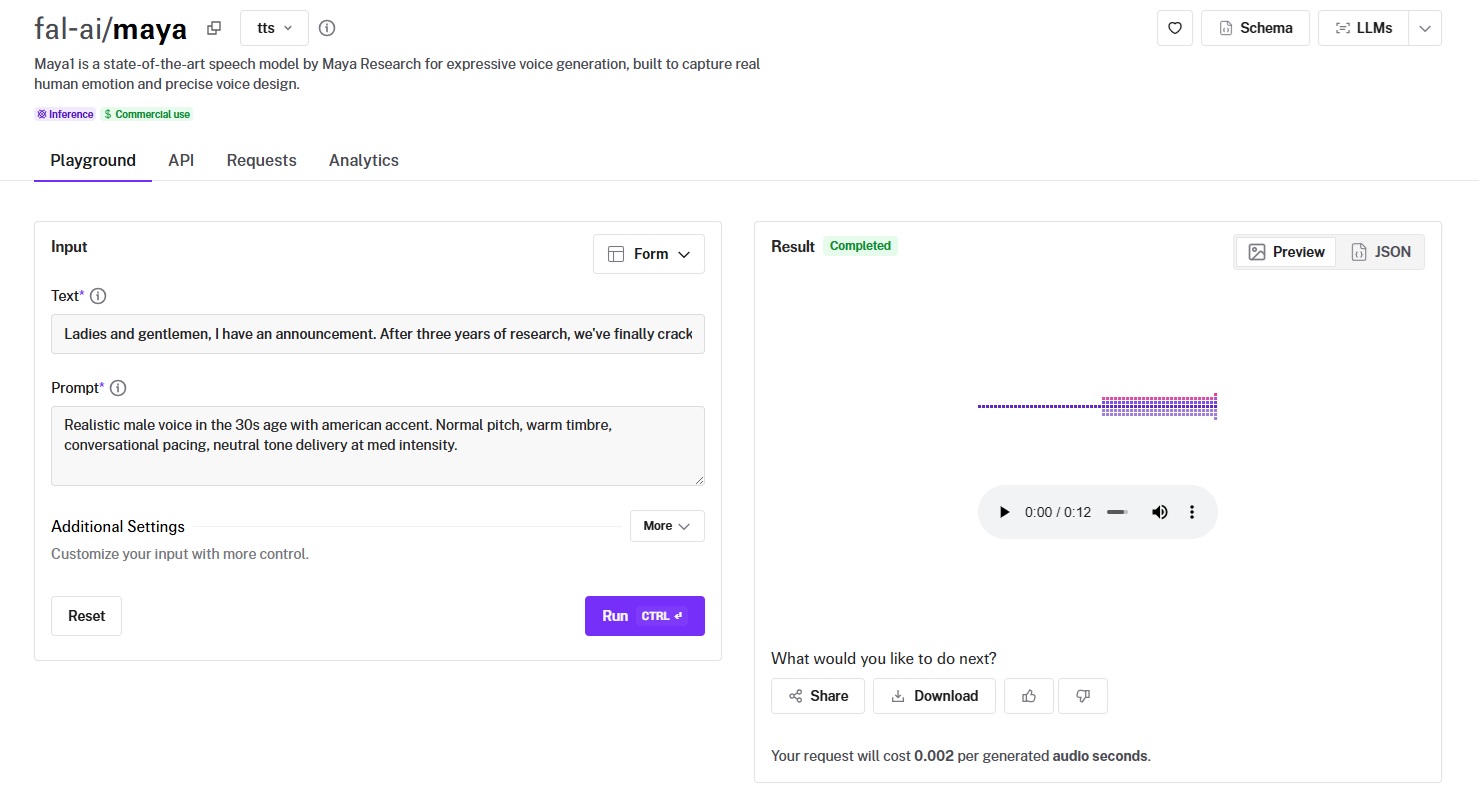
Maya1 is a speech model from Maya Research built around emotional fidelity, producing gradient, nuanced expression rather than discrete emotion presets.
Its voice design works through a text prompt where you describe the voice you want (age, accent, pitch, timbre, pacing, tone, intensity), and the model generates speech matching that description.
Performance
Generated using Maya1 on fal.
- Voice naturalness and expressiveness: This is Maya1's defining feature. The emotional range goes beyond what most models on this list can produce. Maya1 produces a gradient, nuanced expression that sounds closer to how people actually talk when they feel something.
- Language and accent support: Maya1 focuses on voice design and emotional precision rather than broad multilingual coverage.
- Speed (real-time vs. batch): Offers a streaming mode for real-time applications and a batch mode for bulk processing.
- Voice cloning accuracy: Maya1 focuses on voice design rather than cloning per se. You describe the voice you want through a text prompt.
- Cost per minute of audio: $0.002 per second of generated audio, which works out to $0.12 per minute. That's a different pricing model than the per-character approach most models use.
How to Run Maya1 on fal
Available through fal's API and playground at fal.
Three endpoint variants: maya (standard), maya/stream (real-time streaming), and maya/batch (bulk processing).
The input takes two fields: the text to speak and a prompt describing the voice you want.
Choose the variant that matches your latency and throughput needs.
Pricing
It costs $0.002 per second of generated audio to use Maya1 on fal.
Pros & Cons
Pros:
- Best emotional expressiveness on this list, with nuanced, gradient emotion rather than preset categories.
- Text-prompt voice design: describe the voice you want (age, accent, pitch, timbre, pacing, tone, intensity) instead of picking from a library.
- Three operating modes (standard, streaming, batch) for different production needs.
Cons:
- Language support is not the focus.
Qwen3-TTS
Best for: Developers who want to design entirely new voices from scratch and clone them across outputs using a unified ecosystem.
Similar to: Dia TTS, Maya1.
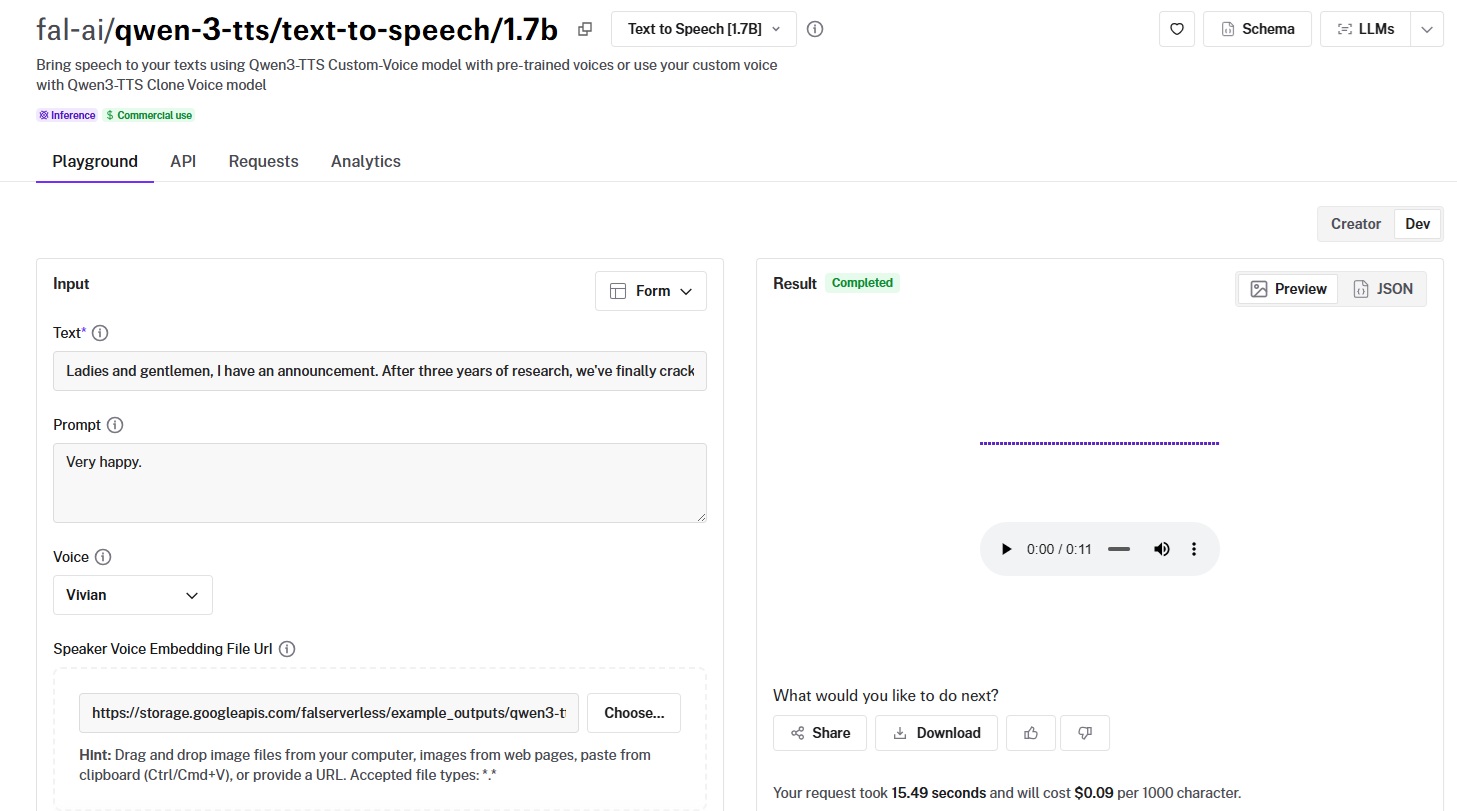
Qwen3-TTS is Alibaba's modular voice system that gives you three tools in one ecosystem: Voice Design (create voices from text descriptions), Text-to-Speech (generate audio), and Clone Voice (zero-shot cloning from audio samples).
Both the 0.6B (lighter, faster) and 1.7B (heavier, higher quality) parameter variants are available on fal.
Performance
Generated using Qwen3-TTS 1.7B on fal.
- Voice naturalness and expressiveness: The 1.7B variant produces natural-sounding speech with good prosody. The 0.6B variant is lighter and faster but trades some output quality.
- Language and accent support: Strong multilingual support from Alibaba's training data. Handles Chinese, English, and other languages well.
- Speed (real-time vs. batch): The 0.6B variant is fast, suitable for lower-latency applications. The 1.7B variant trades speed for quality. Having both options on fal means you can use the lightweight model for drafts and the full model for production output.
- Voice cloning accuracy: Zero-shot cloning via the dedicated Clone Voice endpoint. Quality is competitive with Dia TTS, with the added benefit of integrating into the Voice Design workflow. You can design a base voice from a text description, tweak it, then clone it for consistent use across outputs.
- Cost: Pricing is $0.09 per 1000 characters.
How to Run Qwen3-TTS on fal
Available through fal's API and playground at fal.
Three endpoints to work with: qwen-3-tts/voice-design/1.7b for creating voices from text descriptions, qwen-3-tts/text-to-speech/1.7b (or 0.6b) for generation, and qwen-3-tts/clone-voice/1.7b (or 0.6b) for cloning from audio samples.
Design a voice, generate speech with it, and clone it for consistent use, all through fal's standard API pattern.
Pricing
Qwen3-TTS pricing on fal costs $0.09 per 1000 characters.
Pros & Cons
Pros:
- Full voice design ecosystem: create from text descriptions, generate, and clone voices through one system.
- Two parameter variants (0.6B and 1.7B) for flexibility on speed vs. quality.
- Zero-shot voice cloning integrated with the voice design workflow.
Cons:
- The three-endpoint system can add complexity.
Chatterbox
Best for: Creative teams making memes, short-form video, games, and AI agents where personality and multilingual reach matter.
Similar to: Dia TTS, Kokoro TTS.
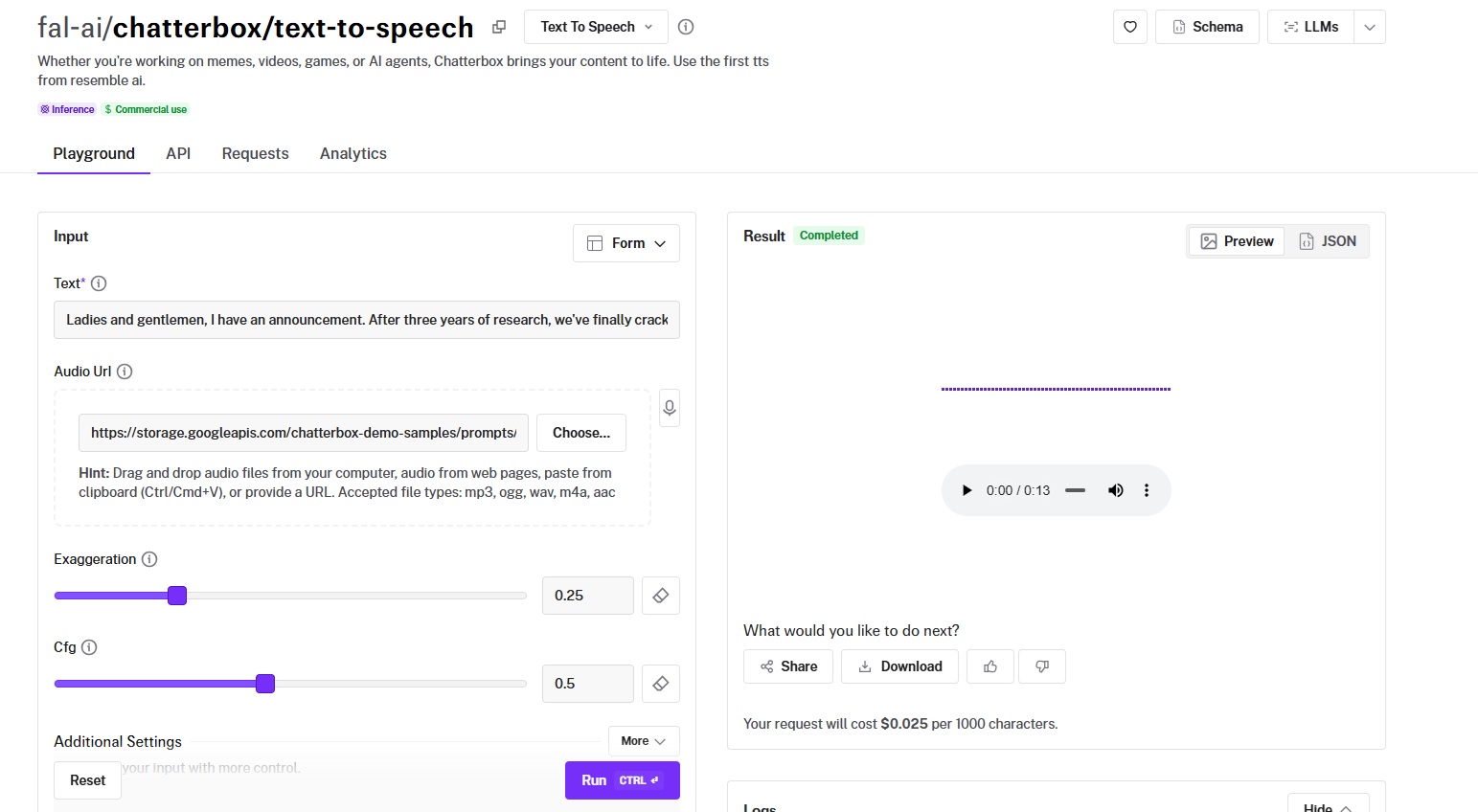
Chatterbox is Resemble AI's text-to-speech model, built for content that needs personality: memes, games, AI agents, and social media voiceovers.
It offers exaggeration and cfg controls for creative range, paralinguistic tags ([laugh], [sigh], [gasp], etc.), voice cloning from 5-10 second audio clips, and a dedicated multilingual variant covering 23 languages with cross-lingual voice matching.
Performance
Generated using Chatterbox on fal.
- Voice naturalness and expressiveness: Chatterbox trades polish for personality. The exaggeration parameter lets you push voices into caricature territory (useful for games and memes) or dial them back for more grounded output. The paralinguistic tags add non-verbal sounds that feel natural in casual content.
- Language and accent support: The standard endpoint is English-focused. But the multilingual variant supports 23 languages with a custom_audio_language parameter for cross-lingual voice cloning.
- Speed (real-time vs. batch): Fast enough for interactive applications. The lightweight architecture keeps generation times low.
- Voice cloning accuracy: Supports reference audio matching through a URL input (5-10 seconds of audio). The standard endpoint uses a simpler cloning approach, while the multilingual variant adds language-aware cloning so the cloned voice sounds natural even when speaking a different language than the reference.
- Cost per minute of audio: $0.025 per 1,000 characters. Just a hair above Kokoro ($0.02) and well below the premium tier. For the feature set, including multilingual support, paralinguistic tags, and voice cloning, this is excellent value.
How to Run Chatterbox on fal
Available through fal's API and playground at fal.
Same integration pattern as every other model on fal.
The exaggeration, cfg, and temperature parameters are unique to this model, so experiment with them in the playground before locking in settings for production.
For multilingual output, use the multilingual variant endpoint. Commercial use is enabled.
Pricing
It costs $0.025 per 1,000 characters to use Chatterbox on fal.
Pros & Cons
Pros:
- Exaggeration, cfg, and paralinguistic tag controls give you creative range that most TTS models don't offer.
- Multilingual variant covers 23 languages with cross-lingual voice cloning.
- Great price-to-feature ratio at $0.025/1K characters, with voice cloning included.
Cons:
- Multilingual text limit is 300 characters per request, which constrains long-form multilingual generation.
Index TTS 2.0
Best for: Teams that prioritize natural clarity and intelligibility for informational or educational audio content.
Similar to: Kokoro TTS, VibeVoice.
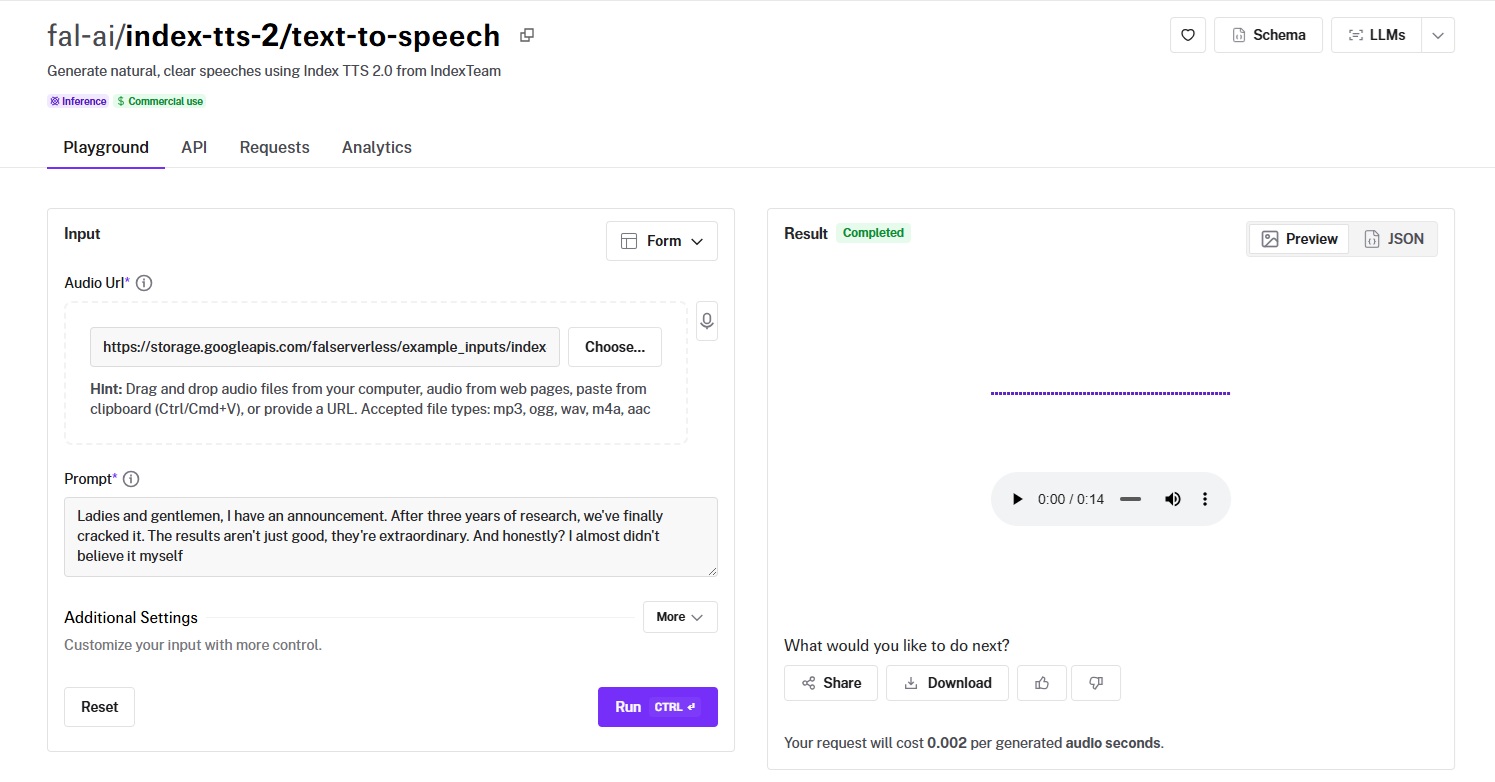
Index TTS 2.0 from IndexTeam focuses on producing speech that's clear, natural, and easy to understand.
It doesn't chase expressiveness or feature depth; it aims to be the model where every word lands cleanly, which matters for instructional content, documentation narration, and accessibility applications.
Performance
Generated using Index TTS 2.0 on fal.
- Voice naturalness and expressiveness: Clean and natural. The output prioritizes intelligibility over dramatic range. Good for informational content where you want the listener to absorb the words, not be distracted by the performance.
- Language and accent support: Focused primarily on clear English output.
- Speed (real-time vs. batch): Fast generation suitable for both interactive and batch use cases.
- Voice cloning accuracy: Not a primary feature. Index TTS 2.0 focuses on text-to-speech quality rather than voice reproduction.
- Cost per minute of audio: $0.002 per generated audio second.
How to Run Index TTS 2.0 on fal
Available through fal's API and playground at fal.
Same integration pattern as every other model on fal.
Pricing
Index TTS 2.0 pricing on fal is $0.002 per generated audio second.
Pros & Cons
Pros:
- Excellent clarity and intelligibility for informational content.
- Natural-sounding output that doesn't overperform or distract from the content.
Cons:
- Focused on clear English output.
VibeVoice
Best for: Teams generating long-form, multi-speaker audio content at speed, like podcasts, documentation narration, and multi-voice scripts.
Similar to: Dia TTS, Kokoro TTS.
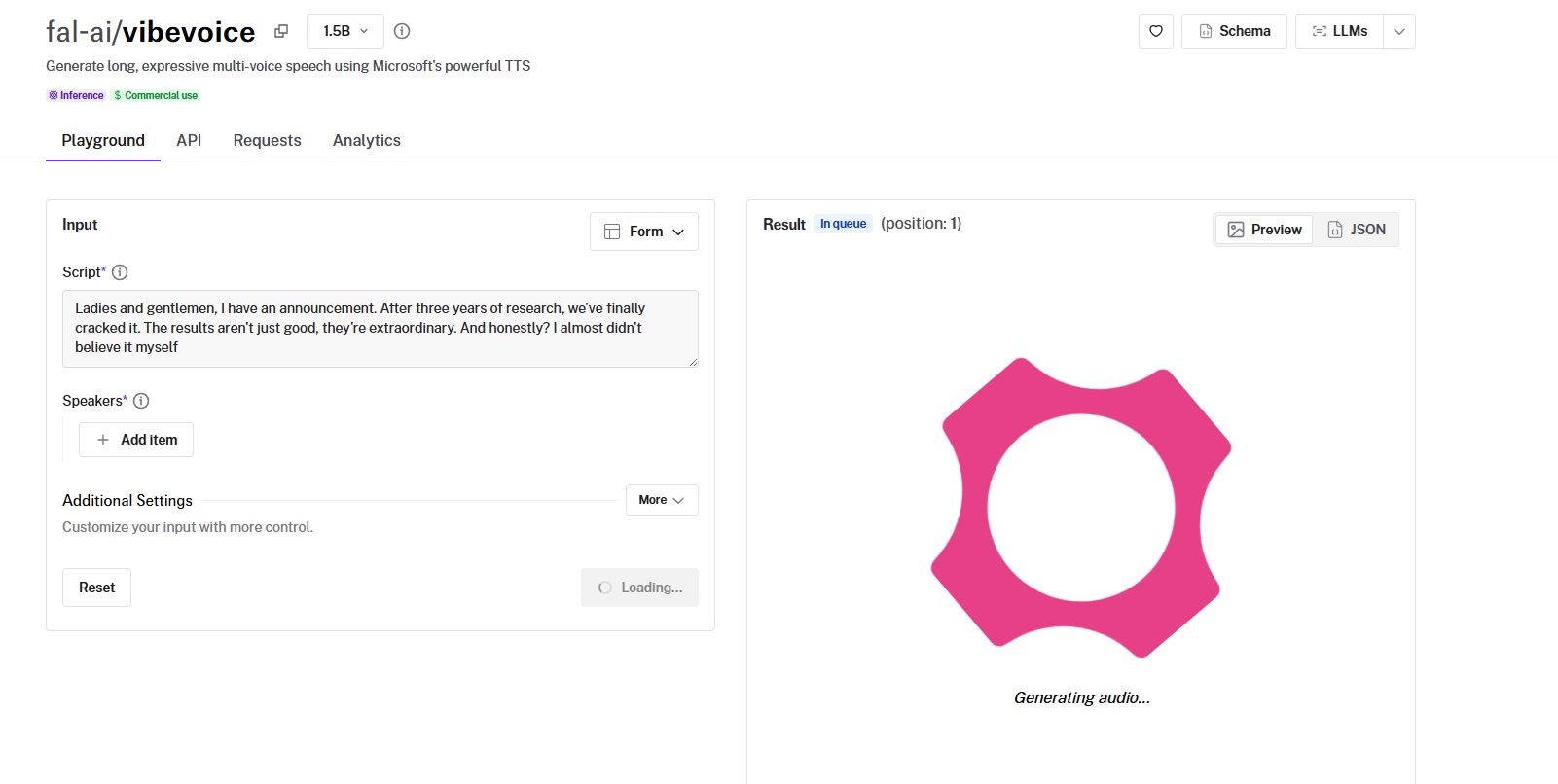
VibeVoice is Microsoft's 1.5B parameter TTS model with native multi-speaker support for up to four speakers in a single generation, using a scripting format with Speaker 0 through Speaker 3.
At $0.04 per minute of generated audio (25 minutes per $1.00), it's the cheapest option on this list for long-form, multi-voice content.
Performance
Generated using VibeVoice on fal.
- Voice naturalness and expressiveness: Clean and serviceable with good clarity across all four speaker slots. The voice is natural enough for long-form listening without fatigue.
- Language and accent support: English and Chinese-focused, with preset voices like "Frank [EN]" and "Carter [EN]."
- Speed (real-time vs. batch): This is where VibeVoice stands out. The model is optimized for generating long, expressive multi-voice speech fast. Purpose-built for throughput on long passages and multi-speaker content.
- Voice cloning accuracy: Supports custom voice matching through audio URLs assigned to each speaker slot. You provide a reference audio file for any speaker, and VibeVoice matches that voice in the output.
- Cost per minute of audio: $0.04 per minute of generated audio, rounded to the nearest 15 seconds. That's $1.00 for 25 minutes of speech. For long-form content, this is by far the cheapest option on this list. A 10,000-word script (roughly 45-60 minutes of audio) costs around $2.00-$2.40 with VibeVoice.
How to Run VibeVoice on fal
Available through fal's API and playground at fal.
Same integration pattern as every other model on fal. The script input uses "Speaker 0:", "Speaker 1:", etc. for multi-speaker content (up to 4 speakers).
Each speaker can use a preset voice or a custom audio URL for voice matching.
Pricing
It costs $0.04 per minute of generated audio to use VibeVoice on fal, rounded to the nearest 15 seconds. That works out to $1.00 for 25 minutes of speech.
Pros & Cons
Pros:
- Native multi-speaker support for up to 4 speakers in a single generation, the most on this list.
- $0.04/minute makes it the cheapest option for long-form, multi-voice content (25 minutes per $1.00).
- 1.5B parameter model with custom voice matching via audio URLs for each speaker.
Cons:
- English and Chinese-focused. Limited language support compared to the multilingual leaders.
Recently Added











Generate Voice at Scale Through a Single API With fal
The AI voice generation space has more capable models now than at any point in the past two years.
And that's actually the problem: picking the right one requires testing, which costs time and credits.
If you want access to the best-performing TTS models, such as MiniMax Speech 02 HD, ElevenLabs Turbo v2.5, Kokoro TTS, Dia TTS, and Maya1, all through a single API with pay-per-use pricing and no GPU headaches, fal is the fastest way to get there.
You can test any model in the playground or plug into the API in minutes.
![How To Use GPT Image 2.5: Prompts & Workflows [2026]](https://refinery.fal.media/url/https%3A%2F%2Fv3b.fal.media%2Ffiles%2Fb%2F0aaa6b4b%2FjBkm-8tILO2kyixv19ugu.jpg/tr:w-1280,q-80/jBkm-8tILO2kyixv19ugu.webp)
![Nano Banana Pro Prompting Guide & Examples [2026]](https://refinery.fal.media/url/https%3A%2F%2Fv3b.fal.media%2Ffiles%2Fb%2F0a9e92ad%2FdgU0a7pspdC0xXfh7ajVQ_nano-banana-pro-prompting-guide.jpg/tr:w-1280,q-80/dgU0a7pspdC0xXfh7ajVQ_nano-banana-pro-prompting-guide.webp)