
This review covers what HappyHorse-1.0 actually is, how it stacks up against Seedance 2.0, Veo 3.1, Sora 2, and Kling 3.0, which of its claims hold up under independent testing, and whether the arena hype is worth your attention.
TL;DR
HappyHorse-1.0 is a 15B-parameter text-to-video and image-to-video model from Alibaba with native audio generated in the same pass as the visuals (this is the standout feature here).
Why it's getting attention: Reached #1 on the Artificial Analysis Video Arena for both text-to-video and image-to-video without audio, with a lead over other popular AI video generation models.
Where you can access it: The only place we could independently test the model is on the HappyHorse App, an unaffiliated third-party web app — it's not on fal yet.
How much does it approximately cost per run: Pro generation plus audio cost me ~$4 in credits per 5-second clip when I used it on the current web app.
Best use cases: Short cinematic scenes with dialogue and multilingual marketing content at 1080p.
My verdict: Yes, it is worth the hype. It has way above-average lip-sync, multilingual capabilities, and cinematic effects. The camera and motion controls are also quite useful, although we can currently only use the AI model for either 5 or 10 seconds.
Where can you currently access HappyHorse-1.0?
The only access point we could independently test today is the HappyHorse App, a third-party browser-based generator that is not affiliated with the HappyHorse development team. It runs on either pay-as-you-go credits or a monthly subscription, and we can't independently confirm that the generations it returns come from the underlying HappyHorse-1.0 model.
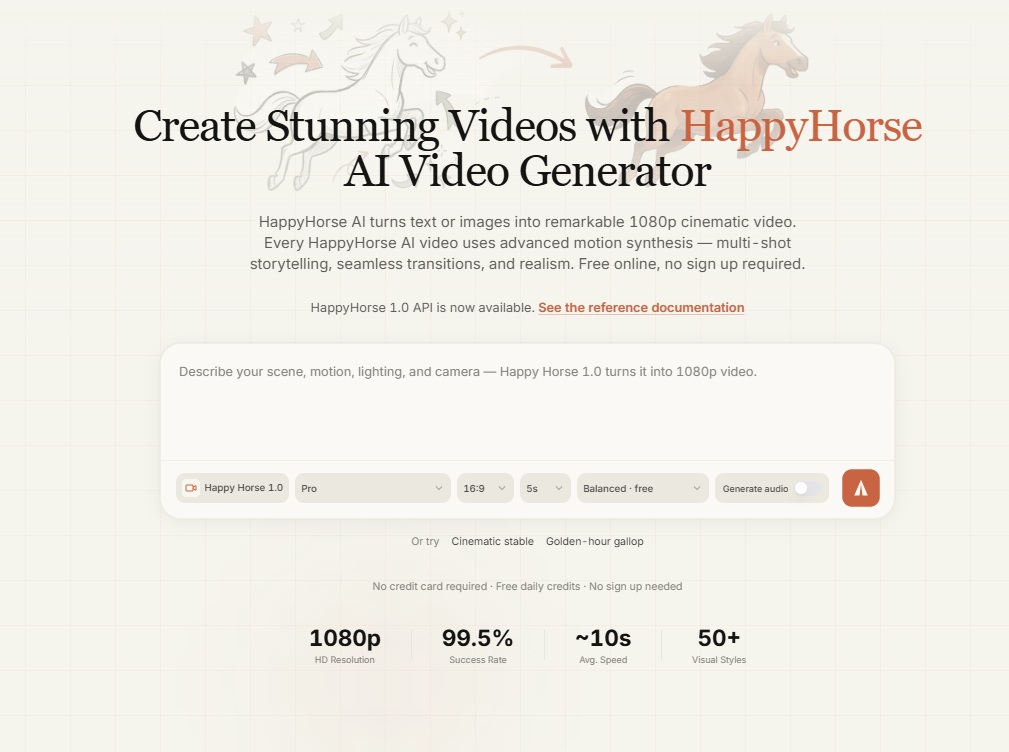
There did not appear to be free credits on sign-up, so I had to top up before my first generation.
How much does it cost to use HappyHorse-1.0 on the web app?
During testing, Pro generation with audio on ran roughly $4 per 5-second clip, or 400 credits to be exact.
For those of you who're experienced in using AI video models, you'd know that $0.80 per second, even on a Pro variant with audio on, is on the expensive side.
Without audio on, it'd cost 270 credits for that 5-second Pro video (equivalent to $2.70), and it'd cost 300 credits if you want to use audio for the 5-second video, but on the Standard model.
What are the key features of HappyHorse-1.0?
Video and audio generated in the same pass
The headline architectural claim is that a single model handles both the visuals and the sound, without any post-hoc stitching between a video generator and a separate audio layer.
For a shot with someone talking on camera, that should mean the phonemes and mouth shapes are decided together rather than lined up afterwards.
The practical upside here would be you spending less time re-syncing clips before they're usable and less lip drift in the language the clip ships in.
Let's test it:
Prompt: A flamenco dancer on a small candlelit tablao stage, heels striking out a rapid zapateado pattern against the wooden floor. An off-camera guitarist plays a sparse cante jondo melody under her rhythm, and a single cajón keeps time from the shadows. Camera locks low for the opening beat, looking up at her from foot level, then cuts to a waist-up shot catching the flourish of her hands and skirt as she finishes the phrase with a sharp stop. Warm candle light from below, deep shadows on the walls behind.
Generated using HappyHorse-1.0.
My take: I can see how the dancer was performing exactly according to the music and how well the AI video model took into consideration the specific prompt around the warm candle lights.
The guitar is also realistic, and I liked the sync in the end when she stopped dancing.
Overall, I'm satisfied with the level of output and video + audio combination.
1080p output with 5-to-10-second clips
Maximum resolution lands at 1080p in 16:9 and 9:16 aspect ratios, with 1:1 available for square social formats.
That's honestly enough for almost anything going to social, ads, or the web.
Clip length on the current web app runs from 5 to 10 seconds, and there does not appear to be an option to make it longer or shorter.
If you're comparing head-to-head against Sora 2 Pro's 20-second ceiling or Veo 3.1's 4K option, this is one of the spots where HappyHorse-1.0 is behind other commercial video models.
falMODEL APIs
The fastest, cheapest and most reliable way to run genAI models. 1 API, 100s of models
Multilingual lip sync
The team claims phoneme-level lip sync across seven languages: English, Mandarin, Cantonese, Japanese, Korean, German, and French.
If this coverage is true, then it'd be really useful for multilingual marketing and localization work.
Let's test it in action:
Prompt: Two street food vendors stand behind their stalls in a crowded Seoul night market, mid-conversation. The older vendor calls out a short phrase in Korean to a passing customer off-frame; the younger vendor next to him laughs and mutters a quick response back. Handheld camera pushes slowly through the crowd at shoulder height, neon reflections streaking across wet pavement. The air is thick with the sizzle of a flat-top grill, faint K-pop drifting from a speaker somewhere off-frame, and steam rising from a pot of soup in the foreground.
Generated using HappyHorse-1.0.
My take: Lip sync on both speakers was the hardest multi-character version of the test, and I think that it did a good job at that.
Although it'd take a native Korean to let me know if the language and mouth shapes are native-grade.
I can definitely sense the single-pipeline approach here and how it feels in practice.
The dialogue shots came out cleaner than I expected.
It really felt like watching a movie.
An 8-step distilled inference pipeline
Generation speed lands around 38 seconds for a 1080p clip on a single H100, per the team's own measurements, which haven't been independently reproduced yet.
The figure is credible for a distilled model at this parameter count, particularly if the DMD-2 distillation claim is accurate, and it explains why inference sits in the seconds range rather than the minutes range you'd expect from a full diffusion pipeline at the same quality.
What that would mean in practice for you would be faster iteration loops during the creative phase, which matters more than it sounds when you're burning a morning on generation runs.
Unified text-to-video and image-to-video
The same model handles both modes rather than splitting them across specialized variants.
In practice, that means character identity can be carried more reliably between a text prompt and a follow-up image prompt, and you won't have to re-learn two different prompt structures.
Let's see how the AI model would do in both multilingual and image-to-video setting:
Prompt: The dog continues swimming in the swimming pool, and then his owner is calling for him to come out of the water in French.
Generated using HappyHorse-1.0.
My take: What I liked about the video is that it followed my prompt, and the water + swimming seem to be quite accurate.
What I didn't like in this instance was the eyes and how they slightly changed after the owner called the dog.
You can see how the eyes get darker around the 2nd second, and then get brighter and wider around the 4th second.
How does HappyHorse-1.0 compare to Seedance 2.0, Veo 3.1, Sora 2, and Kling 3.0?
Here's a head-to-head comparison between the latest flagship AI video generation models on the market:
| Model | Max Resolution | Native Audio | Clip Length | Available on fal |
|---|---|---|---|---|
| HappyHorse-1.0 | 1080p | Yes | 5 to 10 seconds on the app | Coming soon! |
| Seedance 2.0 | 1080p | Yes | Up to 15 seconds | Yes, $0.2419-$0.3034 per second for 720p |
| Veo 3.1 | 4K | Yes | Up to 8 seconds | Yes, $0.05-$0.60 per second |
| Sora 2 Pro | 1080p | Yes | 4 to 20 seconds | Yes, $0.30-$0.70 per second |
| Kling 3.0 Pro | 1080p | Yes | Up to 15 seconds | Yes, $0.112 (audio off) or $0.168 (audio on) per second. |
The honest answer is: each one has an axis where it still wins.
Veo 3.1 still has the only 4K path in the group.
Sora 2 Pro keeps the ceiling on clip length at 20 seconds.
Veo 3.1 Lite has the most affordable pricing structure, costing only $0.08 per second on fal for 1080p with audio on.
Seedance 2.0 is arguably the closest thing to HappyHorse-1.0 on paper.
HappyHorse-1.0's pitch in this lineup is narrower than "best across the board":
It's the unified audio-video pipeline, and I also think it can be the wider language coverage when it comes to lip sync.
Let's put HappyHorse-1.0 to the test against Seedance 2.0 for the same prompt and see how they'll perform:
Prompt: An astronomer in her fifties adjusts the focus knob on a large research telescope inside a mountaintop observatory, peering through the eyepiece with one hand braced on the metal housing. She exhales quietly and whispers to herself in English, "there you are." Camera pulls back slowly from a tight shot of her face, revealing the open shutter of the dome above her and a full starfield beyond. The sound is the mechanical whir of the telescope's mount making a small adjustment, her breath in the cold air, and a faint wind threading through the dome opening.
HappyHorse-1.0:
Generated using HappyHorse-1.0.
Seedance 2.0:
Generated using Seedance 2.0 on fal.
My take: HappyHorse's zoom out appears to be slightly smoother than Seedance 2.0's, although Seedance 2.0 better handled the sounds in the end, which is what makes this scene cinematic.
What are the pros and cons of HappyHorse-1.0?
Before the list: treat everything below as a claim-plus-observation, not a settled scorecard.
However, here are my initial observations:
Pros
✅ Single-pass audio-video generation that produces cleaner sync than two-stage pipelines by default.
✅ Multilingual lip sync on one model, with multiple languages supported.
✅ 1080p output with strong cinematic quality on the human-motion shots.
✅ 8-step distilled pipeline keeps inference in the ~38 second range for 1080p on an H100.
✅ Best-in-class camera movement and motion intensity controls.
Cons
❌ Output caps at 1080p, unlike AI models like Veo 3.1 that offer 4K.
❌ On the expensive side. $0.80/second for 1080p Pro generation would cost you $4 for a 5-second clip or $8 for a 10-second one.
❌ It's only available in 5-second and 10-second durations.
❌ There are only 3 aspect ratios: 16:9, 9:16, and 1:1.
❌ Wasn't a big fan of how the details are being handled in image-to-video. However, this shouldn't stop you from experimenting with the AI model yourself.
Recently Added













Access HappyHorse-1.0 on fal when it's available
AI video is one of the busiest corners of the generation space right now, and HappyHorse-1.0 is one of the models worth keeping on the shortlist once access is available on fal.
When it lands on fal, you'll be able to call it through the same unified API you already use for Veo, Sora, Kling, and Seedance, with pay-per-use pricing and no idle costs.
You'll be able to test it in the playground or plug it directly into your application in a few lines of code.
Keep an eye on fal for the launch announcement.
HappyHorse-1.0 FAQ
Who is HappyHorse-1.0 best for?
I'd say that HappyHorse-1.0 seems to be ideal for 2 scenarios.
It can be an amazing fit:
If you build short-form content with dialogue, such as explainers, shorts, reels, or product talking heads.
The single-pass audio is a genuine workflow simplifier.
If you run localization for a marketing team.
The language coverage alone earns the model the spot for one of the best AI video generation models available today.
What makes HappyHorse-1.0 different from Kling, Veo, or Sora?
The architectural difference is that the video and audio come out of a single transformer pass instead of being generated by two models and stitched together afterwards.
When will HappyHorse-1.0 be available on fal?
Pricing, endpoint IDs, and a launch date haven't been announced yet.
When it does land, it'll be reachable through the same API that already serves the other 1,000-plus models on fal.
![Seedance 2.5 Workflows: Text-to-Video, Image-to-Video, References & Editing [2026]](https://refinery.fal.media/url/https%3A%2F%2Fv3b.fal.media%2Ffiles%2Fb%2F0aa63087%2FWbpT8JAY2FG_naNgsprJl.jpg/tr:w-1280,q-80/WbpT8JAY2FG_naNgsprJl.webp)