This guide covers where to run the strongest text-to-video models, the prompting habits that separate a flat clip from one that looks directed, and the three models worth reaching for on fal right now.
It also walks through the settings that move cost and quality, and the mistakes that quietly flatten a generation.
TL;DR
Professional-looking video starts in the prompt, so you want to describe the shot the way a director would brief it: the subject and its action, the camera move, the light, and the sound.
Match the AI video generation model to the job, with Seedance 2.0 for multimodal control and physics, Happy Horse 1.0 for native audio generated in a single pass, and Veo 3.1 for 4K output and scenes you can extend.
Some text-to-video APIs build sound and picture together, so write the audio into the prompt and put any spoken lines in quotes for lip-synced dialogue.
fal runs every model in this guide through one @fal-ai/client call on pay-per-use pricing, with a playground to test before you write a line of code.
Where's the best place to generate AI videos?
fal is the best place to generate AI video, and what makes it that is the setup wrapped around the models as much as the models themselves.
One API covers every model in this guide, pricing is pay-per-use, and the inference engine underneath is custom-built, with CUDA kernels written from scratch for specific model architectures, so generations come back fast.
A single fal account stands in for the separate sign-ups and separate bills you'd otherwise juggle across each provider here, and you're charged per generation with no monthly plan.
Calling a model is one @fal-ai/client request, and moving to a different one is a one-line edit to the endpoint string.
Past the video models covered here, the same account reaches over 1,000 models for image, audio, editing, and 3D.
Since nothing in the code path changes between models, you can rough out a scene on a fast, low-cost model and switch to a higher-fidelity one for the final render without reworking anything.
A request looks like this:
javascript
import { fal } from "@fal-ai/client";

const result = await fal.subscribe("bytedance/seedance-2.0/text-to-video", {
  input: {
    prompt:
      "A red fox trotting through a snowy pine forest at dawn, breath visible in the cold air, a slow tracking shot moving alongside it.",
    resolution: "720p",
    duration: "5",
    aspect_ratio: "16:9",
  },
  logs: true,
  onQueueUpdate: (update) => {
    if (update.status === "IN_PROGRESS") {
      update.logs.map((log) => log.message).forEach(console.log);
    }
  },
});

console.log(result.data.video.url);
How do you prompt AI video models for the best results?
Video raises the bar on prompting, because you're not just describing a still frame anymore.
You're describing time now, which brings motion and sound into play on top of the composition.
The six habits below are where most of the difference shows up.
Hand the model a scene it can picture
A described scene gives the model relationships to work with and a clear sense of motion.
A loose pile of keywords leaves it guessing, with nothing tying the elements together and no cue for how anything should move.
This is why you want to get specific about the subject and what it's doing, then let that action carry through the shot.
Prompt: A fishmonger laying out the morning's catch on crushed ice at a covered harbor market, gulls drifting past the open roof, a slow push-in as he wipes his hands on his apron and glances up, soft overcast light, the faint wash of waves and a distant boat engine.
Generated using Seedance 2.0 on fal, an AI model from ByteDance.
As the push-in and the glance land together, the moment reads as one continuous beat.
You see, when you hand the model a full scene like that, the pieces fall into place on their own.
Camera movement is its own instruction
The camera move shapes a clip as much as anything in it, so you want to name the one you want.
A slow push-in can feel cinematic, while a locked-off wide shot can be observational.
You can borrow the language a camera operator would use, with terms like dolly in, crane up, handheld follow, or aerial tracking shot.
Prompt: A slow crane shot rising up the glass face of a downtown office tower at dusk, warm office lights glowing behind the windows, reflections of the skyline sliding across the glass as the camera lifts, the muffled hum of evening traffic below.
Generated using Veo 3.1 on fal, an AI model from Google DeepMind.
Strip the crane move out of that prompt, and you would be left with a flat shot of an office building.
The rise is what gives the shot movement, and it's the kind of direction a model won't invent for you.
Write the sound into the prompt
Audio is the part most people forget, and it's the quickest way to make a clip feel finished.
The models in this guide generate audio together with the frames, not bolted on afterwards, so if you leave the sound unspoken, you're handing that decision to the model.
Name the ambient bed and the specific Foley you want, and the clip lands with a fuller sense of place.
Prompt: Rain hammering a tin roof over a quiet workshop at night, a single bulb swaying slightly overhead, a slow push toward a craftsman sanding a length of oak, the dry rasp of sandpaper against the grain, thunder rolling somewhere far off.
Generated using Happy Horse 1.0 on fal, an AI model from Alibaba.
Of everything in that clip, the sandpaper rasp is what makes it land.
Ambient rain on its own would have been fine, but naming the Foley ties the sound to what you can see.
Dialogue belongs in quotes
When you want a character to speak, put the exact line in double quotes.
That tells the model precisely what to render and cues it to sync the mouth movement to the words.
Keep lines short enough to fit the clip, since a long monologue gets rushed or clipped inside a few seconds of footage.
Prompt: Two friends sit on a rooftop at golden hour overlooking the city skyline, held in a steady two-shot. One turns to the other and says, "You actually went through with it." The other smiles and replies, "I told you I would."
Generated using Seedance 2.0 on fal, an AI model from ByteDance.
I can see how both quoted lines came back lip-synced, and the short exchange leaves a beat of silence on either side.
falMODEL APIs
The fastest, cheapest and most reliable way to run genAI models. 1 API, 100s of models
Build longer scenes shot by shot
For anything past a single beat, you can lay out the sequence as numbered shots with rough timings, and the model will treat each as its own moment.
This gets you a sequence of distinct shots inside one generation, far more directed than a single sprawling sentence.
Label each shot with its timing and what happens in it.
Prompt: Shot 1 (wide, 0 to 2s): A chef plating a dish under warm kitchen lights, steam rising off the plate. Shot 2 (close-up, 2 to 4s): His hands dust the plate with chopped herbs, shallow focus pinned to his fingertips. Shot 3 (over the shoulder, 4 to 6s): The plate slides across the pass as a server lifts it away, the clatter of the kitchen carrying behind.
Generated using Happy Horse 1.0 on fal, an AI model from Alibaba.
Each cut lands where you set it, and the lighting and the subject hold steady across all three shots.
Laying a prompt out this way is about as close as you get to handing the model a shot list.
Light and color carry the mood
Light gives a scene depth, and the color grade carries the feeling.
A hard rim light at the blue hour looks cinematic, while flat overcast light looks like documentary footage, and the same subject can swing between the two on one line of direction.
Name the source and its direction, then say where you want the grade to sit, whether that's cool teal shadows or warm amber highlights.
Prompt: A vintage convertible parked on an empty desert highway in the blue hour just after sunset, a slow dolly gliding along the side of the car, hard rim light catching the chrome, the headlights flicking on, graded toward cool teal shadows and warm amber highlights, the hum of cicadas and a truck passing far off.
Generated using Veo 3.1 on fal, an AI model from Google DeepMind.
Most of the feeling comes from the teal-and-amber grade, while the rim light pulls the car cleanly out of the dark.
Two cues, and a flat product shot turns into something that looks staged for a film.
What are the best AI video generation models?
Three models cover most of what you would want to do on fal today, and they're good at different things:
Seedance 2.0
Seedance 2.0 is ByteDance's flagship video model, built on a multimodal architecture that takes text, images, video clips, and audio as inputs and produces audio-synced video in one pass.
It handles complex motion well, with realistic rendering of fast interactions like sports and fight choreography, and it gives you director-level control over camera moves straight from the prompt.
There's also a reference-to-video endpoint that takes the multimodal idea further, accepting up to nine images, three video clips, and three audio files (up to 12 files total across all three) in one generation, which you reference in the prompt as @Image1, @Video1, or @Audio1.
Pricing runs $0.3034 per second at 720p with audio, $0.2419 per second on the fast tier at 720p, and $0.682 per second at 1080p, with audio generated at no extra cost.
Prompt: A boxer working a heavy bag in a dim gym, sweat snapping off their shoulders with each combination, the bag jolting on its chain, a slow orbit around them as they move, the thud of gloves on leather and the rattle of the chain.
Generated using Seedance 2.0 on fal, an AI model from ByteDance.
Happy Horse 1.0
Happy Horse 1.0 comes from the Future Life Lab inside Alibaba's Taotian Group, and its headline trick is how it makes sound.
A unified 15-billion-parameter Transformer processes text, video, and audio tokens in a single sequence, so it generates each frame and its matching audio together in one forward pass, with no separate step to lay sound over silent footage.
That shows up as tight sync between the audio and the action on screen, and it holds closely to detailed direction on composition, lighting, mood, and camera movement.
You describe the shot you want directly in the prompt, with phrases like slow dolly in or cinematic handheld, and the model reads them as instructions.
It runs at 720p and 1080p, from 3 to 15 seconds, across five aspect ratios, and pricing is $0.14 per second at 720p and $0.28 per second at 1080p, so a 10-second 1080p clip lands at $2.80.
Prompt: A herd of horses galloping across an open plain in the low morning light, dust rising behind them and their manes streaming in the wind, the thunder of hooves carrying over the rush of air, the camera tracking low alongside the lead horse.
Generated using Happy Horse 1.0 on fal, an AI model from Alibaba.
Veo 3.1
Veo 3.1 is Google DeepMind's flagship video model, and it's the one to reach for when you need true 4K or a scene longer than a few seconds.
It was one of the first mainstream models to output real 4K, generating at 720p, 1080p, or 4K at 24 FPS in 16:9 or 9:16, with native audio that handles lip-synced dialogue and layers in sound effects and music, across multiple languages.
Each generation runs up to 8 seconds, and the extend-video endpoint chains those clips, adding up to 7 seconds per step to extend a Veo-created video up to roughly 30 seconds total.
Every mode also has a Fast tier that trades a little quality for speed and a lower rate while you iterate.
Standard pricing is $0.20 per second without audio and $0.40 with at 720p and 1080p, rising to $0.40 and $0.60 at 4K, and every output carries an invisible SynthID watermark that can't be turned off.
Prompt: A first-person glide low over a misty mountain valley at dawn, sweeping past pine ridges and a winding river below, wind rushing past, the cry of a hawk somewhere overhead.
Generated using Veo 3.1 on fal, an AI model from Google DeepMind.
What settings matter during AI video generation?
The prompt decides what happens in the clip, and a short set of settings decides how it comes out and what it costs.
Here are the ones worth understanding before you run anything:
Resolution: This sets the detail in each frame and is usually the biggest lever on price, climbing from 720p to 1080p to 4K on Veo 3.1. Stay low while you shape the prompt and step up only for the final render.
Duration: This is the length of the clip, from a few seconds up to 15 on Seedance 2.0 and Happy Horse 1.0, and up to 8 on Veo 3.1 before you extend it. On Seedance 2.0 you can leave it on "auto" and let the model size the clip to the content.
Aspect ratio: This is the shape of the frame, from a wide 16:9 down to a tall 9:16 for vertical feeds. Seedance 2.0 will also pick one for you on "auto" when the exact shape doesn't matter.
Audio: Each model in this guide generates sound natively, and on some you can toggle it off per request. On Veo 3.1 the toggle changes the price, while on Seedance 2.0 the cost holds whether audio is on or off.
Fast versus standard tier: Seedance 2.0 and Veo 3.1 both offer a fast endpoint that lowers latency and cost for a small quality trade. Draft on fast, then run the final on standard.
Seed: This locks the random starting point, so the same prompt and seed return the same clip every time. Set it when you want to reproduce a result or change one variable at a time, and leave it random for fresh options.
Safety tolerance: Veo 3.1 exposes a strictness dial from 1 (most strict) to 6 (least), available only through the API and not the playground.
A render that brings a few of those together, at 1080p, 16:9, eight seconds, with audio on:
Prompt: An overhead shot of slow waves rolling onto black volcanic sand, the water sliding back out in a thin sheet, late grey light, the steady wash of surf and a light wind across the beach.
Generated using Veo 3.1 on fal, an AI model from Google DeepMind.
What should you avoid when generating AI videos?
A handful of habits pull a clip back toward generic, and most of them are easy to drop once you spot them:
Dumping a keyword list: A comma-separated pile of adjectives gives the model nothing to relate to and no sense of motion, so you tend to get a static frame with a little drift. Describe the moment as a moment, with a subject doing something.
Leaving the camera unspoken: Skip the camera move and the model picks one for you, usually a slow zoom that reads flat. Name the shot you want and the clip gains intent.
Forgetting the audio: These models score the scene whether you guide them or not, so an unspecified soundtrack is a missed opportunity. Spell out the ambient bed and the Foley you want.
Cramming one shot with conflicting motion: Stacking a dozen competing actions into a single line forces the model to drop some of them. Break a complex sequence into ordered shots and the model holds each beat.
Expecting a feature film in one clip: Each model is tuned for short scenes, up to 8 seconds on Veo 3.1 and up to 15 on the others, which keeps quality high per generation. Plan scenes to fit that window, and chain Veo 3.1's extend endpoint when you need length.
Here's what a cinema-grade video looks like with Seedance 2.0:
Prompt: A ballerina rehearsing alone on a darkened theater stage, a single hard spotlight from above carving her out of the black and catching the dust hanging in the air, she rises onto pointe and turns one slow, controlled pirouette as her skirt flares with the motion, the camera drawing in on a slow dolly and easing toward a low angle, an 85mm look with shallow focus holding her sharp against the void behind, a cool desaturated grade with deep crushed blacks, the creak of the wooden floor and the soft rustle of fabric the only sound in the empty house.
Recently Added
































Generate AI videos on fal
There are more genuinely capable text-to-video models available now than at any point so far, and the three in this guide cover everything from a quick multimodal draft to a 4K hero shot you can extend into a full scene.
Whichever one fits your work, fal gives you a single API and pay-per-use pricing, with no GPU to manage.
You can test any of them in the playground in a minute, or wire up the API and move between them with a one-line endpoint change.
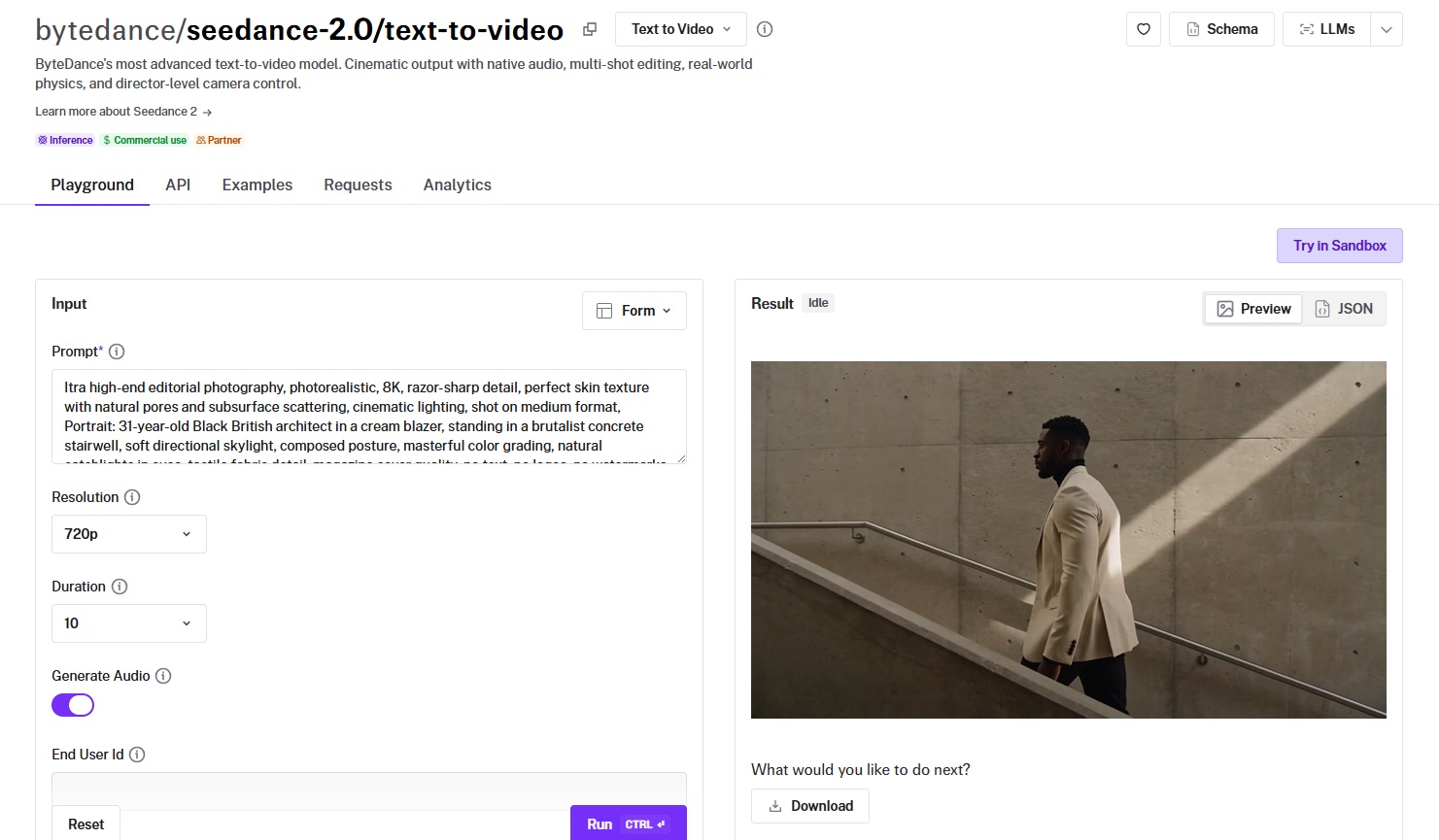
Create your free fal account and get started.
Frequently asked questions
What makes an AI video look professional?
It comes down to direction, not luck.
A clip reads as professional when the camera moves with intent, and the light and sound match the action on screen.
Describe the shot the way you'd brief a crew, with the subject's action, the camera, the lighting, and the audio all called out, and the model has enough to work with.
The rendering is the model's job, but those cues are yours, and they're what carry a generation from generic to directed.
Which AI video model should I pick?
It depends on the job:
Seedance 2.0 is a strong default when you want multimodal control and convincing physics, and it can pull from reference images, clips, and audio in one generation.
Happy Horse 1.0 suits work where the audio matters, since it builds sound and picture together in a single pass.
Veo 3.1 is the pick for true 4K and for scenes that need to run longer than a few seconds through its extend endpoint.
On fal you can try all three under one account and switch with a one-line endpoint change.
How much does it cost to generate AI video on fal?
Pricing is pay-per-use, set by the model you pick and the resolution and length you generate at.
Happy Horse 1.0 runs $0.14 per second at 720p and $0.28 at 1080p.
Seedance 2.0 runs $0.3034 per second at 720p with audio and $0.682 at 1080p, with a cheaper fast tier.
Veo 3.1 standard runs $0.20 per second without audio and $0.40 with at 720p and 1080p, rising at 4K.
You pay only for what you generate, with no subscription.
Can I use AI-generated videos commercially?
Yes. The models in this guide are licensed for commercial use through fal.
Veo 3.1 adds an invisible SynthID watermark to every output that can't be disabled, which matters for teams with content-disclosure requirements.
Check each model's terms on its fal page for any conditions specific to that model.
How do I make a video longer than the model's clip limit?
You can chain generations.
Veo 3.1 has an extend-video endpoint that adds up to 7 seconds per step, extending a Veo-created video up to roughly 30 seconds total.
Keep your character and lighting descriptions consistent across steps so the scene holds together, and the extensions read as one continuous shot.
![How To Use MiniMax H3 Max by fal [2026]](https://refinery.fal.media/url/https%3A%2F%2Fv3b.fal.media%2Ffiles%2Fb%2F0aa8d8df%2FzGardl5KrzR208BCfi318.jpg/tr:w-1280,q-80/zGardl5KrzR208BCfi318.webp)