![GPT Image 2.5 vs. GPT Image 2: What's The Difference [2026]](https://refinery.fal.media/url/https%3A%2F%2Fv3b.fal.media%2Ffiles%2Fb%2F0aaa8daa%2FkPt0EwVtJZiG8mQtbguXi.jpg/tr:w-1920,q-80/kPt0EwVtJZiG8mQtbguXi.webp)
I ran the same six briefs through GPT Image 2.5 Flare, GPT Image 2.5 Sunburst and GPT Image 2 on fal, then went through the schemas and the published price tables that decide which endpoint a given job should point at.
TL;DR
GPT Image 2.5 changes how you buy image quality and how well an edit survives repeated rounds, and leaves GPT Image 2's resolution limits and token rate card alone.
Two variants, one price: GPT Image 2.5 arrives on fal as Flare and Sunburst, each with a text-to-image endpoint and an edit endpoint, priced identically to one another.
Four endpoints, one parameter set: text-to-image and editing on each variant, all taking the same parameters, with image_urls and mask_url the only two fields unique to editing.
Two new quality levels: both GPT Image 2.5 variants add xhigh and max above the ceiling GPT Image 2 stops at, so a brief written for this image generator now has to hold up across five quality levels plus auto, where GPT Image 2 had three plus auto.
The rest of the spec sheet didn't move: all three models share a 3840px maximum edge, a 3:1 aspect ratio cap and the same 655,360 to 8,294,400 pixel window, so a request body built for GPT Image 2 transfers once the model string changes, provided it isn't passing openai_api_key.
Read at the same quality setting, GPT Image 2.5 looks four times cheaper: that's $0.05268 against $0.211 at 1024x1024 on high.
Read by price point, the ladder was renamed under you: GPT Image 2.5 at high costs what GPT Image 2 charged at medium, landing 0.6% to 2.4% under it, and GPT Image 2.5 at max costs what GPT Image 2 charged at high.
GPT Image 2 keeps two things the GPT Image 2.5 endpoints don't publish: a documented streaming path with a fal.stream example, and bring-your-own-key access through openai_api_key.
fal is the best place to run both GPT Image 2.5 and GPT Image 2: one API key covers all six endpoints with no GPUs to manage and no subscription attached, so you can put GPT Image 2, Flare and Sunburst against the same prompt and pay only for the generations that succeed.
Test conditions: every generation in this article ran at quality high, which is the highest setting all three models share. I tested GPT Image 2.5 Flare and Sunburst as well, so you can see their difference against GPT Image 2. Prompt text is identical across the three models in each test. The two editing tests start from frames generated on openai/gpt-image-2, so all three models edited the same pixels.
How does GPT Image 2.5 compare to GPT Image 2?
GPT Image 2.5 and GPT Image 2 are OpenAI image models on fal that both take a text prompt, and both accept existing images to work from, and they share their resolution limits, their size presets, their transparency support and their 16 reference cap on editing.
The split is in quality levels, price per image, and a small set of API parameters that only one side exposes.
The three endpoints line up like this:
| GPT Image 2.5 Flare | GPT Image 2.5 Sunburst | GPT Image 2 | |
|---|---|---|---|
| Quality levels | auto, low, medium, high, xhigh, max | auto, low, medium, high, xhigh, max | auto, low, medium, high |
| Default quality | high | high | high |
| Maximum edge | 3840px | 3840px | 3840px |
| Total pixel window | 655,360 to 8,294,400 | 655,360 to 8,294,400 | 655,360 to 8,294,400 |
| Aspect ratio cap | 3:1 | 3:1 | 3:1 |
| Dimensions must be multiples of | 16 | 16 | 16 |
| Size presets | Seven presets, plus custom width and height | Seven presets, plus custom width and height | Seven presets, plus custom width and height |
| Default size, text to image | landscape_4_3 | landscape_4_3 | landscape_4_3 |
| Default size, editing | auto | auto | auto |
| Transparent background | ✅ background: "transparent" | ✅ background: "transparent" | ✅ background: "transparent" |
| Reference images per edit call | Up to 16 | Up to 16 | Up to 16 |
| Mask support | ✅ mask_url | ✅ mask_url | ✅ mask_url |
| Output formats | jpeg, png, webp | jpeg, png, webp | jpeg, png, webp |
output_compression | ✅ 0 to 100 on jpeg and webp | ✅ 0 to 100 on jpeg and webp | ❌ Not in the schema currently |
partial_images | ✅ Default 3, 100 output image tokens each | ✅ Default 3, 100 output image tokens each | ❌ Not in the schema currently |
| Streaming example in fal's docs | ❌ Not published | ❌ Not published | ✅ fal.stream |
| Bring your own OpenAI key | ❌ Not in the schema currently | ❌ Not in the schema currently | ✅ openai_api_key |
| Token usage returned in the response | ❌ Not in the schema currently | ❌ Not in the schema currently | ✅ On the BYOK response |
| Price, 1024x1024 at high | $0.05268 | $0.05268 | $0.211 |
| Price, 3840x2160 at high | $0.10008 | $0.10008 | $0.401 |
| Price, 1024x1024 at max | $0.21072 | $0.21072 | ❌ No max level |
| Commercial use | ✅ | ✅ | ✅ |
What's new in GPT Image 2.5 compared to GPT Image 2?
Only one of the changes is verifiable from fal's endpoint schemas, and the other five are OpenAI's claims, issued alongside the model at launch on September 8, 2026.
Start with the one you can read for yourself.
GPT Image 2 gives you auto, low, medium and high.
Both GPT Image 2.5 variants add xhigh and max on top, two settings above the old ceiling that spend more tokens and take longer in return for more detail.
Nothing else in the request body moved.
A payload built for GPT Image 2 will run against a GPT Image 2.5 endpoint once you change the model string, as long as it isn't passing openai_api_key.
Here are OpenAI's five claims:
- Latency: Flare generates at up to 50% lower latency than GPT Image 2.
- Rendering: sharper detail across the frame, with more convincing lighting.
- Style: a requested visual style holds steadier across a run of generations.
- References: a subject from a reference photo is better preserved as it moves between styles.
- Editing: instructions hold up better over several rounds, with a lower chance of a later pass undoing an earlier one.
Two of those are worth a second look before you plan around them.
The reference claim ships alongside a 16-reference figure that reads like a new capability, and it isn't one.
GPT Image 2's edit schema already caps image_urls at 16, so what improved is preservation across those references and not the size of the pack.
The editing claim comes with a limit OpenAI documents itself.
Repeated edits can still alter details you meant to hold, and when a region has to stay pixel-identical, OpenAI's advice is to composite the approved edit back into the original.
Prompting alone won't get you there on either generation of the model.
Disclaimer: the five claims above are OpenAI's own, issued at launch and reproduced on fal's GPT Image 2.5 page. Only the quality-level change is independently readable from the endpoint schemas.
Where can you access GPT Image 2.5 and GPT Image 2?
You can run both GPT Image 2.5 and GPT Image 2 on fal, from the playground or the API, under a single key.
Both are partner models with commercial use enabled.
The @fal-ai/client SDK treats all three identically, so a model string swap leaves your queue handling, webhook setup and error paths exactly where they were.
A text to image call against GPT Image 2.5 Flare looks like this:
javascript
import { fal } from "@fal-ai/client";

const result = await fal.subscribe("openai/gpt-image-2.5/flare/text-to-image", {
  input: {
    prompt: "create a realistic image taken with iphone at these coordinates 41°43′32″N 49°56′49″W 15 April 1912"
  },
  logs: true,
  onQueueUpdate: (update) => {
    if (update.status === "IN_PROGRESS") {
      update.logs.map((log) => log.message).forEach(console.log);
    }
  },
});

console.log(result.data);
console.log(result.requestId);
GPT Image 2.5 vs. GPT Image 2: text to image tests
Four briefs, three models, identical prompt text, everything at high so the comparison holds.
Each test isolates one job the models are asked to do differently:
Test 1: A dense technical page where every label has to be right (1536x1024)
I put dense information design first on any new image model, because a page of small type either holds together or it visibly doesn't.
This brief runs four typographic systems at once: a parts table, numbered leader lines, a hatch-pattern legend and a revision block.
Prompt: "A single-frame workshop service chart titled 'DRIVETRAIN SERVICE, TORQUE AND WEAR LIMITS', landscape, printed on off-white stock with a faint blue underlay grid. Left two thirds: an exploded axonometric view of a bicycle drivetrain, with the crankset, chainrings, bottom bracket cups, cassette, derailleur cage and chain laid out along a thin dashed assembly axis, each part carrying a numbered leader line. Right third: a parts table with four columns headed 'No.', 'Component', 'Torque Nm' and 'Replace at', filled with fourteen rows of plausible values, and a small wear-gauge illustration beneath it labelled 'chain elongation 0.5, 0.75 and 1.0 percent'. Bottom edge: a legend distinguishing 'threadlock', 'grease' and 'anti-seize' with three distinct hatch patterns, next to a revision block reading 'Sheet 1 of 1, Rev C'. Typography: one condensed grotesk for headings, one monospace for all numbers, tight and evenly spaced. Every label legible and correctly spelled. No logos, no watermark, no extra caption."
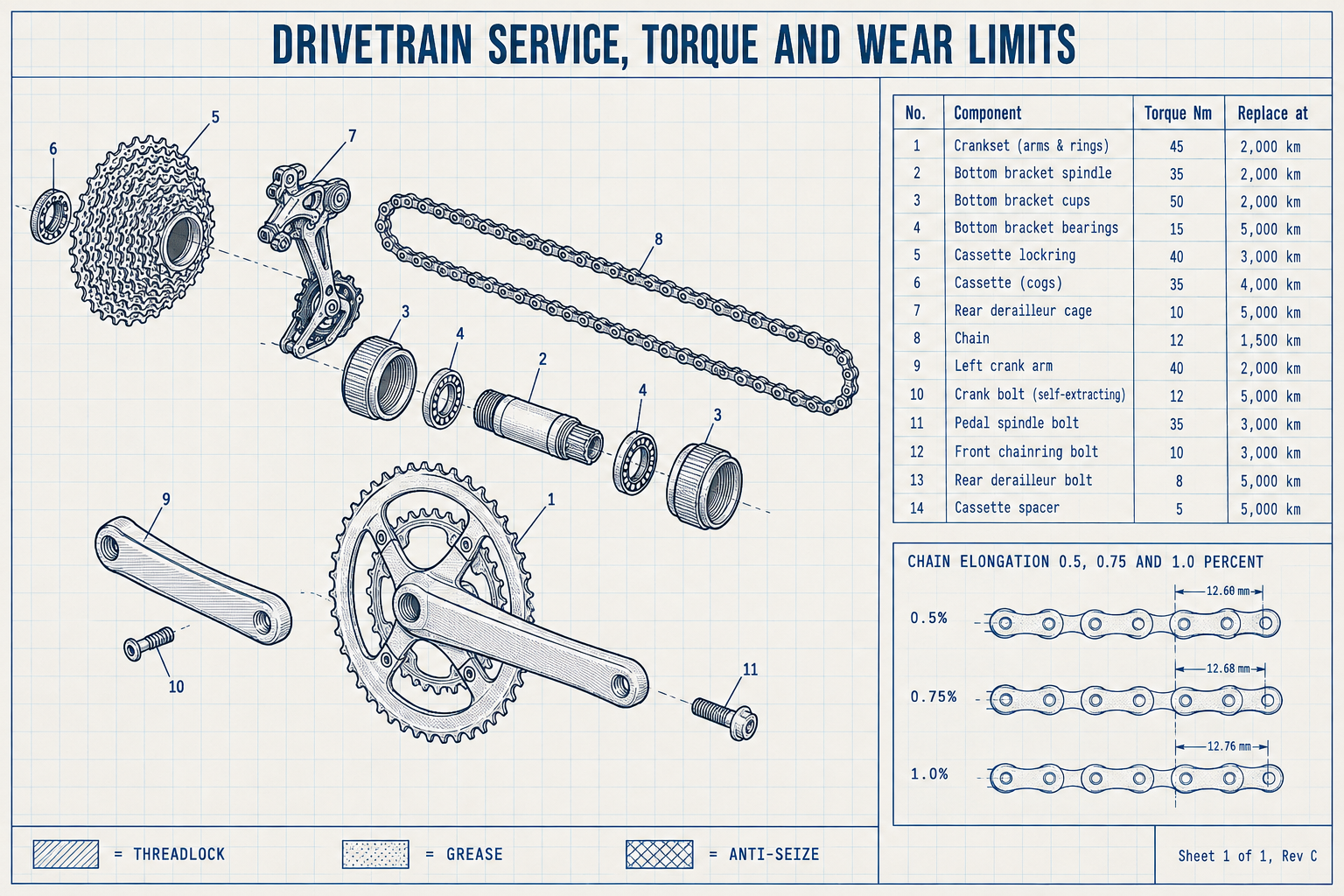
Generated using GPT Image 2.5 Flare on fal, an AI model from OpenAI.
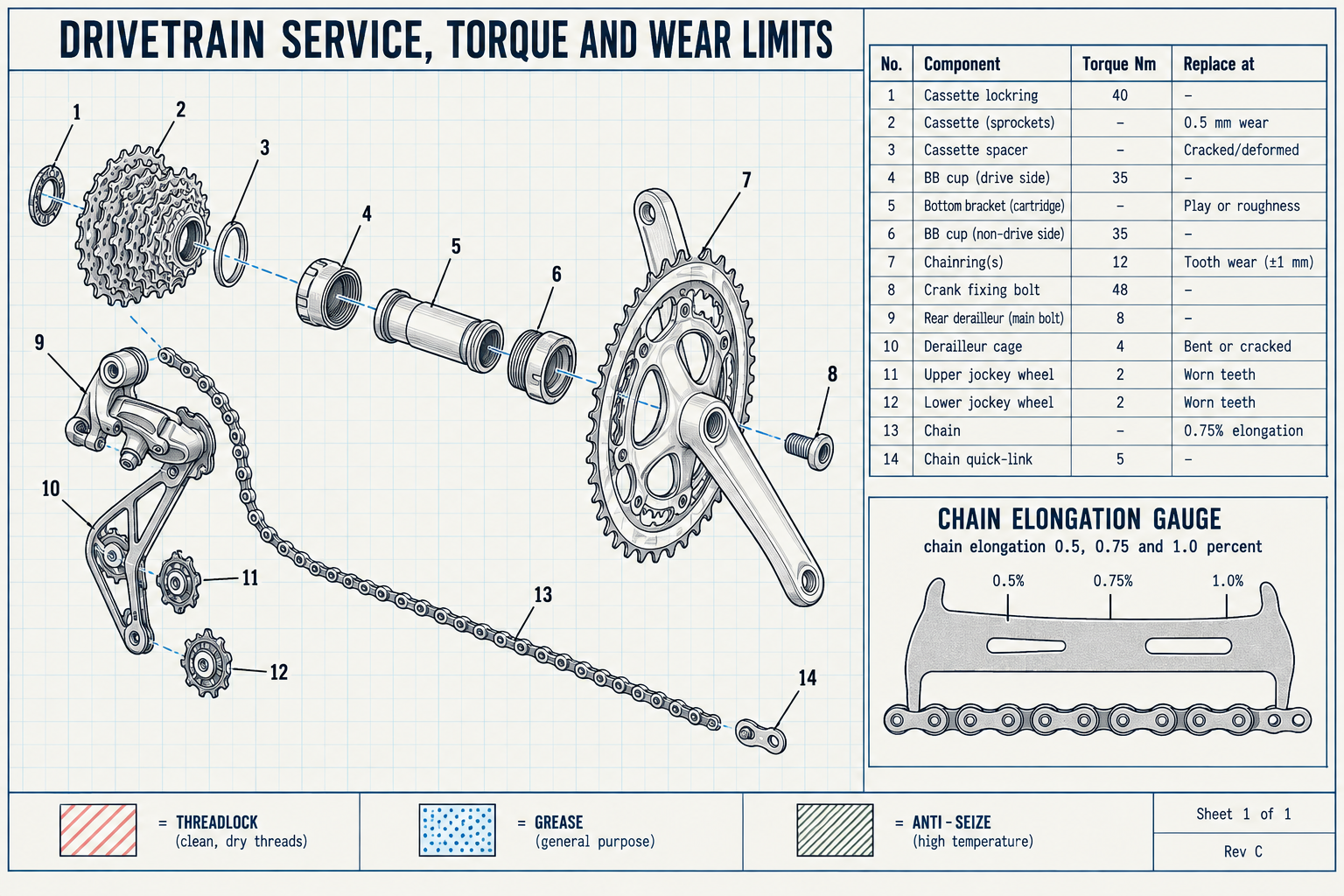
Generated using GPT Image 2.5 Sunburst on fal, an AI model from OpenAI.
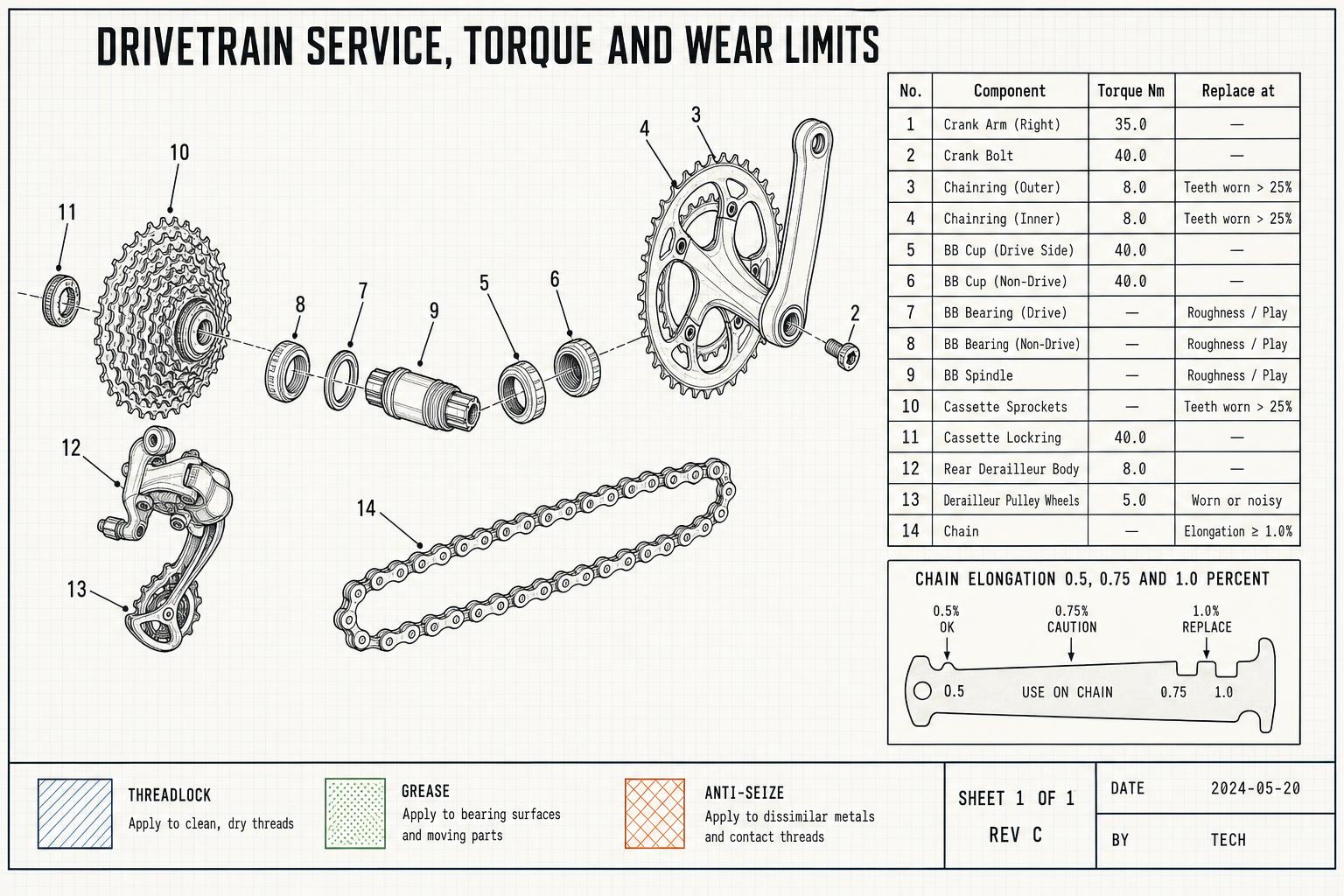
Generated using GPT Image 2 on fal, an AI model from OpenAI.
Here's what I wanted to check on the three outputs:
- Each leader line terminates on the part it numbers.
- The table holds four columns across fourteen aligned rows.
- The three hatch patterns stay distinguishable from each other.
The failure mode here wasn't garbled characters; it's a page that reads correctly at a glance and falls apart the moment you trace whether callout 7 points at the bottom bracket or at nothing.
Test 2: A product detail crop that has to survive pinch-zoom (3840x2160)
Marketplace listings want an image a shopper can zoom into, and knitwear is where that usually falls apart.
Stitch structure either resolves or it smears into a generic woolly texture, and a shopper who can't read the knit is a shopper who returns the sweater.
Sunburst was built for briefs like this one, and 3840x2160 is the maximum both generations accept.
One thing to know before you run it: OpenAI describes outputs above 3,686,400 total pixels as experimental, and 3840x2160 is 8,294,400 pixels, so every 4K request in this article is past that line.
Prompt: A photorealistic e-commerce detail shot, landscape, of a cream merino cable-knit sweater laid flat and photographed from directly above at zoom-crop distance. The frame is filled by the shoulder and upper chest: two six-stitch cable columns crossing every eighth row, flanked by moss stitch panels, with the raglan seam running diagonally out of the lower right corner. Individual stitches are separately resolved, with a soft halo of loose merino fibre catching the light along the cable edges and one slubbed thread visible in the moss stitch. Two smoked horn buttons sit at the placket, each with visible grain banding and a slightly worn rim, stitched through four holes with cream thread. Broad soft overhead light with one low fill from the left, shadows deep enough to read the cable relief without crushing the stitch detail. Neutral colour with no warm cast, sharp corner to corner. No text, no labels, no logos, no props, no people.
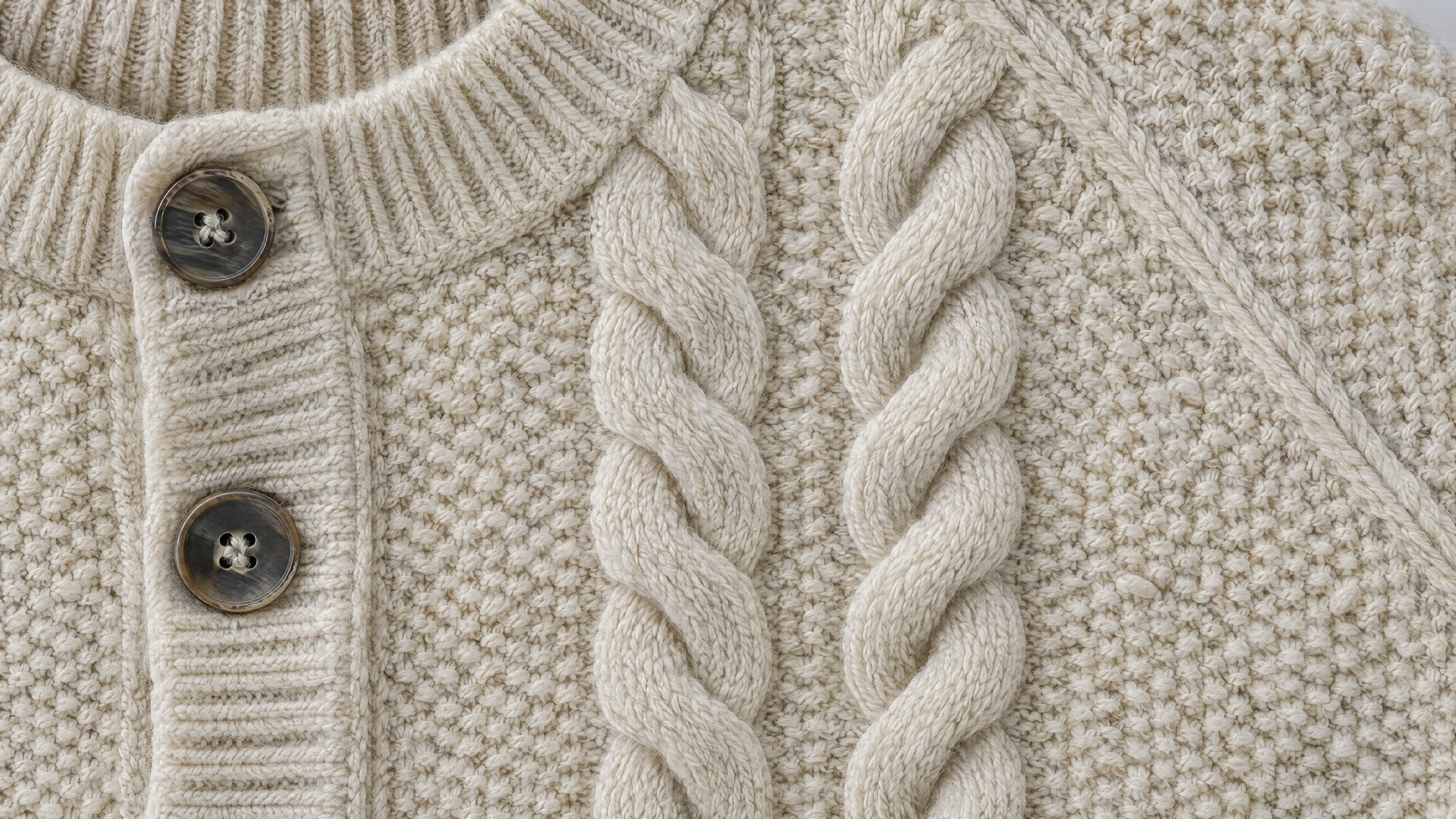
Generated using GPT Image 2.5 Flare on fal, an AI model from OpenAI.
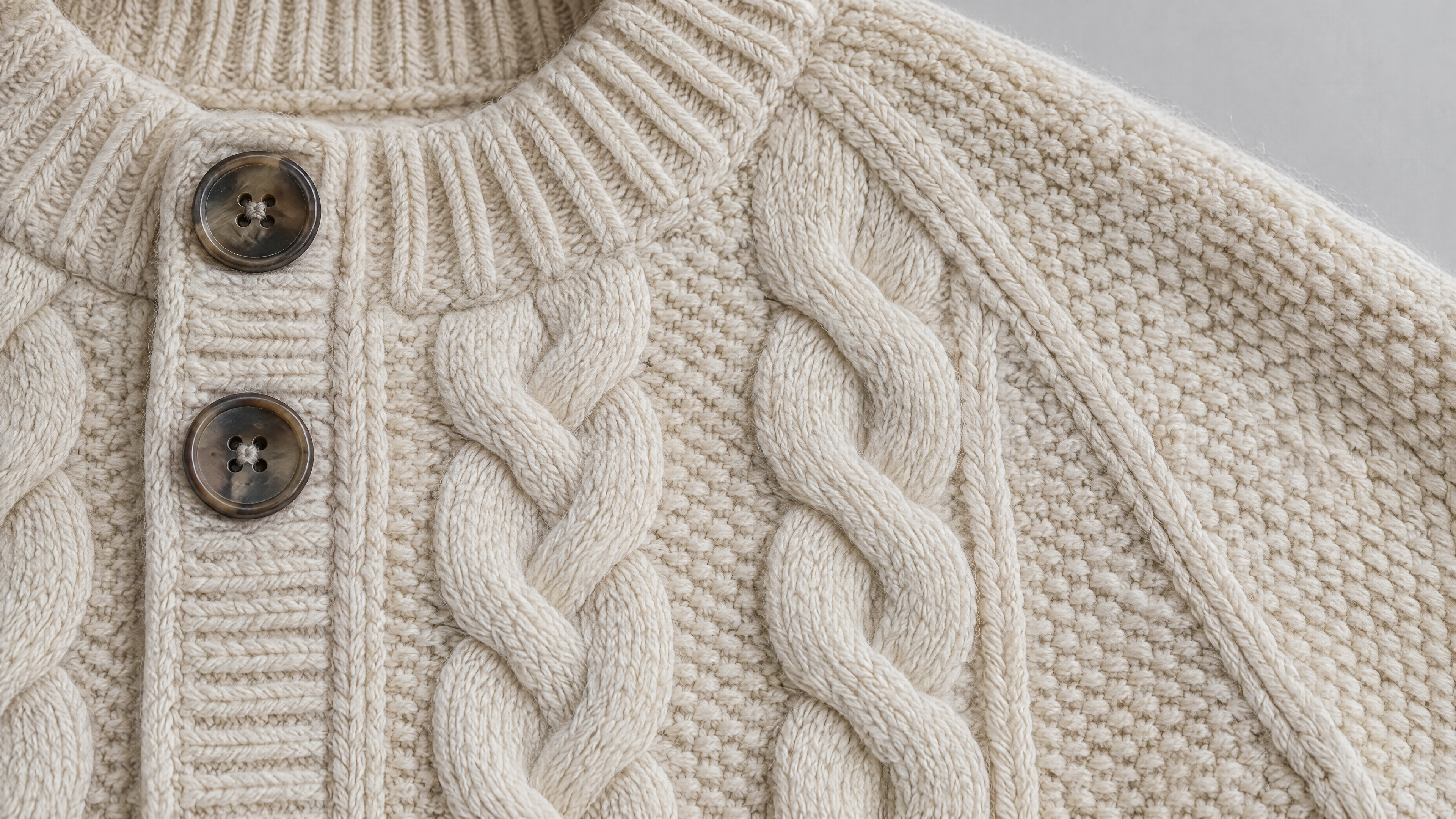
Generated using GPT Image 2.5 Sunburst on fal, an AI model from OpenAI.
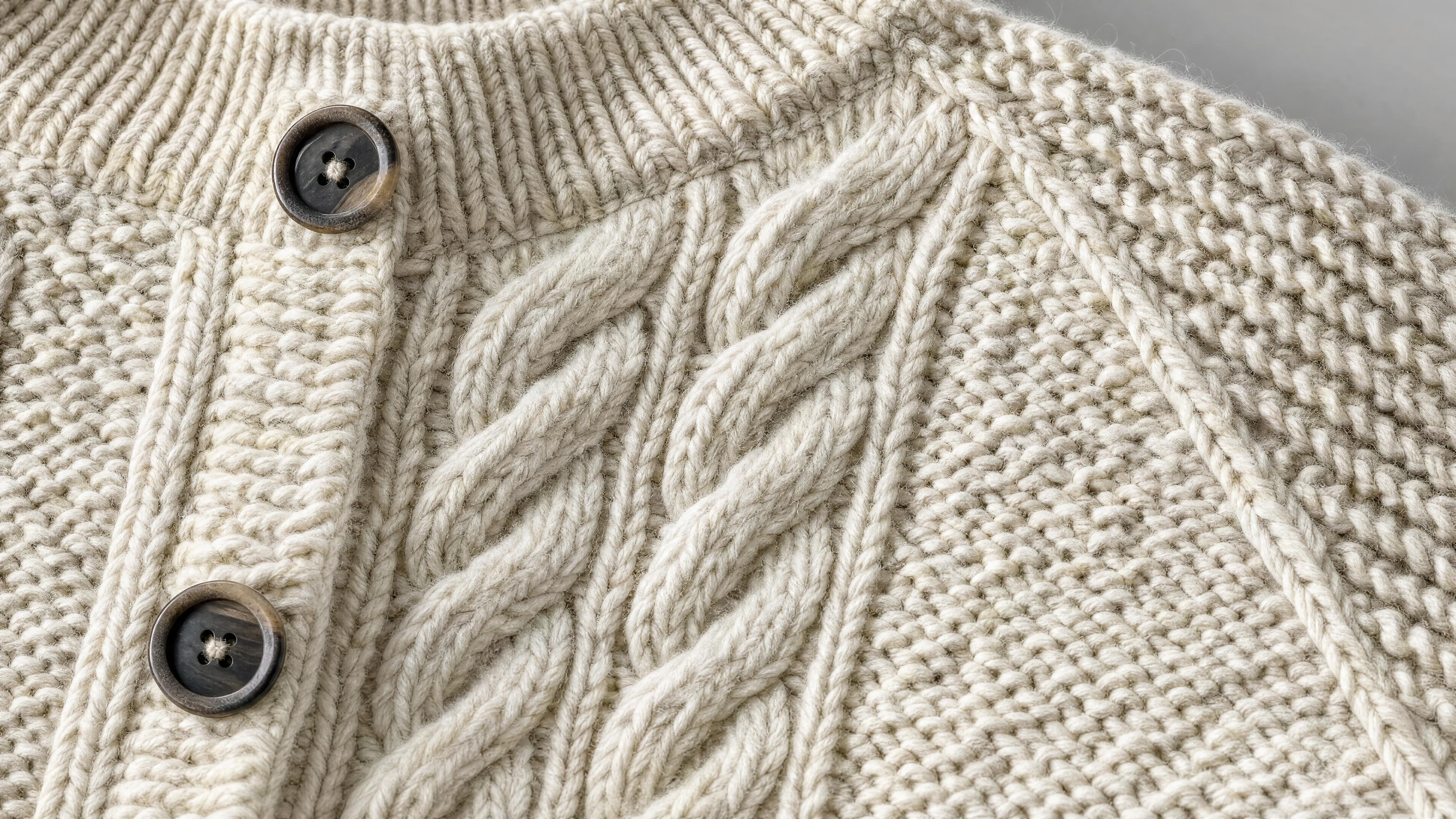
Generated using GPT Image 2 on fal, an AI model from OpenAI.
What to check on the three outputs:
- Individual stitches stay resolved and don't smear into a generic knitted texture.
- The cable crossings keep their over-under order the whole way down both columns.
- The horn buttons read as horn, with grain banding and four-hole stitching, and not as a flat disc.
This is the test where I think Sunburst deserves its longer generation time, and where you'll see whether high is enough or whether the job wants xhigh.
Test 3: A product shot where the label copy has to survive (1536x1024)
Packaging is the commercial version of the typography test, and the constraint is harder.
The copy is small, it curves around a tin, and one wrong character makes the asset unusable for a catalogue.
Prompt: "A studio product photograph on a continuous warm grey paper sweep, landscape framing with space around the subject. A shallow matte navy tin of leather dubbin stands upright, leaning against a folded card wrap printed with the same design. Both carry a letterpress-style wordmark reading 'HALLAM AND SON', beneath it 'LEATHER DUBBIN' in small caps, and a three-line block reading 'beeswax, neatsfoot oil, pine tar', then 'for boots and harness', then '100 ml'. The tin lid sits slightly proud of the base so the seam catches the light, and one corner of the card wrap is softly dog-eared. Even diffused studio light with a single soft top-left key, a faint contact shadow under both objects, no hotspots on the tin. Catalogue-ready and colour-accurate, with no studio reflections in the lid, no extra text, and no logos beyond the wordmark described."
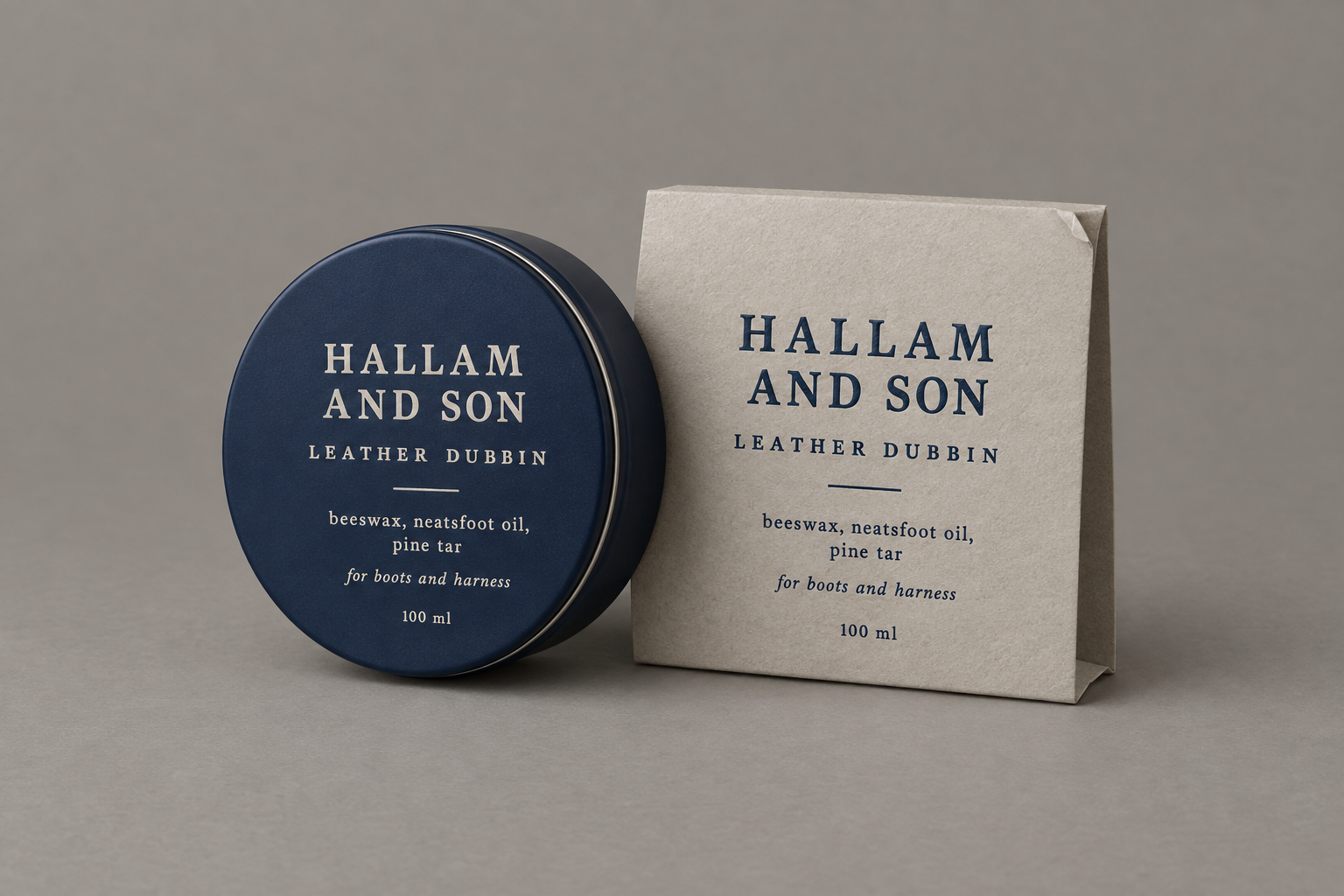
Generated using GPT Image 2.5 Flare on fal, an AI model from OpenAI.
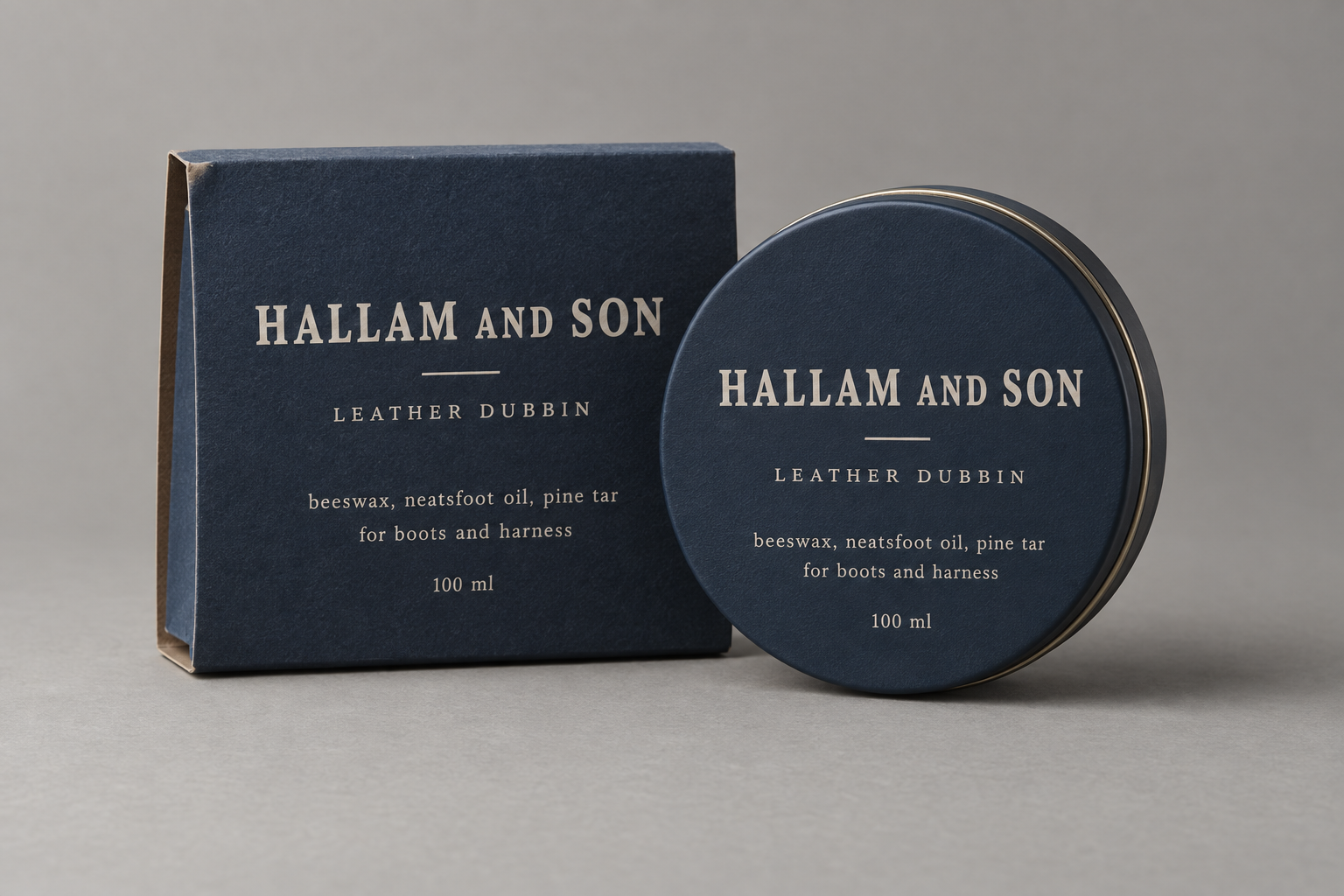
Generated using GPT Image 2.5 Sunburst on fal, an AI model from OpenAI.
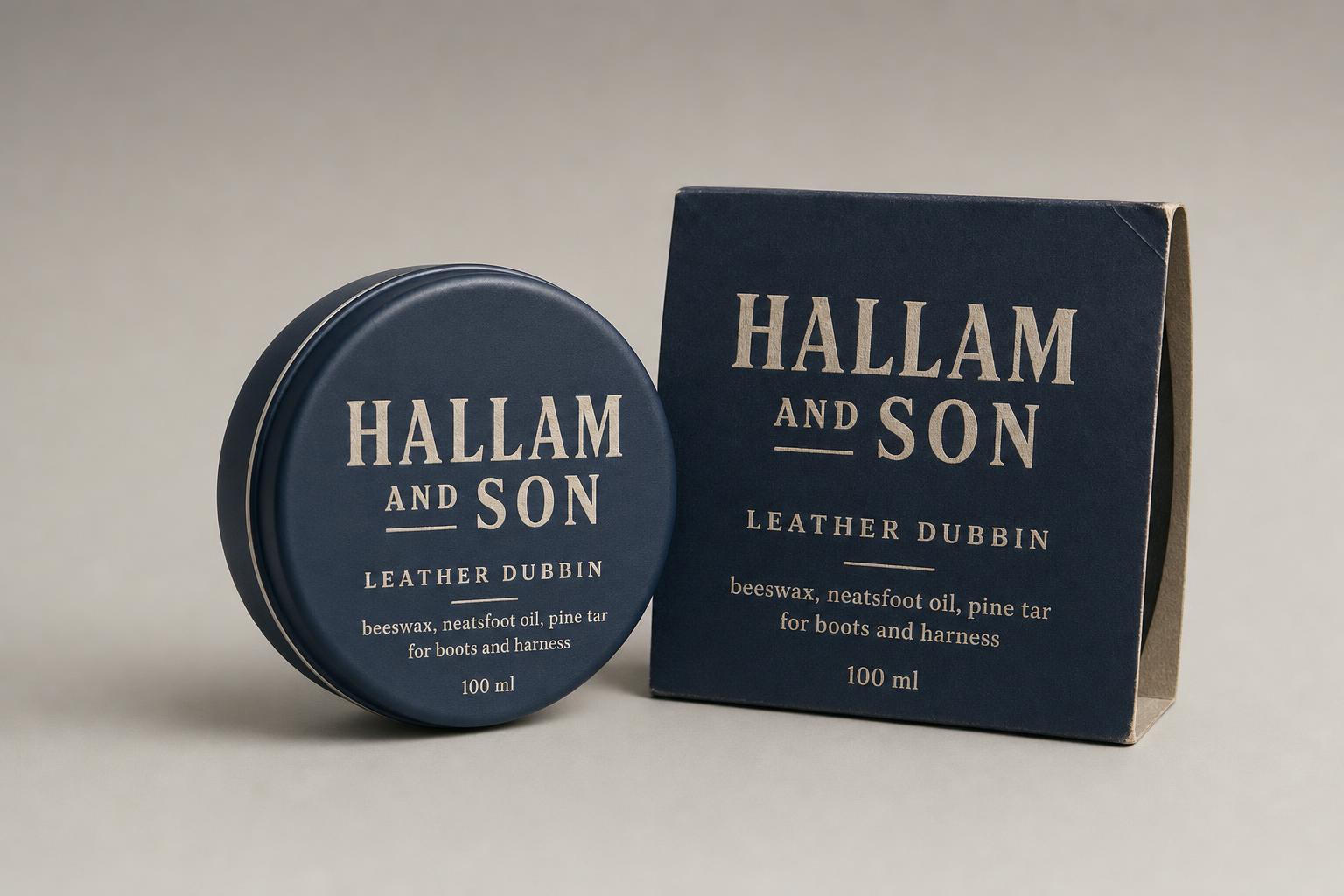
Generated using GPT Image 2 on fal, an AI model from OpenAI.
What to check on the three outputs:
- The wordmark on the tin matches the wordmark on the card wrap character for character.
- The '100 ml' line renders correctly on the curve, which is where small numerals usually break.
- The prompt asks for one design applied twice, so a model reading them as two unrelated surfaces will spell one of them differently.
falMODEL APIs
The fastest, cheapest and most reliable way to run genAI models. 1 API, 100s of models
Test 4: A transparent cutout with glass and needles in it (1536x1024)
All three models accept background: "transparent" in the schema.
Let's see whether GPT Image 2 behaves the same way is one of the things this test settles.
Settings for this one: background: "transparent", output_format: "png", and no output_compression, which applies to jpeg and webp only and exists on the GPT Image 2.5 endpoints alone anyway.
Prompt: A product cutout on a fully transparent background, landscape framing, subject centred with generous padding. A small clear glass carafe, straight-sided with a rolled lip, half filled with water, a single sprig of rosemary standing in it with its needles separated and not clumped. The glass refracts and displaces the stem below the waterline, the meniscus reads clearly against the rim, and two small bubbles cling to the inside wall. Crisp silhouette, clean alpha at the glass edges and at every needle, no halo and no white fringing. Do not paint a checkerboard, a backdrop, a surface, a cast shadow or a reflection. No text, no logos, no watermark.
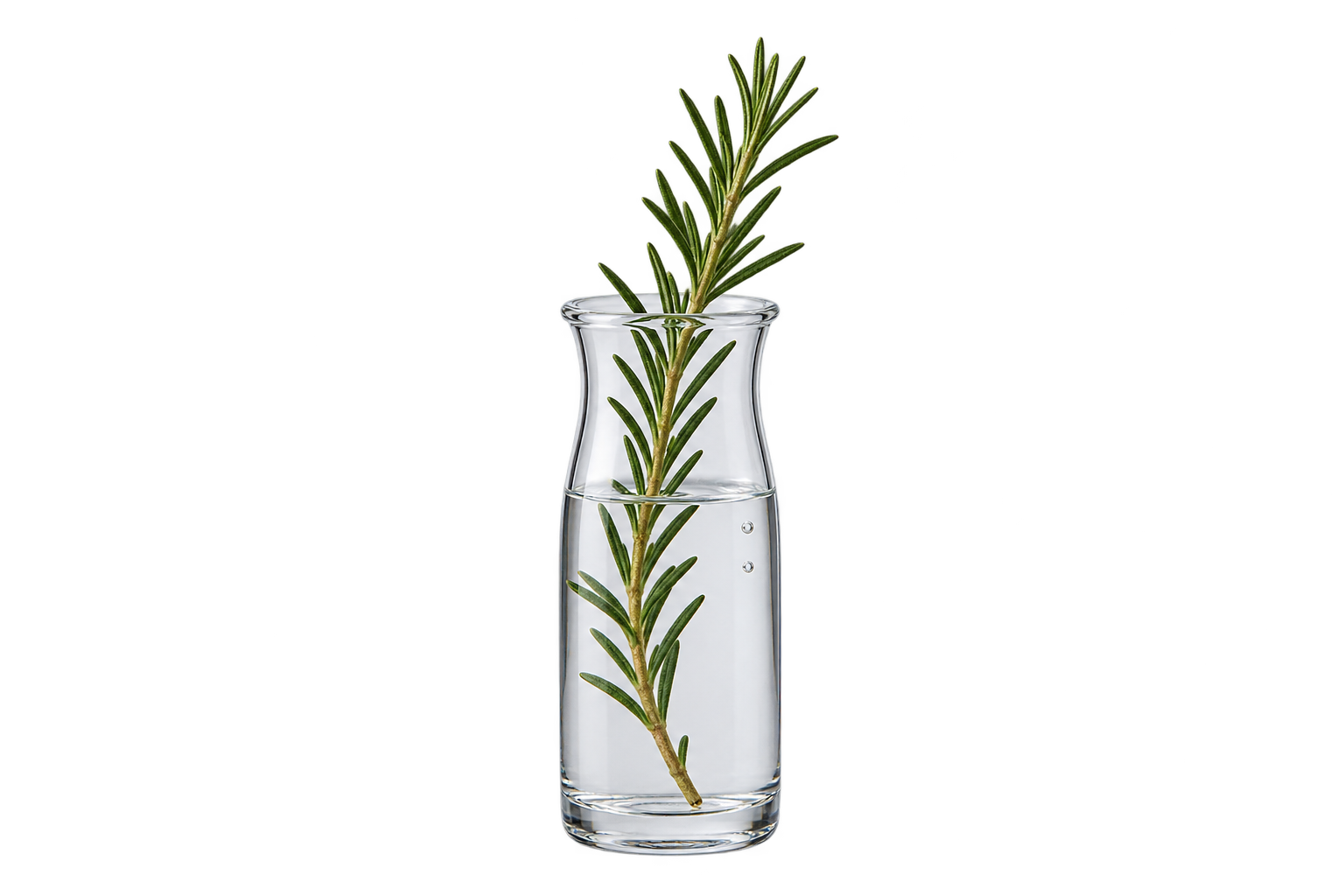
Generated using GPT Image 2.5 Flare on fal, an AI model from OpenAI.
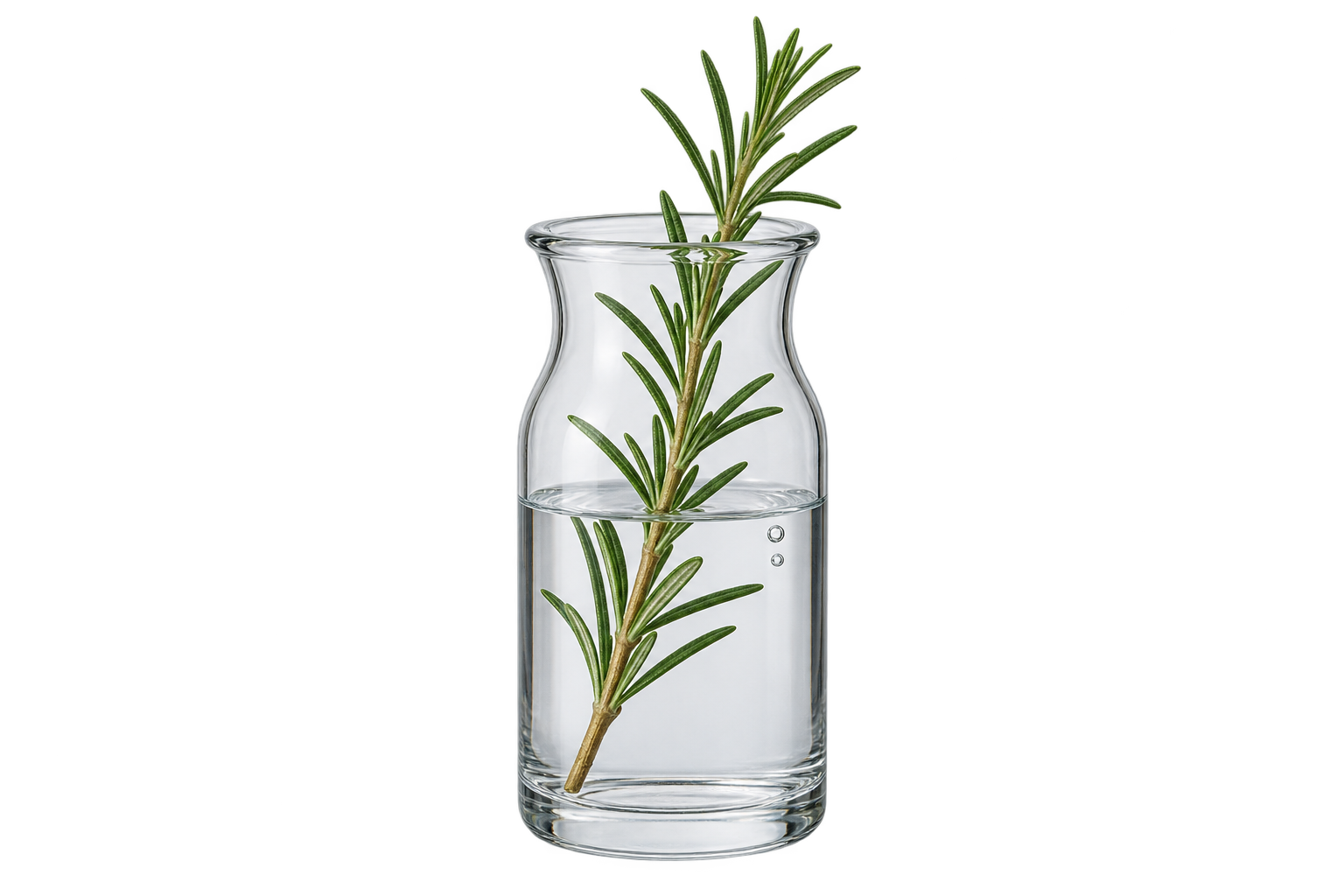
Generated using GPT Image 2.5 Sunburst on fal, an AI model from OpenAI.
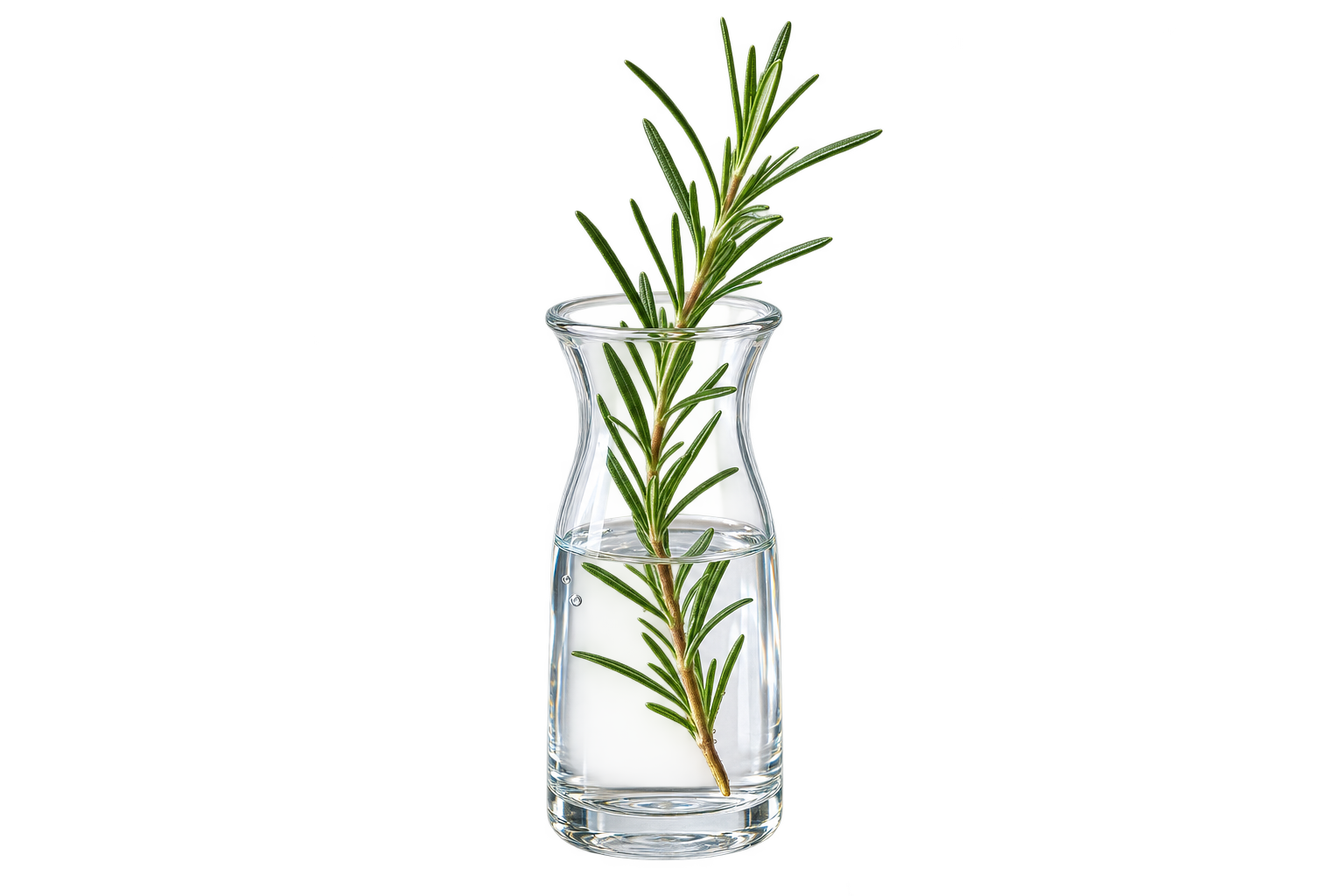
Generated using GPT Image 2 on fal, an AI model from OpenAI.
I'd judge this one on the alpha channel in the decoded file and never on the preview.
Here's what to check on the three outputs:
- A real alpha channel, not a painted checkerboard.
- No white halo around the rosemary needles, which only shows up once the cutout lands on a dark layout.
- Clean edges where the glass refracts, which is the part that usually fringes.
GPT Image 2.5 vs. GPT Image 2: editing tests
Both editing tests start from a frame generated on openai/gpt-image-2, so all three models edited the same pixels.
That keeps the comparison on editing behaviour and takes generation quality out of it.
Test 5: Two rounds of editing, one change each time
OpenAI's central editing claim is that earlier edits survive later ones, and two rounds is the cheapest way to test it.
Round one changes text, round two changes position, so a model that quietly reverts round one while executing round two gives itself away on the second frame.
Source image, generated with GPT Image 2: A photorealistic interior photograph of a small independent bookshop's front counter, shot square on from standing height. A brass till sits left of centre on a scuffed oak counter, a wire basket of paper bookmarks to the right of it, a wall of spines filling the frame behind, and a hand-written card taped to the counter edge reading 'CASH OR CARD'. Late afternoon light through a shop window off frame right, warm tungsten from a shade above the counter, dust in the air. Nobody in shot. No other text, no logos.
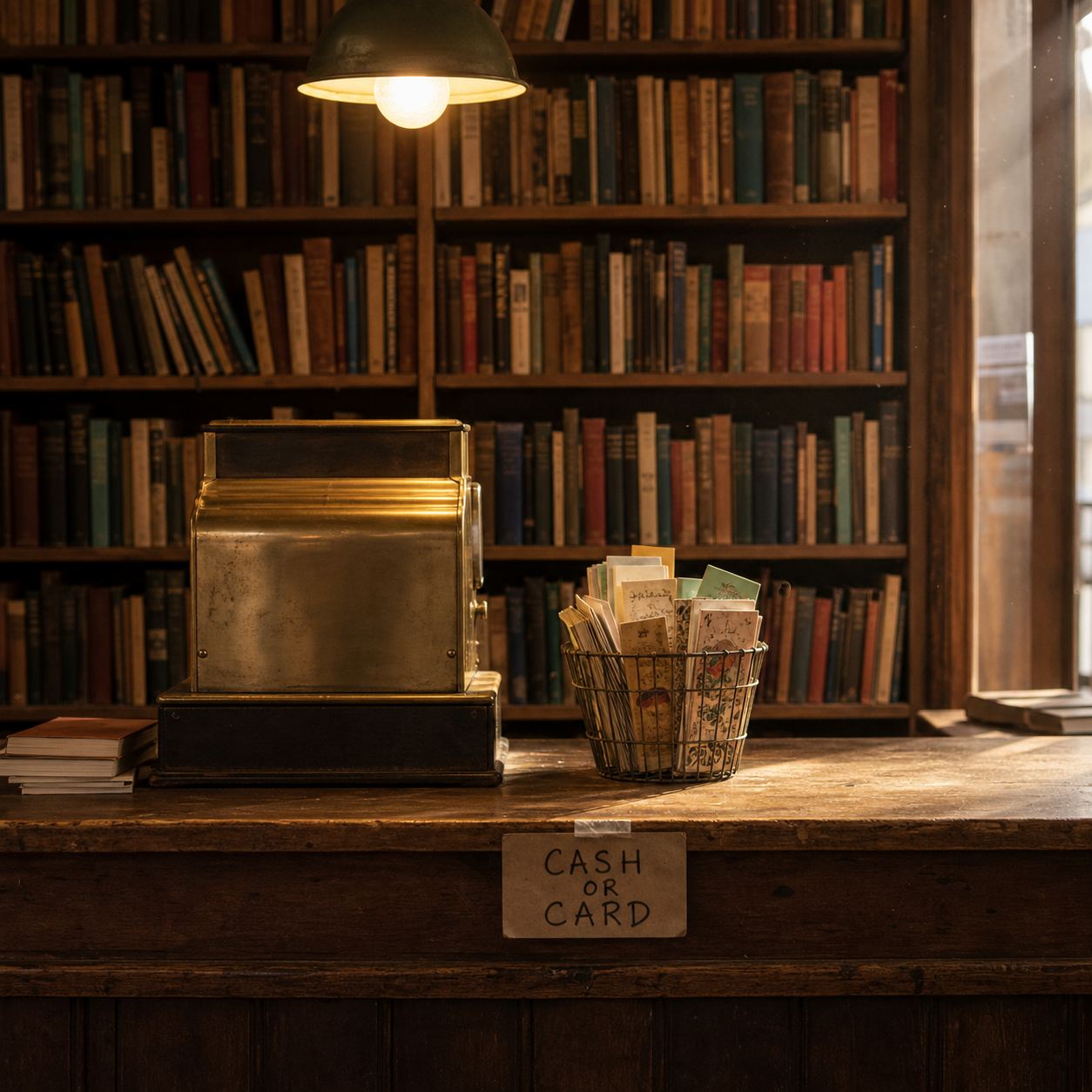
Generated using GPT Image 2 on fal, an AI model from OpenAI.
Round 1 prompt, sent to all three edit endpoints: Replace the hand-written card taped to the counter edge with a printed card reading 'OPEN UNTIL 7 ON THURSDAYS'. Change nothing else: the till, the basket, the counter, the shelves, the lighting and the camera position all stay exactly as they are.
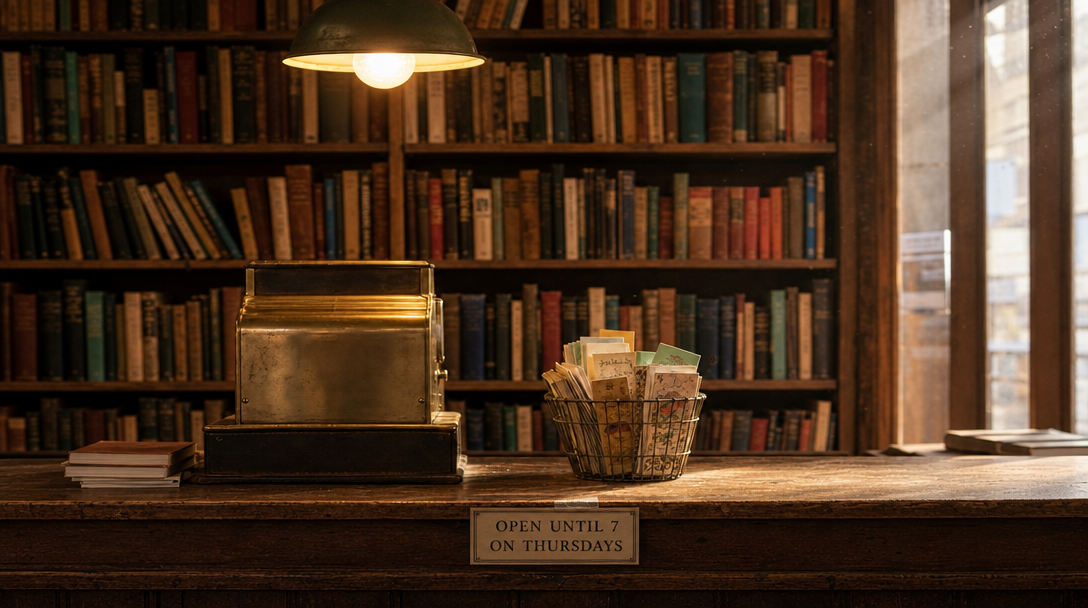
Generated using GPT Image 2.5 Flare on fal, an AI model from OpenAI.
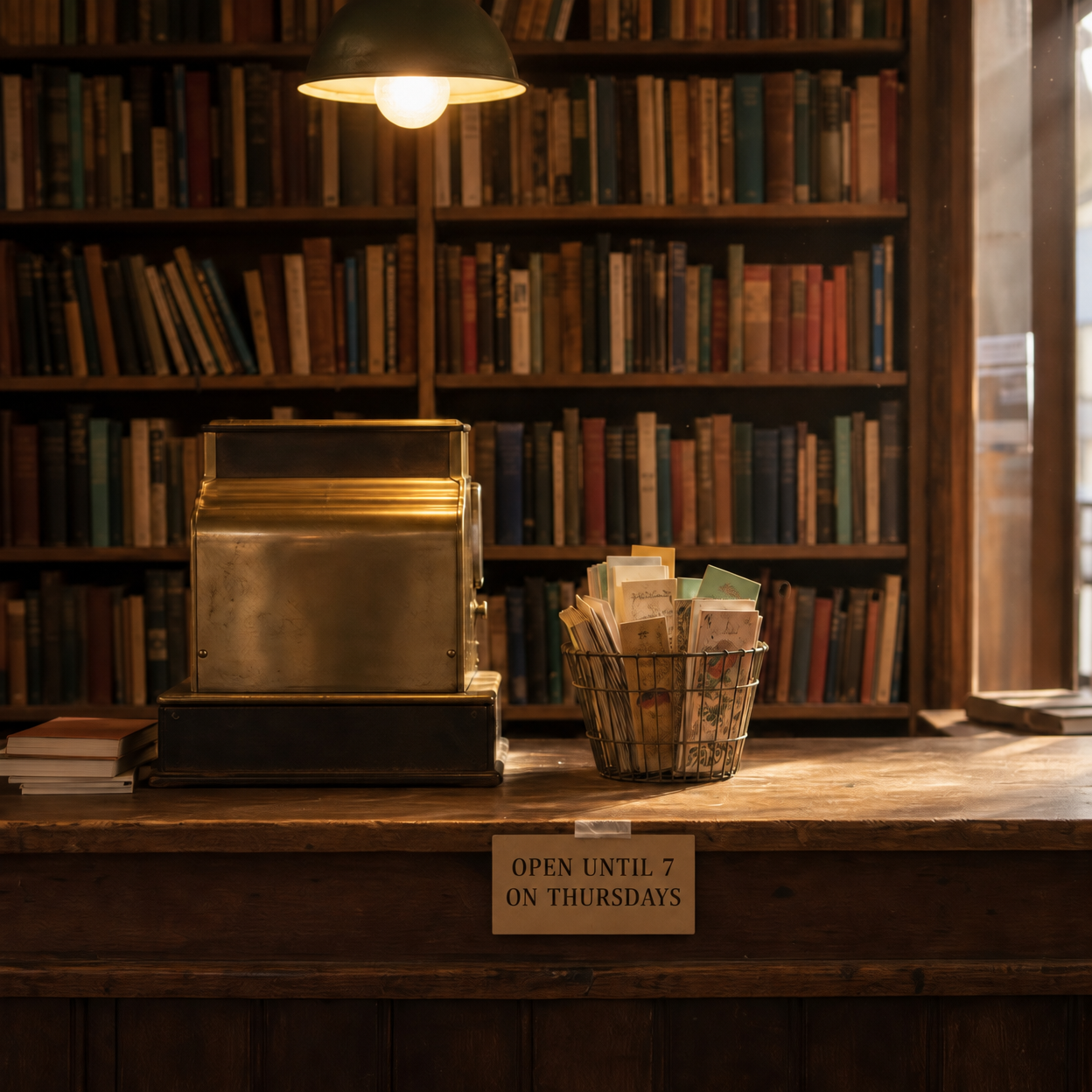
Generated using GPT Image 2.5 Sunburst on fal, an AI model from OpenAI.
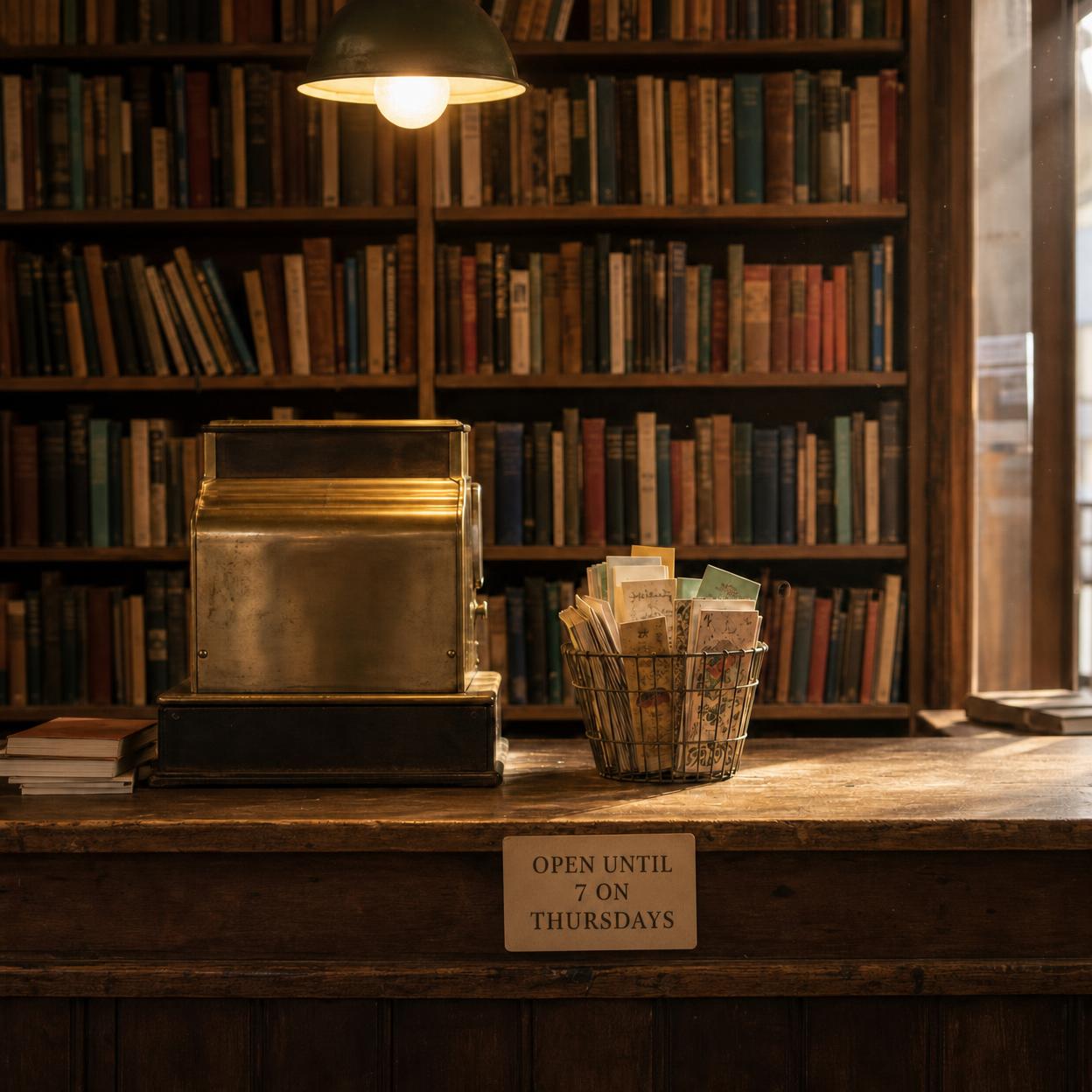
Generated using GPT Image 2 on fal, an AI model from OpenAI.
Round 2 prompt, sent back through each model's own round 1 output: Move the wire basket of bookmarks from the right of the till to the left of it. Leave everything else untouched, including the printed card and its exact wording, the till, the shelves and the light.
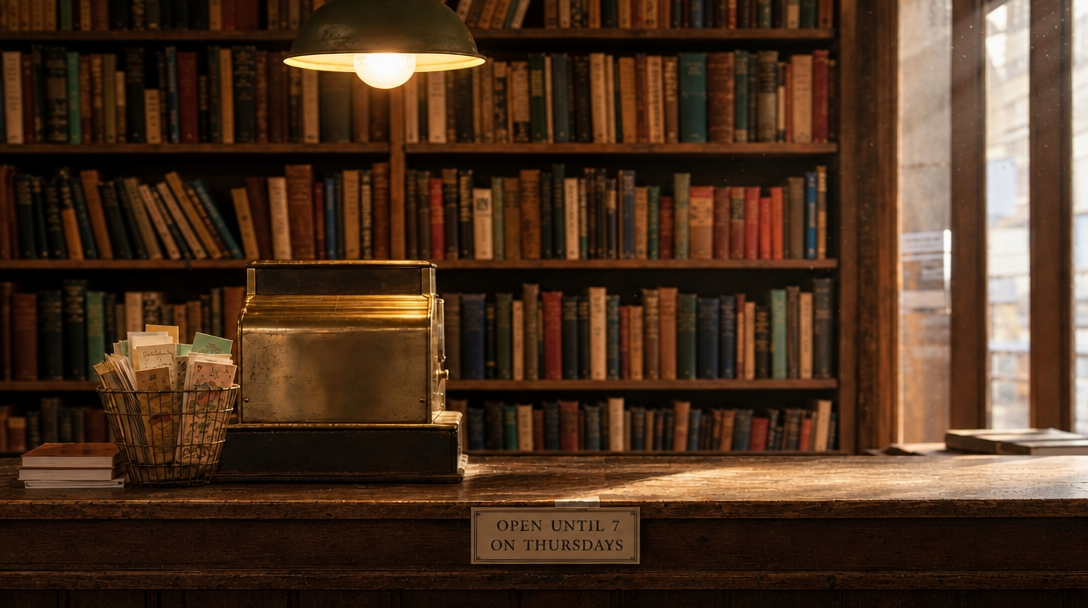
Generated using GPT Image 2.5 Flare on fal, an AI model from OpenAI.
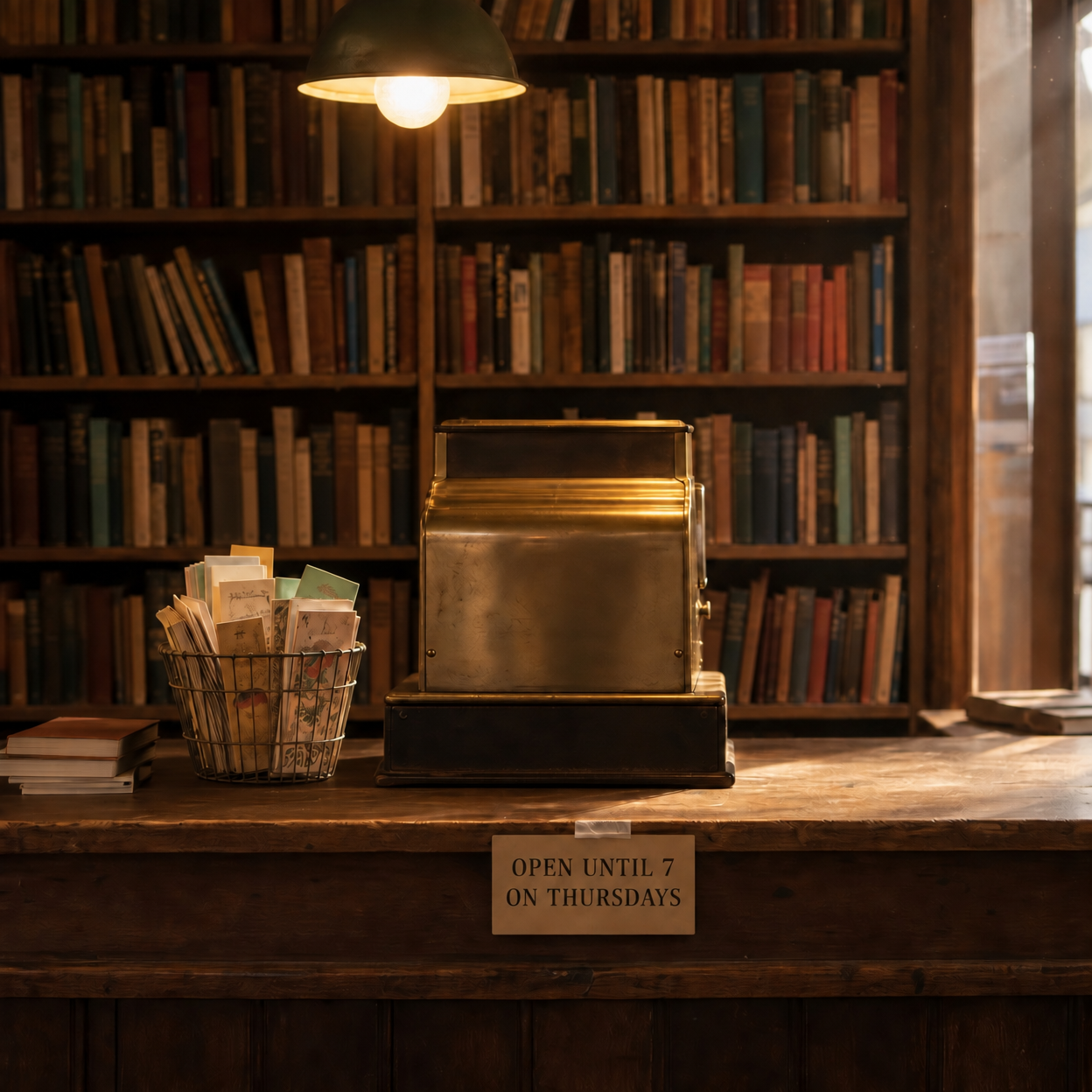
Generated using GPT Image 2.5 Sunburst on fal, an AI model from OpenAI.
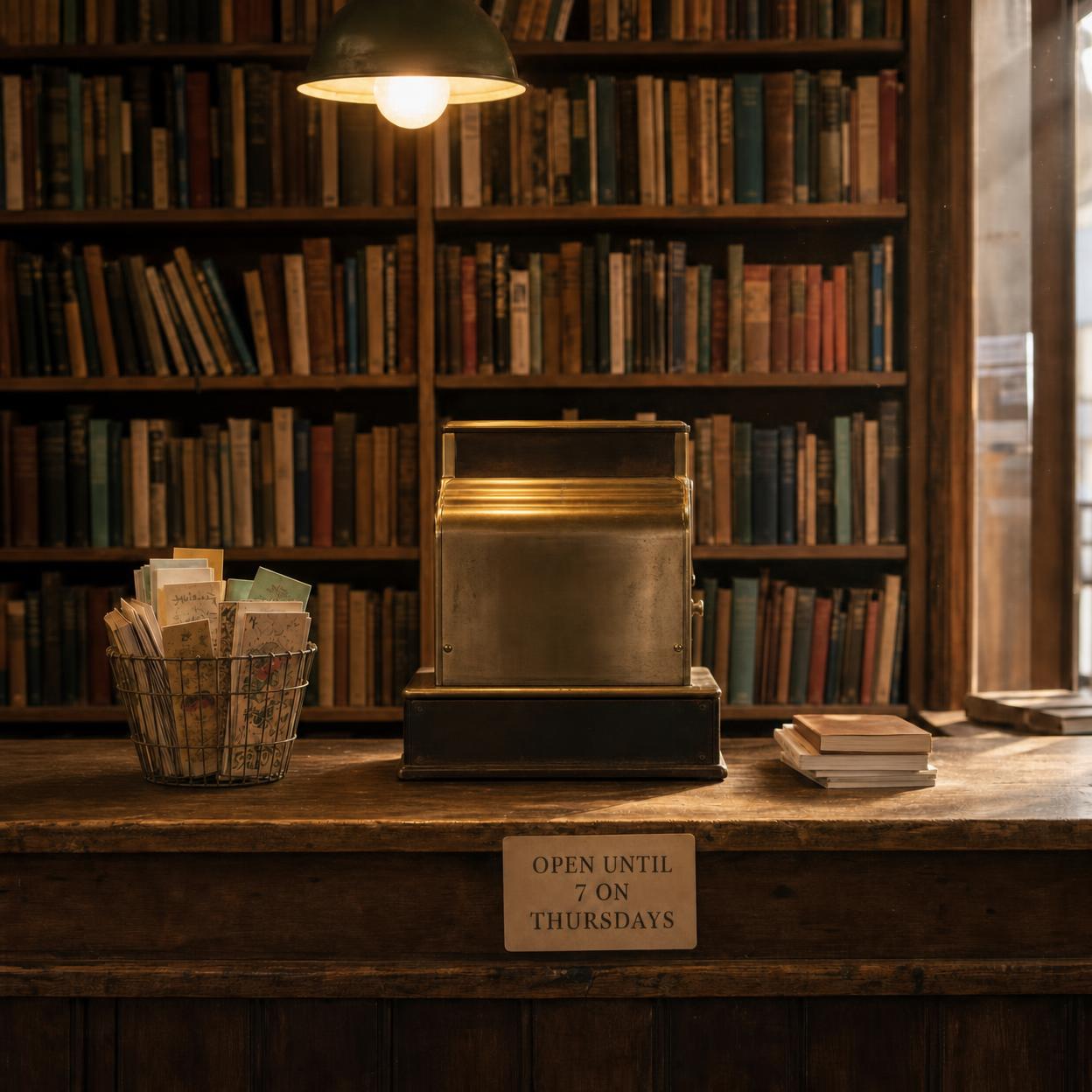
Generated using GPT Image 2 on fal, an AI model from OpenAI.
Everything rides on the card in the round 2 frames.
Here's what you need to check on the three outputs:
- The card still reads 'OPEN UNTIL 7 ON THURSDAYS' with the same spelling after the basket moved.
- The basket actually moved, and to the left of the till.
- The spine colours on the back wall didn't drift, since a shelf of books is the kind of high-frequency background that gets quietly regenerated.
Test 6: Two references composited into one frame
Compositing tests something the single-image edits don't touch.
Two sources go in, one element has to cross between them intact, and the receiving scene has to stay as photographed while the borrowed object gets relit to match.
Image 1, generated with GPT Image 2: Photorealistic studio still of a hand-thrown stoneware jug on bare plywood, speckled oatmeal glaze breaking to iron brown at the rim, one visible throwing ridge and a thumbprint pressed into the handle join, soft north light from the left, flat grey backing. Nothing else in frame, no text.
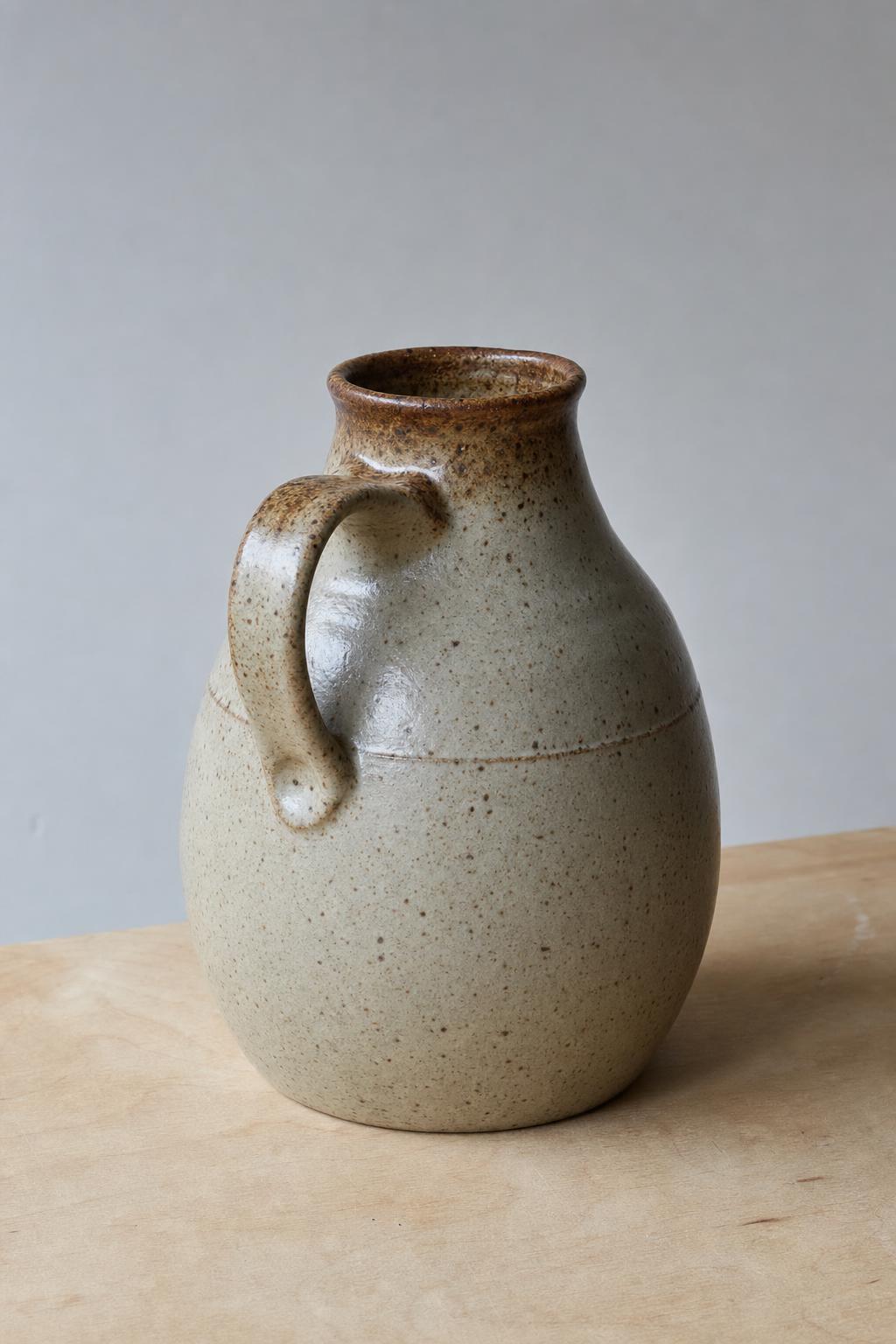
Generated using GPT Image 2 on fal, an AI model from OpenAI.
Image 2, generated with GPT Image 2: A photorealistic photograph of a disused greenhouse interior, cracked terracotta tiles underfoot, a long wooden staging bench down the right side, whitewash flaking off the glazing bars, low winter sun through dirty glass. Empty bench, no plants, nobody in shot, no text.
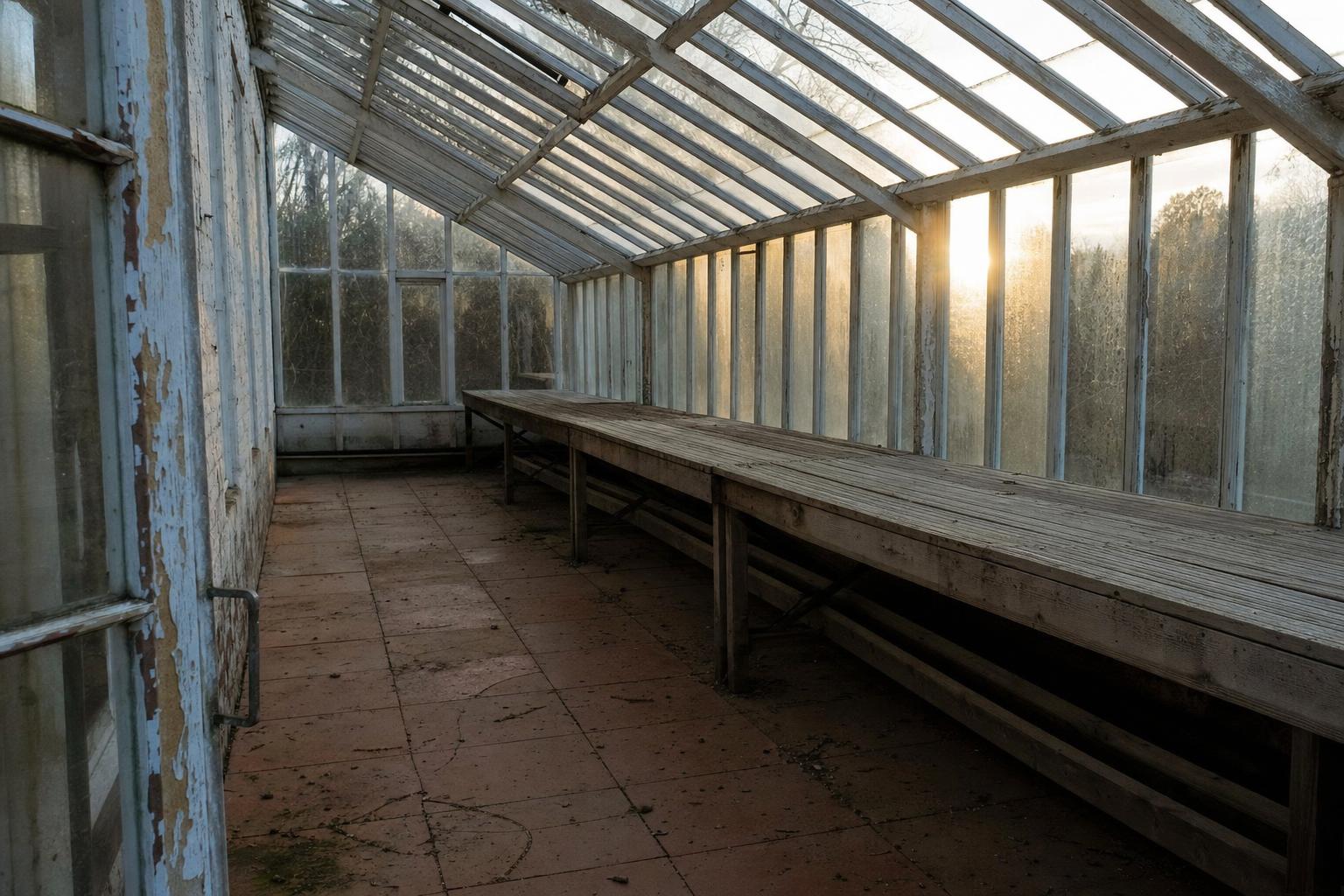
Generated using GPT Image 2 on fal, an AI model from OpenAI.
Prompt, with both images passed to image_urls: Image 1 is the jug. Image 2 is the greenhouse. Place the jug from image 1 on the wooden staging bench in image 2, about a third of the way down the bench from the near end, sitting flat with a believable contact shadow. Carry the jug across exactly: the speckled oatmeal glaze, the iron brown break at the rim, the throwing ridge and the thumbprint at the handle join. Relight the jug to match the low winter sun coming through the glass from the left and the cool bounce off the tiles. The greenhouse stays as photographed: same camera position, same flaking whitewash, same tiles, nothing else added to the bench, nobody in shot. No text, no logos.
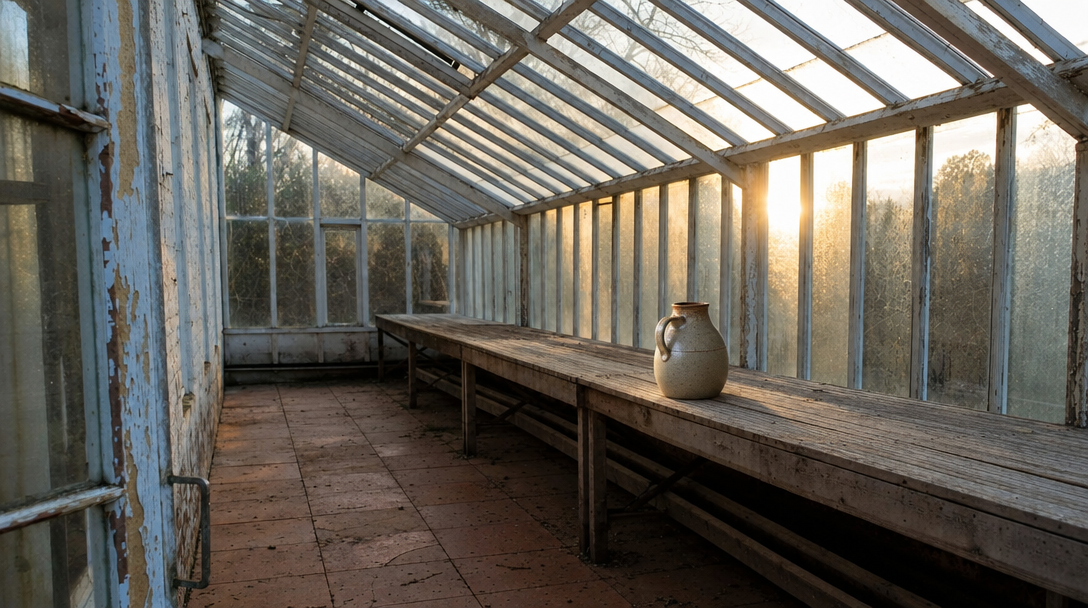
Generated using GPT Image 2.5 Flare on fal, an AI model from OpenAI.
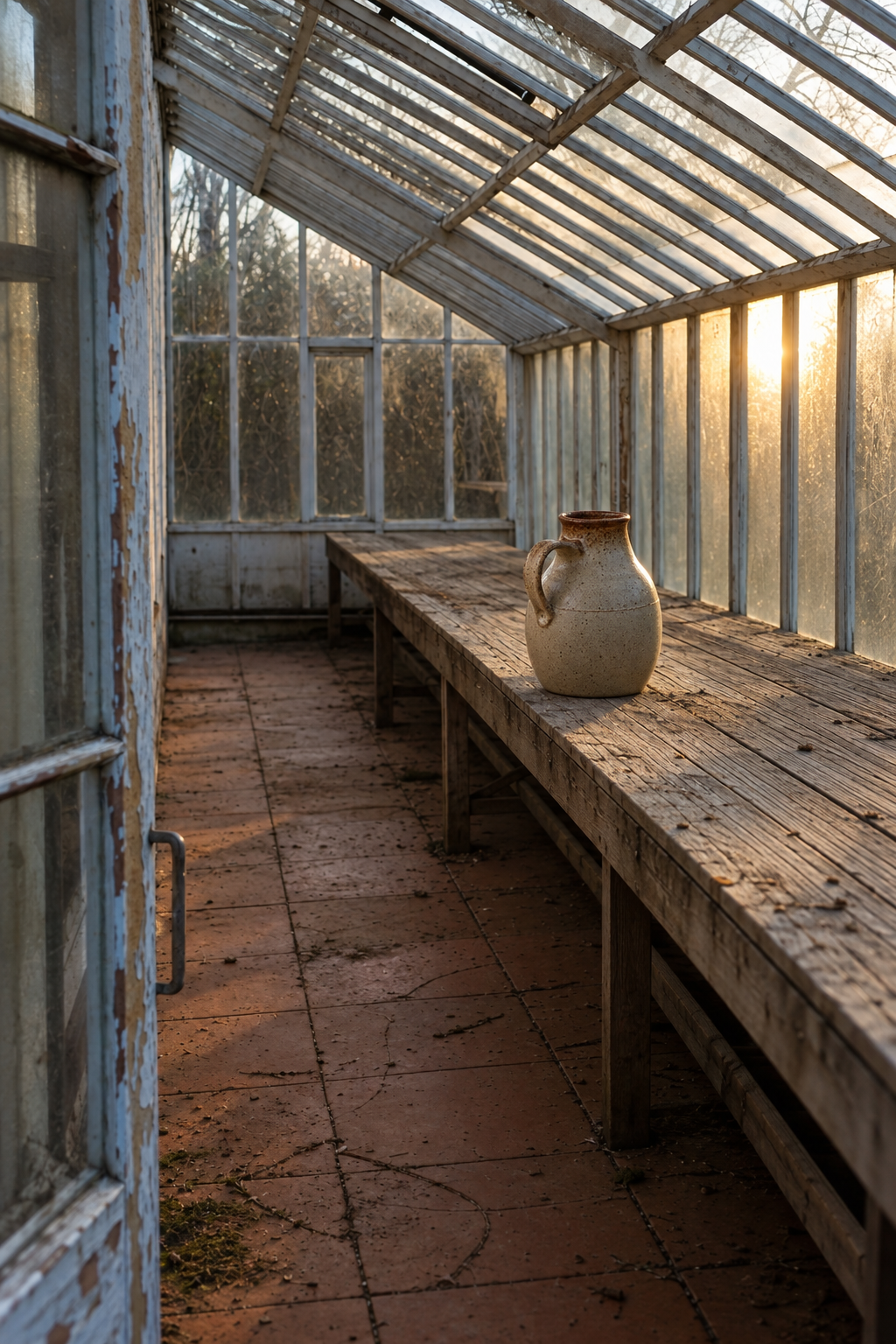
Generated using GPT Image 2.5 Sunburst on fal, an AI model from OpenAI.
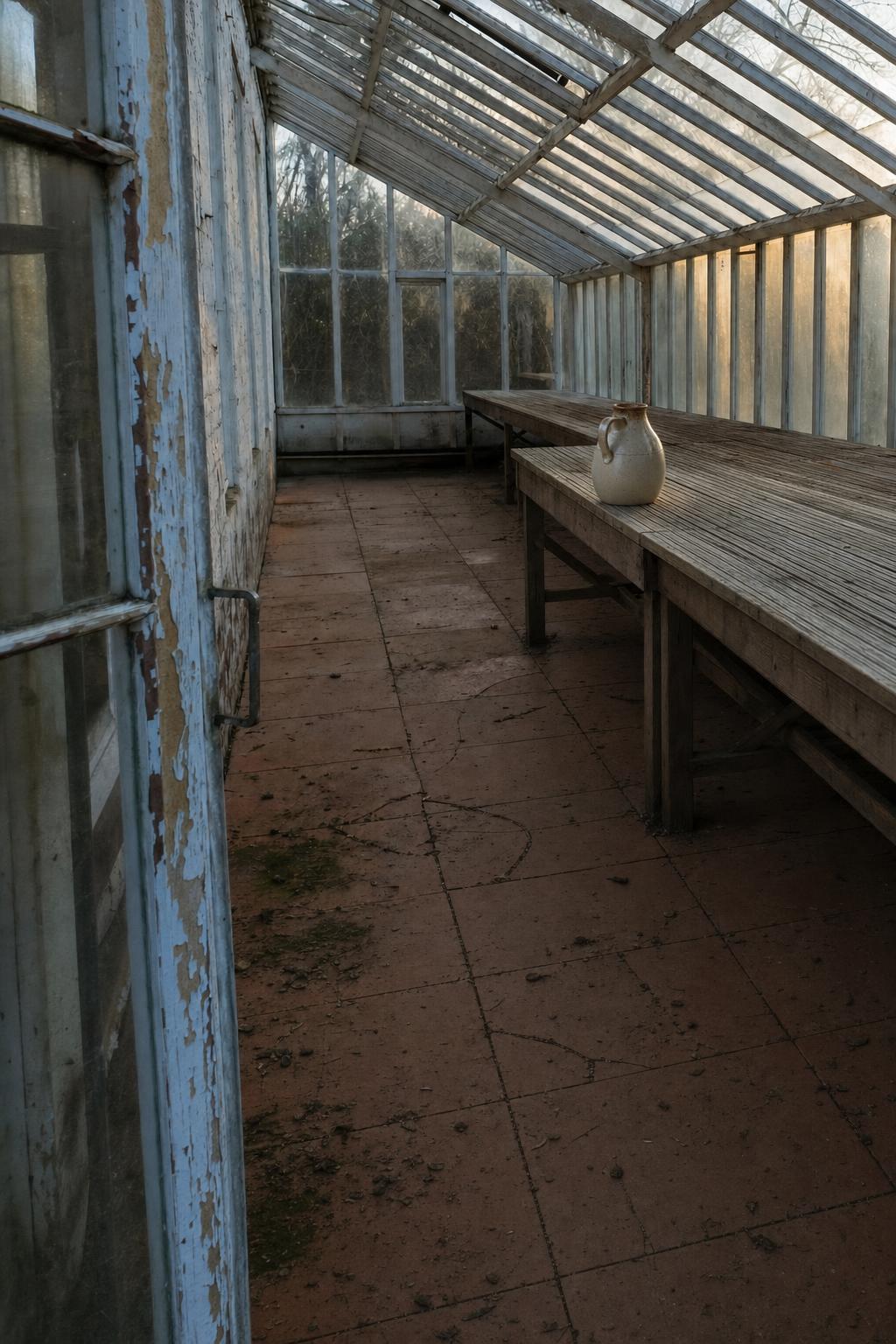
Generated using GPT Image 2 on fal, an AI model from OpenAI.
How much do GPT Image 2.5 and GPT Image 2 cost on fal?
Both GPT Image 2.5 and GPT Image 2 bill by token underneath, at rates that didn't change between generations:
- Text: $5.00 per million input tokens, $10.00 per million output, $1.25 cached.
- Images: $8.00 per million input tokens, $30.00 per million output, $2.00 cached.
Totals round up to the nearest $0.0001, and longer or more complex prompts cost more on both models.
Here's our published table for GPT Image 2.5, identical on Flare and on Sunburst:
| Size | low | medium | high | xhigh | max |
|---|---|---|---|---|---|
| 1024x768 | $0.00402 | $0.00903 | $0.03612 | $0.06420 | $0.14445 |
| 1024x1024 | $0.00588 | $0.01317 | $0.05268 | $0.09366 | $0.21072 |
| 1024x1536 | $0.00474 | $0.01029 | $0.04116 | $0.07377 | $0.16464 |
| 1920x1080 | $0.00441 | $0.01029 | $0.03960 | $0.07041 | $0.15840 |
| 2560x1440 | $0.00615 | $0.01434 | $0.05529 | $0.09828 | $0.22110 |
| 3840x2160 | $0.01113 | $0.02595 | $0.10008 | $0.17790 | $0.40026 |
And here's GPT Image 2:
| Size | low, text to image | medium, text to image | high, text to image | low, editing | medium, editing | high, editing |
|---|---|---|---|---|---|---|
| 1024x768 | $0.005 | $0.037 | $0.145 | $0.011 | $0.043 | $0.151 |
| 1024x1024 | $0.006 | $0.053 | $0.211 | $0.015 | $0.061 | $0.219 |
| 1024x1536 | $0.005 | $0.042 | $0.165 | $0.018 | $0.054 | $0.178 |
| 1920x1080 | $0.005 | $0.040 | $0.158 | $0.017 | $0.053 | $0.158 |
| 2560x1440 | $0.007 | $0.056 | $0.222 | $0.019 | $0.068 | $0.234 |
| 3840x2160 | $0.012 | $0.101 | $0.401 | $0.024 | $0.113 | $0.413 |
My advice here would be to budget by price point and not by quality label, because the ladder was renamed between generations.
What editing adds on top
Editing costs more than generating on GPT Image 2, because the reference image bills as input.
The surcharge runs from $0.013 at 1024x1536 down to nothing at all at 1920x1080, where the editing and generation figures are both $0.158.
On the GPT Image 2.5 edit endpoints, fal publishes the same table as the text to image endpoints, with a note that it includes one input image.
Taken at face value against GPT Image 2's editing figures at high, GPT Image 2.5 editing runs between 3.99 and 4.33 times cheaper, with the same ladder caveat attached.
💡 Pricing figures on this page were read from the fal playground pages for all six endpoints. Rates move, so check the endpoint page before you build a cost model on them.
Which one should you use: GPT Image 2.5 or GPT Image 2?
For most new work on fal, I'd start on GPT Image 2.5 Flare and keep Sunburst for jobs where fidelity has to survive a close look.
GPT Image 2 still has a real role, and it's a narrow one: BYOK and documented streaming.
Here's how I'd divide the work.
Choose GPT Image 2.5 Flare if:
- You're starting something new and don't yet know where your quality floor is: fal calls it the default, its high setting costs about what GPT Image 2 charged at medium, and you can climb two further quality steps without touching the endpoint.
- Volume is the binding constraint and GPT Image 2 at medium was already clearing your bar: that's the price point GPT Image 2.5's high now occupies, so ten thousand images at 1024x1024 run $526.80 against $2,110.00 on GPT Image 2 at high, scaling linearly from there.
- You're delivering jpeg or webp assets at scale:
output_compressiongets handled inside the generation call.
Choose GPT Image 2.5 Sunburst if:
- The image will be printed, enlarged or cropped into: intricate detail has to hold at 100%, which is the job fal describes the variant as built for.
- You need a fidelity ceiling beyond what GPT Image 2 could reach: max on Sunburst is two levels above GPT Image 2's top setting while costing within a percent of it.
- Latency has room in the budget: Sunburst trades generation time for detail by design, which fits batch and asynchronous work better than an interactive surface.
Choose GPT Image 2 if:
- You need to route usage through your own OpenAI account:
openai_api_keyhas no published equivalent on either GPT Image 2.5 variant. - You're shipping a streaming interface today: GPT Image 2's
fal.streampath is documented with a working example, and GPT Image 2.5 streaming isn't. - You have a validated GPT Image 2 pipeline that currently passes its acceptance criteria: OpenAI's own migration guidance is to leave the incumbent model reachable for a fallback and move traffic across gradually, so there's no reason to cut over before a candidate clears your bar on real prompts.
💡 There's no subscription attached to any of the six endpoints. Billing starts and stops with successful generations, so running a migration test on your own prompts costs you the images and nothing more.
Recently Added









Get started with GPT Image 2.5 and GPT Image 2 on fal
Both GPT Image 2.5 variants and GPT Image 2 are live on fal today, reachable through the playground and the API, with a single API key covering all six endpoints.
GPT Image 2.5 runs at openai/gpt-image-2.5/flare/text-to-image, openai/gpt-image-2.5/flare/edit, openai/gpt-image-2.5/sunburst/text-to-image and openai/gpt-image-2.5/sunburst/edit.
GPT Image 2 runs at openai/gpt-image-2 and openai/gpt-image-2/edit.
GPT Image 2.5 vs. GPT Image 2 FAQs
What is the difference between GPT Image 2.5 and GPT Image 2?
GPT Image 2.5 splits into Flare and Sunburst, and it adds xhigh and max above the quality ceiling GPT Image 2 stops at.
Both models share a 3840px maximum edge, a 3:1 aspect ratio cap, seven size presets, transparency support and a 16 reference image cap on editing.
Is GPT Image 2.5 cheaper than GPT Image 2?
Yes at medium and high quality, and barely at low.
At high, GPT Image 2.5 runs between 3.99 and 4.02 times cheaper across all six canonical sizes, for example $0.05268 against $0.211 at 1024x1024.
At low quality the two converge, with GPT Image 2.5 landing between 2% and 20% under GPT Image 2 depending on size.
Should I use GPT Image 2.5 Flare or GPT Image 2.5 Sunburst?
Start on GPT Image 2.5 Flare, which fal positions as the default for most applications and OpenAI describes as the speed-optimised variant.
Move to GPT Image 2.5 Sunburst when intricate detail has to survive close inspection and longer generation times are affordable.
The two variants are priced identically at every size and quality level, so the choice carries no cost consequence.
Does GPT Image 2 still work on fal?
Yes, GPT Image 2 remains live on fal at openai/gpt-image-2 and openai/gpt-image-2/edit, with commercial use enabled.
fal's model page gives its launch date as April 21, 2026, and the arrival of GPT Image 2.5 on September 8, 2026 didn't change its availability.
Can GPT Image 2.5 and GPT Image 2 both return transparent backgrounds?
Yes, all six endpoints accept background set to auto, transparent or opaque.
Ask for png or webp output when you need transparency, then check the decoded file's alpha channel, since a painted checkerboard is the common failure and it looks correct in a preview.
Can I use my own OpenAI key with GPT Image 2.5?
No, not through the published schema.
GPT Image 2 accepts openai_api_key on both its text to image and edit requests, and neither GPT Image 2.5 variant exposes that parameter.
If routing usage through your own OpenAI account is a requirement, only GPT Image 2 supports it today.
Can I run GPT Image 2.5 and GPT Image 2 side by side in one project?
Yes, and it's the normal arrangement during a migration.
All six endpoints run through the @fal-ai/client SDK and take the same input shape, so moving a call between them means changing a model string and, where you're reaching for xhigh or max, one parameter value.