![10 Best Text-to-Image APIs In 2026 [Reviewed]](https://refinery.fal.media/url/https%3A%2F%2Fv3b.fal.media%2Ffiles%2Fb%2F0a9eafbe%2FB4vvwLBImuOfSepWIVfwO_best-text-to-image-apis-2026.jpg/tr:w-1920,q-80/B4vvwLBImuOfSepWIVfwO_best-text-to-image-apis-2026.webp)
I spent the past few weeks running the same set of prompts through every major text-to-image model to see which ones actually hold up in production, and this is the shortlist.
In this guide, I rank the 10 best text-to-image APIs in 2026 by their Elo on the Artificial Analysis Text-to-Image leaderboard where available, so you can pick the right one for your work and skip a lot of the trial and error.
TL;DR
GPT Image 2 (1,339 Elo): top of the Artificial Analysis Text-to-Image leaderboard, with near-perfect text rendering across Latin and CJK scripts.
Nano Banana 2 (1,260 Elo): Google's latest model for fast, vibrant generation with character consistency for up to 5 people.
Nano Banana Pro (1,219 Elo): Google's quality-first model with advanced typography and deep semantic understanding.
fal gives you a single API for every text-to-image model in this guide, with a custom-built inference engine and pay-per-use pricing.
⚠️ Note: The Elo ratings are true as of June 2nd, 2026.
How can you access all of these text-to-image APIs in this list?
fal offers the best place to generate images from text with our unified API for every AI image generation model in this guide, with its custom-built inference engine and pay-per-use pricing.
You wouldn't have to create separate accounts, pay monthly subscriptions, or juggle a stack of APIs from different model providers, as you can reach every one of these models through a single API where you pay only when you generate.
A single integration with the @fal-ai/client SDK covers every text-to-image endpoint here, and the same pattern carries across the rest of the over 600 models on fal, spanning video, audio, 3D, and editing too.
Your authentication, error handling, queue logic, and billing do not change from one model to the next, whether you reach for GPT Image 2 on a text-heavy layout, Seedream 5.0 Lite on a high-volume batch, or Krea 2 Large on art-directed work.
A few lines is all it takes to generate an image:
javascript
import { fal } from "@fal-ai/client";

const result = await fal.subscribe("fal-ai/nano-banana-2", {
  input: {
    prompt: "A neon-lit Tokyo alley at night, rain on the pavement.",
  },
});
What are the best text-to-image APIs in 2026?
The best text-to-image APIs in 2026 are GPT Image 2, Nano Banana 2, and Nano Banana Pro.
You can access these 3 models on fal on a pay-per-use model with no fixed costs, alongside our full shortlist of all 10 text-to-image models:
| AI Model | Best For | Price On fal | Elo (June 2nd, 2026) |
|---|---|---|---|
| GPT Image 2 | Text-heavy, complex images with top-tier text rendering | Starts from $0.005 per image (1024x768, low quality) | 1,339 |
| Nano Banana 2 | Fast, vibrant iteration at production volume | $0.08 per image (1K) | 1,260 |
| Nano Banana Pro | Quality-first campaign and infographic work | $0.15 per image (1K) | 1,219 |
| Grok Imagine | High-fidelity posters and infographics | $0.05 per image (1K), $0.07 (2K) | 1,204 |
| FLUX.2 [max] | Realistic, precise, consistent output | $0.07 first megapixel, $0.03 each additional | 1,192 |
| Recraft V4 | Production-ready brand and design assets | $0.04 per image | 1,129 |
| Seedream 5.0 Lite | High-volume, high-resolution iteration | $0.035 per image | 1,116 |
| Ideogram V3 | Posters, logos, and text-heavy designs | $0.03 to $0.09 per image (by speed) | 1,076 |
| Krea 2 Large | Art-directed and editorial work | $0.06 per image ($0.065 with style references) | Not ranked |
| Qwen Image 2 Pro | Infographics and multilingual text-heavy design | $0.075 per image | Not ranked |
I also tested all of these text-to-image models using the same prompt:
A candid documentary photo at golden hour in a small family-run Korean tea house (다원) in Seoul's Bukchon district. Three generations at a low wooden table: a grandmother (late 70s) pours tea from a celadon pot, right hand on the handle, two left fingers steadying the lid; her son (mid-40s) laughs mid-gesture with an open right hand, all five fingers spread; a girl (~6) holds up four fingers on her left hand, right hand flat on the table. The grandmother and son meet eyes while the child looks up at the grandmother: three distinct eyelines and three expressions (quiet warmth, open laugh, gap-toothed grin).
Behind them, a wooden hanging sign reads "찻집 하루" in brush calligraphy; a propped menu shows Korean text with prices (₩8,000, ₩12,000). A polished brass tray reflects the grandmother's hands and the lantern above, the reflection inverted and dimmer. Steam rises from the cup, slightly motion-blurred. Shallow depth of field (50mm, f/2.0), warm color grade, faint film grain.
#1: GPT Image 2
Best for: Teams that need extreme text rendering and prompt adherence for complex, text-heavy images.
Similar to: Qwen Image 2 Pro, Ideogram V3.
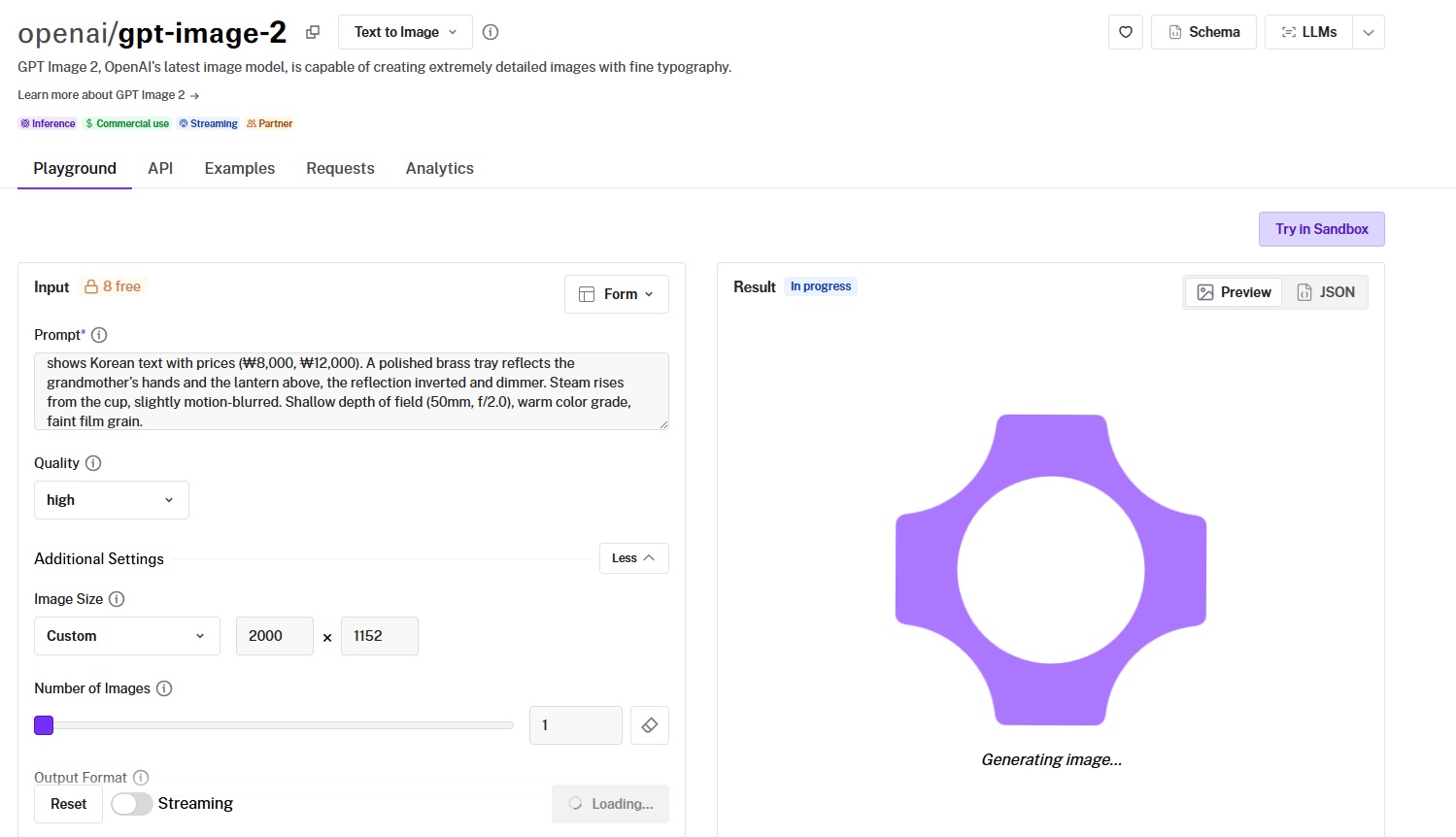
GPT Image 2 is OpenAI's latest image model, built for prompt adherence and text rendering inside the image itself.
It currently holds the top spot on the Artificial Analysis Text-to-Image leaderboard with a 1,339 Elo, and its standout trait is near-perfect typography across both Latin and CJK scripts.
Performance
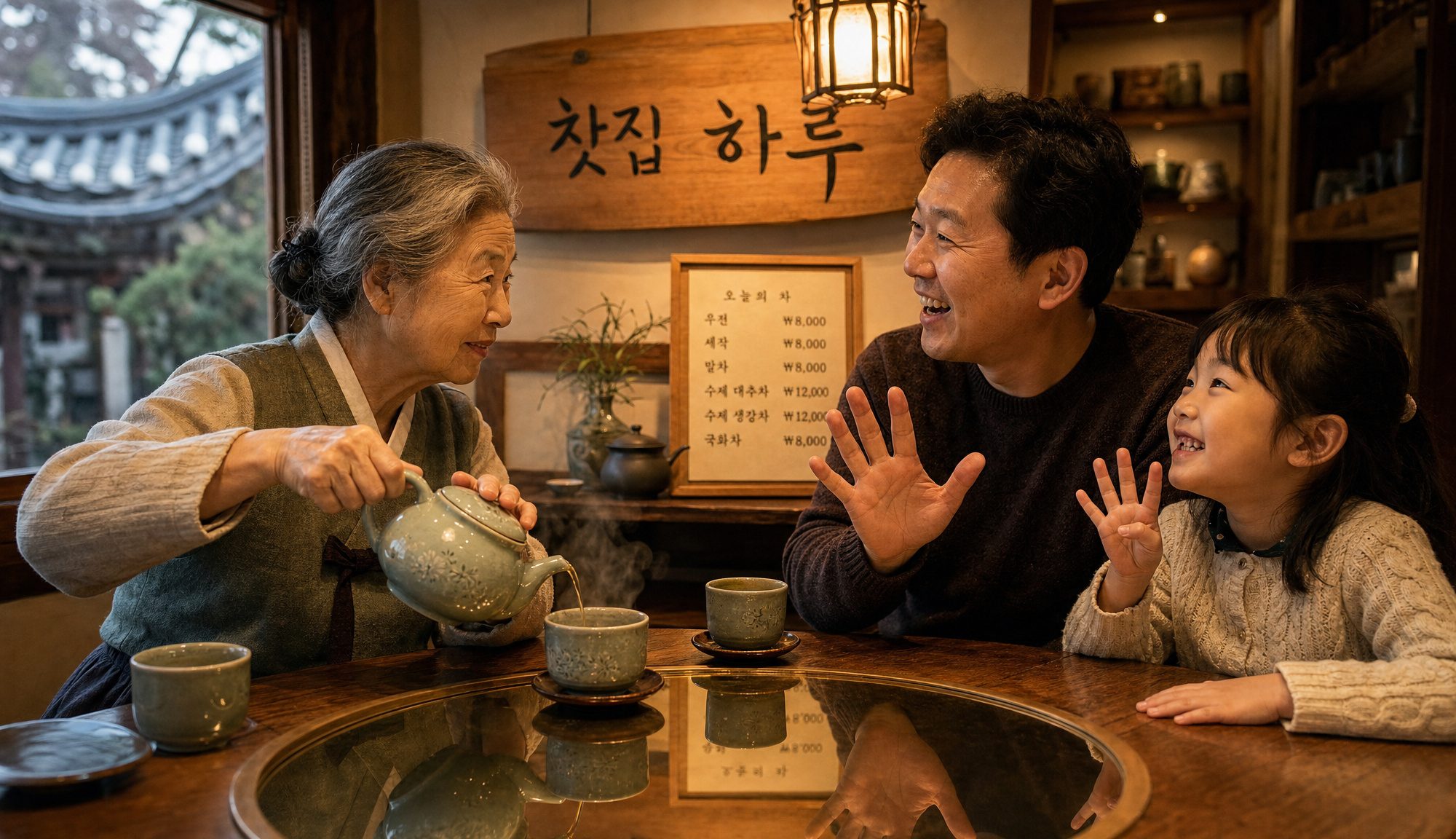
Generated using GPT Image 2 on fal, an AI model from OpenAI.
Text rendering: Properly covered the Korean text that I had instructed it to add, with clearly put-out prices on the menu and also Hangul as a whole.
Prompt adherence: The AI model listened to what I asked it to do; I wouldn't say it missed out on anything. The grandma is even grasping the celadon pot as I instructed the AI model to. Crème de la crème execution across the board.
Photorealism: I gave it the "finger test" to see if it can properly generate different finger variants, and all seems to hold up. Apart from this, the grandma and the family look realistic, including their clothing and the shop itself.
Resolution and sizing: Sizing is flexible up to 4K, with both edges as multiples of 16, a max edge of 3840px, and aspect ratios to 3:1, so odd canvas shapes work without cropping.
Quality control: The quality parameter (low, medium, high) trades cost against fidelity per job, so cheap drafts come before a high-quality final.
How to run GPT Image 2 on fal
GPT Image 2 is available through fal's API and playground.
It supports streaming, so you can use fal.stream in place of fal.subscribe to start receiving output as it generates.
You can also pass your own openai_api_key for BYOK usage, which routes requests through your OpenAI account and quota.
Pricing
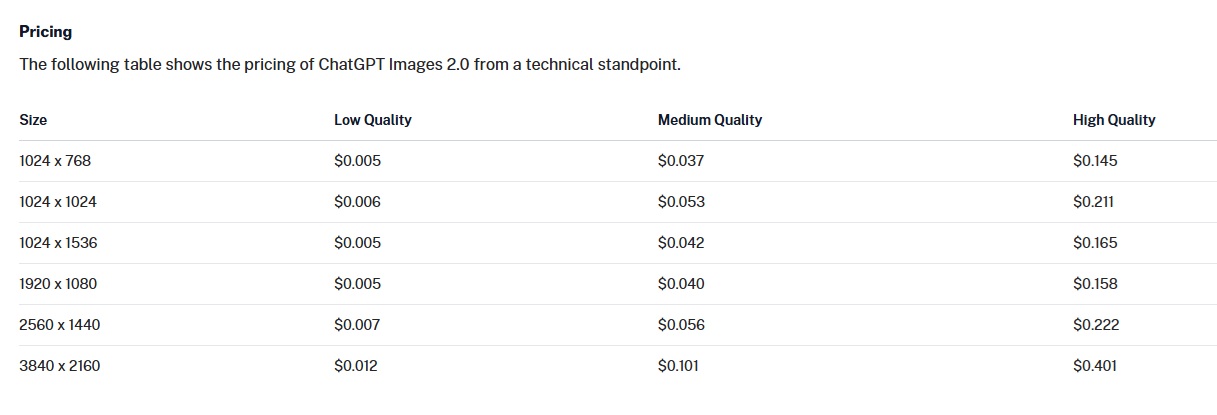
GPT Image 2 starts from $0.005 for 1024 x 768 on low quality and goes up to $0.401 on 3840 x 2160 in high quality image generation.
falMODEL APIs
The fastest, cheapest and most reliable way to run genAI models. 1 API, 100s of models
#2: Nano Banana 2
Best for: Fast iteration and production volume with vibrant output and character consistency.
Similar to: Nano Banana Pro, Seedream 5.0 Lite.
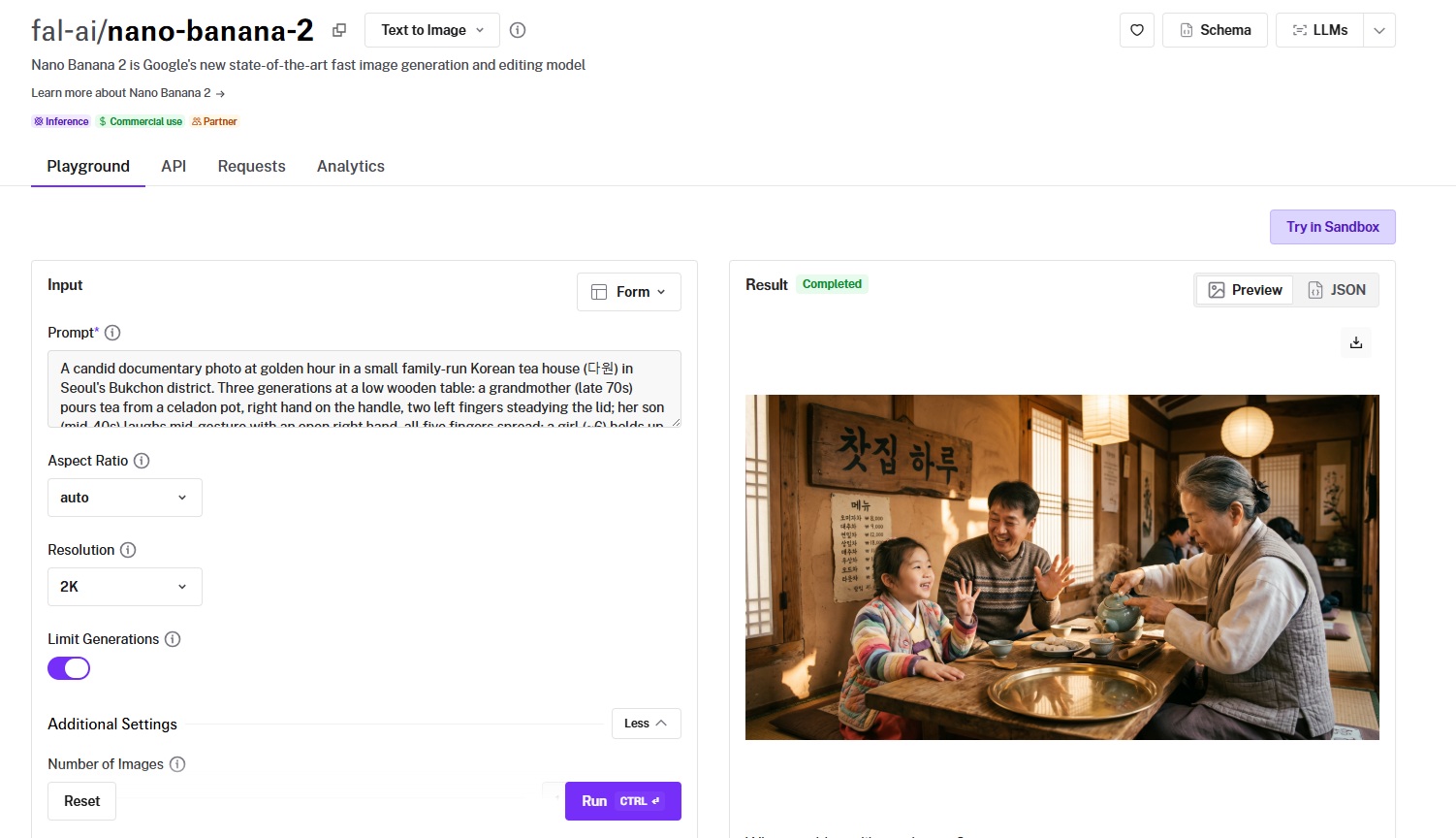
Nano Banana 2 is Google's Gemini 3.1 Flash Image model, tuned for fast and vibrant generation.
It pairs the second-highest Elo in this guide (1,260) with reasoning-guided generation at Flash-tier speed.
Performance
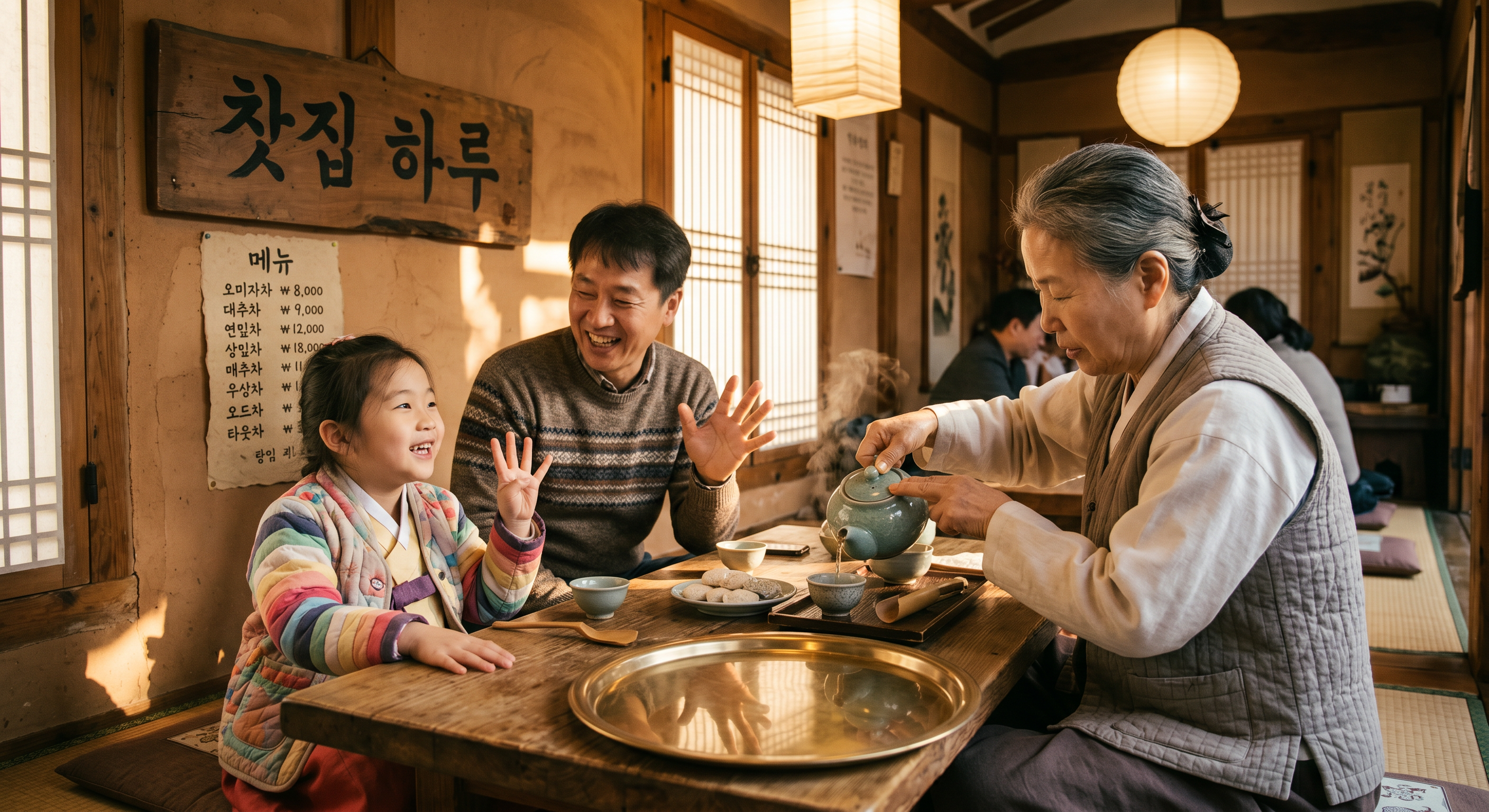
Generated using Nano Banana 2 on fal, an AI model from Google.
Text rendering: Similar to GPT Image 2, Nano Banana 2 did an excellent job with Korean Hangul and also displaying prices in won.
Prompt adherence: The AI image generation model listened to each instruction and successfully implemented it. Ages hold up visually and the Hangul and finger test were also executed.
Photorealism: Nano Banana 2 also passed the finger test, despite the fact that the grandma is holding the celadon pot a little differently than I expected.
Resolution options: There is a native 1K, 2K, and 4K plus a 512px option, with web-grounded generation on tap when you want output tied to current information.
How to run Nano Banana 2 on fal
You can run Nano Banana 2 on fal's API and playground.
The aspect_ratio parameter goes as wide as 8:1 and as tall as 1:8, and a thinking_level setting (minimal or high) lets the model reason more before rendering.
For long-running batches, fal.queue.submit with a webhook is the production pattern.
Pricing
Nano Banana 2 costs $0.08 per image at 1K, with 2K billed at 1.5 times the rate, 4K at 2 times, and 512px at 0.75 times on fal.
#3: Nano Banana Pro
Best for: Quality-first campaign, product, and infographic work where text accuracy and composition matter.
Similar to: Nano Banana 2, GPT Image 2.
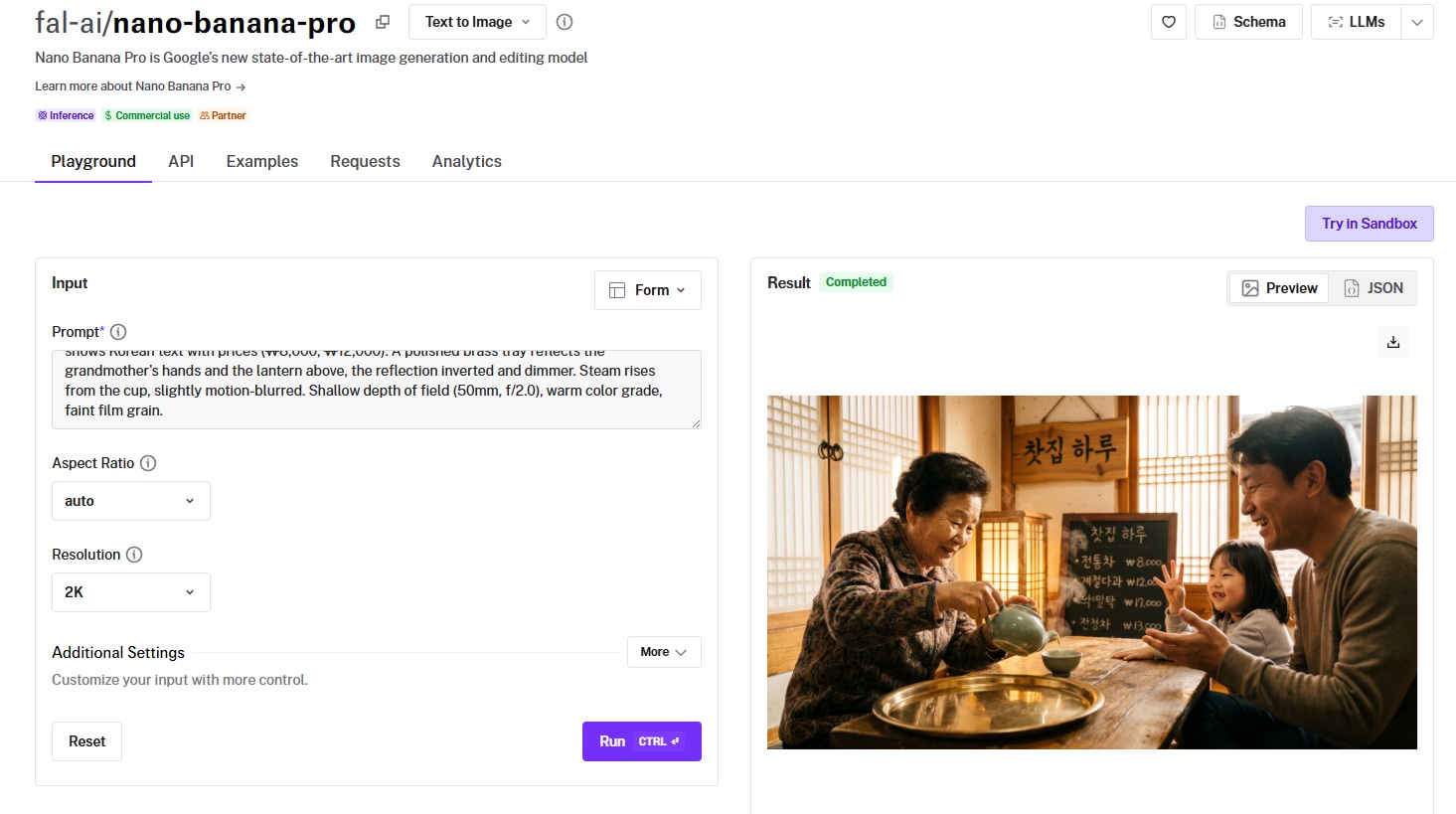
Nano Banana Pro is Google's Gemini 3 Pro Image model, made for quality-first generation and detailed compositions.
It carries a 1,219 Elo and trades raw speed for deeper reasoning and advanced text rendering across multiple languages and scripts.
Performance
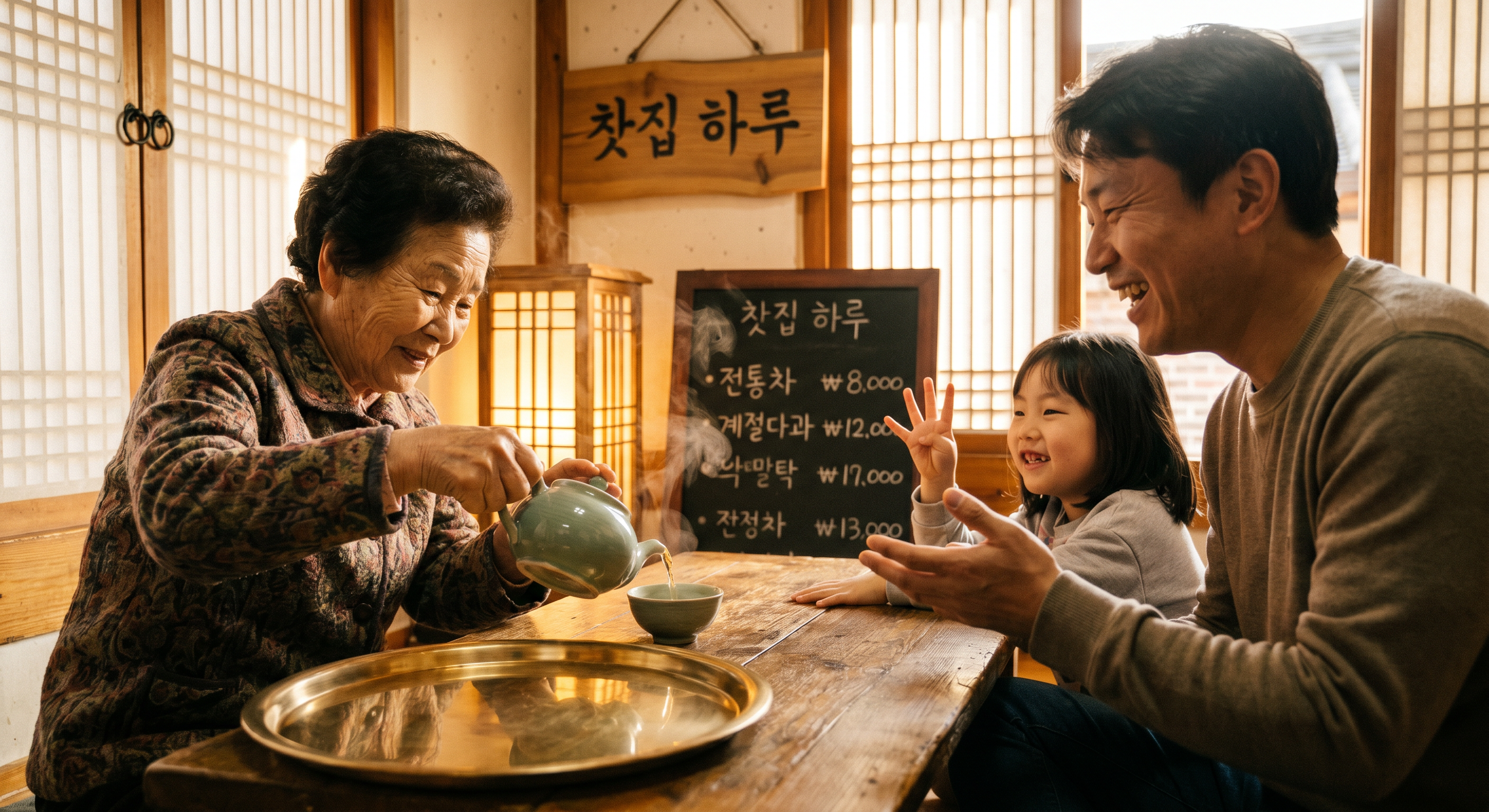
Generated using Nano Banana Pro on fal, an AI model from Google.
Text rendering: Similar to Nano Banana 2, the AI model generated the Hangul as expected.
Prompt adherence: I'd make the point here that I wanted to see the father's five fingers, but apart from this, everything else has been correctly executed.
Photorealism: The setting appears to be realistic, and there are no unorthodox details in the generated image.
Resolution: 1K, 2K, and 4K output, with 4K billed at double the standard rate.
How to run Nano Banana Pro on fal
Nano Banana Pro can be accessed on fal with API access plus our browser playground.
Multi-image blending takes up to 14 reference images, and a system_prompt field lets you steer persona and output style across the request.
The aspect_ratio set runs from 21:9 down to 9:16, with web search grounding available when you want current information baked into the render.
Pricing
Nano Banana Pro costs $0.15 per image at 1K, with 4K billed at double the standard rate on fal.
#4: Grok Imagine
Best for: High-fidelity posters and infographics that need sharp detail and strong in-image text.
Similar to: GPT Image 2, FLUX.2 [max].
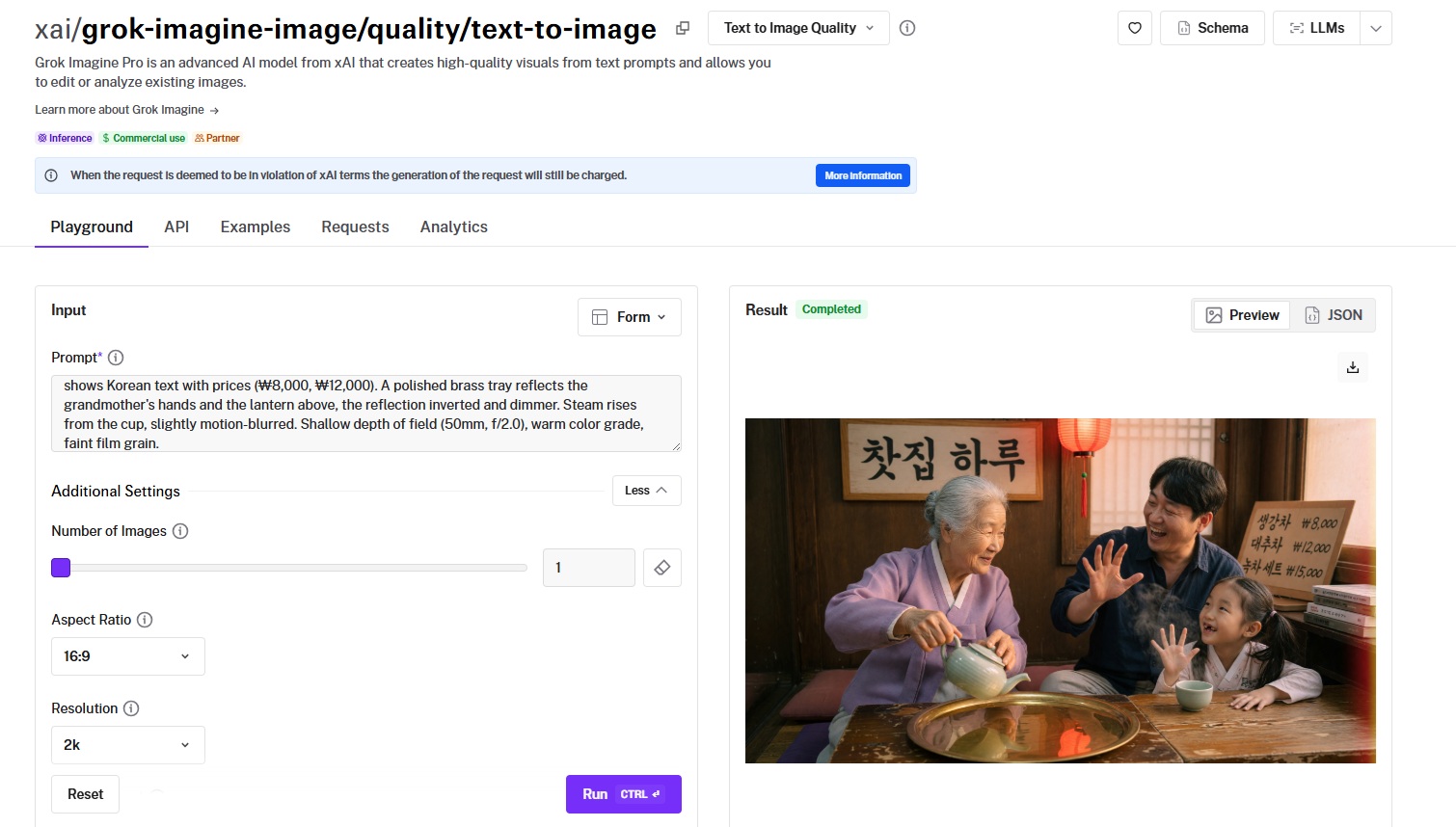
Grok Imagine Quality is xAI's high-fidelity image model, which has been optimized for enhanced detail and text rendering.
It delivers a 1,204 Elo and produces 1K or 2K output across a wide range of aspect ratios.
Performance
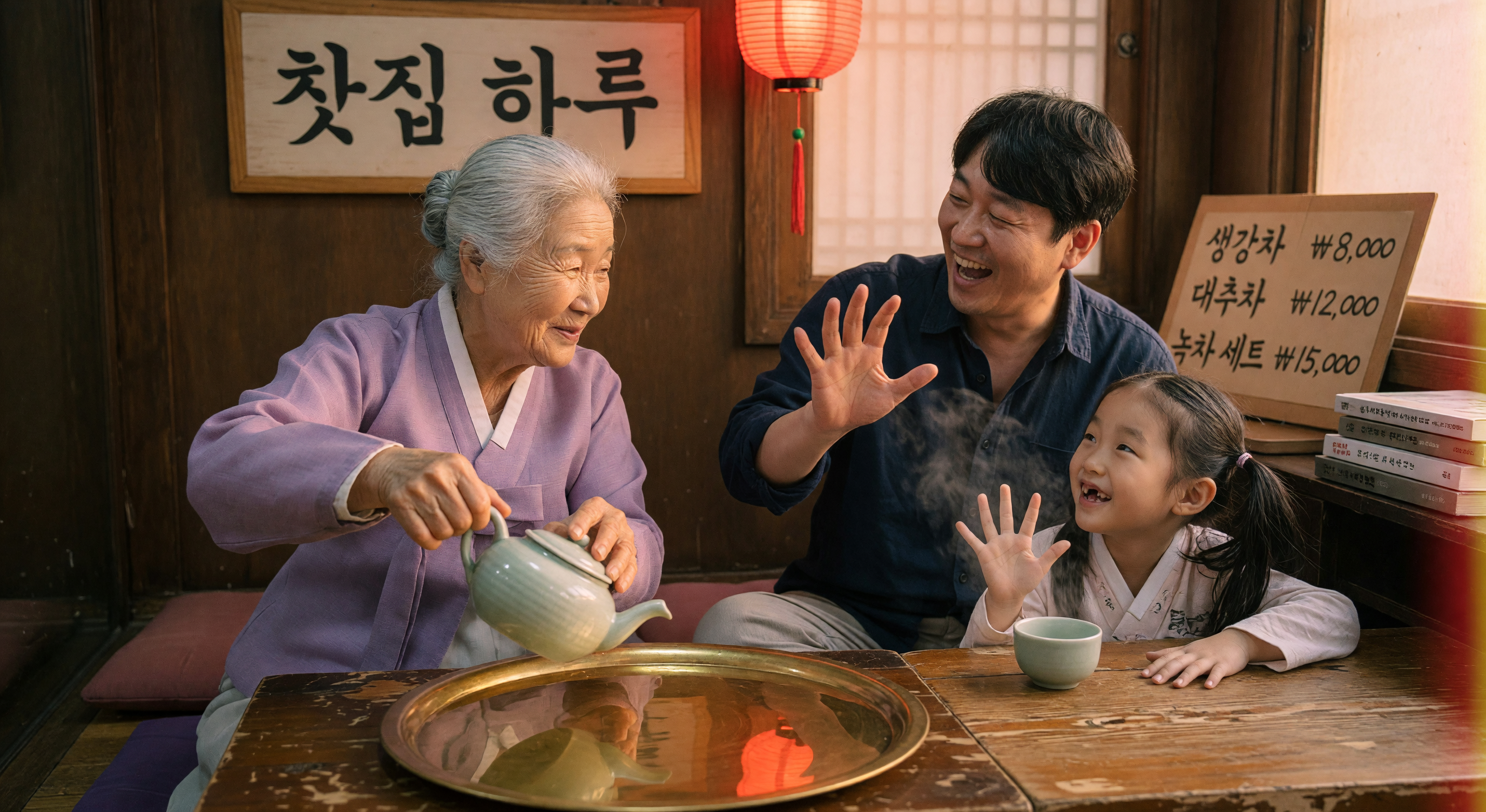
Generated using Grok Imagine on fal, an AI model from xAI.
Text rendering: The image appears to fail at text rendering across the book stack on the right of the girl; however, it has accurately rendered the menu and the shop sign.
Prompt adherence: Grok Imagine seems to have got most details right, apart from the fingers on the girl and the grandma pouring tea into a place she wouldn't normally.
Photorealism: I'd say that the image looks fairly realistic, including the shadows, steam, and faces of the people.
Resolution and ratios: 1K or 2K output across a broad aspect-ratio set, from 2:1 to 1:2, so layouts from wide banners to tall portraits fit cleanly.
How to run Grok Imagine on fal
Grok Imagine is available on fal via API and playground.
Pass your prompt, choose an aspect ratio and a resolution (1k or 2k), and set the output format.
Pricing
Grok Imagine costs $0.05 per image at 1K and $0.07 per image at 2K on fal.
#5: FLUX.2 [max]
Best for: Realistic, precise output and series work where consistency across generations matters.
Similar to: Recraft V4, Krea 2 Large.
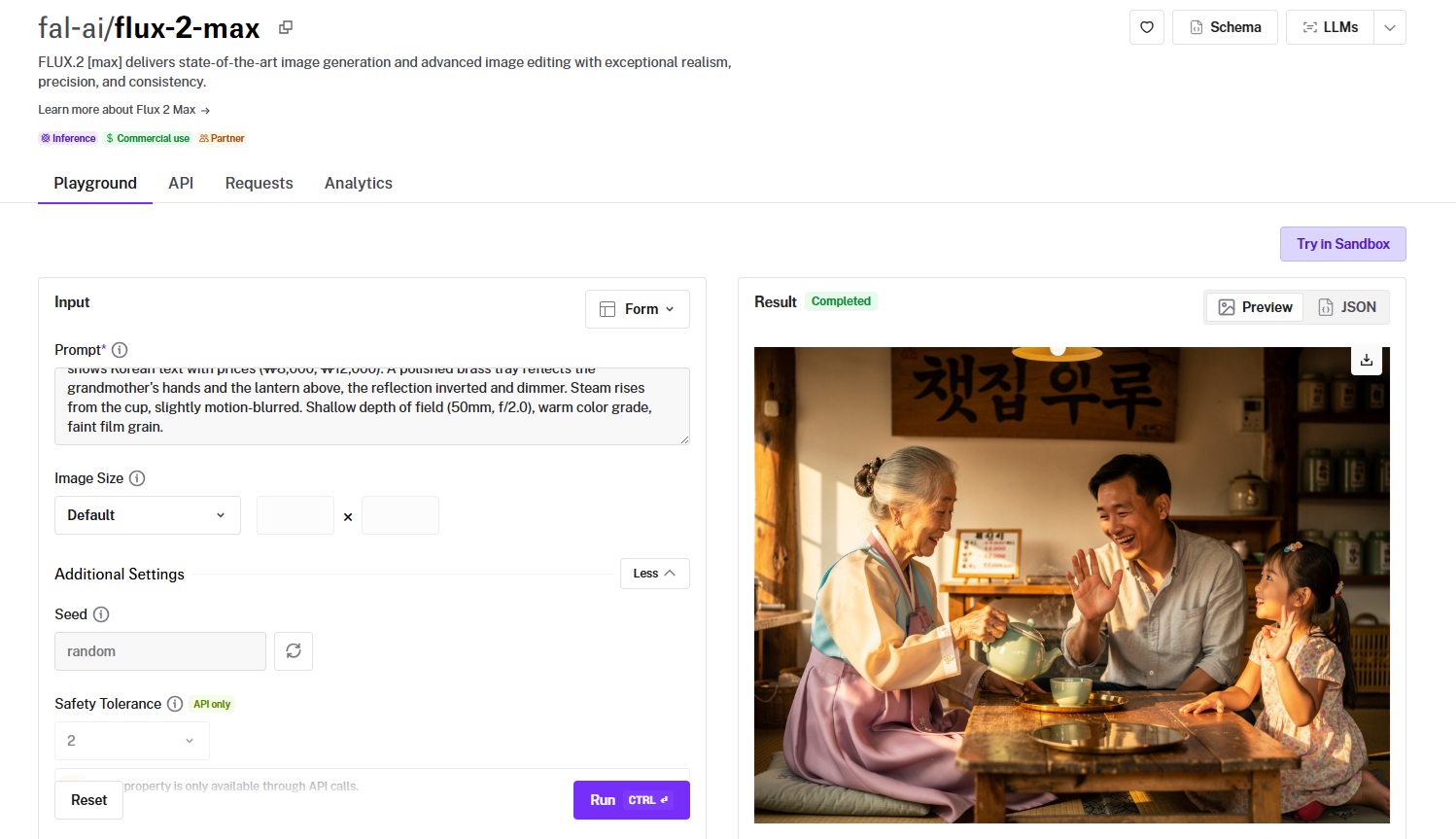
FLUX.2 [max] is Black Forest Labs' flagship image model, which has been engineered for realism, precision, and consistency.
It is rated 1,192 Elo and uses per-megapixel pricing that scales with the output size you request.
Performance
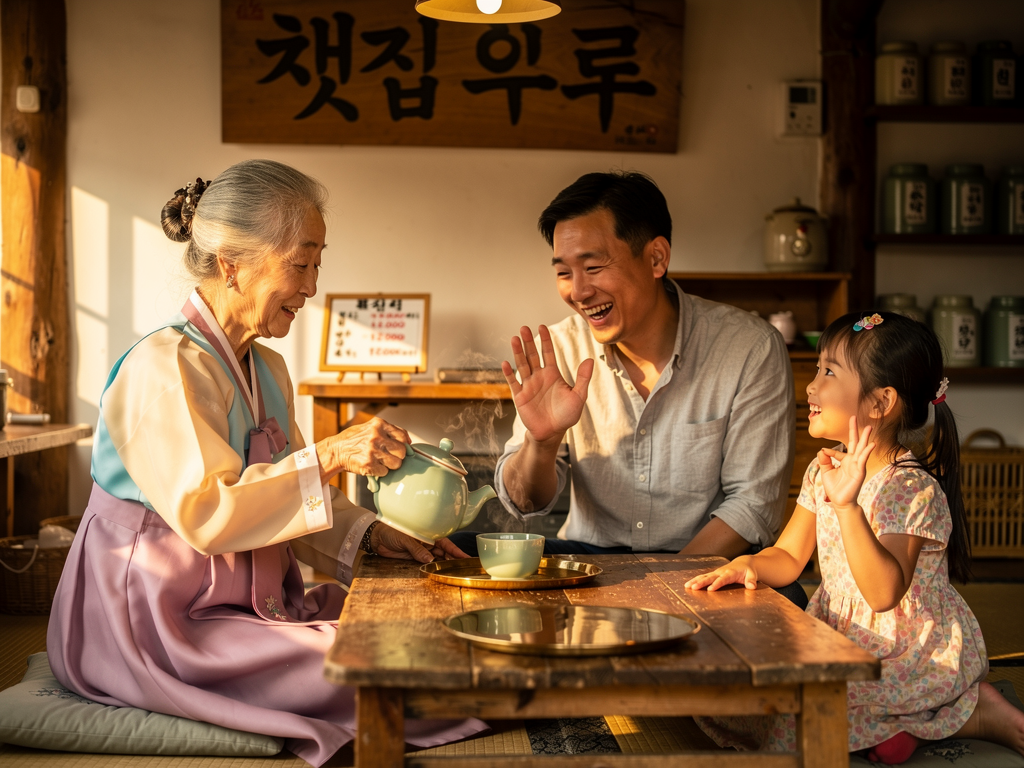
Generated using FLUX.2 [max] on fal, an AI model from Black Forest Labs.
Text rendering: The AI image generation model blurred the menu, which couldn't let me see if it succeeded in text rendering for that, although I can see that the Hangul above the grandma and father seems to have slight errors.
Prompt adherence: The grandma does not appear to be holding the pot as I had prompted, and also the little girl seems to have failed the finger test again with 3 fingers, instead of the required 4. Apart from that, the AI model did a decent job painting the scene.
Photorealism: Best-in-class photorealism of all 3 characters, including their age, clothing, and setting as a whole.
Sizing and controls: Preset sizes plus custom width and height, with a safety tolerance setting exposed through the API.
How to run FLUX.2 [max] on fal
You can run FLUX.2 [max] through the fal API or test it in the playground first.
Send a prompt and an image_size, either a preset or custom width and height, then pick JPEG or PNG.
The safety_tolerance and enable_safety_checker controls are available through API calls.
Pricing
FLUX.2 [max] costs $0.07 for the first processed megapixel, then $0.03 for each additional megapixel on fal.
#6: Recraft V4
Best for: Brand systems and production-ready design assets with an art-directed look.
Similar to: Krea 2 Large, FLUX.2 [max].
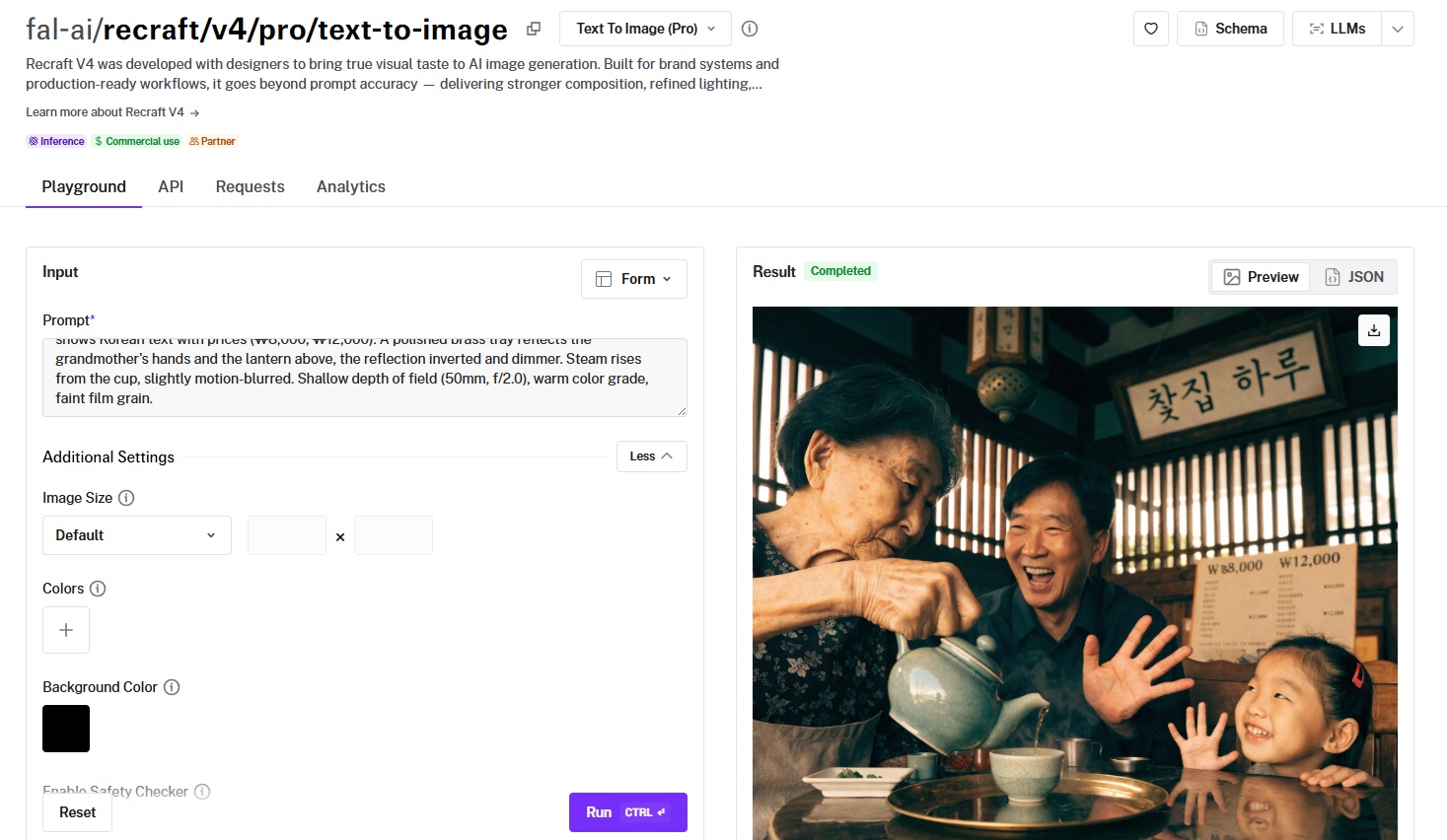
Recraft V4 is Recraft's design-focused image model, developed with designers for brand systems and production-ready output.
Its strength is cohesive aesthetic judgment in composition, lighting, and materials that arrive ready to use.
Performance
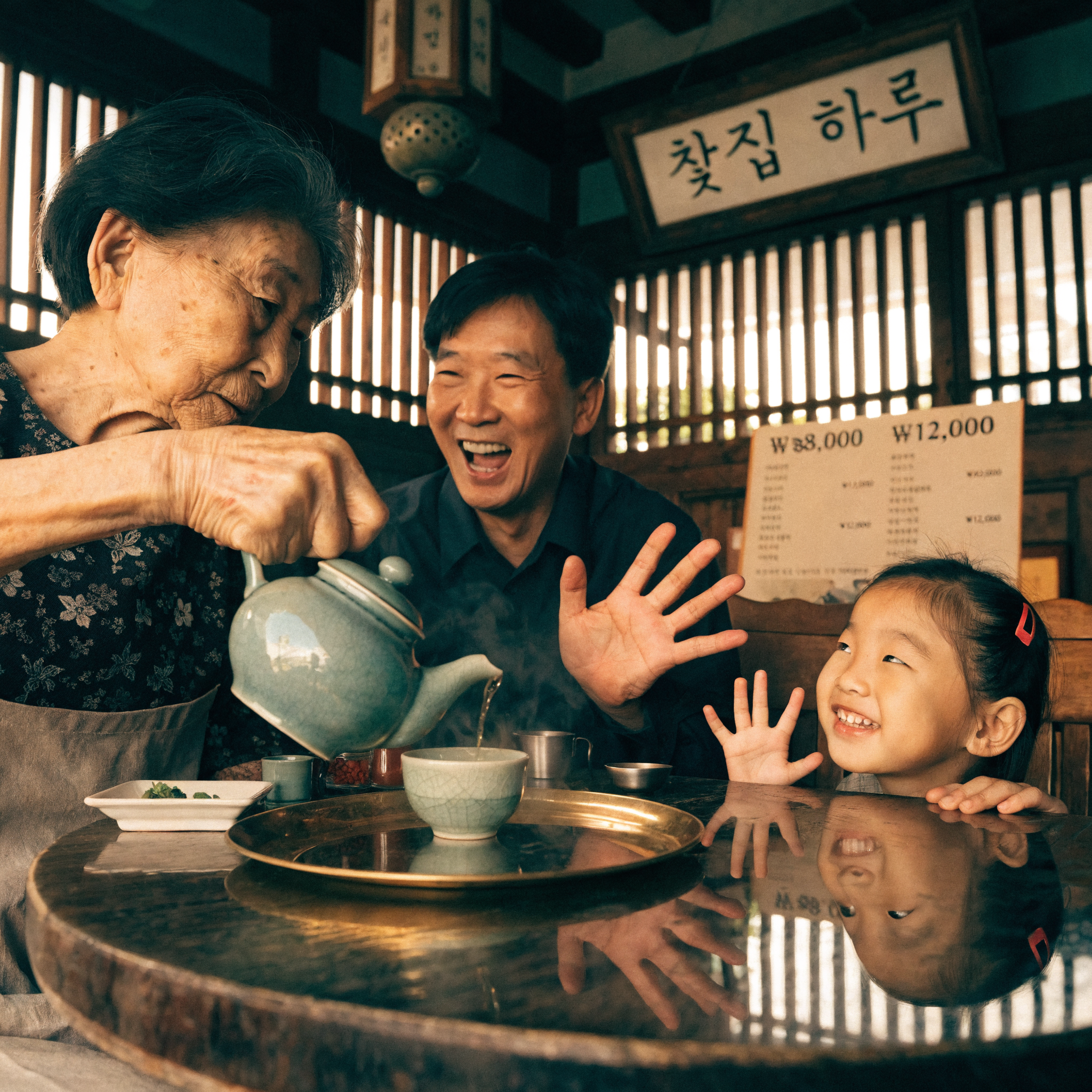
Generated using Recraft V4 on fal, an AI model from Recraft.
Text rendering: Similar to FLUX.2 [max], the AI image model blurred the menu, although I can see that there's an error with the first pricing: ₩8,000. Apart from this, the Hangul at the top appears to be correct.
Prompt adherence: Everything appears to be as expected in terms of the family, grandma, mood, tea, and vibe as a whole, but the little girl failed the finger test once again.
Photorealism: Same situation as the previous AI models we went through: solid execution across the entire image with details, reflections, and the place as a whole.
Output: WebP delivery with standard preset sizes, and a safety checker on by default.
How to run Recraft V4 on fal
API and playground are both available for Recraft V4 on fal.
Give it a prompt and an image_size, then feed an array of preferred colors and a background color to steer the palette.
The standard text-to-image endpoint covers most production work directly.
Pricing
It costs $0.04 per image to use Recraft V4 on fal.
#7: Seedream 5.0 Lite
Best for: High-volume, high-resolution iteration at a low per-image cost.
Similar to: Nano Banana 2, Ideogram V3.
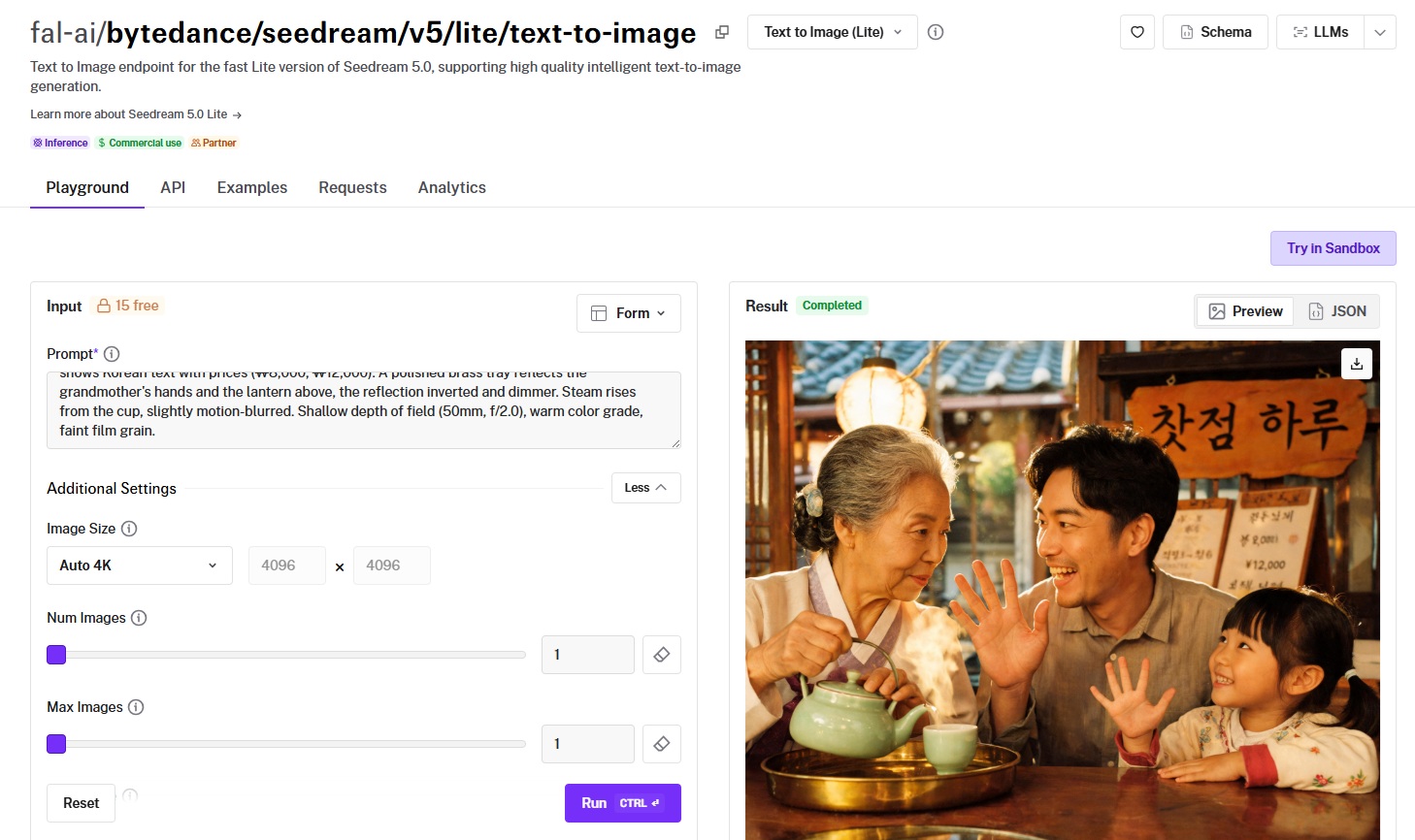
Seedream 5.0 Lite is ByteDance's fast, high-resolution image model for creative and commercial work.
Performance
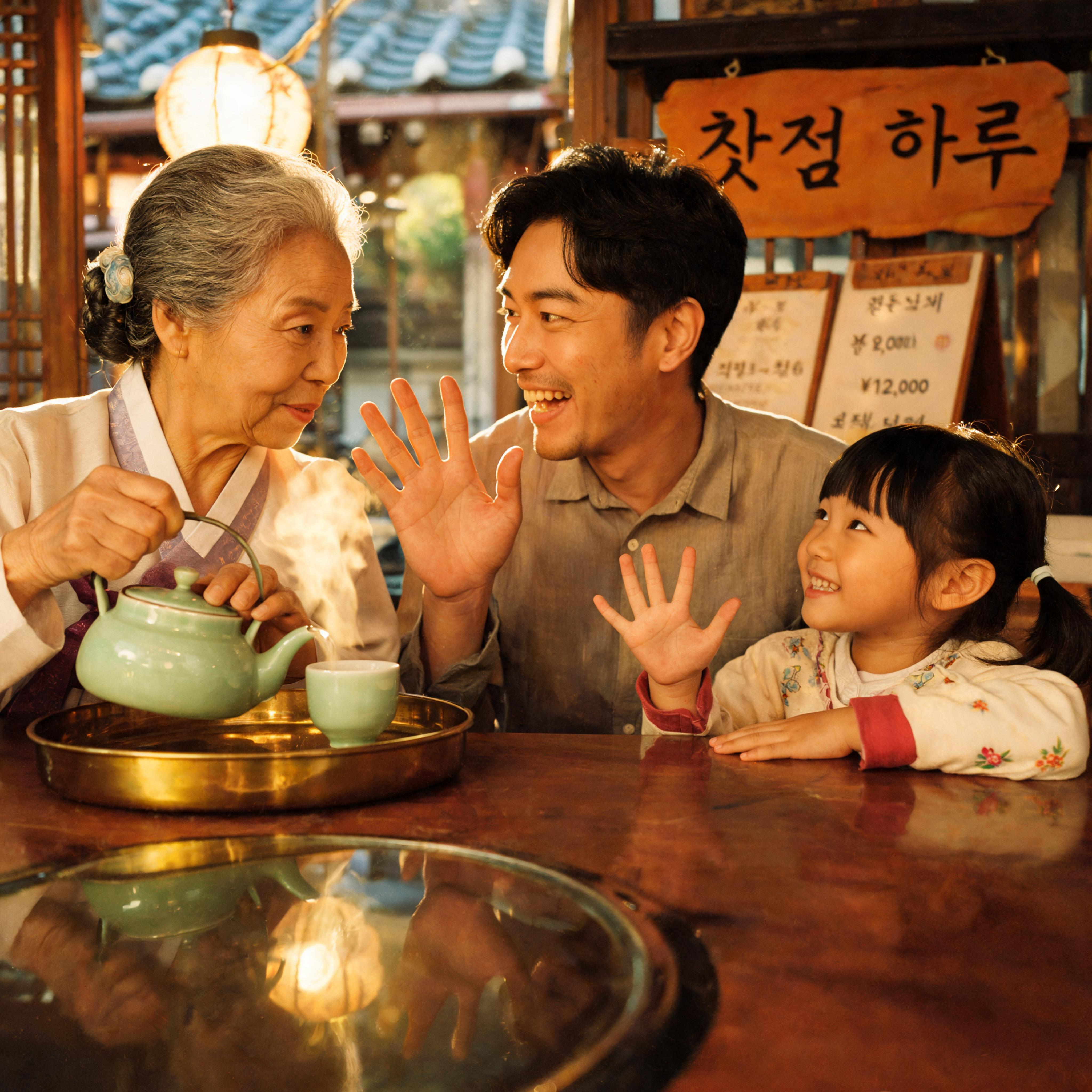
Generated using Seedream 5.0 Lite on fal, an AI model from ByteDance.
Text rendering: I do not spot any issues with the Hangul and how it's been spelled out above the man; however, I can see that the AI image model blurred the menu. I can, however, see a Japanese yen being displayed instead of Korean won on the menu.
Prompt adherence: Solid execution all across the board, however, the girl failed the finger test with its 5 fingers, instead of 4 as the prompt suggested.
Photorealism: Good photorealism overall, especially the faces of the people and the setting as a whole.
Resolution: Native output up to 9MP, can give you large, detailed frames for product mockups from a single request.
How to run Seedream 5.0 Lite on fal
On fal, Seedream 5.0 Lite runs through the API and playground.
Choose a prompt and an image_size (presets or auto_2K, auto_3K, auto_4K), and total pixels resolve between 2560x1440 and 3072x3072.
The num_images and max_images parameters together control how many images come back across one or more generations.
Pricing
It costs $0.035 per image to use Seedream 5.0 Lite on fal.
#8: Ideogram V3
Best for: Posters, logos, and text-heavy designs with a large style library.
Similar to: GPT Image 2, Recraft V4.
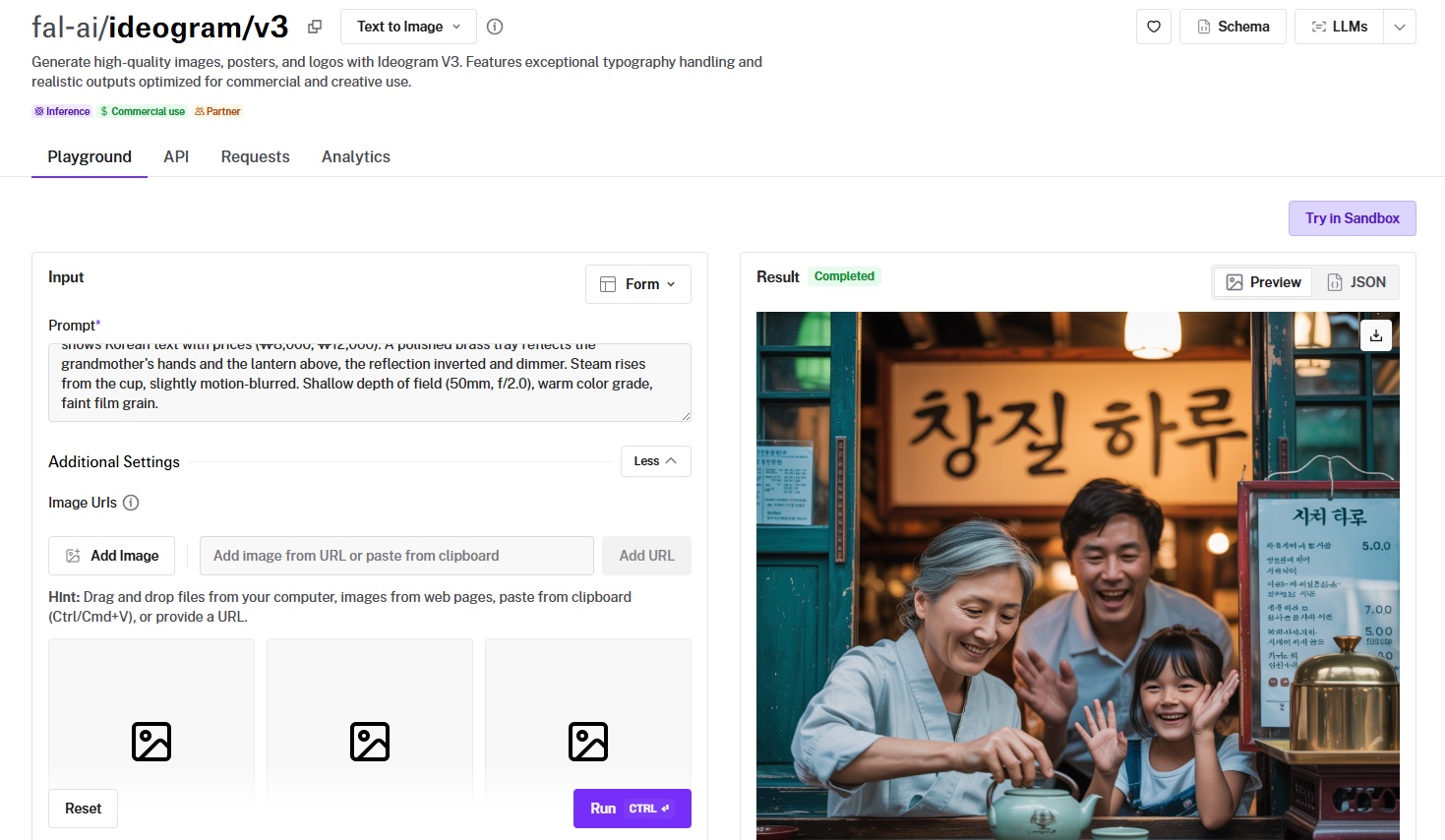
Ideogram V3 is Ideogram's typography-focused image model for posters, logos, and text-heavy designs.
It has a 1,076 Elo and offers three rendering-speed tiers that trade cost against detail.
Performance
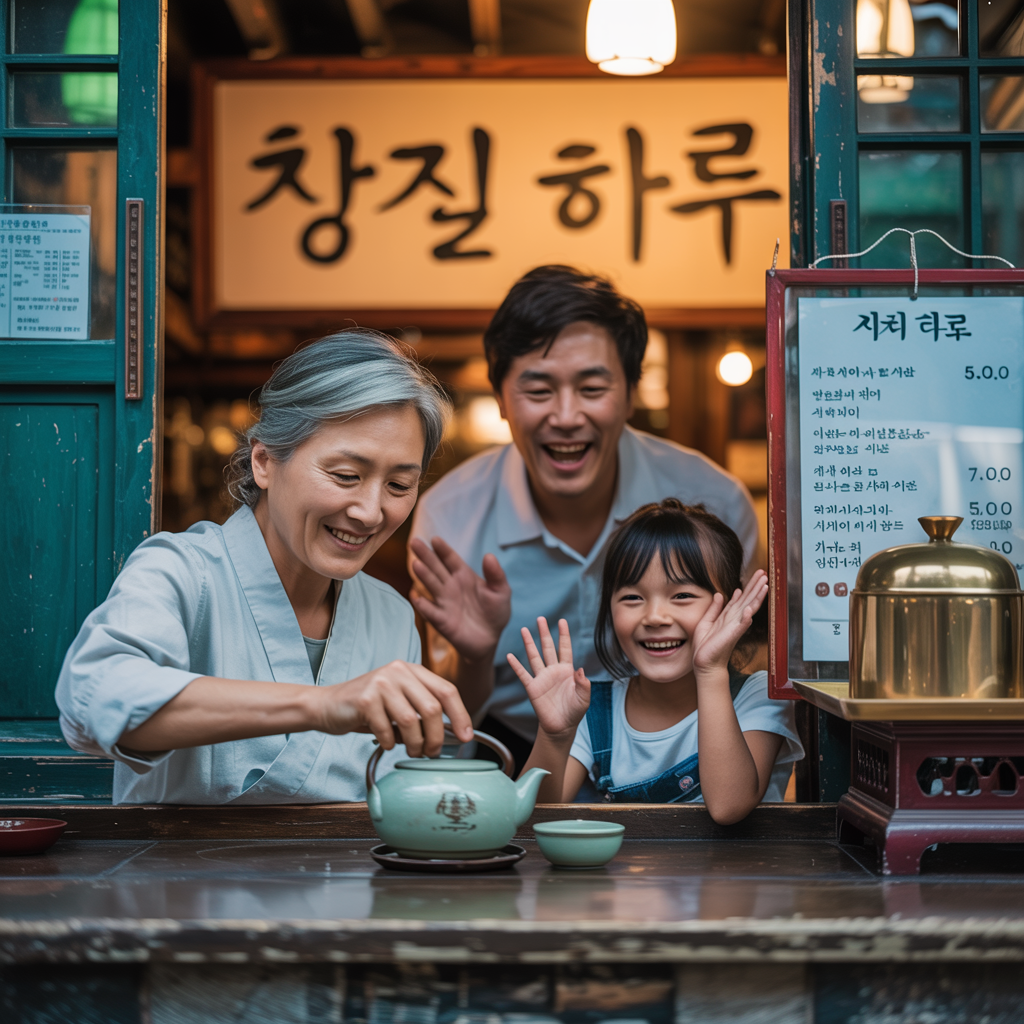
Generated using Ideogram V3 on fal, an AI model from Ideogram.
Text rendering: The shop sign above the heads of the people appears to be accurate; however, the menu on the right of the right does seem to have plenty of mistakes around the pricing and the menu items.
Prompt adherence: The father and grandma seem to have succeeded in the finger test, but the little girl failed it with 5 fingers and the fact that she's showing both hands. I'm also not a fan of the fact that the setting is outside; however, I didn't really specify where the setting is taking place, so I gave it creative freedom for that.
Photorealism: I like the level of detail on the wooden detail, the shop in the background, and the small things like the cracks in the door, the rusted paint, and the overall expressions of the family.
Prompt expansion: MagicPrompt grows a short prompt into a richer description.
How to run Ideogram V3 on fal
Ideogram V3 is on fal through the API and the playground.
Pick a prompt and a rendering_speed (TURBO, BALANCED, or QUALITY), then layer on style presets, style codes, color palettes, or a negative prompt.
Style reference images guide the output toward a defined aesthetic when you supply them.
Pricing
Ideogram V3 costs $0.03 per image with TURBO, $0.06 with BALANCED, and $0.09 with QUALITY on fal.
#9: Krea 2 Large
Best for: Art-directed and editorial work with fine control over creativity and style references.
Similar to: Recraft V4, FLUX.2 [max].
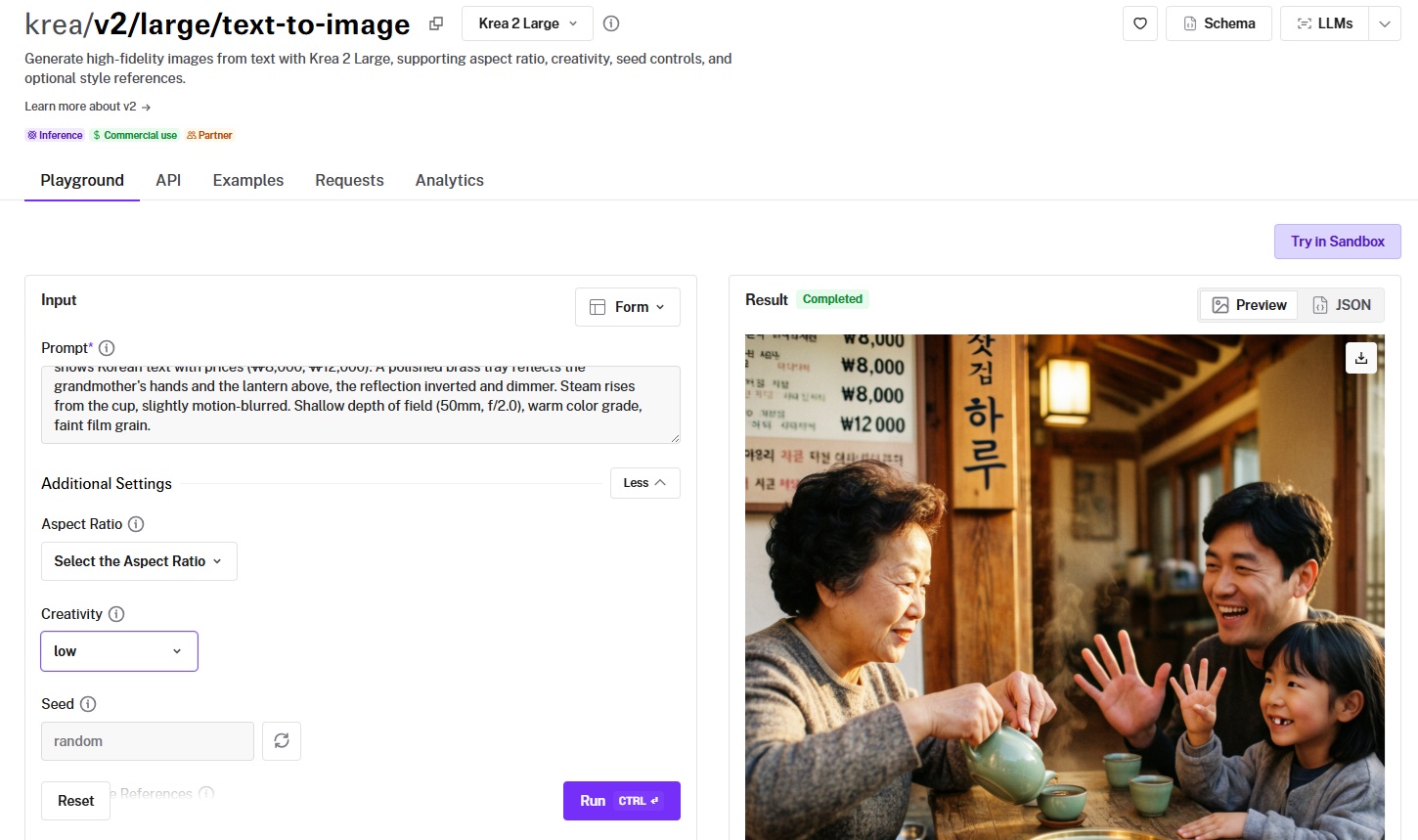
Krea 2 Large is Krea's high-fidelity text-to-image model with controls for aspect ratio, creativity, and style references.
The differentiator is pairing a creativity setting with up to 10 style-reference images, which steer how closely the output follows your prompt versus a reference look.
Performance
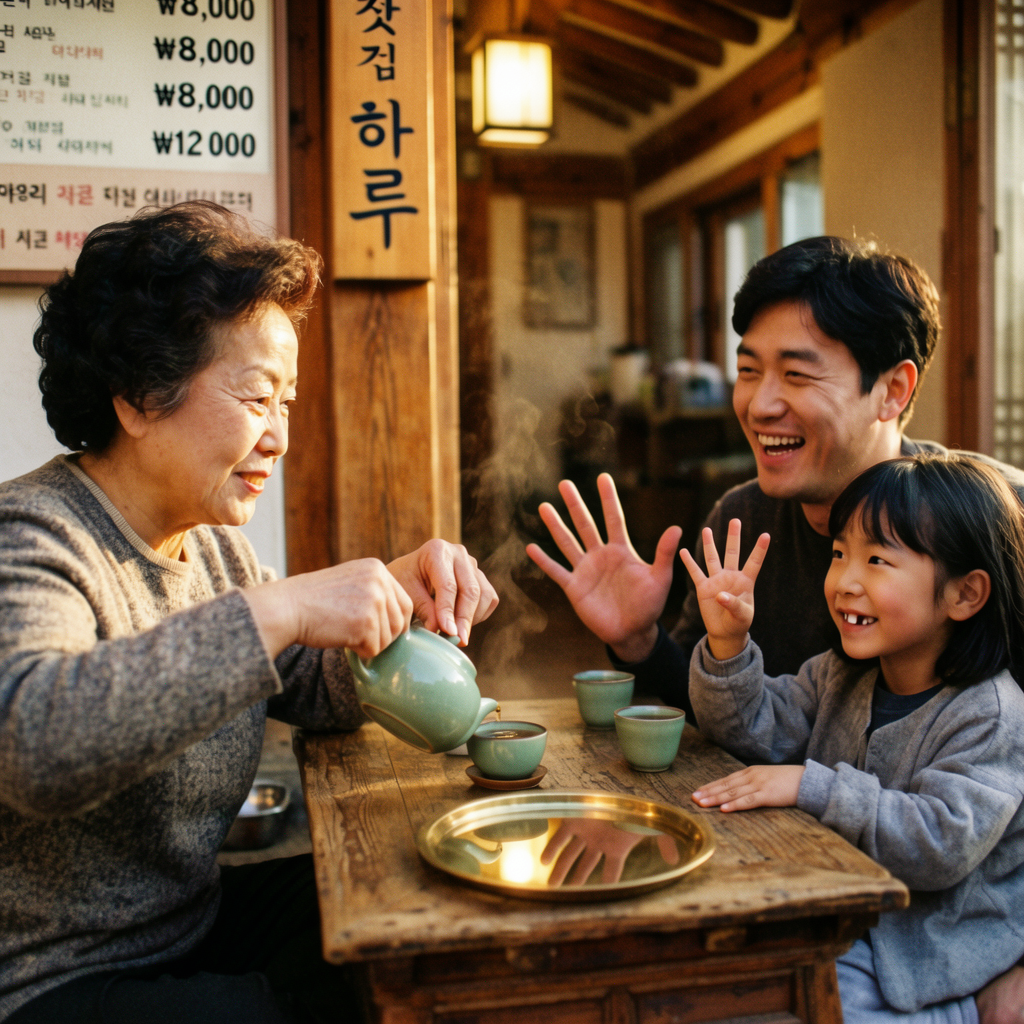
Generated using Krea 2 Large on fal, an AI model from Krea.
Text rendering: Definitely solid text rendering across the shop sign and the Korean won prices being displayed, although I can spot very few mistakes in the blurred Hangul words in the background.
Prompt adherence: The AI image generator appears to have strictly followed my instructions (as I put creative control to low), and has also succeeded in the finger test.
Photorealism: All people appear to be realistic in the image, including the setting as a whole and the wooden table and tea set.
Creativity control: The creativity setting (raw, low, medium, high) decides how literally the model follows your prompt, a knob I touched on nearly every run.
How to run Krea 2 Large on fal
Krea 2 Large is available on fal via API and playground.
Provide a prompt, an aspect_ratio, and a creativity level, and attach a list of image_style_references with per-reference strength.
A seed value makes a generation reproducible when you find a look you want to keep.
Pricing
Krea 2 Large costs $0.06 per image, or $0.065 per image when you use image style references.
#10: Qwen Image 2 Pro
Best for: Infographics, posters, and multilingual text-heavy compositions.
Similar to: GPT Image 2, Ideogram V3.
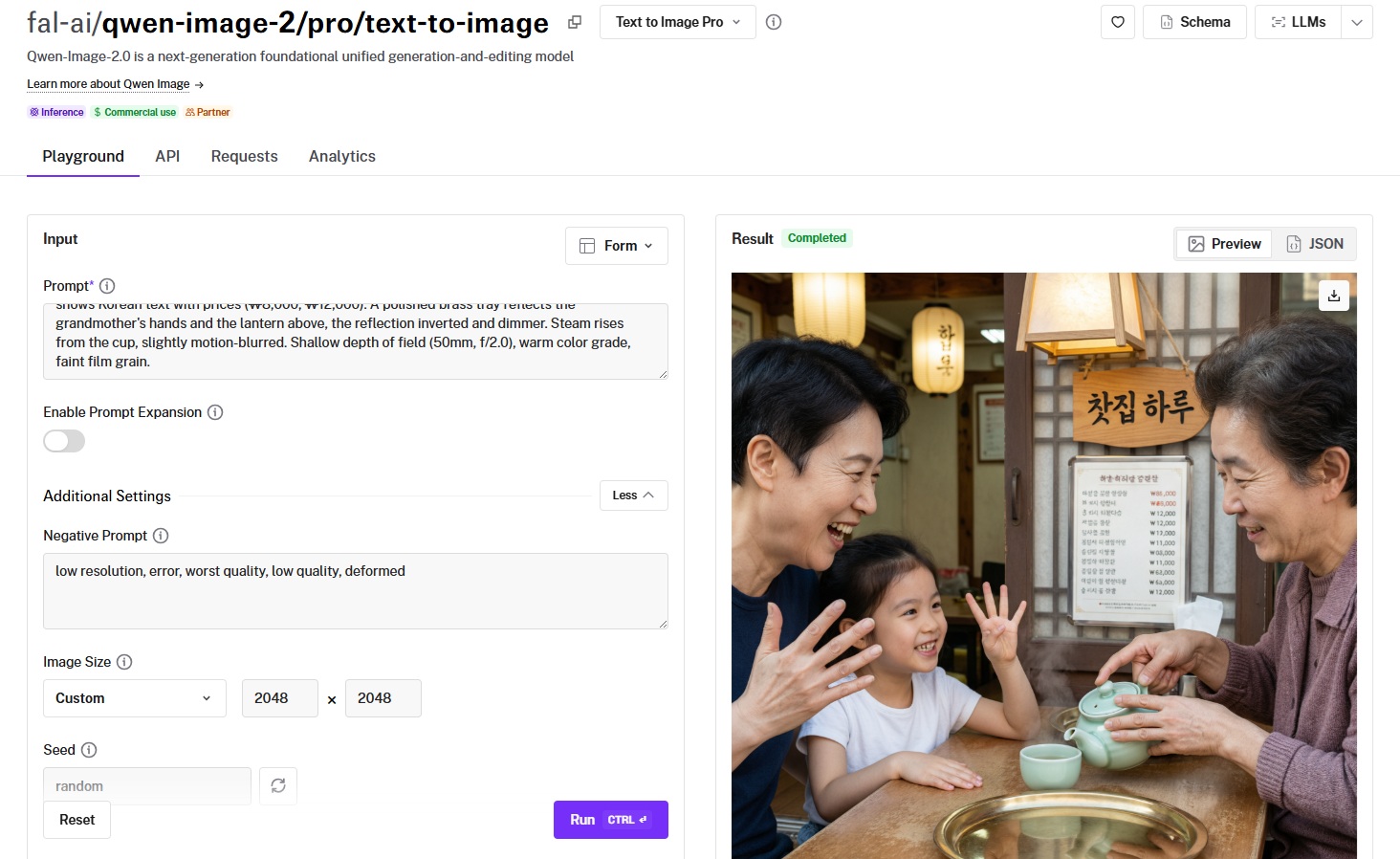
Qwen Image 2 Pro is Alibaba's highest-fidelity Qwen text-to-image endpoint, aimed at typography, infographics, and detailed compositions.
It generates natively up to 2048x2048 with professional text rendering and support for multi-section layouts.
Performance
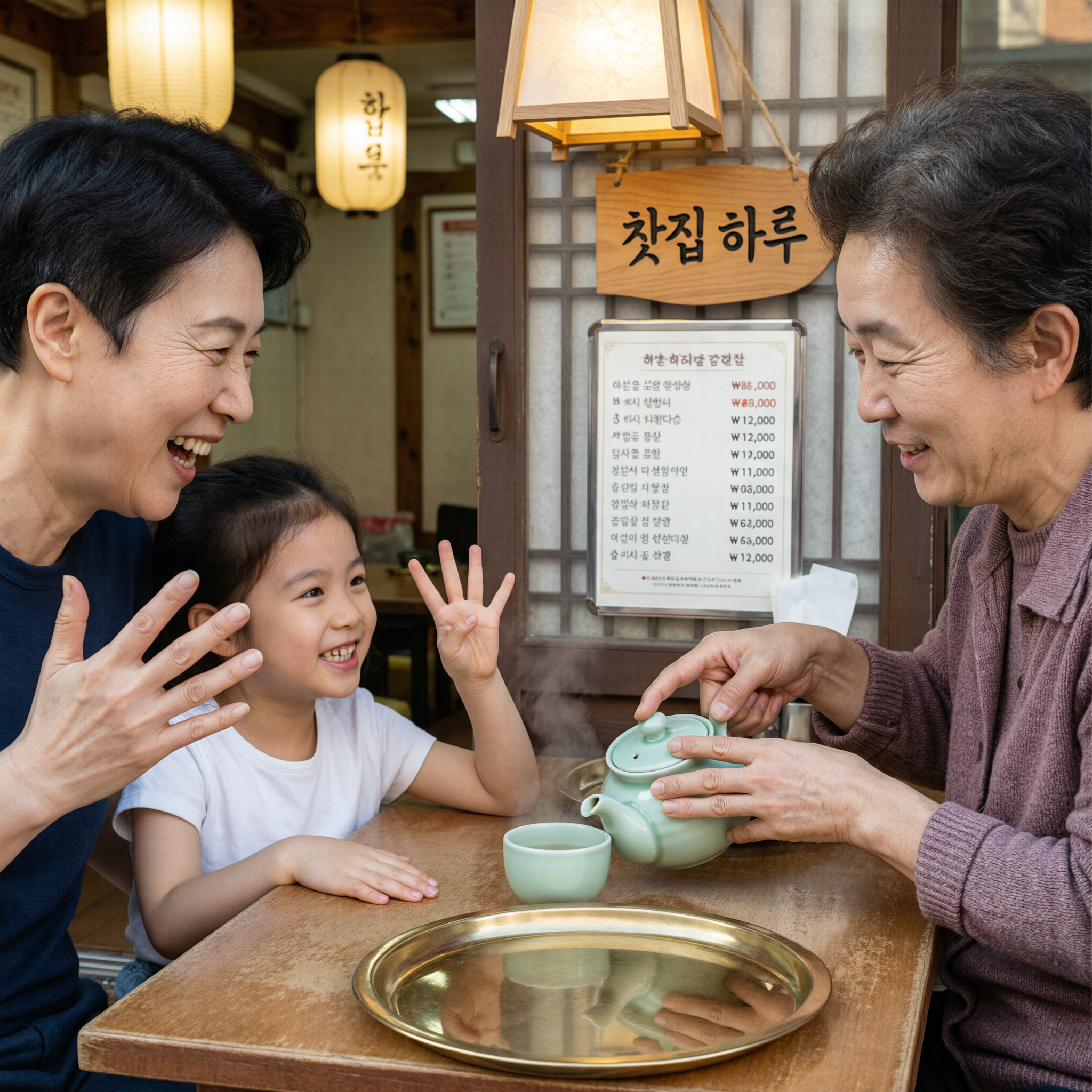
Generated using Qwen Image 2 Pro on fal, an AI model from Alibaba.
Text rendering: Despite a few very small and very fixable errors on the menu when it comes to the pricing in Korean won, I can say that the text rendering of the menu and the shop sign appears to be largely correct.
Prompt adherence: The AI model has correctly listened to what I wanted it to create, with an accurate representation of the entire family and also a successful finger test.
Photorealism: I'd make the argument that the family as a whole looks realistic, including their ages, clothing, and the setting as a whole.
Native resolution: Generation runs natively up to 2048x2048, giving crisp detail for posters and print-style work.
How to run Qwen Image 2 Pro on fal
Qwen Image 2 Pro is accessible on fal's API and playground.
You front-load the main subject in the prompt, set an image_size, and can add a negative_prompt to exclude unwanted elements.
Pricing
It costs $0.075 per image to use Qwen Image 2 Pro on fal.
Recently Added




Generate images at scale through a single API with fal
Picking a text-to-image model in 2026 comes down to matching the model to the job at hand.
GPT Image 2, Nano Banana Pro, and Qwen Image 2 Pro shine when text and complex layouts have to be exact.
Nano Banana 2 and Seedream 5.0 Lite handle fast, high-volume iteration.
Recraft V4 and Krea 2 Large lean into art direction and brand-ready output.
Ideogram V3 covers typography and a deep style library, while FLUX.2 [max] handles high-fidelity realism and series consistency.
Grok Imagine rounds it out with sharp, high-resolution posters and infographics.
All 10 run on fal through one SDK, with pay-per-use billing and no GPU capacity to reserve.
You can open any of them in the playground for a quick look, or wire up the API and start generating the same day.
Sign up for fal and generate your first image today.