
The model responds to structure. Scene, subject, specific details, intended artifact, constraints, in that order, with linebreaks between sections whenever the prompt runs past a short paragraph. Everything below sits on top of that spine.
Default prompt template
Scene:
[where this happens, time of day, background, environment]

Subject:
[who or what is the main focus]

Important details:
[materials, clothing, texture, lighting, camera angle, lens feel, composition, mood]

Use case:
[editorial photo / product mockup / poster / UI screen / infographic / concept frame]

Constraints:
[no watermark / no logos / no extra text / preserve face / preserve layout]
Five slots, five problems usually blurred together:
- Where the image exists
- What the image is about
- What details must be visible
- What kind of finished image you want
- What must not drift
The fifth slot is where most mediocre prompts fail silently. Describe the idea without bounding it and the model gets inventive in directions you will regret.
Running this on fal
typescript
import { fal } from "@fal-ai/client";
fal.config({ credentials: process.env.FAL_KEY });

const result = await fal.subscribe("openai/gpt-image-2", {
  input: {
    prompt: "<your structured prompt above>",
    image_size: "landscape_4_3",
    quality: "high",
    num_images: 1,
    output_format: "png",
  },
});
console.log(result.data.images[0].url);
Text-to-image runs through openai/gpt-image-2. Edits go through openai/gpt-image-2/edit with the extra image_urls array and an optional mask_image_url.
Vague versus visual
Two prompts describing the same scene.
A stunning ultra-detailed cinematic masterpiece of a woman in a museum, beautiful, photoreal, 8K, award-winning.
Scene:
A quiet classical museum gallery in soft afternoon light.

Subject:
A woman in her 30s standing casually in front of a large oil painting.

Important details:
Natural smile, realistic skin texture, beige knit sweater, dark jeans, white sneakers,
eye-level full-body framing, marble floor reflections, warm neutral color balance,
shallow depth of field, believable indoor ambient light.

Use case:
Editorial lifestyle photograph.

Constraints:
No watermark, no logos, no extra people in the foreground, no heavy retouching.
Excitement does not render. The second version gives the model something to draw.
Anti-slop rules
1. Visual facts over vague praise
Avoid: stunning, incredible, epic, masterpiece, gorgeous, insane detail.
Prefer: overcast daylight, brushed aluminum, chipped paint, clean kerning, 50mm feel, soft bounce light, slightly worn canvas.
2. Style tags need visual targets
Weak:
minimalist brutalist editorial luxury photoreal cinematic modern premium
Usable:
Cream background, heavy black condensed sans serif, asymmetrical type block,
one hero object, generous negative space, studio tabletop lighting.
3. Say the real thing
If the image must show a transit kiosk, say transit kiosk. If it must contain a readable boarding pass, say boarding pass. If it must preserve a face, say preserve the face. Mood language buries the brief.
4. In edits, separate change from preserve
Use "change only X" and "keep everything else the same," and repeat the preserve list each iteration to reduce drift.
5. Treat text like typography
Wrap literal text in quotes or ALL CAPS and specify font style, size, color, and placement. Spell hard words letter by letter when the model keeps ghosting them.
6. One revision per turn
Small iterative edits read better than one giant rewrite.
Good:
Make the light warmer.
Remove the extra chair on the left.
Restore the original wall texture.
Keep everything else the same.
Bad:
Make it more premium, more realistic, more stylish, more cinematic, more emotional,
more modern, fix the text, change the outfit, improve the background, and also keep everything.
Three modes
Real image work falls into three buckets.
Generate from scratch
Editorial photos, posters, product scenes, concept art, logos, UI screenshots, illustrations.
Endpoint: openai/gpt-image-2.
Template:
Scene:

Subject:

Important details:

Use case:

Constraints:
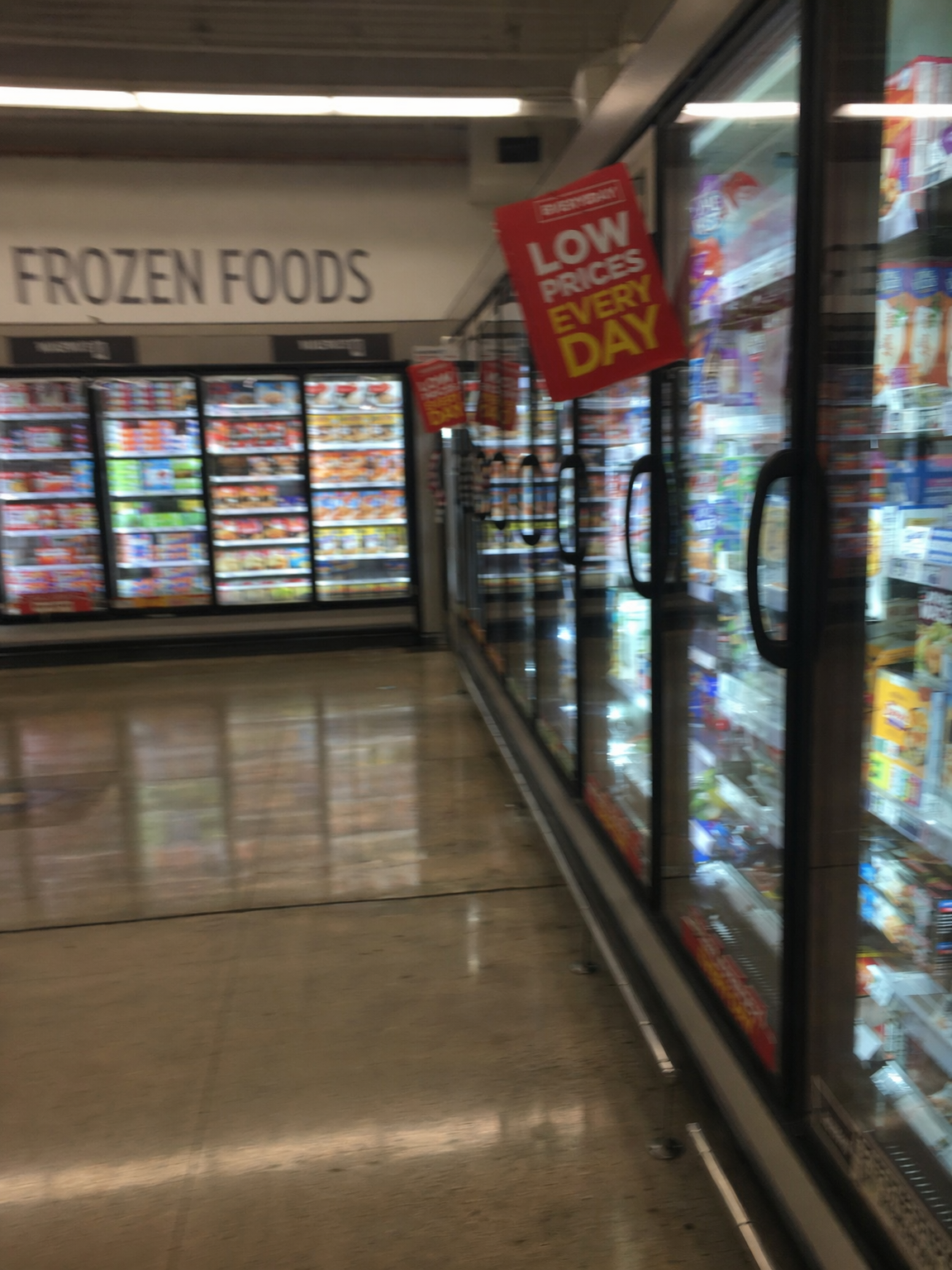
One clean generation pass can already land believable mundane realism when the prompt locks the lighting, camera behavior, and environment details.
Edit one image
Replace an object, change clothing, remove clutter, relight, swap weather or season, clean up a background.
Endpoint: openai/gpt-image-2/edit.
Template:
Change:
[exactly what should change]

Preserve:
[face, identity, pose, lighting, framing, background, geometry, text, layout]

Constraints:
[no extra objects, no redesign, no logo drift, no watermark]
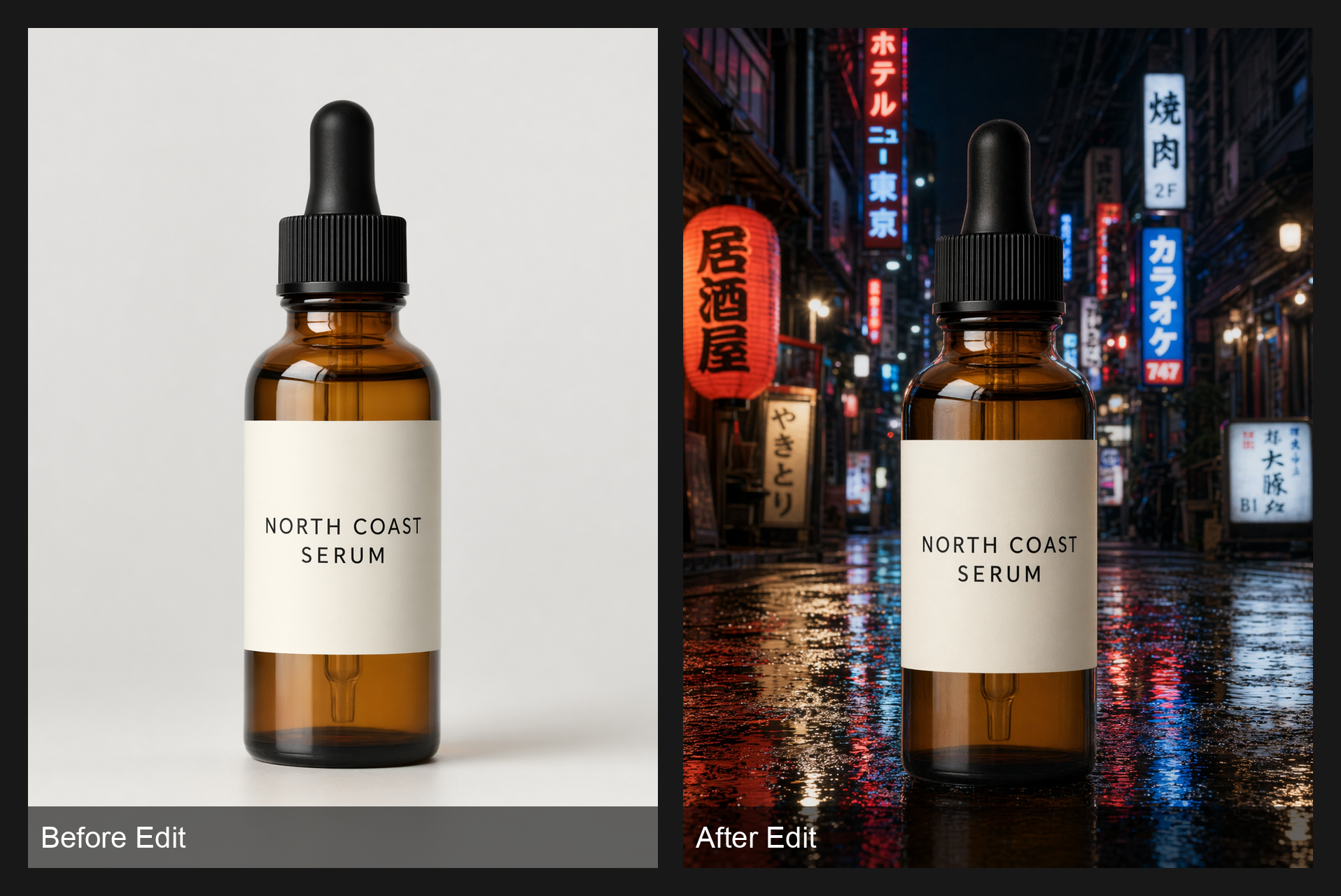
This is the edit pattern you want in practice: preserve the bottle, preserve the label, move only the background.
Combine multiple images
Virtual try-on, style transfer, compositing, insertion, or mixing a style reference with a content source.
Label each input image by role and reference the labels in the instruction.
Image 1: base scene to preserve.
Image 2: jacket reference.
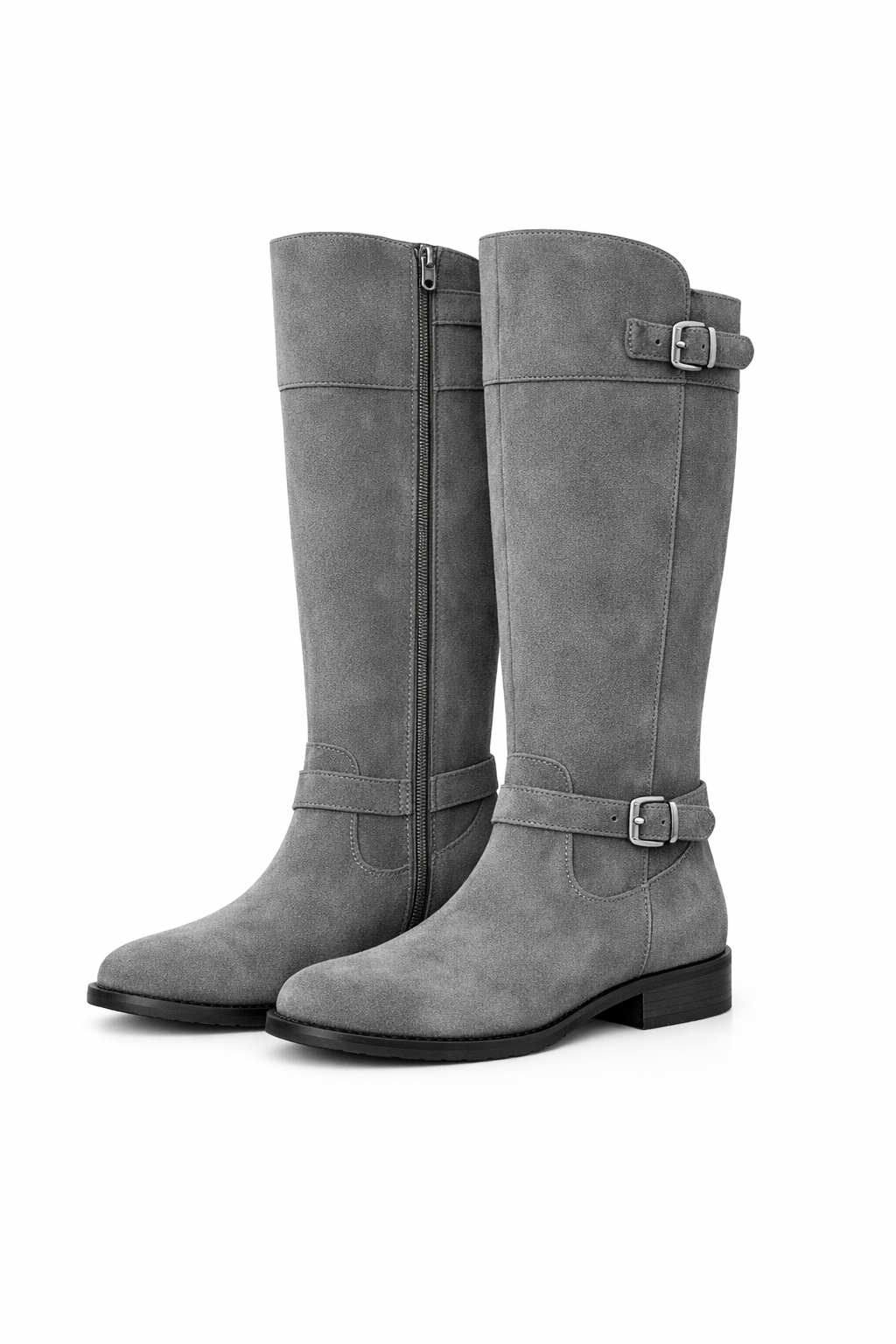
Image 3: boots reference.

Instruction:
Dress the person from Image 1 using the jacket from Image 2 and the boots from Image 3.
Preserve the face, body shape, pose, background, lighting, and framing from Image 1.
No extra accessories.
Reference inputs
Result
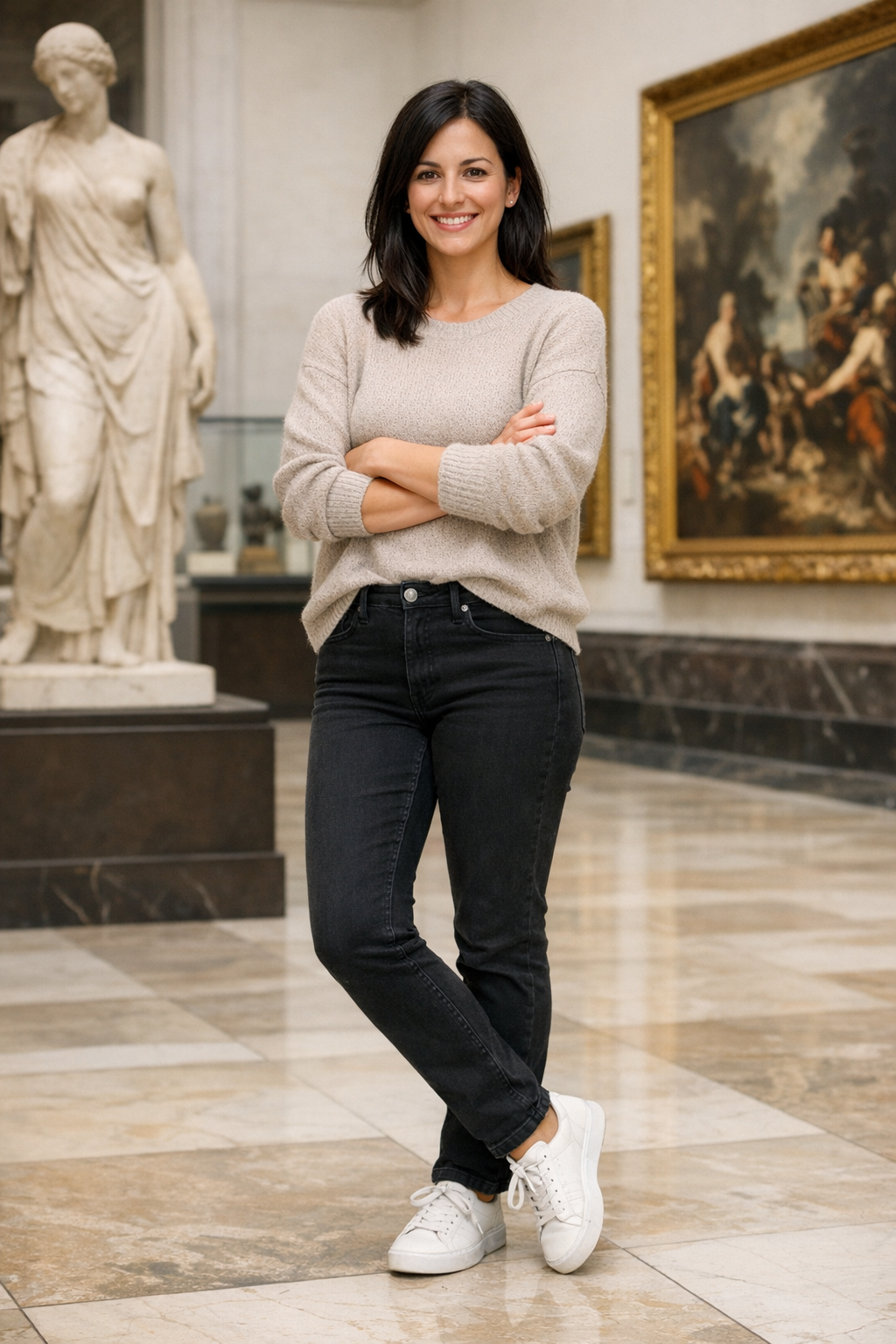
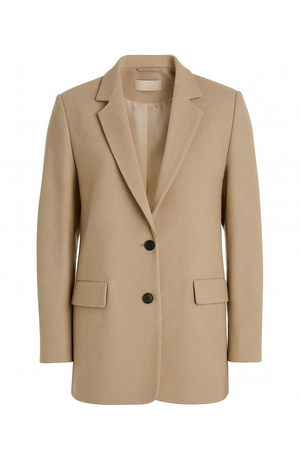
Labeling each input by role keeps compositing prompts grounded instead of making the model guess which image is content and which image is reference.
The GPT Image family accepts up to 16 reference images for edits and takes either file IDs or fully qualified URLs.
falMODEL APIs
The fastest, cheapest and most reliable way to run genAI models. 1 API, 100s of models
Patterns that work
Every image below came out of openai/gpt-image-2 at the parameters noted next to it. Where a GPT Image 1.5 comparison is useful, it is shown inline here instead of linked out.
Photoreal editorial
Describe the photograph, not the fantasy. Lens, framing, time of day, light source, texture, surface wear, believable imperfection, ordinary background detail.
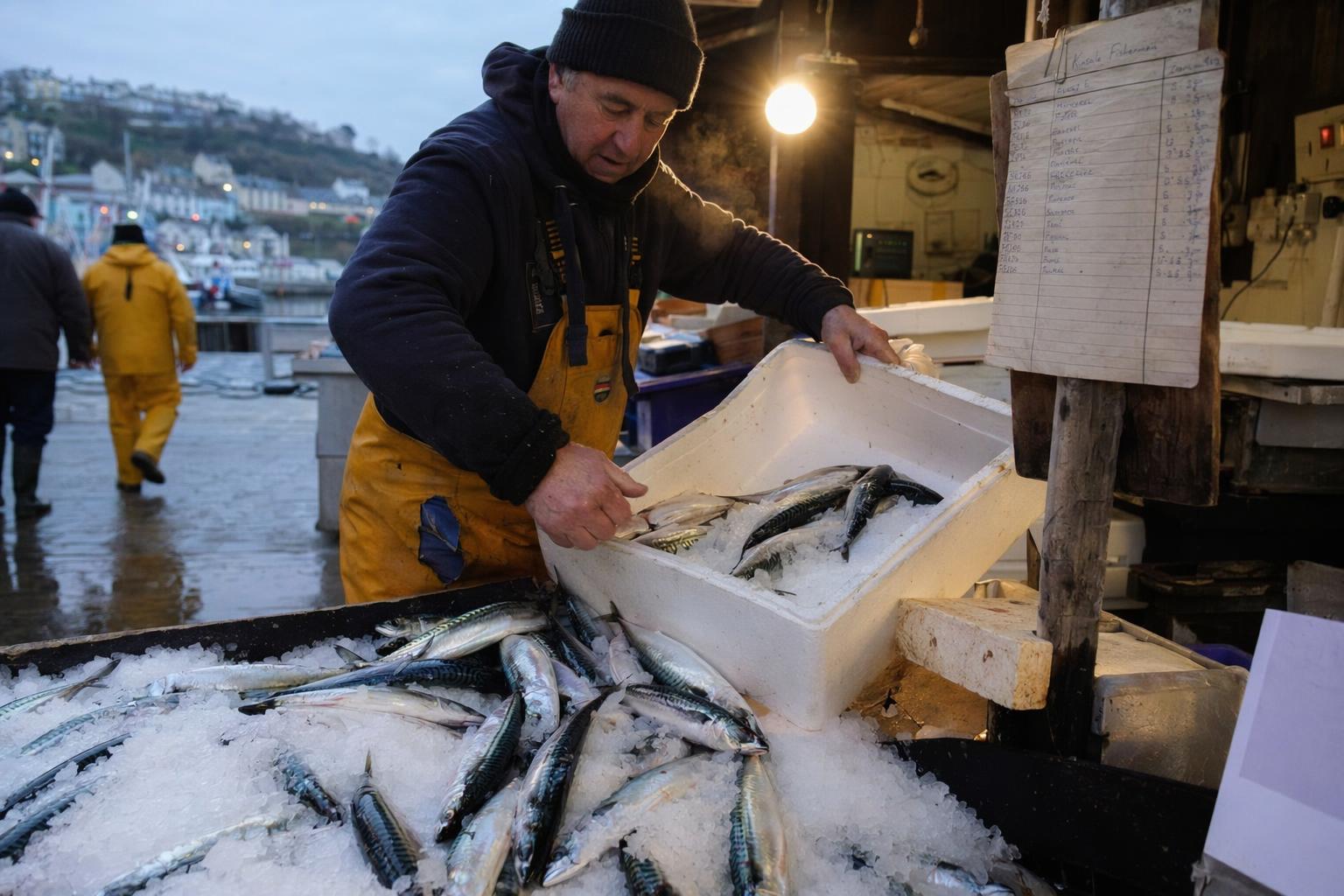
aspect 3:2 · quality high · tags documentary, market, dawn, cold-breath, reportage
Create a color documentary photograph of a fishmonger unpacking crates of mackerel
onto crushed ice at a small coastal market just after dawn. Steam from breath in the
cold air, rubber boots, wet concrete floor, incandescent work lamp spilling warm
light, a paper ledger with handwritten prices clipped to a wooden post. Realistic
skin texture and fish scales, shallow depth of field, 35mm feel. No commercial
styling, no watermark.
Cold air, wet floor, a named lamp, a named lens. The image reads as a real photograph because each of those details was specified.
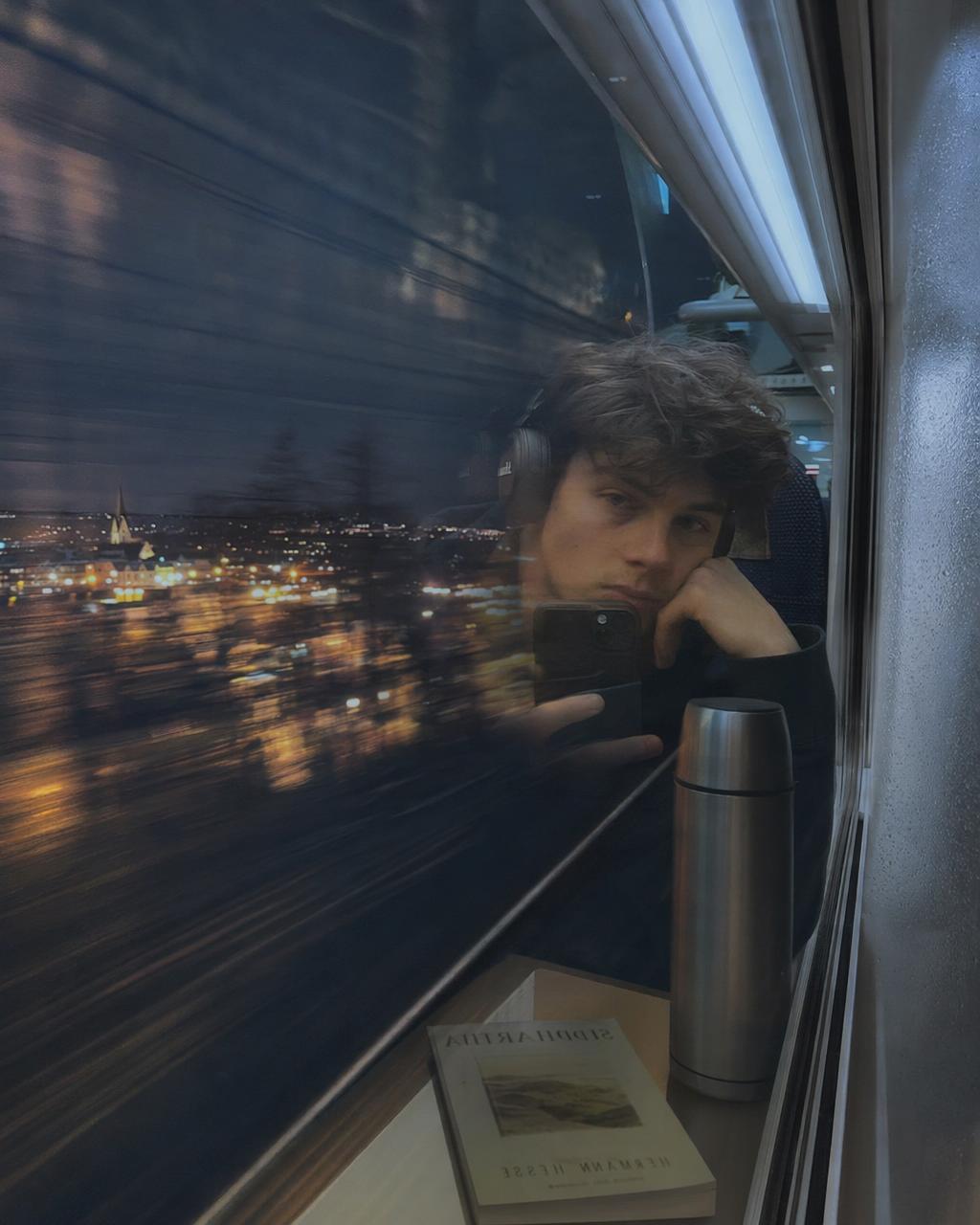
aspect 4:5 · quality high · tags self-portrait, train, night, reflection, solitude
Create a reflection self portrait in a night train window showing a young traveler
with headphones and a tired expression, while the landscape outside blurs past at
speed. Cool overhead train light mixed with warm town lights outside, ghosted
double reflection on the glass, condensation at the edge, a thermos and a book on
the tray table. Cinematic but believable. No watermark.
Ghosted reflection, condensation on the glass, a book and a thermos on the tray, cool-versus-warm mixed lighting. Concrete props and a specific lighting contrast carry the scene.
Product
Material accuracy, lighting consistency, label fidelity, a clean use case.
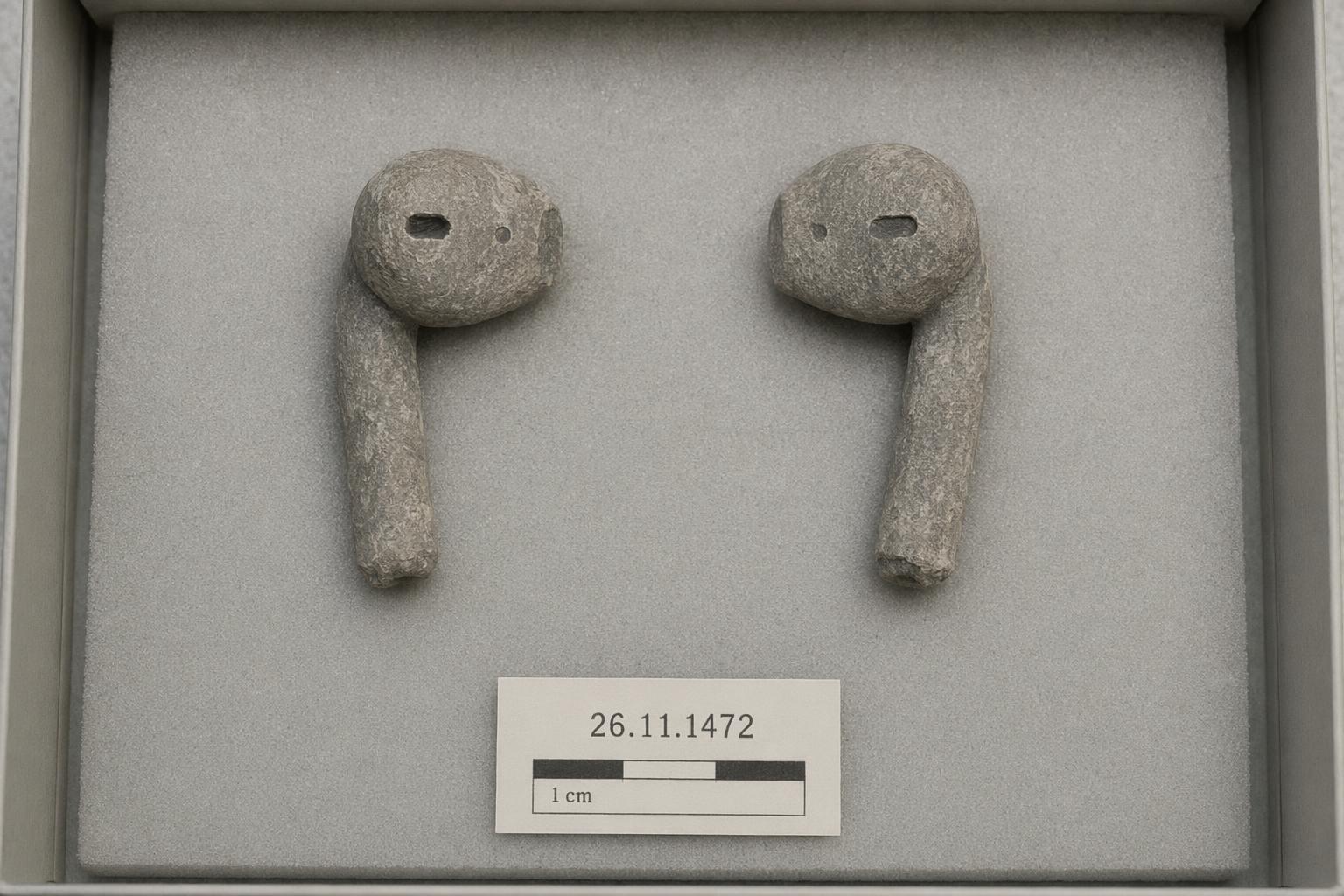
aspect 3:2 · quality high · tags archaeology, artifact, stone, modern-past, deadpan
Create a museum archive photograph of two perfectly recognizable wireless earbuds
carved from worn gray stone and placed on neutral conservation foam under soft
overhead museum light. Accession card next to the pieces reads ACC. 2126.04 -
EARLY 21C PERSONAL ACOUSTIC IMPLEMENT. Flat even lighting, no dramatic shadow,
neutral beige backdrop, shallow depth of field, the material reads as carved stone
not plastic. No watermark, no brand logos.
An aesthetic that commits all the way. Museum archive framing, accession card, conservation foam, flat lighting. The deadpan holds because every element in the prompt reinforces it.
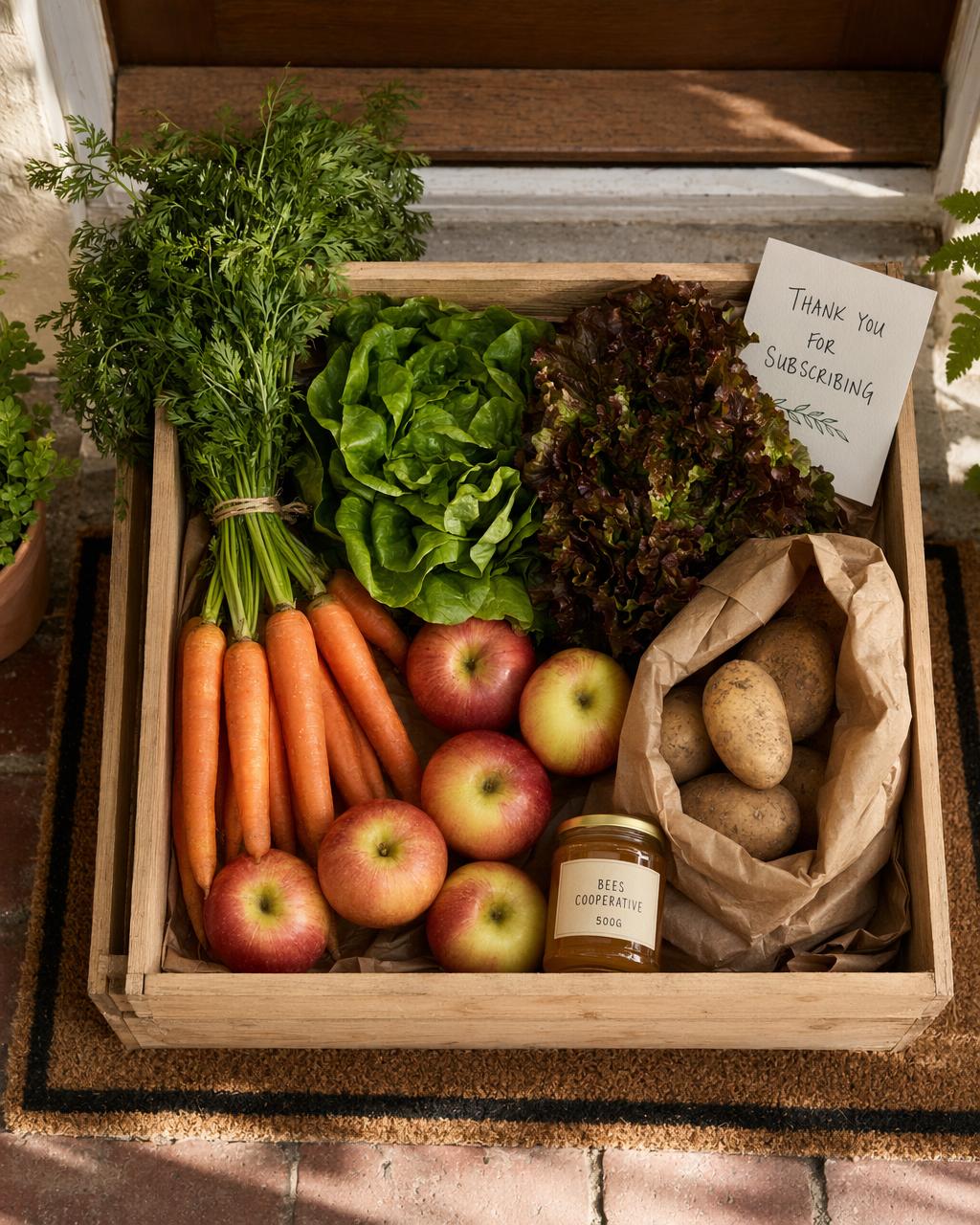
aspect 4:5 · quality high · tags grocery-box, overhead, farm-to-door, readable-label, warm
A flat inventory of physical objects and one piece of print that must stay legible. That is the entire recipe for product photography prompting.
UI and screenshots
Screen type, hierarchy, exact copy, state, layout logic, typography behavior.
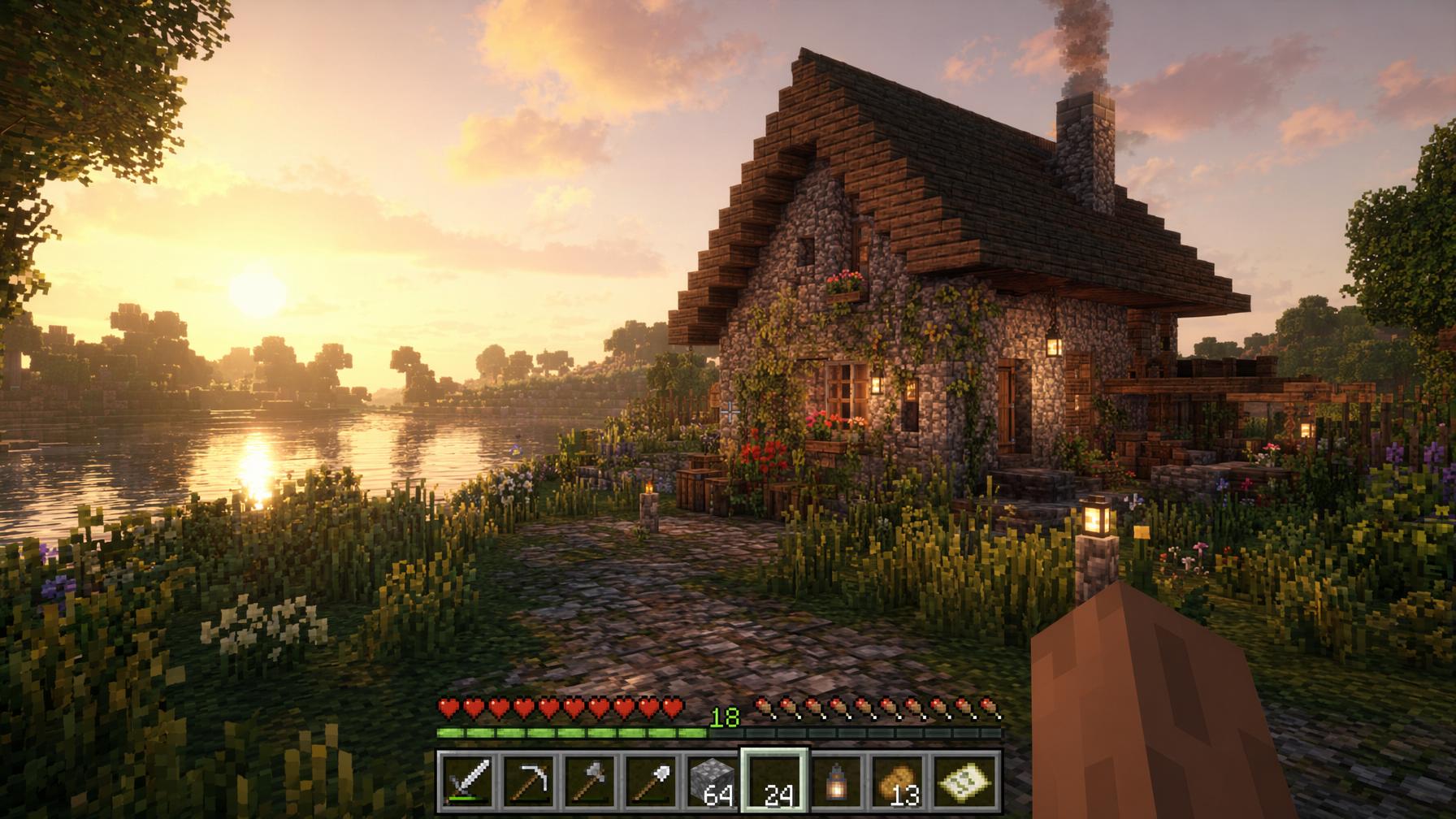
aspect 16:9 · quality high · tags gameplay, fake-sequel, survival, hud, golden-hour
Create a first-person gameplay screenshot of a cozy lakeside stone cottage in a
lush block-built survival world at golden hour. Premium game-engine realism,
ray-traced global illumination, detailed grass and flowers, soft atmospheric haze,
subtle player hand in the lower right, clean survival HUD along the bottom,
believable UI spacing. No logos, no watermark, no exact brand references.
Avoid: no trademarked logos, no watermark, no fantasy overdesign.
"Clean survival HUD along the bottom, believable UI spacing" does the layout work. Remove those two clauses and the HUD collapses into noise.
Create a clean mobile app screenshot for a minimalist to-do app called DAYBREAK.
Top status bar reads 9:41 AM.
Title: DAYBREAK.
Subtitle: Tuesday, 23 April.
Four tasks listed:
- Review quarterly notes
- Call mom
- Ship the image update
- Pick up bread
One task is checked off.
Muted cream background, deep navy accent color, rounded sans serif, soft card
shadows, perfect legibility, generous spacing.
No watermark. No real app branding.
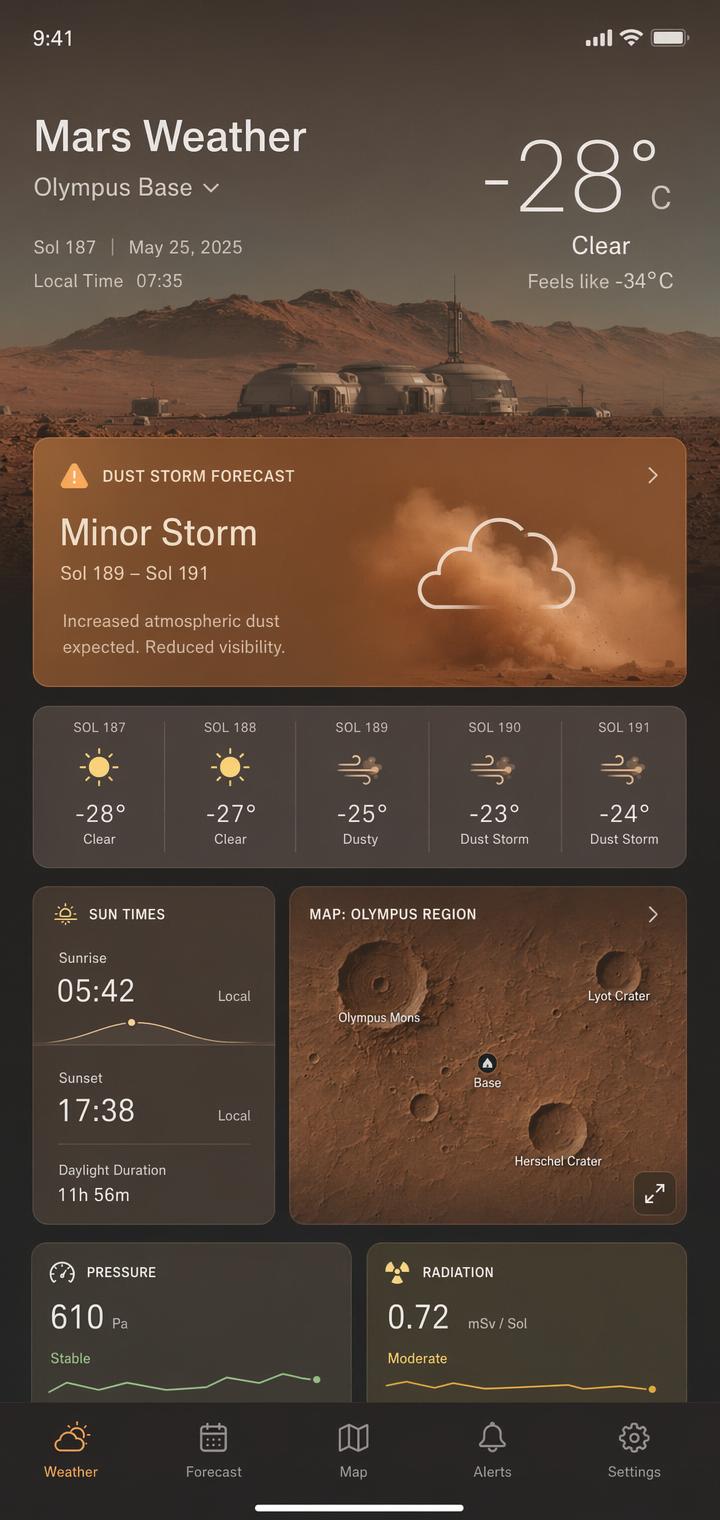
Different product, same lesson: the model gets dramatically better once the screen type, copy, hierarchy, and spacing are all explicit.
Interface hierarchy, exact copy, typography, spacing. Every slot filled with instructions the model can measure.
Text in image
Text rendering is stronger in the current GPT Image family than in older image models, and still rewards careful handling.
Write the text exactly, mark it EXACT TEXT or verbatim, specify placement and typography, state "no extra words" and "no duplicate text."
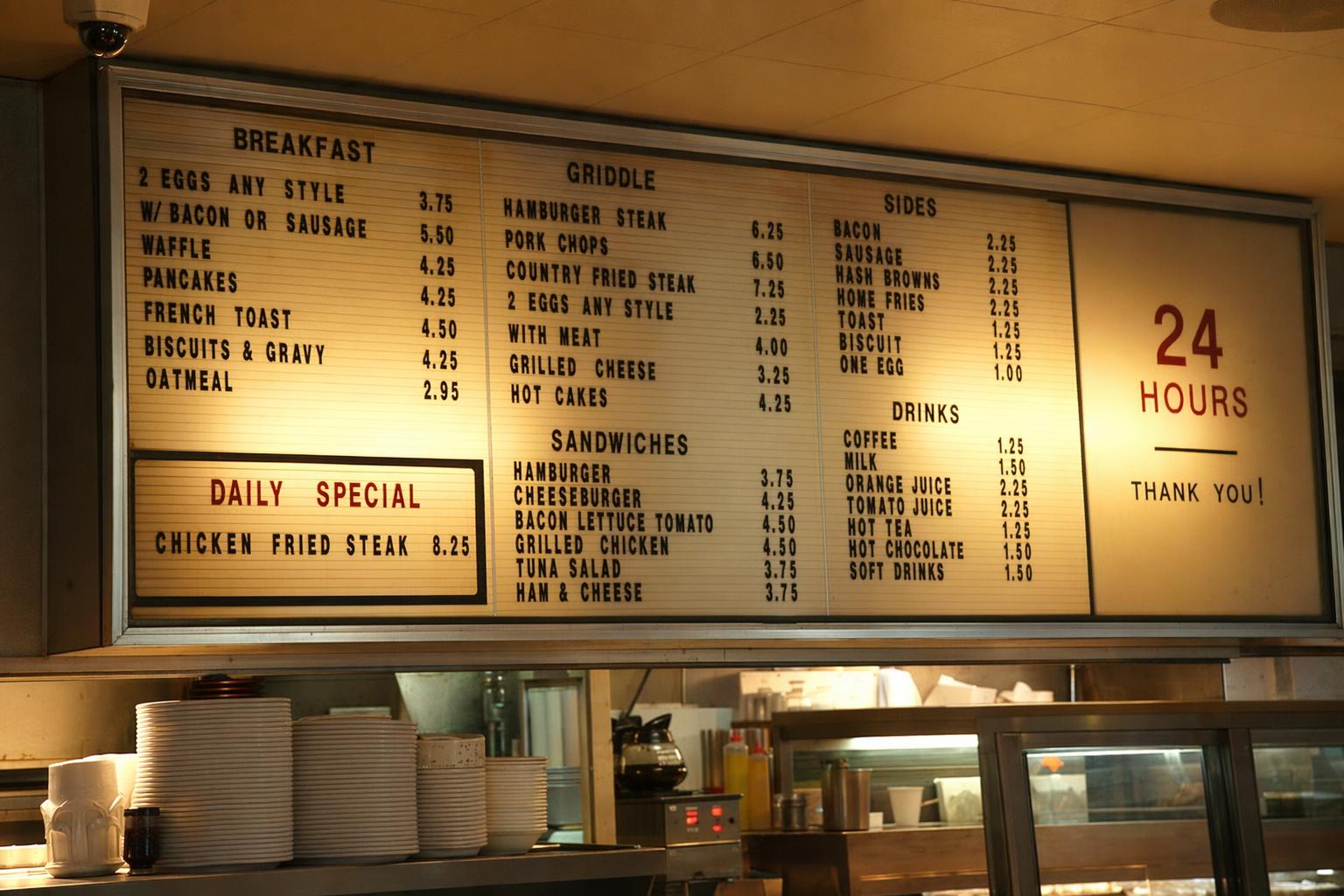
aspect 3:2 · quality high · tags signage, menu-board, diner, readable-text, dawn
Create a photoreal photograph of a 24 hour diner menu board at 5 in the morning,
shot from the counter seat at slight angle. Plastic letter tracks, uneven letter
spacing, one missing letter slot, yellowed light from incandescent bulbs, legible
prices, categories labeled BREAKFAST, GRIDDLE, SANDWICHES, SIDES, DRINKS, and a
daily special that reads CHICKEN FRIED STEAK 8.25. The type must be 100 percent
readable and physically believable. No watermark, no brand logos, no text
artifacts.
Category headings stay in ALL CAPS without quotes. The daily special is given as an exact line. The "100 percent readable and physically believable" clause locks the finish.
Weak billboard:
Make a shampoo billboard with some nice clean text.
Better billboard:
Create a realistic roadside billboard mockup at sunset.

Billboard headline (EXACT TEXT, one line only):
"Fresh and clean"

Typography:
Bold sans serif, centered, high contrast, clean kerning, easy to read from a distance.

Layout:
Bottle on the right, headline on the left, generous negative space.

Constraints:
Render the text verbatim.
No extra words.
No duplicate text.
No additional logos.
No watermark.
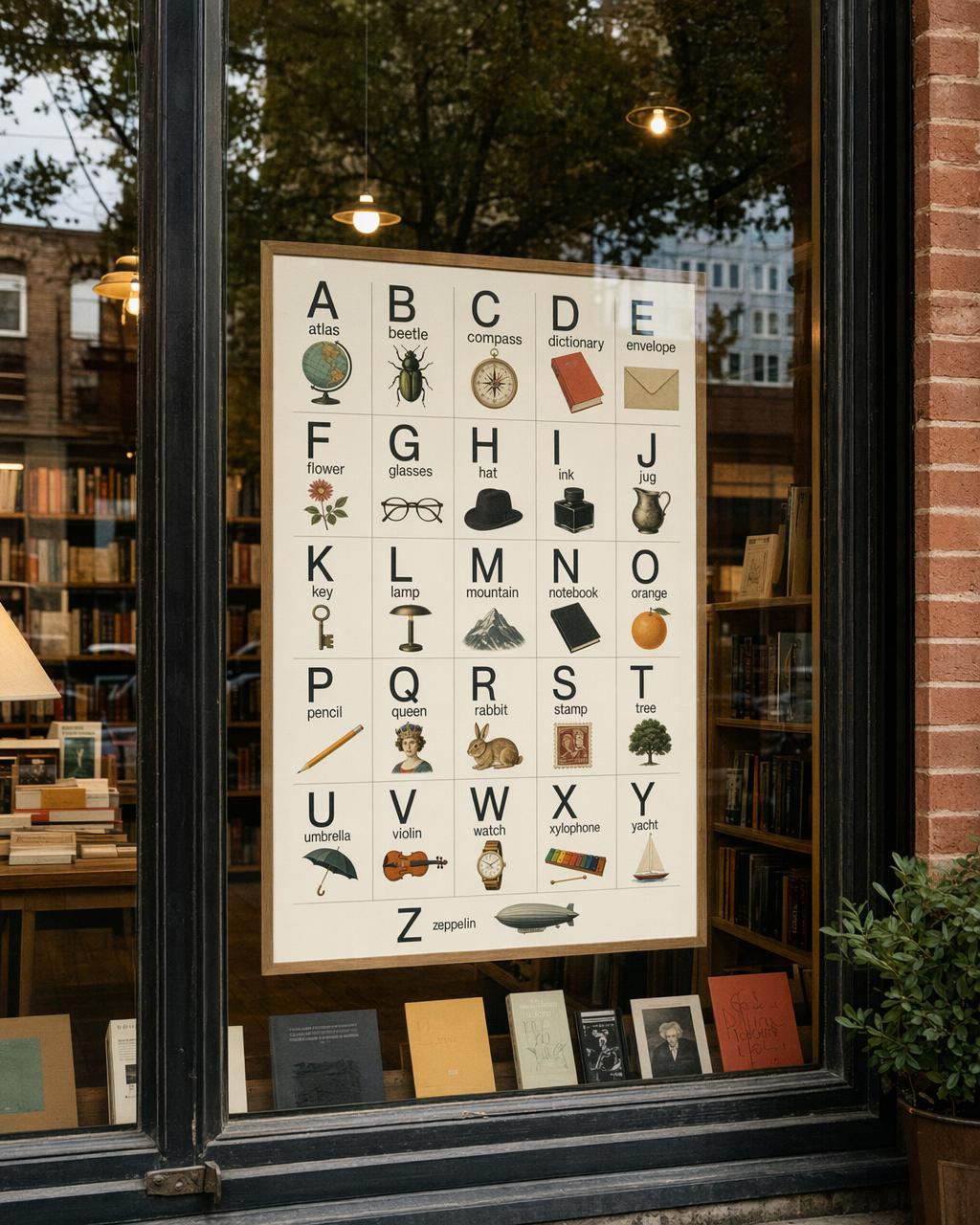
This is not a highway billboard, but it proves the same thing: once the prompt treats copy as layout, the image can carry real reading load.
Image editing
Two-column logic for edits: what changes, what stays locked. Call them through openai/gpt-image-2/edit with image_urls pointed at the source photo.
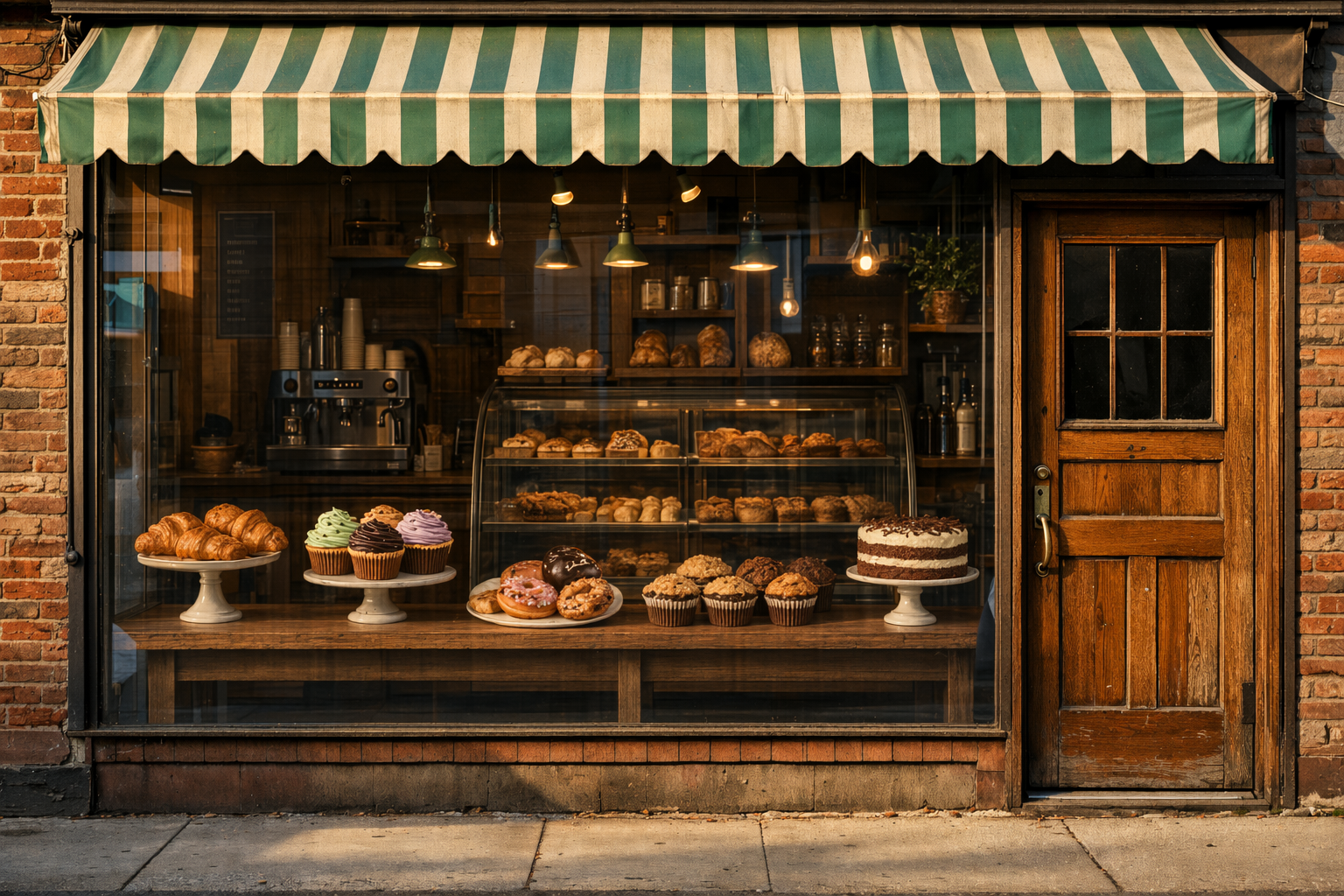
aspect 3:2 · quality high · input_fidelity: high · tags cleanup, storefront, poster-removal, preserve-architecture, window-reconstruction
Remove every advertising sign and poster from the shop windows in this storefront
photograph. Preserve the awning, the brick facade, the mullions, the window
reflections, the sidewalk, and every person on the sidewalk exactly. Reconstruct
the glass naturally: clean reflections of the street, no ghosting of the removed
posters, no leftover adhesive marks, no logo drift. Match the original lighting,
white balance, and film grain. No watermark.
The preserve list carries the edit: awning, brick facade, mullions, reflections, sidewalk, every person on it. Inventory what must stay and the edit stays in scope.
Weak outfit swap:
Make the outfit better.
Better:
Change only the clothing.
Keep the face, skin tone, body shape, hands, hair, expression, pose,
background, camera angle, framing, and lighting exactly the same.
Use a dark olive waxed cotton jacket, charcoal trousers, and brown leather boots.
Fit the garments naturally with realistic folds and contact shadows.
No jewelry, no text, no logos.
Style transfer
"Same style" is not enough. Name the parts.
Use the same visual language as the input image:
chunky pixel forms, limited arcade palette, bright glow accents,
clean silhouette edges, playful 1980s poster energy.
Generate a new scene of a motorcycle chase through a neon desert at night.
White background. No watermark.
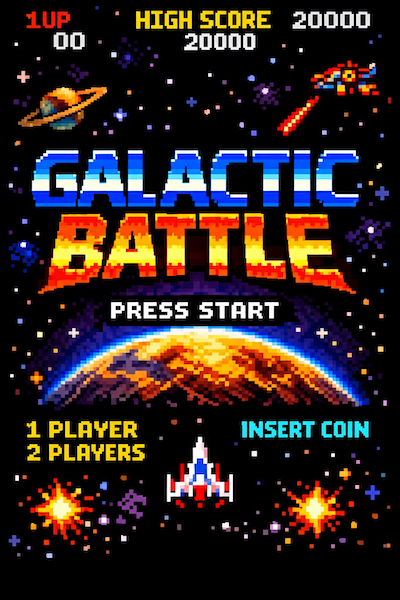
Reference images like this work because the palette, edge treatment, and silhouette language are concrete instead of abstract.
Drawing to photo
Tell the model whether the drawing is a suggestion or a contract.
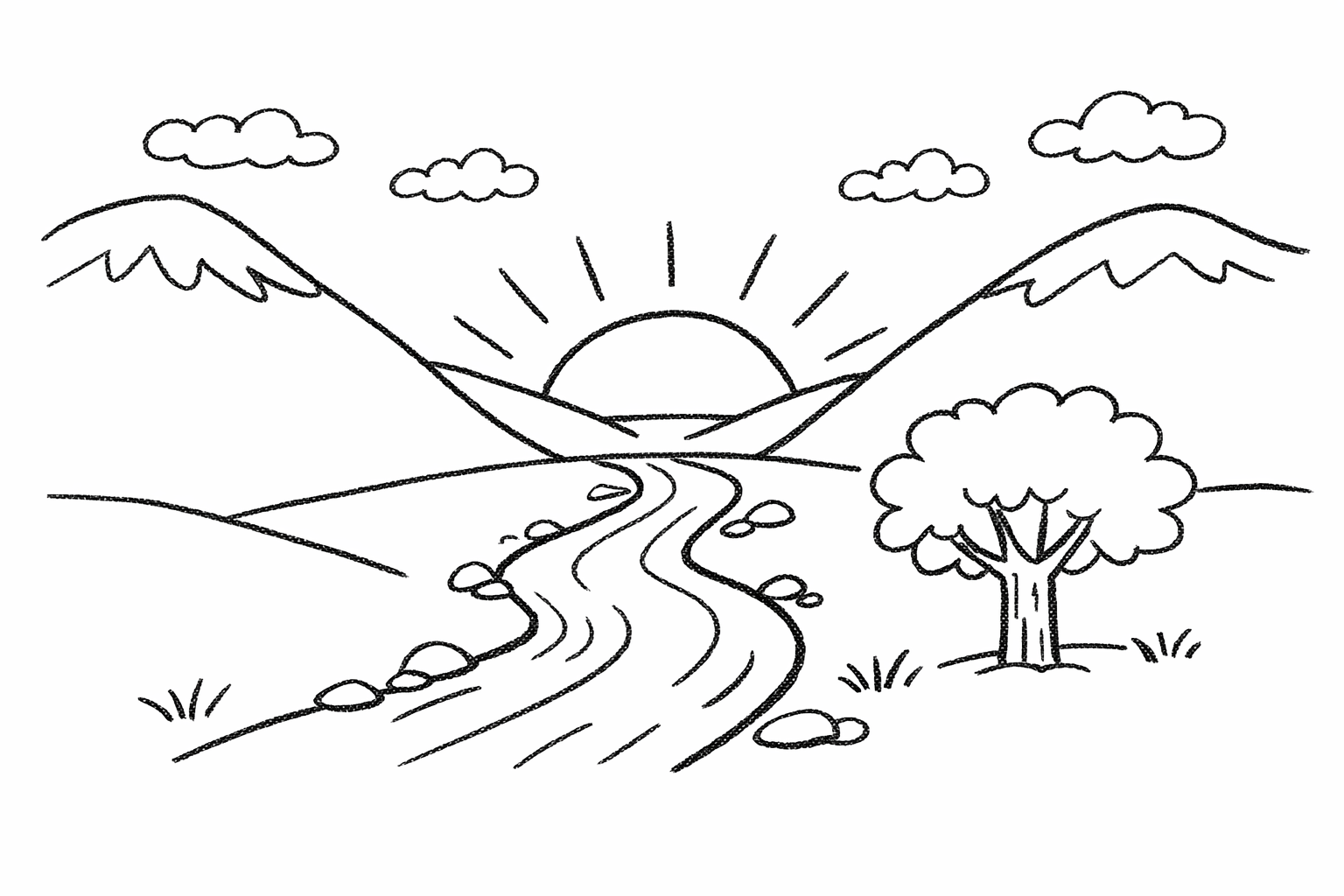
Turn this drawing into a photorealistic image.
Preserve the exact layout, horizon line, proportions, river path,
mountain placement, tree placement, and overall perspective.
Choose realistic materials and lighting consistent with a quiet sunrise scene.
Do not add new objects or text.
Result
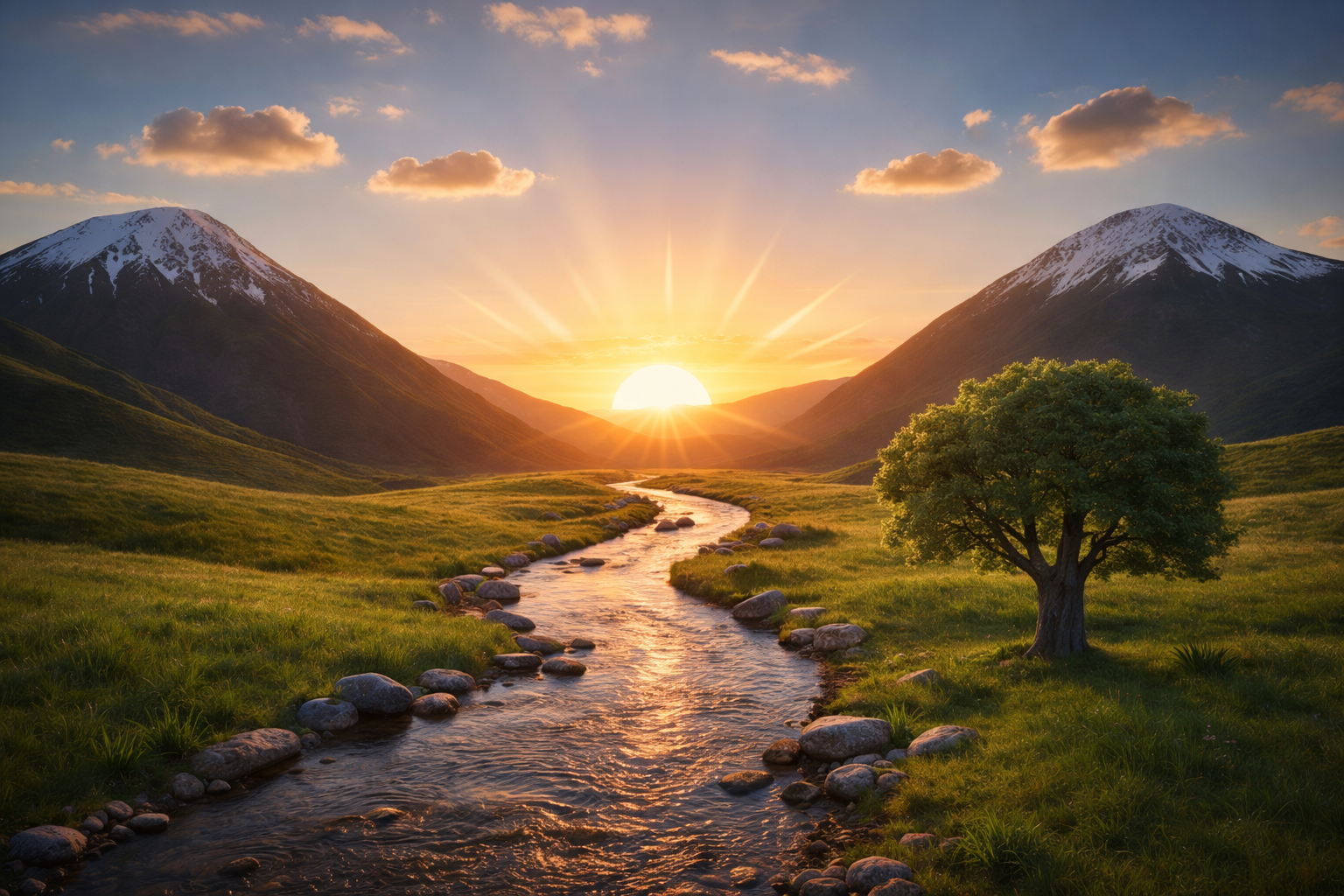
The sketch can be sparse. The important part is telling the model whether that layout is a suggestion or a contract.
Character consistency
First image establishes the anchor. Second image repeats the anchor details.
First prompt:
Create a children's book illustration introducing a main character.
A young forest helper wearing a green hooded tunic, soft brown boots,
and a small belt pouch. Kind expression, gentle eyes, warm but brave personality.
Hand-painted watercolor look, earthy colors, soft outlines, whimsical but grounded.
No text. No watermark.
Second prompt:
Continue the children's book story using the same character.
The same forest helper is rescuing a frightened squirrel after a winter storm.
Keep the same face, same green hooded tunic, same proportions,
same color palette, and same gentle personality.
Same watercolor look, snowy forest light, warm comforting mood.
Do not redesign the character.
No text. No watermark.
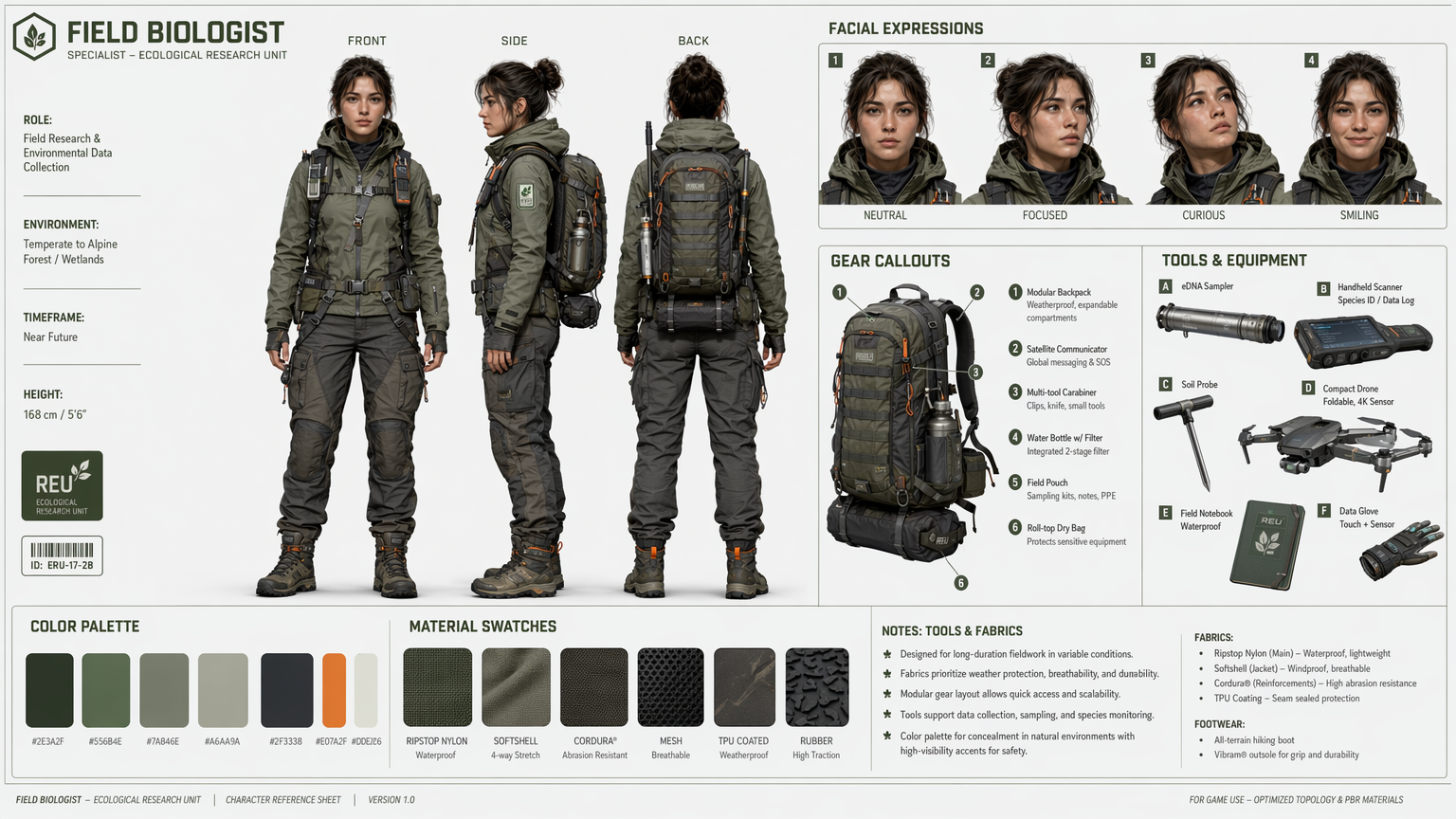
Sheets like this are strong anchors because they compress identity, wardrobe, palette, and turnarounds into one reference frame.
The same pattern works well in storybook sequences.
A few direct GPT Image 1.5 versus 2 comparisons
These are not benchmark-grade evaluations. They are still useful because they isolate the same prompt family across generations and make the layout delta easy to see.
GPT Image 1.5
GPT Image 2
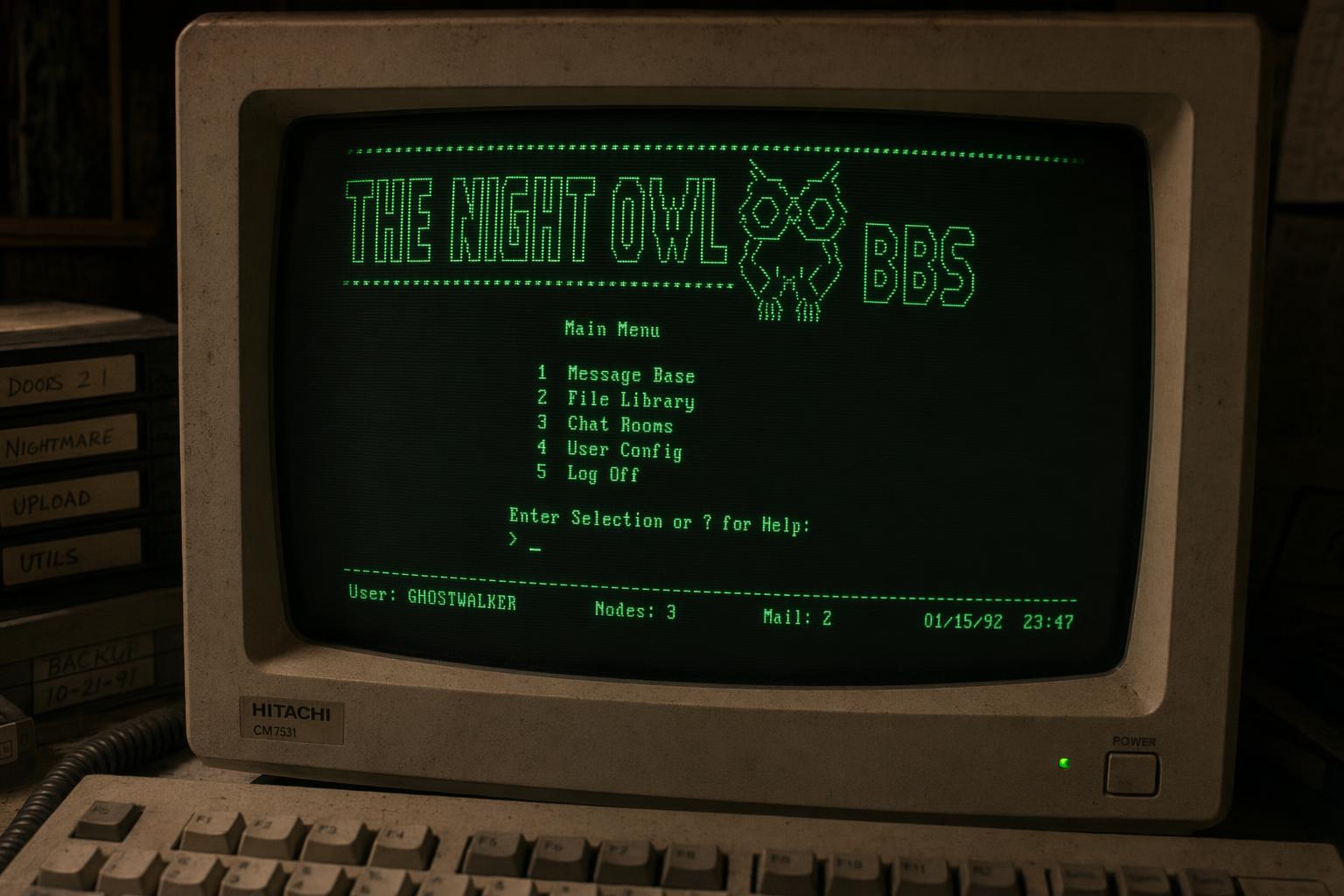
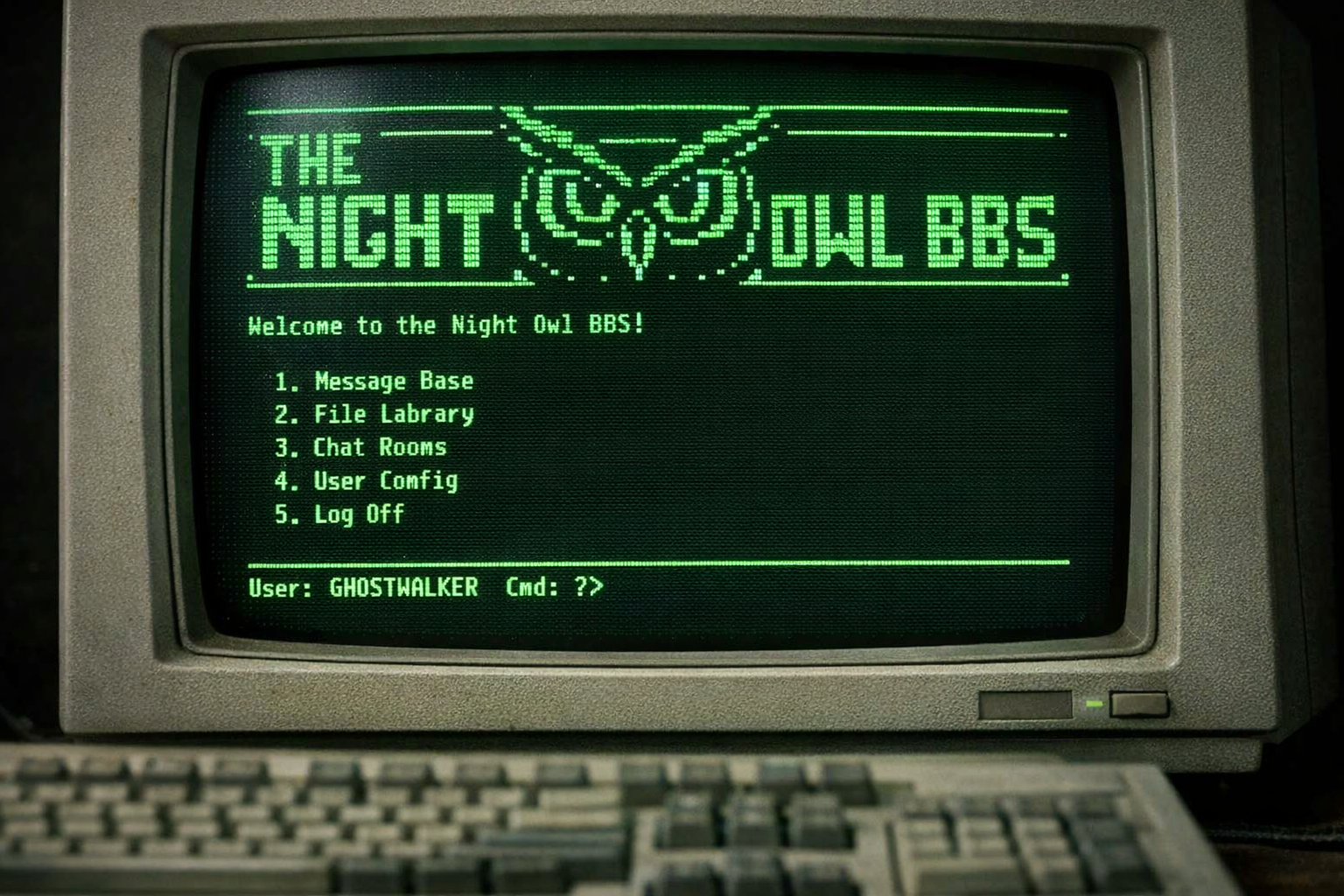
The BBS terminal prompt is a good stress test because small text, old-screen glow, and physical monitor detail all have to hold at once.
GPT Image 1.5
GPT Image 2
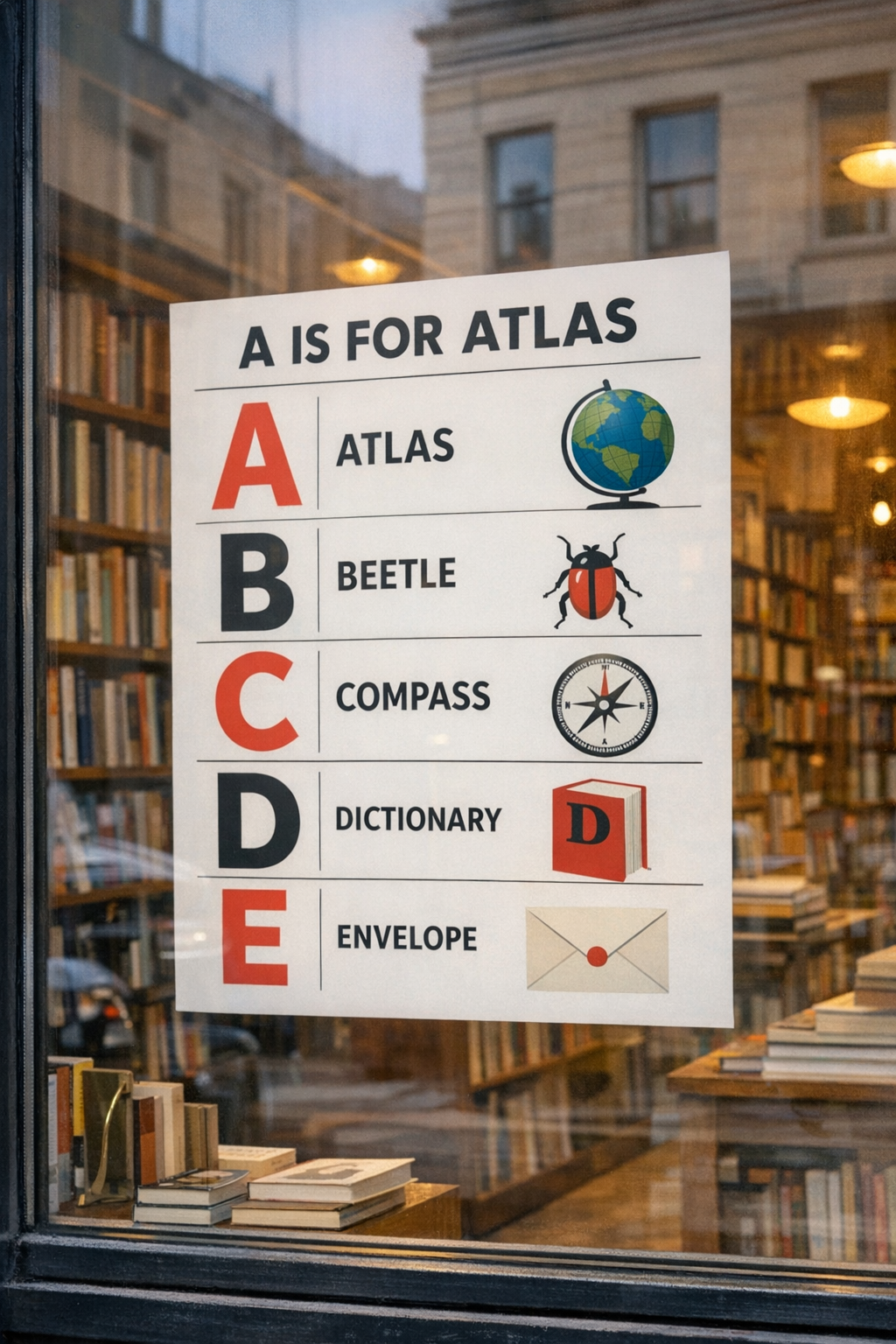
Poster and storefront layouts are another clear dividing line. The newer model tends to keep grid logic, letterforms, and reflections from fighting each other.
GPT Image 1.5
GPT Image 2
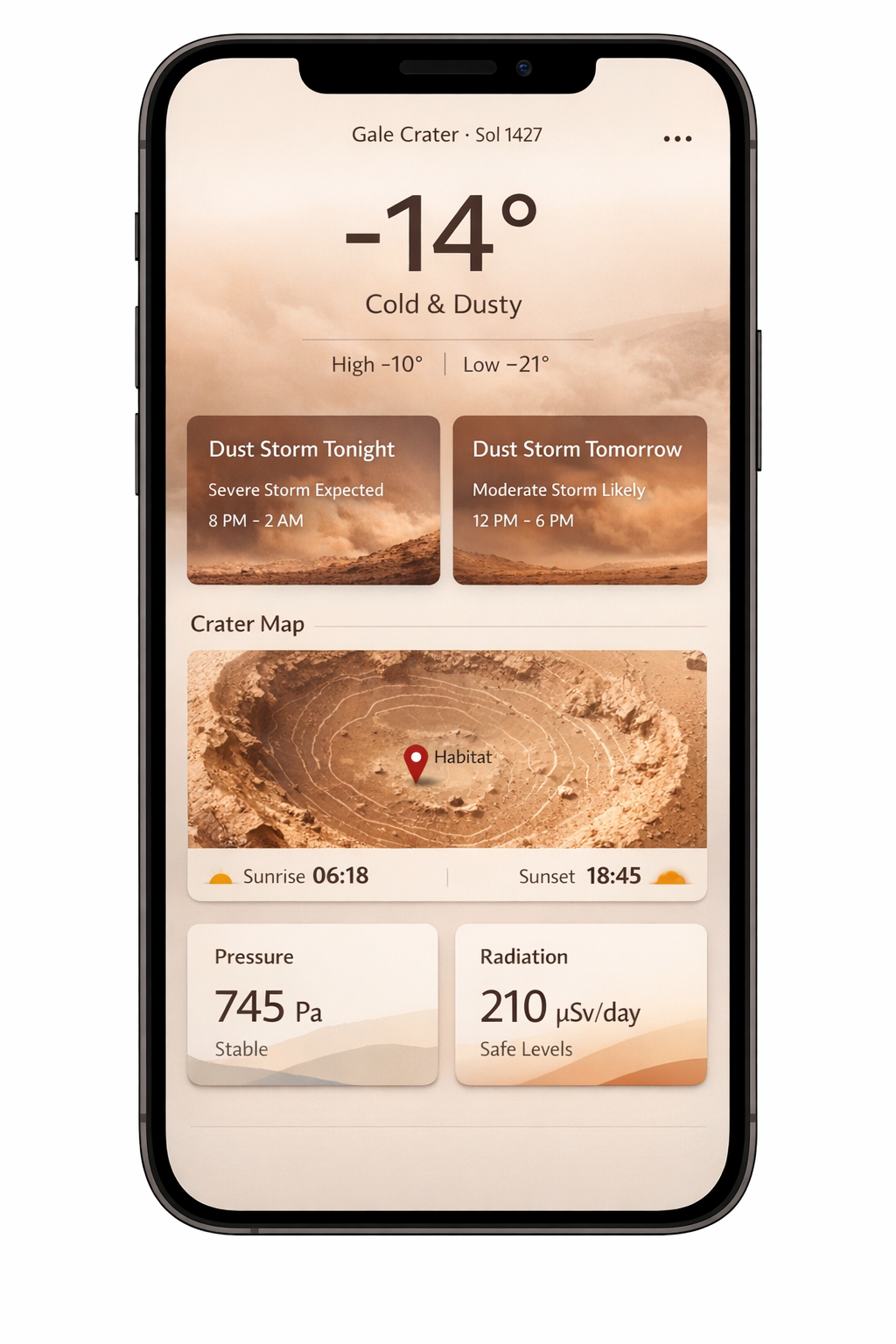
UI prompts show the same pattern: tighter hierarchy, better widget balance, and fewer places where the screen stops feeling like a shippable product.
Copy-paste library
Photoreal street image
Scene:
A narrow side street in Istanbul just after light rain at blue hour.

Subject:
A florist locking up for the night.

Important details:
Wet pavement reflections, metal shutter half closed, green apron, tired posture,
a paper bundle of unsold tulips in one hand, mixed cool street light and warm shop light,
50mm documentary feel, slight film grain, realistic skin texture, no posed glamour.

Use case:
Editorial newspaper feature photo.

Constraints:
No watermark, no logos, no tourist postcard color grading.
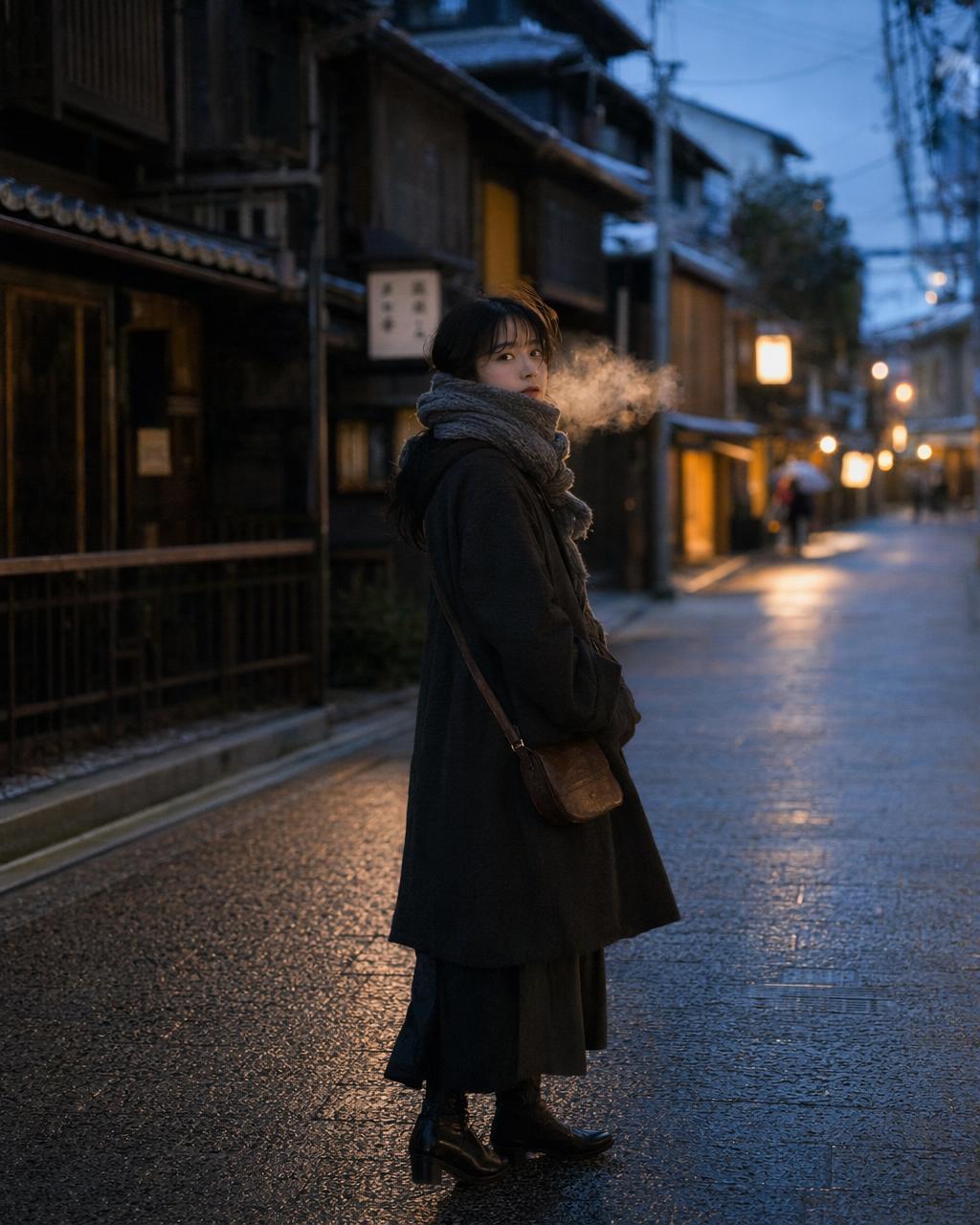
Closest public prompt-library analogue: a candid street photograph with practical light, layered clothing, and real city context instead of studio polish.
Product cutout with transparency
Extract the product from the input image.
Output: transparent background, crisp silhouette, clean edges, no halos, no fringing.
Preserve the bottle geometry, cap shape, label text, label colors, and print sharpness exactly.
Optional: a very subtle realistic contact shadow only if it respects the alpha.
Do not restyle the product.
Do not change proportions.
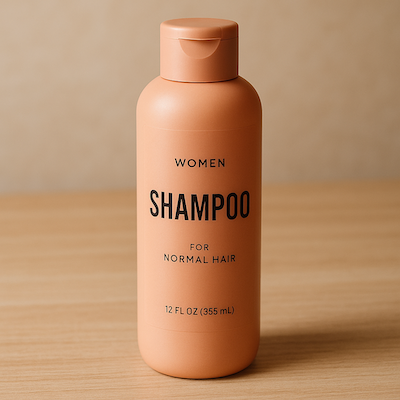
Result
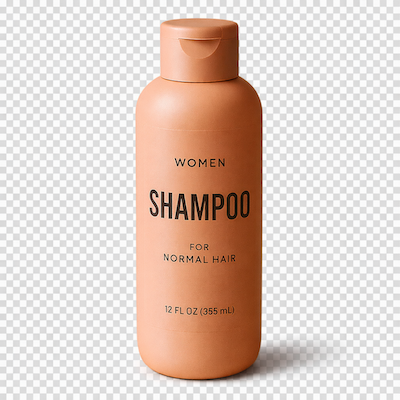
Source image for the cutout workflow. The important point here is preserving geometry, label fidelity, and edge cleanliness before any downstream mockup.
Transparency works on PNG and WebP outputs when background: "transparent" is set. JPEG silently falls back to opaque.
Billboard with exact text
Create a realistic roadside billboard at sunset using the product from the input image.

Headline (EXACT TEXT):
"Fresh and clean"

Typography:
Bold sans serif, high contrast, centered vertically in the left half,
clean kerning, readable from a distance.

Layout:
Product on the right, headline on the left, lots of empty space.

Constraints:
Render the text verbatim.
No extra words.
No duplicate text.
No watermark.
No extra logos.
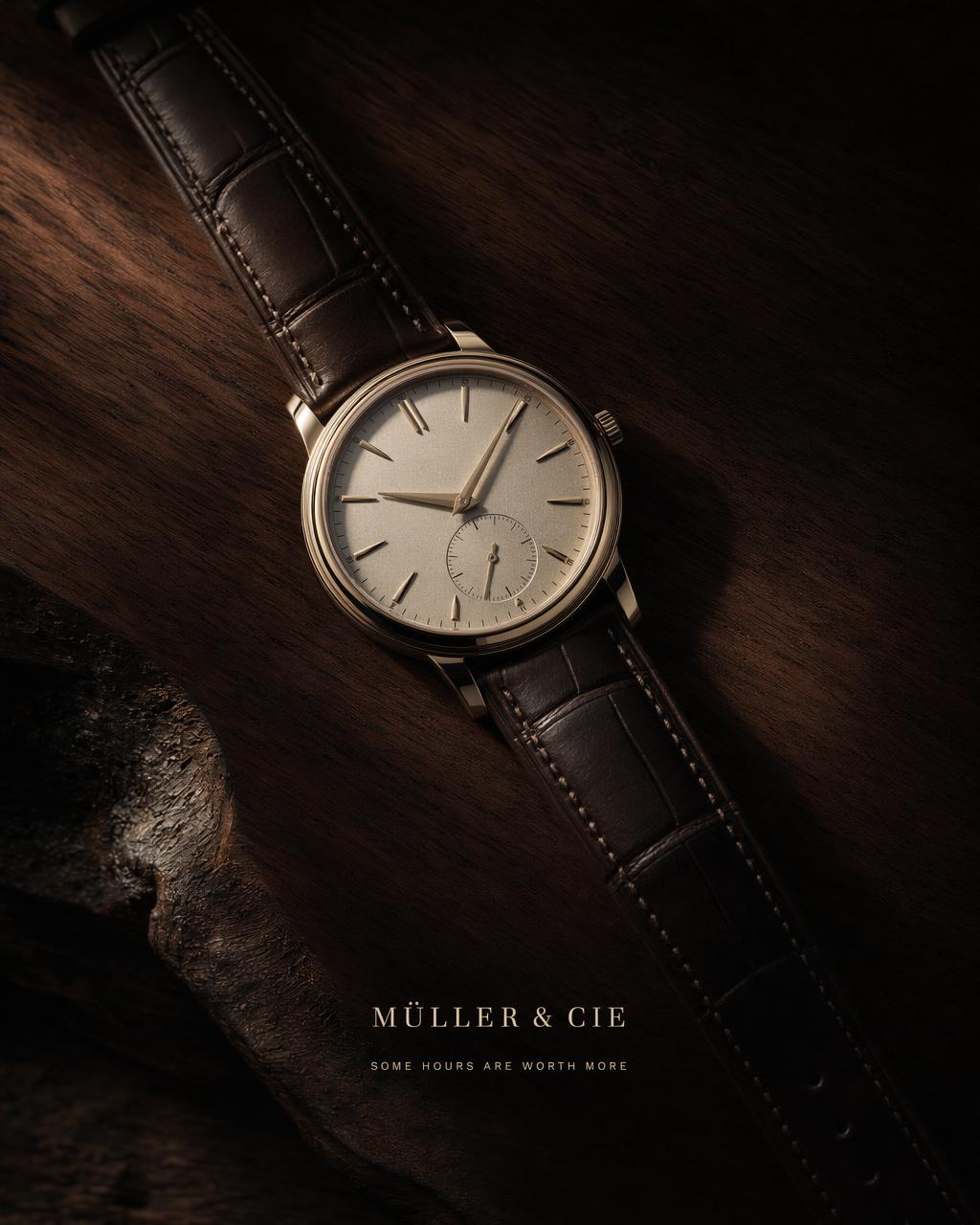
Closer fit than the previous bookstore insert: this is still an exact-text ad layout with a hero product, controlled hierarchy, and deliberate negative space.
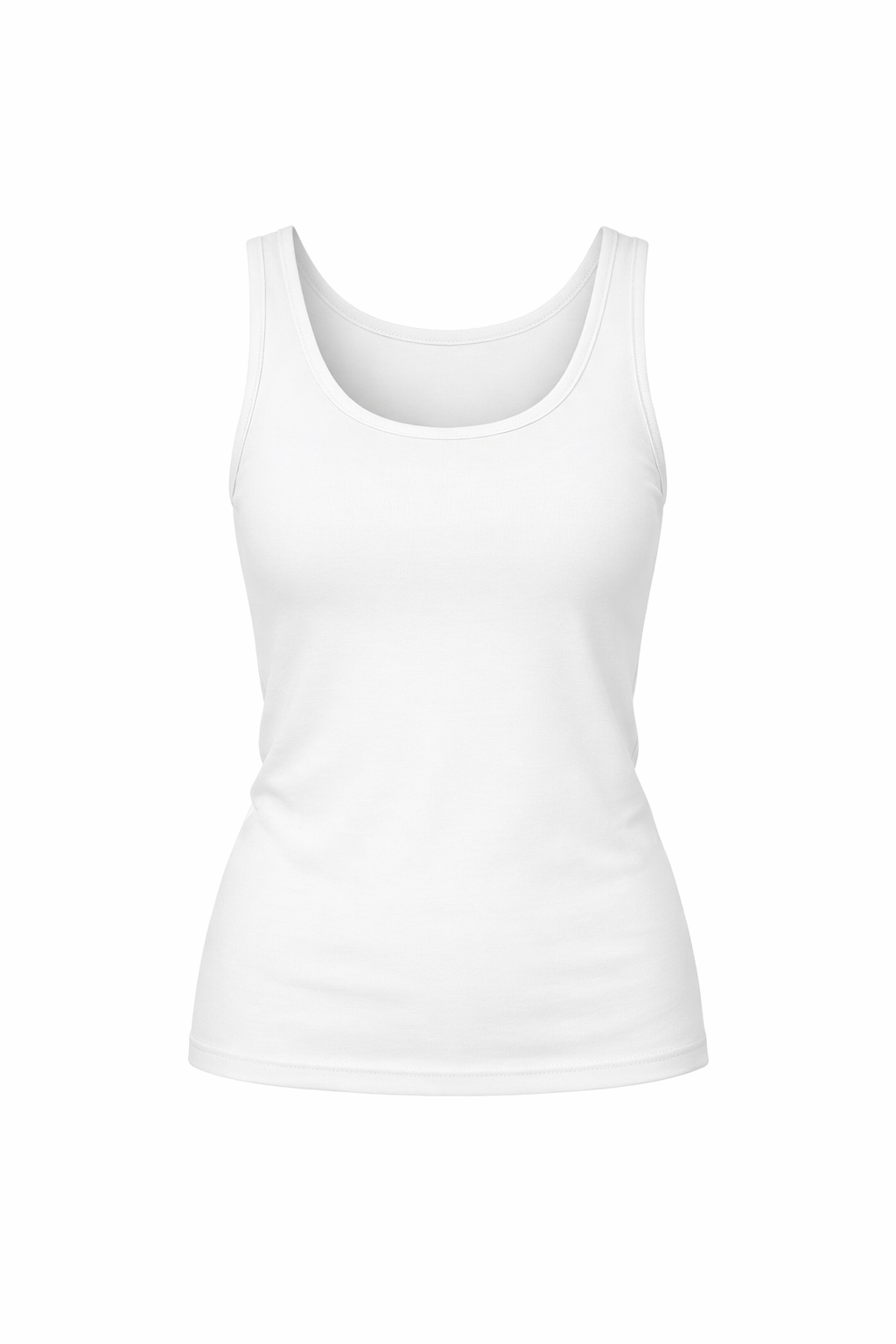
Virtual try-on through openai/gpt-image-2/edit
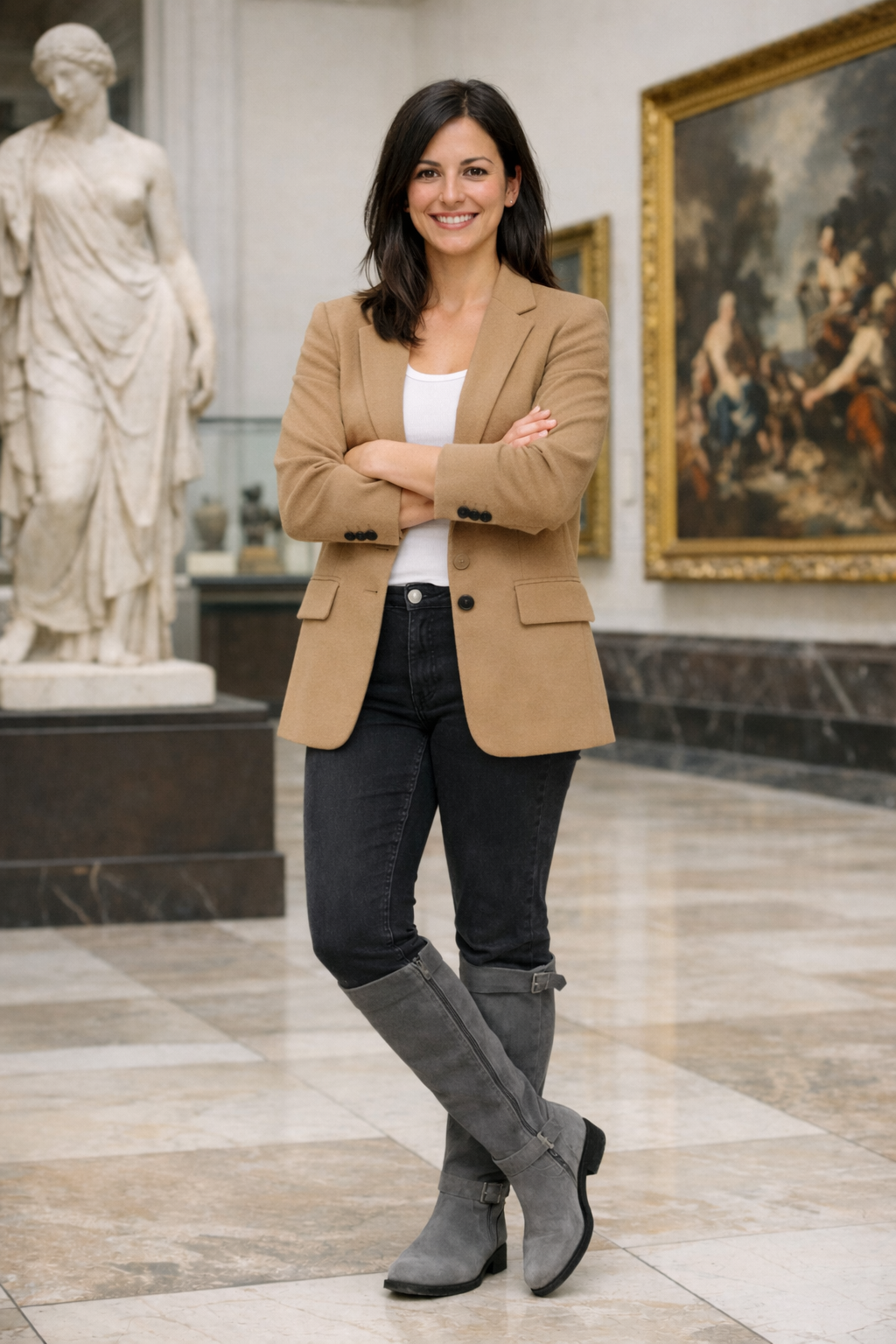
Image 1: the woman to preserve.
Image 2: the tank top reference.
Image 3: the jacket reference.
Image 4: the boots reference.

Dress the woman from Image 1 using the clothing from Images 2, 3, and 4.
Preserve her face, facial features, skin tone, body shape, hands, pose,
hair, expression, background, camera angle, framing, and lighting exactly.
Replace only the clothing.
Fit the garments naturally with realistic folds, drape, occlusion, and shadows.
Do not add jewelry, bags, text, or logos.
typescript
await fal.subscribe("openai/gpt-image-2/edit", {
  input: {
    prompt: "<prompt above>",
    image_urls: [
      "https://your-host/woman_in_museum.png",
      "https://your-host/tank_top.png",
      "https://your-host/jacket.png",
      "https://your-host/boots.png",
    ],
    quality: "high",
  },
});
Base image
Garment references
Result
Reference input set for the try-on workflow. Labeling each image by role is what keeps the edit from drifting.
Drawing to photoreal landscape
Turn this drawing into a photorealistic landscape image.
Preserve the exact layout, horizon line, river path, mountain placement,
tree placement, and overall perspective.
Use realistic natural materials and sunrise lighting.
Soft morning mist, believable rock texture, natural vegetation,
gentle water reflections.
Do not add people, buildings, animals, or text.
Result
Source sketch for the drawing-to-photo workflow. The prompt does the heavy lifting by locking geometry before realism is added.
Interior object swap
Replace only the white dining chairs in this room with natural oak wooden chairs.
Preserve the camera angle, table shape, window light, floor shadows,
reflections on the table, cabinet geometry, refrigerator reflections,
and all surrounding objects.
Keep the room otherwise unchanged.
Photorealistic contact shadows and believable wood grain.
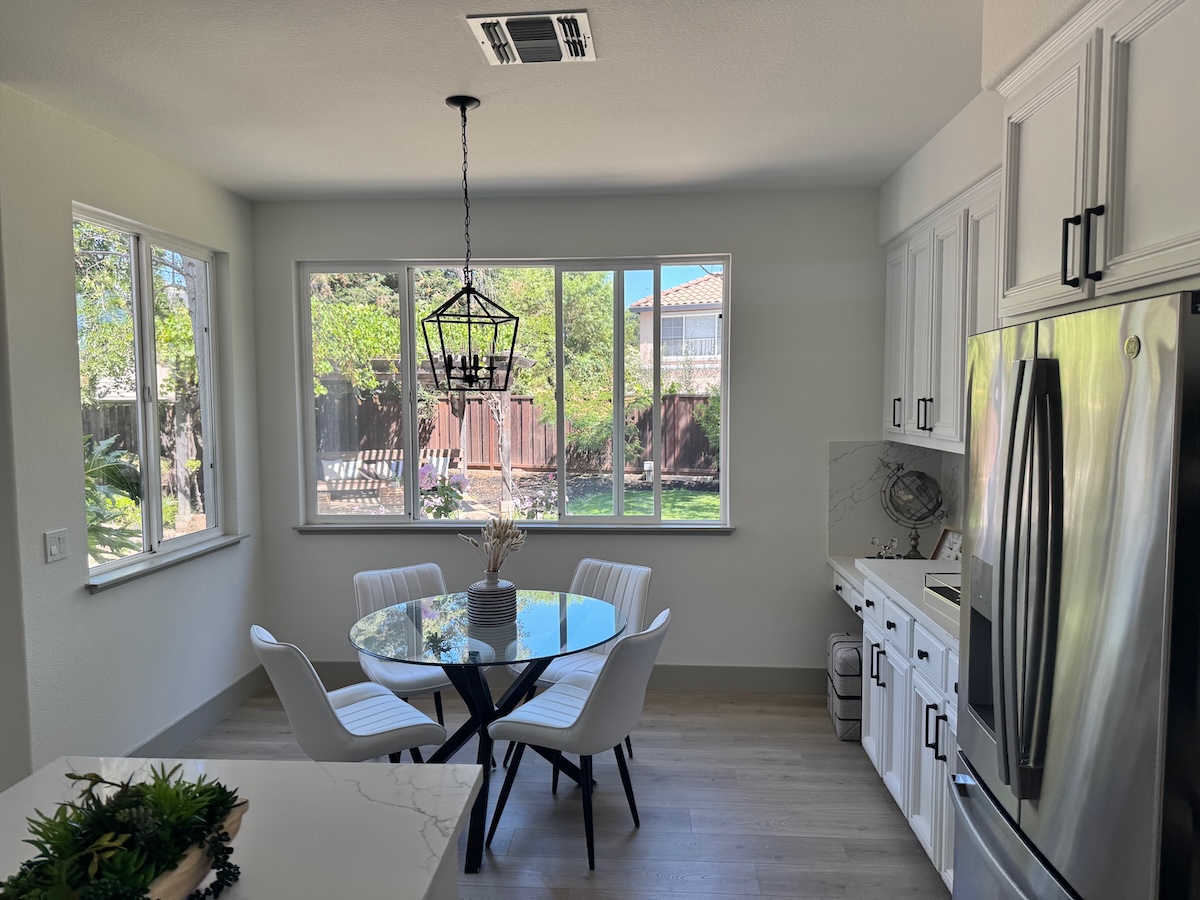
Result
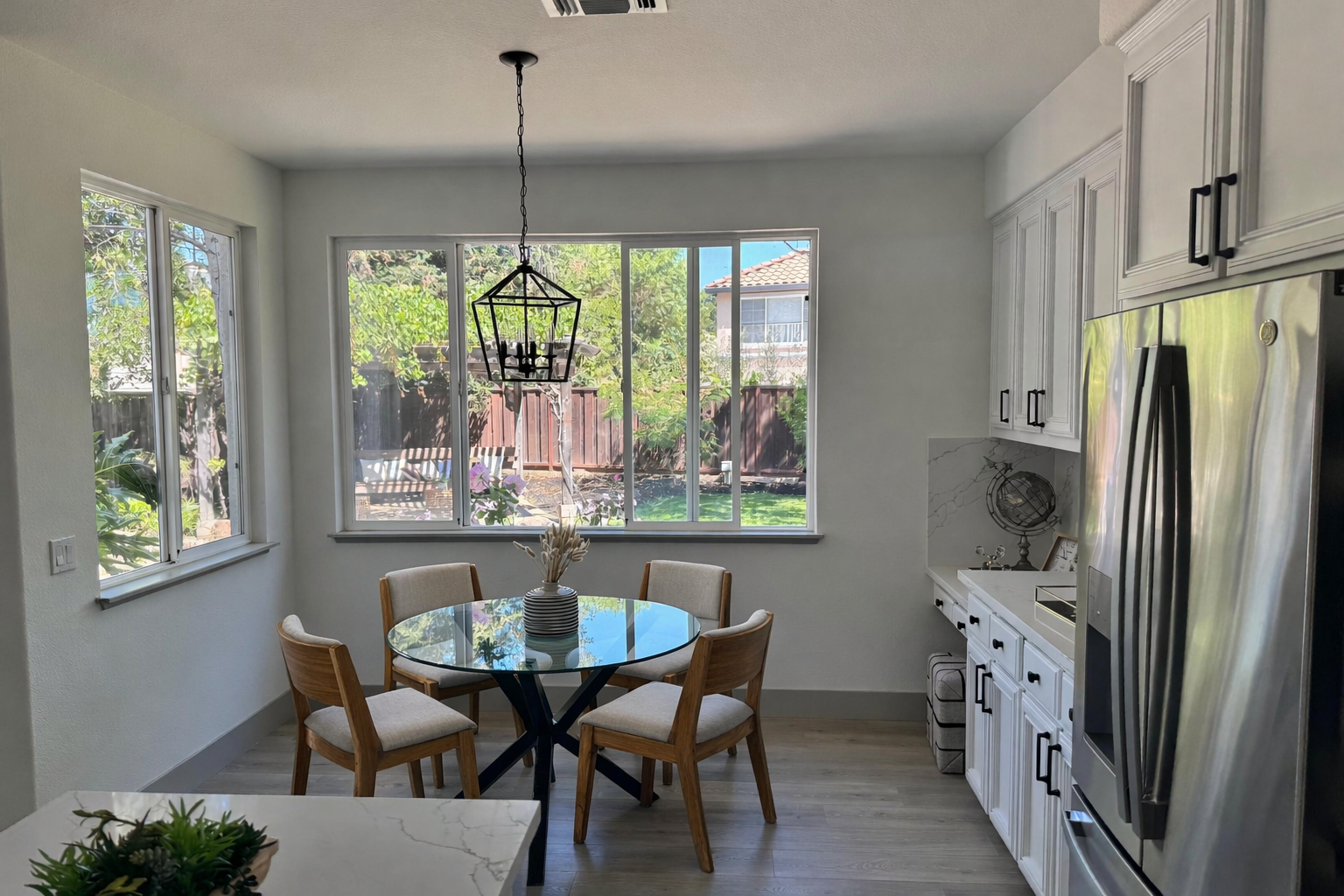
Source interior for the object-swap workflow. Stable perspective and lighting are what make the replacement believable.
Readable terminal screen
Create a photograph of a 1992-era CRT monitor displaying a bulletin board system terminal.
Phosphor green text on black.
ASCII banner: THE NIGHT OWL BBS.
Main menu items:
1 Message Base
2 File Library
3 Chat Rooms
4 User Config
5 Log Off
Status line at bottom: user handle GHOSTWALKER.
Subtle scanline glow, dusty monitor bezel, keyboard slightly out of focus.
No modern UI elements. No watermark.
This is the exact screen-rendering problem the prompt is targeting: small text, old phosphor glow, believable hardware, and no modern UI leakage.
Mobile app onboarding screen
Create a vertical mobile onboarding screen for a fictional app called NESTING.
Headline: WELCOME TO NESTING.
Supporting line: A quieter way to gather people around a table.
Buttons: Get started, I already have an account.
Small line illustration of three plates and two wine glasses.
Warm cream background, coral primary button, rounded sans serif,
clean spacing, exact readable copy.
No watermark. No real app branding.
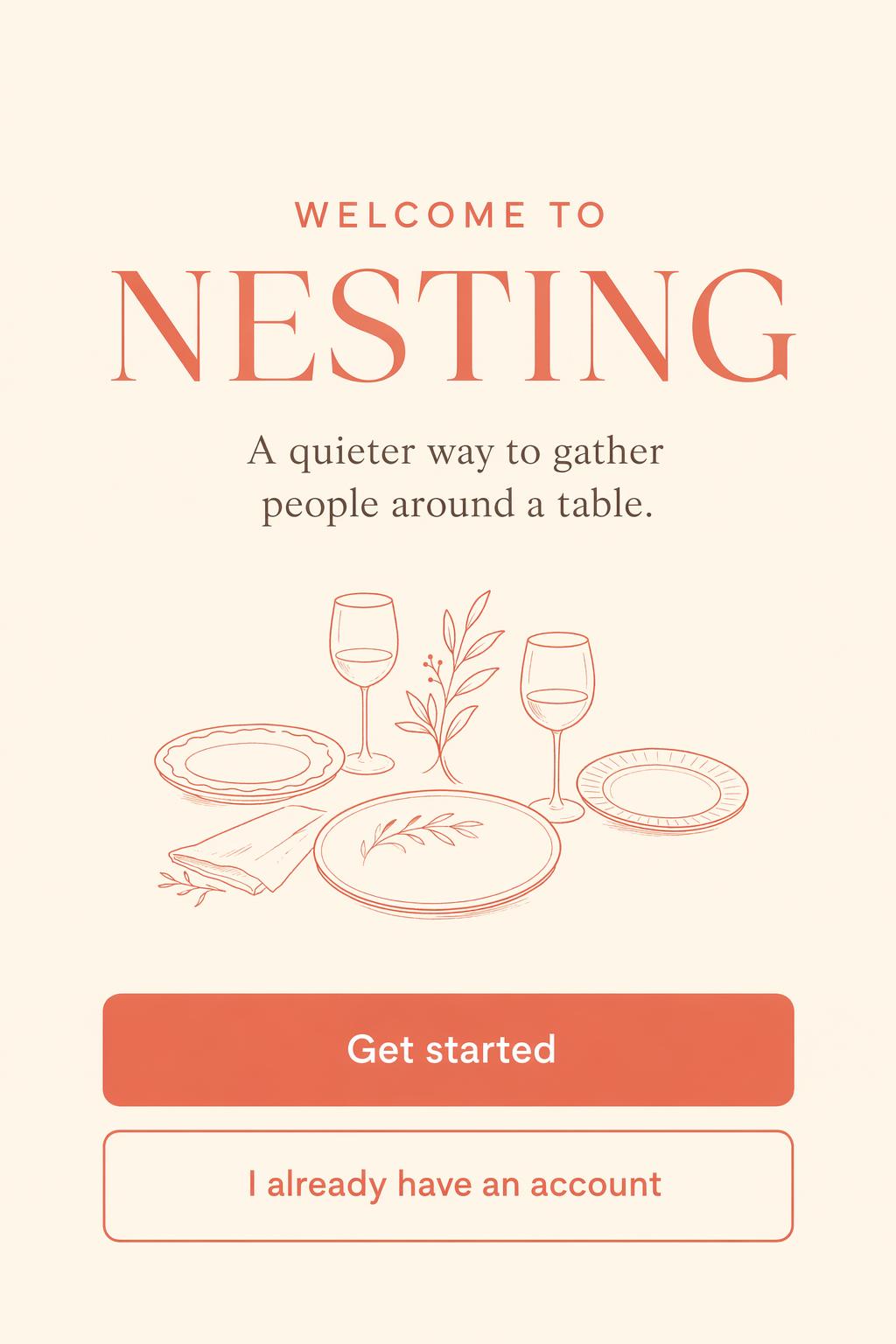
Exact-match public example for this section: same onboarding use case, same app name, and the same readable CTA structure.
Documentary protest sign
Create a documentary photograph of a handmade cardboard protest sign held in winter rain.
The sign reads, across two lines: FUND THE LIBRARIES.
Wet cardboard edges, black marker bleeding slightly, gloved hand holding it,
out-of-focus crowd behind, calm determined tone, overcast natural light.
The text must be legible.
No branding. No watermark.

Closest public prompt-library example: still protest messaging with large readable type. If you need the exact rain-soaked documentary-photo variant, generate a dedicated render instead of forcing in a weak placeholder.
Quiet still life
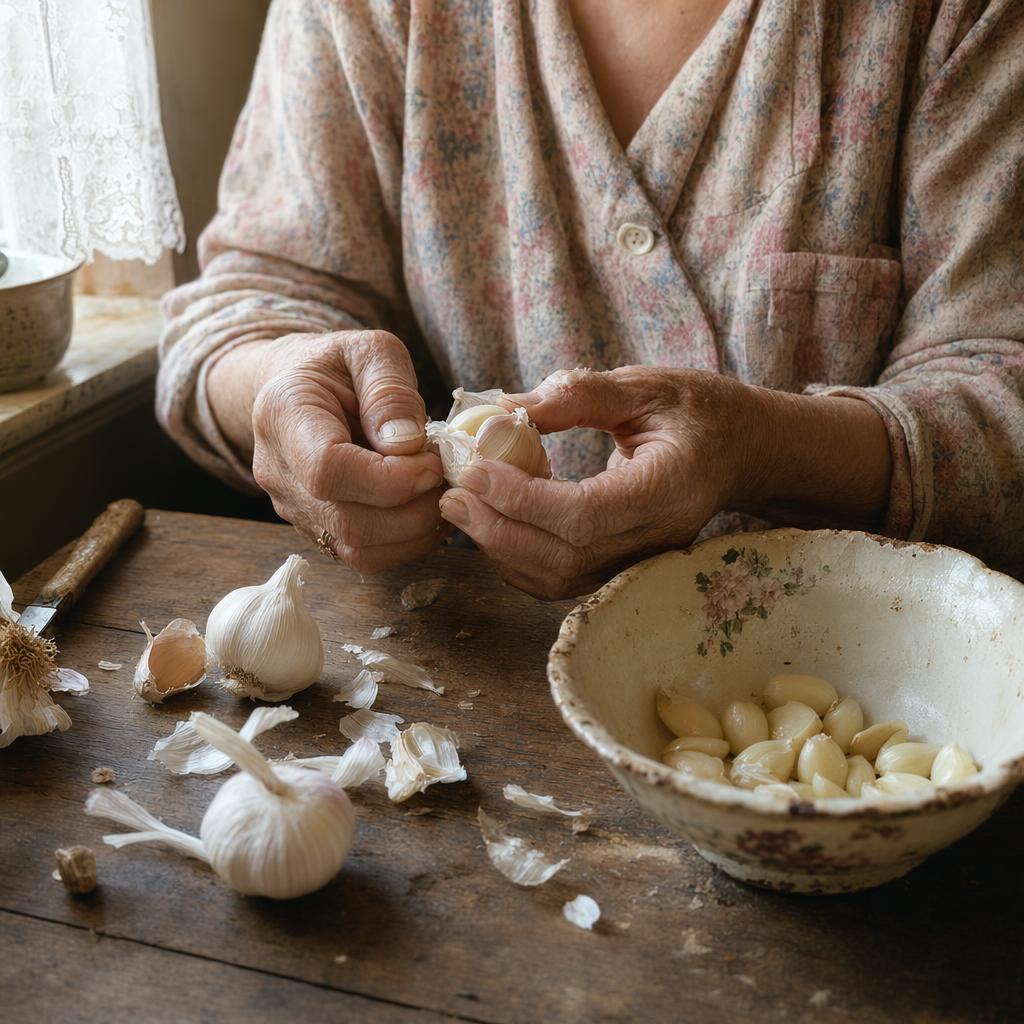
aspect 1:1 · quality high · tags portrait, hands, kitchen, warm-light, intimate
Create a tight medium format portrait of an elderly woman's hands peeling garlic at
a worn wooden kitchen table. Window light from camera left, faded floral housedress
sleeves, a chipped porcelain bowl half full of peeled cloves, papery garlic skins
scattered. Every wrinkle and nail imperfection visible, warm color palette, no
stylization. No watermark.
Medium format feel, north-window light, wrinkles, nail imperfection. Restraint is the aesthetic.
Cleaner edit prompts
Three-sentence pattern covers most object edits.
Sentence 1, what changes:
Replace the parked car with a vintage bicycle.
Sentence 2, what stays locked:
Preserve the house, fence, driveway concrete, landscaping, lighting direction,
and time of day exactly.
Sentence 3, physical realism:
Match the bicycle scale and shadow pattern to the existing scene.
Cleanup edit:
Remove all overhead power lines and cables from this skyline photo.
Preserve the buildings, clouds, and antennas exactly.
Reconstruct the sky seamlessly where the cables were.
No watermark.
Weather edit:
Change only the weather and lighting.
Make the scene look like a winter evening with light snowfall.
Preserve identity, geometry, camera angle, object placement, and composition.
Keep all signs, buildings, and people in the same positions.
The same edit pattern works well for weather and lighting changes: change environmental conditions, preserve identity, geometry, camera angle, and object placement.
Recently Added

























Run GPT Image 2 on fal
Good prompts are the shortest path to good images. The template, the anti-slop rules, and the copy-paste library above are all the scaffolding you need to get consistent output on the first generation instead of the fifth.
If you want to run GPT Image 2 with pay-per-image pricing, image editing endpoints, and up to 16 reference images per call, fal is the fastest way to get started.
![How To Do Motion Design Video Generation With Claude [2026]](https://refinery.fal.media/url/https%3A%2F%2Fv3b.fal.media%2Ffiles%2Fb%2F0aad8f5b%2FicfBKMBlAWrEWLYl0P_ob.jpg/tr:w-1280,q-80/icfBKMBlAWrEWLYl0P_ob.webp)
![How To Create Ads With AI: The Ultimate Guide [2026]](https://refinery.fal.media/url/https%3A%2F%2Fv3b.fal.media%2Ffiles%2Fb%2F0aa0ad7c%2F2oIkwFrEDe7JZCVjaX3rP_how-to-create-ads-with-ai.jpg/tr:w-1280,q-80/2oIkwFrEDe7JZCVjaX3rP_how-to-create-ads-with-ai.webp)
![10 Best Text-to-Video APIs in 2026 [Reviewed]](https://refinery.fal.media/url/https%3A%2F%2Fv3b.fal.media%2Ffiles%2Fb%2F0a9eafb8%2F3qcp8HOwM4xihN9STWNvq_best-text-to-video-apis-2026.jpg/tr:w-1280,q-80/3qcp8HOwM4xihN9STWNvq_best-text-to-video-apis-2026.webp)