
This guide covers what makes Seedream 5.0 Lite's reasoning-first architecture different from standard diffusion models, how to write prompts and use the multi-image editing pipeline, and which parameters matter.
What Makes Seedream 5.0 Lite Different?
Seedream 5.0 Lite thinks before it draws.
That's the single biggest difference between this model and most image generators, and it changes how we have to approach every prompt.
Diffusion models typically start with noise and iteratively denoise it, guided by text embeddings from a CLIP or T5 encoder.
They're pattern-matchers. They don't "understand" your prompt in any meaningful sense; they match statistical associations between text embeddings and visual features learned during training.
Seedream 5.0 Lite takes a different path.
It's built on a Diffusion Transformer (DiT) architecture (taken from the 4.0 lineage) with a high-compression VAE, and the key addition is a Chain of Thought reasoning pass that runs before pixel generation begins.
The model evaluates spatial relationships, physical plausibility, and domain-specific knowledge before it starts rendering.
What this means in practice: you can describe complex multi-subject scenes with specific attributes for each subject, and the model will actually plan the composition rather than hoping the denoising process lands in the right place.
One more thing that sets it apart is that the API is deliberately minimal.
ByteDance stripped out negative prompts, guidance scale, inference step controls, and even seed input from the text-to-image endpoint.
The model handles those decisions internally. If you're coming from FLUX or Stable Diffusion and you're used to tweaking CFG values and step counts, that muscle memory won't apply here.
How Seedream 5.0 Lite Reads Your Prompts
Seedream 5.0 Lite wants descriptive, natural language.
Because the model runs a reasoning pass before generation, it can parse complex instructions and plan how to execute them.
You don't need to game the system with keyword stacking or quality boosters. Just describe what you want.
Forget "masterpiece, best quality, 8K, ultra-detailed." Cluttering your prompt with noise tokens can actually distract the reasoning pipeline from your actual intent.
From my testing, the most effective prompt structure follows a simple hierarchy:
Start with your main subject and what it's doing.
Then describe the setting.
Then mention style or mood if it matters.
Keep it conversational. The model handles natural sentences far better than fragmented keywords.
Prompt length has a real sweet spot.
Very short prompts (under 10 words) work fine for simple subjects, but leave too much to the model's defaults for complex scenes.
Very long prompts (50 words and beyond) still work, but the model starts prioritizing elements it considers most important, which means some details in the tail end may get less attention. For most use cases, 2-4 sentences hit the right balance.
Simple prompt example: A glass terrarium on a wooden desk, filled with tiny succulents and a miniature ceramic deer, soft afternoon light from a nearby window.

Generated using Seedream 5.0 Lite on fal.
Even with a short, casual prompt, the model picks up on the implied lighting direction, the material properties of glass vs. wood vs. ceramic, and the relative scale between the objects.
Structured prompt example: A crumbling medieval stone castle floating on a massive chunk of earth above the clouds, thick roots dangling from the bottom, waterfalls cascading off the edges into the mist below, sunset sky painted in amber and violet, a flock of birds circling one tower, cinematic matte painting style, epic fantasy landscape, volumetric lighting through the clouds.

Generated using Seedream 5.0 Lite on fal.
The structured prompt gives the model more to reason about: multiple interacting elements, atmospheric lighting, and a specific art direction.
Notice how I stated each element clearly, so that the model can plan how they interact before rendering.
A few practical tips from my testing
Be explicit about text. If you want text in the image, spell it out exactly and describe where it should appear.
The model's text rendering is strong for display-size typography, but gets unreliable with dense small text.
Describe relationships, not just objects.
"A cat sitting on a stack of books next to a coffee mug" gives the model spatial information to reason about. "Cat, books, coffee mug" doesn't.
Style cues work best as adjectives modifying the whole scene rather than appended tags.
"A moody noir photograph of a rainy street" tells the model more than "rainy street, noir, moody, cinematic."
Chain of thought generation
This is the feature that justifies upgrading from Seedream 4.5.
Seedream 5.0 Lite doesn't just interpret your prompt. It reasons through it.
The Chain of Thought pass evaluates the logical structure of your request before any pixels get generated, which means the model can handle prompts that would trip up pattern-matching systems.
The practical result: you can describe scenes that require domain knowledge and get outputs that actually make sense.
Ask for a diagram of a cell undergoing mitosis, and the model knows what that looks like, not because it memorized a training image, but because it can reason about biological structures.
Ask for a data visualization showing quarterly revenue trends, and it'll produce a chart with axes, labels, and plausible data relationships.
Ask for an architectural cross-section of a building, and you'll get structurally coherent results rather than decorative nonsense.
This reasoning also extends to multi-subject composition. The model seems to be capable of handling complex multi-subject scenes with per-subject attribute control.
You can specify that Subject A wears red, Subject B wears blue, Subject C is shorter than the others, and the model will actually track those assignments across the entire generation.
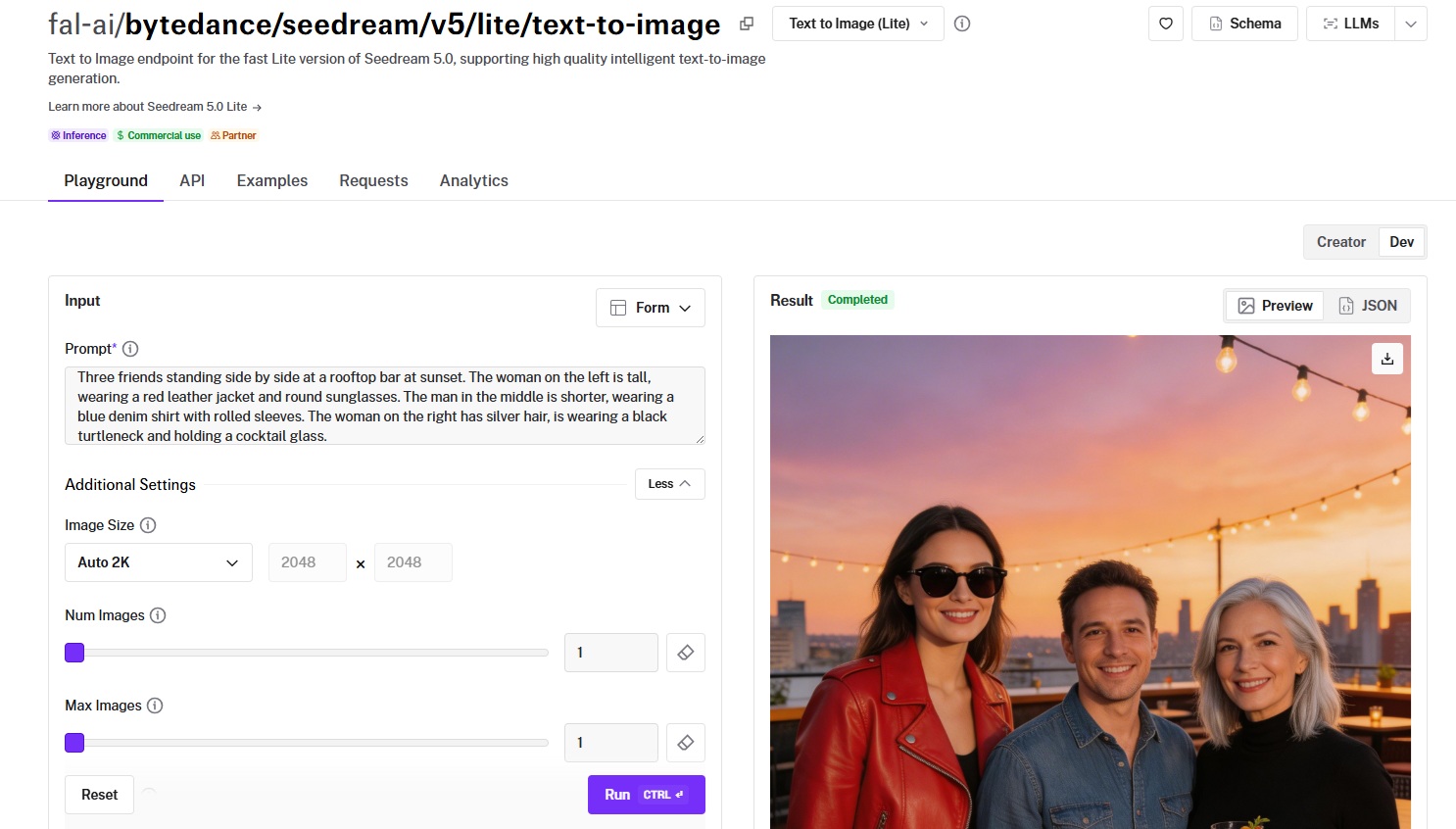
Prompt example: Three friends standing side by side at a rooftop bar at sunset. The woman on the left is tall, wearing a red leather jacket and round sunglasses. The man in the middle is shorter, wearing a blue denim shirt with rolled sleeves. The woman on the right has silver hair, is wearing a black turtleneck and holding a cocktail glass.

Generated using Seedream 5.0 Lite on fal.
falMODEL APIs
The fastest, cheapest and most reliable way to run genAI models. 1 API, 100s of models
Settings That Actually Matter
Seedream 5.0 Lite has fewer tunable parameters than most image generators on fal.
That's intentional. ByteDance moved most tuning decisions inside the model, so the API surface is deliberately minimal.
Here's what you can control:
Image size
Controls output resolution. Default is "auto_2K" which produces approximately 2K-resolution images.
Preset options: Square HD, Square, Portrait 3:4, Portrait 9:16, Landscape 4:3, Landscape 16:9, Auto 2K, and Auto 3K.
Total pixel count must fall between roughly 2560x1440 (3.7MP) and 3072x3072 (9.4MP).
Images outside this range get automatically scaled to fit.
The Auto 3K preset pushes toward the upper bound at 9 megapixels. It costs the same ($0.035 per image regardless of resolution), so the main trade-off for higher resolution is file size and potential latency.
Number of images
Two related parameters control output count: num_images (number of separate generation runs, default 1) and max_images (number of outputs per run, default 1).
The total number of images generated will be between num_images and max_images multiplied by num_images.
If you're exploring variations of a prompt, you can bump num_images up to 4 or 6.
Safety checker
Enabled by default. Can be toggled off through the API for controlled environments where content filtering isn't needed.
Note that it can't be disabled in the playground, only through the API.
Sync mode
When set to true, the output image is returned as a base64 data URI instead of a hosted URL.
The trade-off: your output data won't be available in the request history. Leave it off unless you have a specific reason to handle images as data URIs.
Getting Started with the API
Here's how to generate your first image with Seedream 5.0 Lite on fal.
Install the client:
bash
npm install --save @fal-ai/clientSet your API key:
bash
export FAL_KEY="YOUR_API_KEY"Then submit a request:
javascript
import { fal } from "@fal-ai/client";
const result = await fal.subscribe(
  "fal-ai/bytedance/seedream/v5/lite/text-to-image",
  {
    input: {
      prompt:
        'Realistic DSLR photograph of anthropomorphic Pekingese dog enjoying a bowl of ramen on the Great Wall of China with the words "Seedream 5.0 Lite available on fal" visible at the top.',
    },
    logs: true,
    onQueueUpdate: (update) => {
      if (update.status === "IN_PROGRESS") {
        update.logs.map((log) => log.message).forEach(console.log);
      }
    },
  }
);
console.log(result.data);
console.log(result.requestId);
Every model on fal also has a playground where you can test it in your browser before writing any code.
Example Prompts That Work
Here are prompts across different use cases:
Infographic
Prompt: A clean infographic showing the water cycle, with labeled arrows for evaporation, condensation, precipitation, and collection, earth tones with blue water elements, white background, educational illustration style.
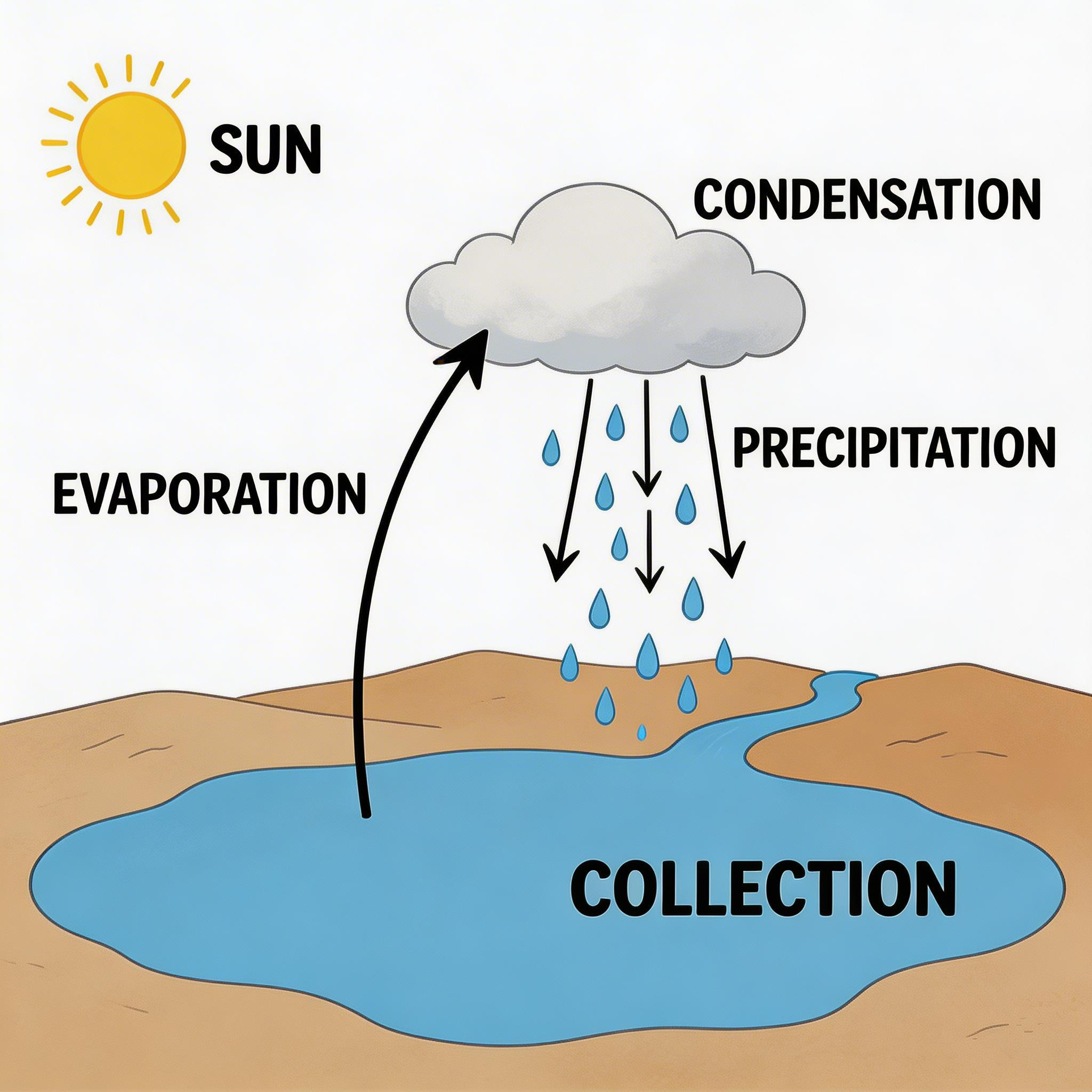
Generated using Seedream 5.0 Lite on fal.
My observation: This is a prompt category where the Chain of Thought reasoning really shows.
The model understands the water cycle as a concept and can arrange the elements in a scientifically coherent layout rather than just placing decorative icons.
Typography poster
Prompt: Music festival poster for "ECHO VALLEY" in large distressed serif type at the top, a silhouette of mountain ridges at dusk with a crowd of tiny figures below, "AUGUST 8-10" in thin condensed sans-serif, "YOSEMITE NATIONAL PARK" along the bottom edge, warm orange to deep purple gradient sky.
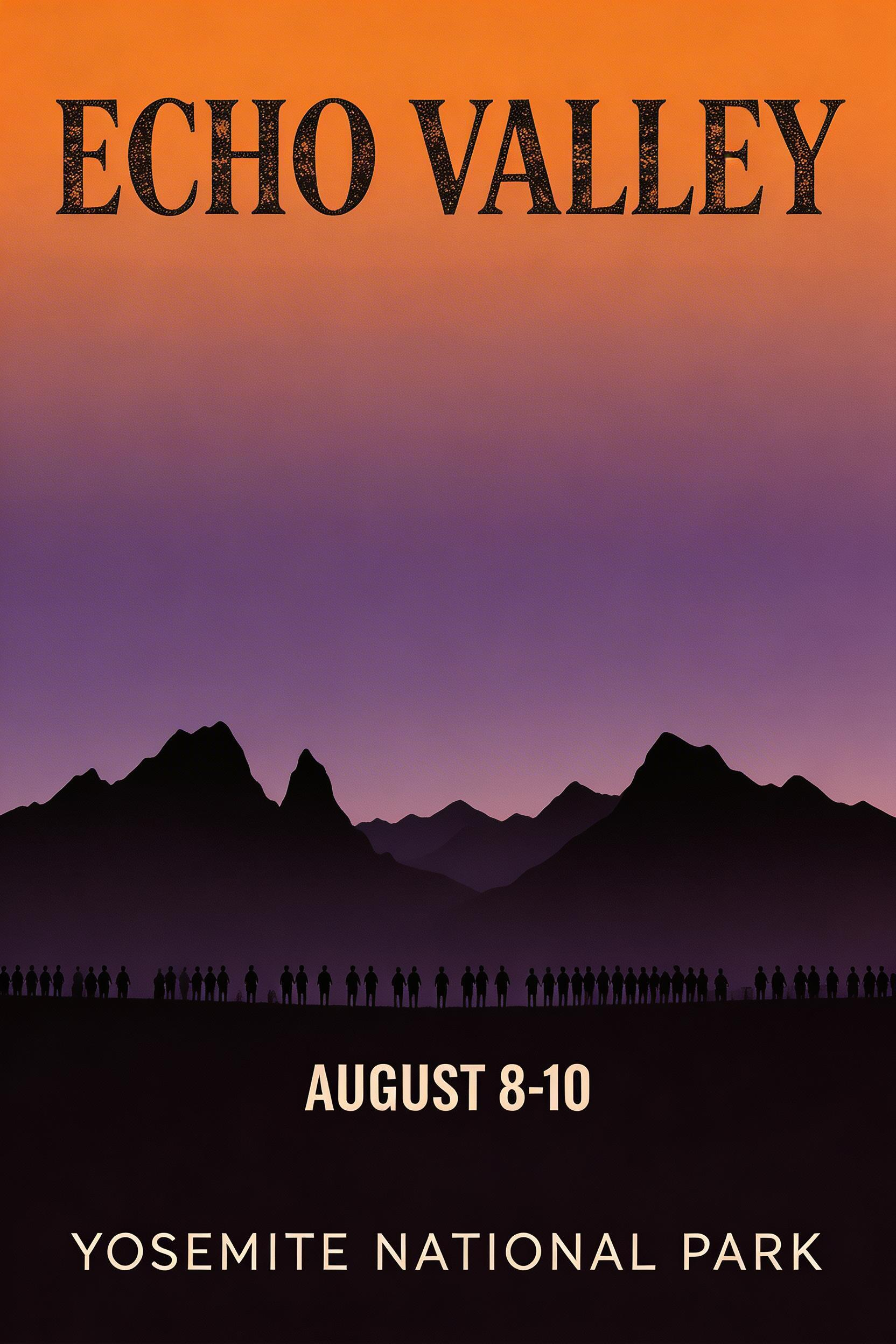
Generated using Seedream 5.0 Lite on fal.
Bilingual content
Prompt: A minimalist book cover with the title "The Silent Garden" in elegant serif at the top and "静かな庭" in Japanese calligraphy below it, a single cherry blossom branch against a pale cream background, muted pink and charcoal color palette.
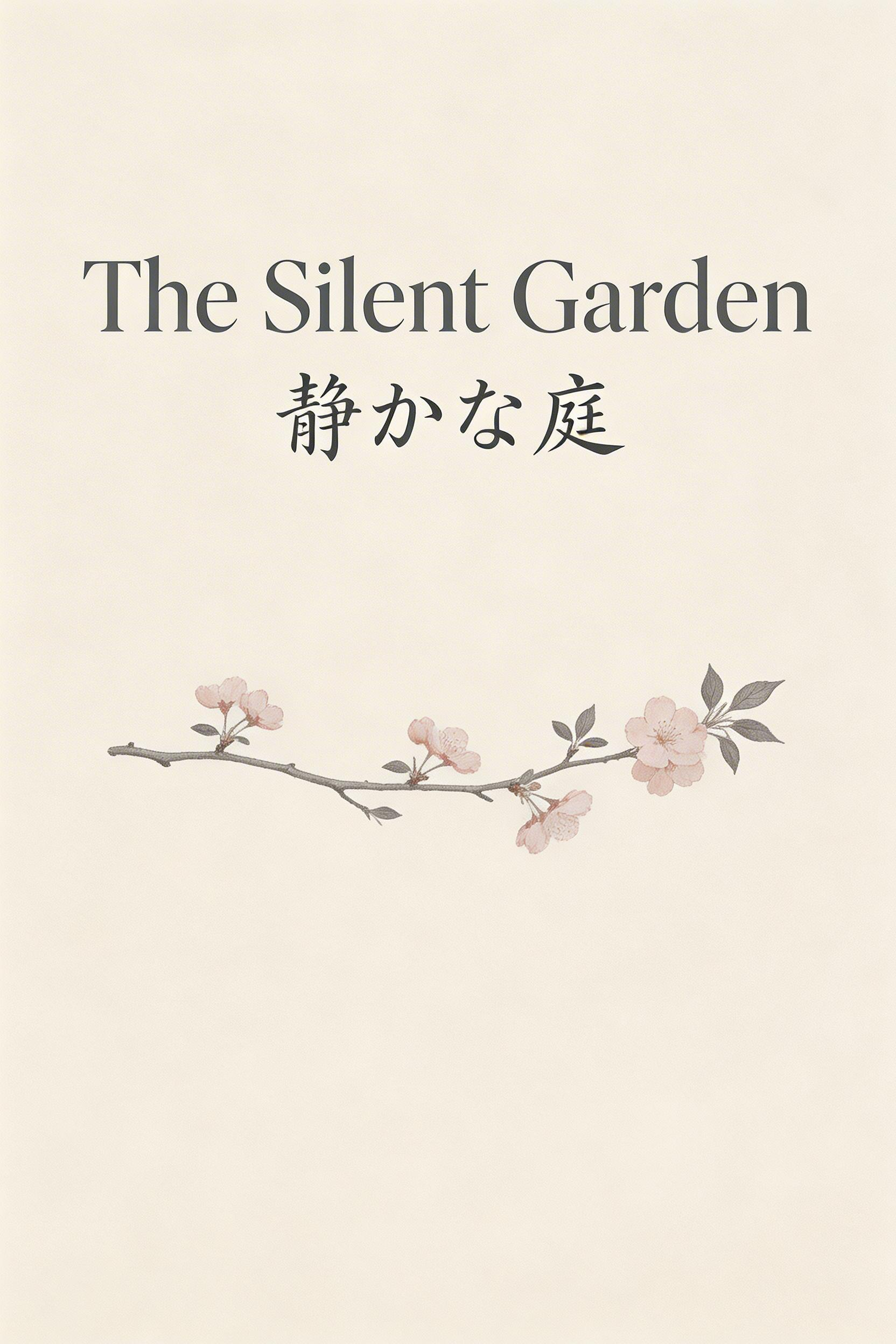
Generated using Seedream 5.0 Lite on fal.
Product shot
Prompt: A matte black ceramic coffee mug on a marble countertop, steam rising from dark espresso inside, a small potted fern slightly out of focus in the background, morning kitchen light from the left, clean lifestyle photography.

Generated using Seedream 5.0 Lite on fal.
How to Edit Images with Seedream 5.0 Lite
Seedream 5.0 Lite's editing capabilities run through a separate endpoint (fal-ai/bytedance/seedream/v5/lite/edit) and accept up to 10 reference images alongside a text instruction.
You supply images, describe the edit in natural language, and the model figures out what to change and what to preserve.
The editing endpoint works by referencing the input images positionally.
If you upload three images, your prompt refers to them as "Figure 1," "Figure 2," and "Figure 3."
This lets you do things like "Replace the product in Figure 1 with that in Figure 2" or "Render the logo in Figure 3 onto the design from Figure 1."
The edit endpoint shares the exact same parameter set as text-to-image (image size, number of images, max images, sync mode, and enable safety checker), with one addition: image URLs, a list of up to 10 input image URLs.
If you send more than 10, only the last 10 will be used.
There are no extra editing-specific knobs. No seed input, no guidance scale, no prompt enhancement toggles.
The model handles all of that internally, same as the text-to-image side.
Example edit prompt: Change the mug color from matte black to terracotta. Replace the espresso with matcha latte. Keep everything else the same.

Generated using Seedream 5.0 Lite Edit on fal.
Editing tips
Be specific about what to keep.
"Change the background but keep the lighting and shadows consistent" gets better results than just "change the background."
Multi-image composition works best when your reference images have similar lighting conditions.
The model handles mismatches, but the output looks more natural when the inputs are compatible.
For iterative editing, run multiple generations with the same prompt and compare.
Since neither endpoint accepts a seed input, each run will produce a different variation, which is useful for exploring options but means you can't lock down an exact result and tweak incrementally.
Seedream 5.0 Lite's Pricing on fal
Seedream 5.0 Lite uses flat per-image pricing for both endpoints:
- $0.035 per image for text-to-image generation.
- $0.035 per image for editing.
The price doesn't change with resolution, so generating at Auto 3K (up to 9 megapixels) costs the same as Auto 2K.
Output is PNG only, delivered as hosted URLs on fal's CDN.
Recently Added

















Run Seedream 5.0 Lite on fal
The image generation space is splitting into two camps: models that chase raw photorealism and models that chase compositional intelligence.
Seedream 5.0 Lite picks the second path, and it's one of the most cost-effective high-resolution image generators currently available on fal at $0.035 per image.
If you want to run Seedream 5.0 Lite through fal's API with pay-per-use pricing and no GPU management, you can test it in the playground or plug into the API in minutes.
Both the text-to-image and editing endpoints are live.

![10 Best Background Remover APIs in 2026 [Reviewed]](https://refinery.fal.media/url/https%3A%2F%2Fv3b.fal.media%2Ffiles%2Fb%2F0aa0ad7c%2FVIQq2HkCbqpVMaLNGSPwu_best-background-remover-apis-2026.jpg/tr:w-1280,q-80/VIQq2HkCbqpVMaLNGSPwu_best-background-remover-apis-2026.webp)
![How To Use Seedream 5.0 Pro: Prompts & Workflows [2026]](https://refinery.fal.media/url/https%3A%2F%2Fv3b.fal.media%2Ffiles%2Fb%2F0aa263f0%2FQoO-7lvm8ASuM5HWpb20X.jpg/tr:w-1280,q-80/QoO-7lvm8ASuM5HWpb20X.webp)