Krea 3 API Krea's AI image editing model
Krea 3 is Krea's AI image model for fast, reference-driven editing. Start from a product, a person, a room or a set of references, describe the change, and Krea 3 keeps what matters while you try the next idea.
Every image and video on this page was made by Krea with Krea 3. Information updated as of October 15, 2026.
What can the Krea 3 AI image editor do?
 1
1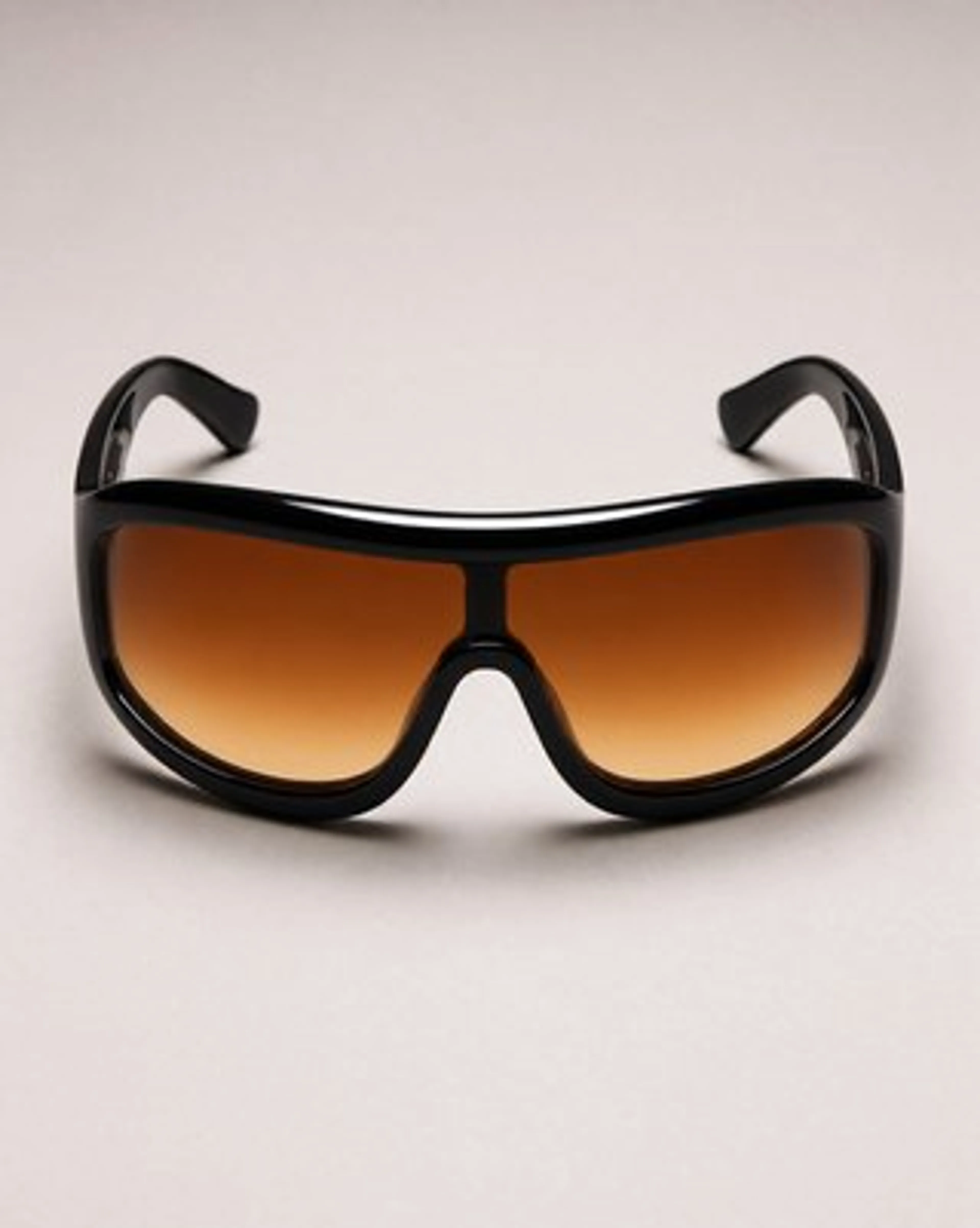 2
2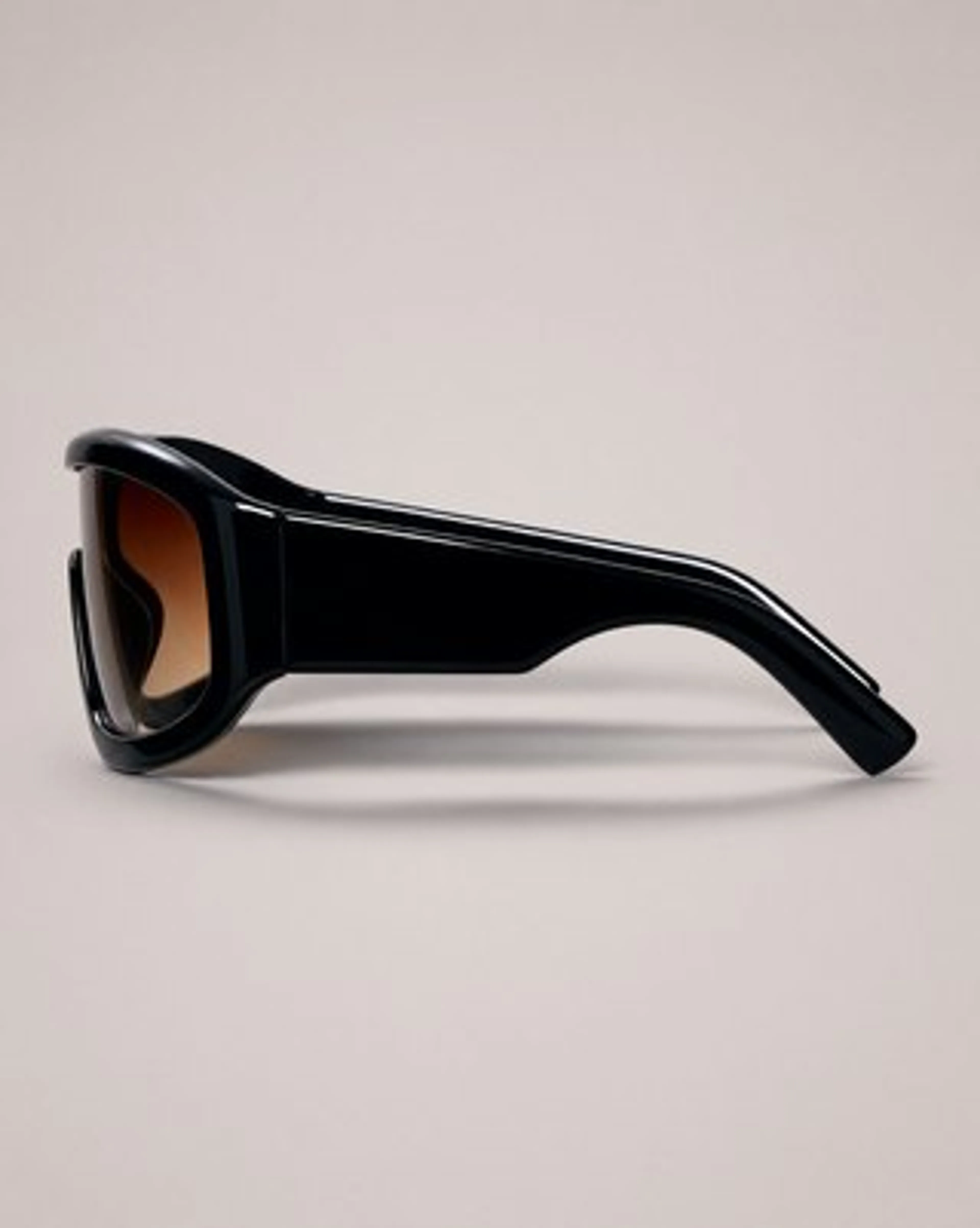 3
3
Combine reference images into one AI-generated image
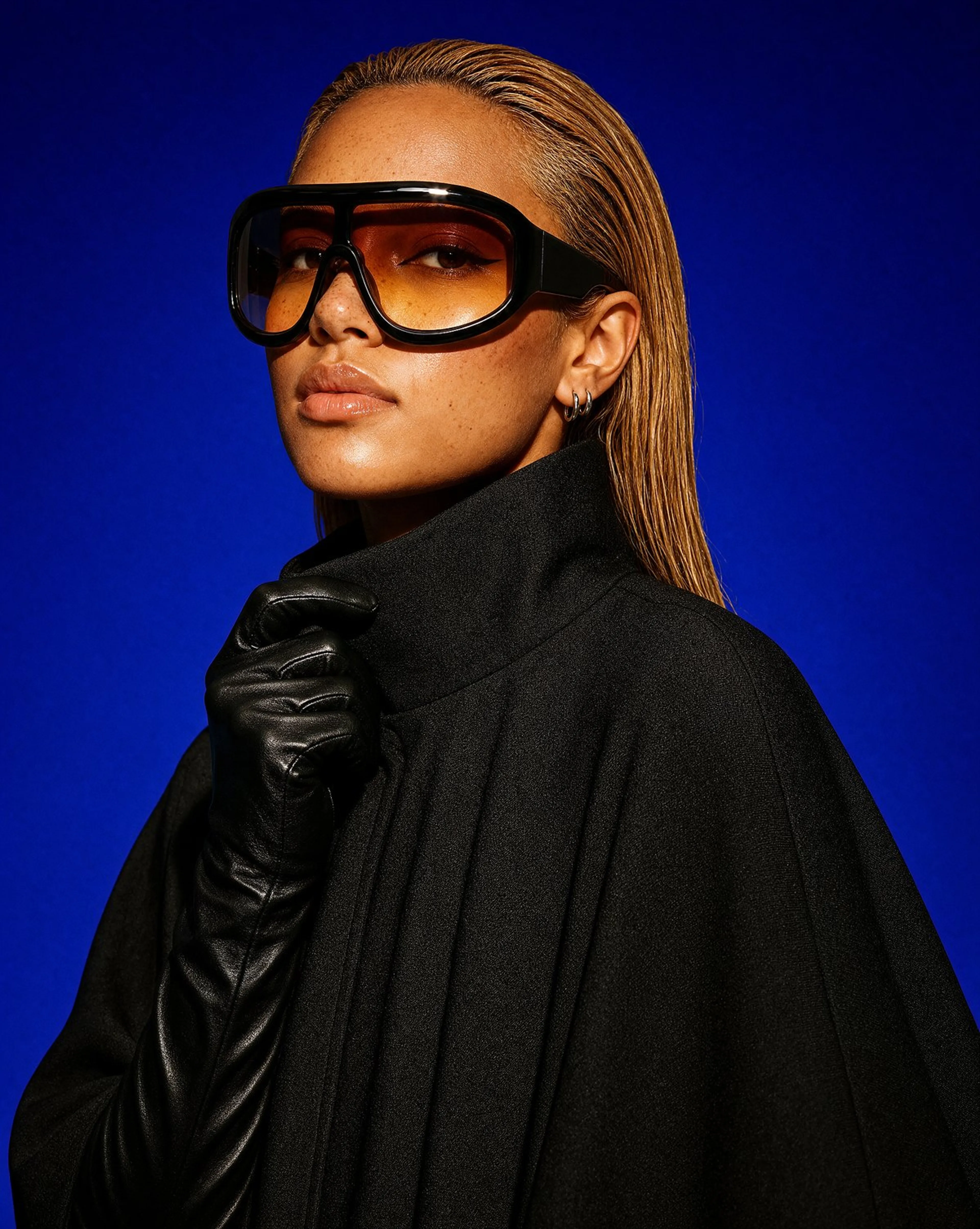
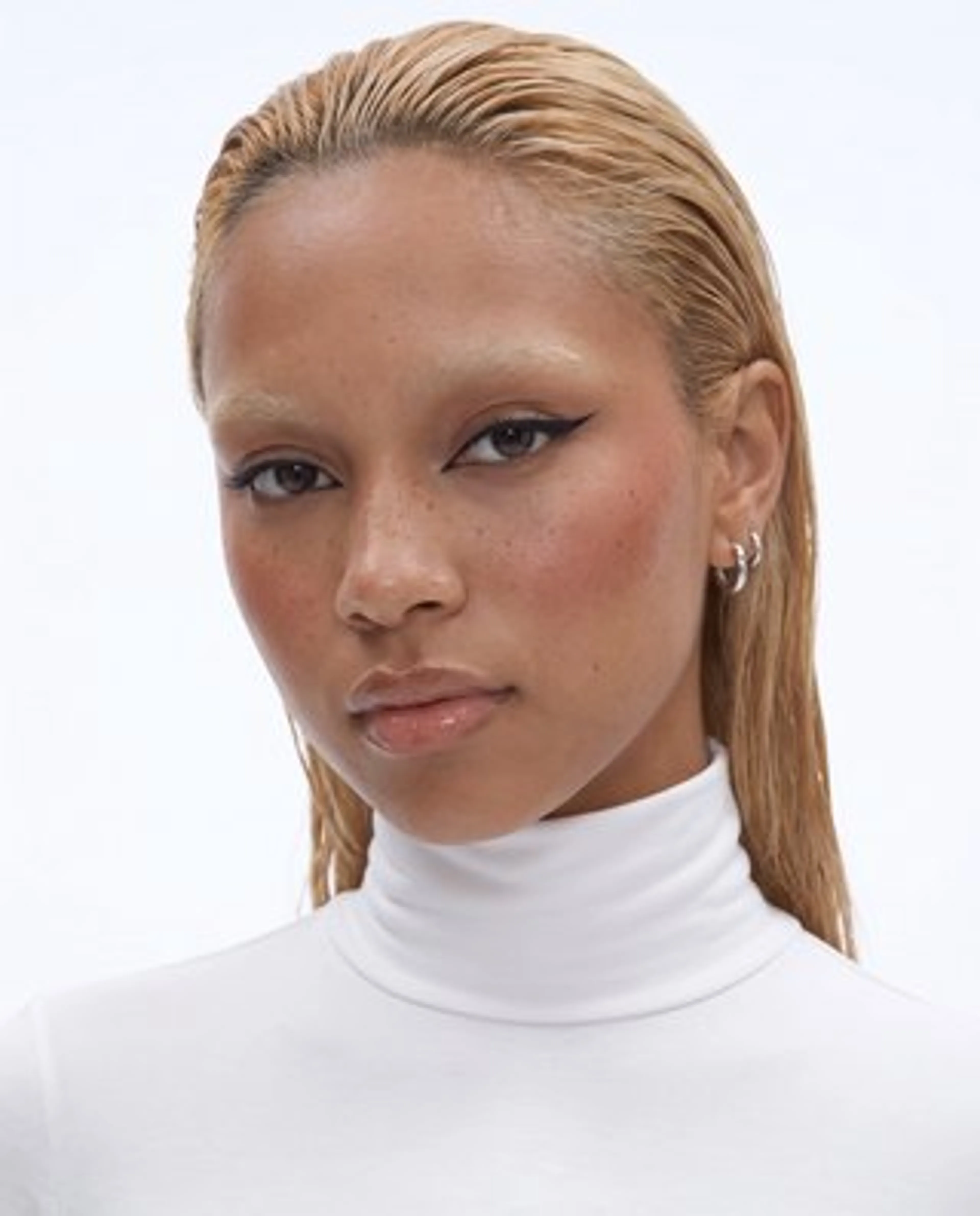
Give Krea 3 a face, a product and a direction, and it builds one image that keeps every reference intact.
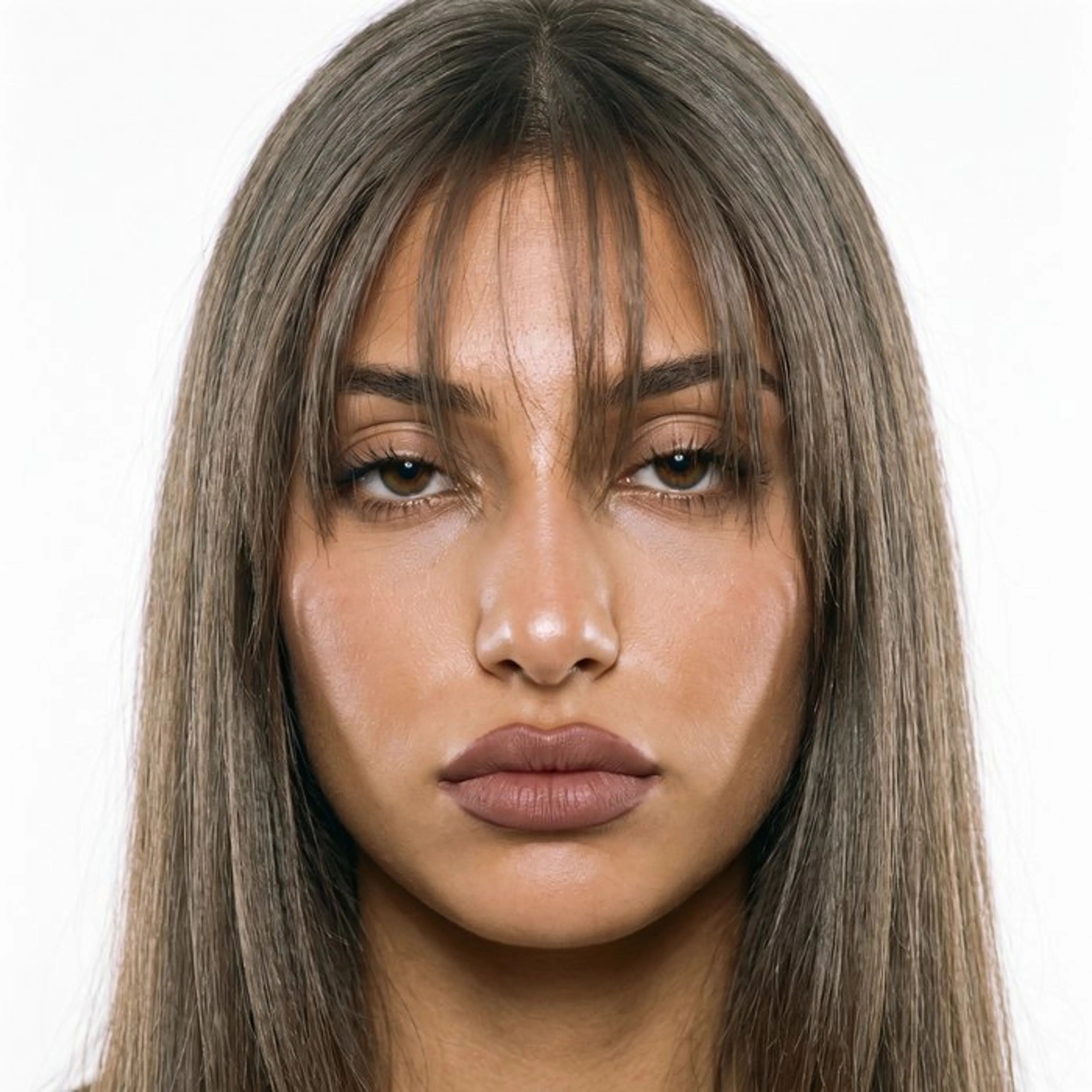
- Three references in: a portrait and two views of the same sunglasses
- Her face and freckles hold, and the shield visor and amber lens match the product shots
- Up to 8 reference images per request on fal, called <image-1> to <image-8> in the prompt
Keep the same character across AI image edits
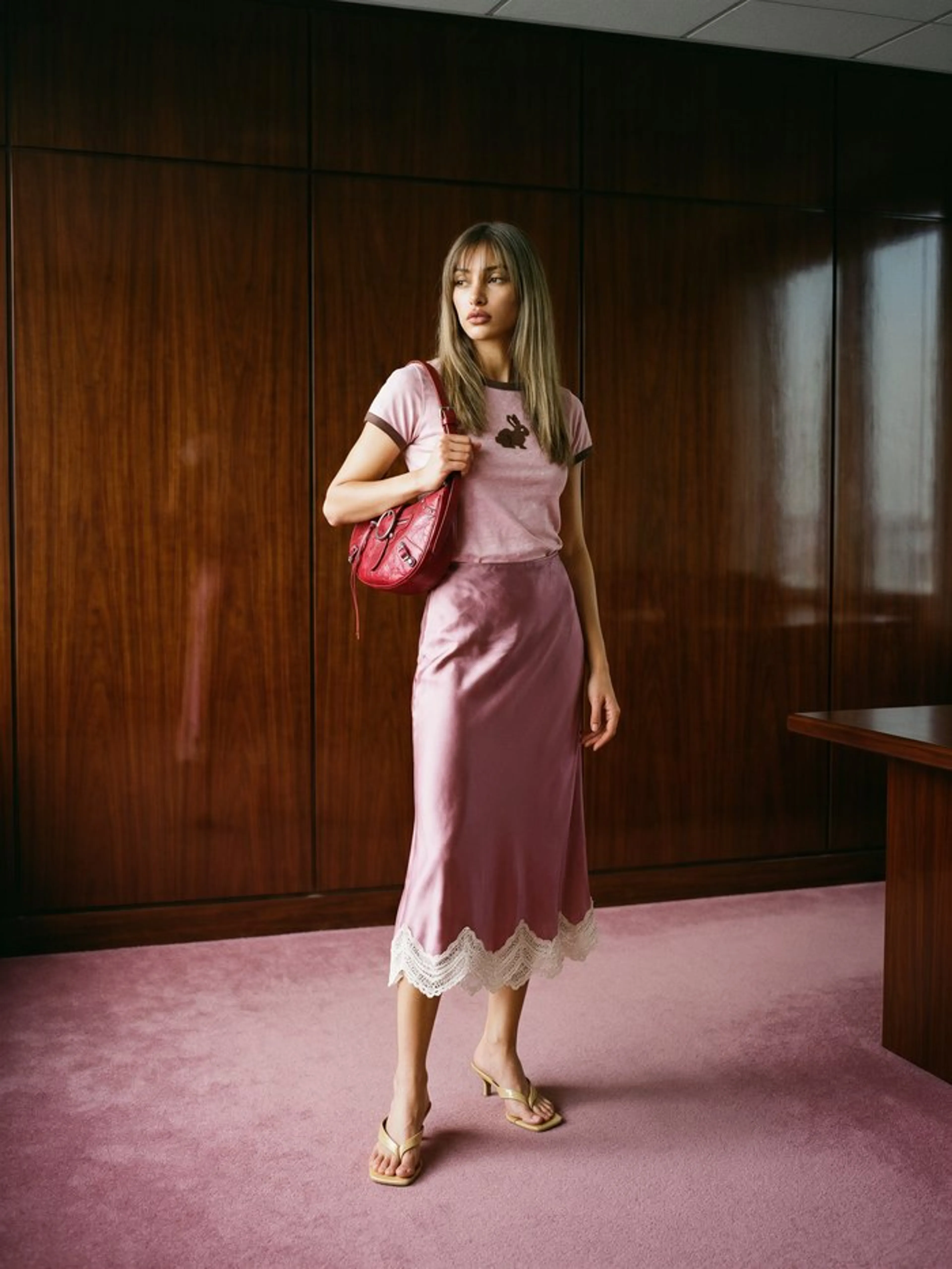
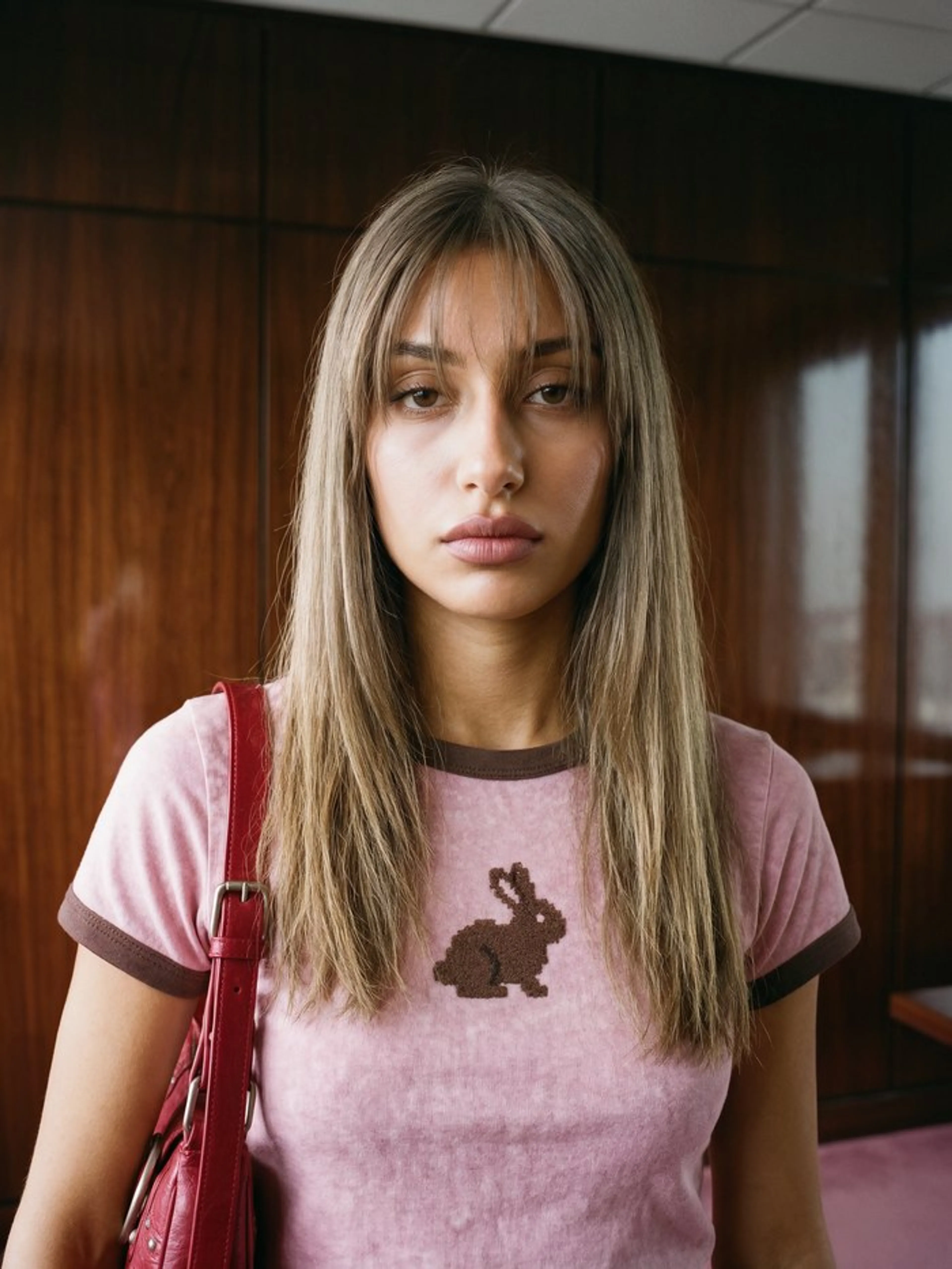
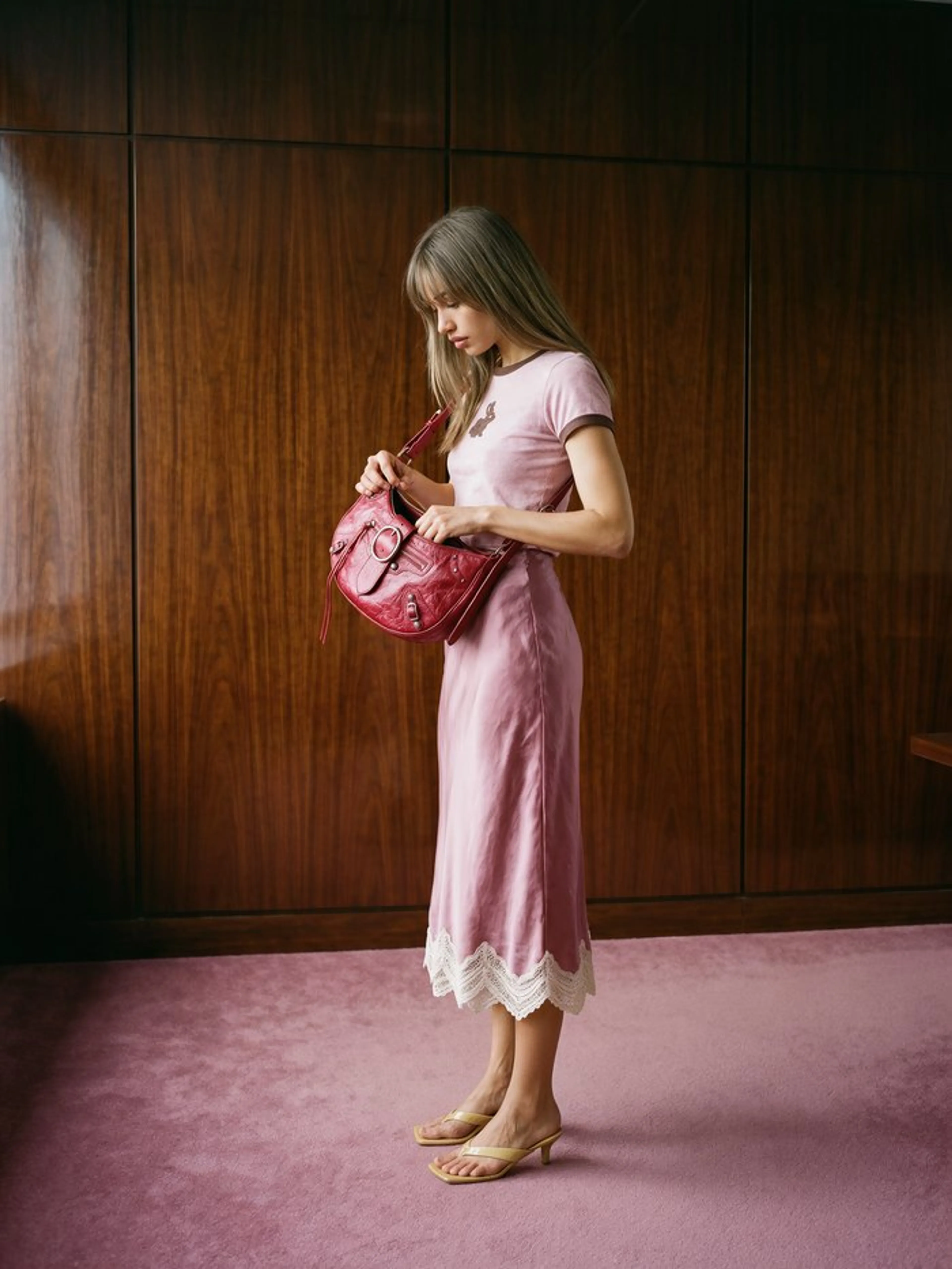
Krea 3 carries one person and one outfit from shot to shot, so a single look becomes a sequence of stills.
- A full-length shot, a chest-up portrait and a side view of the same scene
- Face, ringer tee, satin skirt and red bag stay consistent in every frame
- Feed a result back as a reference to continue from it
Restage a product photo with AI, details intact
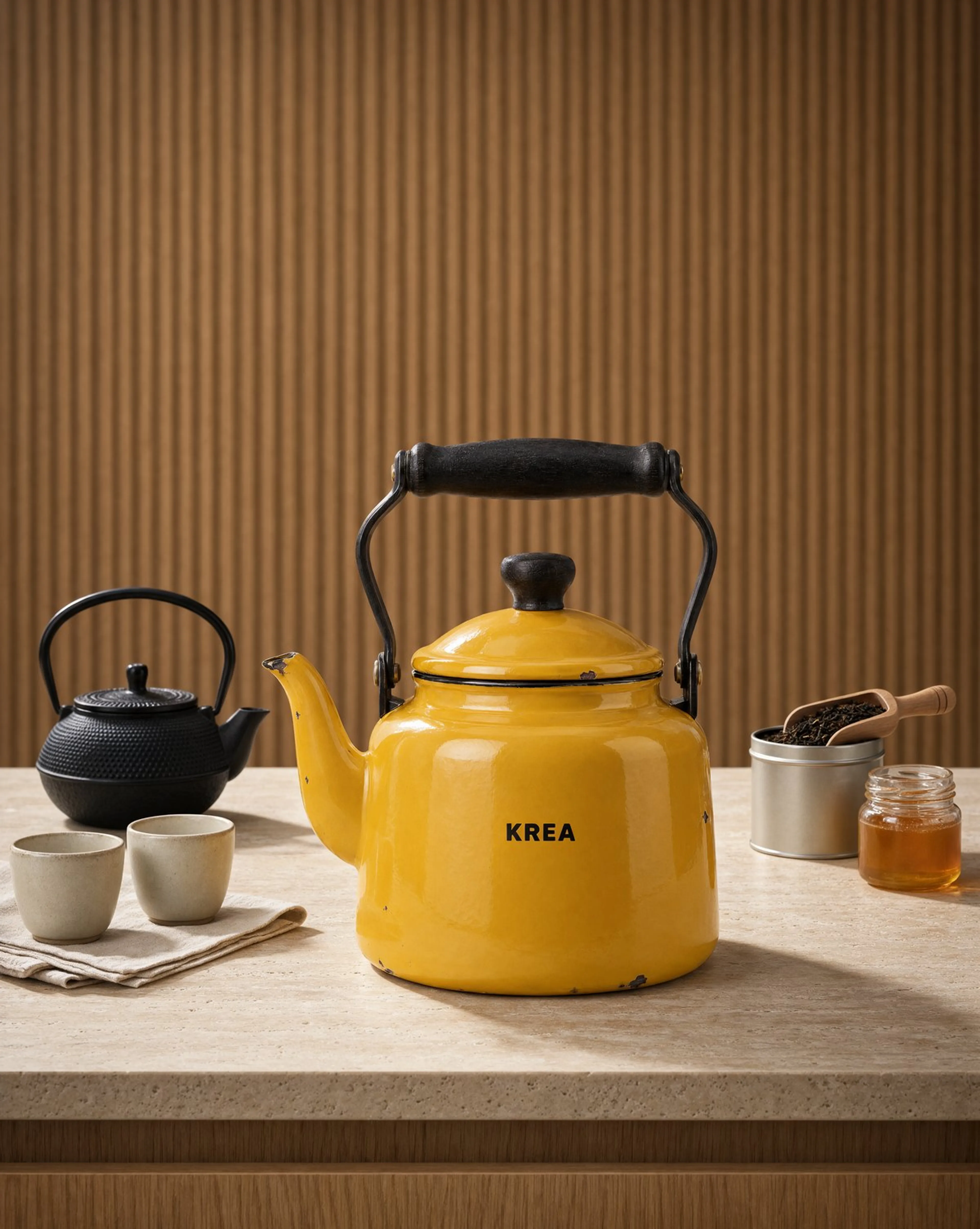
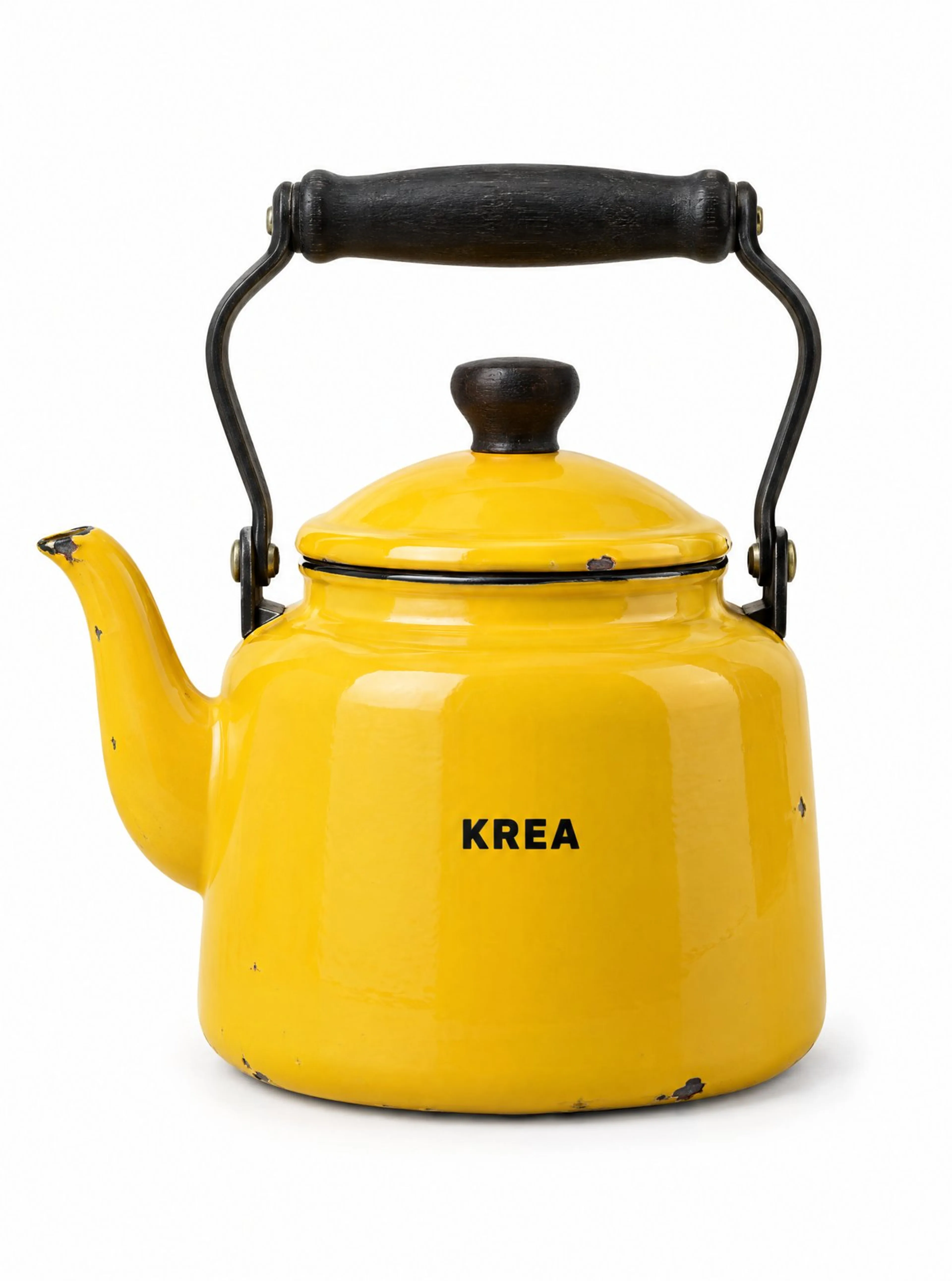
Upload one packshot and Krea 3 places the same product in a styled campaign scene.
- The enamel chips, black handle and KREA print survive the move
- A travertine counter, fluted wood and a tea set come from the prompt
- One product photo becomes a set of campaign images
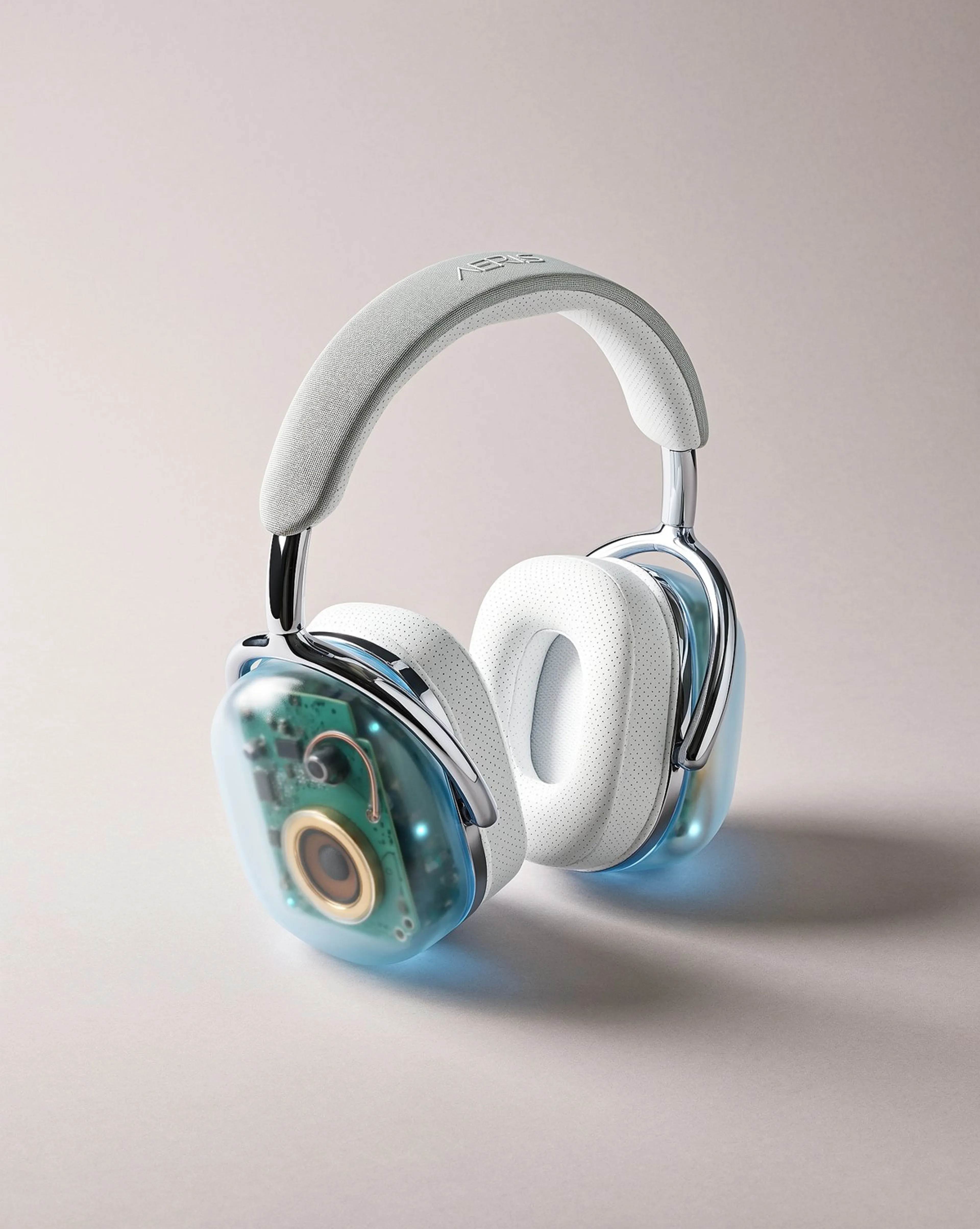
Put a product on a model with AI image editing
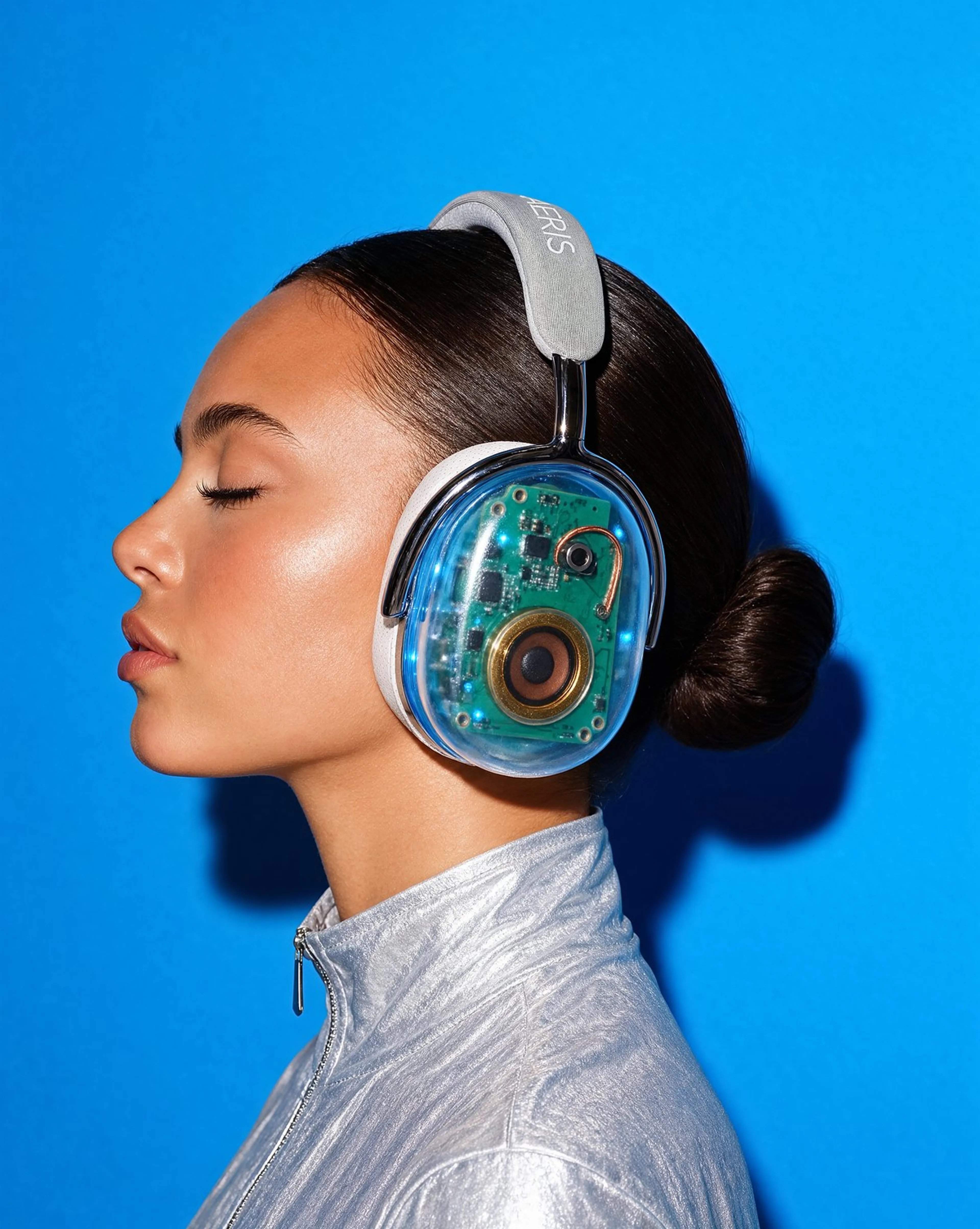
Turn a still-life product shot into an on-model campaign image without a photoshoot.
- Translucent ice-blue earcups, internal circuitry and chrome yoke are kept
- Model, pose, backdrop and flash lighting are set in the prompt
- Useful for e-commerce listings and launch campaigns
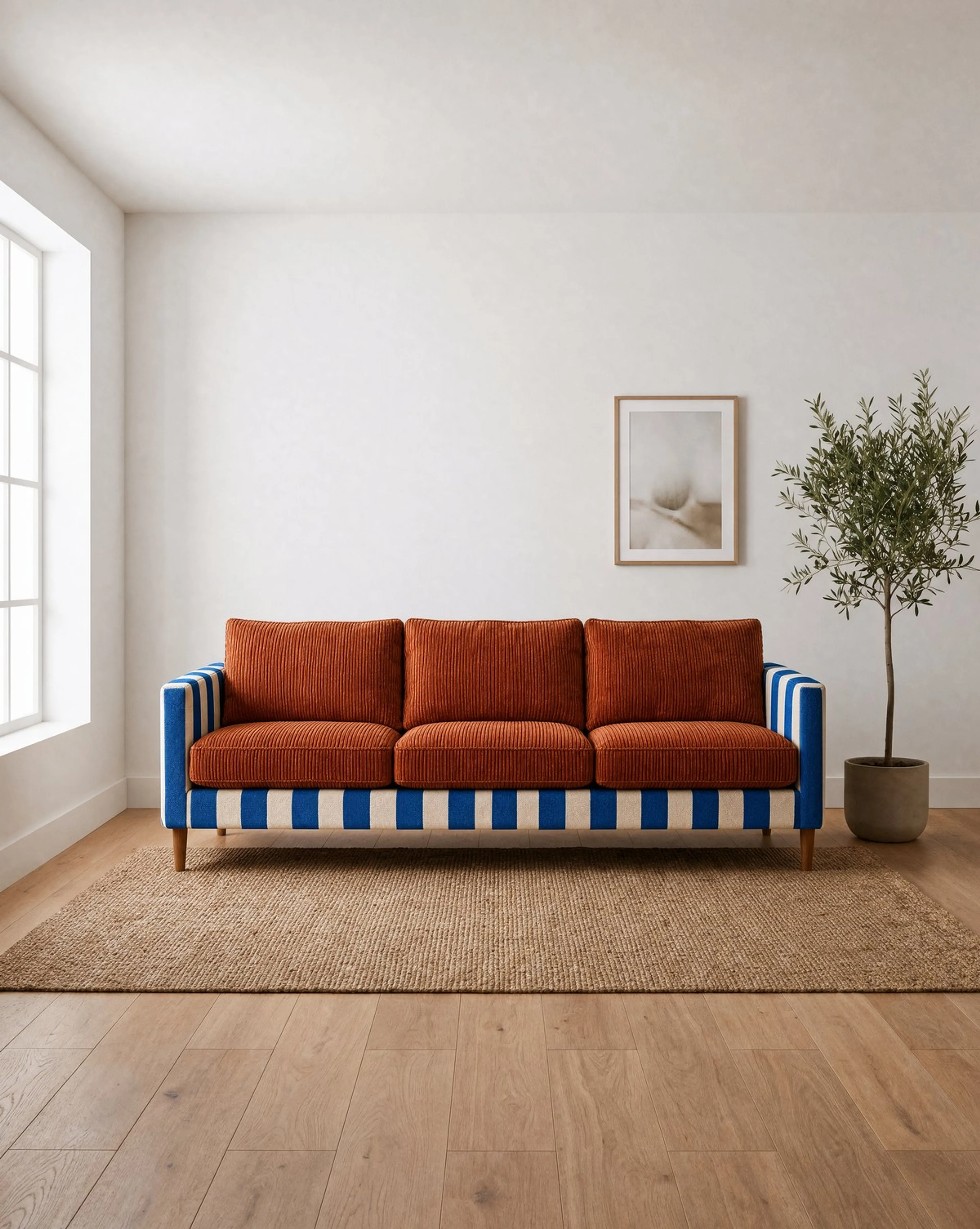
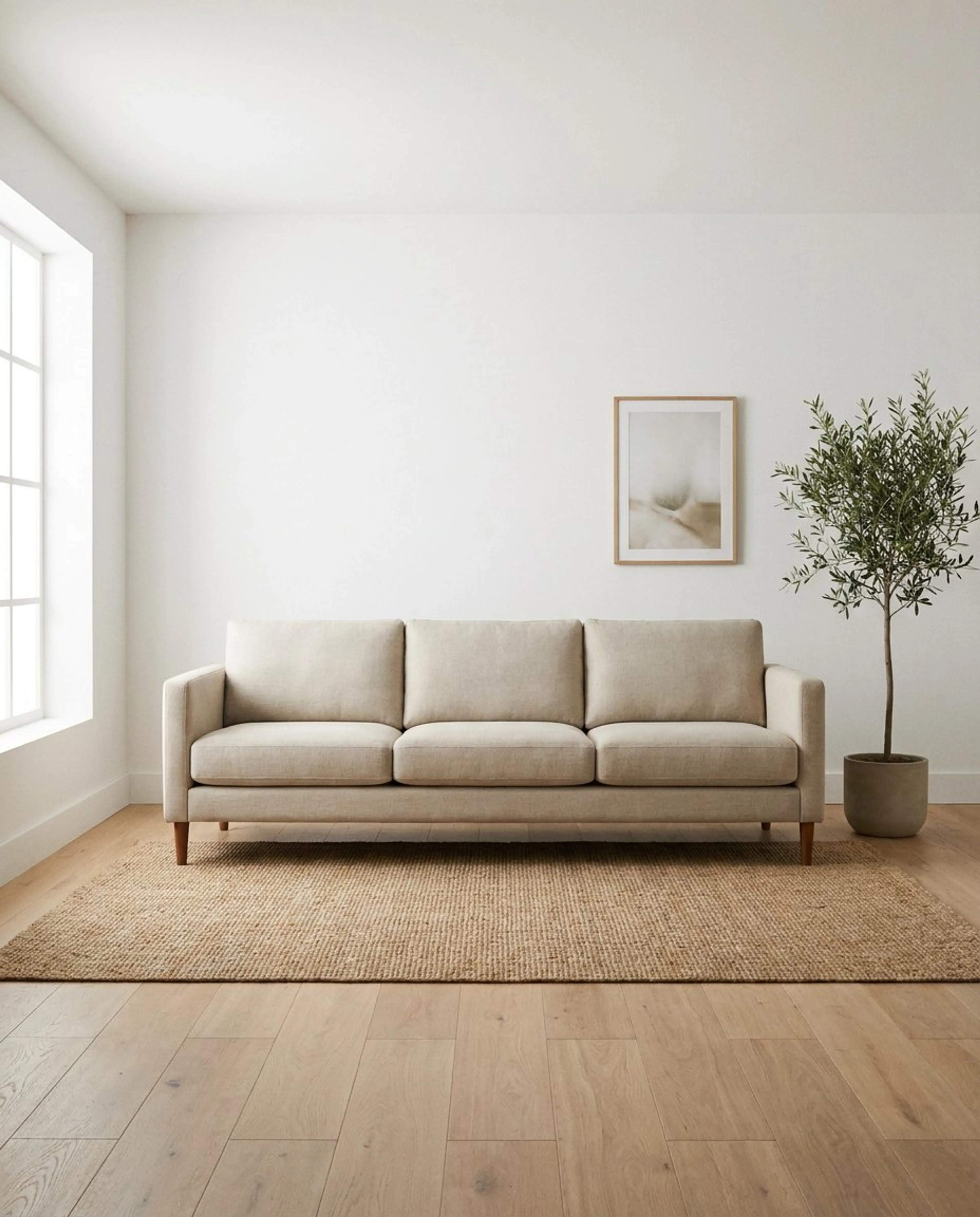
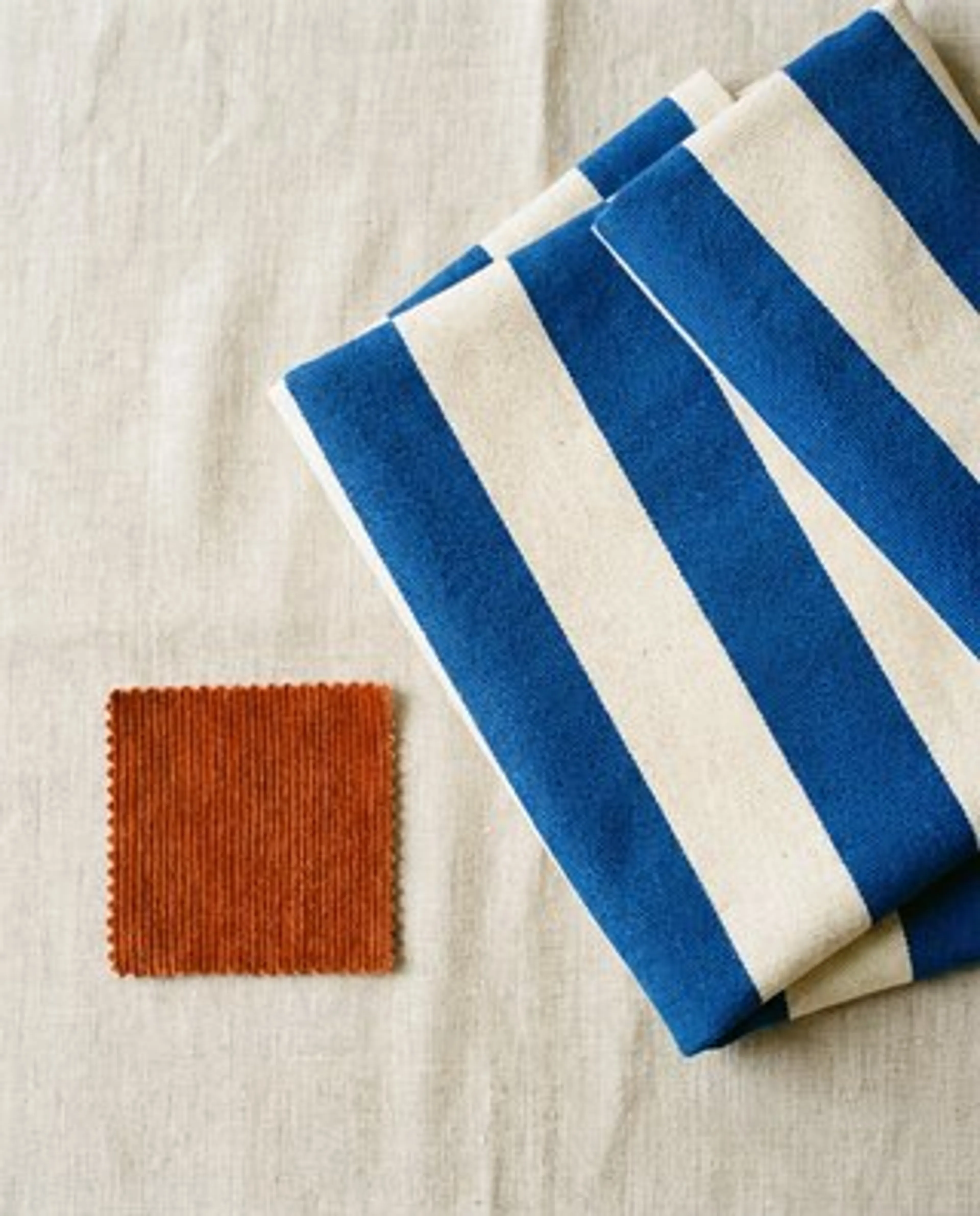
Change a material from a swatch with AI
Pass the room and a fabric swatch, and Krea 3 reupholsters the piece while the room and camera stay put.
- Blue and cream stripes on the body, rust corduroy on the cushions
- Sofa shape, room and camera angle are unchanged
- Show a client the next option during the review
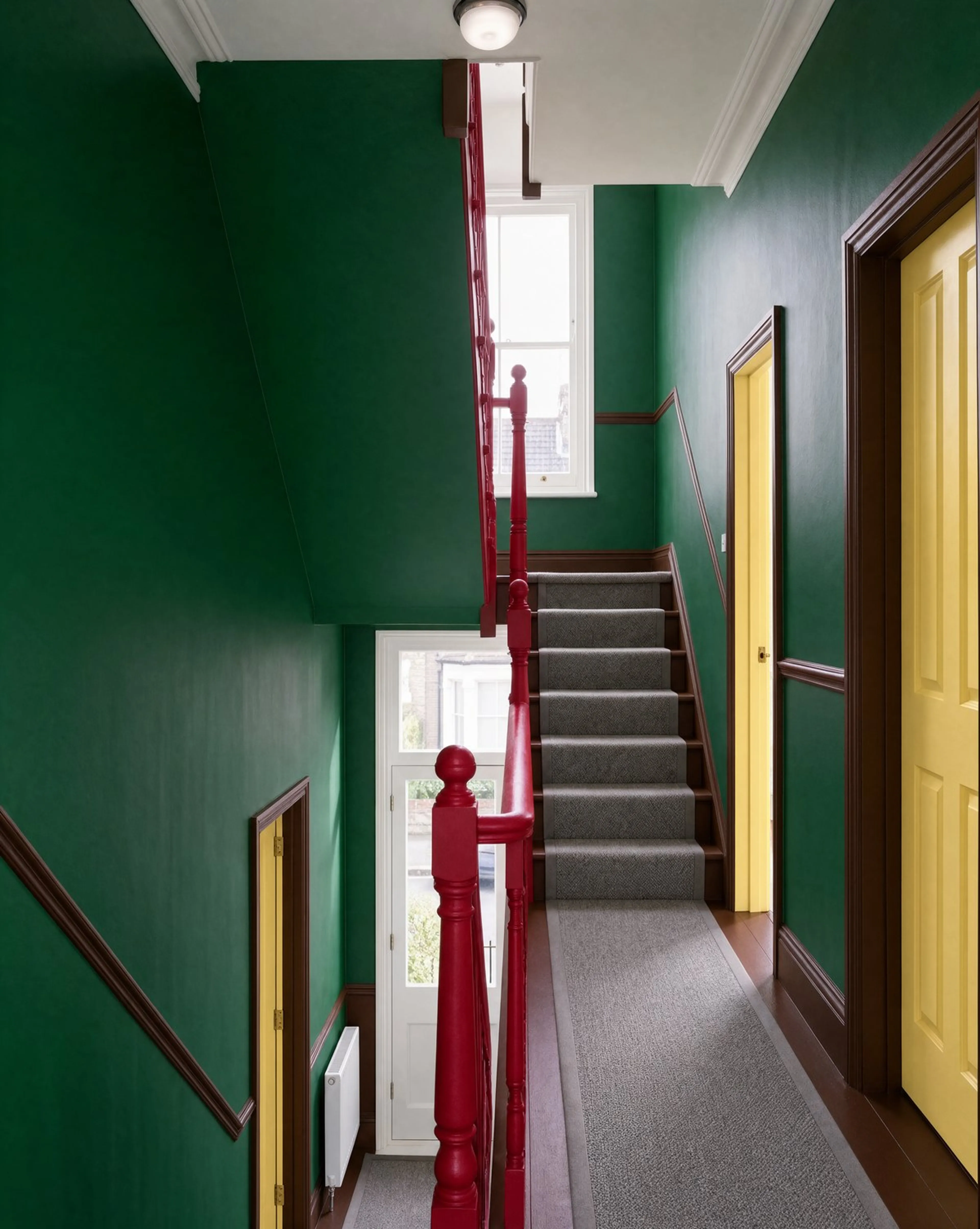
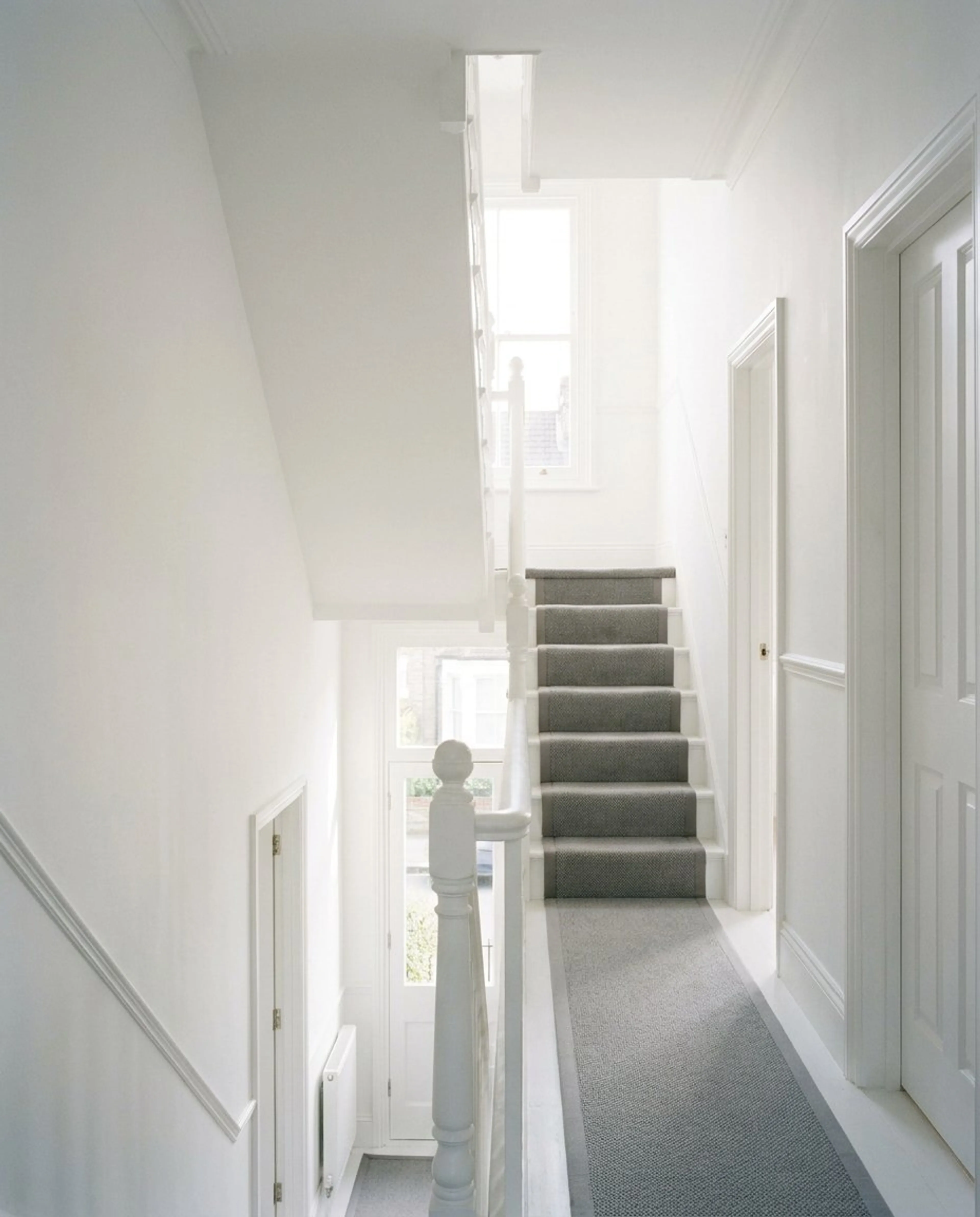
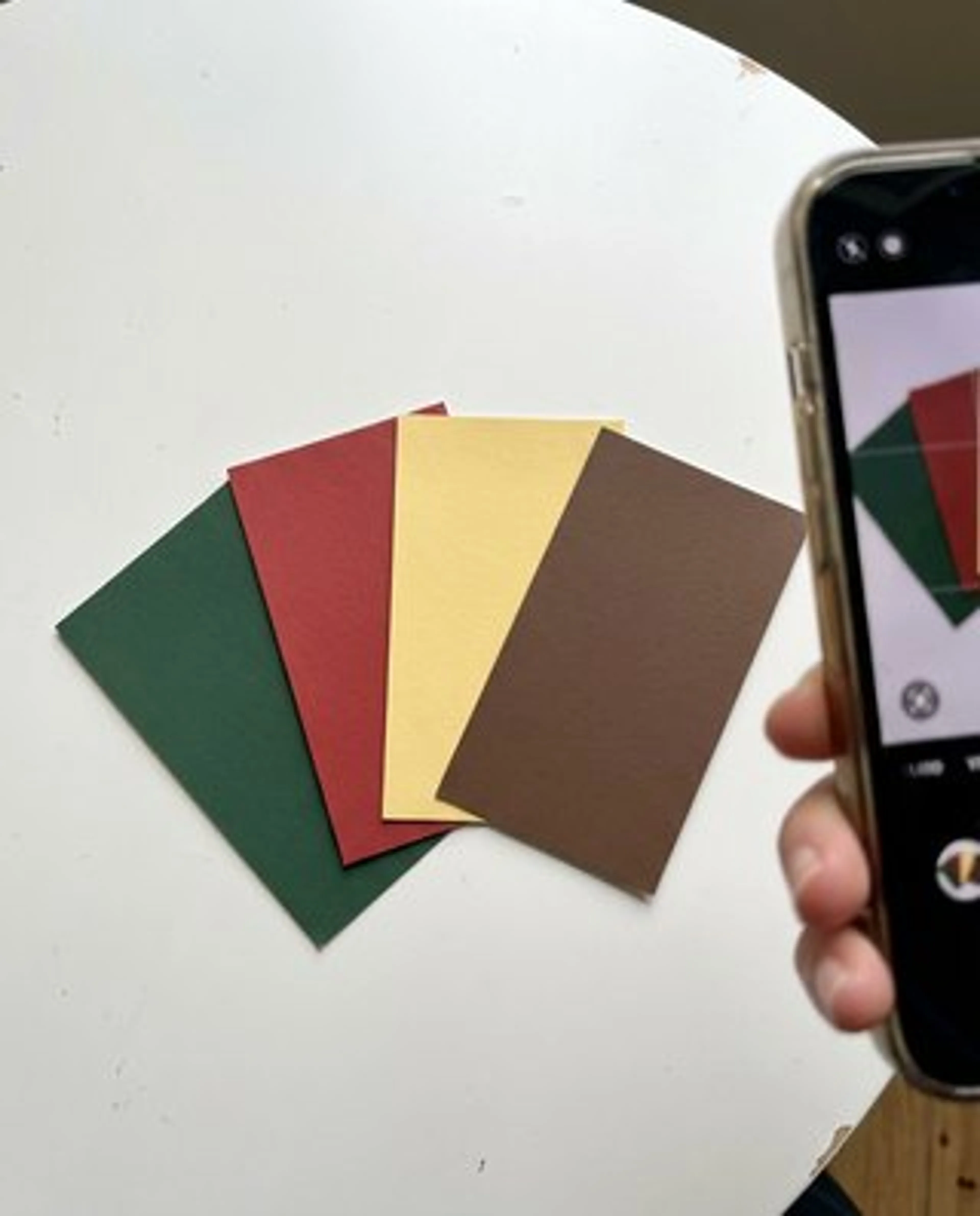
Repaint a room from paint chips with AI
Photograph the chips, assign each colour to a surface, and Krea 3 repaints the space.
- Forest green walls, cherry red bannister, butter yellow doors
- Stairs, carpet, light and framing stay the same
- Name a HEX value when the exact colour matters
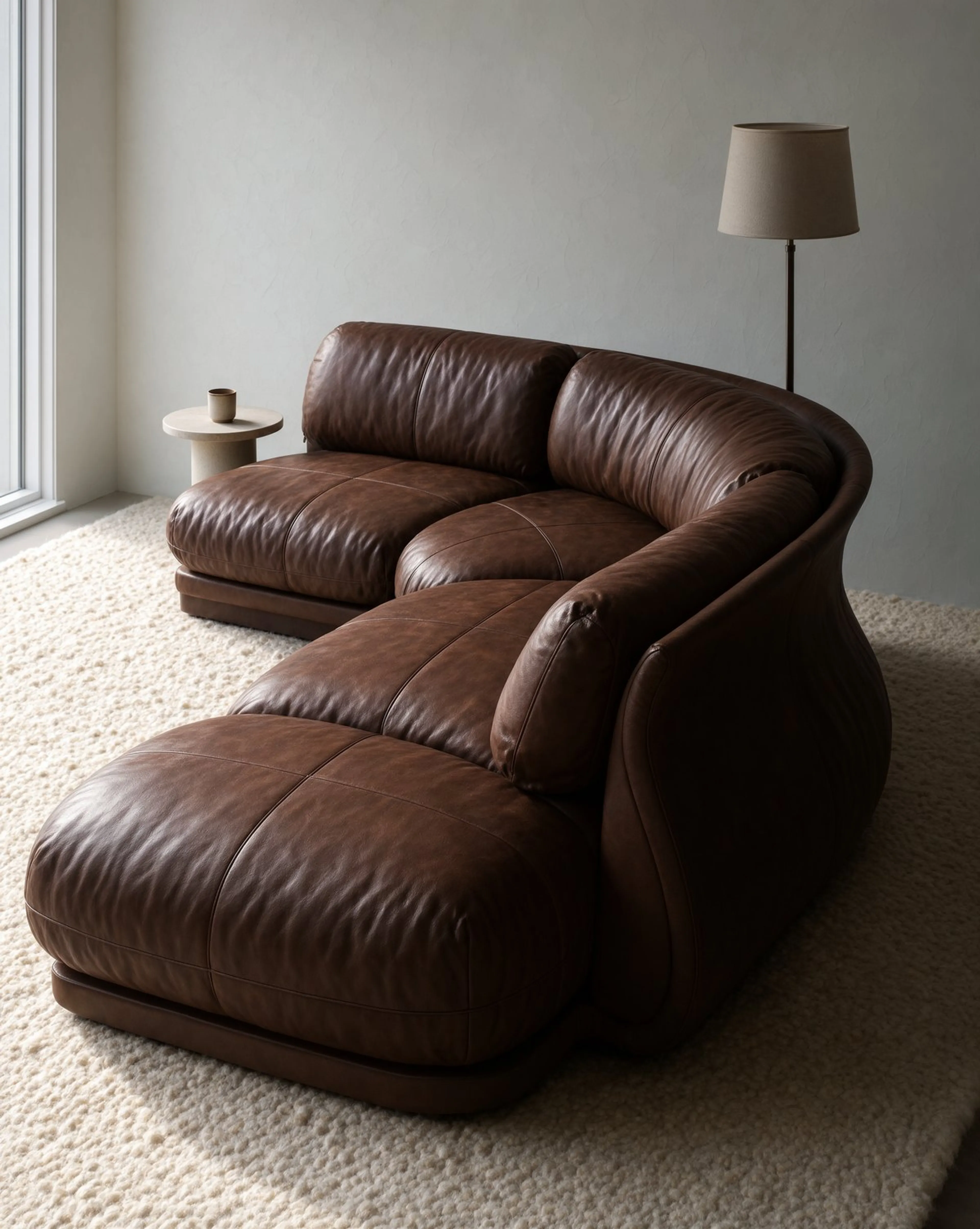
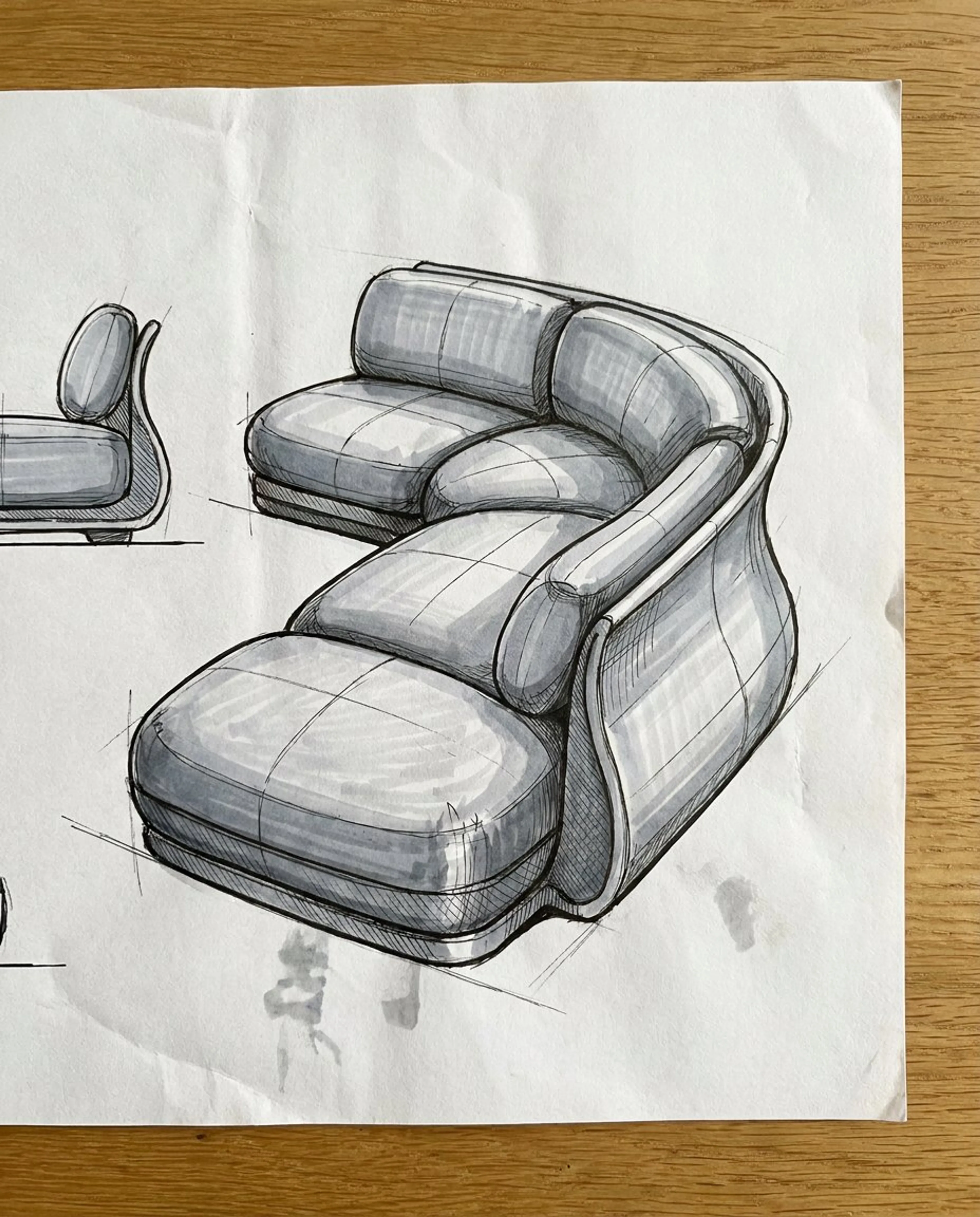
Turn a sketch into a photorealistic AI image
Krea 3 follows a marker sketch's shape and angle and returns a finished product photograph.
- Rounded modular cushions, curved backrest and three-quarter view match the drawing
- Chocolate leather, a wool rug and a plaster wall come from one sentence
- Fast concept renders for furniture and product design
How to use Krea 3
Three steps from a starting image to a finished edit with the Krea 3 AI image editor, in the fal playground or through the API.
What are examples of Krea 3 AI images?
Campaign shots and interiors made by Krea with Krea 3, each with the prompt that produced it from a single reference image. More worked examples, with their inputs, are in the Krea 3 prompting guide.
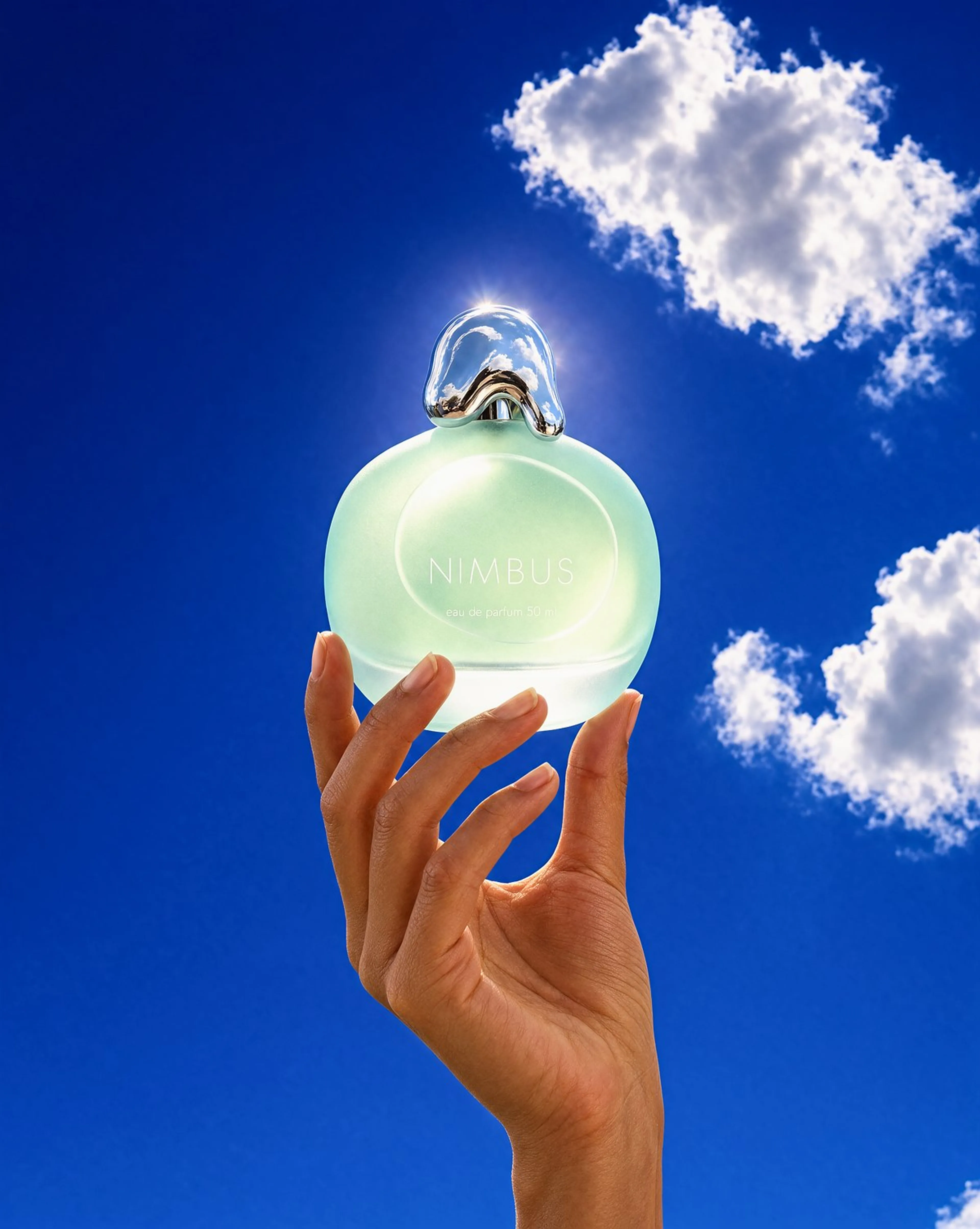
Fragrance campaign
"Keep the perfume bottle exactly as in the reference image: same frosted seafoam pebble-shaped glass body, same melted-droplet chrome cap and the same white NIMBUS text. Restage it as an open-sky contre-jour fragrance campaign shot: vertical low-angle frame of a hand with bare natural nails raising the bottle up against a deep saturated cobalt summer sky with a few bright white cumulus clouds, the sun just behind the bottle so the frosted seafoam glass glows from within and the chrome cap catches a hot white rim highlight, a faint genuine lens flare bloom at the upper edge, palette of deep cobalt sky then glowing seafoam glass then white cloud then chrome then warm skin, 12:1 contrast against the sky, bottle at 55% across in the upper half, the hand entering from the bottom edge cropped at the wrist, lower left of the sky left empty, 70mm, 4:5, deep focus, clean digital finish, Y2K fragrance advertising photograph, no gradient sky filter, no added text."
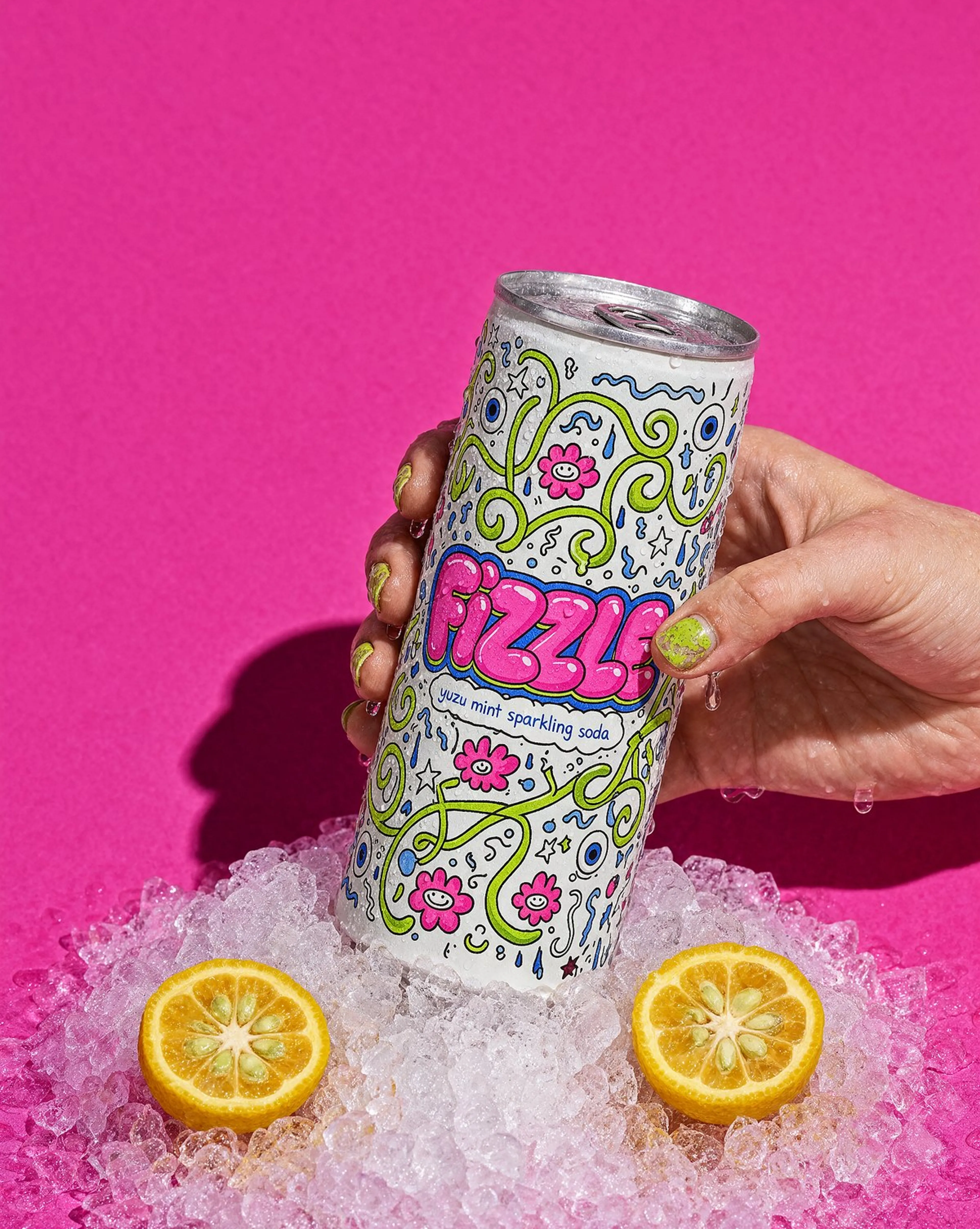
Beverage campaign
"Keep the soda can exactly as in the reference image: same white can with the maximal doodle illustration in lime green, hot pink and cobalt, the bubbly FIZZLE lettering and the small yuzu mint sparkling soda line, same silver rim and tab. Restage it as an ice-cold beverage campaign shot: vertical frame of a hand with chipped lime-green nail polish gripping the can, the can's surface covered in fine condensation and running droplets, pushed down into a bed of crushed ice, two halved yuzu fruits half-buried in the ice, against a flat saturated magenta-pink seamless paper backdrop, one hard unmodified flash 25 degrees to camera right throwing a crisp dark magenta shadow of the can and hand onto the backdrop, bright specular pops on the wet aluminium, palette of magenta-pink field then white can then lime green then yuzu yellow then ice white, 6:1 contrast, can at 46% across tilted 8 degrees, hand entering from the right cropped at the wrist, upper left of the pink field left empty, 85mm, 4:5, deep focus, clean digital finish, playful beverage advertising photograph, no gradient, no added text."
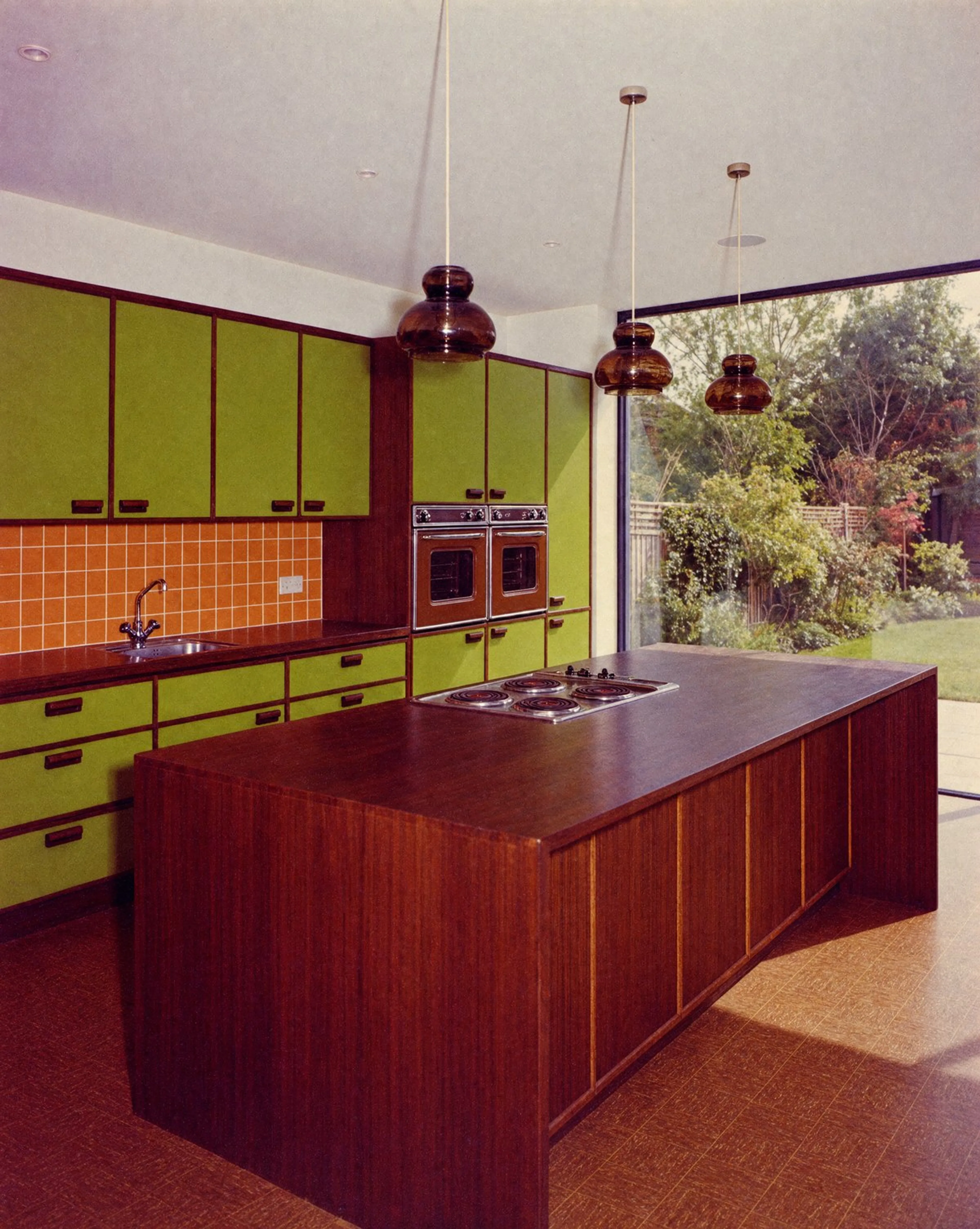
Interior time travel
"Show this exact kitchen as if it were built in 1974. Same layout, island, window and camera. Avocado green cabinets, orange tile backsplash, dark wood, brown linoleum, smoked glass pendants. Real 1970s kitchen, shot on faded Kodachrome film."
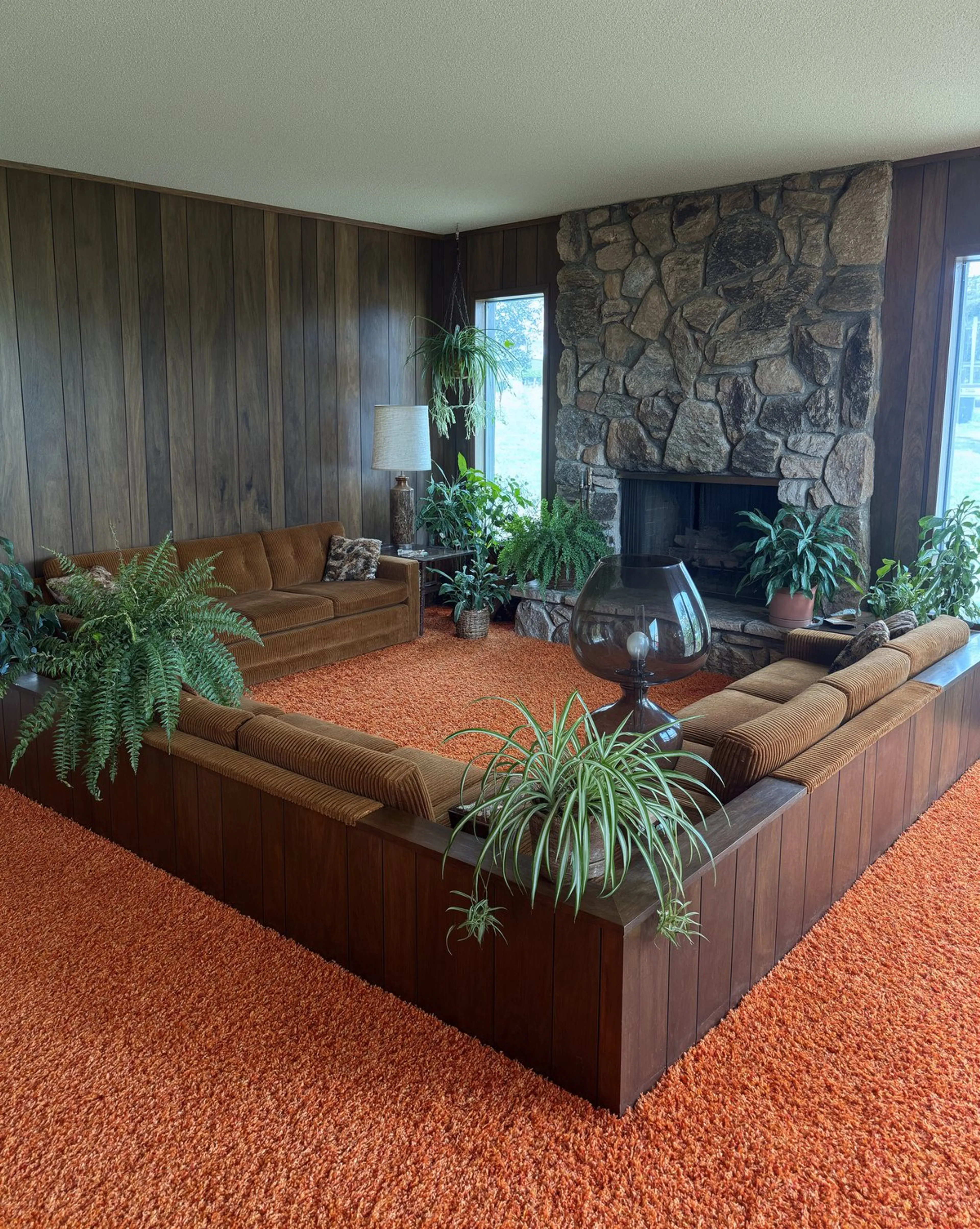
Photo restoration
"Recreate the room in this faded 1970s polaroid as a sharp, modern architectural photograph. Keep everything from the photo: the sunken conversation pit, orange shag carpet, wood panelling, stone fireplace, lamp, plants and the same camera angle. Restore the true rich colours, add crisp detail and natural daylight, and remove the blur, dust and polaroid border. Full-frame photoreal interior photography, as if shot today."


How do you access the Krea 3 image editing API?
Get a fal API key, install the client for JavaScript or Python, and call the edit or text-to-image endpoint. The client handles the queue protocol, polls for status and returns the result when the request completes. The edit endpoint takes 1 to 8 reference images; text to image takes a prompt alone. Realtime uses a persistent session instead of the queue protocol.
import { fal } from "@fal-ai/client";

// 1 to 8 reference images. Refer to them as <image-1>, <image-2>... in order.
const result = await fal.subscribe("krea/v3/edit", {
  input: {
    prompt:
      "Reupholster the sofa in <image-1> using the fabrics in <image-2>: blue and cream stripes on the body, rust corduroy on the cushions. Keep the sofa shape, room and camera angle.",
    image_urls: [
      "https://example.com/sofa.png",
      "https://example.com/fabric-swatch.png",
    ],
  },
  logs: true,
  onQueueUpdate: (update) => {
    if (update.status === "IN_PROGRESS") {
      update.logs.map((log) => log.message).forEach(console.log);
    }
  },
});

console.log(result.data);
console.log(result.requestId);


The three Krea 3 image API endpoints
Edit for everything that starts from an image, text to image for new work, and realtime for live edits of a single frame.


Edits and combines reference images using text instructions, with optional prompt expansion, output-size controls, and reproducible generation through a seed.
Generates images from text prompts with optional prompt expansion, configurable output dimensions, and seed control.
Edits an input image in a realtime session using text prompts, with seed control.
Krea 3 image model FAQ
What is Krea 3?
Krea 3 is Krea's AI image model for reference-driven generation and editing. It lets creative teams explore product imagery, character work, fashion and architectural edits using their own images and visual references. On fal it is live through an API and in the playground, as three endpoints: an edit endpoint that takes 1 to 8 reference images, a text-to-image endpoint, and a realtime endpoint that edits a live 768×768 frame.
How do you use Krea 3?
Upload the image you want to change, add any references, and describe the edit, naming what must stay the same. Through the API it is one call to krea/v3/edit. Send a result back in as the starting image to keep refining it. Try it in the Krea 3 playground on fal. The Krea 3 prompting guide has worked examples with their inputs and prompts.
How do you access the Krea 3 API?
Install the fal SDK for Python or JavaScript, grab an API key from your dashboard, and make your first request in a few lines of code. The Krea 3 API docs list every parameter. Serverless, with no GPUs to manage.
How much does Krea 3 cost?
Text to image and edit both bill $0.025 per megapixel, counting the output image plus each reference image (a reference larger than the output counts at the output's size). One megapixel is 1024×1024 pixels, so a 1024×1024 image costs $0.025 and a 2048×2048 image about $0.10. An edit with one same-size reference costs twice its output. High reasoning on the edit endpoint bills 5 megapixels more per request. Pay as you go, with no subscription and no minimum.
How many reference images can Krea 3 use?
Up to 8 per request on fal's edit endpoint. Pass them in image_urls and refer to them in the prompt as <image-1>, <image-2> and so on, in the order you passed them. Give each reference one job, such as the face from one image and the jacket from another.
What resolutions and aspect ratios does Krea 3 support?
Output is up to 4,220,160 total pixels, such as 1680×2512 or 2048×2048. Pick a preset (square, square HD, portrait 4:3 or 16:9, landscape 4:3 or 16:9) or pass a custom width and height from 256 to 3200 pixels per dimension. Dimensions are rounded up to multiples of 16, and the rounded output must stay within the total pixel limit. Leave the size on auto and Krea's prompt expander picks the aspect ratio for you, at about 2048×2048. High reasoning on the edit endpoint skips the prompt expander, so set image_size explicitly when you need a specific ratio. Images come back as PNG or JPEG.
What are the berry and jam models and reasoning levels in Krea 3?
Both endpoints run one of two variants: berry, the default, favors quality, and jam favors speed. A reasoning level sets how much effort Krea spends planning the prompt before it generates: low (the default) or medium for text to image, and low, medium or high for edits. High plans the edit with segmentation, web search and reference photos, keeps unedited areas of a single input image and corrects required text. Higher levels take longer.
What is Krea 3 Realtime?
A session endpoint that edits a live image as you type. Send a frame and an instruction that refers to it as <image-1>, and Krea 3 returns the edited frame at 768×768 as a JPEG. The image stays for the session, so later messages keep editing it, and a fixed seed keeps consecutive frames consistent. It is billed per second of session.
What is Krea 3 good at?
Edits that keep what matters: restaging a product without losing its label and shape, swapping a fabric, finish or paint colour in the same room and viewpoint, combining a face, an outfit and a backdrop into one image, and carrying a character through a sequence of stills. It is built so you can make a change, then another, while the creative decision is still being made.
Can Krea 3 make videos?
No. Krea 3 makes still images. To animate one, pass it to an image-to-video model on fal, such as Seedance 2.5 or MiniMax H3 Max.
Krea 3 vs Krea 2: which Krea image model should I use?
Use Krea 3 when you start from images: editing a photo, combining references, or keeping a product or character consistent. Krea 2 is Krea's text-to-image model with tunable creativity and style references, and stays available on fal for that work.
How do I fix a Krea 3 edit that changed too much?
Narrow the edit and name what should stay. If references got mixed up, state each image number and its purpose. If product details drifted, go back to the original product reference and change fewer things at once. If a sequence drifted, restart from the strongest earlier image instead of continuing from a weak result.
Can I use Krea 3 images for commercial projects?
Yes. Images generated through the fal API can be used in commercial projects. Check fal's terms of service for full details on usage rights and licensing.
Get in touch about Krea 3
Generating images at volume? Leave your details and our team will get back to you about pricing and enterprise terms.