Kling 4.0
Kling 4.0 is an AI video generation model from Kling AI, now in early access on fal. Kling 4.0 generates up to 30 seconds of video with two-channel stereo audio from text, an image, or up to 15 mixed references, and edits existing footage.
All videos on this page were generated with Kling 4.0 and published by Kling AI. Not generated via fal API.
What can Kling 4.0 do?
Up to 30 seconds per AI video generation
Kling 4.0 generates 3 to 30 seconds of video in a single generation, long enough for a continuous take or a complete short story.
- One long take holds the same subject and scene from the first frame to the last.
- Split a generation into shots with per-shot prompts and durations, and the clip length is the sum of the shots.
- Kling has announced video extension up to 2 minutes as coming soon.
AI video with two-channel stereo sound and lip sync
Kling 4.0 generates dialogue, singing, sound effects and ambience as two-channel stereo, in sync with the picture.
- Lip sync keeps voices and performances matched to mouth movement, including sung vocals.
- Turn it on per request with the generate_audio option.
Up to 15 references in one AI video generation
Kling 4.0 combines images, videos and reusable subjects in one generation, and you address each one in the prompt.
- Up to 10 images, 5 videos (30 seconds in total) and 7 elements, 15 assets at most.
- Elements are characters or objects defined by a front view plus extra angles, or by a video.
- Up to 3 elements can carry a voice, so a character keeps its look and its voice.
Borrow motion and camera work from a reference video
A reference video guides the performance, action, camera movement and pacing of a new AI video.
- Kling 4.0 moves a dunk from an outdoor court into a packed arena, performed by a new player.
- White-model and depth-map videos work as references too, for exact control over motion and timing.
Direct the story beats of an AI video with keyframes
Kling 4.0 takes up to 10 keyframe images and moves the story through them in order.
- Pin a character's state, a scene change or a reveal to a specific moment.
- Image to video pins the first frame, or both the first and the last.
Edit an existing video with AI, keep the rest of the take
Kling 4.0 makes targeted edits to a video you upload, from swapping the character and the set to removing an element or changing the style.
- Change expressions, movement, camera position, background or style while the rest of the scene holds.
- The original audio is kept by default, so a re-cast shot still carries its dialogue.
- Source clips run from 2 to 30 seconds.
AI video with dialogue in multiple languages and accents
Kling 4.0 generates speech natively in languages including Chinese, English, Japanese, Korean, Spanish, Portuguese, German, French, Indonesian and Hindi.
- Accents and dialects include American, British and Indian English, and Beijing, Taiwanese, Northeastern, Sichuanese and Cantonese Chinese.
- On-screen text renders legibly in the same languages, plus emoji and logos, and stays readable as the camera moves.
Push-ins, orbits and tracking shots in every AI video
Kling 4.0 follows camera direction and shot sequencing, so moves and changes in shot size flow smoothly.
- Fast action and continuous motion stay stable through tracking and orbit shots.
- Choose 21:9 ultrawide, 16:9, 1:1 or 9:16, or let the model pick with auto.
Fast 720p AI video drafts with Kling 4.0 Flash
Kling 4.0 Flash is the fast member of the lineup, built for frequent creation at 720p and up to 20 seconds.
- Text to video, first-frame image to video and reference to video.
- Draft ideas on Flash, then render the keeper on Kling 4.0 at 1080p.

How to use Kling 4.0
Three steps from an idea to a finished video with sound.

What are the examples of Kling 4.0?
Reference inputs and the video Kling 4.0 generated from them, from Kling AI's Kling 4.0 release note.
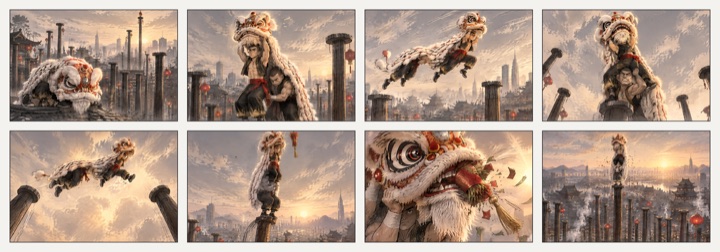
An 8-panel grid becomes one continuous scene
A single image of eight storyboard panels, a lion dance leaping across rooftop pillars, turned into one moving sequence that hits every panel.
Starter prompt to recreate this setup
"@Image1 is an eight-panel storyboard grid. Animate it as one continuous shot that moves through every panel in order: a lion dance troupe leaps across tall pillars above a rooftop city at sunset, with drums and crowd cheers."
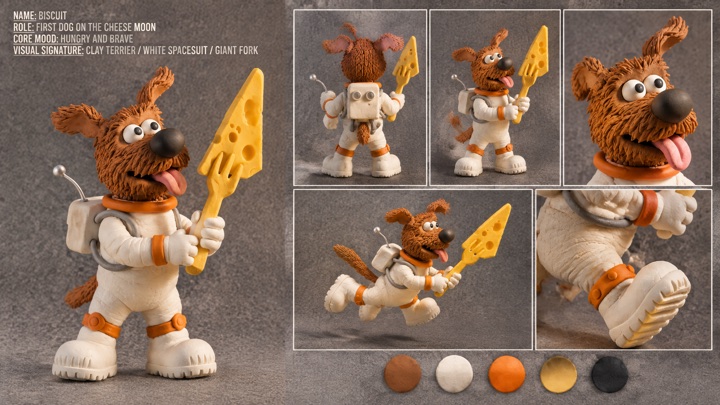
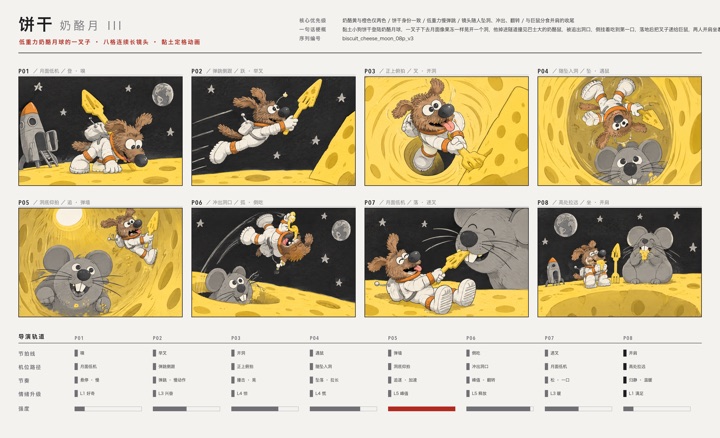
A character sheet and a storyboard to a claymation short
A clay astronaut dog turnaround plus a panel-by-panel storyboard, generated as a stop-motion style chase across a cheese moon.
Starter prompt to recreate this setup
"@Image1 is the character sheet for a clay astronaut dog and @Image2 is the storyboard. Follow the storyboard panel by panel as a stop-motion claymation short on a cheese moon, keeping the dog on model in every shot."
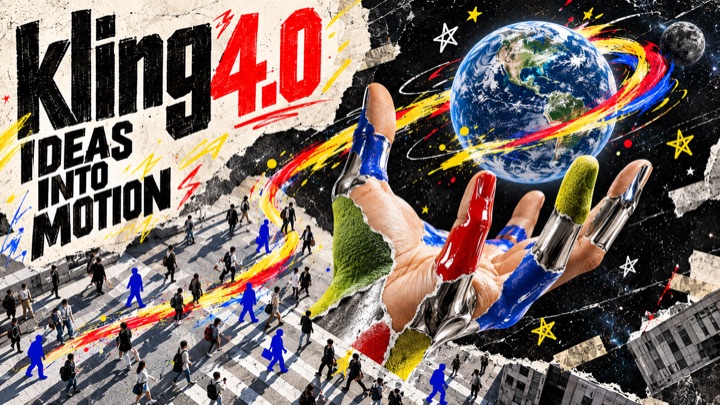
A campaign poster brought to life
A single "Kling 4.0, Ideas into Motion" collage poster, animated into a spot where the torn-paper layers, the globe and the painted hand move and the headline rebuilds itself.
Starter prompt to recreate this setup
"Animate @Image1 as a 14-second brand spot. The torn-paper layers peel and shift, the globe spins with its paint trails, the painted hand opens toward camera, and the headline letters assemble one by one. Keep the collage style and colors throughout. Upbeat music."
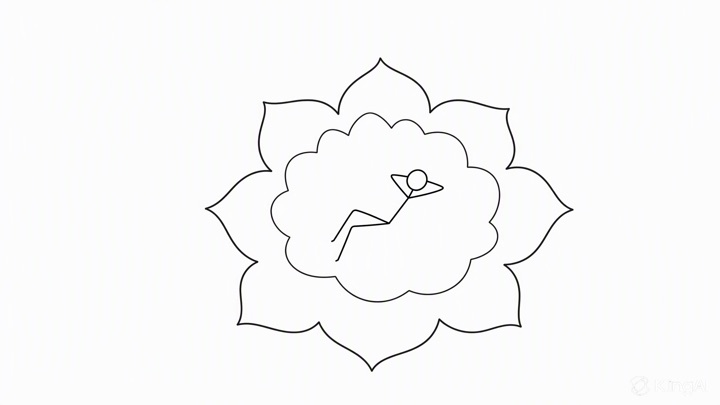
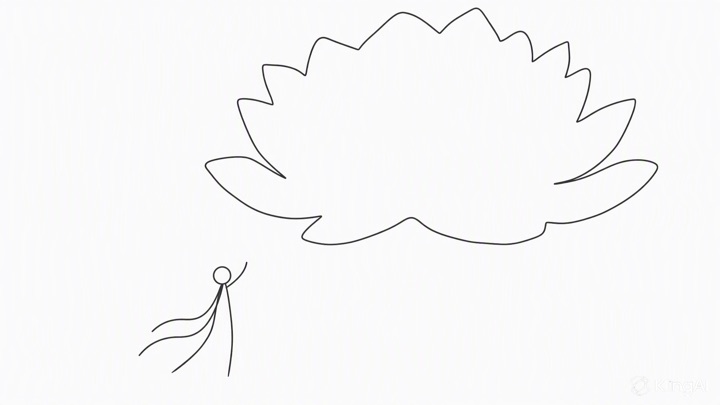
Two line sketches set the composition of a scene
Two simple drawings, a lotus with a figure inside and a figure below a cloud of petals, fix the layout of a luminous fantasy shot.
Starter prompt to recreate this setup
"Use @Image1 and @Image2 as the composition. A woman in flowing white robes stands on a moonlit lake beneath a giant glowing crystal lotus, then the camera rises as the petals close around a tiny figure inside. Soft sparkles, ethereal lighting."
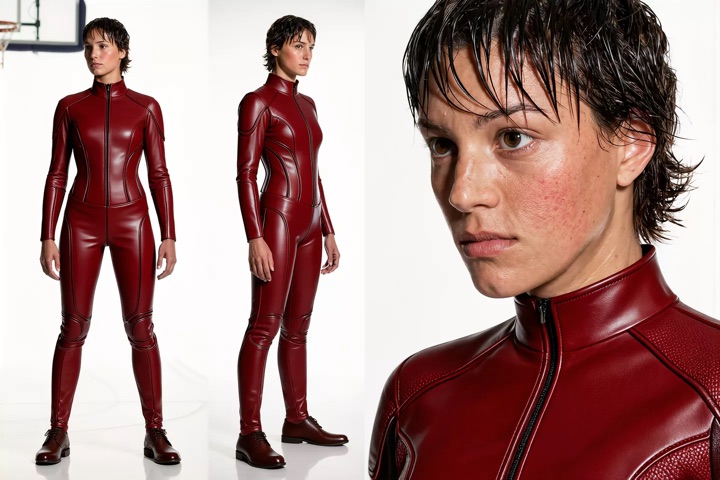
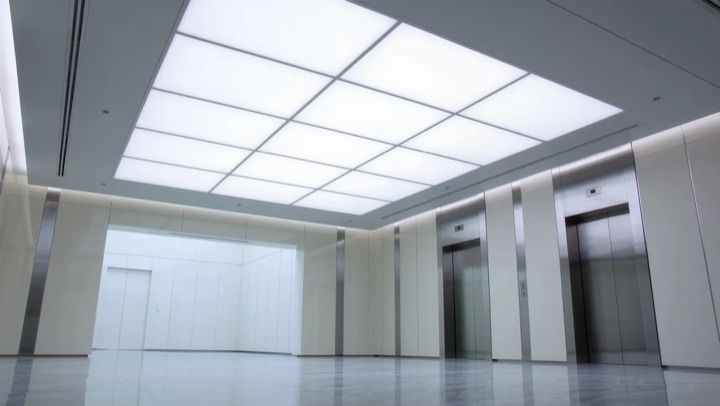
Copy a camera move onto a new character and set
The tracking camera from one clip, a character turnaround and an empty office corridor, combined into a new tracking shot.
Starter prompt to recreate this setup
"Use the camera movement from @Video1. The woman in @Image1 runs through the white office corridor in @Image2, with the camera tracking close behind her."
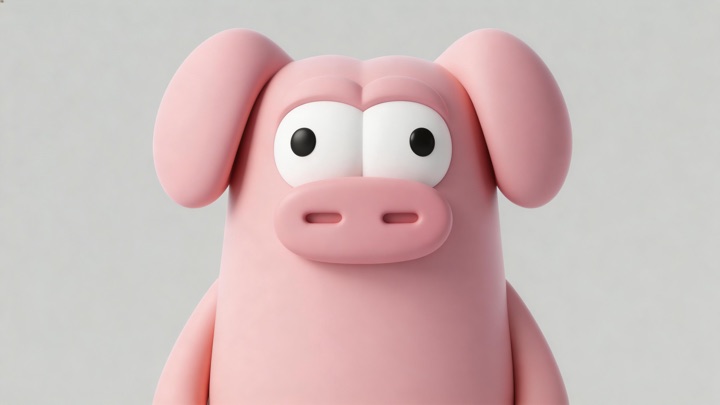
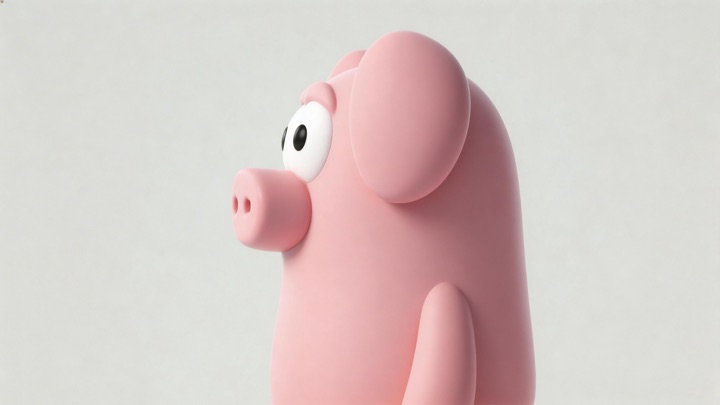
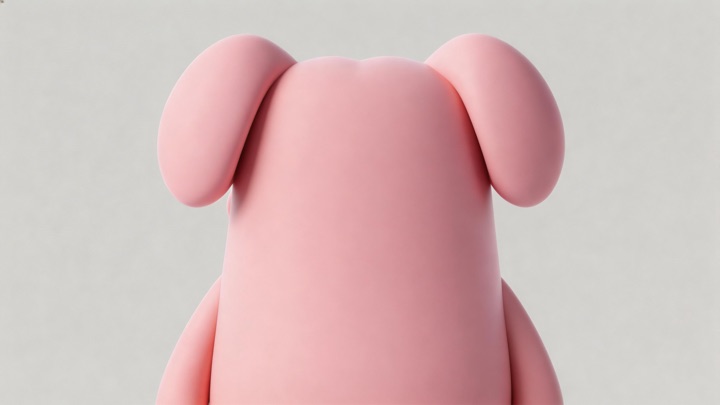
Drop a new character into an existing scene
A clay pig defined from three angles is added to a period drama clip, and the scene's dialogue plays on around it.
Starter prompt to recreate this setup
"Add the clay pig in @Element1 to @Video1, standing among the characters by the fireplace. Keep the scene, the dialogue and the camera unchanged."
Clear the crowd from a street performance
Passers-by are removed from a band's set by a fountain, leaving the musicians and the plaza.
Starter prompt to recreate this setup
"Remove the crowd of passers-by from @Video1, leaving only the band and the fountain plaza. Keep the music and the camera unchanged."
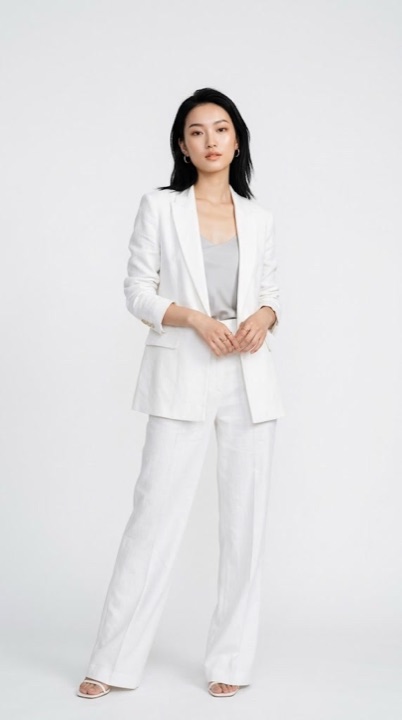
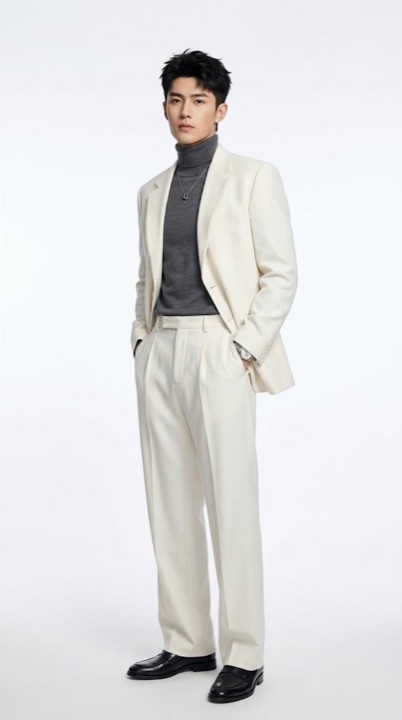
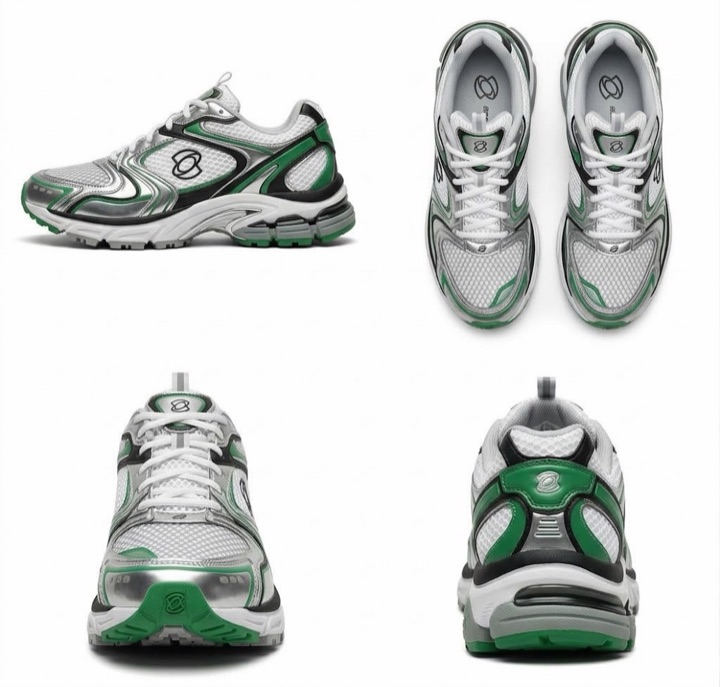
Two models and a sneaker to a 30-second ad
Two model portraits and three product angles, generated as a street-running sneaker spot with product close-ups and split-screen cuts.
Starter prompt to recreate this setup
"A 30-second sneaker ad. The models in @Image1 and @Image2 run through city streets wearing the sneakers in @Image3. Open on a close-up of the laces, then cut between street running, split-screen shots and product close-ups. Upbeat music."
A one-line prompt, expanded into a scene
Kling 4.0 fills in the character, the set, the camera and the performance from four words, with the speech generated in the same pass.
Prompt from Kling AI
"An old man ranting about AI."
A detailed shot brief with dialogue and sound
A handheld 7-second reunion on a UK street at dusk, with footsteps, street ambience, music and English dialogue all from the prompt.
Prompt from Kling AI
"A continuous 7-second shot set in the UK. Two friends who have not seen each other for a long time meet at the corner of a quiet street at dusk, surrounded by a diverse crowd going about their daily lives. They smile, walk quickly toward each other, and share a warm embrace. Their facial expressions and body movements are natural. A handheld camera follows them with subtle camera shake. Soft, warm lighting with a nostalgic cinematic film look. Include natural footsteps, street ambience, background music, and English dialogue."
Kling 4.0 vs Kling 4.0 Flash vs Kling 3.0
Which Kling AI video generation model to use for each job. Kling 4.0 and Kling 4.0 Flash are in early access, and Kling 3.0 is available on fal today.
| Model | Best for | Max duration | Resolution | Audio |
|---|---|---|---|---|
| Kling 4.0Kling AI · Early access | Final renders, long takes, Omni Reference, editing | 30 s | Up to 1080p | Stereo, lip sync |
| Kling 4.0 FlashKling AI · Early access | Fast, frequent drafts and iteration | 20 s | 720p | Native audio |
| Kling 3.0Kling AI · Available now | Multi-shot storyboards, 4K output | 15 s | Up to 4K | Native audio |
Kling 4.0 FAQ
What is Kling 4.0?
Kling 4.0 is Kling AI's AI video generation model. It generates 3 to 30 seconds of video with two-channel stereo audio from text, an image, or up to 15 references, and it edits existing video. The lineup includes Kling 4.0 Flash, a faster 720p model.
Can I use Kling 4.0 on fal?
Kling 4.0 is in early access on fal. It covers text to video, image to video, reference to video and video editing, and Kling 4.0 Flash adds text, image and reference to video at 720p. To request access, use the contact form below.
How long can a Kling 4.0 video be?
Kling 4.0 generates 3 to 30 seconds per generation, and Kling 4.0 Flash generates 3 to 20 seconds. You can split a Kling 4.0 generation into several shots, each with its own prompt and duration. Kling has announced video extension up to 2 minutes as coming soon.
What resolution does Kling 4.0 output?
On fal, Kling 4.0 outputs 720p or 1080p, and Kling 4.0 Flash outputs 720p. Aspect ratios are 21:9, 16:9, 1:1 and 9:16, with an auto option on text and reference to video. Kling has announced 4K and 10-bit HDR output as coming soon.
What is the difference between Kling 4.0 and Kling 4.0 Flash?
Kling 4.0 is the full model: up to 30 seconds, up to 1080p, first and last frame control, voice-bound elements and video editing. Kling 4.0 Flash is built for fast, frequent creation: up to 20 seconds at 720p from text, a first frame or references.
What references can Kling 4.0 use?
Up to 10 images, 5 videos (30 seconds in total) and 7 elements, 15 assets at most. Images can be character sheets, grids, storyboards, keyframes, wireframes or layouts. Videos can guide performance, camera movement and pacing, including white-model and depth-map renders. Up to 3 elements can carry a voice, which you create with Kling create voice.
Does Kling 4.0 generate audio?
Yes. Kling 4.0 generates two-channel stereo audio, including dialogue, singing, sound effects and ambience, with lip sync. Turn it on per request with the generate_audio option. Video editing keeps the source clip's audio by default.
Were the videos on this page made on fal?
No. Every clip was generated with Kling 4.0 and published by Kling AI in its Kling 4.0 release note. None were generated via fal API.
How does Kling 4.0 compare to Kling 3.0?
Kling 4.0 doubles the maximum length from 15 to 30 seconds, adds stereo audio, 21:9 output, Omni Reference with up to 15 assets, and video editing. Kling 3.0 remains on fal, including its 4K endpoints, and so does Kling Motion Control.
How do I get started?
Kling 4.0 is in early access. Leave your details in the contact form below and our team will get you set up, including volume pricing and enterprise terms.
Get early access to Kling 4.0
Kling 4.0 and Kling 4.0 Flash are in early access on fal. Leave your details and our team will get back to you about access, volume pricing and enterprise terms.
Contact Sales
Last updated: . Kling 4.0 model details and early access status are accurate as of this date.