This is my ranking of the 10 best image background removers in 2026 that you can use at scale and at a very reasonable price point:
TL;DR
The best image background remover is Pixelcut Product Photo, since one endpoint gives you the cutout plus the shadow, crop, and margin controls that turn supplier photos into a consistent catalog.
Bria RMBG 2.0: a single-purpose production cutout that accepts five input formats and returns a transparent PNG with the alpha channel intact.
Pixelcut Background Removal: one field, no settings, and a penny per image, which makes it a solid choice.
How I put this list together: the ranking is mine personally, which I devised from running these background removers.
One source photo went through every solution, and I judged what came back on its edges and on whether the product survived intact.
What is the best place to remove image backgrounds?
fal is the best place to remove image backgrounds, since the five API models in this guide sit behind one interface on our own inference engine and bill only when you call them.
One account covers all five, so there's no second login to provision and no second billing relationship to track.
Moving from one to another is a change to the endpoint string and nothing else.
You'll be able to compare different models, select the best endpoint for a particular type of image, and incorporate background removal into larger automated media pipelines.
For example, you can use Pixelcut for ecommerce products, BiRefNet for difficult edges, and Bria when commercially licensed training data is a priority.
The account also opens up more than a thousand other models across image, video, music, and audio.
A background removal request looks like this:
javascript
import { fal } from "@fal-ai/client";

const result = await fal.subscribe("fal-ai/ideogram/remove-background", {
  input: {
    image_url: "https://your-image-url.com/photo.jpg",
  },
});

console.log(result.data.image.url);
What are the best image background removers in 2026?
The best image background removers in 2026 are the Pixelcut Product Photo, Bria RMBG 2.0, and Pixelcut Background Removal, all running on fal with usage-based pricing.
Here's the full breakdown:
| Model | Best For | Standout Strength | Price on fal |
|---|---|---|---|
| #1: Pixelcut Product Photo | Catalogs needing a finished listing image, not a cutout | Removal and canvas composition in one call | Pixelcut Product Photo costs $0.024 per image on fal. |
| #2: Bria RMBG 2.0 | Work where training-data provenance has to hold up | Licensed training data end to end | $0.018 per image |
| #3: Pixelcut Background Removal | Product cutouts feeding your own framing pipeline | Three output formats to pick from | $0.016 per image |
| #4: Ideogram Remove Background | Bulk isolation with nothing to configure | One cent per image with zero configuration | $0.01 per image |
| #5: BiRefNet v2 | Difficult edges and high-resolution sources | Six variants and resolutions to 2304x2304 | $0.0008 per compute second |
| #6: Photoroom | Marketplace sellers who want the finished listing too | Batch editing across a whole catalog | Free to use in the web app. |
| #7: remove.bg | Removal inside the tools you already have open | Up to 500 images per minute in bulk | Free to use in the web app for the lower resolution. |
| #8: Cloudinary | Teams already storing images in Cloudinary | Removal chained into transformation URLs | Free to use in the web app. |
| #9: Adobe Photoshop | Creative teams already producing in Photoshop | Cutout arrives as an editable mask | Free to use in the web app. |
| #10: Clipdrop | Prototypes needing several editing tools at once | Removal beside cleanup, uncrop, and relight | Free to use in the web app for the lower resolution. |
How I tested these image background removers
I generated one product photo and pushed it through every image background remover to see how each one of these models will perform.
Here is the photo I generated with GPT Image 2:
Prompt: A poke-style grain bowl in a matte white ceramic bowl, brown rice topped with cubed salmon, sliced avocado, edamame, shredded purple cabbage, halved cherry tomatoes, black sesame seeds, and a lime wedge, shot at a three-quarter angle on a pale oak counter with a linen napkin and a blurred potted herb behind it, bright diffused window light from the left, glossy sauce highlights, ecommerce menu-photo color grade, 4:5 framing.
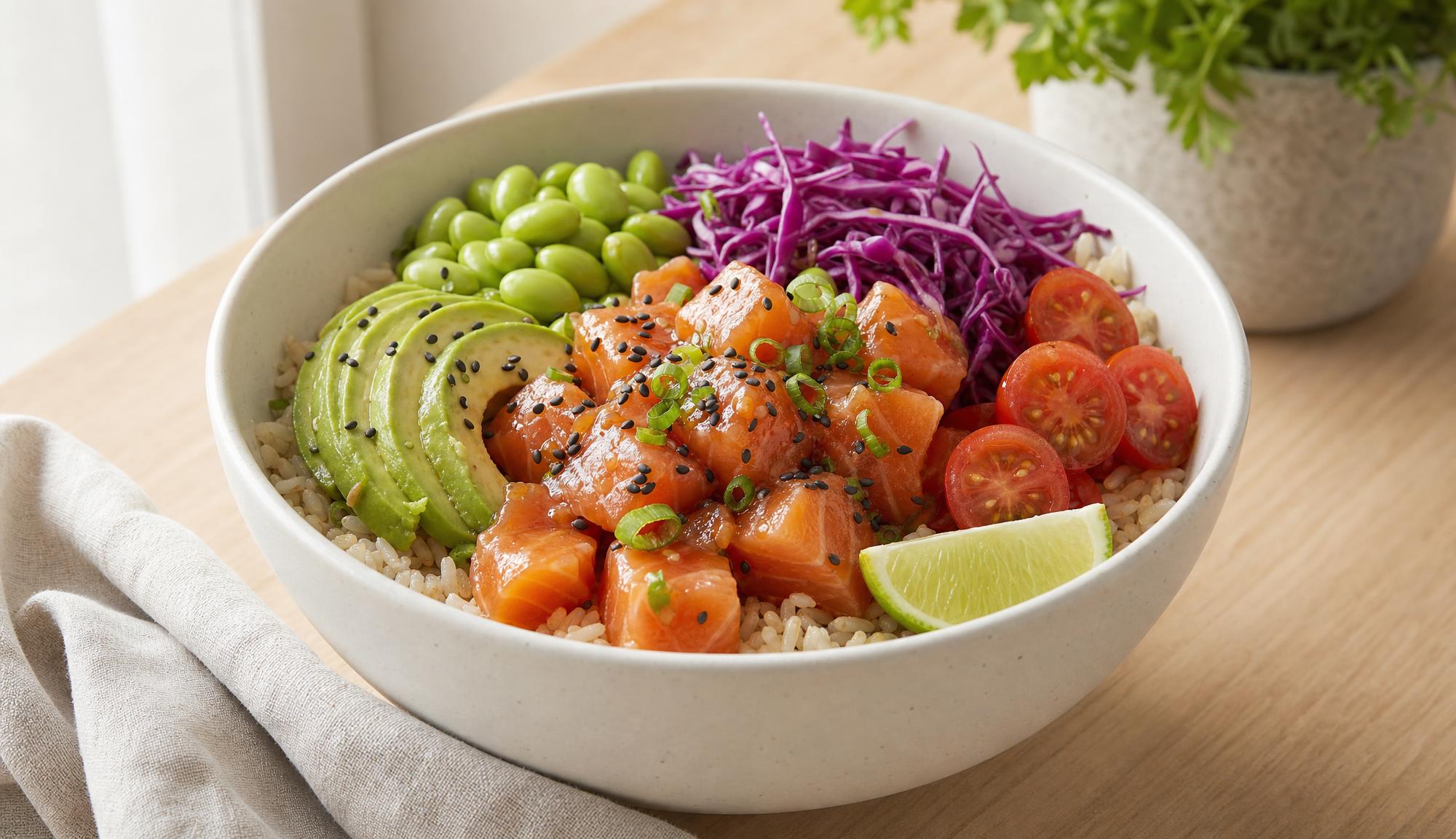
Generated using GPT Image 2 on fal, an AI model from OpenAI.
#1: Pixelcut Product Photo
Best for: Ecommerce catalogs where thousands of product images have to match each other, and the product has to stay exactly as shot.
Similar to: Pixelcut Background Removal.
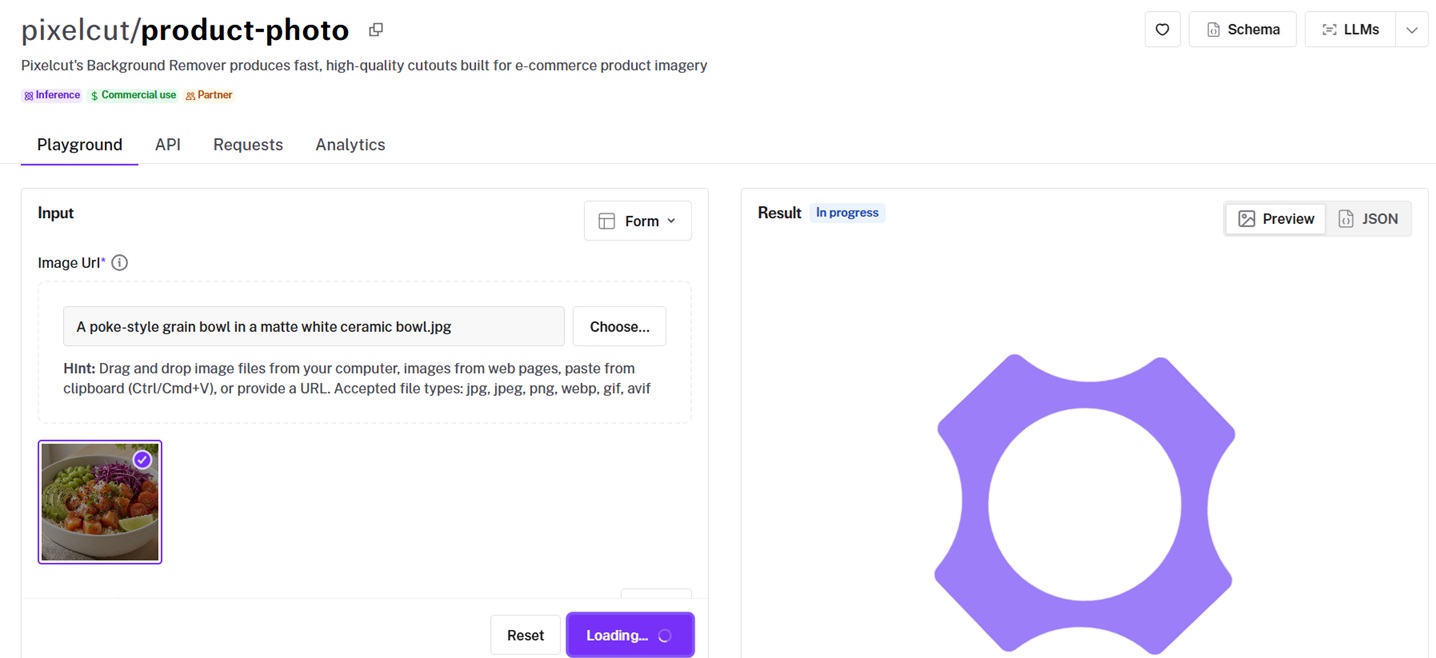
Pixelcut's Product Photo endpoint pairs background removal with canvas composition, so what comes back is a catalog-ready image at the size and framing you asked for.
The product pixels are never redrawn, which is the whole point at catalog scale.
Performance
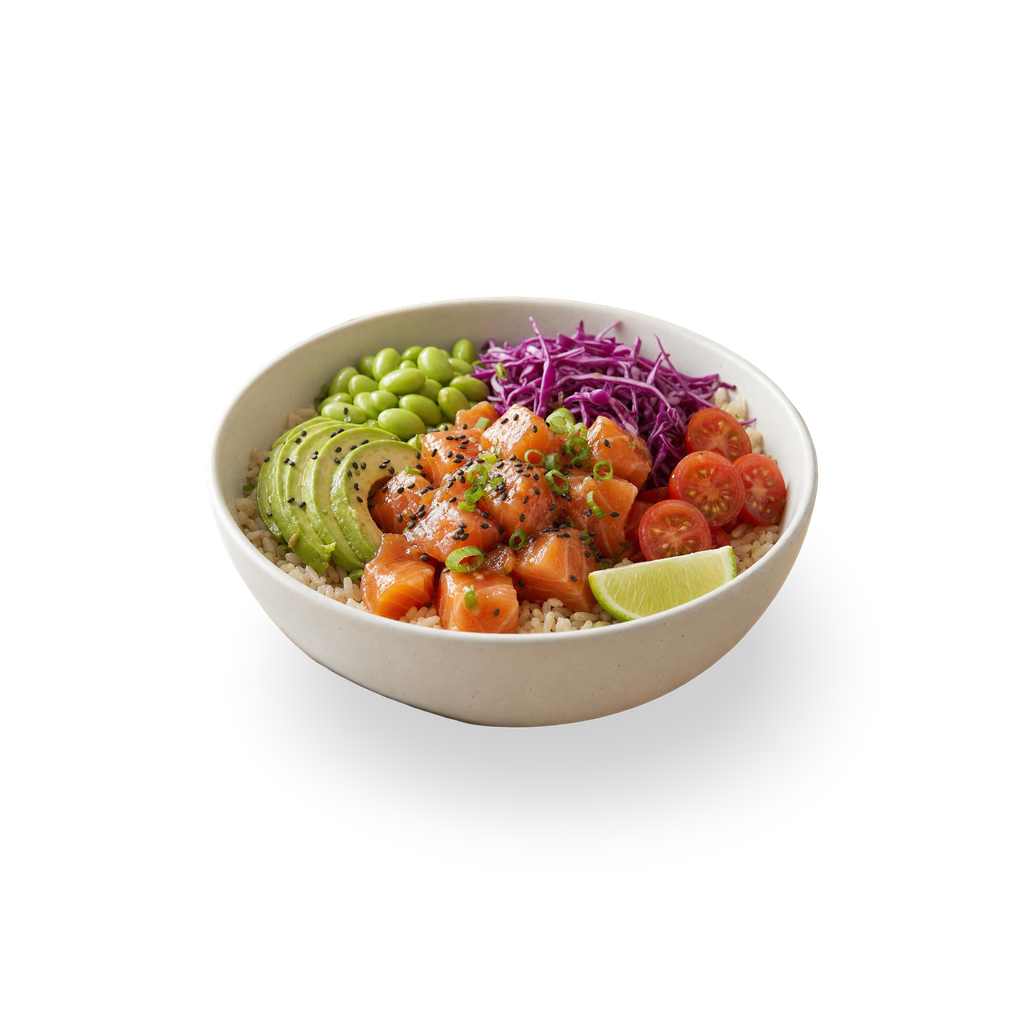
Product photos created using the Pixelcut Product Photo API, an AI model from Pixelcut.
The background remover is ideal for catalog work, as nothing inside the frame gets redrawn, including labels.
Product fidelity: nothing in the removal or composition path redraws the item, so labels, colors, materials, textures, and geometry come through as photographed.
Repeatability: with a Drop shadow and fixed settings, the same photo processed twice comes back the same way, which is what a catalog needs.
Canvas defaults: square_hd at 1024x1024 with 20% margins on all four sides, before you change a thing.
Who it's built for: marketplaces, retailers, resale platforms, and any team whose catalog runs to thousands of images.
How to run the Pixelcut Product Photo API on fal
You can call pixelcut/product-photo with an image_url and everything else is optional.
Leave the rest alone and you get a white 1024x1024 canvas with 20% margins and no shadow, since shadow unset means no shadow at all.
sync_mode defaults to true on this endpoint, so the result comes back as a data URL unless you switch it off.
Pricing
Pixelcut Product Photo costs $0.024 per image on fal.
falMODEL APIs
The fastest, cheapest and most reliable way to run genAI models. 1 API, 100s of models
#2: Bria RMBG 2.0
Best for: Work where the provenance of the training data has to hold up, not just the cutout.
Similar to: Pixelcut Background Removal, Ideogram Remove Background.
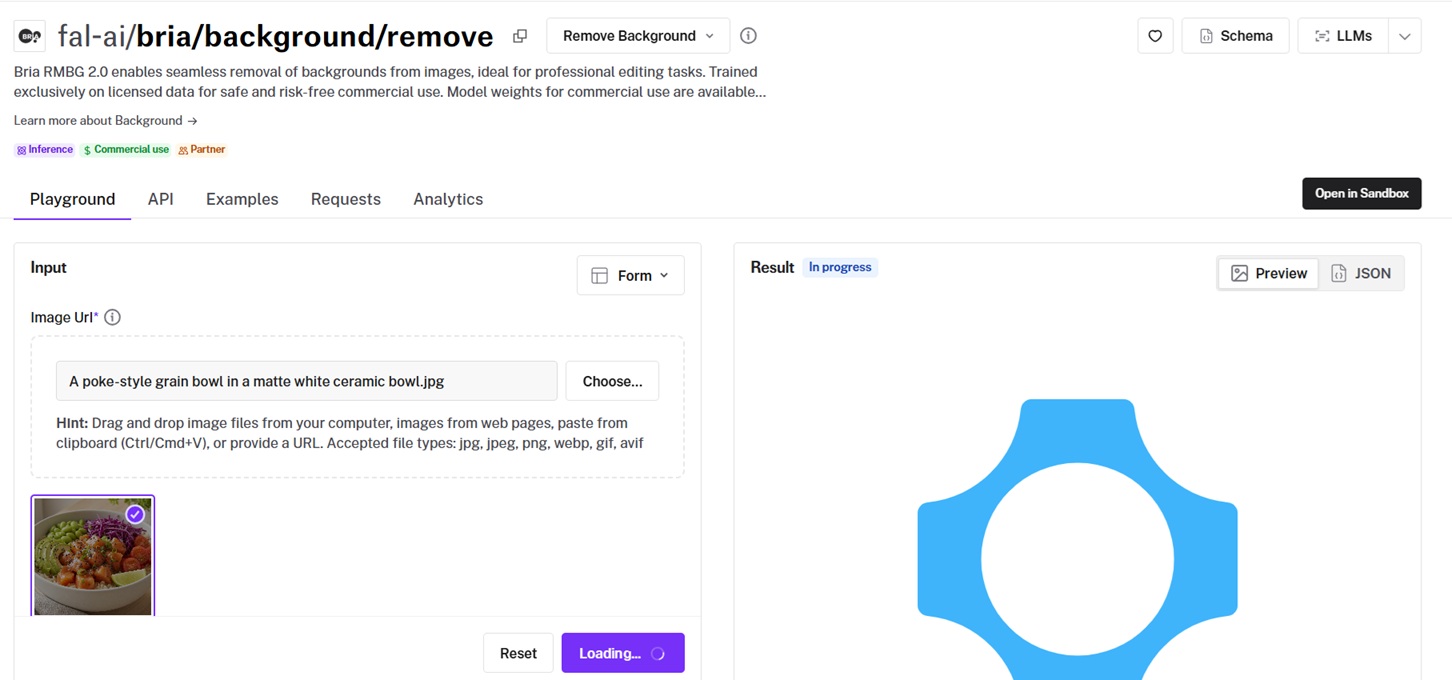
RMBG 2.0 is Bria's single-purpose cutout model, handing back the subject on a transparent PNG with the alpha channel preserved.
What separates it from everything else here is the training data, licensed end-to-end for commercial use.
The bowl went in with nothing attached to it.
Performance
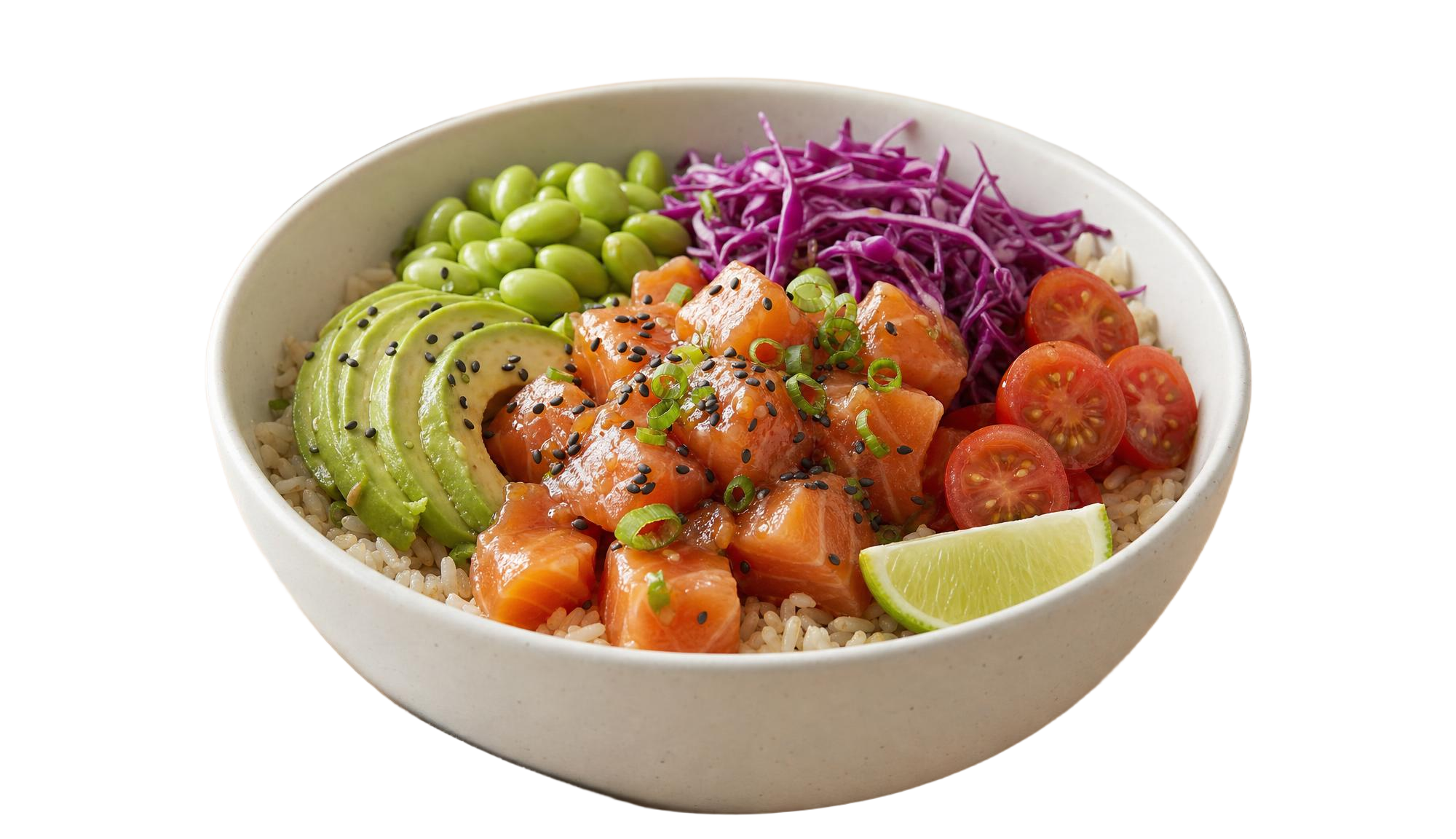
Background removed using Bria RMBG 2.0 on fal, an AI model from Bria.
Anything client-facing, this is going to be a solid pick, and the licensed training data does that work on its own before cutout quality even comes up.
Format spread: JPEG, PNG, WebP, GIF, and AVIF are all accepted, and a PNG comes back regardless of which one goes in.
Dimensions carry over: output holds the input dimensions up to 1024x1024, so the cutout arrives framed the way you sent it.
Sync mode: setting sync_mode returns the result as a data URI, useful when a round-trip through storage is more than you need.
How to run Bria RMBG 2.0 on fal
fal-ai/bria/background/remove needs one field, image_url, with sync_mode optional.
Input covers JPEG, PNG, WebP, GIF, and AVIF, and a transparent PNG comes back.
Background Replace, Product Shot, and Expand Image are in the same Bria family if the removal has to feed something else.
Pricing
Bria RMBG 2.0 costs $0.018 per image on fal.
#3: Pixelcut Background Removal
Best for: Product cutouts where your own pipeline handles framing and shadows downstream.
Similar to: Bria RMBG 2.0, FeyNobg.
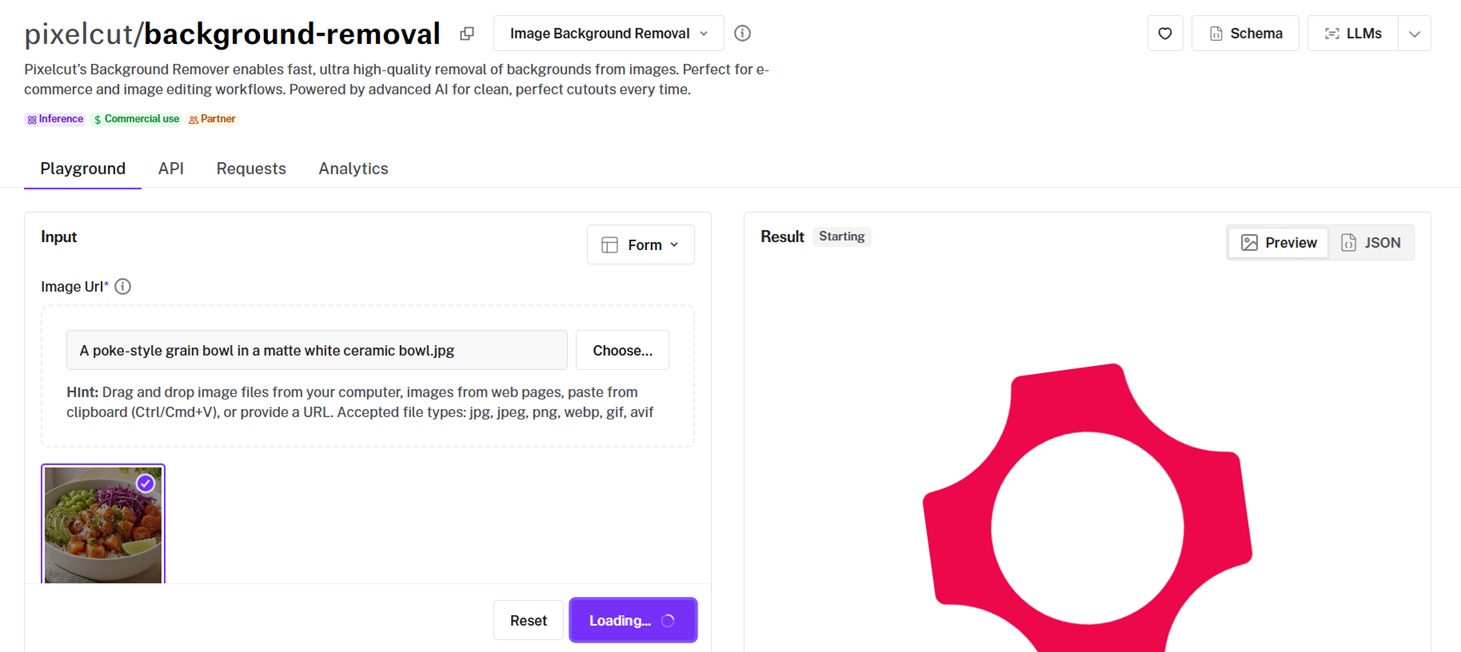
Fast, high-quality subject isolation for ecommerce and image-editing workflows is what Pixelcut built this endpoint for.
Output arrives as an rgba image, as a bare alpha matte, or as a zip.
I set output_format to rgba and left the rest alone.
Performance
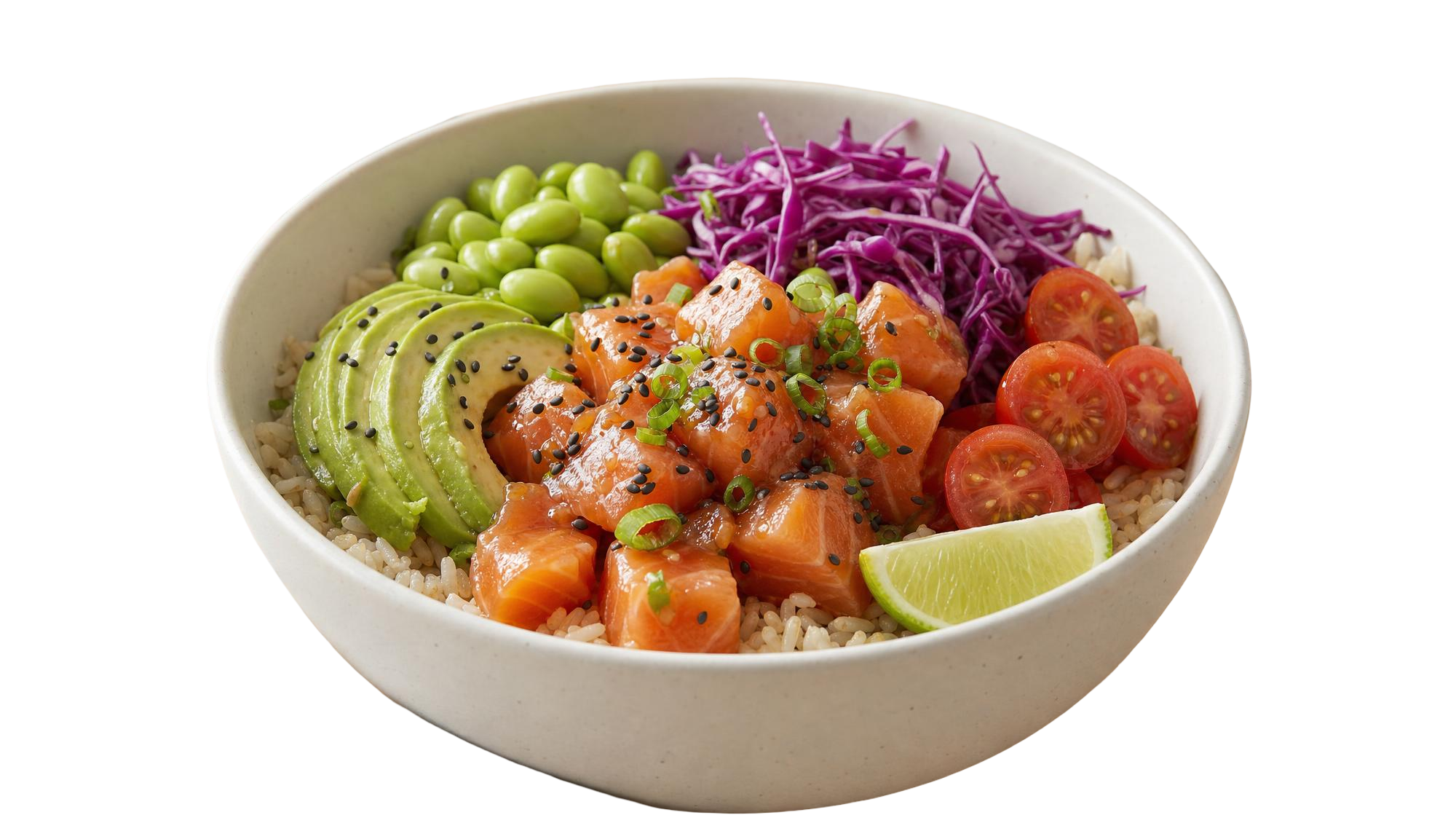
Background removed using Pixelcut Background Removal on fal, an AI model from Pixelcut.
The output options are what pleased me most here, since I walked away with a finished rgba image and the alpha matte was also available.
Choosing your output: rgba hands over a ready image, and alpha returns the matte on its own when a compositing step needs it.
Inline by default: sync_mode ships as true on this endpoint, so results arrived as data URLs unprompted, which suited flipping through cutouts side by side.
Scope: subject isolation start to finish, with no framing or margin controls attached.
How to run Pixelcut Background Removal on fal
You and your team can call pixelcut/background-removal with an image_url and an output_format of rgba, alpha, or zip.
Pricing
Pixelcut Background Removal costs $0.016 per image on fal.
#4: Ideogram Remove Background
Best for: Bulk isolation on a budget, with nothing to configure per image.
Similar to: Bria RMBG 2.0, FeyNobg.
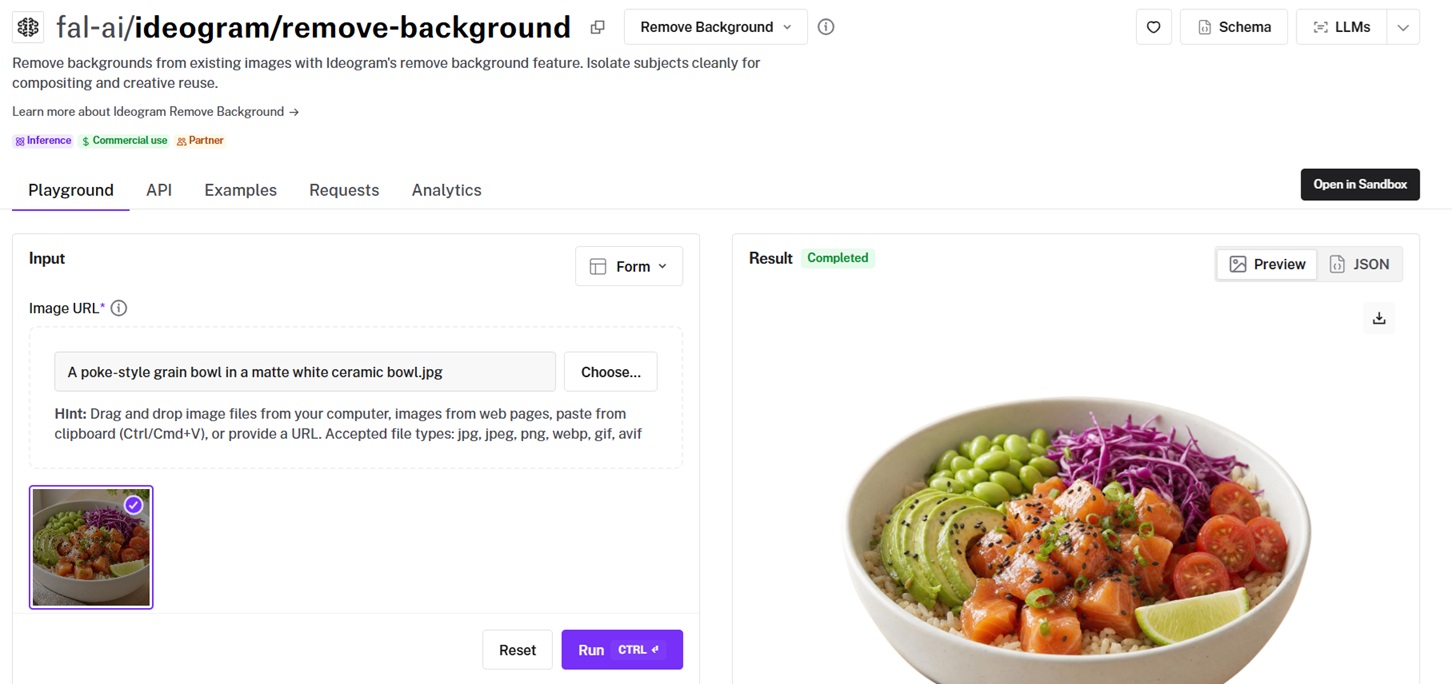
Send Ideogram's remove background endpoint an image, and a transparent PNG comes back with the foreground preserved.
Clean edges and detail preservation are the design goal, and a penny a call is what makes it my default for bulk work.
Nothing to set, so the bowl went in as it was.
Performance
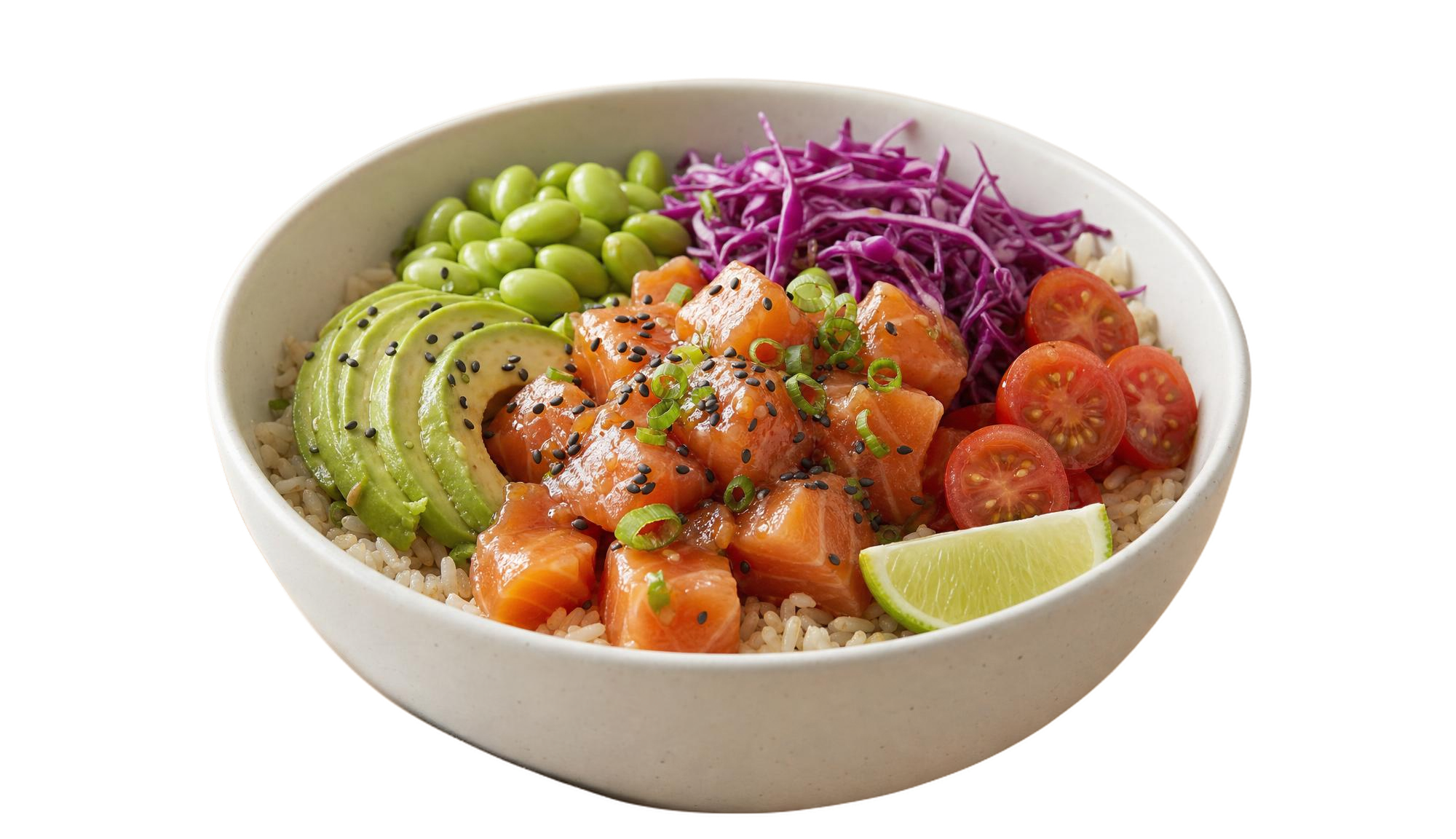
Background removed using Ideogram Remove Background on fal, an AI model from Ideogram.
I'm overall happy with the performance and its cost (a penny).
Nothing to tune: image_url covers it, so there's no threshold or sensitivity to set per shot.
Format range: JPEG, PNG, and WebP go in under a 10MB ceiling.
How to run Ideogram Remove Background on fal
fal-ai/ideogram/remove-background asks for image_url and nothing more, with sync_mode available when you want a data URI back.
Pricing
Ideogram Remove Background costs $0.01 per image on fal.
#5: BiRefNet v2
Best for: Difficult edges and high-resolution sources, where variant control and a separate mask matter.
Similar to: BiRefNet, Rembg Enhance.
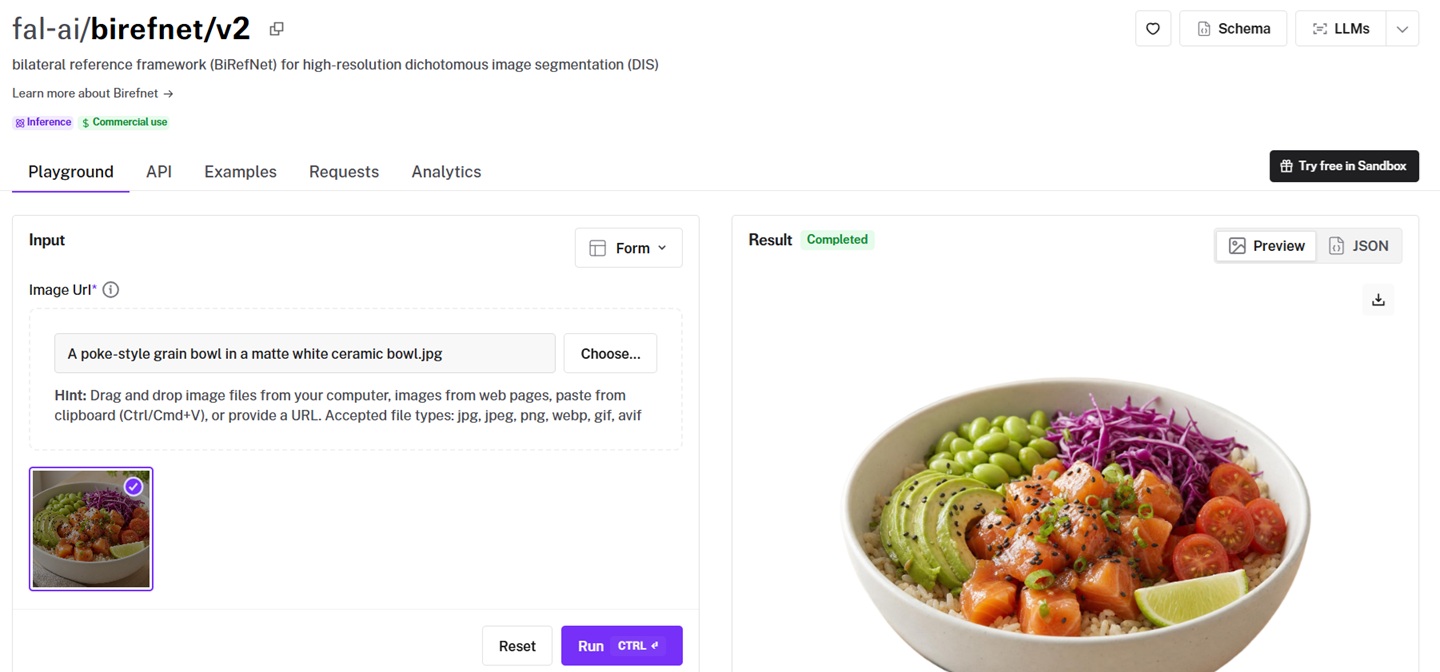
BiRefNet v2 implements a bilateral reference framework for high-resolution dichotomous image segmentation, the research lineage behind much of the edge quality in this category.
Six model variants and three operating resolutions let you match the endpoint to whichever image category is in front of you.
Here's how it looks with the default model, operating_resolution at 1024x1024, and refine_foreground left where it was:
Performance
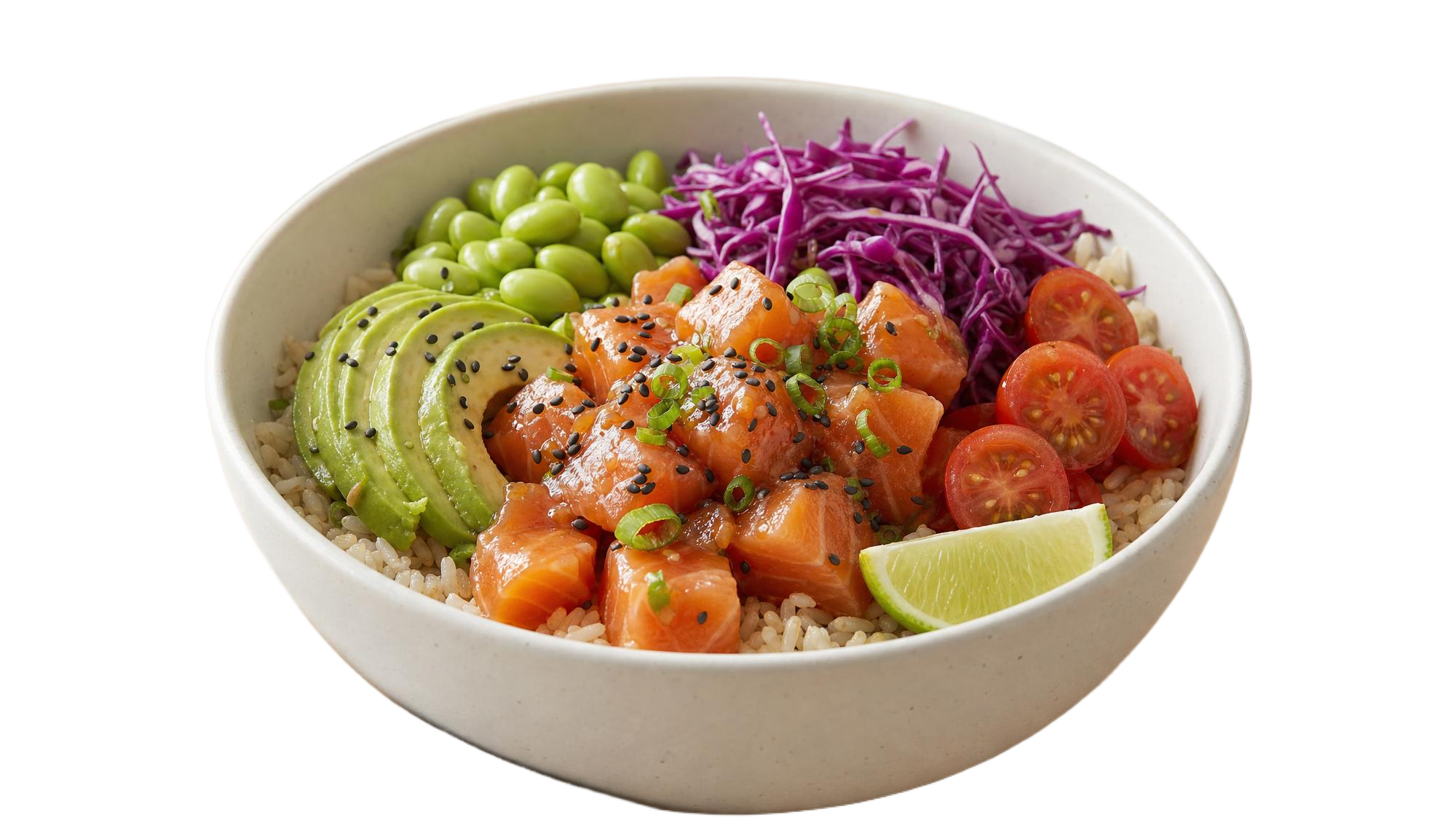
Background removed using BiRefNet v2 on fal, an AI model from fal.
Detail work keeps bringing me back here: I ran the default General Use (Light) variant at 1024x1024, which is the floor rather than the ceiling; Matting at 2048x2048 is where I'd go when an edge decides whether an asset ships.
Model variants: General Use comes in Light, Light 2K, Heavy, and Dynamic, with Matting and Portrait alongside them, and Heavy trades speed for accuracy.
There's also resolution headroom: 2048x2048 is available for high-res sources, and 2304x2304 opens up on the Dynamic variant alone.
Foreground refine: refine_foreground runs by default, cleaning the matte against the estimated mask before delivery.
Mask on demand: output_mask returns the mask with the cutout, and mask_only skips compositing when the mask is all you need.
How to run BiRefNet v2 on fal
The call is fal-ai/birefnet/v2 with an image_url, a model variant, an operating_resolution, and toggles for refine_foreground, output_mask, and mask_only.
Output format covers PNG, WebP, and GIF.
Pricing
BiRefNet v2 costs $0.0008 per compute second on fal.
#6: Photoroom
Best for: Marketplace sellers and retail teams who want the cutout and the finished listing image from the same tool.
Similar to: Pixelcut Product Photo, Clipdrop.
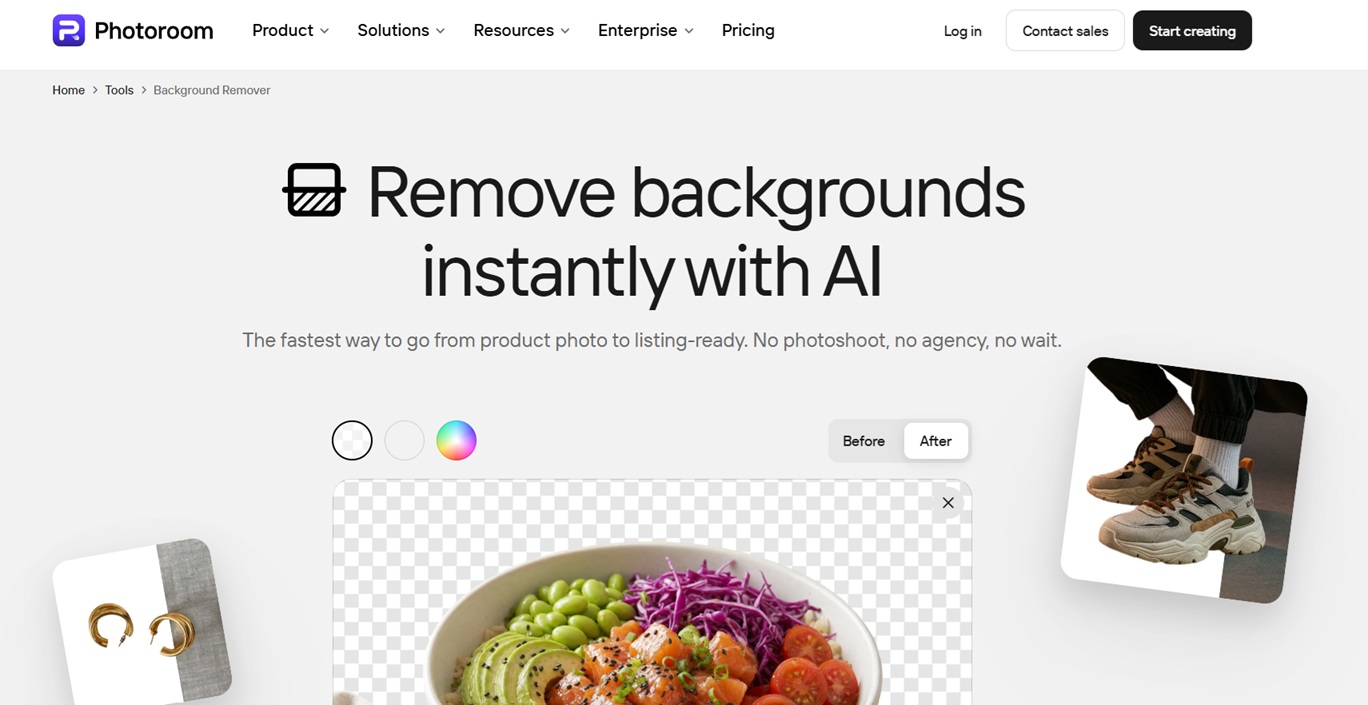
Photoroom is an ecommerce-first editing platform built around its background remover, with the cutout feeding a wider set of product photo tools.
Batch editing and an API are available alongside the apps for teams working through whole catalogs.
Performance
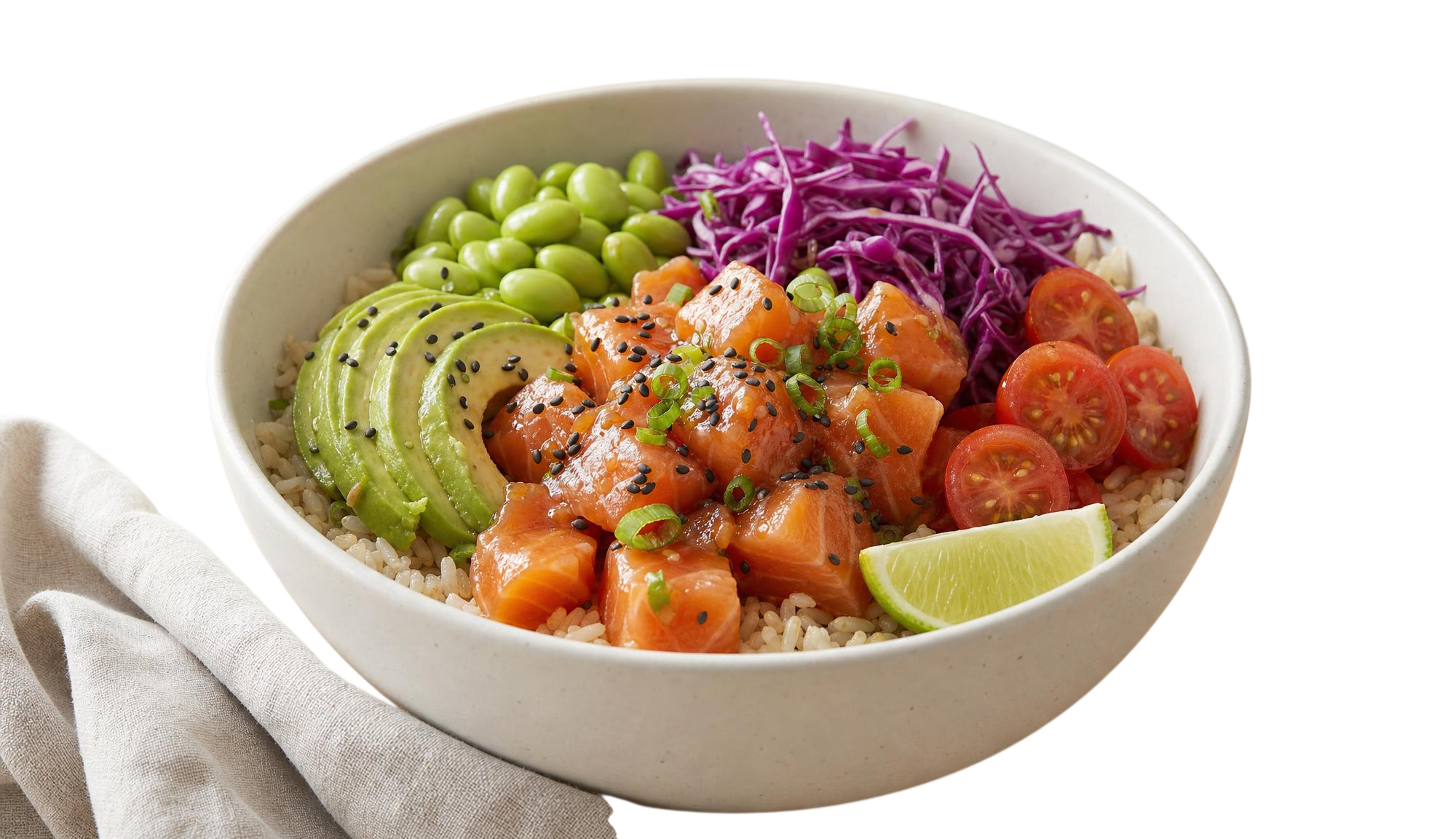
I can see that Photoroom couldn't remove the background completely, as it left off the linen napkin.
Formats: JPEG and PNG go in at any size, and PNG, JPEG, or WEBP comes back out.
Background choices: keep the result transparent, or set white or a color of your own.
Catalog scale: batch editing covers hundreds of images in a pass, with bulk resizing, bulk positioning, and bulk converting in the same family.
Finished imagery: Product Staging places a product into a real-life scene, and Virtual Model shows apparel on AI-generated models.
How to use Photoroom
Photoroom has a web app, where all you have to do is upload your JPEG or PNG product page, and the AI will do the work for you.
Pricing
Photoroom's background removal is free, although if you want to get access to their AI photo editing tools and high-resolution exports, you'll need to be on one of their paid plans.
#7: remove.bg
Best for: Teams who want removal happening inside the design and automation tools they already have open.
Similar to: Photoroom, Clipdrop.
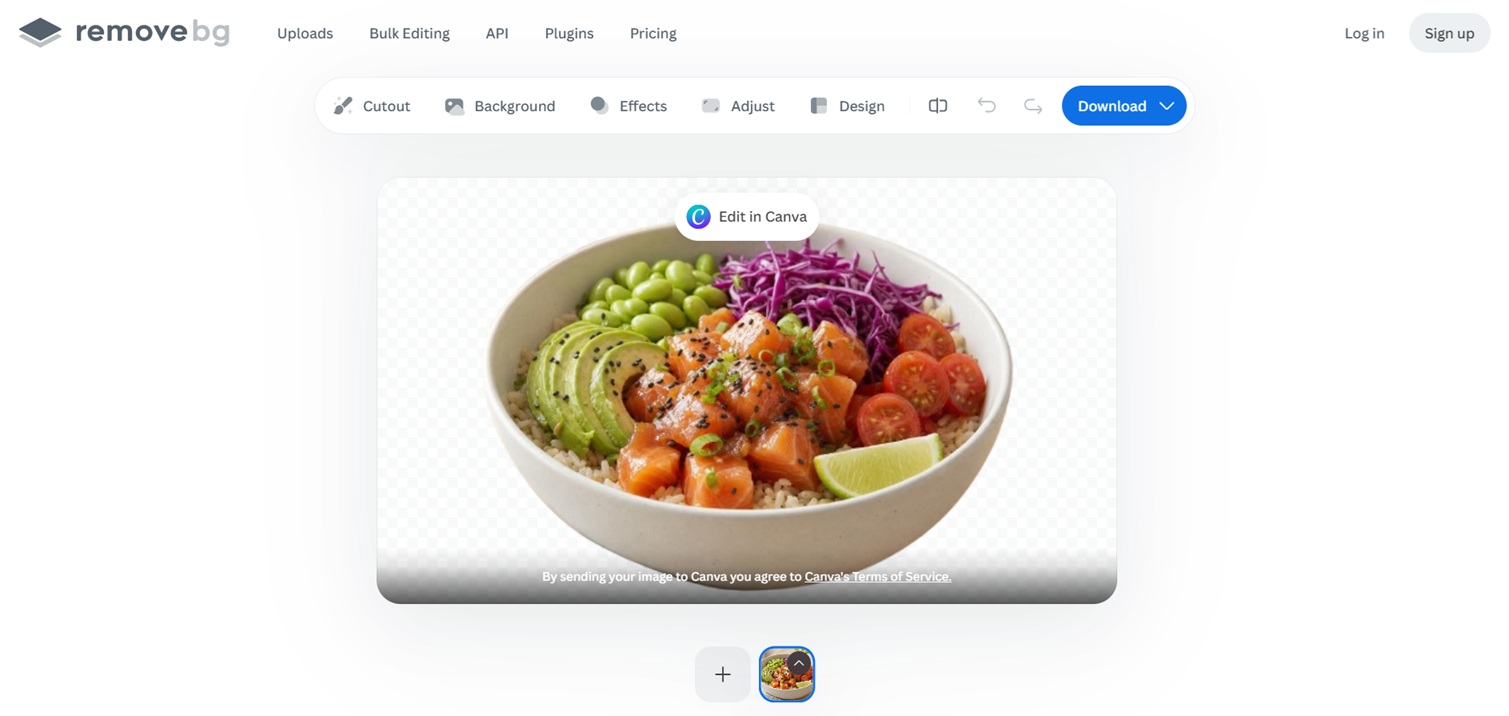
remove.bg is one of the best-known dedicated background removal services, now a Canva brand.
Alongside the remover there's an AI background generator that builds a backdrop without you writing a prompt.
Performance
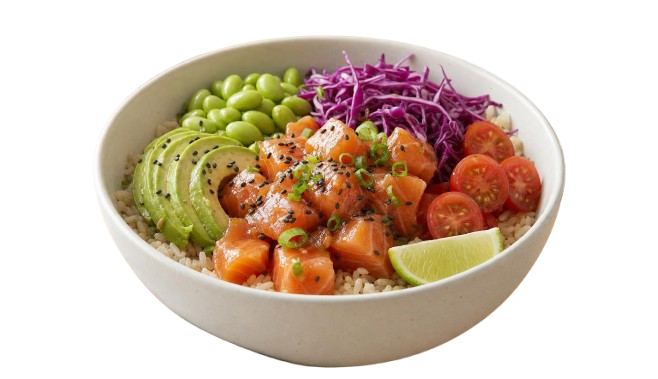
The tool has a direct integration with Canva, so you can continue editing your image there, or export it.
Inputs: upload a file, paste an image, or pass a URL.
Bulk throughput: bulk editing processes up to 500 images per minute.
Subject range: products, people, animals, cars, and graphics are the five categories the samples are organized around.
How to use remove.bg
The web tool takes a file, a pasted image, or a URL, and bulk editing handles volume.
Integrations and plugins put the same removal inside Figma, Photoshop, and Zapier, and there's an API for automated work.
Pricing
remove.bg's background removal is free, although if you want to download the images at its max resolution (e.g., 2000x1152 in this case), you'll have to be on one of its paid plans.
#8: Cloudinary
Best for: Teams already storing and delivering their images through Cloudinary.
Similar to: Photoroom.
Cloudinary treats background removal as one step inside a media pipeline that already covers storage, transformation, and delivery.
Removal is an add-on you apply in the same transformation chain as cropping, format conversion, and compression.
Performance
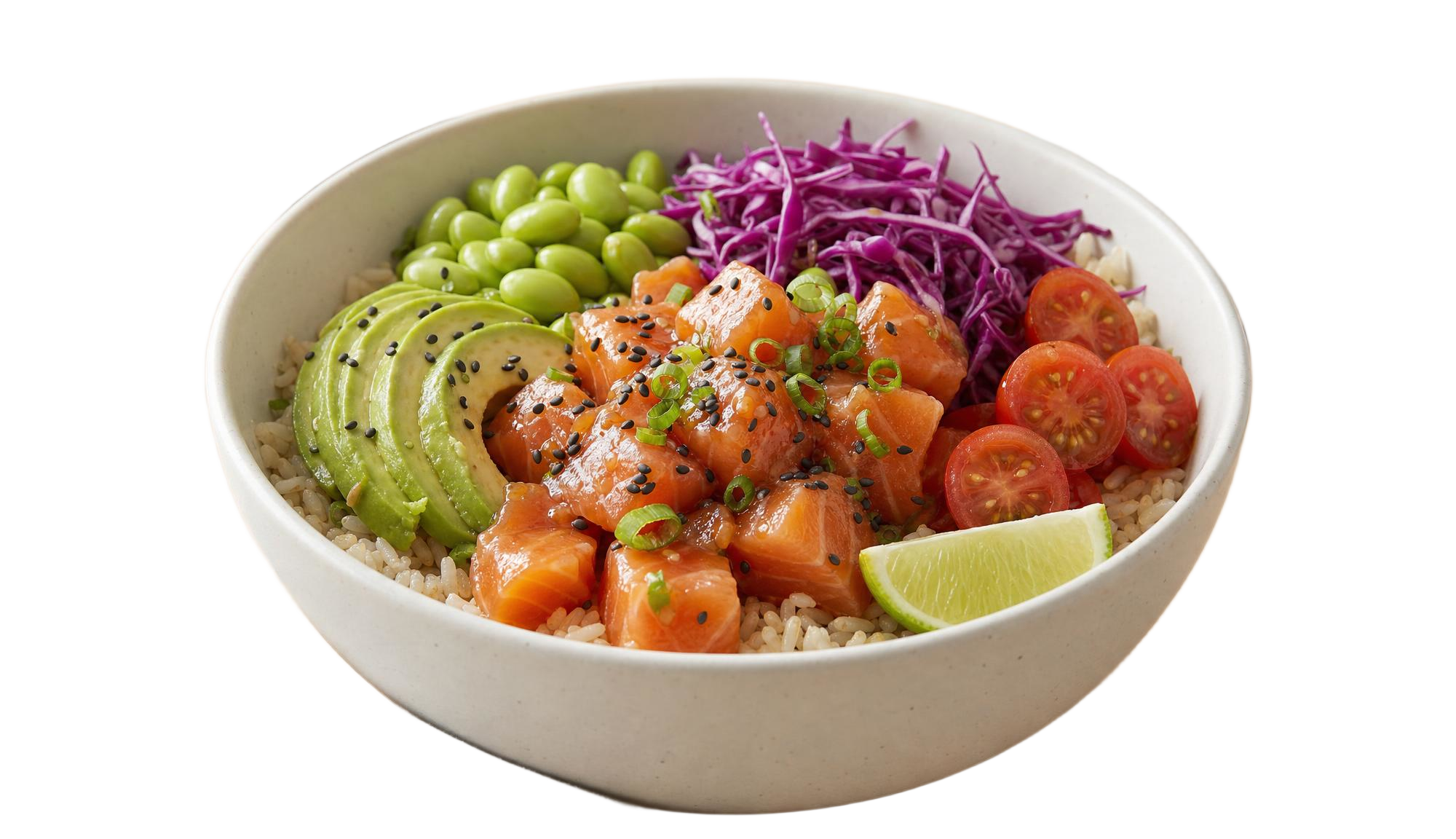
If your images are already stored in Cloudinary, this is the one I'd use, because removal becomes another parameter in a URL you're generating anyway.
Format coverage: AVIF, JPEG-XL, and WebP are supported alongside PNG, GIF, and JPG, with format selection automatic per device and browser.
Beyond removal: content-aware cropping, Generative Fill, and Generative Object Removal are in the same product.
Backgrounds after removal: transparent, a solid color from a preset list, or an overlay onto another image.
How to use Cloudinary
All you have to do is upload or drag and drop your images into the web app, and start removing background from your images.
You can also revert to the original image and adjust parameters or try different background removal settings.
Pricing
Using Cloudinary's background remover is completely free.
#9: Adobe Photoshop
Best for: Creative teams already producing inside Photoshop and Adobe systems.
Similar to: Clipdrop.
Photoshop's Remove Background is a one-click quick action that isolates the subject and gives you something you can keep editing.
Everything after the removal happens in the same document as the rest of your retouching.
Performance
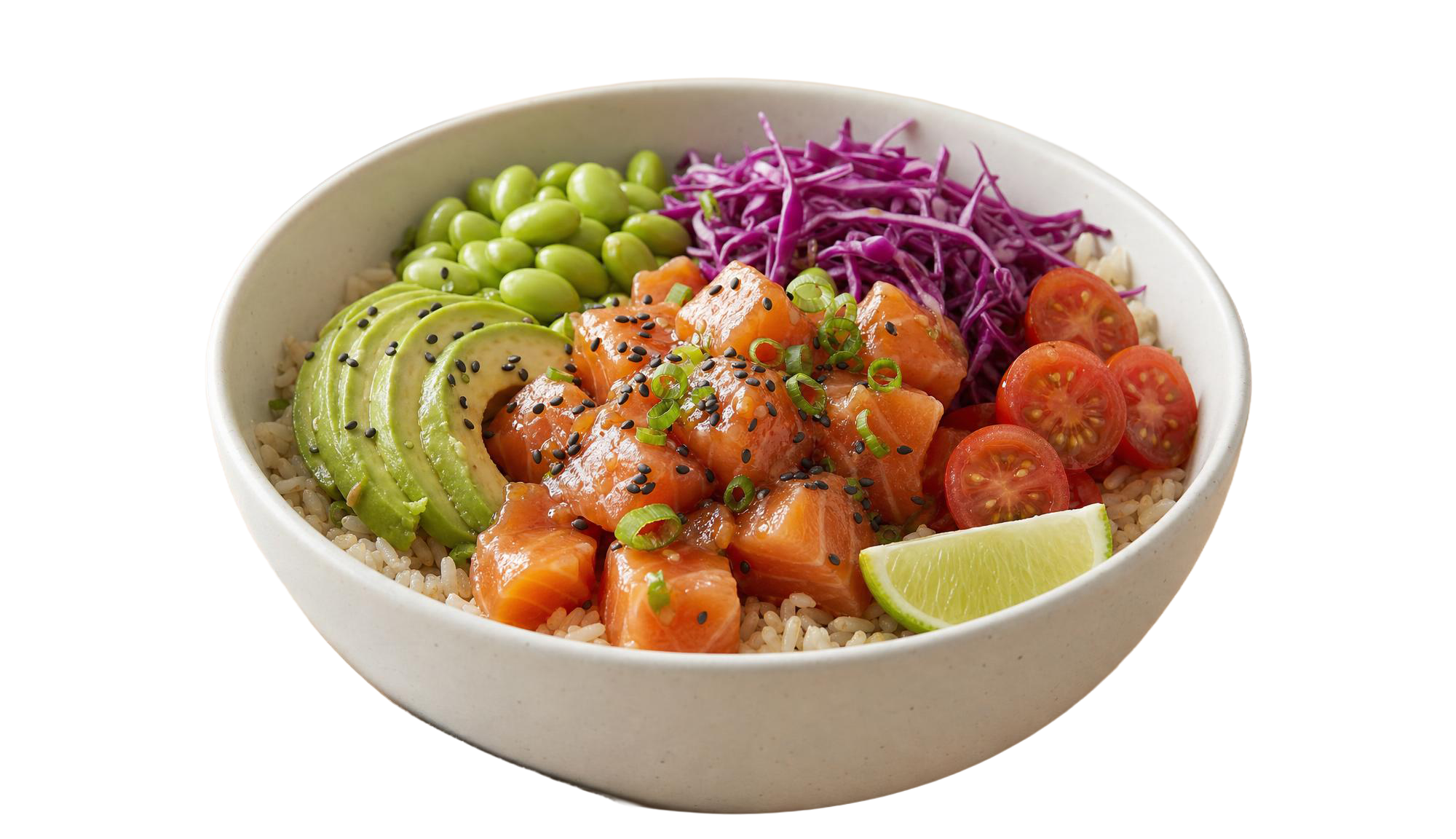
For anyone already retouching in Photoshop, Adobe's image background remover can be a really good fit, since the cutout arrives editable and not as a finished file.
Reveal and conceal: white and black brushes add back or hide whatever pixels the automatic pass left around the subject.
Transparent output: isolating the subject gives you a transparent background for website headers, email signatures, and ads.
Generate Background: it builds a new backdrop from a text prompt and matches the subject's lighting, shadows, and perspective.
How to use Adobe Photoshop
Open the image, unlock the layer, then click Remove Background under Quick Actions in the Properties panel or in the Contextual Task Bar.
You can then clean up what's left with the Brush tool, and drop a replacement layer underneath if you're swapping the background.
Pricing
Removing background images with Adobe is free, although you'll have to sign up for one of its paid plans to unlock its more advanced editing capabilities.
#10: Clipdrop
Best for: Prototypes and creative apps that need several image editing tools from one provider.
Similar to: Photoroom, remove.bg.
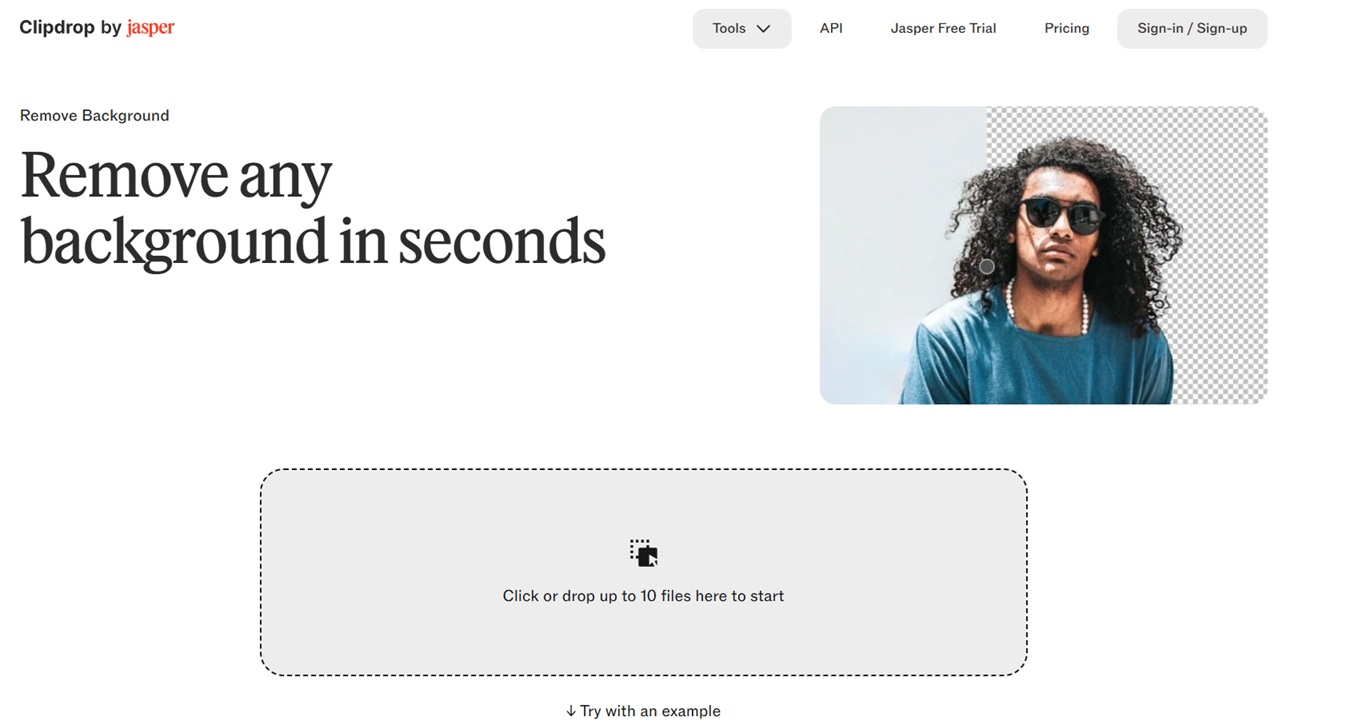
Clipdrop's Remove Background extracts the main subject and is presented against portraits, products, and line drawings alike.
It's part of Jasper now, with the same background removal offered through Jasper's APIs.
Performance
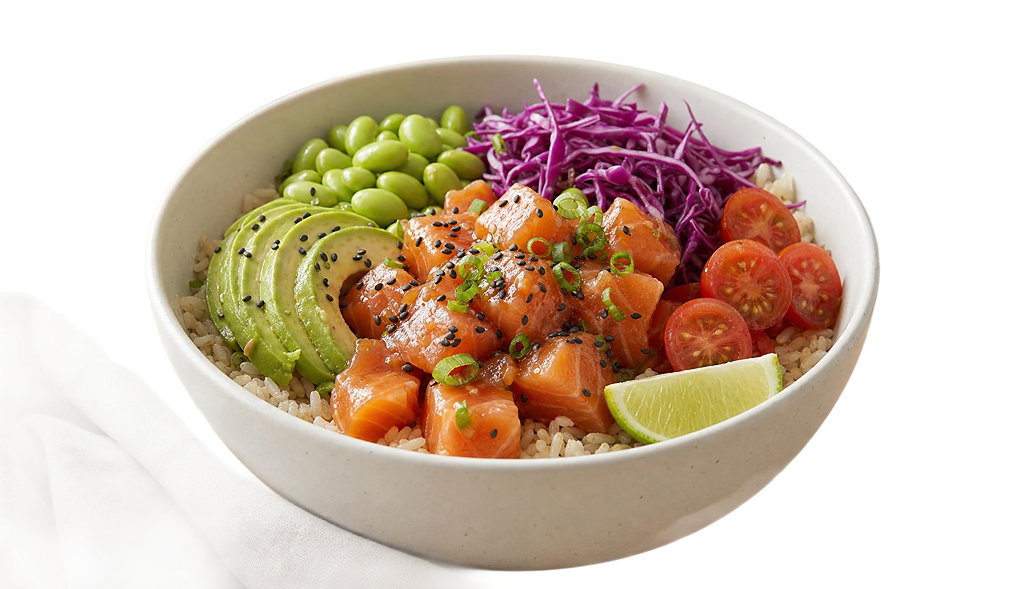
Clipdrop also appears to face difficulty with removing the linen napkin that Photoroom also faced.
Subject range: portrait, product, drawing, small detail, and precise detail are the five cases the tool is shown against.
Adjacent tools: Cleanup, Image Upscaler, Relight, Text Remover, Uncrop, and Universal Resizer are all in the same suite.
Replace as well as remove: Replace Background drops a new scene in once the subject is isolated.
How to use Clipdrop
The web tools run in the browser, and the background removal is also reachable through Jasper's APIs for programmatic work.
You can remove the background of up to 10 images with its free web app.
Pricing
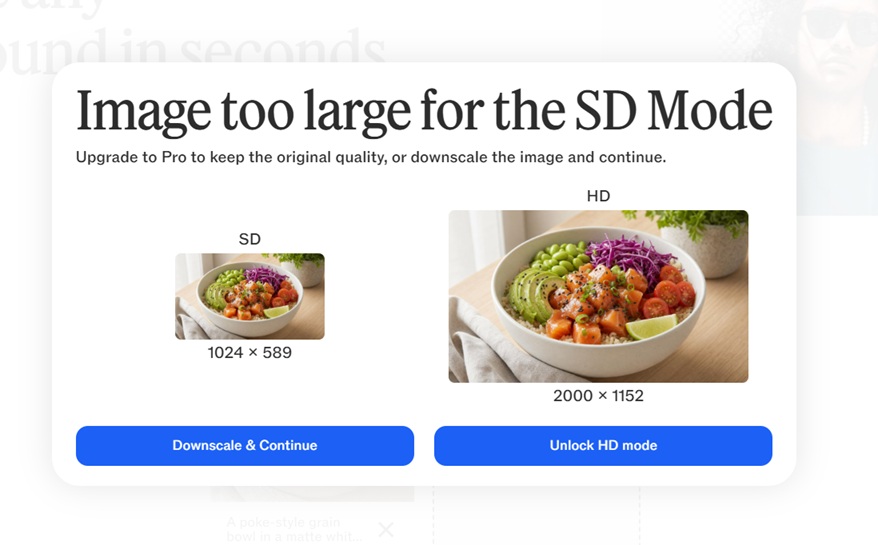
All you have to do is upload your image to Clipdrop and it'll remove its background for free, although you'll have to unlock its paid plan (Pro) to unlock HD mode for larger images.
Recently Added













Run image background removal at scale through a single API with fal
Which image background remover fits depends on what you're pointing it at, whether that is a product on a white sweep or a supplier photo that has to match four thousand others.
The five on fal are single endpoints, billed per use, with no infrastructure waiting on you to maintain it.
I'd recommend you try two or more of them side by side in the playground before you commit to one.
You can create your free account and start removing backgrounds on fal.
Frequently Asked Questions
What is the difference between background removal and generative background replacement?
Background removal isolates the subject you photographed and leaves everything around it transparent, so every pixel of the product is the pixel that came out of the camera.
Generative background replacement builds new pixels behind and around the subject, which means parts of the image can be recreated.
Pixelcut's optional AI shadow shows where the line falls in practice, since the product itself is never redrawn while the shadow beneath it is synthesized.
How do I get a transparent PNG from a photo?
Send the photo to any remover on this list and a PNG with a transparent alpha channel comes back.
Ideogram Remove Background does it with one field and no settings at $0.01 per image.
Pixelcut Product Photo will do it too, with background set to Transparent, and transparent output is always PNG there.
What is the best background remover for beginners?
If you'd rather not write code at all, the web tools are the place to start, and Photoroom, remove.bg, and Clipdrop all run in a browser with an upload button.
On the API side, Ideogram Remove Background takes an image URL and nothing else, so there are no settings to get wrong.
You can also run any of the fal endpoints in the playground before writing a line of code.
What is the best background remover with no watermark?
None of the fal endpoints here applies a watermark, so take your pick of the five.
Pixelcut Product Photo inverts the idea with a watermark object that overlays your own logo on purpose, and it's off unless you set it.
Free tiers on consumer tools are where watermarks usually turn up, so check the plan before a client job.
What is the best background remover for ecommerce product photos?
Pixelcut Product Photo at $0.024 per image, as it returns a composed listing-ready frame at a fixed canvas size and keeps the product exactly as photographed.
What is the best bulk background remover for multiple images?
Any fal endpoint can be submitted through the queue with a webhook, so a batch of thousands runs without you holding a connection open.

![How To Use Ideogram V4: Prompts & Workflows [2026]](https://refinery.fal.media/url/https%3A%2F%2Fv3b.fal.media%2Ffiles%2Fb%2F0aa265fa%2FcWzF9yv1t94j1xFln_W_p.jpg/tr:w-1280,q-80/cWzF9yv1t94j1xFln_W_p.webp)