I ranked and tested the 10 best background remover APIs in 2026 below, all running on fal.
I fed each one a product photo or a short video clip and evaluated the result it gave back.
TL;DR
Ideogram Remove Background: a prompt-free image remover that returns a transparent PNG and is tuned to keep fine edges intact.
Bria RMBG 2.0: a production image remover trained only on licensed data, which is the draw if training-data provenance matters for what you publish.
Bria Video Background Removal: VRMBG 3.0 lifts the background out of a full video clip, from talking heads to product footage, with no green screen and optional audio.
fal runs every background remover in this guide behind one API, on our own inference engine, and with pay-per-use billing.
⚠️ How I put this list together: the ranking is mine personally, which I devised from running these background removal APIs inside fal myself. I sent one product photo through the image models and one short clip through the video models, then looked at the edges each one returned.
What is the best place to run background remover models?
fal offers the best place to run background remover models with our unified API for every model in this guide, custom-built inference engine, and pay-per-use pricing.
One fal account replaces the separate logins and billing relationships you'd otherwise juggle across all these background removal providers, and you just pick the endpoints you want to run.
The integration is one @fal-ai/client call, and moving from one remover to another is a matter of changing the endpoint string.
That same account reaches over 1,000 models across image, video, music, and 3D, well beyond the ten here.
And since the code path stays the same between models, you can prototype on a cheap, fast remover and switch to a higher-fidelity one for the final asset.
A background removal request looks like this:
import { fal } from "@fal-ai/client";

const result = await fal.subscribe("fal-ai/ideogram/remove-background", {
  input: {
    image_url:
      "https://v3.fal.media/files/rabbit/F6dvKPFL9VzKiM8asJOgm_MJj6yUB6rGjTsv_1YHIcA_image.webp",
  },
  logs: true,
  onQueueUpdate: (update) => {
    if (update.status === "IN_PROGRESS") {
      update.logs.map((log) => log.message).forEach(console.log);
    }
  },
});

console.log(result.data);
console.log(result.requestId);
What are the best background remover APIs in 2026?
The best background remover APIs in 2026 are Ideogram Remove Background, Bria RMBG 2.0, and Bria Video Background Removal, all of which run on fal with pay-per-use pricing.
Here is the full shortlist:
| AI Model | Best For | Price on fal |
|---|
| Ideogram Remove Background | Crisp transparent PNG cutouts from one call | $0.01 per image |
| Bria RMBG 2.0 | Cutouts trained on licensed data | $0.018 per image |
| Bria Video Background Removal | Background removal across talking heads, product, and cinematic video | $0.0042 per second |
| Pixelcut Background Removal | High-quality e-commerce product cutouts | $0.016 per image |
| fal Object Removal | Prompt-driven removal of the background or named objects | $0.04 per image |
| VEED Video Background Removal | Video cutouts with person or object modes and edge refinement | $0.0225 per 30 frames (refine on), $0.015 (refine off) |
| Pixelcut Video Background Removal | Temporally consistent video cutouts | $0.022 per 30 frames |
| Rembg Enhance | Matting across 2D vector, 3D, and photo sources | $0.006 per image |
| BiRefNet v2 | High-resolution cutouts with selectable model variants | $0.0008 per compute second |
| fal Imageutils Rembg | A low-cost baseline cutout for any project | $0.00111 per compute second |
How I tested these background removers
As these models split across stills and motion, I couldn't push one shared asset through all ten the way a same-image test usually works.
So I generated two source assets, one photo and one clip, and reused each across the models built for it.
For the image models, here is the source photo I generated to strip:
Source photo prompt (GPT Image 2): A fuzzy oatmeal-colored knit beanie with a faux-fur pom-pom and a few loose fiber strands catching the light, set on a patterned terrazzo countertop, a softly blurred potted plant behind it, bright diffused window light from the left, shallow depth of field, clean modern product-shot color grade, 4:5 framing.

Generated using GPT Image 2 on fal.
For the video models, here is the source clip I generated:
Source clip prompt (Happy Horse 1.0): A person in a chunky cream knit sweater talking to camera and gesturing with both hands, medium shot, standing in a busy café with people moving and passing behind them, warm interior lighting, handheld documentary feel, natural color grade, 16:9.
Generated using Happy Horse 1.0 on fal.
Most of these endpoints are prompt-free, so the run was the source asset plus the background option I picked: transparent or a flat color.
fal Object Removal is the one that takes a written instruction, and its run prompt sits in its own section.
💡 I kept this guide unified across image and video on purpose, and I folded in a prompt-driven object remover too, so you get a wider read on what background removal actually looks like across the formats you'll hit in production.
#1: Ideogram Remove Background
Best for: Pulling a transparent subject out of a single image with nothing to configure.
Similar to: Bria RMBG 2.0, Pixelcut Background Removal.
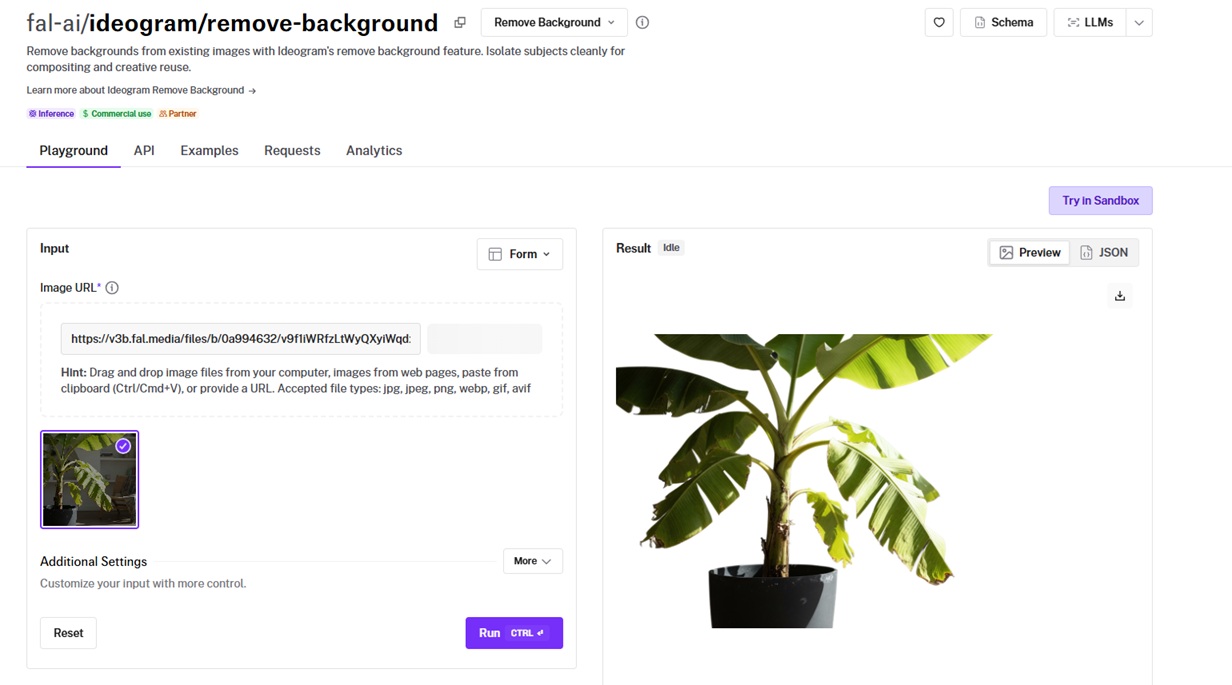
Ideogram's remove-background endpoint takes an image and returns a transparent PNG, with image_url and an optional sync_mode.
It's built for crisp edges and detail preservation, which is what I leaned on it for.
I ran the source photo through with sync_mode on for an inline preview, and no prompt, since the endpoint takes none.
Performance

Background removed using Ideogram Remove Background on fal, an AI model from Ideogram.
Edge on the pom-pom: the faux-fur pom-pom was the part I cared about, and the loose fibers came back as separate strands with the edge holding. Crème de la crème result all around.
No knobs: image_url is all the endpoint needs, so there is no threshold or sensitivity to tune per image, which is a relief after tools that want one dialed in per shot.
Format range: I tested with a JPEG and a WebP under the 10MB ceiling, and both went in with no conversion. PNG behaves the same way.
Transparent output: every run handed back a transparent PNG with the subject isolated, so it dropped onto a compositing layer with no extra step.
How to run Ideogram Remove Background on fal
The endpoint is fal-ai/ideogram/remove-background, and it needs nothing beyond image_url.
Pricing
Ideogram Remove Background costs $0.01 per image on fal.
falMODEL APIs
The fastest, cheapest and most reliable way to run genAI models.
1 API, 100s of models
falSERVERLESS
Scale custom models and apps to thousands of GPUs instantly
#2: Bria RMBG 2.0
Best for: Teams that want a cutout and a clear paper trail on the training data behind it.
Similar to: Ideogram Remove Background, Pixelcut Background Removal.
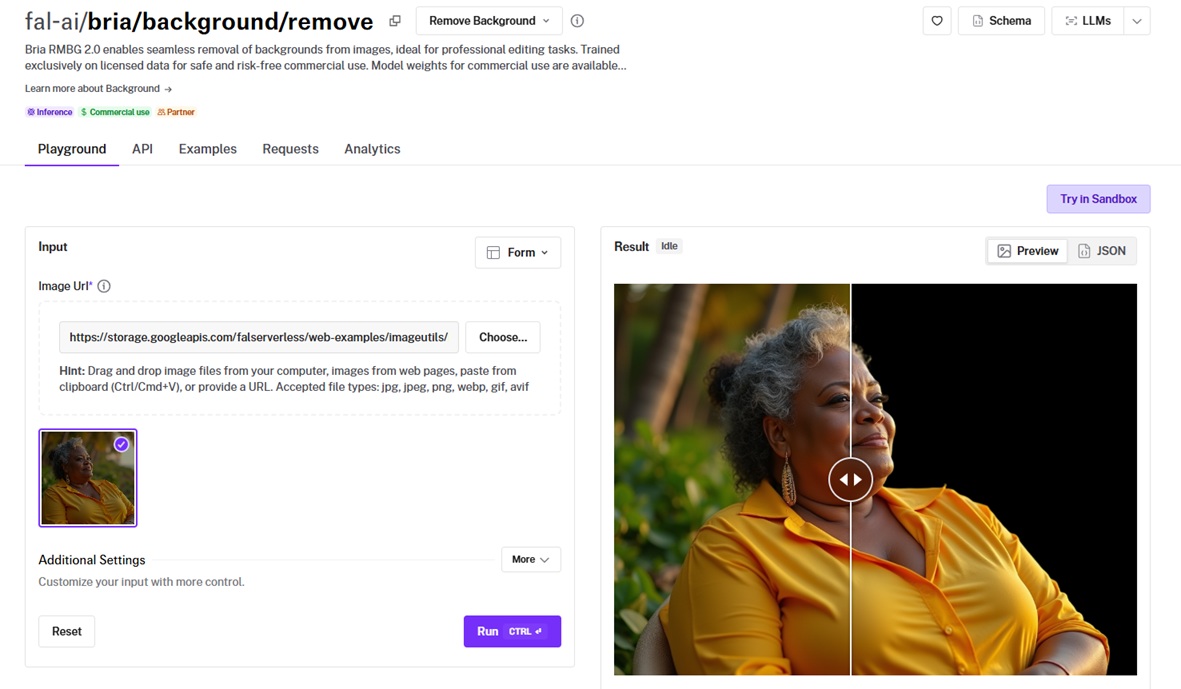
RMBG 2.0 from Bria strips a background and returns the subject on a transparent PNG.
Its differentiator is the training data, which is fully licensed for commercial use.
I sent the same source photo through with nothing but the image URL.
Performance

Background removed using Bria RMBG 2.0 on fal, an AI model from Bria.
Edge on the fibers: the alpha edge came back tight around the pom-pom, and for a model that does one job, the matte held up where I half expected it to struggle.
Licensed-data angle: the reason I'd put this on a client job is the training data, which Bria states is fully licensed for commercial use.
Format spread: I fed it a few input types, and it took JPEG, PNG, WebP, GIF, and AVIF, returning a PNG each time.
Sync mode: like the Ideogram endpoint, you can use sync_mode to pull results inline, although I didn't do that this time around.
How to run Bria RMBG 2.0 on fal
You call fal-ai/bria/background/remove with an image_url, and an optional sync_mode hands the result back as a data URI.
Input covers JPEG, PNG, WebP, GIF, and AVIF, and the output is a transparent PNG.
Pricing
Bria RMBG 2.0 costs $0.018 per image on fal.
#3: Bria Video Background Removal
Best for: Removing the background from a full video clip with no green screen, across talking heads, podcasts, product shots, and cinematic footage.
Similar to: VEED Video Background Removal, Pixelcut Video Background Removal.
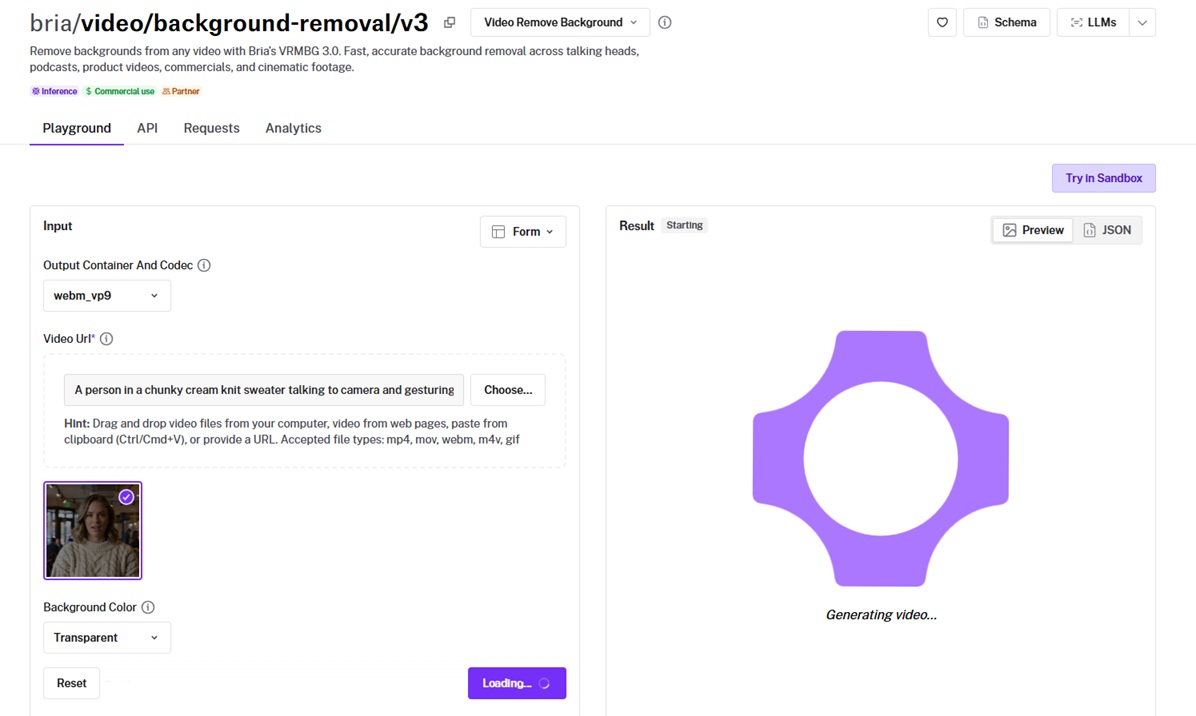
Bria's VRMBG 3.0 pulls the background out of a video clip and runs the same job across talking heads, podcasts, product videos, and commercials.
It can keep the result transparent or drop in a solid color, and it preserves the original audio by default.
I ran the source clip through with background_color set to transparent and the codec on webm vp9.
Performance
Background removed using Bria VRMBG 3.0 on fal, an AI model from Bria.
Edge through motion: I watched the hairline as the head turned, and the edge tracked the movement without the jitter that gives a weak matte away.
Background color in one pass: I set background_color to transparent for the alpha. Normally, ten colors plus transparent are on the list.
Audio carried over: I left preserve_audio on its default, and the clip kept its original track.
How to run Bria Video Background Removal on fal
The endpoint is bria/video/background-removal/v3, taking a video_url, a background_color, and an output_container_and_codec.
For a clip that mixes a moving subject and a busy background, it's the perfect option.
Pricing
Bria Video Background Removal costs $0.0042 per second on fal.
#4: Pixelcut Background Removal
Best for: E-commerce work where a sharp product cutout is the entire job.
Similar to: Bria RMBG 2.0, Ideogram Remove Background.
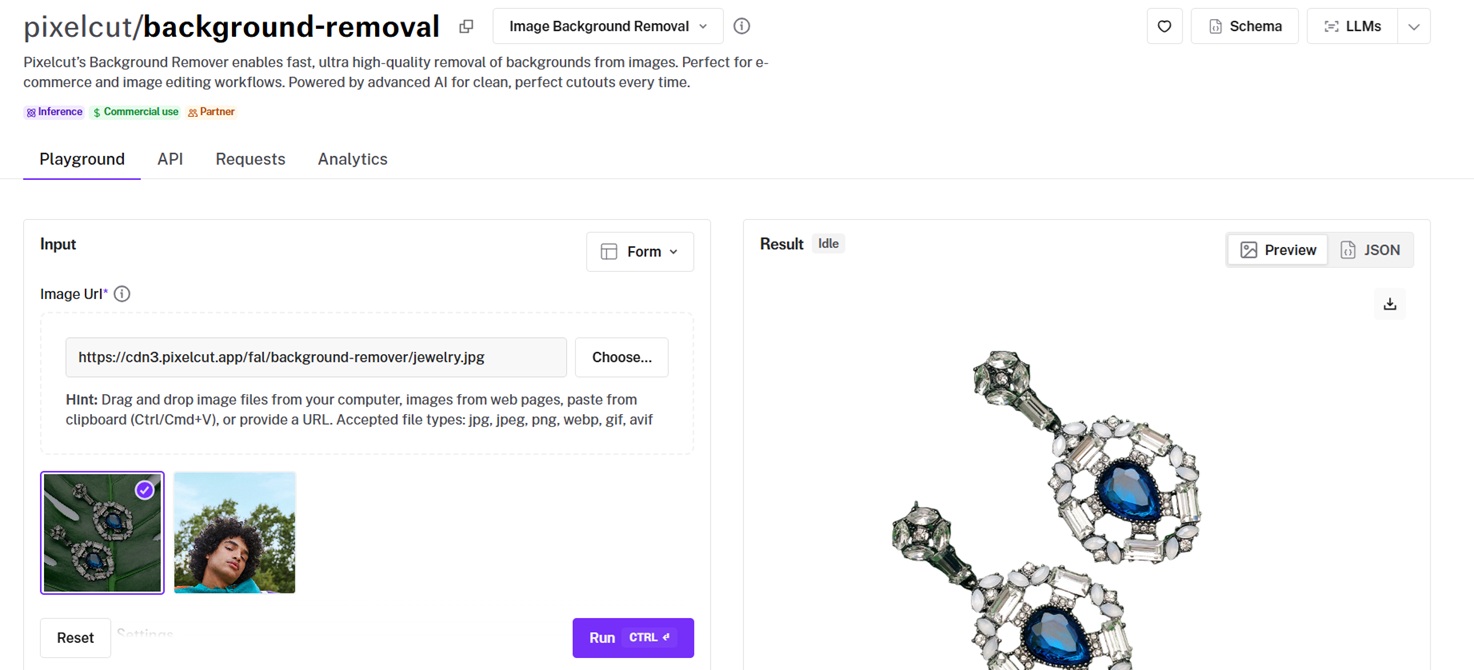
Pixelcut's image remover is aimed at catalog and product photography.
It returns rgba, a bare alpha matte, or a zip, so the output drops into whichever stage of a product pipeline needs it.
I ran the source photo through with output_format set to rgba.
Performance

Background removed using Pixelcut Background Removal on fal, an AI model from Pixelcut.
Product edge: the boundary came back tight, with no leftover fringe along the hard edges.
Picking the output: I ran it once as rgba for a ready image, although you can run it as alpha to grab the matte on its own. There's a zip option as well when you want both.
Inline by default: sync_mode is on out of the box, so the result came back as a data URL without me asking, which suited flipping between cutouts in a comparison.
How to run Pixelcut Background Removal on fal
You can call pixelcut/background-removal with an image_url and an output_format of rgba, alpha, or zip.
Pricing
Pixelcut Background Removal costs $0.016 per image on fal.
#5: fal Object Removal
Best for: Stripping the background, or a specific object or person, by describing it in words.
Similar to: Bria RMBG 2.0, Ideogram Remove Background.
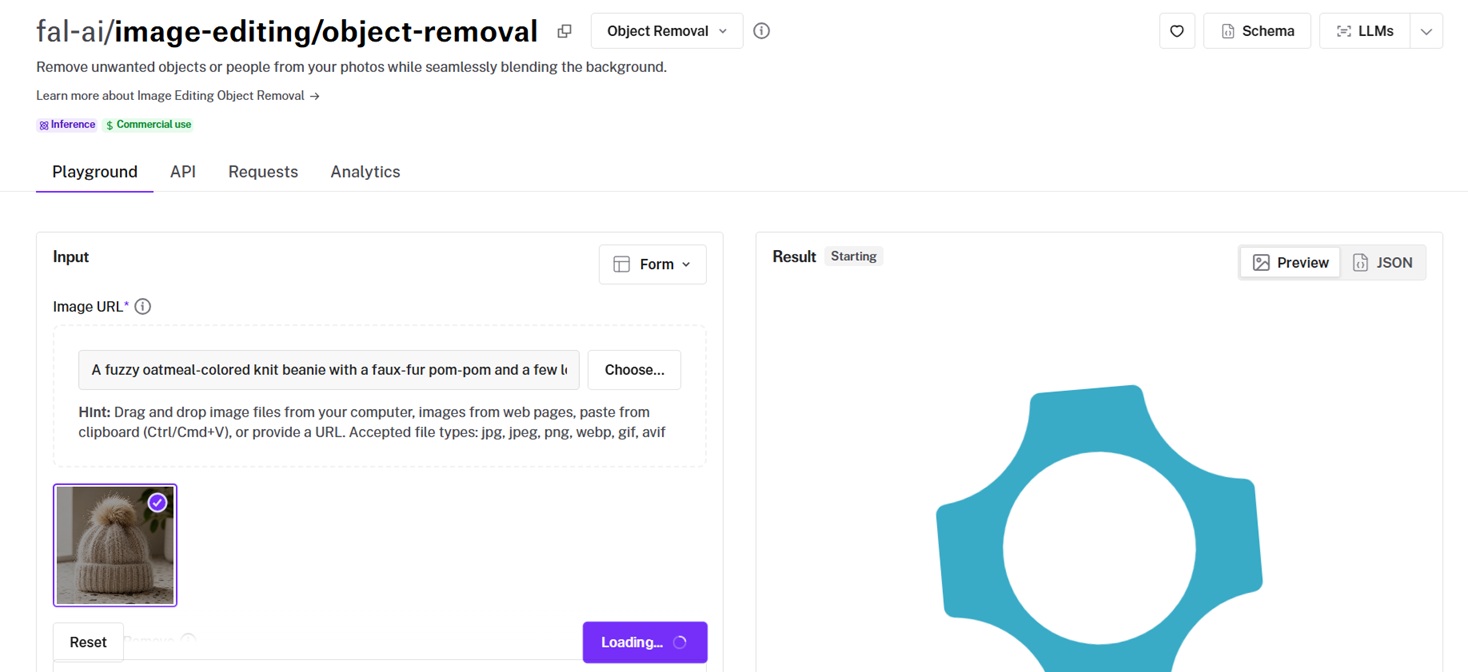
fal's object-removal endpoint is the prompt-driven option in this guide, since you tell it what to remove in words.
I reused the source photo, and the run prompt I sent was: "background". The default prompt is "background people", which also clears stray figures.
Performance

Background removed using fal Object Removal on fal, an AI model from fal.
Telling it what to drop: with "background" as the prompt, it cleared the terrazzo and the plant behind the beanie while leaving the hat in place. I'm overall happy with the execution in this instance, although I can see some little residue being left out.
Targeted cleanup: You can name a single object too, and it'll remove that one thing and rebuild what sat behind it.
Settings: You can leave guidance_scale and num_inference_steps at 3.5 and 30 for the first pass, then raise the steps to see if a stubborn removal tightened up.
How to run fal Object Removal on fal
The endpoint is fal-ai/image-editing/object-removal, taking an image_url and a prompt naming what to remove.
Optional fields cover guidance_scale, num_inference_steps, aspect_ratio, and output_format in jpeg or png.
Pricing
fal Object Removal costs $0.04 per image on fal.
#6: VEED Video Background Removal
Best for: Video cutouts where you pick a detection mode and decide how much to spend on edge cleanup.
Similar to: Bria Video Background Removal, Pixelcut Video Background Removal.
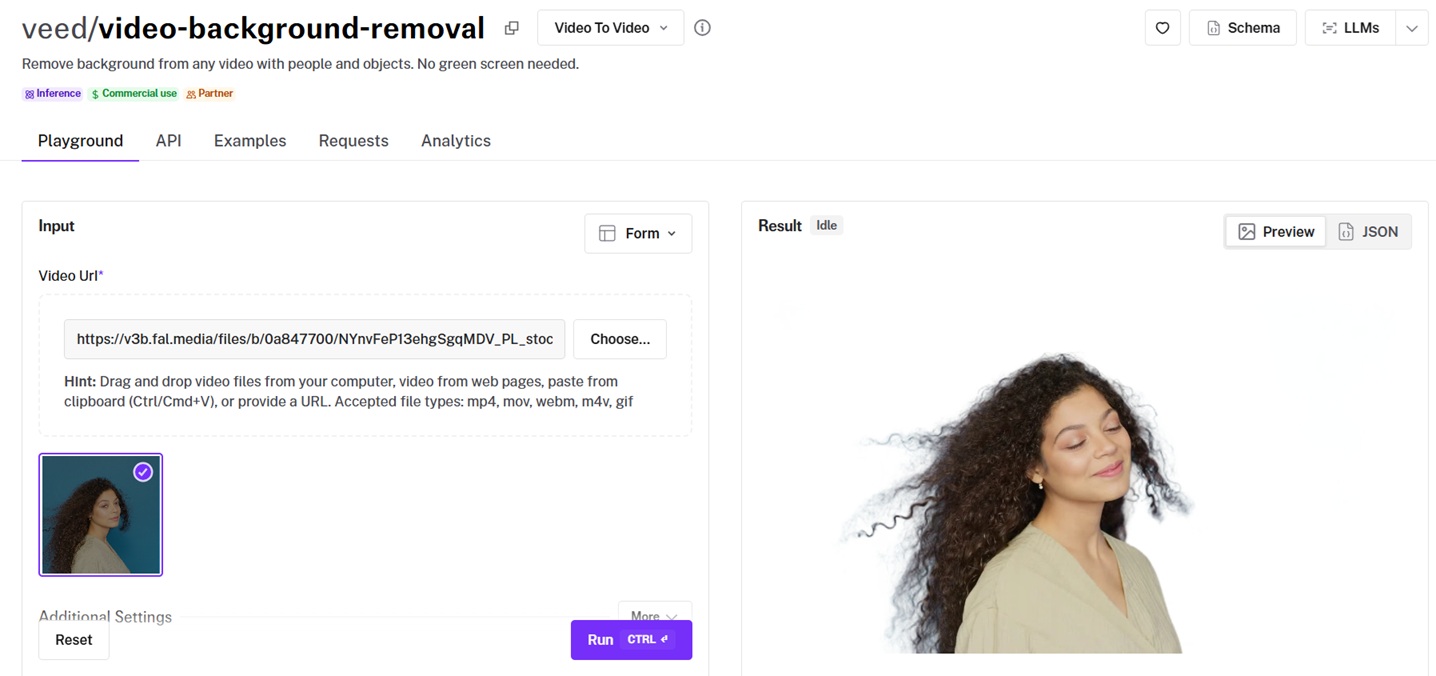
VEED's video remover separates a subject from its background with no green screen, and it ships two detection modes, one for people and one for objects.
An edge-refinement toggle lets you trade a little cost for tidier boundaries on the parts that matter.
I ran the source clip through with subject_is_person on and refine_foreground_edges on for the first pass.
Performance
Background removed using VEED Video Background Removal on fal, an AI model from VEED.
Overall performance: I'm happy with VEED's video background removal in the sense that it retained the audio, the facial features of the woman, and also the sweater quite accurately. I can also see the shadows and how realistic they look.
The refinement dial: I ran the clip with refine_foreground_edges on at $0.0225 per 30 frames.
Person vs object mode: I had to leave subject_is_person on, although you can remove it for an object.
How to run VEED Video Background Removal on fal
The endpoint is veed/video-background-removal, taking a video_url, an output_codec, refine_foreground_edges, and subject_is_person.
For a polished hero clip, you can keep refinement on.
Pricing
VEED Video Background Removal costs $0.0225 per 30 frames with edge refinement on, and $0.015 per 30 frames with it off, on fal.
#7: Pixelcut Video Background Removal
Best for: Clips where a steady, flicker-free cutout matters more than anything else.
Similar to: Bria Video Background Removal, VEED Video Background Removal.
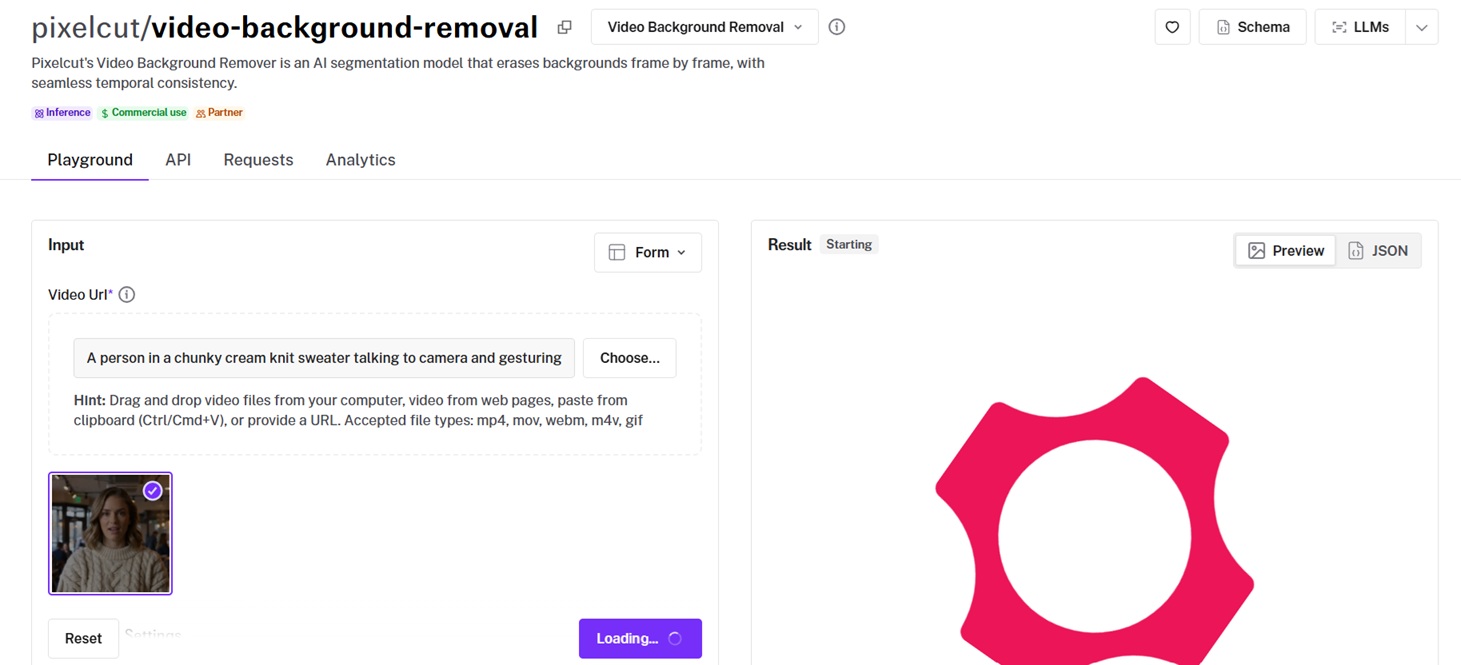
Pixelcut's video remover works frame by frame, with temporal consistency as its stated focus.
You can land on a transparent output, a preset color, or a custom RGB background of your own.
I ran the source clip through with the background set to transparent.
Performance
Background removed using Pixelcut Video Background Removal on fal, an AI model from Pixelcut.
Performance: the model tracked the hands as they moved, with the edge staying put from one frame to the next. I'm overall satisfied with the level of detail in the result, especially the shadows and how they were kept.
Choosing the background: I chose transparent for compositing, although you can set a preset color or a custom RGB value to match a brand color exactly.
Format auto-detect: I left the output format alone, and it defaulted to webm vp9 for the transparent run.
How to run Pixelcut Video Background Removal on fal
You can call pixelcut/video-background-removal with a video_url and a background of transparent, a preset, or custom.
Pricing
Pixelcut Video Background Removal costs $0.022 per 30 frames on fal.
#8: Rembg Enhance
Best for: Cutting out 2D vector art and 3D renders as comfortably as photographs, at one of the lowest prices here.
Similar to: Pixelcut Background Removal.
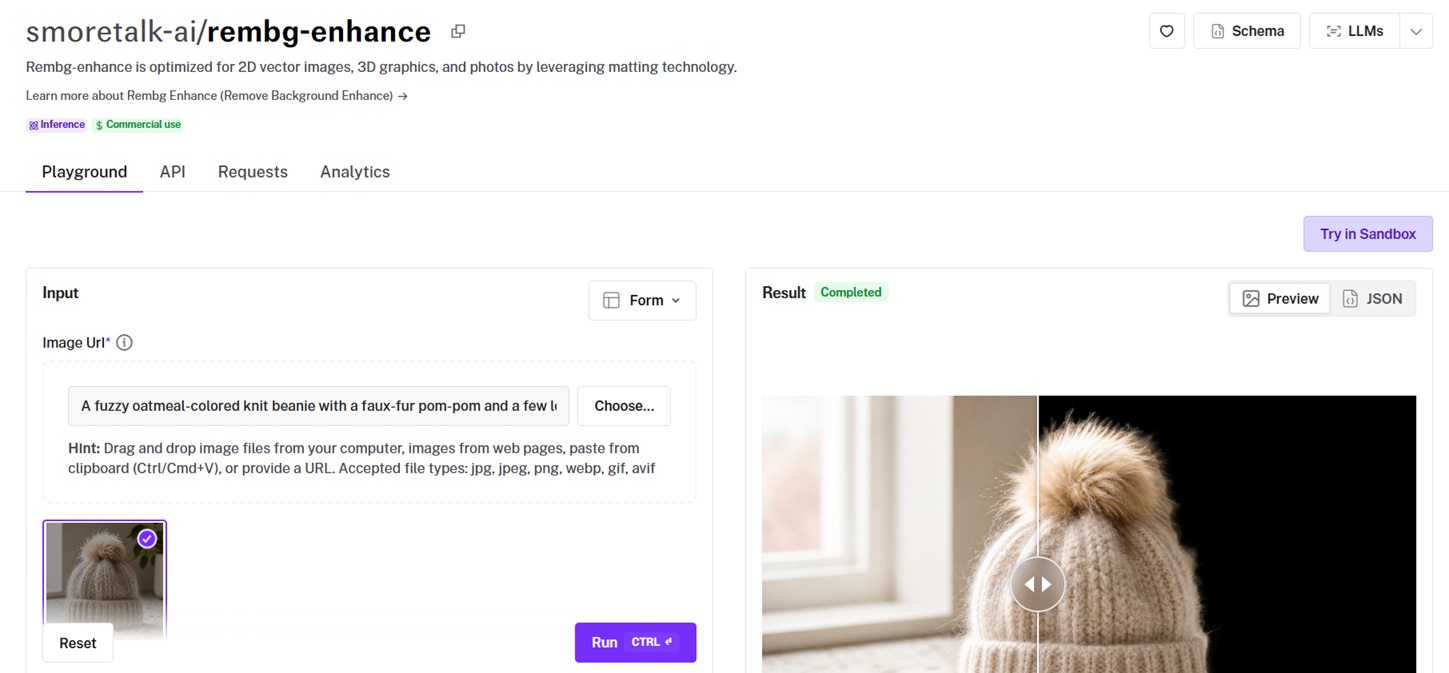
Smoretalk's rembg-enhance uses matting, which is why it's set up to handle flat vector graphics and 3D renders as well as photos.
It's one of the cheapest ways in this guide to get a usable cutout.
I ran the source photo through it, which takes nothing but the image URL.
Performance

Background removed using Rembg Enhance on fal, an AI model from Smoretalk.
Overall performance: I should say, I'm overall happy with the result, but I can't help but notice that the faux-fur pom-pom has a coloring issue around the corners.
Cheap to batch: at $0.006 per image I ran the whole pile without watching the bill.
One field: image_url is the only input, so there was nothing to set before the segmented PNG came back.
How to run Rembg Enhance on fal
The endpoint is smoretalk-ai/rembg-enhance, and it takes a single image_url.
Pricing
Rembg Enhance costs $0.006 per image on fal.
#9: BiRefNet Background Removal v2
Best for: High-resolution image cutouts where you want to pick a model variant and pull the segmentation mask out separately.
Similar to: Bria RMBG 2.0, Rembg Enhance.
fal-ai/birefnet/v2 runs BiRefNet, a high-resolution segmentation model, which removes the background from a single image.
I ran the source photo through with the model set to Matting and operating_resolution at 2048x2048, with refine_foreground left on.
Performance
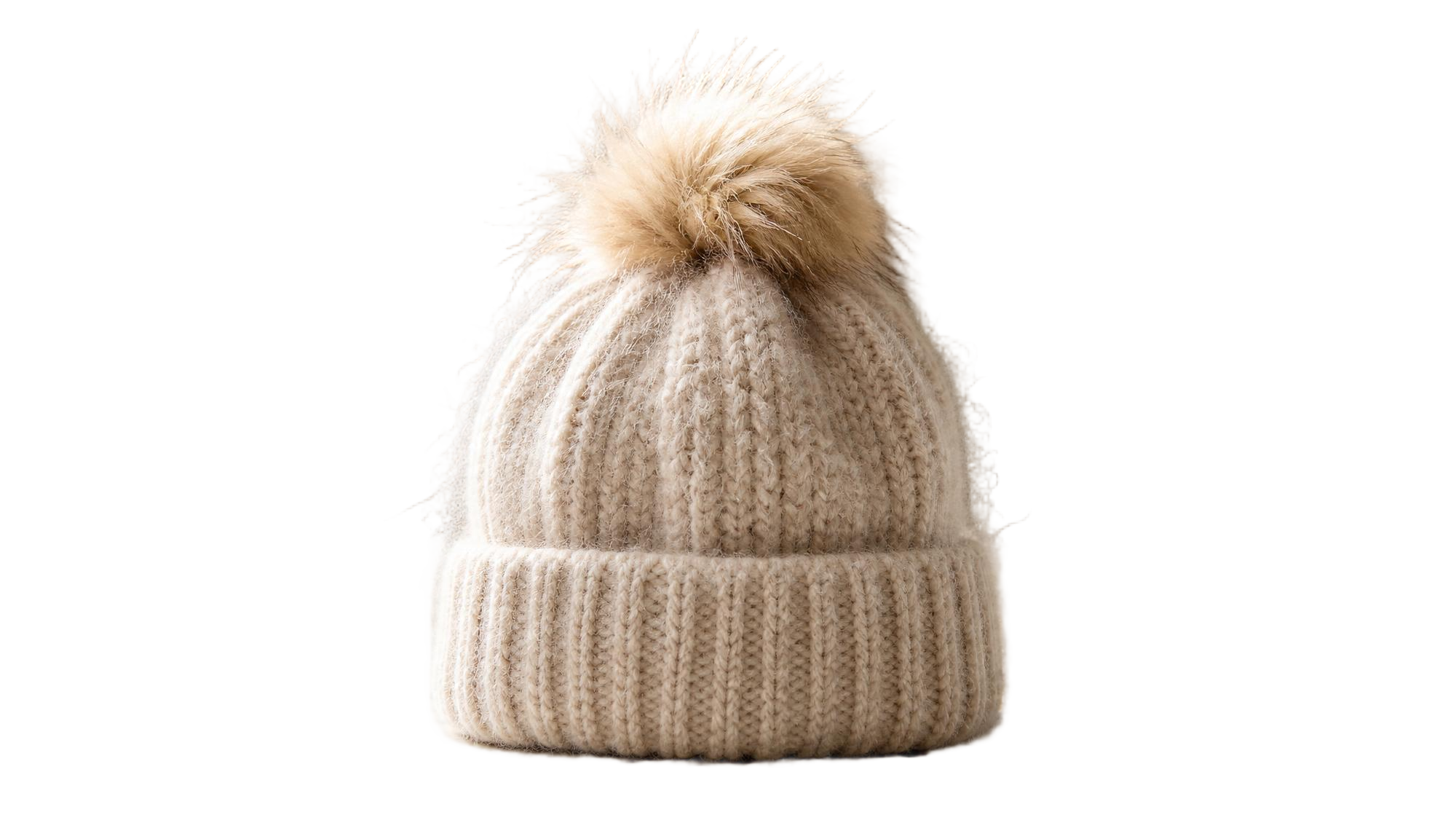
Background removed using BiRefNet v2 on fal, an AI model from fal.
Model variants: I reached for the Matting variant on the faux-fur pom-pom, since it's trained for exactly that kind of soft edge. Light, Light 2K, Heavy, Portrait, and Dynamic are there for other jobs, with Heavy the slower, more accurate option.
Resolution headroom: I set operating_resolution to 2048x2048 for the high-res run. A higher operating resolution would buy a more accurate edge.
Foreground refine: refine_foreground is on by default, which tides the matte from the estimated mask.
How to run BiRefNet v2 on fal
The endpoint is fal-ai/birefnet/v2, taking an image_url plus a model variant, an operating_resolution, and toggles for refine_foreground, output_mask, and mask_only.
Pricing
BiRefNet v2 costs $0.0008 per compute second on fal.
#10: fal Imageutils Rembg
Best for: A dependable, low-cost cutout when a project just needs the background gone.
Similar to: Rembg Enhance, Bria RMBG 2.0.
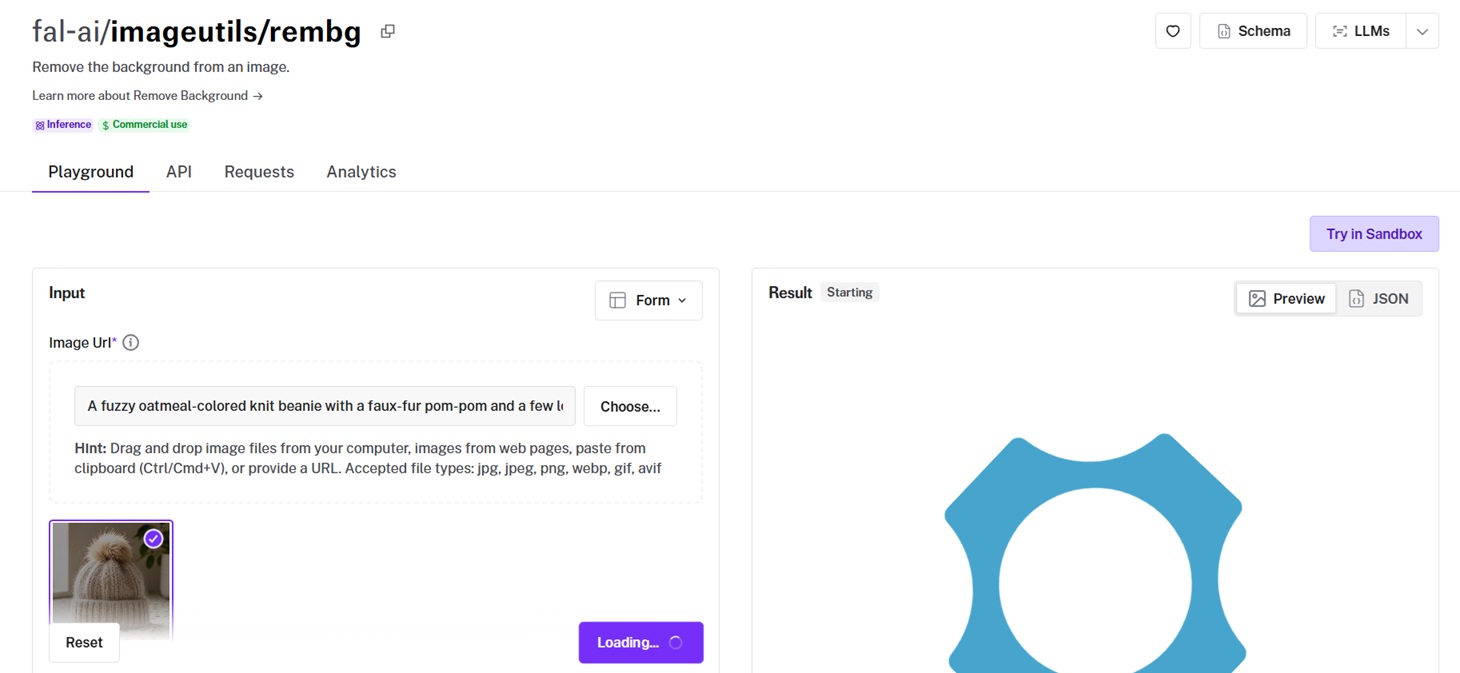
fal's imageutils rembg is the no-frills baseline, a background remover wired up behind the fal API.
It returns a cutout quickly and can crop the result to a tight bounding box around the subject.
I ran the source photo through with crop_to_bbox on.
Performance

Background removed using fal Imageutils Rembg on fal, an AI model from fal.
Quick baseline run: I dropped the beanie photo in and got sharp lines and a transparent background back fast. I'm overall quite happy with the performance, even though I can still see some small lines getting out of the beanie.
Cropping to the subject: with crop_to_bbox on, the output came back trimmed to a box around the subject, which saved me a manual crop.
Paying per compute second: billing ran at $0.00111 per compute second, so simple images cost next to nothing.
How to run fal Imageutils Rembg on fal
The endpoint is fal-ai/imageutils/rembg, taking an image_url plus optional sync_mode and crop_to_bbox.
When a workflow needs a cutout and not much else, this is one of the most affordable and reliable ways to get one.
Pricing
fal Imageutils Rembg costs $0.00111 per compute second on fal.
Run background remover models at scale through a single API with fal
Which remover fits depends on the job: a product on a white sweep, a presenter over a busy café, or a stray object you want gone.
Every one of them is a single fal endpoint, billed per use, with no infrastructure for you to babysit.
The playground is there to test a couple of cutouts side by side before you settle on one.
You can create your free account and start removing backgrounds on fal.
![10 Best Background Remover APIs in 2026 [Reviewed]](https://refinery.fal.media/url/https%3A%2F%2Fv3b.fal.media%2Ffiles%2Fb%2F0aa0ad7c%2FVIQq2HkCbqpVMaLNGSPwu_best-background-remover-apis-2026.jpg/tr:w-1920,q-80/VIQq2HkCbqpVMaLNGSPwu_best-background-remover-apis-2026.webp)