![10 Best Video-to-Video APIs in 2026 [Reviewed]](https://refinery.fal.media/url/https%3A%2F%2Fv3b.fal.media%2Ffiles%2Fb%2F0aa0ad7c%2FCnYBY_0niENSKUXkMaEIf_best-video-to-video-apis-2026.jpg/tr:w-1920,q-80/CnYBY_0niENSKUXkMaEIf_best-video-to-video-apis-2026.webp)
I tested the 10 best video-to-video APIs myself on fal and ranked them below by raw capability:
TL;DR
Kling O3 Pro: Kuaishou's edit model, rebuilding a video from reference images and bound elements while the original motion holds.
Happy Horse 1.0: Alibaba's natural-language editor, applying local or global changes with up to 5 reference images and keeping the source structure intact.
Veo 3.1: Google DeepMind's video extender, continuing a Veo clip with native audio and lip-synced dialogue out to 30 seconds.
fal is where all ten of these video-to-video APIs run behind one API, on our own inference engine, and with pay-per-use billing.
⚠️ How I tested and ranked these: I ranked these models based on my own testing. I built one base clip and put each model through a task that matched what it does. You can find the exact prompts and settings below.
What is the best place to run video-to-video models?
fal offers the best place to run video-to-video models with our unified API for every model in this guide, custom-built inference engine, and pay-per-use pricing.
Most of these models come from different labs, so you'd normally need to create a fresh account and a fresh bill for every one you want to use.
On fal you set up once and pick the model by the endpoint string you pass to a single @fal-ai/client call.
That same key reaches over 1,000 other models across image, video, music, and 3D, so a clip you sharpen here can feed a music track or a 3D asset later with no new wiring.
And as the call keeps its shape from one model to the next, you can prototype on something cheap and fast, then point the same code at a higher-fidelity model when the final cut needs it.
Here is a video-to-video call in practice with Happy Horse Edit:
javascript
import { fal } from "@fal-ai/client";

const result = await fal.subscribe("alibaba/happy-horse/video-edit", {
  input: {
    video_url: "https://example.com/your-video.mp4",
    prompt: "Recolor the sky to a deep purple sunset.",
    resolution: "1080p",
    audio_setting: "auto",
  },
  logs: true,
  onQueueUpdate: (update) => {
    if (update.status === "IN_PROGRESS") {
      update.logs.map((log) => log.message).forEach(console.log);
    }
  },
});

console.log(result.data.video.url);
What are the best video-to-video APIs in 2026?
Veo 3.1, Kling O3 Pro, and Happy Horse 1.0 are the three strongest video-to-video APIs in 2026, and all of them run on fal with pay-per-use pricing.
Here is the full shortlist:
| AI Model | Best For | Price on fal |
|---|---|---|
| Kling O3 Pro | Reference and element-driven edits with multi-shot control | $0.168 per second |
| Happy Horse 1.0 | Natural-language local and global edits with reference images | $0.14 per second (720p) |
| Veo 3.1 | Extending a Veo clip with native audio up to 30 seconds | $0.40 per second (audio on) |
| Sync v3 | High-fidelity lipsync with active speaker detection | $8 per minute |
| Grok Imagine Video | Fast, low-cost stylized video edits | $0.06 per second (480p) |
| VEED Lipsync | Quick lipsync from any audio track | $0.40 per minute |
| Bytedance Upscaler | Scenario-tuned upscaling up to 4K | $0.0072 per second (1080p, 30 fps) |
| SeedVR2 | Cheap, temporally consistent upscaling | $0.001 per megapixel |
| VEED Subtitles | Burned-in styled subtitles with translation | $0.10 per minute |
| FFmpeg Merge | Stitching multiple clips into one | $0.00017 per compute second |
The way I conducted this research is that I generated one base clip on fal and ran each model against the job it is meant for.
Base clip: a woman in her late twenties stands in a bright modern kitchen, holding a small amber glass bottle of cold brew toward the camera and saying, "Honestly, this is the best cold brew I've made all summer," in soft morning window light with a few blurred herbs behind her.
Generated using Veo 3.1 on fal, an AI model from Google.
I built it on Veo 3.1 specifically so the extend endpoint had a native Veo source to work from, and so every other model started from identical footage.
💡 Heads up that this is not all content editors. I included two upscalers, a subtitler, and a merger too, because in 2026 video-to-video covers cleaning up and finishing footage as much as it covers changing what is in the frame.
#1: Kling O3 Pro
Best for: Rebuilding a video from reference images and bound elements, swapping environments or subjects while holding the original motion.
Similar to: Happy Horse 1.0, Grok Imagine Video.
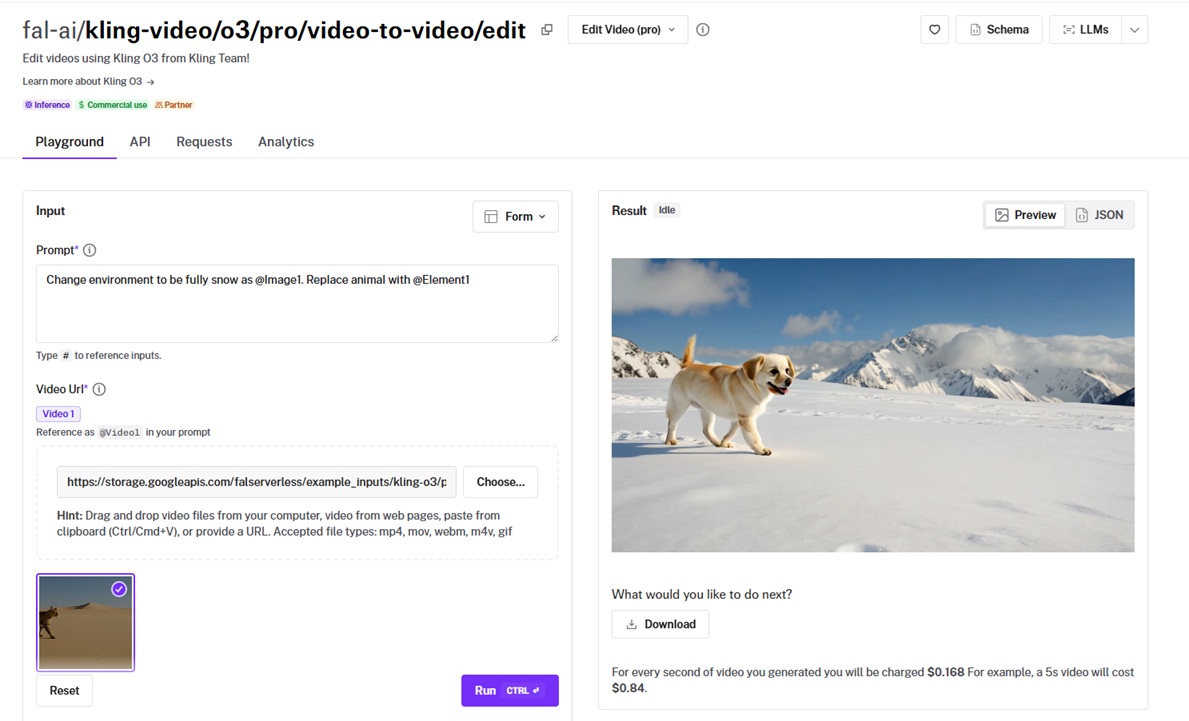
Kling O3 Pro, Kuaishou's heaviest edit model, rebuilds a clip around reference images and bound elements you name in the prompt.
It can swap a subject or repaint the whole environment while the original motion stays the same.
I generated 2 images for @Image1 with GPT Image 2 and @Element1 with Nano Banana 2:
@Image1 prompt: A sunlit rooftop café terrace at golden hour, an empty wooden bistro table in the foreground, string lights overhead, potted olive trees along a low railing, a blurred city skyline behind, warm late-afternoon sun flaring from the left, shallow depth of field, clean modern color grade, no people, 16:9 framing.
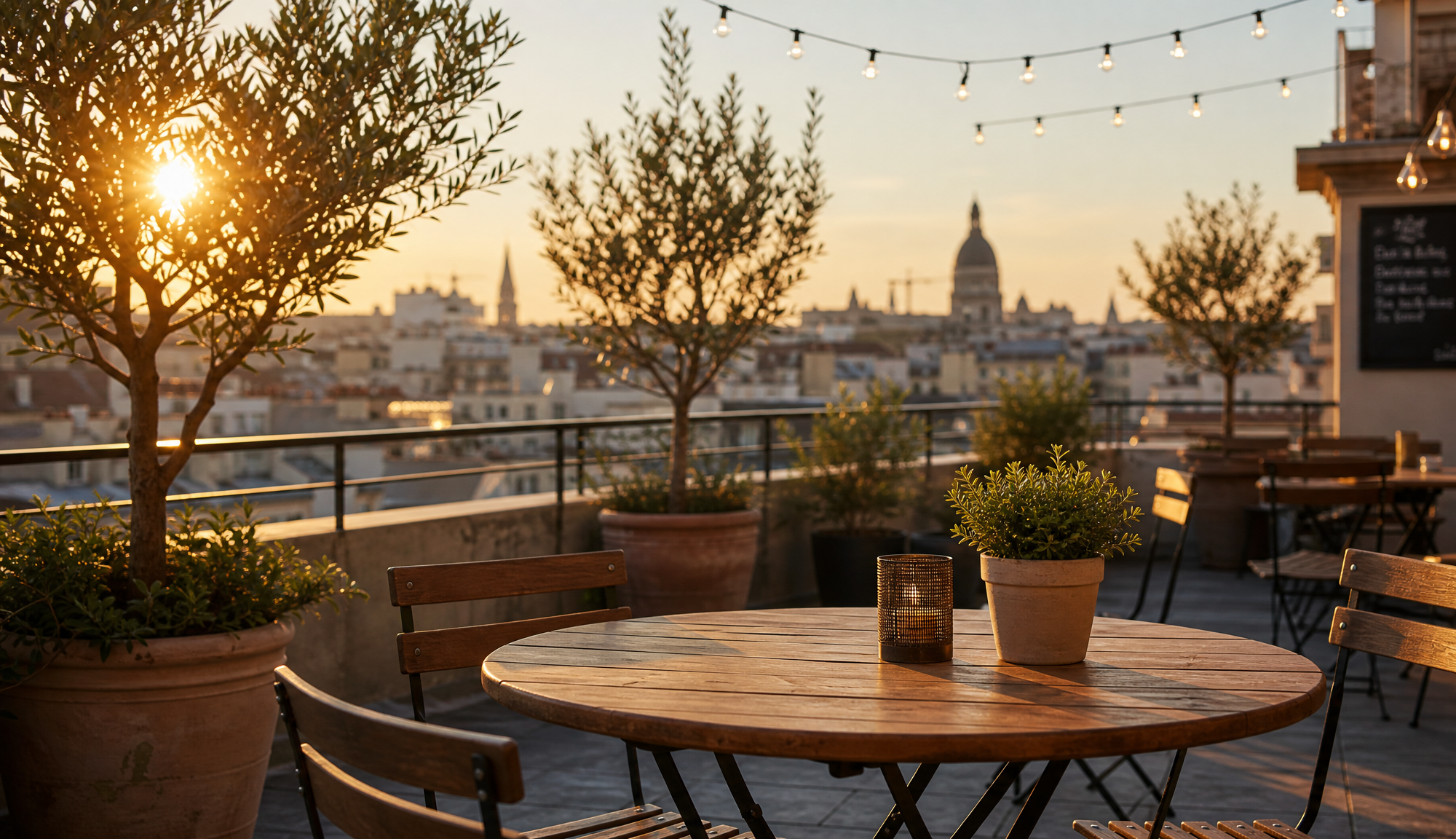
Generated using GPT Image 2 on fal.
@Element1 prompt: A tall slim sparkling water can photographed straight on and centered, matte pastel-mint label with a small citrus graphic, condensation beads on the aluminum, solid white studio background, soft even lighting, sharp product-shot focus.
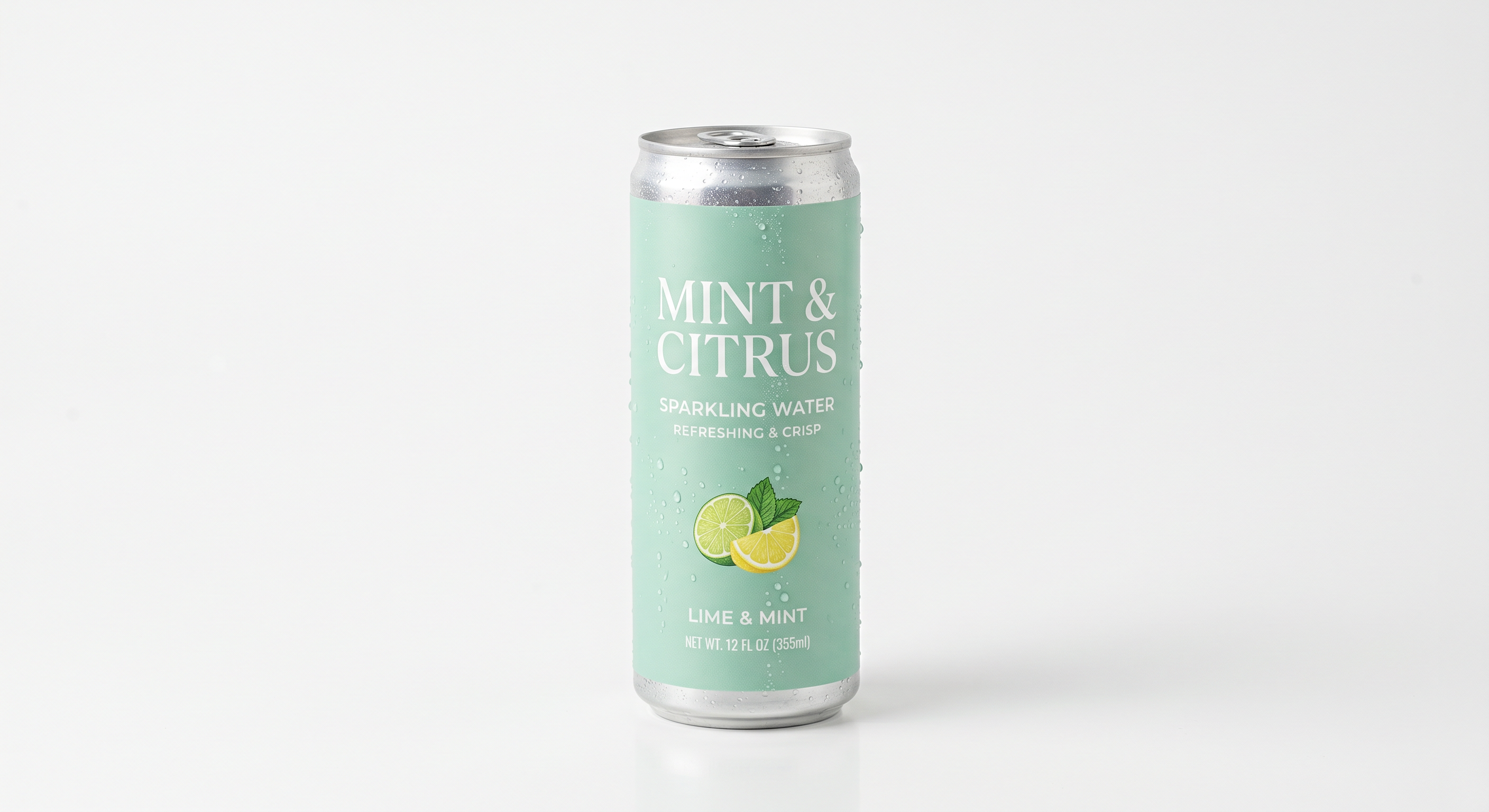
Generated using Nano Banana 2 on fal.
With both references ready, the edit prompt I ran was: "Change the kitchen environment to a sunlit rooftop café at golden hour as @Image1, and replace the cold brew bottle with the sparkling water can @Element1."
Performance
Generated using Kling O3 Pro on fal, an AI model from Kuaishou.
Element binding: Crème de la crème execution. I bound a sparkling water can as @Element1 and a rooftop café still as @Image1, then called both in one prompt, and it dropped the can into her hand and rebuilt the background while her motion held. You get up to 4 inputs total across images and elements when editing a video, so I spent them carefully.
Identity hold: Through the swap, her face and posture stayed recognizable frame to frame, so I'm satisfied here.
Audio handling: I left keep_audio on its default, so her original line stayed under the rebuilt visuals.
Source limits: My 8-second base fell inside the 3 to 15 second window and the 720 to 3840 pixel range the endpoint accepts.
How to run Kling O3 Pro on fal
Kling O3 Pro wants a source video, a prompt, and your reference images or elements, which you tag in the prompt as @Image1 or @Element1.
The source runs 3 to 15 seconds, between 720 and 3840 pixels on a side, and each element pairs a frontal image with reference images to lock identity.
Pricing
Kling O3 Pro costs $0.168 per second of video on fal.
falMODEL APIs
The fastest, cheapest and most reliable way to run genAI models. 1 API, 100s of models
#2: Happy Horse 1.0
Best for: Natural-language local and global video edits with up to 5 reference images, holding the source structure and motion.
Similar to: Kling O3 Pro, Grok Imagine Video.
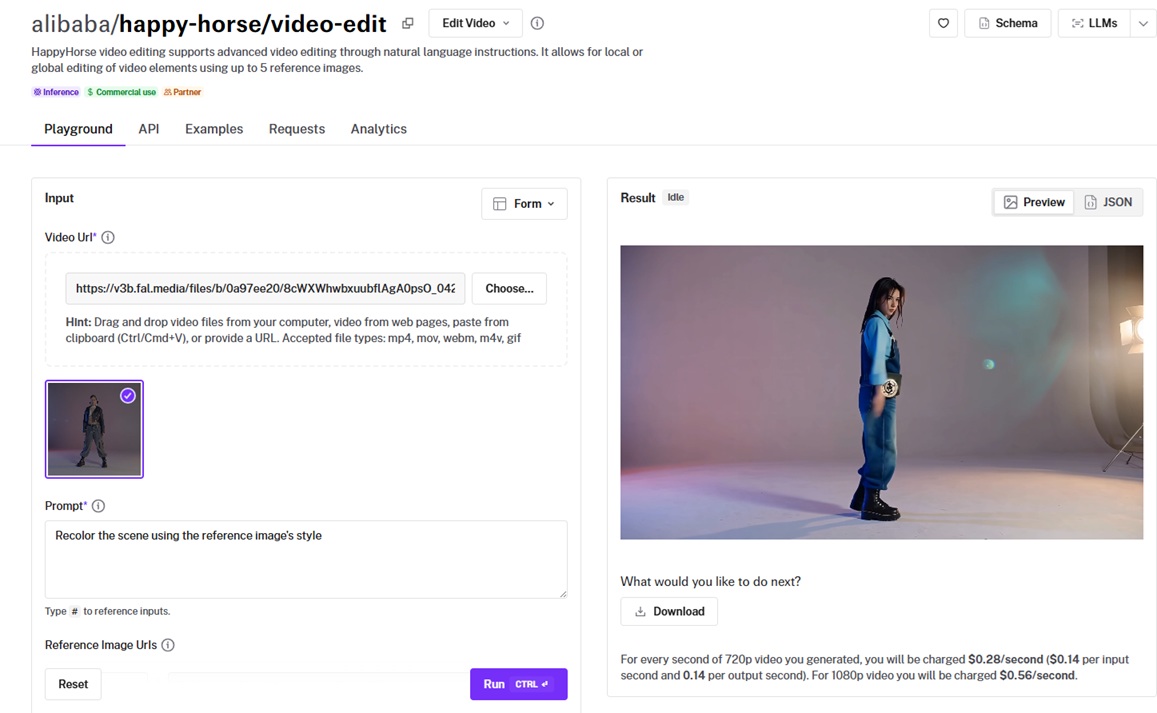
Alibaba built Happy Horse 1.0 to help you edit a clip from a written instruction without touching its composition or motion.
The AI model handles whole-scene changes like a recolor and pinpoint ones like an outfit swap, with up to 5 reference images to steer it.
Happy Horse takes reference images the same way, so I reused the two from the Kling test: @Image1 the rooftop café from GPT Image 2 and @Image2 the sparkling water can from Nano Banana 2.
With both references ready, the edit prompt I ran was: "Replace the kitchen background with the rooftop café in @Image1, and swap the cold brew bottle for the sparkling water can in @Image2."
Performance
Generated using Happy Horse 1.0 on fal, an AI model from Alibaba.
Background swap: I pointed @Image1 at the rooftop café, and it replaced the kitchen behind her, with her position and motion staying put.
Object swap: As I pointed @Image2 at the sparkling water can, it swapped the bottle in her hand and left the rest of the frame alone. I'm happy with the result.
Audio control: I set audio_setting to origin so her real line stayed on the clip and the soundtrack was left as recorded.
Output bounds: I kept the input inside the 3 to 60 second window, and the result came back at 1080p.
How to run Happy Horse 1.0 on fal
You feed Happy Horse 1.0 a source video and a prompt, with up to 5 reference images tagged @Image1 to @Image5 if you need them, and choose 720p or 1080p output.
Prompts go up to 2,500 characters, and the audio_setting flag decides whether the soundtrack gets regenerated or kept.
Pricing
Happy Horse 1.0 costs $0.14 per second at 720p and $0.28 per second at 1080p on fal, billed on the output duration.
#3: Veo 3.1
Best for: Continuing a Veo-generated clip with native audio and lip-synced dialogue, pushing the runtime out to 30 seconds.
Similar to: Kling O3 Pro, Happy Horse 1.0.
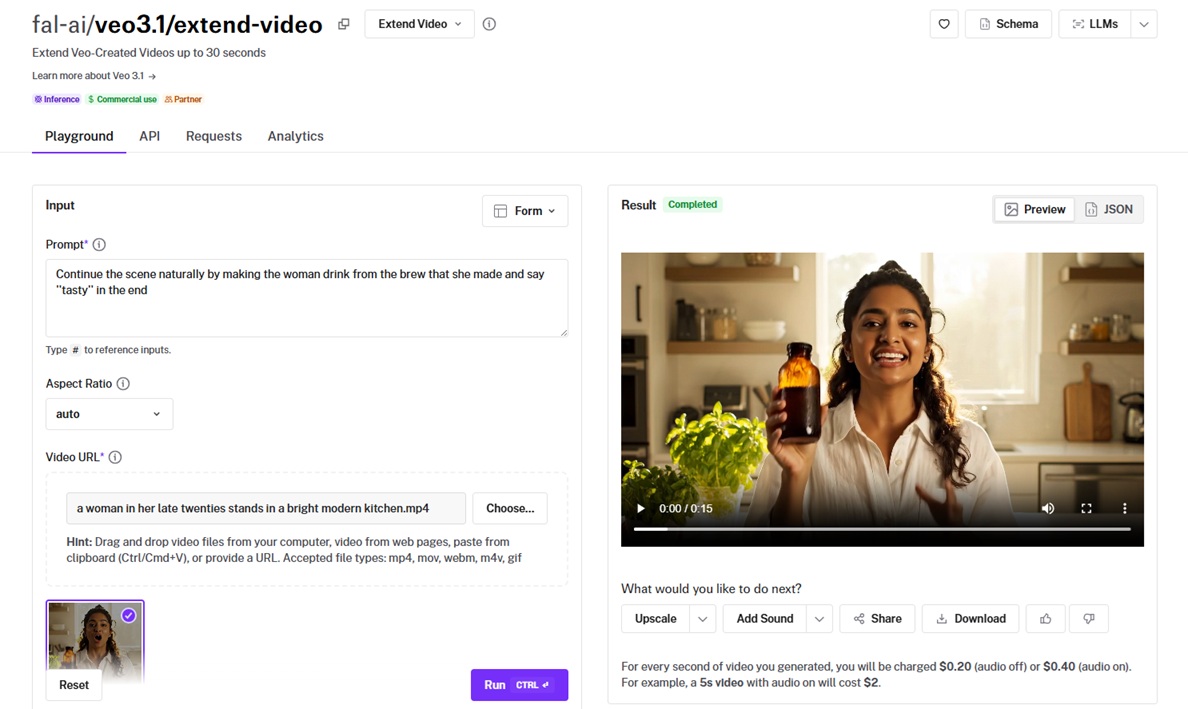
Google DeepMind's Veo 3.1 takes a clip it already made and keeps the scene going from a text prompt.
It carries native audio and lip-synced dialogue through the new footage, out to a 30-second total.
I gave the model this additional prompt to continue the scene: "Continue the scene naturally by making the woman drink from the brew that she made and say 'tasty' in the end."
Performance
Generated using Veo 3.1 on fal, an AI model from Google.
Continuation quality: I handed it the 8-second base clip with a one-line prompt to continue the scene, and the new footage carried her motion and the kitchen light forward from where the original left off, although I'm not entirely happy with the 1-second cut in between.
Native audio: I'm satisfied with how the sound was retained and continued as well. Veo lip-synced it and kept her voice tone matched to the original take, as I turned on Generate Audio.
Resolution and framing: My base went in at 1080p in 16:9, and the extension held that resolution and aspect across the new seconds. It only accepts a 720p or 1080p source in 16:9 or 9:16.
Length headroom: You can add several seconds with each pass, and keep chaining toward the 30-second ceiling for a longer scene.
How to run Veo 3.1 on fal
You give Veo 3.1 a source video and a prompt for how the scene should continue, then pick duration, resolution, and whether to keep audio, and you can run it in the playground before wiring up the API.
Pricing
Veo 3.1 video extension costs $0.20 per second with audio off and $0.40 per second with audio on, on fal.
#4: Sync v3
Best for: High-fidelity lipsync that matches a new audio track to an existing video, including across languages and multi-speaker shots.
Similar to: VEED Lipsync.
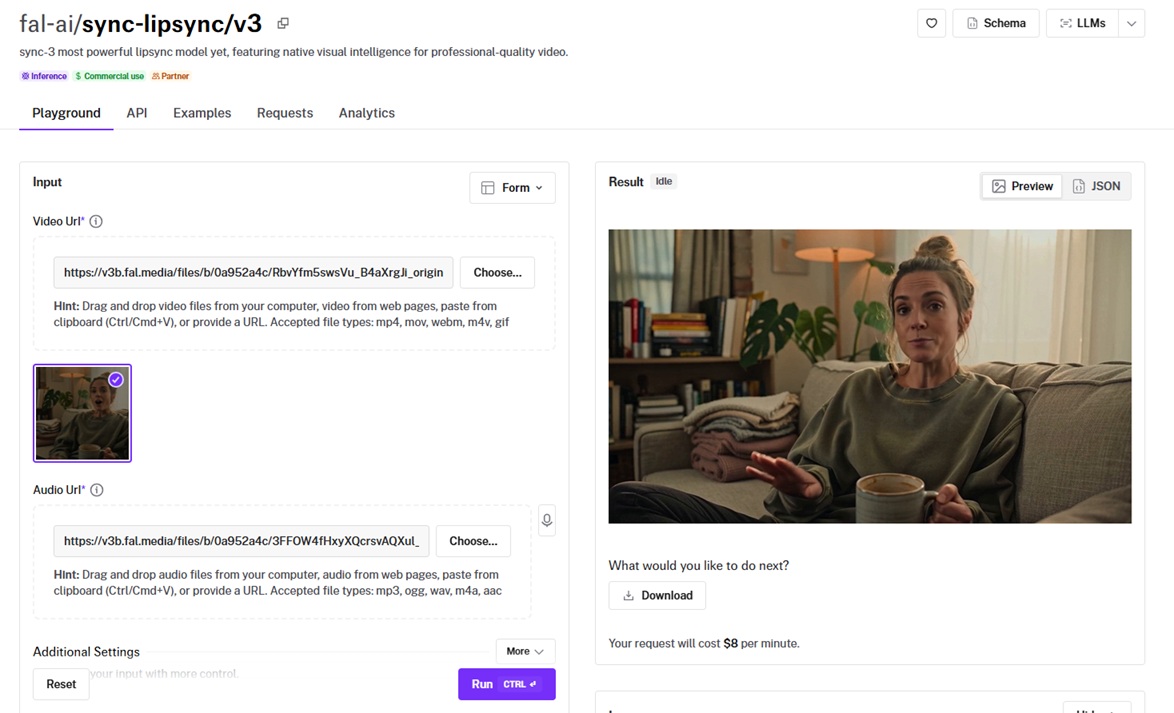
Sync v3 is Sync's flagship lipsync model on fal, reshaping the mouth in a clip to match whatever audio you hand it.
It has the visual smarts to deal with multiple speakers, occlusion, and audio that runs a different length than the footage.
I generated the new voice track on ElevenLabs Turbo v2.5:
Voice prompt: La verdad, es el mejor café frío que he preparado en todo el verano.
Generated using ElevenLabs Turbo v2.5 on fal.
I also added "happy" in the prompt, since it needs an emotion prompt for generation.
Performance
Generated using Sync v3 on fal, an AI model from Sync.
Cross-language sync: I ran the Spanish track against the English base clip, and Sync v3 reshaped her mouth to the Spanish line while leaving the rest of the frame alone. I like how it was executed and how the clip got reduced to 3 seconds, instead of running the whole 8 seconds.
Timing control: My Spanish line ran a little shorter than the original, so I set sync_mode to bounce and the new audio mapped onto the clip cleanly.
Speaker detection: My clip is a single speaker, but active speaker detection is the piece that locks onto the right face when a shot has more than one person talking.
Visual fidelity: The reshaped area around the lips and teeth held up on playback, with clean edges as her jaw opened and closed.
How to run Sync v3 on fal
Sync v3 needs a video URL and an audio URL, and an options object opens up sync mode, active speaker detection, and emotion controls for finer work.
Pricing
Sync v3 costs $8 per minute of output video on fal.
#5: Grok Imagine Video
Best for: Fast, low-cost stylistic edits on short clips, like colorizing or restyling footage.
Similar to: Happy Horse 1.0, Kling O3 Pro.
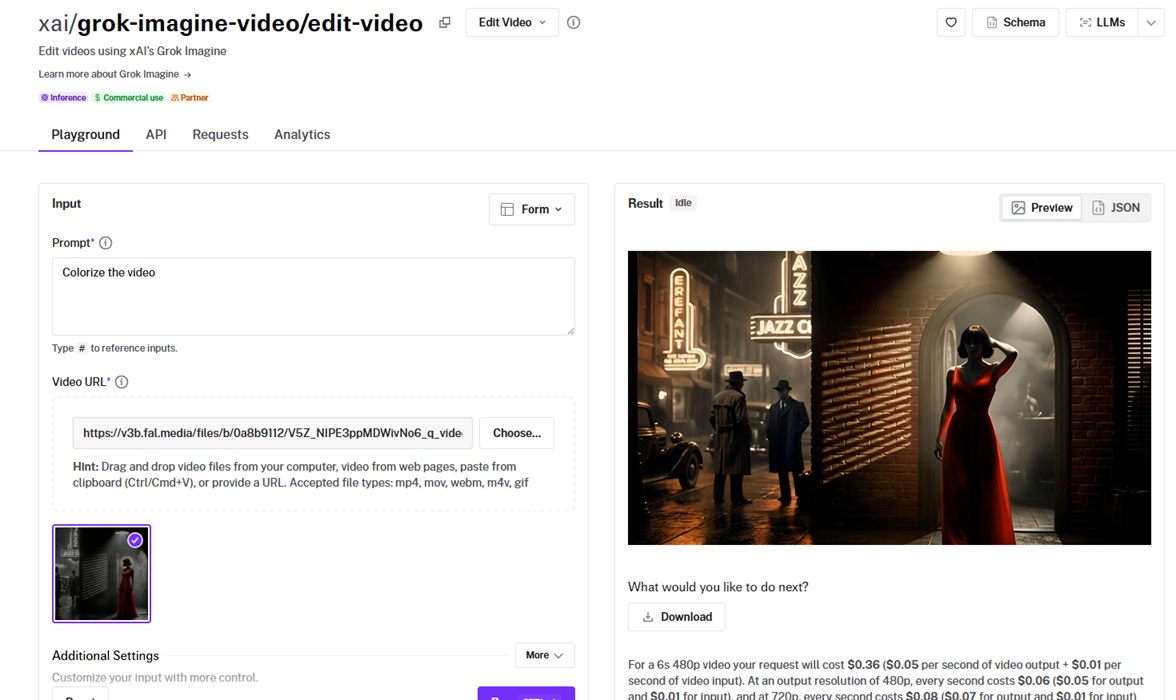
Grok Imagine Video is xAI's fast, low-cost take on clip editing, working from a short text description.
It can be a very good option for quick restyles and color passes. Grok edits the base clip directly, so there is no new asset to generate.
The edit prompt I ran was: "Restyle the clip into a vibrant 1990s camcorder look."
Performance
Generated using Grok Imagine Video on fal, an AI model from xAI.
Style application: I gave it a 1990s camcorder prompt, and it carried the retro grade across the whole shot in a single pass.
Speed: It came back quickly, which is what makes it the one I reach for when I want a few versions of a look before committing.
Resolution: You can either leave it on "auto" or control it at 720p or 480p.
How to run Grok Imagine Video on fal
Grok Imagine Video runs on a prompt and a video URL, with resolution at auto, 480p, or 720p, and the playground is the fastest way to eyeball a look before you batch.
Pricing
Grok Imagine Video costs $0.06 per second at 480p and $0.08 per second at 720p on fal.
#6: VEED Lipsync
Best for: Quick lipsync that drops a new audio track onto a talking-head video, like fixing a voiceover in post.
Similar to: Sync v3.
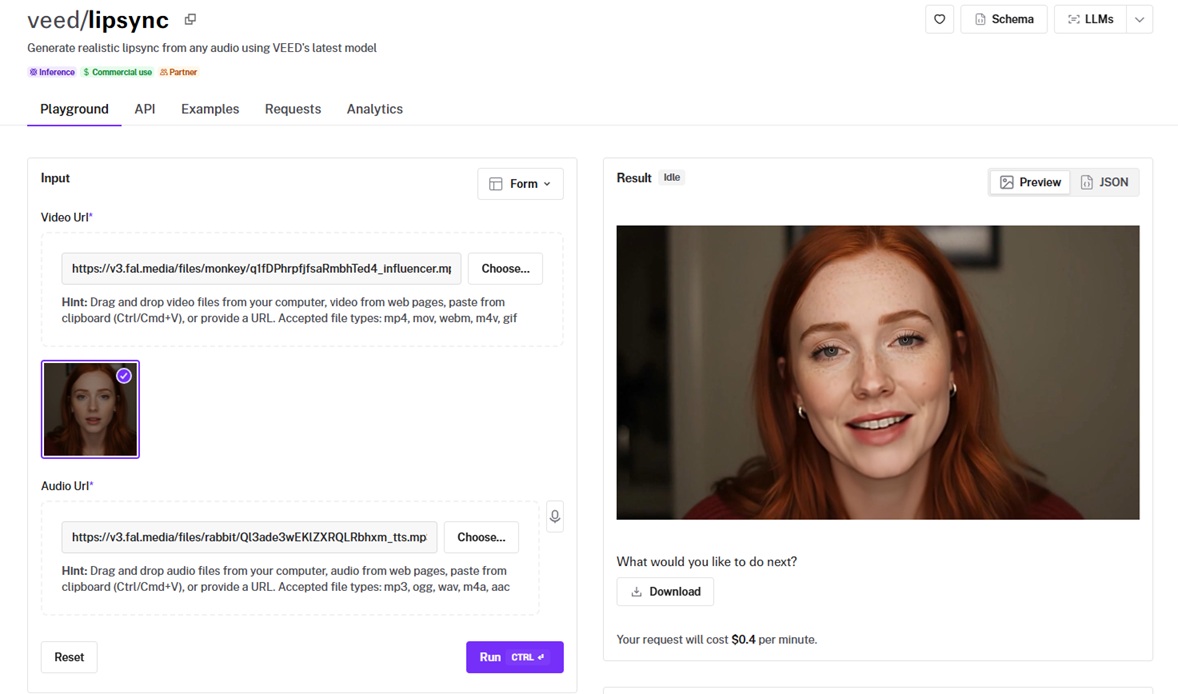
VEED Lipsync reshapes a speaker's mouth to fit any audio track you give it.
The whole thing stays down to two inputs, a video and an audio file, for a quick path to a re-voiced clip.
I generated the corrected voice track on ElevenLabs Turbo v2.5:
Voice prompt: This is the smoothest cold brew I've made all summer, no bitterness at all.
Generated using ElevenLabs Turbo v2.5 on fal.
Performance
Generated using VEED Lipsync on fal, an AI model from VEED.
Re-voicing in post: I wrote a corrected English line, voiced it with TTS, and dropped it onto the base clip, and her mouth followed the new wording.
Setup simplicity: Two inputs, a video and an audio file, with nothing else to configure, made it the quickest lipsync of the group to wire up.
Talking-head fit: It handled the single-speaker, front-facing shot well, the bread and butter of UGC and avatar work.
One catch: There is no sync_mode control here, so I trimmed the new line to fit the clip length and kept the audio and video matched.
How to run VEED Lipsync on fal
Two inputs: a video URL and an audio URL, and VEED Lipsync hands back the re-voiced clip.
Pricing
VEED Lipsync costs $0.40 per minute of video on fal.
#7: Bytedance Upscaler
Best for: Scenario-tuned video upscaling up to 4K, with presets for user-generated content, film restoration, and AI footage.
Similar to: SeedVR2.
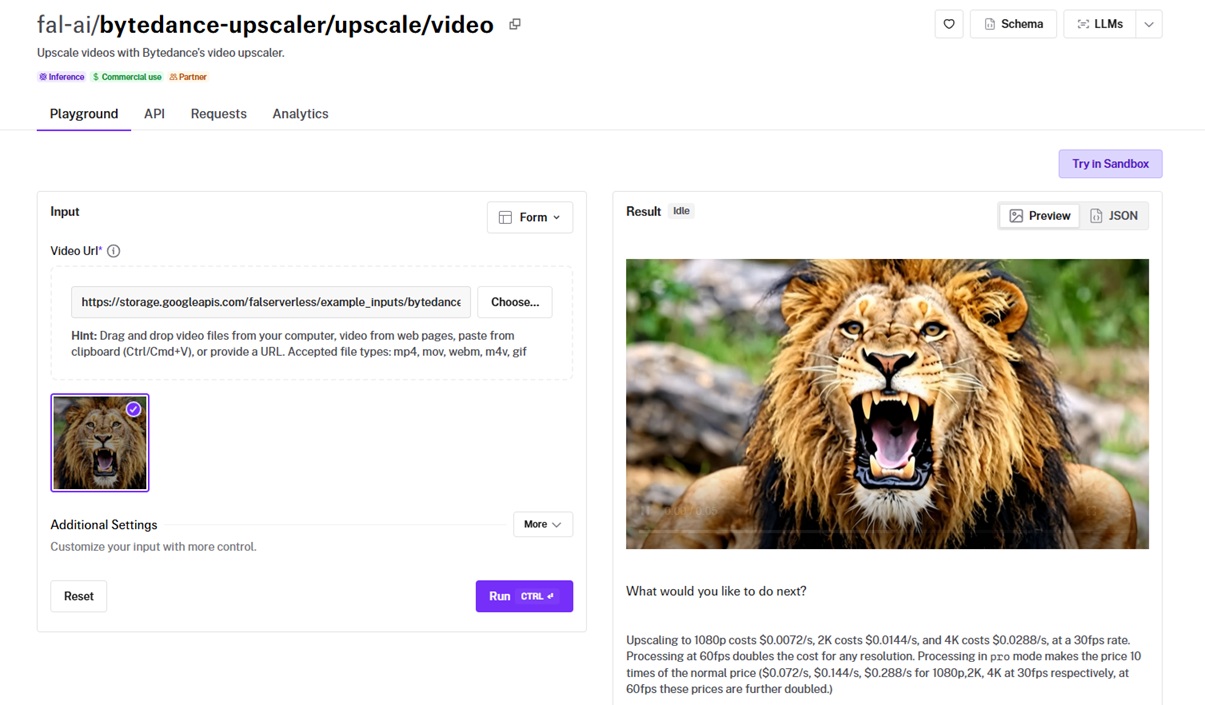
ByteDance's video upscaler pushes a clip to a higher resolution, with presets tuned to the kind of footage you feed it.
Quality tiers and a fidelity setting control how hard it works on the source.
There is no new asset to generate here, so I downscaled the base clip first to give the upscaler something to repair.
With that ready, I ran it on the ugc preset at the standard tier, target_resolution 4k, 30 fps, and fidelity high.
Performance
Generated using Bytedance Upscaler on fal, an AI model from ByteDance.
Scenario presets: I ran the downscaled clip through the ugc preset built for creator video, and the skin and fabric detail came back up at 4K.
Quality tiers: I used the standard tier, which adapts its algorithm to the footage; the pro tier runs a heavier large-model pass at ten times the cost for cinematic work.
Resolution and frame rate: I kept it at 30 fps, since moving to 60 fps doubles the bill on any resolution.
Fidelity control: I left fidelity on high to hold the texture close to the source while still lifting the resolution.
How to run Bytedance Upscaler on fal
You hand Bytedance's upscaler a video URL and choose a target resolution, frame rate, preset, tier, and fidelity.
Pricing
Bytedance Upscaler costs $0.0072 per second for 1080p, $0.0144 for 2K, and $0.0288 for 4K at 30 fps on fal, with 60 fps doubling the rate and the pro tier raising it tenfold.
#8: SeedVR2
Best for: Cheap, temporally consistent upscaling that brings soft or low-resolution footage up to a target resolution.
Similar to: Bytedance Upscaler.
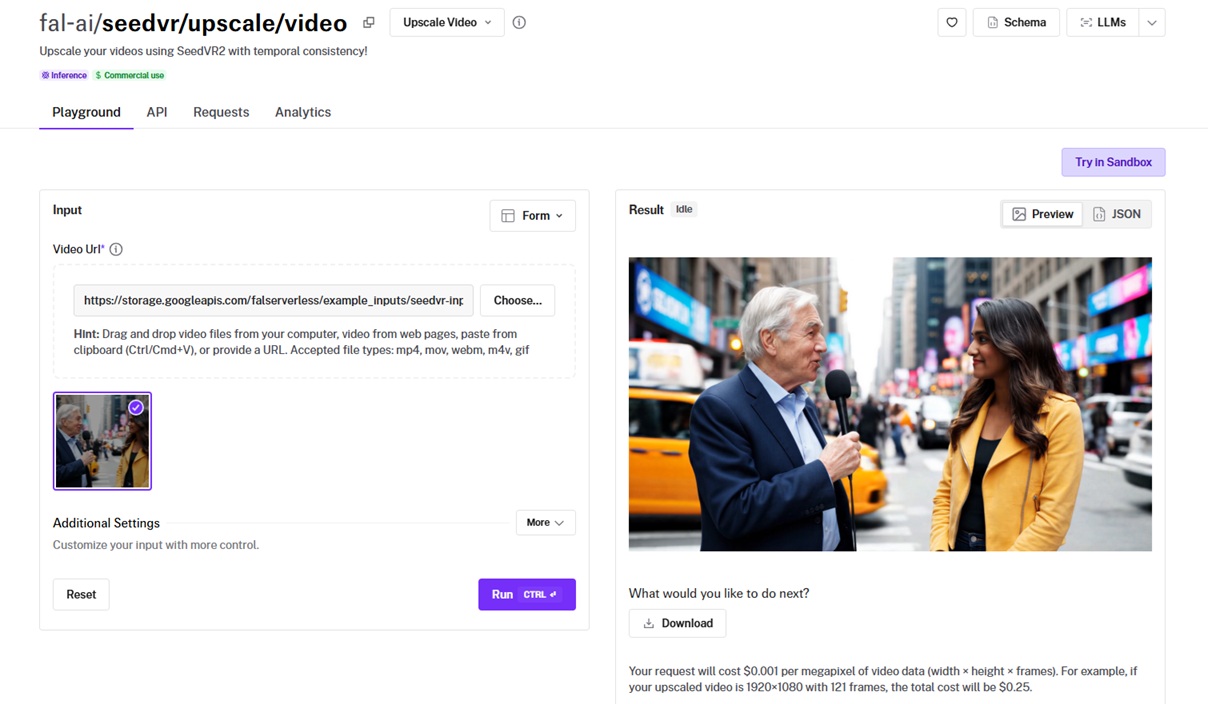
SeedVR2, also out of ByteDance, scales a clip up by a factor or to a target resolution while keeping the frames steady.
It works from the video alone with no prompt, and a noise scale setting governs how much detail it rebuilds.
There is no new asset here either, just the same downscaled base clip as the input.
I ran it in target mode at 2160p with noise_scale left at the 0.1 default.
Performance
Generated using SeedVR2 on fal, an AI model from ByteDance.
Temporal stability: Running the downscaled clip back up, the frames stayed steady one to the next, which is the temporal consistency the model is built for. I'm satisfied with the result of upscaling as a whole.
Two modes: I used target mode to hit 2160p exactly; factor mode would have multiplied the dimensions by a set number.
Detail control: I left noise_scale at its 0.1 default, which kept a soft source from going crunchy as it scaled.
Cost at scale: Megapixel billing made it cheap enough to run across a batch without thinking about it.
How to run SeedVR2 on fal
SeedVR2 runs on a video URL, a factor or target mode, and either an upscale factor or a target resolution, with output format and quality on top.
With no prompt to write, it drops cleanly into a workflow that hands off finished clips on its own.
Pricing
SeedVR2 costs $0.001 per megapixel of video, measured as width times height times frames, on fal.
#9: VEED Subtitles
Best for: Burned-in styled subtitles with transcription and translation, ready for social distribution.
Similar to: N/A.
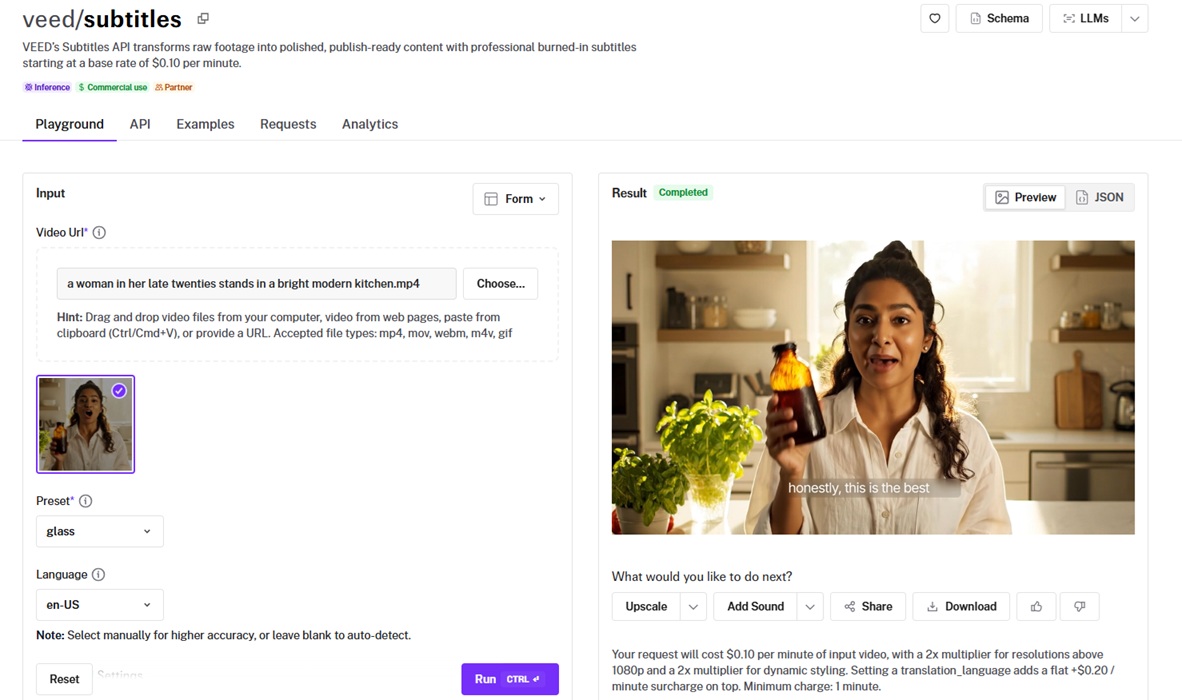
VEED Subtitles transcribes a clip, styles the captions, and burns them into the footage in a single call.
It spans a wide language range and a deep library of presets, from basic text to animated dynamic styles.
No new asset here either, since it works straight from the base clip and its spoken line.
Performance
Generated using VEED Subtitles on fal, an AI model from VEED.
Transcription accuracy: I ran the clip with the language set to en-US, and it transcribed her cold-brew line correctly on the first pass. I can see that the transcription is accurate and I'm satisfied with the AI model's performance overall.
Styling presets: I picked the glass dynamic preset, which animated the captions in a glassy style that suits a vertical social clip.
Safe-zone placement: It dropped the captions into the safe zone for the aspect ratio, clear of the platform interface.
How to run VEED Subtitles on fal
You can pass VEED Subtitles a video URL and a preset, plus optional language, translation language, a vocabulary list for brand terms, and styling overrides.
It's also possible to supply your own SRT file to skip transcription and pin the timing exactly.
Pricing
VEED Subtitles costs $0.10 per minute of input video on fal, with a 2x multiplier above 1080p, a 2x multiplier for dynamic styling, and a $0.20 per minute surcharge when you add translation.
#10: FFmpeg Merge
Best for: Stitching two or more clips into one continuous video, matching frame rate and resolution across them.
Similar to: N/A.
Our own ffmpeg merge endpoint joins two or more clips into one file, in the order you list them.
It evens out frame rate and resolution, so footage from different sources lines up into one continuous cut.
I generated a second clip for the merge with Seedance 2.0:
Second clip prompt: A slow push-in on the same amber cold brew bottle resting on a marble counter beside a frosted glass full of ice, soft morning light, condensation beading on the glass, clean product-shot styling, no dialogue, 5 seconds.
Generated using Seedance 2.0 on fal.
With both clips ready, I merged them in order: the base clip first and the product shot second.
Performance
Generated using fal's video merge endpoint on fal.
Clean stitching: I merged the talking base clip with the product shot, listed in that order, and the cut between them landed with no resolution or frame-rate jump.
Format normalization: It matched both clips to a shared frame rate and resolution, which I could also have set myself on the request.
Audio handling: Her dialogue ran through the first clip and the product shot's ambient bed followed it, with the merged audio staying lined up with the picture.
How to run FFmpeg Merge on fal
The merge endpoint takes a list of video URLs in the order you want them, with optional target frame rate and resolution.
Pricing
fal's video merge costs $0.00017 per compute second on fal.
Recently Added








Run your full video-to-video pipeline on one fal API
Which model you want depends on what the footage needs next, whether that is a few more seconds on the end, a fresh voice track, a sharper finish, or two clips welded into one.
Every one is a fal endpoint, billed by the second or the megapixel, with no machine of your own to keep warm between jobs.
If you want to weigh a few against each other first, you can use our playground to run them in your browser with no code.
Make a free fal account and put your first clip through one of these.
![How To Use LTX-2.5: Prompts & Workflows [2026]](https://refinery.fal.media/url/https%3A%2F%2Fv3b.fal.media%2Ffiles%2Fb%2F0aa6bbe3%2FmDUJlHttJdksDteEA8gq0.jpg/tr:w-1280,q-80/mDUJlHttJdksDteEA8gq0.webp)
![10 Best Image-to-Image APIs in 2026 [Reviewed]](https://refinery.fal.media/url/https%3A%2F%2Fv3b.fal.media%2Ffiles%2Fb%2F0aa0ad7c%2F3vi7CwocCD7cb_feJpa0d_best-image-to-image-apis-2026.jpg/tr:w-1280,q-80/3vi7CwocCD7cb_feJpa0d_best-image-to-image-apis-2026.webp)