


Kling Image 4.0
Generate and edit images with Kling AI's newest model: camera-true realism, crisp text and typography, and native output up to 8K. Type a prompt or add a reference, then create a 2K image right here.
Start with an idea.
Describe it in a few words, or add an image to build on. Your result will appear here.
One 2K image per run. Use the playground for 4K and 8K, Image Sets, and up to 10 references.


What can Kling Image 4.0 do?
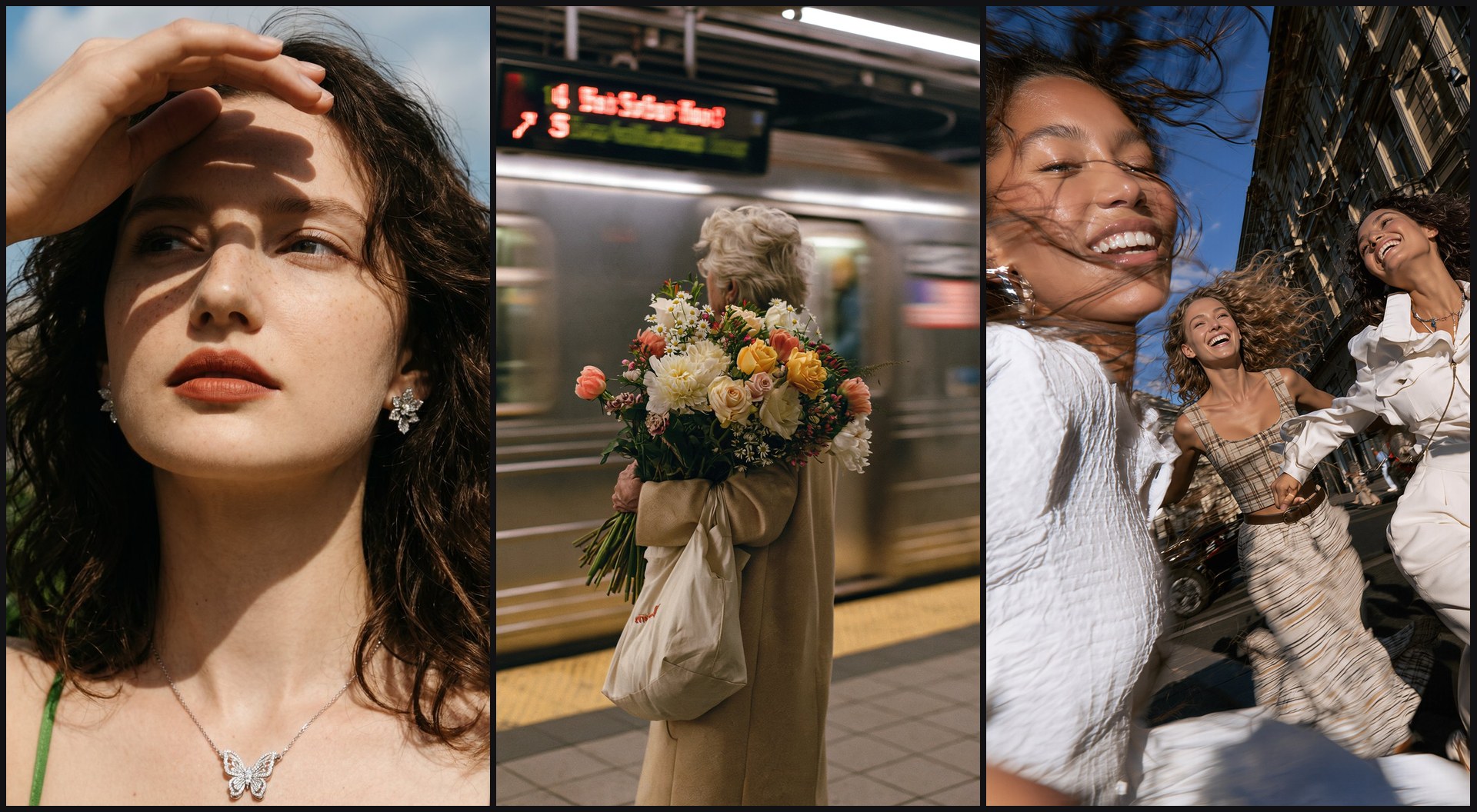
Photos that look straight out of a camera
Soft, natural lighting, real skin texture and believable materials, from phone snapshots to documentary scenes and expressive portraits. Group shots give every person a distinct face, age and build. Generate natively at 2K, 4K or 8K, so detail holds up when you crop in or print large.
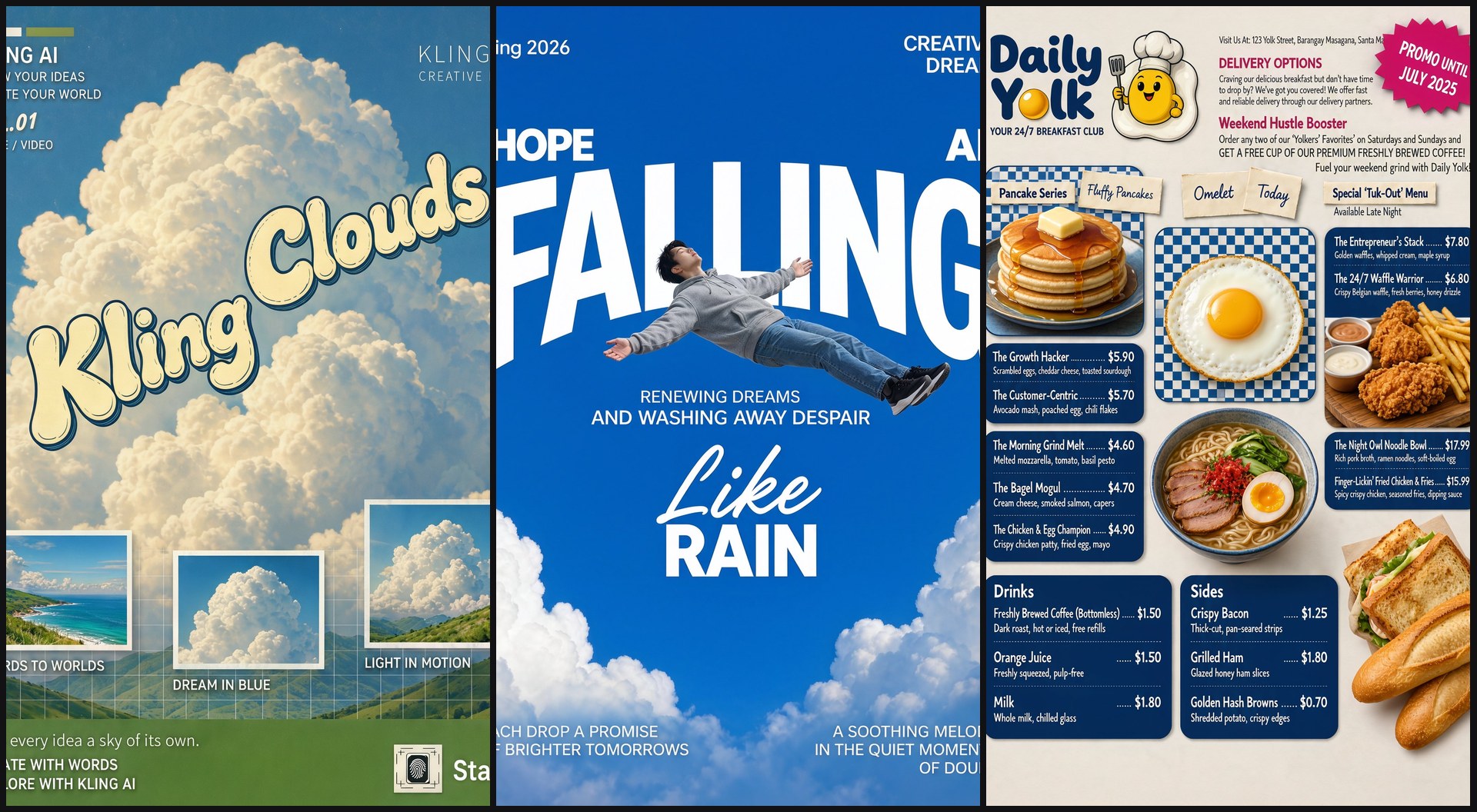
Up to 2,000 characters of crisp, readable text
Posters, menus, magazine covers and handwritten lettering, with small print that stays legible and multi-section layouts that stay organized. Describe the typeface you want in the prompt, or pass a font sample as a reference image. Text renders in English, Simplified and Traditional Chinese, Japanese, Korean, Spanish and Portuguese.
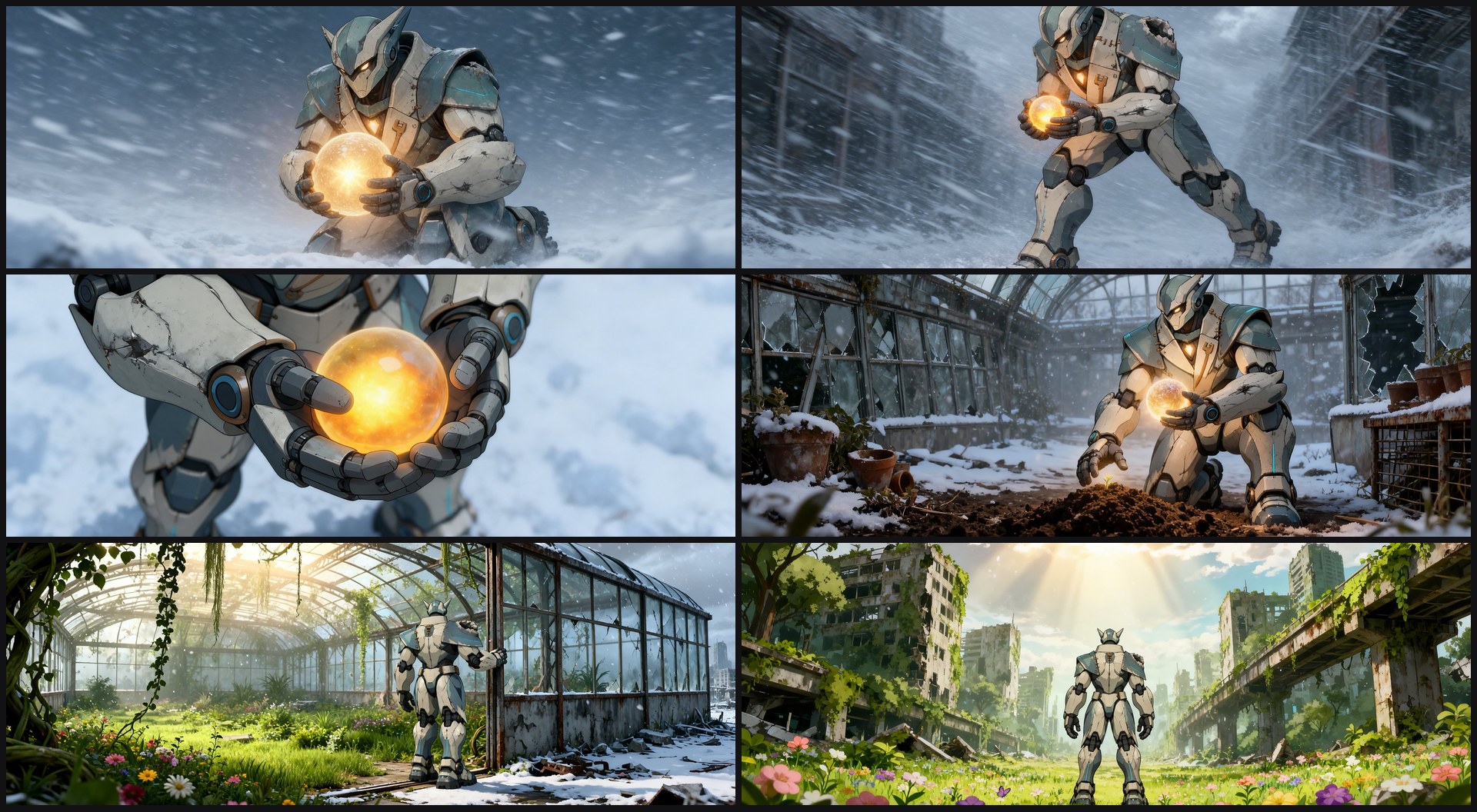
Up to 10 consistent images from a single prompt
Set result_type to "series" and Kling Image 4.0 plans the whole set: shot breakdowns and pacing for a storyboard, angles and selling points for a product shoot, structure and hierarchy for a slide deck. Characters, products and style stay consistent from frame to frame. Choose 2 to 10 images, or let the model decide.
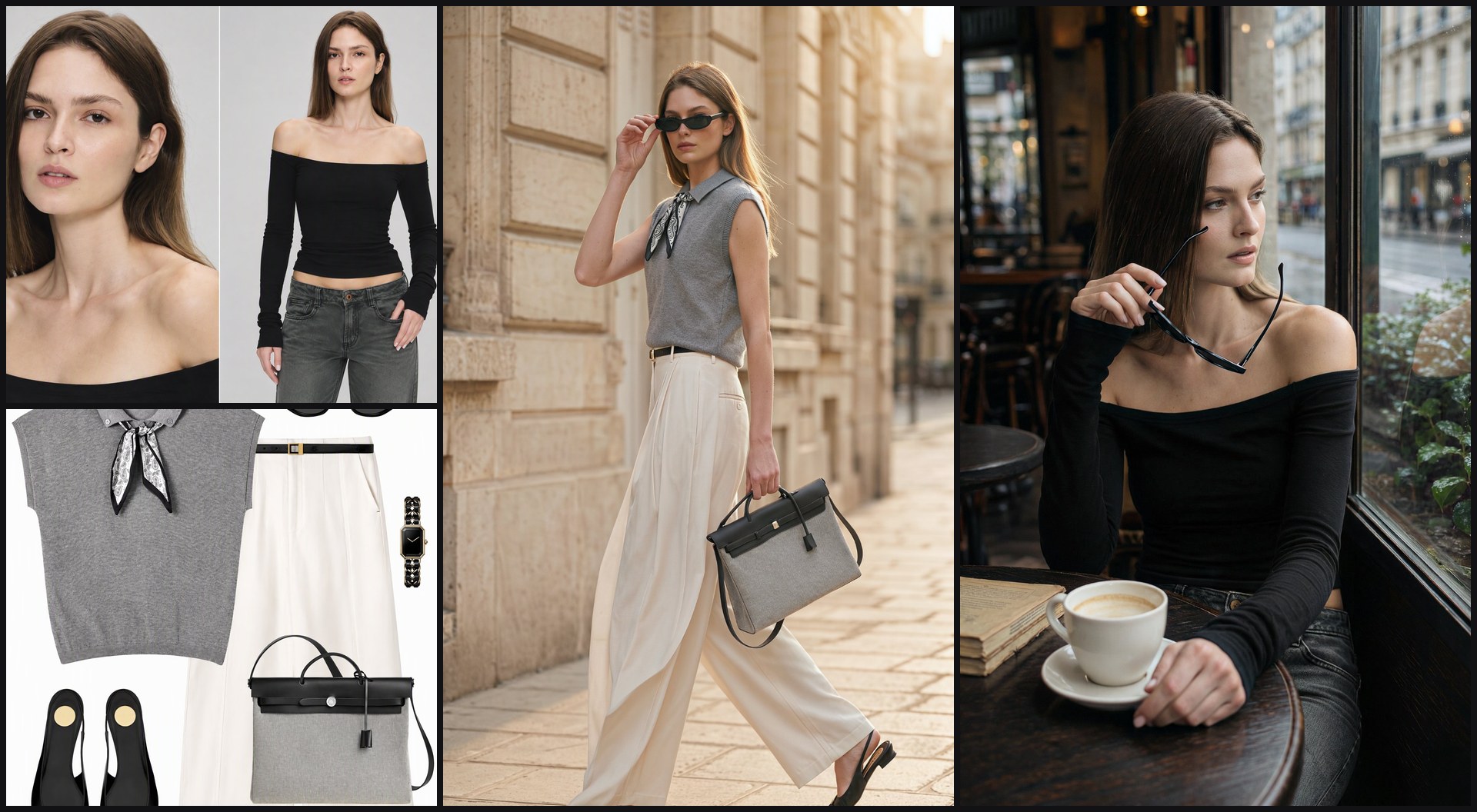
Up to 10 reference images in one request
Combine a face, an outfit, a product and a setting, and refer to each one in the prompt as @Image1, @Image2 and so on. Here, one model reference and one flat lay of clothes become a full street-style shoot, with the face and every piece of the outfit carried through.

Full product pages and websites in one generation
Ask for an e-commerce detail page or a brand website and get one tall, coherent layout: hero shot, selling points, specs and brand copy, with consistent product renders and type from top to bottom. A one-line prompt such as "Generate an English e-commerce product page for a perfume" is enough to start.
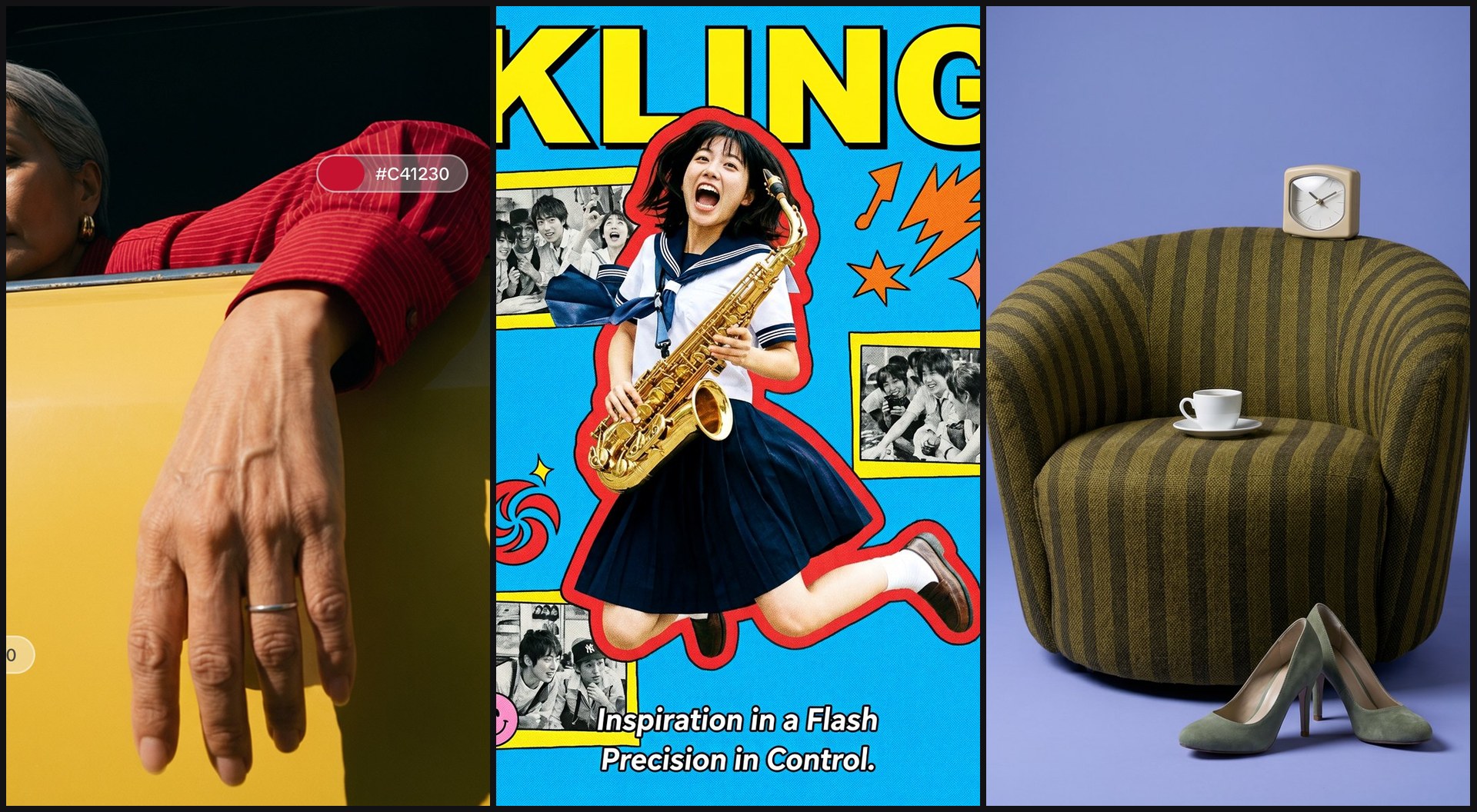
Lock colors with HEX values or a palette image
Name exact HEX values in the prompt, or pass a palette image as a reference and Kling Image 4.0 reads its colors, contrast and temperature. Apply the same palette across a set to keep a campaign or storyboard on one grade.
How to prompt Kling Image 4.0
Six habits from Kling's own launch guide. The full prompting guide, linked in the FAQ below, has Kling's templates and dozens of example prompts.


See what Kling Image 4.0 can do with a reference
Input on top, Kling Image 4.0's result below, with Kling's own prompt for each. The results were generated with Kling Image 4.0 and published by Kling AI. Kling's prompts name references as Reference Image 1 and Image 2; on fal, write @Image1 and @Image2 in upload order.
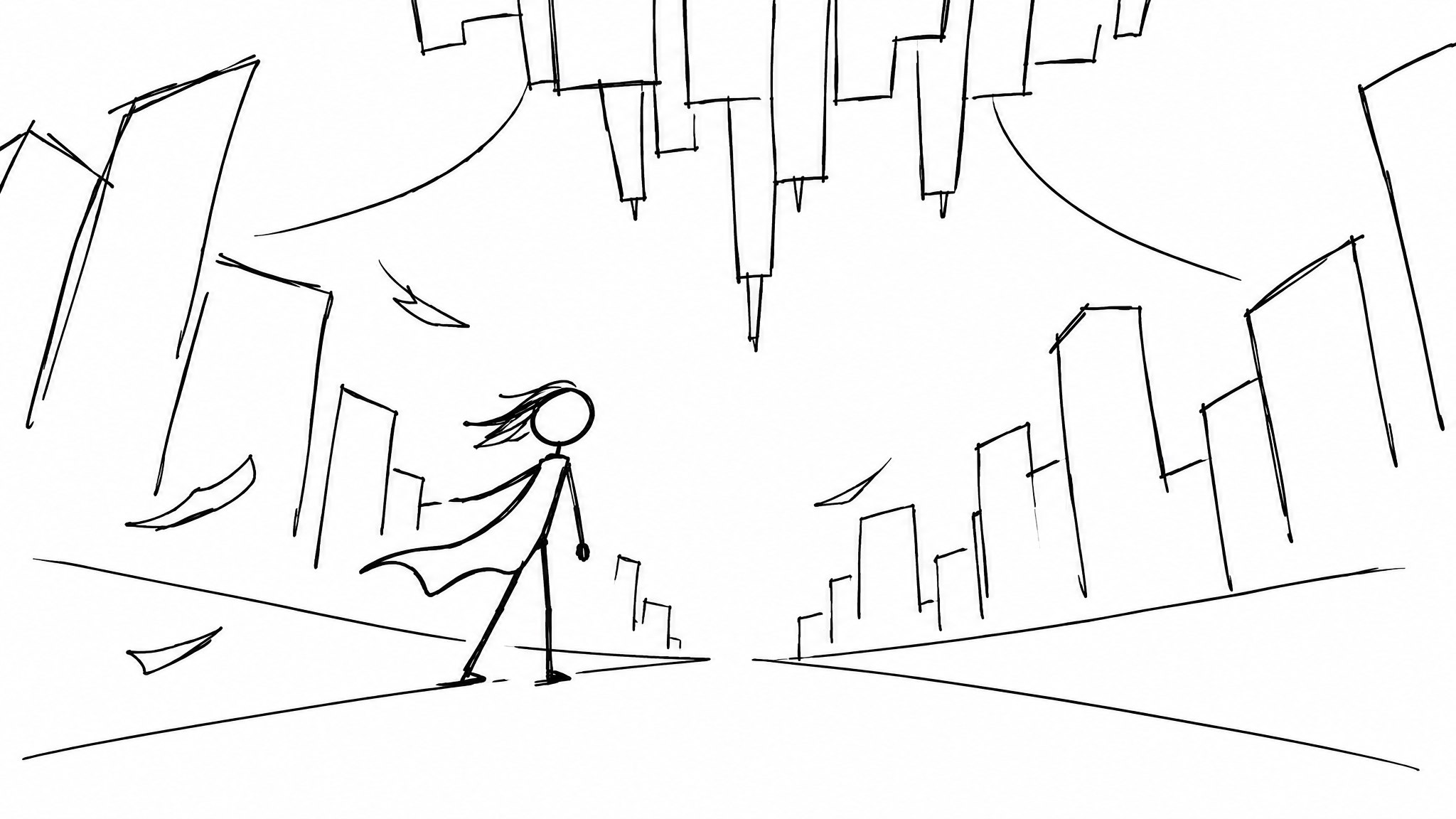
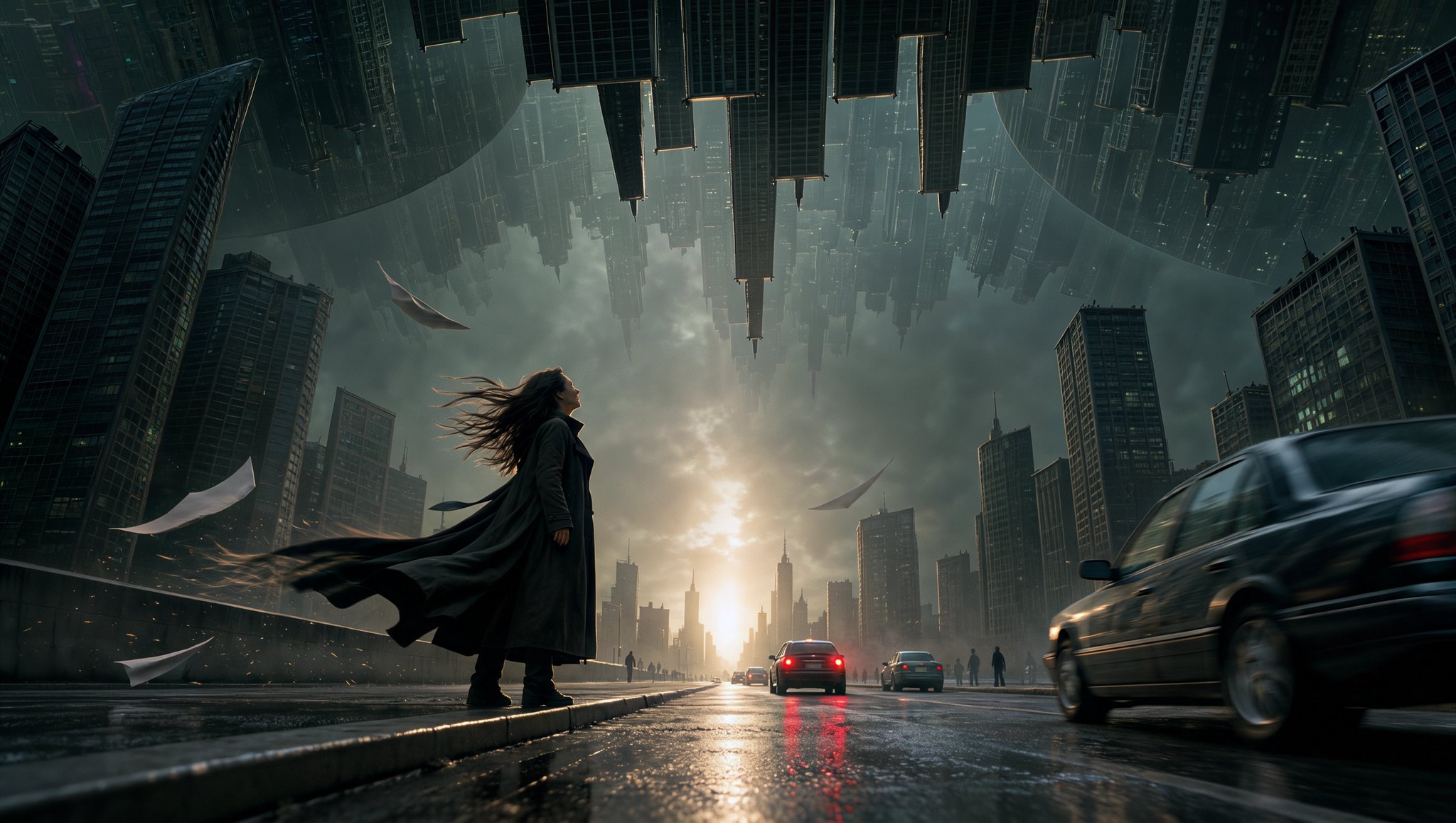 Generated result
A stick-figure sketch becomes a theatrical film still
One rough sketch sets the composition and perspective. The prompt fills in the cast, traffic, light and the folding city, and lists what to avoid.
Prompt
"Use the only uploaded stick-figure sketch as the compositional reference. Transform it into a single 16:9 frame from a big-budget live-action theatrical film. Preserve the sketch's low-angle perspective, the protagonist positioned in the lower-left area of the frame, the street converging into the distance, and the spatial relationship in which an entire city folds upward while another city hangs upside down overhead. Do not retain any sketch lines or the white paper background. A realistic adult female protagonist stands at the boundary between the sidewalk and roadway, wearing a dark long coat and looking up at the inverted city. Strong wind blows from the right side of the frame, sending her long hair, coat hem, loose papers, and dust consistently sweeping toward the left. She appears small in comparison to the city, but her posture and backlit hair remain clearly defined. The street is not empty. In the foreground, a dark sedan passes close to the camera, partially entering from the edge of the frame, creating moderate motion blur and reflections on the wet pavement. In the middle ground, two or three cars move slowly or have stopped in response to the phenomenon, with one showing illuminated brake lights. Sparse traffic and a few pedestrians remain visible in the distance, naturally diminishing in size with perspective. Use ordinary, realistic urban vehicles, not a chase scene or a massive traffic jam. They should bring a sense of everyday life and scale to the street while preserving a clear visual corridor leading toward the warm light in the distance. Do not let vehicles obscure the protagonist or the silhouette of the folding city. A low-angle shaft of warm golden sunlight penetrates the thin mist through a gap between buildings at the end of the street, serving as the visual center of the composition. The high-rises on both sides and the inverted city overhead recede into richly layered cool gray-teal shadows. Warm backlight outlines the protagonist's hair, shoulders, and windblown coat. Long streaks of reflected light on the wet asphalt, subtle highlights on car windows and paintwork, and red reflections from distant brake lights work together to create realistic, dramatic lighting. Preserve recognizable facial details rather than rendering the protagonist as a completely black silhouette. Seamlessly blend a realistic urban exterior with world-class architectural visual effects. The city folds as a complete, structurally coherent and physically massive urban space, not as scattered floating buildings. Vehicles, streets, and architecture must all obey the same perspective and lighting conditions. The image should have the cinematic quality of a theatrical feature film, with natural skin tones, deep but detailed shadows, fine film grain, and restrained lens flare. The atmosphere is quiet, oppressive, and surreal. Avoid: Empty streets without vehicles, excessive traffic or traffic jams, car crashes, explosions, chase scenes, stick figures, illustration styles, video game CGI aesthetics, plastic-looking textures, excessive HDR, blue-purple neon lighting, glowing portals, chaotic light sources, text, logos, and watermarks."
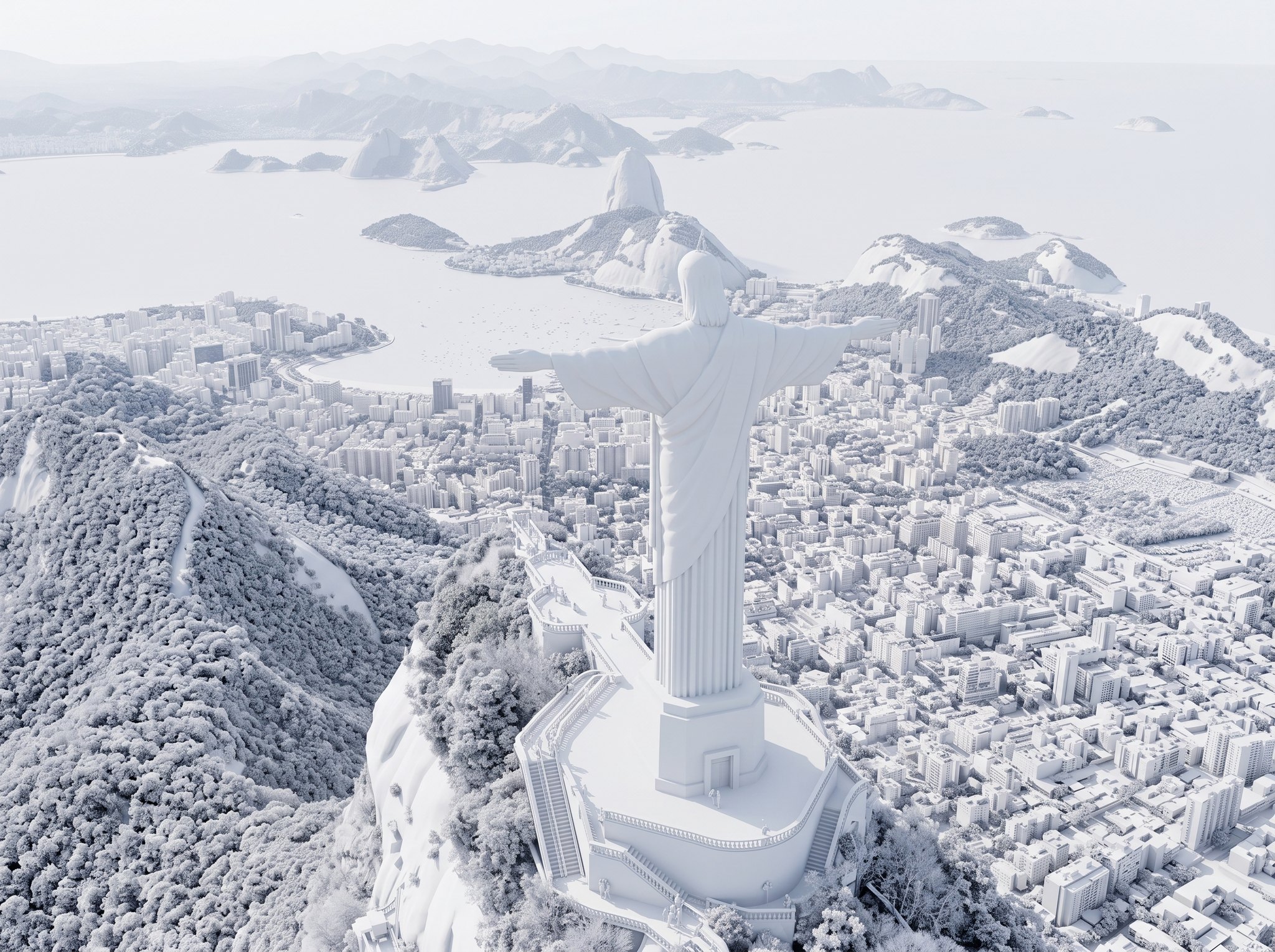
 Generated result
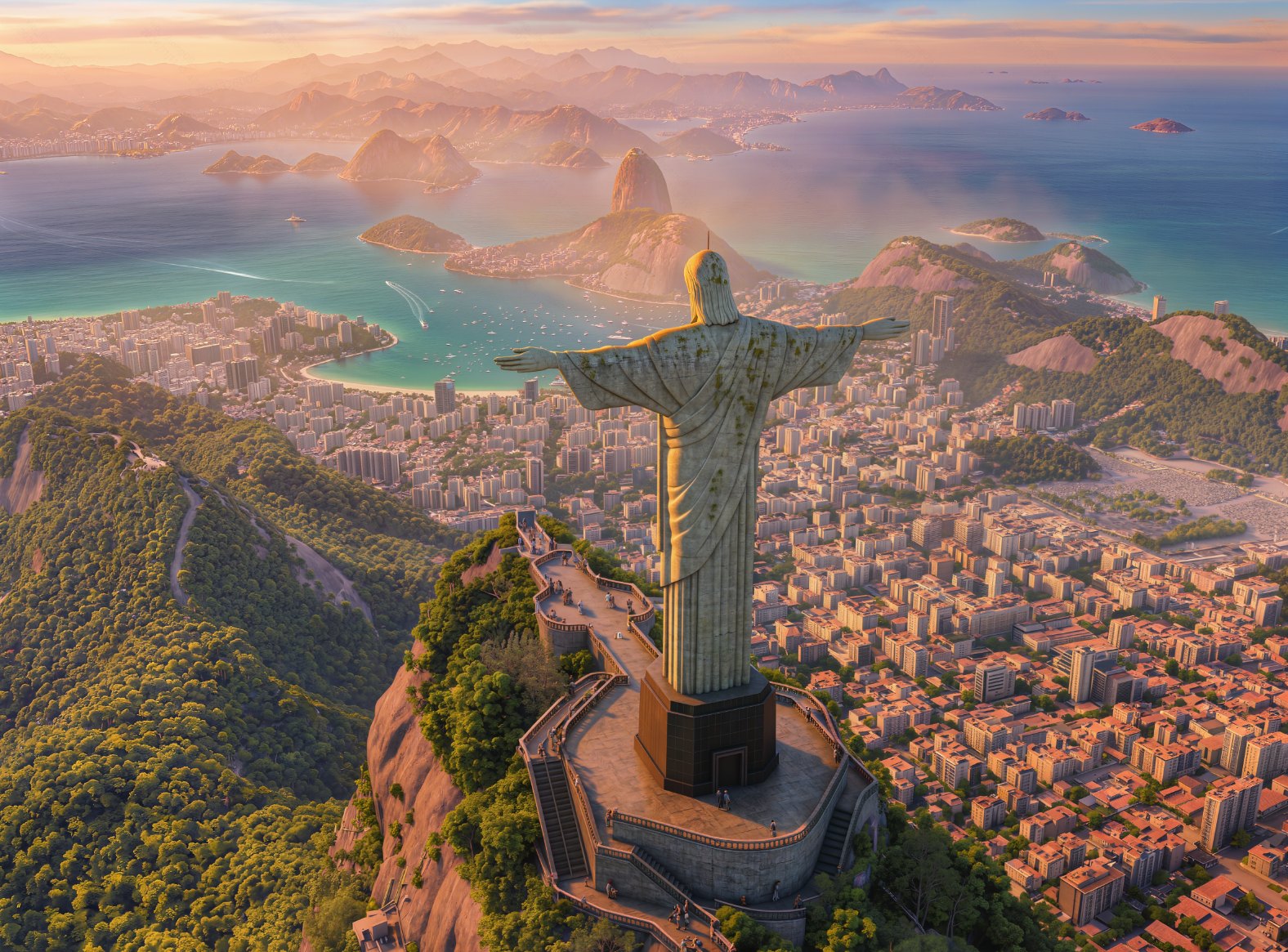
A white-clay render turned golden-hour aerial
An untextured 3D blockout of Rio de Janeiro keeps its exact camera, while Kling Image 4.0 adds materials, rainforest, water and morning mist.
Prompt
"Transform the white-clay 3D render into an aerial CG game render at golden hour. Give the Christ the Redeemer statue realistic blue-gray soapstone material and weathered textures, with subtle patches of moss and traces of rain erosion on the surface. Add dense tropical rainforest vegetation to Corcovado Mountain, with interwoven deep greens and olive greens, and warm brown exposed rock formations. Give Rio's urban buildings realistic materials, including concrete, glass curtain walls, and red-tiled roofs, illuminated by sunlight in warm golden and orange tones. The water in Guanabara Bay should transition from turquoise near the shore to deep blue in the distance, dotted with white yacht trails. Sugarloaf Mountain and the distant mountain ranges should be enveloped in pale purple and pink-orange morning mist, creating distinct layers. The sky should transition from warm orange near the horizon to pale blue overhead, with thin clouds tinted golden pink. Golden-hour side backlighting comes from the left, creating bright rim light along the statue's right arm and shoulder, while the left side of its face and robe folds fall into soft shadow. Long, warm shadows stretch across the mountain ridges and building facades. Volumetric light penetrates the thin mist, forming visible light rays, while subtle warm atmospheric perspective fills the air. Maintain the same composition and perspective as the reference image from an aerial viewpoint, with depth of field transitioning naturally from the sharp foreground mountain to the softly blurred distant mountain ranges."
 Generated result
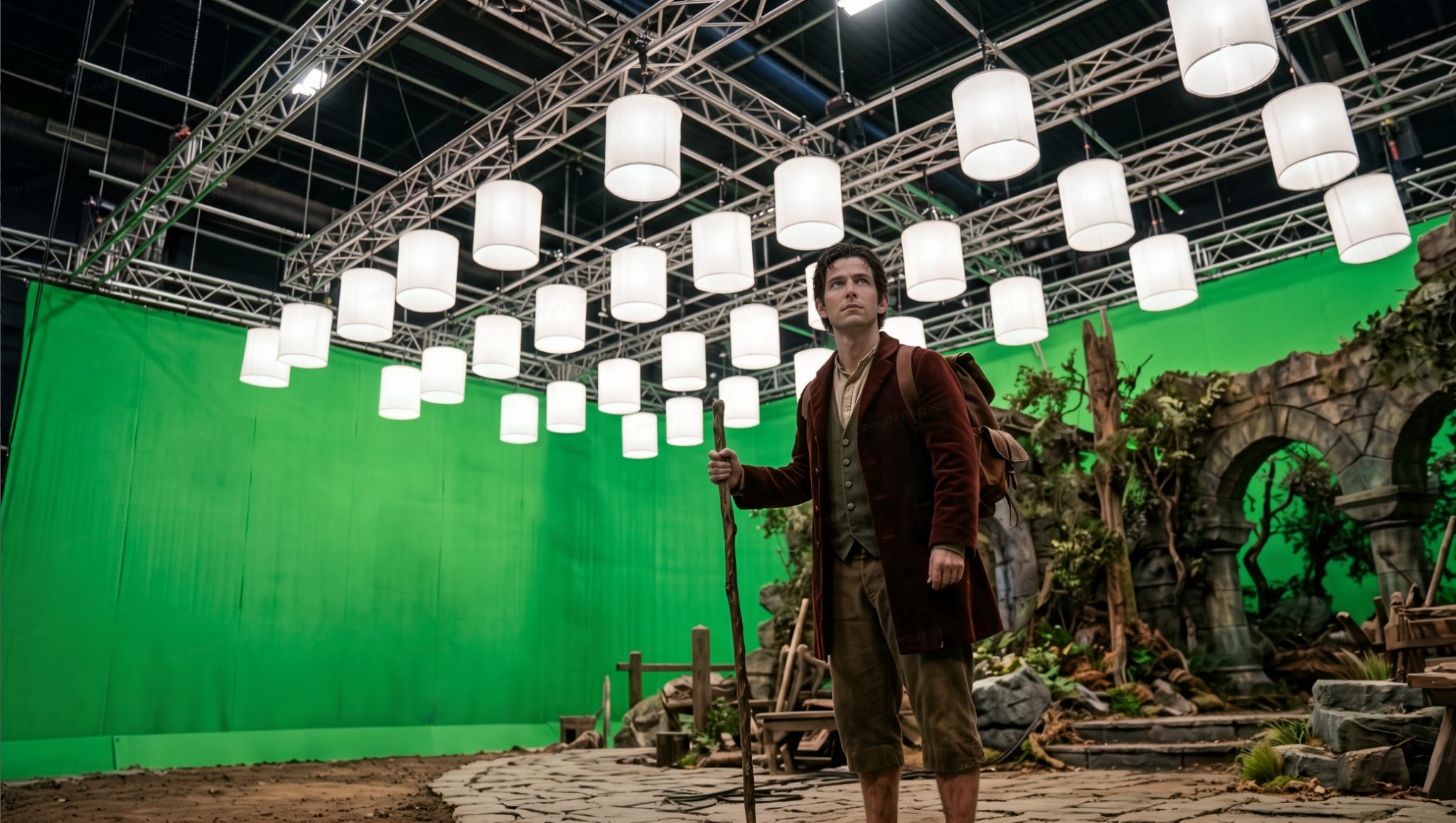
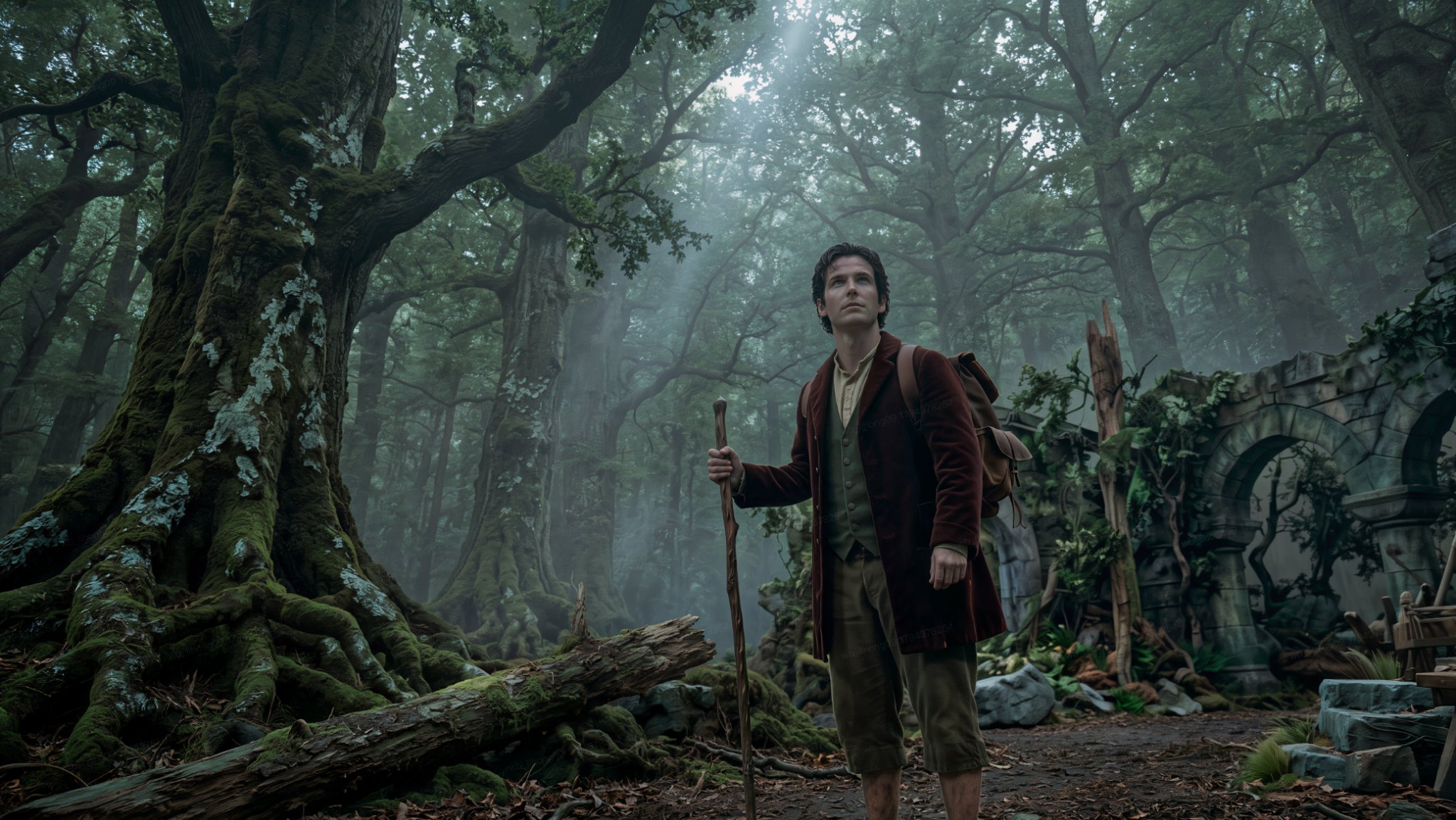
A green-screen stage replaced with an ancient forest
The actor, pose and costume stay put. The studio, trusses and softboxes become a misty old-growth forest with matching natural light.
Prompt
"Replace the large green screen on the left, along with the metal trusses and white softbox lights above, entirely with an ancient forest exterior. Towering oak and beech trees form a dense canopy overhead. Their thick, twisted trunks are covered in deep green moss and gray-white lichen, while their roots twist across the ground like giant serpents. The forest floor is covered with thick layers of dark brown leaf litter, pine needles, and damp soil, scattered with fallen giant trees and moss-covered rocks. Mist fills the distance, where the forest grows deep and dark, with only faint, cool daylight filtering through gaps in the dense canopy to form several soft volumetric light rays. Preserve and extend the stone archway and deadwood set on the right, integrating them into a more expansive ancient ruin atmosphere. More collapsed stone pillars and vine-covered broken walls should be faintly visible behind the archway. Remove all artificial lighting and studio structures. Lighting should come entirely from the natural environment, primarily overcast diffused light, with occasional dappled light filtering through the branches. Use a palette of deep olive green, dark brown, and cool gray, with no saturated bright colors or magical glowing elements. Keep the character's original pose and clothing textures, but naturally integrate the lighting into the forest environment, with soft transitions between light and shadow on the face and clothing under cool ambient light. Cinematic aerial-shot quality, 8K ultra-high definition, inspired by the visual style of the forests in Peter Jackson's Middle-earth films. Natural atmospheric perspective, with depth of field transitioning from the sharp foreground character to the softly blurred distant forest layers. Epic, mysterious, ancient, and realistic."
 Generated result
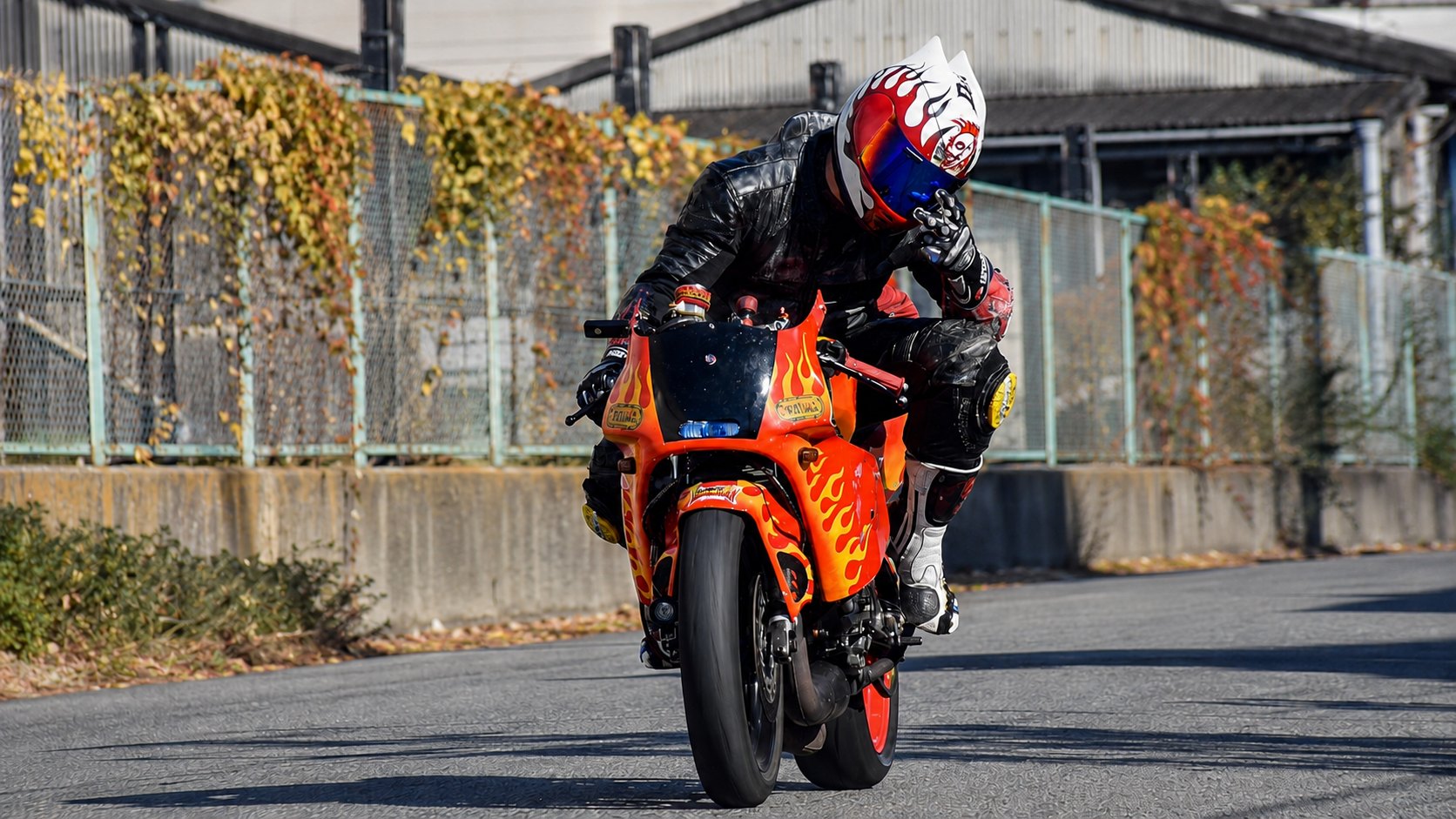
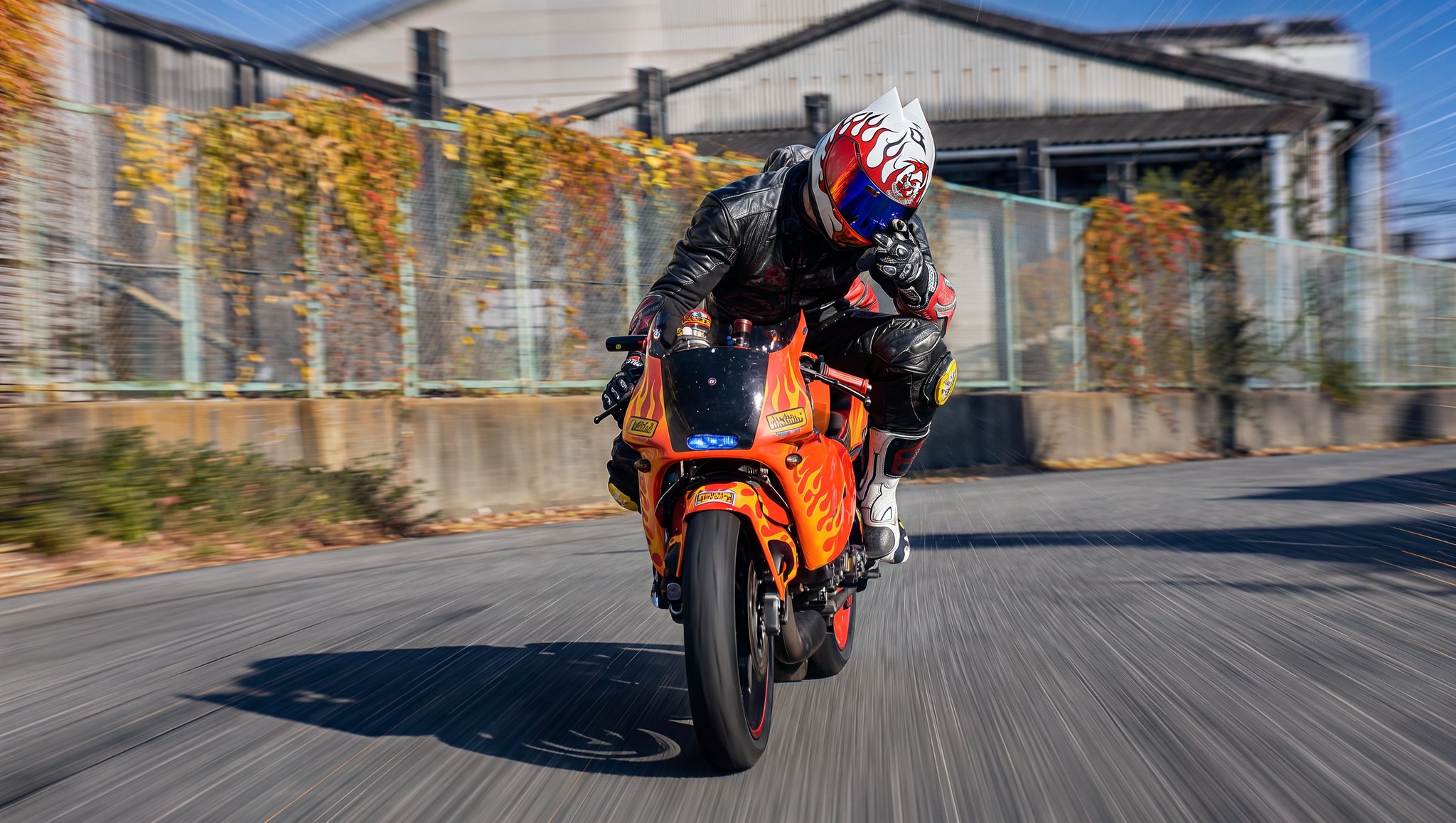
A still motorbike shot turned into a high-speed tracking shot
Nothing in the frame moves or changes. Only realistic motion blur and speed trails are added, as if the camera were chasing the rider.
Prompt
"Without changing any original content, subjects, people, vehicles, buildings, roads, composition, camera position, spatial perspective, or other elements, enhance the image solely through realistic photographic motion blur and camera movement effects to create a cinematic high-speed tracking shot. Do not add, remove, or move any elements. Simulate a fast-moving camera continuously tracking the subject. Keep the subject sharp and clear, while creating natural radial motion blur (Radial Motion Blur) and speed-stretching effects around the edges and in the background. The blur direction must strictly follow the camera's forward movement, gradually intensifying from the center toward the edges to create a strong sense of speed and visual impact. Preserve the subject's details and focus stability. Environmental elements such as the background, roads, buildings, trees, and sky should exhibit realistic camera-motion trails. Combine this with a cinematic shutter angle (approximately 180°–270°) to create natural motion blur. Highlights should show subtle light stretching and speed trails, delivering an immersive dynamic visual effect reminiscent of a real cinematic car chase or high-speed tracking shot."
 Generated result
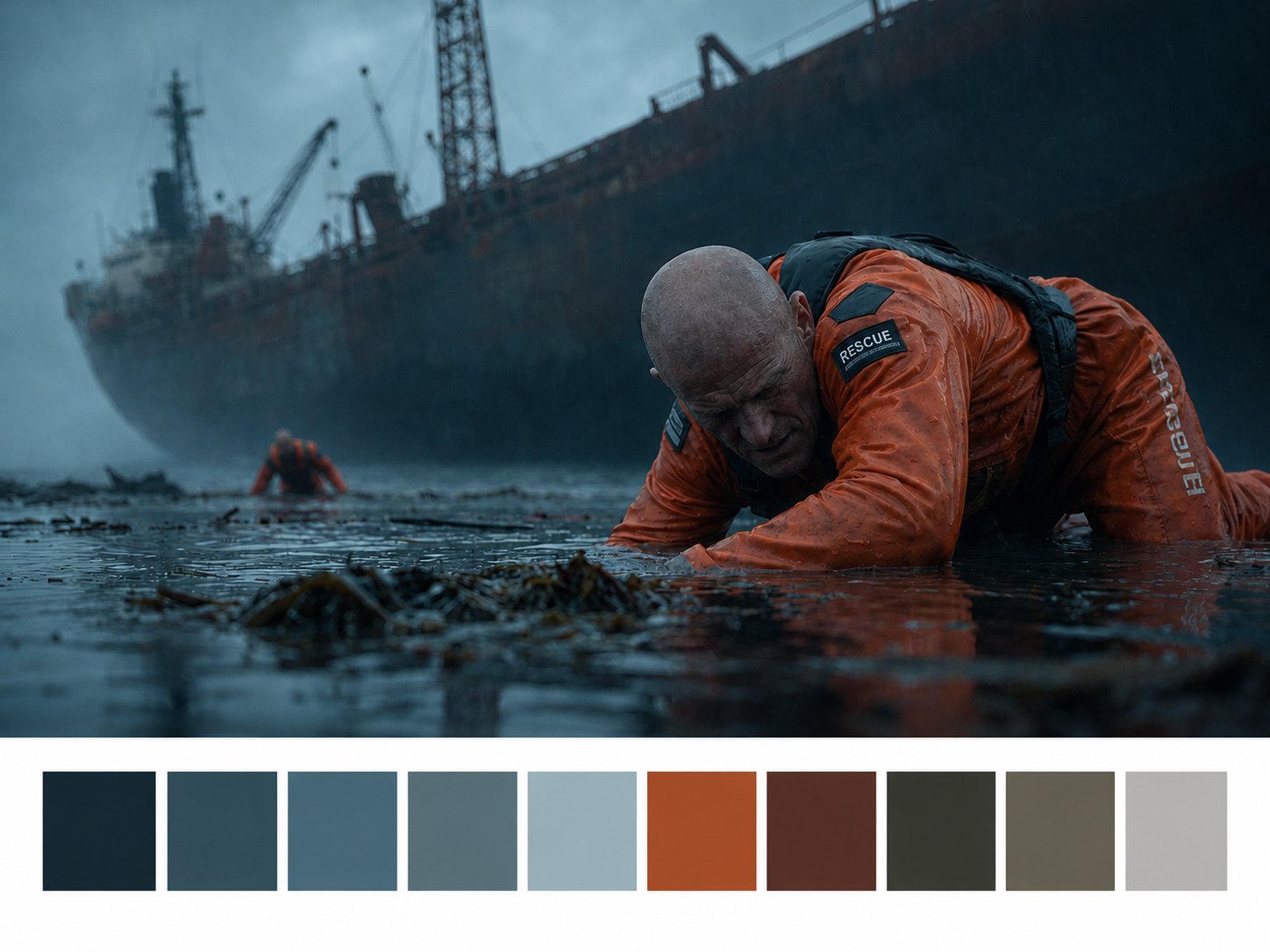
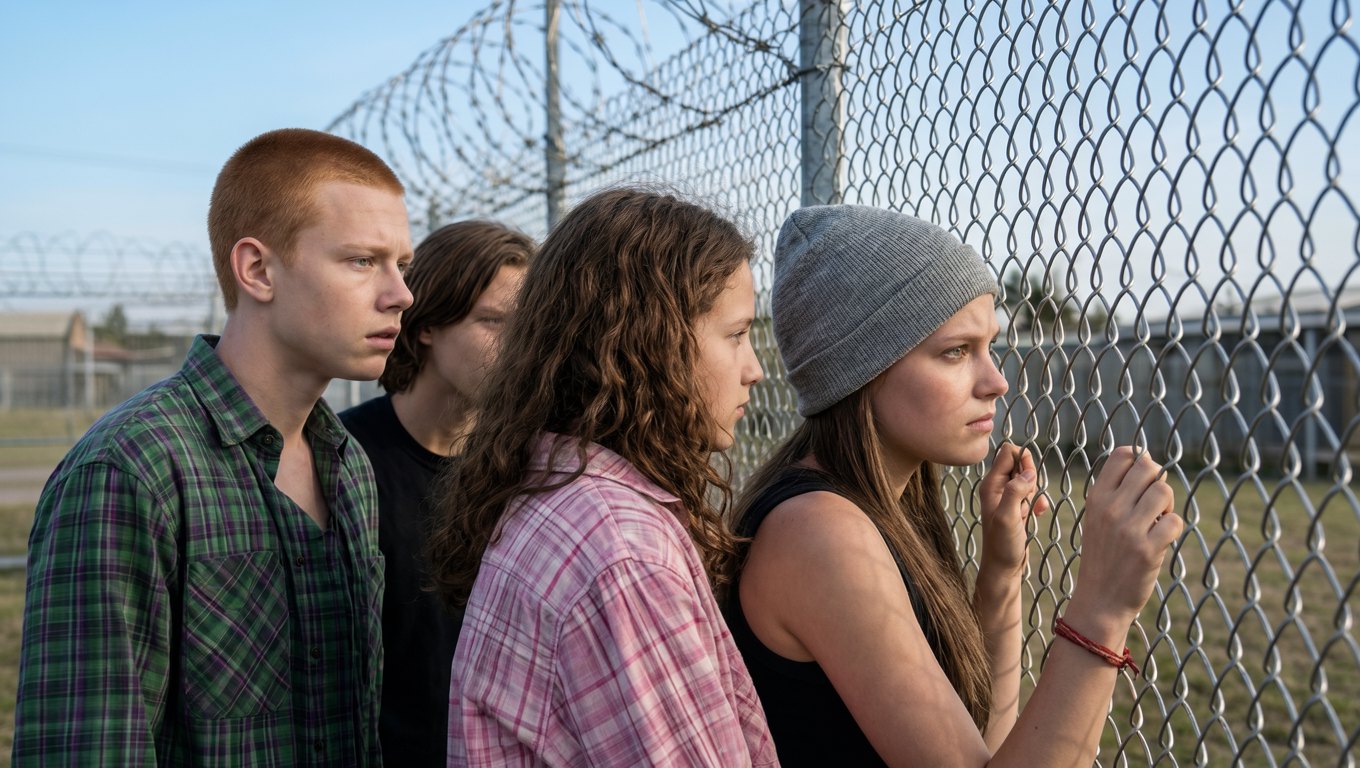
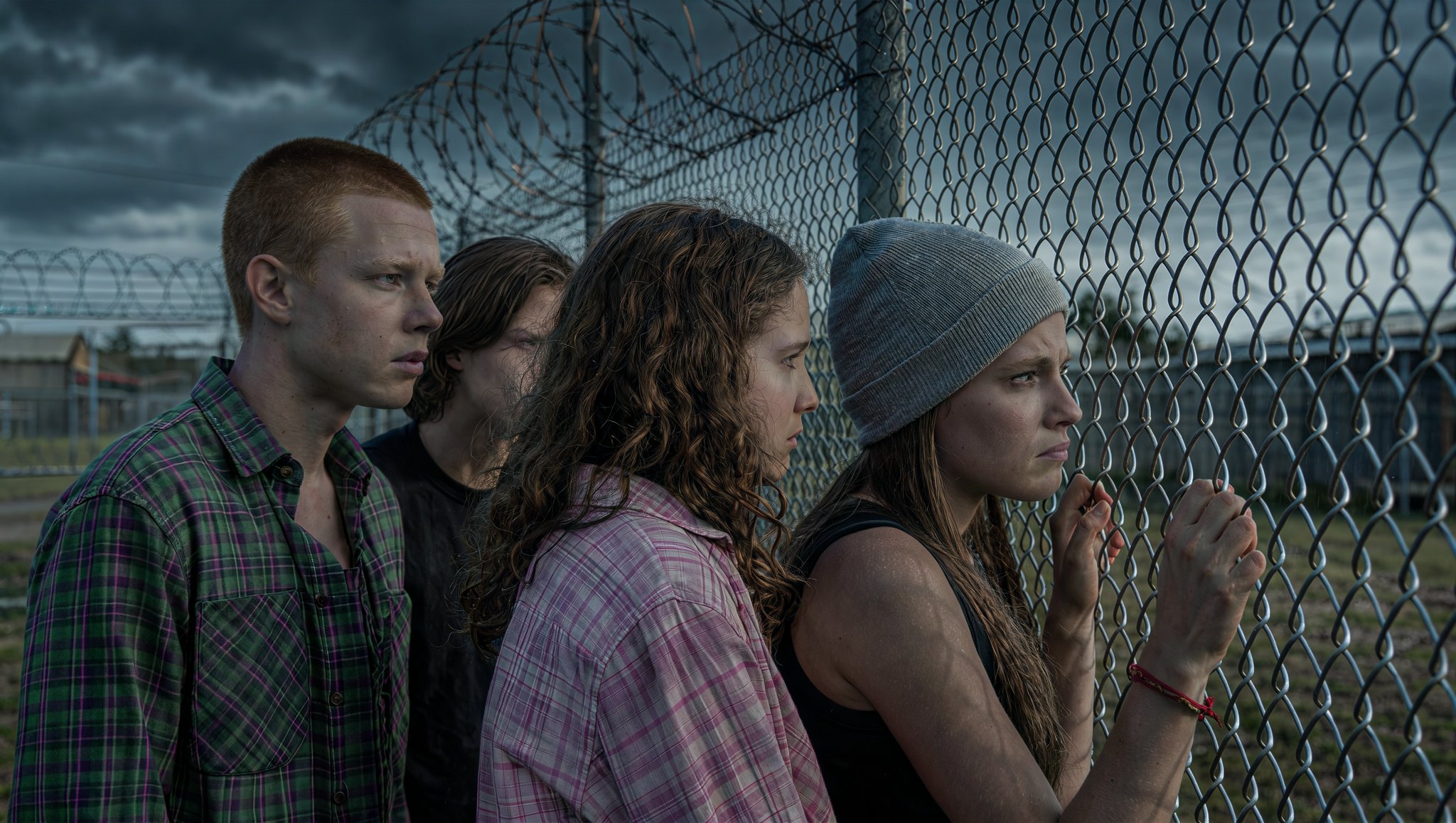
One film's grade applied to a new scene
Reference 1 supplies the tonal atmosphere, reference 2 the scene. The result keeps the people and framing of the second image in the cool teal look of the first.
Prompt
"Use the tonal atmosphere of Reference Image 1 to generate Image 2."
 Generated result
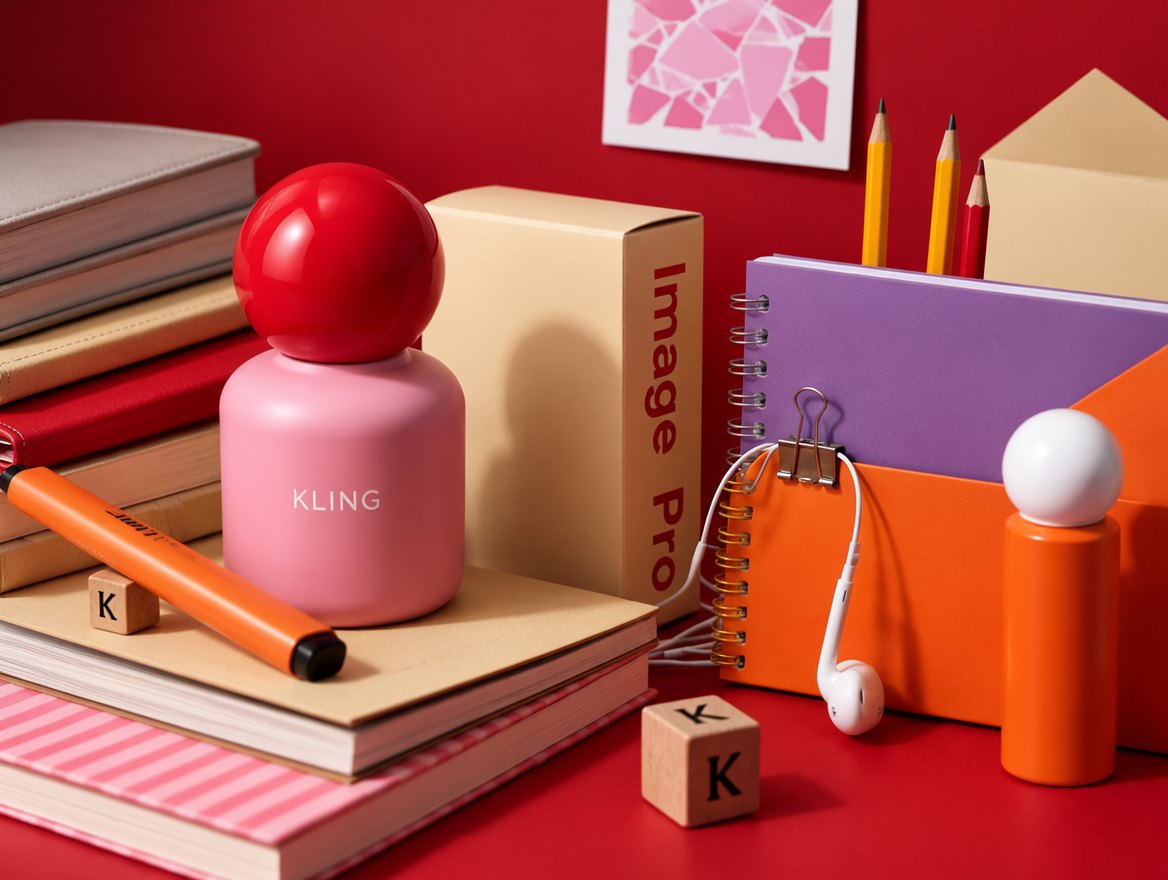
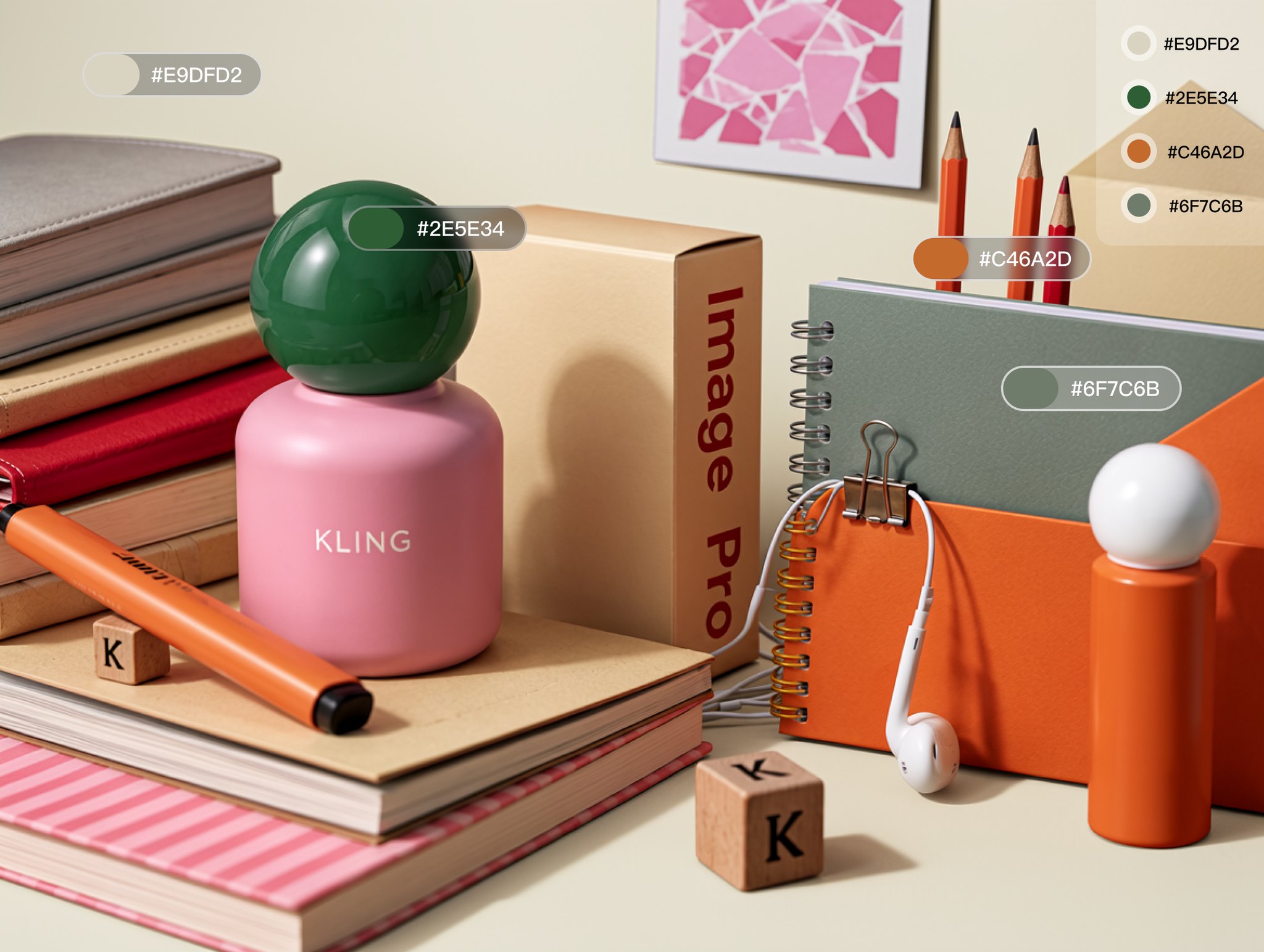
Exact HEX colors on a product still life
Four objects change to four named HEX values. Reflections, materials and the rest of the set stay as photographed.
Prompt
"Change only the colors of the specified objects. Preserve the original commercial still-life photography quality and realistic reflections, making the modified image look as though it was originally photographed using this color palette. Replace the background color with HEX#E9DFD2. Replace the lid color with HEX#2E5E34. Replace the pencil color with HEX#C46A2D. Replace the notebook color with HEX#6F7C6B."

 Generated result
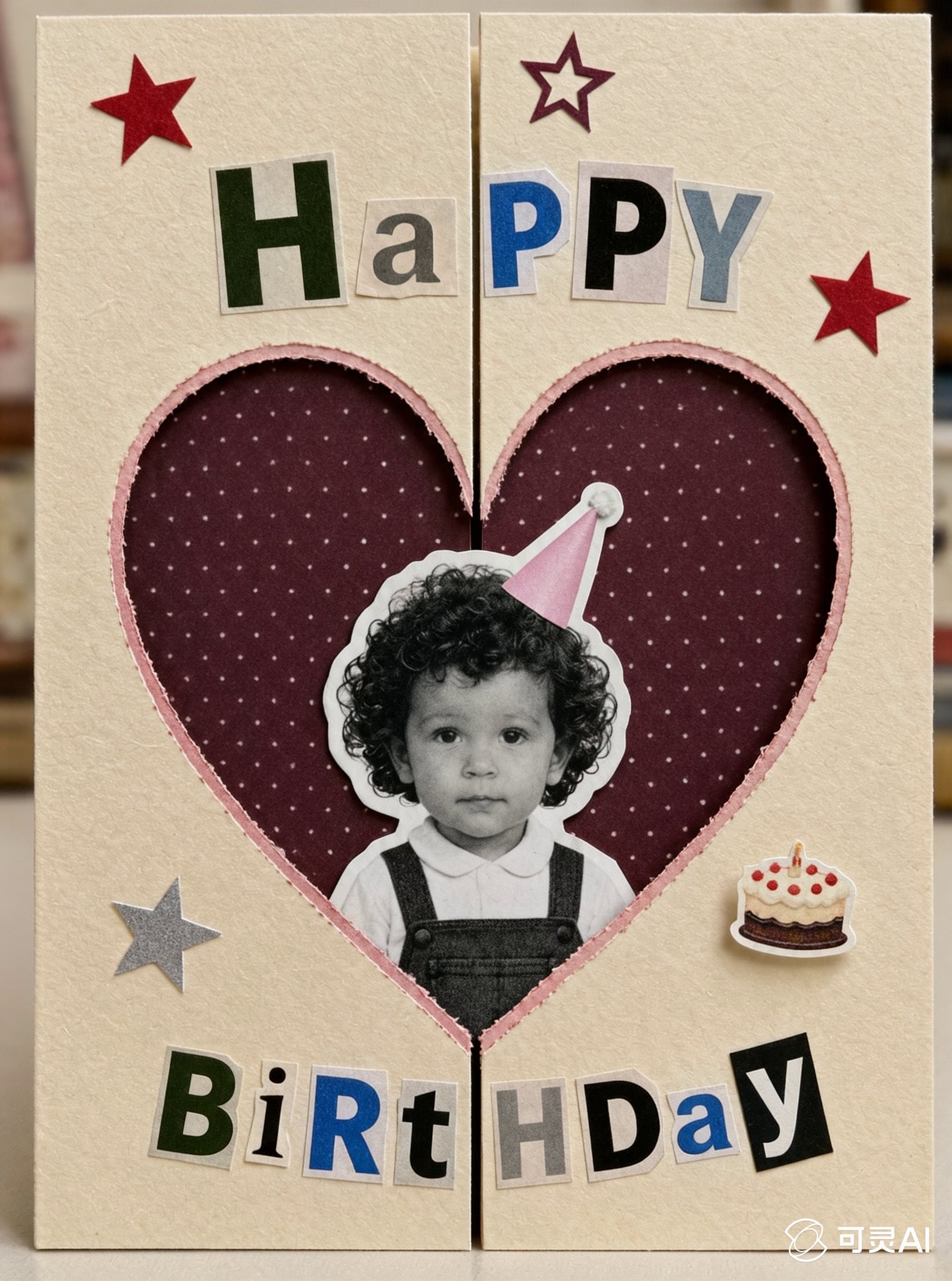
A family photo inside a handmade Christmas card
Reference 1 sets the cut-paper collage style, reference 2 is the family. Faces stay recognizable and the full greeting renders word for word.
Prompt
"Use reference image 1 as the visual style reference and reference image 2 as the only family identity reference. Create a warm handmade Christmas greeting card in a vintage cut-paper collage and scrapbook style. Preserve the exact identity of the family from reference image : the mother, father, and child, including their facial features, hairstyles, skin tones, expressions, family relationship, clothing, and recognizable appearance. Do not add or remove any family members. Carefully cut the family out from the original background and place the family photograph in the center of the card as a colorful printed family photo. Keep the original natural colors of the family photo, including realistic skin tones, hair colors, clothing colors, and facial details. Do not convert the family photo to black and white, grayscale, monochrome, or faded sepia. The family photo must remain clear, warm, vivid, and recognizable. Place the colorful family photo inside a large red or burgundy Christmas heart, Christmas wreath, or handmade irregular paper frame. Give the photo irregular torn-paper edges, a soft cream border, subtle paper shadows, visible glue or tape marks, and a slightly tilted scrapbook placement. The photo should look like a real colorful family photograph pasted onto a handmade Christmas card, while preserving the original family atmosphere and natural smiles. Use an off-white aged paper background with visible paper fibers, light creases, imperfect edges, handmade cutting marks, vintage printing grain, distressed ink, slight color misregistration, and tactile paper texture. Surround the family photo with festive handmade collage elements: red and dark green stars, gold stars, pine branches, holly leaves, red berries, snowflakes, candy canes, Christmas lights, bells, ribbons, gift boxes, stockings, gingerbread cookies, Santa hats, snowmen, and a small Christmas tree. Every decorative element should look like a paper cutout, fabric patch, vintage magazine illustration, or hand-painted scrapbook piece, not glossy 3D icons. At the top or upper area of the card, create handmade collage lettering that reads: “MERRY CHRISTMAS” Use mismatched cut-paper letters with different paper textures, colors, sizes, and typefaces. The phrase must remain clearly readable. Place the following Christmas message in a clean, elegant handwritten or vintage printed text block, preferably on a cream paper note or parchment-like collage panel so that all words remain legible: “Dear Oliver, Wishing you a very Merry Christmas and a happy, healthy New Year. May you stay well, feel happy, and enjoy many warm and peaceful moments with your loved ones. With warmest wishes, Emily” Keep the wording exactly as provided. Do not rewrite, omit, paraphrase, duplicate, or replace the text. Use tasteful dark green, burgundy, or charcoal lettering with good spacing and strong contrast against the light paper panel. The message should feel personal, warm, sincere, and suitable for a family Christmas greeting card. Follow the composition of reference image 1: a central colorful family photograph, surrounded by handmade Christmas decorations, cutout shapes, stars, leaves, ornaments, and scrapbook lettering. Keep the composition charming, slightly asymmetrical, tactile, playful, nostalgic, and carefully balanced. The colorful family photo must remain the main emotional focus, while the Christmas decorations and message support the composition without covering the faces. Color palette: warm cream, muted red, burgundy, forest green, dark green, mustard gold, pale blue, bright natural photo colors, and charcoal black. Vintage 1970s–1990s handmade Christmas card aesthetic, retro scrapbook poster, screen-print texture, faded surrounding ink, colorful family photo collage, cut-paper collage, warm family holiday greeting card, nostalgic handmade design, collectible Christmas card, vertical format, highly detailed."
 Generated result
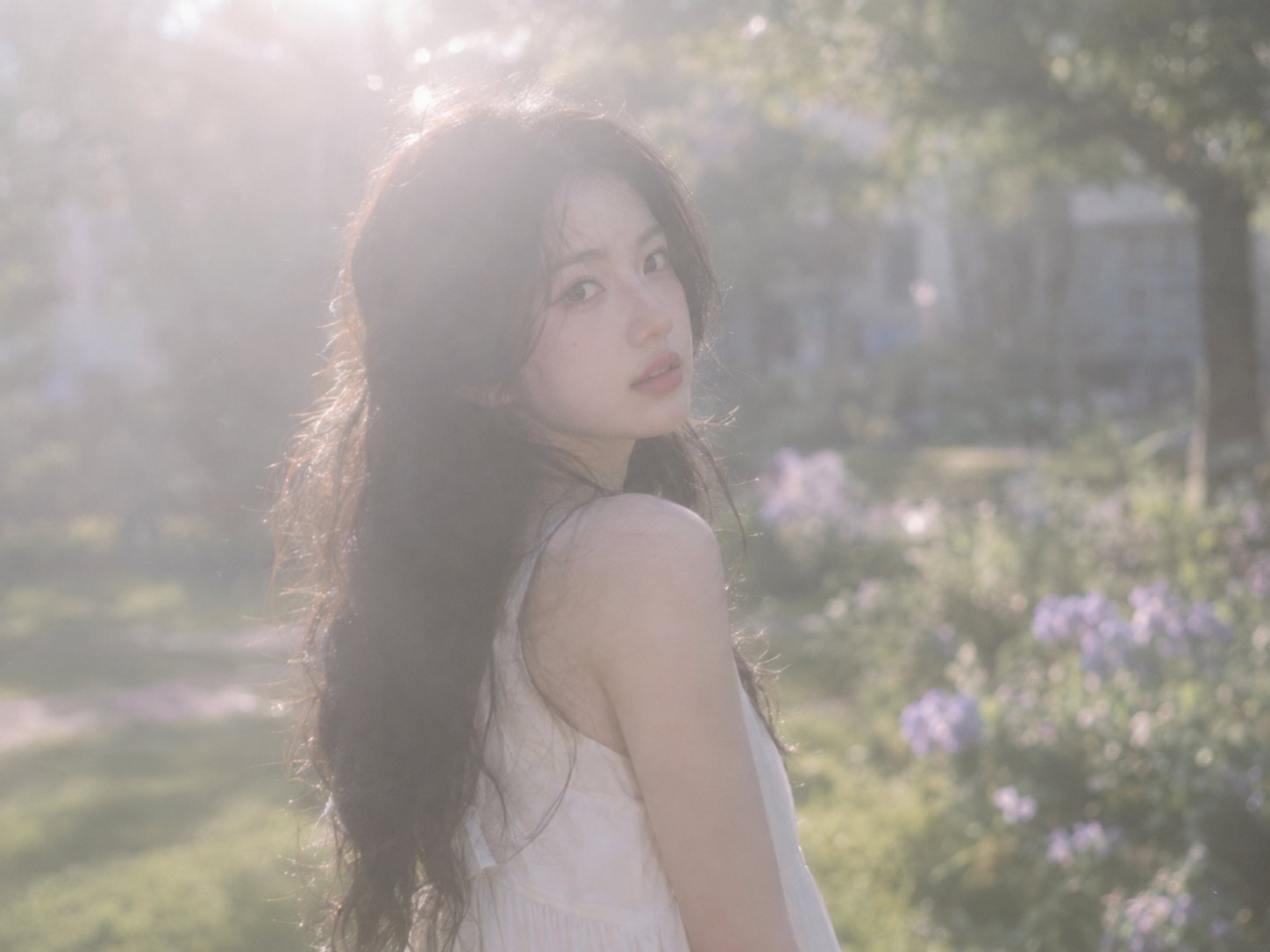
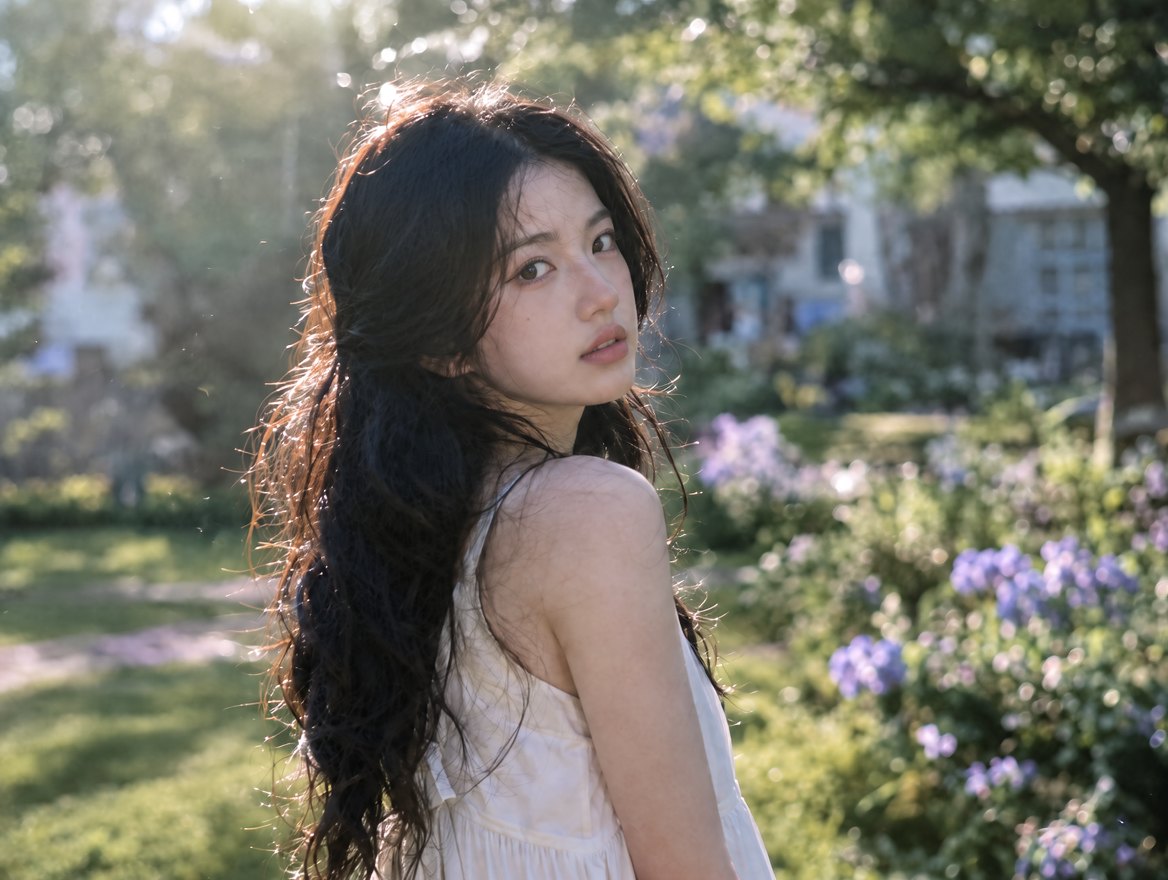
Haze removed, detail restored
A soft, hazy portrait comes back with clean micro contrast in the face, hair and fabric, while the light and color of the original stay the same.
Prompt
"Without changing any original content, subject, person, pose, expression, clothing, hairstyle, composition, camera position, spatial perspective, or other elements, enhance the image quality solely through realistic photographic dehazing and clarity adjustments. Remove the haze in front of the lens, including low-contrast mist, gray haze, diffused glare, and atmospheric fogginess, restoring a clear and natural sense of atmospheric depth. Increase overall micro contrast (Micro Contrast) and local clarity (Clarity), enhancing facial features, hair strands, clothing textures, and material details to make image edges cleaner and clearer. Preserve the original lighting direction, exposure relationships, color gradation, and natural transitions between light and shadow. Only reduce the diffuse reflection caused by haze. Avoid excessive sharpening, noise, halos, white edge artifacts, or an HDR effect."


Build with the Kling Image 4.0 API
The client API handles the request submit protocol. It will handle the request status updates and return the result when the request is completed.
import { fal } from "@fal-ai/client";

const result = await fal.subscribe("kling/v4/text-to-image", {
  input: {
    prompt:
      "Generate 5 presentation slides on 2027 coffee trends for cafe owners. Clean editorial style, ivory background, dark gray text. Slide 1, cover. Slides 2 to 4, one trend each. Slide 5, summary. Keep the color palette and title style consistent across all slides.",
    result_type: "series",
    series_amount: 5,
    aspect_ratio: "16:9",
    resolution: "2K",
  },
  logs: true,
  onQueueUpdate: (update) => {
    if (update.status === "IN_PROGRESS") {
      update.logs.map((log) => log.message).forEach(console.log);
    }
  },
});

// A series comes back in order.
result.data.images.forEach((image) => console.log(image.url));


Kling Image 4.0 endpoints
Text to image and image to image. Both return single images or Image Sets, at 2K, 4K or 8K, and are pay-per-use through the API.




Common questions about Kling Image 4.0
What is Kling Image 4.0?
Kling Image 4.0 is Kling AI's newest image generation model, released on November 17, 2026. It improves realism, text rendering, instruction following and consistency, generates natively at 2K, 4K and 8K, and adds Image Sets of up to 10 related images from one prompt. It is a natural keyframe generator for Kling 4.0 video.
Can I use Kling Image 4.0 for free?
Use the generator at the top of this page. Free runs depend on the active offer and your eligibility; it shows your remaining allowance and any refill time before you generate. When free runs are unavailable, sign in to continue with your fal credits at the model's usual price.
What can I generate on this page?
One 2K image from a text prompt, or add one reference image to edit it. Choose square, landscape or portrait. For 4K and 8K, Image Sets and up to 10 references, use the model playground or the API.
What resolution does Kling Image 4.0 support?
Native 2K, 4K and 8K, set with the resolution parameter (2K by default). Aspect ratios are auto, 1:1, 16:9, 9:16, 4:3, 3:4, 3:2, 2:3 and 21:9. Auto lets the model pick a ratio from your prompt and references.
What are Image Sets?
Set result_type to "series" and the model returns a coherent set of 2 to 10 images from one prompt, in order, with series_amount choosing the count (or "auto"). It plans the set for the task: shots and pacing for a storyboard, angles for a product shoot, structure for a slide deck. With result_type "single", num_images returns 1 to 9 independent images instead.
How do I use reference images with Kling Image 4.0?
Use the image to image endpoint with 1 to 10 images in image_urls. Refer to them in the prompt as @Image1, @Image2 and so on, in the order you add them, and say what each one contributes: identity, outfit, style, color palette or layout.
Can Kling Image 4.0 render text in images?
Yes. It renders up to 2,000 characters in one image, with small print that stays legible, in English, Simplified Chinese, Traditional Chinese, Japanese, Korean, Spanish and Portuguese. Put the exact words in quotation marks, say where they go, and describe the typeface, or pass a font sample as a reference image.
How long can a prompt be?
Up to 50,000 characters on fal. Long prompts work well here: Kling's own examples run to full storyboards and eight-slide decks, written out shot by shot.
Is there a Kling Image 4.0 prompting guide?
Yes. The Kling Image 4.0 prompting guide collects Kling's templates and example prompts for portraits, products, color control, storyboards, slide decks and long-form pages.
How much does Kling Image 4.0 cost on fal?
Eligible free runs appear in the generator above. Otherwise, it is pay-per-use with no subscription and no minimums. Current pricing for each endpoint is on its model page and on the fal pricing page.
Which Kling Image 4.0 endpoints are available?
Two: text to image and image to image, which takes up to 10 references. Both support single images and Image Sets. Information updated as of November 17, 2026.
How do I get started with the API?
Install the fal SDK (Python or JavaScript), grab an API key from your dashboard, and make your first request in a few lines of code. The API is serverless, so there are no GPUs to manage. Check the API documentation for every available parameter.
Can I use Kling Image 4.0 for commercial projects?
Yes. Content generated through the fal API can be used in commercial projects. Check fal's terms of service for full details on usage rights and licensing.
Get in touch about Kling Image 4.0
Building with Kling Image 4.0? Leave your details and our team will reach out.