Loading playground
Input
Additional Settings
Customize your input with more control.
Result
Idle

Customize your input with more control.
Customize your input with more control.
Hint: Drag and drop image files from your computer, images from web pages, paste from clipboard (Ctrl/Cmd+V), or provide a URL. Accepted file types: jpg, jpeg, png, webp, gif, avif, heic, heif
Customize your input with more control.
Billing is calculated per image. Your request will cost $0.018 per image. For example, removing the background from 100 images costs $1.80.
A catalog of 10,000 product shots has the same few failure cases again and again. The second person in a group shot gets dropped. The gaps in a chair back get filled in. A white bottle comes back with grey, see-through patches. A shadow gets cut out as part of the product. RMBG-3.0 is built for these images. You send one image and get back a PNG with an alpha channel: the whole subject, with the background removed.
It's a 4-step distilled model built on Bria's Fibo 2.0, trained only on licensed data, with clear commercial rights.
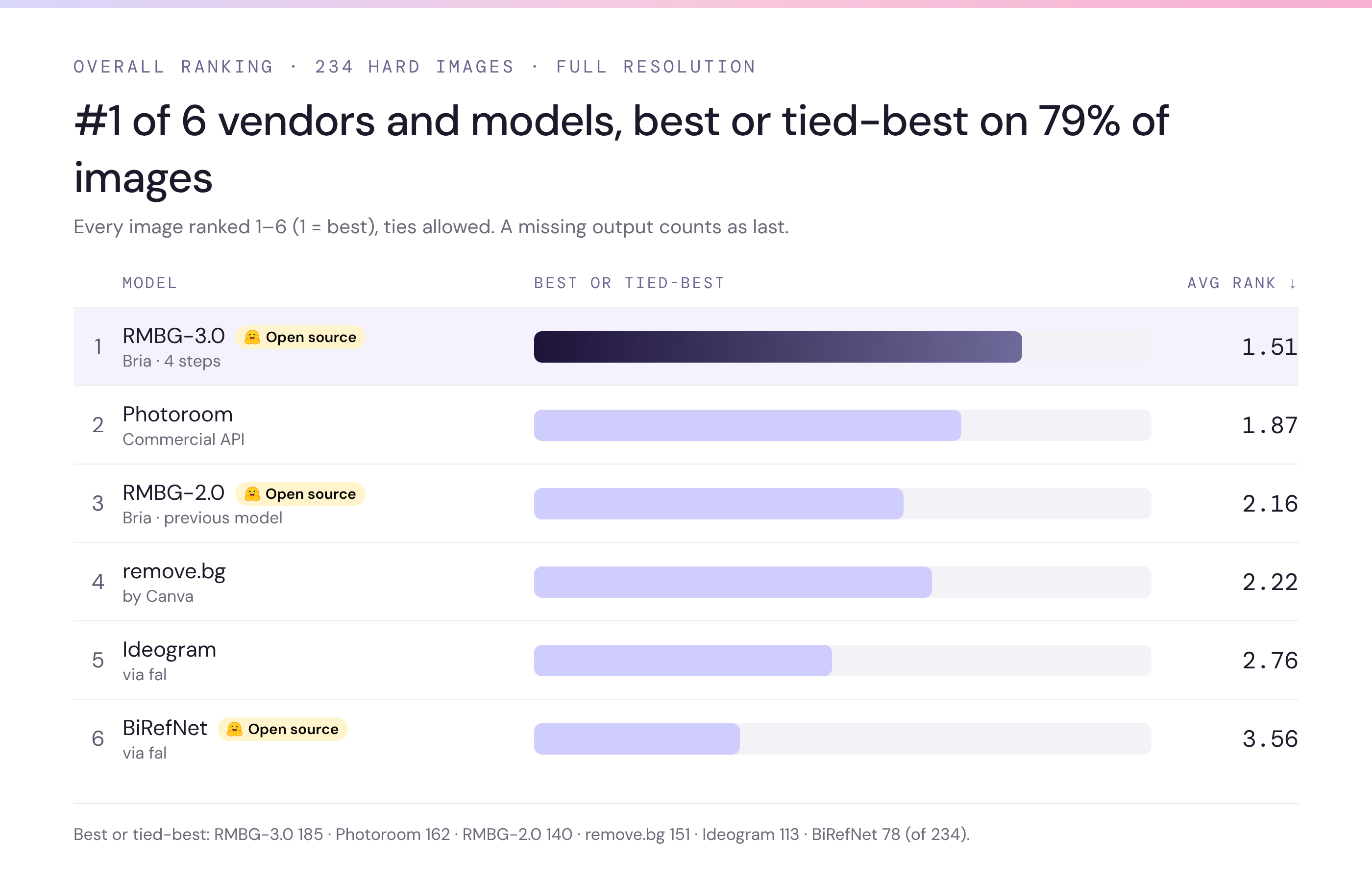
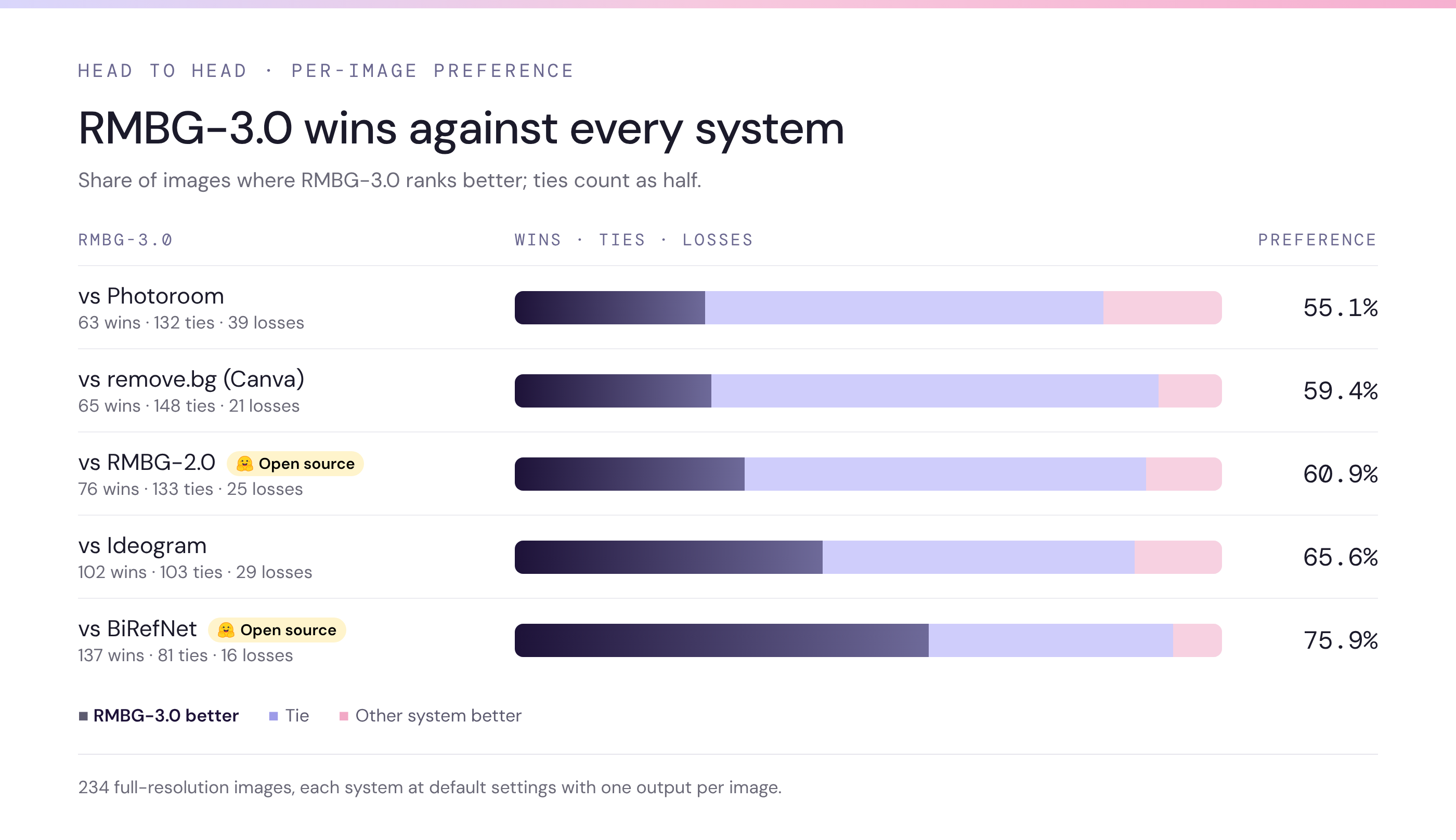
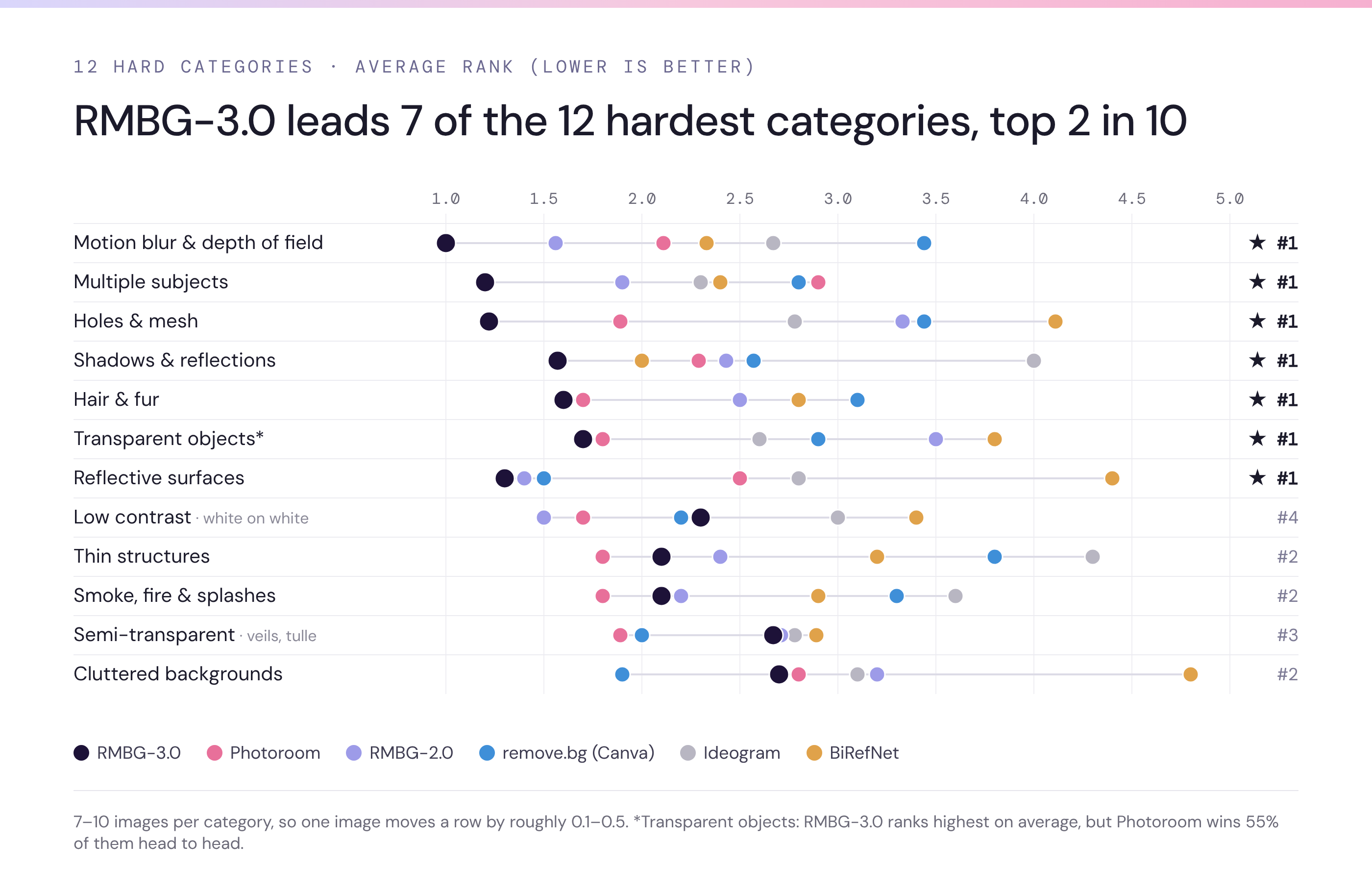
Benchmark: Bria internal, November 2026. 234 full-resolution hard images, each system at default settings with one output per image.
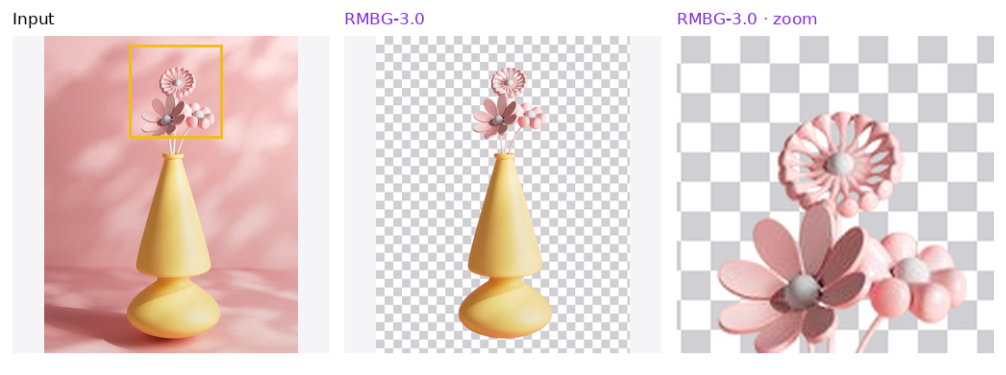
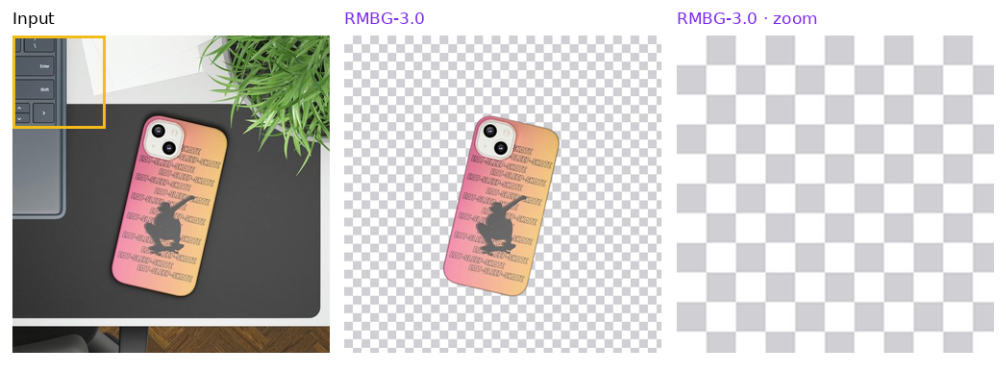
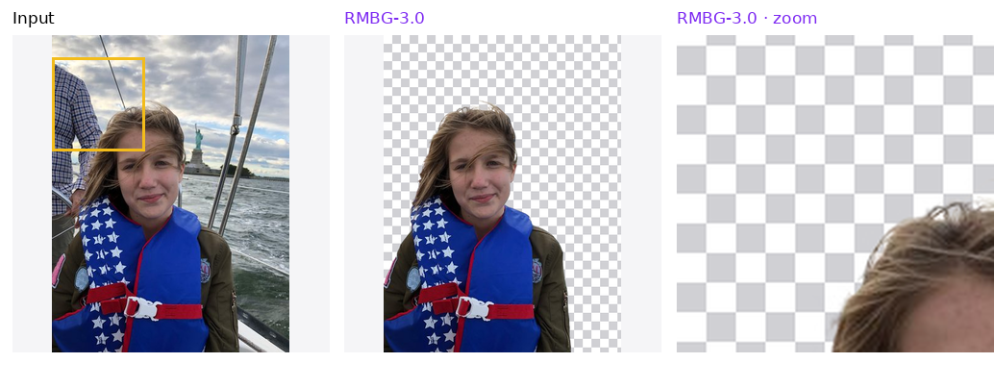
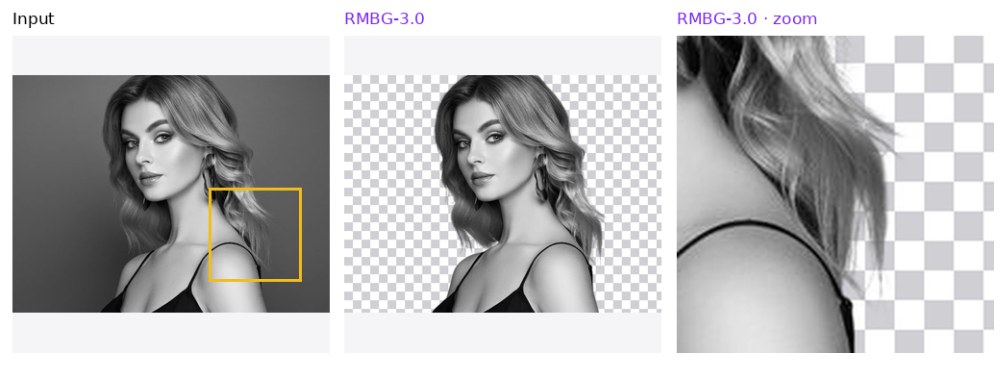
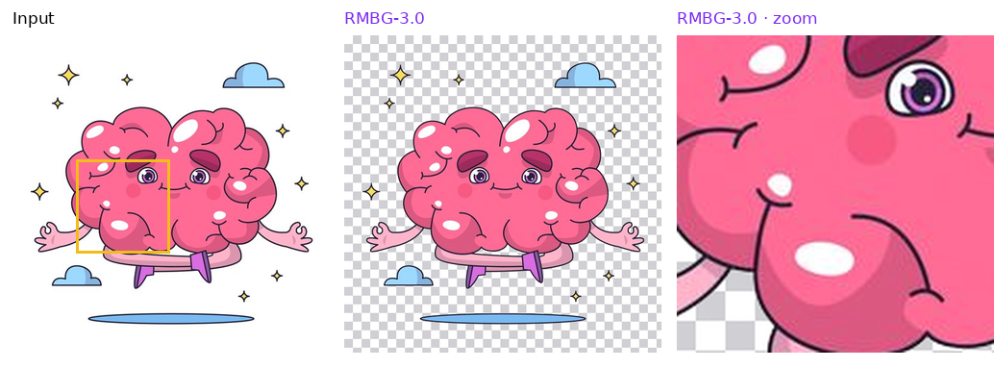
image_url and get back image, a PNG with an alpha channel at the same size as the input.Each row shows the input, the RMBG-3.0 output, and a zoom on the highlighted area.
Openwork kept open. The gaps between the petals stay open.
Only the product. The laptop and the plant on the desk are left out. The zoom on the highlighted laptop corner shows nothing left behind.
Only the subject. The man standing behind her is left out. The zoom on the highlighted area shows nothing left behind.
Fine hair. Loose strands keep a clean, natural edge.
Solid graphic stays solid. The illustration comes out whole, with no holes punched into it.
image_url, the image to remove the background from (file or URL).sync_mode returns the image directly in the response, with added latency.image, a PNG with an alpha channel, with url, content_type, file_name, file_size, width and height.Use cases include e-commerce catalog cutouts, marketplace listings that need clean product images, compositing products onto new backgrounds, group and lifestyle photos, illustrations and graphic design assets, and background removal as one step in an automated creative pipeline.
Limitations. True transparency is still hard: glass, veils, nets, smoke and splashes tend to come out opaque. In busy, low-contrast scenes it can sometimes pull in nearby grass, props or a watermark.
What is RMBG-3.0? Bria's new background removal model. You send an image and get back a transparent PNG with the subject cut out. It's a 4-step distilled model built on Fibo 2.0.
What kinds of images is it built for? The hard ones: group shots, mesh and openwork, white or dark products, and photos with shadows and reflections. It keeps the whole subject, clears the holes, keeps solid products solid, and leaves shadows and reflections out of the cutout.
What does the output look like? A PNG with an alpha channel, at the same size as the input. The background is transparent, so you can place the subject on any new background.
Is it good for e-commerce product photos? Yes. It cuts out the product on its own, leaves the desk, props and shadows behind, and keeps product text, logos and badges intact.
What does it struggle with? Truly transparent objects such as glass, veils and smoke, and some busy, low-contrast scenes.
Is it safe for commercial use? Yes. It's trained only on licensed data, with clear commercial rights.
How is it priced? $0.018 per image.
To edit the image after the cutout, see Fibo 2.0 Edit. For video, see Bria Video Background Removal v3.