Loading playground
Input
Additional Settings
Customize your input with more control.
Result
Idle

Customize your input with more control.
Customize your input with more control.
Hint: Drag and drop files from your computer, images from web pages, paste from clipboard (Ctrl/Cmd+V), or provide a URL.

Customize your input with more control.
Your request will cost $0.04 per image
A product restaging brief might ask for a new backdrop, a different arrangement, or a reference bottle placed in a person's hand. Fibo 2.0 Edit takes the source image and the instruction together, with up to three additional images to show the product, style, or scene being requested. Bria states that the model is trained on licensed data.
The endpoint supports two workflows: a single-image edit, optionally confined by a mask, and an edit guided by multiple images. The controls differ between them, so a mask and a selectable output ratio are not interchangeable options.
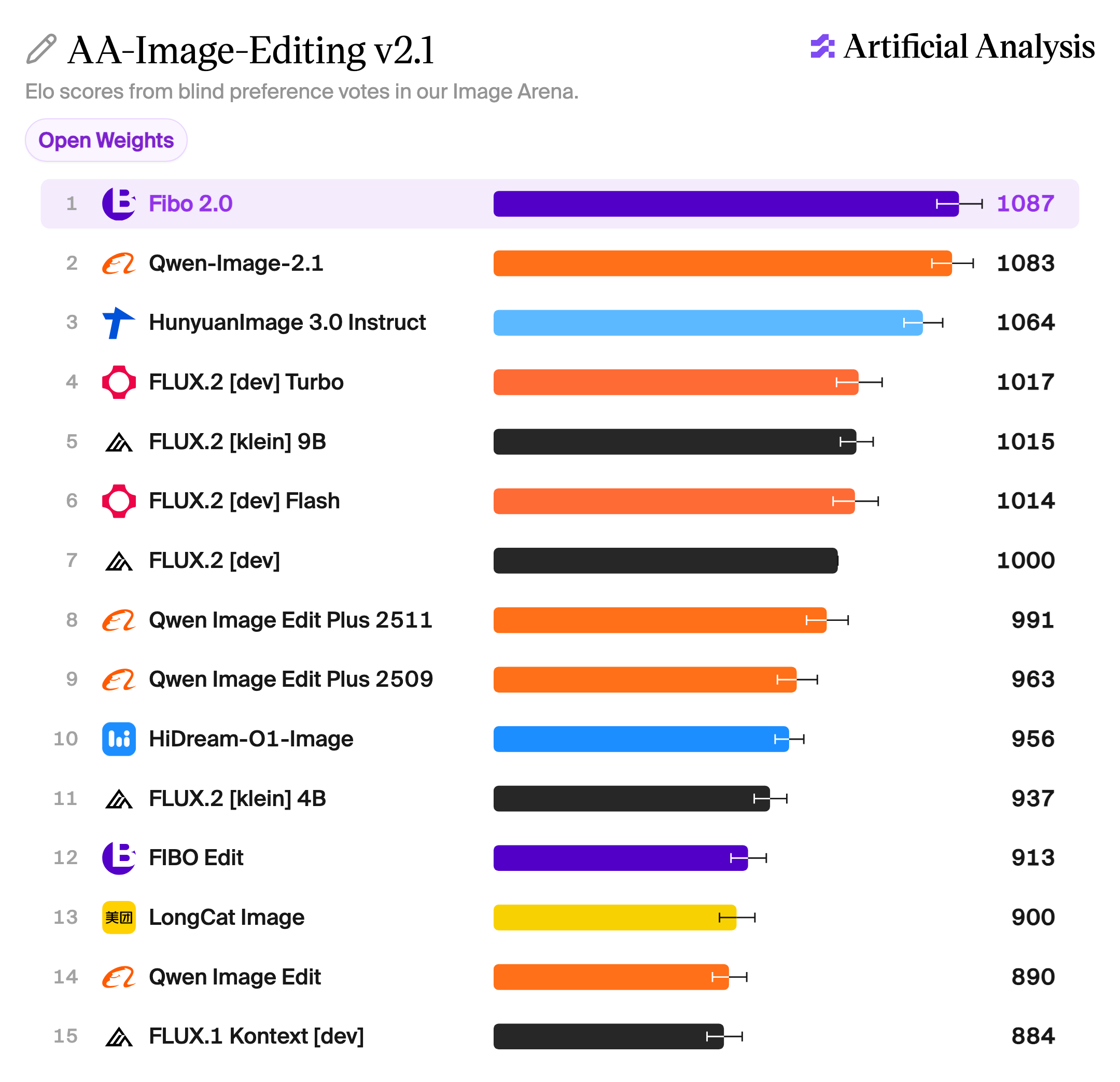
Artificial Analysis AA-Image-Editing v2.1 open-weights leaderboard showing Fibo 2.0 ranked #1 overall with an Elo score of 1087.
Leaderboard snapshot: October 20, 2026.
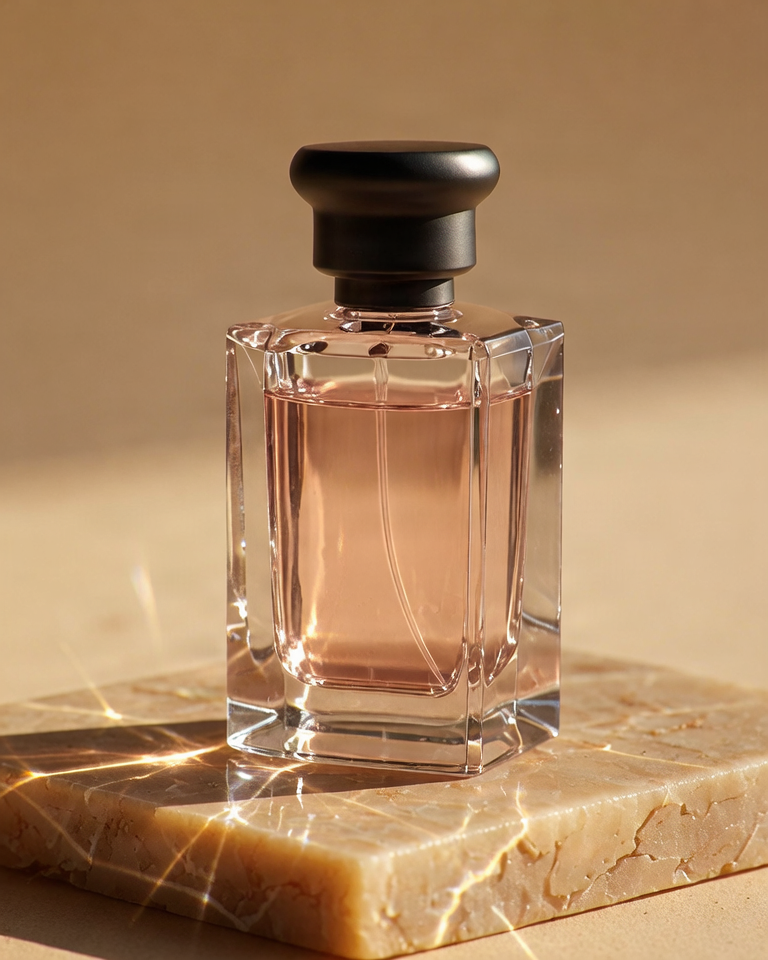
<image_1>, <image_2>, and so on.Restage the serum bottle from <image_1> on a pale lavender stone plinth. Use <image_2> as a reference for the warm side lighting and peach background. Keep the bottle's shape, cap, label text, and colors consistent with <image_1>. Leave space to the right for campaign copy.
The first image establishes the source; the second has a specific role rather than serving as an unspecified style cue. The instruction states both the requested change and the details to retain.
For a local change to one image, a same-size mask can define the region to regenerate. For example, a mask over a prop can confine its replacement while retaining the original image pixels outside that region.
| Single image | Multiple images | |
|---|---|---|
| Input | One source image | Source first, then up to three references |
| Mask | Optional; same dimensions as the source | Not supported |
| Aspect ratio | Keeps the source ratio | Selectable; defaults to the first image's ratio |
| Masked output | Source dimensions; original pixels outside the mask | Not applicable |
A seed controls reproducibility. sync_mode returns the image directly in the response and adds latency. The response contains image, the same image in the single-item images list, and the vgl used for the edit.
Use cases include background changes, product and lifestyle restaging, reference-guided variations, and adaptations of campaign creative.
What is Fibo 2.0 Edit? Bria's image editing model. It accepts an image and an instruction, optionally with up to three more images to steer the result, and makes targeted edits while keeping the product true to the original.
What kinds of edits is it built for? E-commerce and marketing edits: background swaps, product restaging, adapting campaign visuals for new markets, and on-brand variants at catalog scale.
How much control do I get? The text instruction and up to three reference images steer the result. A mask can confine an edit to one region of a single image.
How many images can I send? Four per request: the source image plus up to three references. A mask is supported on single-image requests only.
Will it change the product? It is built to keep the product true to the original while changing the scene around it.
Is it fast enough for production? Bria reports under 2 seconds for the model and under 5 seconds end to end through the Bria API. These are Bria API measurements; latency on fal has not been independently verified.
Is it safe for commercial use? Yes. Fibo 2.0 is trained only on licensed data, with clear commercial rights.
Can it also generate images? Yes, from text, on the separate Fibo 2.0 Generate endpoint.
How is it priced? Your request will cost $0.04 per image.
For a new image from a text prompt, use Fibo 2.0 Generate. For a dedicated product-placement workflow, see Bria Product Holding.