


MAI Image 2.7
Generate and edit images with Microsoft AI's newest model: high-fidelity generation for hero assets, and precise edits that keep composition and identity. Type a prompt or add a reference, then create a 2K image right here.
Start with an idea.
Describe it in a few words, or add an image to build on. Your result will appear here.
One 2K image per run. Use the playground for custom sizes, a second reference and MAI Image 2.7 Flash.


What can MAI Image 2.7 do?
Natural-language AI image generation
Describe the image in plain language and MAI Image 2.7 generates it, from editorial portraits to product stills and magazine covers. Pick a preset size at 1K or 2K or set a custom width and height, and get PNG, JPEG or WebP back, with transparent backgrounds in PNG and WebP.
Edits that keep composition and identity
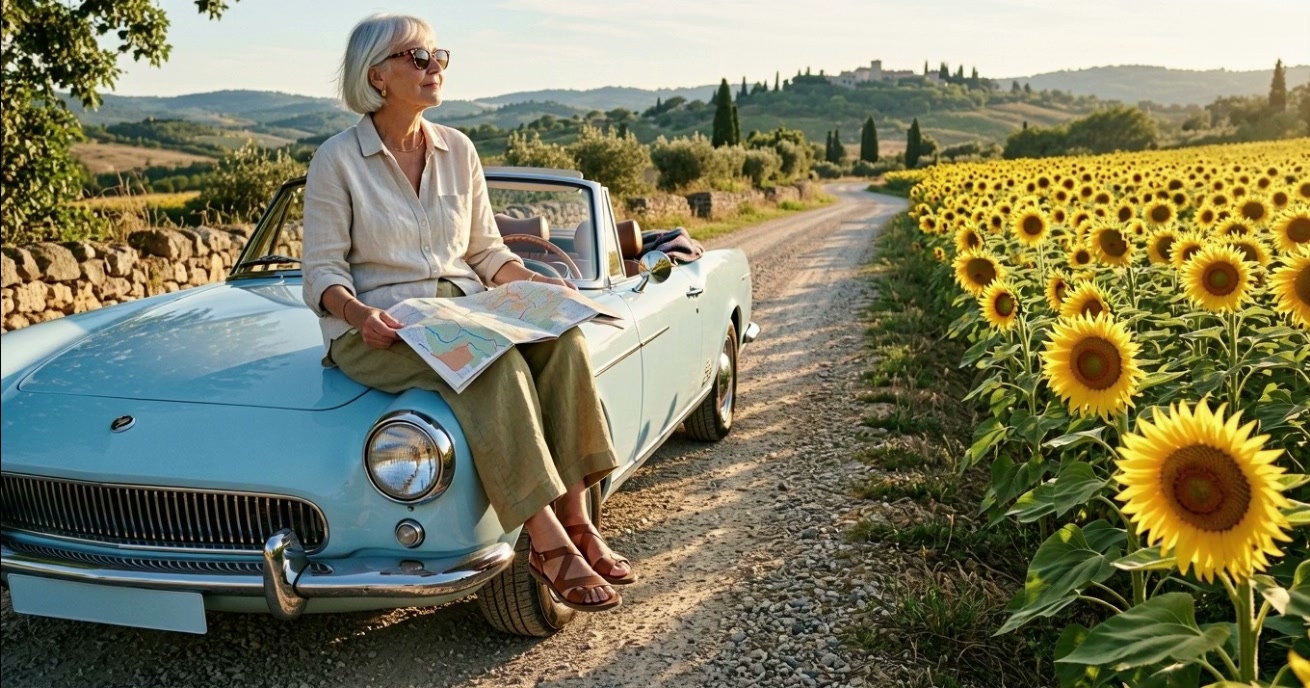
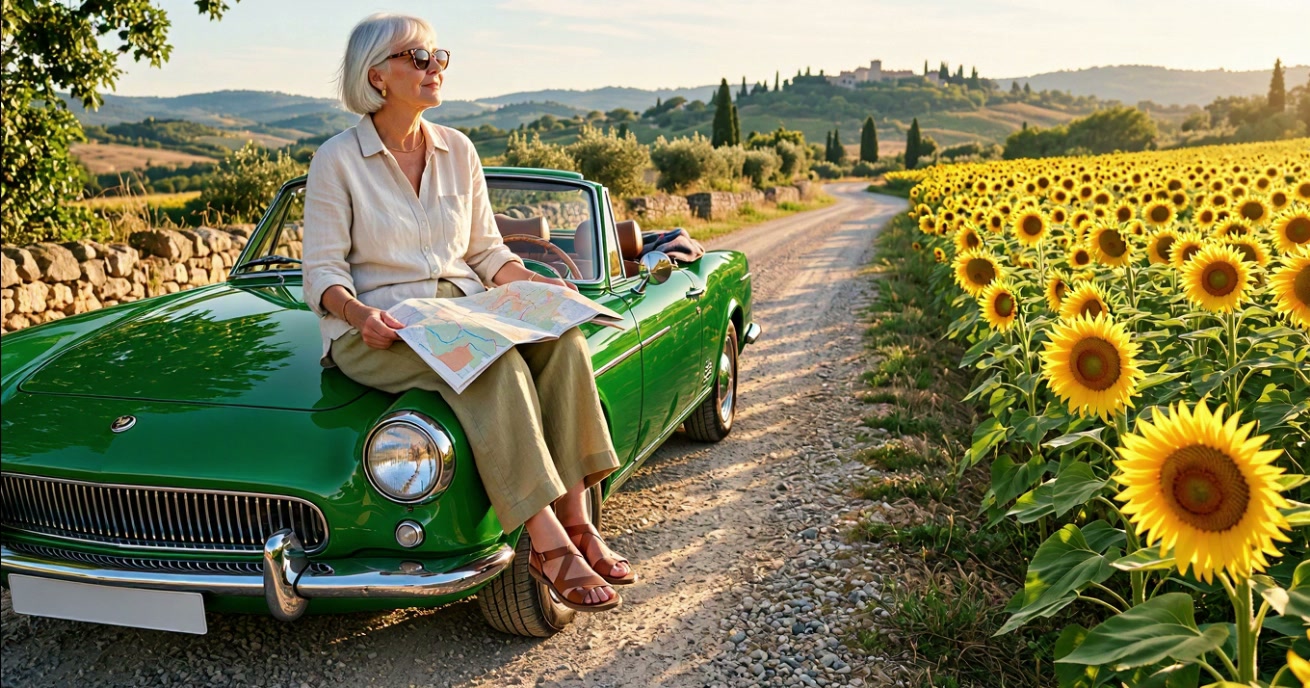
Change one thing and MAI Image 2.7 leaves the rest of the scene alone. Here, "Change the pale-blue car to a glossy racing-green car" repaints the car, with matching reflections, while the woman, her pose, the road and the sunflowers stay exactly where they were.
Edit with two reference images at once
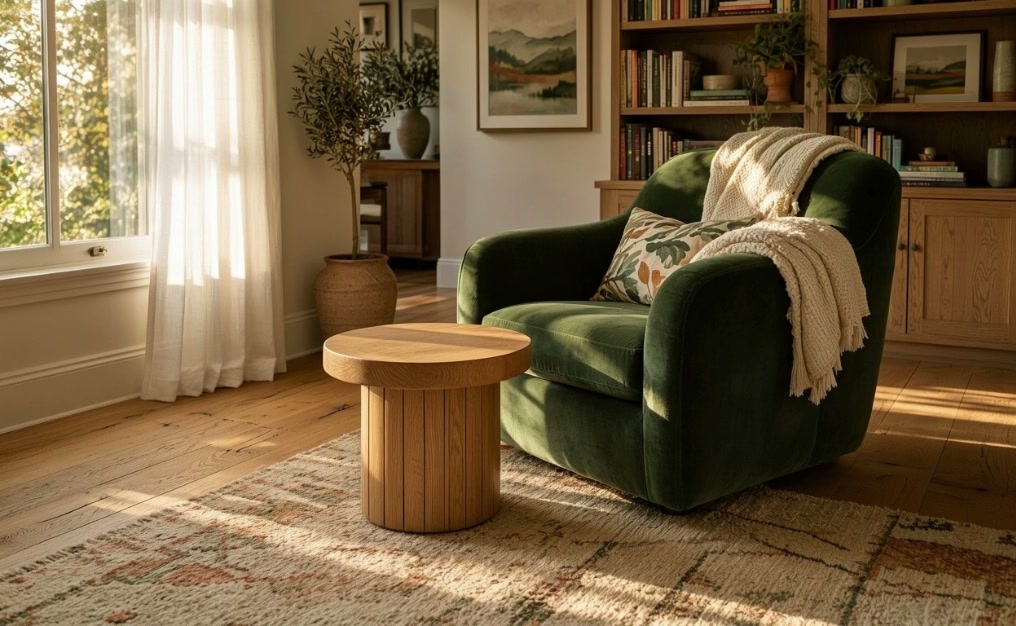
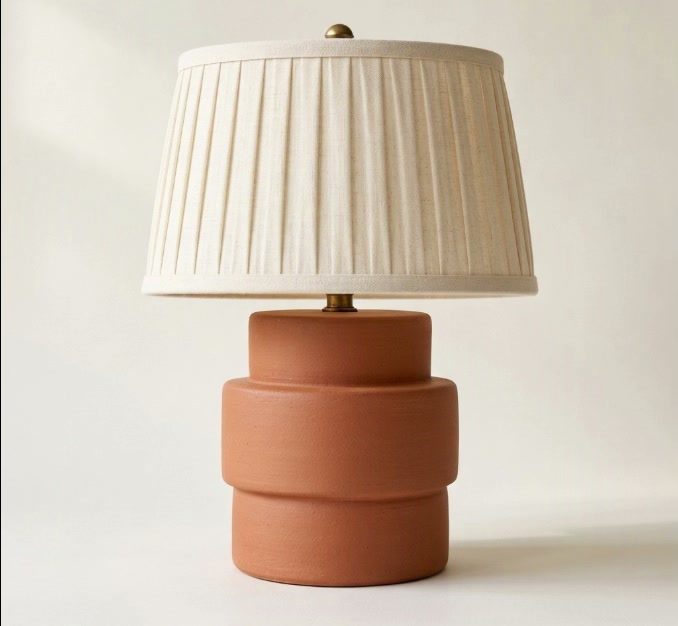
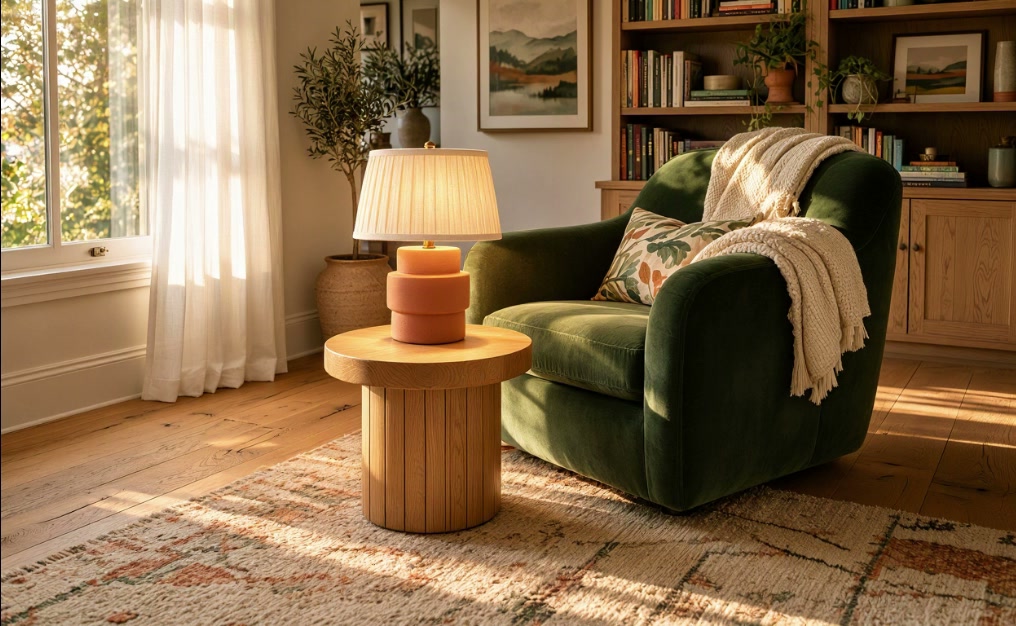
Pass several images and say what to take from each. "Place the lamp from the second image on the oak side table in the first image" brings the lamp into the room with its shape and materials intact, lit by the room's own light. Both MAI Image 2.7 and Flash take up to two reference images.
Change the words inside an image
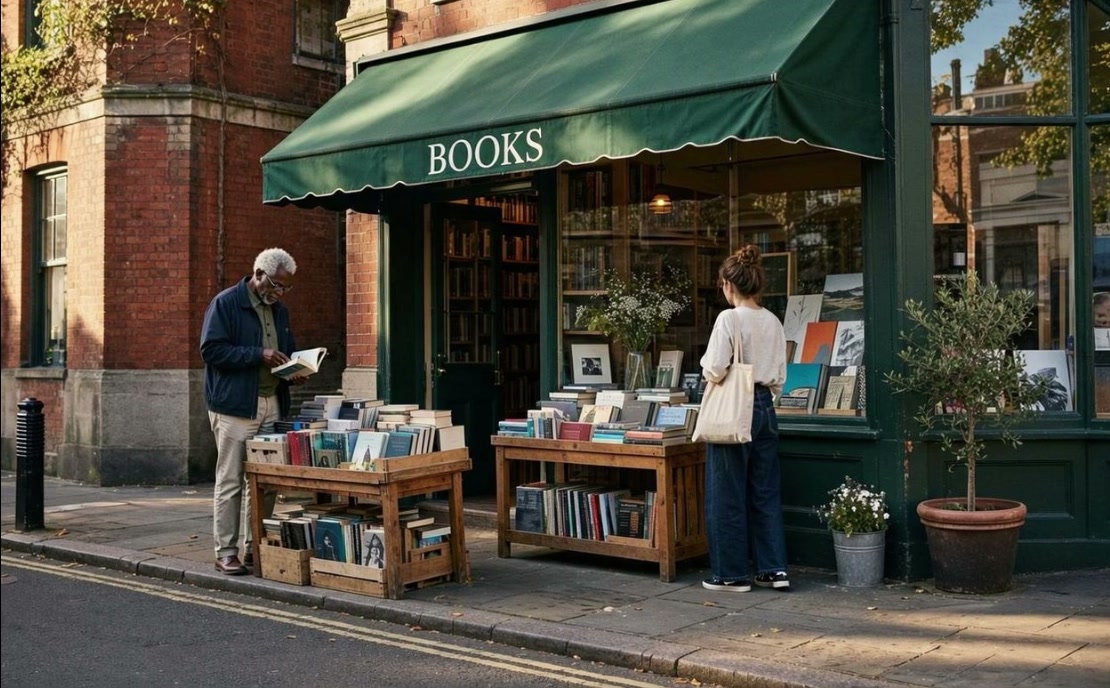
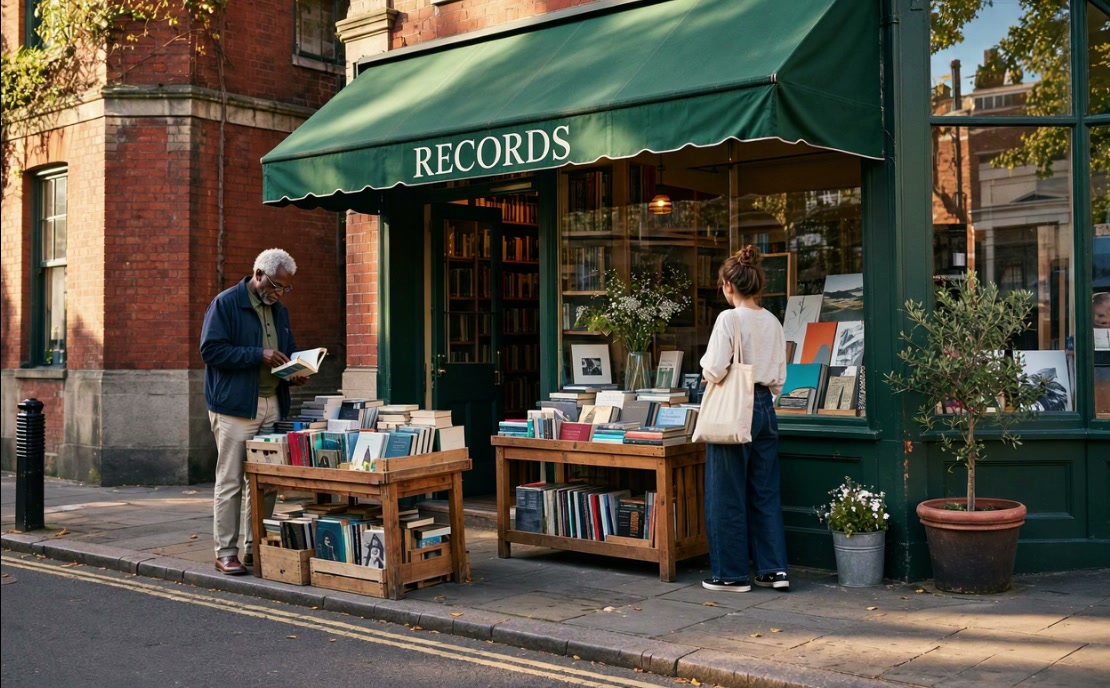
Rewrite signage, mastheads and labels in place. Changing the awning from "BOOKS" to "RECORDS" keeps the lettering style, color and perspective, and leaves the shop, the people and the street untouched.
Consistent brand identity across campaign assets
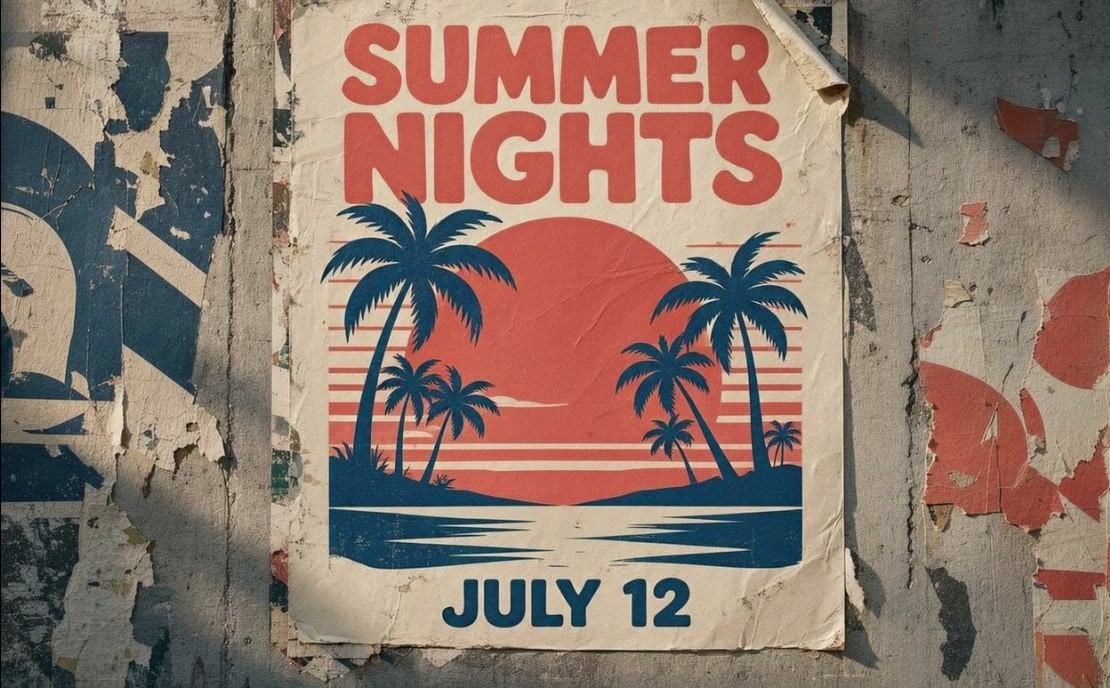
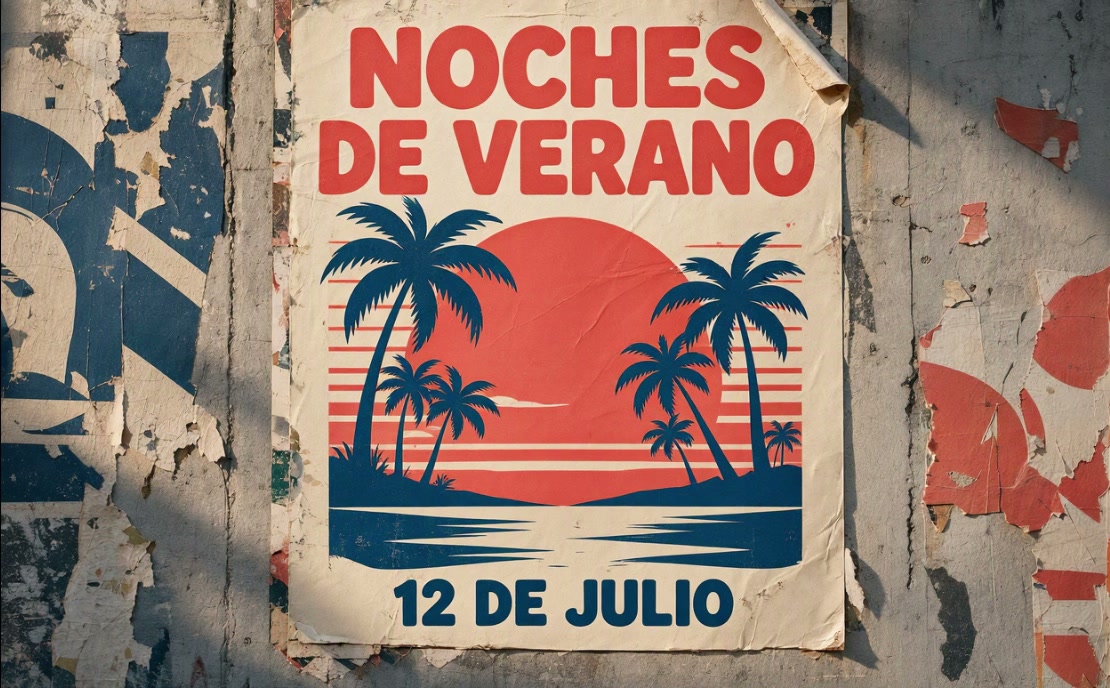
Translate and adapt one approved asset for each market. "SUMMER NIGHTS" becomes "NOCHES DE VERANO" and "JULY 12" becomes "12 DE JULIO", while the layout, palette and illustration stay identical. Run variants at volume on MAI Image 2.7 Flash.
Several edits to one scene, one round at a time
Feed each result back in as the next input. The mustard-yellow armchair becomes deep blue velvet, the fern becomes a lemon tree, then the whole room moves to evening, and the person and the room hold across every round.
How to prompt MAI Image 2.7
Six habits drawn from the instructions in Microsoft's own launch examples.


See what MAI Image 2.7 can do with a reference
Input on top, MAI Image 2.7's result below, with Microsoft's own one-line instruction for each. The images were published by Microsoft AI with the MAI Image 2.7 launch.
 Generated result
A pale-blue convertible turned racing green
One object changes color. The woman, the road and the sunflower field stay as they were.
Prompt
"Change the pale-blue car to a glossy racing-green car."
 Generated result
A lamp from a product shot placed in a room
Two references: a living room and a studio photo of a lamp. The lamp lands on the side table in the room's own light.
Prompt
"Place the lamp from the second image on the oak side table in the first image."
 Generated result
A bookshop awning rewritten as a record shop
The new word picks up the awning's lettering, color and perspective.
Prompt
"Change the word on the awning from "BOOKS" to "RECORDS"."
 Generated result
A summer poster localized into Spanish
Every line is translated in the poster's own type, with the illustration and wear untouched.
Prompt
"Translate the poster text into Spanish: change "SUMMER NIGHTS" to "NOCHES DE VERANO" and "JULY 12" to "12 DE JULIO"."
 Generated result
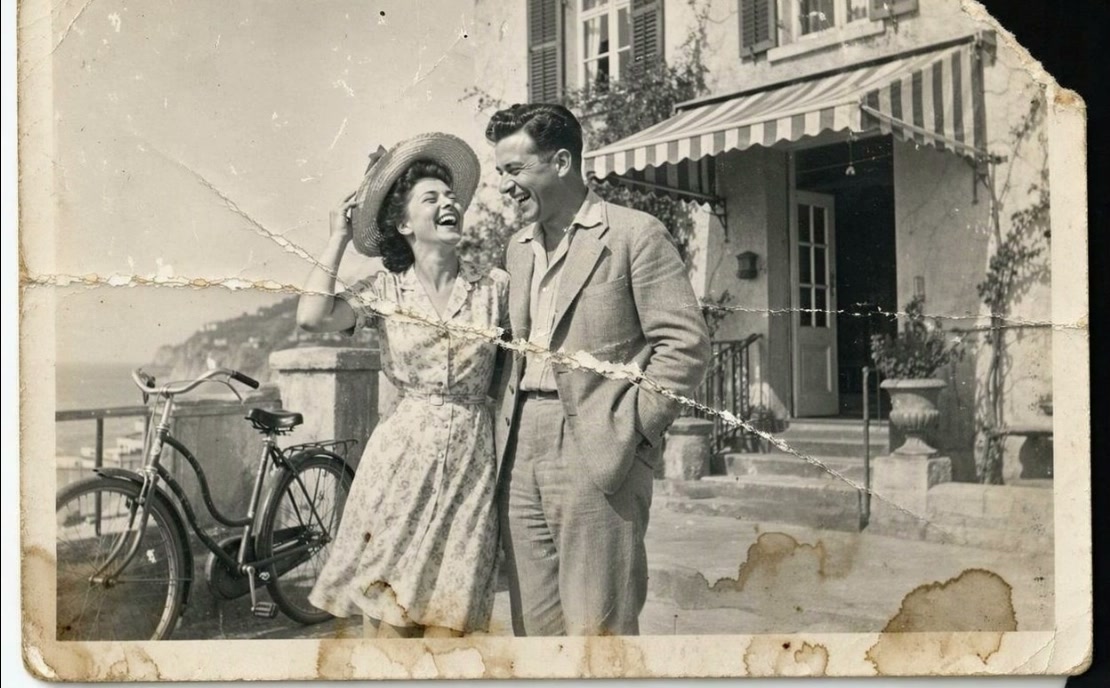
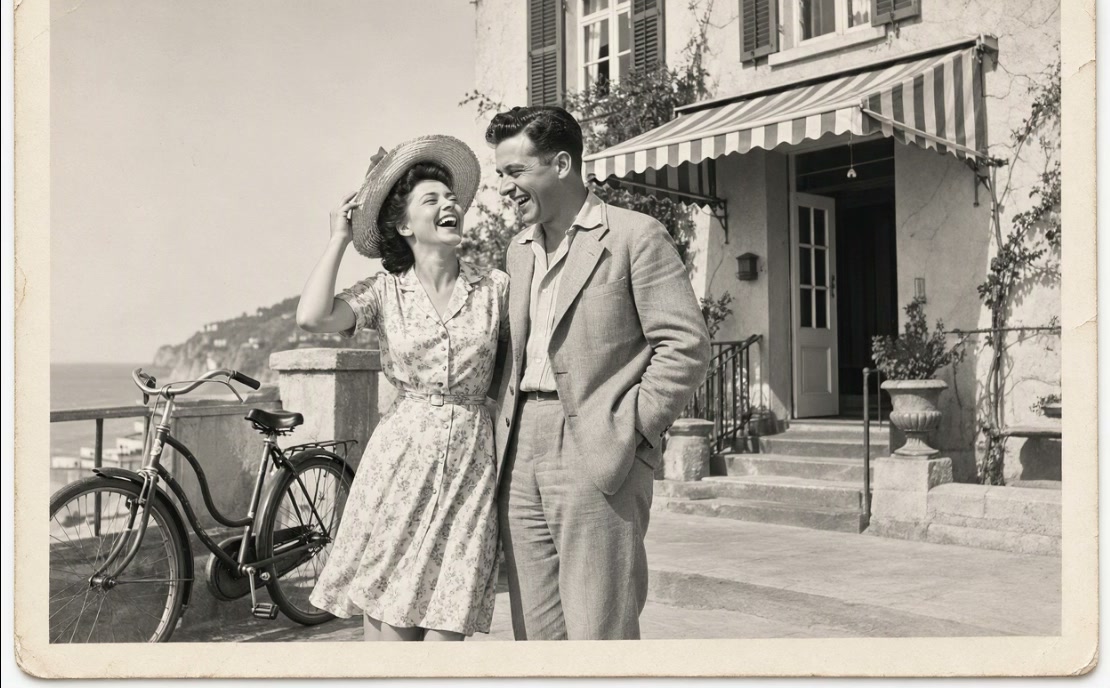
A torn, stained snapshot restored
Creases, stains and the torn corner are repaired, and contrast and detail come back.
Prompt
"Restore this photograph: remove the creases, the stains, the scratches and the dust, rebuild the torn corner, and recover the contrast and detail."
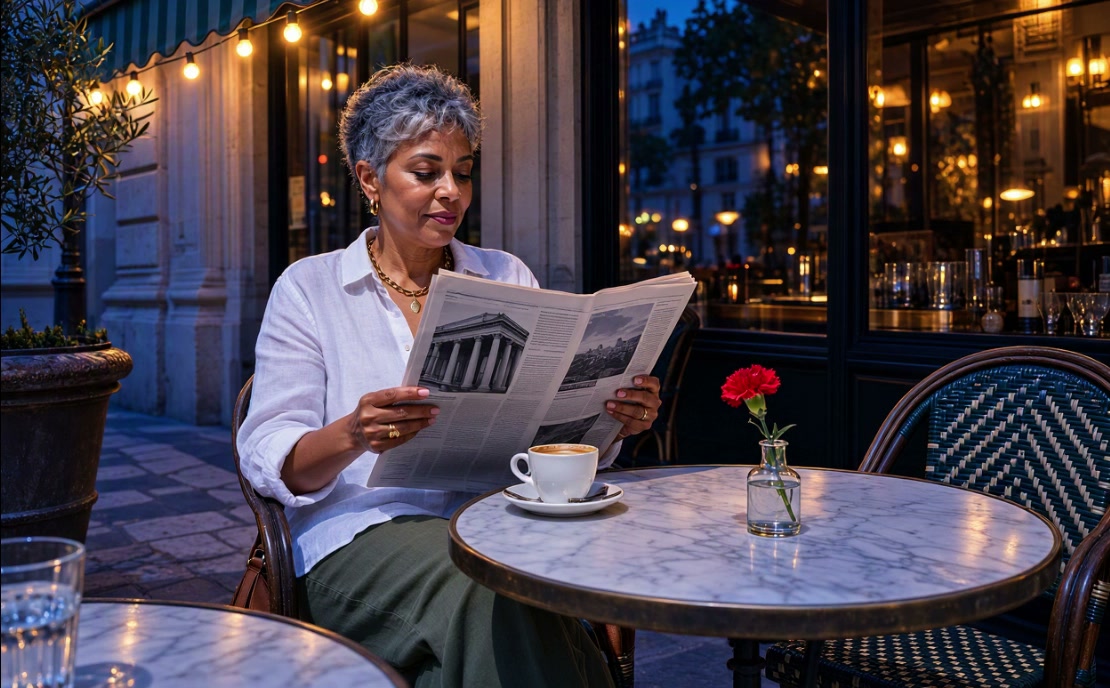 Generated result
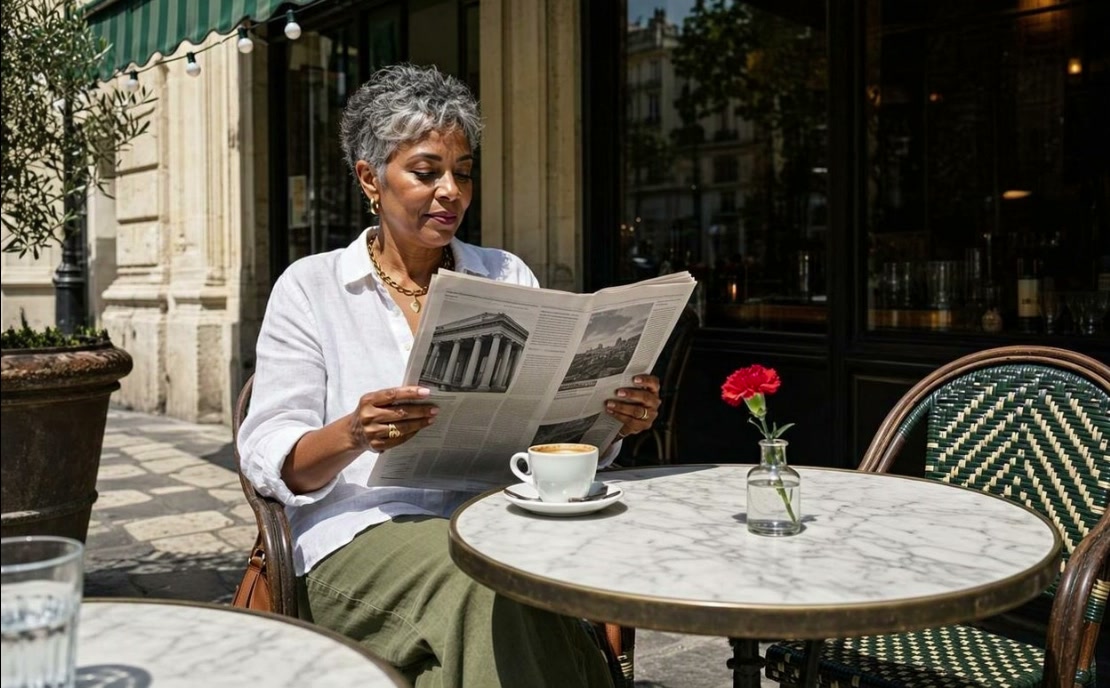
A cafe table moved to blue hour
Only the time of day changes. The woman, her newspaper and the table setting stay the same.
Prompt
"Change the time of day to blue hour just after sunset."
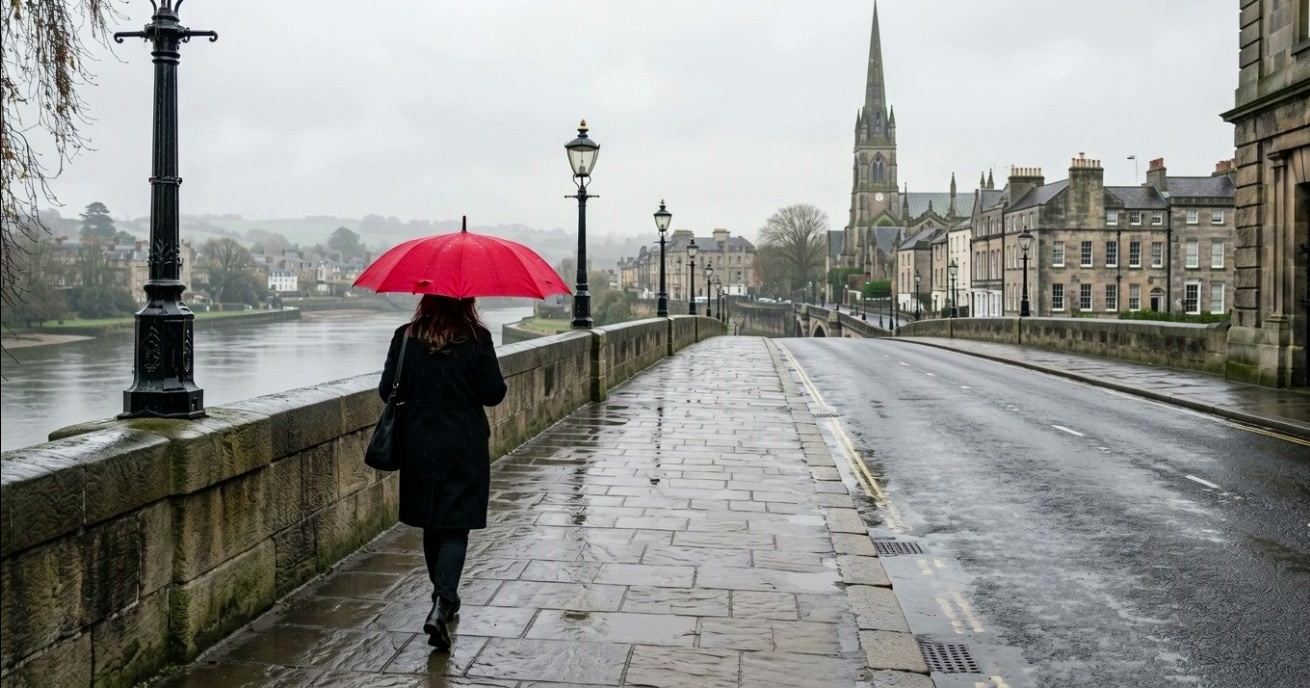
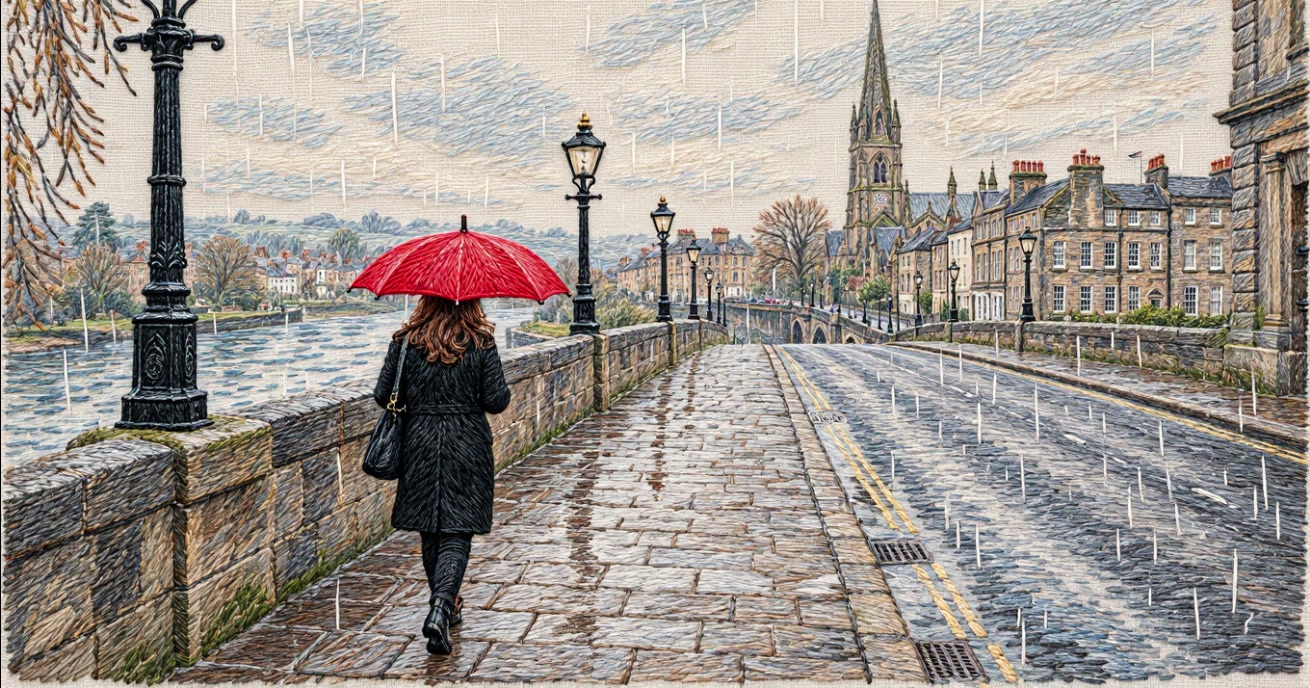 Generated result
A rainy street stitched in thread
The whole photo becomes hand embroidery while the composition holds stitch for stitch.
Prompt
"Restyle the whole image as a hand embroidery on cream linen."
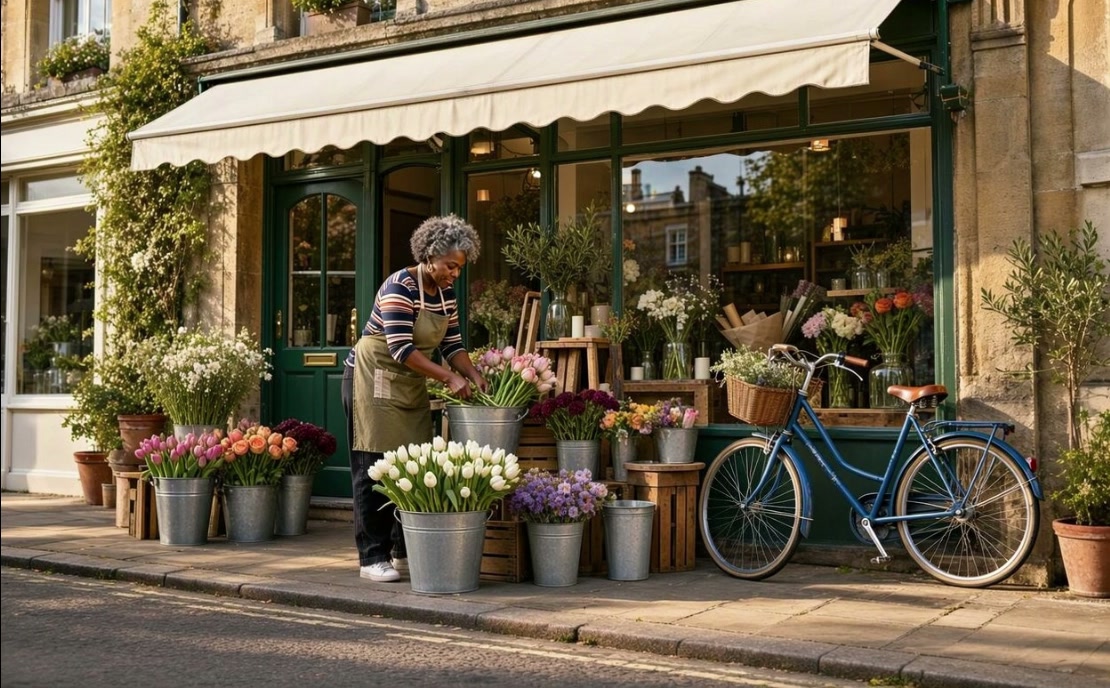
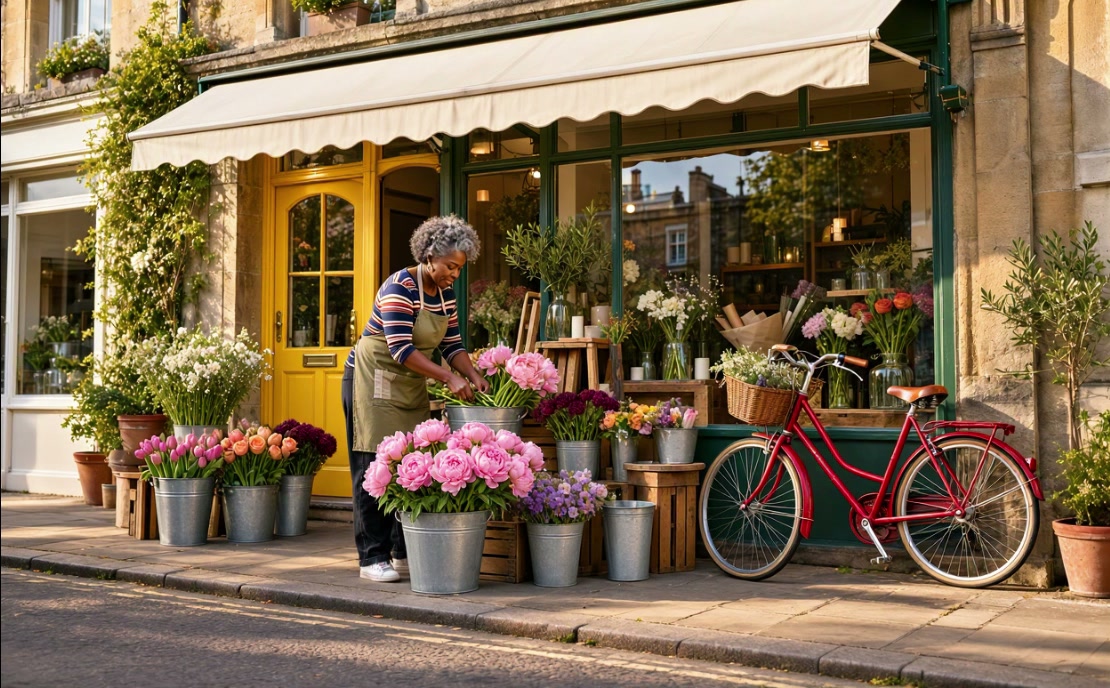 Generated result
Three changes to a flower shop in one prompt
A door, a bicycle and a bucket of flowers change together. The florist and the shopfront stay put.
Prompt
"Paint the front door yellow, make the bicycle red and swap the white tulips for pink peonies."


Build with the MAI Image 2.7 API
The client API handles the request submit protocol. It will handle the request status updates and return the result when the request is completed. Swap in the Flash endpoint IDs for lower latency and cost.
import { fal } from "@fal-ai/client";

const result = await fal.subscribe("microsoft/mai-image-2.7/text-to-image", {
  input: {
    prompt:
      "Editorial photo of a fencer in white lunging across a sunlit gymnasium floor, long shadows, black and white film grain.",
    image_size: "landscape_16_9",
    resolution: "2K",
    output_format: "png",
  },
  logs: true,
  onQueueUpdate: (update) => {
    if (update.status === "IN_PROGRESS") {
      update.logs.map((log) => log.message).forEach(console.log);
    }
  },
});

console.log(result.data.images[0].url);


MAI Image 2.7 endpoints
Text to image and edit on MAI Image 2.7 for top quality, and on MAI Image 2.7 Flash for speed and volume. All four are pay-per-use through the API.
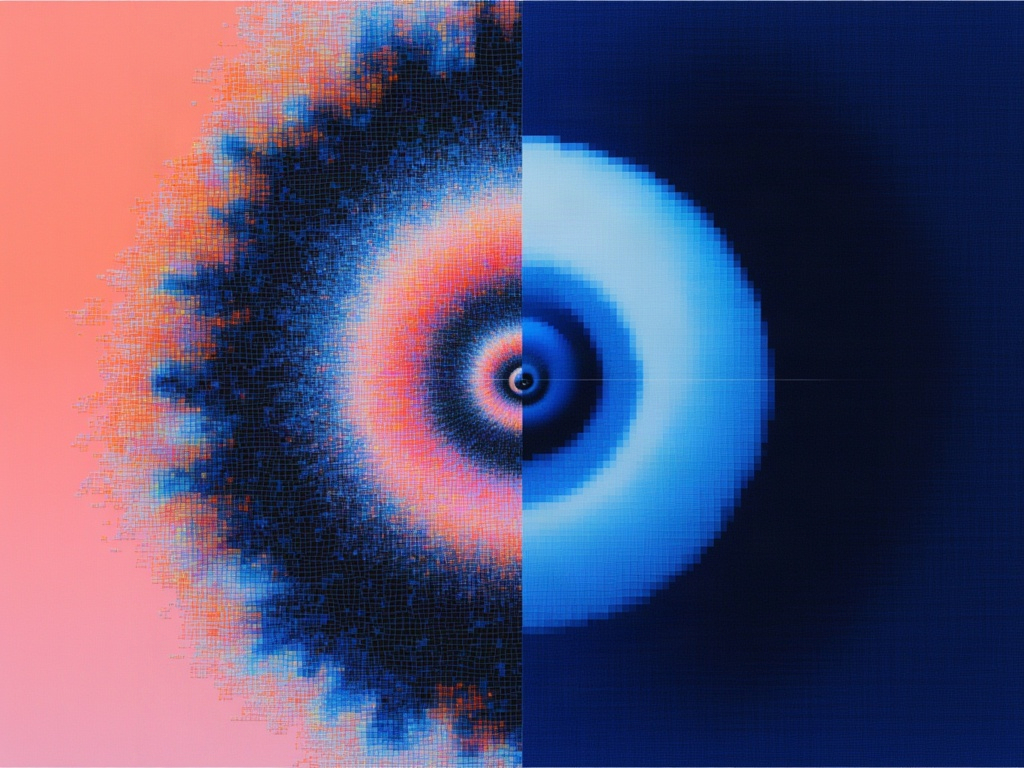
MAI-Image-2.7 is Microsoft’s image model for generating images from text prompts, with preset or custom image dimensions and PNG, JPEG, or WebP output.
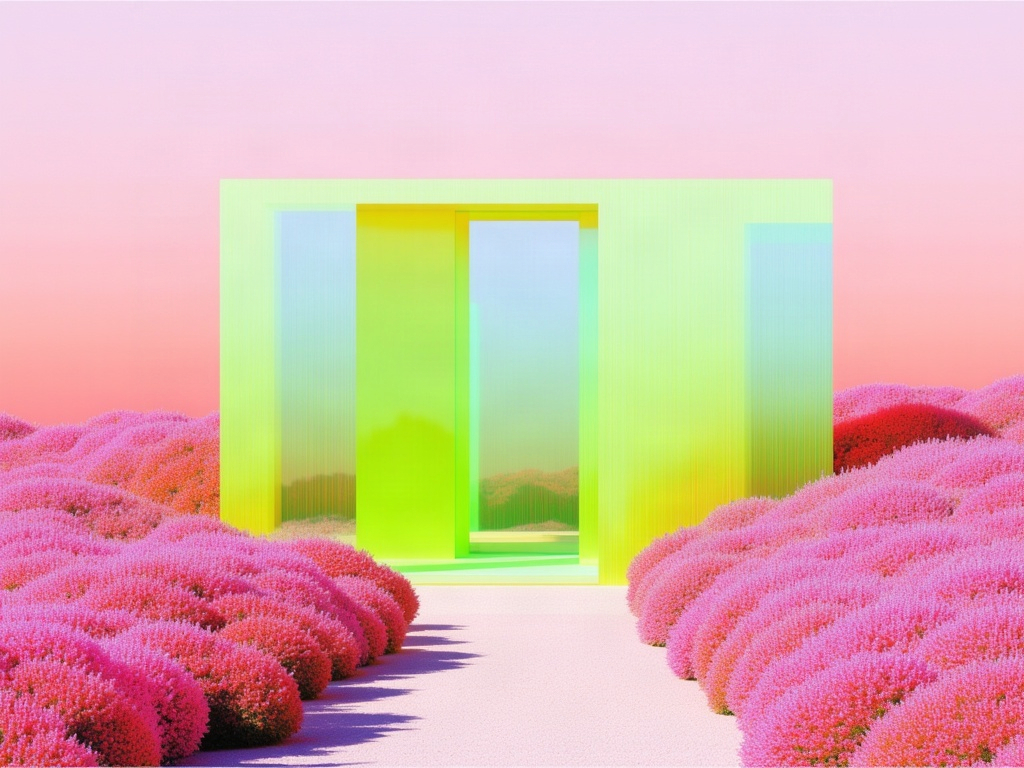
MAI-Image-2.7 edits images from text instructions and up to two input images, with preset or custom dimensions and PNG, JPEG, or WebP output.
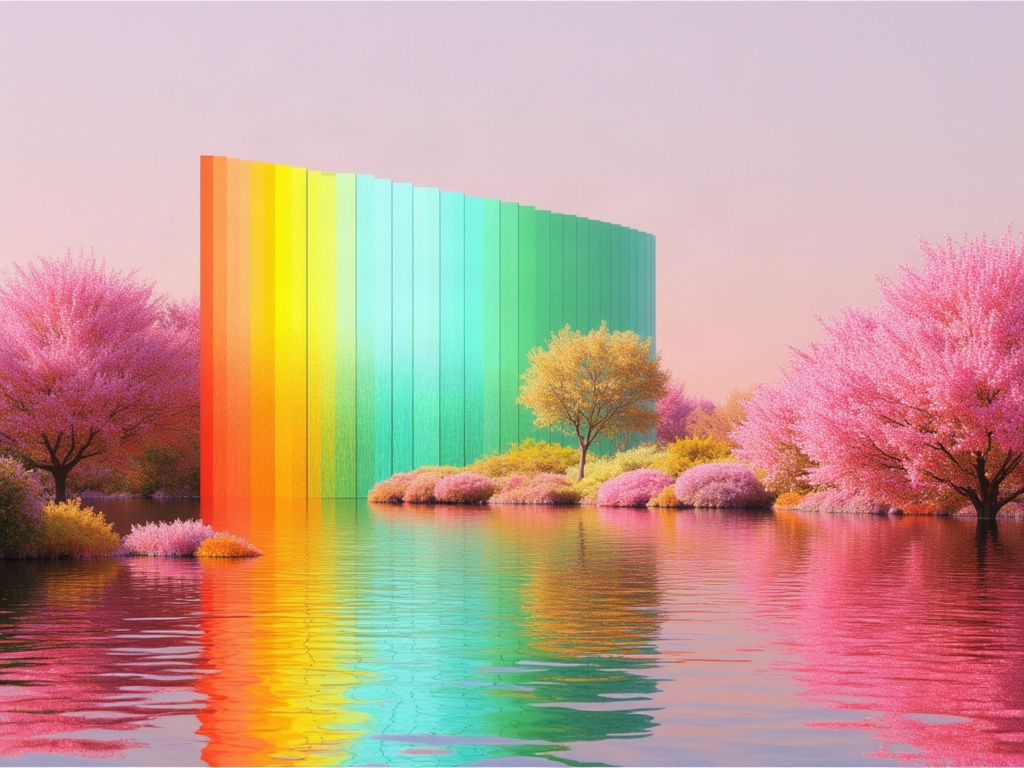
MAI-Image-2.7 Flash is Microsoft’s lower-cost image generation variant, producing images from text prompts with preset or custom dimensions and PNG, JPEG, or WebP output.
MAI-Image-2.7 Flash edits images from text instructions and up to two input images, using Microsoft’s lower-cost Flash variant with PNG, JPEG, or WebP output.


Common questions about MAI Image 2.7
What is MAI Image 2.7?
MAI Image 2.7 is Microsoft AI's image generation and editing model, built for high-fidelity generation and precise editing in professional creative work. It turns natural-language prompts into images, makes localized edits that preserve composition and identity, and edits with up to two reference images. It ships alongside MAI Image 2.7 Flash, a faster, lower-cost variant.
What is the difference between MAI Image 2.7 and MAI Image 2.7 Flash?
MAI Image 2.7 is for hero assets and final refinements where quality and visual consistency matter most. MAI Image 2.7 Flash has lower latency and lower cost for production throughput and fast iteration, and still keeps editing control and identity preservation. Flash fits catalog and variant imagery, campaign localization and iterative workflows.
Can I use MAI Image 2.7 for free?
Use the generator at the top of this page. Free runs depend on the active offer and your eligibility; it shows your remaining allowance and any refill time before you generate. When free runs are unavailable, sign in to continue with your fal credits at the model's usual price.
What can I generate on this page?
One 2K PNG from a text prompt, or add one reference image to edit it. Choose square, landscape or portrait. For custom sizes, JPEG or WebP, transparent backgrounds, a second reference or the Flash variant, use the model playground or the API.
How many reference images can MAI Image 2.7 use?
Up to two, passed in image_urls, on both the MAI Image 2.7 edit endpoint and MAI Image 2.7 Flash edit. Refer to them in the prompt by position, such as "the lamp from the second image".
What sizes and formats does MAI Image 2.7 support?
Preset sizes (square, 4:3, 3:2 and 16:9, in portrait or landscape) at 1K, about one megapixel, or 2K, with each side doubled. You can also set a custom width and height up to 2048 x 2048 in total pixels. Output is PNG, JPEG or WebP, and PNG and WebP support transparent backgrounds.
Can MAI Image 2.7 edit text in images?
Yes. Quote the old and new wording, as in: change the word on the awning from "BOOKS" to "RECORDS". The new text keeps the lettering style, color and perspective of the original, which also makes it useful for translating campaign assets.
How much does MAI Image 2.7 cost on fal?
Eligible free runs appear in the generator above. Otherwise it is pay-per-use, billed by tokens. A 1024 x 1024 image is 1,024 output image tokens: about $0.035 on MAI Image 2.7 and about $0.010 on MAI Image 2.7 Flash, plus input tokens. Full rates are on the MAI Image 2.7 and MAI Image 2.7 Flash model pages.
Which MAI Image 2.7 endpoints are available?
Four: text to image and edit on MAI Image 2.7, and text to image and edit on MAI Image 2.7 Flash. Information updated as of November 17, 2026.
How do I get started with the API?
Install the fal SDK (Python or JavaScript), grab an API key from your dashboard, and make your first request in a few lines of code. The API is serverless, so there are no GPUs to manage. Check the API documentation for every available parameter.
Can I use MAI Image 2.7 for commercial projects?
Yes. Content generated through the fal API can be used in commercial projects. Check fal's terms of service for full details on usage rights and licensing.

Get in touch about MAI Image 2.7
Building with MAI Image 2.7? Leave your details and our team will reach out.