![10 Best Virtual Try-On APIs in 2026 [Reviewed]](https://refinery.fal.media/url/https%3A%2F%2Fv3b.fal.media%2Ffiles%2Fb%2F0aa0ad85%2Ft1AjEGt_gapabWxSItcbb_best-virtual-try-on-apis-2026.jpg/tr:w-1920,q-80/t1AjEGt_gapabWxSItcbb_best-virtual-try-on-apis-2026.webp)
I lined up the 10 best virtual try-on APIs in 2026 below, all of them running on fal, and put each one through the same person photo and the same garment so the outputs line up against each other.
TL;DR
FASHN v1.6: Renders garment text and patterns at 864x1296 from both on-model and flat-lay references, which makes it my pick for catalog work where logo and print accuracy carries the sale.
FLUX Virtual Try-On Pro: Takes a styling prompt alongside the person and garment images, so you can direct how a piece is worn, down to tucked in or sleeves rolled.
Kling Kolors v1.5: Kuaishou's diffusion try-on that holds a model's pose, skin tone, and body shape while dropping in the garment.
fal runs every try-on model in this guide behind one API, on its own inference engine, with pay-per-use billing.
⚠️ How the research was conducted to make this list: The order below comes from my own testing of these try-on APIs inside fal, where I ran one person image and one garment through each endpoint and compared the results.
What is the best place to generate virtual try-on images?
fal offers the best place to generate virtual try-on images from a person and garment with its unified API for every model in this guide, custom-built inference engine, and pay-per-use pricing.
That means you won't need to have accounts with the different virtual try-on providers or different billing relationships.
On fal that collapses to one account and one integration, with the model picked by the endpoint string you pass.
The integration is a single @fal-ai/client call, and switching between models reduces to editing the endpoint string.
The same setup also reaches over 1,000 models for image, video, music, editing, and 3D beyond the ten covered here.
As the code path does not change between models, you can draft on a fast, low-cost try-on model and switch to a higher-fidelity one for the final output for cost savings over the long run.
A request for a virtual try-on looks like this:
javascript
import { fal } from "@fal-ai/client";

const result = await fal.subscribe("fal-ai/kling/v1-5/kolors-virtual-try-on", {
  input: {
    human_image_url: "https://example.com/person.jpg",
    garment_image_url: "https://example.com/shirt.jpg",
  },
  logs: true,
  onQueueUpdate: (update) => {
    if (update.status === "IN_PROGRESS") {
      update.logs.map((log) => log.message).forEach(console.log);
    }
  },
});

console.log(result.data.image.url); // output image URL
What are the best virtual try-on APIs in 2026?
The best virtual try-on APIs in 2026 are FASHN v1.6, FLUX Virtual Try-On Pro, and Kling Kolors v1.5, all of which run on fal with pay-per-use pricing.
Here's my complete shortlist:
| AI Model | Best For | Price on fal |
|---|---|---|
| FASHN v1.6 | Catalog work where garment text and patterns must stay sharp | $0.075 per generation |
| FLUX Virtual Try-On Pro | Prompt-directed styling, such as tucked in or sleeves rolled | Billed per megapixel, from $0.0375 per input megapixel |
| Kling Kolors v1.5 | Fashion compositing that holds pose and skin tone | $0.07 per generation |
| image-apps-v2 virtual try-on | Simple two-image try-on at 4K with pose control | $0.04 per image |
| Leffa | Upper body, lower body, and dresses with explicit garment type | $0.10 per generation |
| Flux 2 LoRA Gallery virtual try-on | FLUX.2 try-on with an adjustable garment transfer strength | $0.021 per processed megapixel |
| FASHN v1.5 | High-volume try-on at 576x864 on a proven version | $0.075 per generation |
| OmniGen V2 | Try-on inside a broader image editing model | $0.15 per megapixel |
| Lucy 2.1 VTON realtime | Live webcam try-on over a WebRTC connection | $0.02 per second |
| cat-vton | Research and prototyping across five cloth types (research-only) | $0.00125 per compute second |
I ran the same person photo and the same garment through every model so the comparison holds up across all of them.
Person image: A front-facing studio portrait of a woman in her late twenties standing in a relaxed neutral pose, arms at her sides, shoulders square to the camera. She wears a plain fitted light grey crew-neck t-shirt and simple dark jeans, no patterns, no logos, no text. Natural shoulder-length brown hair, soft natural makeup, calm neutral expression. Even soft studio lighting from the front, no harsh shadows. Clean seamless light grey backdrop. Full upper body and head in frame from mid-thigh up, centered composition. Sharp focus, photorealistic, high detail on fabric and skin, commercial e-commerce model photography style. Vertical 3:4 aspect ratio.
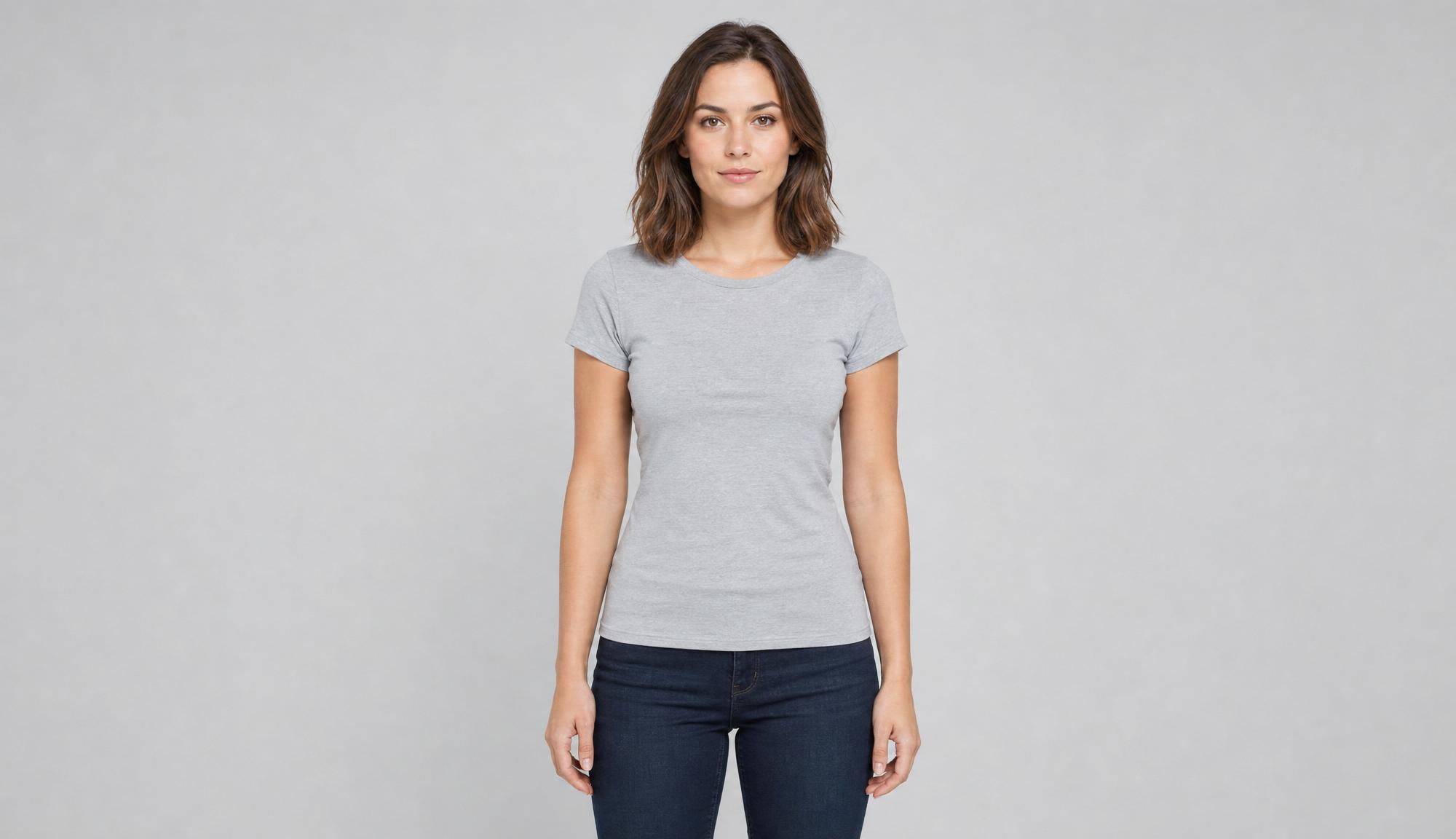
Generated using GPT Image 2 on fal, an AI image model from OpenAI.
I purposely asked for a plain grey tee, since the try-on models replace the existing top, and a solid mid-tone base will give every model in the lineup a clean starting point instead of fighting an existing pattern.
Garment: A flat-lay product photo of a floral-print midi dress laid flat and centered on a pure white background, shot from directly above. Short sleeves, a fitted waist, and a flowing A-line skirt that falls to mid-calf length. An all-over small floral pattern in soft blue, blush pink, and sage green on a cream base, with the print running continuously across the bodice and skirt. Crisp fabric texture with natural soft folds in the skirt, even soft lighting, no harsh shadows, sharp focus on the floral print and seams, e-commerce catalog style. Vertical 3:4 aspect ratio.
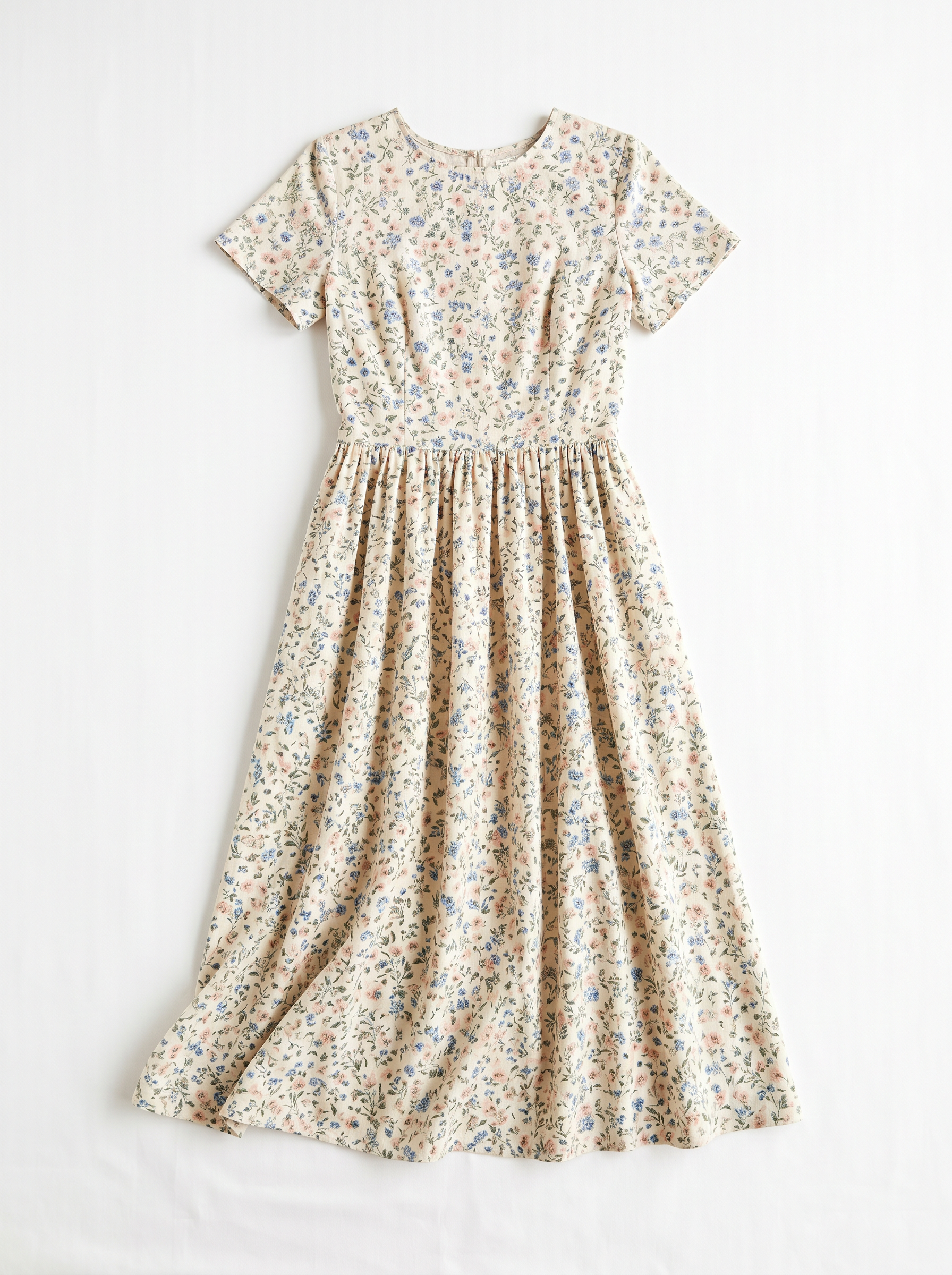
Generated using Nano Banana 2 on fal, an AI image model from Google.
I went with a floral midi since a dress is a hard ask for a virtual try-on tool. Let's see how each one of them does:
#1: FASHN v1.6
Best for: E-commerce teams that need garment text, logos, and patterns to survive the try-on at catalog scale.
Similar to: FASHN v1.5, Kling Kolors v1.5.
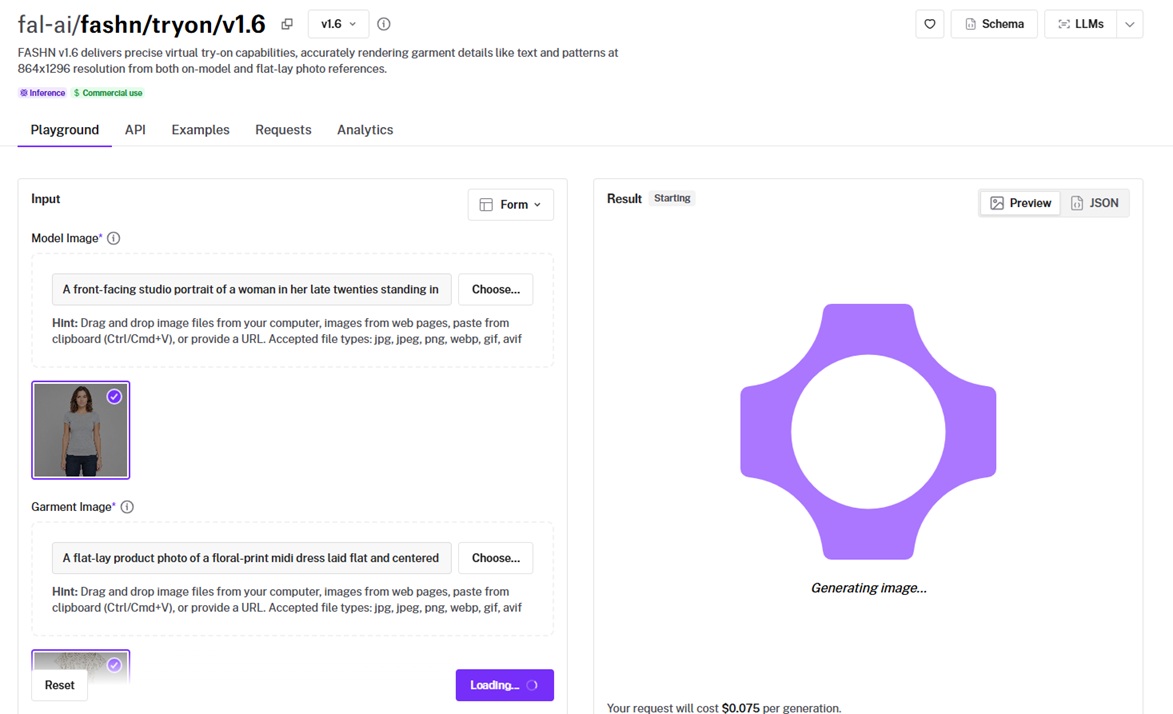
FASHN v1.6 composites a garment onto a model image at 864x1296 resolution from either an on-model or a flat-lay reference photo.
It opens up category, quality mode, and garment photo type controls, so you can tune the run to the specific product instead of accepting one fixed behavior.
Performance
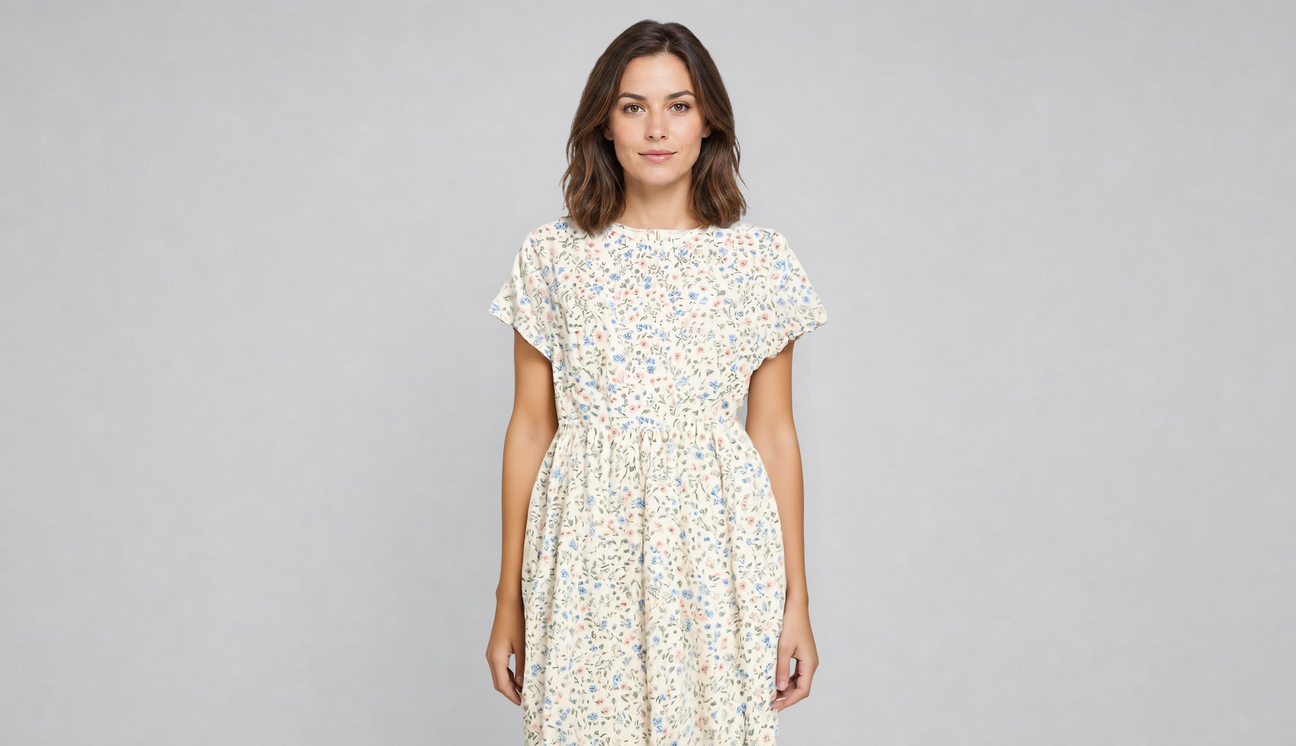
Generated using FASHN v1.6 on fal, an AI model from FASHN.
Garment detail: Crème de la crème execution. The floral print stayed continuous from bodice to hem on my test dress, and I can see that it's holding pattern alignment across the waist.
Pose and body handling: My model's pose and proportions came through untouched, and segmentation-free mode spared me from pre-masking the photo.
Quality modes: Three modes (performance, balanced, quality) put a speed-versus-fidelity dial in your hands, and balanced looked clean enough that I rarely bothered with the slower pass.
Garment categories: Auto category detection sorted tops, bottoms, and one-pieces correctly across every run, no manual tagging.
How to run FASHN v1.6 on fal
FASHN v1.6 is available through fal's API and playground.
You pass a model_image and a garment_image, then optionally set category, mode, garment_photo_type, and num_samples to fan out a few variations in one call.
Output defaults to PNG, with JPEG on hand when you want lighter, faster files.
Pricing
FASHN v1.6 costs $0.075 per generation on fal.
falMODEL APIs
The fastest, cheapest and most reliable way to run genAI models. 1 API, 100s of models
#2: FLUX Virtual Try-On Pro
Best for: Teams that want to direct how a garment is worn through a text prompt, not just paste it onto a person.
Similar to: FASHN v1.6, image-apps-v2 virtual try-on.
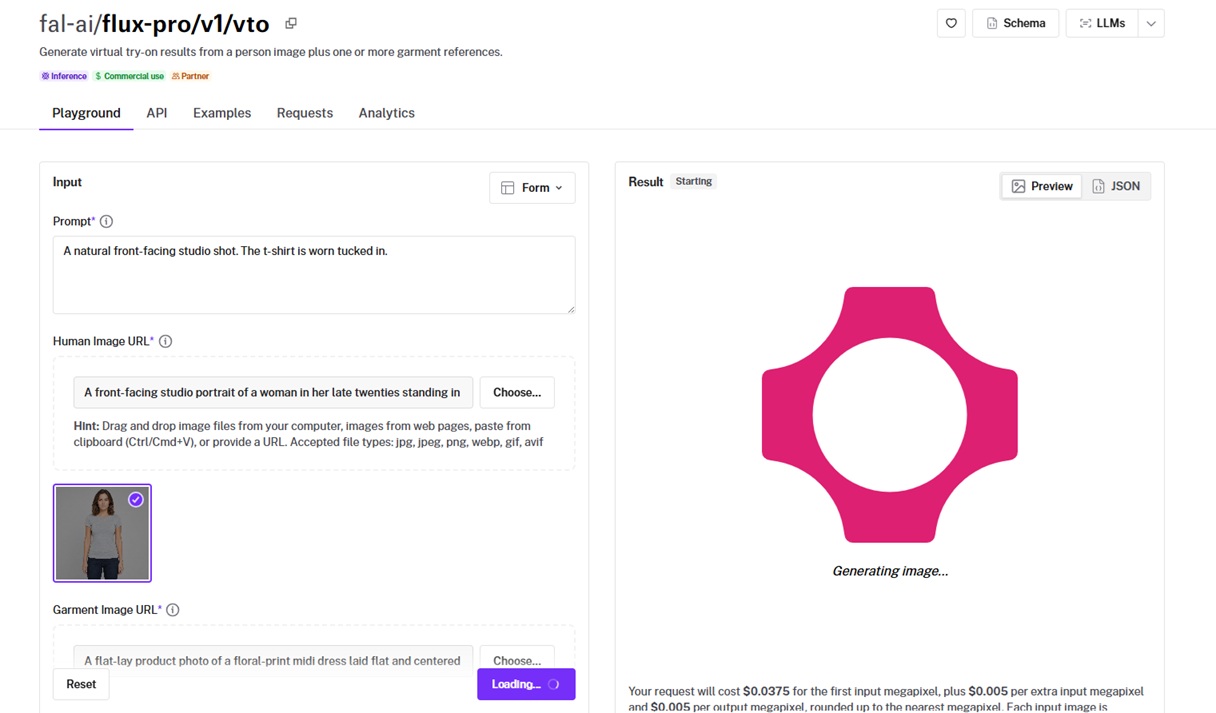
FLUX Virtual Try-On Pro generates a try-on from a person image, a garment reference, and a natural-language styling instruction.
That prompt is the differentiator, as you can call for the piece tucked in, layered, or with sleeves rolled while the output keeps the person image's original aspect ratio.
Performance
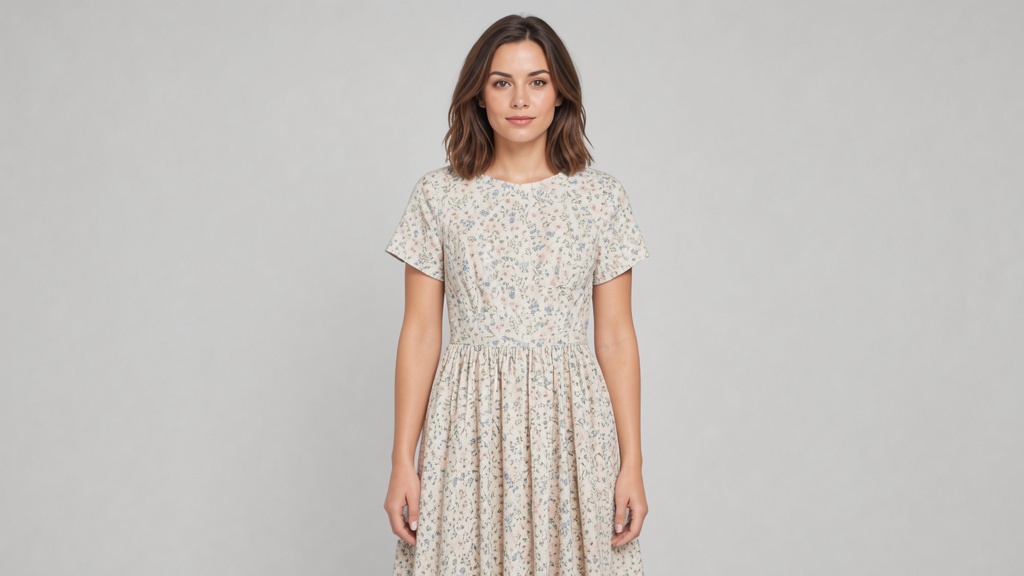
Generated using FLUX Virtual Try-On Pro on fal, an AI model from Black Forest Labs.
Read of the garment: The floral colors and the dress's cut transferred faithfully, and my "front-facing studio shot" instruction landed as written.
Aspect handling: A vertical product shot stayed vertical on the way out, with no separate crop step bolted on afterward.
Input limits: The person image caps at 2 megapixels and the garment at about 1, and any second garment has to be merged into one composite image before you send it.
Prompt control: You can explain how you want the person or the clothes to behave.
How to run FLUX Virtual Try-On Pro on fal
API access plus a browser playground are both on hand for FLUX Virtual Try-On Pro.
You supply a prompt, human_image_url, and garment_image_url, and the model runs a quick four-step pass by default.
For a layered look, flatten the garments into a single reference image first, since one request takes one garment image.
Pricing
FLUX Virtual Try-On Pro is billed by megapixel on fal, starting at $0.0375 for the first input megapixel, plus $0.005 per additional input megapixel and $0.005 per output megapixel, rounded up.
#3: Kling Kolors v1.5
Best for: Fashion e-commerce compositing where keeping the model's pose and skin tone honest matters as much as the garment.
Similar to: Leffa, FASHN v1.6.
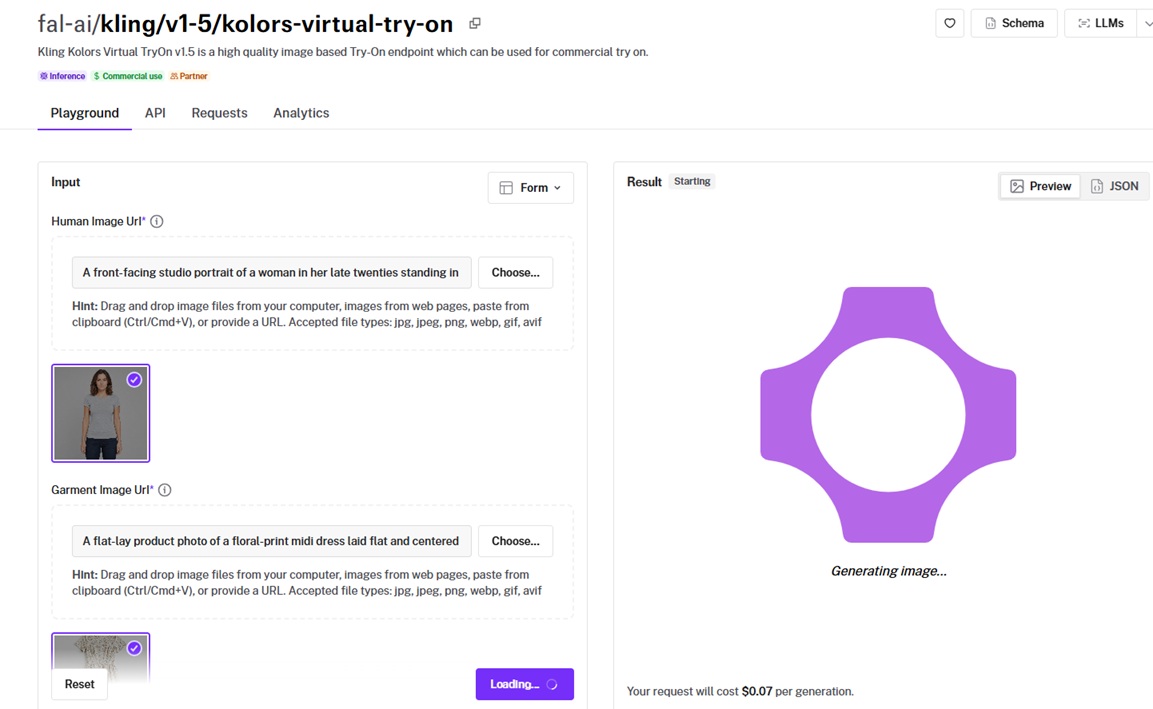
Kling Kolors Virtual Try-On v1.5 is Kuaishou's try-on model, painting a garment onto a person with its Kolors image backbone handling the photorealism.
It holds the original pose, skin tone, and body shape through the composite, and it carries a commercial-use license.
Performance
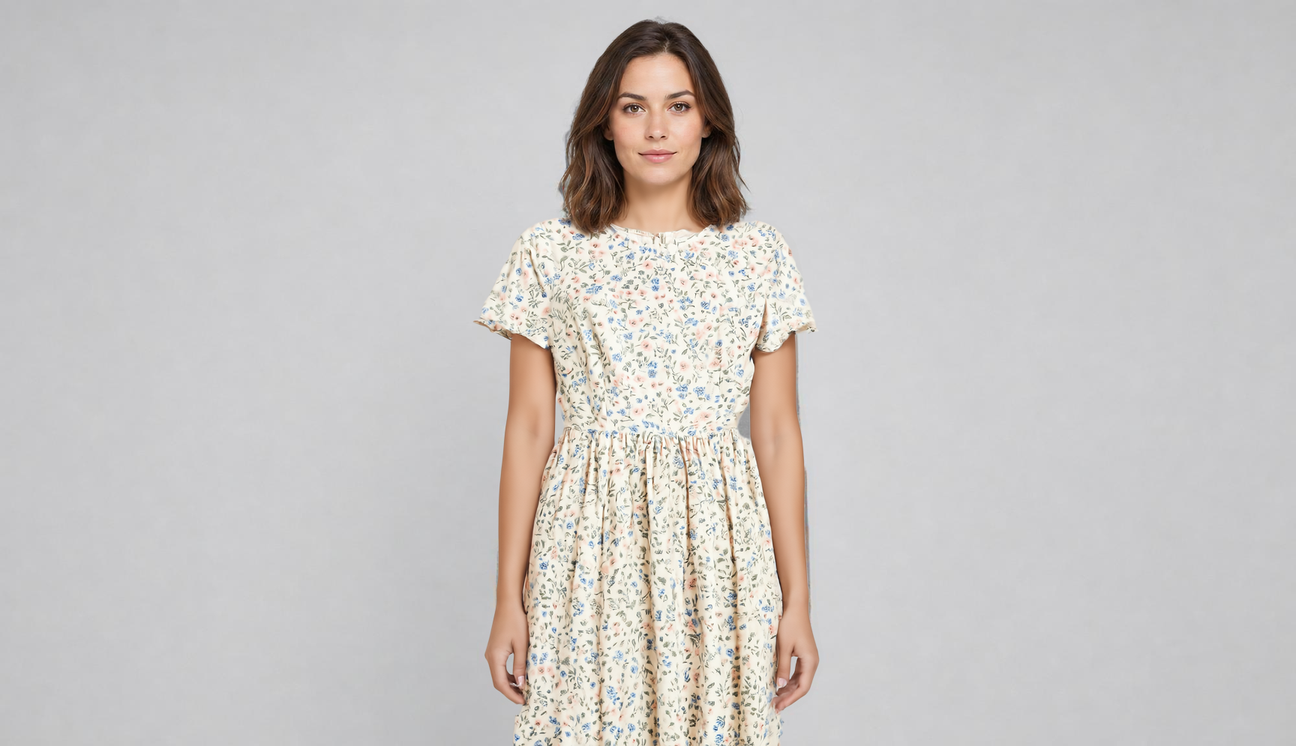
Generated using Kling Kolors v1.5 on fal, an AI model from Kuaishou.
Fabric rendering: The floral colors and texture came through convincingly on my dress test, with the skirt fabric falling like real cloth rather than a flat decal.
Pose preservation: The model's stance and skin tone survived the composite cleanly.
Where it shines: Front-facing model shots paired with a clean flat-lay garment are its comfort zone, where the composite comes back tightest.
How to run Kling Kolors v1.5 on fal
You can run Kling Kolors v1.5 on fal via API and playground.
It takes a human_image_url and a garment_image_url, and a front-facing person photo paired with a clean flat-lay garment on a plain background gets the best out of it.
Flip sync_mode on to get the image back in the response when polling the queue is more hassle than it's worth.
Pricing
Kling Kolors v1.5 costs $0.07 per generation on fal.
#4: image-apps-v2 virtual try-on
Best for: A no-frills two-image try-on that lands at 4K with optional pose preservation and aspect ratio control.
Similar to: FLUX Virtual Try-On Pro, Kling Kolors v1.5.
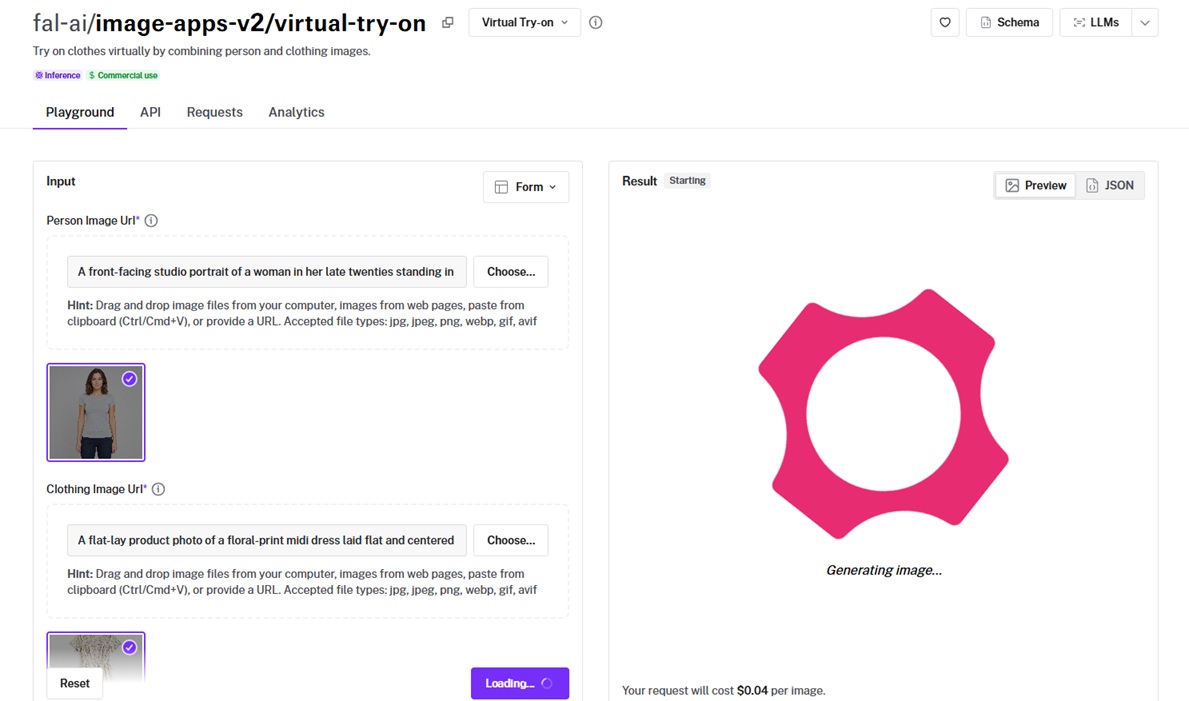
image-apps-v2 virtual try-on combines a person photo and a clothing photo into one composited result.
It outputs at 4K and exposes a preserve_pose toggle alongside an aspect ratio selector that defaults to 3:4 for fashion.
Performance
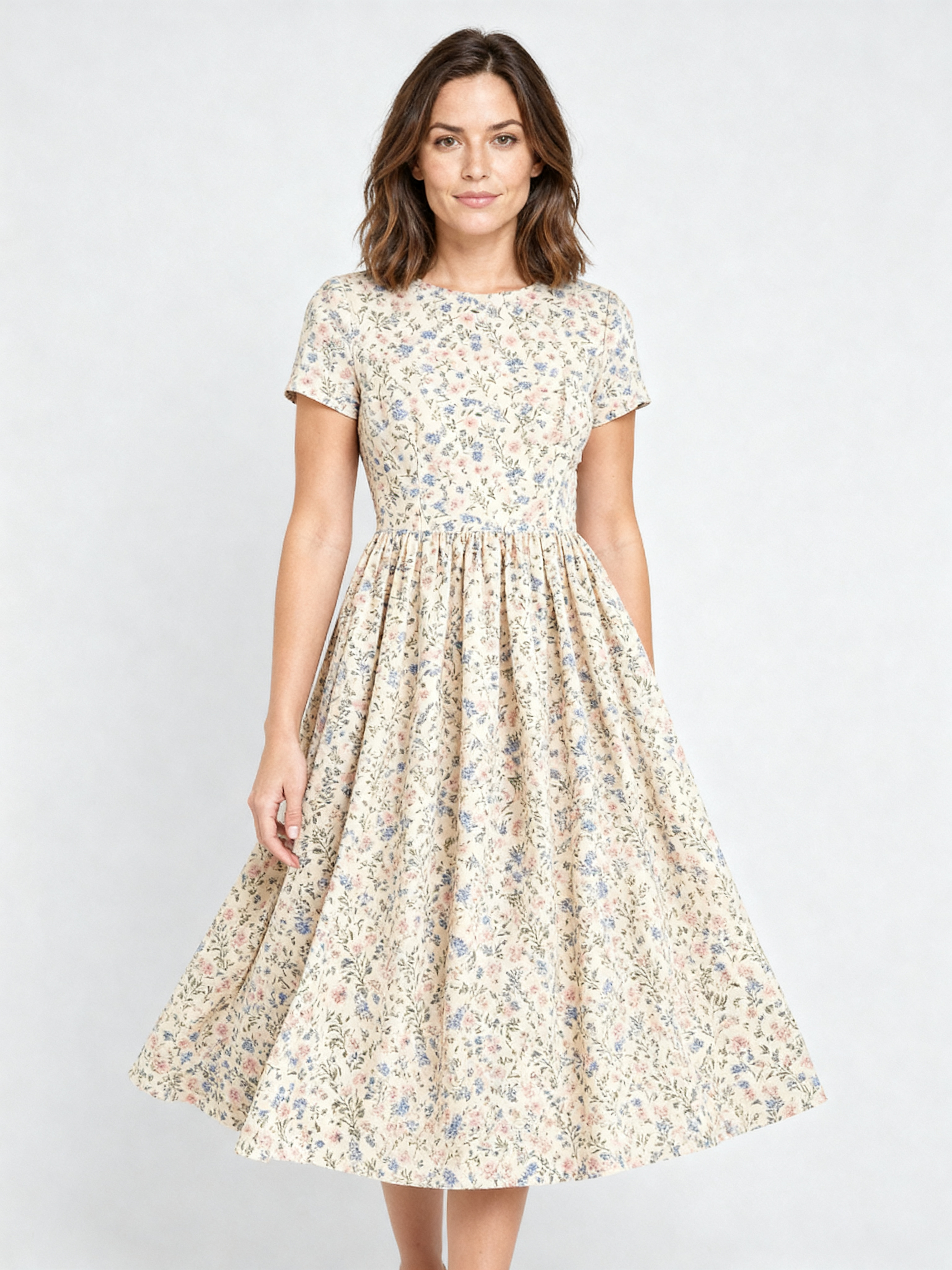
Generated using image-apps-v2 virtual try-on on fal, an AI model from fal.
Output: I like how the virtual try-on model showed the woman in full-size so I can visualize how she'd look like, instead of only showing me her upper body with the dress.
Pose control: Keeping preserve_pose on locked the model into the original stance, and switching it off lets the model re-pose around the garment when you want that.
Aspect framing: You can pick 3:4 for a standard fashion crop or square for a social tile straight from the endpoint.
Setup: Person plus clothing, no prompt to engineer, so it was the quickest of the ten to wire up.
How to run image-apps-v2 virtual try-on on fal
image-apps-v2 virtual try-on runs on fal through the API and playground.
You pass person_image_url and clothing_image_url, then optionally set preserve_pose and an aspect_ratio from the enum values.
The result comes back as a list of images, so read the first entry's URL for the composited try-on.
Pricing
image-apps-v2 virtual try-on costs $0.04 per image on fal.
#5: Leffa
Best for: Try-on across upper body, lower body, and dresses when you want to name the garment type yourself.
Similar to: Kling Kolors v1.5, cat-vton.
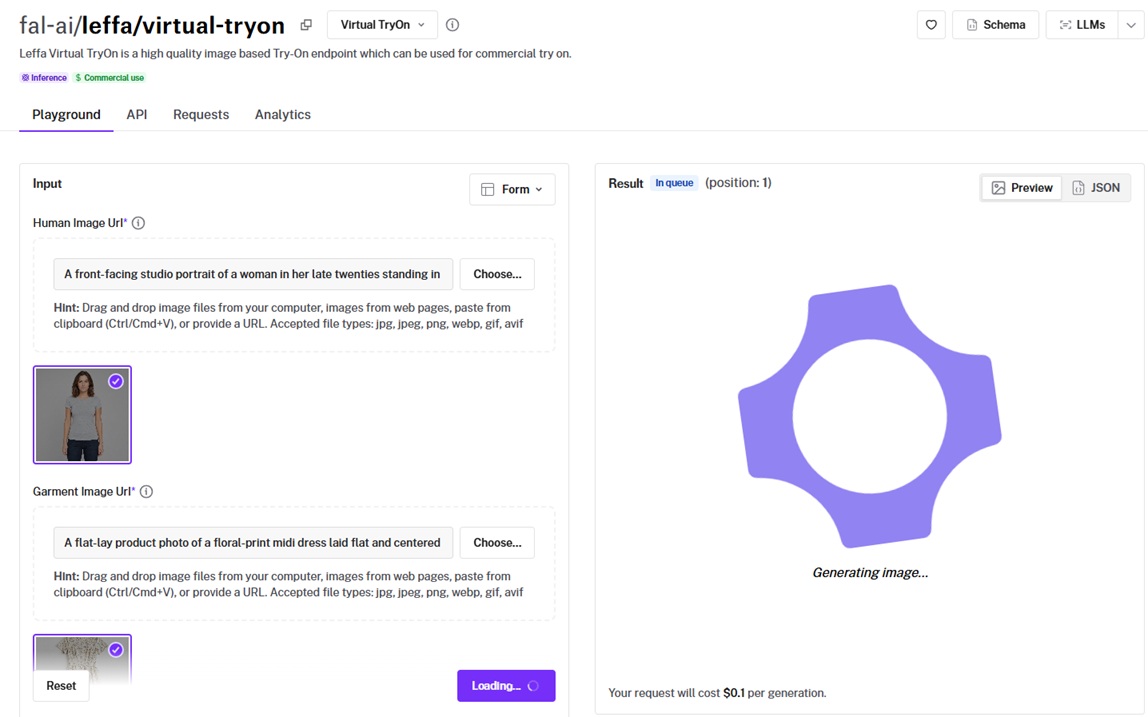
Leffa is a commercial-cleared try-on endpoint that renders a person image and a garment image against a garment type you select.
Its garment_type parameter splits the work into upper body, lower body, or dresses, handing the model a clear target instead of asking it to guess.
Performance
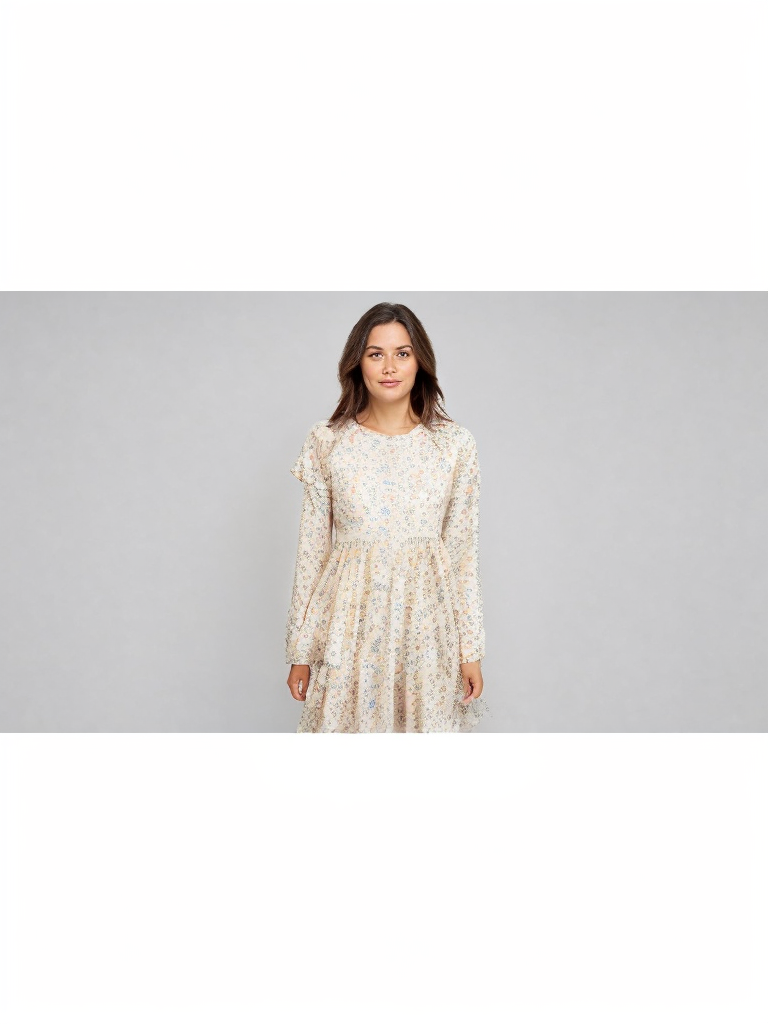
Generated using Leffa on fal, an AI model from Meta.
Garment-type targeting: Setting garment_type to dresses for my floral midi produced a clean full-length placement, although the focus didn't land on the face of the woman, and I can see it changed her face.
Coverage: Upper body, lower body, and dresses are each first-class types here, so the same endpoint handled my full-length test and would take a separates split just as cleanly.
Controls: With inference steps and guidance scale both adjustable, I could tighten a loose result by nudging the run, no full re-roll required.
How to run Leffa on fal
API and playground are both available for Leffa on fal.
You pass human_image_url, garment_image_url, and a garment_type of upper_body, lower_body, or dresses.
Inference steps default to 50 and guidance to 2.5, both sensible places to begin before any tuning.
Pricing
Leffa costs $0.10 per generation on fal.
#6: Flux 2 LoRA Gallery virtual try-on
Best for: A prompt-guided try-on on FLUX.2 where you want a dial for how hard the garment transfers.
Similar to: FLUX Virtual Try-On Pro, OmniGen V2.
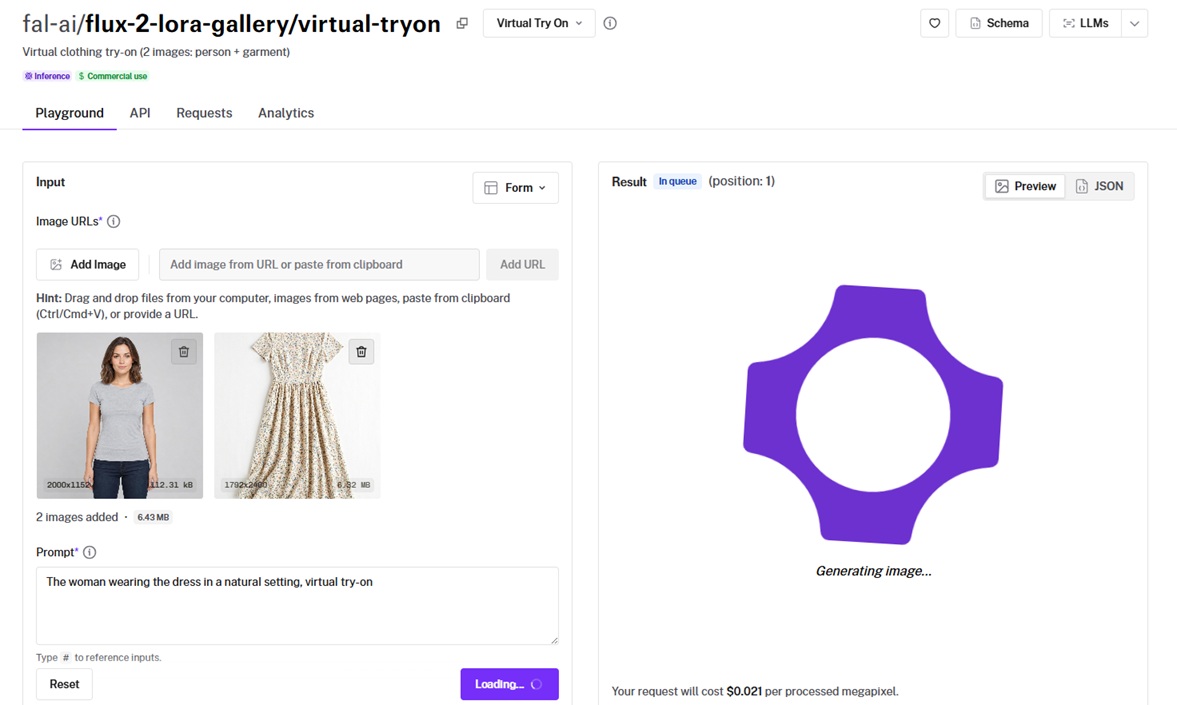
Flux 2 LoRA Gallery virtual try-on runs a LoRA-tuned FLUX.2 model over a person image and a garment image passed together as an array.
Its lora_scale parameter sets how strongly the garment transfers, letting you balance photorealism against garment visibility by product type.
Performance
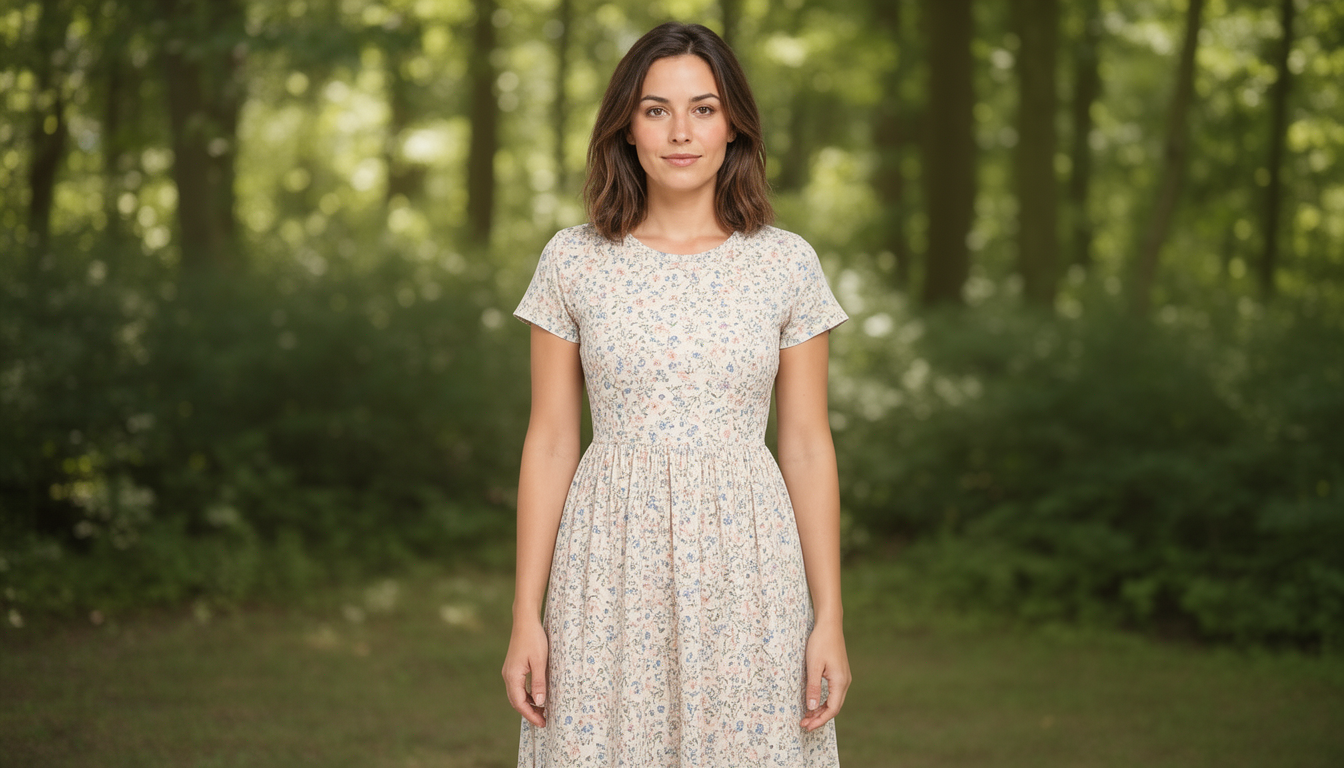
Generated using Flux 2 LoRA Gallery virtual try-on on fal, an AI model from Black Forest Labs.
Transfer strength: I reduced its lora_scale to 0 so I could improve the strength of the virtual try-on effect.
Prompt input: You can put the model to work in the right direction with what you're looking for with the virtual try-on.
Prompt adherence: To be fair, I didn't expect that "natural setting" would put the woman in actual nature, but I don't hate it. It looks cool.
Batch output: It's also possible to generate up to four images per request to choose the strongest from a spread in one go.
How to run Flux 2 LoRA Gallery virtual try-on on fal
You can run Flux 2 LoRA Gallery virtual try-on on fal's API and playground.
You pass the person and garment images together as an array of image_urls, then set lora_scale to control how strongly the garment transfers. You can also raise the number of images per request to get up to four variations in one call and pick the strongest from the spread.
Pricing
Flux 2 LoRA Gallery virtual try-on costs $0.021 per processed megapixel on fal.
#7: FASHN v1.5
Best for: High-volume try-on at a lower fixed resolution when you want FASHN's detail handling on a proven version.
Similar to: FASHN v1.6, image-apps-v2 virtual try-on.
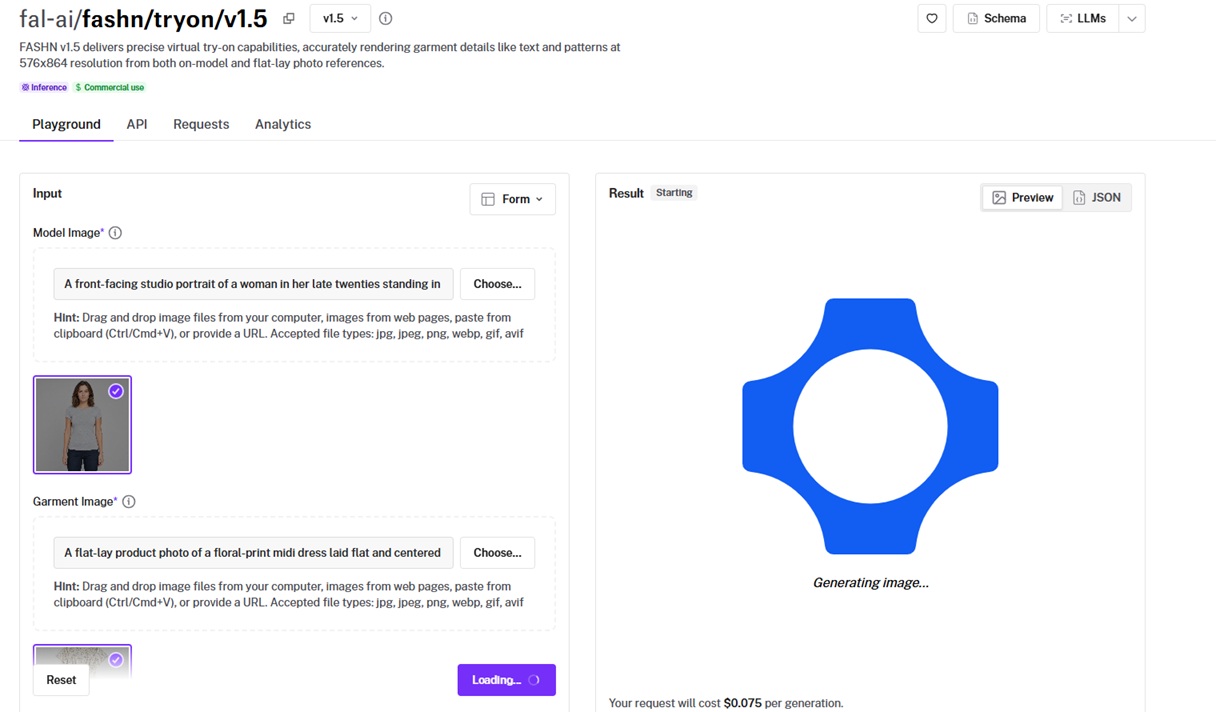
FASHN v1.5 is the earlier FASHN try-on, rendering garment details from on-model or flat-lay references at 576x864 resolution.
It carries the same category detection and three quality modes as v1.6, on a smaller output canvas.
Performance
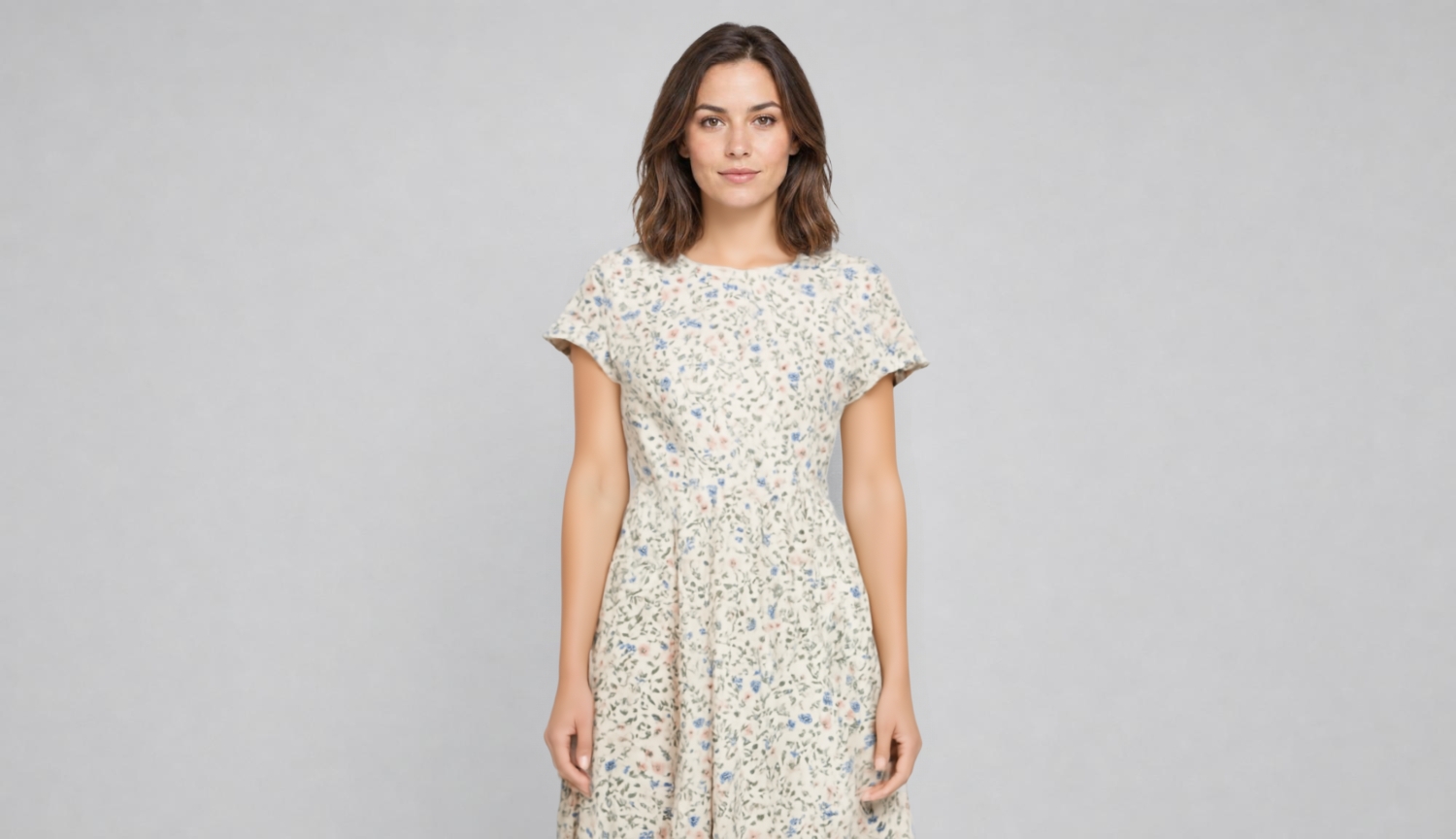
Generated using FASHN v1.5 on fal, an AI model from FASHN.
Detail preservation: Text and pattern alignment came through well at 576x864, although I'm not too happy with how the sleeves look on the woman.
Mode flexibility: Performance, balanced, and quality modes give the same speed-versus-fidelity choice, with balanced as the reasonable default.
Batch variations: Running several samples per request lifted my odds of a usable result without extra API calls.
How to run FASHN v1.5 on fal
FASHN v1.5 is on fal via API and playground.
The input shape mirrors v1.6, with model_image, garment_image, category, mode, and garment_photo_type all in place.
If you're already wired into v1.5, stepping up to v1.6 later is a version-string edit, not a re-integration.
Pricing
FASHN v1.5 costs $0.075 per generation on fal.
#8: OmniGen V2
Best for: Teams that want try-on as one capability inside a broader image editing and multi-image model.
Similar to: Flux 2 LoRA Gallery, FLUX Virtual Try-On Pro.
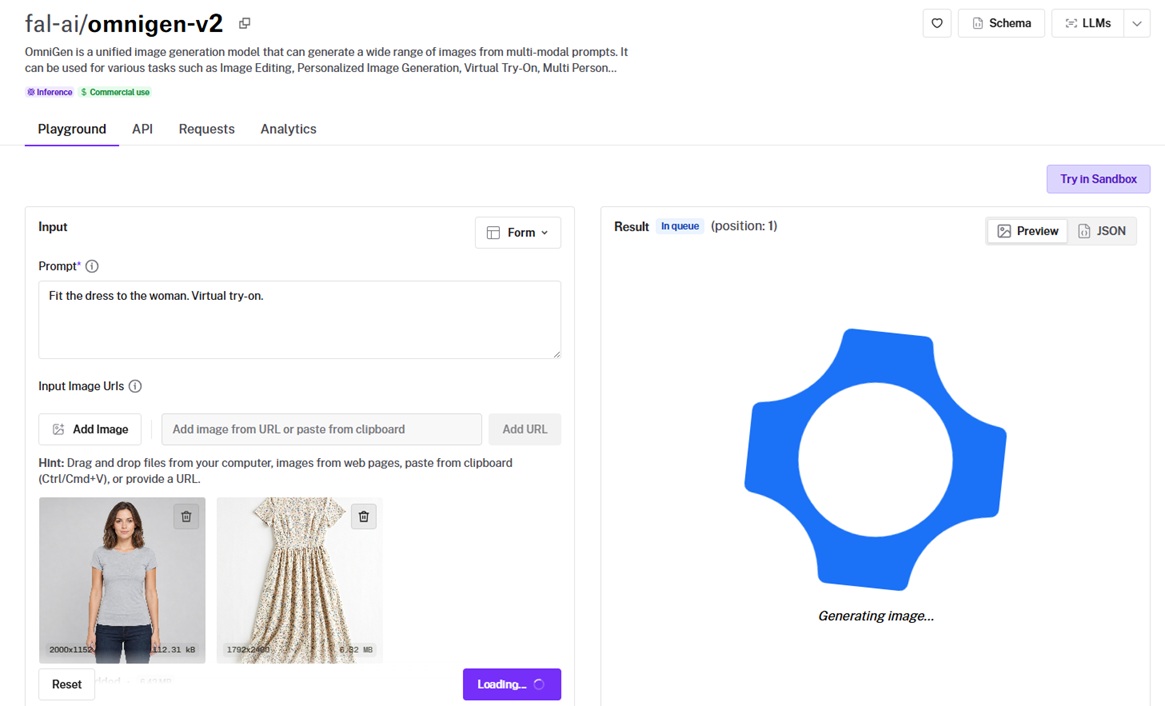
OmniGen V2 is a unified image generation model that covers editing, multi-image composition, and virtual try-on from multi-modal prompts.
Try-on is one task among several it handles, which suits a pipeline that needs more than garment compositing from a single endpoint.
Performance
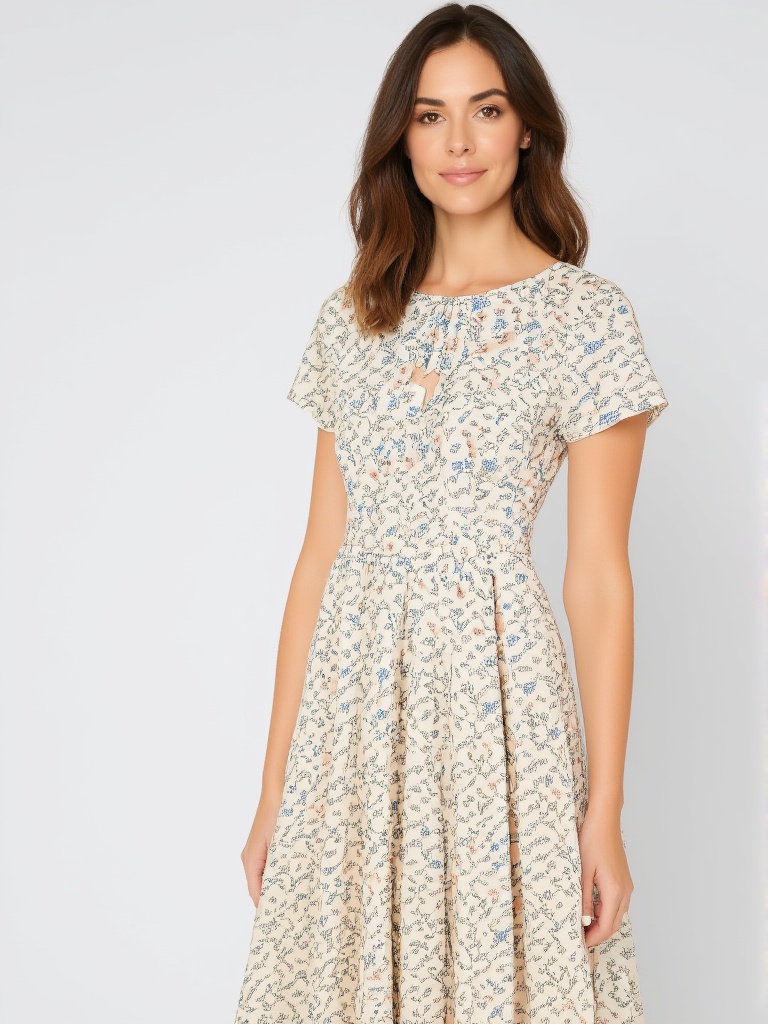
Generated using OmniGen V2 on fal, an AI model from VectorSpaceLab.
Prompt-driven editing: Simple instructions handled garment edits inside the same call I'd use for other image work.
Multi-image input: Support for up to three input images can comfortably cover the person-and-garment pair your try-on runs need.
Control range: Separate text and image guidance scales lets you lean toward the prompt or the reference images run by run.
How to run OmniGen V2 on fal
OmniGen V2 runs on fal through the API and playground.
You pass a prompt and an input_image_urls array of up to three images, then dial text_guidance_scale and image_guidance_scale to weigh prompt adherence against reference fidelity.
Pricing
OmniGen V2 costs $0.15 per megapixel on fal.
#9: Lucy 2.1 VTON Realtime
Best for: A live, in-browser try-on that transforms a webcam feed as it streams, not a static product image.
Similar to: image-apps-v2 virtual try-on, Leffa.
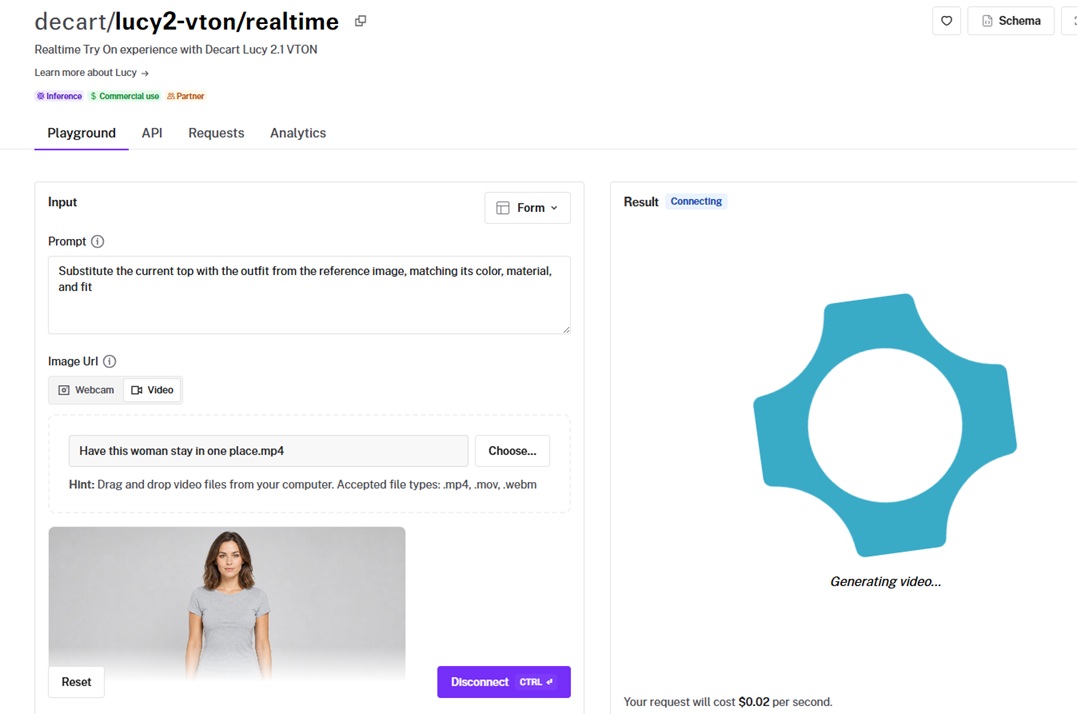
Lucy 2.1 VTON is Decart's real-time try-on, transforming a live webcam feed over a WebRTC connection from a text prompt and an optional garment reference.
It's the only interactive, real-time entry in this guide, which sets its use case apart from every static image endpoint around it.
To create the performance section, I used Kling Video v3 [Pro] to generate a video of the woman sitting still so I can then use the video as the source for virtual try-on.
Prompt: Have this woman stay in one place.
Generated using Kling Video v3 [Pro] on fal.
Performance
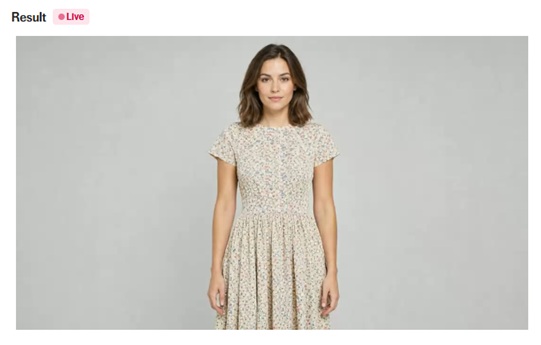
Real-time result using Lucy 2.1 VTON realtime on fal, an AI model from Decart.
Live transformation: Feeding it a webcam or a video as I did produces a continuous transformed stream, which is a different feel from submitting one image and waiting on a result.
Mid-session updates: Swapping the prompt or the reference garment mid-stream needs no teardown of the connection, so iterating on a look will be instant. For example, I experimented with "raise her hand" to see what that'll look like when I had the video added in.
Connection model: It runs over a WebSocket through fal's realtime client with a short-lived JWT, which is built for a shopper-facing session.
How to run Lucy 2.1 VTON realtime on fal
You can run Lucy 2.1 VTON realtime on fal through the realtime client over WebSockets.
You open a connection with fal.realtime.connect, send a prompt and an optional reference_image_url, then negotiate a WebRTC peer connection to stream your camera into the model and the transformed video back.
A token provider on your backend mints the short-lived JWT the connection asks for, which keeps your fal key off the client.
Pricing
Lucy 2.1 VTON realtime costs $0.02 per second on fal.
#10: cat-vton
Best for: Research and prototyping a try-on across several cloth types at a very low compute cost.
Similar to: Leffa, Kling Kolors v1.5.
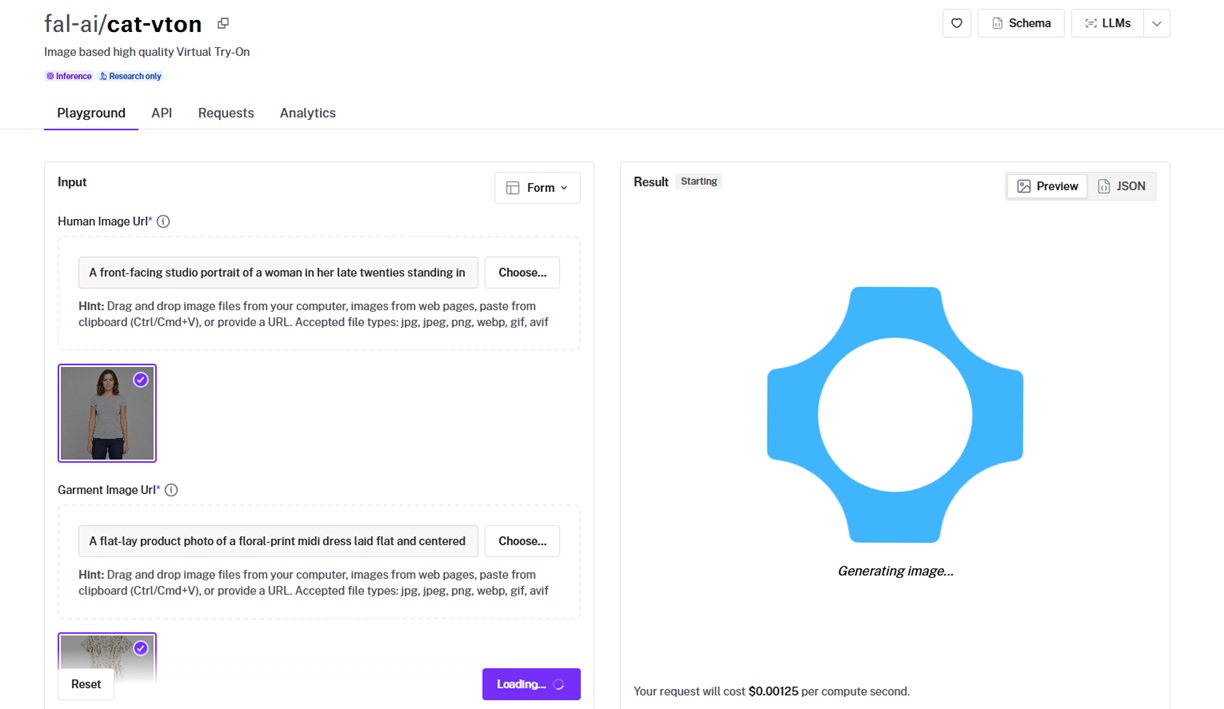
cat-vton is an image-based try-on that composites a garment onto a person across five cloth types, covering upper, lower, full overall, inner, and outer layers.
This endpoint is research-only, so it's the one model here without a commercial-use clearance, which you can use for training purposes.
Performance
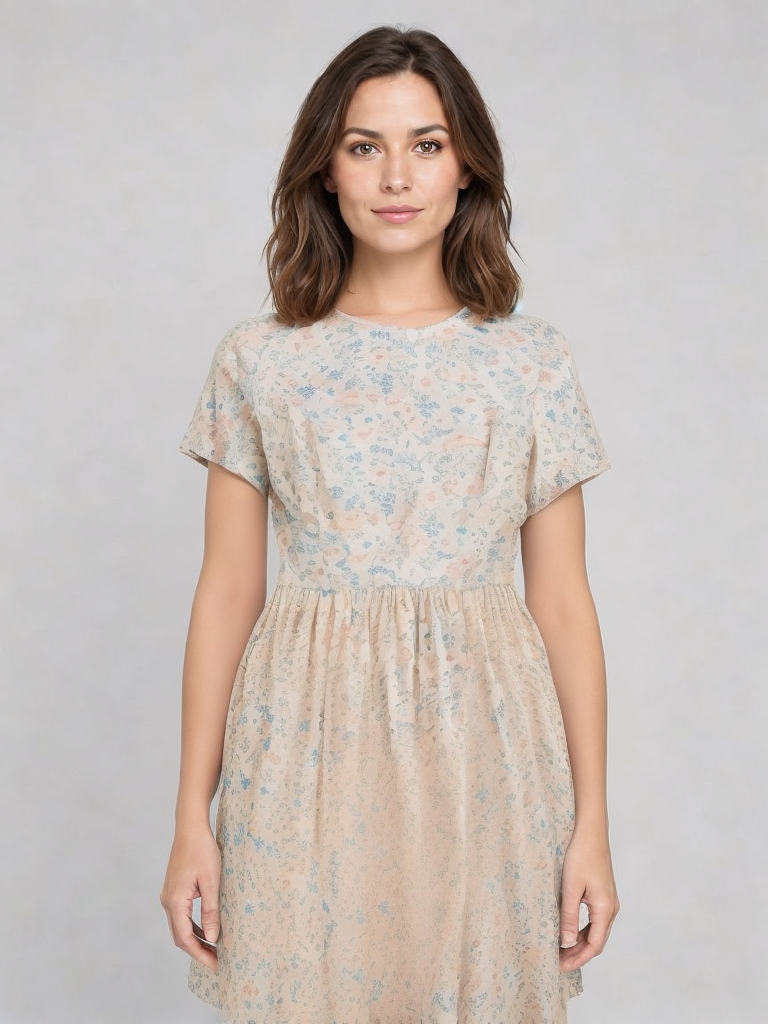
Generated using cat-vton on fal, an AI model from the CatVTON research project.
Output detail: Running the dress through the overall cloth type, the placement held together on a front-facing photo across my runs, with the print staying intact down the skirt at the portrait default.
Cloth-type range: Five cloth types, with inner and outer broken out separately, gives you granular category control, which I think is quite handy for testing layered looks.
Cost to experiment: Per-compute-second billing makes running a stack of test variations cheap.
Licensing note: Research-only, so any commercial storefront use has to fall back on one of the cleared models from this list.
How to run cat-vton on fal
cat-vton runs on fal through the API and playground.
You pass human_image_url, garment_image_url, and a cloth_type of upper, lower, overall, inner, or outer, with image size, steps, and guidance all adjustable.
As billing is per compute second, the inference step count is your main lever on both quality and cost per run.
Pricing
cat-vton costs $0.00125 per compute second on fal.
Recently Added








Generate virtual try-on images at scale through a single API with fal
The right model tracks the job in front of you, from a print-accurate catalog render to a prompt-styled look to a live webcam fitting room for shoppers.
Each one is a fal endpoint away, billed per image or per second, with no servers of your own to keep warm.
The playground lets you set a few outputs next to each other before you commit to an endpoint.
Create your free account and start fitting garments on fal.

![What is Kling 4.0? Everything You Need to Know [2026]](https://refinery.fal.media/url/https%3A%2F%2Fv3b.fal.media%2Ffiles%2Fb%2F0aac880f%2FiTfQ74jiVsnY8JWOk7yeH.jpg/tr:w-1280,q-80/iTfQ74jiVsnY8JWOk7yeH.webp)