![How To Use Ideogram V4: Prompts & Workflows [2026]](https://refinery.fal.media/url/https%3A%2F%2Fv3b.fal.media%2Ffiles%2Fb%2F0aa265fa%2FcWzF9yv1t94j1xFln_W_p.jpg/tr:w-1920,q-80/cWzF9yv1t94j1xFln_W_p.webp)
Ideogram V4 is the image model I'd hand design work to: posters, labels, and anything else where the words on the artwork have to come out spelled right.
Below is how I prompt it based on my experimentation with the AI image generator, a stack of examples you can run as-is in fal's playground or API, and workflows for all three of its endpoints.
TL;DR
You'll want to brief Ideogram V4 like a designer, not a camera: name the format, quote the exact copy, anchor a tradition, and set the palette.
Whatever you put inside quotation marks gets typeset literally, typos included, so the prompt deserves the same proofread as the artwork.
A prompt expansion layer rewrites prose prompts into the structured JSON the model was trained on, and turning that layer off with expansion_model set to None lets you write the JSON yourself for exact palettes and pinned layouts.
The image-to-image endpoint restyles an existing picture through a strength dial, and the tiling endpoint outputs patterns whose edges match in every direction.
You can access Ideogram V4 on fal, where usage is billed per output megapixel: $0.0075 in Turbo, $0.015 in Balanced, and $0.025 in Quality, which puts a 2K square between $0.03 and $0.10.
Where can you access Ideogram V4 on fal?
The best place to access Ideogram V4 is on fal across three separate endpoints:
ideogram/v4 is the text-to-image workhorse this guide leans on most.
ideogram/v4/image-to-image reworks a picture you already have.
ideogram/v4/tiling produces repeating patterns.
Every endpoint speaks the same @fal-ai/client call shape, so the auth, queueing, error handling, and billing you set up once carry across these three and the over 1,000 other models on fal.
There's no subscription anywhere in that sentence because there isn't one: you pay per generated megapixel and nothing else.
Here's how image generation looks with fal's API:
import { fal } from "@fal-ai/client";

const result = await fal.subscribe("ideogram/v4", {
  input: {
    prompt:
      "A red panda perched on a mossy branch in a misty forest at sunrise",
  },
  logs: true,
  onQueueUpdate: (update) => {
    if (update.status === "IN_PROGRESS") {
      update.logs.map((log) => log.message).forEach(console.log);
    }
  },
});

console.log(result.data);
console.log(result.requestId);
There's also an ideogram/v4/trainer endpoint for fine-tuning LoRAs on your own style or subject.
How to (properly) prompt Ideogram V4?
Unlike most image models that get a description, Ideogram V4 wants to get briefed.
A working brief opens with the two decisions no designer starts without:
The format: poster, label, logo, photograph, pattern, whatever the deliverable actually is.
The subject and copy: what's on the piece, with every word that needs to appear written out exactly and wrapped in quotes.
The rest is art direction:
Text treatment: how each block of type behaves, its weight, its position, whether it arcs or stacks or bursts.
Tradition: a named design lineage, Swiss poster, letterpress almanac, zine collage, mid-century litho, so the model inherits an entire visual system in two words.
Palette: colors by name in prose, exact hex values once you graduate to JSON mode.
Surface: the print process, letterpress bite, risograph grain, glossy stock, weathered mural paint.
Mood: a closing word or two for the energy.
Loaded up, a full brief reads like this:
Prompt: A cinematic behind-the-scenes still on a 1950s Technicolor soundstage mid-take, a clapperboard in the foreground reading 'THE SCARLET METEOR' over 'SCENE 12, TAKE 4', two actors in costume frozen under the arc lights on a painted desert set behind it, crew silhouettes and cable runs framing the edges. Golden-age Hollywood set photography tradition. Saturated three-strip reds against deep stage shadow, hot key light with hard rims, the hum of a hundred people staying silent, movie magic caught with its seams showing.
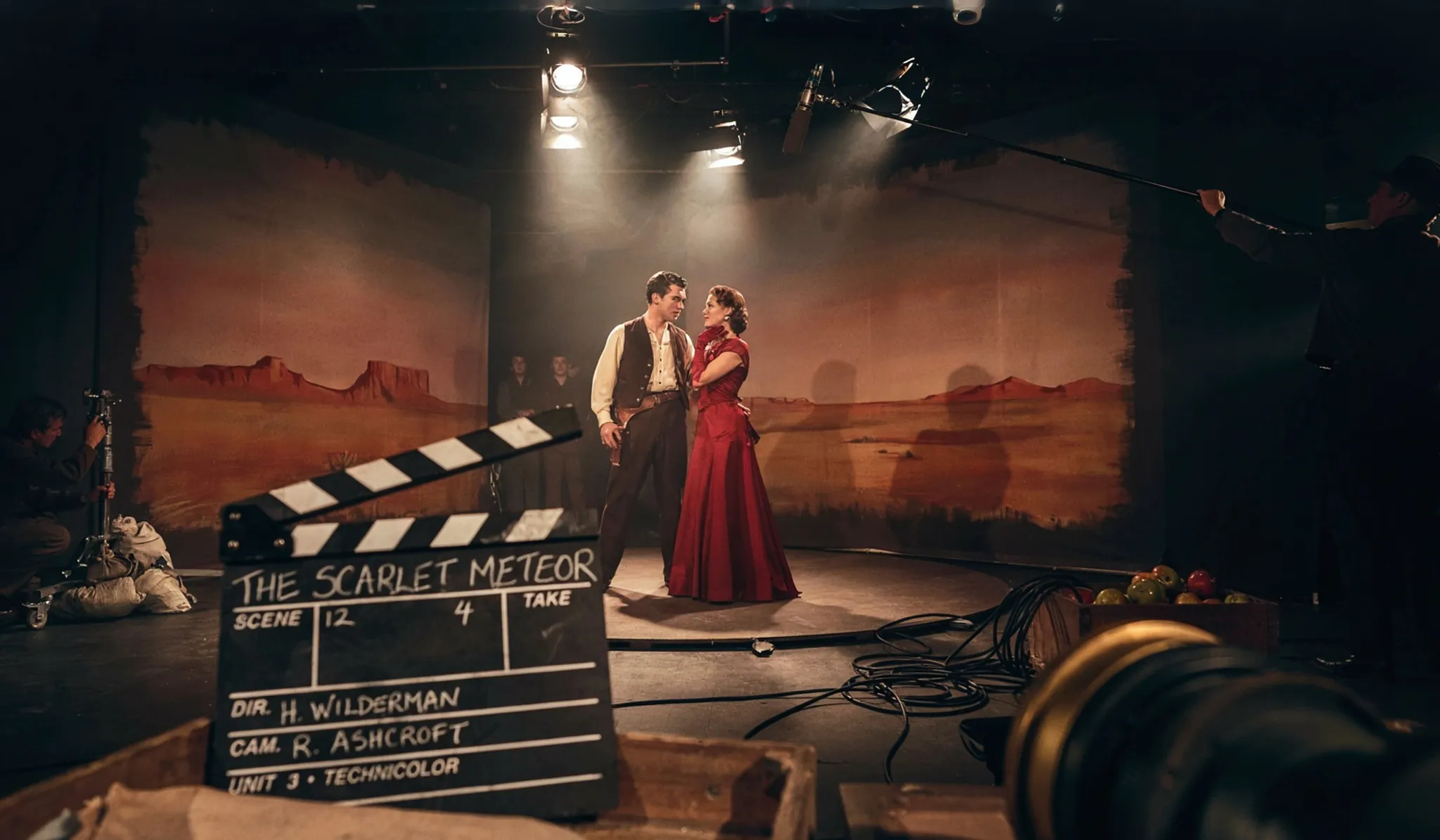
Generated using Ideogram V4 on fal, an AI model from Ideogram.
How do you get a clean type out of Ideogram V4?
One rule carries this entire model: quotation marks are a typesetting order.
Whatever you put inside them gets treated as literal copy, letter for letter, and typeset in the style you describe around it, while everything outside them stays art direction.
However, letter for letter cuts both ways.
When I was experimenting with the model, I once ran a coffee label three times wondering why the origin line looked off, then noticed my prompt said 'Ethopia'.
The model had typeset my mistake beautifully on every pass.
This is why you'll want to proof the prompt the way you'd proof the artwork, because nobody proofs the artwork anymore.
Multi-block layouts want one extra habit: you want to give each block of type its own treatment and its own position, the way fal's playground example does by planting one line in the first row and another beneath it.
A single scene can carry a station's worth of copy, as long as each block gets named:
Prompt: A cinematic dusk still inside a grand 1930s railway terminus, 'GARE MARITIME' carved into the stone arch above the concourse, a split-flap departure board reading 'LISBOA 21:40 QUAI 3' and 'TANGER 22:15 QUAI 7' in glowing rows with further destinations dissolving out of focus above, an enamel sign pointing 'CONSIGNE' toward the left platforms, one traveler with a single suitcase dwarfed under the board. Golden-age travel cinema tradition. Steam-softened amber against iron black, tall shafts of late light through the glass roof, the hush before a night departure.
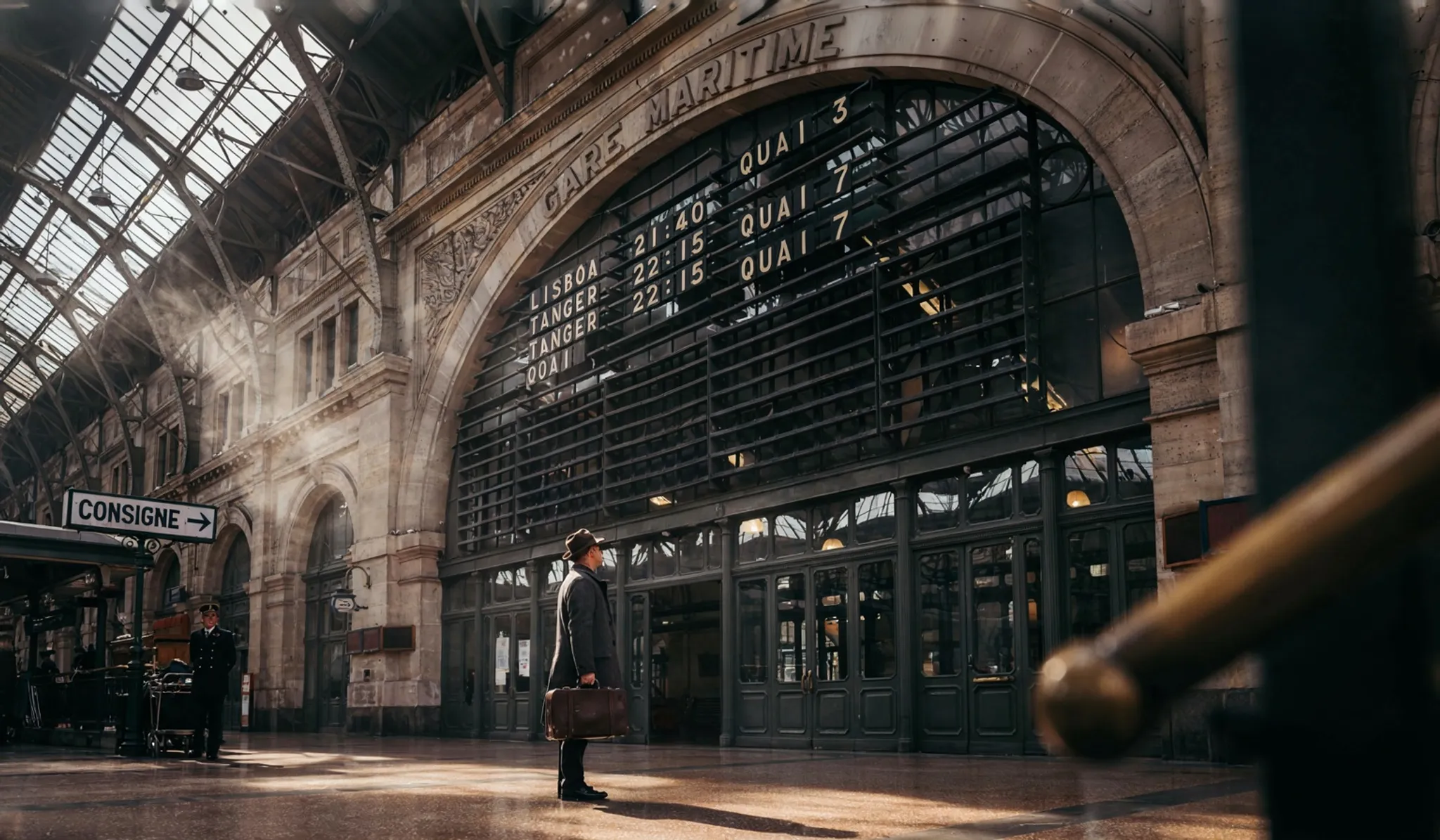
Generated using Ideogram V4 on fal, an AI model from Ideogram.
Dense, multi-line copy is well within range here.
Still, every added line hands the layout another decision, so I build copy block by block once the composition underneath has stopped moving.
falMODEL APIs
The fastest, cheapest and most reliable way to run genAI models. 1 API, 100s of models
Why does a specific prompt beat a vague one on Ideogram V4?
Every adjective you skip is a decision you've delegated to the model, and the model's taste defaults to average.
"Award-winning" and "trending" describe nothing, so the output lands on the most statistically typical image in existence, which is precisely what those words were hired to prevent.
Let's go over the same shipwreck, briefed two ways:
Vague:
Prompt: A cinematic underwater photo of a shipwreck, moody, high quality, trending, award-winning, 8k.
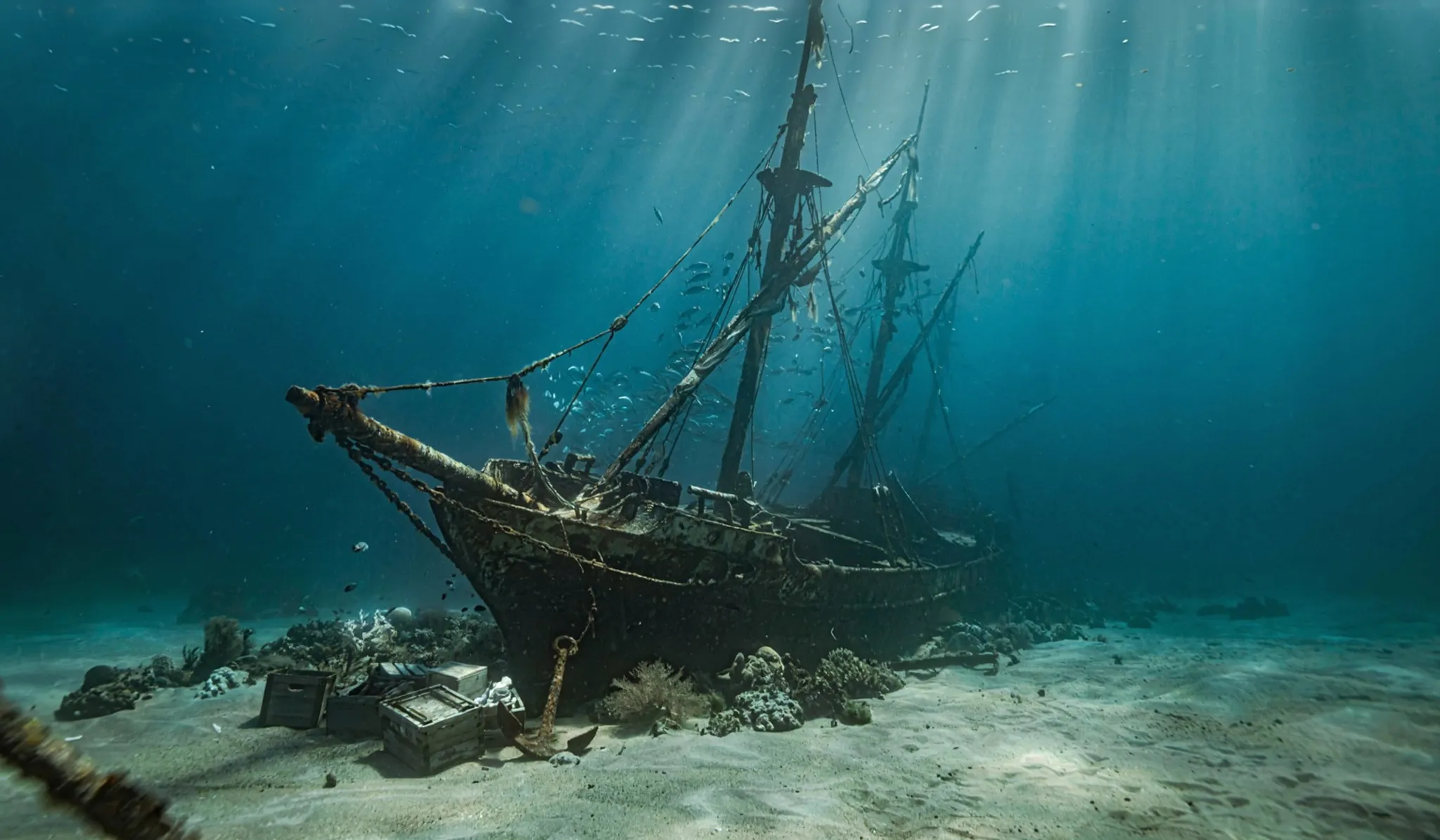
Generated using Ideogram V4 on fal, an AI model from Ideogram.
Specific:
Prompt: A cinematic underwater still of a diver's torch beam cutting through green darkness to find the stern of a sunken steamer, 'PERSEVERANCE' still legible in riveted letters beneath a half century of rust and anemones, silt hanging where a fin stroke disturbed it, a school of small silver fish parting around the light. Expedition documentary tradition. Torch white against deep green-black, particulate haze in the beam, the silence of a place that stopped waiting.
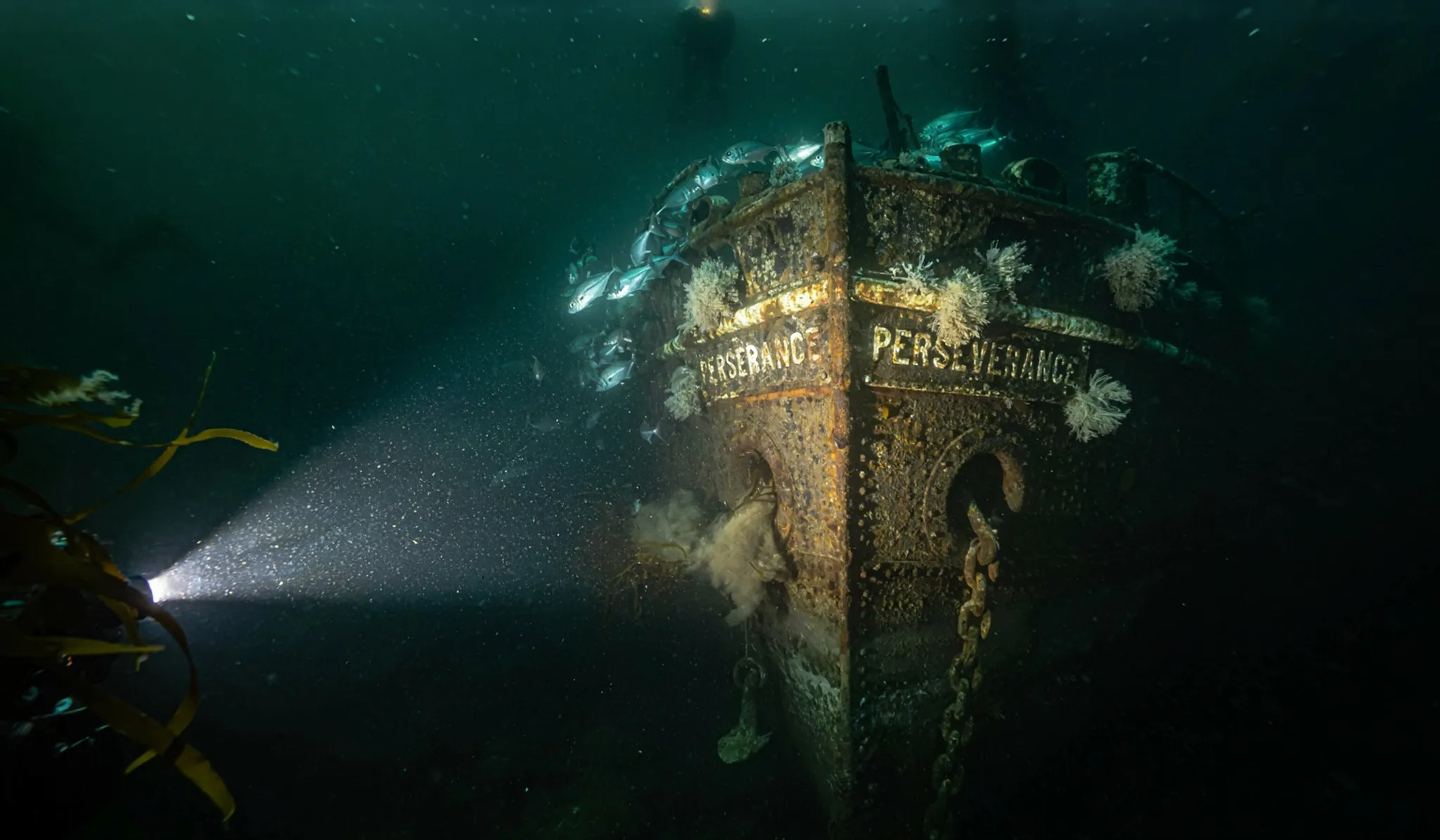
Generated using Ideogram V4 on fal, an AI model from Ideogram.
The vague version works as a mood check and for nothing past that.
The specific version reads long, but each clause is a decision: the torch beam writes the lighting plan, the riveted name gives the type a home, the hanging silt proves a diver just moved through, and the parting fish give the frame its motion.
➡️ A caveat from my experimentation: if you pile enough instructions into one prompt and eventually two of them collide, the model quietly picks a loser.
This is why you want to get the composition standing first.
After that, you can hold the seed and change a single variable per run, and save the restyles for the image-to-image endpoint.
What are the anti-slop rules for design prompts with Ideogram V4?
AI slop has a look that we can all recognize at this point, and the look comes from prompts that I feel like never made a real decision.
There are six habits that keep the output out of that bucket:
Quote every word you want rendered: unquoted copy is a mood board, quoted copy is a typesetting order, and the model treats the two very differently.
Name a tradition, not an adjective: "award-winning design" hands the model nothing, while "Swiss International Style poster" or "new-wave punk single sleeve" hands it a full visual system.
Call the palette: two named colors and an accent beat "vibrant" every time, and exact hex codes in JSON mode beat both.
Give the surface a texture: letterpress bite, screenprint grain, matte label stock, weathered mural paint. A named surface will separate a designed object from a default render.
Put the light somewhere: even on graphic work, "low window light raking across the bench" does more than any 'quality' keyword ever has.
Leave space on purpose: when a logo or a line of copy gets dropped in later, say where the empty area goes and the composition will hold it open for you.
What are the best text-to-image prompt patterns for Ideogram V4?
Here are five starting points, each one built around something this model handles well:
Type that lives inside the scene
The obvious typography demo is a flat layout, so this one is deliberately harder: text rendered as part of the world, on equipment, in perspective, under scene lighting.
One lesson from my own runs: in-scene type holds up best as one or two large elements on flattish surfaces, so resist the urge to scatter six small labels around the frame.
Prompt: A cinematic night still of a 1930s fire engine backing into its firehouse in the rain, 'ENGINE CO. 9' in gold-leaf lettering across the lacquered red door, the letters catching a bare bulb burning above the bay, rain beading on the fenders and steam rising off the hood, one firefighter guiding it in with a raised hand. American firehouse tradition. Lacquer red and brass gold against wet asphalt black, hard bulb light with long reflections, the quiet after the sirens.
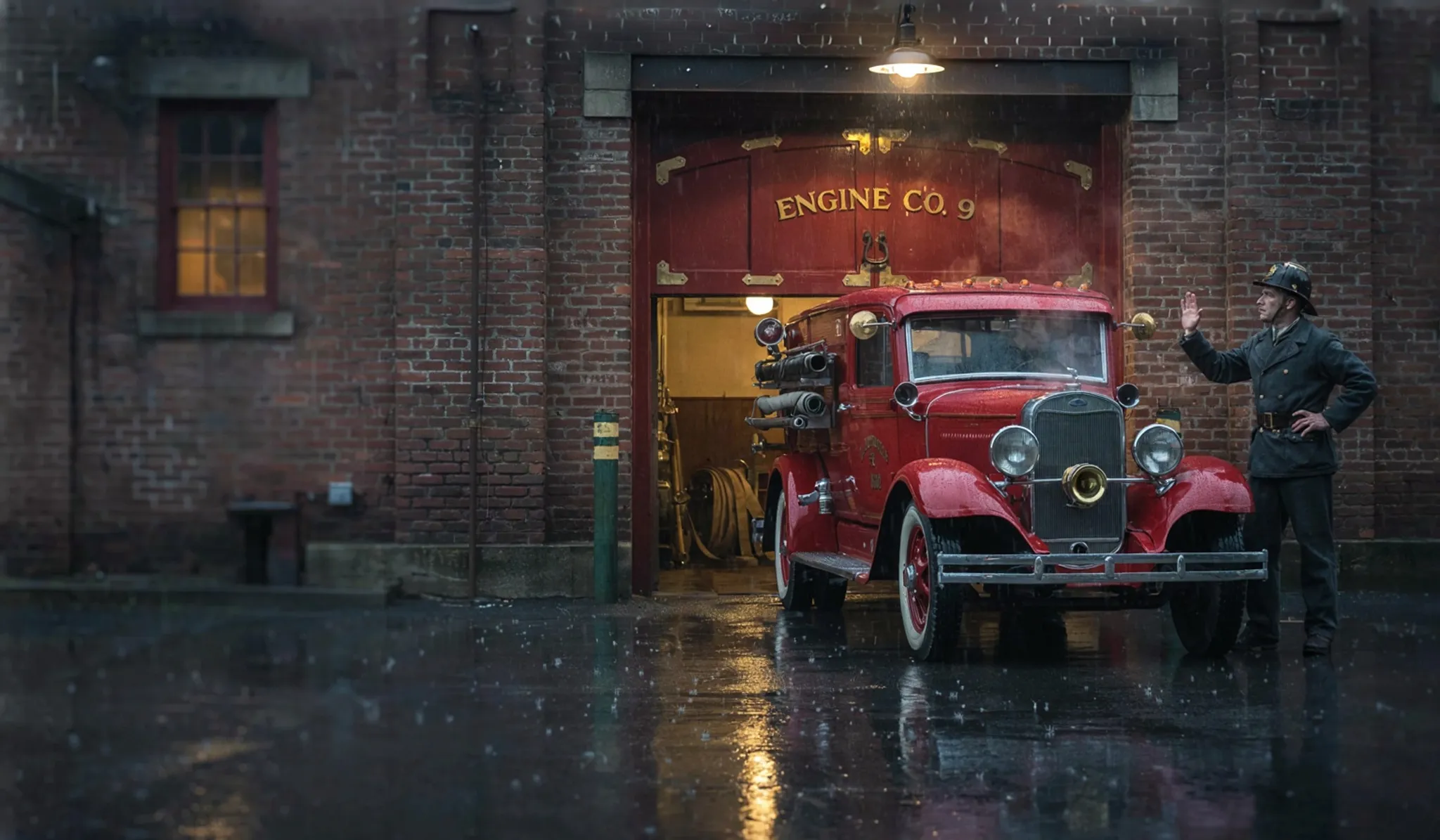
Generated using Ideogram V4 on fal, an AI model from Ideogram.
Packaging with a text hierarchy
Labels are normally hierarchy problems: big name, small descriptor, tiny detail line, each in its place.
This is why quoted copy with explicit positions solves that ordering straight from the prompt.
Prompt: An olive oil tin label, 'CASA VERDE' in tall engraved capitals across a central band, 'First cold press, single estate, 500 ml' in a fine serif beneath it, olive branches framing the composition in botanical linework. Mediterranean label tradition. Deep green and gold on cream, engraved print texture, old-world calm, pantry-shelf gravity.
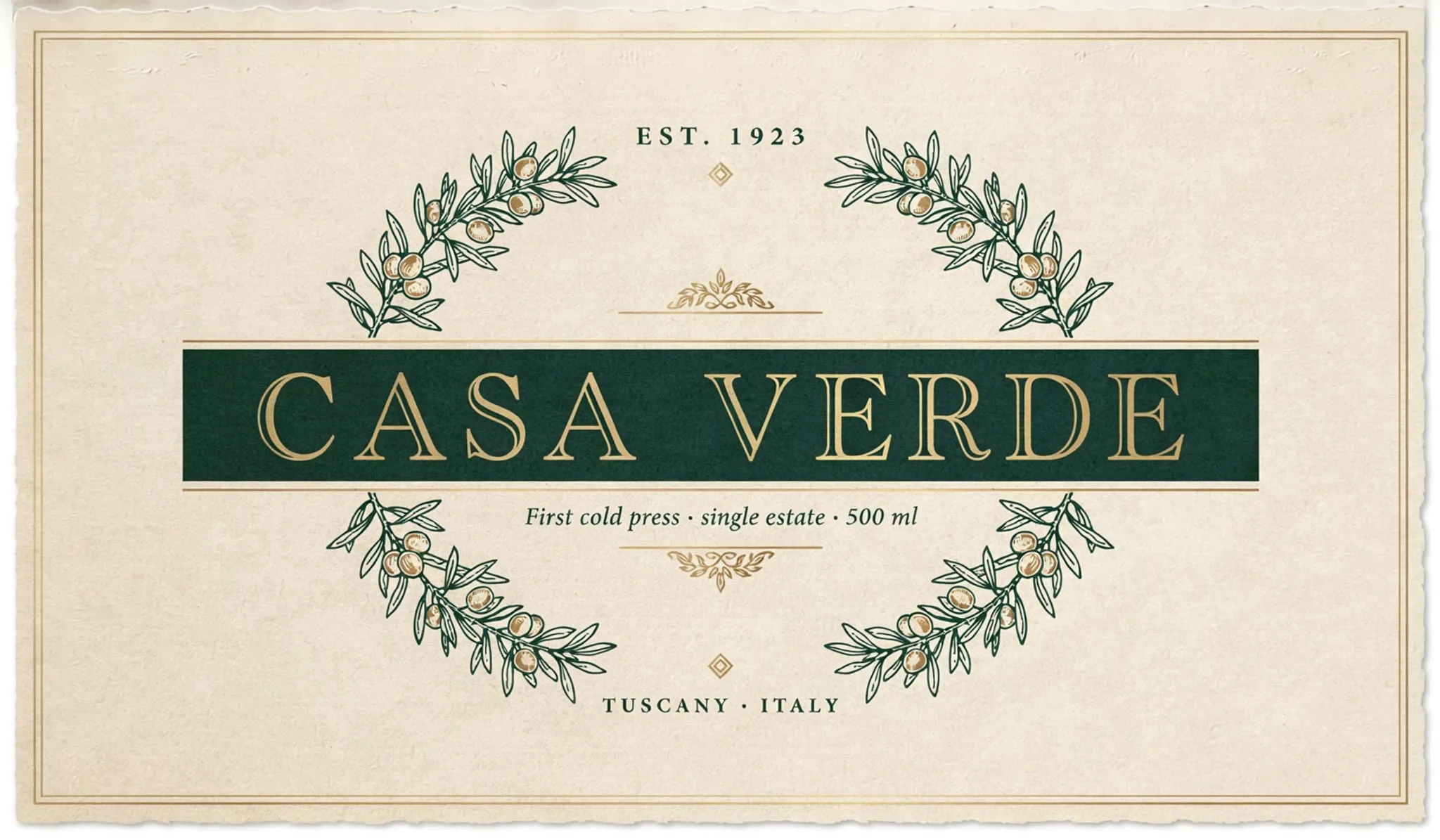
Generated using Ideogram V4 on fal, an AI model from Ideogram.
A photorealistic editorial still
Here's what photorealism looks like on Ideogram V4:
Prompt: An editorial photograph of a ceramicist's workbench after a long day, four glazed bowls cooling on a scarred wooden surface, dried clay dusting the tools, low window light raking across every texture. Documentary still-life tradition. Muted terracotta and slate palette, natural grain, honest imperfection, quiet end-of-day stillness.
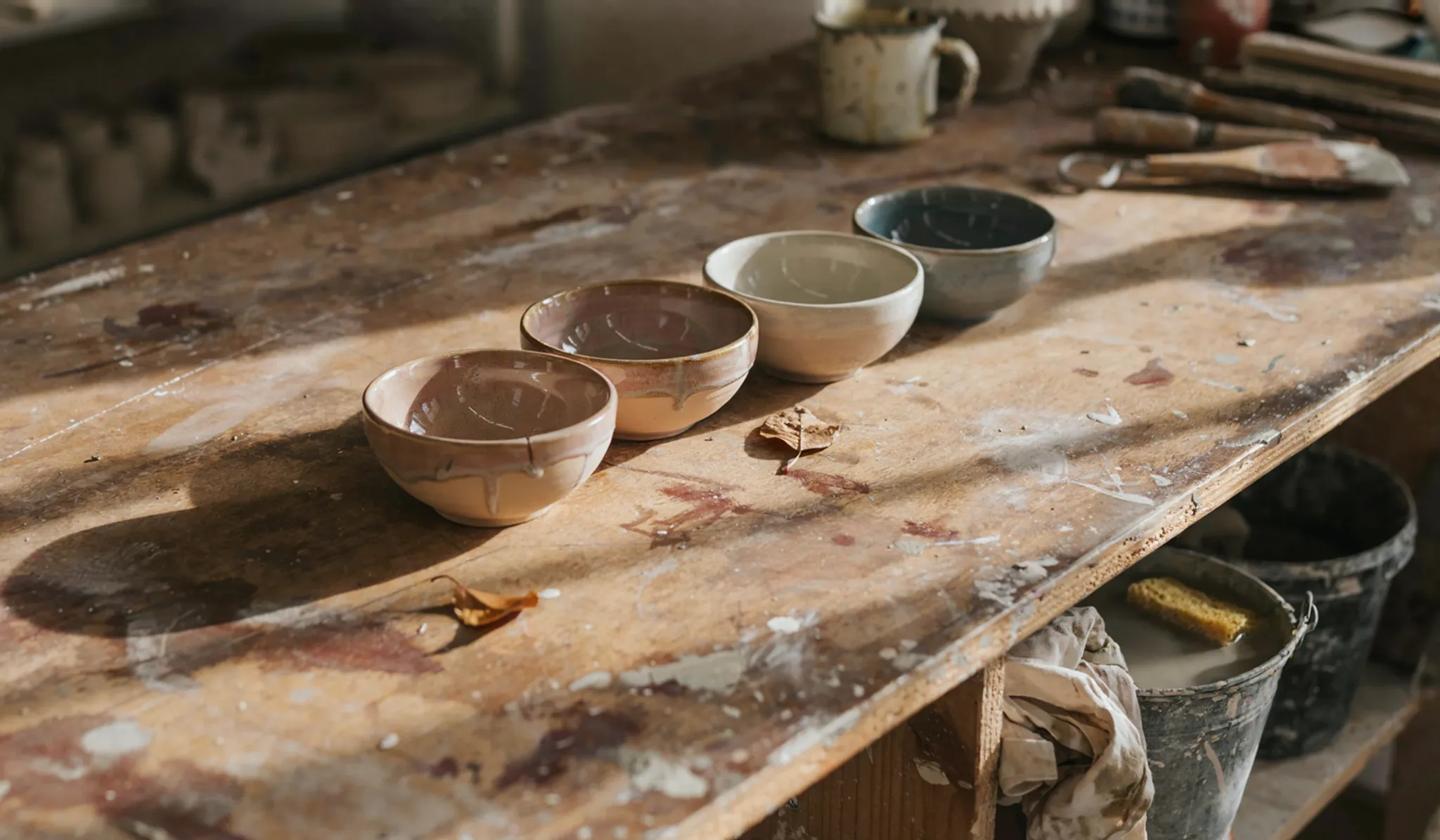
Generated using Ideogram V4 on fal, an AI model from Ideogram.
An illustration in a named lineage
For illustration work, the tradition does the steering, and the more specific the lineage, the harder the model commits to it:
Prompt: A hand-drawn field guide plate, 'BIRDS OF THE ESTUARY' lettered along the top, four labeled wading birds arranged around a marsh scene, fine ink hatching throughout. Victorian natural history plate tradition. Ink and watercolor on cream, careful labeling, a collector's patience, museum-drawer charm.
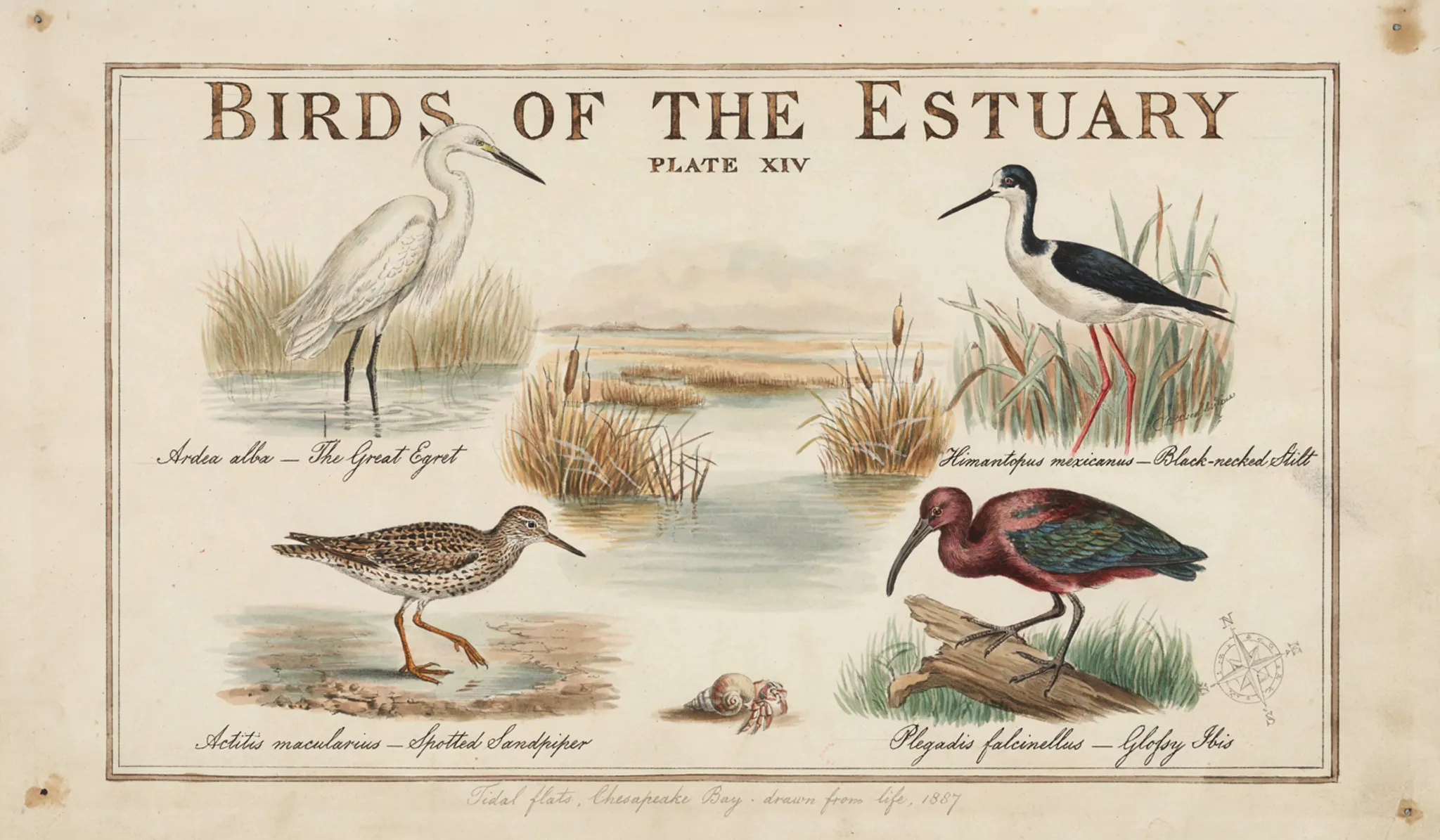
Generated using Ideogram V4 on fal, an AI model from Ideogram.
A social asset at an exact size
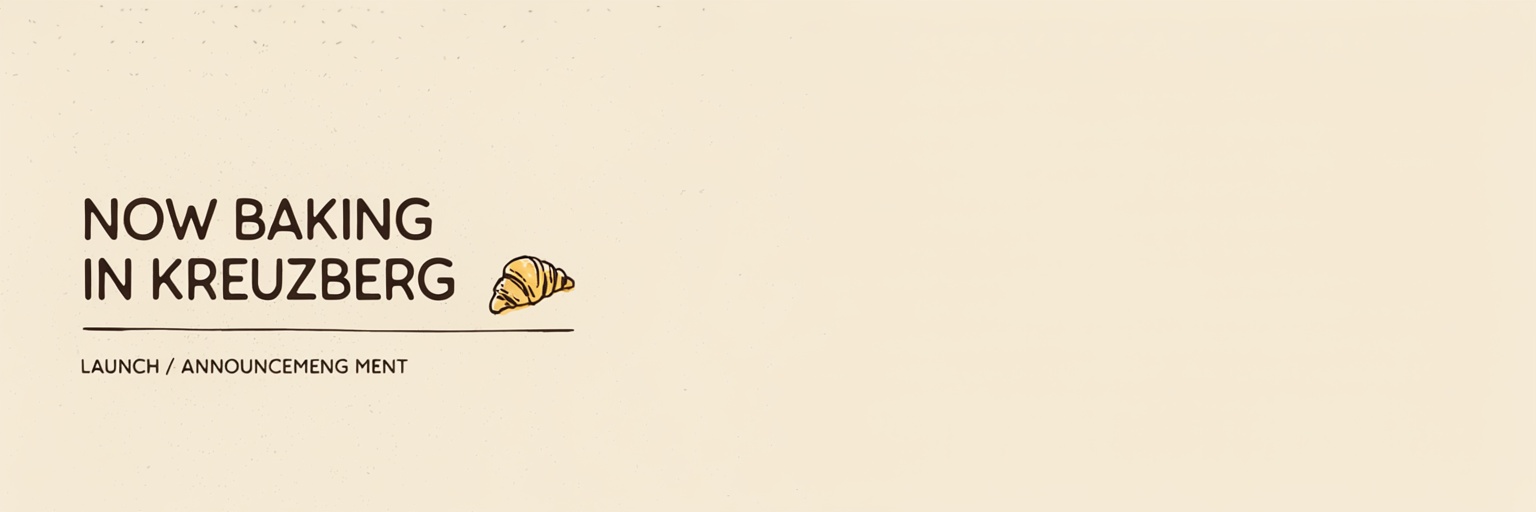
image_size accepts a custom width and height object, so platform-exact assets render at their final dimensions with no crop step afterward.
I ran this one at 1536 by 512:
Prompt: A launch announcement banner, 'NOW BAKING IN KREUZBERG' in warm rounded capitals set left of center, a small illustrated croissant as the only ornament, generous empty space across the right half for a line of copy to be set in afterward. Modern social banner tradition. Cream and butter yellow over espresso brown, soft matte finish, easy morning energy.
Generated using Ideogram V4 on fal, an AI model from Ideogram.
How does structured JSON prompting work on Ideogram V4?
Ideogram V4 was trained exclusively on structured JSON captions, so a prose prompt has to be converted into that format before the model can do its best work (although natural language prompts still works well).
On fal, the expansion_model parameter controls what happens to it first.
Medium, the default, converts your prose quickly.
Large runs Ideogram's Magic Prompt for the highest-quality conversion, and None skips the layer (and its fee) entirely, which only makes sense when you're supplying the structured format yourself.
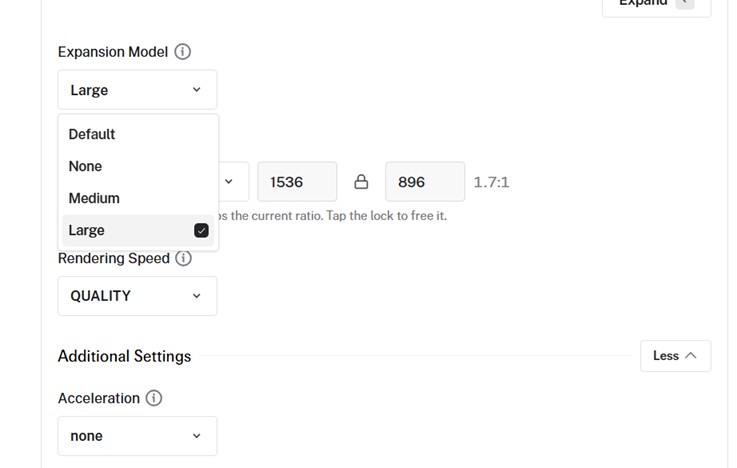
When you leave expansion on, the layer interprets your intent and makes creative calls on your behalf.
Expansion off is for deeper control: what you write is what renders, down to the hex value.
Here's a valid Ideogram 4.0 JSON caption with three top-level fields:
high_level_description summarizes the whole piece in a sentence.
style_description carries the aesthetics, lighting, medium, and an optional color_palette of up to 16 hex values.
compositional_deconstruction describes the background and then every element in the frame, and any element can take a bounding box, written [y_min, x_min, y_max, x_max] on a 0 to 1000 grid from the top-left corner, to pin it to an exact region.
To learn more about using JSON properly for Ideogram V4, you can check out Ideogram's prompting guide too.
Here's my rule for choosing: prose with expansion on until the concept is found, JSON with expansion off once brand hexes or a pinned layout enter the picture.
How do you rework an image with Ideogram V4 image-to-image?
ideogram/v4/image-to-image takes a source picture plus a prompt and rebuilds the picture toward the prompt while the original composition stays recognizable.
One parameter, strength, does nearly all the steering.
If you set it to 1.0, the input will get ignored outright, but if you drop it lower, the output will follow the source tighter.
The default is 0.8 changes, which I treat as an opening bid: down toward 0.5 when the rework erased something I wanted kept, up toward 0.9 when it barely moved anything.
Image size can stay on auto, which mirrors the input's dimensions up to roughly 25 megapixels, with a ceiling of 8192 pixels per side.
Here's where this endpoint fits my routine:
Restyling a keeper: a locked frame from text-to-image gets a second pass at a different hour, in a different season, on different film stock, or as an engraving.
Finishing a rough: a fast mockup or a sketch with the layout blocked out goes in, and a finished render with the same bones comes out.
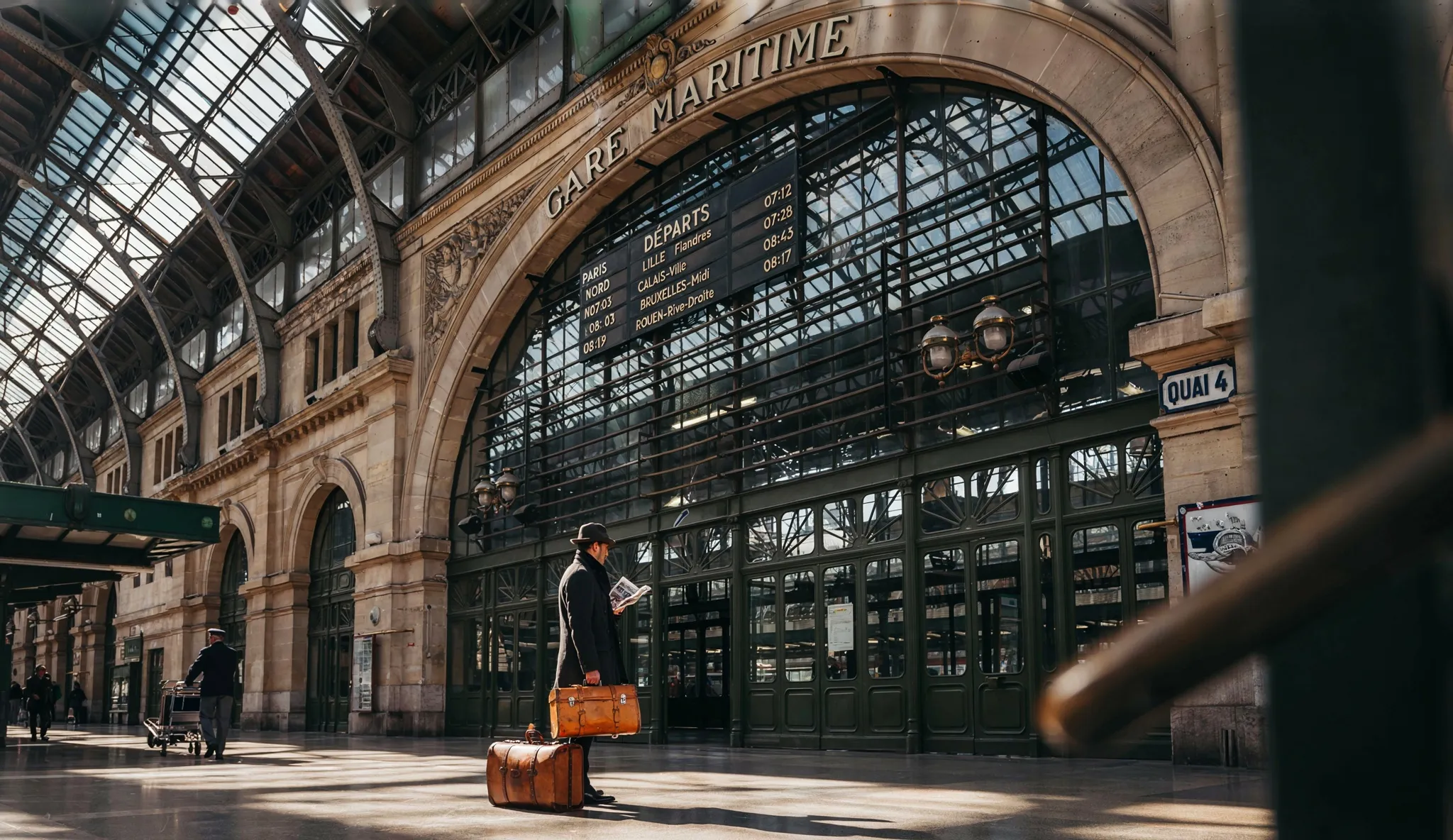
Input image: the railway terminus still from the typography section.
Prompt: The same terminus at seven on a summer morning, the fog gone, hard gold light flooding through the glass roof and striping the concourse, the architecture and every sign exactly where they were, only the hour changed.
Generated using Ideogram V4 on fal, an AI model from Ideogram.
How do you make repeating patterns with Ideogram V4 tiling?
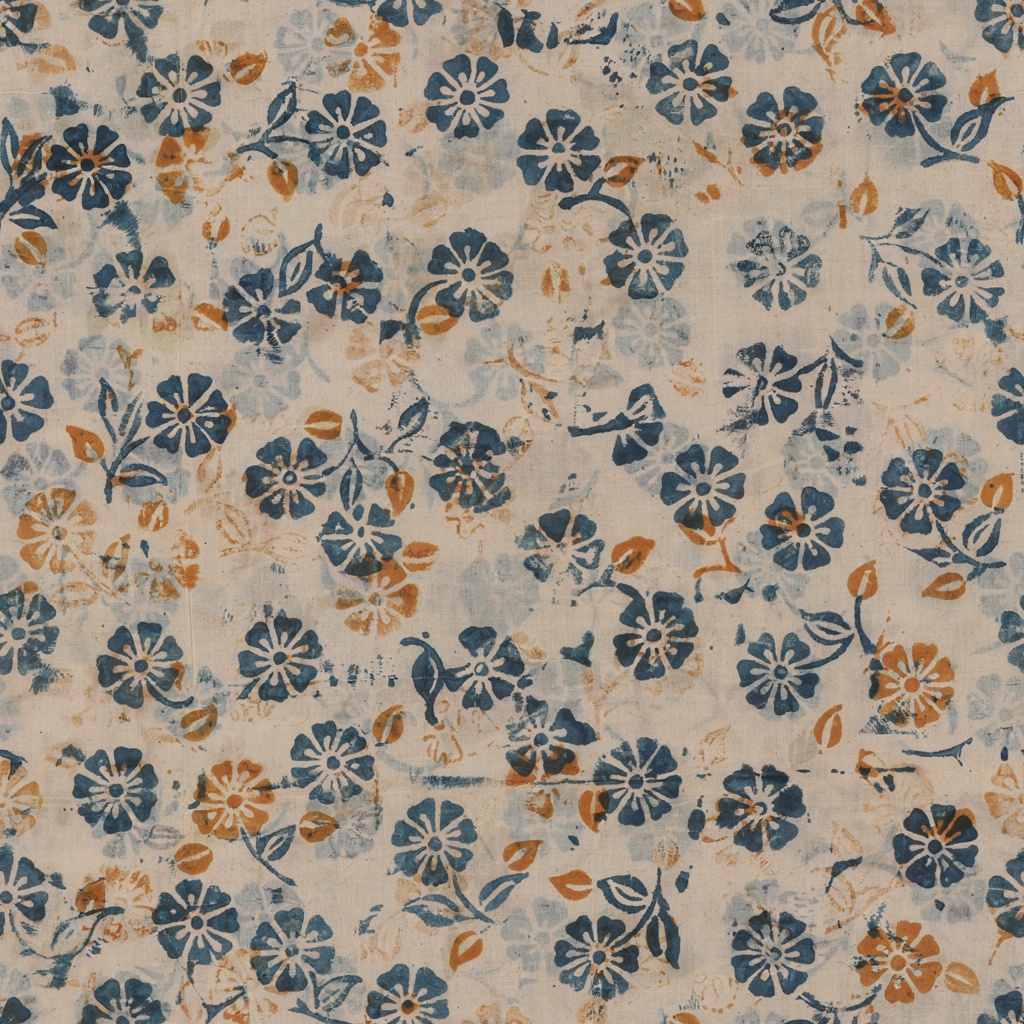
ideogram/v4/tiling outputs textures and patterns whose edges match, so the image repeats in any direction without a visible join.
Anyone who has tried to fake this by mirroring a texture in an editor knows how rarely it survives contact with an actual website background.
tiling_mode sets the direction: both repeats every which way, while horizontal and vertical lock the repeat to a single axis.
You can feed in an image_url and the run becomes image-to-image tiling, converting a texture you already have into a repeatable one.
And if you add a mask_url on top of that, it'll become inpainting tiling: white regions regenerate, black regions stay untouched.
Prompt: A block-printed textile pattern, indigo florals with small mustard buds on unbleached cotton, visible registration wobble in every motif, artisan repeat.
Generated using Ideogram V4 on fal, an AI model from Ideogram.
How much does Ideogram V4 cost on fal?
fal charges $0.0075 per megapixel in TURBO mode, $0.015 per megapixel in BALANCED mode, or $0.025 per megapixel in QUALITY mode.
For example, a 2048 x 2048 image will cost $0.03, $0.06 or $0.10 based on the mode.
Prompt expansion adds a flat $0.03 whenever the layer runs, which expansion_model set to None avoids.
Recently Added



Run Ideogram V4 on fal
The playground is the fastest door into using Ideogram V4 at scale, and creating an account costs nothing.
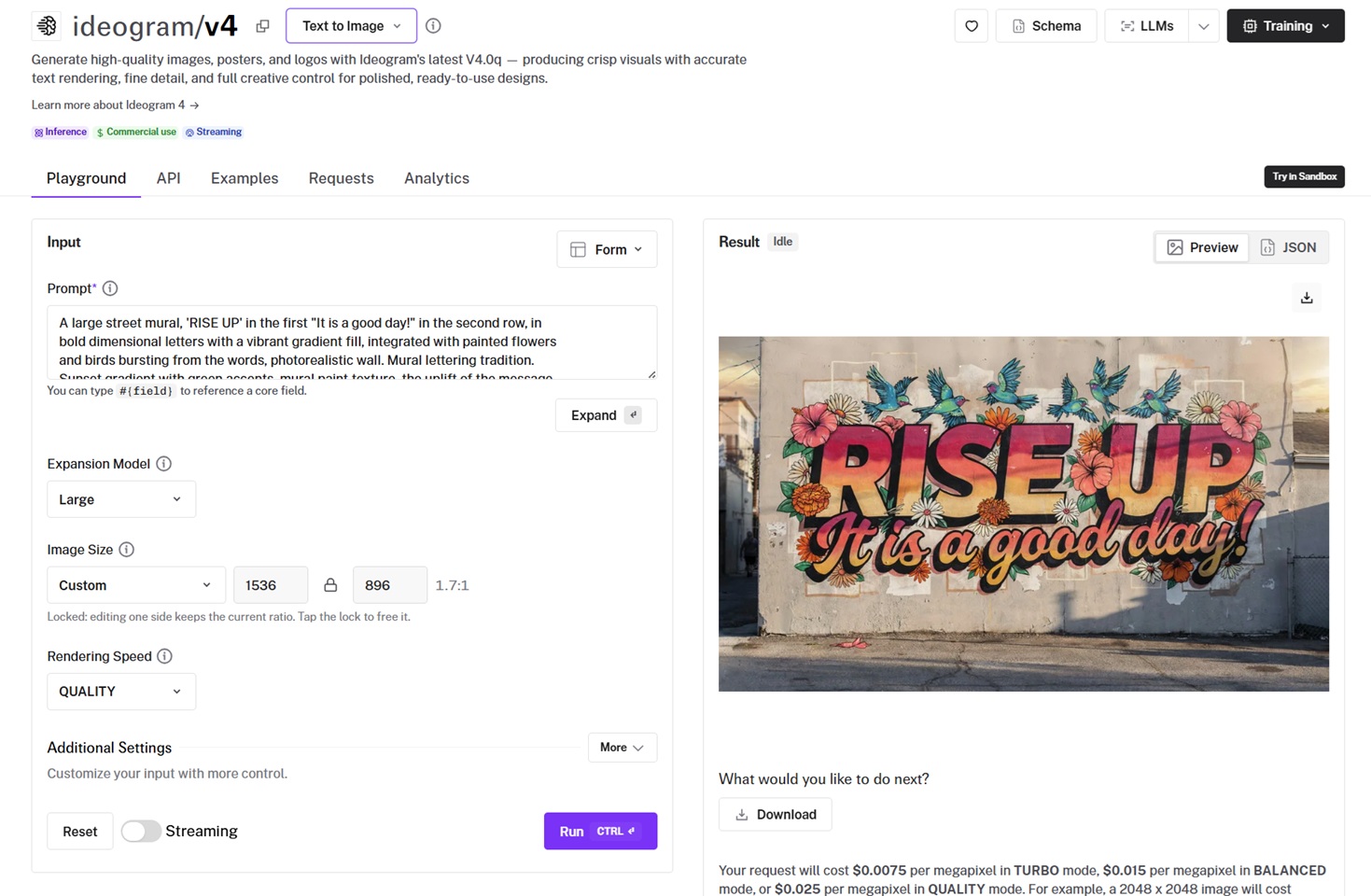
My loop, for what it's worth: cheap Turbo drafts at 1 megapixel until the type and layout land, and switching expansion to None once the prompt has moved to my own JSON.
And if the final output needs to be edited, the image-to-image endpoint takes it from there without leaving fal.
FAQs about prompting Ideogram V4
Can I use Ideogram V4 images in commercial work?
Yes.
Images generated through fal can be used in commercial projects, client work included. You can learn more at fal's terms of service.
Which rendering speed should I pick?
The three modes trade denoising steps for time and money, so you can treat them as a drafting dial.
Turbo exists for volume, and I'll happily fire off ten drafts in it while hunting a layout.
Balanced is where the dial rests, and Quality only comes out for the render that actually ships.
What sizes and aspect ratios does Ideogram V4 support?
The presets are square, square_hd, portrait_4_3, portrait_16_9, landscape_4_3, and landscape_16_9.
Past the presets, image_size takes a custom width and height object, and the model renders in native 2K, so banners and story frames come out ready to place.
On image-to-image, the auto setting mirrors the input's size up to roughly 25 megapixels, with a ceiling of 8192 pixels per side.
How do I reproduce a result, or vary it on purpose?
You can set a seed.
An identical seed and prompt with the same settings return the identical image, which is how a design gets pinned down.
Keep the seed and edit one detail, and the change stays surgical: the palette shifts while the rest of the layout holds.


![10 Best Virtual Try-On APIs in 2026 [Reviewed]](https://refinery.fal.media/url/https%3A%2F%2Fv3b.fal.media%2Ffiles%2Fb%2F0aa0ad85%2Ft1AjEGt_gapabWxSItcbb_best-virtual-try-on-apis-2026.jpg/tr:w-1280,q-80/t1AjEGt_gapabWxSItcbb_best-virtual-try-on-apis-2026.webp)