![10 Best Image-to-Image APIs in 2026 [Reviewed]](https://refinery.fal.media/url/https%3A%2F%2Fv3b.fal.media%2Ffiles%2Fb%2F0aa0ad7c%2F3vi7CwocCD7cb_feJpa0d_best-image-to-image-apis-2026.jpg/tr:w-1920,q-80/3vi7CwocCD7cb_feJpa0d_best-image-to-image-apis-2026.webp)
I ranked and tested the 10 best image-to-image APIs in 2026 below, all running on fal, where I fed each one a source image and a prompt and judged how well it held the parts I wanted kept while changing the parts I asked for.
TL;DR
Nano Banana 2: Google's Flash-tier editor that takes a prompt and up to 14 reference images, reasoning about what to change and what to leave alone without a single mask.
Nano Banana Pro: the quality-first sibling on Google's Gemini 3 Pro Image foundation, trading Flash speed for deeper compositional reasoning and stronger text rendering.
GPT Image 2 (edit): OpenAI's editor with optional mask control and real-time streaming, so you watch the edit resolve before the full file lands.
fal (that's us) runs every image-to-image model in this guide behind one API, on our own inference engine, with pay-per-use billing.
⚠️ A note on how the research was conducted to make this list: I ranked these models based on my own testing of the image-to-image APIs inside fal, where I ran the same source image and edit brief through each one and judged the output.
What is the best place to run image-to-image models?
fal offers the best place to run image-to-image models with our unified API for every model in this guide, custom-built inference engine, and pay-per-use pricing.
Instead of having to create multiple accounts and billing relationships with the different AI image editing providers, you can have 1 fal account and simply pick the endpoints that you want to run.
The integration is a single @fal-ai/client call, and switching between editors reduces to editing the endpoint string.
The same setup also reaches over 1,000 models for image generation, video, music beyond the ten covered here.
As the code path does not change between models, you can draft on an affordable and fast editor and move to a higher-fidelity one for the final asset.
A request for image editing looks like this:
javascript
import { fal } from "@fal-ai/client";

const result = await fal.subscribe("fal-ai/nano-banana-2/edit", {
  input: {
    prompt:
      "make a photo of the man driving the car down the california coastline",
    image_urls: ["https://your-host.com/source.png"],
  },
});
What are the best image-to-image APIs in 2026?
The best image-to-image APIs in 2026 are Nano Banana 2, Nano Banana Pro, and GPT Image 2, all of which run on fal with pay-per-use pricing.
Here is the full shortlist:
| AI Model | Best For | Price on fal |
|---|---|---|
| Nano Banana 2 | Fast mask-free edits with up to 14 reference images | $0.08 per image (1K) |
| Nano Banana Pro | Quality-first edits with strong text rendering | $0.15 per image |
| GPT Image 2 (edit) | Mask control and streaming output | ~$0.219 per high-quality 1024x1024 edit |
| FLUX.2 [pro] | Configuration-free multi-reference editing at volume | $0.03 first megapixel of output, $0.015 per additional megapixel of input and output |
| FLUX.2 [flex] | Tunable steps and guidance for cost-quality control | $0.05 per megapixel, input and output |
| Seedream 5.0 Lite | High-resolution edits with up to 10 reference images | $0.035 per image |
| Grok Imagine Quality (edit) | High-detail edits with strong text rendering across a wide aspect ratio range | $0.05 per output image (1K) plus $0.01 per input |
| SeedVR2 | Upscaling soft or low-resolution images | $0.001 per megapixel |
| Photo Restoration | Repairing and colorizing old or damaged photos | $0.04 per image |
| Bria GenFill v2 | Generating an object into a masked region | $0.04 per megapixel |
I ran the same source image and the same edit brief through every model so the comparison holds up across all of them.
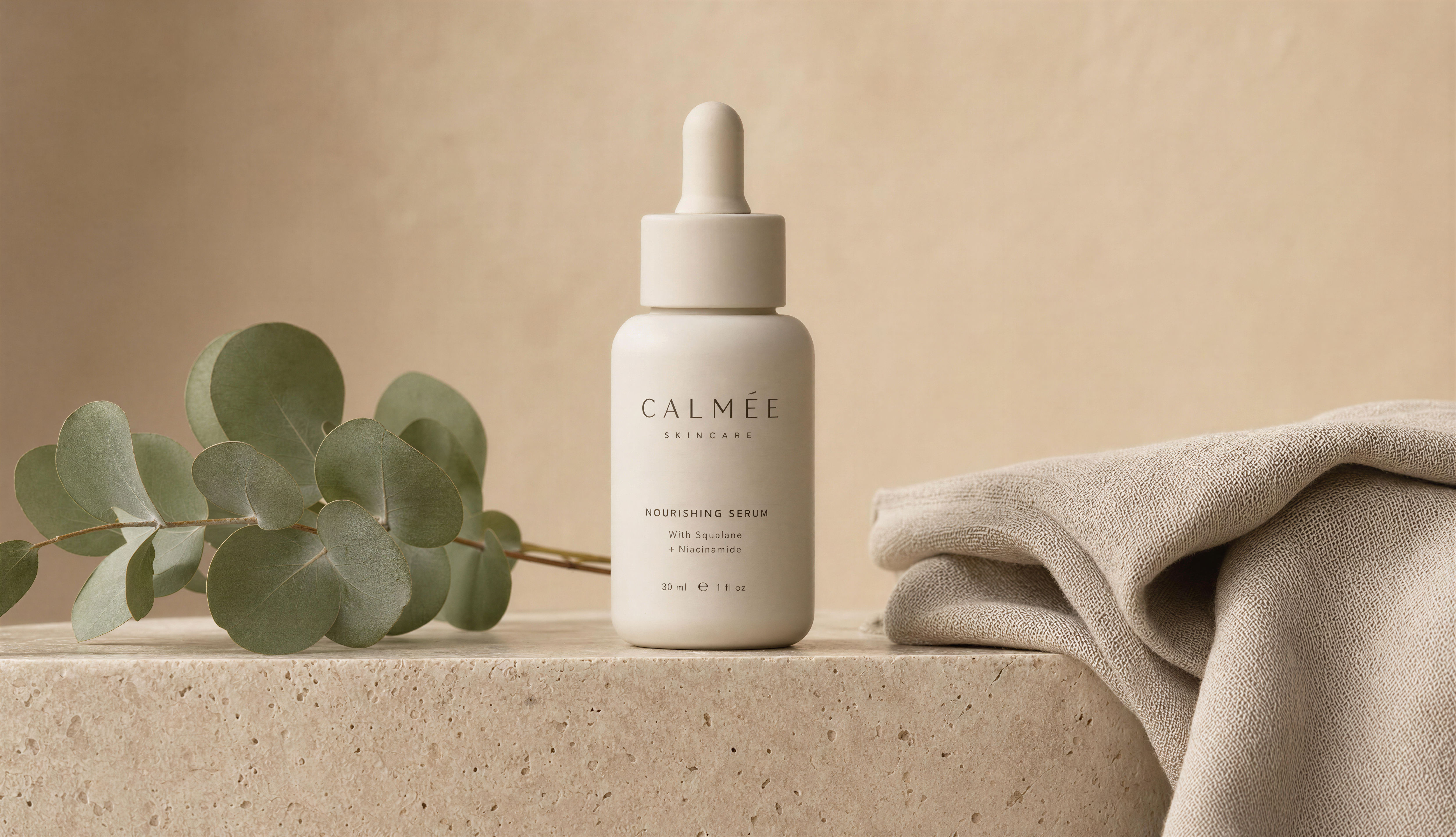
Source image: a matte ceramic skincare serum bottle with a dropper cap, sitting on a smooth travertine ledge beside a folded linen cloth, a few green eucalyptus leaves to one side, soft diffused studio lighting against a clean warm-beige backdrop, premium commercial product-shot styling.
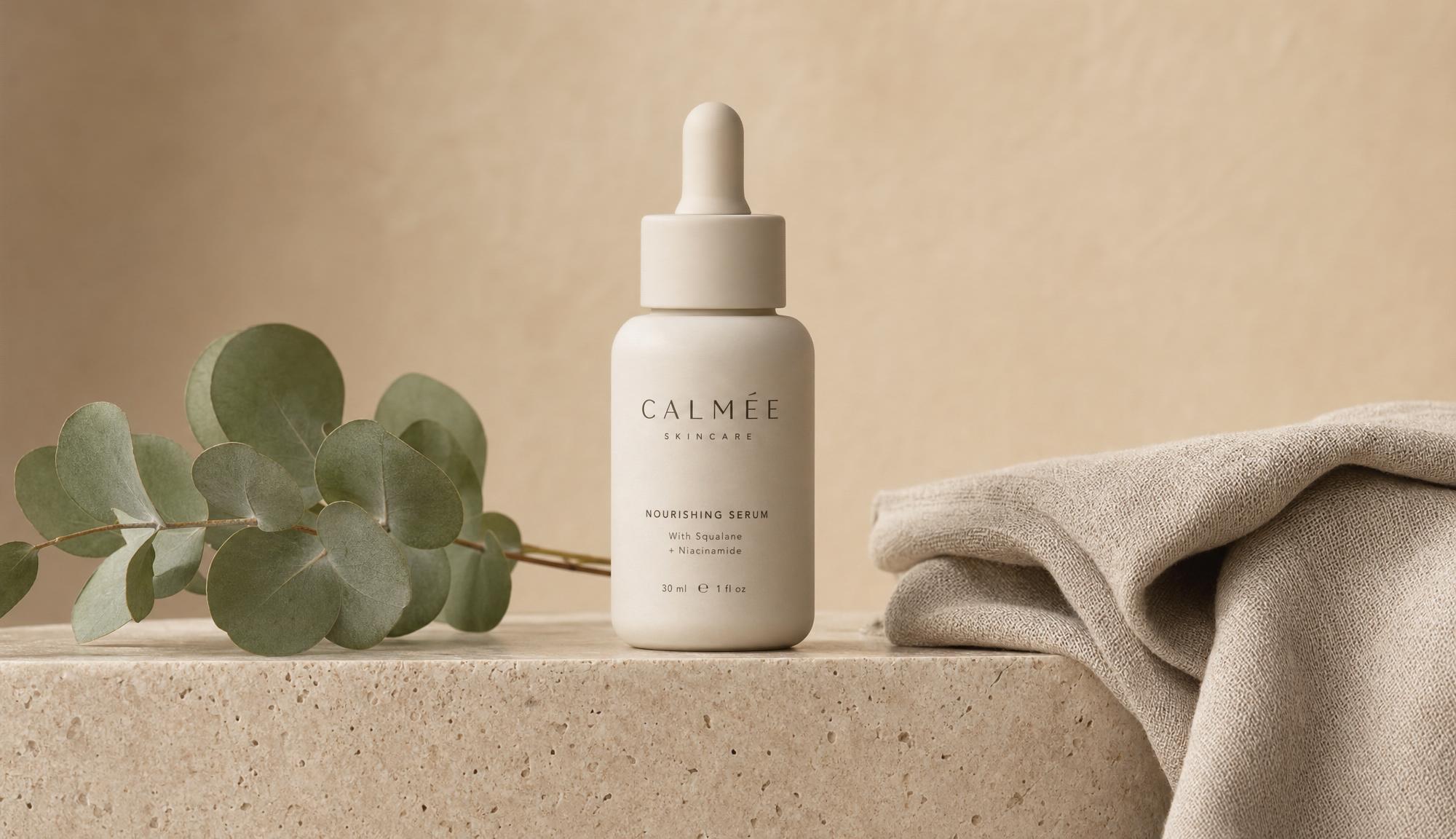
Generated using GPT Image 2 on fal, an AI image model from OpenAI.
Edit brief: swap the warm-beige backdrop for a soft sage-green gradient, recolor the dropper cap to brushed gold, and add the tagline "BARE RITUAL" in a clean serif across the lower third, keeping the bottle, the linen, and the eucalyptus exactly as they are.
I picked an edit that mixes a background change, a targeted recolor, and on-image text on purpose, since that combination is where the gap between a casual editor and a production-grade one tends to show up. I'll also be adding my commentary and analysis of the images.
💡 I also included more use-case-specific AI image editing models, such as a photo restoration and an upscaler model, so that I could provide you with a broader guide into what the best image-to-image APIs are in 2026.
#1: Nano Banana 2
Best for: Prompt-driven edits across product shots, style remixes, and multi-image composites where you want speed without giving up coherence.
Similar to: Nano Banana Pro, GPT Image 2 (edit).
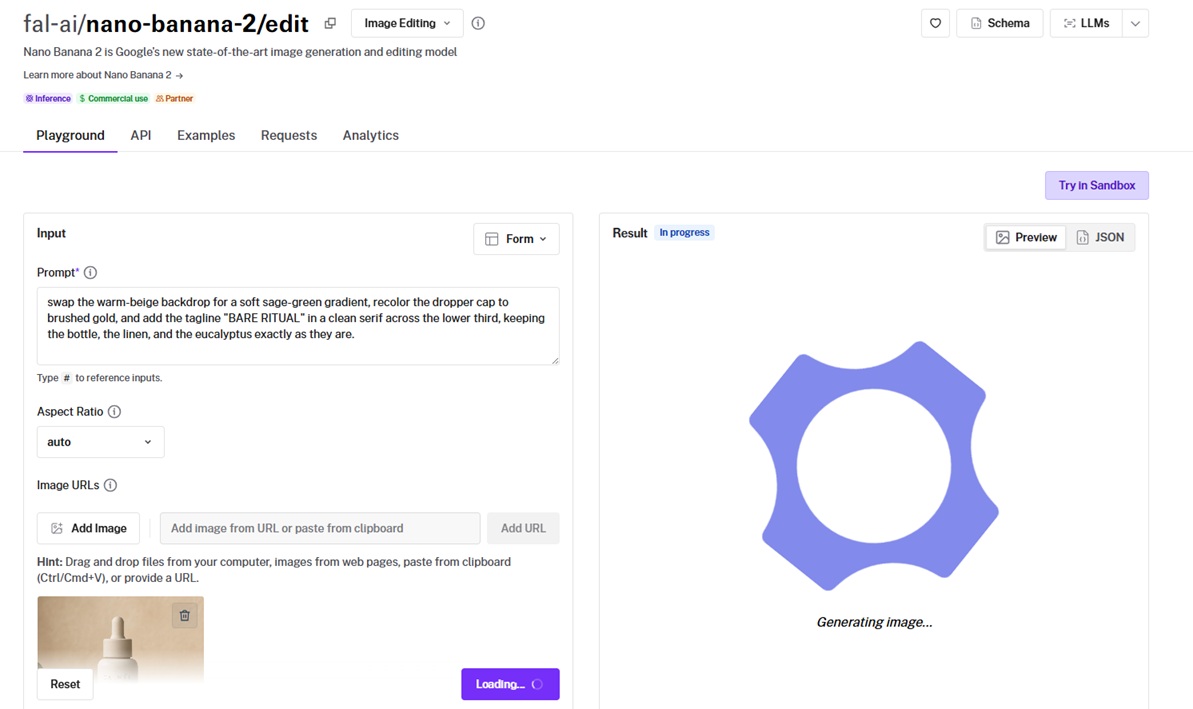
Nano Banana 2 runs on Google's Gemini 3.1 Flash Image architecture and edits an image from instructions with up to 14 reference images.
It reasons about which elements to change and which to preserve, so the edit lands without a mask.
Performance
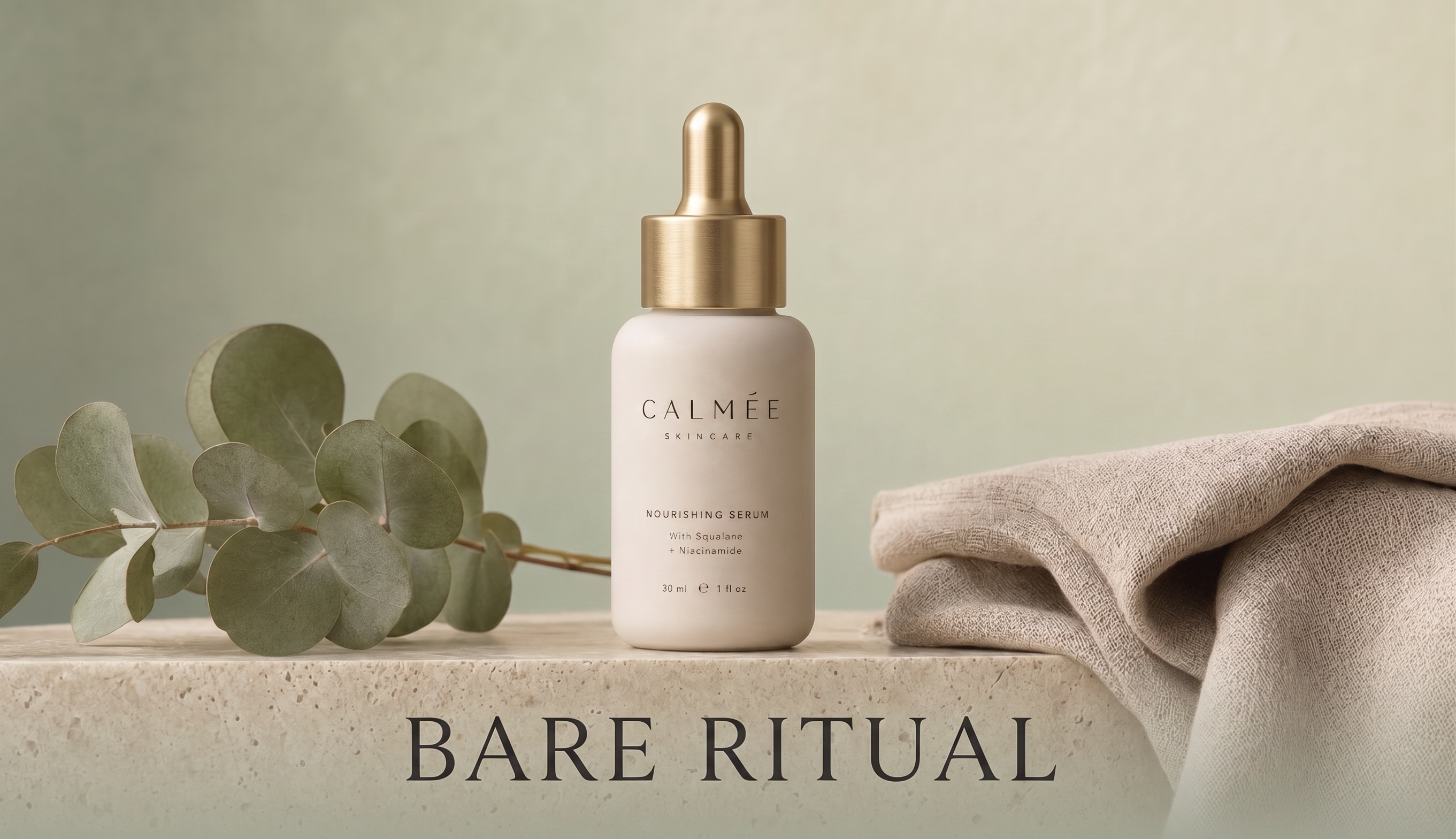
Generated using Nano Banana 2 on fal, an AI model from Google.
Edit precision without masks: I described the change conversationally in one sentence, and the model kept the rest of the frame untouched. With an image editor like Nano Banana 2, you can skip the mask-painting step. I also used its thinking by putting Thinking Level to high, which includes thoughts in the generation.
Multi-image input: Up to 14 reference images fit in a single request. That was enough to composite a subject, a background, and a style reference together in one pass.
Color and contrast: Output carried rich color and punchy contrast through from the source. On my product-style frame, it now looks like a finished shot.
Resolution range: It runs at 1K by default, climbs to 2K and 4K, and offers a 0.5K tier priced lower for thumbnail work.
How to run Nano Banana 2 on fal
Nano Banana 2 is available through fal's API and playground.
You pass a prompt and a list of image URLs. Optional settings cover aspect ratio, output format, and a thinking level for harder edits.
A web search grounding toggle, enable_web_search, lets the edit draw on current information beyond the source image.
Pricing
Nano Banana 2 costs $0.08 per image at standard resolution on fal, with 2K at 1.5 times that rate and 4K at double.
falMODEL APIs
The fastest, cheapest and most reliable way to run genAI models. 1 API, 100s of models
#2: Nano Banana Pro
Best for: Complex, multi-step edits where reasoning depth and text rendering matter more than turnaround time.
Similar to: Nano Banana 2, FLUX.2 [pro].
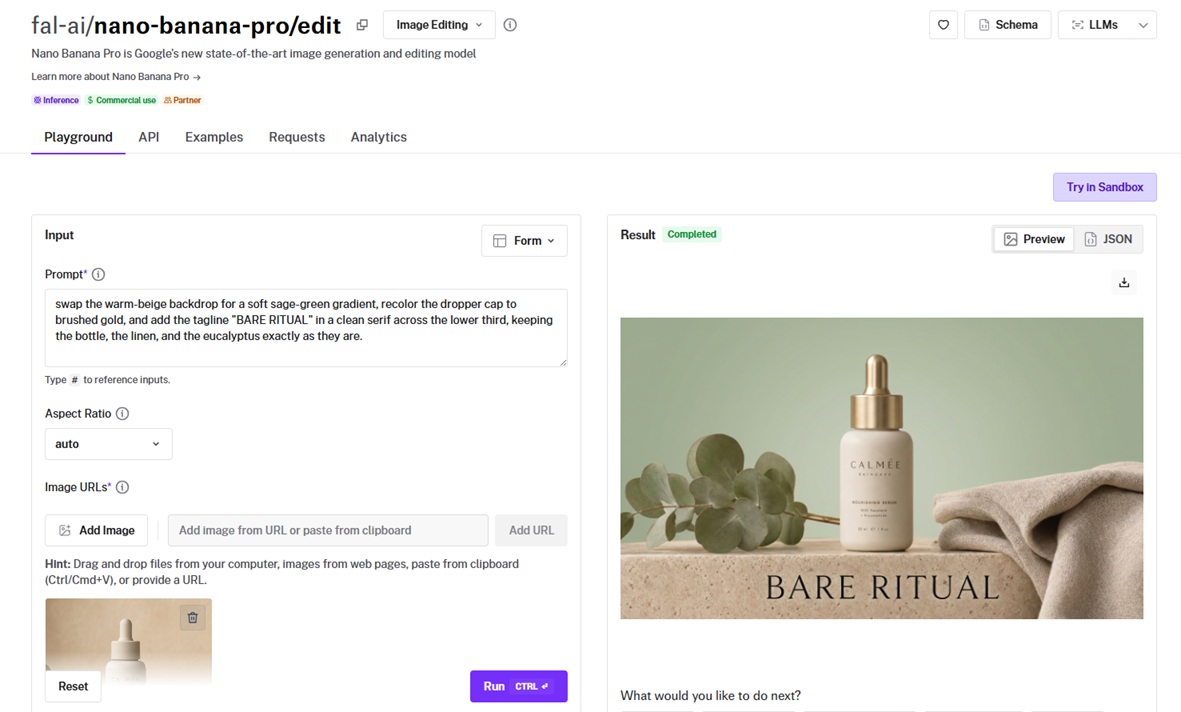
Nano Banana Pro is built on Google's Gemini 3 Pro Image architecture and applies a heavier reasoning model to the same mask-free editing approach.
The AI image editor reads relationships between objects, lighting, and composition, the part that lets it handle dense compositions and on-image text where faster models stumble.
Performance
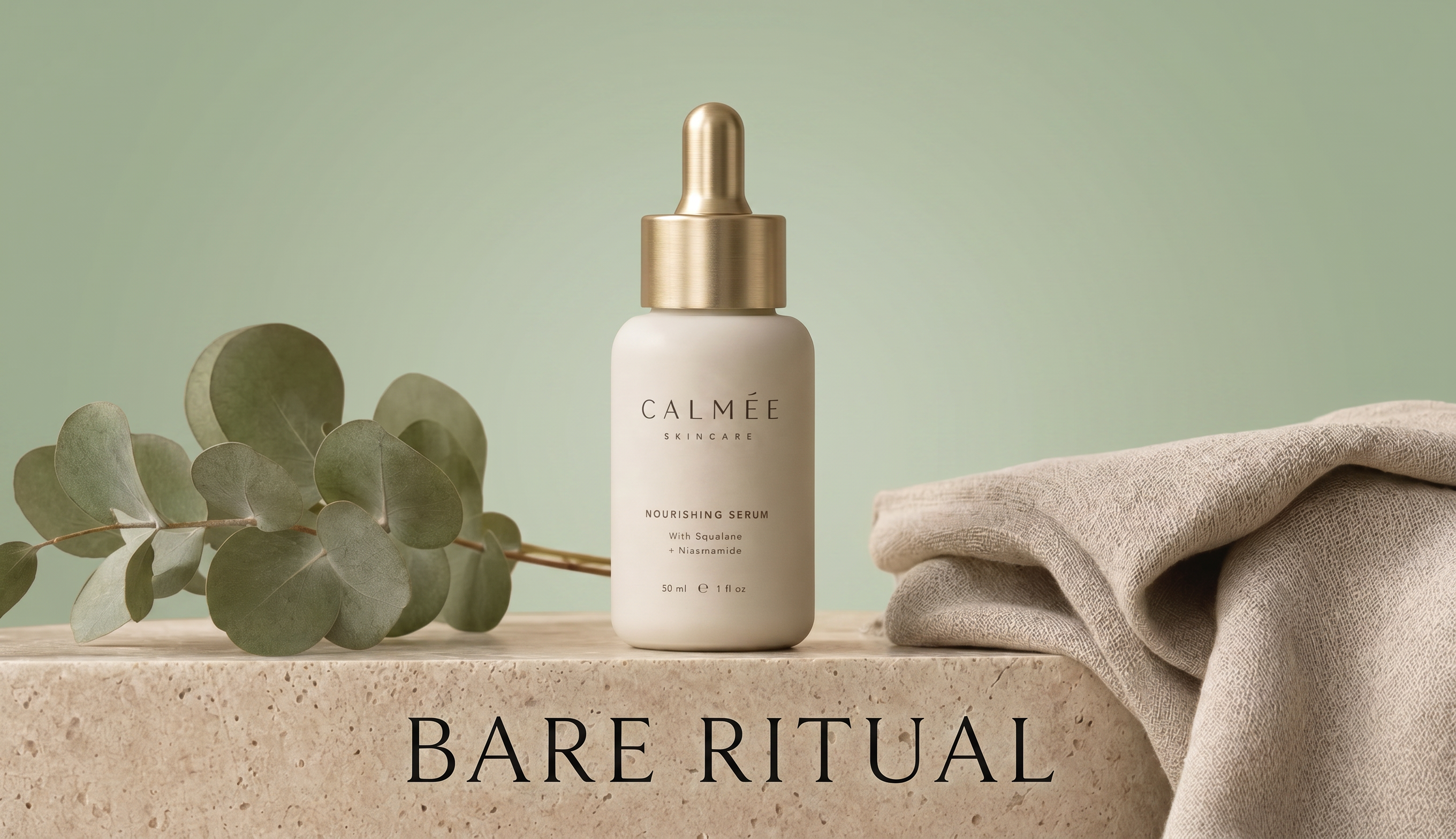
Generated using Nano Banana Pro on fal, an AI model from Google.
Compositional reasoning: I asked it to recolor one object while preserving its reflections. It pulled that off without me masking shadows or highlights, and the scene held together afterwards.
Text rendering: On-image text came out cleaner than I expected (and I already had high expectations).
Character consistency: It holds resemblance for up to 5 people across an edit.
Multi-image support: The 14-image ceiling matches the Flash model, paired here with the deeper reasoning pass.
How to run Nano Banana Pro on fal
API access plus a browser playground.
The endpoint is fal-ai/nano-banana-pro/edit. It takes a required prompt and required image URLs, with resolution selectable at 1K, 2K, or 4K.
Quality wins out over raw speed here, so I'd reach for it on final deliverables and keep the Flash model for fast iteration.
Pricing
Nano Banana Pro costs $0.15 per image on fal, with 4K output charged at double the standard rate.
#3: GPT Image 2 (edit)
Best for: Detailed edits where you want mask control and the option to stream partial results into an interactive tool.
Similar to: Nano Banana 2, FLUX.2 [flex].
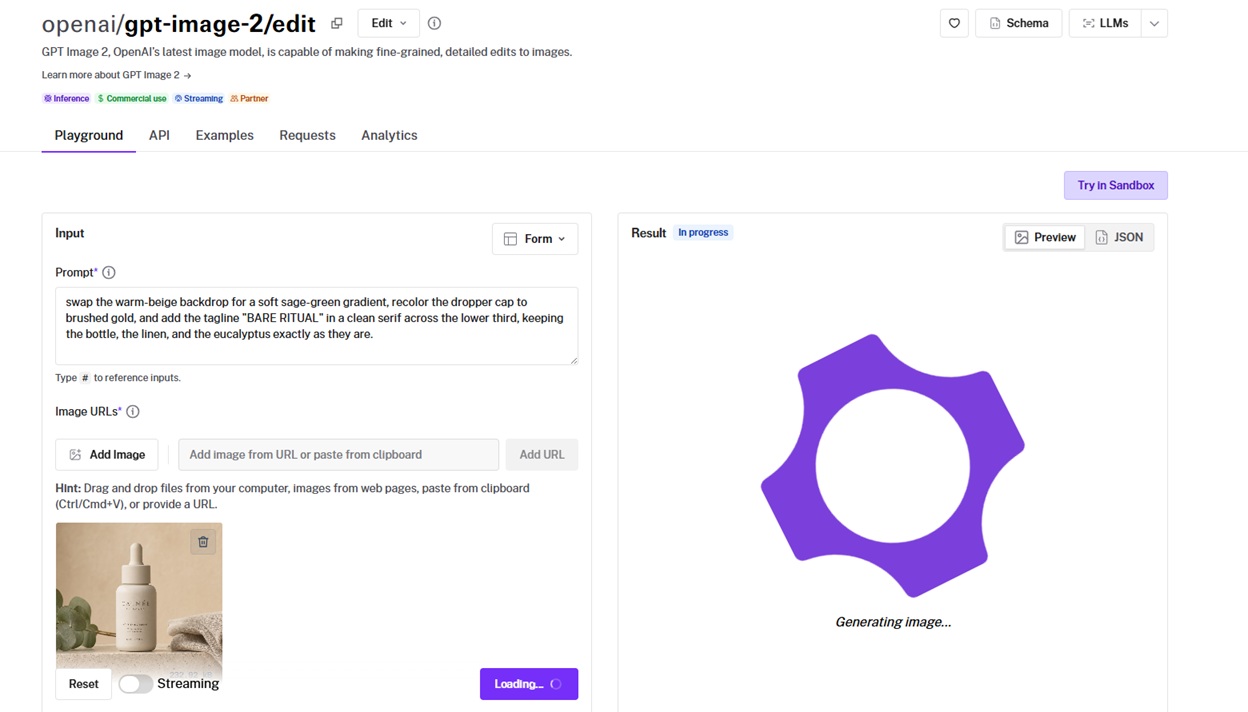
GPT Image 2 is OpenAI's image model exposed on fal as an image-to-image editing endpoint, applying targeted changes from a text prompt while leaving the rest of the frame untouched.
An optional mask narrows the edit to an exact region, and the endpoint streams results as they arrive in place of one finished file at the end.
Performance
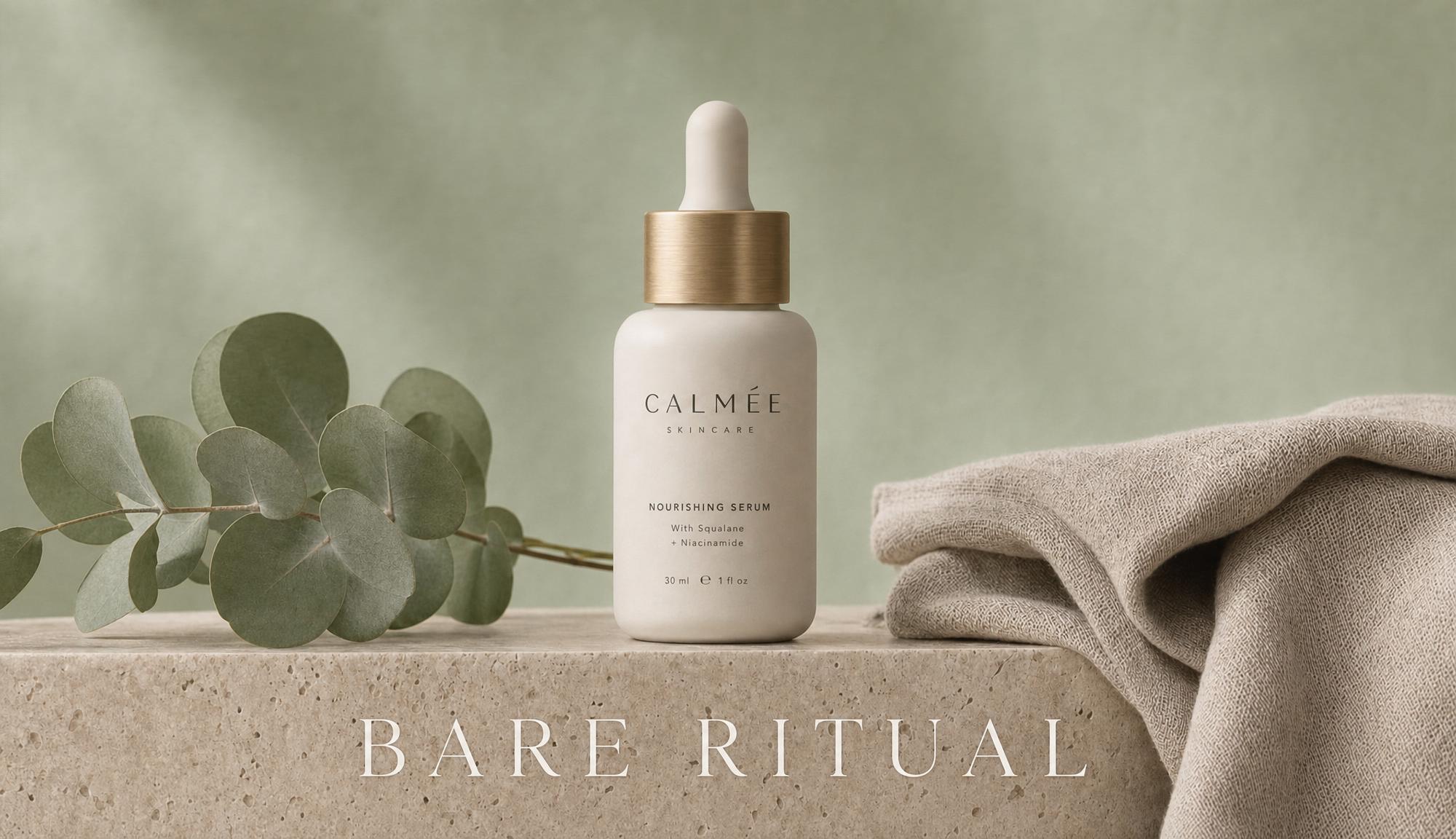
Generated using GPT Image 2 on fal, an AI model from OpenAI.
Natural-language edits: Drop the mask and the model decides what to change from the prompt. In this case, the model did the majority of things I asked right, although I'm not happy with the fact that it did not recolor the dropper cap to brushed gold.
Streaming output: The result streams in as it generates. For an editing UI where perceived responsiveness matters, this feature is important.
Auto size inference: You can set image size to auto, and it reads dimensions straight from the input.
Mask-based control: A black-and-white mask lets you edit only the white regions and hold everything else pixel-for-pixel. When a prompt alone runs too loose, this is the "surgical" fallback.
How to run GPT Image 2 on fal
You can run GPT Image 2 on fal via API and playground.
Pass one or more reference image URLs and a prompt, with optional quality, output format, and a mask URL for inpainting.
Cost scales with image tokens. Quality, prompt length, and output size all move the price, worth knowing before you batch.
Pricing
GPT Image 2 edits are priced by token, and on fal a 1024x1024 high-quality edit comes to roughly $0.219, dropping to about $0.015 at low quality.
#4: FLUX.2 [pro]
Best for: Production editing pipelines that need predictable, configuration-free results at volume.
Similar to: FLUX.2 [flex], Nano Banana Pro.
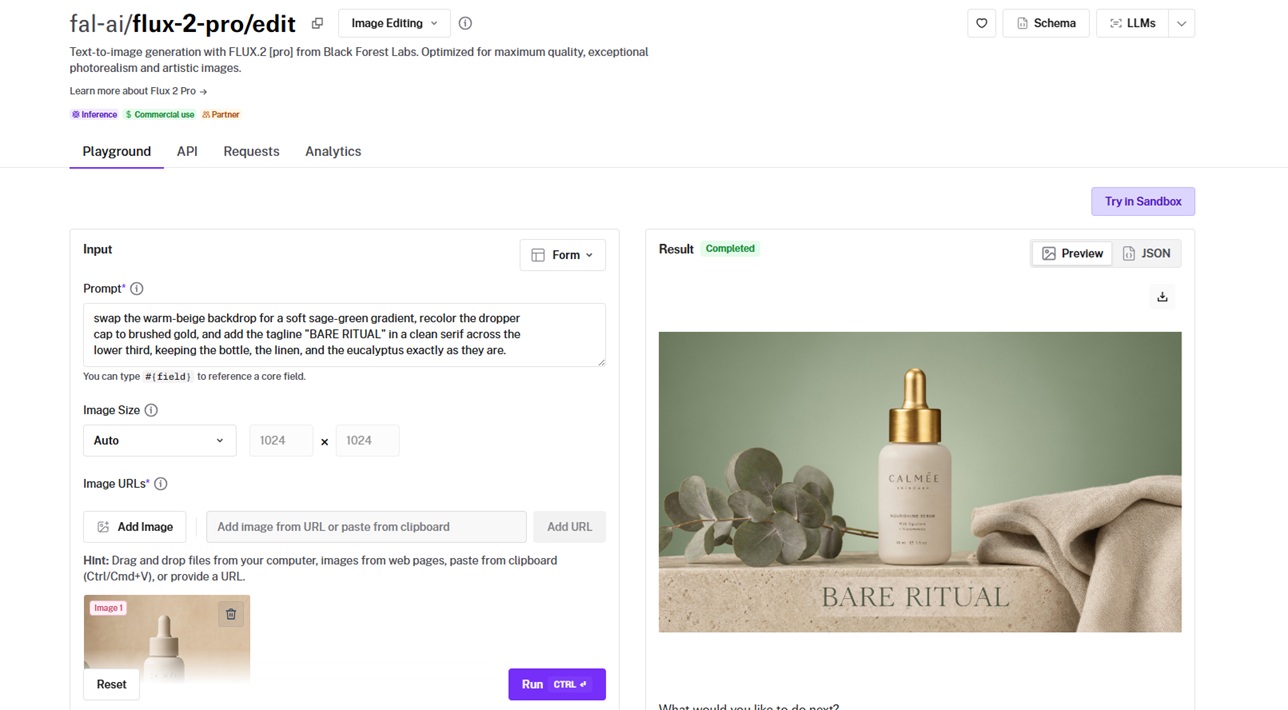
FLUX.2 [pro] from Black Forest Labs is a multi-reference editor that combines up to 9 reference images through a fixed, tuned pipeline with no inference parameters to set.
You describe the edit in plain language or reference inputs by index, and the model returns a production-ready result with no guidance or step tuning on your end.
Performance
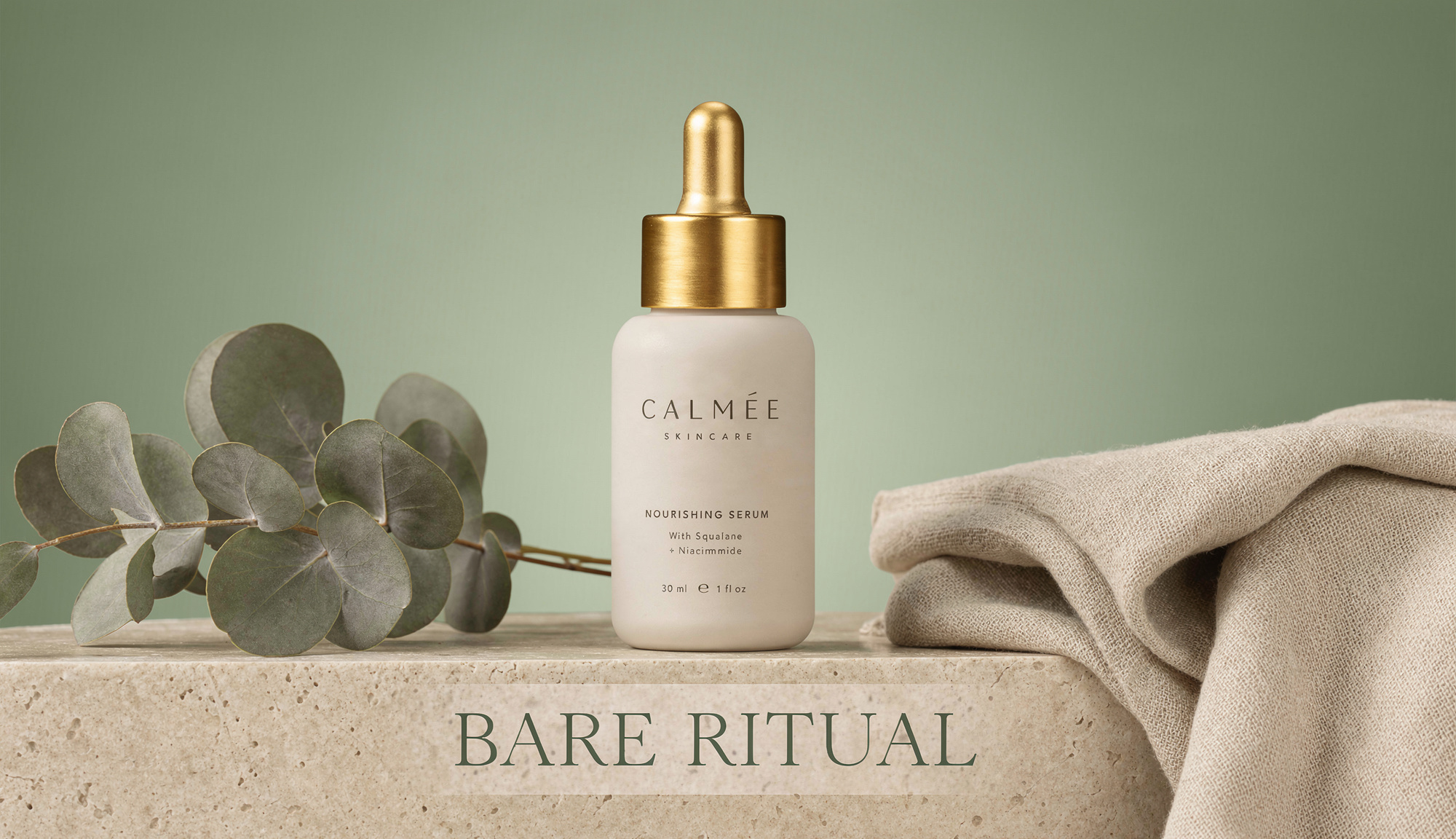
Generated using FLUX.2 [pro] on fal, an AI model from Black Forest Labs.
Prompt-driven editing: Complex changes went through from natural language alone with no masks or layers. However, I could see a few small issues, such as the brushed gold cap being too bright, and also the text having a bit of a white background, but this is nothing that a second round of edits cannot remove.
Multi-reference compositing: It draws from up to 9 reference images at 9 MP total input. I asked for the person from one image in the outfit from another and got a coherent merge.
Zero-configuration consistency: The optimization is fixed internally. Repeat runs landed at a similar quality bar, which is the point when an automated job calls it unattended.
Explicit image indexing: Reference inputs by number, say the background from image 3, and you control exactly which element comes from where.
How to run FLUX.2 [pro] on fal
FLUX.2 [pro] is available on fal via API and playground.
The endpoint takes a prompt and a list of input image URLs, and it supports the @ syntax for referencing uploaded images directly in the prompt.
For brand-color work, it reads HEX codes when you prefix them with the word color or hex, which held accurate every time I checked.
Pricing
FLUX.2 [pro] costs $0.03 for the first megapixel of output plus $0.015 per additional megapixel of input and output on fal, rounded up to the nearest megapixel.
#5: FLUX.2 [flex]
Best for: Editing work where you want to dial quality against cost by tuning inference steps and guidance.
Similar to: FLUX.2 [pro], GPT Image 2 (edit).
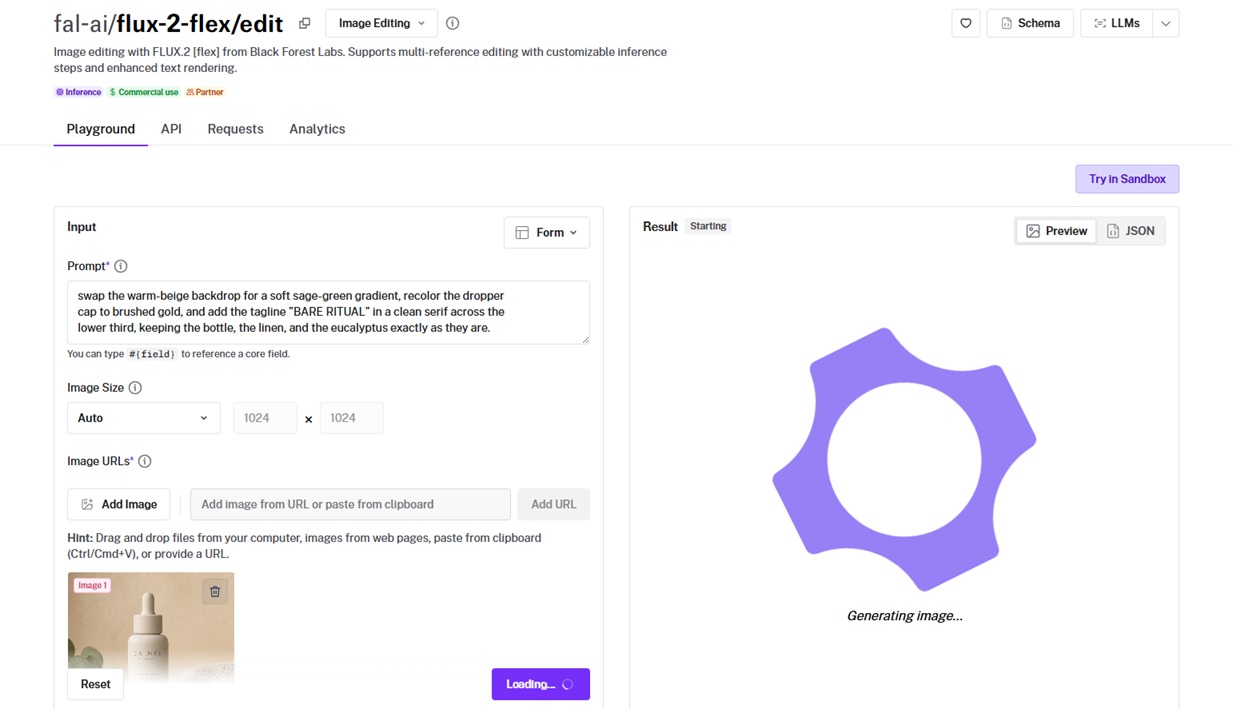
FLUX.2 [flex] is the configurable tier of Black Forest Labs' FLUX.2 line, combining up to 10 reference images while exposing inference steps and guidance scale for direct control.
Performance
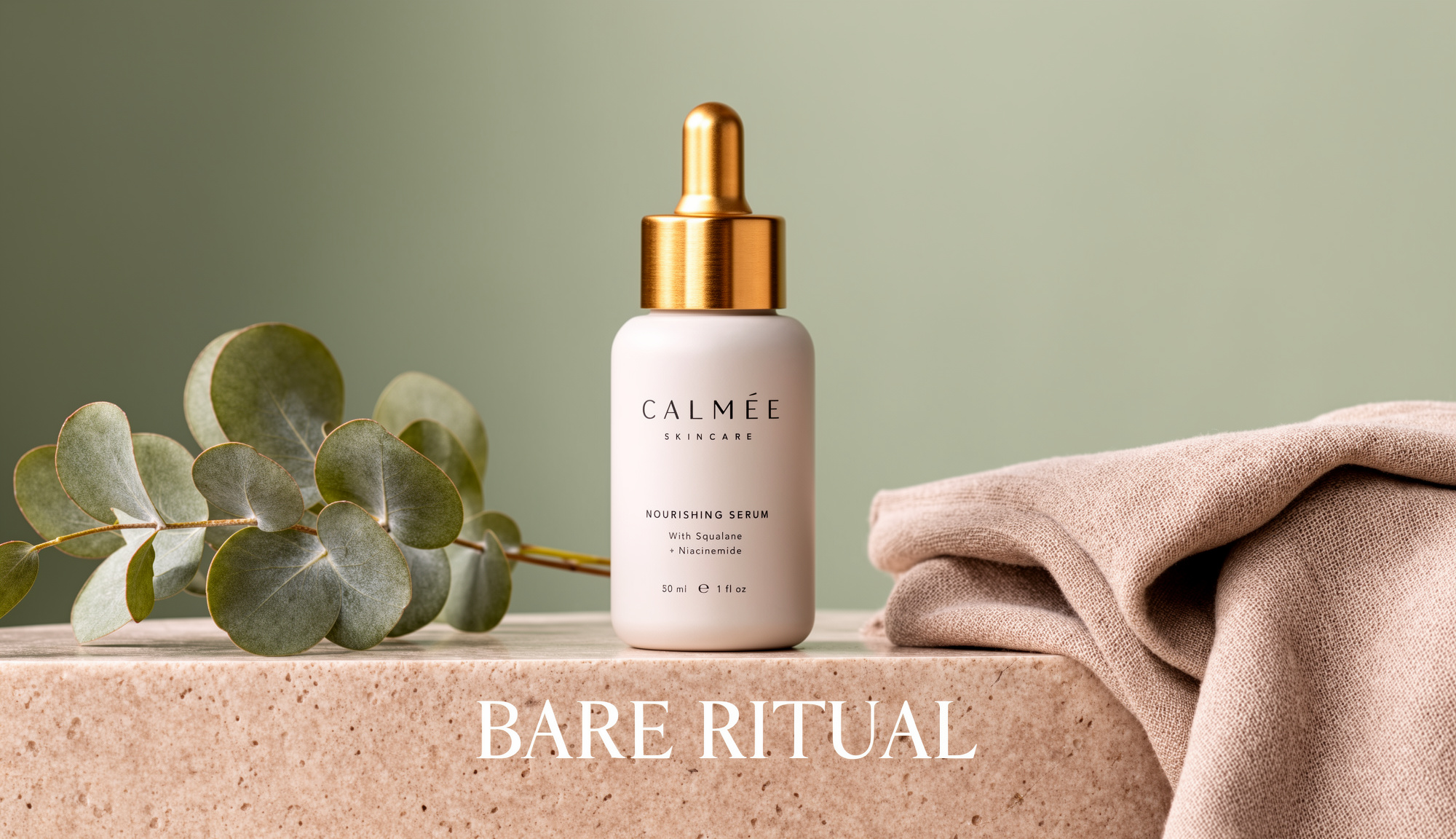
Generated using FLUX.2 [flex] on fal, an AI model from Black Forest Labs.
Step and guidance control: Low steps cleared a simple color swap fast. Raising them tightened up a denser multi-image composite, which is proof the cost-quality dial genuinely moves the output.
Text rendering: Typography in edited signage and mockups came back accurate, so I'm satisfied with this output.
Multi-image composition: Up to 10 reference images at 14 MP total input, with per-index referencing for pulling elements out of specific inputs.
Guidance behavior: You can tighten the guidance scale, and the model stays literal to your instruction. If you loosen it, it'll start interpreting.
How to run FLUX.2 [flex] on fal
You can run FLUX.2 [flex] through the fal API or test it in the playground first.
Alongside the prompt and image URLs, you set num_inference_steps and guidance_scale, defaulting to 28 steps and 3.5 guidance.
Quick edits do fine on fewer steps. When a job needs to come in cheaper, the step count is the first lever I touch.
Pricing
FLUX.2 [flex] costs $0.05 per megapixel on both input and output on fal, rounded up to the nearest megapixel.
#6: Seedream 5.0 Lite (edit)
Best for: Fast, high-resolution editing for advertising and product mockups, with room for many reference images at once.
Similar to: Nano Banana 2, FLUX.2 [pro].
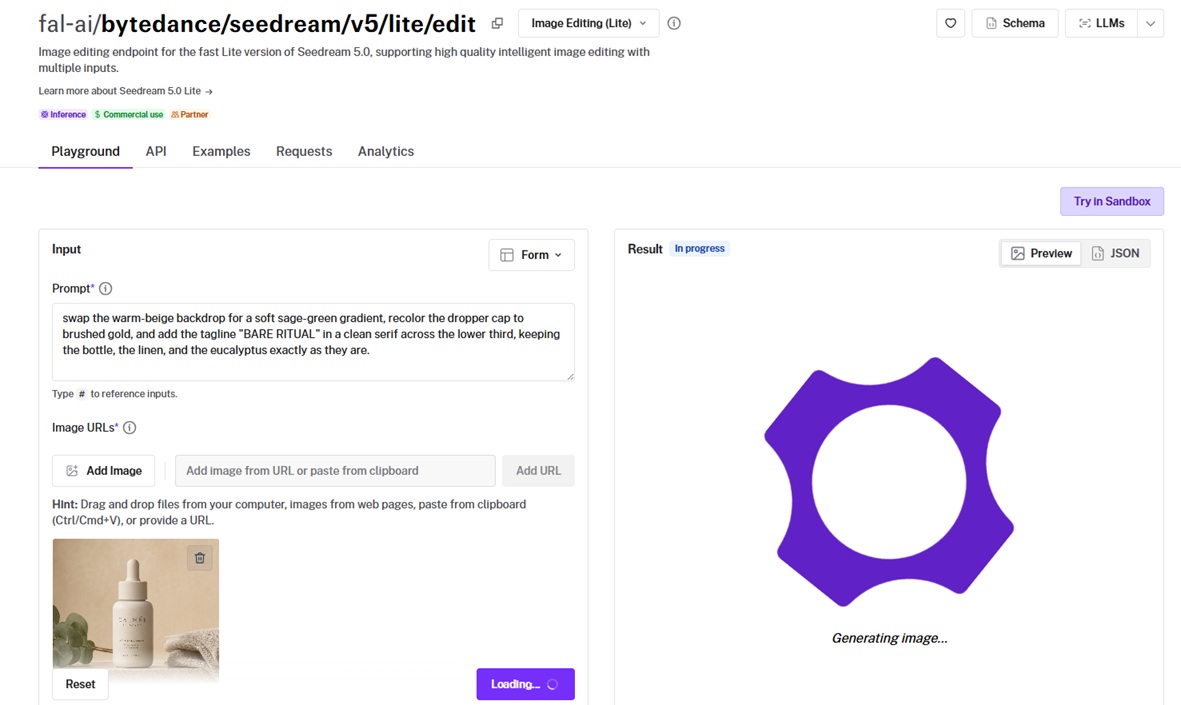
ByteDance's Seedream 5.0 Lite is a fast editing endpoint that processes up to 10 reference images for multi-source compositions.
It outputs at high resolution up to 3072x3072 and can return several variations per call, a fit for creative iteration where you want options on the table.
Performance
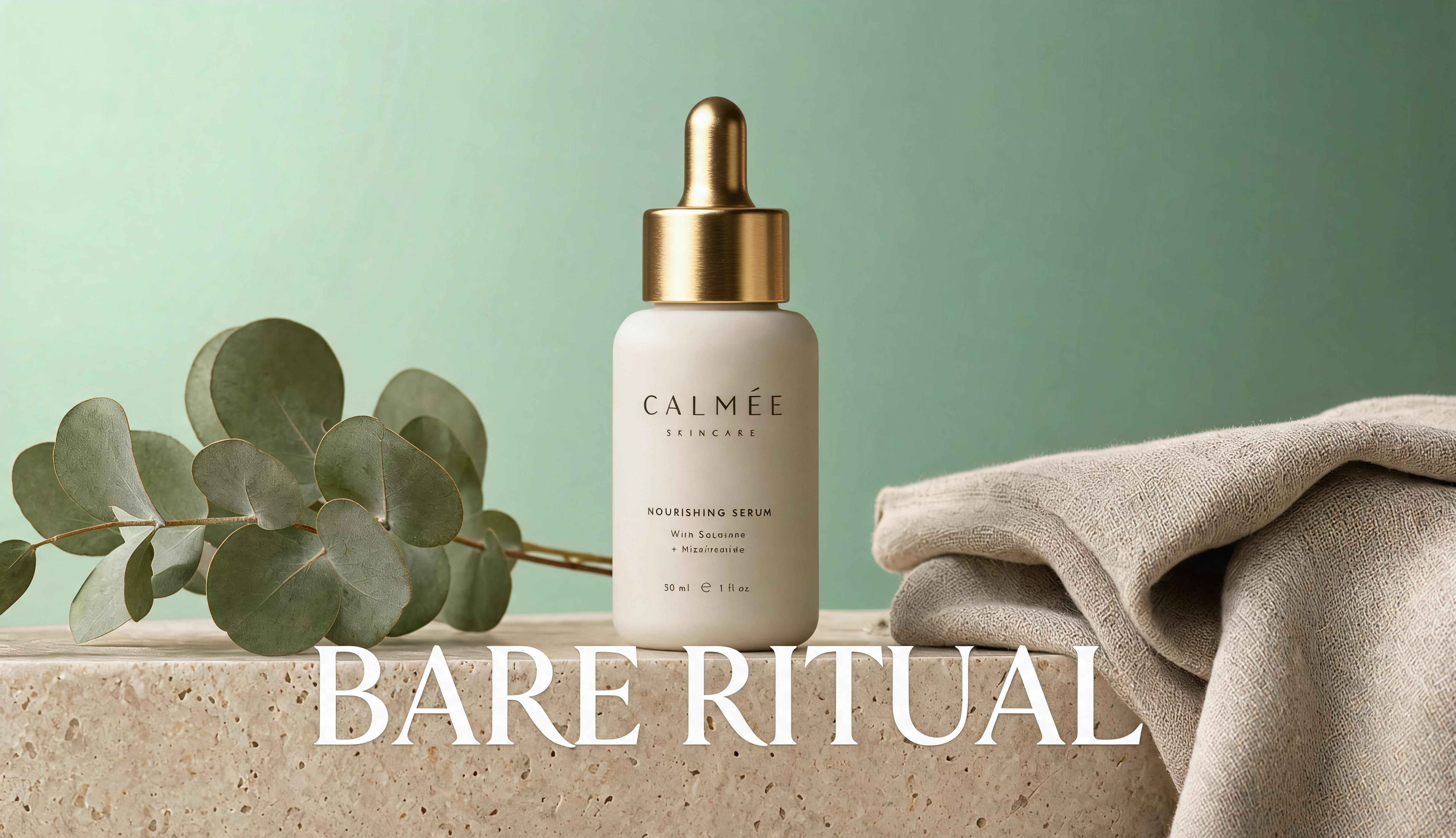
Generated using Seedream 5.0 Lite on fal, an AI model from ByteDance.
Edit follow-through: I'd say that I'm satisfied with how it handled this multi-part brief, although I can see that some parts of the text became problematic, which, in a normal scenario, would mean running the model one more time to resolve the issue.
High-resolution output: It generates up to 9MP at 3072x3072 with flexible aspect ratios. On the product frames I tested, the result was sharp enough to skip a separate upscale.
Multi-source composition: Up to 10 reference images feed a single edit. A product swap that also pulled in a logo and a layout reference resolved in one request.
Batch variations: You can set max_images above one and a single generation returns several options. That cut down my round-trips when I wanted to compare directions side by side.
How to run Seedream 5.0 Lite on fal
Seedream 5.0 Lite runs on fal through the API and playground.
The endpoint is fal-ai/bytedance/seedream/v5/lite/edit. It accepts a prompt with a list of image URLs, using the last 10 if you send more.
Image size runs from a 2K auto setting up to 4K, and num_images with max_images together control how many results come back.
Pricing
Seedream 5.0 Lite costs $0.035 per image on fal.
#7: Grok Imagine Quality (edit)
Best for: Detail-heavy edits across a wide range of aspect ratios where text rendering and creative control matter.
Similar to: Nano Banana Pro, GPT Image 2 (edit).
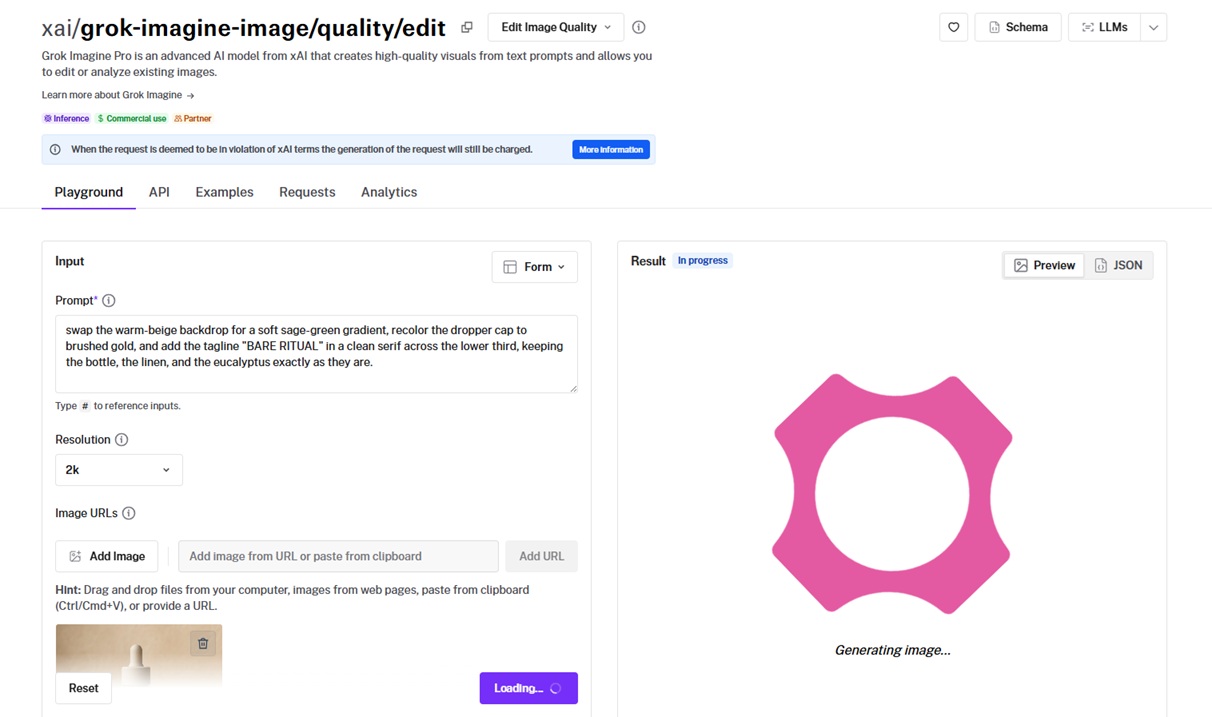
xAI's Grok Imagine Quality is the high-detail tier of the Grok Imagine editor, built for enhanced detail and stronger text rendering, and it takes up to 3 input images per request.
It also hands back a revised prompt, the enhanced version the model actually ran, and covers an unusually wide spread of aspect ratios.
Performance
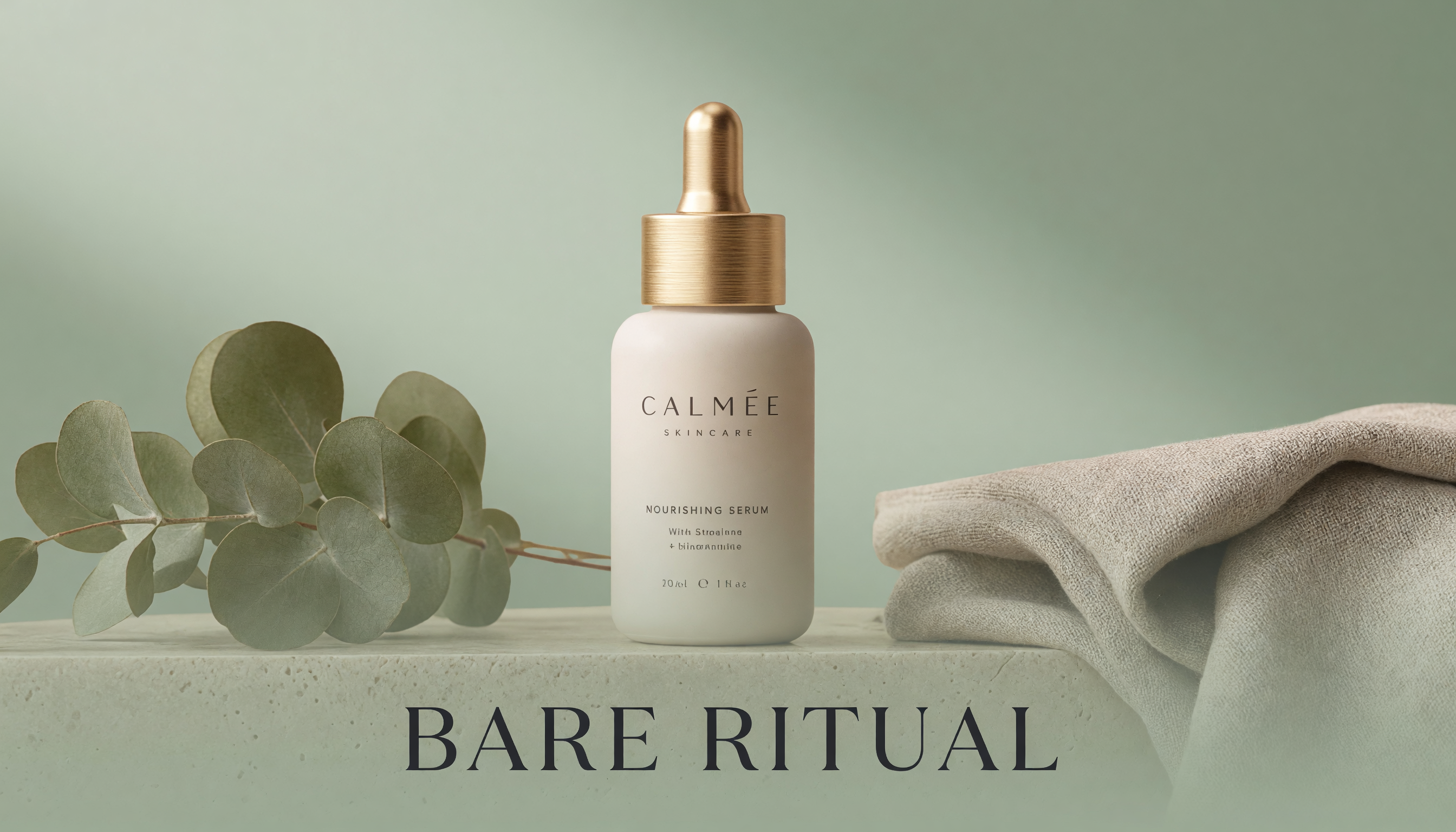
Generated using Grok Imagine Quality on fal, an AI model from xAI.
Detail and text rendering: The Quality tier sharpened fine detail and held the tagline type cleaner than the standard Grok edit. On the serif line in my brief, I'd say that I like the "bare ritual" output, but I can't help but notice that some of the wording in the bottle did not get rendered properly.
Aspect ratio range: It handles a long list of ratios from 2:1 down to 1:2, with auto preserving the first input image's shape. Vertical and ultrawide both come off one endpoint.
Prompt revision: The response includes the revised prompt the model expanded from mine. Reading it back made the reasons an edit landed a certain way easy to spot.
Multi-image input: Up to 3 images can feed a single edit, which is plenty of room for a subject plus a couple of references.
How to run Grok Imagine Quality on fal
Grok Imagine Quality is on fal via API and playground.
The endpoint is xai/grok-imagine-image/quality/edit, taking a prompt, image URLs, aspect ratio, resolution, and output format, with auto-preserving the input aspect ratio by default.
One thing to know before you scale: a request that violates xAI's terms is still charged even when the generation is blocked, per the model's own note.
Pricing
Grok Imagine Quality costs $0.05 per output image at 1K and $0.07 at 2K on fal, plus $0.01 per input image.
#8: SeedVR2 (upscale)
Best for: Bringing low-resolution or soft images up to a higher resolution at a very low per-megapixel cost.
Similar to: N/A.
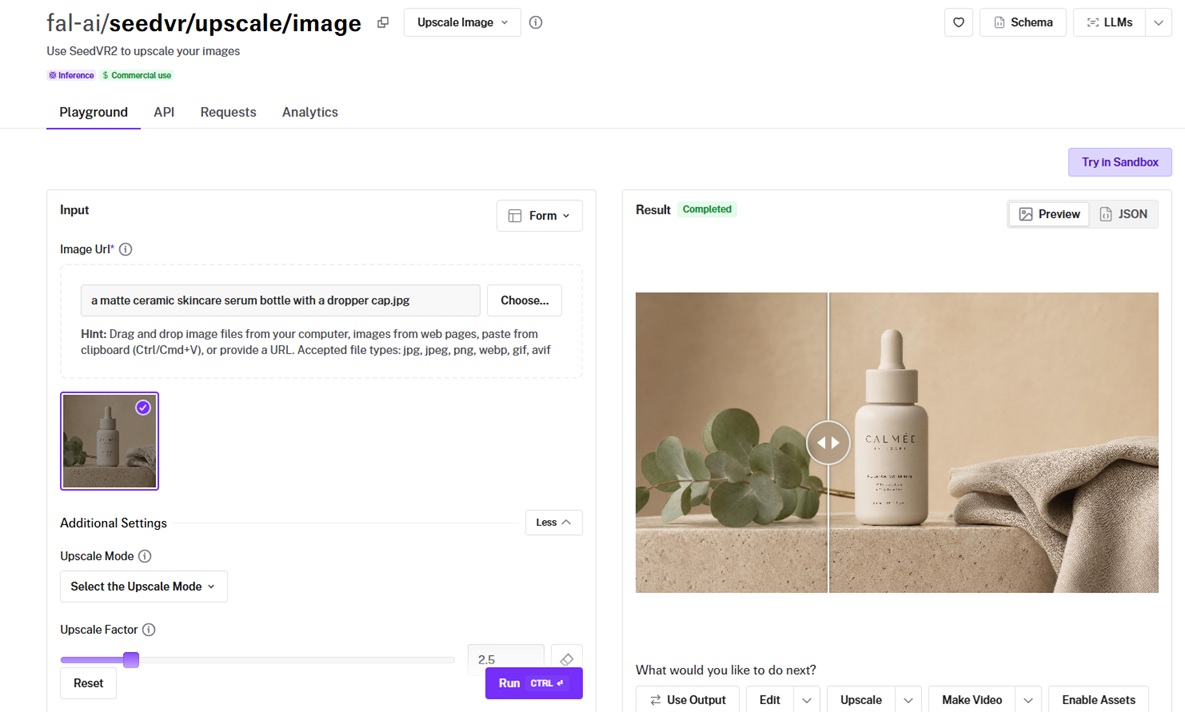
SeedVR2 is an upscaling endpoint that raises image resolution either by a set factor or up to a target resolution.
It works from the input image alone with no prompt, and a noise scale setting governs how much detail it reconstructs as it scales.
Even though there's no place to add your prompt, I still decided to include it in this guide to show you how you can upscale your images with this image-to-image endpoint.
Performance
Generated using SeedVR2 on fal, an AI model from ByteDance.
Two upscale modes: Factor mode multiplies the dimensions directly; target mode hits a chosen resolution up to 2160p. I could either double an image or aim for an exact output size.
Detail reconstruction: The noise scale defaults to 0.1 and controls how aggressively it rebuilds fine detail. Keeping it low held a soft source back from turning crunchy.
Cost at scale: Megapixel billing keeps it cheap enough to run across a whole batch.
How to run SeedVR2 on fal
SeedVR2 runs on fal through the API and playground.
The endpoint is fal-ai/seedvr/upscale/image, taking an image URL, an upscale mode of factor or target, and either an upscale factor or a target resolution.
With no prompt to write, it is the simplest endpoint here to wire into a workflow that hands off finished images automatically.
Pricing
SeedVR2 costs $0.001 per megapixel on fal.
#9: Photo Restoration
Best for: Reviving old or damaged photographs by clearing imperfections and adding color while keeping the original character.
Similar to: N/A.
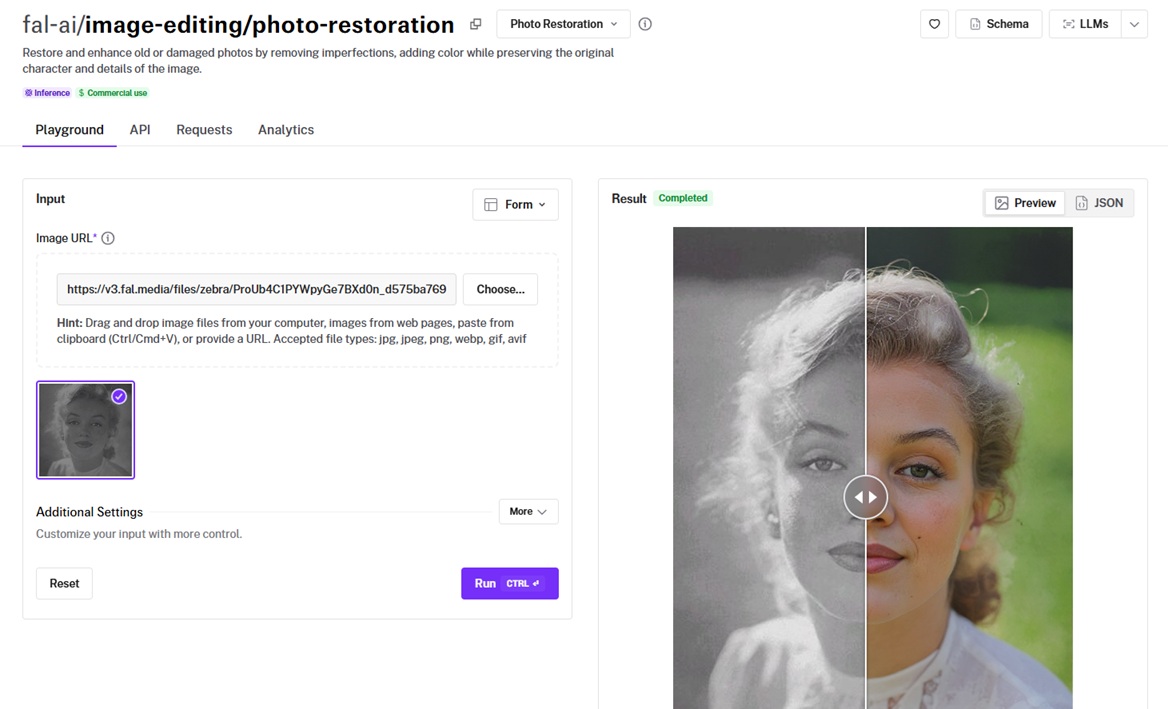
Photo Restoration is a task-specific endpoint that repairs old or damaged photos, removing imperfections and adding color without a prompt.
It is tuned to preserve the original details and character of the image in place of reinterpreting the scene.
Performance
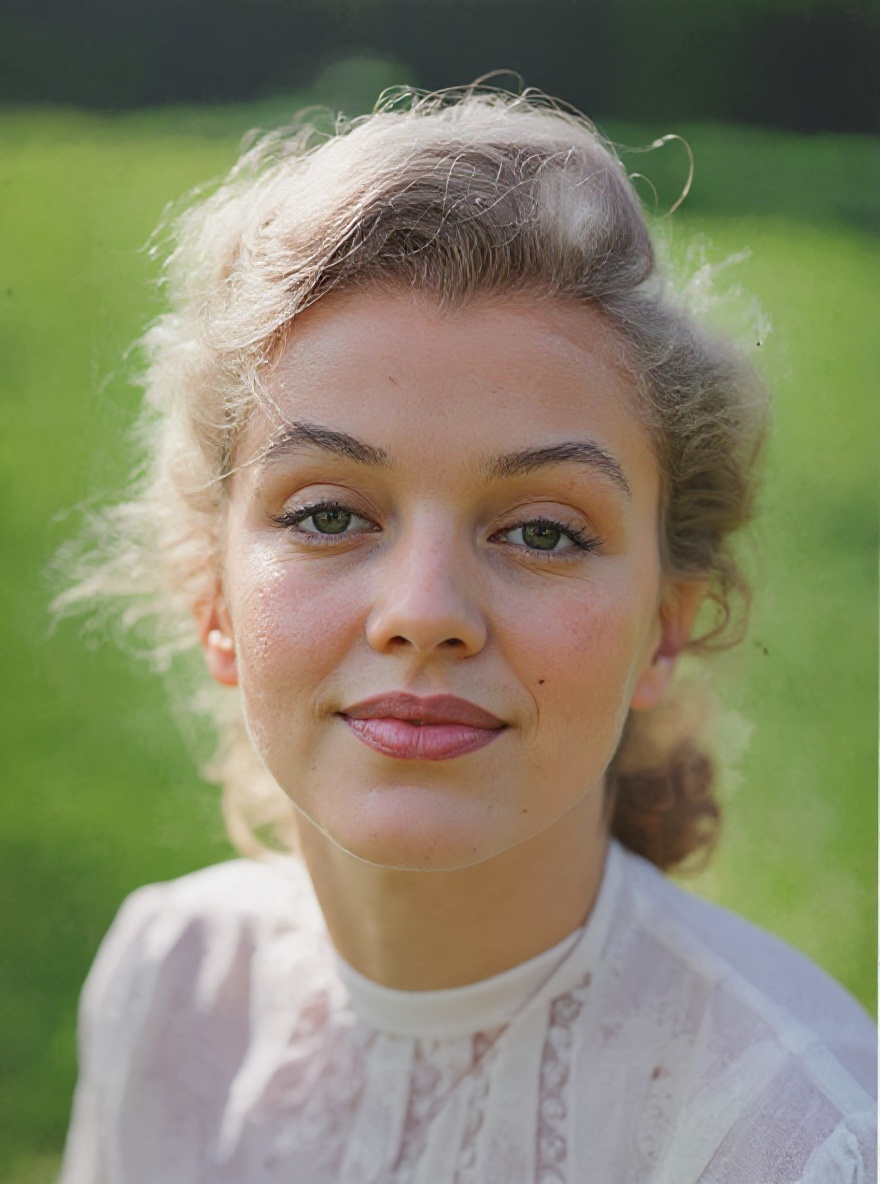
Generated using Photo Restoration on fal, an AI model from fal.
Character preservation: It cleaned up imperfections while holding the subject's original detail. The restored image still read as the same photograph and not a repaint.
Colorization: Color came onto a monochrome source naturally in my test, none of the oversaturated look that cheaper colorizers fall into.
Tuning controls: Guidance scale and inference steps are exposed, defaulting to 3.5 and 30, with headroom to push harder on a badly damaged source.
Aspect ratio handling: An optional aspect ratio setting fixes the output framing when the original scan came in off-square.
How to run Photo Restoration on fal
Photo Restoration is available on fal through the API and playground.
The endpoint is fal-ai/image-editing/photo-restoration, taking an image URL plus optional guidance scale, inference steps, and aspect ratio.
It runs prompt-free, so the workflow is as simple as pointing it at a scanned photo and reading back the restored result.
Pricing
Photo Restoration costs $0.04 per image on fal.
#10: Bria GenFill v2
Best for: Generating a new object into a masked region of an image from a text instruction, with commercial-safe output in mind.
Similar to: N/A.
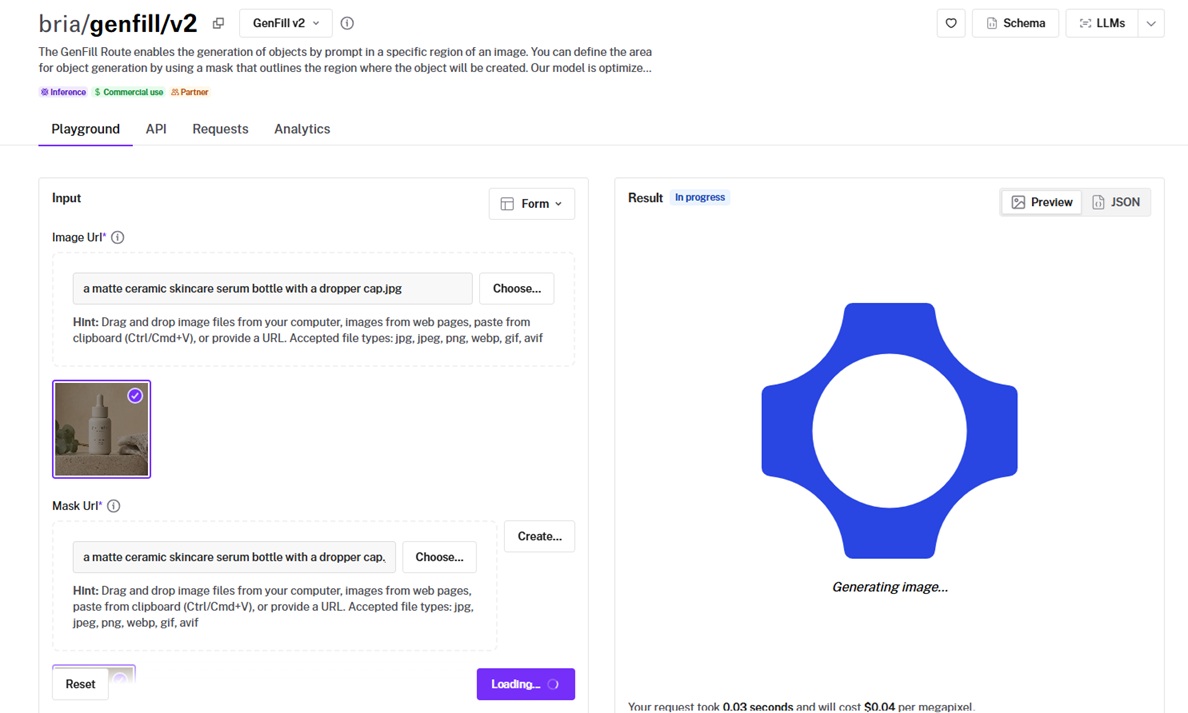
Bria GenFill v2 fills a masked region of an image with an object you describe in a text instruction.
You outline the area with a mask and the model generates inside it, and it is tuned to work well with blob-shaped masks in place of tight cutouts.
Performance
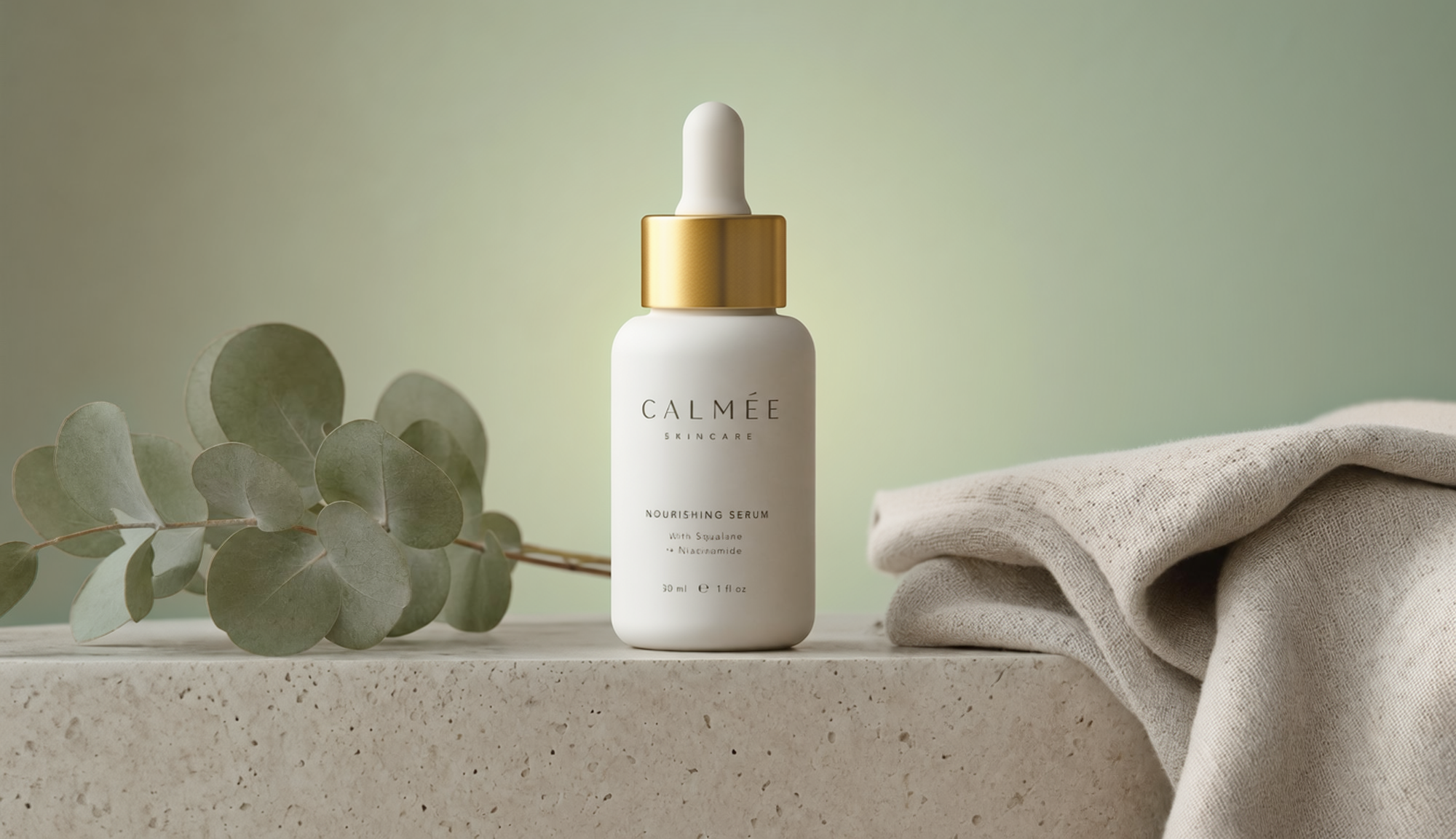
Generated using Bria GenFill v2 on fal, an AI model from Bria.
Targeted generation: Point a mask at a region, describe an object, and it appears inside the outline while the rest of the frame stays put.
Blob-mask tolerance: It is built for rough, blob-shaped masks. A pixel-perfect cutout was not necessary to get a clean fill.
Structured instruction output: The response returns a structured breakdown of the edit it performed, handy when you want a record of what changed.
Reproducibility: A seed parameter defaults to 5555 and makes a fill repeatable.
How to run Bria GenFill v2 on fal
Bria GenFill v2 is on fal via API and playground.
The endpoint is bria/genfill/v2, needing an image URL, a mask URL, and an instruction describing what to fill in, with optional seed and step count.
Because it works from a mask, it pairs well with a masking step earlier in a pipeline that marks where new elements should go.
Pricing
Bria GenFill v2 costs $0.04 per megapixel on fal.
Recently Added



Run image-to-image models at scale through a single API with fal
The right model depends on the edit in front of you, whether that is a mask-free product swap, a token-priced detail edit, a cheap batch upscale, or a masked fill on a marketing asset.
Each one is a fal endpoint away, with pay-per-use pricing and no servers of your own to keep running.
The playground lets you line up a few outputs side by side before you commit to an endpoint.
Create your free account and start editing your images on fal.
![How To Use Reve 2.1: Prompts & Workflows [2026]](https://refinery.fal.media/url/https%3A%2F%2Fv3b.fal.media%2Ffiles%2Fb%2F0aa30d29%2Fu_6F-C3_TrrNWDHjrPiNz.jpg/tr:w-1280,q-80/u_6F-C3_TrrNWDHjrPiNz.webp)