This guide covers where to run the strongest photorealistic image models, how to drive GPT Image 2 from both the playground and the API, and the prompting habits that separate a flat result from a convincing photograph.
It also walks through the models worth reaching for on fal right now, and the mistakes that quietly wreck a generation.
TL;DR
Photorealism comes down to the prompt, so you want to describe the scene the way a photographer would: the lens and focus, the light and its direction, the materials, and the color grade.
Match the model to the job, with GPT Image 2 for text-heavy work, Nano Banana 2 for fast and vibrant output, Nano Banana Pro for complex compositions, and FLUX 2 MAX for dense, painterly scenes.
Treat the first render as a draft, then refine it with fal's image-to-image editing to fix details without re-rolling the whole image.
fal runs every model in this guide through one @fal-ai/client call on pay-per-use pricing, with a playground if you want to test before writing any code.
Where's the best place to generate AI images?
fal is the best place to generate images from text, with one unified API across every model in this guide and pay-per-use pricing on a custom-built inference engine that runs on CUDA kernels written from scratch for specific model architectures, so your generations come back in seconds.
You can work out of a single fal account, instead of handling and paying for accounts with each provider here, and billing is per generation with no monthly plan.
The integration is a single @fal-ai/client call, and switching models comes down to editing the endpoint string.
The same setup reaches over 1,000 models for video, audio, editing, and 3D beyond the image models here.
As the code path doesn't change between models, you can draft on a fast, cheap image generation model and move up to a higher-fidelity one for the final render without touching the rest of your code.
A request looks like this:
javascript
import { fal } from "@fal-ai/client";

const result = await fal.subscribe("openai/gpt-image-2", {
  input: {
    prompt:
      "A photorealistic Tokyo cafe interior at golden hour, neon signs reflected in rain-slicked pavement outside the window",
    image_size: "landscape_4_3",
    quality: "high",
    num_images: 1,
    output_format: "png",
  },
  logs: true,
  onQueueUpdate: (update) => {
    if (update.status === "IN_PROGRESS") {
      update.logs.map((log) => log.message).forEach(console.log);
    }
  },
});

console.log(result.data.images[0].url);
How do you prompt AI image models for photorealistic results?
Photorealism comes down to how you write the prompt.
A model can render skin texture and lens bokeh, but only once you tell it the things a photographer would be thinking about.
There are six habits of writing prompts that'll make most of the difference:
Help the AI image generator to picture the whole scene
A described scene gives the model relationships to work with. A bare list of keywords will leave it guessing (if not confused), with nothing to tie the elements together and no cue for the mood.
This is why you want to get specific about the subject and the setting, then say how the light behaves.
"A dog in a park" could be almost anything.
The version below hands the model something concrete to build from.
Prompt: A market vendor arranging crates of oranges at a covered stall, early light slanting through gaps in the roof, steam drifting up from a coffee cart behind him, shot at eye level on a 35mm lens.
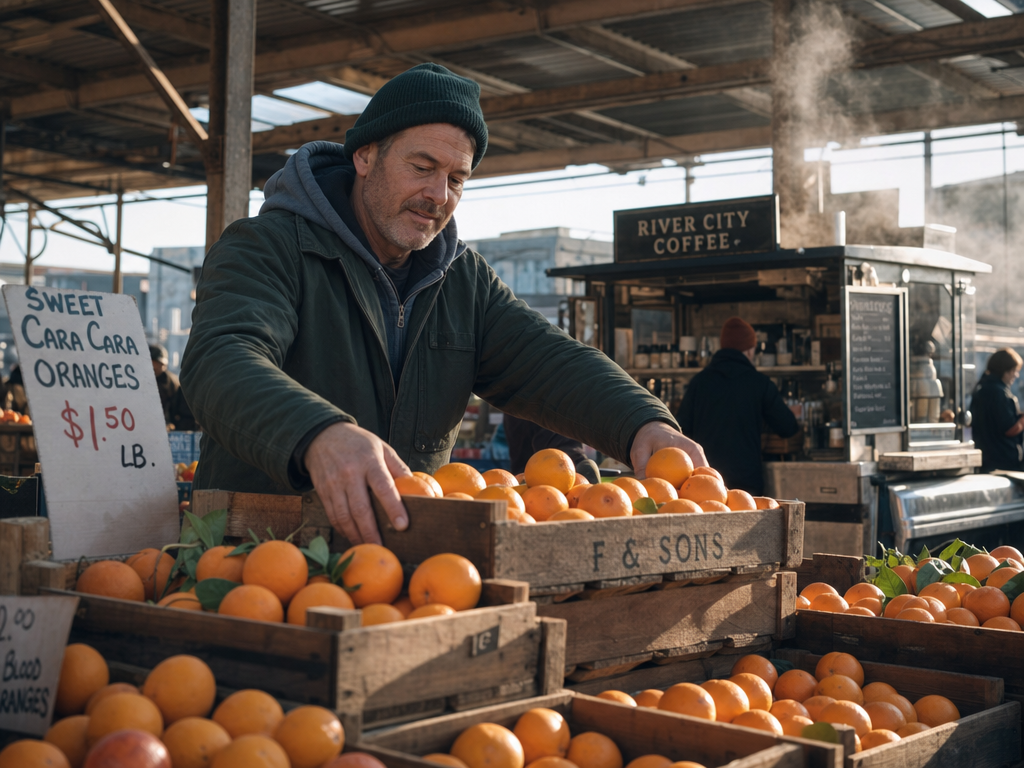
Generated using GPT Image 2 on fal.
Notice the details and how they hold up in the image, such as "covered stall", "early light slanting through gaps in the roof", and "steam drifting up from a coffee cart behind him", which create a realistic situation within a market that you'd expect to see.
Describe the lens and focus to handle the framing
As funny as this sounds, you want to borrow a camera operator's vocabulary when you want control over the shot.
Focal length sets the feel, where a wide 24mm stretches space and an 85mm flatters a face.
You then want to decide where the focus falls, like a shallow f/1.8 that throws the background into soft blur, or a deep stop that holds the whole frame sharp.
Here's what that looks like in reality:
Prompt: A close-up of a watchmaker's hands fitting a tiny gear into a movement, shot on a macro lens at f/2.8 with the focus pinned to the gear and the workbench falling soft behind it.
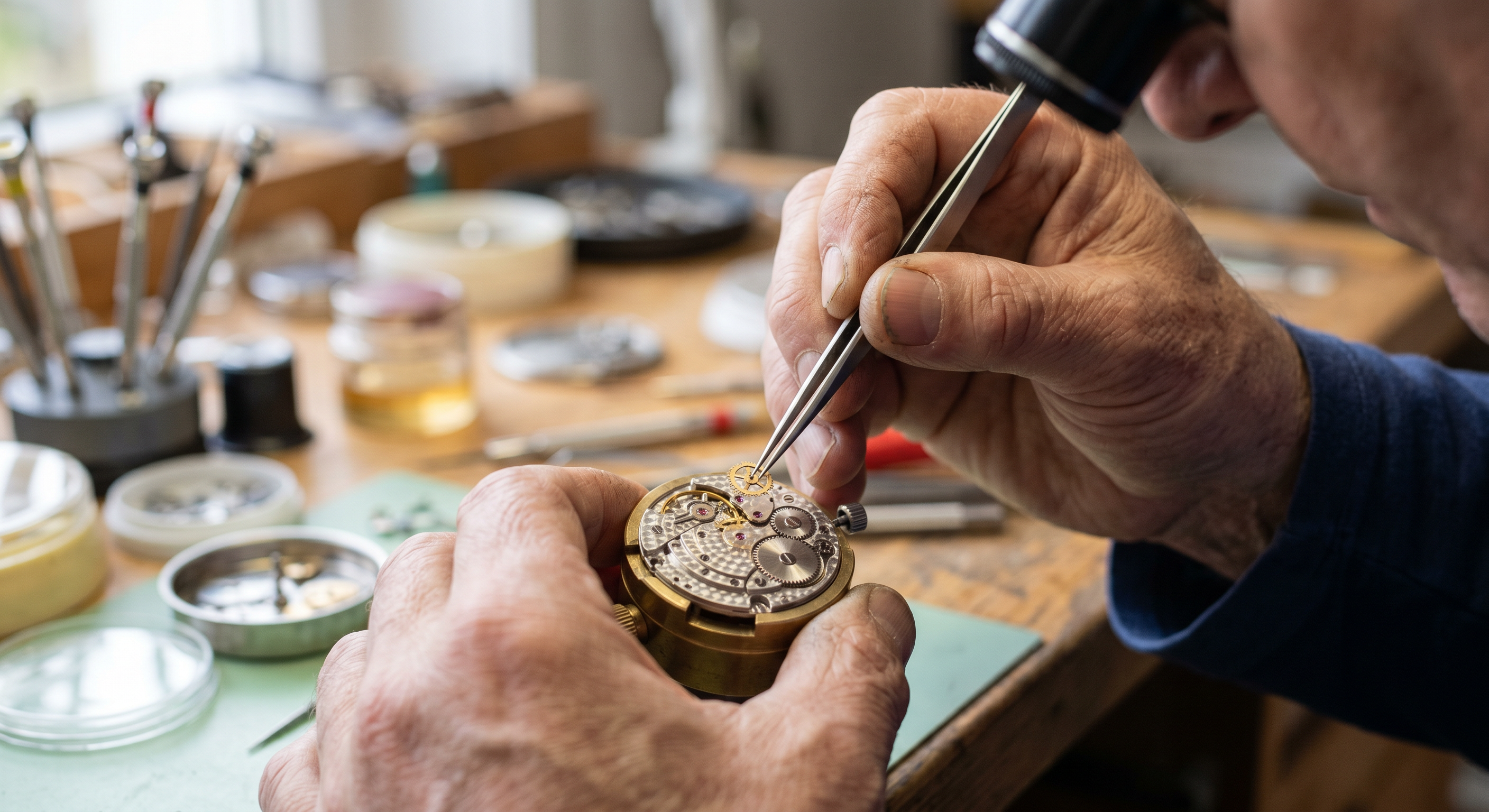
Generated using Nano Banana 2 on fal.
Give your light a direction
A light source with a clear direction is what gives a surface its three-dimensional feel that you see in photorealistic images.
You want to ask for a soft three-point setup when you want a clean product look, or a hard side-light when you want drama and deep shadow.
Golden hour reads warm and forgiving, and an overcast sky reads flat and even.
You can name the source and its direction, and the model will handle how every surface should catch it.
Prompt: A single ripe pear on a dark table, lit hard from the right by one bare lamp so a long shadow rakes across the surface and the left side drops toward black.
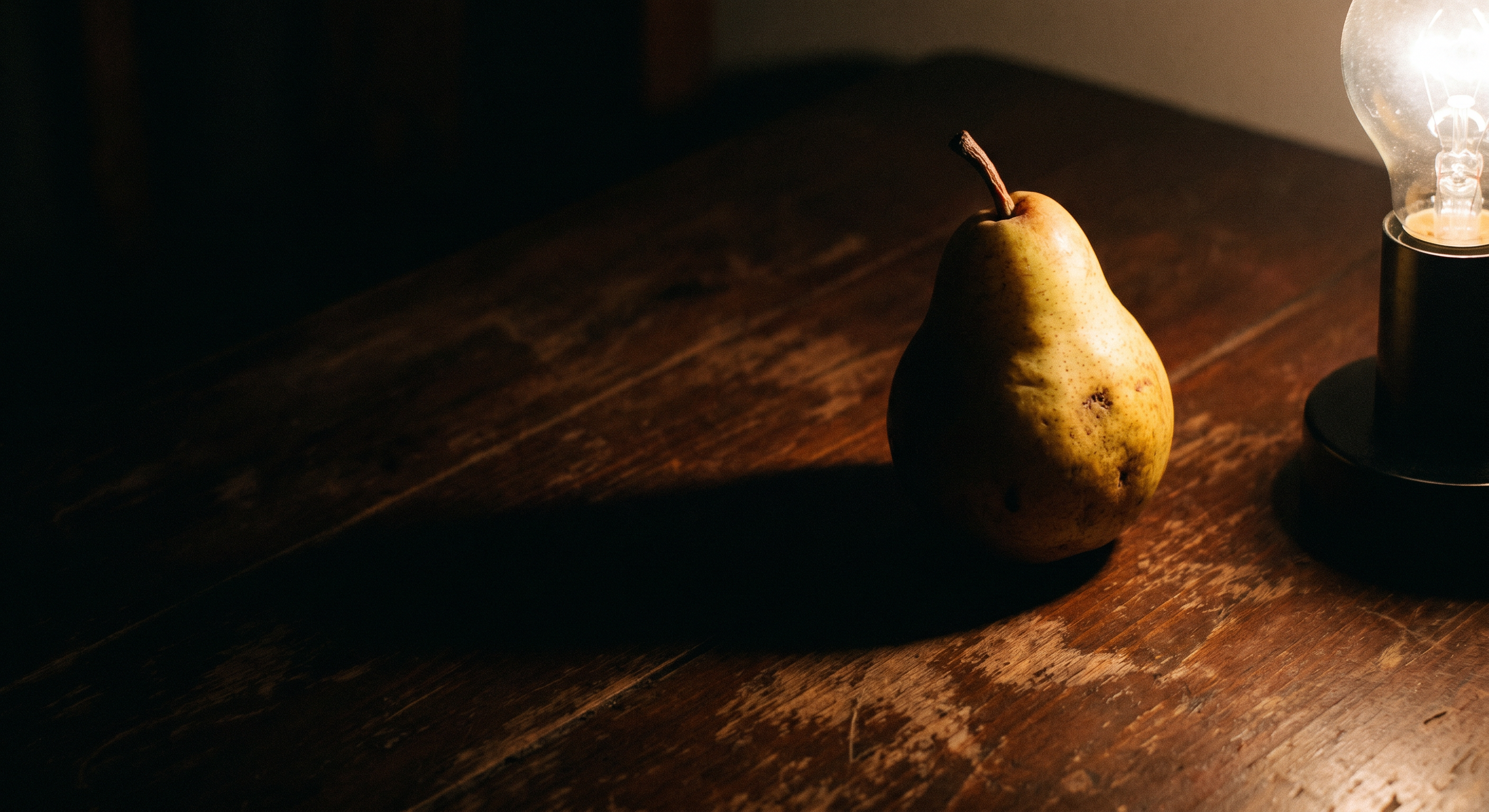
Generated using Nano Banana Pro on fal.
You can see how the shadow falls and how the ripe pear is lit by the lamp to give it that realistic look.
Materials carry the realism
Naming what something is made of does more for realism than almost anything else you can add.
"Fabric" tells the model nothing, while "navy wool tweed with a visible weave" gives it the complete context.
The same applies for hand-thrown stoneware, brushed steel, weathered oak, or wet asphalt.
Each one catches light its own way, and the model can render that the moment you name it.
Prompt: A folded stack of navy wool tweed beside a pair of brushed-steel tailor's scissors on a worn oak counter, soft daylight coming in from a side window.
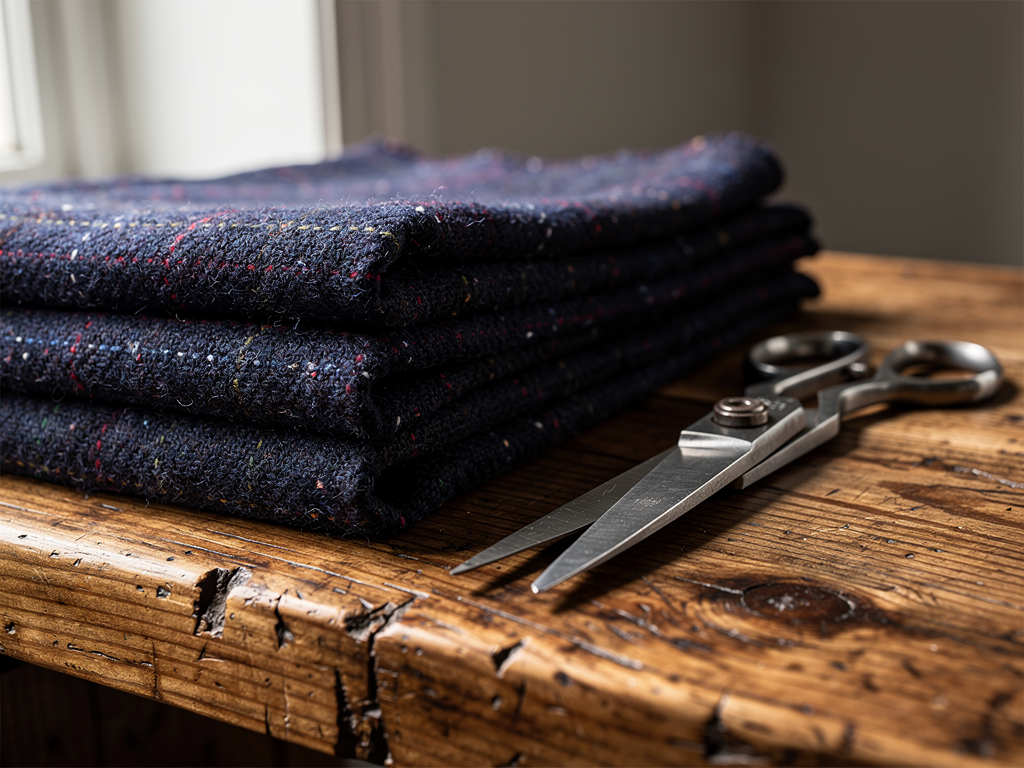
Generated using FLUX 2 Max on fal.
If there is one takeaway from this article that I want to stay with you is that details matter most for photorealism when generating images. The more context the AI model has to work with, the better.
Color grade and film stock
Color does the emotional work in a photograph.
A "muted teal grade" sends an image somewhere very different from "warm Kodachrome with fine grain."
You can borrow a colorist's language, asking for crushed blacks or the faded look of a particular era's film stock.
Let's see what that'll look like:
Prompt: A teenager mid-kickflip on a skateboard in an empty parking lot at dusk, graded toward faded 1990s film with green-leaning shadows and soft grain.
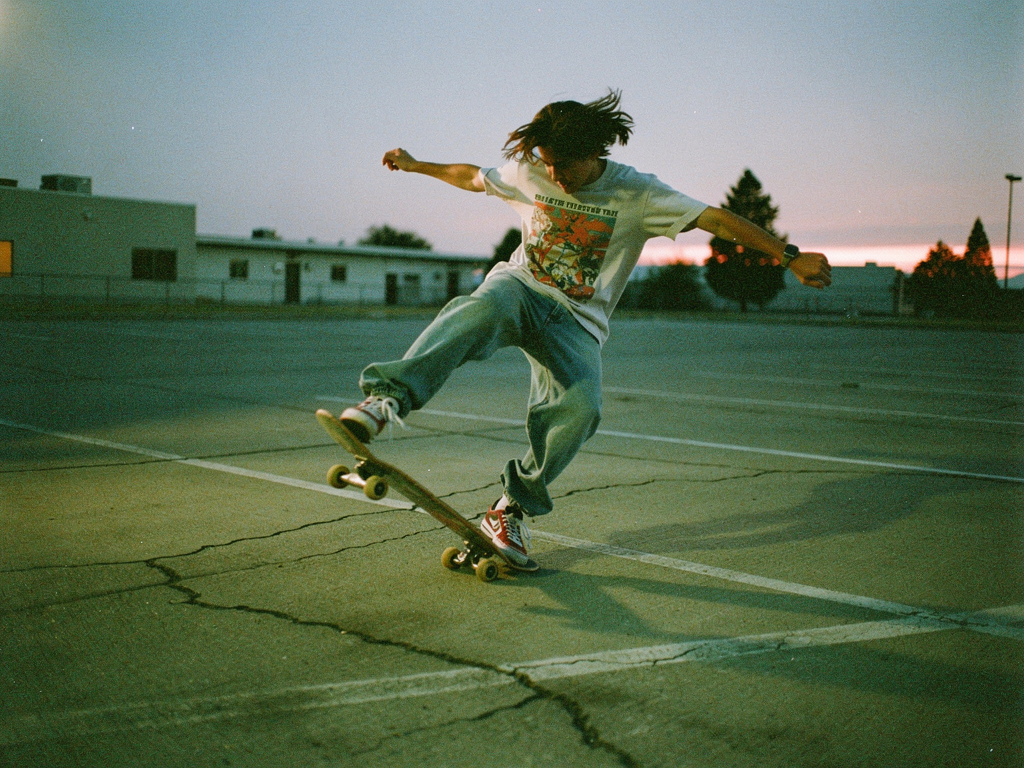
Generated using FLUX 2 Max on fal.
falMODEL APIs
The fastest, cheapest and most reliable way to run genAI models. 1 API, 100s of models
Positive framing beats negation
Describe what you want inside the frame, and skip listing what you want kept out.
Asking for "an empty street at dawn" lands cleaner than telling the model to avoid people, because a negation can read as a cue to include the very thing you're trying to drop.
And when the exact dimensions don't matter, leave image size on auto.
The model reads the prompt and picks a frame that fits, which usually beats forcing a ratio that fights the composition.
Prompt: A quiet cobblestone alley at first light, shutters still closed, wet stones reflecting a soft grey sky, empty and still.
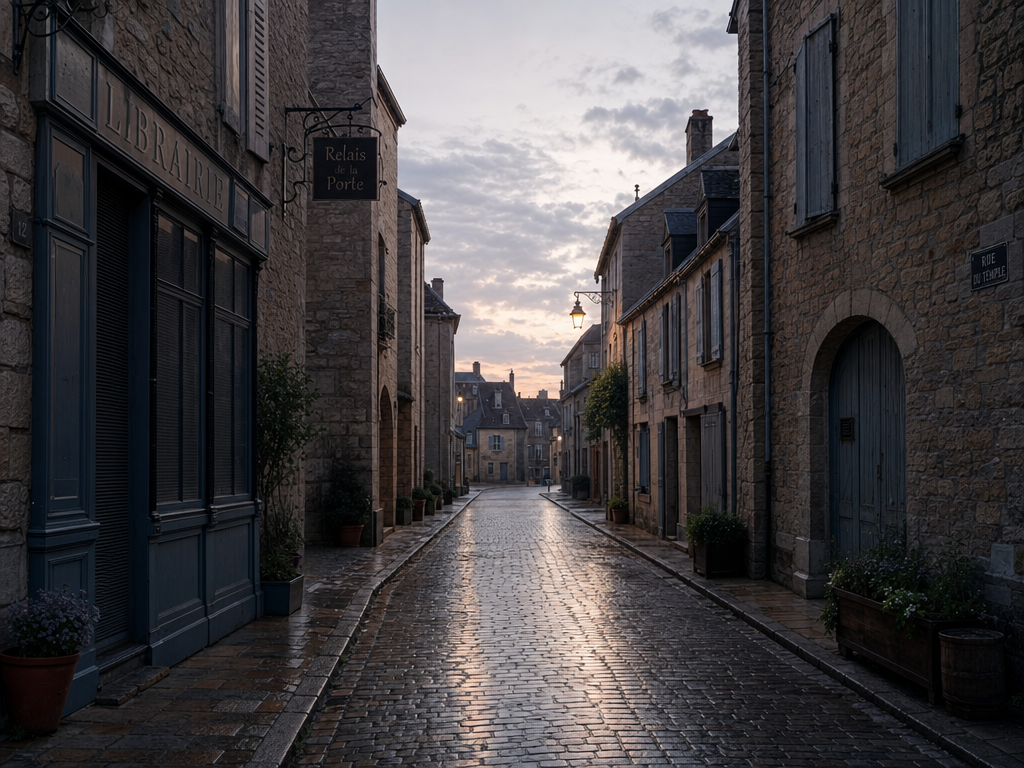
Generated using GPT Image 2 on fal.
I also understand that a finished image is rarely the last step.
Once you have an image that you feel like got 90%+ of the job done, you can take it from the playground as is and plug it into one of our AI image editing models.
You can do that by either downloading the images and uploading it to an AI image editor like GPT Image 2, or from the "what would you like to do next" of your generation within the playground, where our platform seamlessly takes your generation to an editing endpoint.
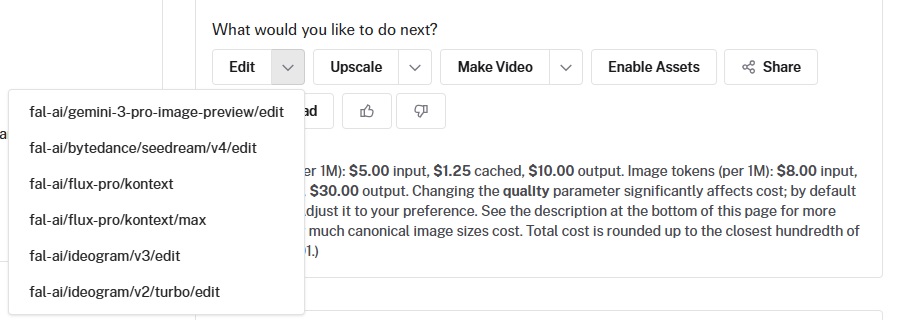
You can then describe the change, explain what you want to remain in the image to prevent it from drifting, and change 1 detail at a time.
That turns a single generation into a working pipeline: generate, refine, swap a background, fix a label, all without leaving fal.
What are the best AI image models for photorealistic work?
Four models stand out for photorealistic work right now, each strong in a different direction.
Let's take a look at each one:
GPT Image 2
GPT Image 2 is OpenAI's image model, tuned for tight prompt adherence and for writing legible text directly into a scene.
The model reasons about the prompt and spends variable time on harder requests, which shows up most in dense, text-heavy work like posters and infographics.
Text rendering covers both Latin and CJK scripts, and color comes out neutral with no warm cast.
Custom resolutions go up to 4K, with both edges as multiples of 16 and a maximum edge of 3840px.
Pricing scales with size and quality, landing around $0.145 for a high-quality 1024x768 image and roughly $0.401 for a high-quality 3840x2160 frame.
Let's test what the high-quality image generation looks like using all of the prompting tips and tricks I showed you earlier:
Prompt: A cafe chalkboard menu with exact quoted text ("TODAY: FLAT WHITE AND ALMOND CROISSANT") in named typography, 50mm at f/2.0 with the board sharp and street soft, low morning light from the right, warm grade with grain. Foregrounds its text-rendering and prompt-adherence strength.
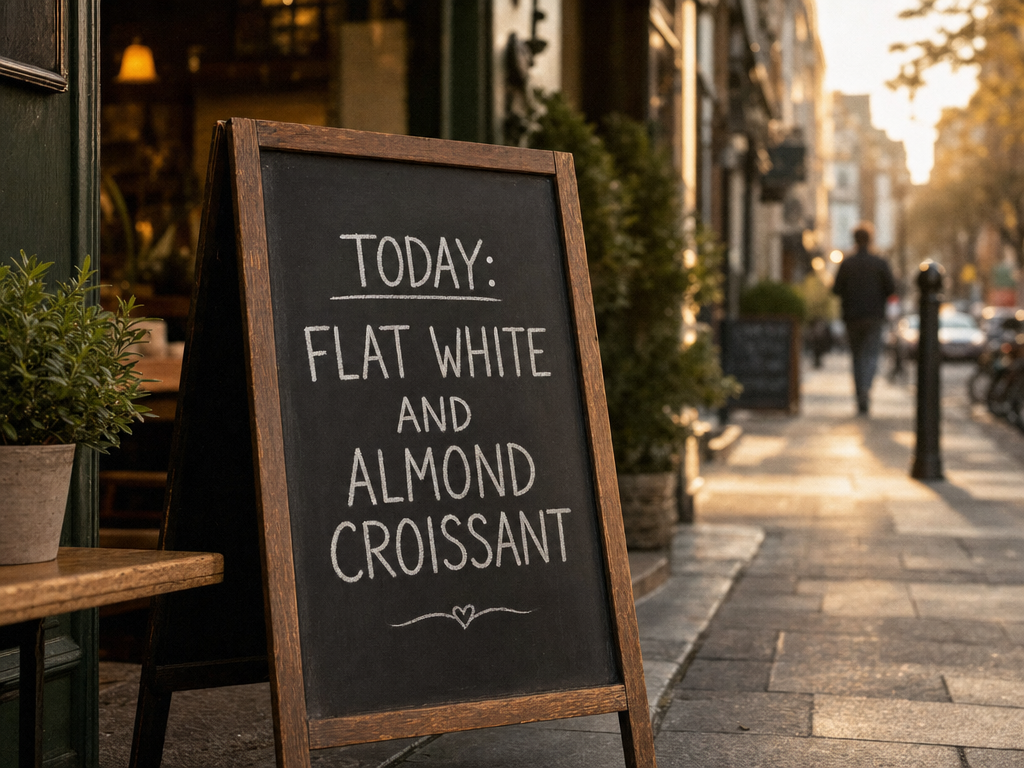
Generated using GPT Image 2 on fal.
Nano Banana 2
Nano Banana 2 runs on Google's Gemini 3.1 Flash Image architecture, which favors vibrant, high-fidelity output at speed.
Considering that it reads creative direction the way a multimodal language model would, conversational prompts come back as coherent scenes with accurate in-image text.
Character consistency holds for up to five people across a set.
Generation runs natively at 1K, 2K, and 4K, and editing accepts up to 14 reference images.
Optional web search grounding pulls in real-world subjects, and every output gets a SynthID watermark.
Pricing on fal is $0.06 per image at 512px and $0.08 at 1K, with 2K and 4K tiers above that, and web search grounding adds $0.015 per generation when you turn it on.
Prompt: A sunny market fruit stall, hard midday sun with crisp shadows, 35mm deep focus, punchy saturated daylight-film color, plus a "FRESH TODAY" sign. Plays to its vibrant, high-fidelity, text-accurate side.
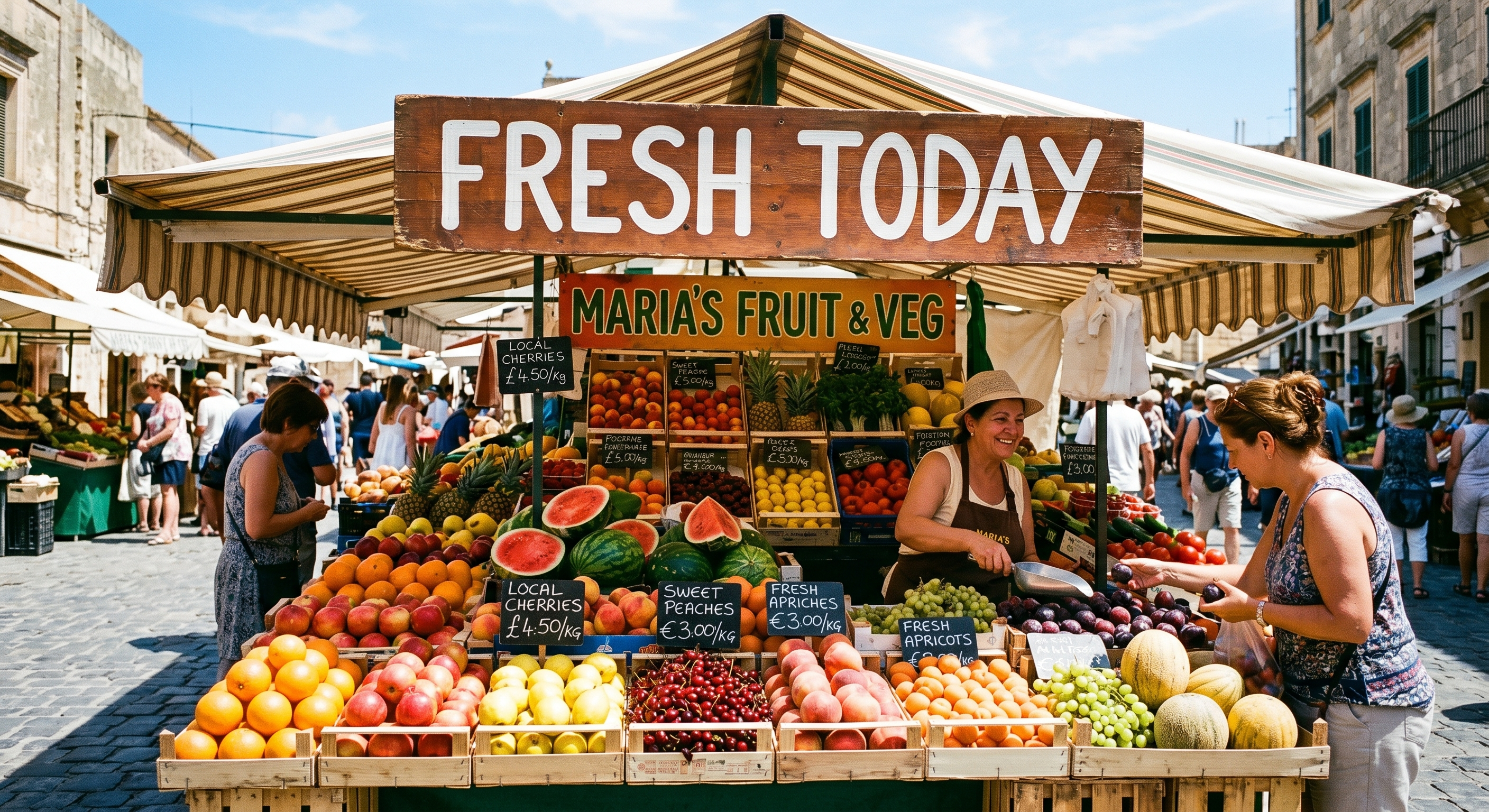
Generated using Nano Banana 2 on fal.
Nano Banana Pro
Nano Banana Pro uses Google's Gemini 3 Pro Image architecture and leans toward reasoning depth on complex briefs.
Before it renders, the model plans composition and lighting, which suits dense, multi-element scenes and any design where the text has to be right.
Multi-image blending of up to 14 images runs on its edit endpoint, since the text-to-image endpoint takes a prompt only; character consistency holds for up to five people.
Generation runs natively at 1K, 2K, and 4K, and every output carries a SynthID watermark.
Pricing on fal is $0.15 per image, with 4K billed at double the standard rate, and web search grounding adds $0.015 per generation.
Prompt: A photoreal head-on shot of a cork community noticeboard crowded with overlapping flyers, a printed monthly calendar, handwritten index cards, and a couple of pinned photos, a small wooden header across the top reading "COMMUNITY BOARD," individual flyers carrying their own legible titles like "GUITAR LESSONS" and "FARMERS MARKET," brass pushpins holding everything in place, soft even daylight from a window to the left, shot on a 50mm lens with the whole board held in focus, neutral and slightly warm color grade.
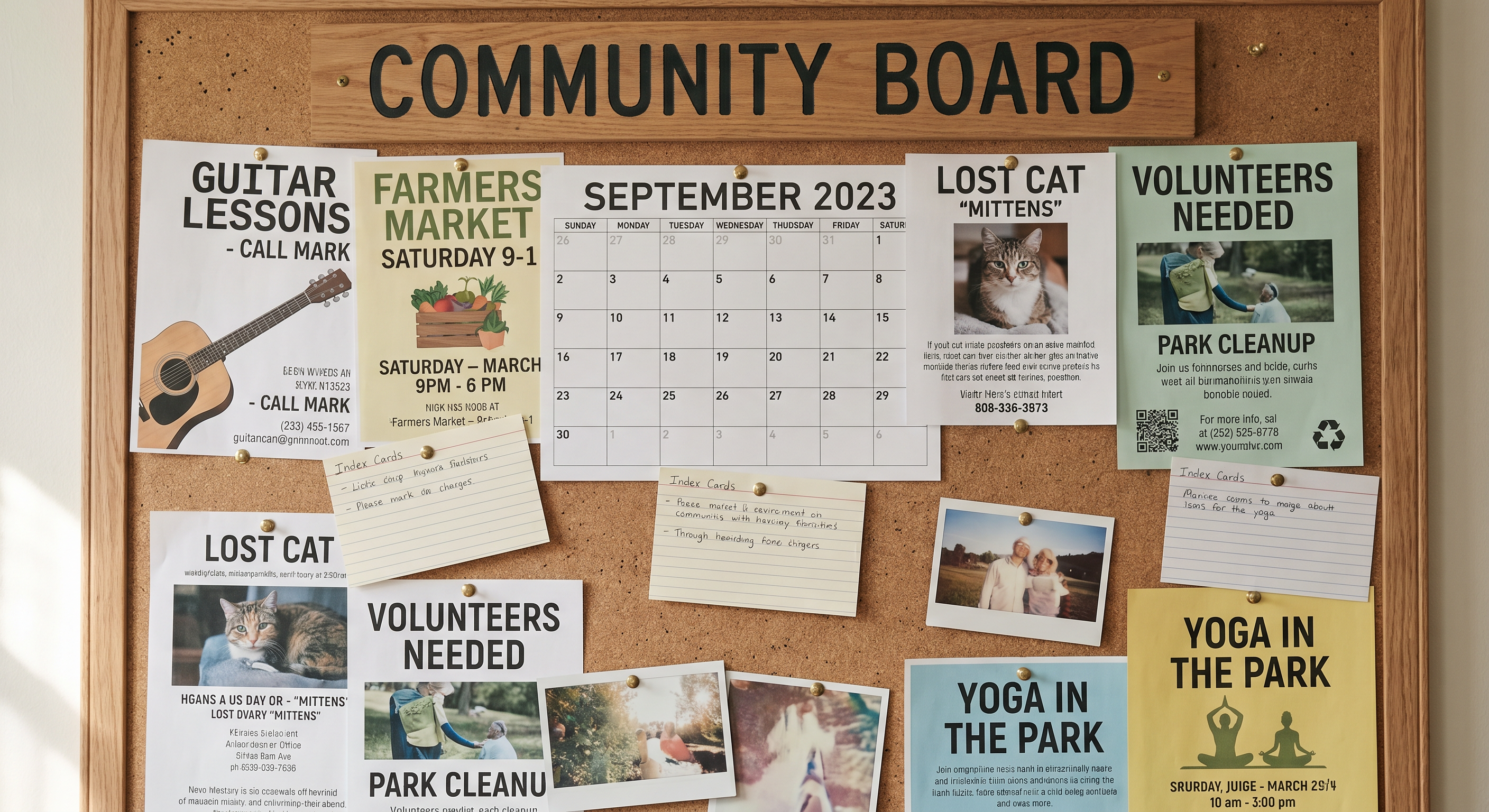
Generated using Nano Banana Pro on fal.
FLUX 2 MAX
FLUX 2 MAX is Black Forest Labs' top-tier FLUX.2 model, aimed at richly detailed, painterly realism and dense scenes.
Elaborate prompts packed with texture and embedded text hold together well, with detail staying coherent across a busy frame.
Generation works from text with the standard image_size presets, and a seed gives you reproducible variations.
An API-only safety tolerance runs from 1 (strictest) to 5 (most permissive), and output comes in JPEG or PNG.
Prompt: A texture-rich apothecary still life, warm lamp light from the left, 85mm at f/2.8 front-to-back falloff, amber-and-teal large-format film grade, with a small "fal" card embedded. Suits its detail-dense, painterly realism.
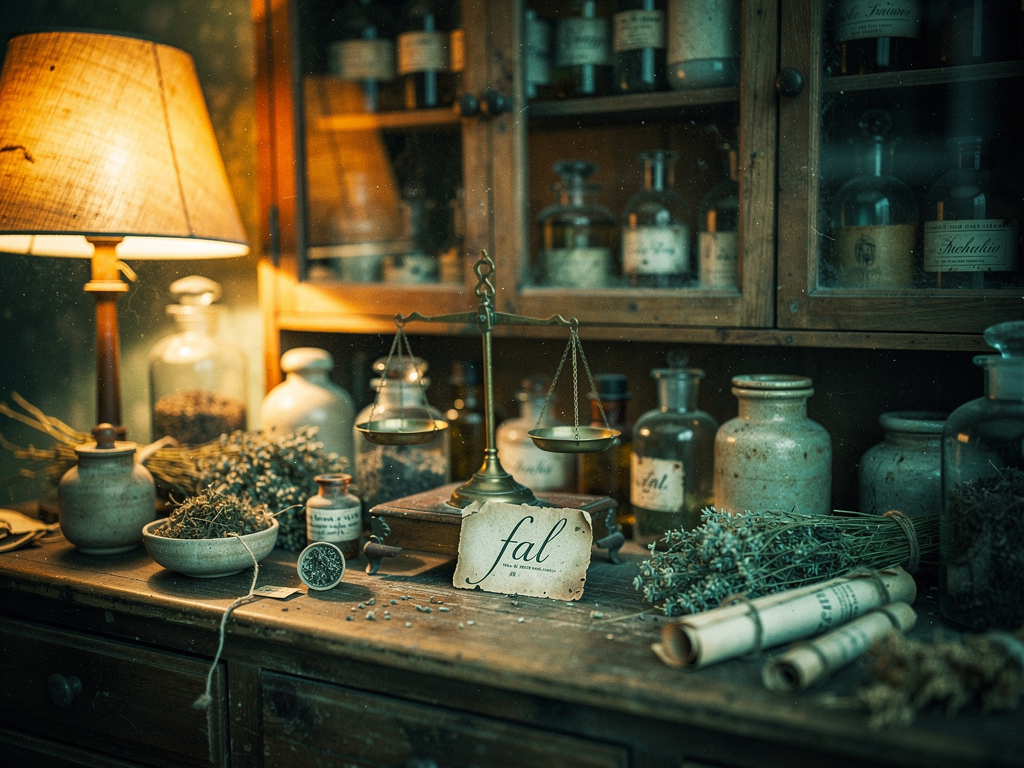
Generated using FLUX 2 MAX on fal.
What are the settings that matter during AI image generation?
The prompt decides what ends up in the image; however, a small set of settings decides how it comes out.
Most of them move either the cost or the look, and a couple move both.
Here are the ones worth understanding before you run anything:
Resolution: This sets how much detail the image holds, and it's usually the biggest lever on price. The Nano Banana models run native 1K, 2K, and 4K tiers, with 4K billed at double, so stay low while you're shaping the prompt and step up only for the final render.
Aspect ratio: This is the shape of the frame, from a wide 16:9 down to a tall 9:16. On the GPT Image 2 and Nano Banana endpoints you can leave it on auto and let the model pick a frame that fits the prompt; FLUX 2 MAX has no auto option and instead takes fixed image_size presets or custom dimensions.
Quality or fidelity: Some models, GPT Image 2 among them, give you a quality dial that trades render effort for cost. Medium keeps each run cheap while you experiment, and high is for the version you'll actually ship.
Number of images: This decides how many variations come back from a single run. Asking for three or four at once is the quickest way to compare directions before you commit to one prompt.
Output format: PNG keeps every pixel lossless and is the safe default for fine detail and transparency. jpeg trims file size when the image is headed for the web, and webp lands between the two.
Seed: This locks the random starting point, so the same prompt and seed return the same image every time. Set it when you want to reproduce a result or change one variable at a time, and leave it random when you want fresh options.
Safety tolerance: A few models, FLUX 2 MAX among them, expose a strictness dial that runs from most strict to most permissive. It shows up only in API calls, not the playground.
Web search grounding: The Nano Banana models can pull live information into a generation for current, real-world subjects. It adds $0.015 per generation, so turn it on only when accuracy to something real matters.
Here's how those settings come together for one photorealistic render with a 2K resolution, auto aspect ratio, random seed, PNG output format, and web search enabled:
Prompt: A photorealistic A-frame chalkboard standing outside a London café on a wet morning, the day's actual date and the current London weather written across the top in white chalk, a short coffee menu chalked below, soft overcast light from the left, shot on a 50mm lens at f/2.5 with the board sharp and the pavement soft behind it, cool neutral grade with a hint of fine grain.
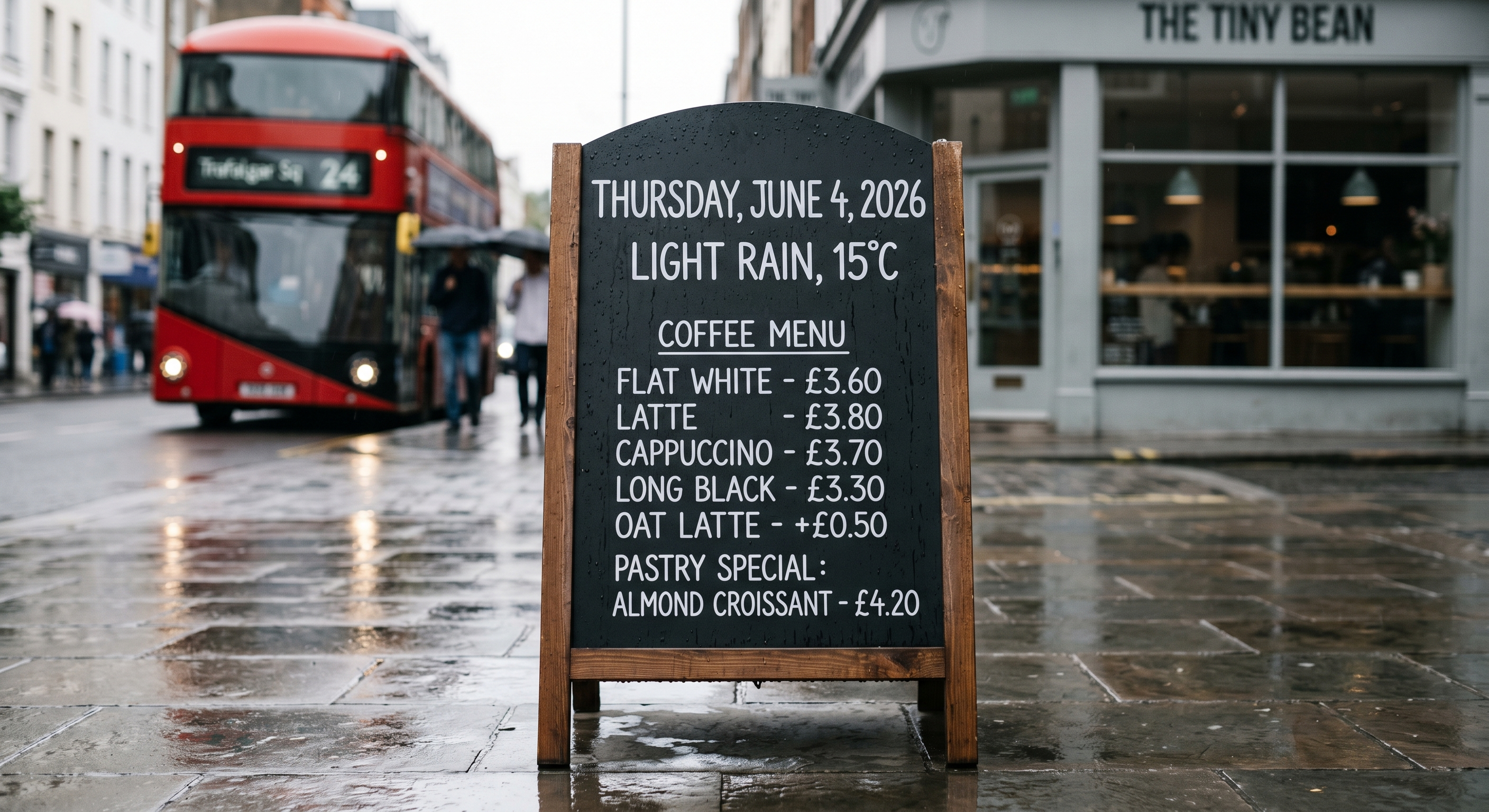
Generated using Nano Banana 2 on fal.
What should you avoid when generating photorealistic images?
A few habits quietly pull a generation back toward being generic and will keep you coming back for more refinements:
Dumping a keyword list: A comma-separated pile of adjectives gives the model nothing to relate to, so you tend to get a flat, stock-looking frame with no sense of light or place.
A prompt like "woman, city, night, cinematic, 4k, ultra realistic, masterpiece" usually returns a generic portrait with muddy lighting and no story behind it.
Stacking quality boosters: Words like "ultra realistic," "masterpiece," and "best quality" do less than people expect on reasoning-based models, and they crowd out the concrete details that actually shape the image.
Writing in negatives: Telling the model what to leave out can backfire, because a negation sometimes reads as a cue to include the thing.
"A street with no cars" can still come back with cars in it, while a description of the quiet, empty street you do want works far better.
Overstuffing one sentence: Cramming a dozen competing instructions into a single line forces the model to drop something.
You can break a complex shot into an order, starting with the subject and then layering in setting and light.
Leaving in-image text loose: When you want words rendered, put the exact phrase in quotes and name the style. Skipping that invites misspellings and odd spacing.
Recently Added
































Generate photorealistic images on fal
There are more genuinely capable photorealistic models available today than at any point so far, and the four in this guide cover everything from quick drafts to dense, high-fidelity final renders.
Whichever one fits your work, fal gives you a single API and pay-per-use pricing, with no GPU to manage.
You can test any of them in the playground in a minute, or wire up the API and move between models with a one-line endpoint change.
Frequently asked questions
What makes an AI image look photorealistic?
It comes down to how the scene is described and how the model handles light and depth.
A convincing image starts with a light source that has a real direction.
Add surfaces that catch that light the way actual materials do, and give the shot a defined camera angle and focus.
Get those right, and the frame stops looking generated.
The model supplies the rendering, but the cues come from your prompt, so the more you describe the shot the way a photographer would set it up, the more photographic the result.
Which model should I pick for photorealistic images?
It depends on the job.
GPT Image 2 is a strong pick when the image is text-heavy or needs tight prompt adherence, like posters and infographics.
Nano Banana 2 favors fast, vibrant output for high-volume work, while Nano Banana Pro takes more time to reason through dense, complex compositions.
FLUX 2 MAX suits richly textured, painterly scenes that pack a lot into one frame.
On fal, you can try all of them under one account and pick per task, since switching is a one-line endpoint change.
How much does it cost to generate a photorealistic image on fal?
Pricing is pay-per-use and depends on the model and the resolution.
GPT Image 2 scales with size and quality, from a fraction of a cent at low quality up to about $0.145 for a high-quality 1024x768 image.
Nano Banana 2 runs $0.06 at 512px and $0.08 at 1K, stepping up at 2K and 4K.
Nano Banana Pro is $0.15 per image, with 4K billed at double.
You pay only for what you generate, with no subscription.
Can I use AI-generated images commercially?
Yes. The models in this guide are licensed for commercial use through fal.
Both Google models, Nano Banana 2 and Nano Banana Pro, add an invisible SynthID watermark to every output.
Check each model's terms on its fal page for any conditions specific to that model.
How do I fix a small flaw without regenerating the whole image?
You can reach for an editing endpoint before you start over.
On fal, GPT Image 2's image-to-image editing lets you describe the change in plain language, and you can add a mask so only the marked region is repainted while everything else stays put.
That keeps the parts you already like and saves you from re-rolling a full generation to fix one detail.
![How To Use Grok Imagine Image 2.0: Prompts & Workflows [2026]](https://refinery.fal.media/url/https%3A%2F%2Fv3b.fal.media%2Ffiles%2Fb%2F0aaa08b3%2FEbZiOASE83F9ej9WDiQz-.jpg/tr:w-1280,q-80/EbZiOASE83F9ej9WDiQz-.webp)