
H3 Max 3D to AI Video GeneratorAI for Blender that turns your 3D animation into photoreal video
H3 Max 3D to AI Video Generator is AI for Blender: it turns a rough Blender animation into photoreal footage. Block out a shot with gray boxes, animate the camera, render up to 15 seconds, and it keeps your camera move, blocking and cuts while it generates the materials, light and detail. It is the 3D endpoint of H3 Max, post-trained by fal from MiniMax H3, and it is live on fal from $0.75 per clip.
An 8-second Blender flythrough of a seaplane passing a lighthouse, sent with two reference images of the coastline. The camera path, the framing and the plane's bank all come from the render.
Try it with your sceneDrag the divider. Left of it is the Blender render the endpoint was given; right of it is what H3 Max 3D to AI Video Generator returned, on the same playhead. Outputs are unedited. The train duel clay render comes from fal's clay-to-action-short pipeline, sent here to H3 Max 3D to AI Video Generator.
How do you turn a Blender animation into AI video?
Three steps, and only the first one happens in Blender. You send a rendered clip; the endpoint plans the shots, generates references when it needs them, renders each shot and assembles the video.


Start building with the H3 Max 3D to AI Video Generator API
A 3D render in, photoreal video out. Up to 15 seconds and 32 shots per request, at 480p, 768p or 1080p.


How do you use Blender MCP to make AI video?
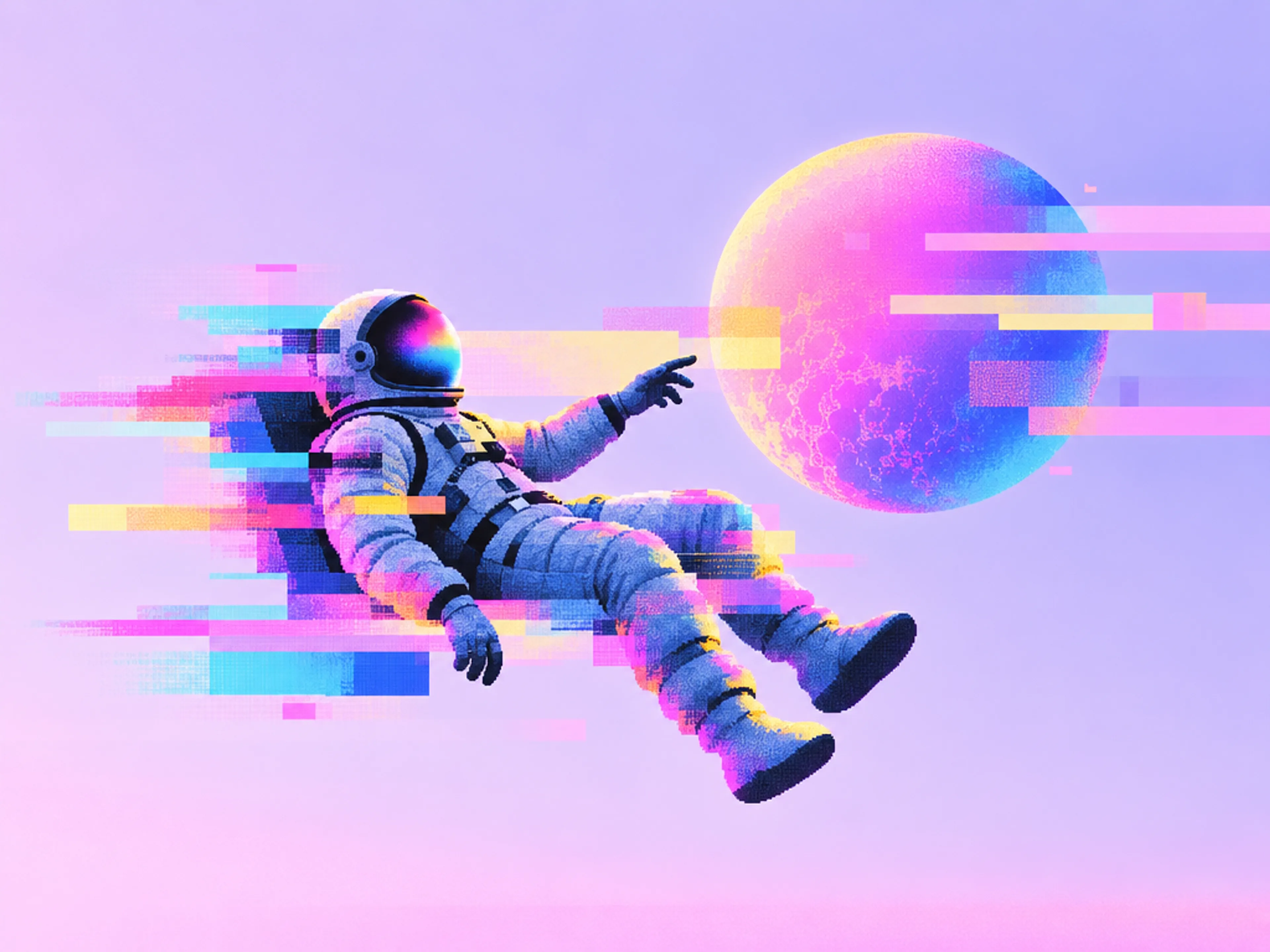
Connect Blender MCP and the fal MCP server to the same agent and one prompt goes from an open Blender scene to finished footage. The train duel above started that way: Claude built and animated the whole scene through Blender MCP.


What can H3 Max 3D to AI Video Generator do?
The camera move comes from Blender, not a prompt
Arcs, push-ins, drone passes and handheld drift are read from the render, so the shot you blocked out is the shot you get back.
- Camera path, framing and lens feel follow the source clip
- Duration is taken from the video automatically
- Treat it as close guidance: exact geometry and paths are not guaranteed
Gray boxes become glass, stone and people
Tell the endpoint what each proxy stands for in plain language, and it builds the materials, lighting and detail around the layout you gave it.
- Optional scene intent up to 2,000 characters
- Object count, trajectories and timing stay defined by the video
- No texturing, lighting or look-dev pass in Blender
Multi-shot sequences, up to 32 shots
Cut between Blender cameras and the endpoint plans each shot, renders it, and assembles the sequence with the edit timing from your render.
- Up to 32 shots in one 15-second source
- Opening references are generated per shot when needed
- One request returns the assembled video
Lock the look with up to 8 reference images
Supply environment, subject, interior or detail references and every shot uses them directly. Skip them and the endpoint generates its own within the limit you set.
- Up to 8 reference images per request
- Without references, it creates up to 2 by default (1 to 8)
- Camera and movement always come from the video
What are examples of H3 Max 3D to AI Video Generator?
All four scenes from the demo above, each generated at 1080p from a Blender render. The scene intent sent with each render is quoted beside it, so you can see how much of the look comes from the prompt and how much from the 3D.
Seaplane flythrough: references only
"No scene intent. The Blender render was sent with two reference images, the coastline and the lighthouse, and the endpoint took the camera, framing and motion from the render."
Train duel: scene intent plus three references
"The pickup truck is driving FORWARD, straight toward the camera: we see its FRONT at all times, the chrome grille, round headlights, bumper and windshield facing the lens, front wheels kicking up dust as it charges at us. The steam locomotive on the left also travels toward the camera, smoke pouring from its stack. Never show the back of the truck; there is no tailgate or bed visible."
3D product animation: a 3-shot watch commercial
"A luxury steel automatic wristwatch commercial. The watch has a deep forest-green sunburst dial with polished steel hour markers and hands, a thin red seconds hand, a polished steel case and bezel, a sapphire crystal and a brushed steel bracelet, standing on a black display stand on a slab of polished black marble in a dark studio with dramatic rim light and soft reflections. When the watch lifts and separates it is an exploded view of the real mechanism: the discs with teeth are brass and steel movement gears spinning on their axles. When it lands, the small cubes that burst outward are fine black marble chips and dust."
Architecture: one drone arc
"A modernist concrete and glass villa on a dry Mediterranean hillside at golden hour. The two stacked boxes are the house, the dark bands are floor-to-ceiling windows, the blue rectangle is a swimming pool on a travertine deck, the cones are cypress trees, the mounds are distant hills."
What does H3 Max 3D to AI Video Generator cost?
A flat price covers the first 5 seconds of each request, then you pay per extra second at the resolution you pick. An 8-second single-shot clip at 768p costs $1.14 before tokens and generated references.
| Resolution | First 5 seconds | Each extra second | 8-second clip |
|---|---|---|---|
| 480p | $0.75 | $0.05 / second | $0.90 |
| 768p | $0.90 | $0.08 / second | $1.14 |
| 1080p | $1.30 | $0.16 / second | $1.78 |
Input video and reference images cost $0.02 per 1,000 tokens beyond the 4,096 tokens included per shot. Each reference image the endpoint generates for you adds $0.10 (2 by default when you send none). Shot durations round up to whole seconds with a 5-second minimum per shot, so a source with many short cuts costs more than one continuous shot of the same length. Full fal pricing is on the pricing page, and the endpoint's current rate is on its model page. Information updated as of September 22, 2026.


How to use the H3 Max 3D to AI Video Generator API
One required input, video_url, plus prompt (scene intent), reference_image_urls, max_generated_reference_images and resolution. The client handles the queue: upload, submit, status updates, and the result when the video is assembled.
import { fal } from "@fal-ai/client";

// Upload the MP4 you rendered from Blender (up to 15 seconds, 32 shots).
const videoUrl = await fal.storage.upload(renderFile);

const result = await fal.subscribe("minimax/h3-max/3d-to-video", {
  input: {
    video_url: videoUrl,
    // Optional: what the proxies represent. Camera, trajectories, timing and
    // object count still come from the video.
    prompt: "The discs with teeth are brass movement gears; the watch is polished steel with a green sunburst dial.",
    resolution: "1080P", // 480P | 768P (default) | 1080P
  },
  logs: true,
  onQueueUpdate: (update) => {
    if (update.status === "IN_PROGRESS") {
      update.logs.map((log) => log.message).forEach(console.log);
    }
  },
});

console.log(result.data.video.url);

Who turns 3D renders into AI video?
Anyone who already blocks shots in 3D: H3 Max 3D to AI Video Generator keeps the layout and camera work you did and skips the texturing, lighting and final render.
Architectural animation from a massing model
Fly the camera through the design you already modelled and show clients a finished-looking film before a single material is assigned.
3D product animation without a product shoot
Block the turntable and the push-in once, then describe the finish and generate the commercial shot for every colorway.
Blocked-out scenes that already look like the film
Keep the blocking, lenses and cuts your team agreed on and hand the director a pitch reel that reads as live action.
Trailers from level blockouts
Capture a camera run through a gray-box level and turn it into a cinematic for pitches, playtests and social teasers.
Storyboards that move like the final spot
Turn an animatic into client-ready footage while the camera moves and timings from the board stay in place.
Hero drives and machine shots from CAD
Animate the vehicle or machine along its path in Blender and generate the finished environment, reflections and light around it.


Common questions about H3 Max 3D to AI Video Generator
What is H3 Max 3D to AI Video Generator?
H3 Max 3D to AI Video Generator is a video-to-video model that turns a Blender render or any 3D animation into a photoreal video. It keeps the camera, blocking and edit from your render and generates the materials, lighting and detail. It is part of fal's H3 Max family, post-trained by fal from the open-weight MiniMax H3, and it is available on fal as minimax/h3-max/3d-to-video. Information updated as of September 22, 2026.
How do I turn a Blender scene into an AI video?
Animate your camera and proxies in Blender, render a preview MP4 of up to 15 seconds (Workbench or EEVEE is fine), and upload it to H3 Max 3D to AI Video Generator on fal. Add a sentence saying what the proxies are, optionally attach reference images, pick a resolution and generate. The video that comes back follows your camera and timing, with the scene rendered photoreal.
Does Blender have AI video generation built in?
No. Blender ships a denoiser and other machine-learning tools, but it has no built-in way to turn a scene into photoreal AI video. The workflow runs alongside it: you keep modelling, animating and rendering in Blender, then send the rendered clip to H3 Max 3D to AI Video Generator, which returns the finished video. Nothing needs installing inside Blender.
What is Blender MCP?
Blender MCP is an open-source Model Context Protocol server that lets an AI assistant such as Claude control Blender: create and edit objects, animate them, set up cameras and render. Paired with the fal MCP server, the same assistant can send that render to H3 Max 3D to AI Video Generator and return photoreal video, so one prompt covers the whole trip from an empty scene to finished footage.
How do I make a 3D product animation with AI?
Block out the product with simple shapes in Blender, animate the moves you want (a turntable, a push-in, an exploded view, a landing), and render the animation. Send it to H3 Max 3D to AI Video Generator with one sentence describing the finish, for example "a polished steel watch with a green sunburst dial on black marble", and it returns a photoreal product film that keeps your camera and timing. The watch commercial on this page was made exactly this way from a gray-box blockout.
Is there AI for Blender that makes video?
You don't need one. H3 Max 3D to AI Video Generator works on the video you render, so there is nothing to install in Blender: render the animation, upload it, and the photoreal version comes back. To drive it without leaving your AI assistant, connect the open-source Blender MCP server and the fal MCP server to the same agent.
What should my Blender render look like?
Rough is fine. Gray-box proxies with a clear silhouette, a camera that moves the way you want the final shot to move, and anything that should move animated along its path. The source can be up to 15 seconds long with up to 32 shots, cut by binding cameras to timeline markers. A 16:9 render in Workbench or EEVEE is plenty; the endpoint reads layout, camera and motion rather than your materials.
What does the scene intent prompt do?
It tells the model what your proxies represent or how they move, for example 'the moving block is a running person' or 'the blue slab is a swimming pool'. It does not override the video: camera, trajectories, timing and the number of objects still come from your render. It is optional, up to 2,000 characters, and matters most when you send no reference images.
Do I need reference images?
No. Without references, the endpoint plans the shots and generates its own appearance references, up to 2 by default and anywhere from 1 to 8 if you set max_generated_reference_images. Supply your own (up to 8: environments, subjects, interiors, details) and it uses them directly for every shot, which is the way to lock a specific product, character or location.
Will the video match my Blender camera exactly?
Closely, not exactly. The source video is visual guidance: the endpoint follows its layout, camera movement, motion and edit timing, but exact geometry, camera paths and motion are not guaranteed. For shots where a detail has to line up precisely, keep the camera move simple and describe the critical object in the scene intent.
Which tools does the agent use to send a Blender render to fal?
Yes. With Blender MCP and the fal MCP server connected to the same agent, it can render the preview from your open Blender scene, upload the clip with fal's upload_file tool, and submit it to minimax/h3-max/3d-to-video with submit_job, then fetch the finished video with get_job_result, all from one chat.
Does it work with Maya, Cinema 4D, Unreal or SketchUp?
The endpoint takes a video file, not a scene file, so a playblast or viewport render from any 3D app is the same kind of input as a Blender render. Keep it under 15 seconds and 32 shots and host it at a public HTTPS URL.
What does H3 Max 3D to AI Video Generator cost?
The first 5 seconds cost $0.75 at 480p, $0.90 at 768p or $1.30 at 1080p per request, and each additional second costs $0.05, $0.08 or $0.16. Input video and reference images cost $0.02 per 1,000 tokens beyond 4,096 tokens included per shot, and each generated reference image adds $0.10. Shots are rounded up to whole seconds with a 5-second minimum each. The current rate is always on the model page. Information updated as of September 22, 2026.
Can I use H3 Max 3D to AI Video Generator for commercial projects?
Yes. The endpoint is licensed for commercial use, and output generated through the fal API can be used in commercial projects. Check fal.ai's terms of service for the full usage rights, and make sure you hold the rights to any reference images you upload.
How do I get access to H3 Max 3D to AI Video Generator?
It is live on fal now. Try it in the browser by dropping a Blender render into the model page, or call it from any language through the API. It is serverless and pay-per-use, so there are no GPUs to manage and nothing to install in Blender.
How is H3 Max 3D to AI Video Generator related to the rest of H3 Max?
It applies H3 Max to one job: turning a rough 3D render into photoreal video. To generate a scene from text or images with no 3D source, use H3 Max itself; to direct a longer multi-shot piece from prompts, use H3 Max Director. For turning images into 3D assets you can then block out in Blender, see fal's 3D models.

Get in touch about H3 Max 3D to AI Video Generator
Want to talk through a 3D-to-video pipeline, volume pricing or a custom integration? Leave your details and our team will reach out.