Loading playground
Input
Additional Settings
Customize your input with more control.
Result
Idle
Customize your input with more control.
Customize your input with more control.
Customize your input with more control.
Transform creative concepts into stunning visuals with state-of-the-art precision that excels at generating long text, vector art, and brand-consistent imagery.
Recraft V3 currently ranks as the top-performing text-to-image model on Hugging Face's industry-leading Text-to-Image Benchmark by Artificial Analysis. Built to deliver exceptional text rendering accuracy and professional design capabilities, this model excels at creating photorealistic images, crisp vector graphics, and brand-aligned content without requiring complex workflows or post-processing.
Marketing and Advertising Materials
Create compelling promotional content with embedded text, from social media graphics to billboard designs. Generate product mockups, campaign visuals, and branded assets that maintain consistent style across your entire marketing funnel.
Logo and Brand Identity Design
Produce vector-based logos, icons, and brand elements that scale perfectly at any resolution. Experiment with different design directions while maintaining brand guidelines and visual consistency.
Product Visualization and Mockups
Transform product concepts into photorealistic renderings for presentations, e-commerce listings, or investor pitches. Generate multiple variations showing different angles, contexts, or styling options.
Editorial and Publishing Content
Design book covers, magazine layouts, and article illustrations featuring accurate text integration. Create custom imagery that perfectly matches editorial tone and publication standards.
Educational and Instructional Graphics
Develop clear, professional diagrams, infographics, and training materials with properly rendered labels and annotations. Generate consistent visual styles across entire course materials or documentation sets.
Getting up and running with Recraft V3 takes just a few minutes. Here's how to begin:
javascriptimport { fal } from "@fal-ai/client";

fal.config({
  credentials: "YOUR_FAL_KEY"
});

const result = await fal.subscribe("fal-ai/recraft-v3", {
  input: {
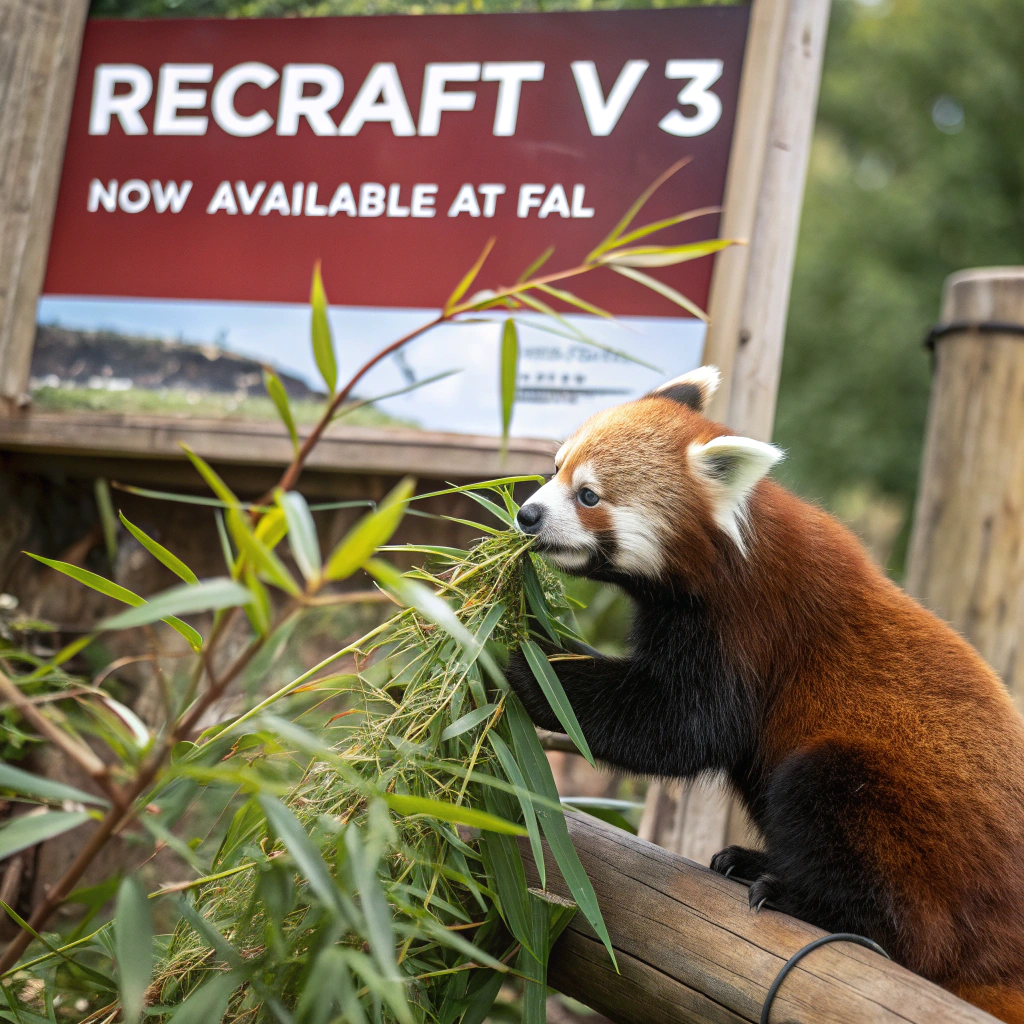
    prompt: "a red panda eating bamboo in front of a poster that says 'recraft V3 now available at fal'",
    style: "realistic_image",
    size: "square"
  },
  logs: true,
  onQueueUpdate: (update) => {
    if (update.status === "IN_PROGRESS") {
      update.logs.map((log) => log.message).forEach(console.log);
    }
  }
});

// Access generated image
console.log(result.data.images); // Array of image objects
console.log(result.requestId);
pythonfrom fal_client import FalClient

client = FalClient("YOUR_FAL_KEY")

result = client.subscribe("fal-ai/recraft-v3", {
    "prompt": "a red panda eating bamboo in front of a poster that says 'recraft V3 now available at fal'",
    "style": "realistic_image",
    "size": "square"
})

# Access generated image
print(result["images"])  # Array of image objects with url, width, height, content_type
realistic_image, digital_illustration, vector_illustrationsquare, square_hd, portrait_4_3, portrait_16_9, landscape_4_3, landscape_16_9colors parameter for brand-specific palettesAchieve optimal results with these proven approaches:
Craft Specific, Detailed Prompts
Instead of vague descriptions like "create a logo," provide comprehensive details: "a minimalist vector logo featuring a geometric mountain peak in navy blue, with the company name 'Summit Solutions' in a modern sans-serif font below." The more specific your prompt, the more precisely Recraft V3 can deliver your vision. When including text in your images, always enclose the exact wording in quotation marks.
Leverage Style Presets Strategically
Choose the style parameter that matches your output format. Use realistic_image for photographic content, digital_illustration for artwork and graphics, and vector_illustration when you need scalable assets for print or large-format applications. Each style is optimized for different use cases—vector styles are particularly powerful for creating logos and design elements that maintain quality at any size.
Iterate with Consistent Parameters
When generating multiple images for a project, maintain consistent style and parameter settings to ensure visual coherence. This approach works particularly well for creating brand asset libraries or multi-image marketing campaigns where uniformity matters. For example, if you're developing a series of social media posts, use the same style preset and similar size settings across all generations.
Optimize Text Integration
Recraft V3 excels at rendering text within images, but placement and context matter. Specify where text should appear ("centered at the top," "on a sign in the background," "displayed on a poster held by the subject") and provide exact wording in quotes. For complex text layouts, break your prompt into clear spatial descriptions: "In the foreground, a wooden sign reads 'Welcome.' In the background, a banner displays 'Grand Opening 2024.'"
Control Brand Colors
Use the colors parameter to specify brand-specific color palettes. This ensures generated images align with your brand guidelines and maintain visual consistency across all creative assets. Provide colors as hex codes for precise control over the final output.
typescriptinterface RecraftV3Input {
  prompt: string; // Your text description of the desired image
  style?: "realistic_image" | "digital_illustration" | "vector_illustration"; // Visual style preset (default: realistic_image)
  size?: "square" | "square_hd" | "portrait_4_3" | "portrait_16_9" | "landscape_4_3" | "landscape_16_9"; // Image aspect ratio and resolution (default: square)
  colors?: string[]; // Array of hex color codes to control the color palette
}

interface RecraftV3Output {
  images: Array<{
    url: string; // URL to the generated image
    width: number; // Image width in pixels
    height: number; // Image height in pixels
    content_type: string; // Image MIME type (e.g., "image/jpeg")
  }>;
}
Recraft V3 operates on a pay-as-you-go model with transparent, usage-based pricing. For current pricing details and volume discounts, visit https://fal.ai/pricing. High-volume applications and enterprise deployments can contact sales for custom pricing and dedicated support.
We're here to help you succeed with Recraft V3:
Ready to create professional-grade visuals with industry-leading text rendering? Sign up now at https://fal.ai and start generating with Recraft V3.