MiniMax H3 is MiniMax's next-generation video model, released with open weights, and it is built as a general-purpose multimodal model rather than a set of separate task models. Text, images, video, and audio all go into one context, so a single request can carry a character's identity from a photo, the camera language and cutting rhythm from a clip, and a voice from a recording, then resolve all of it into one coherent shot with native stereo audio.
It is available on fal.ai across three endpoints, and it is strong at three things in particular: reading many references at once, rendering legible text and interfaces, and making precise localized edits to video you already have.
This guide walks through how to prompt MiniMax H3 across all three, with 44 real examples and the exact prompts behind them.
falMODEL APIs
The fastest, cheapest and most reliable way to run genAI models. 1 API, 100s of models
Run MiniMax H3 on fal
fal is a Day 0 partner for MiniMax H3, so you can call the hosted API from launch without provisioning GPUs. Every endpoint returns 5 to 15 seconds at 24 FPS in 2K, which puts 1440 pixels on the short edge for ratios between 16:9 and 9:16 and reaches roughly 3.7 megapixels on wider formats, for example 2976x1248 at 21:9. Every generation includes native stereo audio, and prompts run up to 7,000 characters, so a full shot list with sound design fits in one request.
Text to Video for prompt-only generation. Choose 21:9, 16:9, 4:3, 1:1, 3:4, or 9:16.
First & Last Frame when you have the opening frame, or both the opening and closing frames, and want MiniMax H3 to fill the motion between them. Output follows the aspect ratio of the uploaded image.
Reference to Video for everything else: up to 9 images, 3 video clips of 2 to 15 seconds each, and 3 audio clips, up to 12 files total. This is the endpoint for identity locking, motion transfer, style matching, voice cloning, and editing an existing clip. Aspect ratio is selectable, or set it to adaptive and let MiniMax H3 choose.
Which endpoint for which job
The rule is simple. No media in the request means Text to Video. An image that is literally the first or last frame of the shot means First & Last Frame. Anything you are treating as a reference rather than a frame, whether that is a face to preserve, a clip to match, a track to sing along to, or footage to edit, means Reference to Video.
Prompting Examples
Every example below shows the result, the prompt that produced it, and any reference media that went in. Most of these prompts are excerpts rather than the full text, so treat them as a starting shape to extend rather than a finished recipe.
Production Work Across Commercial Use Cases
MiniMax H3 renders text, subtitles, brand assets, UI, game content, and product visuals, which puts a lot of real production work inside reach of a single prompt. The examples in this part cover film and advertising, motion design, short-form drama, e-commerce, interface work, and stylized animation.
Brand Films & Cinematic Content
Trailers, commercials, and premium brand films.
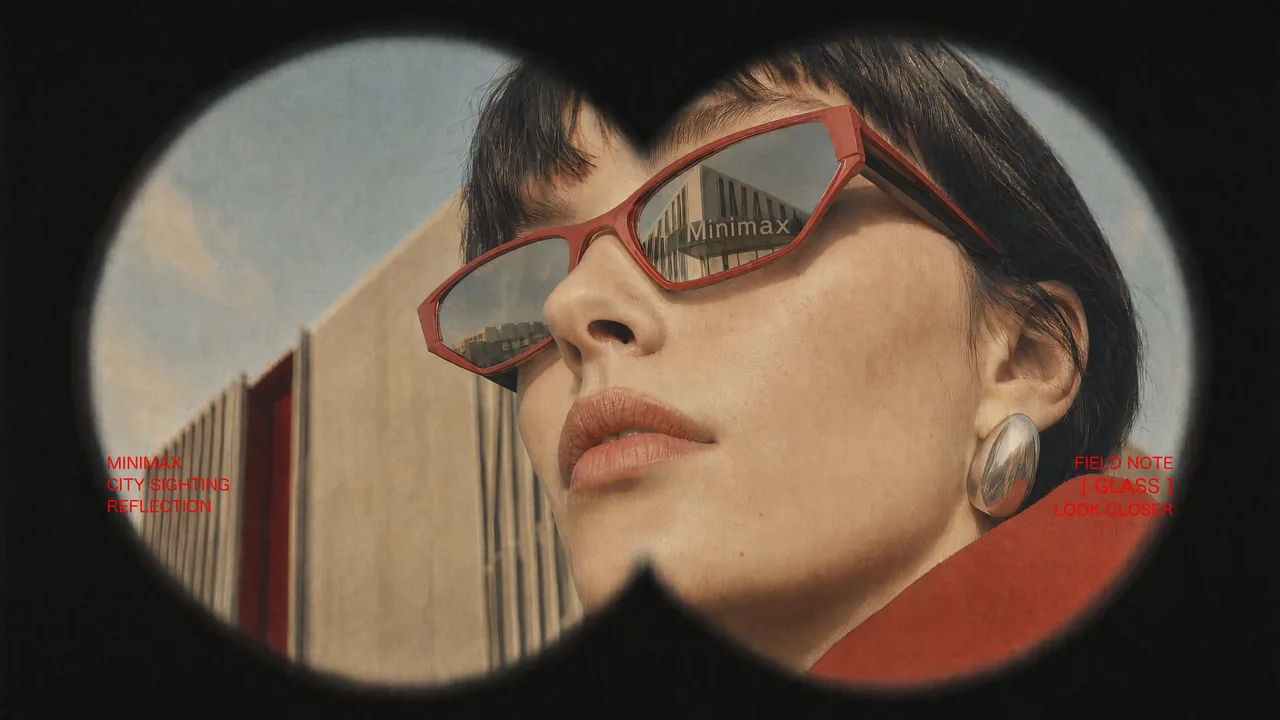
Vintage Binocular Brand Film
prompt
Use Images 1–4 as sequential keyframes, seen through a vintage binocular viewfinder searching for the MINIMAX installation. Open out of focus with subtle handheld shake, then push in quickly and rack focus onto Image 1. Between keyframes, use fast binocular-scan transitions with whip movement, motion blur, optical smearing, and brief exposure flicker. Cut at peak blur, then settle and snap back into focus. Keep the twin circular lens mask absolutely fixed throughout: identical position, scale, feathered black vignette, and edge softness, with no warping or drift. Only the image inside the mask may move.
In Image 2, let the fabric move gently in the wind while the MINIMAX lettering follows the folds and remains legible. In Image 3, the subject should feel like a stylish passerby caught by chance, walking, turning, and swinging their arms naturally. In Image 4, the subject adjusts their glasses or lifts their chin slightly with a cool, effortless fashion-campaign attitude.
Red typography should resolve with the focus: begin slightly blurred and at low opacity, then fade into clarity over 0.3–0.5 seconds. A subtle vertical slide or slight tracking expansion is allowed. Fade it out before the next transition or let motion blur carry it away. No spins, bounces, or large fly-ins/outs.
Visual language: a voyeuristic, Wes Anderson-inspired 35 mm film look with fine grain, soft highlight halation, restrained color, and red typographic accents. Minimal, premium, lightly playful. Do not add people, vehicles, buildings, or logos. Preserve the core composition and the MINIMAX installation exactly.
reference images
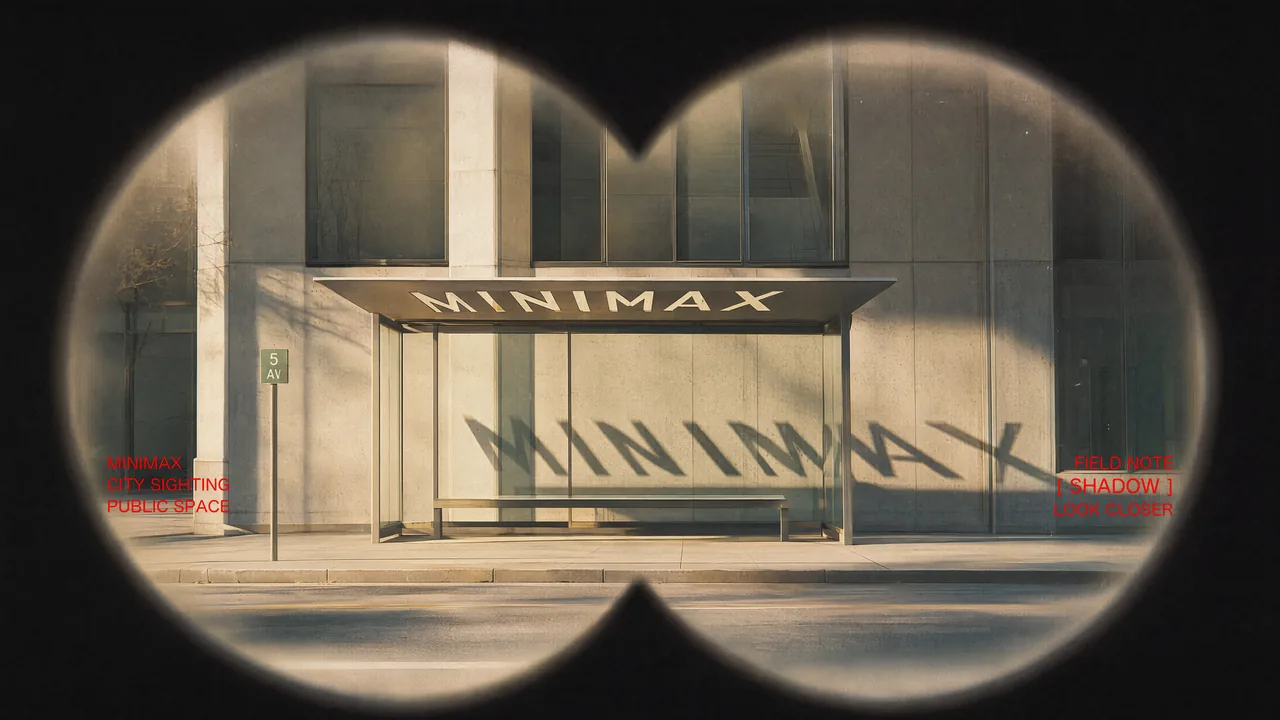
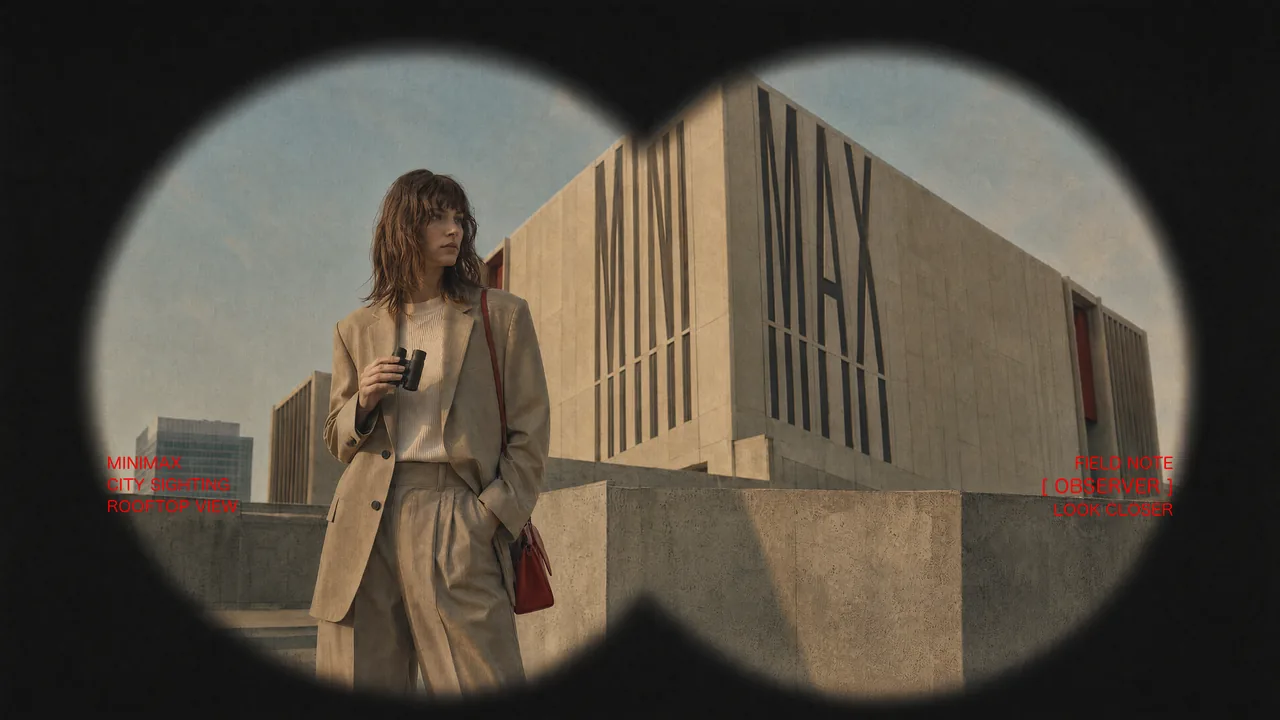
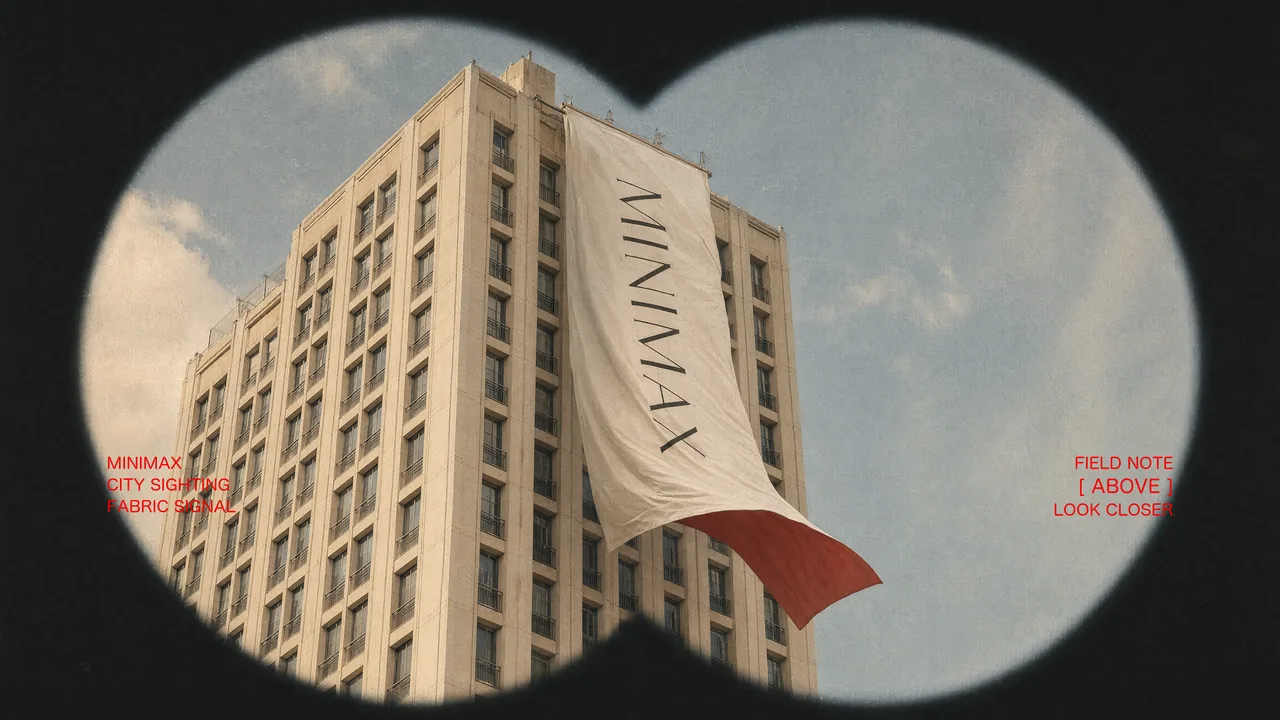
endpoint
Epic Space Opera Teaser
prompt
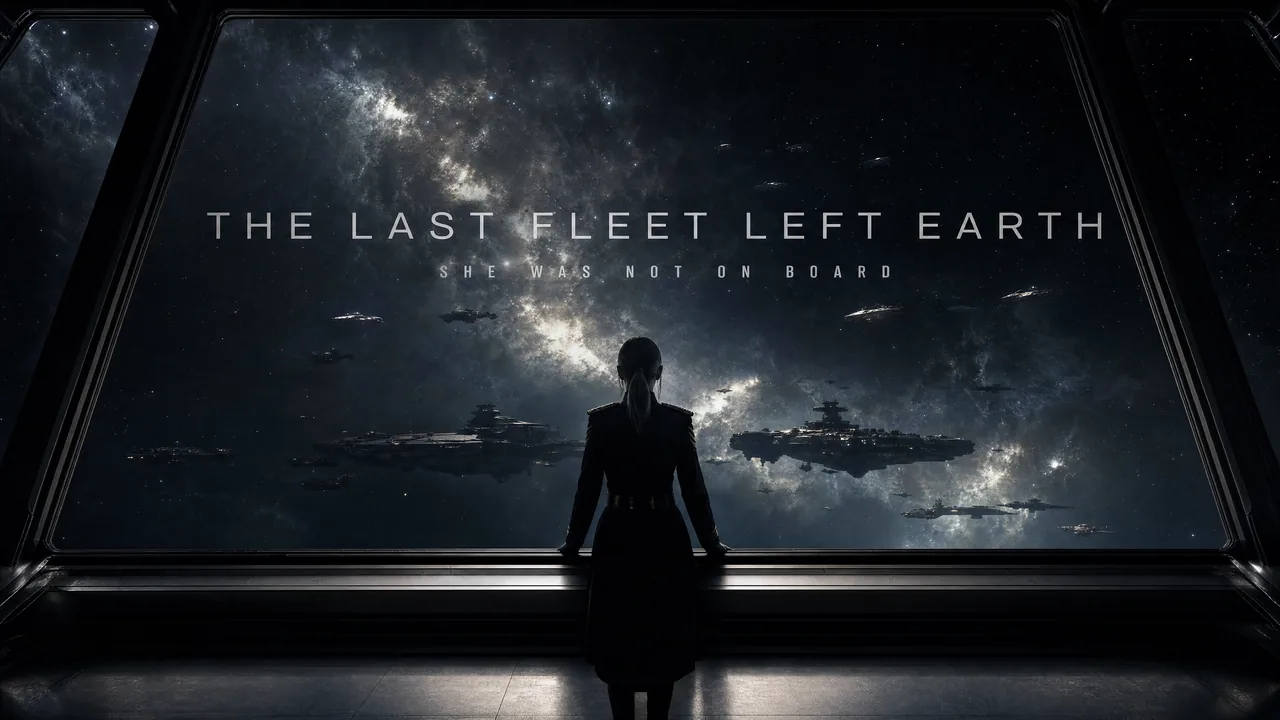
Epic theatrical space-opera teaser
Keep the pace fast and the scale enormous without letting the edit drag. Use sharp hard cuts, a shaking command deck, white-hot flashes, split-second black frames, and a violent jump-to-warp impact. Title cards should use wide-tracked cinematic typography—not pure white—with restrained material texture, subtle illumination, and a faint edge glow. Animate the titles by emerging from deep-space shadow, catching a sweep of starlight, opening their letter spacing, leaving a slight afterimage, and flashing briefly against black.
reference images
endpoint
Sci-Fi Mystery Teaser
prompt
Sci-fi mystery teaser
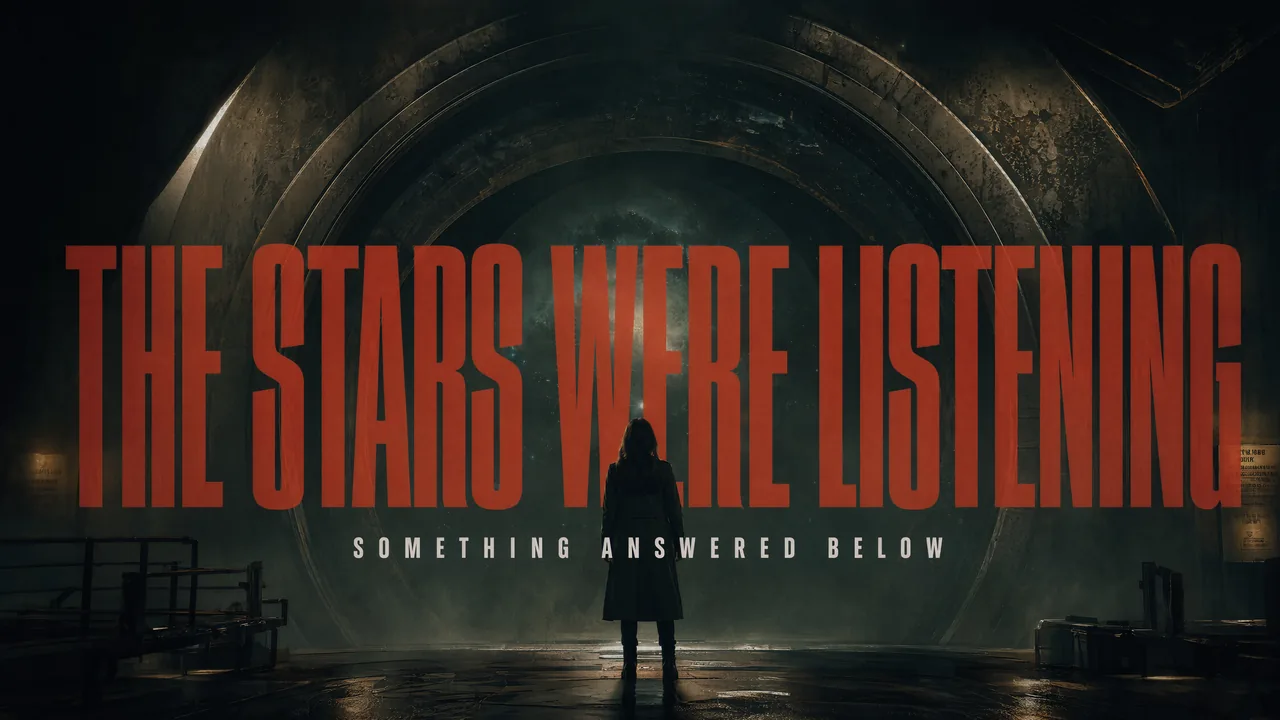
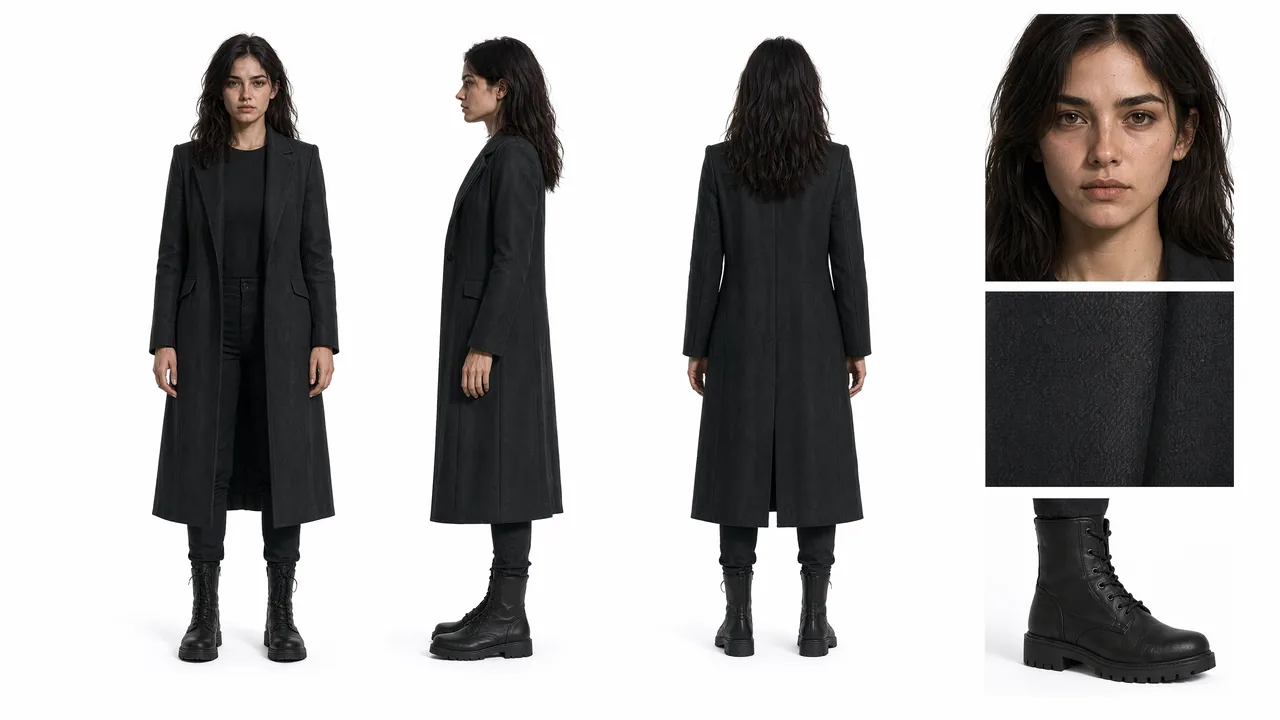
Photoreal cinematic treatment, high-contrast lighting, and tight pacing. Use Image 1 for the overall mood and visual language; use Image 2 as the protagonist reference.
Shot 1 — Ultra-wide establishing shot. A colossal circular cosmic gateway nearly fills the frame. The protagonist appears only as a tiny figure from behind, positioned low and slightly right of center. Wet ground reflects the light; the center of the gateway is pitch black. Slowly push the camera forward. A large title emerges from the edge of the darkness, resolving from soft blur into sharp focus: “THE STARS WERE LISTENING.” Set it in an extremely condensed, heavy, all-caps face, colored dark crimson and rust red, with light grain and mist-softened edges.
Audio: a deep sub-bass pulse, distant metallic resonance, and one restrained hit as the title locks into focus. → Hard cut.
reference images
endpoint
Desert Fashion Campaign
prompt
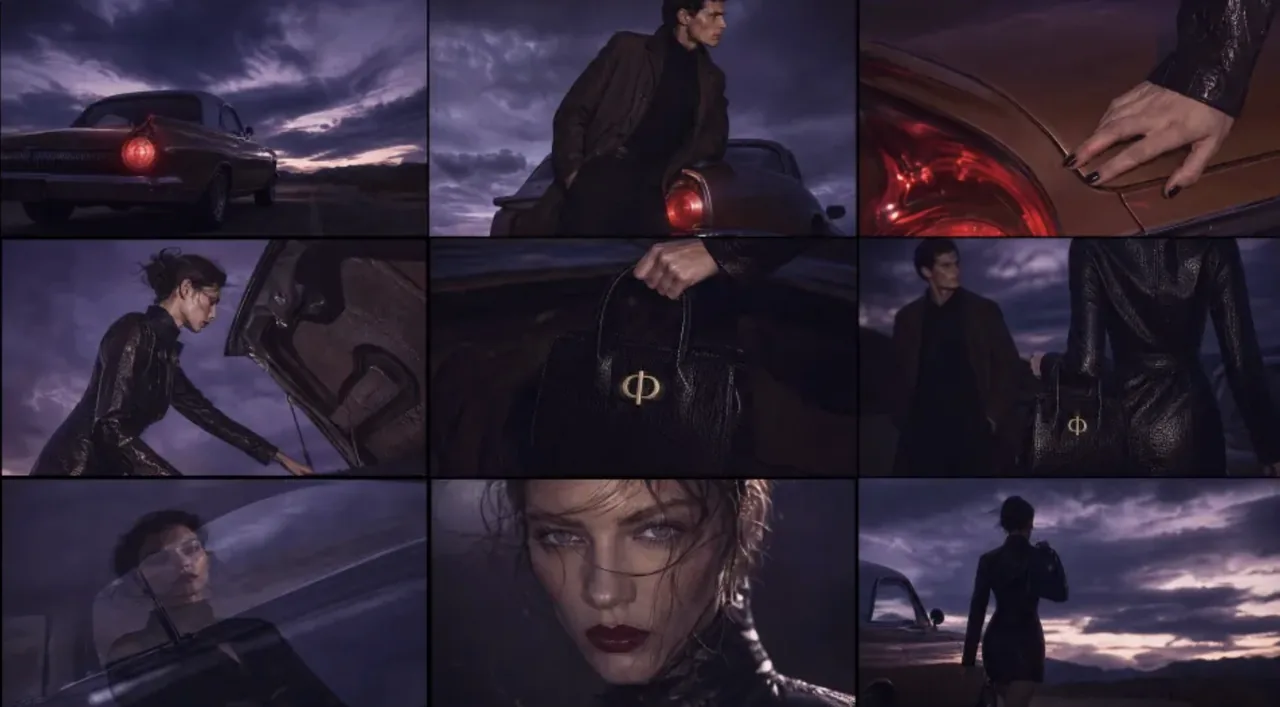
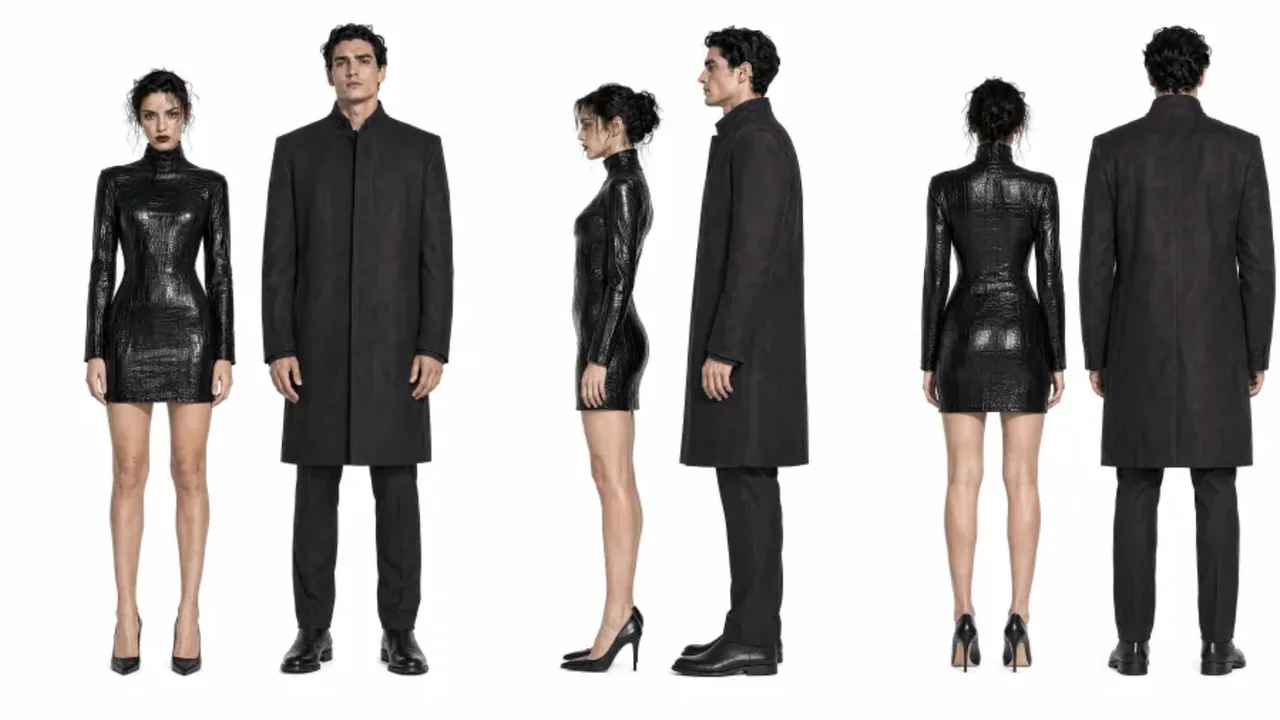
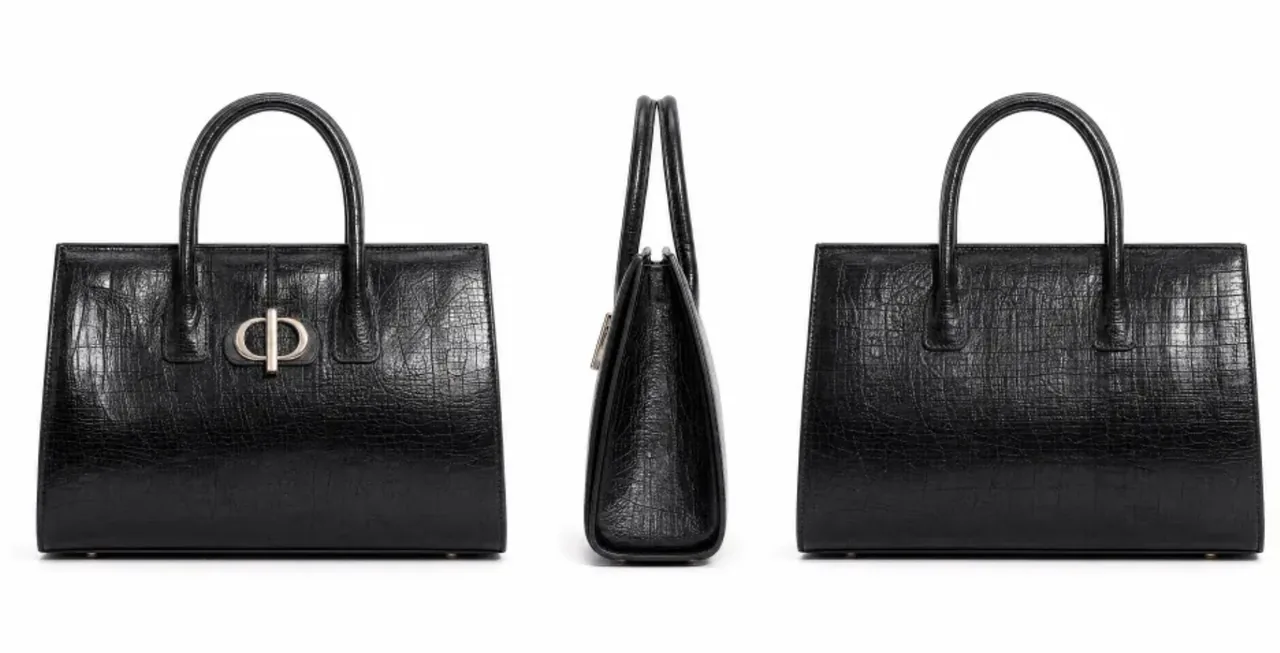
Create a premium 16:9 landscape fashion film. Use Image 1 for the overall mood, location, and film texture; Image 2 for the talent; Image 3 for the bag; and Image 4 for the closing brand mark. This is a fashion campaign for the clothing and bag. The tone is elevated, cool, and restrained, but the edit should still feel lively and fashion-forward—not like a conventional narrative film or an e-commerce ad.
Keep the story simple: beside a vintage car on a desert highway, a woman walks to the rear of the car, opens the trunk, takes out a black bag, shares a quiet beat with the man standing nearby, then leaves carrying the bag. Integrate the clothing and bag naturally into the performance so they feel like part of the characters’ identity.
reference images
endpoint
Cyber-Grunge Fashion Film
prompt
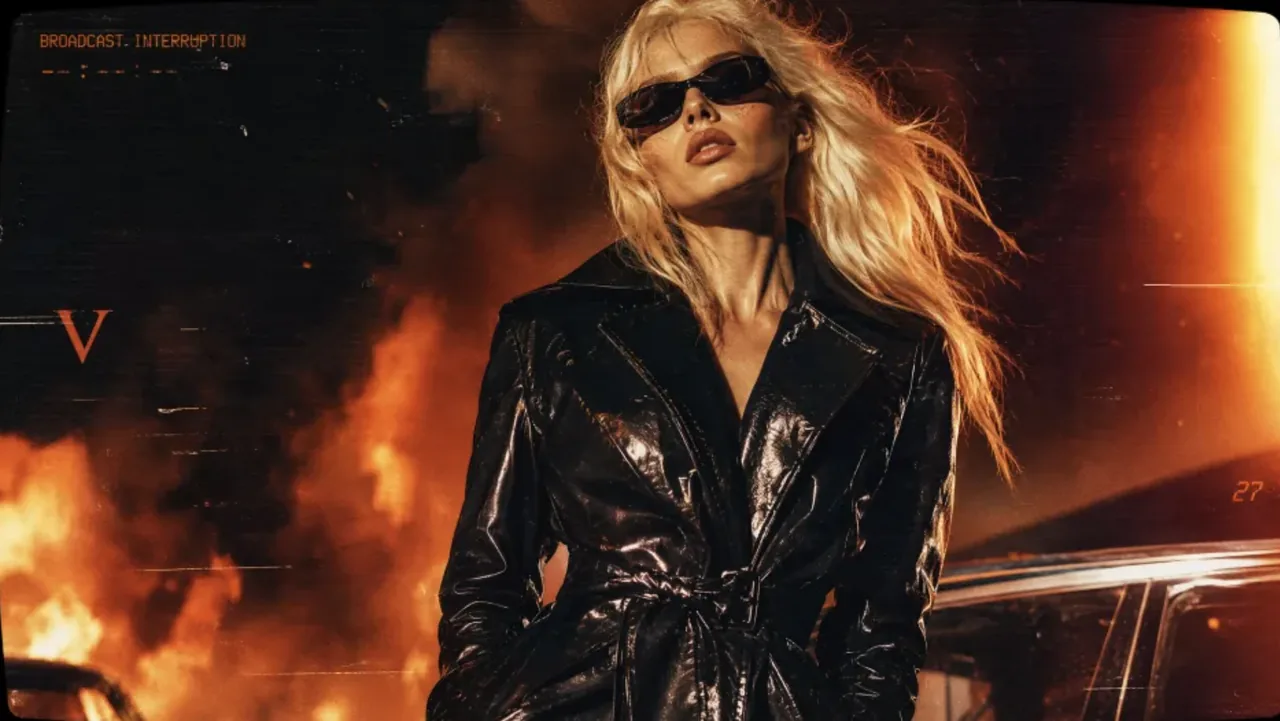
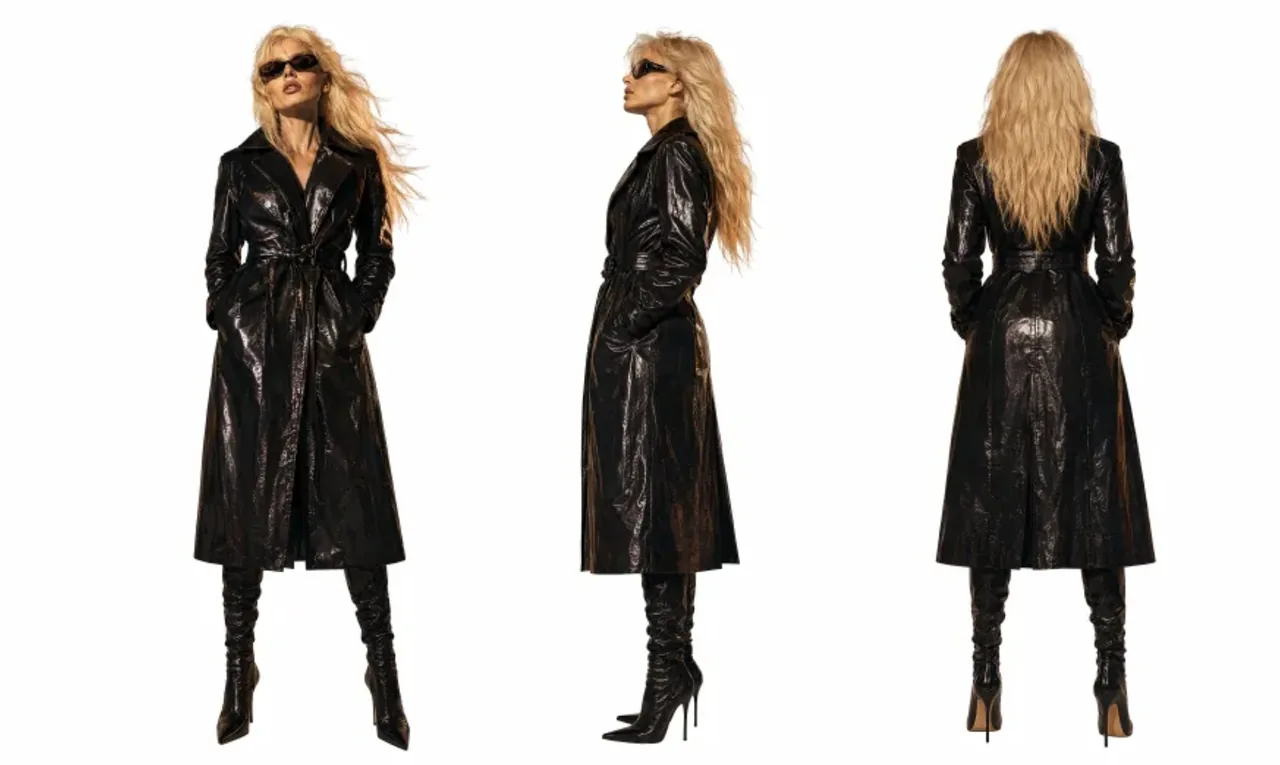
Use Image 1 as the reference for texture and mood, and Image 2 for the subject’s appearance. Generate a 15-second, 16:9 fashion short. Preserve the subject’s identity: long platinum-blonde hair, narrow black vintage sunglasses, a glossy black patent-leather trench coat, a cool, self-assured expression, and orange firelight reflected across the coat.
Style: fast-cut fashion film on analog stock, set against a nighttime blaze with black smoke and orange-red flames. Layer in VHS glitches, CCTV signal interruptions, 1990s film grain, scanlines, chromatic aberration, light leaks, flash-to-white transitions, and subtle frame jitter.
reference images
endpoint
Visual Concepts & Motion Design
Creative shorts, VFX packages, music visuals, and social assets.
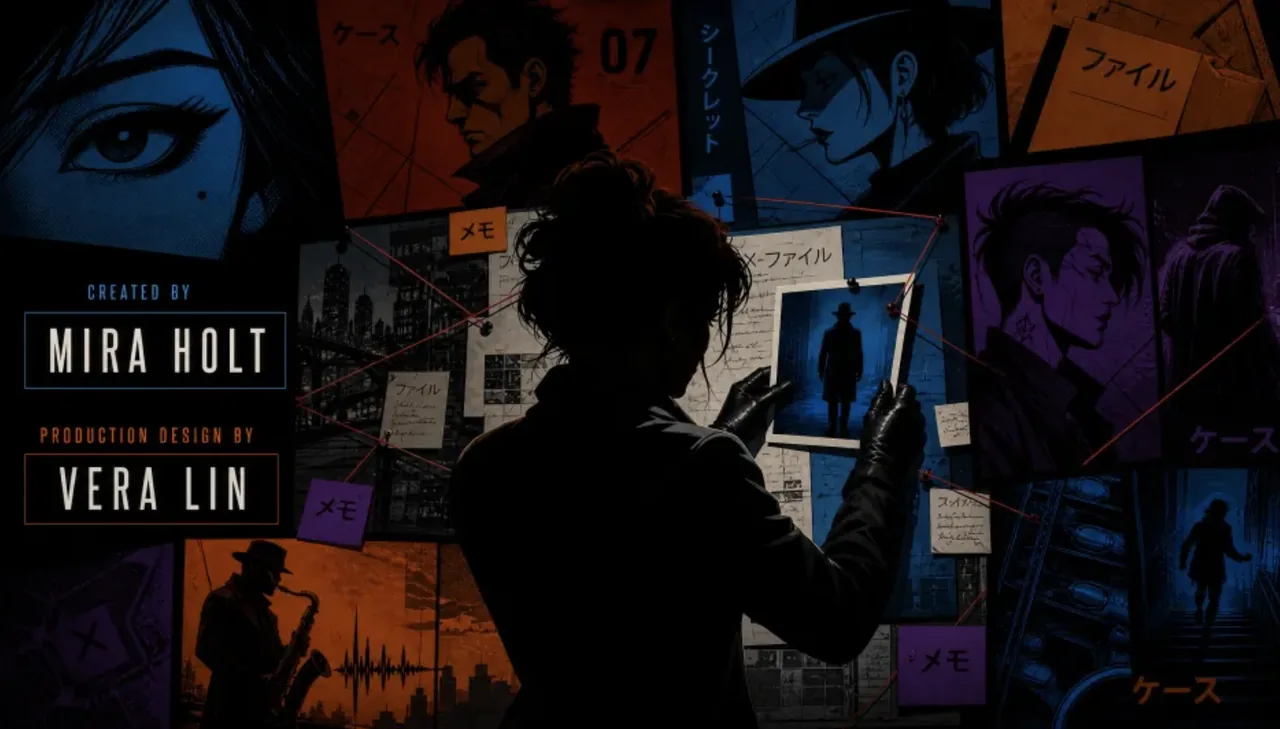
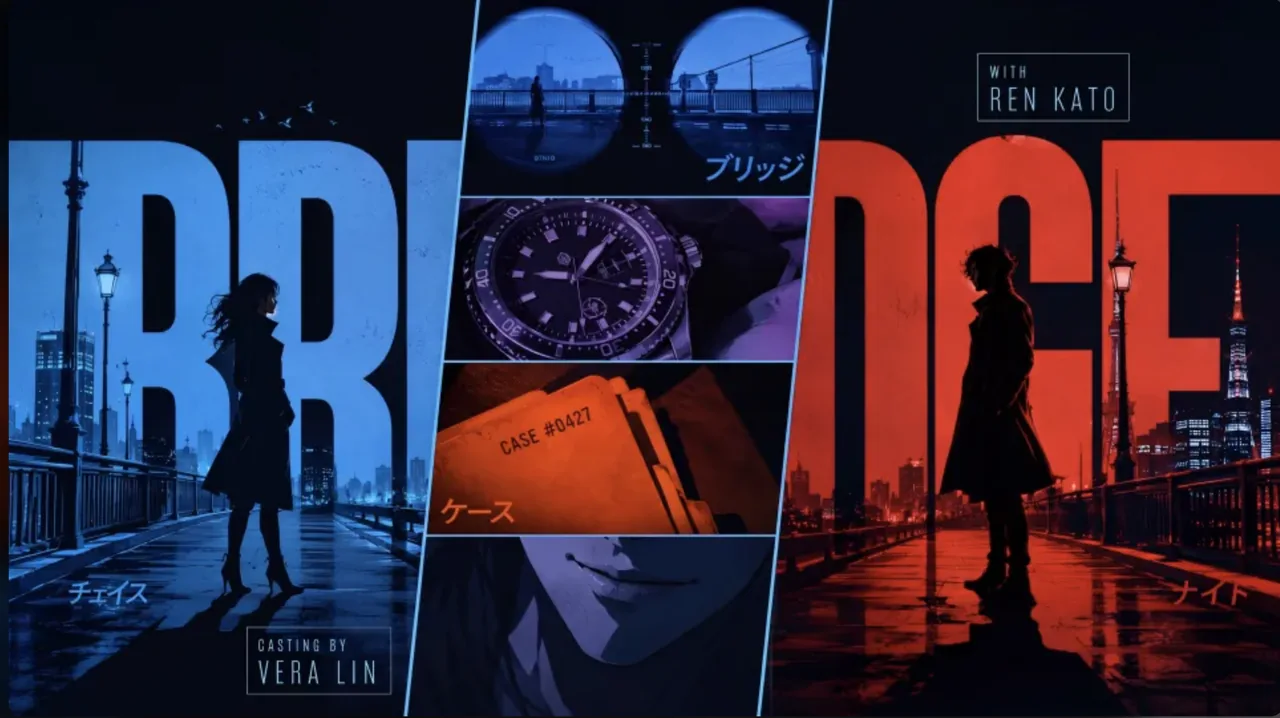
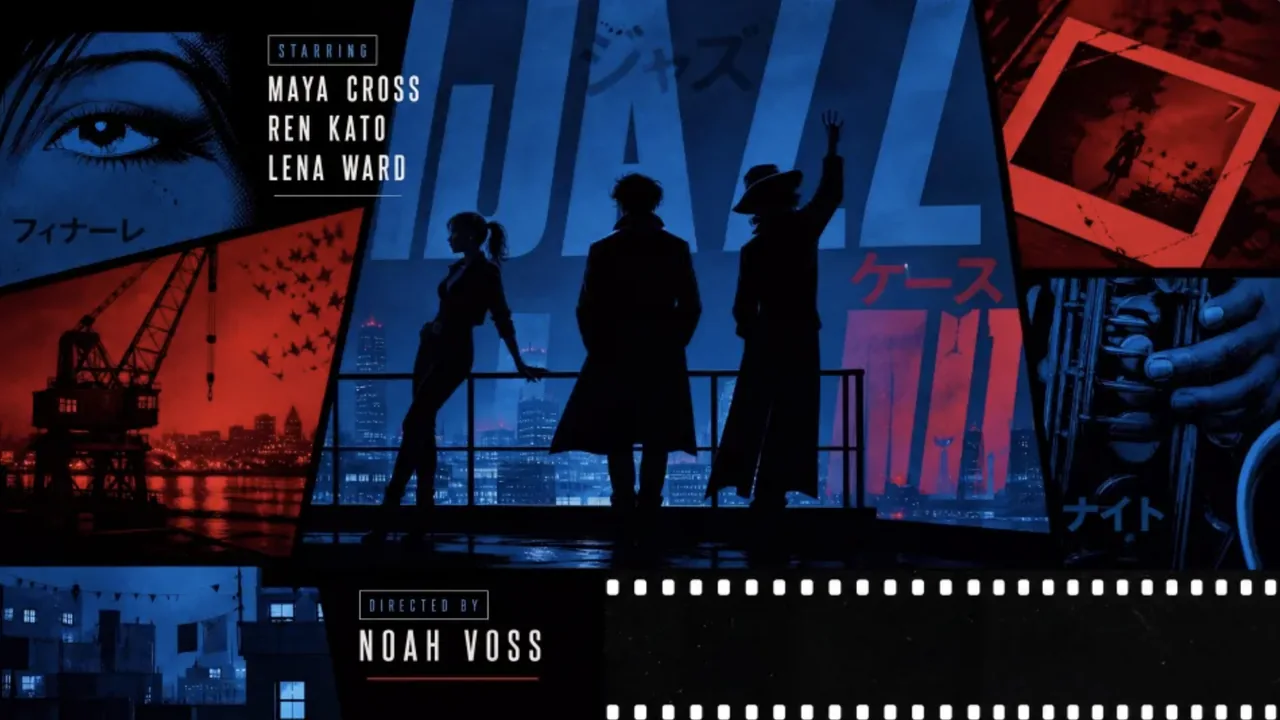
Retro Anime Crime Title Sequence
prompt
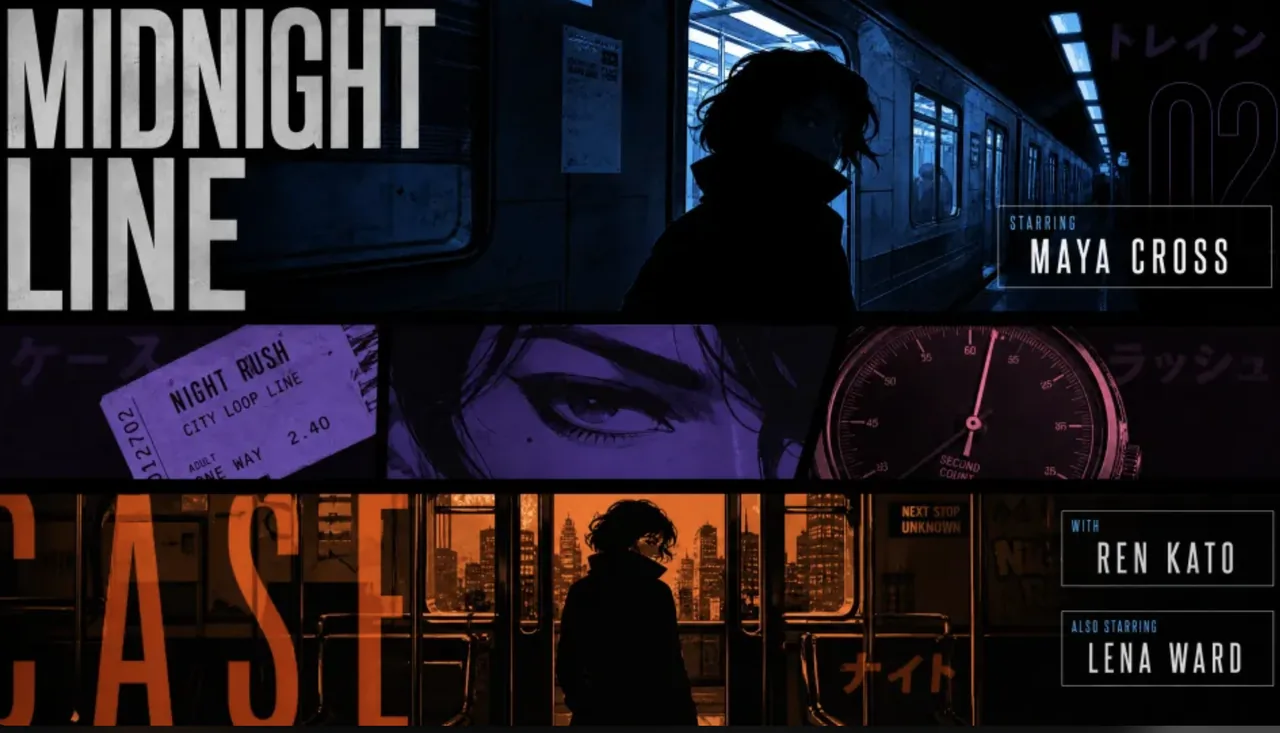
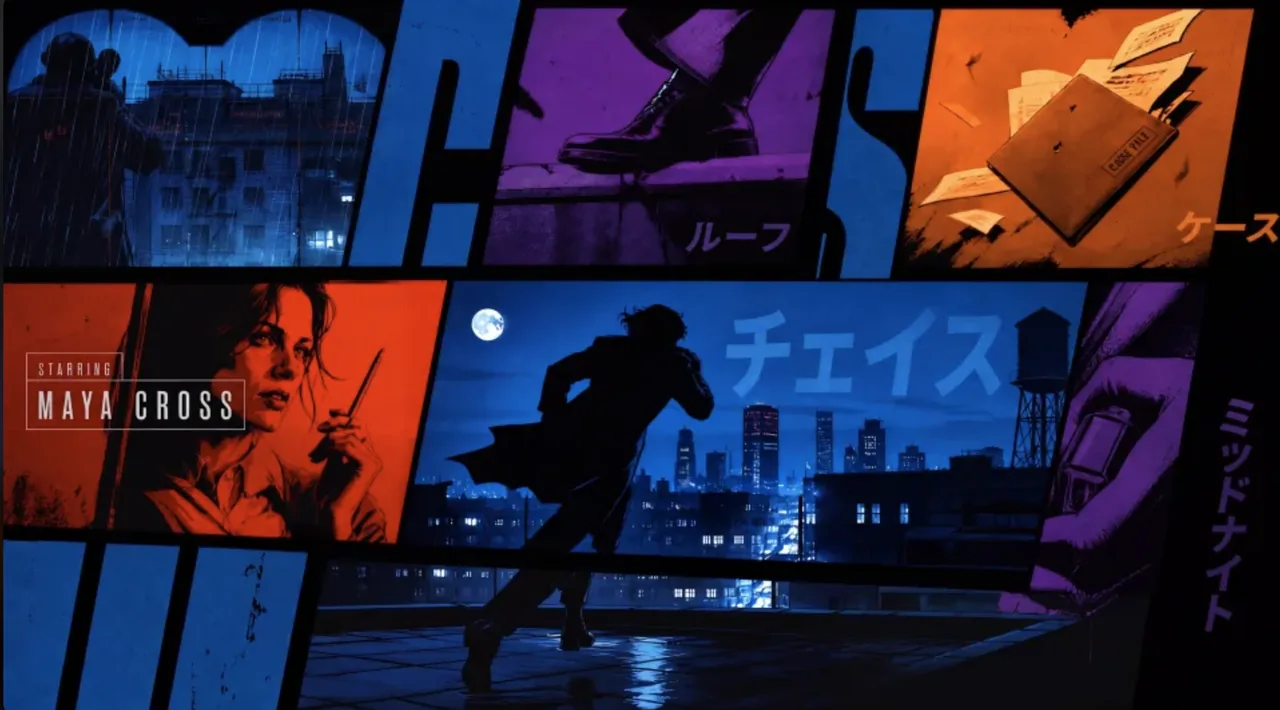
Create a 15-second, 16:9 opening-title sequence for a stylish crime mystery. Draw from retro Japanese animation titles, hard-edged silhouettes, comic-book collage, asymmetric split screens, bold geometric color fields, English credit typography, sparse katakana accents, and a noir-jazz sensibility. Aim for 60% suspense and 40% jazz: mysterious, cool, agile, and urban—never horror, heavy drama, or a cheerful jazz music video.
Build the sequence as motion-graphics collage: linework appears over black, split-screen boundaries snap into place, then color blocks and frames assemble piece by piece. Character silhouettes, prop close-ups, and English credits slide, pop, and reveal through masks on the beat. Keep it designed and graphic, not like conventional narrative animation.
Credits must be clean and legible. Animate thin frames drawing on, names sliding in, letters appearing one at a time, or color blocks revealing type, then hold briefly. Do not introduce Chinese text, garbled characters, or misspellings. Each role and each name appears once only; do not assign multiple roles to the same name.
Vary the transitions: circular vinyl-record wipes, vertical car-door cuts, long character shadows wiping frame, red-line slices, oversized letter masks, split-screen reconfigurations, hard color-block cuts, and tiled frames snapping into place. Keep every transition crisp, rhythmic, suspenseful, and collage-driven. No soft dissolves or fluid morphs.
BGM: an original 15-second title cue, 60% suspense and 40% jazz. Use a low drone, tense string pizzicato, cool synth pulses, low kick, sparse brushwork, fragments of walking bass, short baritone-sax phrases, and clipped brass accents. Build suspense with low frequencies and hi-hat in the first 2 seconds; bring in the low beat at 3 seconds, jazz-bass movement at 6 seconds, and a short sax/brass riff at 10 seconds. Freeze the final 2 seconds on a tense chord and drum hit. Keep it mysterious and criminally cool, never upbeat, and do not imitate an existing melody.
reference images
endpoint
Hand-Drawn Kitchen Creature
prompt
15 seconds, 16:9 landscape. Blend live-action footage of a small kitchen at dusk with hand-drawn luminous animation. The last sunset light lingers at the window. The lived-in kitchen contains an old wooden table, a half-washed mug, a lightly fogged glass bottle, and a hanging dish towel.
Shoot as if someone is filming one-handed on a phone: subtle hand tremor, hesitant close-focus pulls, backlit exposure breathing, and slightly coarse noise in the shadows. It should feel like an astonishing event captured in a rush at home, not a carefully dressed commercial.
Do not show giant eyes, split mouths, fangs, threatening behavior, lunges, sudden black frames, or jump scares. Use only room tone, cloth friction, a soft mug clink, faucet drips, the camera operator’s footsteps and quiet breathing, plus gentle electronic tones and tiny vocalizations from the drawn creatures.
endpoint
Neon Laundromat Encounter
prompt
15 seconds, 16:9 landscape. Combine a live-action late-night laundromat with hand-drawn luminous animation. The small self-service laundromat has gently flickering fluorescent lights, running washers, plastic baskets, a worn bench, and one sock on the floor. Keep the space quiet and faintly nostalgic.
Use a one-handed phone-camera feel with visible shake, exposure fluctuation under white fluorescent light, environmental reflections in glass, and delayed autofocus at close range. Avoid polished commercial composition; it should feel like an authentic late-night encounter, filmed while following a strange apparition.
endpoint
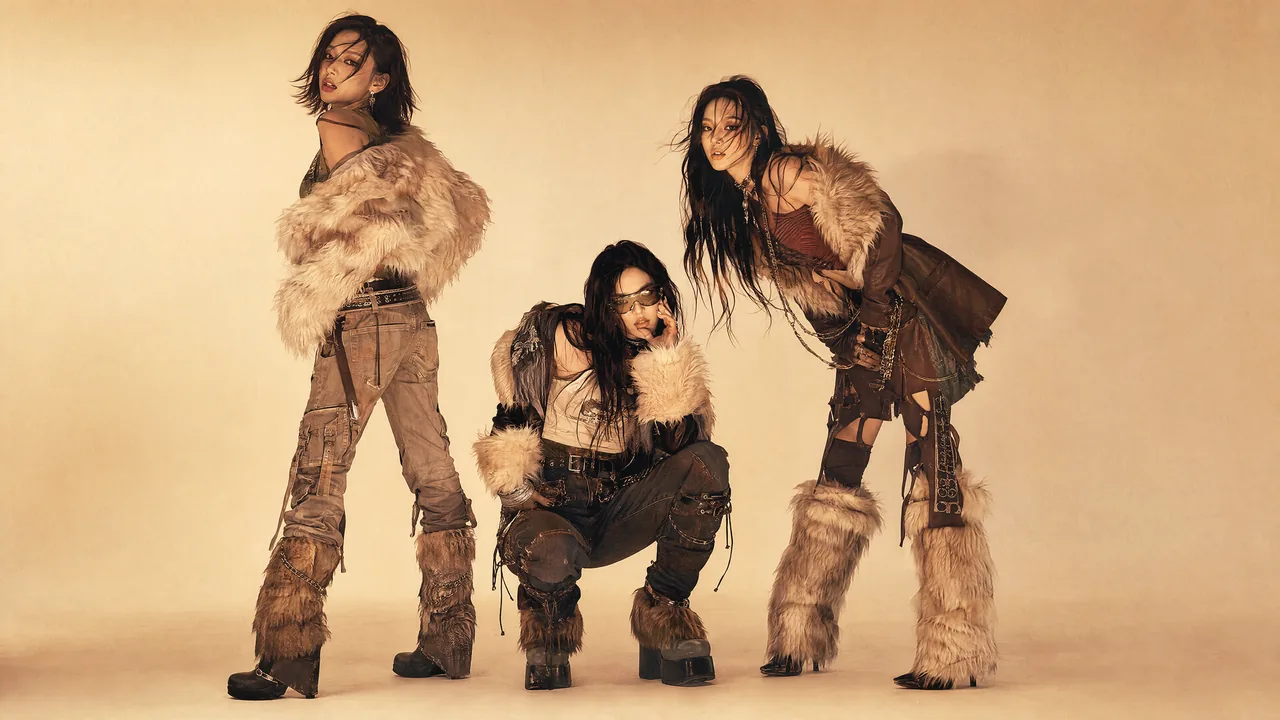
Cyber-Grunge Rap Music Video
prompt
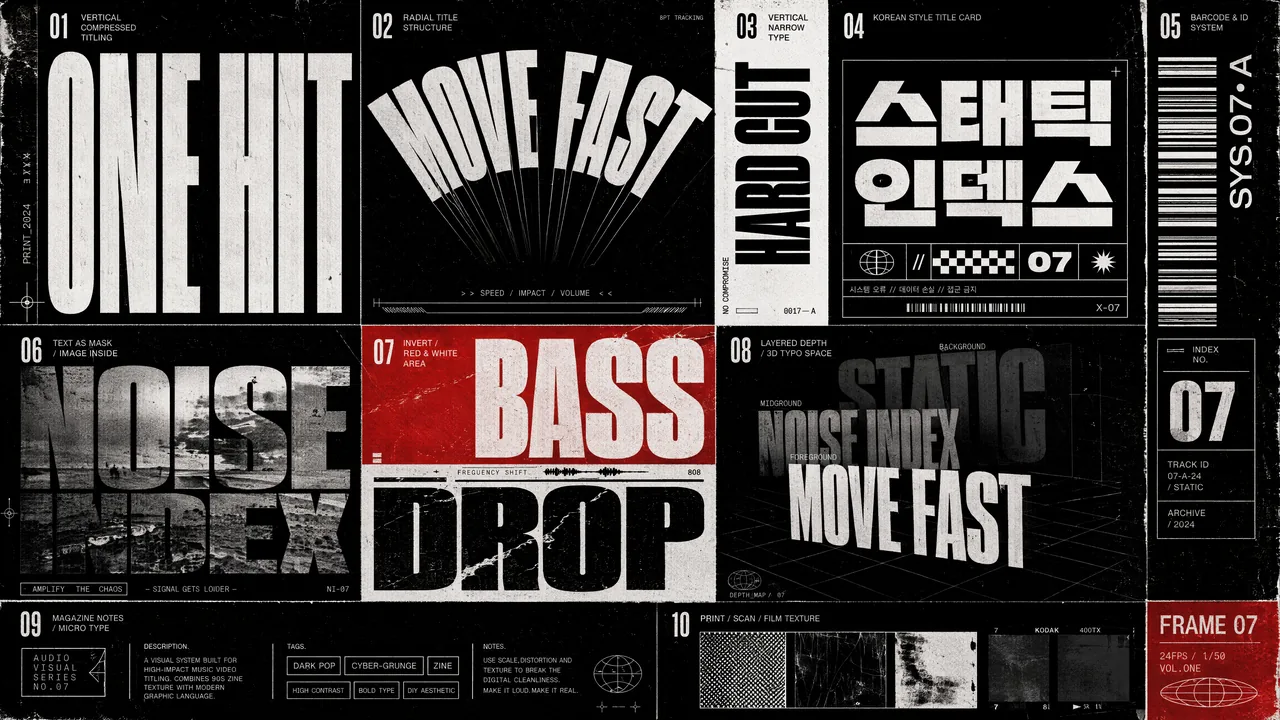
Style: dark-pop / cyber-grunge / rap music video with photoreal high-fashion polish and the texture of a scanned film magazine—high contrast without looking cheap. Reference late-1990s to early-2000s indie magazines, photocopies, film scans, underground-music posters, and zine collage. Add coarse grain, subtle gate weave, halftone dots, rough print edges, and slight scan misregistration. Keep the edit fast and use hard cuts only—no fades or soft transitions. Match the typographic treatment and surface texture of the reference images.
reference images
endpoint
Green-Screen to Fairytale Composite
prompt
Remove the green screen background of Video 1 and turn it into a fairy tale-like background similar to Video 2. The background elements need to completely match the actions of the characters in Video 1. Modify the lighting of the characters in Video 1 so that it completely matches the background.
reference videos
endpoint
Animated Gallery Poster
prompt
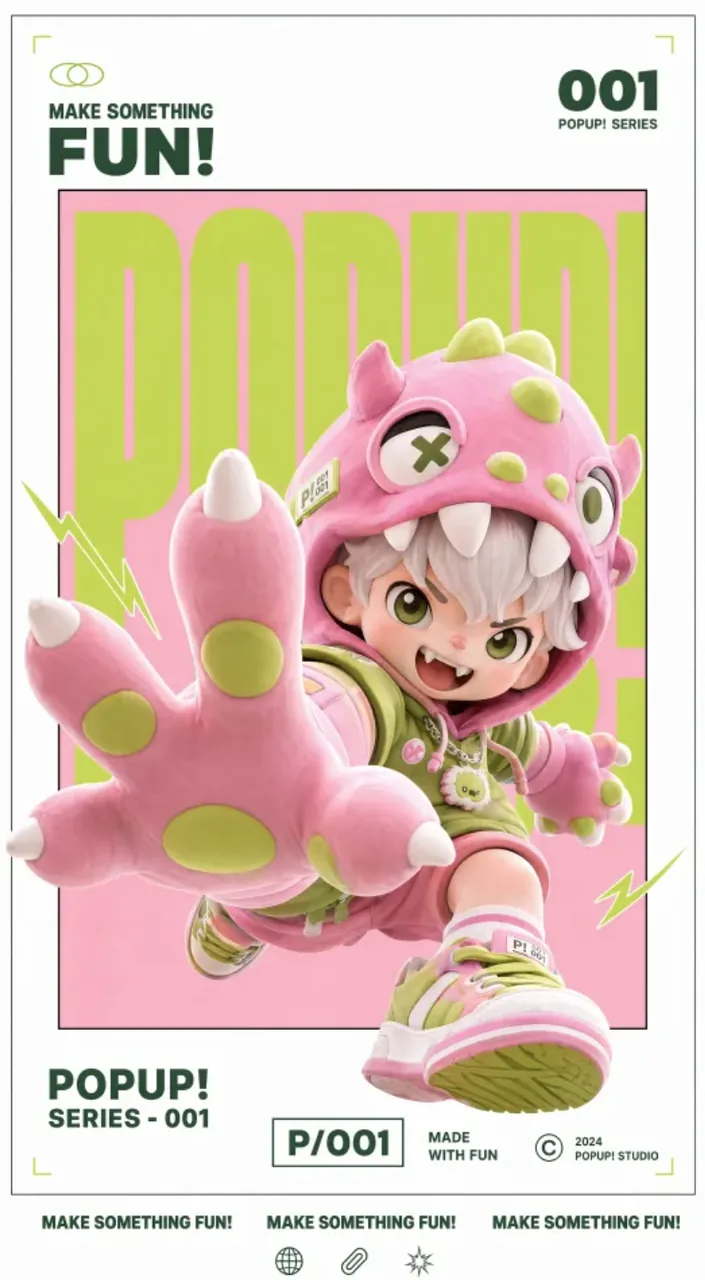
Animate the source artwork as a motion poster while preserving its white gallery border, inner frame, red/white/black palette, 3D collectible-figure look, and original layout. Add a light, playful type-on sound whenever text appears.
reference images
endpoint
AI-Native Storytelling
Vertical drama, motion comics, and character performance.
Snowy Bamboo Wuxia Mystery
prompt
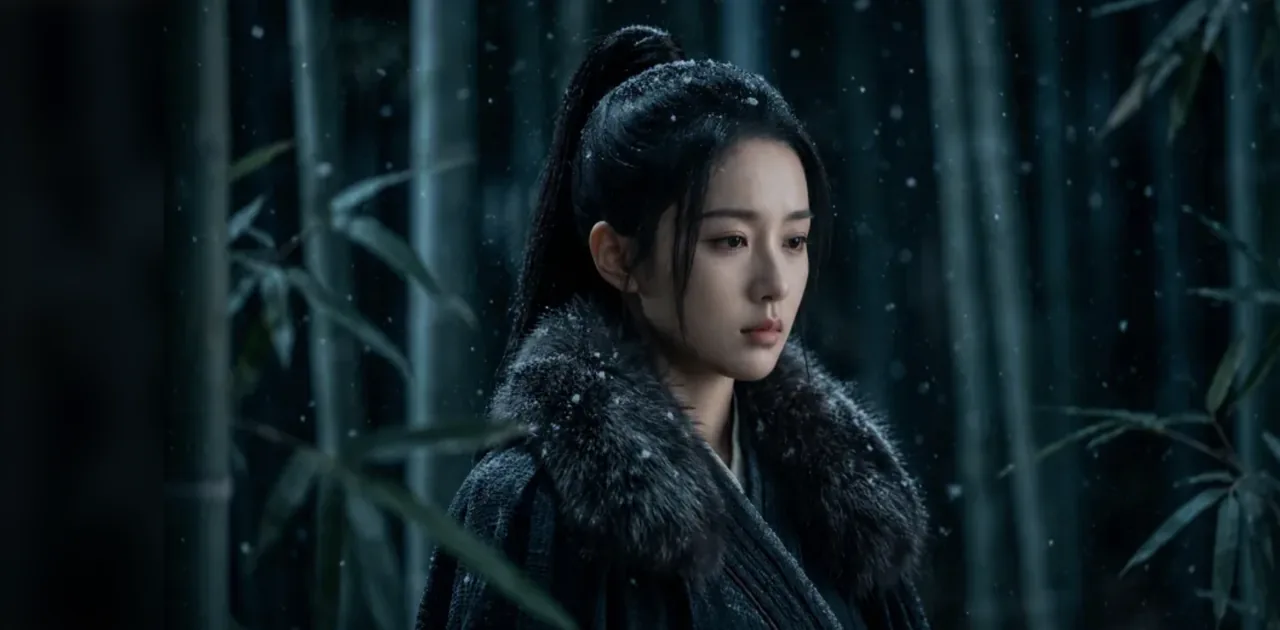
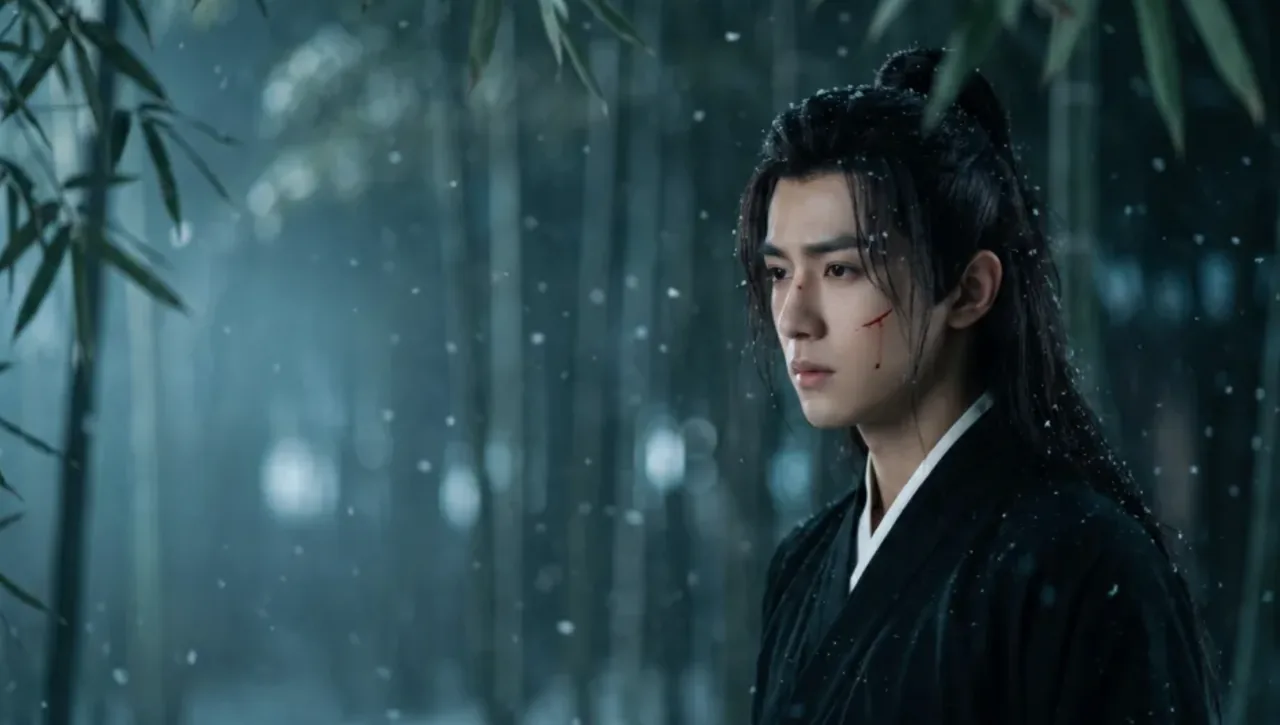
A 16:9 cinematic wuxia mystery set in a bamboo forest at night. Use a low-saturation palette of cold blue, ink green, charcoal, and gray. Thin mist fills the forest and fine snow drifts through the air. The mood is austere, lethal, and controlled, with the tension of a martial-arts sect investigating a case and exchanging secret intelligence.
Deep in the forest, dense vertical bamboo fills the background while cold white mist-light glows in the distance. Soft, out-of-focus leaves partially obscure the foreground, creating the sense of watching from within the grove. A cool, soft front-side key lights the actors’ faces; backlight keeps the foreground dark and the distance luminous. Use shallow depth of field so leaves, snow, and bamboo dissolve into soft bokeh.
Prioritize facial close-ups and measured shot/reverse-shot coverage. Keep the rhythm restrained but tense. Photoreal period-drama production value, cinematic lighting, and no modern elements. No subtitles, on-screen text, watermarks, modern clothing or architecture, animation styling, over-smoothed skin, bright daylight, or comic performance.
reference images
endpoint
Vertical Family Confrontation
prompt
A 9:16 vertical family-confrontation scene with grounded live-action performances, set in a Chinese family home or small restaurant. Use warm interior light, red decorations and calligraphy in the background, shallow depth of field, intense emotion, and tight pacing.
Performance: natural short-form drama, never theatrical. Qin Haoxuan argues back with anger, hurt, and urgency. The older woman questions him in a sharp, forceful, relentless tone. Build the confrontation steadily.
Shoot mainly in medium-close shots with frequent shot/reverse-shot cutting. Keep the setting lived-in and realistic. No sci-fi, period costume, or animation styling. Do not show subtitles, added text, platform watermarks, or stickers.
reference images
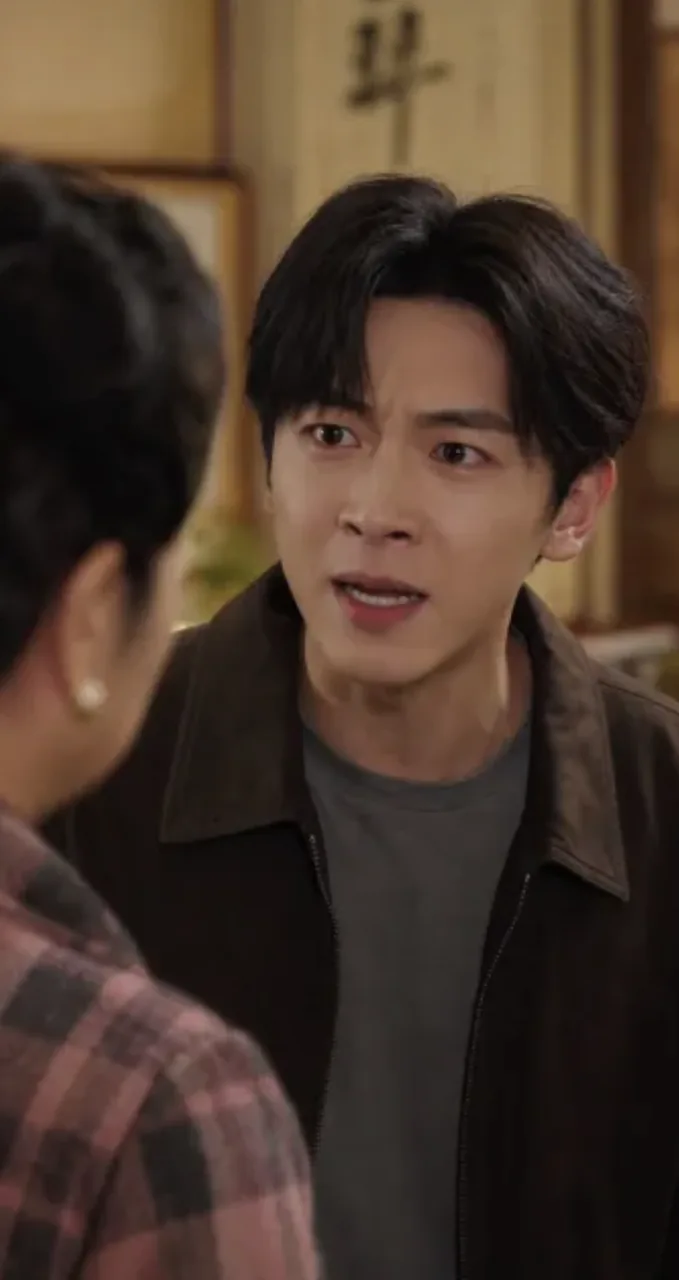
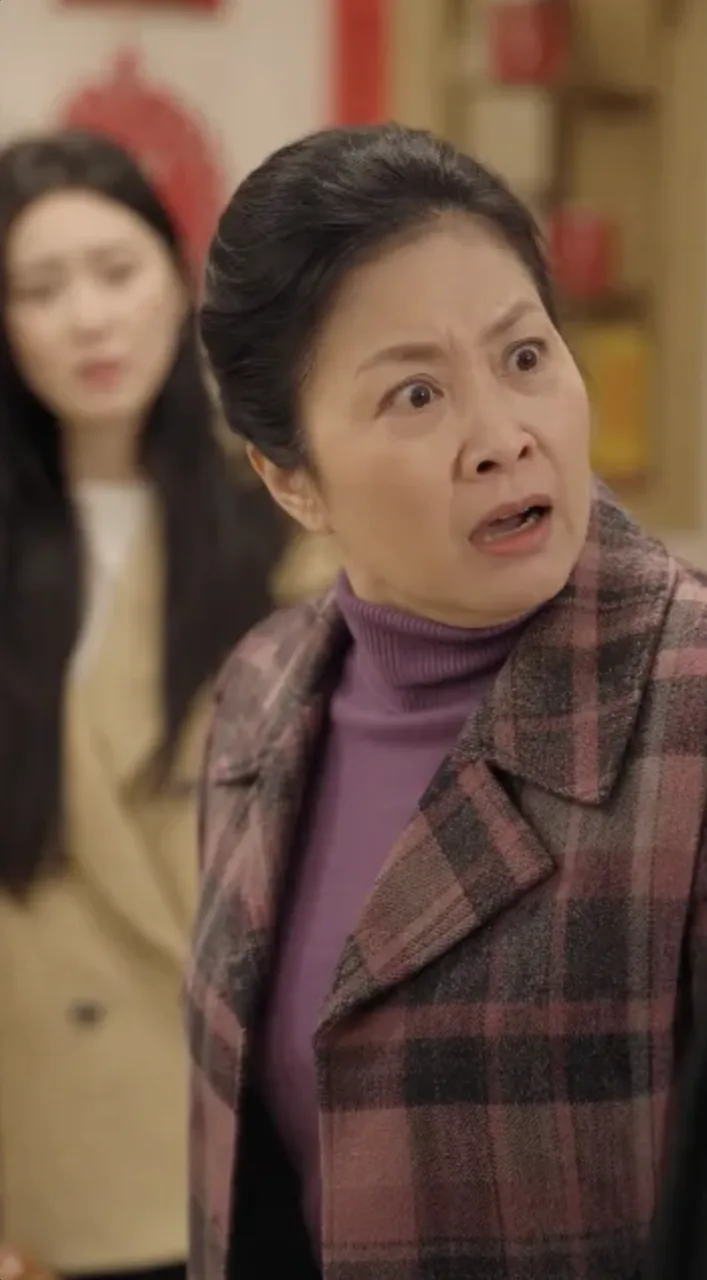
endpoint
Vampire Romance Short Drama
prompt
Create a 15-second, 9:16 live-action vampire-romance teaser for an international short-drama audience. Use Image 1 for the leads’ appearance and Image 2 for the setting. Preserve both identities throughout and maintain premium live-action production value.
Story: an innocent human woman strays into a forbidden wing of an old castle and awakens a sleeping vampire noble. He senses that she carries a trace of an ancient war, which sparks dangerous fascination and a possessive need for control. She fears him but refuses to submit completely and pushes back against his dominance.
Style: ReelShort / DramaBox vampire romance—darkly romantic, fate-bound, oppressive, and charged with dangerous attraction, with a strong hook and a high-impact turn. Keep it polished, restrained, and tightly paced like the opening 15 seconds of a breakout series. No gore, cheap horror, Halloween styling, or modern street aesthetic.
Compose for TikTok / ReelShort / DramaBox. Favor medium-close shots, close-ups, and extreme close-ups that emphasize faces, eye contact, pressure, and relationship tension.
reference images
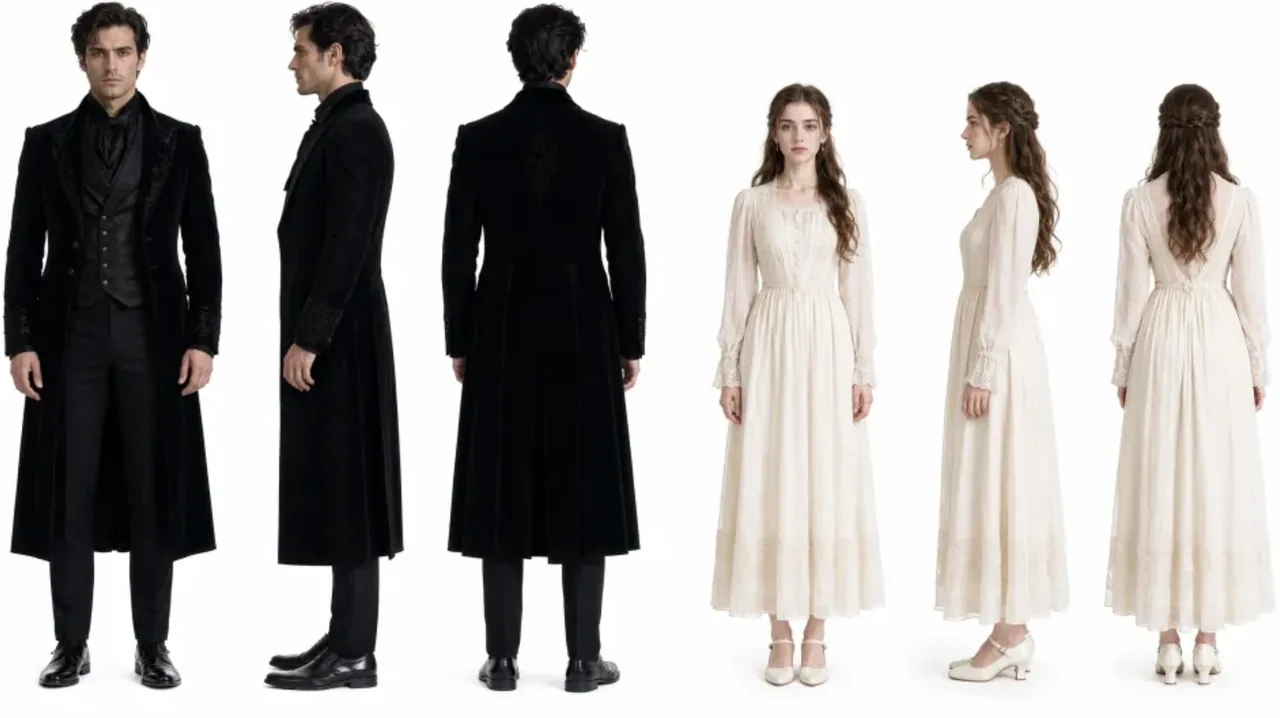
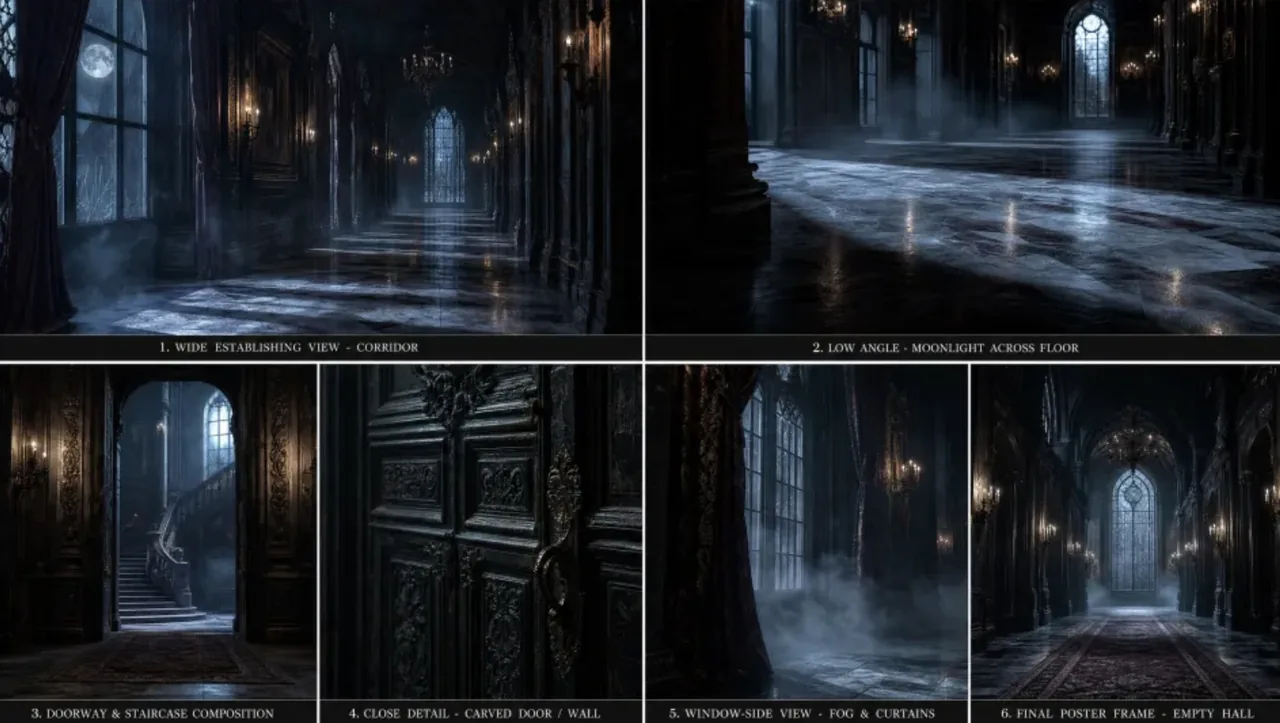
endpoint
Product & E-Commerce Marketing
Product showcases, feature demos, and performance-marketing assets.
Futuristic Eyewear Campaign
prompt
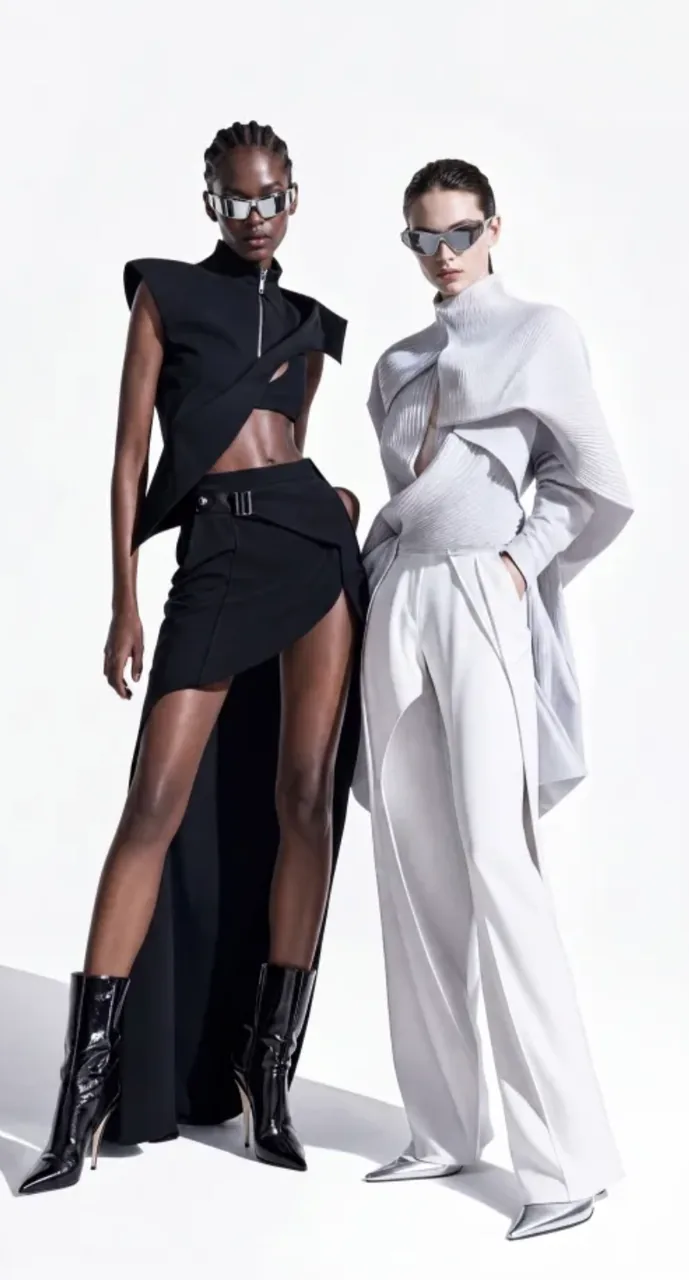
Create a premium 9:16 fashion-eyewear commercial. Match the reference video’s shot rhythm, edit speed, white-cyclorama look, and severe fashion attitude. Use a seamless minimal white studio with clean, bold, avant-garde art direction worthy of a global luxury campaign.
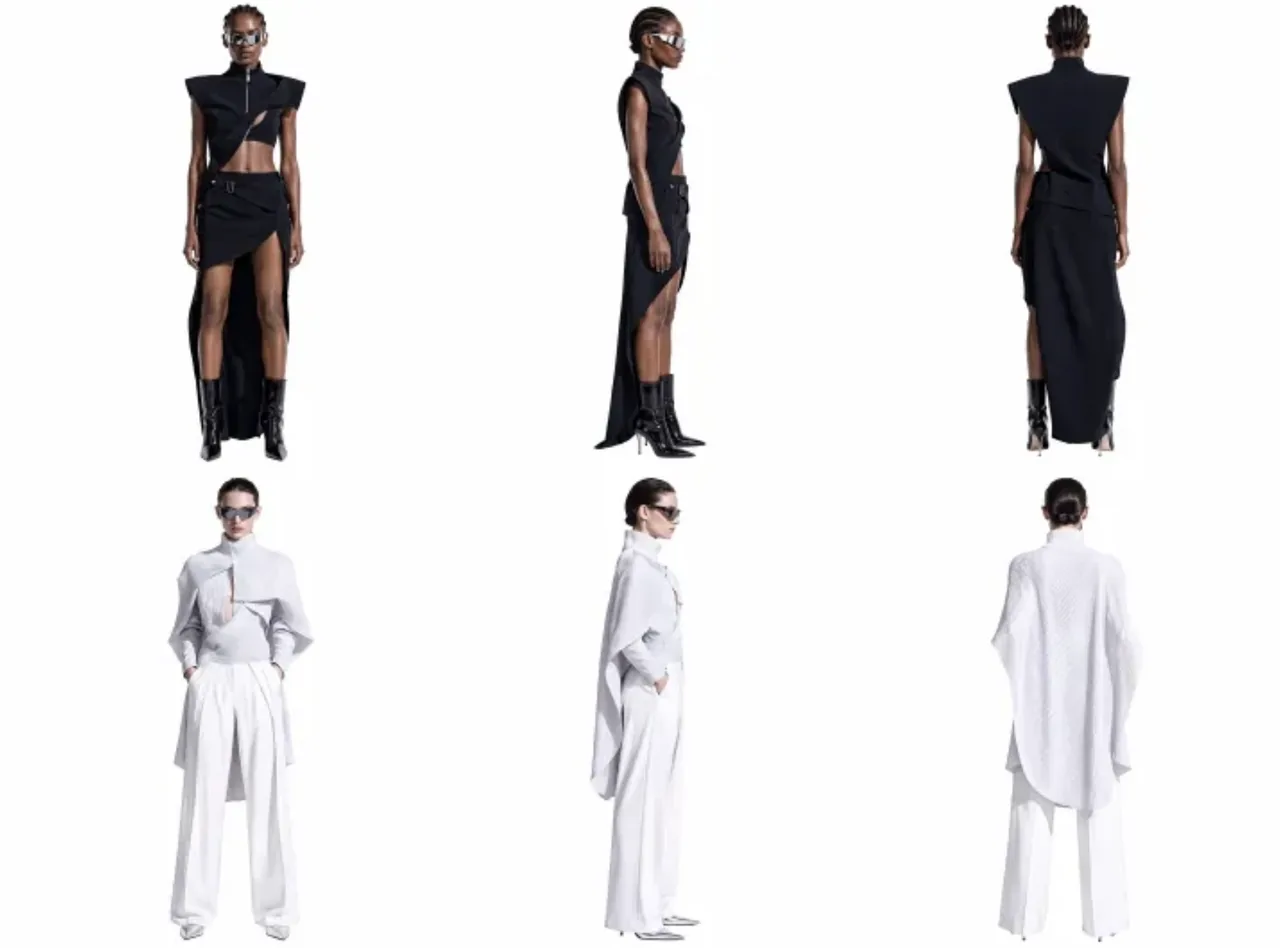
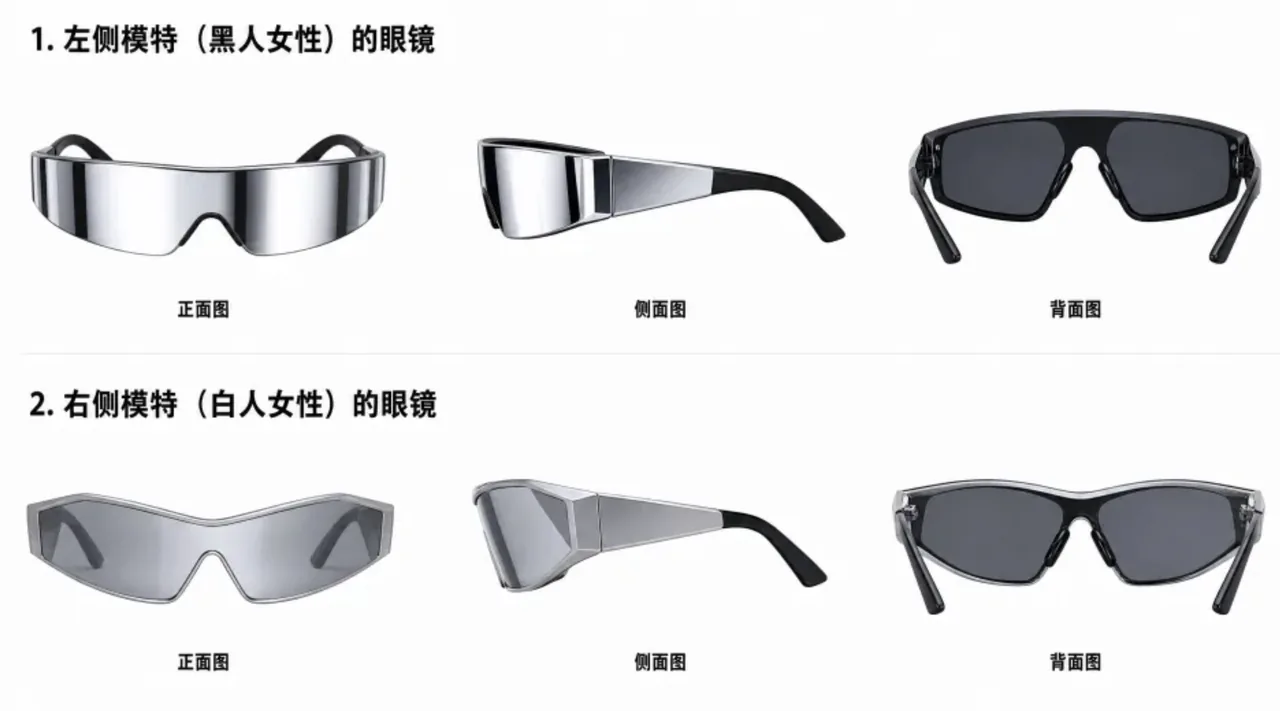
Use Image 1 for the key visual: two full-body female models, one Black and one white, preserving their elevated wardrobe, body language, studio lighting, runway presence, and cool attitude. Use Image 2 for facial details. Both models wear futuristic luxury eyewear based on Image 3: wraparound curved lenses, a sharp cat-eye/goggle hybrid silhouette, mirrored reflections, streamlined temples, and the finish of a premium fashion accessory.
reference images
endpoint
Ergonomic Chair Product Film
prompt
Product Feature Visualization
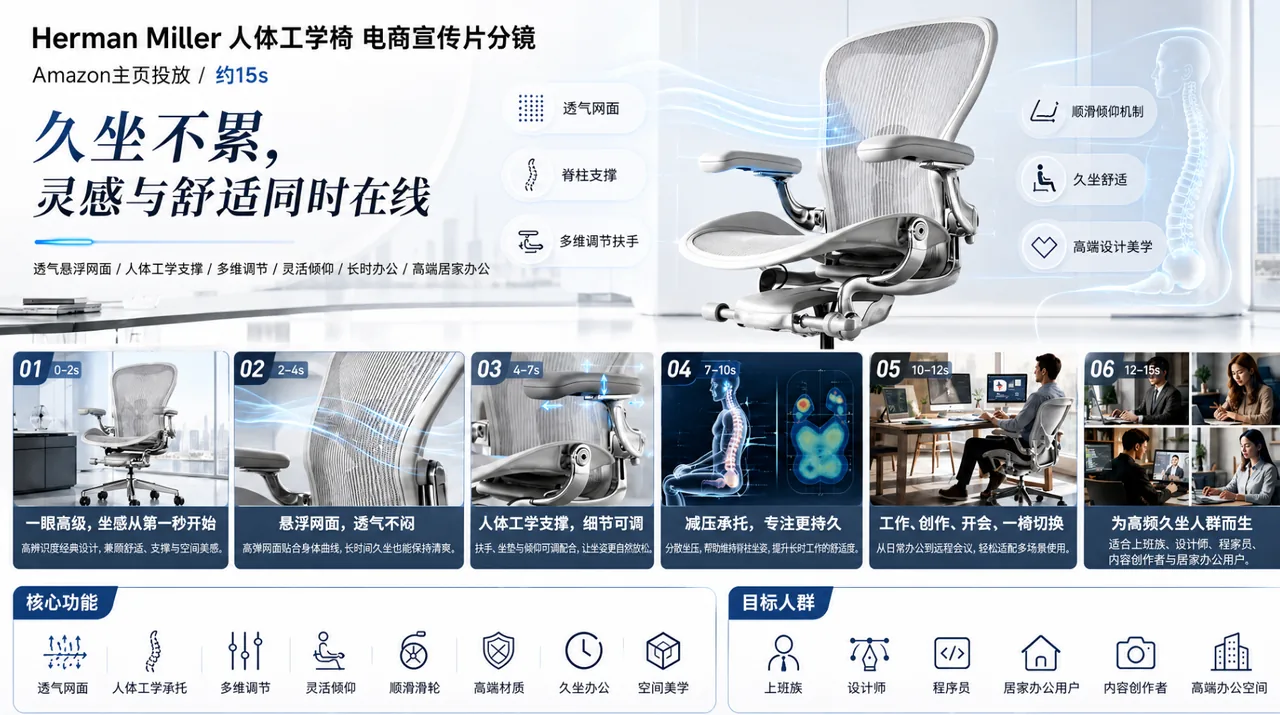
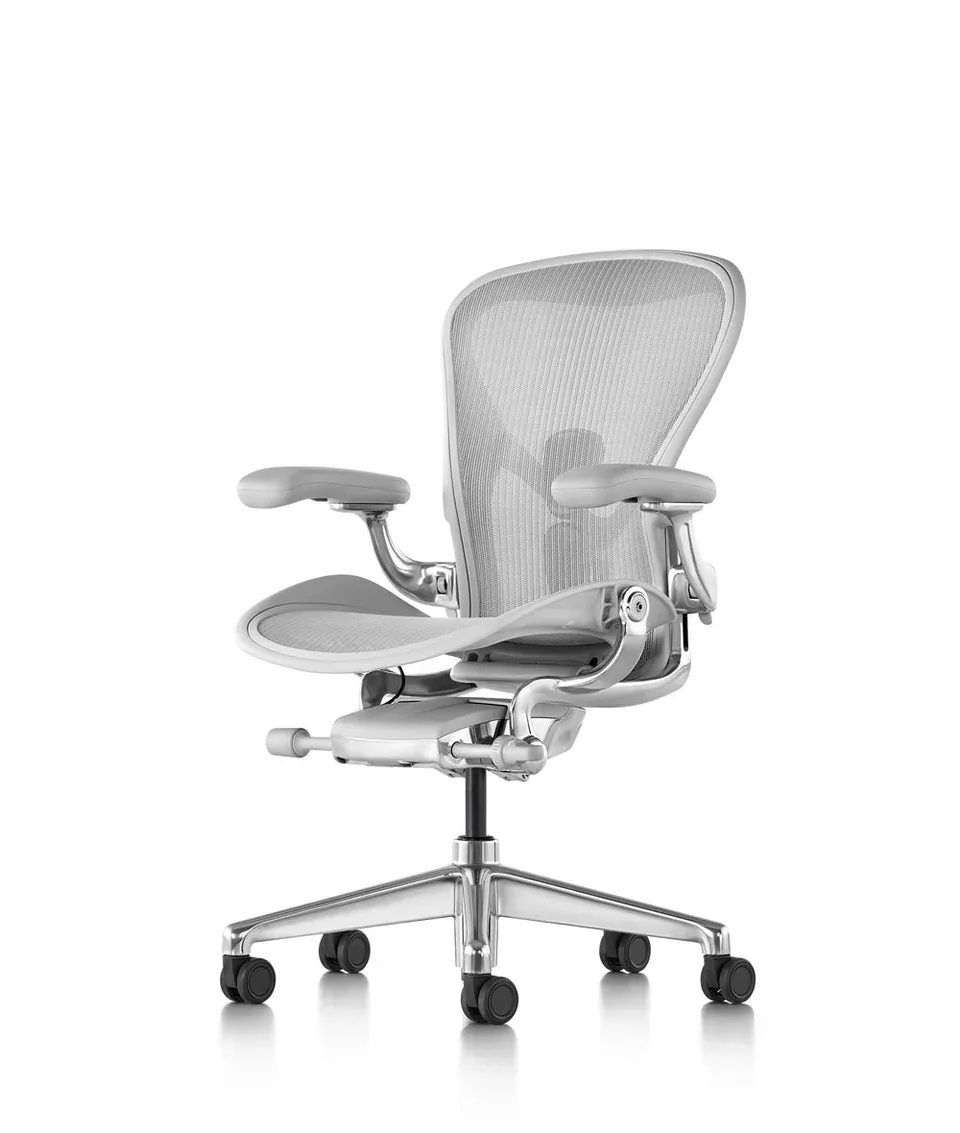
Present a black Herman Miller ergonomic chair in a premium office with a full 360-degree product reveal. Cut to macro views of the breathable mesh back with airflow visualization, an engineering animation of the lumbar support and ergonomic curve, and demonstrations of multidirectional armrest and seat-height adjustment. Show designers, developers, and creative professionals working comfortably over long sessions. Include a 3D skeletal-support visualization that communicates all-day comfort, plus refined interior styling. End with the line: “WHERE INSPIRATION MEETS COMFORT.” Keep the direction minimal, cool-toned, professional, futuristic, and slow-paced. Use Image 1 for feature details and Image 2 for the product.
reference images
endpoint
Digital Experiences & Game Concepts
Game UI, web UI, interaction demos, and motion experiences.
Interactive Game Equipment UI
prompt
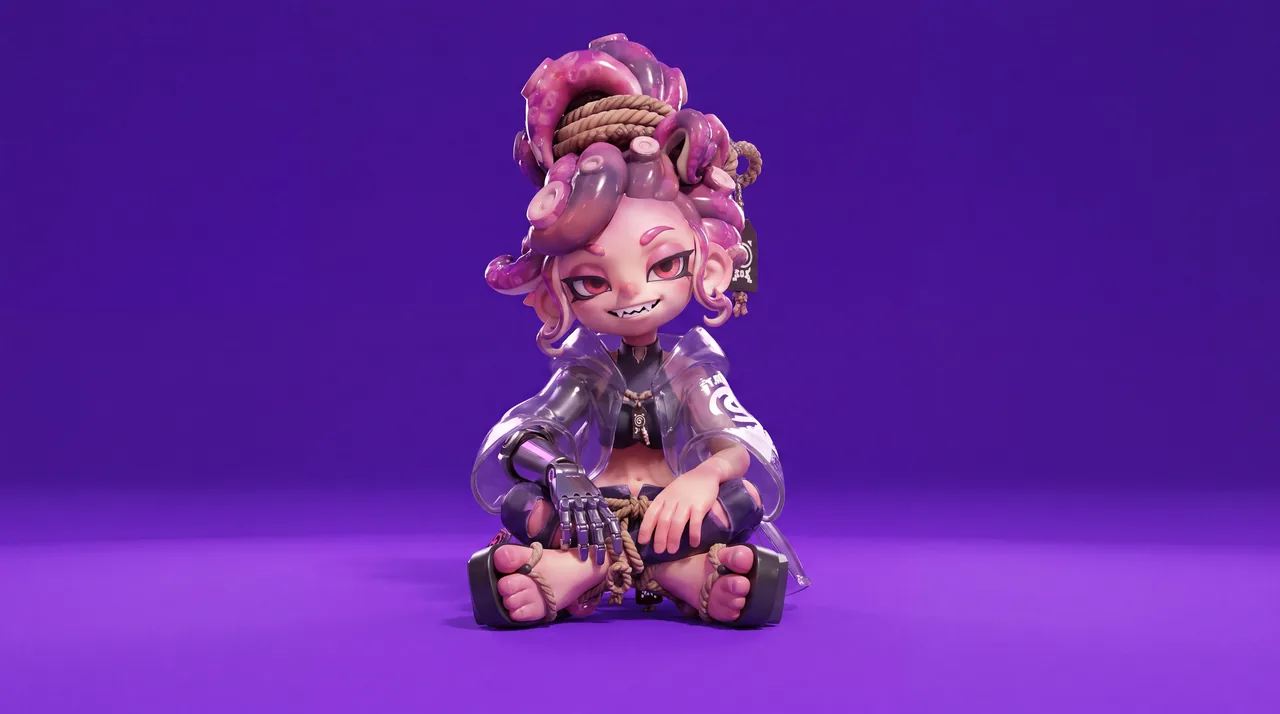
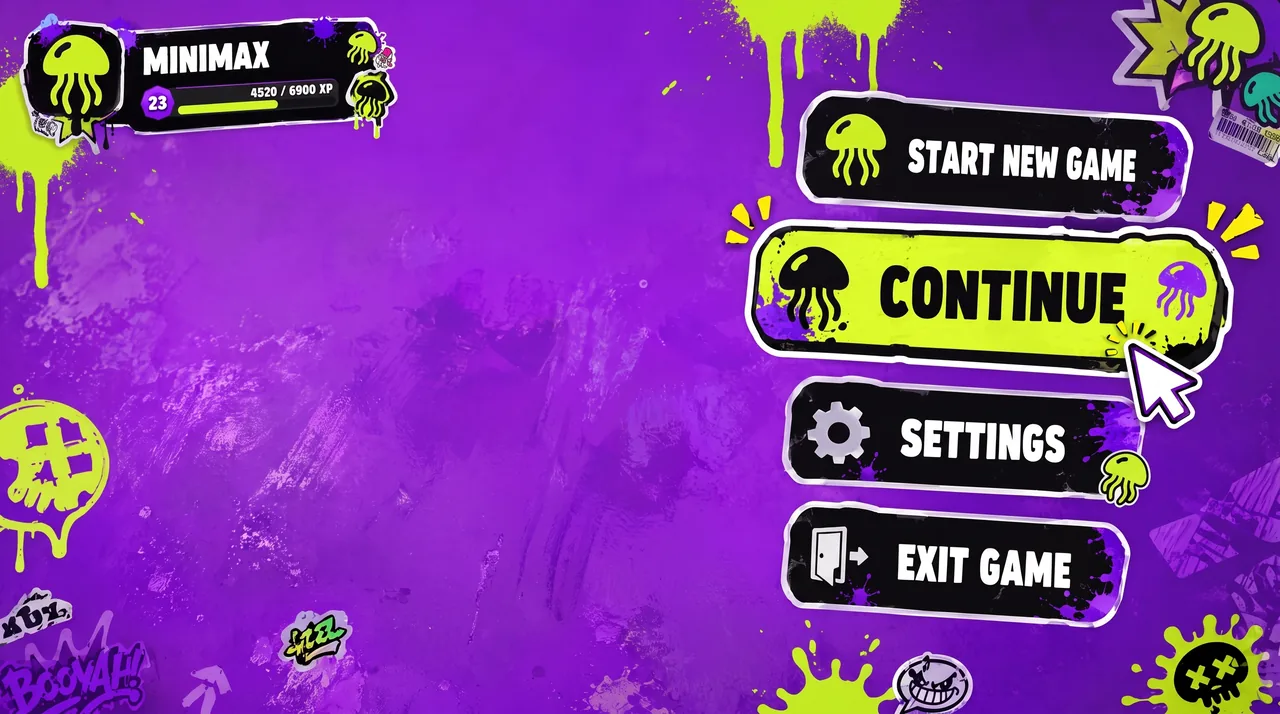
Use Image 1 for the character and Image 2 for the UI style.
[0–2 seconds] High-angle overhead shot. The character sits on a vivid, highly saturated purple floor, looks up at camera, and matches Image 1. A game menu appears on the right: START NEW GAME, CONTINUE (highlighted), SETTINGS, EXIT GAME. Player profile MINIMAX appears top left. The cursor selects CONTINUE.
[2–4 seconds] Smoothly push in to her right arm. A RIGHT ARM EQUIPMENT panel slides in from the right. PHANTOM GRIP is selected, then the selection moves to CHRONOS CLAW. Her mechanical hand reconfigures: fingers separate, new claw-like joints lock into place, and cyan LEDs flare brighter.
[4–7 seconds] Arc smoothly to her left. An ARMAMENT CUSTOMIZATION grid slides in, showing hand, forearm, elbow, and upper-arm components. The selector cycles rapidly. Her left arm disassembles section by section: the forearm plate releases, new armor slides in, the elbow joint swaps, and the hand reconfigures, with exposed wiring and pistons visible during the change.
[7–8.5 seconds] Pull back to a medium shot. CONFIRM CONFIG flashes; click it. All UI panels collapse inward and vanish. She uncrosses her legs and settles into a relaxed seated pose with one knee raised, lifting the prosthetic hand for a subtle post-configuration movement.
[8.5–10 seconds] A LOADING bar appears along the bottom and races from 0% to 100%. The saturated purple environment darkens as shadows creep inward and warm golden light begins to bleed through.
[10–15 seconds] As she stands, the full world loads around her: a dense cyberpunk slum with flickering neon, rain-wet streets, moving crowds, passing motorcycles, tangled overhead cables, and stacked buildings stretching toward futuristic towers. Settle into a third-person camera behind her. HUD elements fade in: minimap top right, health and ammo bottom left, then a mission marker. She steps into the street.
reference images
endpoint
Nike-Style Product Landing Page
prompt
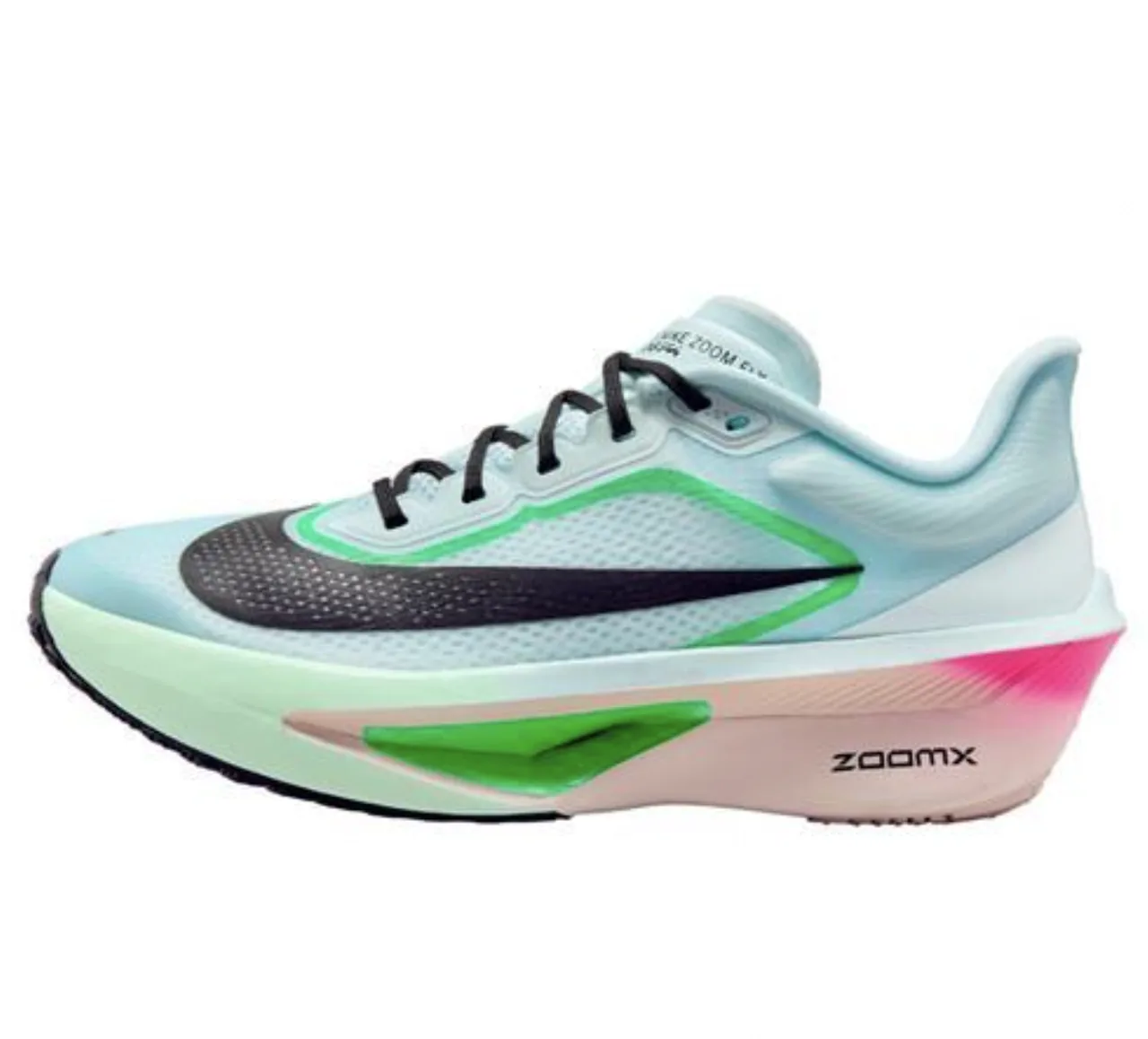
Create a dynamic product-landing-page UI/UX demo inspired by Nike’s digital language, built around the product in Image 1. Use oversized, bold, italicized sans-serif typography and backgrounds that combine speed-driven light streaks with dark carbon fiber or breathable performance-mesh textures. Show a smooth, fast, powerful scroll through the page, plus high-impact hover interactions with scale-ups and color inversion.
reference images
endpoint
Automotive Website UI Animation
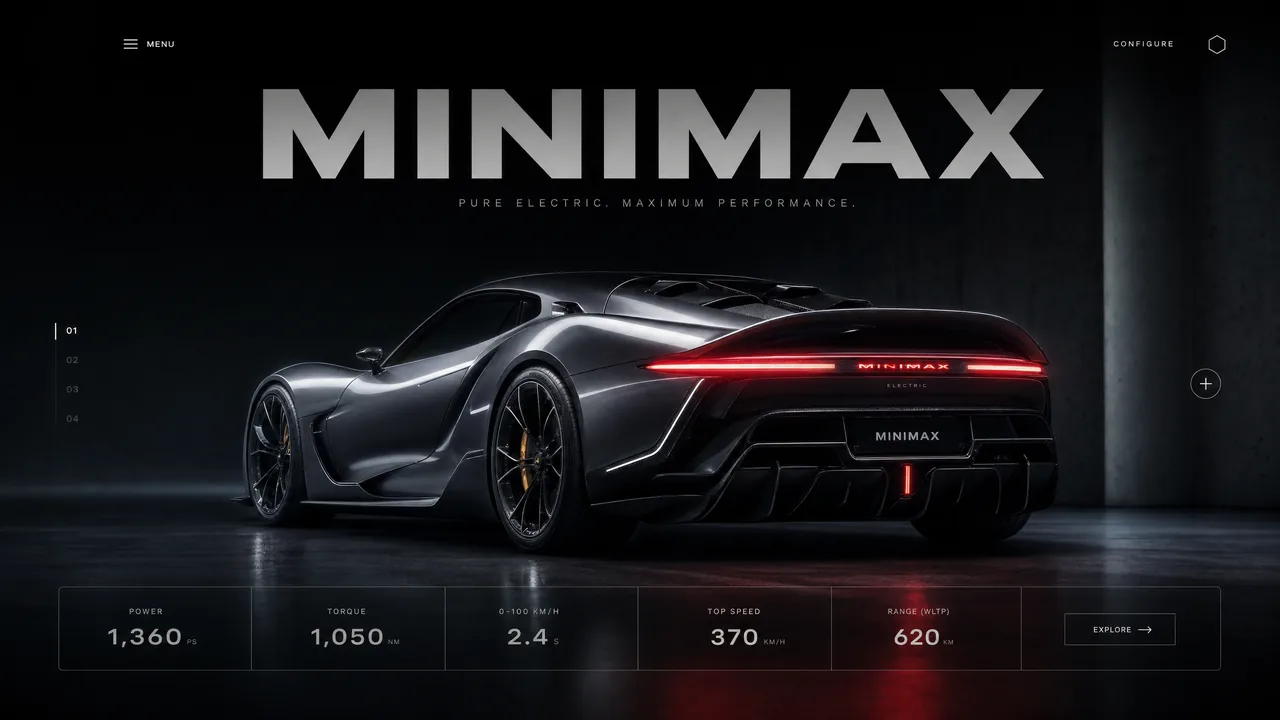
prompt
Animate the website UI: the top headline slides down into place, the copy panel below slides up, and the car’s lights shift from dark to red.
reference images
endpoint
Rotating Product Page Reveal
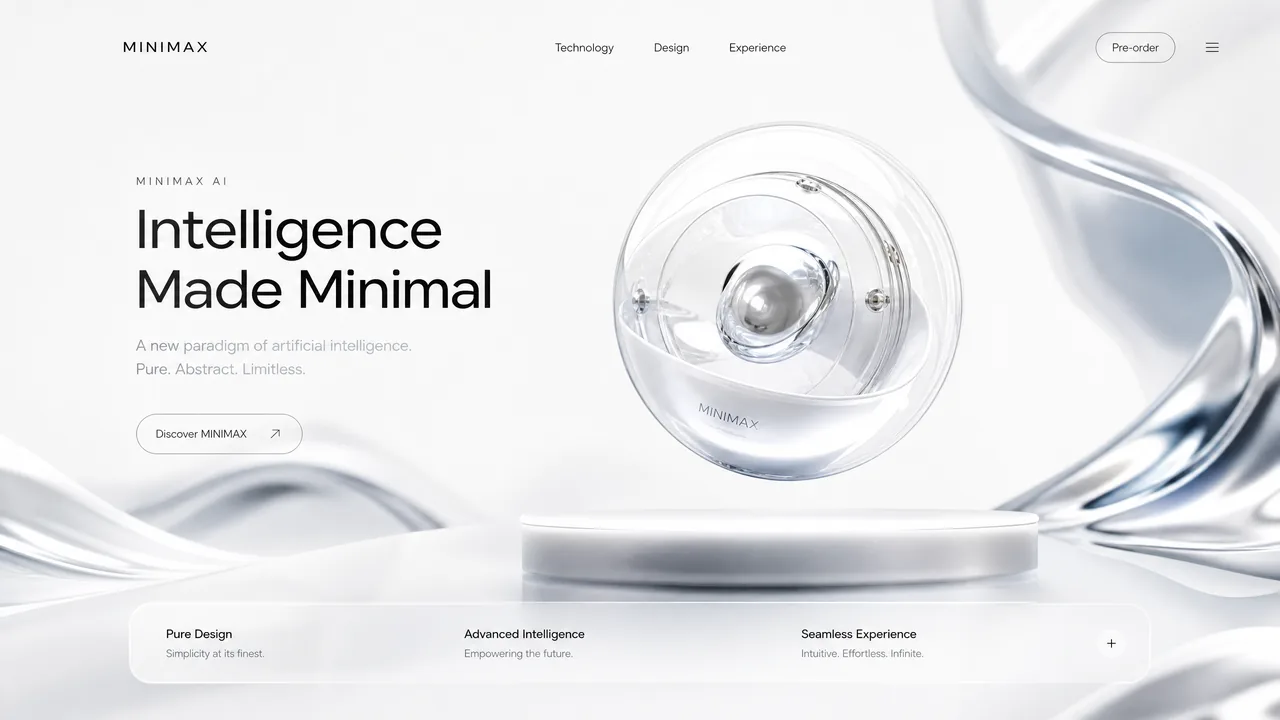
prompt
Reveal the layout from top to bottom. Upper and center typography slides down; lower typography slides up. Once the central product appears, let it rotate subtly.
reference images
endpoint
Animation & Stylized Visuals
Game cinematics, character promos, and stylized animation.
Claymation Lava Canyon Leap
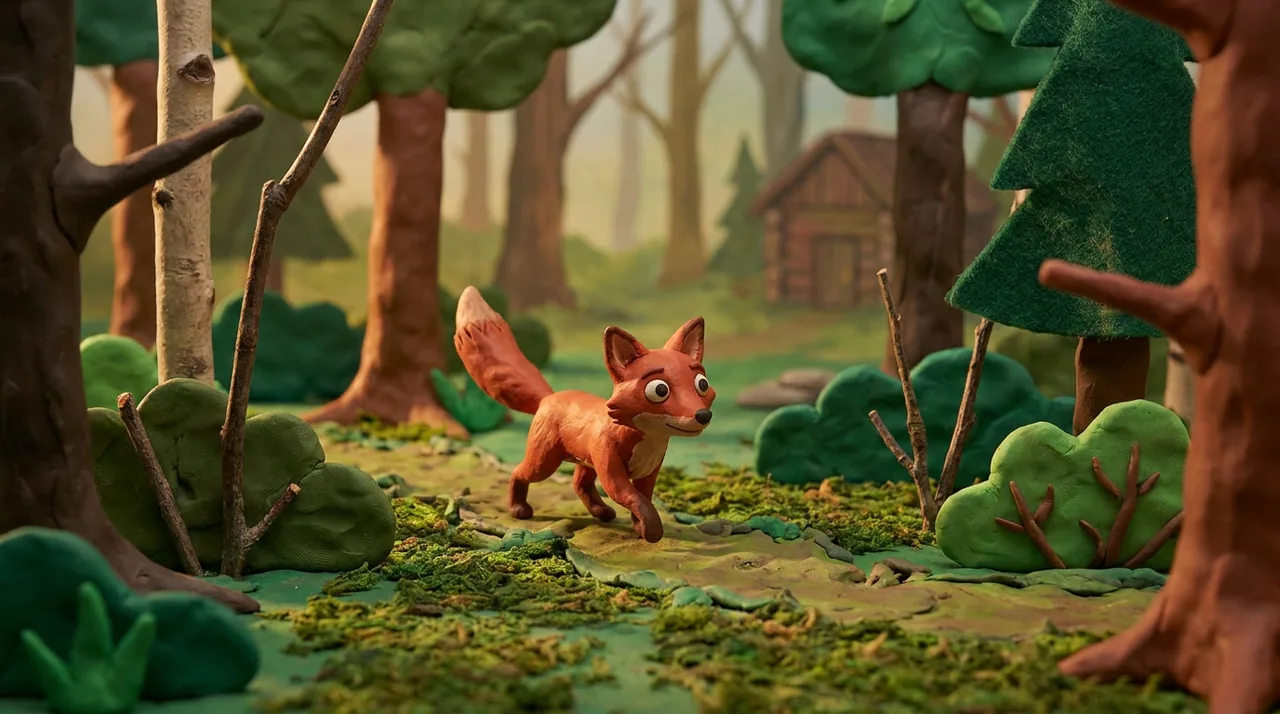
prompt
Claymation. A fox sprints to the edge of a cliff and launches without hesitation, making a dramatic heroic leap in slow motion over an immense lava canyon. Midair, the camera races beneath the fox’s belly in a bold dynamic move, revealing the terrifying depth of the chasm and the fully extended motion of its clay body.
reference images
endpoint
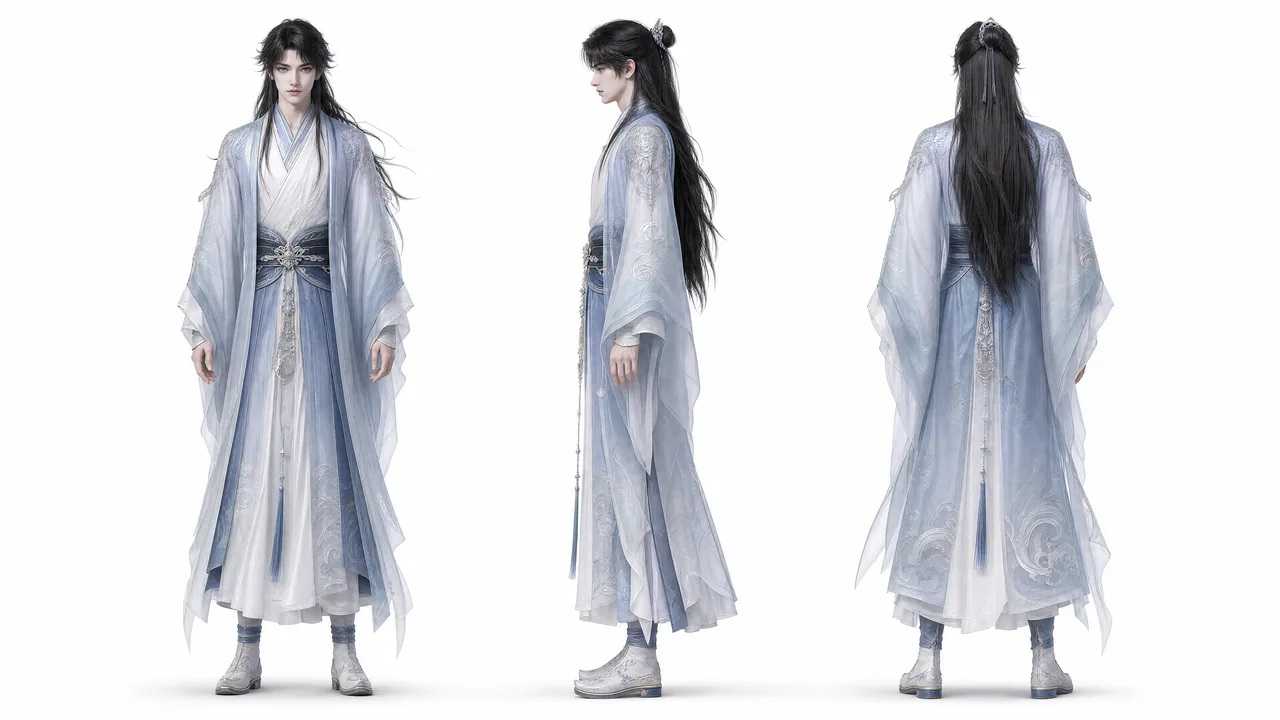
Fantasy Wuxia Character Film
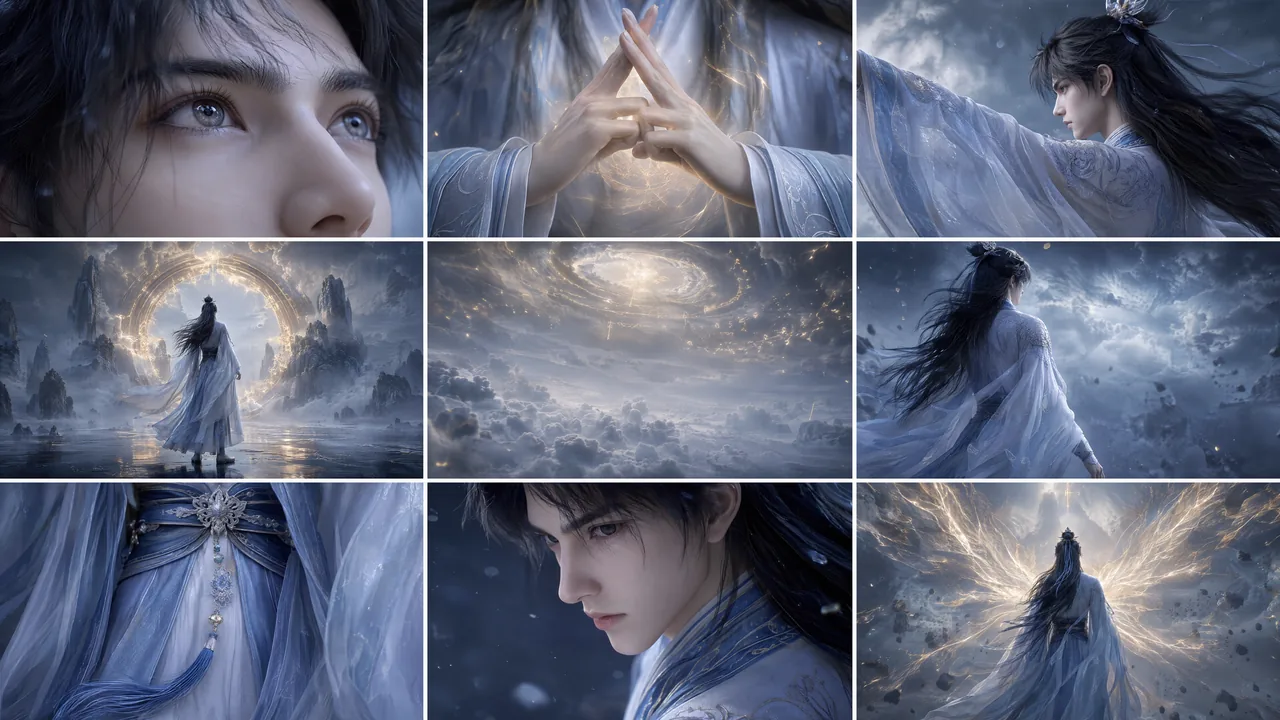
prompt
Use Image 2 as the locked character reference. Preserve the half-up long black hair, openwork silver crown, indigo ribbon, layered pale hanfu, translucent blue outer robe, deep-blue sash, silver floral fastener, and long tassels. Use Image 1 for storyboard order and pacing.
Render in high-quality 4K, 16:9 Chinese-inspired 3D with cinematic xianxia production value: intense, solemn, and shaped by destiny. Follow the storyboard beat by beat, with natural camera movement and seamless transitions—never a slideshow. Show the face only in close-up or extreme close-up. In wide shots, use back view, rear three-quarter view, or empty environment shots; never show a distant frontal face.
reference images
endpoint
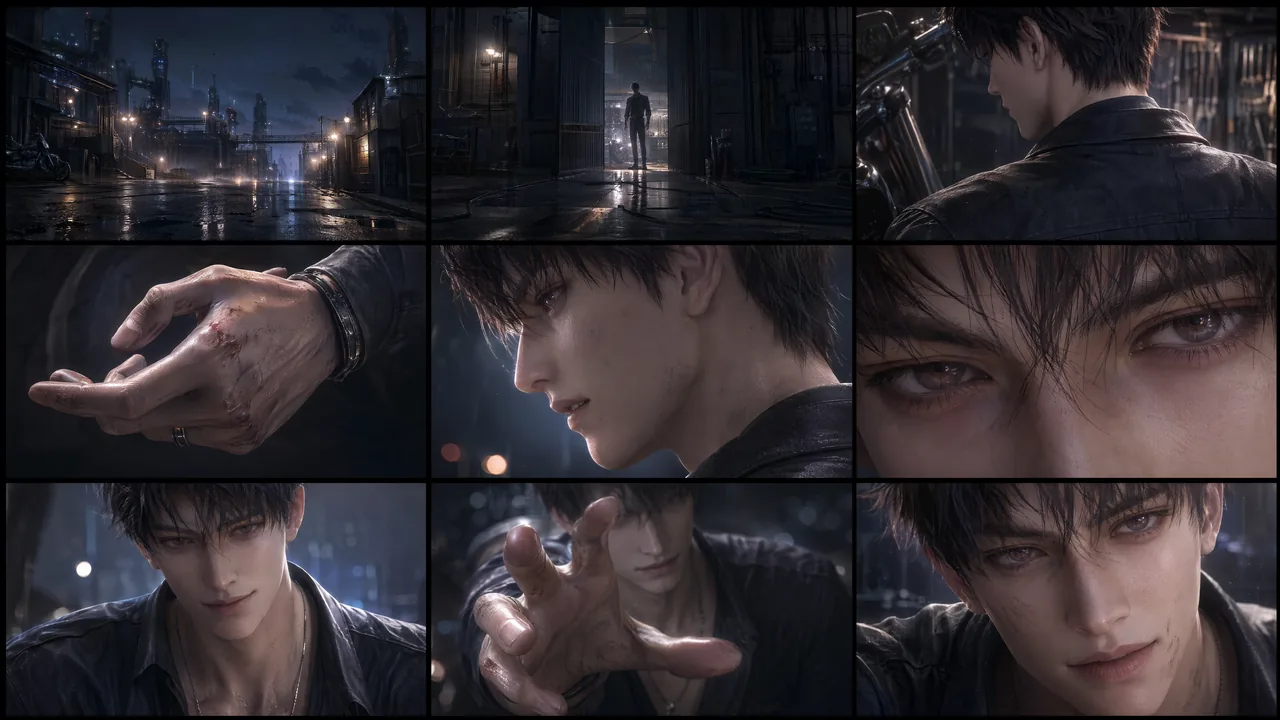
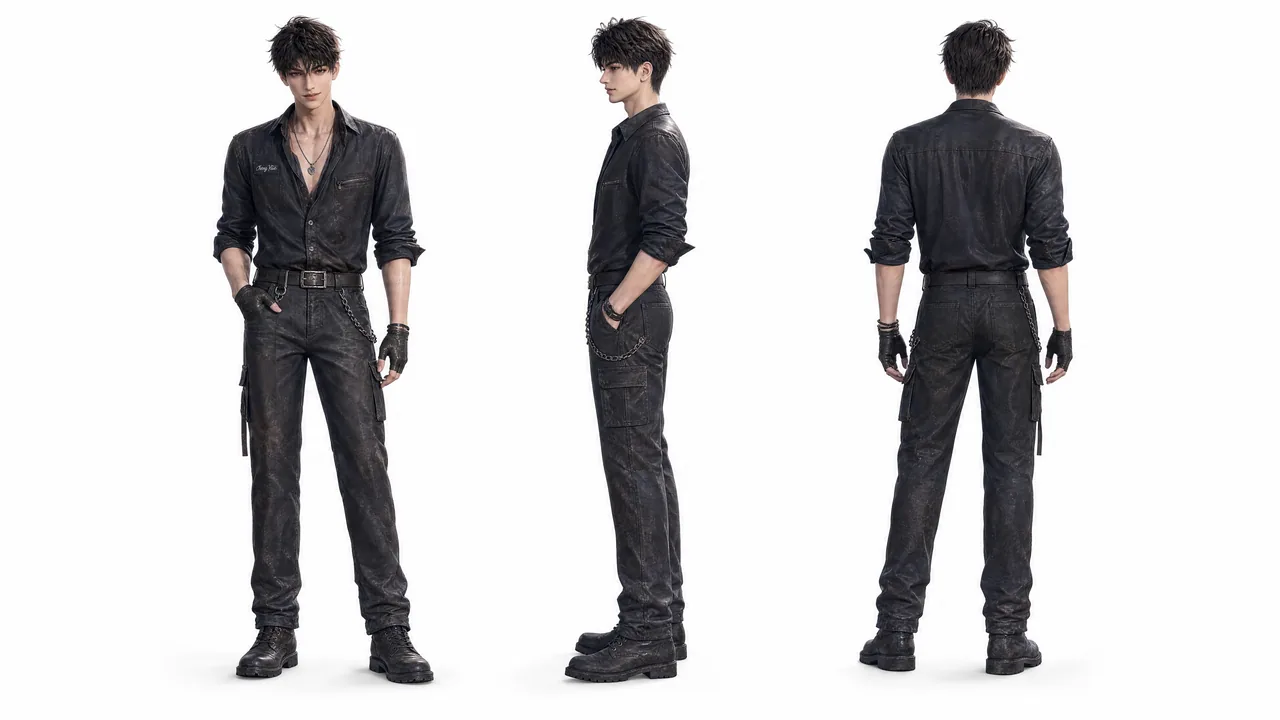
Otome Male Lead Character Promo
prompt
Create a character promo for a male lead in an otome game. Use Image 2 as a strict identity reference. Preserve the same face, hairstyle, body proportions, costume design, material detail, and polished otome-CG aesthetic throughout.
reference images
endpoint
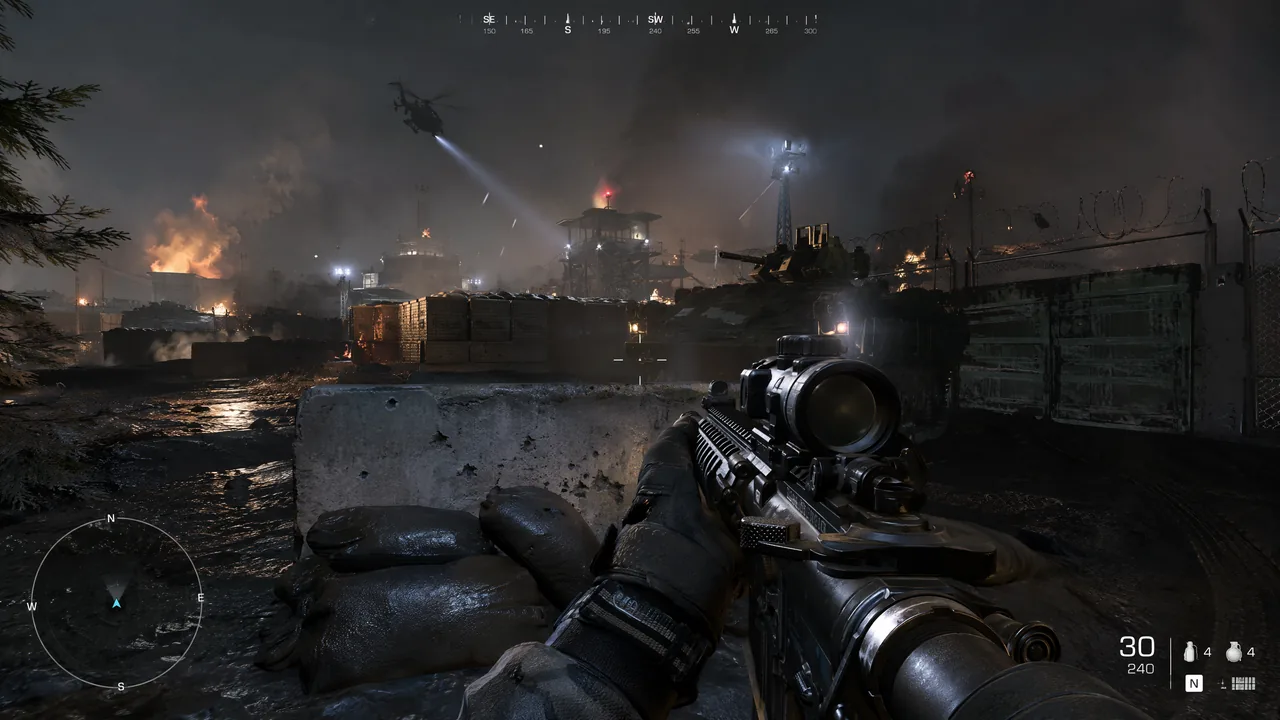
First-Person Tactical Gameplay
prompt
Camera: first-person, eye level, handheld gameplay. Simulate a player operating a modern-warfare FPS, holding an assault rifle and advancing slowly around the perimeter of a military base. Move forward along a road beside cover, sweep the reticle across the passage ahead, pause to fire several rounds at a distant target, then continue pushing forward like authentic player-controlled footage.
Lighting: cool natural light across a modern military base, mixed with smoke and firelight. Keep the image photoreal and crisp, with AAA-quality weapons, materials, dust, and battlefield haze.
Camera movement: subtle player-driven sway while moving; begin with a slow advance, make small checks left and right, add light recoil when firing, then continue forward steadily.
reference images
endpoint
Interactive Otome Game Transition
prompt
Interactive Otome Game
Use the first image as the exact opening frame and the second as the exact ending frame. Create a transition within a premium Chinese otome visual-novel interface, capturing an intimate backstage moment before and after a performance. Move naturally from “Choose to watch his performance” to “Han Xu reacts with intrigued interest after hearing the heroine.” Reveal UI copy, choices, and dialogue boxes with refined otome-game motion design. Keep transitions fluid and the romantic tension suggestive but restrained.
reference images
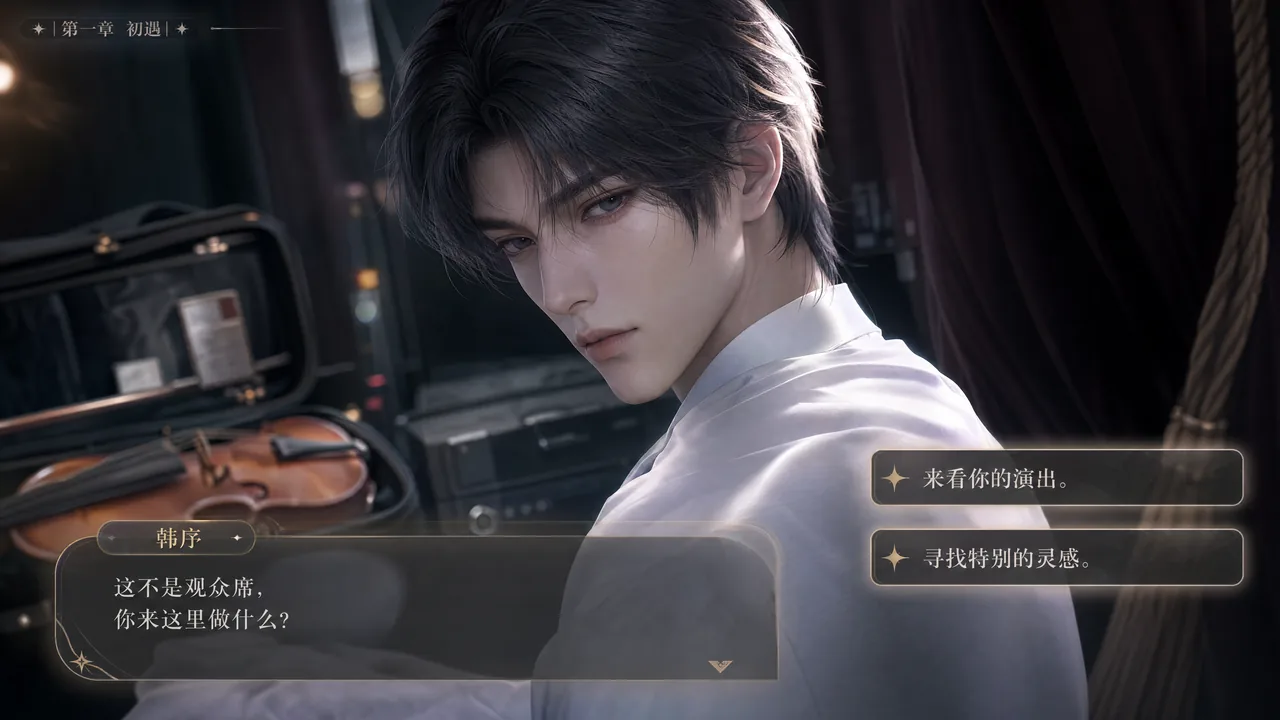
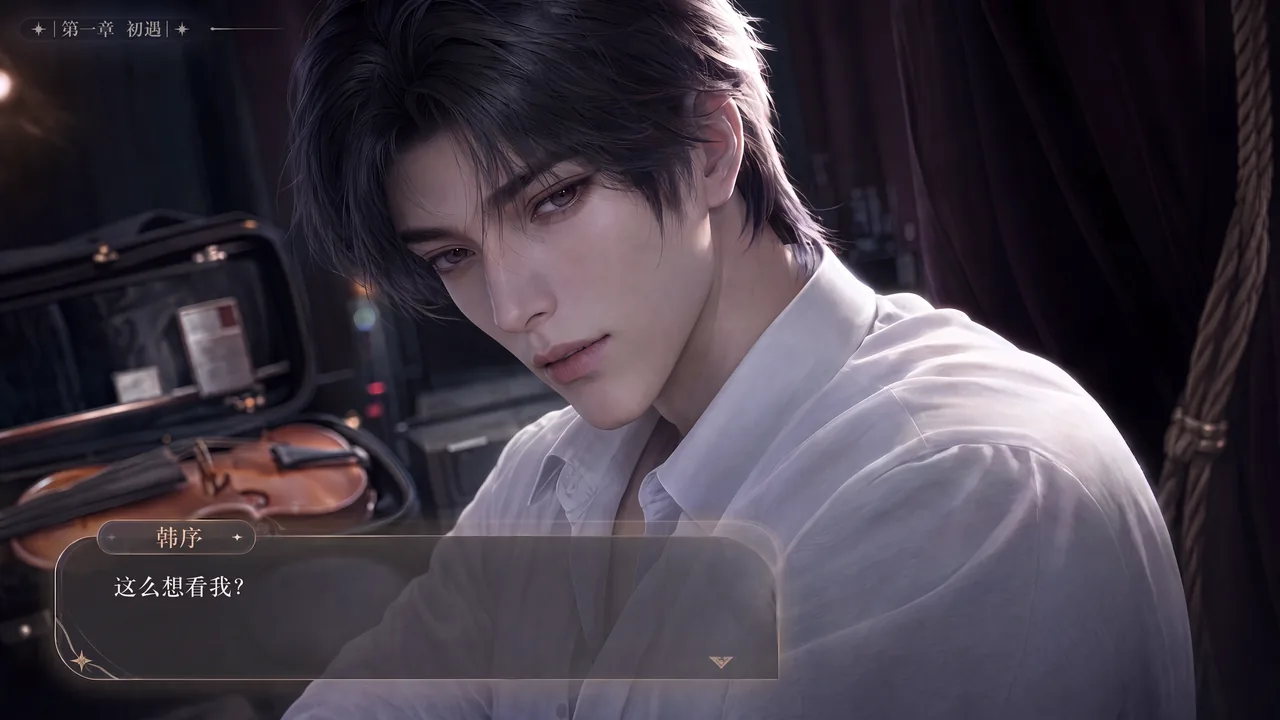
endpoint
Character-Driven Romantic Scene
prompt
Character-Driven Scene
Use Image 1 for the male lead. Photoreal, cinematic live action, framed in a frontal close shot that stays on the leads’ upper bodies. Keep the woman’s face mostly out of frame; she wears a backless, midriff-baring red dress, with only occasional details of her neck, shoulders, arms, waist, hem, and hands. The man wears an impeccably tailored black dress shirt.
Set the scene in the intimate red-and-black interior from Image 2: dim, low-saturation, luxurious, and restrained, with a softly defocused background. A red velvet sofa, black-and-gold marble side table, and warm low light create a mature, charged date-night atmosphere.
The man lounges on the red velvet sofa, leaning back with effortless composure. Beside him sits a cut-crystal tumbler holding amber whiskey and slowly melting ice, with fine condensation on the glass. Sound design: ice lightly tapping crystal, a faint cigar burn, subtle room air, clothing movement, and controlled breathing.
reference images
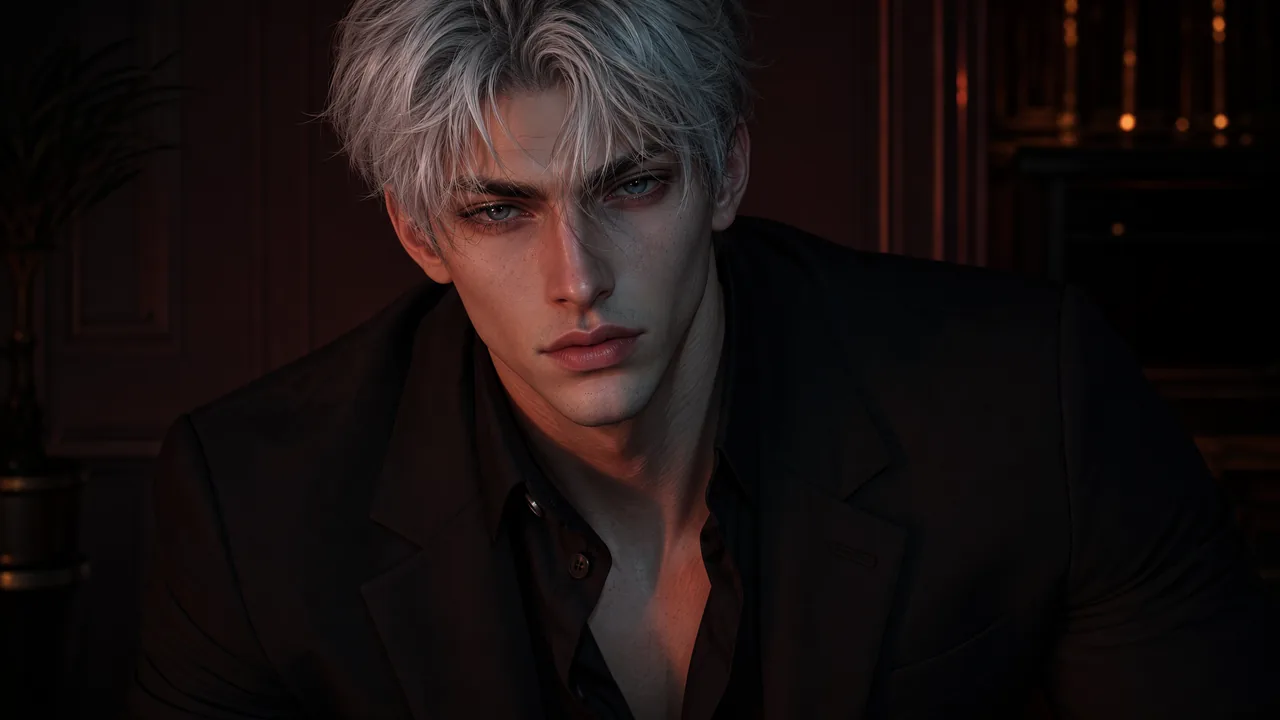
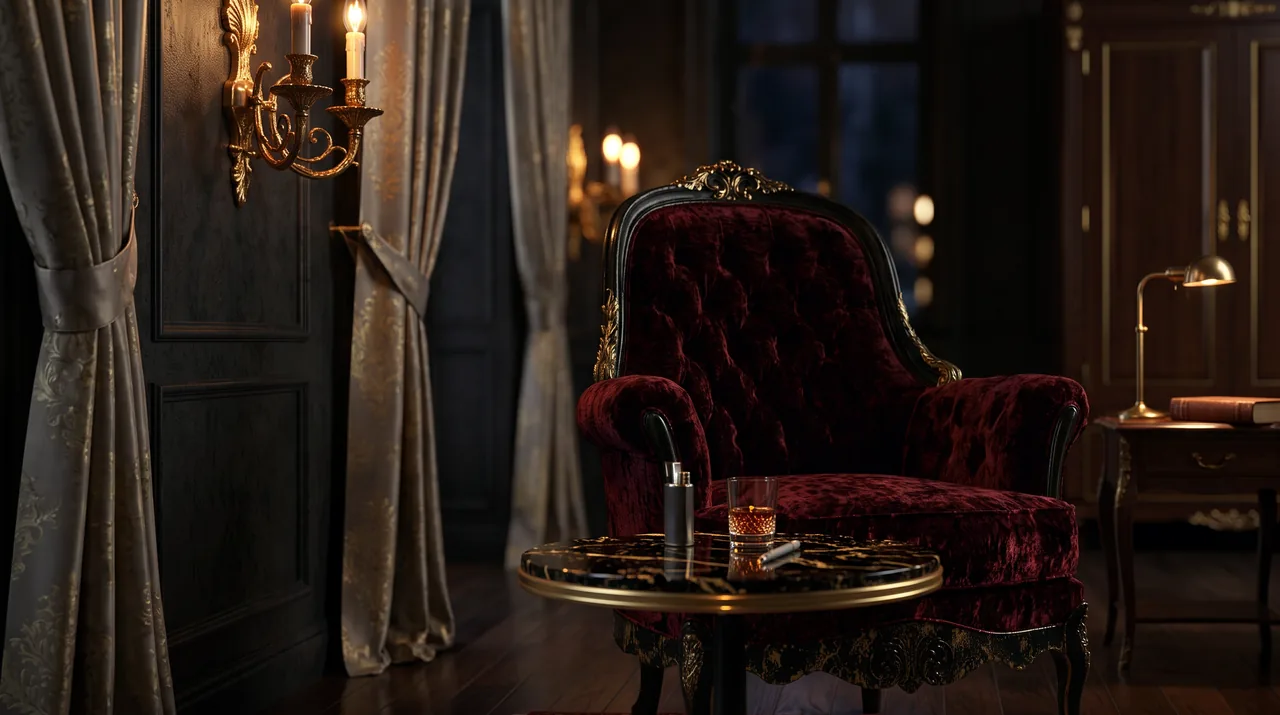
endpoint
Native Multimodal Reference
This is what separates MiniMax H3 from a conventional image-to-video model. Text, images, video, and audio all land in one context, so a single request can carry identity from an image, motion and camera language from a clip, and a voice from a recording.
Multi-Asset Reference
Text, images, video, and audio combined freely in one generation.
Multi-Asset Cinematic Remix
prompt
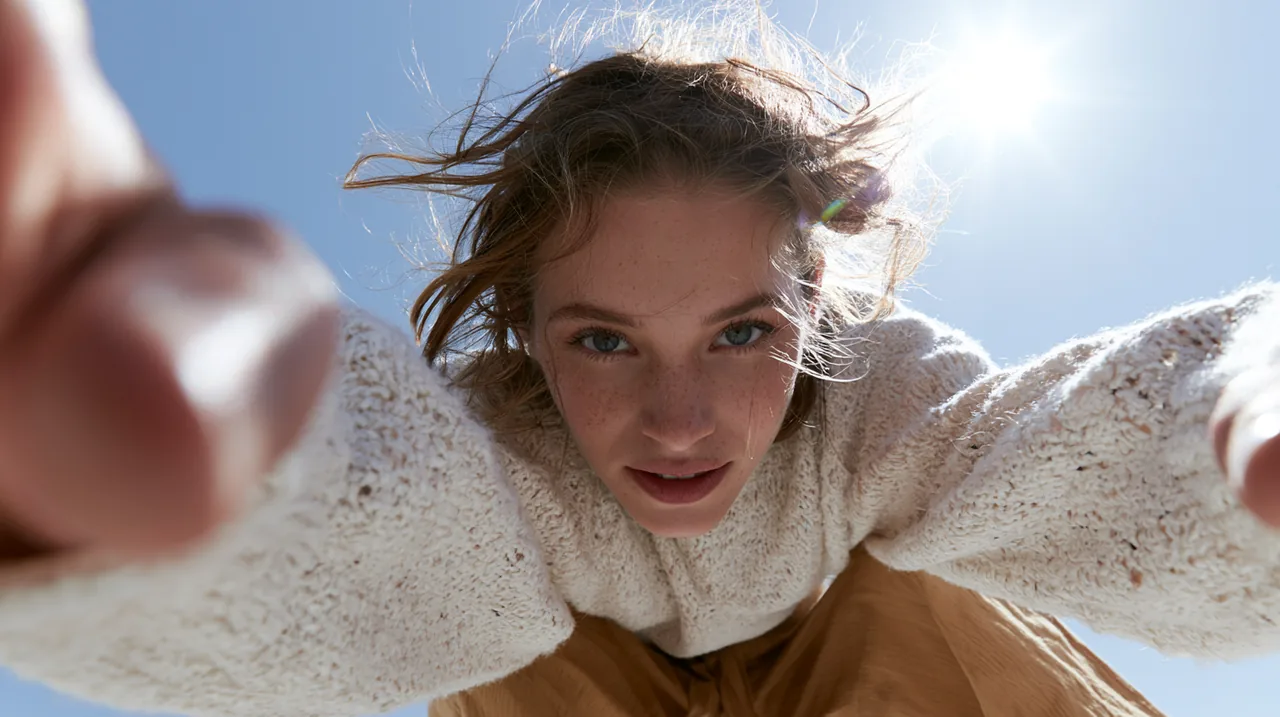
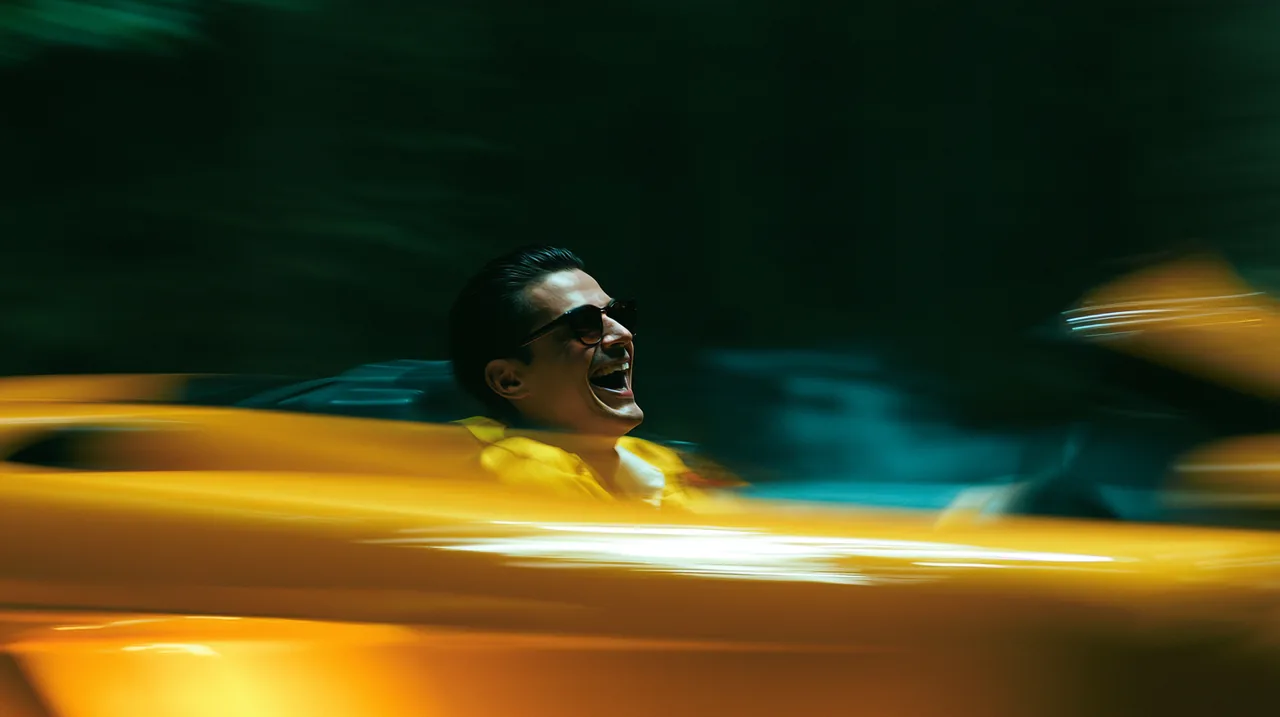
Use Images 1–6 as assets. Match Reference Video 1 closely for shot rhythm, transition language, and music.
reference images
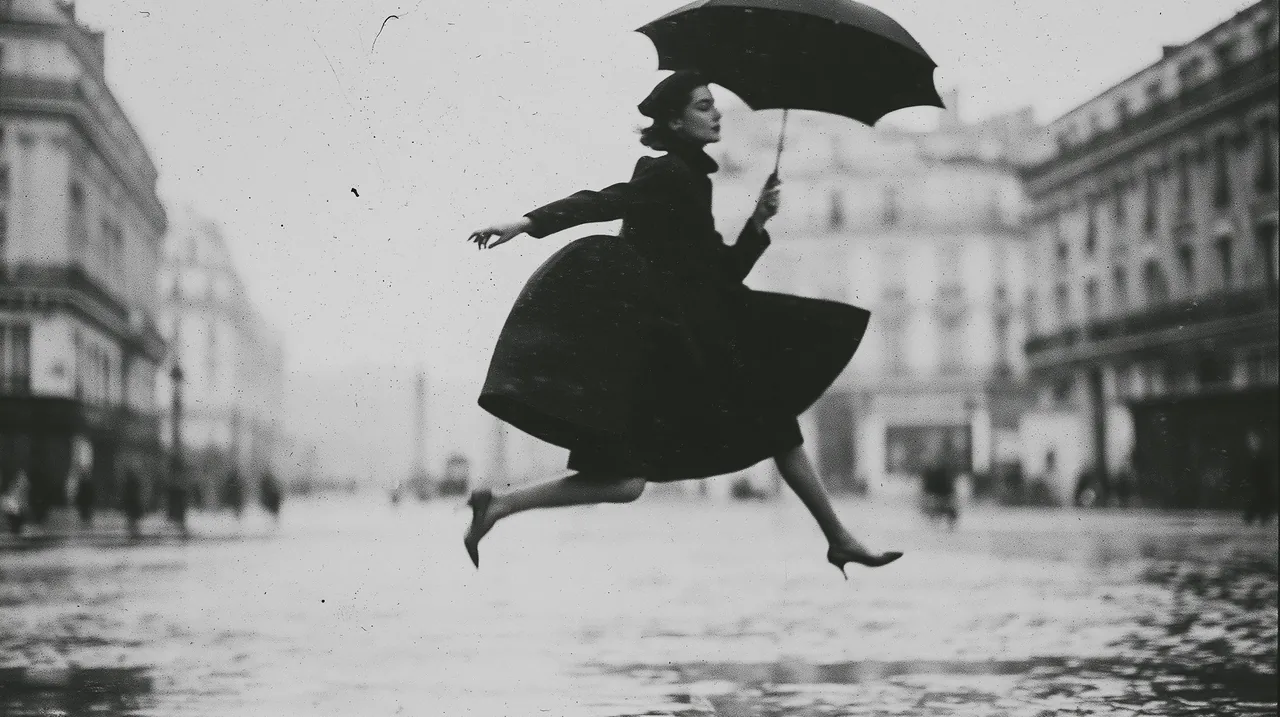
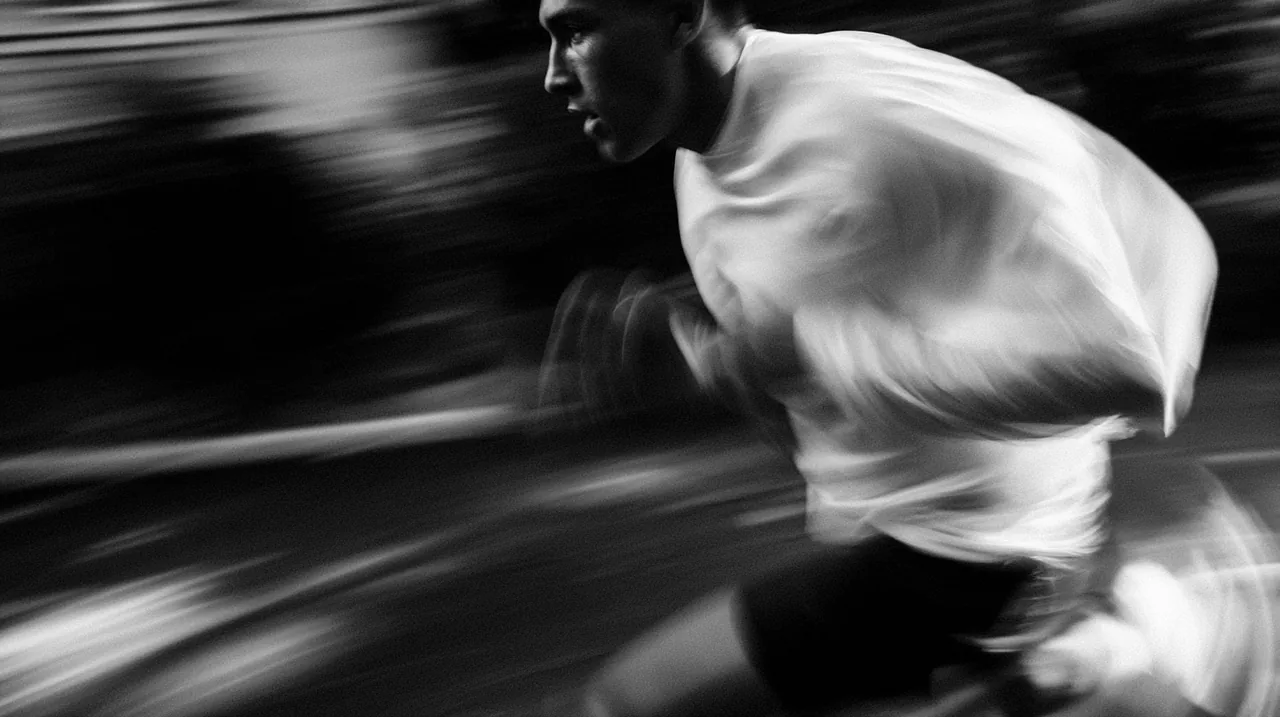
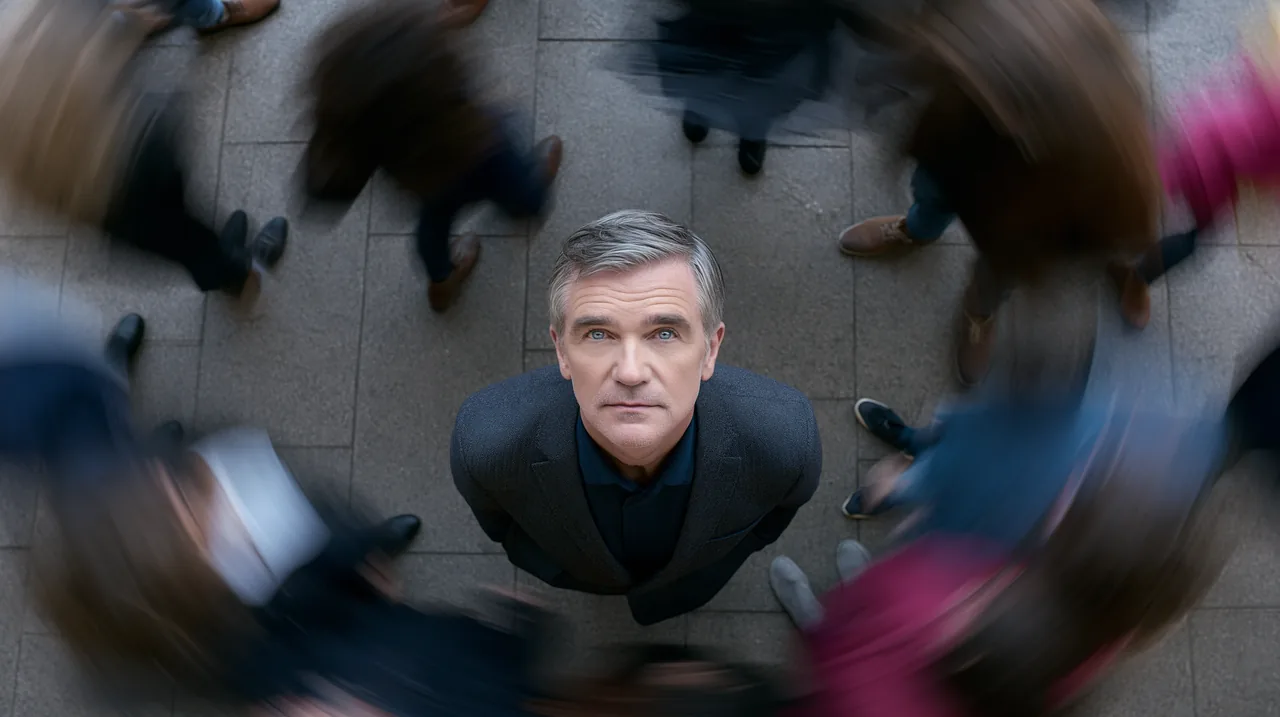
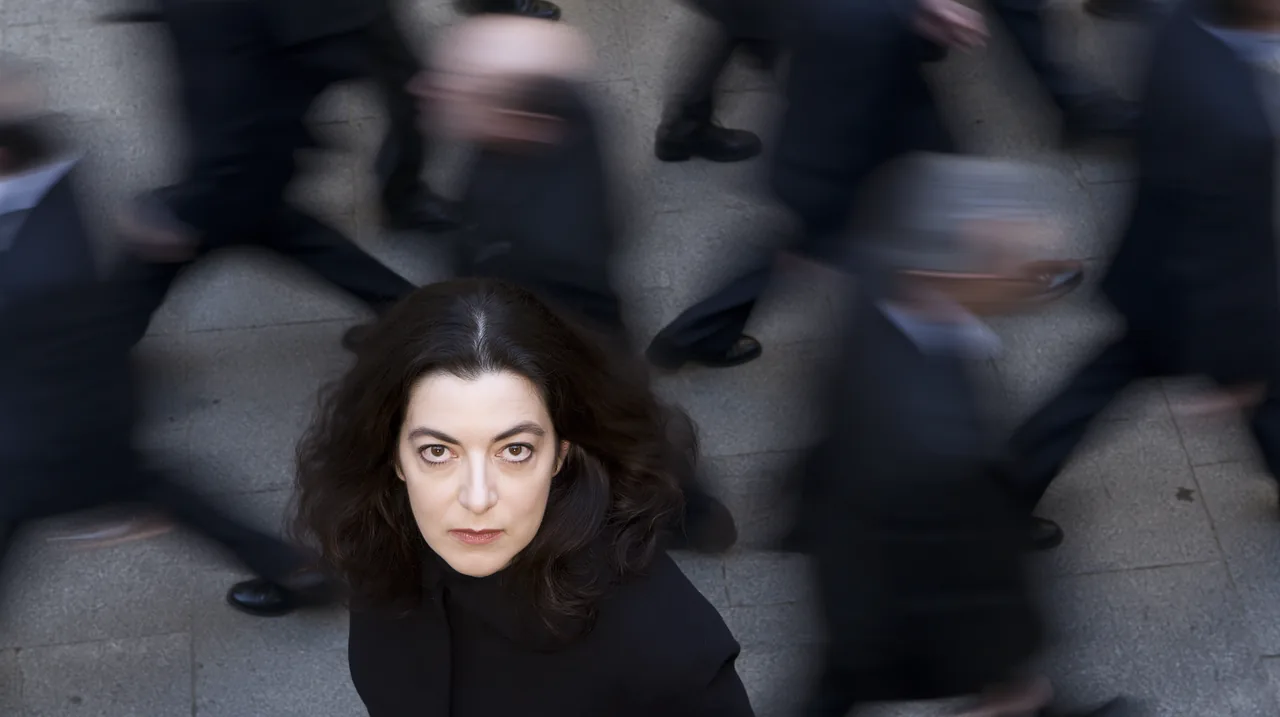
reference video
endpoint
Live-Action Voxel Transformation
prompt
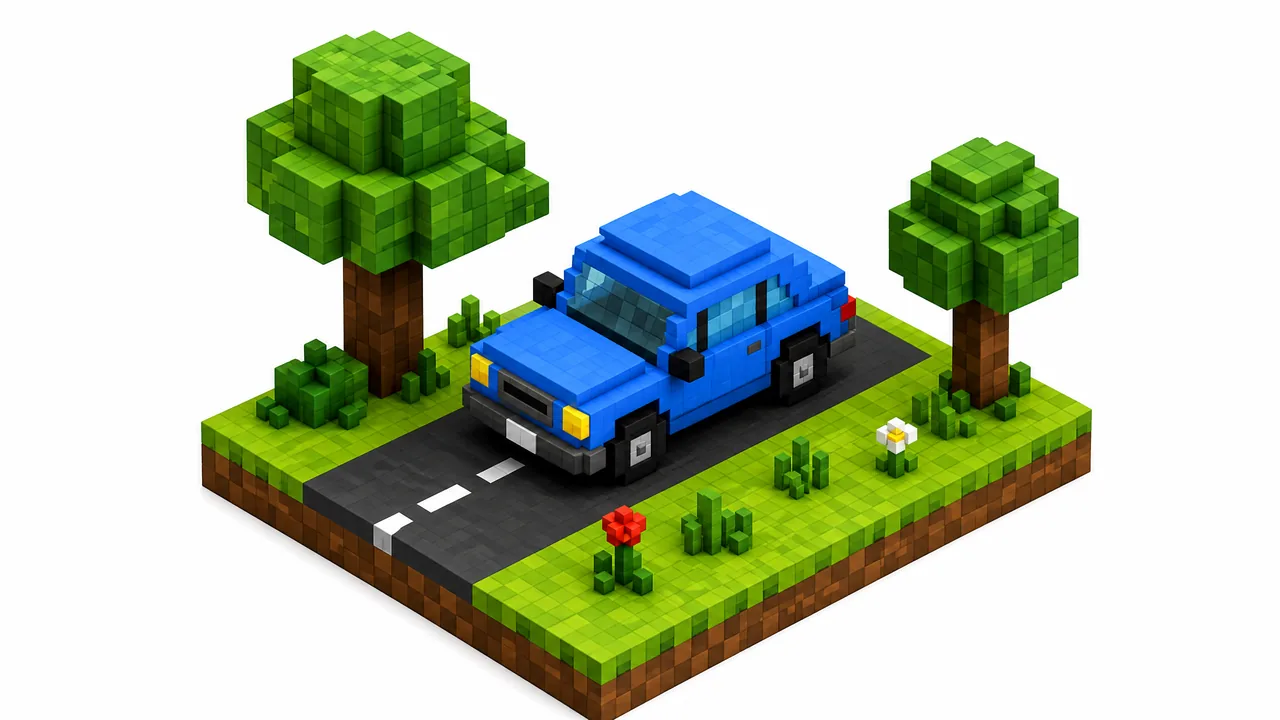
Preserve the buildings, pedestrians, and overall environment in Video 1 as photoreal live action. Transform only the trees and cars into 3D pixel-art or voxel-block objects in the style of Minecraft, using Image 1 as the visual reference. Keep their motion physically correct, and preserve the real environment’s shadows and transmitted light. Use Video 2 as the overall target.
reference images
reference videos
endpoint
Macro Coffee-to-Fluid Transition
prompt
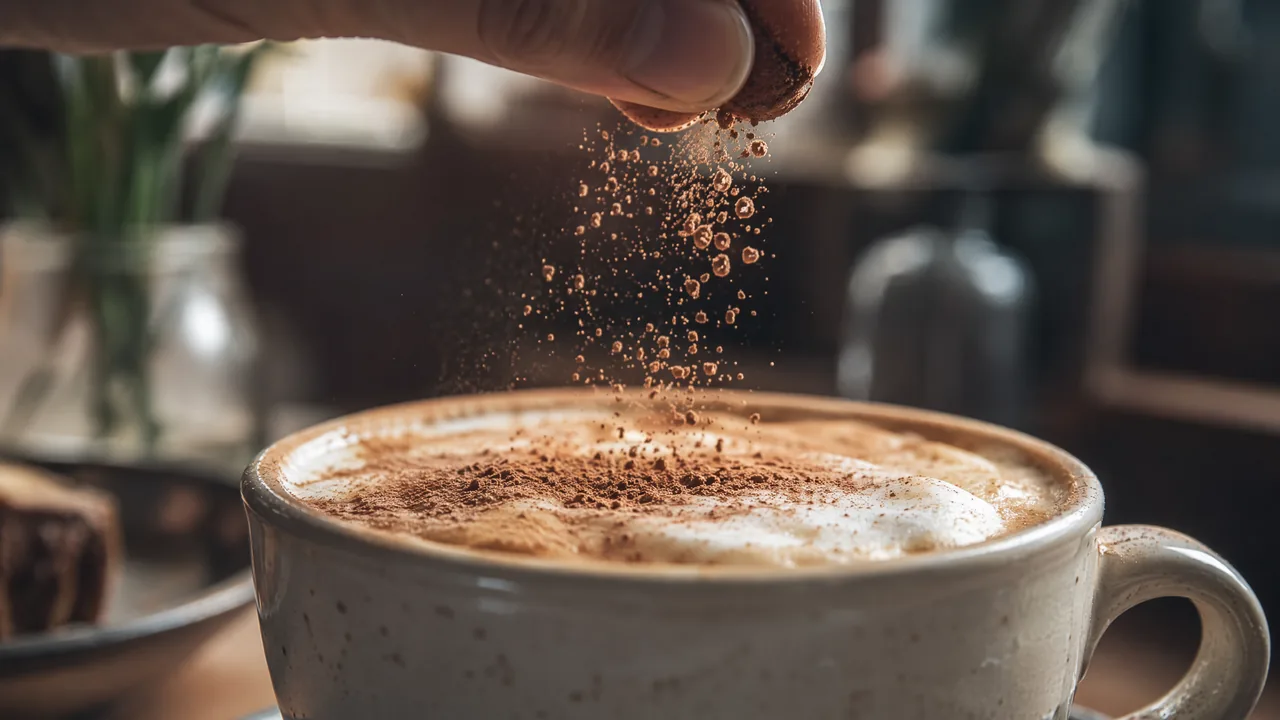
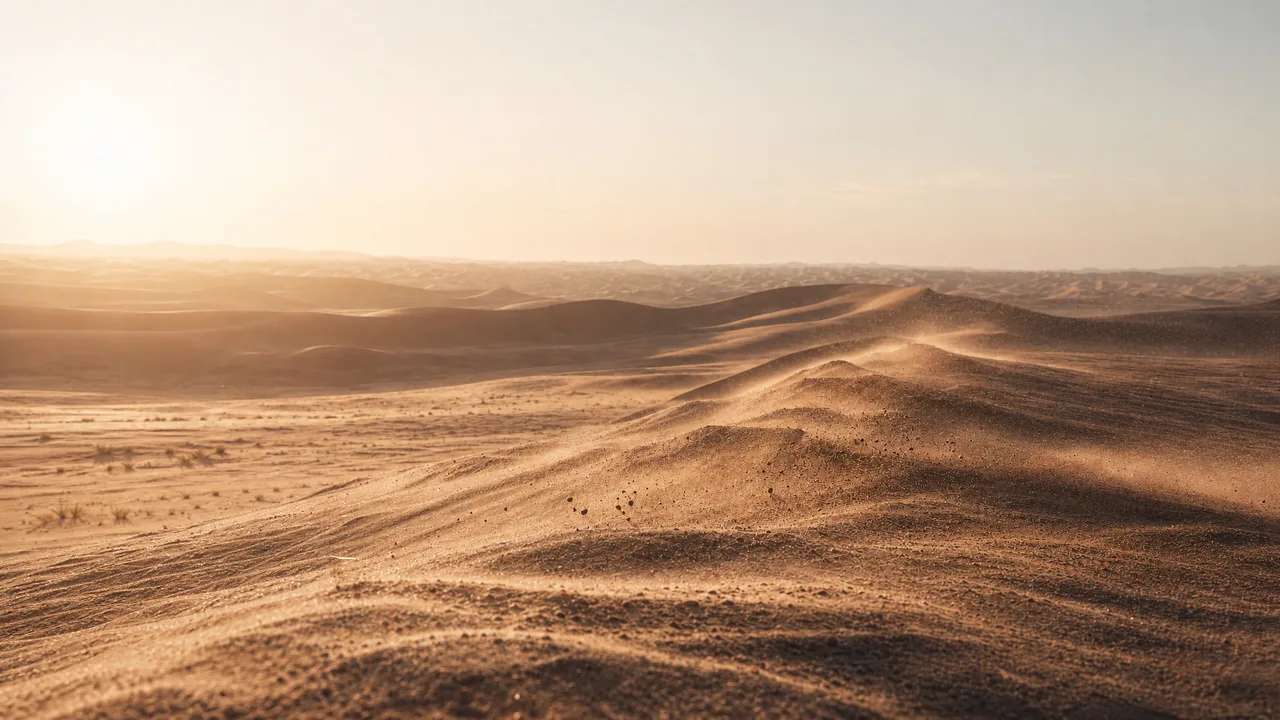
@Image 1: Push in rapidly toward the milk foam, cocoa particles, and dark liquid texture on the coffee until particles, bubbles, and ripples fill the frame. Keep the macro photography realistic, with extremely shallow depth of field and fine powder drifting through backlight. Let the surface feel suspended between granular sand and fluid.
At the exact moment when the cocoa particles, foam contours, and coffee swirl closely resemble the dune ridges, wind-carved textures, and airborne sand in @Image 2, transition seamlessly into the desert landscape. Continue pushing forward until the full dunes from @Image 2 are revealed.
No tearing, black frames, hard cuts, obvious VFX, or compositing seams. Keep it photoreal, quiet, and restrained—as though one granular material naturally expands from the microscopic coffee surface into a vast desert. One continuous shot with no visible edit.
reference images
endpoint
Character, Motion & Camera Reference
Reference a subject's identity, performance, camera movement, and composition.
Character Swap with Performance Reference
prompt
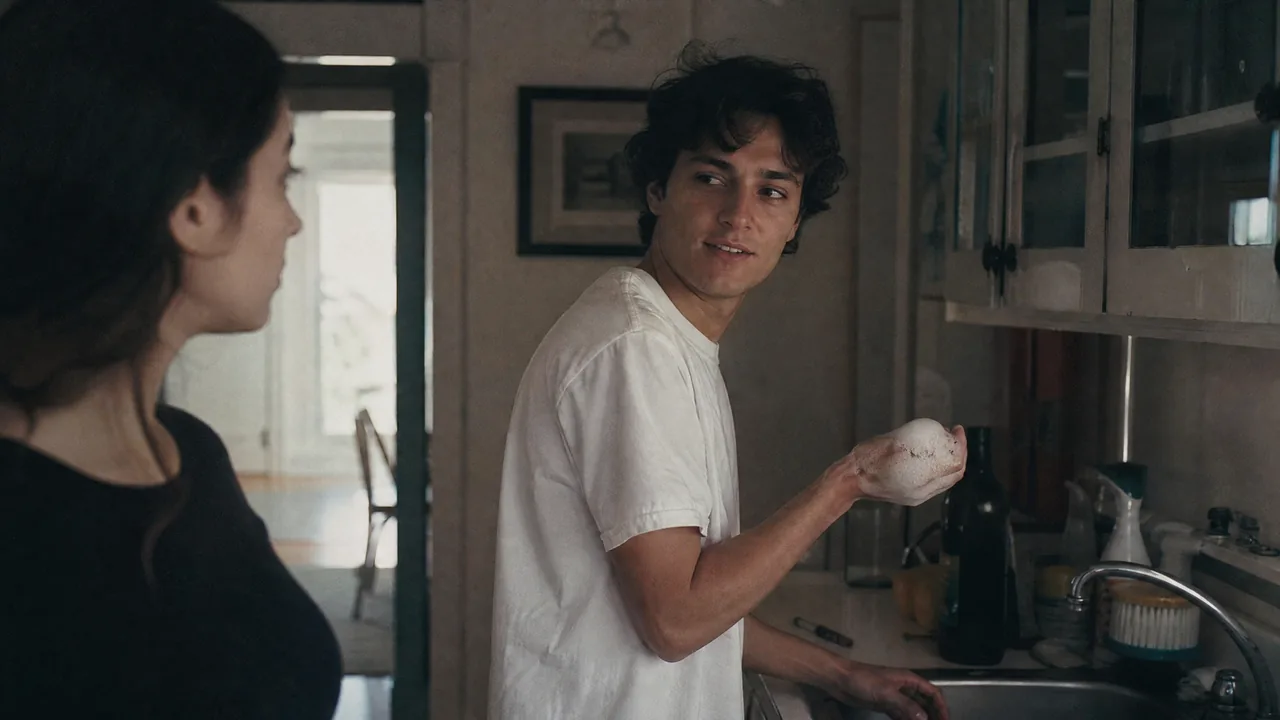
Match the character motion, expressions, and performance timing in Image 1 closely to Input Video 1.
At the sink on the right side of frame, the man hands a washed plate to the woman on the left. He turns, then suddenly flicks dish-soap foam at her with his right hand. Startled, she immediately retaliates. They laugh, dodge, and playfully throw foam back and forth.
reference images
reference video
endpoint
Street Dance Motion Transfer
prompt
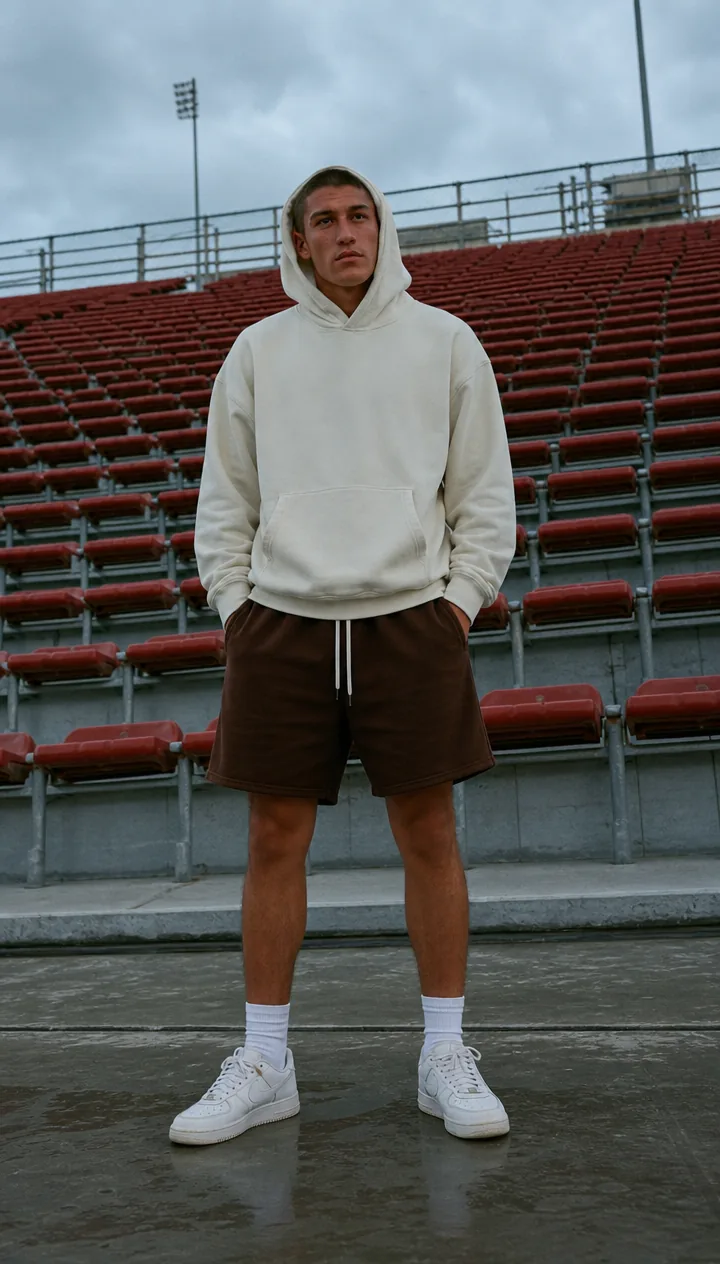
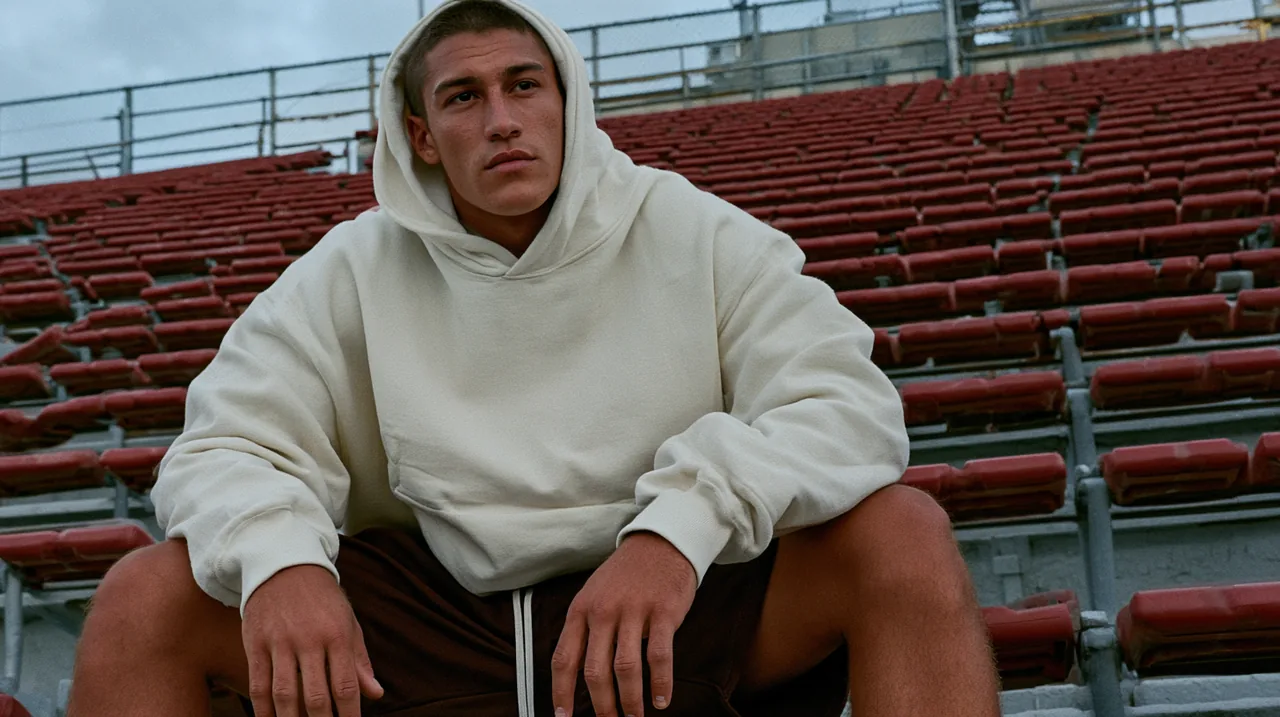
Use Video 1 as the motion reference for a street-dance performance. Use Images 1 and 2 as the character references.
reference images
reference video
endpoint
Capybara Motion Recreation
prompt
Motion reference for a DIY reaction clip
Match the action in Video 1 from a locked-off wide camera. Replace the three suited men with three highly photoreal capybaras. Preserve the original movement path exactly: all three drop quickly to the floor; the left capybara jumps to center; the center capybara rolls to the far left; the new center capybara rolls to the far right; the right capybara jumps to center; finally, the center capybara jumps onto the other two, forming a pyramid. Keep the camera fixed and integrate fur, lighting, and shadows realistically into the scene.
reference video
endpoint
Voice Cloning & Transfer
Use a reference recording to give a character a new voice.
Voice Clone Dialogue Transfer
prompt
The character says: “Follow the wind, live free. Leave worries behind, enjoy the moment.” Match the voice in Audio 1.
reference video
reference audio
endpoint
Precise Multimodal Editing
MiniMax H3 also edits video you already have. Point it at a source clip and change one thing: swap a subject, replace signage, rewrite a line of dialogue, relight the scene. Localized edits land where you asked and the rest of the shot stays put, which is what makes iteration practical.
Character & Object Editing
Replace, remove, or add people and objects.
Cat-to-Dog Replacement
prompt
Replace the cat in the video with a dog.
source video
endpoint
Add a Character in Sync with the Others
prompt
Add one person on the left side of frame wearing the same team uniform and moving in sync with the others.
source video
endpoint
Subject & Wardrobe Replacement
prompt
Precise Subject and Wardrobe Replacement
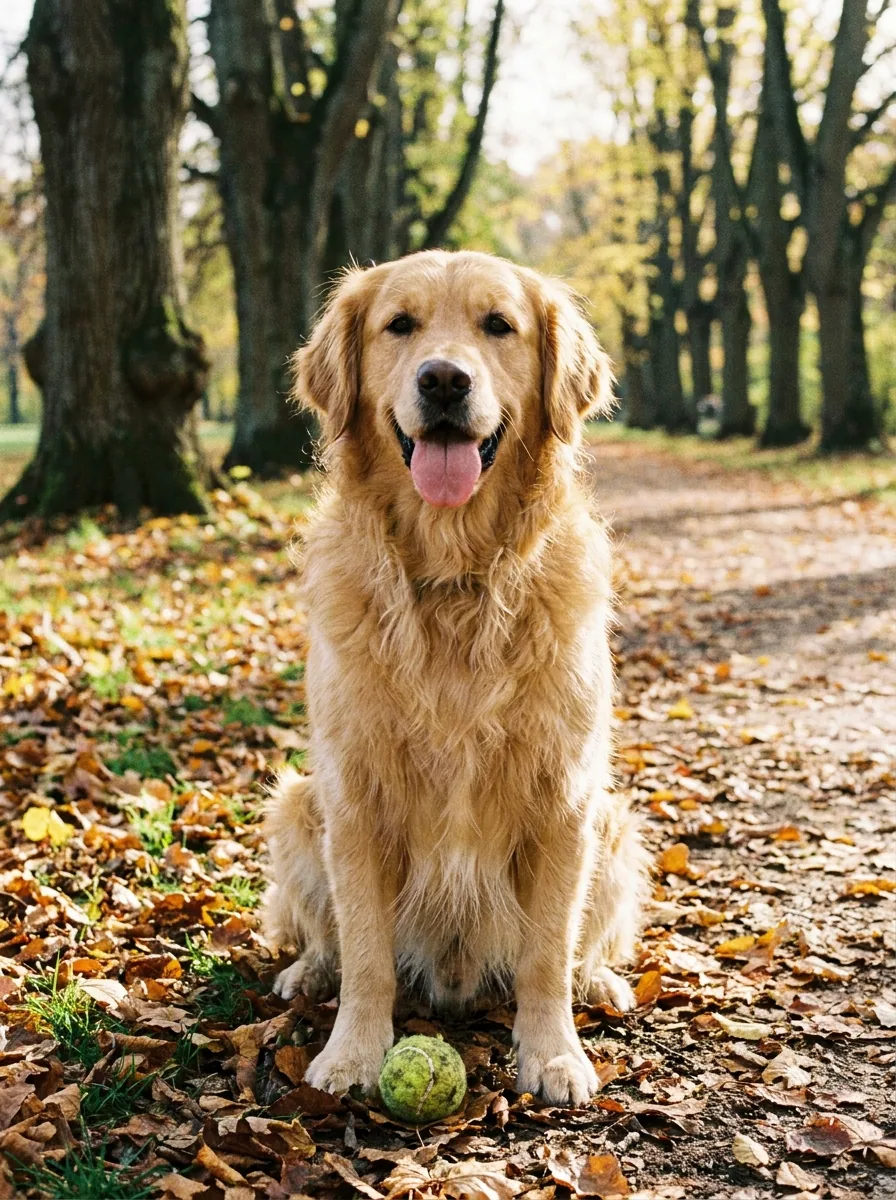
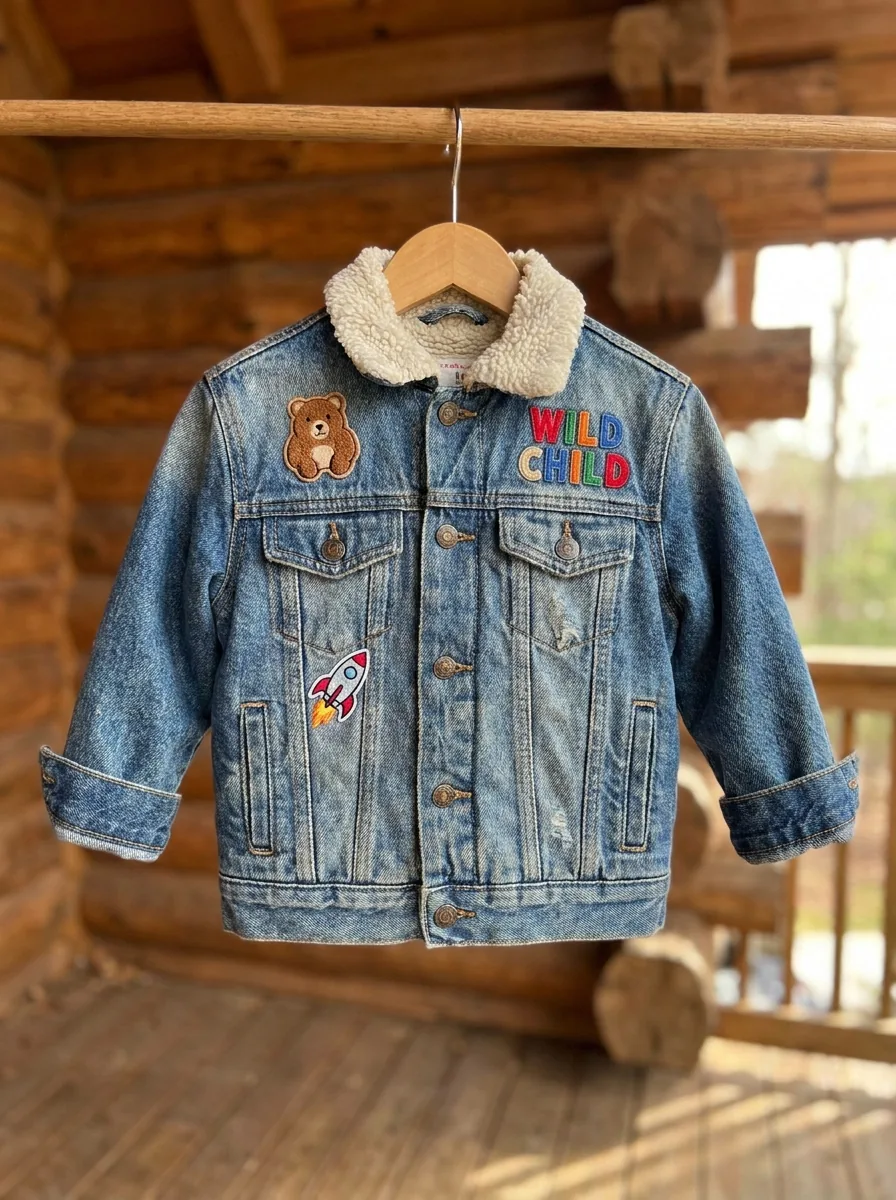
Replace the child at the back of Video 1 with the golden retriever from Image 1. Replace the khaki jacket worn by the child on the far left with the denim jacket from Image 2.
reference images
source video
endpoint
Scene & VFX Editing
Replace backgrounds, relight scenes, and modify visual effects.
Green-Screen Environment Replacement
prompt
Remove the green-screen background from Video 1 and replace it with a fairy-tale environment similar to Video 2. Make every background element respond correctly to the subject’s movement, and relight the subject so they blend naturally into the new scene.
source videos
endpoint
Day-to-Night Relighting
prompt
Relighting
Change the lighting in the reference video from daytime to night.
source video
endpoint
Window View Replacement
prompt
Live-action environment replacement
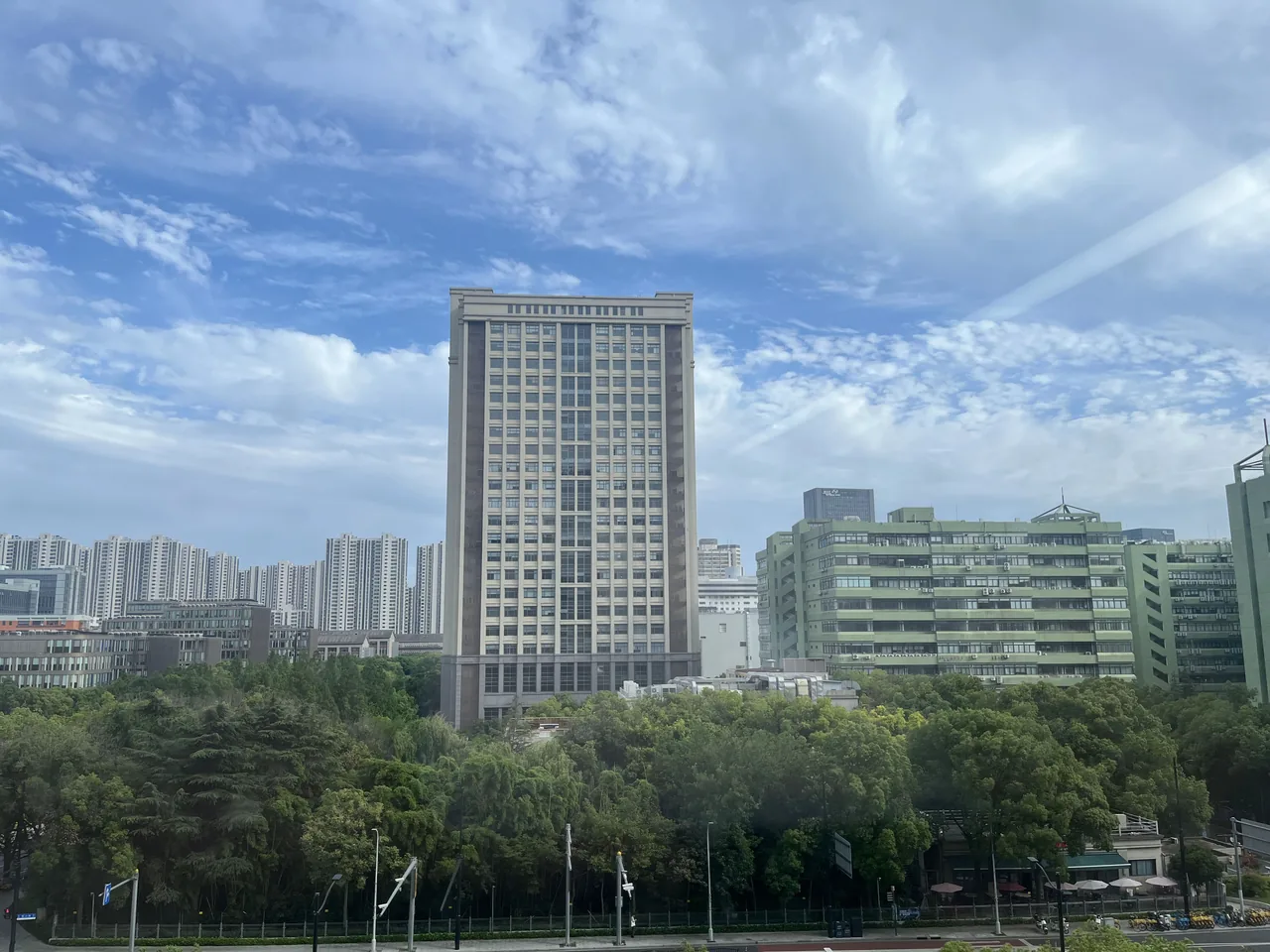
Replace the view outside the window in Video 1 with Image 1.
reference images
source video
endpoint
Dialogue & Voice Editing
Replace dialogue and adjust vocal performance.
Dialogue & Performance Replacement
prompt
In Video 1, replace the woman’s line—“There’s no way we can be together. It’s not that I don’t love you; we simply can’t make it to the end.”—with the line from Audio 1: “Please don’t go. This time, let’s not let each other go.” Adjust the performance subtly to match the new dialogue.
source video
reference audio
endpoint
Precise Instruction Adherence
Many localized edits in one pass, with everything else preserved.
Multi-Element Scene Editing
prompt
In the reference video: replace the newspaper with a green hardcover book; replace the chair with a red sofa; remove the subject’s sunglasses and reveal a clear face; remove the burning-car effect and restore the vehicle to normal; replace the photograph taken from the coat with a small black notebook; and add a tree on the left side of frame.
source video
endpoint
Product, Sign & Dialogue Replacement
prompt
In the reference video, replace the canned drink shown at the beginning with Coca-Cola. Change the illuminated “FamilyMart” convenience-store sign in the background to “HUHUI.” At the end, replace every snack in the plastic bag with cans of Coca-Cola, and change the final line from “I bought a few snacks” to “I bought a whole bunch of Coke.”
source video
endpoint
Precision Costume Swap
prompt
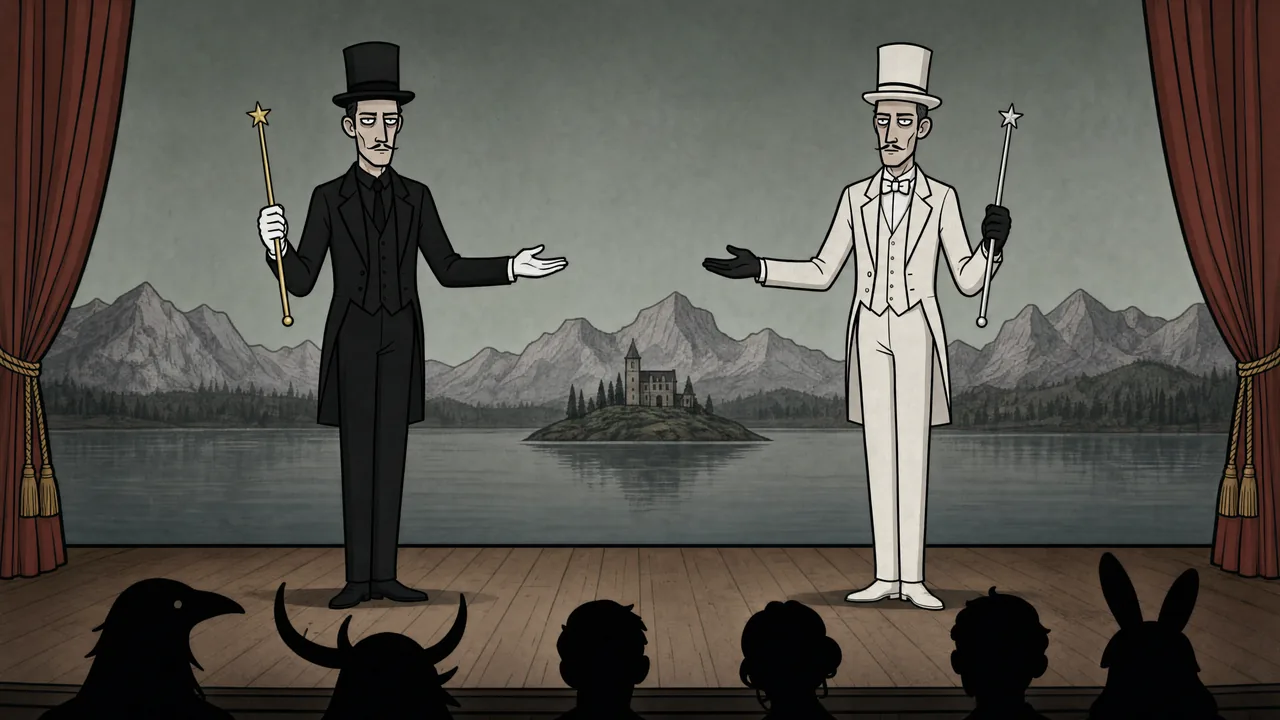
Two magicians stand onstage facing the audience and perform a “swap” illusion. They wave their wands simultaneously and smoke rises. When it clears, their suit colors have exchanged: the magician on the left now wears white, and the one on the right now wears black. Their glove colors do not change. They bow; the red curtain closes behind them and gradually shifts from deep red to dark blue.
reference images
endpoint
Hand-Drawn Romance VFX
prompt
Creative interpretation + animated graphic effects
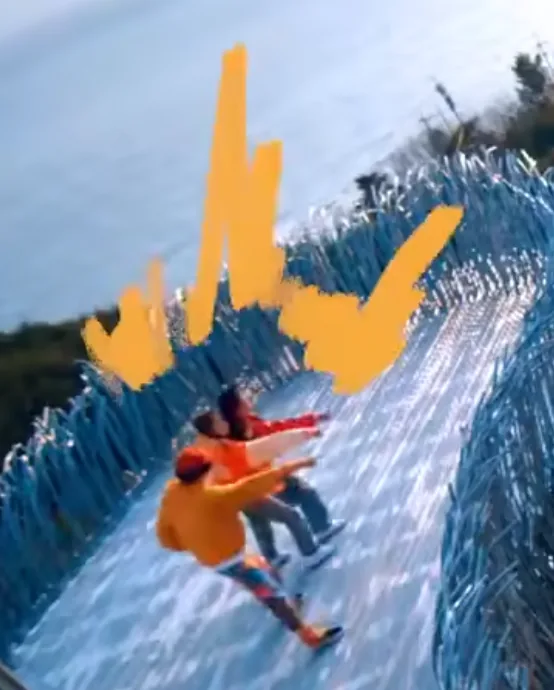
Add orange-yellow hand-drawn marks like Image 1 around the two people in Video 1. As they move closer, the marks multiply and build from tiny sparks into bright radiance. When they kiss, introduce pink brushstrokes.
reference images
source video
endpoint
The Three Input Modes
All three endpoints share the same model, the same duration range, and the same 2K output with native stereo audio. What changes is how much context you can hand over.
Text to Video
Prompt only. Best for concepts you can fully describe, and for anything where you want MiniMax H3 to invent the look rather than match one. Both hand-drawn animation examples in this guide are text-only, which is a good indication of how far the prompt alone will carry a distinct style.
First & Last Frame
One image as the opening frame, or two for the opening and closing frames, with MiniMax H3 generating the motion in between. Reach for it when the composition is already decided and the question is how it moves. It is the right tool for animating a static poster, a UI mockup, or a piece of key art, and for any transition where you know exactly where the shot starts and ends.
Reference to Video
Up to 9 images, 3 video clips, and 3 audio clips in one request, 12 files at most. This is where the model's multimodal understanding actually shows up: identity locking across a whole shot, motion and camera transfer from footage, style and edit matching from a reference cut, voice cloning from a recording, and precise editing of a clip you pass in. Most of the examples in this guide use it, and it is worth defaulting to whenever you have any asset in hand.
Prompting MiniMax H3: Key Techniques
1. Assign a job to every reference
The single highest-leverage habit with Reference to Video is telling MiniMax H3 what each input is for. "Use Image 1 for the overall mood, location, and film texture; Image 2 for the talent; Image 3 for the bag; and Image 4 for the closing brand mark" is a much stronger instruction than four images and a description. The same applies across modalities: "Match the Hitchcock-style camera move in Video 1. Make the subject in Video 2 sing, using Video 3 as the reference for both the vocal performance and physical delivery." Three clips, three distinct jobs, one shot.
2. Write a timed shot list for anything longer than one beat
With 7,000 characters to work with and up to 15 seconds of output, you can storyboard inside the prompt. Timecoded blocks work well: "[0 to 2 seconds] High-angle overhead shot... [2 to 4 seconds] Smoothly push in to her right arm... [10 to 15 seconds] As she stands, the full world loads around her." MiniMax H3 follows the structure, and it keeps the pacing from drifting into a slideshow.
3. Direct the audio, not just the picture
Audio is generated natively, which means it is yours to art-direct. Specify the sound the way you specify a shot: "a deep sub-bass pulse, distant metallic resonance, and one restrained hit as the title locks into focus," or "ice lightly tapping crystal, a faint cigar burn, subtle room air, clothing movement, and controlled breathing." For music, describe instrumentation and structure over time, including where the beat lands.
4. State what you do not want
Negative direction is unusually effective here, and it is worth being specific about it. "No soft dissolves or fluid morphs." "Do not introduce Chinese text, garbled characters, or misspellings." "No tearing, black frames, hard cuts, obvious VFX, or compositing seams." "Do not show giant eyes, split mouths, fangs, threatening behavior, or jump scares." These constraints keep a stylized prompt from sliding into a nearby genre.
5. Lock identity explicitly, and describe what to preserve
When a character has to survive the whole shot, list the details that define them: "Preserve the half-up long black hair, openwork silver crown, indigo ribbon, layered pale hanfu, translucent blue outer robe, deep-blue sash, silver floral fastener, and long tassels." Naming the features gives the model something concrete to hold onto, and the same technique works for products, sets, and typography.
6. For edits, name the change and the constraint together
Editing prompts work best as an explicit list of substitutions: "Replace the newspaper with a green hardcover book; replace the chair with a red sofa; remove the subject's sunglasses and reveal a clear face; remove the burning-car effect and restore the vehicle to normal." Pair each change with what must stay stable, and you get a localized edit rather than a regenerated shot.
7. Use camera and film language
MiniMax H3 reads cinematography vocabulary directly. Lens choice, movement, exposure behavior, and stock character all translate: "subtle handheld shake, then push in quickly and rack focus," "wide angle lens with strong perspective distortion," "fine grain, soft highlight halation, restrained color," "backlit exposure breathing, and slightly coarse noise in the shadows."
8. Describe transitions as events
Cuts and transitions respond to being written out as physical actions rather than named effects: "fast binocular-scan transitions with whip movement, motion blur, optical smearing, and brief exposure flicker. Cut at peak blur, then settle and snap back into focus." Circular vinyl-record wipes, vertical car-door cuts, red-line slices, and oversized letter masks all land better described than labeled.
Ready to build?
MiniMax H3 is a general-purpose multimodal video model with open weights, which makes it both something you can call as an API today and something you can build on directly. The examples in this guide cover brand films, motion design, short-form drama, product marketing, interface work, stylized animation, multi-asset reference, voice transfer, and precise video editing, all from the same model. Start with Text to Video to get a feel for it, then move to Reference to Video once you have assets to bring.
















![MiniMax H3 Max vs. Seedance 2.5: Head-To-Head [2026]](https://refinery.fal.media/url/https%3A%2F%2Fv3b.fal.media%2Ffiles%2Fb%2F0aaaae87%2FX4bKeQ2iiT0TViOTIpF2p.jpg/tr:w-1280,q-80/X4bKeQ2iiT0TViOTIpF2p.webp)
