![How To Use Nano Banana 2 Lite: Prompts & Workflows [2026]](https://refinery.fal.media/url/https%3A%2F%2Fv3b.fal.media%2Ffiles%2Fb%2F0aa263d4%2FgskEo8CDZbFmxFaNjXC_6.jpg/tr:w-1920,q-80/gskEo8CDZbFmxFaNjXC_6.webp)
This guide covers how Nano Banana 2 Lite reads a prompt, which settings deserve attention, where editing fits, and a set of ready-to-run prompts for fal's playground and API.
TL;DR
Nano Banana 2 Lite is the speed tier of Google's Nano Banana family, with Gemini 3.1 Flash Lite underneath, and fal's listing puts latency below 2 seconds per generation.
The AI image generator reads a prompt as language, so a full sentence naming the subject, the framing, the light, and the format will beat a keyword string every time.
Words set inside double quotes render into the image as text, and short lines stay accurate where long ones invite typos.
Fourteen aspect ratios run from 21:9 all the way to 8:1 and 1:8 banner strips, with an auto mode that picks the shape from the prompt itself.
Billing on fal is token-based: text tokens cost $0.3125 per 1M input and $1.875 per 1M output, while image tokens cost $0.3125 per 1M input and $37.50 per 1M output. Images are generated at a fixed 1K resolution of 1024 × 1024 px.
Where can you run Nano Banana 2 Lite on fal?
Nano Banana 2 Lite is live on fal at the google/nano-banana-2-lite endpoint, with a browser playground for quick tests and an API for anything you want to automate.
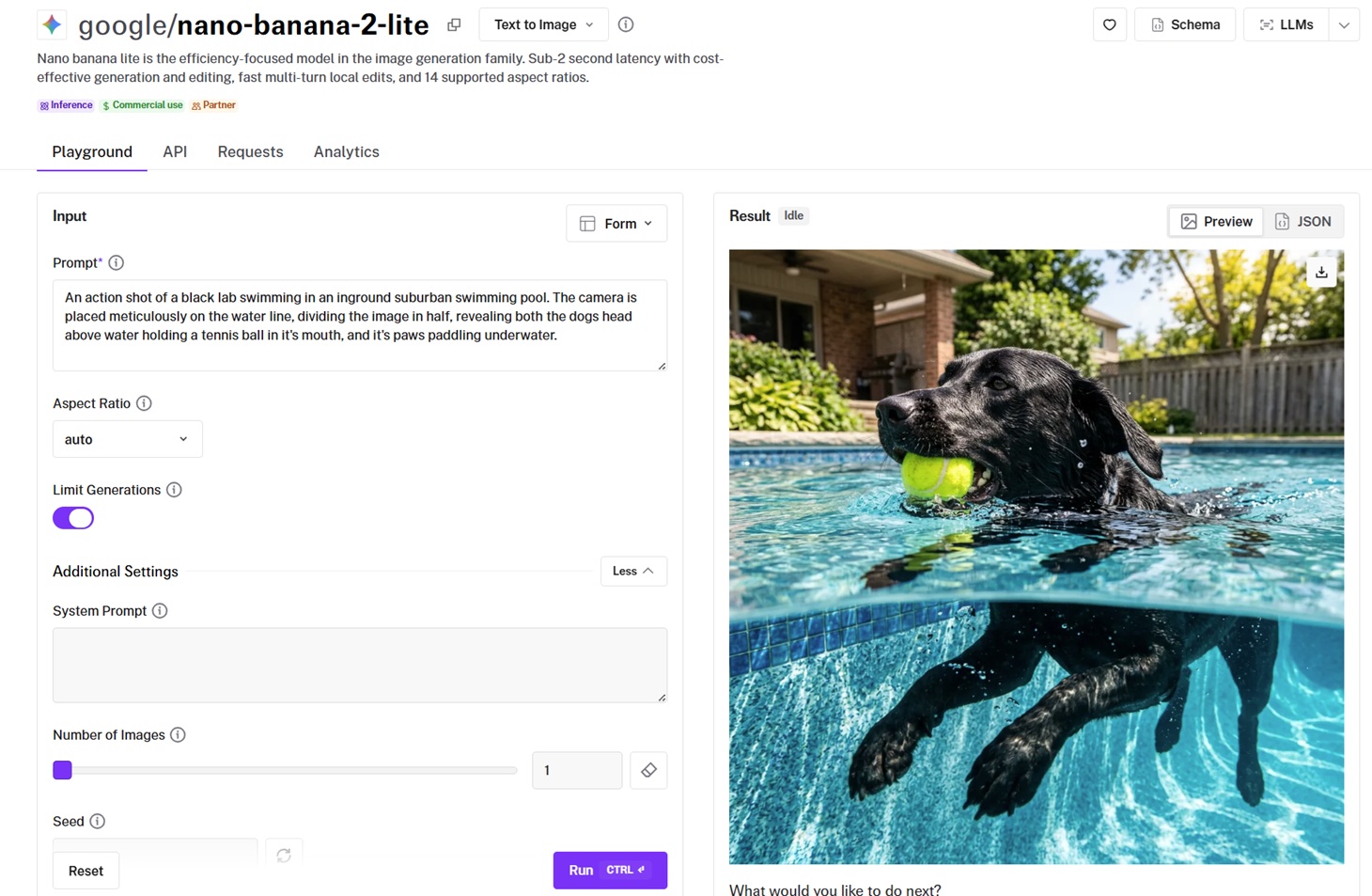
There is no plan to sign and no minimum to hit, since every generation bills by the token.
One @fal-ai/client integration covers the whole fal catalog, so the call below works the same for this endpoint as for anything else you point it at, with authentication and queue handling already wired in.
Here's how you can submit a request with fal's API:
javascript
import { fal } from "@fal-ai/client";

const result = await fal.subscribe("google/nano-banana-2-lite", {
  input: {
    prompt:
      "An action shot of a black lab swimming in an inground suburban swimming pool. The camera is placed meticulously on the water line, dividing the image in half, revealing both the dogs head above water holding a tennis ball in it's mouth, and it's paws paddling underwater.",
  },
  logs: true,
  onQueueUpdate: (update) => {
    if (update.status === "IN_PROGRESS") {
      update.logs.map((log) => log.message).forEach(console.log);
    }
  },
});

console.log(result.data);
console.log(result.requestId);
Editor's note: The code above targets the text-to-image endpoint, which is what most of this guide covers. Editing gets its own section further down using Nano Banana Lite.
How should you structure a Nano Banana 2 Lite prompt?
Nano Banana 2 Lite runs on Gemini 3.1 Flash Lite, which means the thing reading your prompt is a language model, not a keyword matcher.
You want to write to it the way you would brief a photographer over email, in full sentences and concrete detail, with one specific picture in mind.
I like to start with the subject and the composition, because those two decide the image: what is in the frame, and where the camera stands to see it.
Beyond those two, every added line should do a job:
Setting: the location, the surface, the weather, the time of day.
Light: the source, the direction, the hardness, the color.
Style: photoreal, editorial, vector, gouache, whatever finished look you are after.
Text: any words that belong inside the image, wrapped in double quotes.
Format: one of the 14 aspect ratios, or auto if you want the model to choose from the prompt.
On length, one to four sentences will cover most images.
A single line can be enough when only the subject matters, and past five or six sentences the details start competing with each other, so I trim before I add.
Here's what a working prompt looks like (I put the aspect ratio as 4:3):
Prompt: A ceramicist's workbench photographed from directly above, a freshly thrown bowl still wet at the center of the wheel head, trimming tools fanned out to the right, slip smeared across the worn wood. Overcast daylight from a tall window at the top of the frame, soft shadows, muted greys against warm clay tones. The restrained look of an editorial spread in a craft magazine.
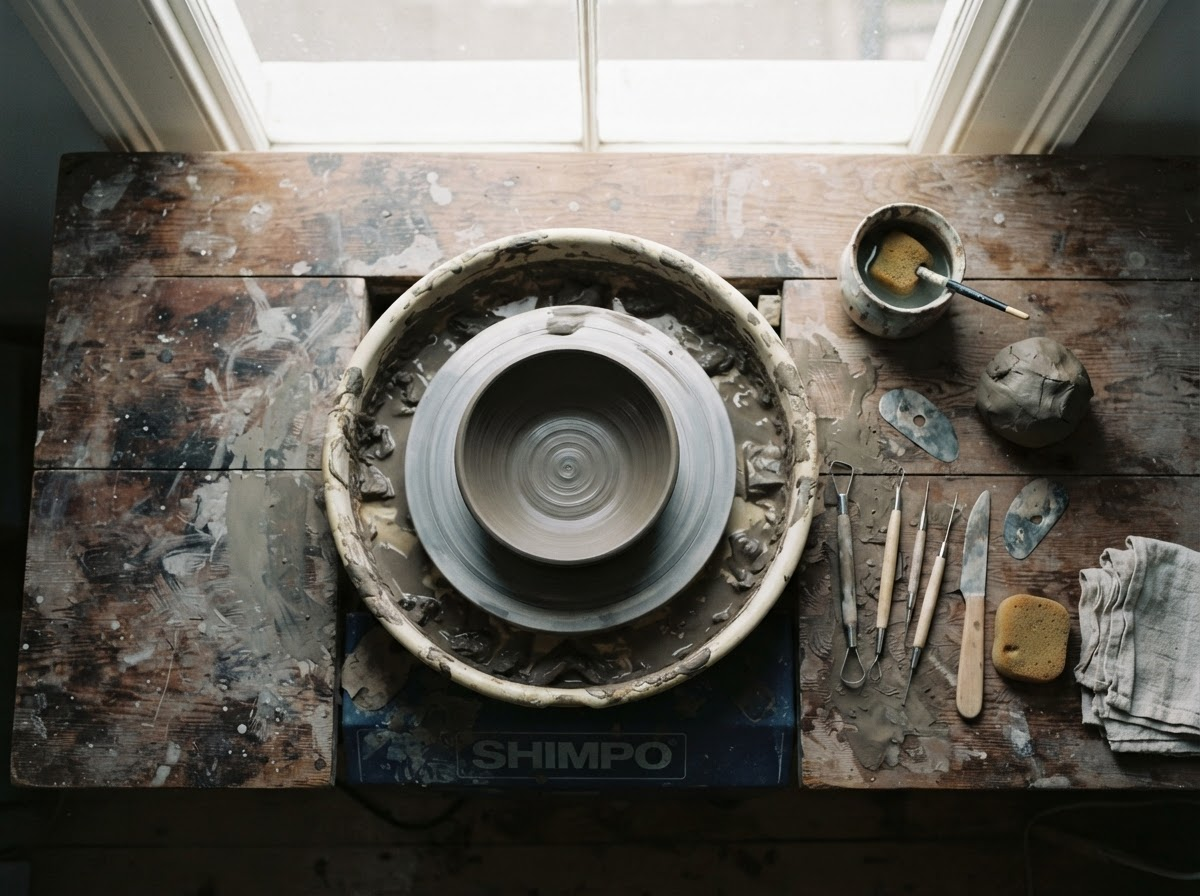
Generated using Nano Banana 2 Lite on fal, an AI model from Google.
How does Nano Banana 2 Lite handle text inside images?
Text rendering is the clearest payoff of the Gemini base.
You want to put the exact words in double quotes and tell the model where they go, and it'll then print them cleanly.
That extends to localized variants, so the same layout can carry copy in different languages across a batch.
I'd recommend you keep each quoted line short, since a phrase holds its spelling where a paragraph starts to wobble.
Describe the type the way a designer would: heavy serif, small caps, thin sans, hand lettered.
And say where the words go in the frame, because placement left open is placement the model decides.
Here's what that looks like:
Prompt: A minimalist launch poster for a coffee roaster, the words "SLOW MORNINGS" set large in a heavy serif across the top third, a single ceramic cup on a warm cream background casting one long shadow, the line "Single origin. Roasted this week." in small type near the bottom edge, generous empty space between the elements.
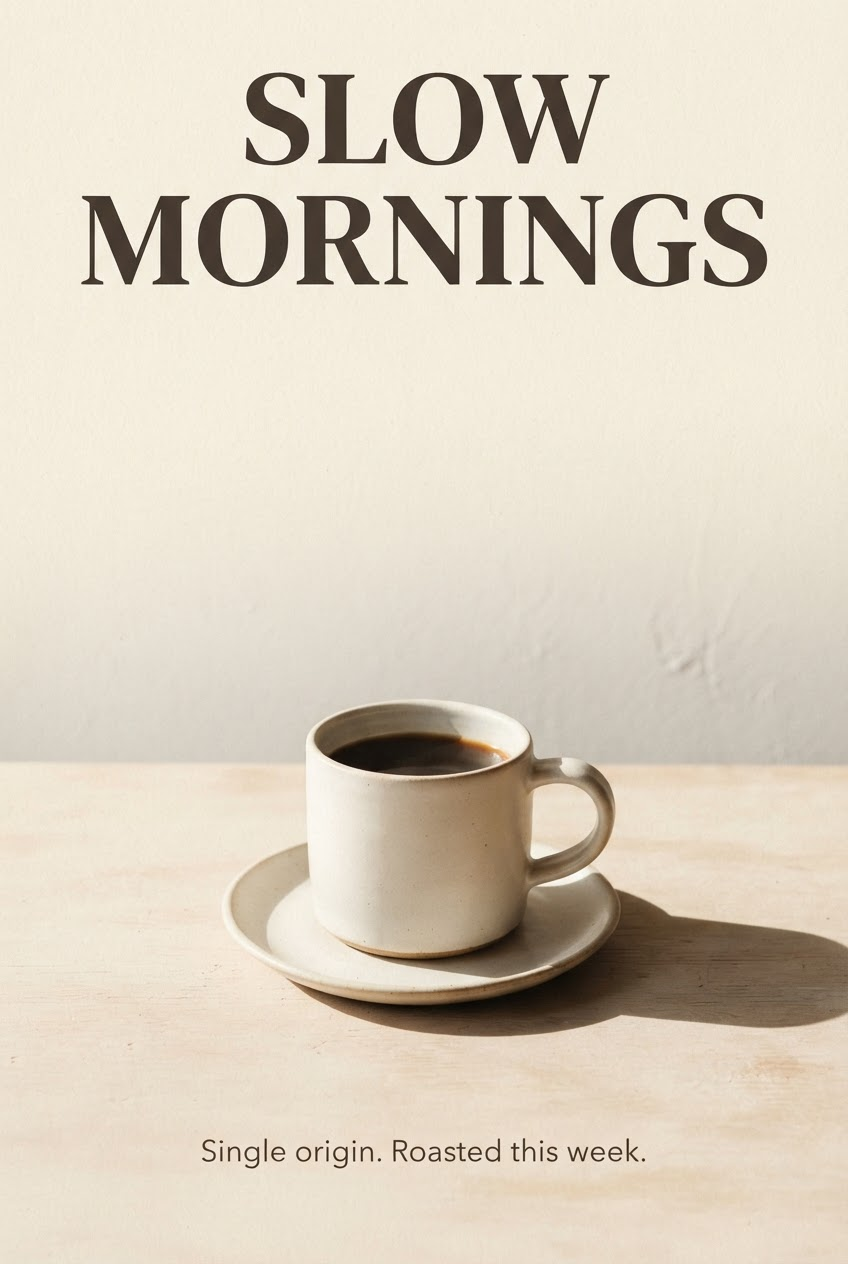
Generated using Nano Banana 2 Lite on fal, an AI model from Google with a 2:3 aspect ratio.
falMODEL APIs
The fastest, cheapest and most reliable way to run genAI models. 1 API, 100s of models
What separates a specific prompt from a vague one on Nano Banana 2 Lite?
Every detail you leave out is a decision you hand back to the model, and the model settles open decisions with the most average answer in its training.
The same sneaker, written two ways:
Vague:
Prompt: A cool professional photo of a running shoe, best quality, 8k, award winning.
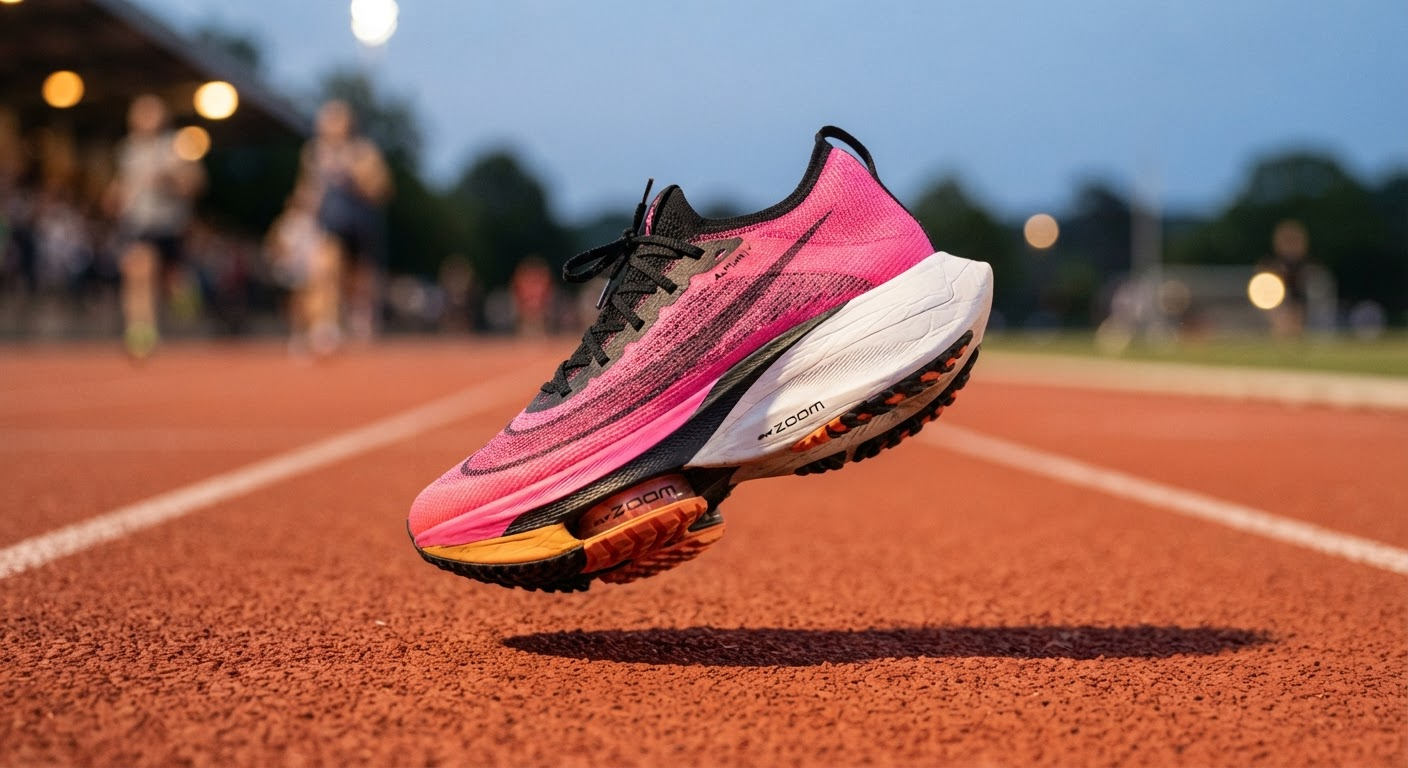
Generated using Nano Banana 2 Lite on fal, an AI model from Google.
Specific:
Prompt: A trail running shoe planted on wet granite, mud flecked across the laces, shot at ground level from a low three-quarter angle, fog softening a pine ridge behind it, cold blue morning light with one warm reflection running along the midsole, the upper third of the frame held open for a copy line. 16:9.
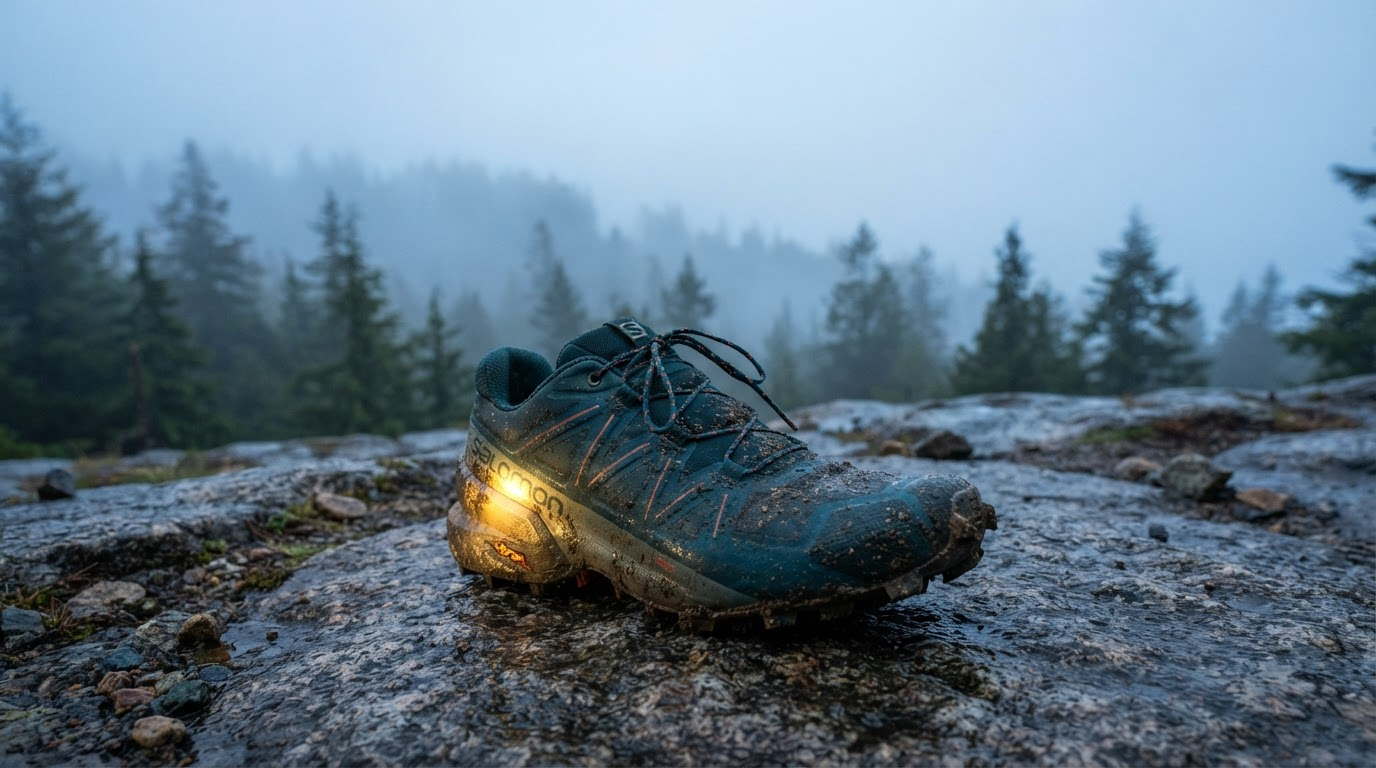
Generated using Nano Banana 2 Lite on fal, an AI model from Google.
The first prompt produces a shoe on a neutral sweep with even lighting, which works as a sanity check and fails as an asset.
The second one reads longer because it settles more: the surface, the angle, the light, and the empty space are all locked before the model starts, so what comes back is the shot you had in mind and not the average of every sneaker photo ever taken.
A note on going too far: if you pile on ten constraints, some will get dropped, so when a prompt keeps failing I cut it back to the five details that matter and re-run on a fresh seed.
How do you keep Nano Banana 2 Lite outputs from looking like AI?
An image reads as generated when the prompt made no real choices.
Here is what I'd recommend you do to close that gap:
Light is the first tell: "well lit" gets you the airless studio glow everyone recognizes, while "one bare bulb overhead, hard shadows pooling under everything" gets you a photograph.
You want to give the camera a physical position it could occupy: knee height, straight overhead, arm's length, across the street on a long lens, because "dynamic angle" is not a place a camera can stand.
Materials do more than moods: brushed steel, waxed canvas, chipped enamel, unglazed clay carry realism that "premium" never will.
Any words you want in the frame go inside double quotes.
State your empty space: a named quiet zone looks deliberate, and an unnamed one gets filled corner to corner.
The ratio comes before the writing: since a composition built for 4:5 rarely survives a crop to 16:9.
Which prompt patterns get the most out of Nano Banana 2 Lite?
I'll go over five prompt structures, each aimed at a different strength of the model:
A product hero with room for copy
For product work, the latency stops being a spec and becomes the workflow: a full set of angle and background variants returns fast enough to review in one sitting.
Prompt: A glass jar of wildflower honey on a slab of raw oak, backlit so the honey glows amber from within, a thin ribbon of honey suspended mid-pour from a wooden dipper above the rim, black background swallowing the edges of the frame, the label facing camera and reading "WILDFLOWER No. 3" in clean serif type. 4:5.
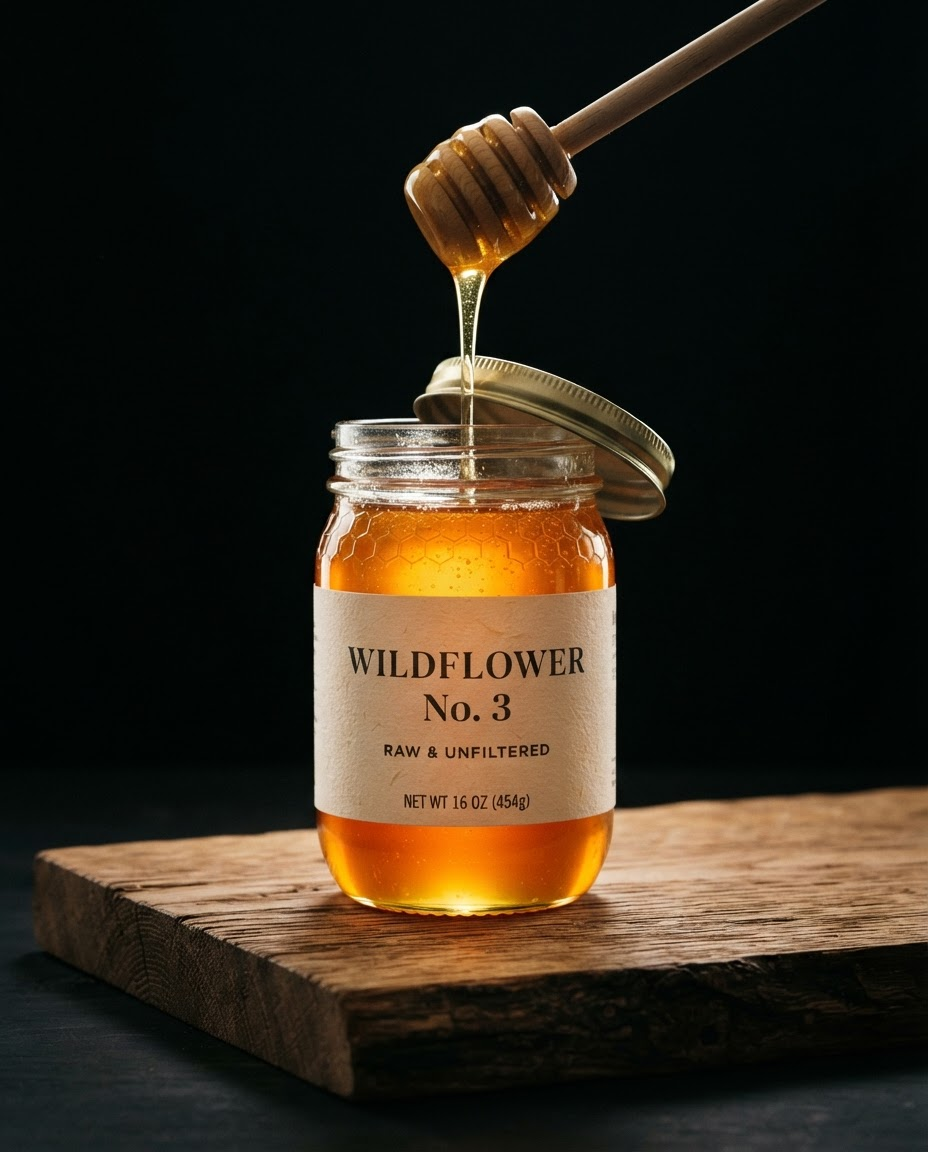
Generated using Nano Banana 2 Lite on fal, an AI model from Google.
Banners the extreme ratios were made for
The 8:1 and 1:8 options in the schema frame those placements natively, so you skip the usual routine of cropping a 16:9 render and losing the composition along the way.
Prompt: A panoramic website banner of a desert highway at dusk in flat vector illustration, a single pair of taillights tracing the road from the far left toward the center, layered mesas stepping back through violet into deep orange, the right third of the strip kept dark and clear for a sign-up button. 8:1.

Generated using Nano Banana 2 Lite on fal, an AI model from Google.
Diagrams that keep their labels
Google lists world knowledge among the jumps this generation made over the first Nano Banana, and labeled diagrams make it visible.
Prompt: A cross-section diagram of a pour-over coffee setup drawn in thin ink lines on off-white paper, labeled arrows marking "bloom", "spiral pour", and "drawdown", the water path traced as a dotted line from kettle spout to carafe, the measured look of a printed field guide. 4:3.
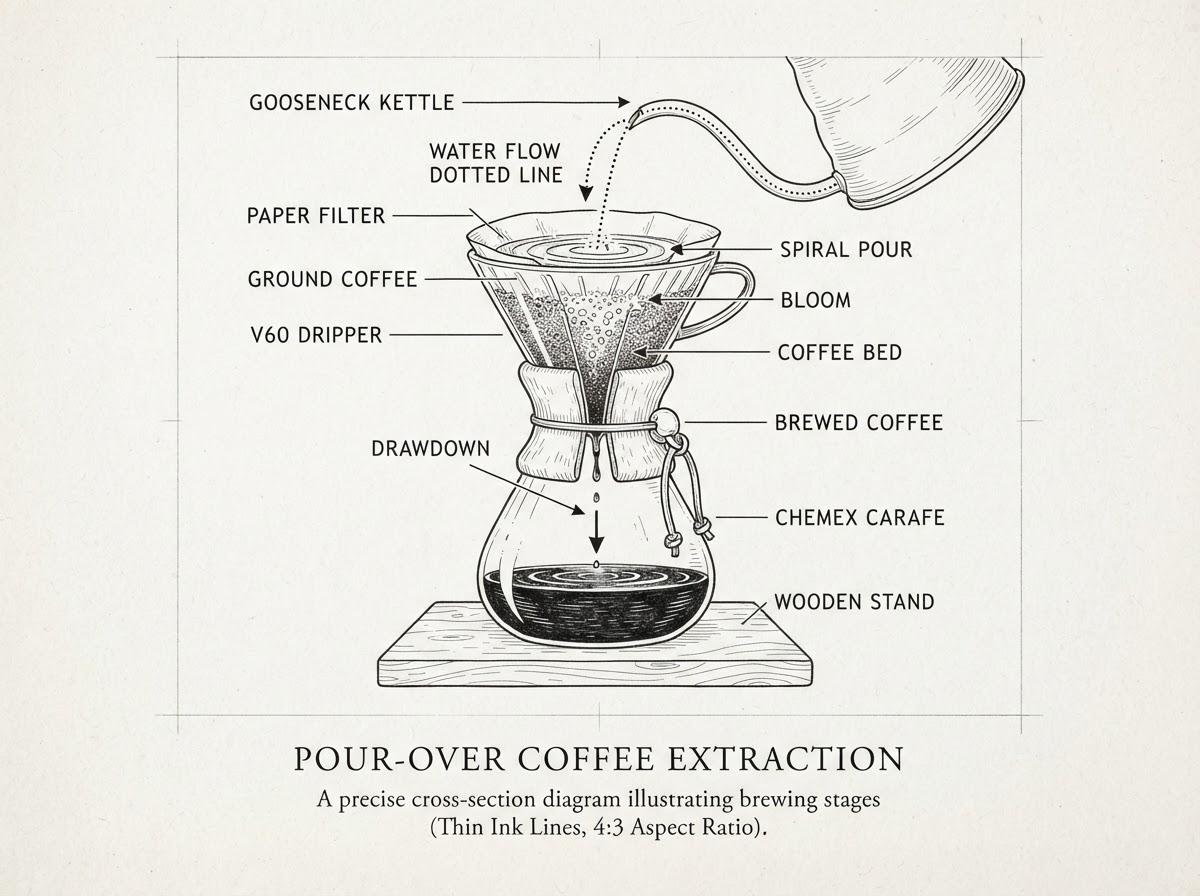
Generated using Nano Banana 2 Lite on fal, an AI model from Google.
One character, six poses, one sheet
A turnaround sheet is the quickest way to check Google's character consistency claim for yourself:
Prompt: A character sheet for an animated short, a small round robot with a dented copper shell and one oversized blue eye, drawn in six poses across a single page: standing, mid-stride, jumping, powered down, waving, hauling a crate twice its size. Flat cel shading, identical proportions in every pose, a faint grid background with "PIP-7" hand lettered in the top corner. 16:9.
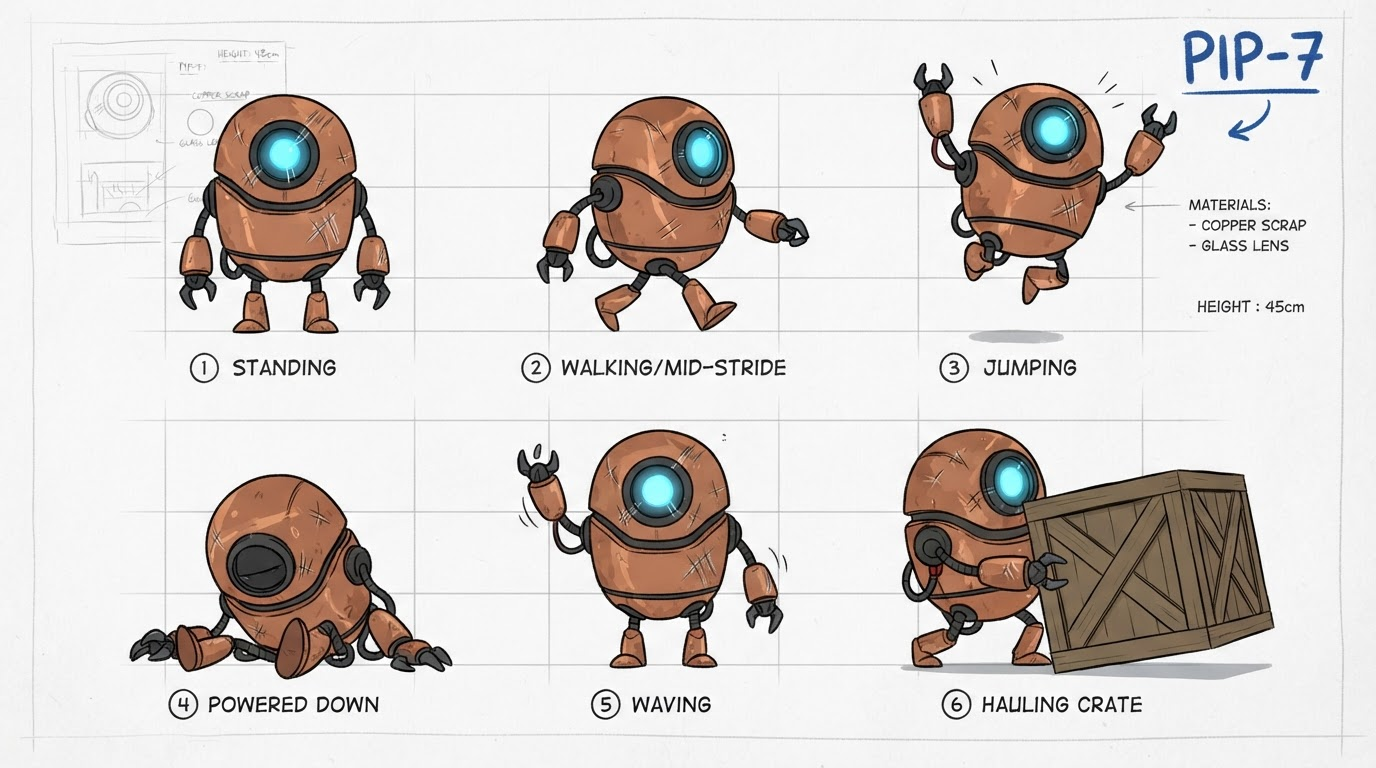
Generated using Nano Banana 2 Lite on fal, an AI model from Google.
A style built to repeat across a series
Series work only holds together if the look stays put, so you want to write the style as concretely as the subject and reuse that block word for word across the set.
Prompt: A quiet street in Lisbon just after sunrise painted in loose gouache, tram rails catching the first light, laundry strung between balconies, thick visible brushwork, a restrained palette of ochre, teal, chalk white, and slate. 3:2.
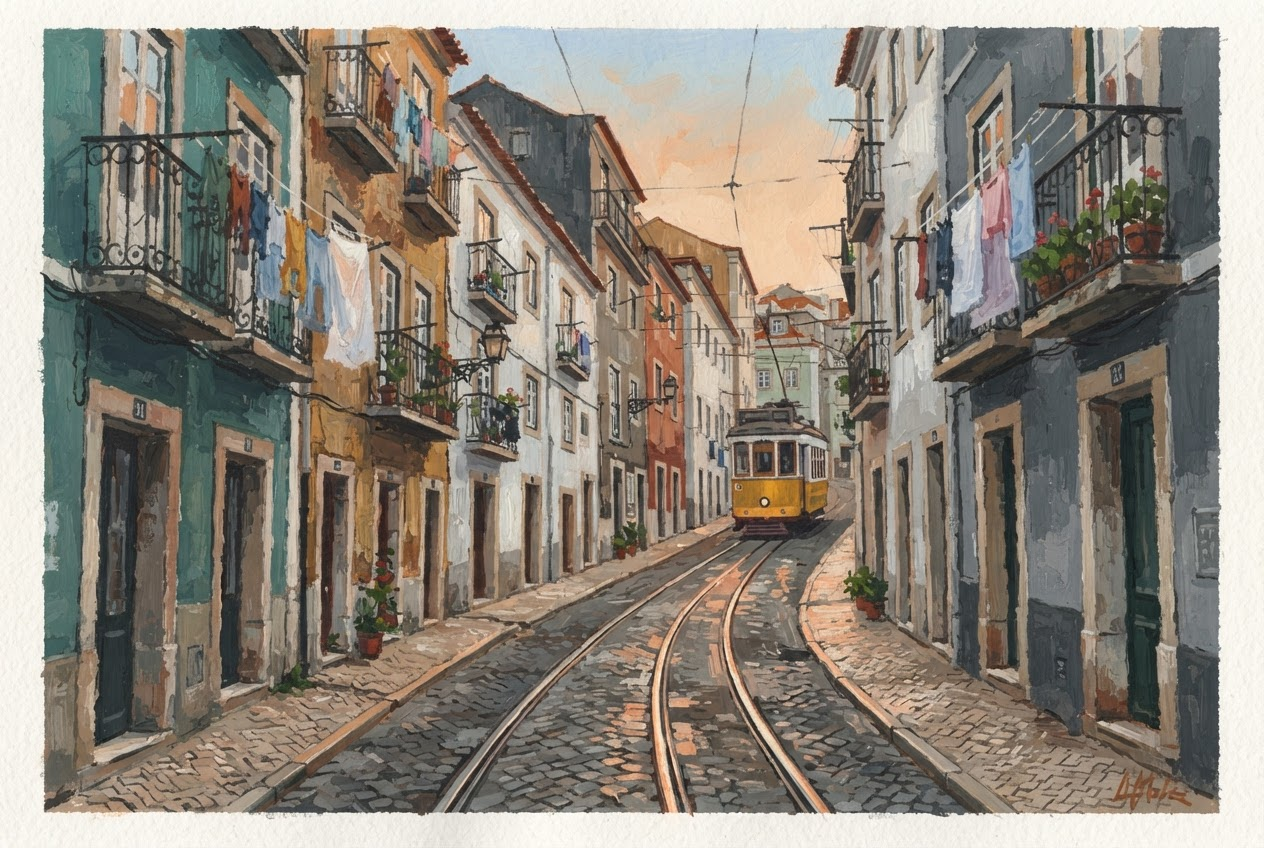
Generated using Nano Banana 2 Lite on fal, an AI model from Google.
How do you edit images with Nano Banana 2 Lite?
Editing runs on its own endpoint, google/nano-banana-lite/edit.
The call gains one field over generation: image_urls, which is a list of the pictures you want changed, and it takes several at once when you want references combined.
The instruction itself stays simple: you want to name the one change and state that everything else stays.
Let's take the honey jar from earlier (that's why I left its background looking like that!):
Prompt: Change the background to a pale terrazzo countertop and keep the jar, the label, the lighting, and the reflections exactly as they are.
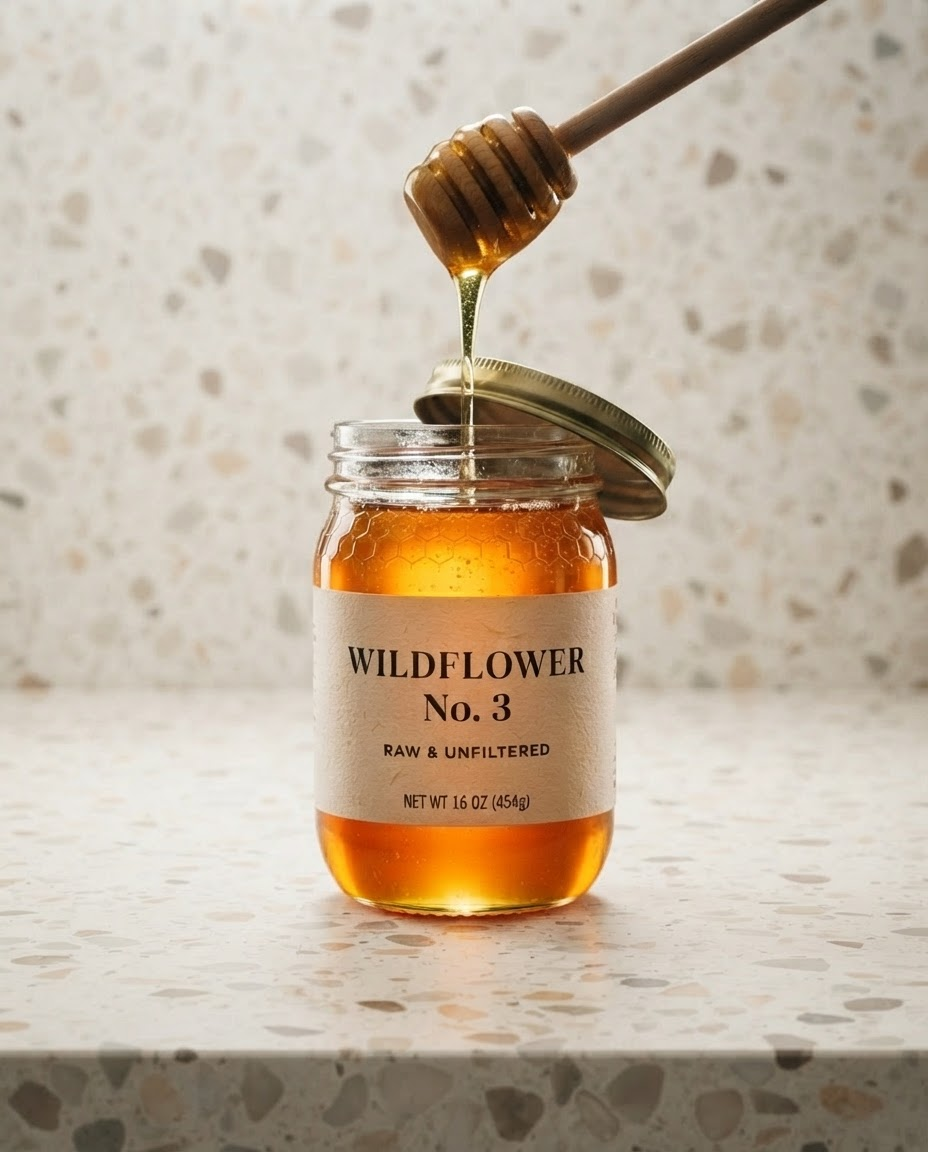
Generated using Nano Banana 2 Lite on fal, an AI model from Google.
💡 Asking for four changes in one instruction can make the model change details you wanted frozen, so one change per turn is the rule I keep.
What are Nano Banana 2 Lite's settings and how can you use them?
Here are Nano Banana 2 Lite's settings that I'd recommend that you pay attention to:
aspect_ratio: 14 fixed shapes plus an auto default that decides from the prompt. I'd normally declare it when the destination is known and let auto play when I am exploring.
num_images: how many variants a single call returns. I like to go with multiple number of images when I'm experimenting.
seed: the difference between a reroll and a revision. You can lock it the moment a result is close, then keep every change small enough to track.
output_format: png by default with jpeg and webp available too.
system_prompt: optional system instruction that steers the model's persona and output style across the request.
thinking_level: when set, it enables model thinking with the given level ('minimal' or 'high') and includes thoughts in the generation.
safety_tolerance: an API-only moderation dial running 1 (strictest) to 6, set to 4 by default.
sync_mode: if True, the media will be returned as a data URI, and the output data won't be available in the request history.
How much does Nano Banana 2 Lite cost on fal?
fal bills Nano Banana 2 Lite per token.
Here's how that looks:
Text tokens (per 1M) $0.3125 input, $1.875 output.
Image tokens (per 1M): $0.3125 input, $37.50 output.
Output images are generated at a fixed 1K (1024x1024px).
Recently Added








Run Nano Banana 2 Lite on fal
Nano Banana 2 Lite's playground is open, and you only get charged when you generate images.
After playing around with the AI image generator for some time, I came up with this workflow that suits this model: draft wide while the latency lets you and note the seed on anything promising, then hand a locked keeper to the rest of the fal catalog when it needs upscaling or an editing pass.
You can start by creating a free fal account.
FAQs about prompting Nano Banana 2 Lite
Can I use Nano Banana 2 Lite images in ads and client work?
Yes.
The model carries fal's commercial use label, so outputs can go straight into ads, product pages, pitch decks, and client work.
What size are the outputs?
Nano Banana 2 Lite's outputs are fixed at 1K.
How is Nano Banana 2 Lite different from Nano Banana 2 and Nano Banana Pro?
Lite is built for speed and volume, which makes it the perfect model when you want to produce quick results and run in batches.
Nano Banana 2 is the generalist of the family, and Nano Banana Pro takes the complex professional briefs that need Google's heaviest reasoning.
All three run on fal, so moving a prompt between them is a one-line endpoint change.
![How To Use MiniMax H3 Max by fal [2026]](https://refinery.fal.media/url/https%3A%2F%2Fv3b.fal.media%2Ffiles%2Fb%2F0aa8d8df%2FzGardl5KrzR208BCfi318.jpg/tr:w-1280,q-80/zGardl5KrzR208BCfi318.webp)
![How to Edit Videos With Gemini Omni Flash [2026]](https://refinery.fal.media/url/https%3A%2F%2Fv3b.fal.media%2Ffiles%2Fb%2F0aa30d6c%2Fdi3YlifxXJiz7gj7Uh7oF.jpg/tr:w-1280,q-80/di3YlifxXJiz7gj7Uh7oF.webp)