


Grok Imagine video generator
Animate an image into a 6-second, 720p video with native sound. Powered by xAI’s Grok Imagine Video 1.5 Lite.
How to use the Grok Imagine video generator
Upload an image and generate a video on this page. Available free runs and account pricing appear above Generate.
1. Choose a starting image
2. Describe the motion
3. Generate and download


What You Can Make With Grok Imagine
Every Clip Arrives With Its Own Soundtrack
Grok Imagine generates audio at the same moment as the picture, so voices, footsteps, room tone, and music all land locked to the action. Dialogue comes with real lip-sync, a door slam hits on exactly the frame it should, and a quiet street actually sounds like one. Each generation hands you a finished clip with sound, nothing to layer in afterwards.
Stills That Move Like the Real Thing
Give it a single frame and Grok Imagine works out how the scene should move: hair and fabric catching the wind, water rippling, steam rising, light behaving the way light does. Faces hold their identity as they turn and speak, and you steer the camera in plain language, from a slow push-in to a sweeping crane shot.
From a Still to a Video, Right Here
Animate an image on this page with any available free runs or your fal account credits. Sketch out a short-form idea or test a shot before committing to a bigger run.


The model behind the generator
This tool runs Grok Imagine Video 1.5 Lite image-to-video. The same model is available pay-per-use via API.
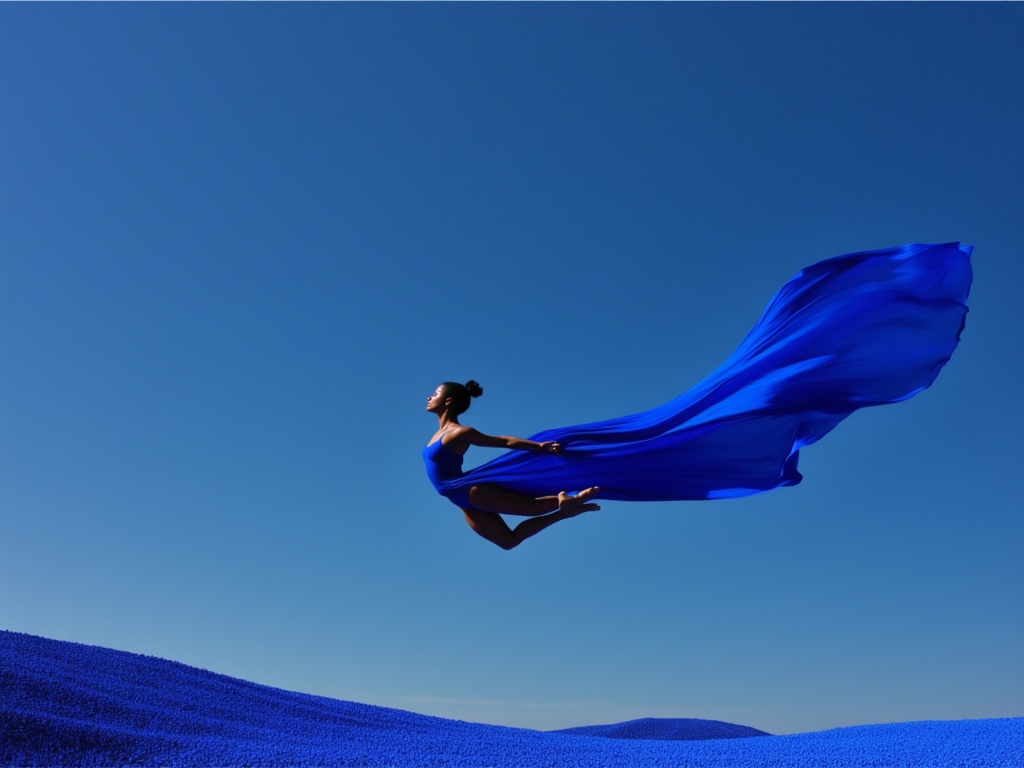




See what Grok Imagine can create
Turn on audio to hear the native sound generation. Each clip below started from a single image and was generated in one pass with no post-production.
A summer scooter ride along the coast
"A vintage mint-green scooter putters down a coastal road at golden hour, the couple leaning into the bend as the sea glitters behind them and her hair streams in the wind. Soft engine putter, sea breeze, gulls, and a bright laugh."
A flip-cam travel vlog through ancient Rome
"A tired young athlete films a flip-cam vlog through the back lanes of ancient Rome, splashing fountain water on her face, feeding a stray dog, and resting on a worn stone step. Sandals on stone, running water, chickens, and distant crowds."
An animated K-pop get-ready-with-me
"An animated pop star films a get-ready-with-me at her glowing vanity, patting on skincare in a shimmer of sparkles, tracing her eyeliner, and spinning into her finished look. Soft brush sounds and a bright, chatty voice."
An anime dragon transformation in full sakuga
"A shrine maiden forms mystical hand seals as a celestial dragon spirals up from a glowing sigil and surges into her, reforging her into battle garb before she draws a glowing dagger. Rolling thunder, roaring wind, and full sakuga energy."
A cinematic round-the-world hyperlapse
"One traveler races around the world in a cinematic hyperlapse: aurora over Norway, the mirror salt flats of Bolivia, a hot-air balloon over the Serengeti, and the baobabs of Madagascar at sunset, smiling to camera at every stop."
A red-carpet arrival, filmed from the crowd
"Fan-zone POV as a black Lamborghini pulls up to the red carpet, the scissor door lifts, and a star steps out into a storm of camera flashes, pausing to wave before slipping into the venue. Crowd screams, shutters, and announcer echo."



Build with the Grok Imagine API
The client API handles the request submit protocol. It will handle the request status updates and return the result when the request is completed.
import { fal } from "@fal-ai/client";

const result = await fal.subscribe("xai/grok-imagine-video/v1.5/lite/image-to-video", {
  input: {
    image_url: "https://example.com/your-image.jpg",
    prompt: "Slow push-in as she smiles and speaks warmly, soft ambient room tone",
    resolution: "720p",
    duration: 10,
  },
  logs: true,
  onQueueUpdate: (update) => {
    if (update.status === "IN_PROGRESS") {
      update.logs.map((log) => log.message).forEach(console.log);
    }
  },
});

console.log(result.data);
console.log(result.requestId);

Common questions about Grok Imagine free
Is Grok Imagine free on fal.ai?
Free runs are available when this tool has an active free offer and you are eligible. The generator shows your current allowance before you run. When no free runs are available, sign in to generate using your fal account credits.
How many free Grok Imagine videos do I get?
Your allowance depends on the active offer and your eligibility. Check the generator for your remaining runs and any refill time; there is no fixed daily allowance promised on this page.
Is Grok Imagine free unlimited?
No. Free runs have limits set by the active offer. After they are used, signed-in users can choose to generate with their fal account credits at the model’s usual price.
How do I use Grok Imagine for free?
Use the generator at the top of this page. Upload an image, describe the motion and sound, and check whether a free run is available before selecting Generate. Each clip is 6 seconds at 720p.
Do I need an account to generate for free?
Some offers allow guest runs; others require sign-in or account verification. The generator shows the options available to you. When sign-in is required, use Sign up to generate to continue.
What is Grok Imagine Video 1.5?
Grok Imagine Video 1.5 is xAI's image-to-video model. It takes a reference image and a prompt, then animates it into cinematic video with native audio: dialogue, ambient sound, and effects, all synchronized in one pass. It is part of the broader Grok Imagine suite, and you can explore the full model on the Grok Imagine Video 1.5 page. This generator runs on Grok Imagine Video 1.5 Lite, its lower-cost variant.
Can I use Grok Imagine free for image generation or image editing?
The tool on this page is Grok Imagine's image-to-video generator, so it turns a still image into video with sound rather than editing stills. Upload a starting frame to animate it here. For xAI's wider text-to-image and image tools, see the Grok Imagine suite.
What can I make with the free generations?
Anything image-to-video with sound: UGC-style product spots with synced dialogue, animated still concepts, product hero shots with camera moves, and cinematic scenes with ambient audio. Each free clip is generated in one pass, no post-production audio work required.
What if I need more Grok Imagine videos?
For additional generations, the same model is available pay-per-use through the fal API with no subscription and no minimums. Video is priced per second: $0.02/s at 480p, $0.03/s at 720p, or $0.14/s at 1080p, plus $0.01 per input image. A 10-second 720p clip with audio costs about $0.31. See the model page to get started.
Can I use the free videos for commercial projects?
Yes. Content generated through fal.ai can be used in commercial projects. Check fal.ai's terms of service for full details on usage rights and licensing.

Get in touch about Grok Imagine
Want to learn more about integrating Grok Imagine Video 1.5 into your workflow? Leave your details and our team will reach out.