
Muse Image Agentic Image Generation and Editing.
Muse Image, the first image generation model available from Meta Superintelligence Labs, is now available on fal. The model reasons about a brief before it renders it, so it holds up on requests with more than one part. Generate from a description, edit a single element while everything else stays pixel identical, or compose a new asset from a tagged set of references.
What Makes Muse Image Different
It Plans Before It Renders
Muse Image runs a loop rather than a single pass. It plans a complex request, searches the web when accuracy depends on the world, writes and runs code for the elements that have to be exact, and reviews its own output before returning it. That loop is why multi-part briefs come back right and why real places, legible text, working charts, and scannable codes hold up.
Five Turns, One Asset, No Quality Drift
Build a single asset over as many turns as the work takes. The sequence beside this is a base generation and four edits: warm the light, add a sprig of eucalyptus, tighten the crop, match the linen to a brand color. Each turn is a real edit on the previous frame, and the last image is as clean as the first. Conversational refinement is how designers already work, and Muse Image holds the image together across the whole sequence instead of degrading it turn over turn.
A Brand Kit In, An On-Brand Asset Out
Feed Muse Image a set of references and tag each one with the role it plays. A person as subject, a product, an environment, and a brand palette resolve into one composed image that holds the subject, the product, and the color story together. Tagged references compose, which is what makes the model usable for on-brand asset generation rather than one-off illustration.
Production-Grade Image Generation at a Competitive Price Point
Muse Image resets what is economically viable at scale. Workloads that were often prohibitive at frontier pricing, like ad variant generation, catalog imagery, and per-user personalization, become achievable. On fal it is pay per image with no minimums and no subscription, so a pipeline costs what it actually produces.


One model, generation and editing
Generate from a prompt or edit an existing image with the same model. Because both endpoints run one model, an edit preserves exactly what the generate call produced.
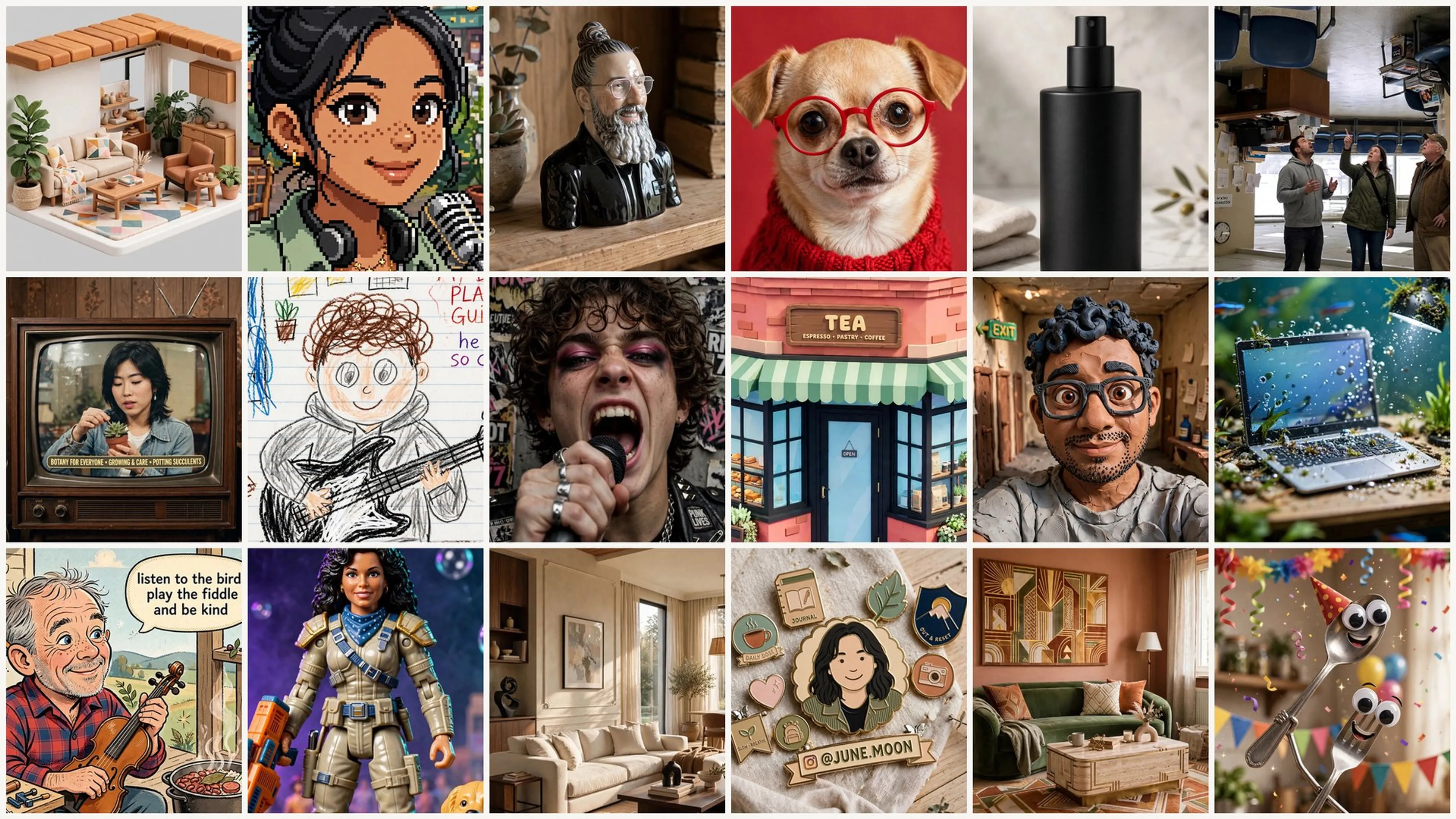
Meta's Muse Image model has faithful instruction-following and exceptional visual fidelity, with fine details like text, plots, and QR codes rendered accurately.
Meta's Muse Image model does precise edits that change only what you ask, stay coherent across turns, and compose from multiple reference images.
One model, from a room photo to a product shot
Most of these start from a source image the caller supplies: a room, a sketch, a product, a portrait. Every prompt below is the exact prompt that produced the image beside it.
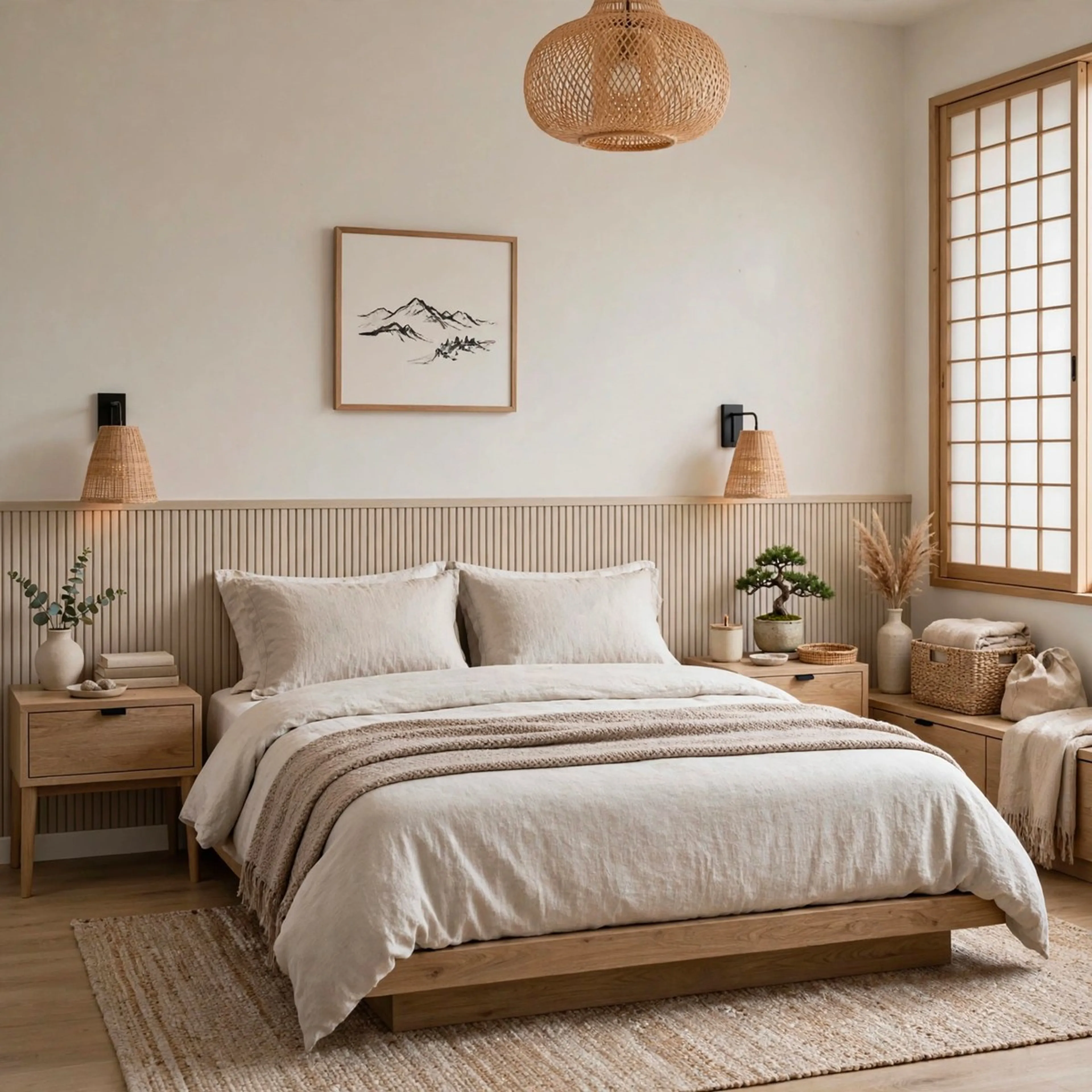
A room photo restyled and tidied
"Restyle this room with available items from major retailers, using a Japandi aesthetic, placing items in a natural and optimized layout, make it tidy."

A sketch rendered photorealistic
"Render this room sketch as a photorealistic Scandinavian interior. Oak floors, linen sofa, floor-to-ceiling windows, golden hour sunbeams, soft shadows, shallow depth of field, editorial magazine style, ultra-detailed 8k."
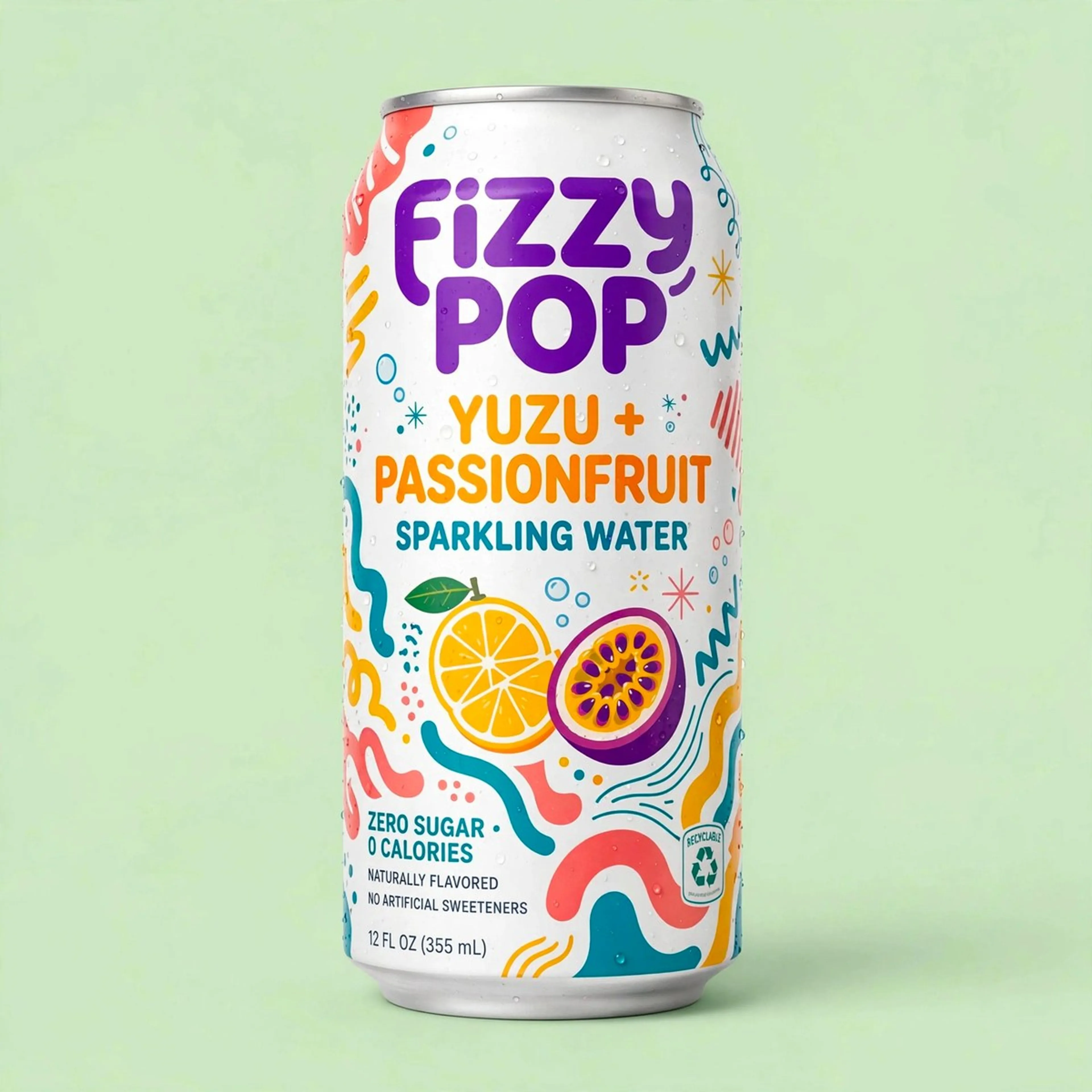
A product shot from a source image
"Create a professional commercial quality product photo of the object in this image. Green studio backdrop, professional studio lighting, object positioned facing camera."
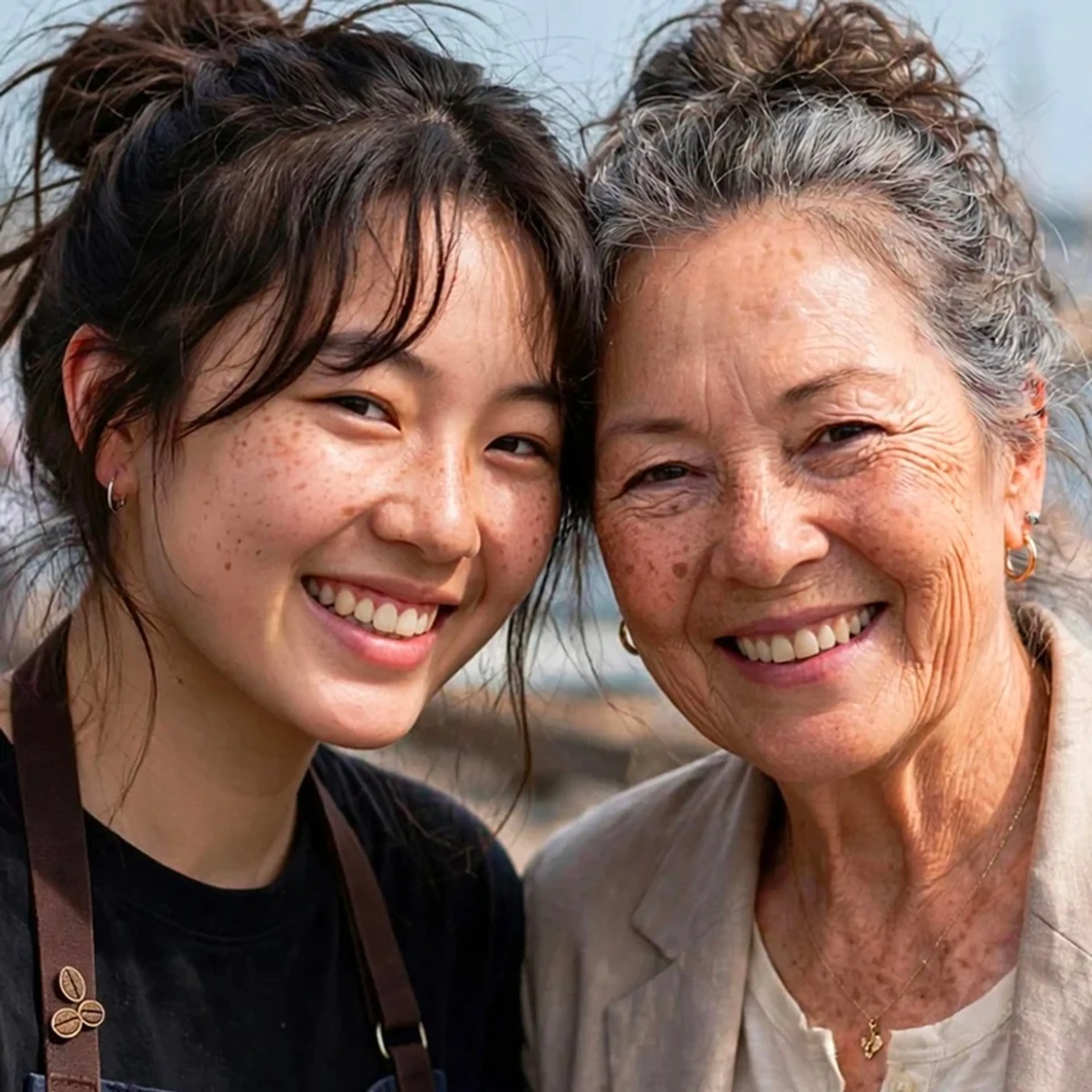
One likeness, thirty years apart
"Generate an image of me and my future self in 30 years, looking at camera, heads slightly tilted toward each other, in a photograph. Put my future self in different clothes, something more age appropriate but that pairs well with my outfit."

A likeness placed in an action selfie
"Use my photo to place me paragliding over a stunning exotic landscape. Make it a med-high angled action-camera close-up selfie from mid-chest up, with my face, goggles on, and shoulders filling most of the frame. Show the parachute canopy at the top, wide-angle lens distortion, harness straps visible across my chest, and me wearing a paragliding helmet and goggles, full flight suit, and a 'wow' expression as I look out across the landscape."

A photo restyled as flat illustration
"Create a flat illustration of this scene. Highly stylized, non-literal proportions, merge complicated features into large shapes, avoid realistic anatomy, bright & sophisticated colors, painterly edge texture, no outlines."


How to access Muse Image on Meta Model API
The client API handles the request submit protocol. It will handle the request status updates and return the result when the request is completed.
import { fal } from "@fal-ai/client";

const result = await fal.subscribe("meta/muse-image/text-to-image", {
  input: {
    prompt: "a latte and croissant, overhead, on linen, soft natural window light",
  },
  logs: true,
  onQueueUpdate: (update) => {
    if (update.status === "IN_PROGRESS") {
      update.logs.map((log) => log.message).forEach(console.log);
    }
  },
});

console.log(result.data);
console.log(result.requestId);
Common questions about Muse Image
What is Muse Image?
Muse Image is the first image generation model available from Meta Superintelligence Labs, announced on July 7, 2026. It generates images from text, edits existing images with precision, and composes new images from multiple reference images, all in one model. It has been available inside Meta AI, Instagram, and WhatsApp since launch, and is now callable as an API on fal.
Can Muse Image edit an image without changing the rest of it?
Yes. Name the element to change and the remaining pixels are preserved, with no mask and no separate inpainting model. In Meta's own demo a product shot takes three consecutive edits, a bloom added at the base of a can, sliced fruit beside it, then a label band recolored, and the can, the lighting, and the backdrop are untouched through all three.
Does image quality drop over multiple edits?
No. Muse Image is built for multi-turn refinement, so an asset can be developed over many consecutive turns without visible degradation. That is what makes it usable in a pipeline, where the same chain of edits runs repeatedly and nobody reviews each output by hand.
How do I get the best results when editing?
Name what changes and name what must not. An instruction like “add peaches” says what to add and nothing about what to protect, so the model is free to re-render the frame in service of the addition. Naming the protected set, the product, the label, the backdrop, the lighting, turns the preservation behavior into something you can rely on programmatically.
How does reference composition work?
Supply several reference images and tag each with the role it plays, such as subject, product, environment, or palette. Muse Image composes against all of them at once, so a brand kit plus a product shot plus an environment produce a new on-brand asset. Untagged references tend to produce an average of themselves, so the tagging is what makes composition predictable.
What makes Muse Image agentic?
Rather than mapping a prompt straight to pixels in a single pass, Muse Image plans the request first, searches the web for real references when accuracy depends on the world, writes and runs code for elements that must be exact, and reviews its own output before returning it.
Can Muse Image render text in images?
Yes. Legible text, working charts, and scannable codes are a specific strength, because the model generates the exact elements deliberately rather than approximating them. Give it the literal string, the hierarchy, and the smallest size the text has to stay readable at.
What are the Muse Image endpoints on fal?
There are two: text to image for generation from a prompt, and edit for single-image and multi-image editing. Both run the same model, which is why an edit call preserves what a generate call produced. Current pricing for each is shown on its model page.
How do I get started with the API?
Install the fal.ai SDK (Python or JavaScript), grab an API key from your dashboard, and make your first request in a few lines of code. The API is serverless, so there are no GPUs to manage and no infrastructure to set up. Check the API documentation for all available parameters.
Is Muse Image open weights?
No. Muse Image is available as a hosted API. Meta's open-weight releases, such as Muse Glimmer, are separate models with separate licences.
Can I use Muse Image for commercial projects?
Yes. Images generated through the fal.ai API can be used in commercial projects. Check fal.ai's terms of service for full details on usage rights and licensing.
Get in touch about Muse Image
Want to learn more about integrating Muse Image into your visual pipeline? Leave your details and our team will reach out.