This guide covers where to run the top editing models, how to work AI models like GPT Image 2 Edit and Nano Banana 2 Edit from the playground and from code, the prompting habits that get you there, and the editors worth knowing on fal.
TL;DR
Clean AI editing is mostly restraint: you want to change the one thing you meant to, and leave the rest exactly as it was.
The best edit prompts do two jobs in one sentence: they say what changes, and they name what must not.
The best way to select an AI image editing model is to choose by task: GPT Image 2 Edit when text or a masked, region-locked change is the point; Nano Banana 2 Edit for fast and colourful; Nano Banana Pro Edit when the brief is dense and layered.
Every editor here is one @fal-ai/client call away on fal, billed per edit, with a browser playground for trying things before you touch code.
Where's the best place to edit images with AI?
fal offers the best place to edit images with AI (image-to-image) with its one unified API across every model in this guide and pay-per-use pricing on a custom-built inference engine that runs on CUDA kernels written from scratch for specific model architectures, so your generations come back in seconds.
One account covers all of them, you're billed per edit, and there's no subscription or per-provider login to juggle.
To move from one editor to the next, all you have to do is change the endpoint string in your call and touch nothing else.
That makes a two-stage habit painless, where you iterate on a fast, affordable model and then spend on a higher-fidelity one once the edit is nearly there.
Past the editors in this guide, the same account opens onto over 1,000 models for image, video, audio, and 3D.
In code, the call is short:
javascript
import { fal } from "@fal-ai/client";

const result = await fal.subscribe("fal-ai/nano-banana-2/edit", {
  input: {
    prompt:
      "Repaint the bicycle frame deep forest green and leave the chrome and the brick wall behind it alone.",
    image_urls: ["https://your-image-url.com/bicycle.png"],
  },
  logs: true,
  onQueueUpdate: (update) => {
    if (update.status === "IN_PROGRESS") {
      update.logs.map((log) => log.message).forEach(console.log);
    }
  },
});

console.log(result.data.images[0].url);
How do you prompt AI image editing models for the best results?
Editing prompts are their own craft, separate from prompts you write from a blank canvas.
You're not conjuring a whole world; you're telling the model what to alter inside one it can already see.
If you get the balance right, the edit can land on the first or second try.
Here are 5 prompt tips and habits that I'd recommend:
Name the change and what it touches
An edit instruction works best when it carries the change and the context together.
Say "make it winter" on its own, and the model can repaint half the frame.
Tie the change to the surfaces it should land on, and the rest holds.
Starting image: a daytime street lined with parked cars.
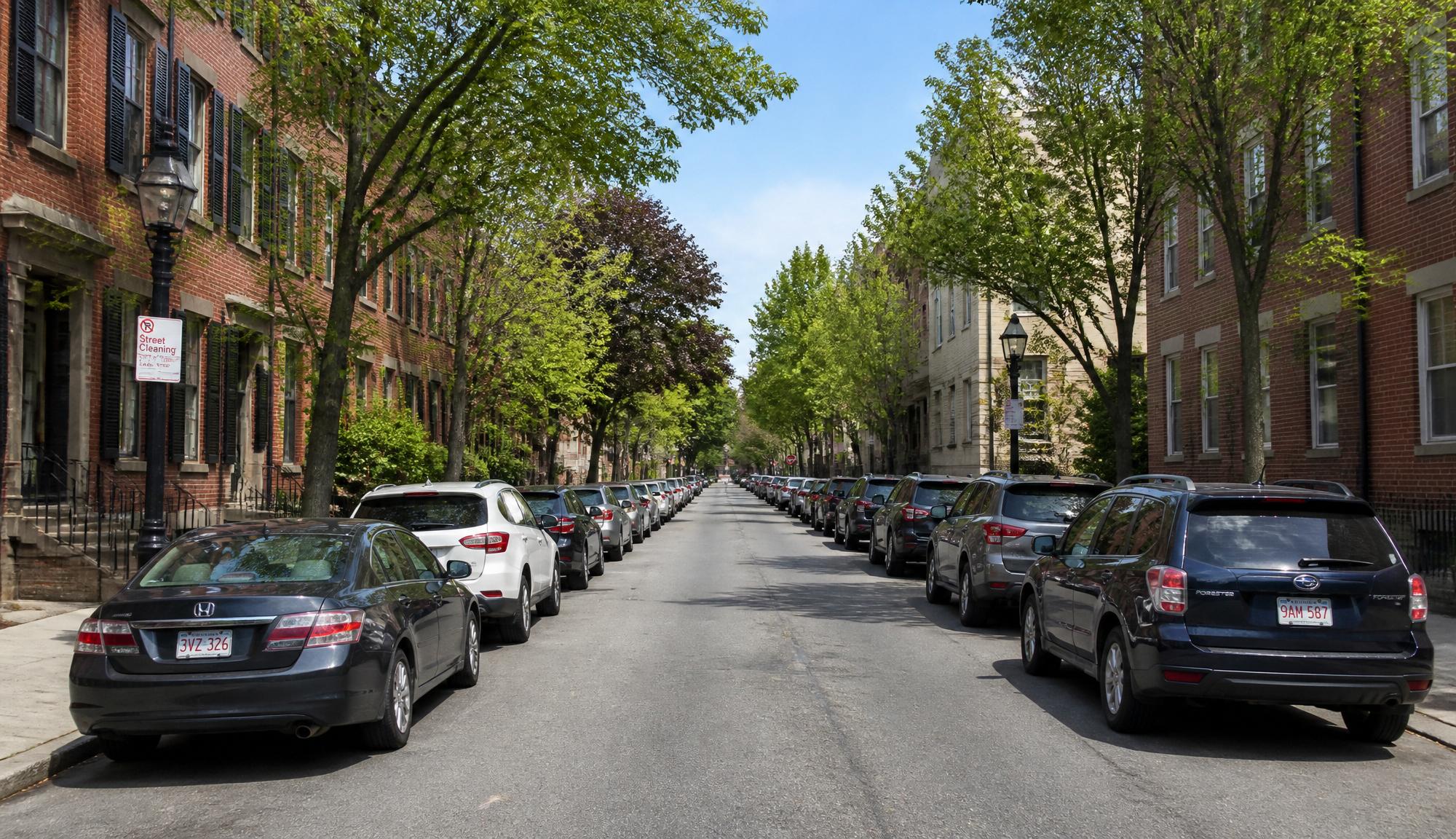
Editing prompt: Lay fresh snow over the parked cars, the sidewalk, and the rooftops, drop the light to a cold overcast morning, and keep the buildings and the camera angle exactly as shot.
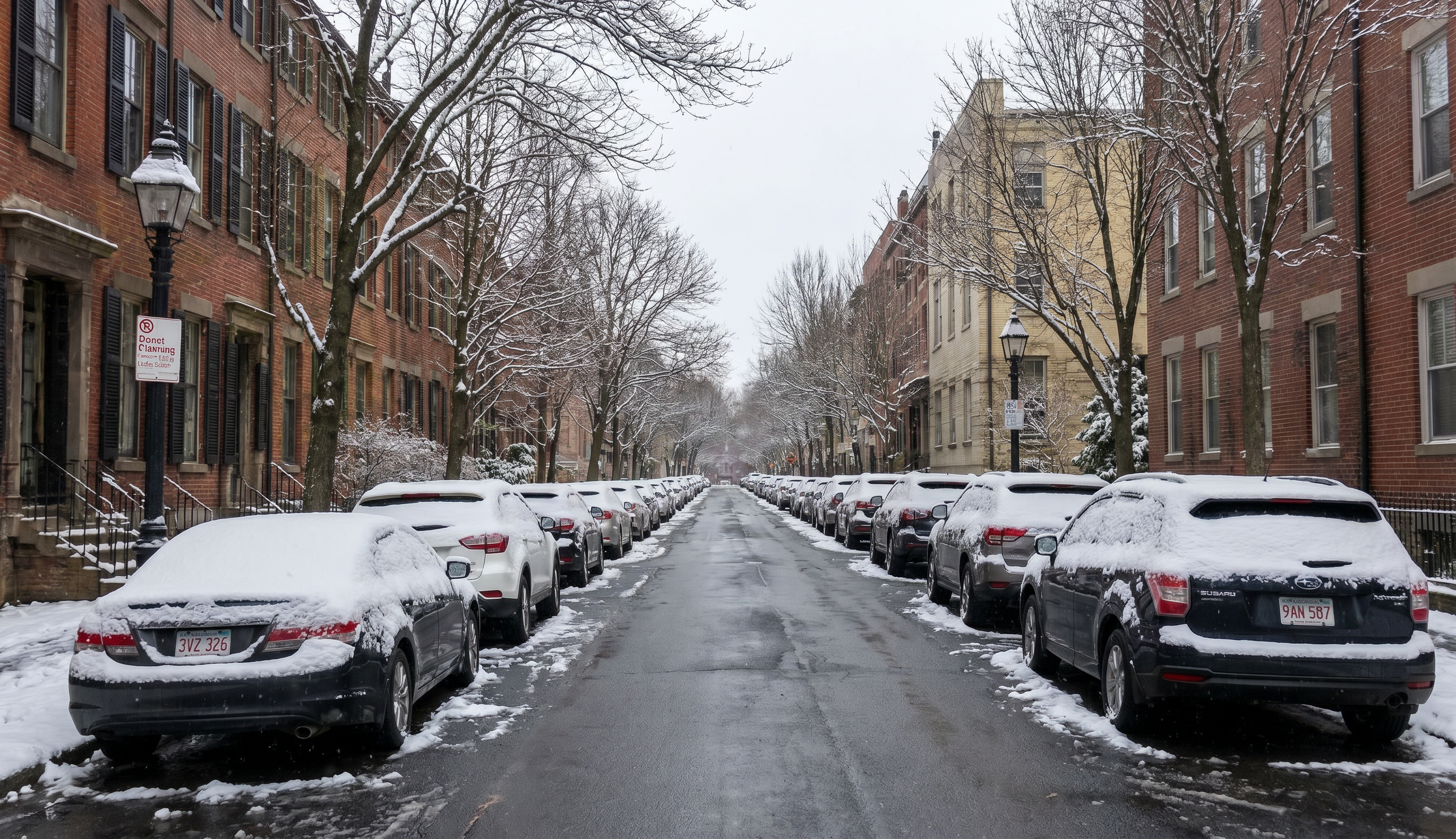
Generated using Gemini 3 Pro Image Edit (a.k.a Nano Banana Pro Edit) on fal.
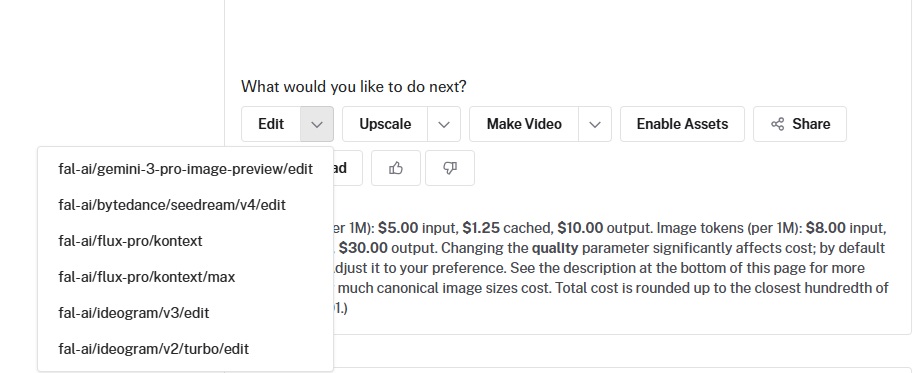
💡 Pro tip: With fal's playground on an AI image generator like GPT Image 2, you can take your generation and either edit it, upscale it, or make a video out of it.
Spell out what stays
This is the move that keeps an edit from turning into a full repaint.
Mention only the change, and the model fills the gaps however it likes, so the details you were happy with quietly shift.
Your fix is to name the things that should not move.
Starting image: a desk with a closed laptop and a coffee mug.
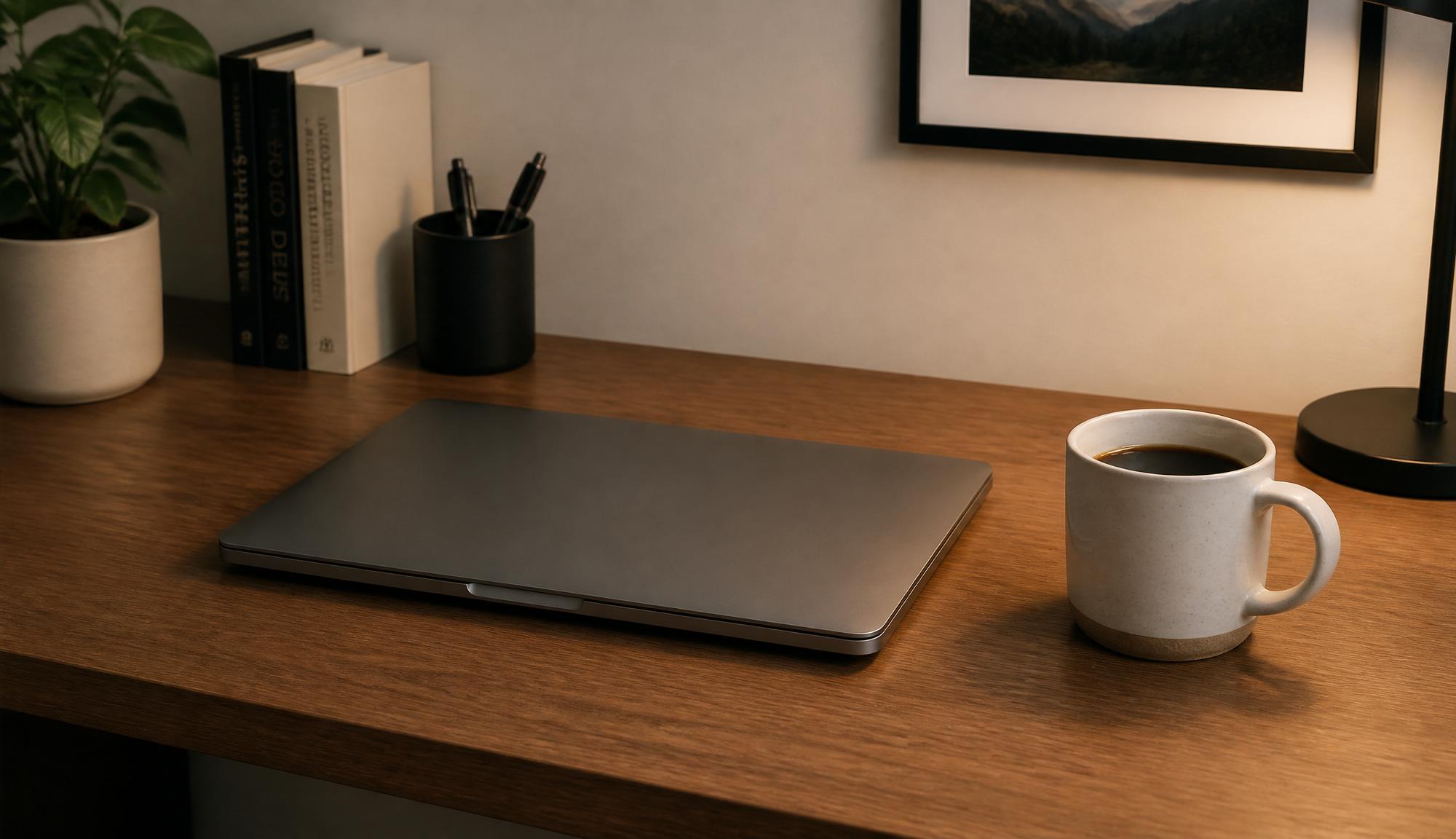
Editing prompt: Give the laptop lid a brushed-copper finish, and hold the keyboard, the mug, the wood grain of the desk, and the window light where they are.
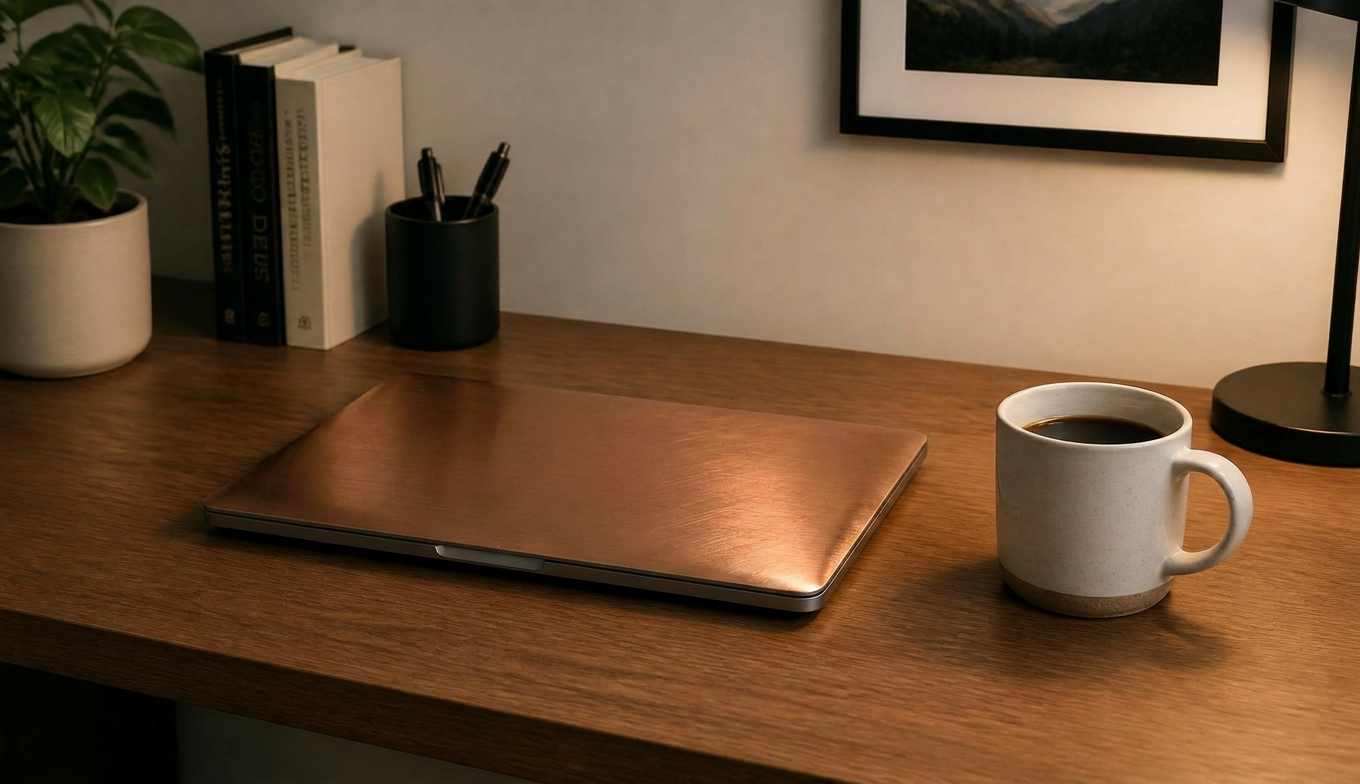
Generated using Gemini 3 Pro Image Edit (a.k.a Nano Banana Pro Edit) on fal.
The named anchors box the edit in, so the copper finish stops at the lid.
Make one change per pass, then build on it
What I've noticed after playing around with some of these AI image editors is that editing truly pays off when you go slow.
A single prompt loaded with five requests usually returns three of them and skips the rest without telling you.
The cleaner path is one change, a look, then the next change fed back into the result.
Starting image: A plain light oak side table on a pale concrete floor against a white wall, soft daylight from a window to the left, shot straight on at eye level on a 50mm lens.
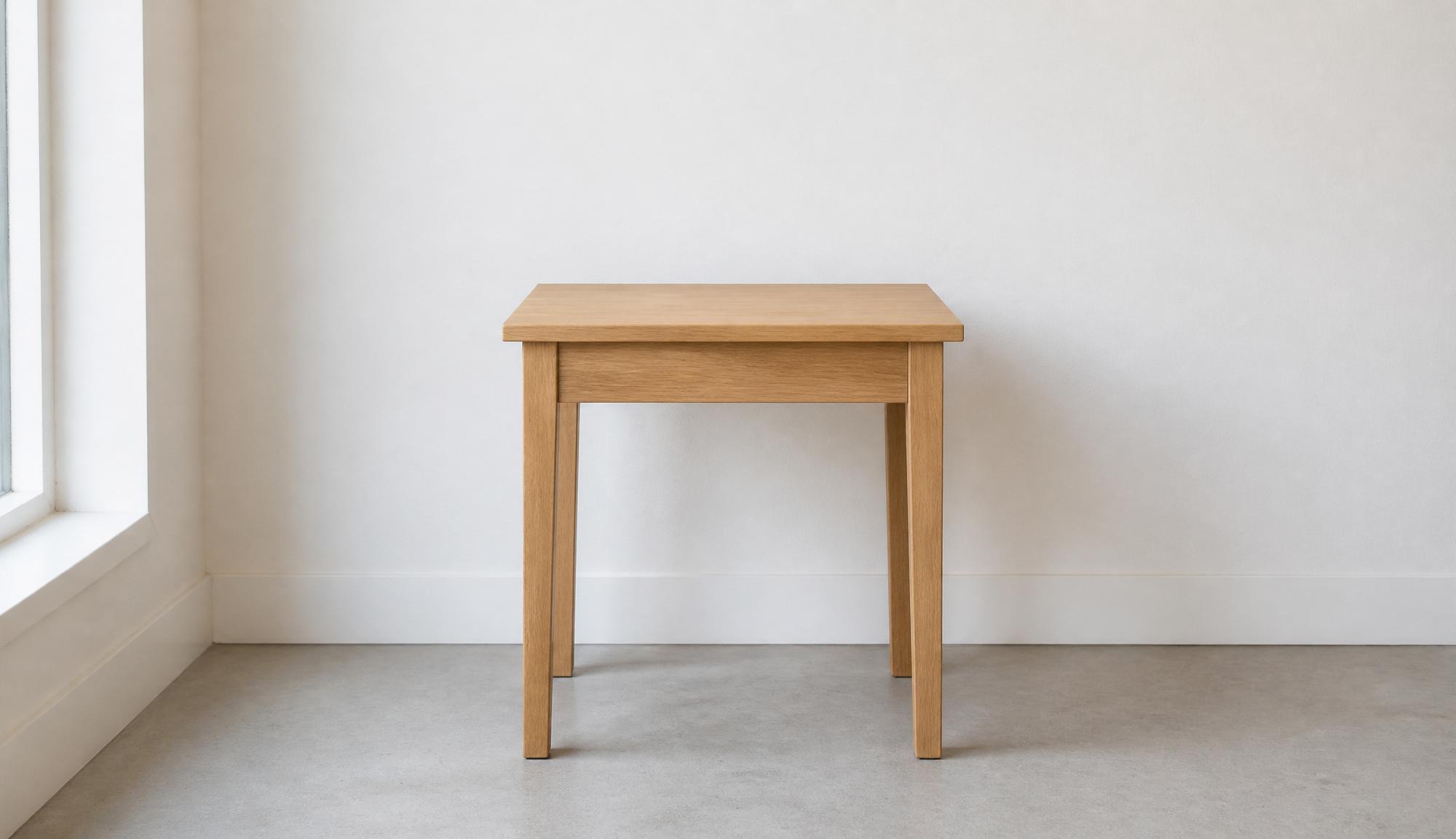
First pass: Refinish the table in dark walnut with a visible grain, and keep the floor and the daylight from the left exactly as they are.
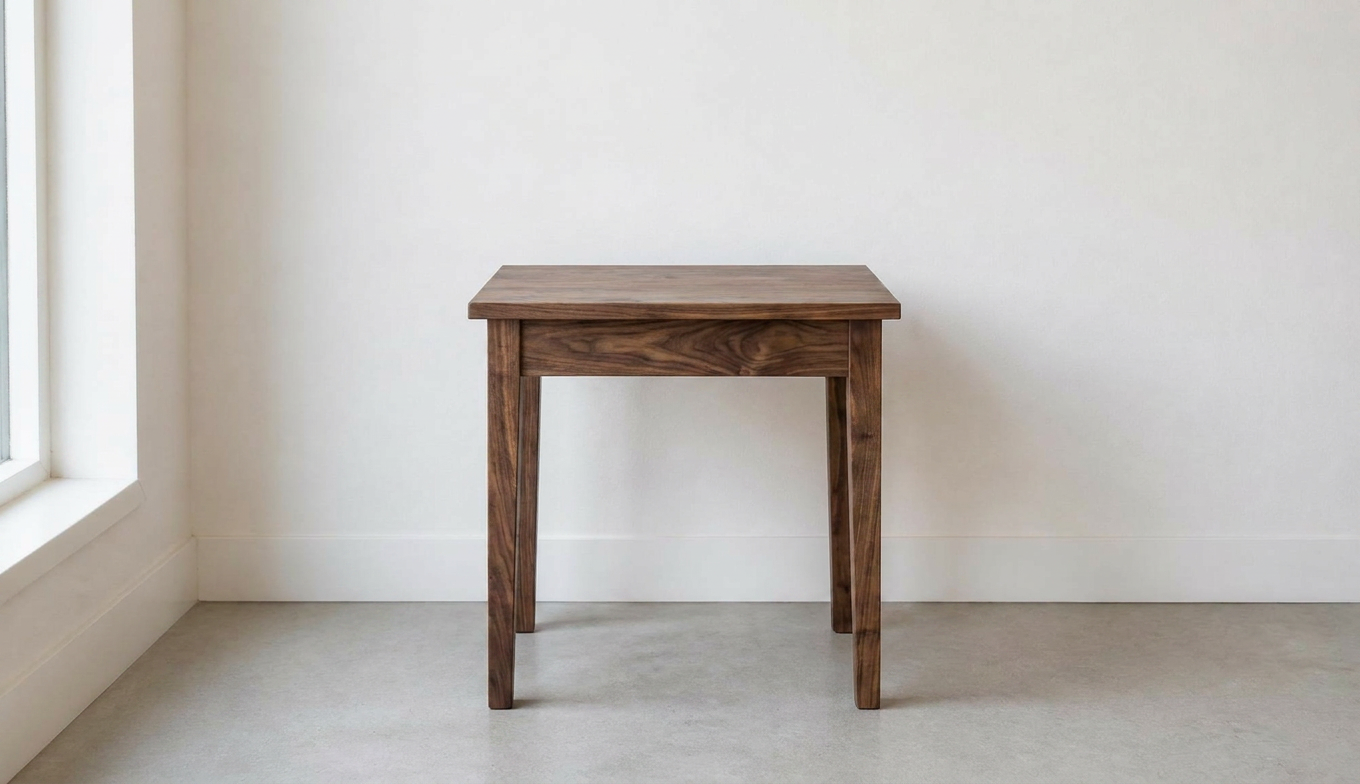
Generated using Gemini 3 Pro Image (a.k.a Nano Banana Pro) on fal.
Second pass: Add a small brass reading lamp on the right edge of the table, lit by the same daylight from the left so its shadow falls to the right, and leave the walnut finish and the background unchanged.
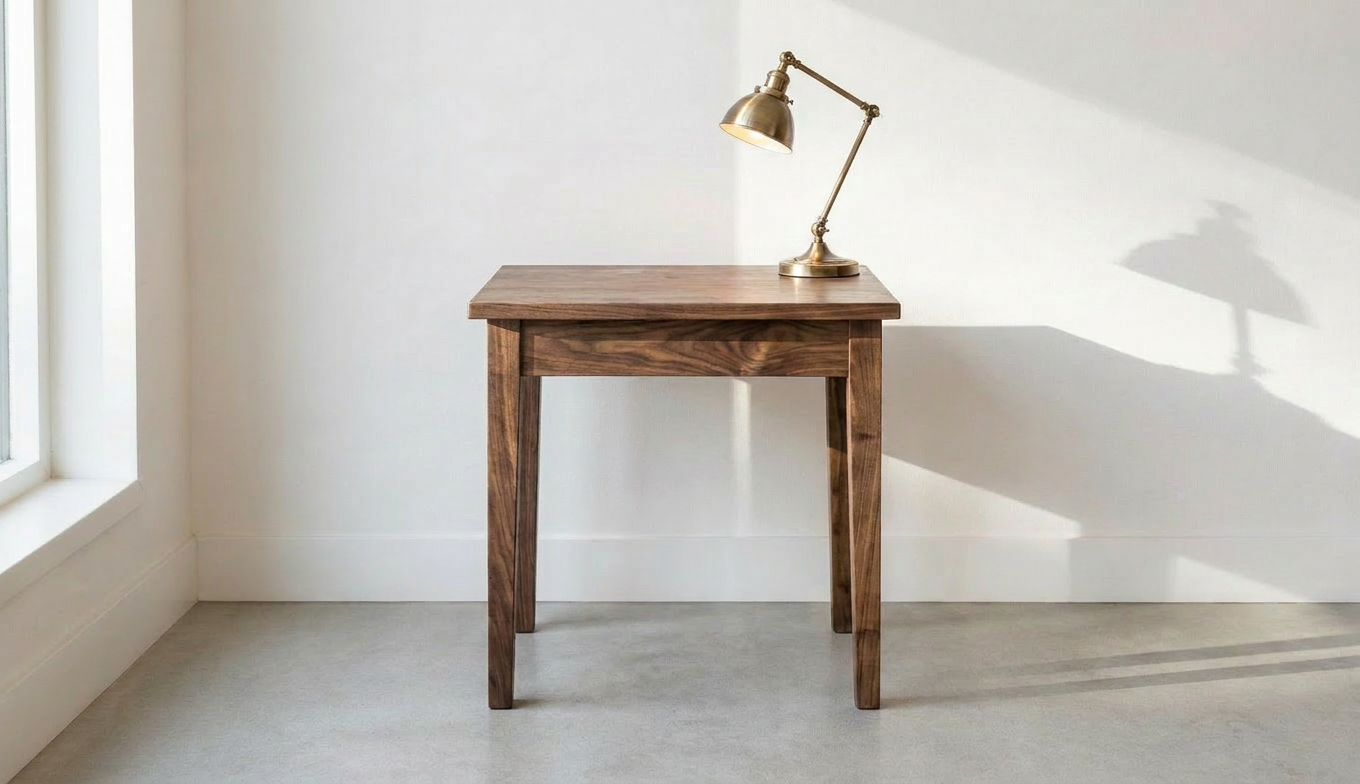
Generated using Gemini 3 Pro Image Edit (a.k.a Nano Banana Pro Edit) on fal.
falMODEL APIs
The fastest, cheapest and most reliable way to run genAI models. 1 API, 100s of models
Blend two references into one frame
You can hand the model two pictures and let your prompt decide how they meet.
One carries the base, the other carries the element or the look you want borrowed.
Starting image one: A plain white canvas low-top sneaker on a light grey studio backdrop, soft even three-point lighting, shot at a slight three-quarter angle on a 50mm lens, with a white rubber sole and flat white laces.
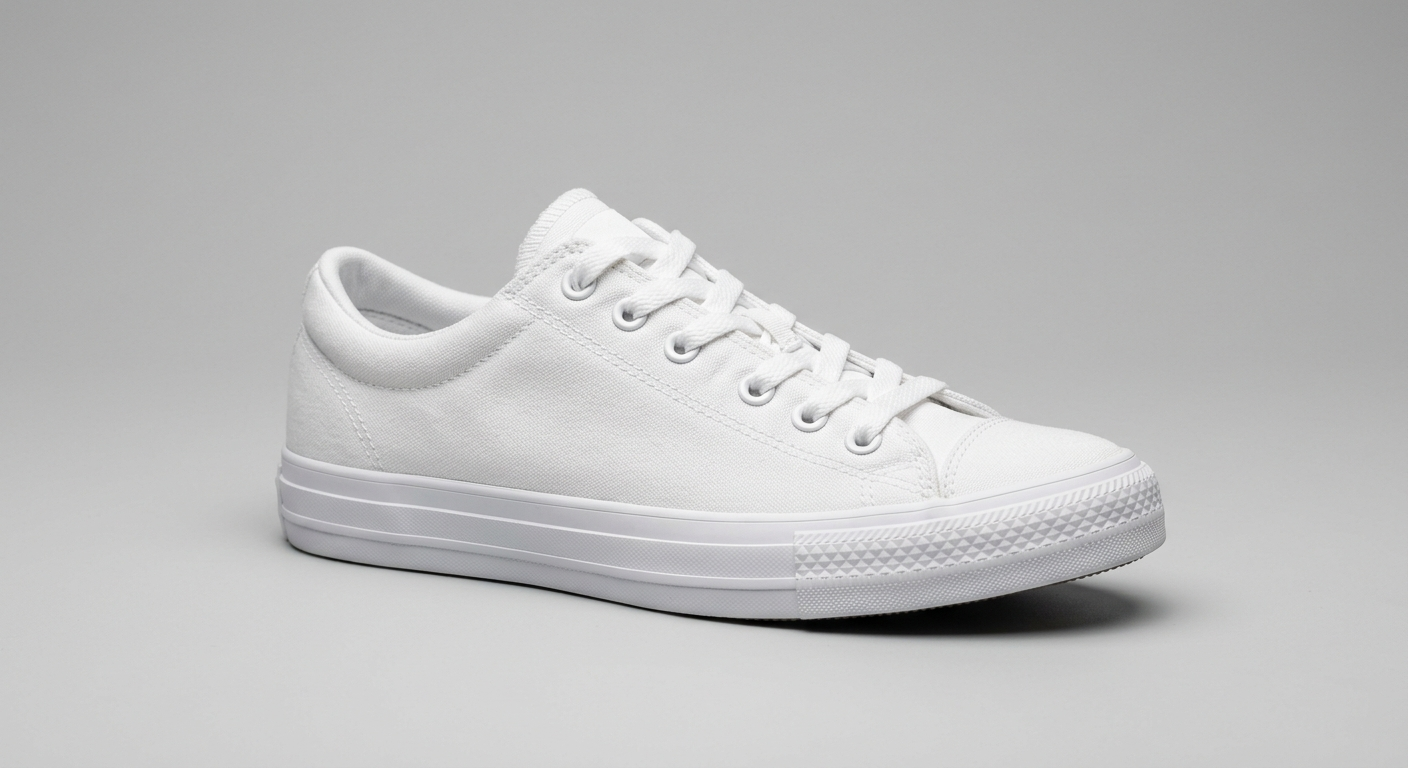
Generated using Nano Banana 2.
Starting image two: A flat top-down shot of a cotton fabric swatch printed with a small, dense navy-and-dusty-rose floral pattern on a cream ground, soft diffused daylight, filling the frame on a macro lens so the weave shows.
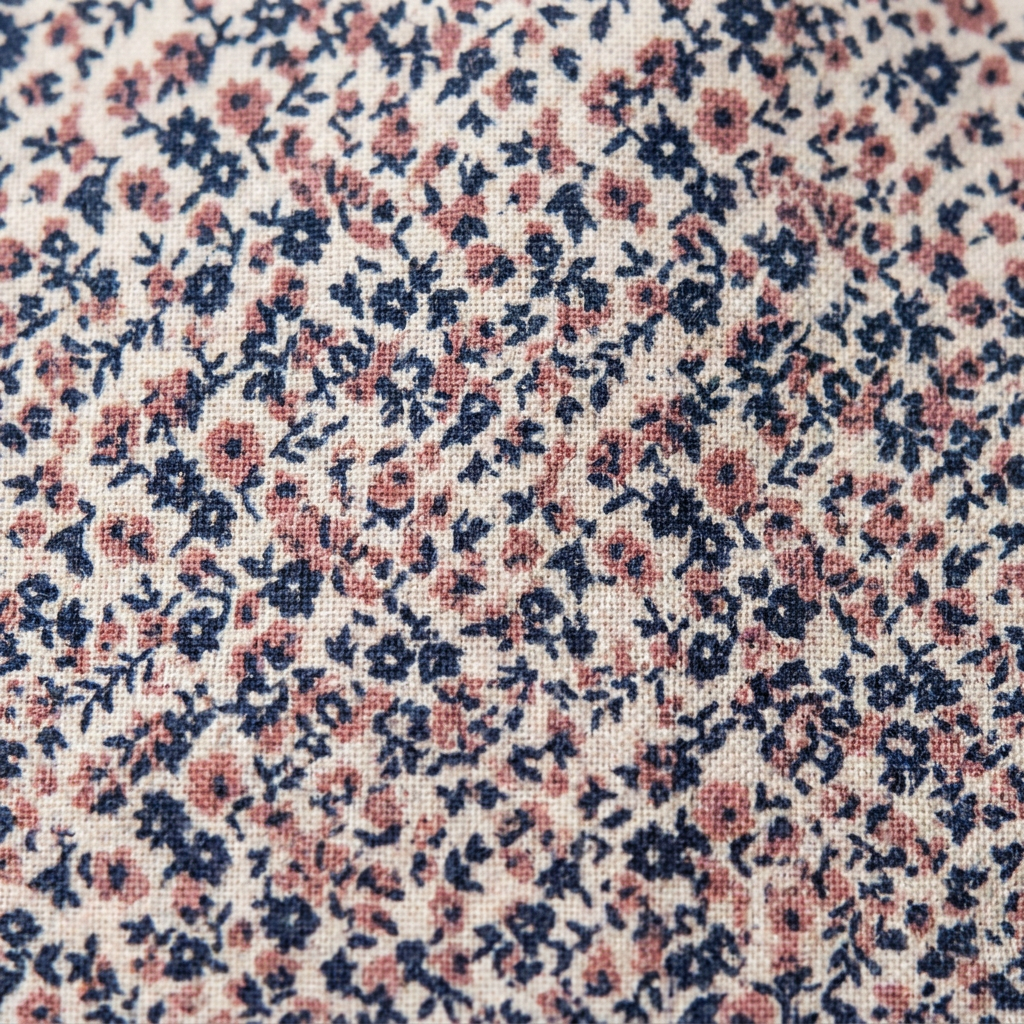
Generated using Nano Banana Pro.
Editing prompt: Using the sneaker as the base, map the floral pattern from the second image onto its canvas upper, following the shape and the seams, and leave the rubber sole and the laces white.
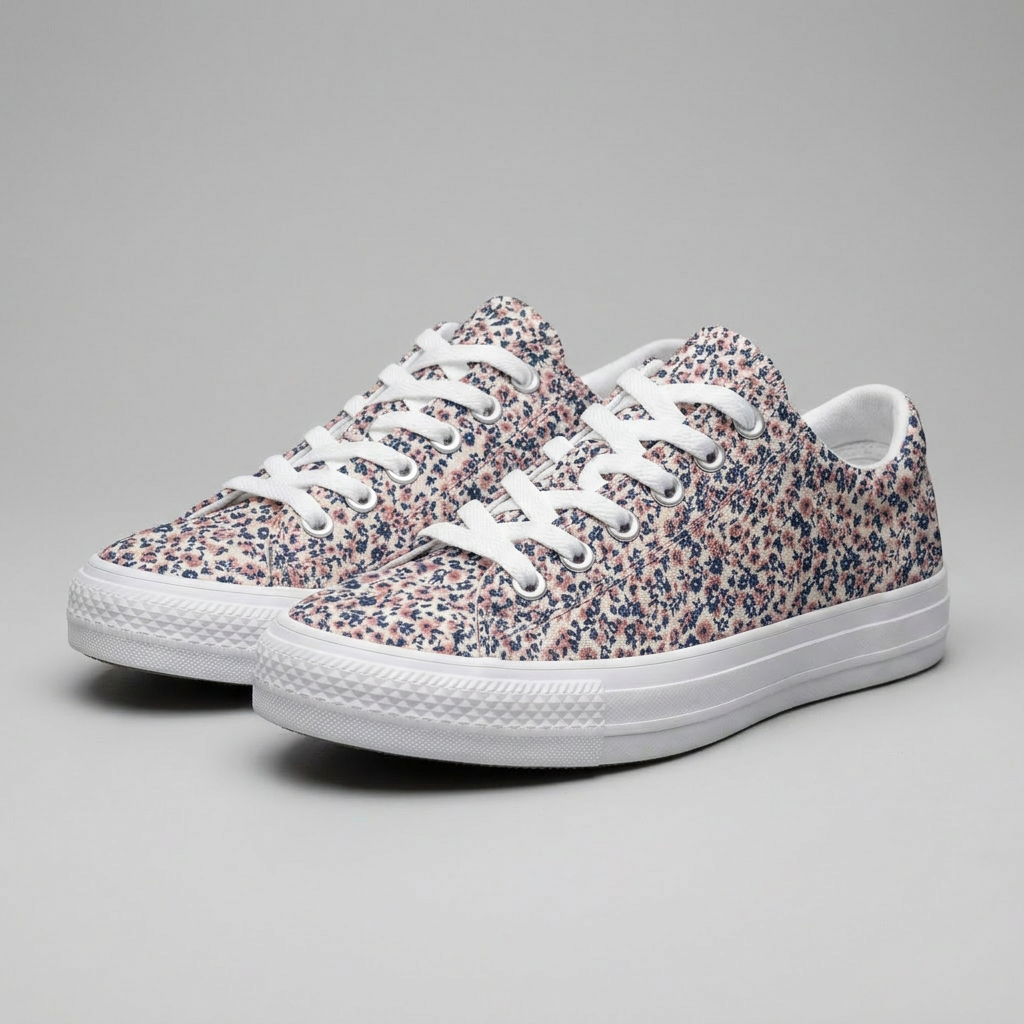
Generated using Gemini 3 Pro Image Edit (a.k.a Nano Banana Pro Edit) on fal.
Match the edit to the light and angle of the source
A pasted-in element gives itself away the second its light or perspective disagrees with the scene.
So describe how the new thing should sit in the photo that already exists, from the light it catches to the surface it rests on.
Starting image: a single glass jar on a shelf under soft light from the left.
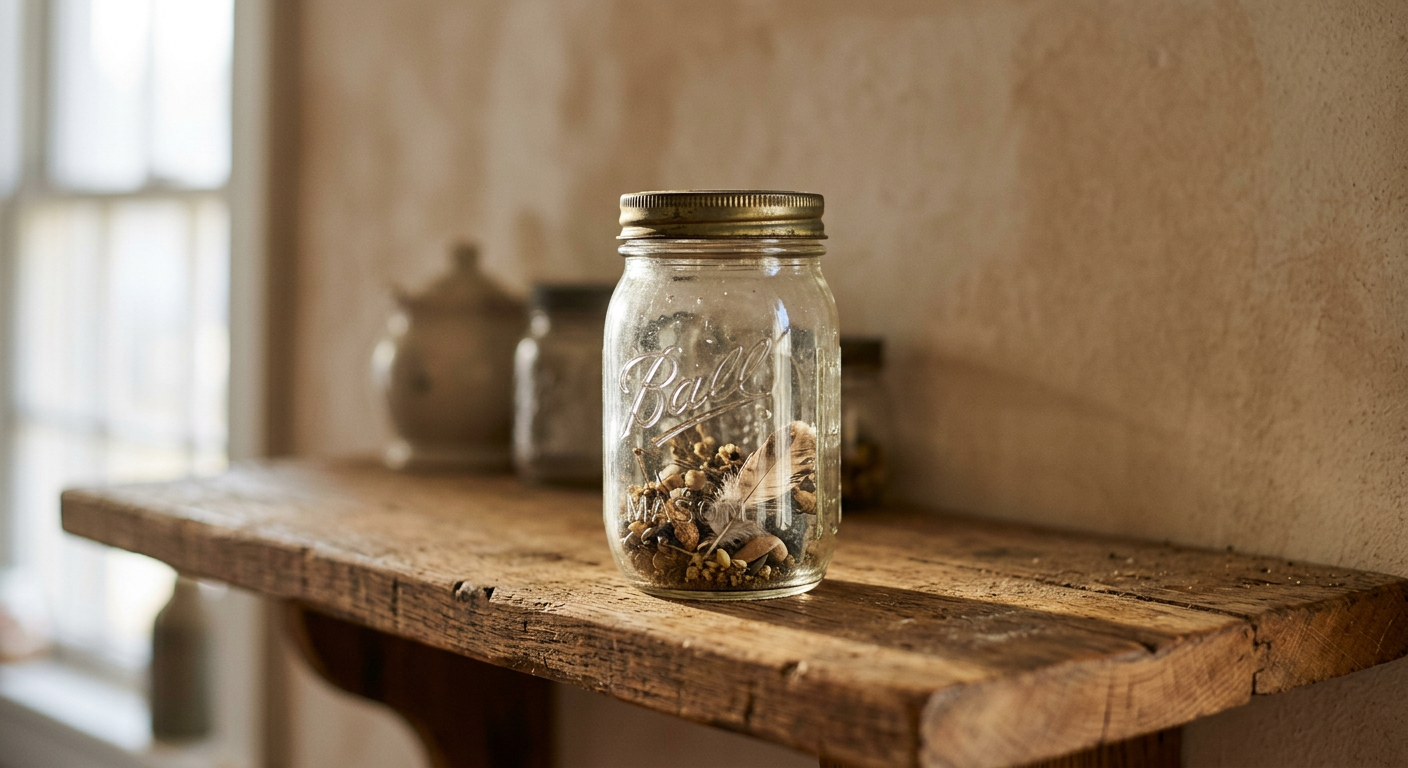
Generated using Nano Banana 2.
Editing prompt: Add a second jar of the same glass and lid to the right of the first, lit from the left like its neighbour, flat on the shelf at the same height.
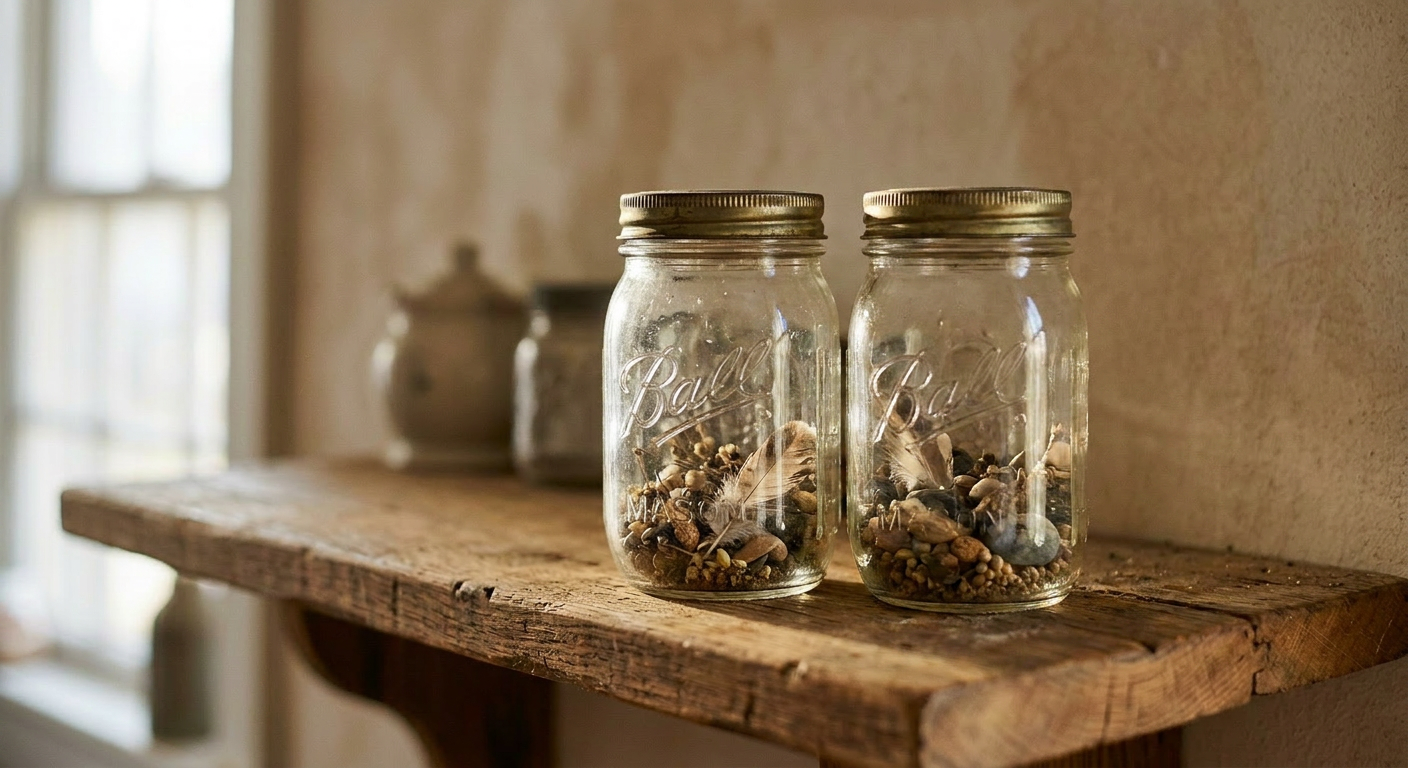
Generated using Gemini 3 Pro Image Edit (a.k.a Nano Banana Pro Edit) on fal.
What are the best AI image editing models?
There are three editors that handle most of what you'll throw at them:
GPT Image 2 Edit
GPT Image 2 Edit is OpenAI's image model wired up as an image-to-image endpoint, with a strong focus on making fine changes that don't disturb the parts of a photo you left out of the instruction.
Hand it a plain instruction, and it edits without a mask, though mask_url is there when a change needs a clean border.
Text is its standout capability, so relabeling a sign or fixing the wording on a packshot comes out clean.
It accepts more than one reference image, reads the output size off your source when image_size is left on auto, and streams partial results so a tool can show the edit forming.
Custom sizes go up to 4K, both edges as multiples of 16 and the longest capped at 3840px, and quality runs low, medium, or high.
Cost tracks size and quality, near $0.151 for a high-quality 1024x768 edit and about $0.219 at 1024x1024.
Starting image: a plain enamel mug on a linen surface.
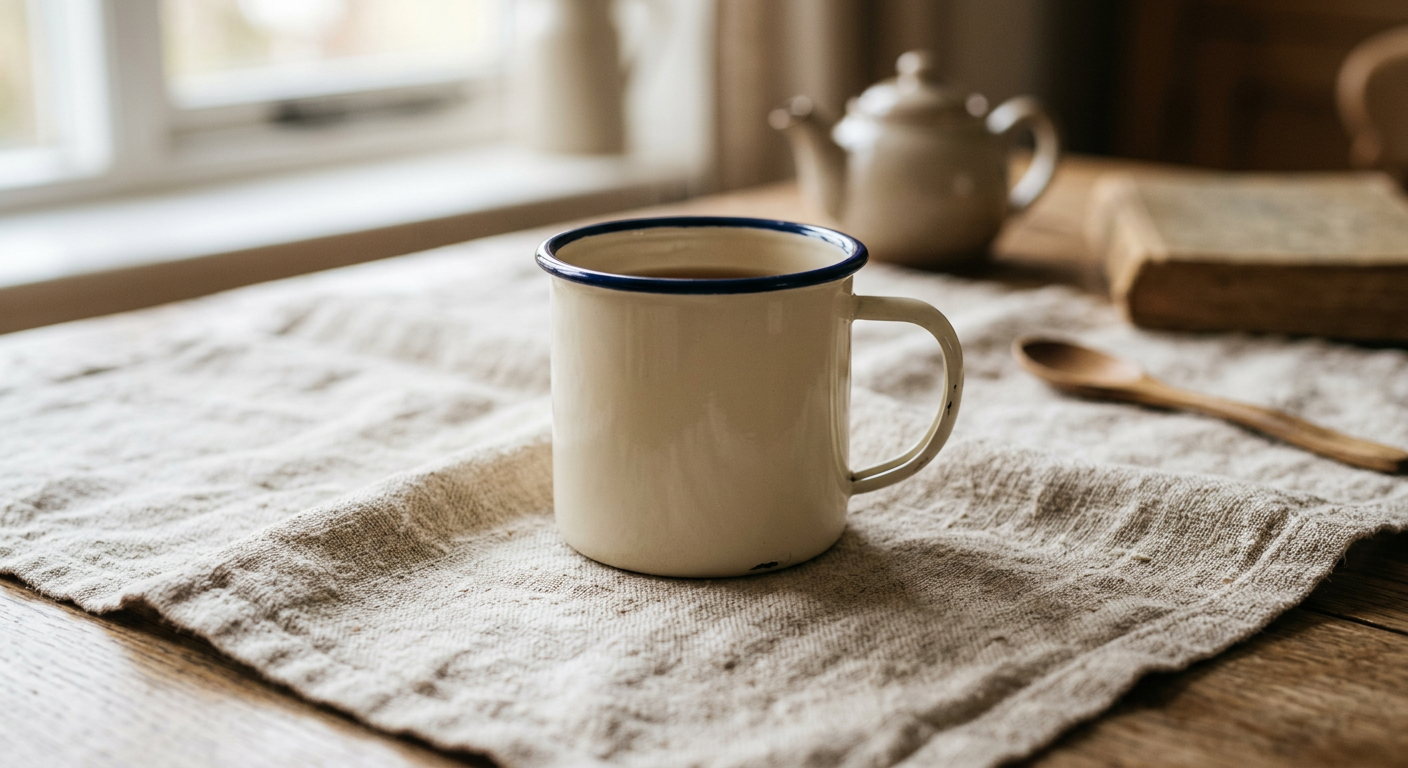
Generated using Nano Banana 2.
Editing prompt: Add the word "BREW" across the side of the mug in a clean rounded sans-serif, and keep the mug shape, the linen, and the soft daylight unchanged.
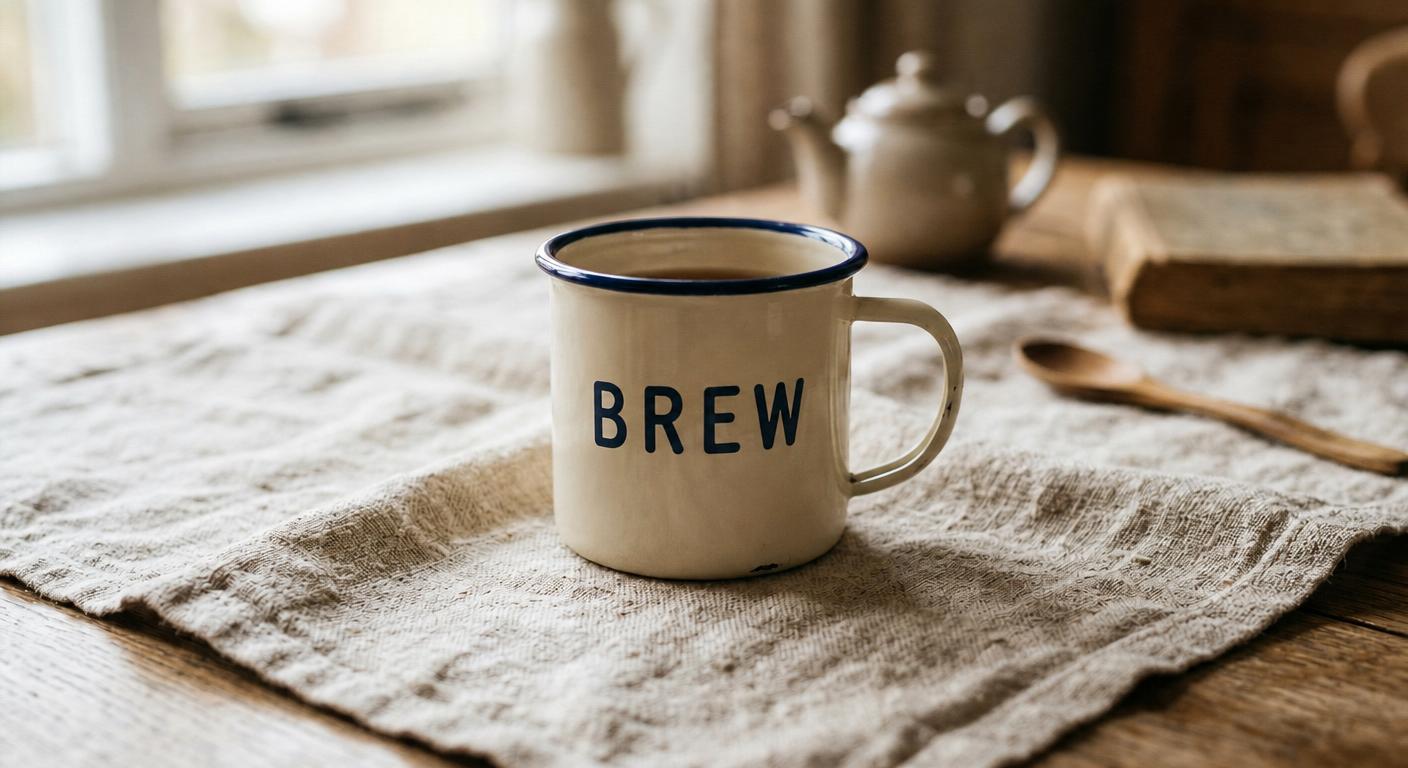
Generated using GPT Image 2 Edit on fal.
I'm always amazed to see how GPT Image 2 Edit can keep the rest of the image's elements without breaking them, although it's still a good practice to call out what stays the same.
Nano Banana 2 Edit
Nano Banana 2 Edit is Google's Gemini 3.1 Flash Image, and the Flash part is the point: quick edits that come back saturated and high-contrast.
Describe the change in everyday language, and it decides what to touch and what to spare, no mask required.
It will take as many as 14 reference images at once, which is what makes compositing and style transfer practical, and it can hold the same face across up to five people in a set.
Edits default to 1K, with 0.5K, 2K, and 4K to step through, and web search grounding can fold a real subject into the change when you switch it on.
Each result ships with a SynthID watermark.
You're looking at $0.08 per image at 1K and $0.06 at 512px, with 2K and 4K above that, another $0.015 if web search is on, and $0.002 for high thinking.
Starting image: a bowl of lemons on a wooden table.
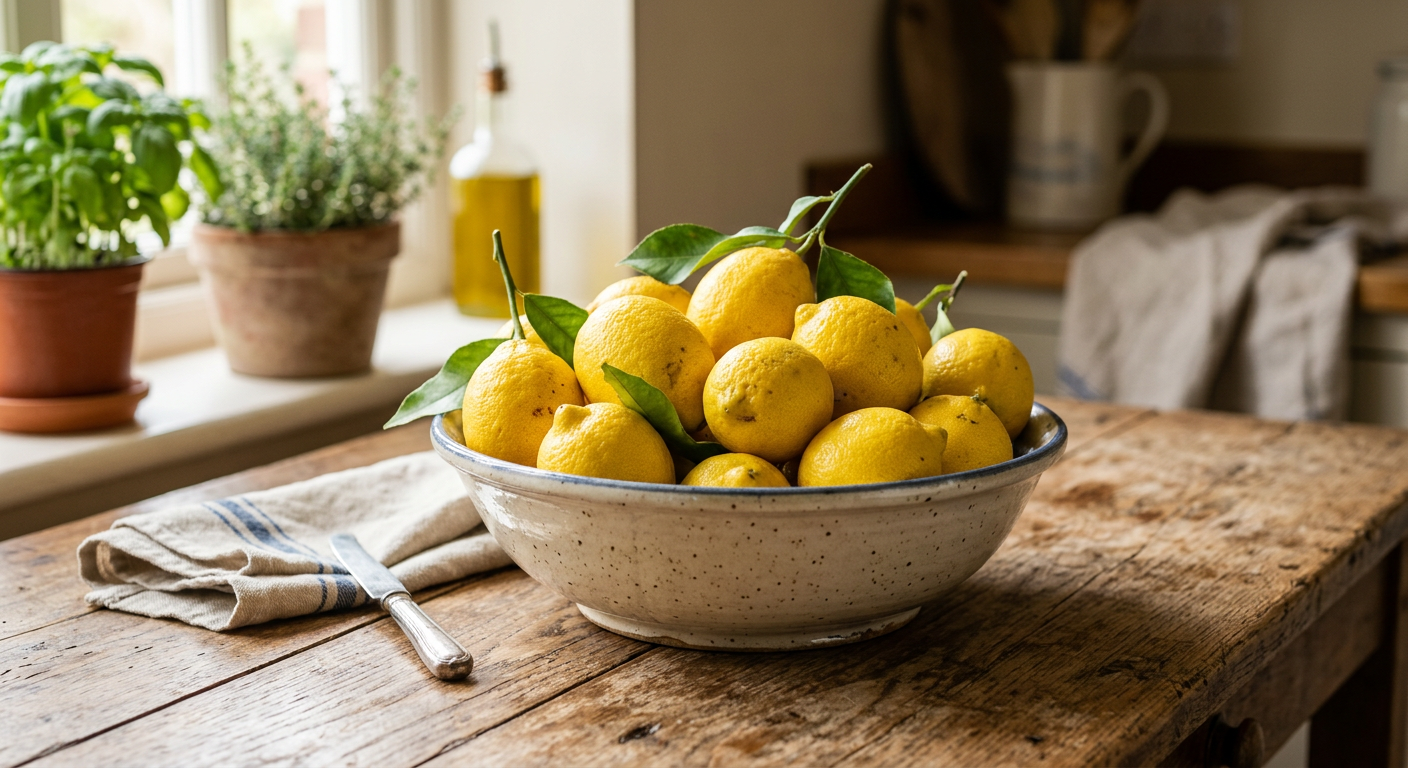
Generated using Nano Banana 2.
Editing prompt: Turn the lemons into ripe limes and lift the whole scene to bright midday daylight, with the bowl and the table left as they were.
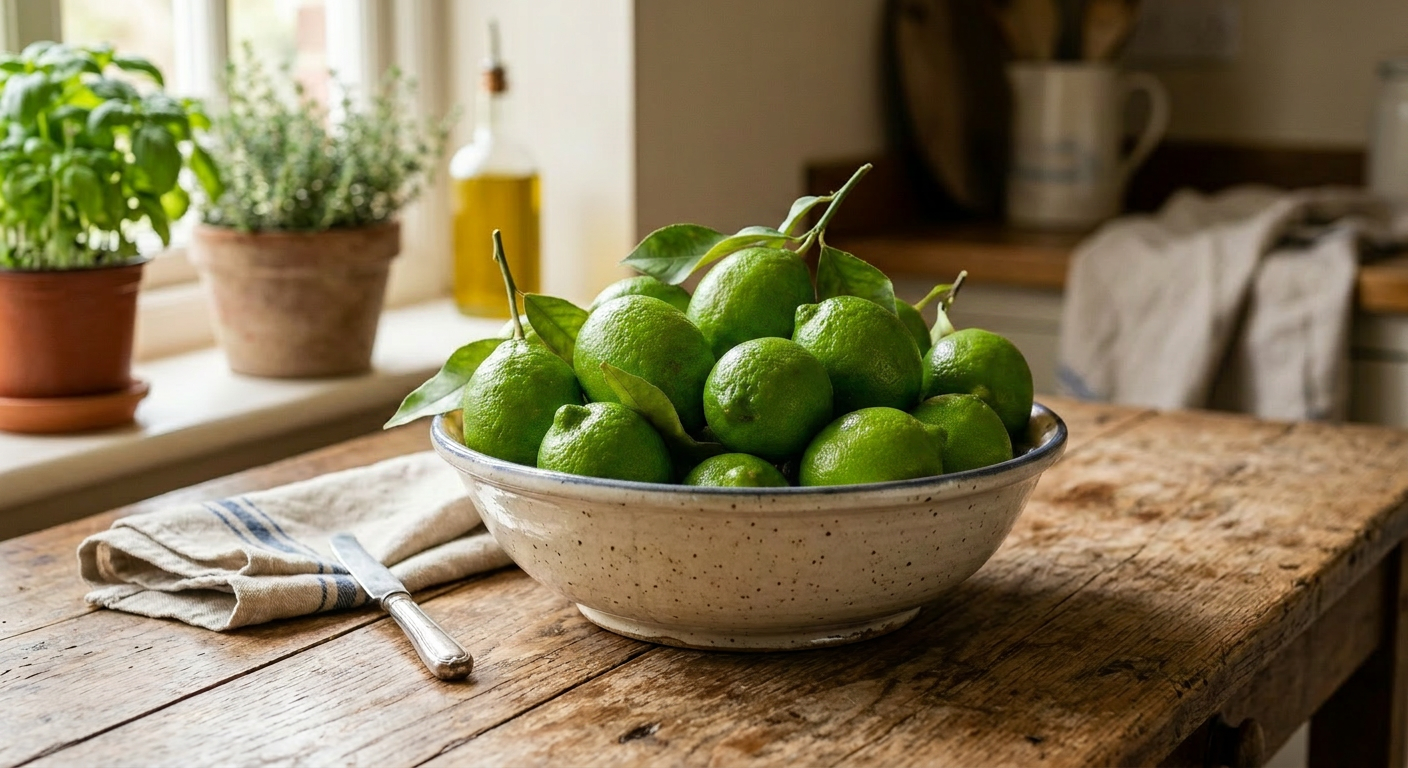
Generated using Nano Banana 2 Edit on fal.
Nano Banana Pro Edit
Nano Banana Pro Edit is built on Gemini 3 Pro Image, and it spends its time thinking before it edits.
It works out how the objects relate to the light and the layout, then commits, which pays off on busy, multi-element changes and anything where the text has to come out right.
It works with multiple reference images in one composition and keeps a face consistent across up to five people.
Edits come at 1K, 2K, and 4K, with 4K at double the rate, and optional web search grounding.
Every output carries a SynthID watermark. The rate is $0.15 per edit, or $0.30 at 4K.
Starting image: a bare café corner with an empty wall and a window.
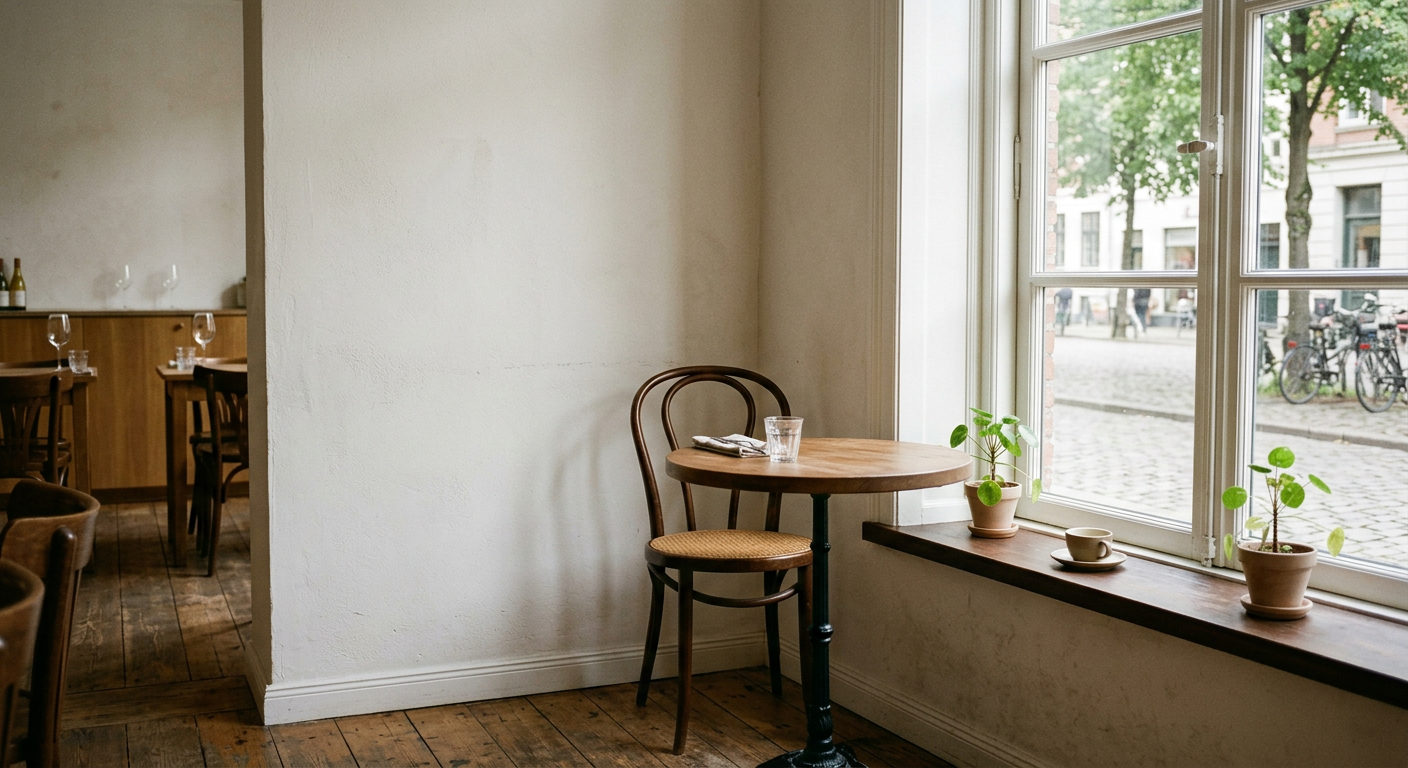
Generated using Nano Banana 2.
Editing prompt: Build this corner into a working café nook with a small marble counter, a row of hanging Edison bulbs, and a chalkboard on the left wall reading "SPECIALS", lit by soft morning light from the window, and leave the floor and the back wall untouched.
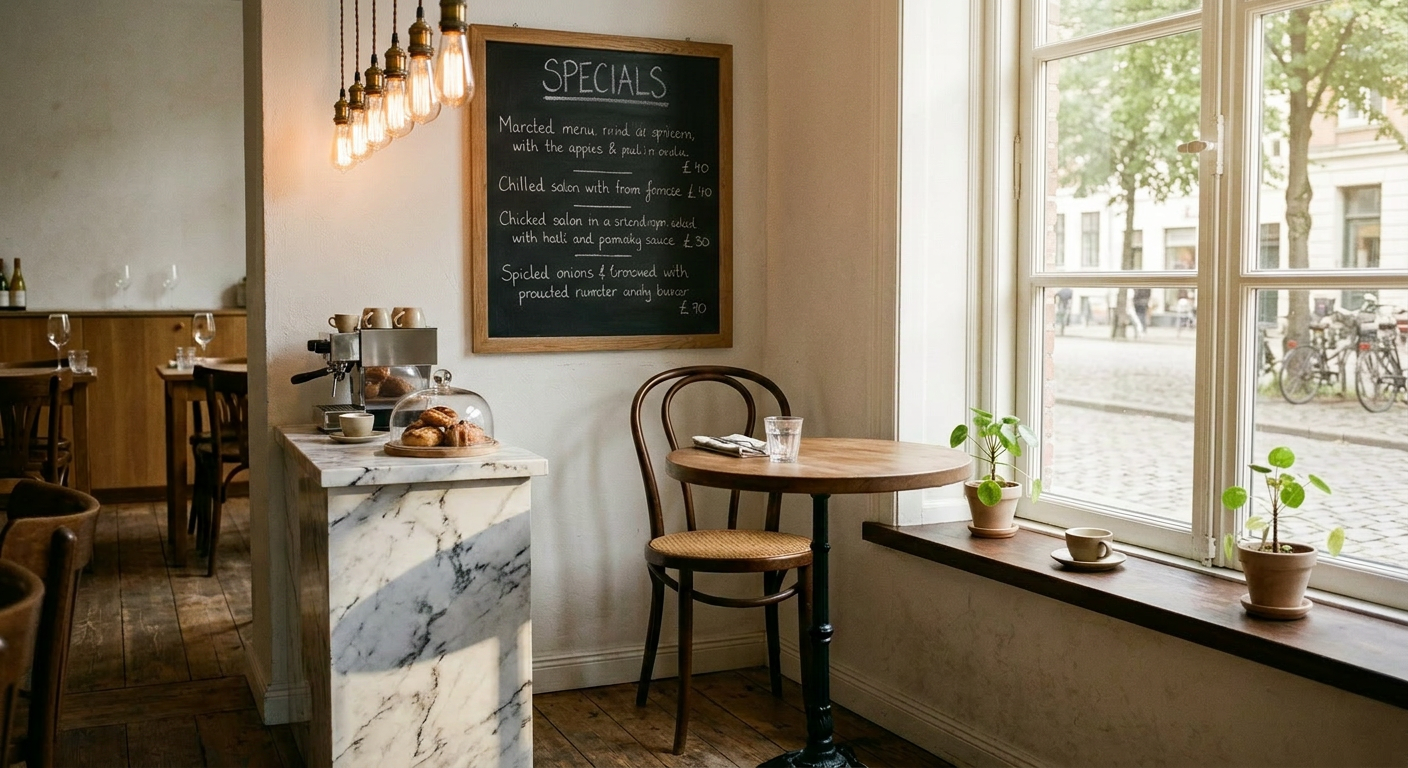
Generated using Nano Banana Pro Edit on fal.
What settings matter when editing images with AI?
The prompt decides what changes in the image, and a small set of settings decides how the edit comes out and what it costs.
These are the dials worth understanding before you run anything:
Resolution: The single biggest cost lever on the Nano Banana editors, which run 1K, 2K, and 4K, with 4K at double. Keep it low while you shape the prompt, and only push it up for the final render.
Quality: GPT Image 2 Edit's low-medium-high dial trades render effort for money. Medium is plenty for experimenting, and high is for the edit you're shipping.
Image size and aspect ratio: On GPT Image 2 Edit, auto inherits your source dimensions and sidesteps accidental cropping. On the Nano Banana editors, set aspect_ratio when the frame has to land at a specific shape.
Mask: GPT Image 2 Edit's mask_url fences the edit into a region, white for change and black for hands-off. Worth it whenever a prompt can't hold the line on its own.
Number of images: One run, several variations, which is the fastest way to weigh a few directions before you settle on a prompt.
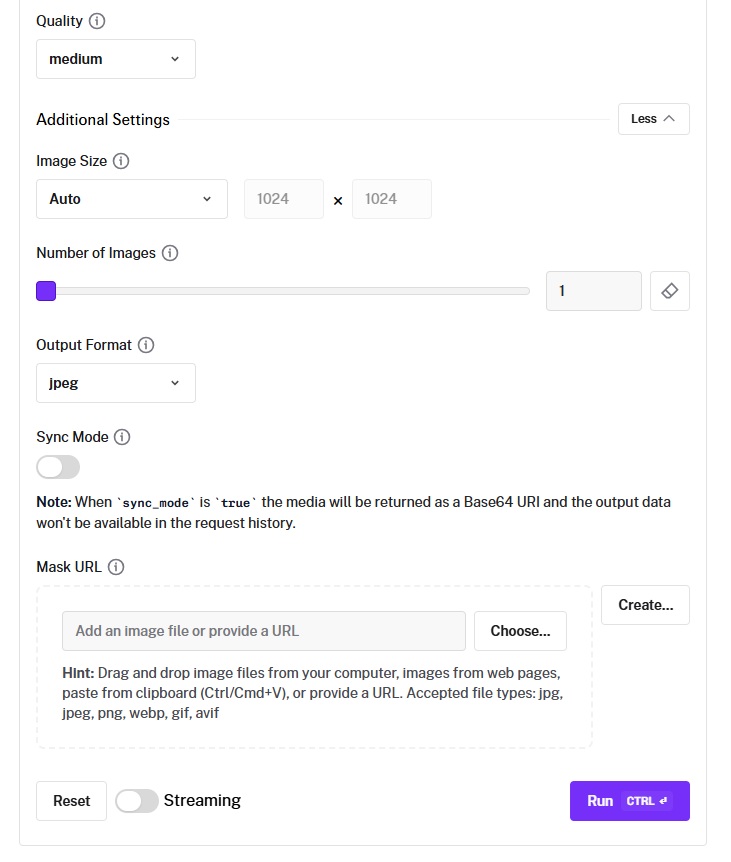
Seed: Lock it on the Nano Banana editors and the same prompt returns the same edit, handy for changing one thing at a time. Leave it loose for fresh takes.
Output format: PNG for lossless detail and transparency, JPEG when file size matters for the web, and WebP when you want the image size to be as small as possible (e.g., for your website).
Web search grounding: The Nano Banana editors can pull live information into an edit, worth its $0.015 only when the subject has to be current.
Thinking level: Nano Banana 2 Edit will run minimal or high. High costs an extra $0.002 and buys a bit more reasoning on the awkward edits.
Safety tolerance: A 1-to-6 strictness setting on the Nano Banana editors, available through the API only, defaulting to 4.
What should you avoid when editing images with AI?
A few habits quietly pull an edit toward a redraw and keep you coming back for more passes:
Editing the change but not the surroundings: Skip what should stay, and the model treats the whole frame as fair game, so the bits you liked drift. Pin them down by name.
Cramming a pass full of requests: Ask for a swap, a recolor, a new backdrop, and fresh text in one breath, and a couple of those get dropped. Spread them over separate passes.
Starting from zero to fix one thing: A full re-roll throws out everything that already worked. Push the result back through an edit and change only the detail that's off.
Phrasing the edit as a removal: Tell the model to take something out and it can read that as a reason to keep it in. Picture the end state and describe that, like a clear countertop, not "no clutter."
Loose wording on text: Whenever words are part of the edit, quote the exact phrase and name the style, or you'll get spelling and spacing surprises.
Inputs that don't match: A soft, low-res base next to a crisp element leaves an obvious seam, so bring your inputs into the same ballpark on resolution and lighting.
💡 Throughout this article, I've been holding off on using best-in-class image generation prompts and editing prompts in order to show you the different strategies and approaches.
However, here's how image generation and editing look in a real scenario:
Starting image: A photorealistic studio product shot of a kraft-paper coffee bag standing on a dark slate surface, shot on an 85mm lens at f/4 with the bag sharp and the background dropping into soft shadow, a single softbox at camera left wrapping the bag in a gentle gradient and throwing a soft shadow to the right; the front label reads "NORTHWIND ROASTERS" in a bold condensed serif across the top with "Single-Origin Ethiopia" beneath it in a thin uppercase sans-serif, both in warm copper on a deep charcoal panel, graded toward muted earth tones with fine film grain.
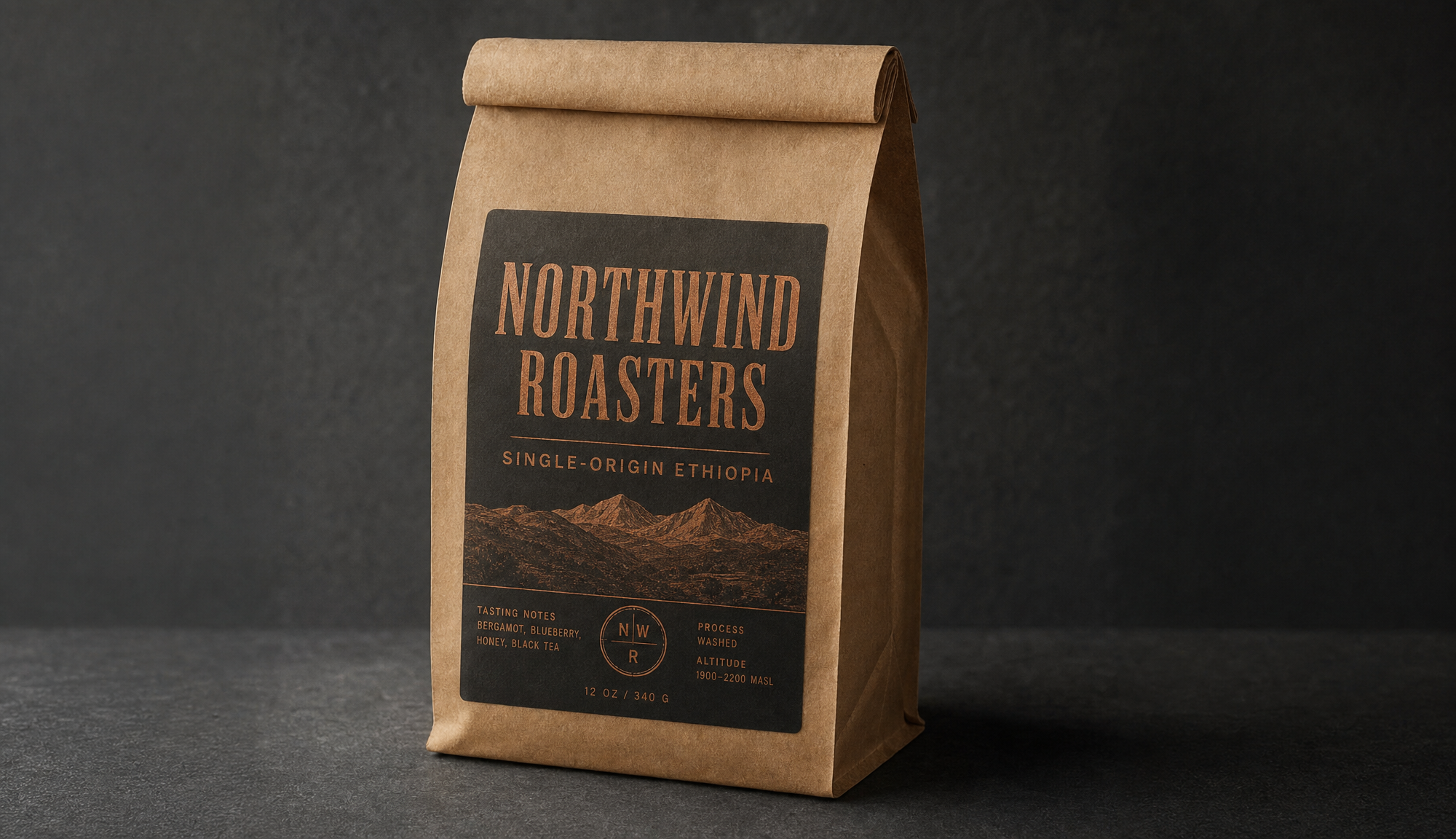
Editing prompt: Change only the lower line of the label to read "Single-Origin Colombia" in the same thin uppercase copper sans-serif, and keep the "NORTHWIND ROASTERS" wordmark, the bag, the slate, the lighting, and the shadow exactly as they are.
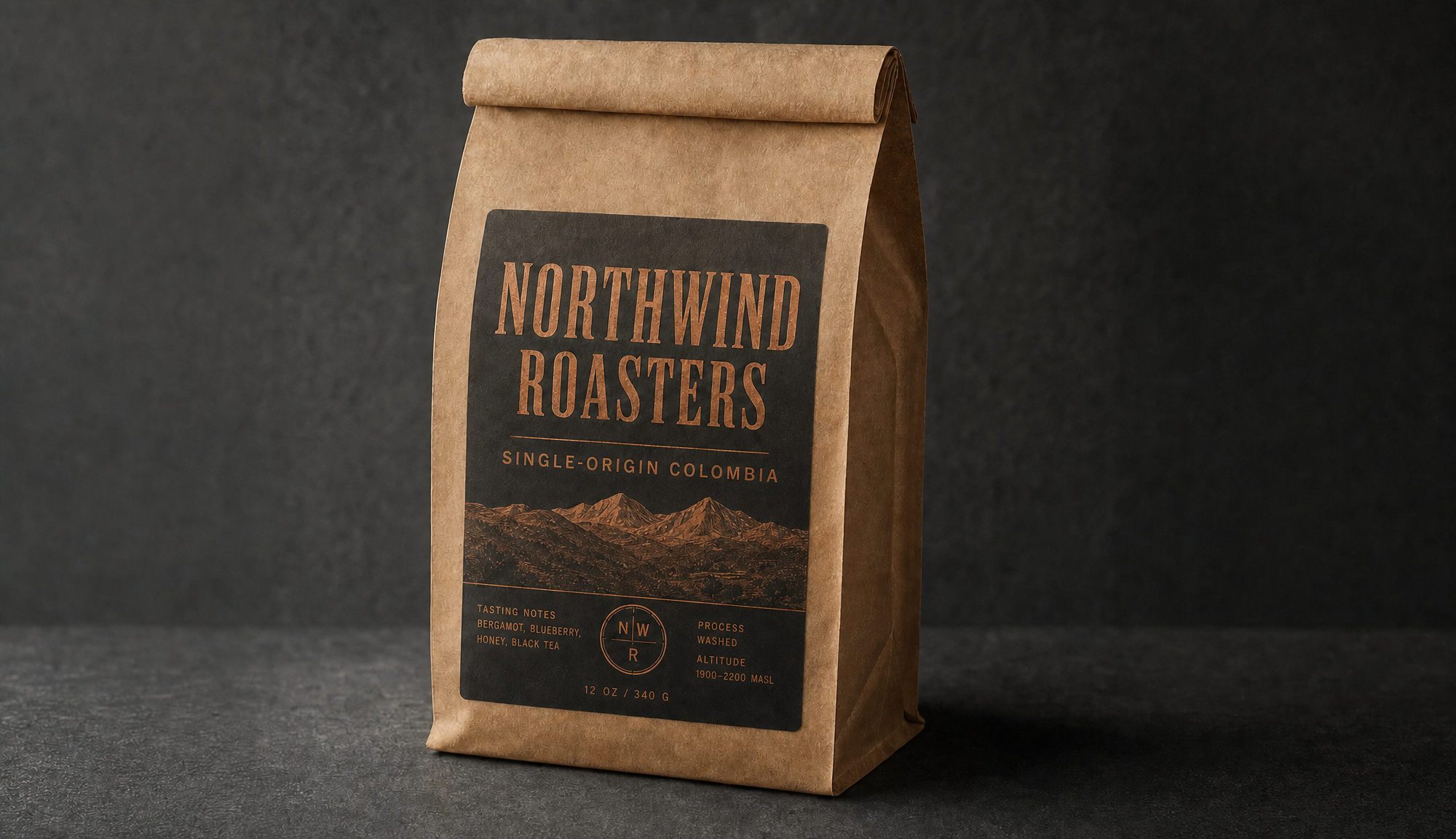
Generated using GPT Image 2 Edit.
Recently Added






























Edit images with AI on fal
A change that used to mean opening a design tool and losing an afternoon now often starts with a sentence and one good source image.
The three editors here span that range, from a fast recolor to a busy, built-up scene, and all of them run on fal under one API and pay-per-use pricing with nothing to provision.
Try them in fal's different image editing playgrounds before you commit any code, and then you can drop the same call into your app and switch editors by editing the endpoint string.
Sign up to fal for free and make your first edit.
Frequently asked questions (FAQs) about editing images
How do I keep an AI edit from touching the parts I want left alone?
Name them, simple as that.
The model protects what you mention and feels free with what you don't, so spell out the background, the lighting, or whatever object has to stay put.
When you need a hard line, GPT Image 2 Edit accepts a mask through mask_url, where black locks a region and white opens it up for the edit.
Can I edit an image I just made without downloading it?
Yes. After a generation in the playground, the "what would you like to do next" panel pushes the result straight into an editing endpoint, so the refining happens in place.
In code, you feed the output URL from one call into the image_urls of the next.
Are AI-edited images fine for commercial use?
The editors here are licensed for commercial use through fal.
Nano Banana 2 Edit and Nano Banana Pro Edit, both from Google, stamp an invisible SynthID watermark onto every output.
For anything specific to one model, its fal page lists the terms.