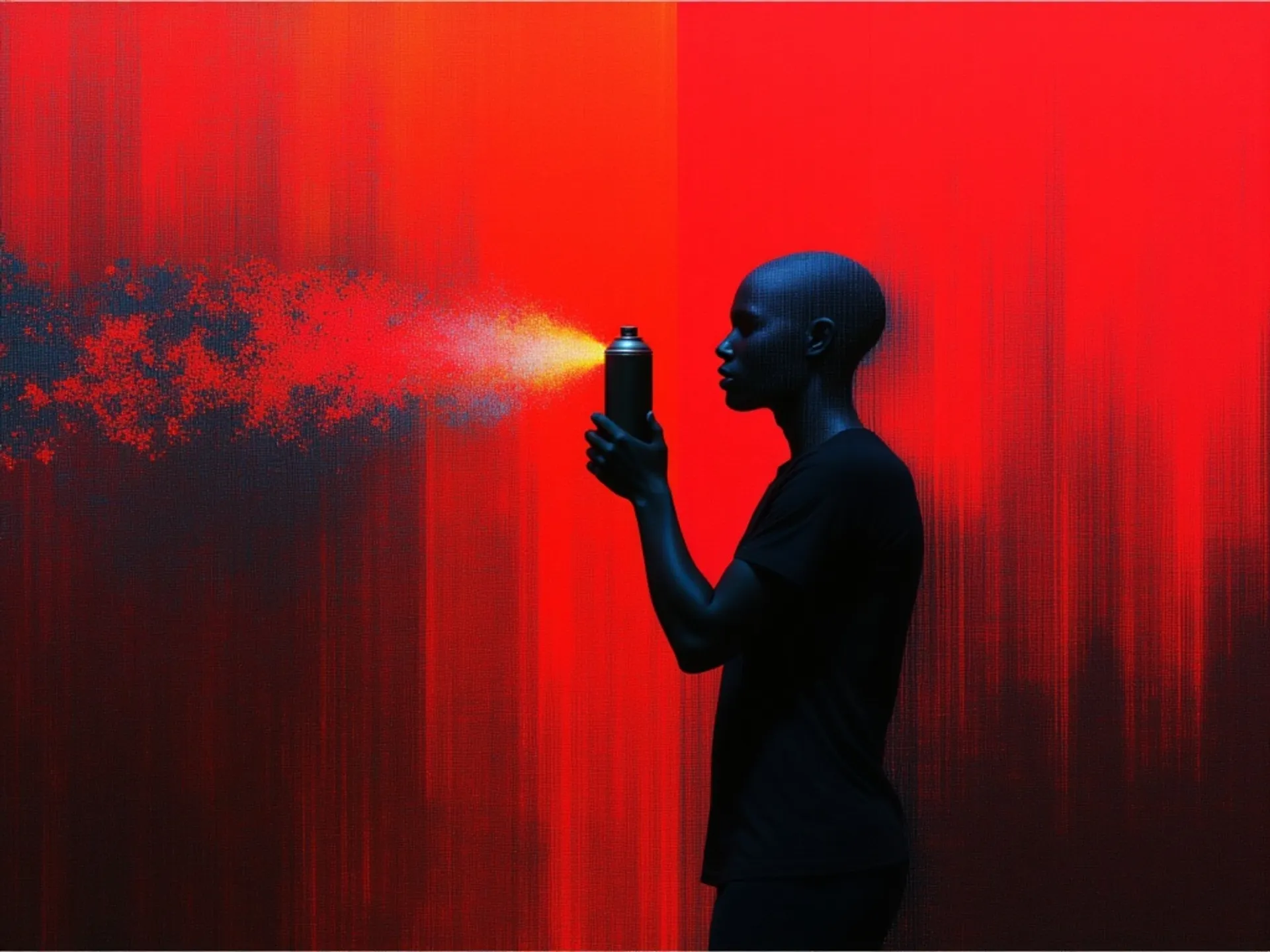
The launch of GPT Image 1.5 took place on December 16, 2025. GPT Image 2 is now live on fal, launching April 21, 2026. The model has been in quiet testing for weeks: a brief appearance on a public benchmarking platform, A/B tests rolling out inside ChatGPT, a growing pile of community screenshots. Now it's confirmed, the specs are out, and the pricing is real.
This article covers what GPT Image 2 actually is, what's genuinely improved, the full API spec including resolution rules and pricing, and the specific workflow that lets you get 4K output for a fraction of the standard cost. We'll also explain why fal is the best place to access the official API with lightning fast speeds and enterprise reliability.
Let's get into it.
What Is GPT Image 2?
GPT Image 2 is the next major version of OpenAI's native image generation model. The first predecessor, GPT Image 1, launched in March 2025 and was a genuine departure from what came before it. Unlike DALL-E, which was a standalone diffusion model bolted onto ChatGPT as an external tool, GPT Image 1 generated images natively inside the language model itself, producing pixels the same way it produces words, token by token.
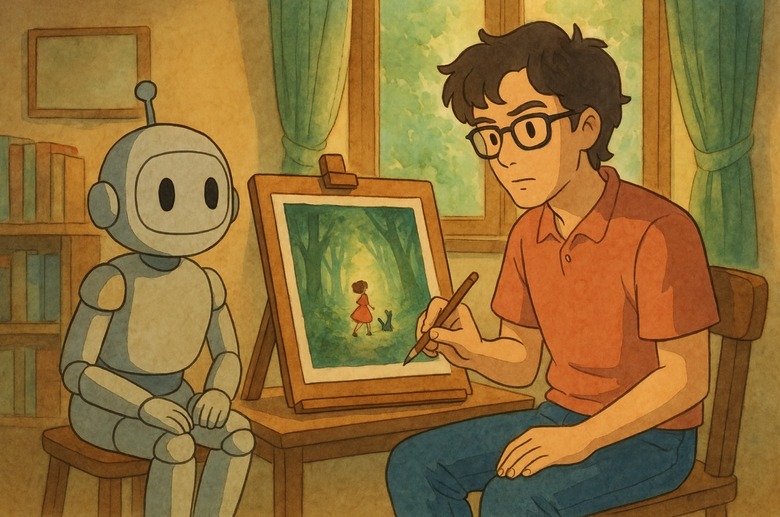
That architectural shift meant the model could understand what you were asking for and generate on-demand images using complex scene descriptions and multi-object layouts with nuanced instructions. When GPT Image 1 launched, over 130 million users generated more than 700 million images in the first week. It wasn't a quiet release when the Studio Ghibli viral image trend almost broke the internet.
GPT Image 1.5 followed in December 2025, bringing faster generation speeds (up to four times quicker) and sharper instruction-following for edits. It topped the LM Arena image leaderboard and became the current production model.
GPT Image 2 is the next frontier and a fundamental rebuild rather than just an incremental product update.
GPT Image 2 is expected to use an entirely new, independent architecture not based on GPT-4o. Text rendering accuracy reportedly jumps from 90–95% to over 99%. That's a different product, not a software update.
What Did the Internet Have to Say About GPT Image 2?
On April 4, 2026, three anonymous image models showed up on LM Arena, the benchmarking platform where users compare AI model outputs side by side in blind tests. The models appeared under unusual internal names, with no company attached. No explanation. Just prompts going in and outputs coming out.
Developer Pieter Levels and venture investor Justine Moore were among the first to publicly flag them. Levels noted they had "extremely good world knowledge and great text rendering." Moore ran her own tests, including prompts like "average engineer's screen" and "young woman taking selfie with Sam Altman." The results came back with an unusual level of contextual specificity, the kind of detail that other models would normally miss or approximate.
Since then, a subset of ChatGPT users have reported being silently served noticeably better image outputs during regular sessions: nearly perfect text rendering, no color cast, sharper scene composition, and then having the quality level back down. That's A/B testing. OpenAI routed a portion of real traffic to the new model to evaluate it before the broader rollout on April 21, 2026.
What's Actually Better in GPT Image 2
Here are a few use cases that stood out clearly in internal testing.
Game screenshot creation
The model handles stylized, complex game environments with impressive fidelity. You can get on-brand results that match the visual language of titles like GTA 6 and Minecraft. The spatial logic, lighting, and environmental detail are there in a way that earlier models couldn't reliably produce.
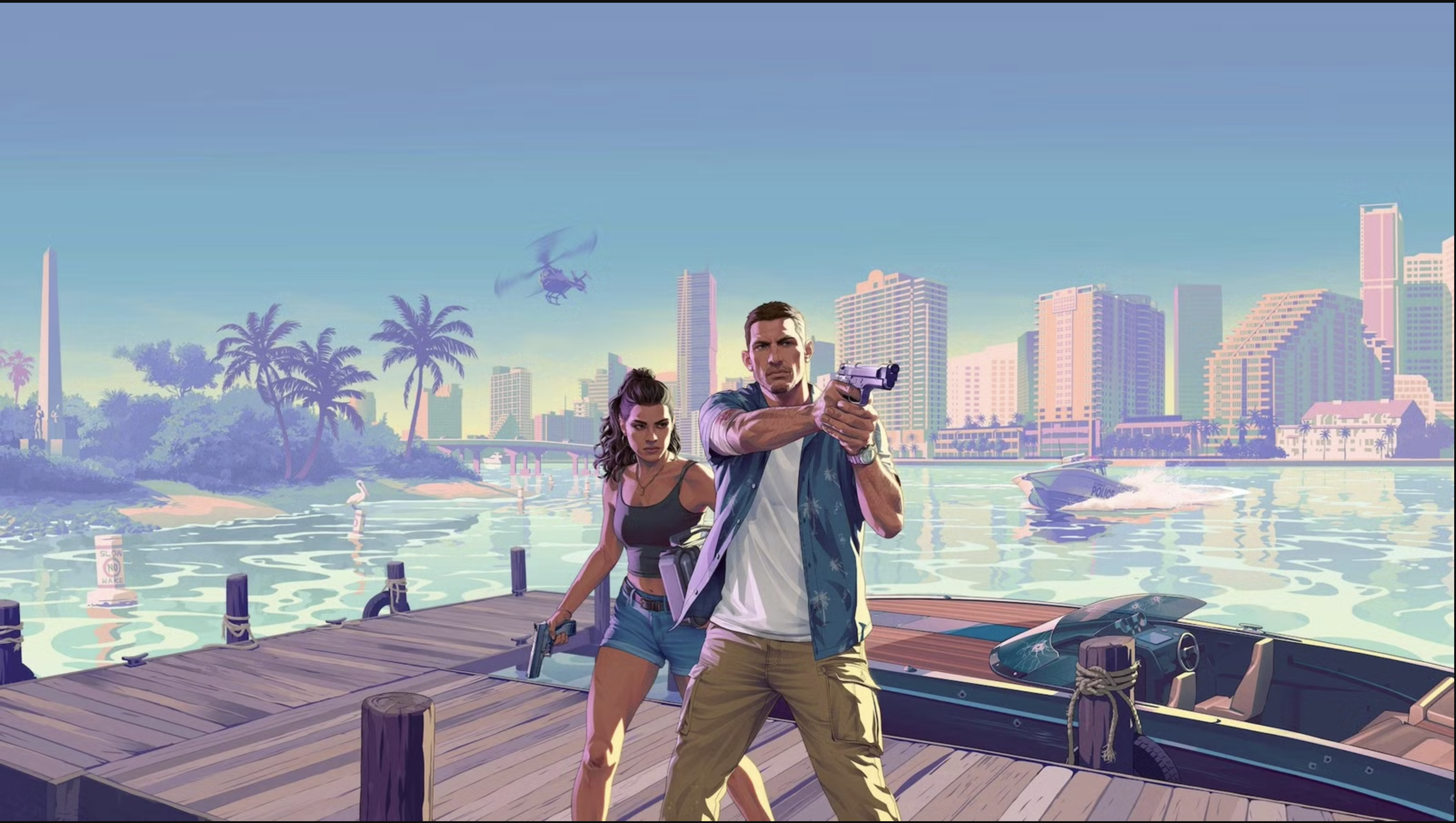
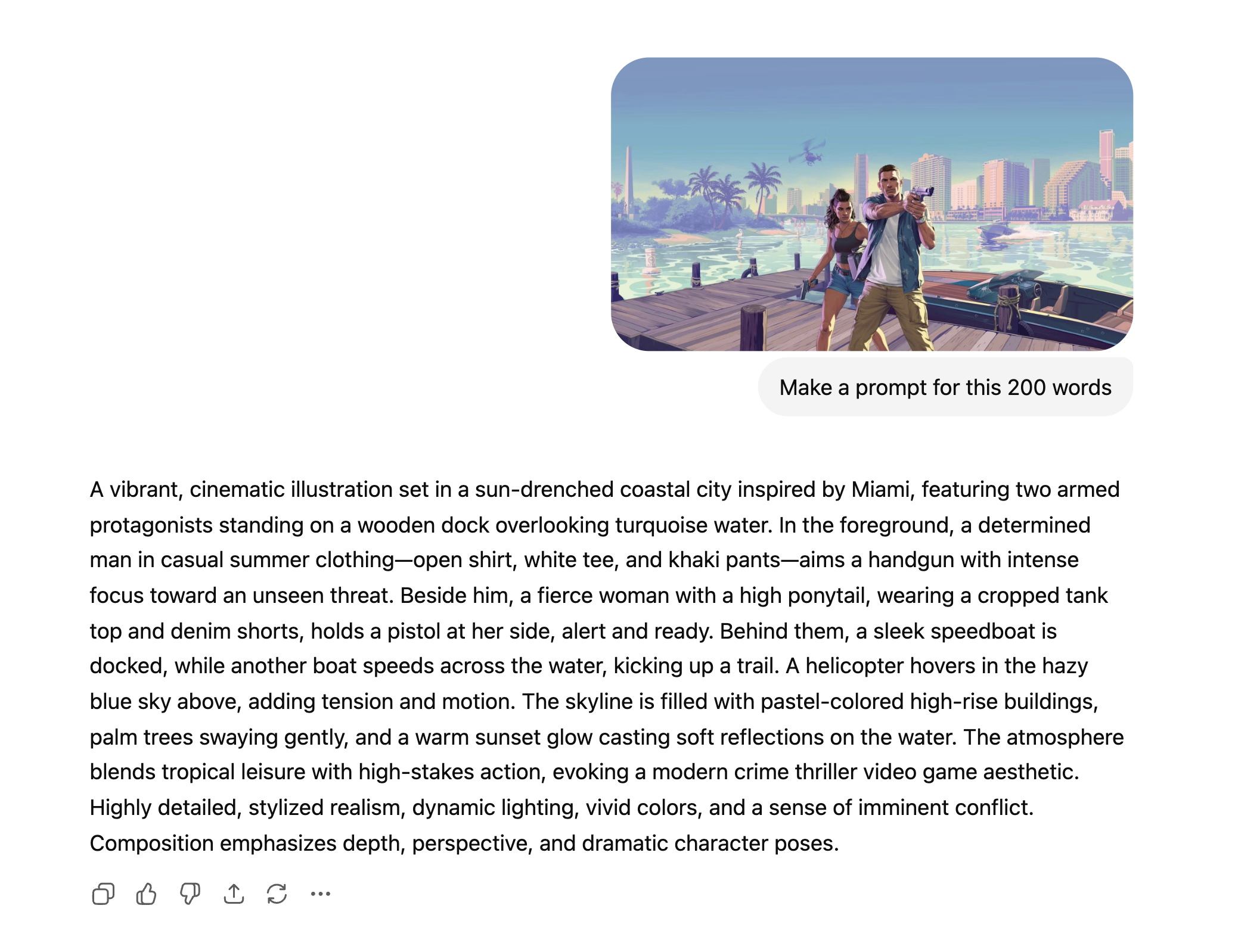
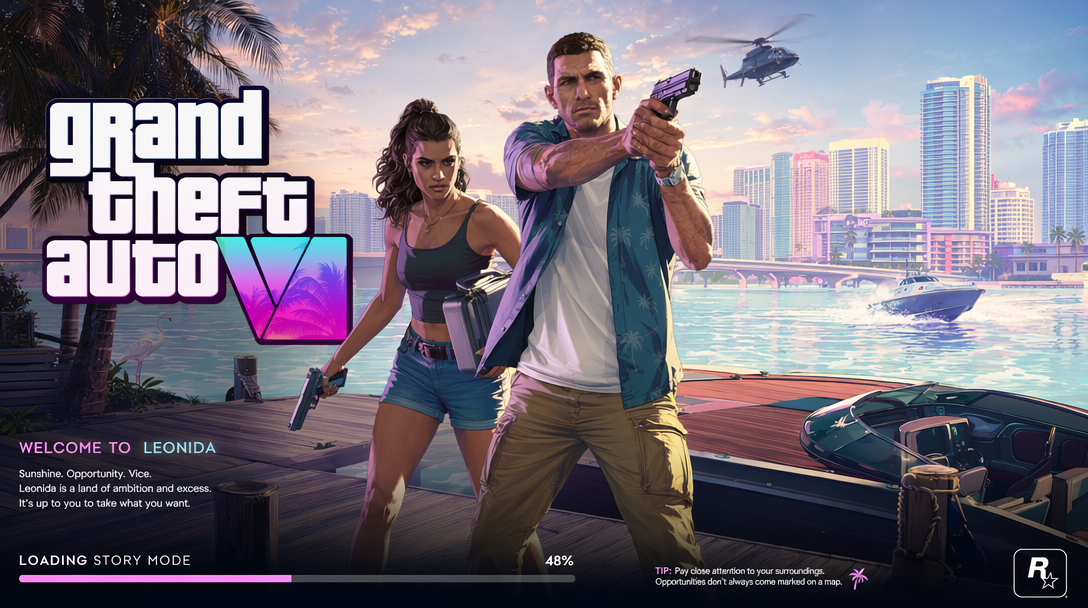
Starting with a GTA 6 image, I put it into ChatGPT and asked for a 200-word description of the interface. Then I went to GPT Image 2 on fal with the text-to-image endpoint, which had never seen the original GTA 6 reference image, and input the 200-word description plus added "a screenshot of GTA 6 UI — call it GTA 6 loading screen." The result was the same exact character in the same stance.
Before image:
Prompt image:
After image:
Realistic photography
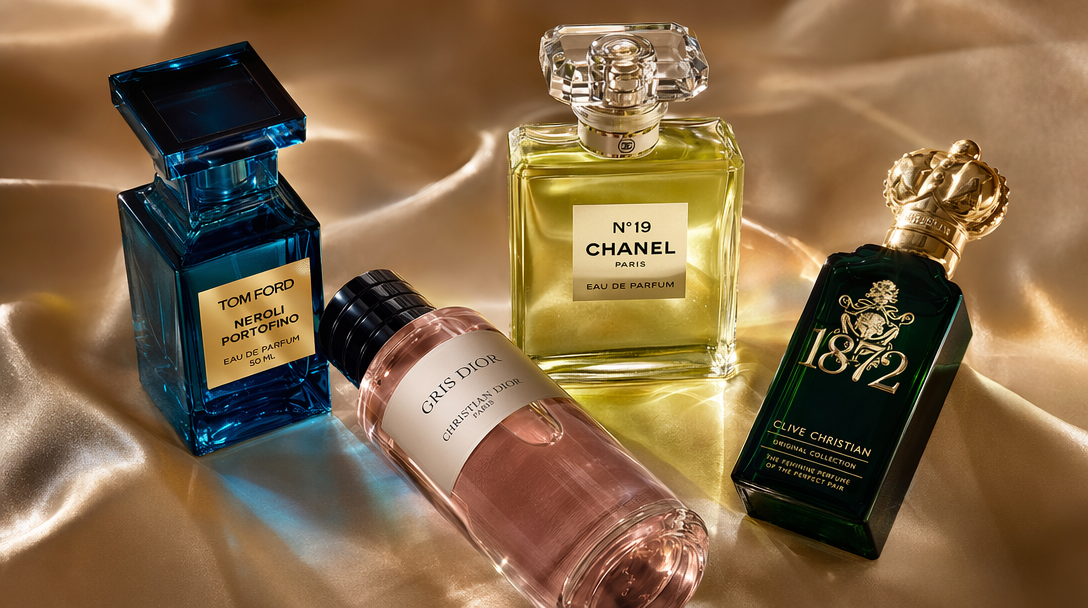
With well-constructed prompts, GPT Image 2 is producing photos that are genuinely difficult to distinguish from real ones. This isn't the "good for AI" bar, it's passing on its own merits. Lighting, skin texture, environmental context, and depth of field are all significantly better than GPT Image 1.5. E-commerce brands can generate high-quality photos using our text-to-image API endpoint and in less than 60 seconds have product photography images ready for their next catalogue.
UI generation
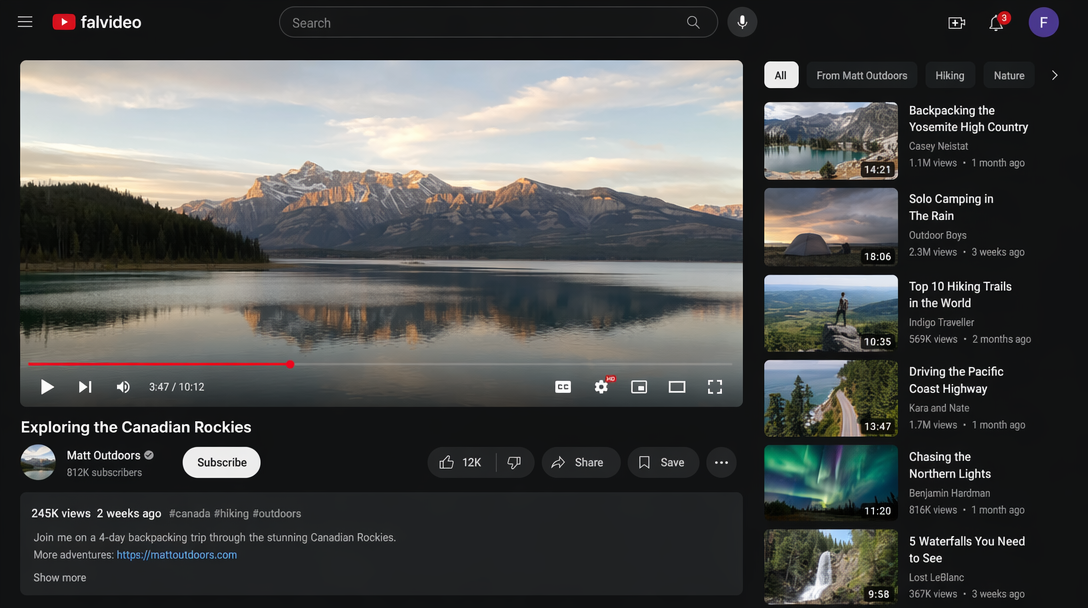
This one surprised the team. Compared to other models, GPT Image 2's ability to generate realistic, coherent UI dashboards, mobile screens, and web interfaces is in a different class. Components are proportioned correctly, text labels are readable and accurate, and the overall layouts look like things a designer actually built. The UI finding in particular has immediate product implications. If you're building design tooling, prototyping apps, or anything that turns text descriptions into interface mockups, this is the model to be testing right now.
Text that actually belongs in the image
This has been a consistently hard task for AI image generators for years. Letters bleed together. Words get scrambled. Whatever text does appear tends to float over the scene like an afterthought rather than being part of it. The fonts all have the same AI-generated look. GPT Image 1.5 improved this significantly. GPT Image 2 appears to have largely solved it. Testers reported that text inside complex scenes, UI screenshots, product mockups, signs, posters, and dense labels is rendered cleanly and correctly. The words sit in context, not on top of it. Reported accuracy for text rendering has jumped to over 99%.
For anyone who has tried to generate marketing assets or interface mockups with earlier models, this is a practical difference that changes what the tool is actually useful for. It's not a nice-to-have. It's what unlocks a whole category of use cases.
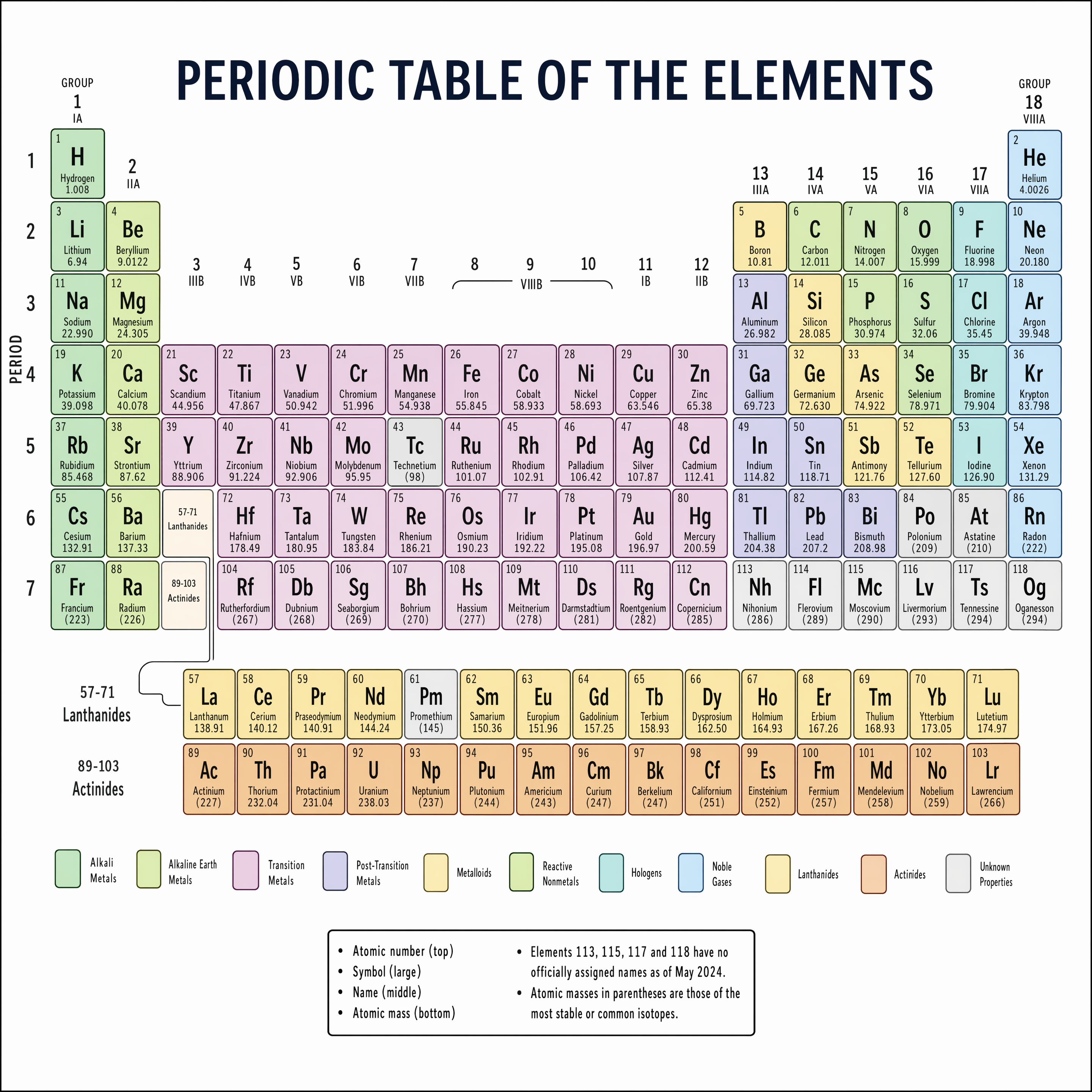
People had tried to generate the periodic table as a test of character text readability and general understanding of the world. Here are some examples of how AI was able to generate the periodic table over the course of three models.
GPT Image 1:
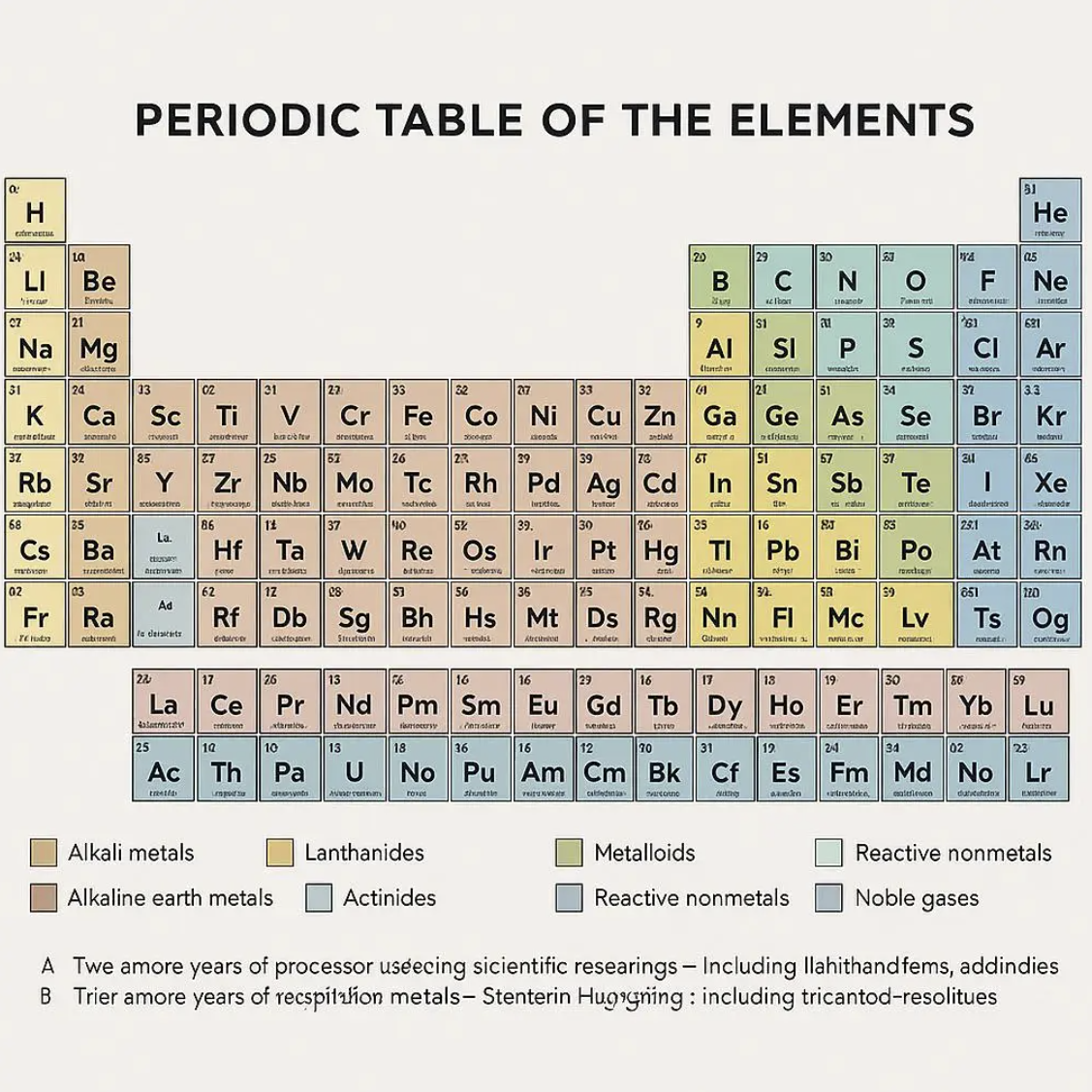
GPT Image 1.5:
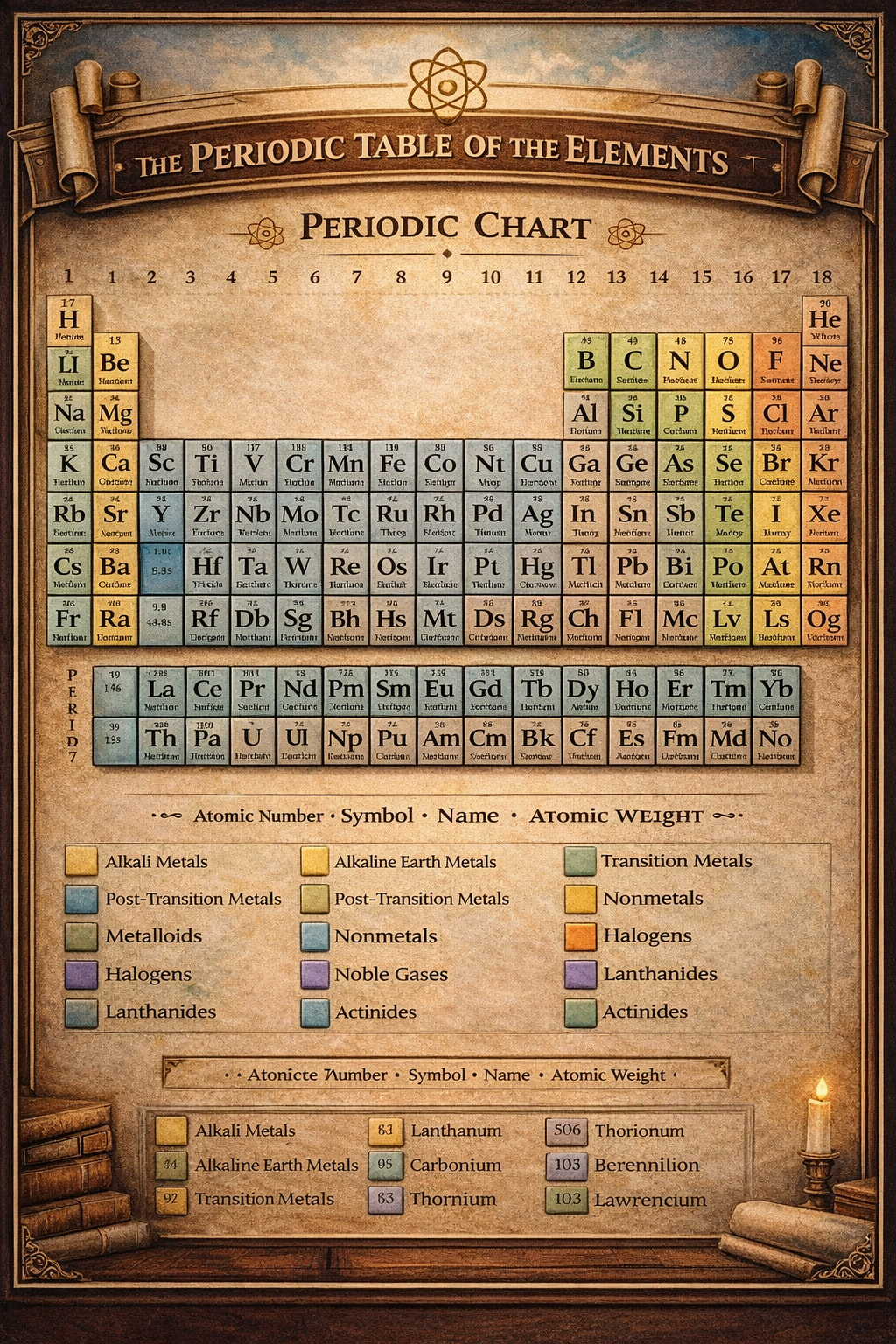
GPT Image 2:
CJK and multilingual text
English and Latin scripts have been relatively manageable. Chinese, Japanese, Korean, and Arabic have been a different story, where most models still produce garbled or aesthetically wrong characters for non-Latin scripts. Tester feedback on GPT Image 2 specifically called out CJK rendering as "surprisingly good," with accurate glyphs and clean strokes. This is significant for any product serving global markets.
The yellow cast is gone
If you've used GPT Image 1 or 1.5 for any serious work, you've noticed the warm, slightly yellowish tint that tends to bleed into outputs. It became the model's signature flaw, visible across a wide range of scene types and frustratingly hard to avoid. Early GPT Image 2 samples show neutral, accurate color rendering. The cast has been eliminated.
World knowledge, not just prompt matching
One tester prompted GPT Image 2 with "average engineer's screen" and got back a monitor setup that looked like it came from a real software developer's desk. That's the model's understanding of what engineers actually use, what their environments tend to look like, and constructing an image from that understanding.
GPT Image 1 introduced this concept using broad world knowledge when generating images, rather than just processing the text in the prompt. GPT Image 2 appears to have deepened it considerably. Complex multi-object scenes no longer suffer from occlusion or misplacement issues. Spatial logic has improved.
falMODEL APIs
The fastest, cheapest and most reliable way to run genAI models. 1 API, 100s of models
The Model Slug
On fal, the GPT Image 2 model slug is openai/gpt-image-2. That's the confirmed external name. Call openai/gpt-image-2 for text-to-image and openai/gpt-image-2/edit for image editing.
If you were testing during the alpha period, the alpha model slugs have been disabled. The production model openai/gpt-image-2 is what you'll be calling from here on. Update your integrations accordingly.
The Full API Spec
Here's everything you need to know before you write your first production call.
Resolution and aspect ratios
GPT Image 2 supports flexible resolutions. You can specify any size in the size parameter as long as it meets the following constraints:
- Maximum edge length: 4000px
- Both edges must be a multiple of 16
- The ratio between the long edge and the short edge must not exceed 3:1
- Maximum total pixels: 8,294,400 (roughly 4K)
- Minimum total pixels: 655,360 (roughly 1024×640)
This means you're not locked into fixed presets. You can generate 1024×1024, 1920×1080, 2560×1440, or a tall 1280×3840 portrait crop — anything that stays within the bounds above. That flexibility is genuinely useful for multi-format content pipelines.
One important caveat from OpenAI directly: resolutions above 2K should be considered experimental. They've seen mixed results at those sizes. For anything at 4K, test your specific use case rather than assuming it will work consistently. This is exactly why the low-quality plus upscale workflow matters — more on that shortly.
Quality tiers
GPT Image 2 supports three quality settings: low, medium, and high. OpenAI's own guidance is to test quality=low first. They've seen strong results with that setting, and the pricing gap is significant.
What's not supported at launch
- Transparent backgrounds: not available at GA. OpenAI plans to add this post-launch, but has no confirmed timing yet. If your workflow depends on PNG transparency, you'll need to continue using GPT Image 1.5 for that specific case.
- input_fidelity parameter: disabled for
openai/gpt-image-2specifically. It still works on older models. For GPT Image 2, all inputs are treated as high fidelity automatically, you don't need to set it.
Why How You Access GPT Image 2 Matters
You could wait for OpenAI's API access, which historically lags the ChatGPT rollout by two to four weeks. You could manage a separate OpenAI account, billing relationship, and API key rotation. Or you could use fal.
fal is an AI infrastructure platform trusted by over 1.5 million developers. It hosts GPT Image 1 and 1.5 alongside 1,000+ other production-ready models — image, video, audio, and 3D — all under a single API. GPT Image 2 is live on fal from day one. You switch models by changing one line.
But the infrastructure story goes deeper than convenience. There's a specific cost trick you can pull off on fal that you simply cannot do through OpenAI's API directly.
The quality tier trick: 4K output
GPT Image 2 accepts a quality parameter — low, medium, or high — and the cost difference between them is real. At high quality and larger resolutions, you're looking at a noticeably higher cost per image. OpenAI themselves recommend testing quality=low first, because they've seen strong results with it.
Here's what that means in practice. Low quality generates a 1024px image at a fraction of the price, and 1024px is a perfectly solid input for a dedicated upscaling model. On fal, you can chain these two steps into a single pipeline: generate at low quality via the GPT Image 2 API, then immediately pass the result through fal's image upscaler to get clean 4K output.
Low-quality GPT Image 2 generation + fal upscaler = 4K output for less. And since quality=low images are less expensive relative to GPT Image 1.5, the savings are even larger than they look.
It's the workflow OpenAI is implicitly encouraging by recommending quality=low in their own launch documentation. fal just adds the upscaling step that makes the output competitive with native high-quality generation at a cost structure that actually makes sense for production volumes.
For any application generating images at scale — product photography, marketing assets, e-commerce thumbnails, social content — this is worth building around from day one.
Speed that's actually different
fal runs its own inference engine built around custom CUDA kernels and globally distributed serverless infrastructure, with minimum cold starts. This isn't a reseller adding overhead on top of OpenAI's API. It's a purpose-built execution layer that runs GPT Image 2 fast, and the low-quality generation step is faster still, which means the full generate-then-upscale pipeline often beats a single high-quality generation on raw latency too.
Higher concurrency limits
Default OpenAI API concurrency limits are a real constraint for production workloads. fal's infrastructure is designed for scale, with higher concurrency limits that make batch generation, real-time pipelines, and high-volume applications actually viable. If you're building something that needs to generate dozens of images simultaneously, this is the difference between it working and it rate-limiting out.
Custom pipeline workflows
The generate-then-upscale pattern is one example of what fal's pipeline system makes possible. You can chain any combination of models: generate with GPT Image 2, upscale, apply a style pass, run a quality filter, convert format — all in one API call with one billing relationship. These kinds of multi-step workflows are where production image generation actually lives, and fal is built for them natively. OpenAI's API gives you a model. fal gives you a pipeline.
No separate OpenAI account required
When you run GPT Image 2 through fal, you don't need a separate OpenAI account or API key. Pricing flows through fal's unified billing. For teams managing multiple models across multiple providers, this simplification is genuinely worth something: one invoice, one integration, one place to monitor usage.
GPT Image 2 is live on fal now. If you want to run it in production with upscaling, pipelines, and the cost-optimized workflow ready to go, fal is where to start.
How to Prepare Right Now
Here's the practical read on how to get started with GPT Image 2.
If you're a developer
- Start with
quality=low. This isn't just a cost tip: OpenAI's own launch documentation says they've seen strong results with this setting. Pair it with fal's upscaler and you're getting 4K output for less. - Don't assume 4K native generation is reliable yet. OpenAI has flagged resolutions above 2K as experimental with mixed results. The low-quality plus upscale pipeline sidesteps this entirely.
- Remove any
input_fidelityparameter from youropenai/gpt-image-2calls. It's disabled for this model, it won't do anything, and keeping it in is dead weight. - If you need transparent PNG outputs, stay on GPT Image 1.5 for that specific use case until OpenAI adds transparency support to
openai/gpt-image-2. - Keep your model routing abstract. A configuration layer means switching models is one variable change, useful as the GPT Image family keeps evolving.
If you're a marketer or content creator
- The text rendering improvements are what unlock new use cases for you. Posters, social ads, product shots with copy, UI mockups — these all become more reliable with GPT Image 2.
- Multilingual asset creation becomes a real option. If your brand operates across markets with non-Latin scripts, GPT Image 2's CJK improvements are directly relevant.
- GPT Image 2 is already live on fal, ahead of the ChatGPT Plus and direct OpenAI API rollouts. Start producing assets today through fal's API and playground without waiting on anyone else's access windows.
If you're currently using GPT Image 1.5
You don't need to do anything right now. GPT Image 1.5 remains a strong model and is fully production-ready. But if you're hitting the edges — text accuracy on complex scenes, the warm color cast, multilingual outputs, resolution limits — then GPT Image 2 is specifically designed to address each of those.
Recently Added
































The Bottom Line
GPT Image 2 is here. Based on the evidence from testing and the spec sheet that's now in front of us, it's a meaningful step forward. Near-perfect text rendering, no color cast, real-world knowledge, flexible resolutions up to 4K, and a quality tier system that makes GPT Image 2 the go-to model to try for image generation.
![Nano Banana Pro Prompting Guide & Examples [2026]](https://refinery.fal.media/url/https%3A%2F%2Fv3b.fal.media%2Ffiles%2Fb%2F0a9e92ad%2FdgU0a7pspdC0xXfh7ajVQ_nano-banana-pro-prompting-guide.jpg/tr:w-1280,q-80/dgU0a7pspdC0xXfh7ajVQ_nano-banana-pro-prompting-guide.webp)