 Documentation
 Examples
 Model API Reference
 SDK Reference
 Inference API
 Platform API
 Changelog

The sidebar can collapse to icons, and the rail can open, close, or expand. Both states are saved to your account.
Start a chat
Click New chat or open fal.ai/agent. The empty state greets you by name and shows starter cards. Each card loads a full prompt, and some also load a sample image. Click Shuffle for a new set. The/agent URL returns you to the last view you used. Deep links with ?endpoint= open a chat with a model pinned.
Chat titles
The agent names each chat from your first message, in your language. To rename a chat, open History, click the title, edit it, and pressEnter.
History
History lists every chat with search. Hover a row to preview its recent media. Rows show Unread updates when a run landed while you were away, and Needs approval when a plan checkpoint or a cost approval is waiting. Delete a chat from its row. Deletion asks for confirmation.Turn navigation
A rail of dots on the right edge of the chat marks each turn. Hover a dot to preview that turn’s prompt and up to four output thumbnails. Click it to jump there.The media rail
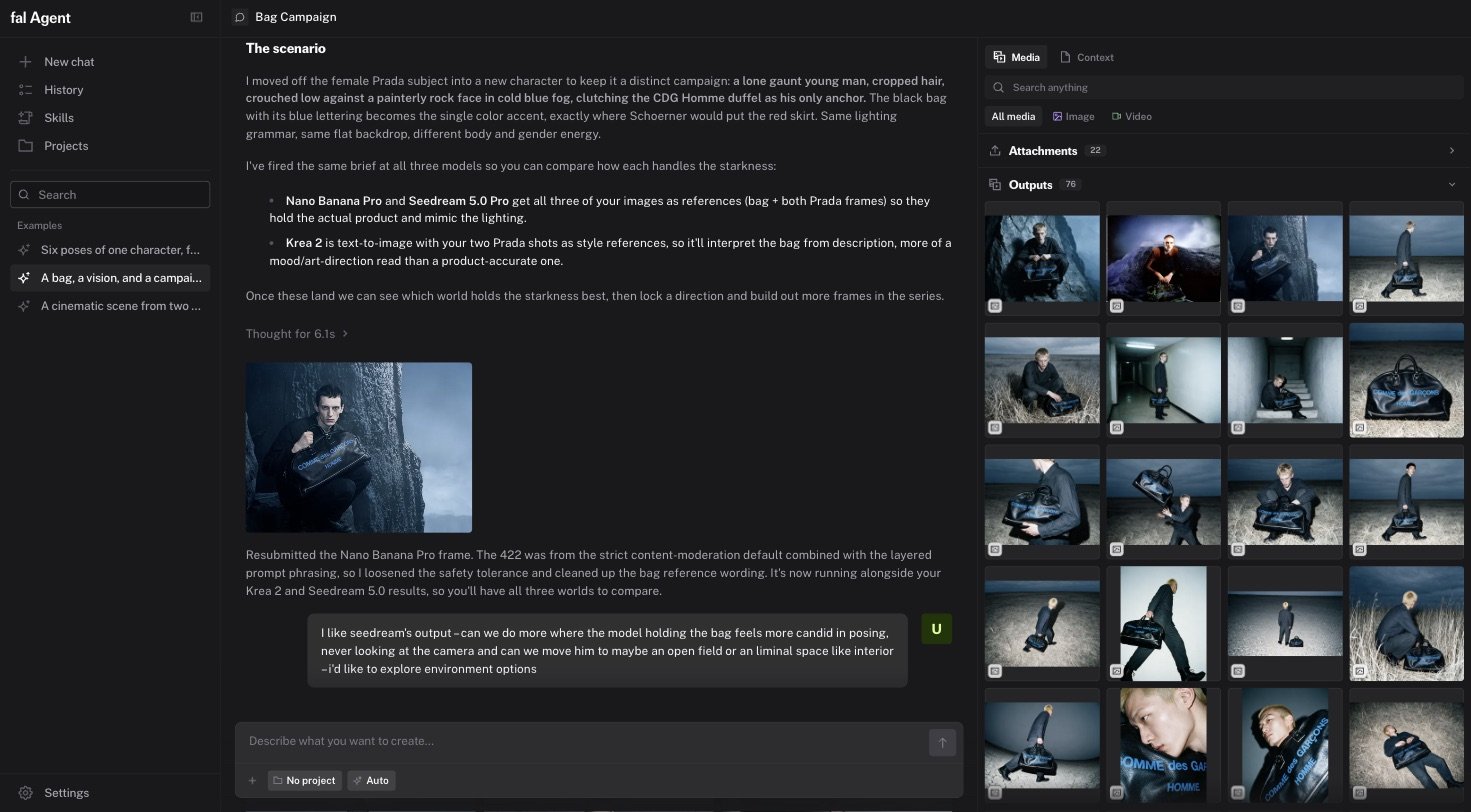
The rail mirrors the chat’s media as a grid. Controls at the top:- Scope: This chat or Project. The project scope is available when the chat belongs to a project.
- Kind: Media or Context. Context shows project memory notes and documents.
- Filters: All media, Image, Video, Audio, 3D, and Favorites.
- Search: filters tiles by prompt, model, and name.
Keyboard shortcuts
Prompt suggestions
After a turn, the composer shows a suggested follow-up as ghost text. Suggestions rotate and are specific to what you just made. PressTab to accept one.
