Documentation
 Examples
 Model API Reference
 SDK Reference
 Inference API
 Platform API
 Changelog

Try It
The best way to understand the Playground is to open one. Pick a model and start generating.
Nano Banana 2

Veo 3.1

ElevenLabs Music
What the Playground Shows
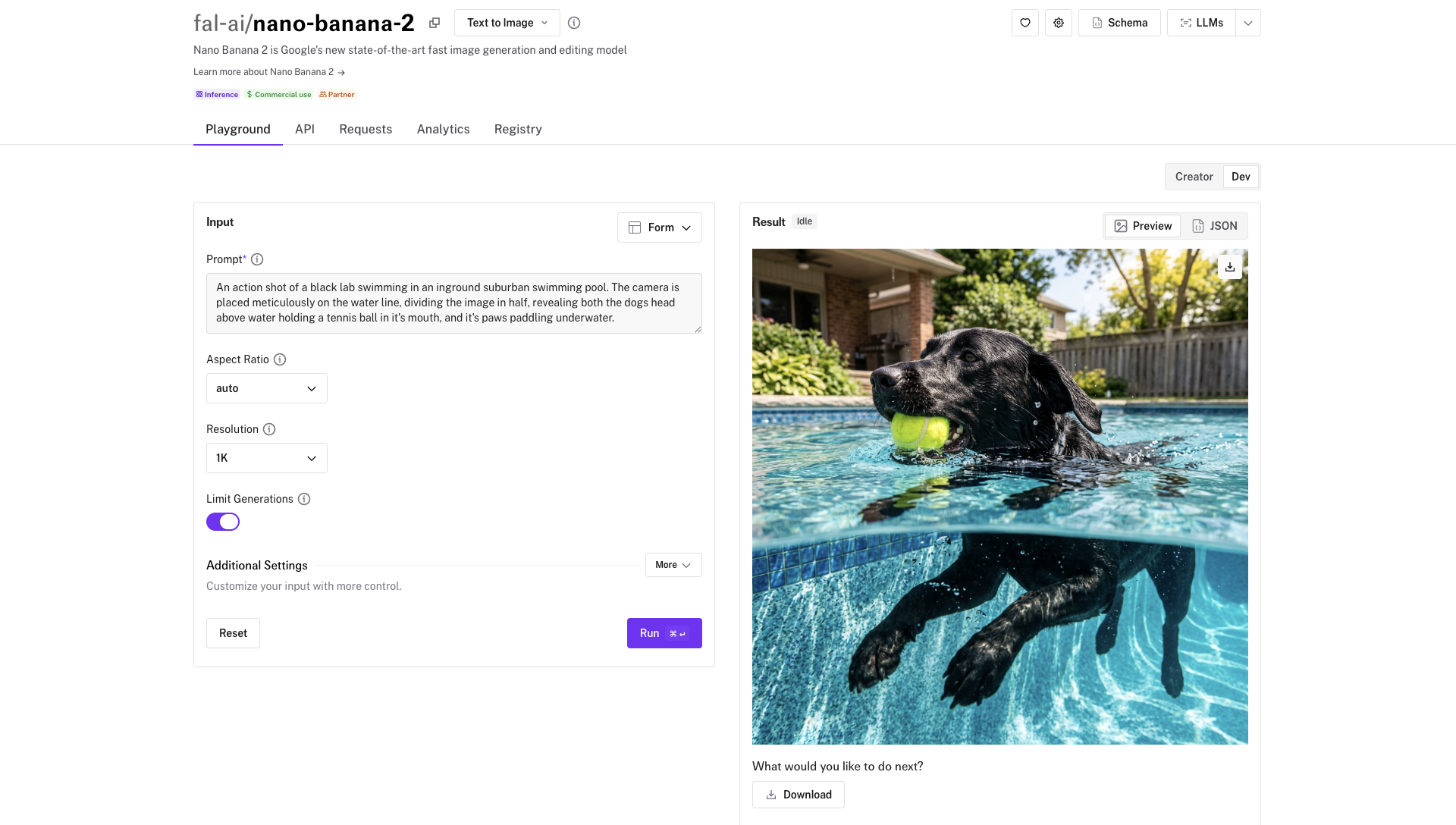
Each model page on fal.ai (for example, Nano Banana 2) is organized into tabs. The Playground tab lets you fill in inputs and run the model directly in your browser. The API tab shows the full input and output schemas with type information, so you know exactly what fields are available and what the response looks like. The page also displays pricing, average latency, and ready-to-copy code examples.Testing a Model
1
Find a model
Browse the model gallery or search for a specific model. Click on it to open its page.
2
Fill in the inputs
The Playground form is auto-generated from the model’s input schema. Required fields are marked, and optional fields have sensible defaults. For models that accept images, video, or audio, you can upload files directly.
3
Run the model
Click Run to submit your request. The result appears below the form, typically within a few seconds.
4
Iterate
Adjust your inputs and run again to refine the result.
Copying Code
Use the input-mode selector to switch from Form or JSON to Python, JavaScript, or cURL. The generated snippet uses your current inputs and the selected endpoint, so you can copy it into your project.Your Own Apps
For a persistent app created withfal deploy, use the app dashboard as the canonical way to open its Playground. This flow works regardless of which links your installed CLI release prints.
If a different account is selected, switch to the personal or team account that owns the app.
1
Open your deployed app
In the Apps dashboard, select the app.
2
Choose an environment
If the app has multiple environments, choose the environment you want to test.
3
Open the Playground
Select Playground under the Testing section of the app sidebar.
4
Select an endpoint
Choose the endpoint you want to test from the endpoint selector. You can move between the app’s available endpoints without leaving the app.
5
Run a request
After you fill in the generated input form, click Run.
fal deploy. That URL remains valid. The dashboard flow keeps you in the app and provides one place to switch between its endpoints.
A Playground URL printed by fal run belongs to that temporary run. Use it while fal run is active.
To control how your app’s inputs render in the Playground (image uploaders, hidden fields, field ordering), see Handle Inputs and Outputs. For example, naming a field with an image_url suffix renders it as an image upload widget, and wrapping a field in Hidden() keeps it accessible via API but hides it from the Playground form.
Playground vs Sandbox
The Playground and the Sandbox serve different purposes. The Playground is for testing a single model with specific inputs and copying code. The Sandbox is for comparing multiple models at once, with features like model sets, cost estimates, search across past generations, and shareable links.More Models to Try

Nano Banana 2 Edit

Kling 3.0 Pro

Sora 2

Recraft V4 Pro