openai/gpt-image-2
Input
Customize your input with more control.
Result
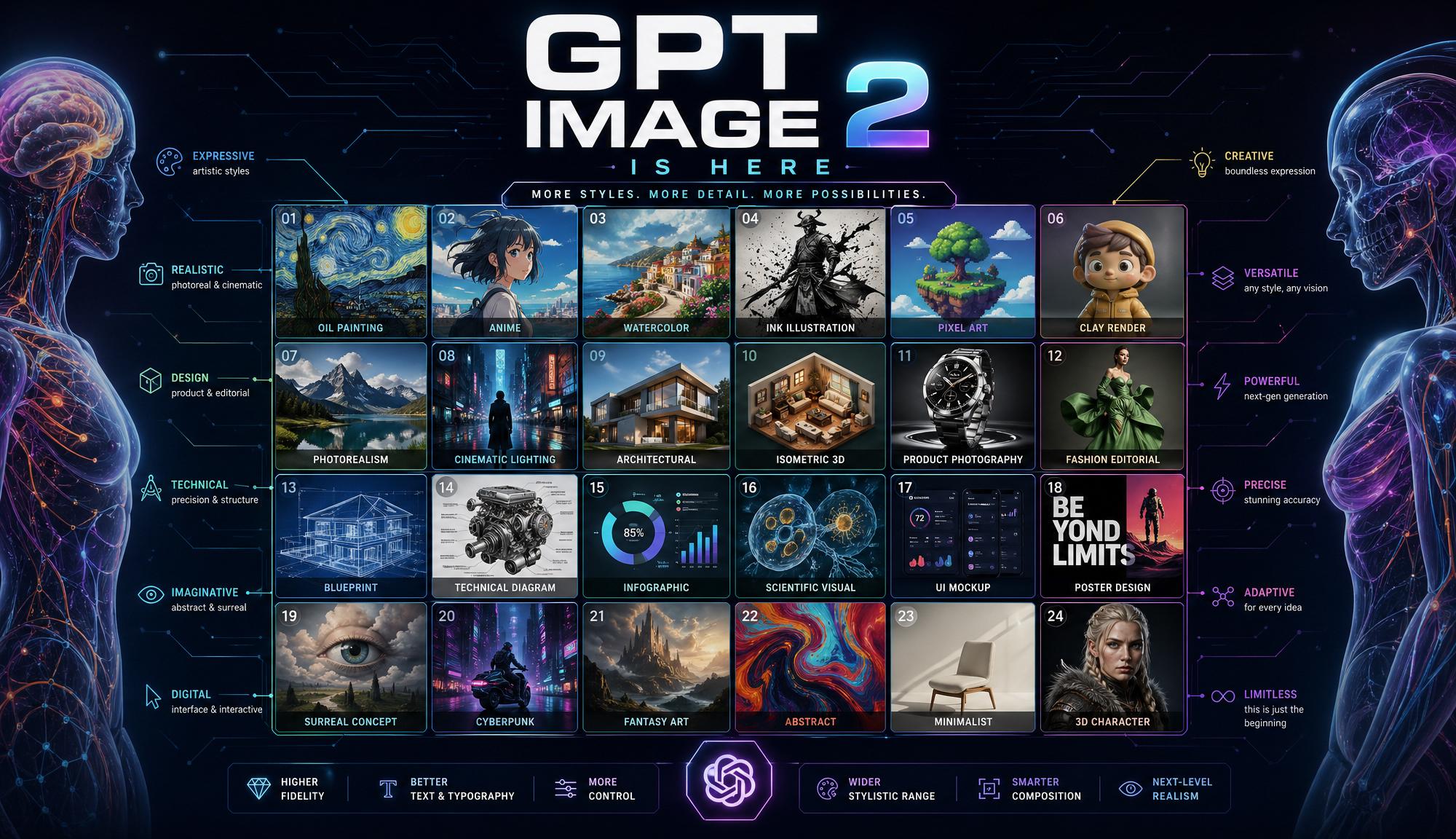
What would you like to do next?
Text tokens (per 1M): $5.00 input, $1.25 cached, $10.00 output. Image tokens (per 1M): $8.00 input, $2.00 cached, $30.00 output. Changing the quality parameter significantly affects cost; by default we use high. Adjust it to your preference. See the description at the bottom of this page for more details on how much canonical image sizes cost. Token cost is ceiled to the closest cent.
Logs
Run GPT Image 2 AI Text To Image API on fal
Official GPT Image 2 Landing Page
OpenAI's gpt-image-2 is built for developers that require extreme prompt adherence and text rendering capabilities coupled with general intelligence about the world. It excels at text to image generation. Built for: Generation of extremely complex images, text-heavy image generation.
Pricing
The following table shows the pricing of ChatGPT Images 2.0 from a technical standpoint.
| Size | Low Quality | Medium Quality | High Quality |
|---|---|---|---|
| 1024 x 768 | $0.005 | $0.037 | $0.145 |
| 1024 x 1024 | $0.006 | $0.053 | $0.211 |
| 1024 x 1536 | $0.005 | $0.042 | $0.165 |
| 1920 x 1080 | $0.005 | $0.040 | $0.158 |
| 2560 x 1440 | $0.007 | $0.056 | $0.222 |
| 3840 x 2160 | $0.012 | $0.101 | $0.401 |
Features
ChatGPT Images 2.0 is capable of reasoning about input text, and is capable of thinking for variable amounts of time depending on the complexity of the prompt. ChatGPT Images 2.0 [Text to Image] can also be used at a lower or higher fidelity as per the user's choice, by an appropriate setting of the `quality` parameter, thus decreasing costs for image generations requiring less reasoning or quality. If you want to learn more visit our blog & our gpt image 2 page
Default prompt template
Scene: [where this happens, time of day, background, environment]
Subject: [who or what is the main focus]
Important details: [materials, clothing, texture, lighting, camera angle, lens feel, composition, mood]
Use case: [editorial photo / product mockup / poster / UI screen / infographic / concept frame]
Constraints: [no watermark / no logos / no extra text / preserve face / preserve layout]
Technical Specifications
| Spec | Details |
|---|---|
| Architecture | GPT-Image-2 |
| Input Formats | Text prompt |
| Output Formats | PNG, JPEG, WEBP images via URL or data URI |
| Resolution Range | 655,340 total pixel area (width x height) minimum, to 8,294,400 total pixel area maximum, with the maximum side length being 4000 pixels |
| License | Commercial use via fal Partner agreement |
| API Documentation |
What's New in ChatGPT Images 2.0
Near-Perfect Text Rendering
Text inside images has historically been the biggest weakness of AI image models. ChatGPT Images 2.0 integrates written language naturally into scenes, including handwritten notes, signage, UI labels, and posters, with correct spelling and consistent spacing. This is the single most-requested capability improvement in the community, and ChatGPT Images 2.0 delivers it across both Latin and CJK scripts (Chinese, Japanese, Korean).
World-Aware Photorealism
The model understands physics, lighting, and material properties at a depth that goes beyond pattern matching. Complex multi-object scenes no longer suffer from occlusion or misplacement. The persistent warm color cast present in GPT Image 1.5 has been eliminated, resulting in neutral, accurate color rendering across all scene types.
Strong Prompt Adherence
Instruction-following is significantly improved. The model preserves composition, lighting choices, and fine-grained details described in long or multi-part prompts, making it reliable for commercial workflows where consistency matters.
Image Editing with Mask Support
The editing endpoint supports precise inpainting and outpainting via mask images. Specific regions can be modified while unrelated pixels remain untouched, enabling use cases like product photo background swaps, packaging visualization, and iterative asset refinement.
Flexible Resolutions up to 4K
Supports both preset sizes and fully custom dimensions. Both edges must be multiples of 16, with a maximum edge of 3840px, aspect ratio up to 3:1, and total pixels between 655,360 and 8,294,400.
Quick Start
Install the client
bashnpm install --save @fal-ai/client
Set your API key
bashexport FAL_KEY="YOUR_API_KEY"
Text to image
javascriptimport { fal } from "@fal-ai/client";

const result = await fal.subscribe("fal-ai/gpt-image-2", {
  input: {
    prompt: "A photorealistic Tokyo cafe interior at golden hour, neon signs reflected in rain-slicked pavement outside the window",
    image_size: "landscape_4_3",
    quality: "high",
    num_images: 1,
    output_format: "png",
  },
  logs: true,
  onQueueUpdate: (update) => {
    if (update.status === "IN_PROGRESS") {
      update.logs.map((log) => log.message).forEach(console.log);
    }
  },
});

console.log(result.data.images[0].url);
Image editing with a mask
javascriptimport { fal } from "@fal-ai/client";

const result = await fal.subscribe("fal-ai/gpt-image-2/image-to-image", {
  input: {
    prompt: "Replace the background with a dramatic overcast sky",
    image_urls: ["https://your-image-url.com/photo.jpg"],
    mask_image_url: "https://your-image-url.com/sky-mask.png",
    quality: "high",
  },
});
Bring your own OpenAI key (BYOK)
Pass `openai_api_key` in the input to route requests through your own OpenAI account and quota:
javascriptconst result = await fal.subscribe("fal-ai/gpt-image-2", {
  input: {
    prompt: "...",
    openai_api_key: "YOUR_OPENAI_KEY",
  },
});
API Reference
Input
| Parameter | Type | Default | Description |
|---|---|---|---|
`prompt` | string | required | Text description of the image to generate |
`image_size` | enum or object | `landscape_4_3` | Preset name or `{ width, height }`. Both dims must be multiples of 16 |
`quality` | enum | `high` | `low`, `medium`, or `high` |
`num_images` | integer | `1` | Number of images to generate per request |
`output_format` | enum | `png` | `jpeg`, `png`, or `webp` |
`sync_mode` | boolean | `false` | Returns images as data URIs directly; output excluded from request history |
`openai_api_key` | string | optional | Your OpenAI API key for BYOK usage |
Image size presets
| Preset | Dimensions |
|---|---|
`square_hd` | 1024 x 1024 |
`square` | 512 x 512 |
`portrait_4_3` | 768 x 1024 |
`portrait_16_9` | 576 x 1024 |
`landscape_4_3` | 1024 x 768 |
`landscape_16_9` | 1024 x 576 |
Custom dimensions are also supported:
json"image_size": {
  "width": 1920,
  "height": 1080
}
Output
json{
  "images": [
    {
      "url": "https://v3b.fal.media/files/...",
      "content_type": "image/png",
      "file_name": "output.png",
      "width": 1024,
      "height": 768
    }
  ]
}
Use Cases
Marketing and brand assets -- Product mockups, ad creatives, and social graphics with consistent text rendering and accurate logo placement.
UI and product design -- Realistic interface screenshots and app mockups generated from a prompt, useful for early-stage prototyping and stakeholder presentations.
Publishing and editorial -- Book covers, infographics, and illustrated articles where readable text inside images is a hard requirement.
E-commerce -- Product photography variations, background replacements, and packaging visualization via the image editing endpoint.
Multilingual content -- Signage, social posts, and branded materials in Chinese, Japanese, Korean, and other scripts that previously required manual text overlay.
Long-Running Requests
For production workloads, use the Queue API to submit requests asynchronously and retrieve results via webhook or polling.
javascript// Submit
const { request_id } = await fal.queue.submit("fal-ai/gpt-image-2", {
  input: { prompt: "..." },
  webhookUrl: "https://your-server.com/webhook",
});

// Check status
const status = await fal.queue.status("fal-ai/gpt-image-2", {
  requestId: request_id,
  logs: true,
});

// Fetch result
const result = await fal.queue.result("fal-ai/gpt-image-2", {
  requestId: request_id,
});
File Inputs
The editing endpoint accepts image URLs or base64 data URIs. For files that are not publicly accessible, upload them first using the fal storage API:
javascriptimport { fal } from "@fal-ai/client";

const file = new File([imageBuffer], "photo.png", { type: "image/png" });
const url = await fal.storage.upload(file);

// Use the returned URL in your request
Notes
- Custom image dimensions must be multiples of 16 on both edges
- Maximum single edge is 3840px; maximum aspect ratio is 3:1
- Total pixel count must be between 655,360 and 8,294,400
- When running client-side code, never expose your
`FAL_KEY`. Use a server-side proxy instead - BYOK mode routes usage through your OpenAI account; fal's quota does not apply
Arena ranking based on blind community tests conducted on LM Arena in April 2026 using pre-release model variants. Not an official OpenAI benchmark.