 Documentation
 Examples
 Model API Reference
 SDK Reference
 Inference API
 Platform API
 Changelog

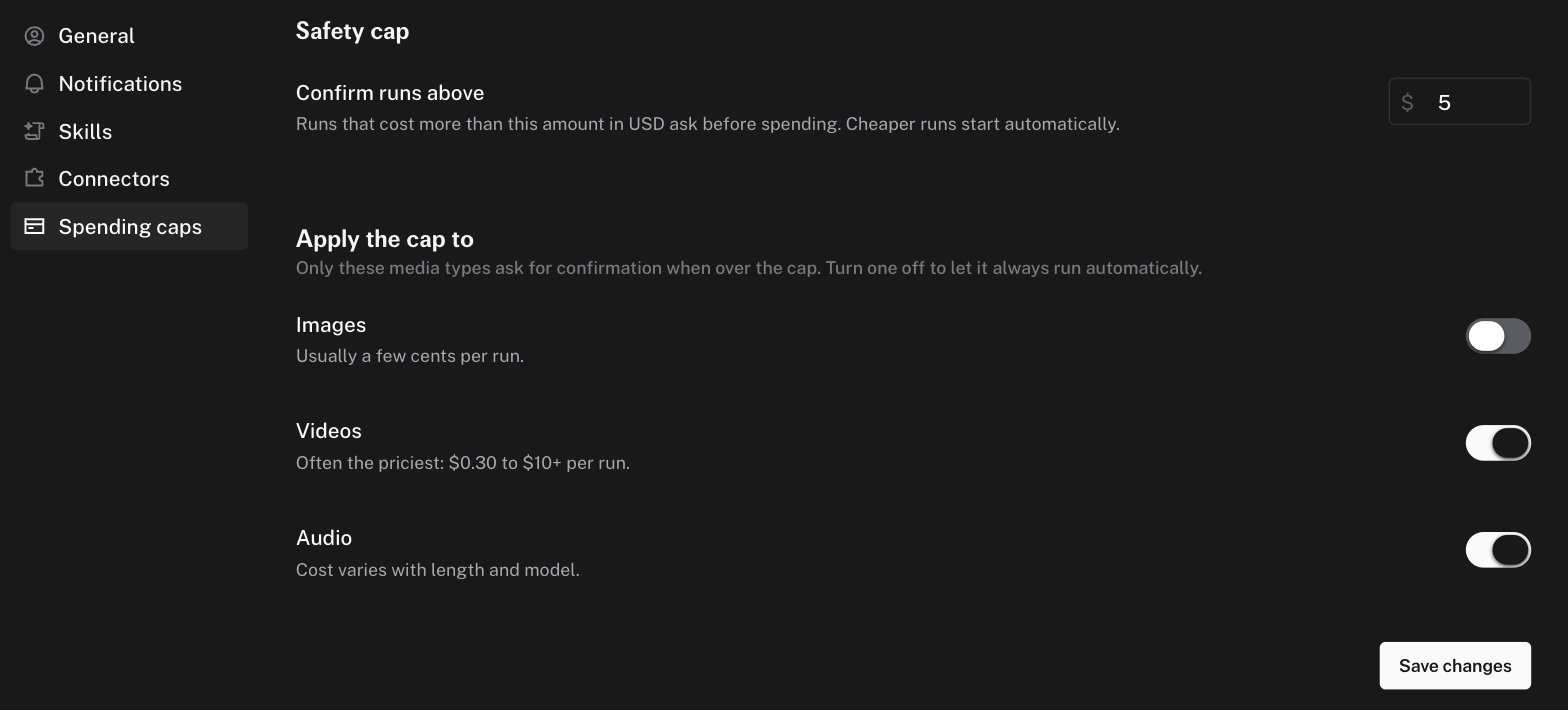
How the cap works
A run group asks for confirmation when both conditions are true:- The projected cost of the turn, including this run, is above your safety cap.
- The run’s media type has confirmation turned on.
Defaults
Cost estimates
The agent estimates cost from the model’s price and from historical cost per request for that endpoint. The estimate is conservative. It uses a high percentile of past requests, so real costs are usually lower than the estimate. The agent also has a pricing tool and must check a model’s real price before it quotes a cost to you.When a run is waiting
An approval alert appears in the chat with the estimated cost. Until you approve or reject it, the agent cannot submit further runs in that chat. A blocked submit shows the message “Blocked because a previous generation is awaiting cost approval.” In a model comparison, waiting columns show Awaiting approval.The spend chip
Next to the composer, a chip shows the number of generations and the total cost of the chat. Hover it for a breakdown By model or By modality. A dot on the chip means some runs are not priced yet.Related controls
- Plan card checkpoints gate on a step, not on cost.
- Model access controls restrict which models your organization can run at all.