 Documentation
 Examples
 Model API Reference
 SDK Reference
 Inference API
 Platform API
 Changelog

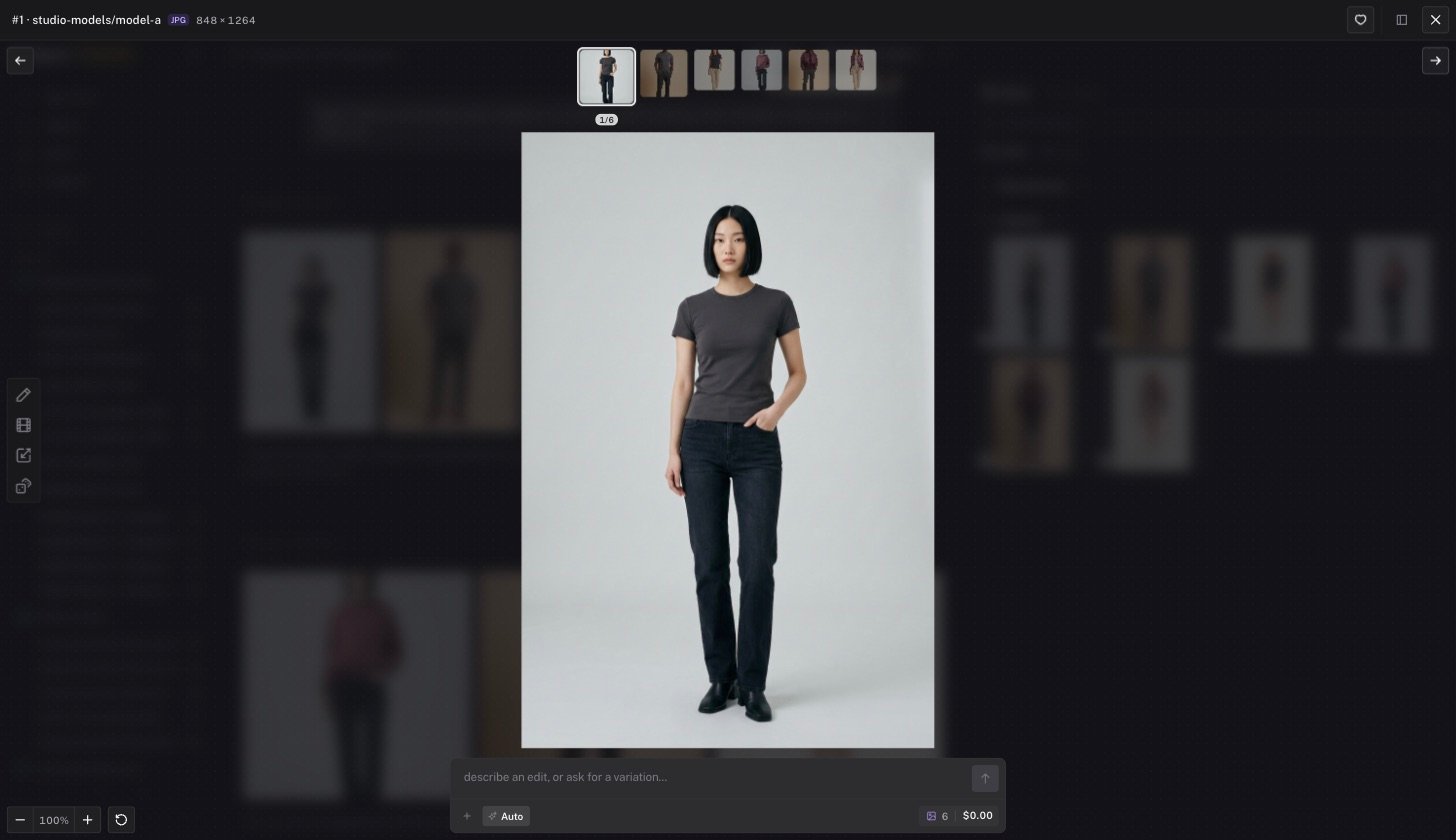
Controls
Edit from the viewer
The composer at the bottom of the viewer sends an instruction to the agent with the current image attached. Type an edit, or ask for a variation, without leaving the viewer. The left toolbar offers quick actions for image outputs.- Edit opens the markup canvas. See below.
- Quick animate turns the still into a short video.
- Upscale runs an upscaler on the image.
- Make a variation asks for one or more new takes. A picker sets the count.
Markup and crop
Edit opens a drawing canvas over the image. Use it to point at the region you want changed.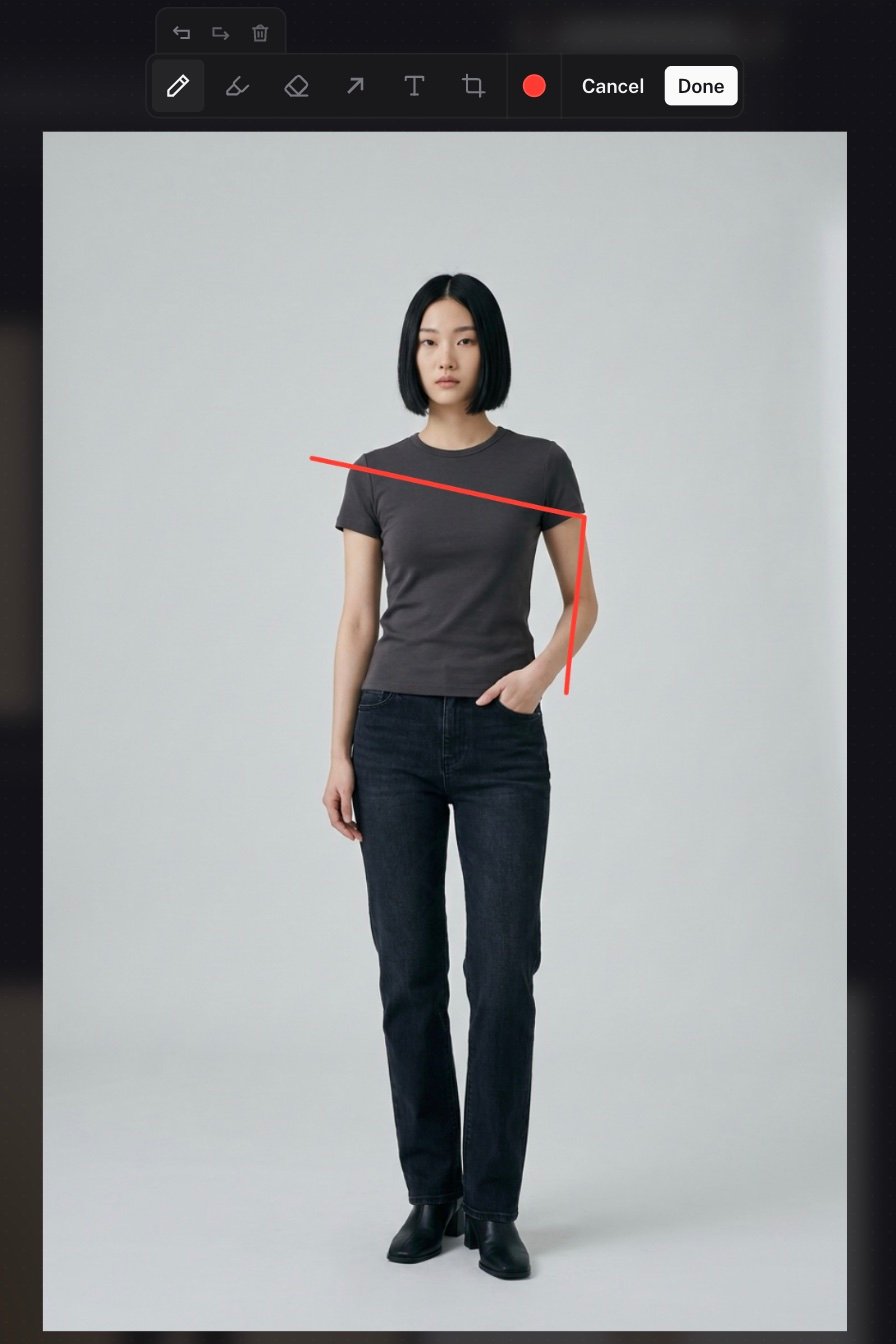
Click Done. The canvas is flattened to a PNG and placed in your composer as an attachment. Type what you want changed and send. The agent uses the marked image as the edit source. Cancel discards the marks.