 Documentation
 Examples
 Model API Reference
 SDK Reference
 Platform API
 Changelog

- Dev
- Image To Image
- Redux
Endpoint: 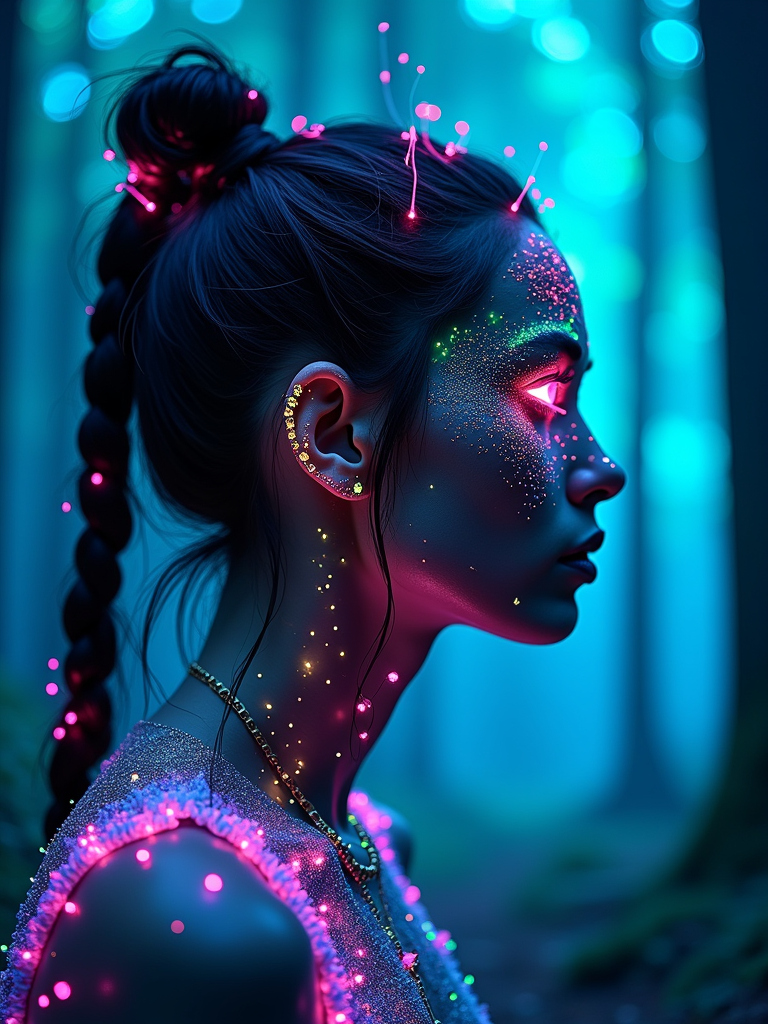


POST https://fal.run/fal-ai/flux/dev
Endpoint ID: fal-ai/flux/devTry it in the Playground
Run this model interactively with your own prompts.
Quick Start
Examples
portrait | wide angle shot of eyes off to one side of frame, lucid dream-like woman, looking off in distance ::8 style | daydreampunk with glowing skin and eyes, styled in headdress, beautiful, she is dripping in neon lights, very colorful blue, green, purple, bioluminescent, glowing ::8 background …
a girl walking through a field, in the style of ethereal trees, dark yellow and azure, majestic, sweeping seascapes, photorealistic representation, graceful balance, wimmelbilder, orange
Microscopic photograph of mites caught in a drop of water, green colored sparks raining from above across a gradient background, brightly shining sparks, emitting green light, shallow depth of field volumetric lighting, cinematic, intricate detail, ultra-realistic
Input Schema
string
required
The prompt to generate an image from.
ImageSize | Enum
default:"landscape_4_3"
The size of the generated image. Default value:
landscape_4_3Possible values: square_hd, square, portrait_4_3, portrait_16_9, landscape_4_3, landscape_16_9integer
default:"28"
The number of inference steps to perform. Default value:
28Range: 1 to 50integer
The same seed and the same prompt given to the same version of the model
will output the same image every time.
float
default:"3.5"
The CFG (Classifier Free Guidance) scale is a measure of how close you want
the model to stick to your prompt when looking for a related image to show you. Default value:
3.5Range: 1 to 20boolean
default:"false"
If
True, the media will be returned as a data URI and the output data won’t be available in the request history.integer
default:"1"
The number of images to generate. Default value:
1Range: 1 to 4boolean
default:"true"
If set to true, the safety checker will be enabled. Default value:
trueOutputFormatEnum
default:"jpeg"
The format of the generated image. Default value:
"jpeg"Possible values: jpeg, pngAccelerationEnum
default:"none"
The speed of the generation. The higher the speed, the faster the generation. Default value:
"none"Possible values: none, regular, highOutput Schema
list<Image>
required
The generated image files info.
Timings
required
integer
required
Seed of the generated Image. It will be the same value of the one passed in the
input or the randomly generated that was used in case none was passed.
list<boolean>
required
Whether the generated images contain NSFW concepts.
string
required
The prompt used for generating the image.
Input Example
Output Example


FLUX.1 [dev] - High-Performance Image Generation API
Transform your creative vision into stunning images with FLUX.1 [dev], a state-of-the-art text-to-image generation model powered by a 12 billion parameter flow transformer. Built for both speed and quality, FLUX.1 [dev] delivers professional-grade results suitable for personal and commercial use.Key Benefits
Create production-ready images faster and with greater control. FLUX.1 [dev] enables you to:- Generate high-fidelity images from natural language descriptions
- Achieve consistent results across multiple generations
- Scale from prototype to production with enterprise-grade reliability
- Access both personal and commercial licensing options
- Deploy anywhere with flexible API integration
- Use streaming capabilities for real-time generation
Popular Use Cases
Content Creation Generate marketing visuals, social media assets, and blog illustrations at scale. Perfect for agencies and content teams who need consistent, high-quality imagery. Product DevelopmentCreate concept art, UI mockups, and design variations for rapid prototyping. Ideal for designers exploring visual directions. E-commerce Generate product lifestyle images, seasonal campaigns, and A/B testing visuals to boost conversion rates. Entertainment Produce game assets, storyboard illustrations, and creative concept art for media projects.
Technical Overview
FLUX.1 [dev] is built on advanced flow transformer architecture that enables:- Performance: 12B parameters optimized for rapid inference
- Flexibility: Support for multiple generation approaches including streaming
- Quality: Enhanced image coherence and composition
- Licensing: Suitable for both personal and commercial use
Getting Started
Getting up and running with FLUX.1 [dev] is straightforward. Here’s how to begin:- Get your API key at https://fal.ai/login
- Install the client library:
- Make your first API call:
Streaming Support
FLUX.1 [dev] supports streaming requests for real-time generation:Best Practices
For optimal results when using FLUX.1 [dev]:- Keep prompts clear and specific while maintaining natural language
- Start with default parameters and adjust based on results
- Consider using negative prompts to refine unwanted elements
- Monitor usage for cost-effective scaling
- Take advantage of streaming for interactive applications
Advanced Features
Image Style Control
Fine-tune the artistic direction of your generations through comprehensive style parameters. Adjust attributes like composition, lighting, and artistic influence while maintaining consistent quality.API Parameters
The model supports various configuration options:- CFG Scale: Control prompt adherence (default: 3.5)
- Safety Checker: Enable content safety filtering
- Output Format: Choose between PNG and other formats
- Number of Images: Generate multiple variations
- Speed Settings: Optimize for generation speed
Batch Processing
Generate multiple variations efficiently with built-in batching support. Perfect for creating asset collections or exploring creative variations.Integration Support
Our comprehensive SDK support makes integration seamless across your technology stack:- REST API for platform-agnostic integration
- Native SDKs for Python and JavaScript/TypeScript
- Streaming capabilities for real-time applications
- Detailed documentation and code examples
- Enterprise support options available
Pricing and Usage
Your request will cost $0.025 per megapixel. Images are billed by rounding up to the nearest megapixel. Our transparent, usage-based pricing scales with your needs:- Cost-effective: $0.025 per megapixel
- Commercial usage rights included
- No subscription fees or minimum commitments
- Transparent billing with clear pricing structure
Licensing
FLUX.1 [dev] is suitable for both personal and commercial use through fal.ai’s platform. The model provides flexible licensing options that support various use cases from individual projects to enterprise deployments.Migration Guide
Moving from other platforms? Our migration tools and documentation help ensure a smooth transition to FLUX.1 [dev]. Contact our support team for personalized migration assistance and best practices.Getting Help
We’re here to support your success with FLUX.1 [dev]:- Documentation: Comprehensive guides at https://docs.fal.ai
- Support: Technical assistance via support@fal.ai
- Community: Join our Discord for tips and discussions
- Updates: Regular model improvements and feature additions
Related
- FLUX.1 [schnell] — Image Generation
- FLUX.1 [dev] Redux — Image Generation
Limitations
image_sizerestricted to:square_hd,square,portrait_4_3,portrait_16_9,landscape_4_3,landscape_16_9num_inference_stepsrange: 1 to 50guidance_scalerange: 1 to 20num_imagesrange: 1 to 4output_formatrestricted to:jpeg,pngaccelerationrestricted to:none,regular,high- Content moderation via safety checker
strengthrange: 0.01 to 1num_inference_stepsrange: 10 to 50