

 Documentation
 Examples
 Model API Reference
 SDK Reference
 Platform API
 Changelog
- V1.1
- Redux
Endpoint: 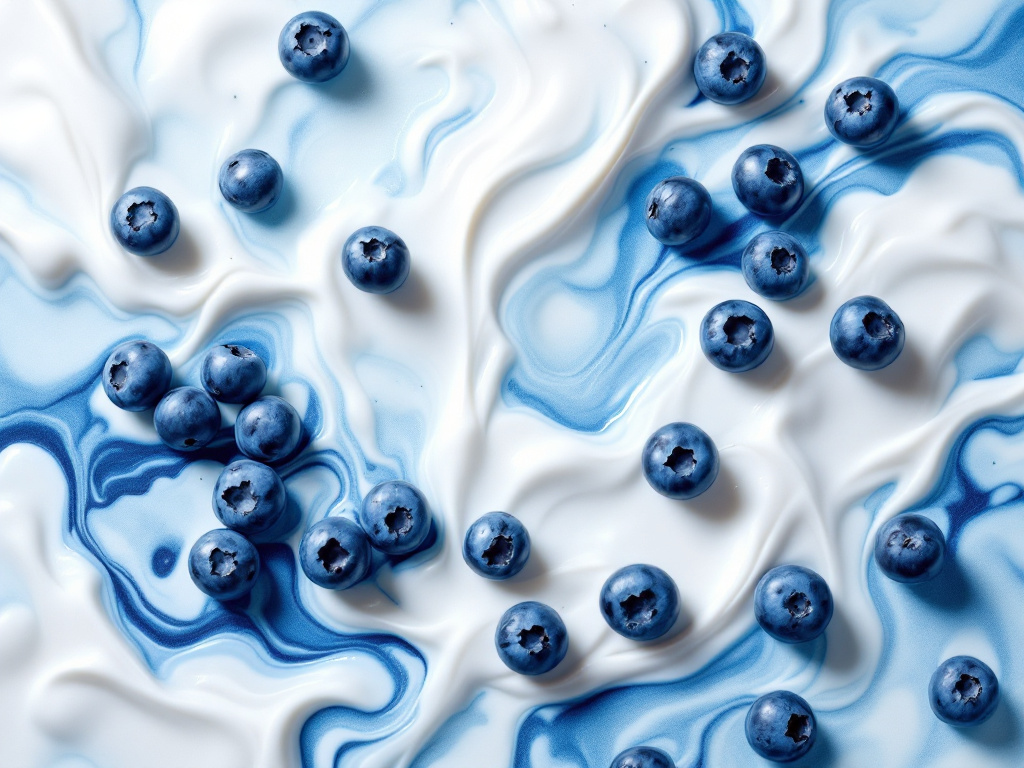

POST https://fal.run/fal-ai/flux-pro/v1.1
Endpoint ID: fal-ai/flux-pro/v1.1Try it in the Playground
Run this model interactively with your own prompts.
Quick Start
Examples
A close-up artistic photograph of fresh blueberries on a white surface. The surface has a marbled, fluid texture with swirls of white and various shades of blue, creating an abstract, paint-like effect. The blueberries are scattered across the image, some sitting on the white areas and others nestle…
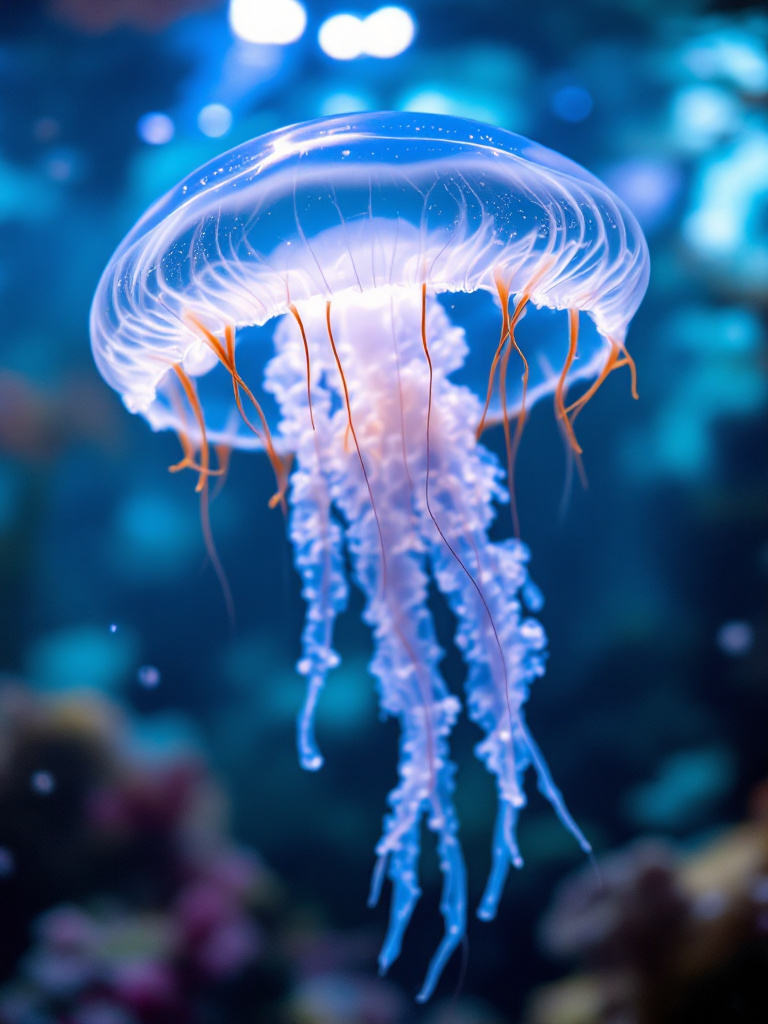
A visually stunning image of the Turritopsis dohrnii jellyfish floating gracefully in clear water. Include a close-up of its unique, translucent body, showcasing the regeneration process. The background should have a serene underwater environment with soft lighting.
A cartoon character walking in autumn nature holding a phone and working on his phone In autumn graphic style
Input Schema
The prompt to generate an image from.
The size of the generated image. Default value:
landscape_4_3Possible values: square_hd, square, portrait_4_3, portrait_16_9, landscape_4_3, landscape_16_9The same seed and the same prompt given to the same version of the model
will output the same image every time.
If
True, the media will be returned as a data URI and the output data won’t be available in the request history.The number of images to generate. Default value:
1Range: 1 to 4The format of the generated image. Default value:
"jpeg"Possible values: jpeg, pngThe safety tolerance level for the generated image. 1 being the most strict and 5 being the most permissive. Default value:
"2"Possible values: 1, 2, 3, 4, 5, 6Whether to enhance the prompt for better results.
Output Schema
The generated image files info.
Seed of the generated Image. It will be the same value of the one passed in the
input or the randomly generated that was used in case none was passed.
Whether the generated images contain NSFW concepts.
The prompt used for generating the image.
Input Example
Output Example
FLUX1.1 [pro] - Professional Text-to-Image Generation
Transform your text descriptions into stunning, high-quality images with FLUX1.1 [pro], an enhanced version of FLUX.1 [pro] with improved image generation capabilities, delivering superior composition, detail, and artistic fidelity compared to its predecessor.Overview
FLUX1.1 [pro] generates professional-grade images from text descriptions with enhanced performance and speed. Built on a 12 billion parameter flow transformer architecture, it delivers exceptional quality while maintaining rapid generation speeds and superior prompt adherence.Key Capabilities
- Enhanced image generation with superior composition and detail
- Improved prompt adherence and output diversity
- Six times faster than the original FLUX.1 [pro]
- Highest Elo score on Artificial Analysis image arena
- Commercial-ready image quality with artistic fidelity
- Professional-grade performance optimized for production use
Getting Started
Getting up and running with FLUX1.1 [pro] takes just a few minutes. Here’s how to begin:- Get your API key at https://fal.ai/login
- Install the client library for your preferred language
- Make your first API call
JavaScript/TypeScript Installation:
Python Installation:
Simple Integration Example
Here’s a basic example of generating an image using TypeScript:Advanced Features
FLUX1.1 [pro] offers sophisticated controls for professional use cases:Enhanced Performance
Six times faster generation than its predecessor while maintaining superior image quality and better prompt adherence.Superior Composition
Delivers improved artistic fidelity with enhanced detail rendering and composition quality compared to previous versions.Prompt Adherence
Excels at accurately interpreting and generating images based on complex prompts and specific requirements, making it highly versatile for various creative needs.Output Diversity
Increased variety and creativity in generated outputs while maintaining consistency and quality.Best Practices
Maximize your results with these proven approaches:Image Quality
Use detailed, specific prompts that describe both content and style. The enhanced prompt adherence means more precise descriptions yield better results.Performance Optimization
Take advantage of the improved speed while maintaining high quality output. The model balances efficiency with superior visual fidelity.Production Implementation
Implement proper error handling and retry logic for robust production deployments. The model’s enhanced reliability makes it ideal for enterprise use.Technical Specifications
Model Architecture
- 12 billion parameter flow transformer
- Enhanced version of FLUX.1 [pro]
- Hybrid architecture with multimodal and parallel diffusion transformer blocks
- Flow matching methodology with rotary positional embeddings
Performance Metrics
- Speed: 6x faster than original FLUX.1 [pro]
- Quality: Superior composition, detail, and artistic fidelity
- Benchmark: Highest overall Elo score on Artificial Analysis arena
- Commercial usage: Approved for professional and commercial use
Codename “Blueberry”
FLUX1.1 [pro] was tested under the codename “blueberry” and achieved the highest overall Elo score among all image models on the Artificial Analysis image arena, surpassing competing models in visual quality and prompt accuracy.API Reference
The FLUX1.1 [pro] API accepts standard text-to-image parameters:Pricing and Usage
Your request will cost $0.04 per megapixel. Images are billed by rounding up to the nearest megapixel. Our transparent, usage-based pricing offers excellent value:- Competitive pricing: $0.04 per megapixel
- Commercial usage rights included
- No hidden fees or minimum commitments
- Enterprise-grade reliability with cost-effective scaling
Support and Resources
Additional resources to help you succeed:Documentation
Complete API documentation available at https://docs.fal.ai/Community
Join our active developer community for support and inspirationEnterprise Support
Dedicated support channels for enterprise customers Ready to transform your text into stunning images with the most advanced FLUX model available? Sign up now at https://fal.ai and start creating with FLUX1.1 [pro]. Get Started with FLUX1.1 ProRelated
- FLUX1.1 [pro] ultra — Image Generation
- FLUX.1 [pro] Fill — Image Generation
- FLUX1.1 [pro] Redux — Image Generation
- FLUX1.1 [pro] ultra Redux — Image Generation
- FLUX1.1 [pro] ultra Fine-tuned — Image Generation
- FLUX.1 [pro] Fill Fine-tuned — Image Generation
- FLUX1.1 [pro] — Image Generation
Limitations
image_sizerestricted to:square_hd,square,portrait_4_3,portrait_16_9,landscape_4_3,landscape_16_9num_imagesrange: 1 to 4output_formatrestricted to:jpeg,pngsafety_tolerancerestricted to:1,2,3,4,5,6num_inference_stepsrange: 1 to 50guidance_scalerange: 1 to 20