> ## Documentation Index
> Fetch the complete documentation index at: https://fal.ai/docs/llms.txt
> Use this file to discover all available pages before exploring further.
# Flux Pro Kontext Text To Image API
> API reference for Flux Pro Kontext Text To Image. The FLUX.1 Kontext [pro] text-to-image delivers state-of-the-art image generation results with unprecedented prompt following, photorealistic renderin
**Endpoint:** `POST https://fal.run/fal-ai/flux-pro/kontext/text-to-image`
**Endpoint ID:** `fal-ai/flux-pro/kontext/text-to-image`
Run this model interactively with your own prompts.
## Quick Start
```python title="Python" theme={null}
import fal_client
def on_queue_update(update):
if isinstance(update, fal_client.InProgress):
for log in update.logs:
print(log["message"])
result = fal_client.subscribe(
"fal-ai/flux-pro/kontext/text-to-image",
arguments={
"prompt": "Extreme close-up of a single tiger eye, direct frontal view. Detailed iris and pupil. Sharp focus on eye texture and color. Natural lighting to capture authentic eye shine and depth. The word \"FLUX\" is painted over it in big, white brush strokes with visible texture."
},
with_logs=True,
on_queue_update=on_queue_update,
)
print(result)
```
```javascript title="JavaScript" theme={null}
import { fal } from "@fal-ai/client";
const result = await fal.subscribe("fal-ai/flux-pro/kontext/text-to-image", {
input: {
prompt: "Extreme close-up of a single tiger eye, direct frontal view. Detailed iris and pupil. Sharp focus on eye texture and color. Natural lighting to capture authentic eye shine and depth. The word \"FLUX\" is painted over it in big, white brush strokes with visible texture."
},
logs: true,
onQueueUpdate: (update) => {
if (update.status === "IN_PROGRESS") {
update.logs.map((log) => log.message).forEach(console.log);
}
},
});
console.log(result.data);
console.log(result.requestId);
```
```bash title="cURL" theme={null}
curl --request POST \
--url https://fal.run/fal-ai/flux-pro/kontext/text-to-image \
--header "Authorization: Key $FAL_KEY" \
--header "Content-Type: application/json" \
--data '{
"prompt": "Extreme close-up of a single tiger eye, direct frontal view. Detailed iris and pupil. Sharp focus on eye texture and color. Natural lighting to capture authentic eye shine and depth. The word \"FLUX\" is painted over it in big, white brush strokes with visible texture."
}'
```
## Examples
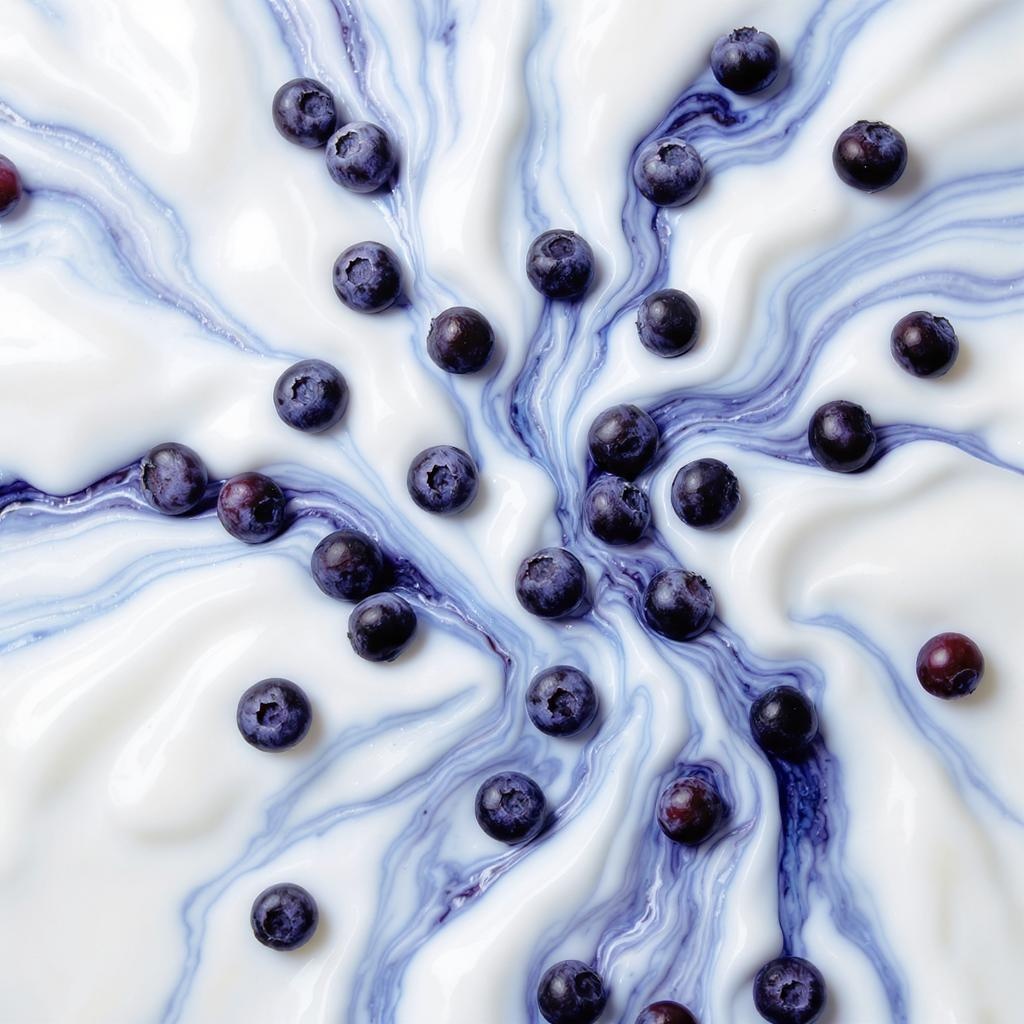
> A close-up artistic photograph of fresh blueberries on a white surface. The surface has a marbled, fluid texture with swirls of white and various shades of blue, creating an abstract, paint-like effect. The blueberries are scattered across the image, some sitting on the white areas and others nestle...
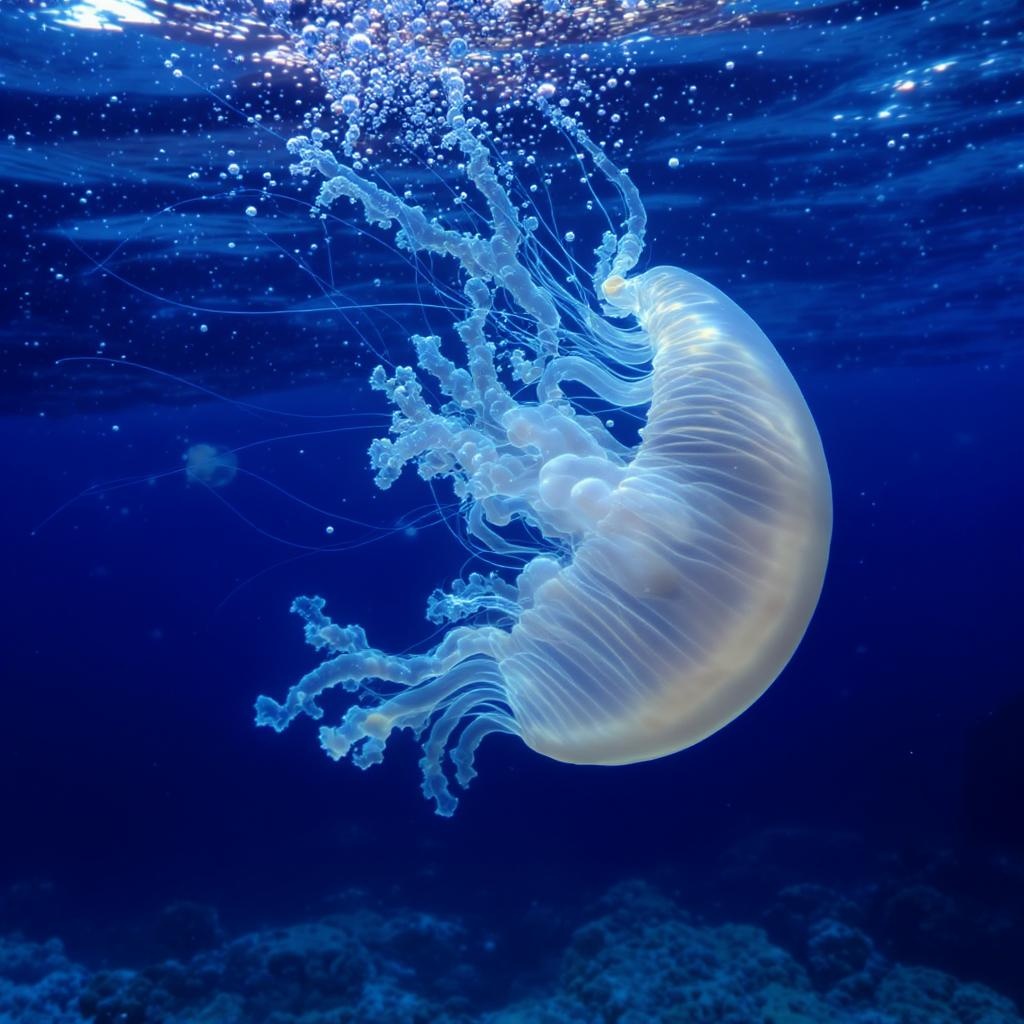
 > A visually stunning image of the Turritopsis dohrnii jellyfish floating gracefully in clear water. Include a close-up of its unique, translucent body, showcasing the regeneration process. The background should have a serene underwater environment with soft lighting.
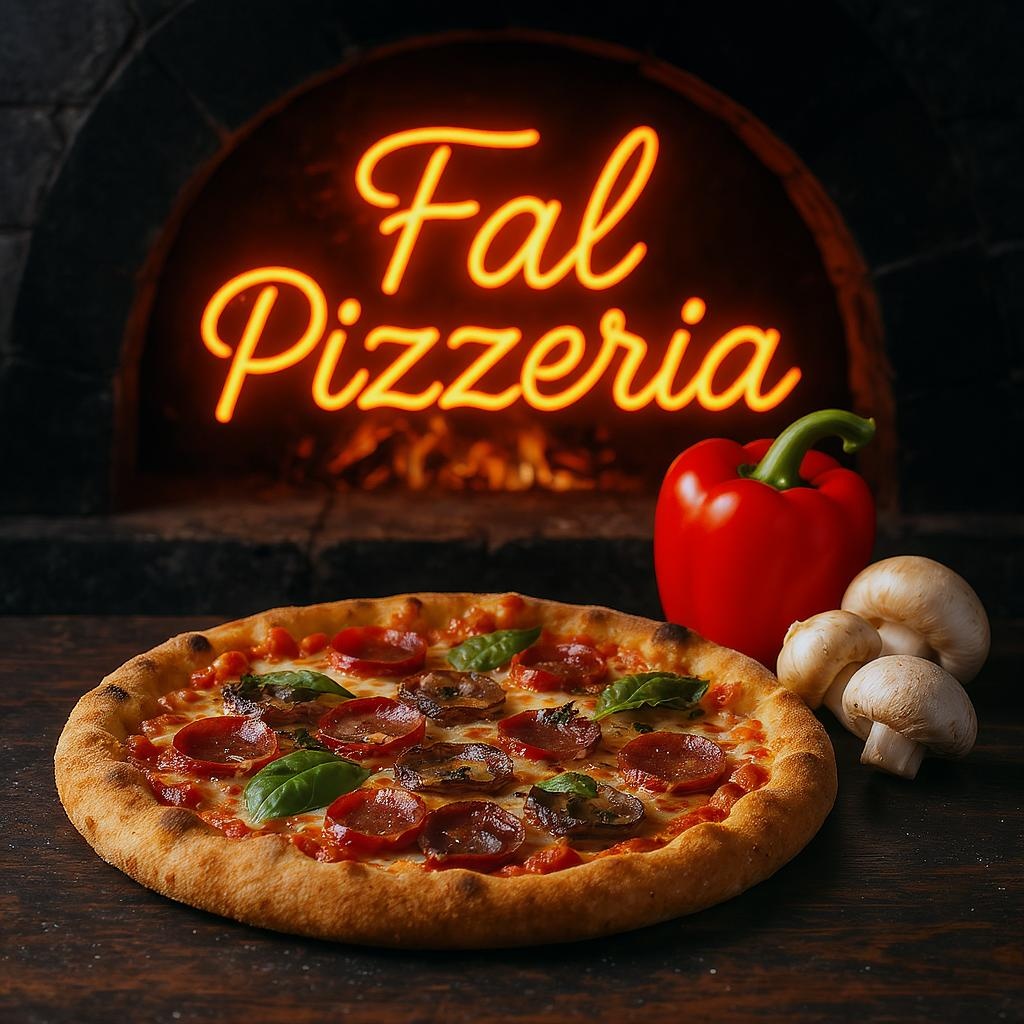
 > In the foreground is a pizza, in the background the word "Fal Pizzeria" is written in neon by a wood-fired pizza oven, next to the pizza pepper and mushrooms are artistically used to show freshness and freshness, a colorful and attractive color palette is used , dynamic image, food photography
 ## Related
* [FLUX.1 Kontext \[pro\]](/model-api-reference/image-generation-api/flux.1-kontext) — Image Generation
## Capabilities
* Text prompt input
* Reproducible generation (seed)
* CFG guidance scale
* Synchronous mode
* Batch generation
* Aspect ratio control
## API Reference
### Input Schema
The prompt to generate an image from.
The same seed and the same prompt given to the same version of the model
will output the same image every time.
The CFG (Classifier Free Guidance) scale is a measure of how close you want
the model to stick to your prompt when looking for a related image to show you. Default value: `3.5`
Range: `1` to `20`
If `True`, the media will be returned as a data URI and the output data won't be available in the request history.
The number of images to generate. Default value: `1`
Range: `1` to `4`
The format of the generated image. Default value: `"jpeg"`
Possible values: `jpeg`, `png`
The safety tolerance level for the generated image. 1 being the most strict and 5 being the most permissive. Default value: `"2"`
Possible values: `1`, `2`, `3`, `4`, `5`, `6`
Whether to enhance the prompt for better results.
The aspect ratio of the generated image. Default value: `"1:1"`
Possible values: `21:9`, `16:9`, `4:3`, `3:2`, `1:1`, `2:3`, `3:4`, `9:16`, `9:21`
### Output Schema
The generated image files info.
Seed of the generated Image. It will be the same value of the one passed in the
input or the randomly generated that was used in case none was passed.
Whether the generated images contain NSFW concepts.
The prompt used for generating the image.
## Input Example
```json theme={null}
{
"prompt": "Extreme close-up of a single tiger eye, direct frontal view. Detailed iris and pupil. Sharp focus on eye texture and color. Natural lighting to capture authentic eye shine and depth. The word \"FLUX\" is painted over it in big, white brush strokes with visible texture.",
"guidance_scale": 3.5,
"sync_mode": false,
"num_images": 1,
"output_format": "jpeg",
"safety_tolerance": "2",
"enhance_prompt": false,
"aspect_ratio": "1:1"
}
```
## Output Example
```json theme={null}
{
"images": [
{
"url": "",
"content_type": "image/jpeg"
}
],
"prompt": ""
}
```
## Limitations
* `guidance_scale` range: 1 to 20
* `num_images` range: 1 to 4
* `output_format` restricted to: `jpeg`, `png`
* `safety_tolerance` restricted to: `1`, `2`, `3`, `4`, `5`, `6`
## Related
* [FLUX.1 Kontext \[pro\]](/model-api-reference/image-generation-api/flux.1-kontext) — Image Generation
## Capabilities
* Text prompt input
* Reproducible generation (seed)
* CFG guidance scale
* Synchronous mode
* Batch generation
* Aspect ratio control
## API Reference
### Input Schema
The prompt to generate an image from.
The same seed and the same prompt given to the same version of the model
will output the same image every time.
The CFG (Classifier Free Guidance) scale is a measure of how close you want
the model to stick to your prompt when looking for a related image to show you. Default value: `3.5`
Range: `1` to `20`
If `True`, the media will be returned as a data URI and the output data won't be available in the request history.
The number of images to generate. Default value: `1`
Range: `1` to `4`
The format of the generated image. Default value: `"jpeg"`
Possible values: `jpeg`, `png`
The safety tolerance level for the generated image. 1 being the most strict and 5 being the most permissive. Default value: `"2"`
Possible values: `1`, `2`, `3`, `4`, `5`, `6`
Whether to enhance the prompt for better results.
The aspect ratio of the generated image. Default value: `"1:1"`
Possible values: `21:9`, `16:9`, `4:3`, `3:2`, `1:1`, `2:3`, `3:4`, `9:16`, `9:21`
### Output Schema
The generated image files info.
Seed of the generated Image. It will be the same value of the one passed in the
input or the randomly generated that was used in case none was passed.
Whether the generated images contain NSFW concepts.
The prompt used for generating the image.
## Input Example
```json theme={null}
{
"prompt": "Extreme close-up of a single tiger eye, direct frontal view. Detailed iris and pupil. Sharp focus on eye texture and color. Natural lighting to capture authentic eye shine and depth. The word \"FLUX\" is painted over it in big, white brush strokes with visible texture.",
"guidance_scale": 3.5,
"sync_mode": false,
"num_images": 1,
"output_format": "jpeg",
"safety_tolerance": "2",
"enhance_prompt": false,
"aspect_ratio": "1:1"
}
```
## Output Example
```json theme={null}
{
"images": [
{
"url": "",
"content_type": "image/jpeg"
}
],
"prompt": ""
}
```
## Limitations
* `guidance_scale` range: 1 to 20
* `num_images` range: 1 to 4
* `output_format` restricted to: `jpeg`, `png`
* `safety_tolerance` restricted to: `1`, `2`, `3`, `4`, `5`, `6`